Presidents’ Day SaleEnds February 16. Limited quantities. No rainchecks.Shop now

Skip to contentGo to Product SearchGo to Footer
Main Content

Customer Ratings & Reviews
Presidents' Day Deal
Your price for this item is $29.99
The comparable value price is $39.99

Customer reviews

Rating 4.6 out of 5 stars with 5779 reviews

Rating Filter

Rating by feature

  • Value

    Rating 4.7 out of 5 stars

  • Quality

    Rating 4.6 out of 5 stars

  • Ease of Use

    Rating 4.7 out of 5 stars

Pros mentioned filter

Cons mentioned filter

95%would recommend to a friend

Customers are saying

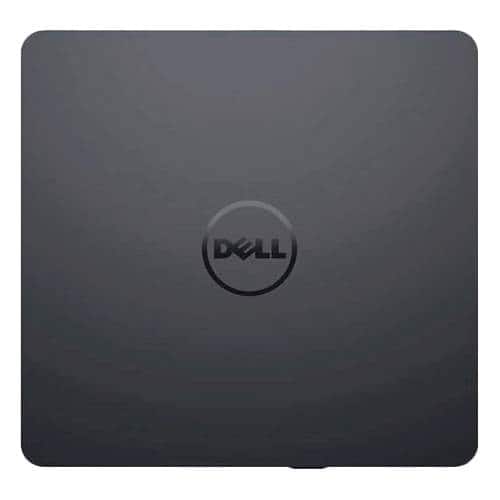
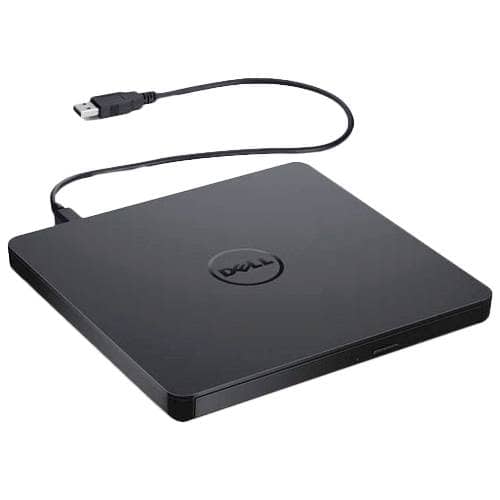
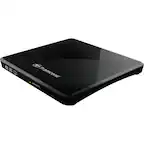
Customers enjoy the DW316 8x Slim External USB DVD±RW/CD-RW Drive for its ease of use, overall performance, and convenient USB connectivity. Many appreciate its perfect size, good value, and broad compatibility. While some users have noted occasional noise, the drive is generally well-received for its functionality.

This summary was generated by AI based on customer reviews.

The vast majority of our reviews come from verified purchases. Reviews from customers may include My Best Buy members, employees, and Tech Insider Network members (as tagged). Select reviewers may receive discounted products, promotional considerations or entries into drawings for honest, helpful reviews.
Page 289 Showing 5,761-5,779 of 5,779 reviews
  • Rated 5 out of 5 stars

    Good choice

    Posted .
    This reviewer received promo considerations or sweepstakes entry for writing a review.

    This was recommended to me by a Dell user - Working fine so far.

    I would recommend this to a friend
  • Rated 5 out of 5 stars

    Just What I Needed

    Posted .
    This reviewer received promo considerations or sweepstakes entry for writing a review.

    This item is just what I needed. Thank you Best Buy

    I would recommend this to a friend
  • Rated 4 out of 5 stars

    Dvd player/ dvd burner

    Posted .
    This reviewer received promo considerations or sweepstakes entry for writing a review.

    Took awhile to figure out how to use it. It's good for dvd's & games

    I would recommend this to a friend
  • Rated 3 out of 5 stars

    Give It A Try

    Posted .
    This reviewer received promo considerations or sweepstakes entry for writing a review.

    Giving it an Average rating as I have not yet used the unit. However, came on time and well packed. Expect it to work as fine as my other Dell products.

    I would recommend this to a friend
    • Brand response from YourDellTeam
      Posted .

      Hello TauCeti,

      Thank you for taking the time to leave us your review. We would like to thank you for purchasing your Dell USB Slim DVD Plug and Play and we hope this product will serve you well.
      Furthermore, we always strive to get better and reviews like yours help us develop products our customers love.

      Below I have provided the user guide to your device.
      Dell USB Slim DVD Drive User’s Guide: https://bit.ly/3Pg9BlI

      If you are experiencing any issues or have any concerns or questions, Please do not hesitate to get in touch with Dell using the information provided below so that we can help you resolve the issue to your satisfaction.
      Chat or call: https://bit.ly/DellSupportTeam
      Phone number to Dell: 1-800-624-9896

      Best,
      Minhaj@Dell Dell

  • Rated 4 out of 5 stars

    RW Drive

    Posted .
    This reviewer received promo considerations or sweepstakes entry for writing a review.

    Packed well and delivered timely. Works well, too! Thank you!

    I would recommend this to a friend

  • Rated 2 out of 5 stars

    Ok. Didn't work for me

    Posted .
    This reviewer received promo considerations or sweepstakes entry for writing a review.

    Bought this to transfer CD's to my Chromebook but found after I ordered it that this external drive doesn't work with Chromebook without downloading an App from the Google Play Store. The app allows you to play DVD's but not burn store bought CD's to Chromebook.

    No, I would not recommend this to a friend
    • Brand response from YourDellTeam
      Posted .

      TechLady1275,

      We're sorry that this external drive did not work the way you intended it to. We'd recommend checking with Best Buy to see what your options are if you are unhappy with the drive's performance: http://bit.ly/2v2IVhI.

      Best,
      Bryan
      1-800-624-9896 Dell

  • Rated 5 out of 5 stars

    cd player works well

    Posted .
    This reviewer received promo considerations or sweepstakes entry for writing a review.

    I can play music, and enter important information on a disc.

    I would recommend this to a friend
  • Rated 1 out of 5 stars

    Can't read the enclosed disc Win 11

    Posted .
    This reviewer received promo considerations or sweepstakes entry for writing a review.

    Included software won't open in Windows 11. The drive worked fine for reading. Then when I tried to load the software to facilitate writing, the disc chugs a bit then provides an error dialog instructing me to insert a disc. So the drive can't even read the provided disc. I never got to the software. I looked at the troubleshooting page offered by Dell to another user with this complaint but that was not relevant or helpful.

    No, I would not recommend this to a friend
  • Rated 3 out of 5 stars

    Works as marketed

    Posted .
    This reviewer received promo considerations or sweepstakes entry for writing a review.

    It was a little confusing to set up as someone who is not very tech savvy. It doesn’t work with some disks and I’m not sure why, but that is disappointing.

    No, I would not recommend this to a friend
    • Brand response from YourDellTeam
      Posted .

      Hi user304491,
      We value your feedback and would like to thank you for taking the time to leave a review of your Dell USB DVD plug and play. We are sorry to hear that you experienced an issue setting up your device. That is not the type of product Dell intends to deliver or the type of feedback we like to hear from our customers. We have noted the details of your statement and will escalate them to our quality team for improvements on current and future products.
      If you continue to experience issues, please reach out to Dell Support directly by using the information provided below.

      Chat or call: https://bit.ly/DellSupportTeam
      Phone number to Dell: 1-800-624-9896

      Best,
      Summer@Dell Dell

  • Cons mentioned:
    Software

    Rated 1 out of 5 stars

    cyber link is terrible

    Posted .
    This reviewer received promo considerations or sweepstakes entry for writing a review.

    I was going to buy this, but once I saw the cyber link software I will not buy. I bought another DVD player/burner with cyber link software that is complicated for the average non IT person and they want me to upgrade all the time, buy upgrades, etc. So I will keep on looking.

    No, I would not recommend this to a friend
    • Brand response from YourDellTeam
      Posted .

      Dear AIL1,
      Thank you for taking the time to leave a review of your Dell USB slim DVD plug and play. We are sorry to hear that you are not completely satisfied with the cyberlink. That is not the type of feedback we like to hear from our customers, or the type of product Dell intends to deliver. We have noted the details of your statement and will use them to improve current and future products. For your convenience I have provided the toll-free number and chat link below if you need further assistance.
      If you continue to experience issues, please reach out to Dell Support directly by using the information provided below.

      Chat or call: https://bit.ly/DellSupportTeam
      Phone number to Dell: 1-800-624-9896

      Best,
      Summer@Dell Dell

  • Rated 2 out of 5 stars

    Not so great experience

    Posted .
    This reviewer received promo considerations or sweepstakes entry for writing a review.

    I purchased and picked this up last night (great experience using curbside pickup by the way). Got it home and plugged it into my laptop and it read it right away no problem. Once I put a DVD in it pulls up the main screen and when I go to click on "play movie", it tells me that there is a "compatibility issue" and it cannot find anything on the internet to correct. My laptop runs the correct version of Windows as described in the item description...so not sure what is going on. Will be contacting the store to get this returned.

    No, I would not recommend this to a friend
    • Brand response from YourDellTeam
      Posted .

      BestBuyKenosha,

      Thanks for your review and your recent purchase. Here's a link to the Quick Start Guide for your external drive: https://dell.to/2VKZfz2. We hope that this guide will help you troubleshoot the issue that you're having.

      Best,
      Bryan
      1-800-624-9896 Dell

  • Rated 3 out of 5 stars

    Dvr

    Posted .
    This reviewer received promo considerations or sweepstakes entry for writing a review.

    Pretty flimsy but ok for occasional use Not for repetitive disk changing

    I would recommend this to a friend
    • Brand response from YourDellTeam
      Posted .

      Dear Egap,

      We want to thank you for taking the time to leave us your valued feedback. We are sorry to hear you are not completely satisfied with the build quality of your Dell - USB Slim DVD+/- RW Drive. We will share your comments with our quality team so improvements can be made now and in the future. I have provided a link to a support page for your device, should you need further information.

      Support Page Link: https://dell.to/342Jytw

      Best Regards,
      Ashley@Dell

      Should you need further assistance, you can contact Dell directly with the information below.
      Chat or call: https://bit.ly/DellSupportTeam
      Phone number to Dell 1-800-624-9896 Dell

  • Pros mentioned:
    Ease of use

    Rated 3 out of 5 stars

    Christmas Gift

    Posted .
    This reviewer received promo considerations or sweepstakes entry for writing a review.

    This is a Christmas gift so I can't say much about it. I know it must be good it is for my husband and he looks into items he wants and only get what he things is the best.

    I would recommend this to a friend

  • Cons mentioned:
    Software

    Rated 1 out of 5 stars

    Does not work

    Posted .
    This reviewer received promo considerations or sweepstakes entry for writing a review.

    My sister and I purchased this for my dad for Father's Day. The software would not load. We waited for OVER AN HOUR. Nothing happened. Very disappointing.

    No, I would not recommend this to a friend

    • Brand response from YourDellTeam
      Posted .

      Hello FlLady,

      Thank you for your review. We're extremely sorry about the trouble you have encountered with loading the software on your External Optical Drive. We would love to help right away. Below is a link to an attachment that can be used to assist with setting up your External Optical Drive.

      Dell External USB Slim DVD +/-RW Optical Drive DW316 - https://dell.to/3mvaJ4x.

      Best regards,
      Wendy C.

      For further assistance, you can contact Dell directly with the information below Chat or Call:
      https://bit.ly/DellSupportTeam.
      Phone number to Dell: 1-800-264-9896. Dell

  • Rated 2 out of 5 stars

    Was Okay...

    Posted .
    This reviewer received promo considerations or sweepstakes entry for writing a review.

    I used this for the first time yesterday and no problems when I started watching a movie. However, when I went back to finish the same movie on the same disk, it just started making noise and will not play my disk.

    No, I would not recommend this to a friend

    • Brand response from YourDellTeam
      Posted .

      @Dakine, we regret to learn about the situation with your External USB DVD. Our team understands the frustration you're facing while trying to enjoy a movie. We'd like to assist you with these steps:

      It is recommended that you reset the BIOS to factory defaults.

      To access the BIOS or System Setup on your Dell PC:

      1 Restart your Dell PC.
      2 Press F2 key several times at the Dell logo screen during startup.
      or
      3 Press F12 key several times at the Dell logo screen during startup and select BIOS Setup or System Setup from the menu.
      4 In the BIOS screen, click Load Defaults or press F9 key on the keyboard to reset the BIOS to factory defaults

      For additional assistance and at your convenience please call our tech support at 1 (800) 999-3355.

      We thank you for taking the time to write about your experience.

      Best,
      Chris Dell

  • Rated 1 out of 5 stars

    DOES NOT PLAY DVD's

    Posted .
    This reviewer received promo considerations or sweepstakes entry for writing a review.

    This thing is awful. Been at my computer for hours. Doesn't recognize the drive when I load ( try & try & try). No wonder it was free as part of an HP Bundle. Don't buy this, folks!

    No, I would not recommend this to a friend

    • Brand response from YourDellTeam
      Posted .

      Matt,

      We're sorry that your external drive is not working the way that you hoped it would. We'd recommend reading the Quick Start Guide in order to help you to get the most out of your new drive: https://dell.to/2VKZfz2.

      Best,
      Bryan
      1-800-624-9896 Dell

  • Rated 1 out of 5 stars

    external hard drive

    Posted .
    This reviewer received promo considerations or sweepstakes entry for writing a review.

    not working. installed but not coming up on monitor

    No, I would not recommend this to a friend
    • Brand response from YourDellTeam
      Posted .

      Hey There user326915,
      Thank you for taking the time to leave a review of your Dell USB DVD Plug and play. We are sorry to hear that your device is not showing up on your monitor. That is not the type of feedback we like to hear from our customers, or the type of product Dell intends to deliver. We would love to help you resolve your issue. At your convenience we recommend reaching out to a member of our support team. Below I have provided the toll-free number and chat link to reach a member of our support team.

      If you continue to experience issues, please reach out to Dell Support directly by using the information provided below.

      Chat or call: https://bit.ly/DellSupportTeam
      Phone number to Dell: 1-800-624-9896

      Best,
      Summer@Dell Dell

  • Rated 1 out of 5 stars

    mistake

    Posted .
    This reviewer received promo considerations or sweepstakes entry for writing a review.

    plug and don't play, doesn't do anything. not happy

    No, I would not recommend this to a friend
    • Brand response from YourDellTeam
      Posted .

      Dear user575893,
      Thank you for taking the time to leave a review of your Dell USB Slim DVD drive plug and play. We are sorry to hear that you are not completely satisfied with your device. That is not the type of feedback we like to hear from our customers, or the type of product Dell intends to deliver. We have noted the details of your statement and will escalate them to our quality team for improvements on current and future products.
      We recommend that you contact Dell directly with the information below if you need further assistance.
      Chat or call: https://bit.ly/DellSupportTeam
      Phone number to Dell: 1-800-624-9896.

      Best,
      Summer@Dell Dell

  • Rated 2 out of 5 stars

    Dekk YSB Skun DVD

    Posted .
    This reviewer received promo considerations or sweepstakes entry for writing a review.

    It doesn't work with my MacBook Pro but might be good for other computers.

    No, I would not recommend this to a friend
    • Brand response from YourDellTeam
      Posted .

      Hello There EJSR,

      Thank you for providing feedback on your USB slim dvd drive. We are sorry to hear that your product does not work with your macbook. That is not the type of feedback we like to hear from our customers. We have noted the details of your statement and will use them to improve current and future products. If you need further assistance, please use the toll-free number or chat link below to reach a member of our support team.

      Should you need further assistance; we recommend that you contact Dell directly with the information below.
      Chat or call: https://bit.ly/DellSupportTeam
      Phone number to Dell: 1-800-624-9896.

      Regards,
      Summer@Dell Dell