Customer Ratings & Reviews


- Model:
- I3275-A821BLK-PUS
- SKU:
- 6196006
Rating by feature
- Value
Rating 3.4 out of 5 stars
- Quality
Rating 3.2 out of 5 stars
- Ease of Use
Rating 3.5 out of 5 stars
Customers are saying
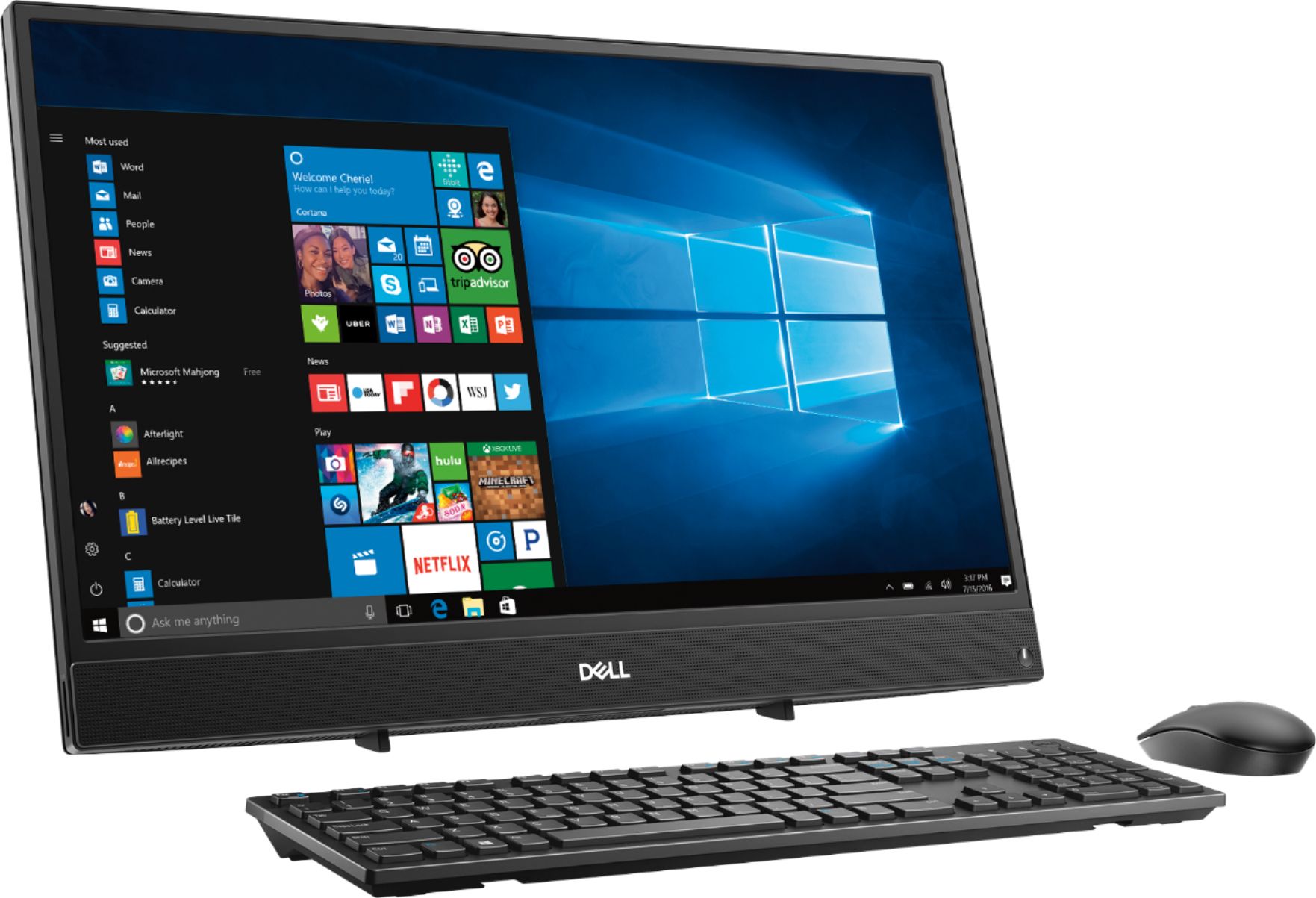
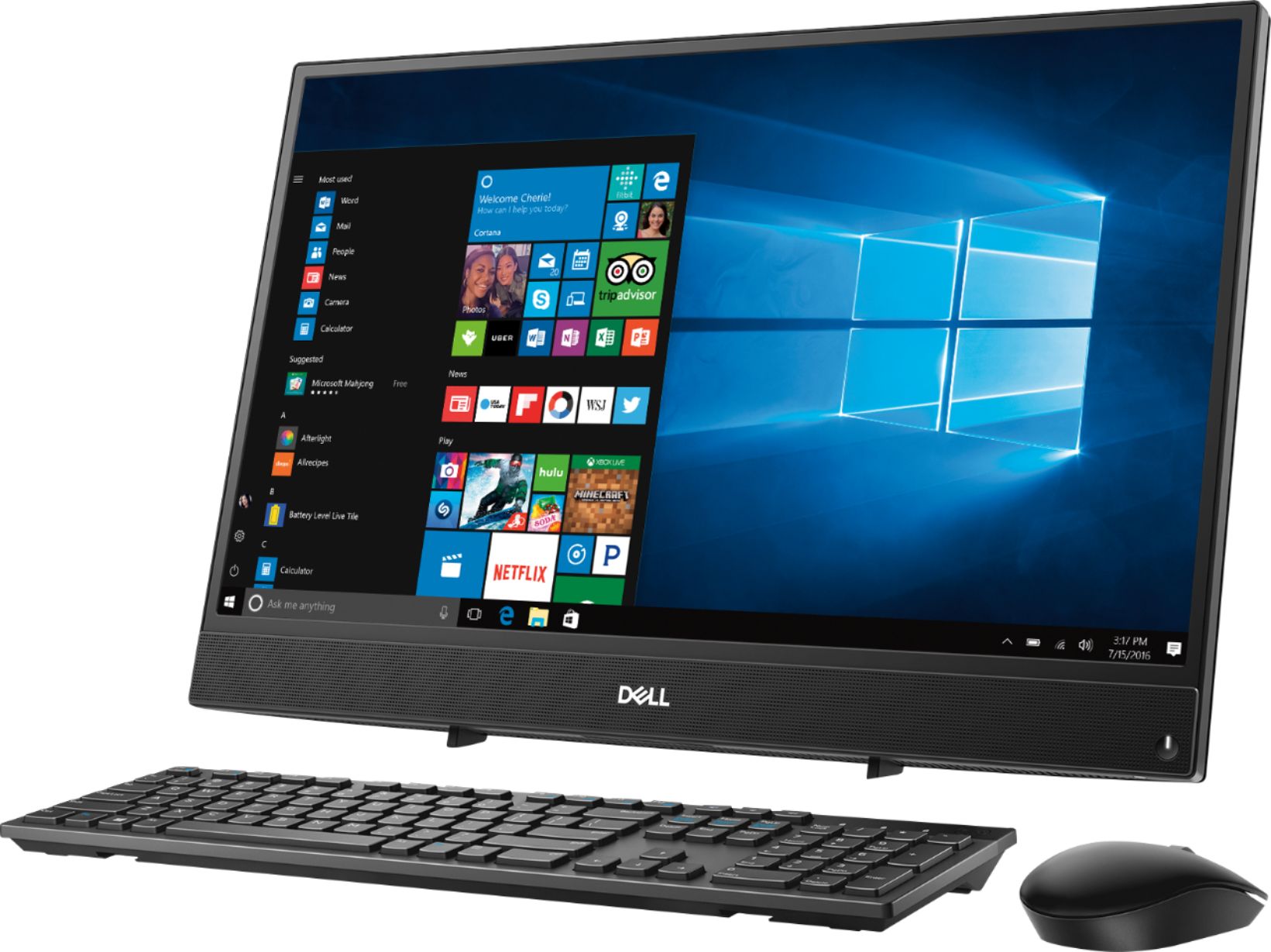
Customers commend the Inspiron 21.5" All-in-One's touch screen, ease of use, and affordable price, finding it compact and attractive. However, some users experienced slow performance and noted limitations in RAM and hard drive speed, suggesting that the system may not be suitable for demanding tasks.
This summary was generated by AI based on customer reviews.
- Cons mentioned:Speed
Alright Computer
||Posted .This reviewer received promo considerations or sweepstakes entry for writing a review.The computer was clear. Processor was slow. Not recommended for ANY type of gaming.
No, I would not recommend this to a friendBrand response from YourDellTeam
Posted .sallenharvey,
We're sorry that your computer's processor is working slower than you had hoped it would. We'd recommend running the Windows Performance Troubleshooter to see if there are any suggested ways for your computer to run faster:
1. Close all open windows.
2. Press the Windows logo key + X key on the keyboard.
3. Click Control Panel.
4. Click System and Security.
5. Under Security and Maintenance, select Troubleshoot common problems.
6. Under System and Security, click Run maintenance tasks.
7. Follow the on-screen instructions and prompts to complete the process.
8. Restart the PC.
You can read the full article here - http://dell.to/2tSulGV.
Best,
Bryan
1-800-624-9896
- Cons mentioned:Speed
Very slow computer
||Posted .This reviewer received promo considerations or sweepstakes entry for writing a review.If you need it for business this is not an option very slow to process information
No, I would not recommend this to a friendBrand response from YourDellTeam
Posted .Hello Steve,
We're sorry that your computer is performing slower than you'd like it to. We'd recommend running the Windows Performance Troubleshooter to see if there are ways to speed up your computer:
1. Close all open windows.
2. Press the Windows logo key + X key on the keyboard.
3. Click Control Panel.
4. Click System and Security.
5. Under Security and Maintenance, select Troubleshoot common problems.
6. Under System and Security, click Run maintenance tasks.
7. Follow the on-screen instructions and prompts to complete the process.
8. Restart the PC.
You can read the full article here - http://dell.to/2tSulGV.
Best,
Bryan
1-800-624-9896
- Cons mentioned:Speed
slower then i ike
||Posted .This reviewer received promo considerations or sweepstakes entry for writing a review.not happy with product wish it was faster ok if you don't want a fast computer
No, I would not recommend this to a friendBrand response from YourDellTeam
Posted .SueC,
Thanks for your feedback. We're sorry that your computer is not performing as fast as you'd like it to. We'd recommend running the Windows Performance Troubleshooter to see if it will help speed up your computer:
1. Close all open windows.
2. Press the Windows logo key + X key on the keyboard.
3. Click Control Panel.
4. Click System and Security.
5. Under Security and Maintenance, select Troubleshoot common problems.
6. Under System and Security, click Run maintenance tasks.
7. Follow the on-screen instructions and prompts to complete the process.
8. Restart the PC.
You can read the full article here - http://dell.to/2tSulGV.
Best,
Bryan
1-800-624-9896
- Cons mentioned:Speed
Sometimes computer is slow.
||Posted .This reviewer received promo considerations or sweepstakes entry for writing a review.Great for games but videos do not work very good. Computer is sometimes slow.
No, I would not recommend this to a friendBrand response from YourDellTeam
Posted .Bulldog,
Thanks for your review. We're sorry to hear that your computer is not performing the way you had hoped it would. We'd recommend running the Windows Performance Troubleshooter:
1. Close all open windows.
2. Press the Windows logo key + X key on the keyboard.
3. Click Control Panel.
4. Click System and Security.
5. Under Security and Maintenance, select Troubleshoot common problems.
6. Under System and Security, click Run maintenance tasks.
7. Follow the on-screen instructions and prompts to complete the process.
8. Restart the PC.
You can read the full article here - http://dell.to/2tSulGV.
Best,
Bryan
1-800-624-9896
- Cons mentioned:Speed
Great entry level computer
||Posted .This reviewer received promo considerations or sweepstakes entry for writing a review.The computer is ok if your not looking for speed the processor is a little slow
No, I would not recommend this to a friendBrand response from YourDellTeam
Posted .Greg,
Thanks for your review. We're happy that for the most part your new computer is working well for you. If you try to run the Windows Performance Troubleshooter you can see if your computer can run faster for you:
1. Close all open windows.
2. Press the Windows logo key + X key on the keyboard.
3. Click Control Panel.
4. Click System and Security.
5. Under Security and Maintenance, select Troubleshoot common problems.
6. Under System and Security, click Run maintenance tasks.
7. Follow the on-screen instructions and prompts to complete the process.
8. Restart the PC.
You can read the full article here - http://dell.to/2tSulGV.
Best,
Bryan
1-800-624-9896
The Jury is still out
||Posted .This reviewer received promo considerations or sweepstakes entry for writing a review.The monitor is nice and clear, but the keyboard provided with the product is "sticky" and slow. I'm still evaluating whether I am happy or not with this product -- it is always difficult to get a new windows computer up and running so my complaints are more concerned with Windows than the computer itself
I would recommend this to a friend- Cons mentioned:Speed
space saving convenient
||Posted . Owned for 1.5 years when reviewed.This reviewer received promo considerations or sweepstakes entry for writing a review.not enough beef will not play film strips well and very slow!!!
No, I would not recommend this to a friend - Cons mentioned:Performance
Slow machine
||Posted . Owned for 7 months when reviewed.This reviewer received promo considerations or sweepstakes entry for writing a review.Can't even run basic games like minecraft and roblox without glitching.
No, I would not recommend this to a friendBrand response from YourDellTeam
Posted .Lricc,
We're sorry that your computer is not performing the way that you hoped it would. We'd recommend checking the Windows Performance Troubleshooter and seeing if there are any adjustments that you can make that will help your computer run better for you.
Best,
Bryan
1-800-624-9896
- Pros mentioned:Touch screen
Dell is a good computer
||Posted .This reviewer received promo considerations or sweepstakes entry for writing a review.I like this computer I can open up two screens at a time and I love the fact that it’s a touchscreen. I also like that every thing is all built in and I don’t have to worry about a tower.
I would recommend this to a friend - Cons mentioned:Performance
I thought good for my kid
||Posted .This reviewer received promo considerations or sweepstakes entry for writing a review.I bought for my 4 years kid - It was so slow / lagging with touch screen that so annoying. I called Dell support they said it's not a hardware problem it's software / Windows issue even I haven't install anything, Dell support pushing me pay them and get support to resolve the issue. I said oh yeah I just open this box and returning back to bestbuy. Bottom line don't waste your time look for something else. , don't waste your time
No, I would not recommend this to a friendBrand response from YourDellTeam
Posted .Shah110,
We're sorry to hear about the troubles that you had with your new Dell computer. While you may not have installed anything on your computer when you contacted Dell Support it may be possible that some programs that were installed on your program before you bought it were slowing down your computer. It's important with your next computer that you look through any pre-installed programs to make sure that you plan to use all of them and if not you can un-install them. If you are using Windows on your next computer you can always run the Windows Performance Troubleshooter by following these steps:
1. Close all open windows.
2. Press the Windows logo key + X key on the keyboard.
3. Click Control Panel.
4. Click System and Security.
5. Under Security and Maintenance, select Troubleshoot common problems.
6. Under System and Security, click Run maintenance tasks.
7. Follow the on-screen instructions and prompts to complete the process.
8. Restart the PC.
You can read the full article here - http://dell.to/2tSulGV.
Best,
Bryan
1-800-624-9896
- Cons mentioned:Speed
So so pc
||Posted . Owned for more than 2 years when reviewed.This reviewer received promo considerations or sweepstakes entry for writing a review.Purchase for my spouse she Doesn't like it too slow
No, I would not recommend this to a friend - Cons mentioned:Speed
Touch screen
||Posted .This reviewer received promo considerations or sweepstakes entry for writing a review.Great starter computer for kids, but don’t expect a fast processor.
I would recommend this to a friendBrand response from YourDellTeam
Posted .Cj05040,
Thanks for your review. We're sorry to hear that your computer is not performing as fast as you hoped it would. We'd recommend running the Windows Performance Troubleshooter to see if your computer can run any faster for you:
1. Close all open windows.
2. Press the Windows logo key + X key on the keyboard.
3. Click Control Panel.
4. Click System and Security.
5. Under Security and Maintenance, select Troubleshoot common problems.
6. Under System and Security, click Run maintenance tasks.
7. Follow the on-screen instructions and prompts to complete the process.
8. Restart the PC.
You can read the full article here - http://dell.to/2tSulGV.
Best,
Bryan
1-800-624-9896
- Pros mentioned:Touch screen
Great Desktop computer
||Posted .This reviewer received promo considerations or sweepstakes entry for writing a review.This computer is very reliable as your main desktop. My kids can use it with no problems and they love that you can just select whatever you need with your finger on the screen. Not much need for a mouse the majority of the time.
I would recommend this to a friend - Pros mentioned:Touch screen
My Son loves it
||Posted .This reviewer received promo considerations or sweepstakes entry for writing a review.I bought this to replace a laptop that my 7 year old was using for school. He loves the touch screen and works so much better than his two year old laptop. I personally have not used it other than to set it up but works great
I would recommend this to a friend - Cons mentioned:Performance
Good if you only need to do minor work
||Posted . Owned for 3 months when reviewed.This reviewer received promo considerations or sweepstakes entry for writing a review.A little slow but gets the job done. Not bad for the price.
No, I would not recommend this to a friendBrand response from YourDellTeam
Posted .Thatlabguy,
Thanks for your review. We're sorry to hear that your computer is performing slower than you'd like it to. We'd recommend running the Windows Performance Troubleshooter to see if it will help speed up your computer:
1. Close all open windows.
2. Press the Windows logo key + X key on the keyboard.
3. Click Control Panel.
4. Click System and Security.
5. Under Security and Maintenance, select Troubleshoot common problems.
6. Under System and Security, click Run maintenance tasks.
7. Follow the on-screen instructions and prompts to complete the process.
8. Restart the PC.
You can read the full article here - http://dell.to/2tSulGV.
Best,
Bryan
1-800-624-9896
- Pros mentioned:Ease of use
Beginners computer.
||Posted .This reviewer received promo considerations or sweepstakes entry for writing a review.This computer is good for a beginner learning how to use a computer.
I would recommend this to a friendBrand response from YourDellTeam
Posted .Hi Valued Customer,
Thanks for your feedback on your new Dell All-In-One. We hope that it's meeting your needs. If you have any questions about your computer you can always check out our Product Support Page here - https://dell.to/2u32zX8.
Best,
Bryan
1-800-624-9896
- Cons mentioned:Speed
Beautiful and compact desktop computer.
||Posted .This reviewer received promo considerations or sweepstakes entry for writing a review.The computer did not live up to it's billing. I called Dell twice because I felt that it was too slow. They did updates that I did not realize would be necessary the first time. Updates did not solve the problem. Cox brought me a new modem and it still registers under 100mbps.
No, I would not recommend this to a friendBrand response from YourDellTeam
Posted .MaryRose,
We're sorry to hear that your computer is performing slower than you'd like it to. We'd recommend running the Windows Performance Troubleshooter to see if there is anything else you can do to speed up your computer:
1. Close all open windows.
2. Press the Windows logo key + X key on the keyboard.
3. Click Control Panel.
4. Click System and Security.
5. Under Security and Maintenance, select Troubleshoot common problems.
6. Under System and Security, click Run maintenance tasks.
7. Follow the on-screen instructions and prompts to complete the process.
8. Restart the PC.
You can read the full article here - http://dell.to/2tSulGV.
Best,
Bryan
1-800-624-9896
- Pros mentioned:Touch screen
Great basic computer
||Posted .This reviewer received promo considerations or sweepstakes entry for writing a review.Great sized screen, nice to have touch screen for certain things, easy for the user who needed very basic instructions to use it! Resolution of screen is awesome
I would recommend this to a friend - Pros mentioned:Price
Nice graphics for all in one
||Posted .This reviewer received promo considerations or sweepstakes entry for writing a review.I brought it as a gift to family member so she can play minecraft and few other games on there. I checked it out myself it's really nice for the price I can barely hear it running no issue had it for almost a month
I would recommend this to a friend - Cons mentioned:Hard drive
Dell computer
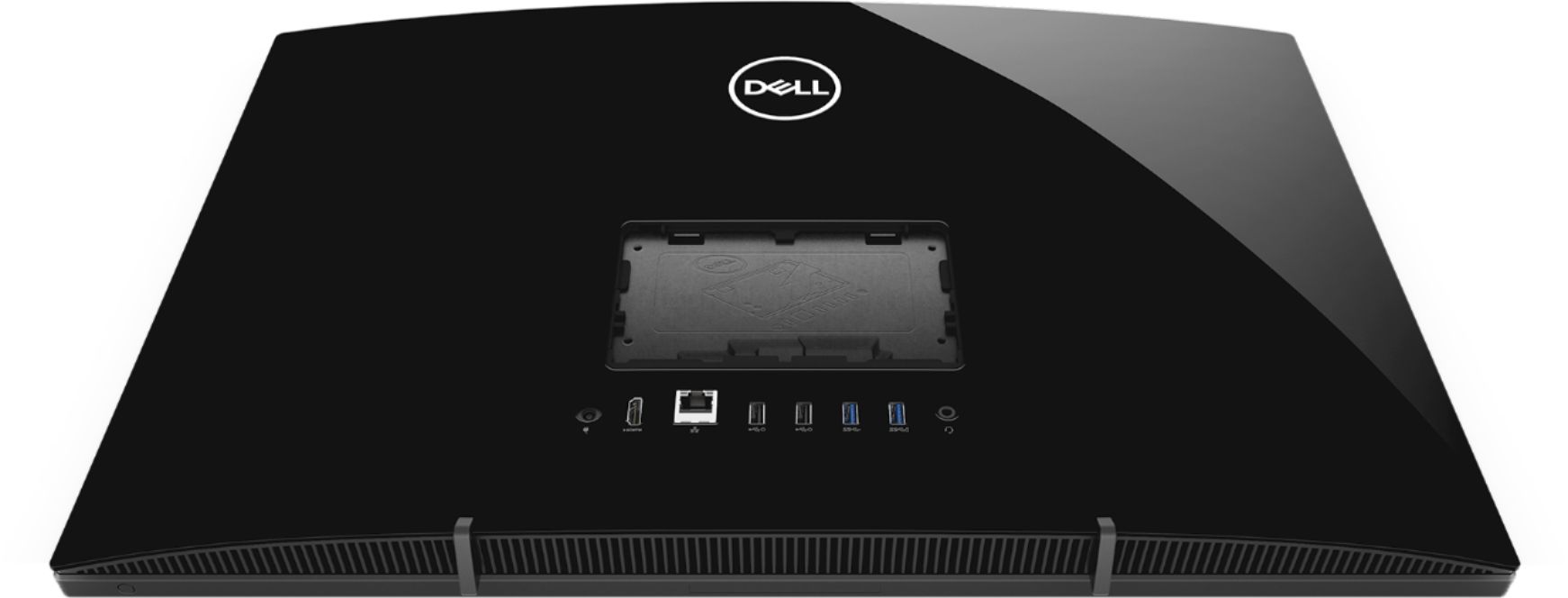
||Posted .This reviewer received promo considerations or sweepstakes entry for writing a review.I like the hide away camera but I wish it had a disc drive
I would recommend this to a friendBrand response from YourDellTeam
Posted .Movie,
Thanks for your review. We're glad that you're happy with your computer for the most part. Dell does offer an external disc drive for computers that you can find at Best Buy here: http://bit.ly/2N8c7bq.
If you have questions about your computer you can always check our Product Support Page here: https://dell.to/2u32zX8.
Best,
Bryan
1-800-624-9896