Customer Ratings & Reviews
- Model:
- I5477-7491SLV-PUS
- SKU:
- 6239842
Rating by feature
- Value
Rating 4.2 out of 5 stars
- Quality
Rating 4.0 out of 5 stars
- Ease of Use
Rating 4.3 out of 5 stars
Customers are saying
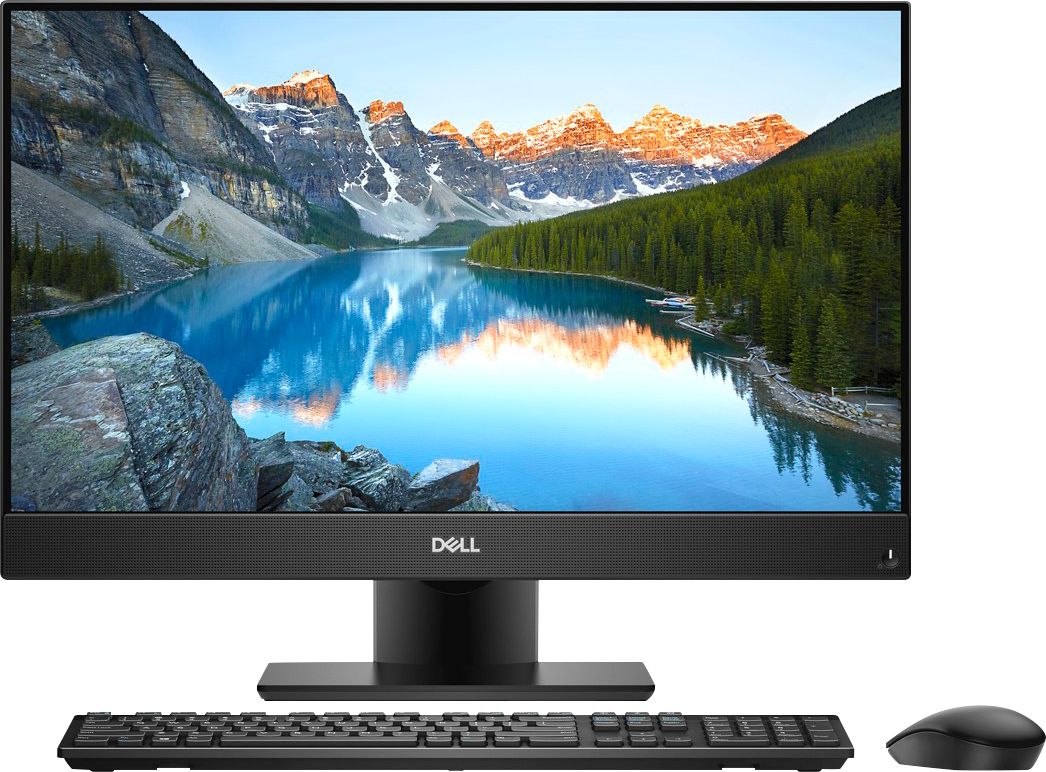
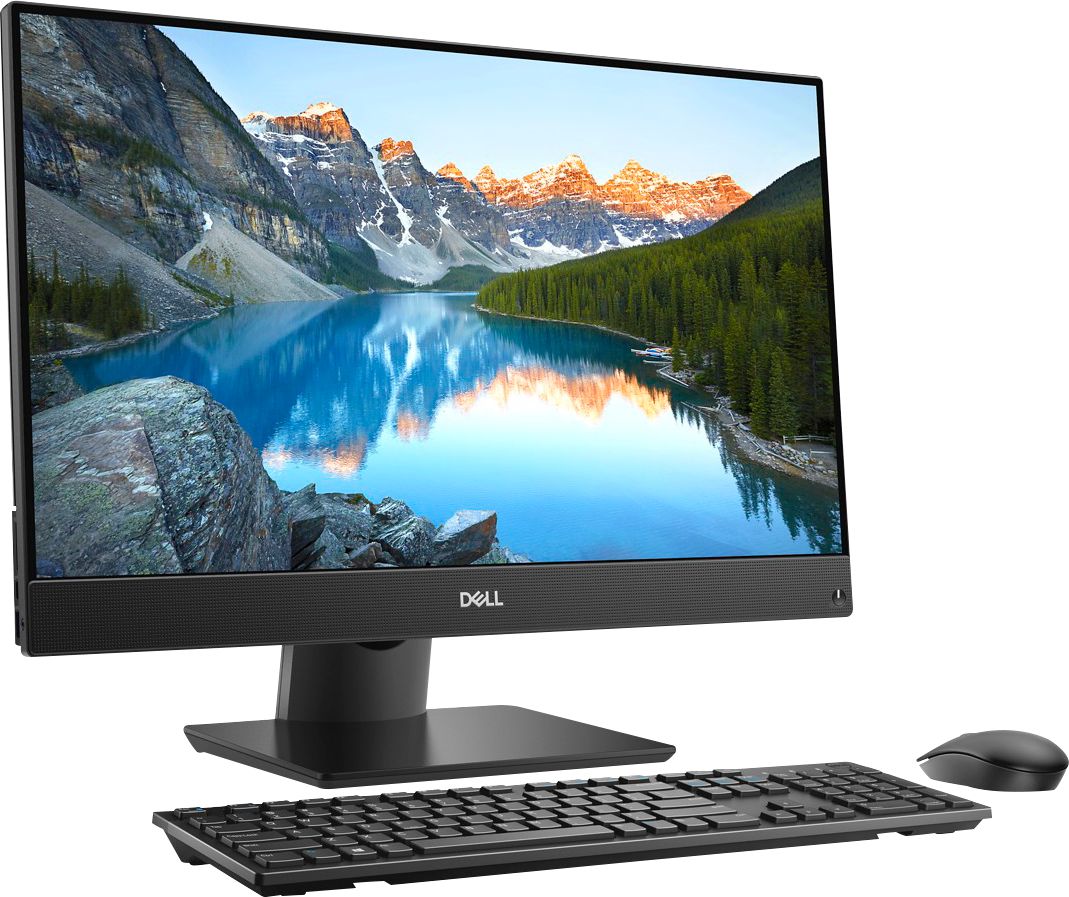
Customers find value in the Inspiron 23.8" All-in-One's touch screen, ease of use, and performance. Many appreciate its sleek design and the ample storage provided by the hard drive, along with the sufficient RAM for everyday tasks. Positive feedback highlights the space-saving size and the overall user-friendly experience. The all-in-one design is frequently praised for its convenience.
This summary was generated by AI based on customer reviews.
- Pros mentioned:Design, Processor speed, Touch screen

Great Overall Home Computer
|Posted .This reviewer received promo considerations or sweepstakes entry for writing a review.Dell has always been synonymous with quality and reliability. I’ve had computers in my home since the early 90’s. I’m very familiar with PC’s and know how to build them and break them down. Many brands have come and gone but Dell has stood the test of time in the PC market. I was excited to get my hands on the new Dell Inspiron 23.8 All in One because of the dual capabilities with the touch screen and new 8th Generation i7! Initial Setup took only about 10 minutes. Honestly, it’s probably the easiest computer I’ve ever setup in all my years of computing. All you have to do is screw the base into the bottom of the screen and then plug it in, power it on, and that’s it. From a consumer standpoint they really made it SIMPLE for anyone who isn’t that familiar with computer to get up and running. No discs, no install, you’re good to go right out the box. Initial setup for Windows takes about 15 minutes and then there were about 2 hours worth of updates. The computer itself is very sleek and trim and doesn’t have a lot of wasted space. I love the fact that you can almost treat the computer like a TV and move it anywhere with a small footprint on whatever space you’re occupying. The i7 makes the computer snappy and efficient. The 12 gigs of RAM is sufficient to run most any program and the 1TB hard drive is a great amount of space. The screen is bright and crisp, and the touch screen is a nice added feature. Why apple hasn’t adopted this same technology in their computers is mind boggling. The ability to toggle into Tablet mode adds a whole new feel to the computer. Allowing you to touch things makes it so much easier for my wife to work on her Excel documents, and I believe for the normal consumer makes things a lot less frustrating. There are 4 USB ports In the back along with a convenient USB and Media Card Reader on the left side of the computer. There is a retractable camera at the top that can be pushed down and hidden, so for anyone that likes to put tape over their camera, problem solved! The speakers are decent enough, producing good sound when I tested them out. The keyboard and mouse are very basic but are expected for this type of computer. Overall the computer is a solid build that you would expect from Dell. Two Cons: The two things I did notice and it’s the only reason it doesn’t get 5 stars. First off the integrated graphics card on this configuration is severely lacking. I don’t imagine that most people will consider playing Fortnite on this computer, but it’s definitely not a gaming rig at all. Also the Hard Drive was painfully slow for my tastes. I am used to working on SSD’s and thought that it wouldn’t make that much of a difference but to me it does. Luckily this computer does come with a M2 SSD slot so the first thing I did was open up the computer (which is super simple) and install and clone Windows to the new Samsung SSD drive. After that the computer ran like a DREAM, booting up in less than 5 seconds as opposed to 30-40 with the normal Hard Drive. But the thing is to the normal PC consumer the SSD won’t really matter and without it the computer still runs great. At the end of the day this Dell PC provides everything the average family would need for a great home computer. I can confidently recommend this to anyone that needs a great All in One PC
I would recommend this to a friend - Pros mentioned:Ease of use, Processor speed
Great Computer for Business
||Posted .This reviewer received promo considerations or sweepstakes entry for writing a review.Used Geek Squad to transfer data from old computer, they did an excellent job. Easy to set up and get it running. Added a second monitor and that also went smooth without need of further help. Works very fast and is a joy to use.
I would recommend this to a friend - Pros mentioned:Performance
Worth a look if hunting for a desktop PC
|Posted .This reviewer received promo considerations or sweepstakes entry for writing a review.Dell Inspiron 24" AIO PC Model Number: I5477-7491SLV-PUS Intel Core i7 - 12GB Memory - 1TB Hard Drive .:Specs:. -Microsoft Windows 10 Home 64bit -Virtually borderless 23.8" Infinity touch FullHD 1920x1080 IPS 60Hz matte display w/ Anti-Glare Gloss coating w/ AIT Technology -8th Gen Intel® Core™ i7-8700T quad-core processor w/ Intel Turbo Boost Technology clocked @ 2.4GHz Intel H310 Chipset -12GB DDR4 DIMM RAM clocked @ 2400MHz [2666MHz MAX] (2 slots w/ 8GB & 4GB sticks) expandable to 32GB. Memory configurations supported: Per memory module slot 4 GB, 8 GB, and 16 GB Total memory 4 GB, 8 GB, 12 GB, 16 GB, 24 GB, and 32 GB -1TB HDD SATA 5400rpm with 1 empty M.2 slot for NVMe SSD -Graphics: Intel® UHD Graphics 630 with shared graphics memory -WebCam is retractable for privacy. Resolution for still image is 2 MP and video is 1920x1080 at 30 fps, 0.3MP (infrared) 640 x 480 (VGA) at 30 fps w/ quad array microphone. Windows Hello supported -Built-in media reader supports SD, SDHC and SDXC memory card formats -Wireless: Wi-Fi 802.11a/b/g/n/ac + Bluetooth 4.2, Dual Band 2.4&5 GHz, 2x2 -Keyboard: Dell KM636 Wireless Keyboard & Mouse Black using RF. -Power: 130W A/C Adapter -Tilting pedestal stand (articulating stand compatible) 5 degree forward 30 degree back -Wireless keyboard and wireless mouse -2 Powered USB 2.0 ports, 1 USB Type C, 2 USB 3.1 Gen 1, 1 USB 3.1 Gen 1 w/ Power Sharing, 2 HDMI (1-IN 1-OUT HDMI 1.4) -Other Ports - Microphone, 3.5mm headphone jack (headset w/ mic compatible), 3.5mm Audio Out, HDMI input and HMDI 1.4 output -DOES NOT include a built-in DVD/CD drive. -Weighs a little over 17 lbs -Dimensions w/ stand are 16.3"H x 21.3"W x 2.1"D -Energy Star 6.1 Certified -Black front with silver back -Dell Mobile Connect App Compatible Setup The initial building of the machine was less than a minute to do. Screw on the pedestal, plug it in, add the transmitter and batteries for the mouse and keyboard and you are done. I had this thing up and running after 10.5mins and then the LOOOOOOOOOOOOONG update process began. There were tons of things that needed to be updated from the BIOS to windows all taking about 2-3hrs to complete. This system was very sluggish until everything was updated. I had issues with the Windows v1803 "feature update" installing on the first 5 attempts though. Performance It boots pretty slow, that is due in part to the lack of an SSD for the main drive. After ALL the updates, the computer is pretty quick once it is booted however. It rarely hesitates and handles all basic operations with ease. From web browsing to media consumption this thing is a champ. Gaming and video editing struggle though due to the lack of a dedicated graphics card. It comes with 12GB of DDR4 RAM clocked at 2400MHz. It is upgradable to 32GB per the Dell website. The wireless keyboard and mouse are good and do not shudder or have connectivity issues. Overall I can recommend this for a typical user. Speakers Two front facing speakers has an average power rating of 5W and peak at 6W. They can get pretty loud but distort slightly at higher volumes. I would recommend a pair of desktop speakers if you are looking for above average sound. Sound quality is very hollow and does not have much range to it. Webcam The webcam is retractable for privacy and hides well. It has a resolution for still images of 2 MP and video is 1920x1080 at 30 fps, 0.3MP (infrared) 640 x 480 (VGA) at 30 fps. The camera supports Windows Hello and has a field of view of 88 degrees for the webcam and 82.9 degrees for the infrared camera. It is a VERY basic camera and does not do well in low light like most budget webcams. Display I must say, this display is underwhelming. It is a matte finish and it does NOT have an contrast to it. My unit has two very light edge lit hotspots near the two speakers on the bottom of the screen. It is nice and large with minimal bezels which makes it look nice. The HDMI-in lets you turn it into a mini TV to use as a DVD player or gaming display. I use it with my Roku which makes it a streaming device and a "smart TV". Touchscreen I found the touch display to be below average. Often it would take me a few taps to get it to engage. When I tapped something, it would be a little to the left or right when it registered on the screen. I see many users like myself just ditching the touch screen altogether for the old fashioned mouse and keyboard. Very disappointed in the performance of the touch display. Build Quality It feels VERY solid. It is typical Dell quality. It weighs a little over 17 lbs and the stand is built nicely. Aesthetics It is a very minimalistic approach. Nothing fancy just a basic AIO appearance. The finish is a matte dark gray and a silver backing. Ports There are a total of 6 ports. 2 Powered USB 2.0 ports, 1 USB Type C, 2 USB 3.1 Gen 1 and 1 USB 3.1 Gen 1 w/ Power Sharing also 2 HDMI (1-IN 1-OUT HDMI 1.4). There is a gigabit ethernet port for hardwire applications. Dell Mobile Connect App This app is truly a sorry excuse for a connectivity solution. It is very buggy, the Cortana app is the same (has nothing to do with Dell). I was however able to make a phone call and answer one using the app and I could speak and hear the call through the computer as if on speakerphone or SKYPE. Wireless Performance I connected to my WiFi on AC and it worked like a charm. I was easily getting over 200Mbps with my connection through Comcast. Setup was without issue, just put in your password and you connect in an instant. OVERALL I recommend this to anyone who is looking for a desktop computer. This is now the "community computer" in my home so now NO ONE has to use my beast of a build I make for 4k video editing. This deserves a serious look shoppers! I only wish the design/aesthetics were better, it looks like a boring dell monitor.
I would recommend this to a friend Perfect if you like computer drama
||Posted .This reviewer received promo considerations or sweepstakes entry for writing a review.On day one, I noticed that the screen was flickering when minimizing and maximizing windows. About one week after owning this computer, I awoke it from it's deep sleep and the screen had white edges around the border which slowly disappeared throughout the day. A couple days later the white overlay returned with a different pattern, then a different pattern, then a different pattern. As of today, I have spent a total of 12 hours with Dell technical support trying to get help with the issue. I am at the phase where they want me to ship the computer to them so they can replace the LCD in order to "fix" the screen issues. As of today, it has been 45 days since I have brought this drama home, so I am way past the return window date at Best Buy. I went to Best Buy last week to talk to the manager to see what my options are, and basically he said they would try to fix it and if they could not, they would ship it to Dell to fix it. This computer is a business computer that is mainly used just for QuickBooks which I cannot use on my reliable 12 year old computer because QuickBooks payroll does not work with Windows Vista anymore. I am now forced to buy a new computer at this point no matter if I ship it to Dell or just wait until the screen is completely unreadable. This computer has been a total waste of my money and my time. By the way, Bryan from Dell, that LG tool did not fix anything.
No, I would not recommend this to a friendBrand response from YourDellTeam
Posted .Hello TexasT,
We're very sorry to hear that the solutions that you have trip in order to fix your All-In-One have not been working. The LG Tool is designed to help resolve the screen flickering issue on your computer and we are sorry to hear that it did not work as planned for you. Please take a moment to make sure that these steps were followed after installing the LG Tool as well:
1. Run the Scalar Firmware Update Tool, it can be downloaded from the following link, https://www.dell.com/support/home/drivers/driversdetails?driverId=F6NV7.
2. Run the rolling pattern tool from the following link and wait for two hours, after two hours press the Esc button to quit the application and restart the computer to complete the updates, https://www.dell.com/support/home/drivers/driversdetails?driverId=R6TNF.
We'd also recommend checking to make sure that your other drivers and software are up to date on our Product Support Page: https://dell.to/2Kjx40V.
Best,
Bryan
1-800-624-9896
Great for the price
||Posted . Owned for 3 weeks when reviewed.This reviewer received promo considerations or sweepstakes entry for writing a review.Worth it for the price. I was looking for the AIO for last one year. At the same time I don’t want to spend more than 600 for a nice Dell piece. I never thought that I may get this configuration. I bought two open boxes. I have some issues with one set. But after the update it is working smooth. It has a bolt in camera that is hidden if not needed for privacy. Facial recognition sign in. My kids loves it.
I would recommend this to a friend- Pros mentioned:Touch screen
Compact, Feature loaded, Powerful, Right Price
|Posted .This reviewer received promo considerations or sweepstakes entry for writing a review.The Dell Inspiron I5477-7491SLV-PUS AIO was a nice step up from my previous desktop a Dell small tower Inspiron 3650 with 6th Gen core i3 and 8 GB of RAM and a 1TB drive. At the top of my list for consideration for the replacement was an AIO to recover desk space the small tower PC needed, a monitor, external speakers, external optical drive, and Web Cam had accumulated since I bought the small tower 3650. The 24 inch I5477 basically occupies the same desk space as just the monitor of the previous desktop PC system it replaces. The result is a significant reduction in cables and desktop clutter, as well as a significant power increase. The local Best Buy received its demonstrator Inspiron I5477-7491SLV-PUS at the end of June and I received my new I5477 about two weeks later. I am glad the local Best Buy had the demonstrator I5477 I spent some time with the demonstrator to check for features that were not touched on in the Best Buy listing and a critical feature for me when considering an AIO, was built in speakers. I discovered that the I5477 includes a nice low power pair of stereo speakers which are more then enough for Cortina, Skype or casual video streaming of movies and TV. Now that I have my I5477 setup and functioning I discovered another feature the I5477 has a built in retractable webcam with an additional IR camera and IR emitters which I will exploring in the near future. It also appears that the specifications of 1 TB hard drive in the I5477 may have changed from initial announcement, the specs in the Best Buy listing indicate disk spindle rotation as 5400 rpm but windows device manager reports the disk as a Seagate ST1000LM049. The Seagate web site identifies the drive as Seagate Barracuda Pro ST1000LM049 with a spindle speed of 7200 rpm. I have had my AIO for 4 days now and I really like the Dell Inspiron I5477-7491SLV-PUS AIO. It is solidly built, with the border-less display it has a simple but attractive exterior. You can see from the specifications a very decent compliment of ports, a good display, a fast CPU and memory system, a good sized hard drive, built in speakers and web cam. The touch screen works well I left the keyboard and mouse turned off and used the computer with only the touch screen for input and the the machine booted up accepted login and and commands without any problems as if it were an oversize tablet PC. There are some faster PCs most are tower based designs a few are AIO packages. Most of the faster PC system have more RAM and SSD or combination SSD and hard drive storage and cost more. Right now the I5477 looks like one of the best values in features and performance. I don't hesitate to recommend it to my friends.
I would recommend this to a friend A Nice All-In-One PC From Dell
|Posted .This reviewer received promo considerations or sweepstakes entry for writing a review.Dell Inspiron 24" AIO PC Model Number: I5477-7491SLV-PUS Intel Core i7 - 12GB Memory - 1TB Hard Drive (Black actually, not Silver) This all-in-one PC is replacing an aging 5 year old 13” laptop that was getting slower by the day. This is a nice combination. If you’re looking for something really simple to set up, works right out of the box and you don’t need the highest end laptop or PC, you can’t make a mistake buying this. Behind the 23.8” HD touchscreen is a powerful quad core Intel Core i7 chip, with 12BG of RAM (Random Access Memory). Both are decent and with the RAM, if you’re a gamer, it should handle most games. Also included is a generous 1TB hard drive, but it’s not SSD, so don’t expect instant, lightning fast bootups. There are plenty of ports (6 total) including USB 2.0, USB Type C, USB 3.1 and HDMI. There’s an Ethernet port if you can’t go wireless. Also included is a nicely integrated Web Cam, which recesses out of view if not in use and pops up at a touch quickly when you need it. So, how did this thing go at setup? Out of the Box, it was simple to attach the stand (black plastic tilting, but sturdy enough). Put the batteries in the keyboard and mouse: NOTE that the dongle for the mouse is inside the mouse. And boom if you’re going wireless, you’re ready to go. The Dell assistant walks you through the setup, which is simple and fast if you already have a Microsoft Account. The remaining things such as moving things over from a retiring laptop/PC depends on whether you have a backup service. We use Carbonite Backup, and it rebuilt all the folders, directories, photos and documents exactly where we wanted them. A quick Geek Squad session got our Canon printer drivers and our Webroot Secure Account loaded in a matter of minutes. My impressions are thus: The system is simple and seems well made for the money, with plenty of storage and reasonable, not lightning fast speed. The screen is nice and bright and good enough for photo editing with tools like Adobe Photoshop. The touch screen seems a bit sensitive, but I imagine there are settings for screen sensitivity. Truth Be Told, I’m still a mouse guy and don’t really use the touch screen often. The keyboard and mouse are just adequate. The keyboard is NOT backlit, which for me is a no-no. And honestly, it’s the only thing that feels cheap. This is an easy fix as I’ll plan a visit to Best Buy in the coming days to get a nicer Keyboard. Overall, this is a very nice, simple, well thought out all-in-one PC combination. It’s not high-end, but it wasn’t designed to be high-end, nor priced as such. This would have gotten 5 stars, but the cheap keyboard and mouse aren't deserving of top praise.
I would recommend this to a friendScreen flickering
||Posted .This reviewer received promo considerations or sweepstakes entry for writing a review.Screen flickering after 1-2 weeks of use. So bad can’t evwn read. Have to take back to store. Returning product
No, I would not recommend this to a friendBrand response from YourDellTeam
Posted .Hello DestinFL,
Thanks for your review. Dell is aware of the screen flickering issue with this system and we have identified a fix for it. We'd recommend that you download the LG tool from the following link and implement it on your system: https://www.dell.com/support/home/us/en/19/drivers/driversdetails?driverId=R6TNF.
We hope that this helps your screen flickering to stop.
Best,
Bryan
1-800-624-9896
Fast and functional
|Posted .This reviewer received promo considerations or sweepstakes entry for writing a review.Inspiron Line have been for years reliable workforces. This is no exception. This model comes with a current generation Intel Core i7, Intel graphics, 24-in 'Borderless' Screen that is touch enabled, and can also be used as a TV or monitor, nice integrated speakers, a 7200 RPM, 1 GB hard disk, 12 GB DDR4 RAM. I think this is a great value for a daily use home, dorm or office PC. While the Inspiron line has several options to choose from, this configuration seems to be the current sweet spot. Looks: The computer is all black, with a relatively large 24" HD screen that covers edge to edge and the speakers (loud and clear) below the screen. It comes with a pedestal that swivels to adjust the angle, a pop-up webcam that can be closed down for privacy and wireless keyboard and mouse. On the back of the PC there is a metallic gray plastic cover. Screen: The screen has a matte finish (not glass) that's vibrant and does not reflect glare like glass screens do, so I prefer this type of screen personally for longer daily use. It's touch-screen (but doesn't seem to support pens), although the touch part didn't get much use being a desktop computer. Speed: This should be fast for most tasks, include many simultaneous web tabs. The 8th-gen (current) i7 CPU is plenty fast and I didn't feel it particularly needed more speed. The memory Is 12 GB of the type '2400 DDR4 SODIMM', which means it's enough capacity and relatively fast. Oher Inspiron models have slightly slower memory. The hard disk is 1 TB which I think it's enough for most uses and although it's not an SSD (1 TB SSD is quite more expensive), it's a 7200 RPM disk so I can notice the speed difference with standard 5400 RPM disks. Applications load fast enough. Keyboard: The standard keyboard and mouse are wireless and require an USB adapter that has to be attached to one of the ports on the PC. It's not Bluetooth. The keyboard is a full-size, with good travel. The mouse is basic but does the job just fine. The keyboard uses two AAA batteries while the mouse uses one AA battery. They're not rechargeable but should be able to use rechargeable batteries. In my previous experience with Dell keyboards and mouse, they should last a long time. Camera: It has an innovative pop-up camera that remains hidden and pops up by clicking on top of the screen. It supports Windows Hello to log in with face recognition, which is now standard on Windows 10. The microphone remains on though and it's used for Microsoft Cortana. Wireless: There is an ethernet (wired) connector on the back, and the PC supports AC Wi-Fi (AC Is currently the fastest standard) and Bluetooth 4. Serviceability: While I find that the pedestal is a bit limited because the screen cannot be raised up and down, it supports VESA mounts. On the back of the PC, gently remove the cover around the arm that's snapped on, and remove the arm with only two screws. The 4 VESA screws are behind. Also the base itself has screw holes to be mounted (To a bench I guess). Once the arm is removed, simply pressed on a marked hook lets slide the back completely. From there the memory and hard disk are accessible without any additional tools. The hard disk is mounted on a removable caddy. Opening the components cover (which is a thick metal piece) shows the mainboard that has a an empty slot to add an optional M2 PCI SSD (M2 are currently the fastest type and looks like a large gum stick). Ports and buttons: There is a discrete power button on the front with a faint white light when it's on and beneath it there is a hidden button to switch the screen between the PC and an HDMI input. Most inputs are on the back, including a proprietary round connector for the power supply, that's a big brick size, which, like laptops, includes a rubber cable wrap, then one HDMI output for an external monitor and one HDMI input, to use the display as a monitor or TV, two USB 2.0, and two USB 3.0 ports, and ethernet connector. On the left side there is another USB 3.0 connector and one USB-C, and an SD memory card reader. I don't know if the USB-C supports other displays, I didn't use it. There is a line out audio connector on the back and a headphone connector on the side. Things to consider: I wish it had a thunderbolt 3 port to be able to connect external video cards, but that would make it more expensive and I realize many people would not use it. Also there is only one USB-C port, which is probably fine now but more new devices like USB sticks and faster external drives are coming with USB-C connectors. The pedestal could be a bit more flexible. If you plan on using it for gaming, this PC does not have an external video card, so it's good for casual gaming. These points are minor for most people. Dell has been making Inspiron PCs for a long time and it shows they know what they're offering. I'd be happy to recommend this for anyone looking for an all-in-one desktop for daily use for years to come.
I would recommend this to a friendAverage AIO, Affordable, Yet Needs Upgrades
|Posted .This reviewer received promo considerations or sweepstakes entry for writing a review.I was hoping to be wowed by this new unit by Dell, but unfortunately was left wanting more. Upon unboxing, the first thing I noticed was how sleek the unit looks! This feature came to be a negative in the design after powering the unit on however. In the attached pictures, you can see some major screen pressure going on. The bezel, in numerous places around the edges, is putting inward pressure on the screen causing discoloration. I left the unit sit for a couple weeks to see if things would settle out, but nothing changed. Apart from the discoloration, the touch screen looks great and resists fingerprints extremely well. Beyond that, the overall unboxing and setup went amazingly well. Initial setup was quick and easy, and I was up and running in Windows in no time. The lack of an SSD does make things feel slightly sluggish for this level of PC, but the unit can be upgraded for serious power users. The i7 CPU and 12 GB of RAM gives this unit a performance edge over comparative units, but is lacking in the graphics department. It doesn't have a dedicated GPU, so doing any intensive video editing, or gaming won't work very well. Other notes, the amount of connectivity ports are numerous, the integrated webcam is nice and hides away when not needed, and the HDMI input and output is handy for connecting a second monitor or using the AIO as a monitor. Overall, depending on what I was looking for in an AIO, this could be well suited for it's task, but may not be my first choice.
No, I would not recommend this to a friendBrand response from YourDellTeam
Posted .stangapds,
Thanks for your review and we're happy to see that you've found ways to have your All-In-One meet your needs. Please feel free to check out the Dell Product Support Page for more information on your system here: https://dell.to/2tInLSQ.
Best,
Bryan
1-800-624-9896
Better Than Average AIO
||Posted .This reviewer received promo considerations or sweepstakes entry for writing a review.This computer is used primarily as a productivity station. Email, Office 2019, internet, and so on. The display is large for a desktop. The hard drive is ample at one Terabyte, and 12 GB of RAM is plenty for the applications listed above. It also has two HDMI ports in back to attach external displays. I purchased this knowing full well what was included, however, a bonus would have been an internal SSD instead of a laptop drive and a DVD drive. Also, more USB ports would be beneficial. It also includes a card reader for SD cards, but I have not had a chance to try it yet.
No, I would not recommend this to a friend- Pros mentioned:Touch screen
Flawed but easily fixed
||Posted . Owned for less than 1 week when reviewed.This reviewer received promo considerations or sweepstakes entry for writing a review.So let me caveat with I picked this up open box at best buy for 350 bucks, it was missing the keyboard and mouse and power. I have plenty of all these in my house. Other than that device was like new. My ratings are based on retail price and off the shelf features Pros: Touchscreen works very well, despite being lackluster in color Not 4k, but decent screen otherwise and drives my 2 4k monitors easily I7 8700T is a nice processor alone it's worth the 350 bucks I paid for the box. DDR4 is nice and fast, just wish they had put 16gb in. Easy to open case and upgrade the RAM, HDD, m.2 and wifi card(just not graphics) Tons of USBs Cons: 1TB Drive is atrocious, if you bought this box and think it's slow? THIS IS WHY? Screen is lack-luster. Only 12GB of RAM Stand is limited in flexibility NO DEDICATED GRAPHICS(this is the big one, and with a laptop MB you can't upgrade) Recommendation: If you're spending $1K on this get the version with the SSD and the GTX1050 Given what I paid for this I'm extremely happy and if you own one and are unhappy with it's performance here's what I did.. I opened it up and dropped in a 500gb m.2 ssd(would cost around 100 dollars) I had sitting in a dead laptop and moved the system to that. This is an older m.2 but still quadrupled the drive speed. Then pulled the 1TB and dropped in a 2TB HDD for storage. May buy cheap 2tb SSD for this Going to order 2x16 DDR2666 which will cost another 150, This thing boots in 10 seconds to useable state and is very snappy.
No, I would not recommend this to a friend - Pros mentioned:Processor speed, Touch screen
Fast and efficient
||Posted . Owned for 3 weeks when reviewed.This reviewer received promo considerations or sweepstakes entry for writing a review.This computer is very fast and has a ton of great features. Since it is an "all-in-one," there is no tower and so it saves a lot of space. There are four USB 2.0 drives and one USB 3.0 drive so other accessories can also be used. The monitor itself is huge and very easy to see.
I would recommend this to a friend - Pros mentioned:Processor speed, Touch screen
Good PC for business
||Posted .This reviewer received promo considerations or sweepstakes entry for writing a review.Nice PC for business but not gaming. The intel core i7 processor is fast and you can alternate between keyboard and touchscreen.
I would recommend this to a friend - Pros mentioned:Ease of use, Performance, Touch screen
Great Computer
||Posted .This reviewer received promo considerations or sweepstakes entry for writing a review.After a lot of searching and comparing, this one was it. It runs great, was easy to set-up, sounds wonderful, and I love the touch screen. Makes me happy that it 'looks for me'
I would recommend this to a friend - Pros mentioned:Design, Performance
Very well engineered product
||Posted .This reviewer received promo considerations or sweepstakes entry for writing a review.The All In One PC was a replacement for a standard HP tower computer. So far I'm quite pleased with the performance, engineering design and cost.
I would recommend this to a friend - Pros mentioned:Design, Performance, Touch screen
Great PC
||Posted .This reviewer received promo considerations or sweepstakes entry for writing a review.Great performance for the price. Very nice design. Bought this for my office, responsive touchscreen.
I would recommend this to a friend - Pros mentioned:Ease of use, Processor speed, Touch screen
Love this new computer
||Posted .This reviewer received promo considerations or sweepstakes entry for writing a review.Great speed. Beautiful screen. Easy to set up and use. Very happy
I would recommend this to a friend - Pros mentioned:Ease of use, Processor speed
So easy to use!!!
||Posted .This reviewer received promo considerations or sweepstakes entry for writing a review.Dreaded getting a new computer - so much to learn beyond my old dinosaur's capabilities. This computer is the easiest set-up and use that I could ever imagine!!! I used to use my old one once or twice a week. This new fast, sleek, fun machine gets a visit from me every day! A+ Highly recommended! I love this computer and I never thought I'd say that!!!
I would recommend this to a friend - Pros mentioned:Processor speed, Touch screen
A Great Buy
||Posted .This reviewer received promo considerations or sweepstakes entry for writing a review.Good speed. Good hard drive. Nice touch screen feature.
I would recommend this to a friend