Customer Ratings & Reviews




- Model:
- XPS9365-7926BLK-PUS
- SKU:
- 5901846
to a friend
Customers are saying
Customers are impressed with the XPS 13's fast performance, gorgeous Infinity Edge display, and lightweight design. They appreciate the long battery life, comfortable keyboard, and responsive fingerprint scanner. Some users have mentioned that the laptop can overheat, but overall, customers are very happy with this product.
This summary was generated by AI based on customer reviews.
- Pros mentioned:Display, Performance

A solid convertible ultrabook for an everyday user
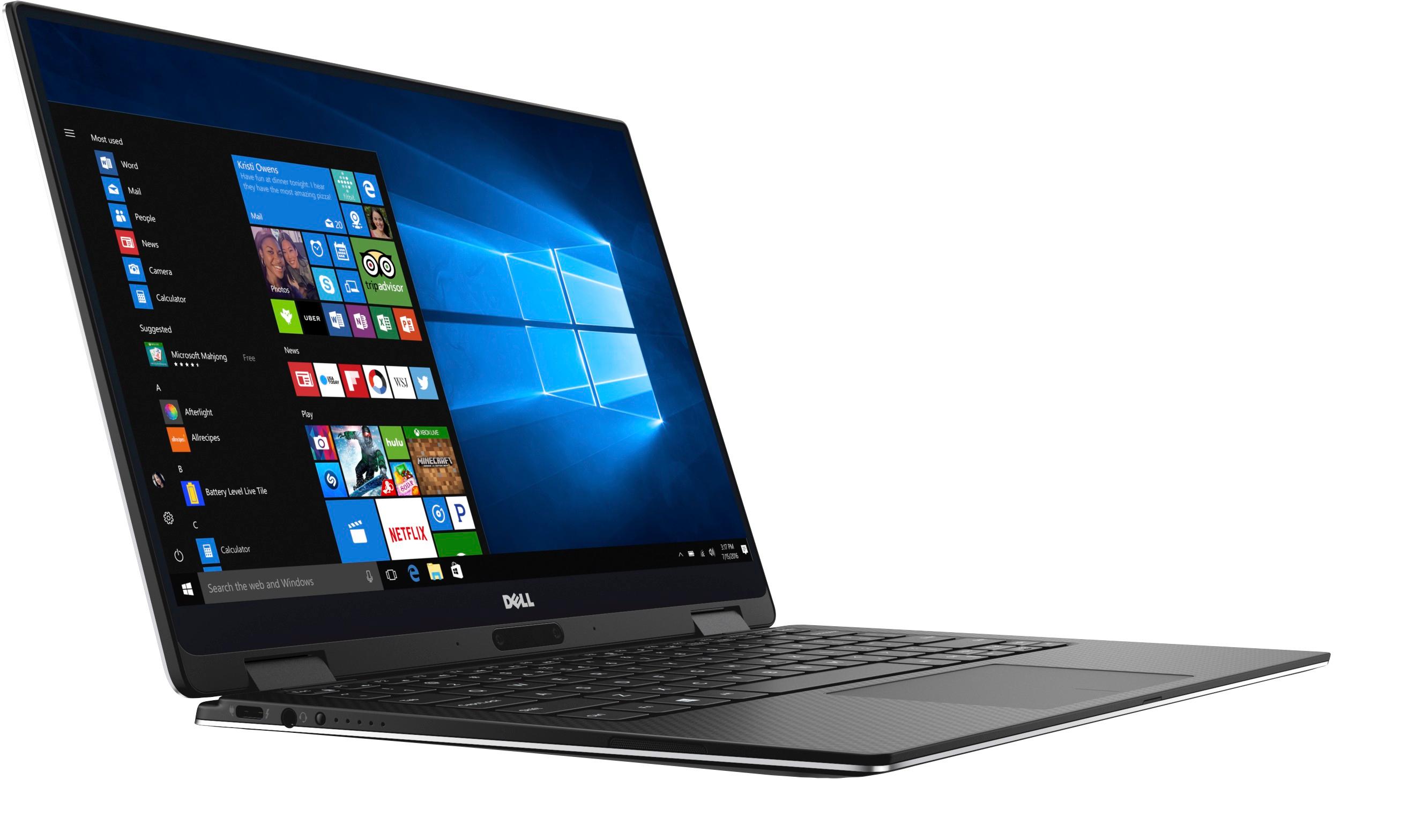
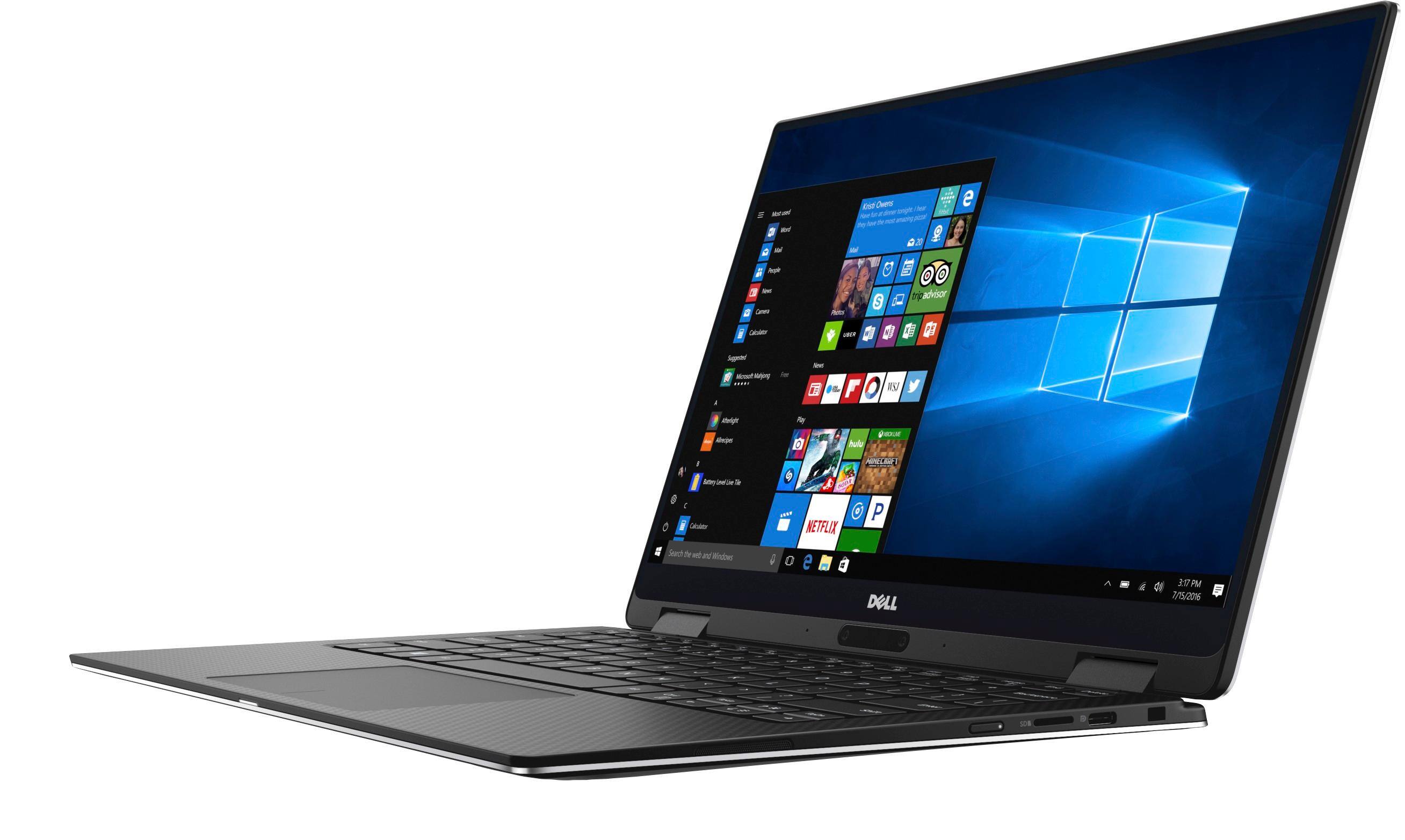
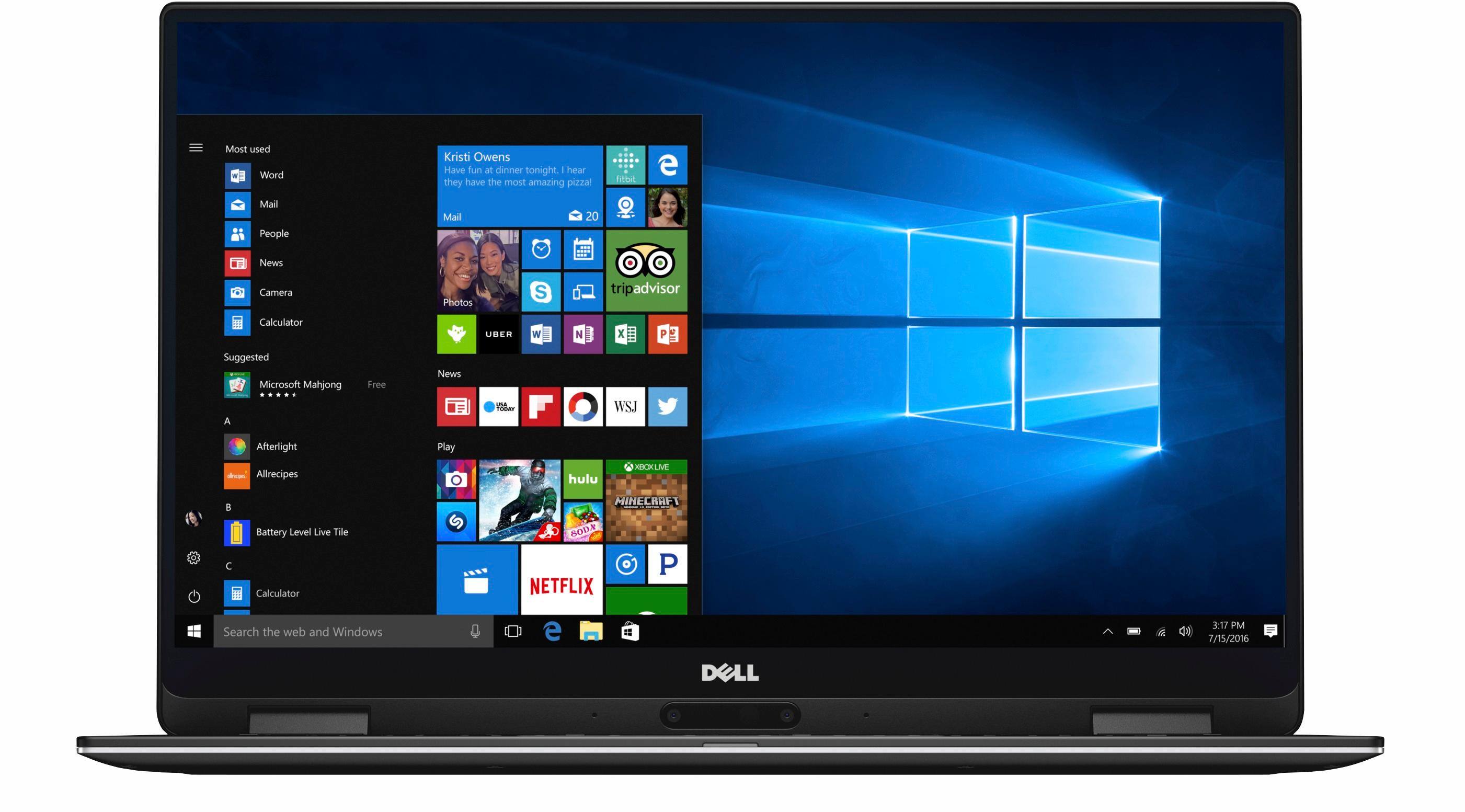
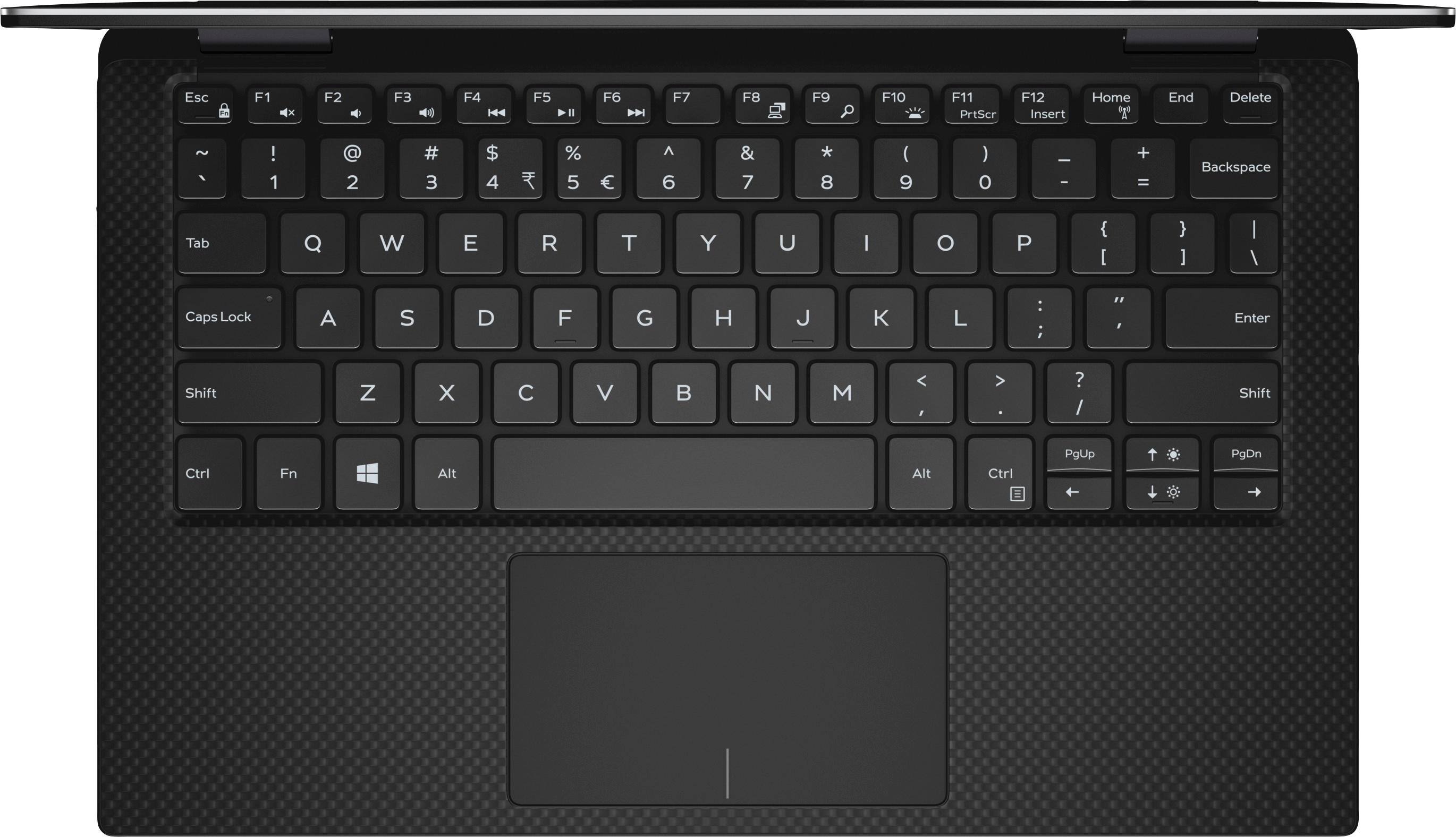
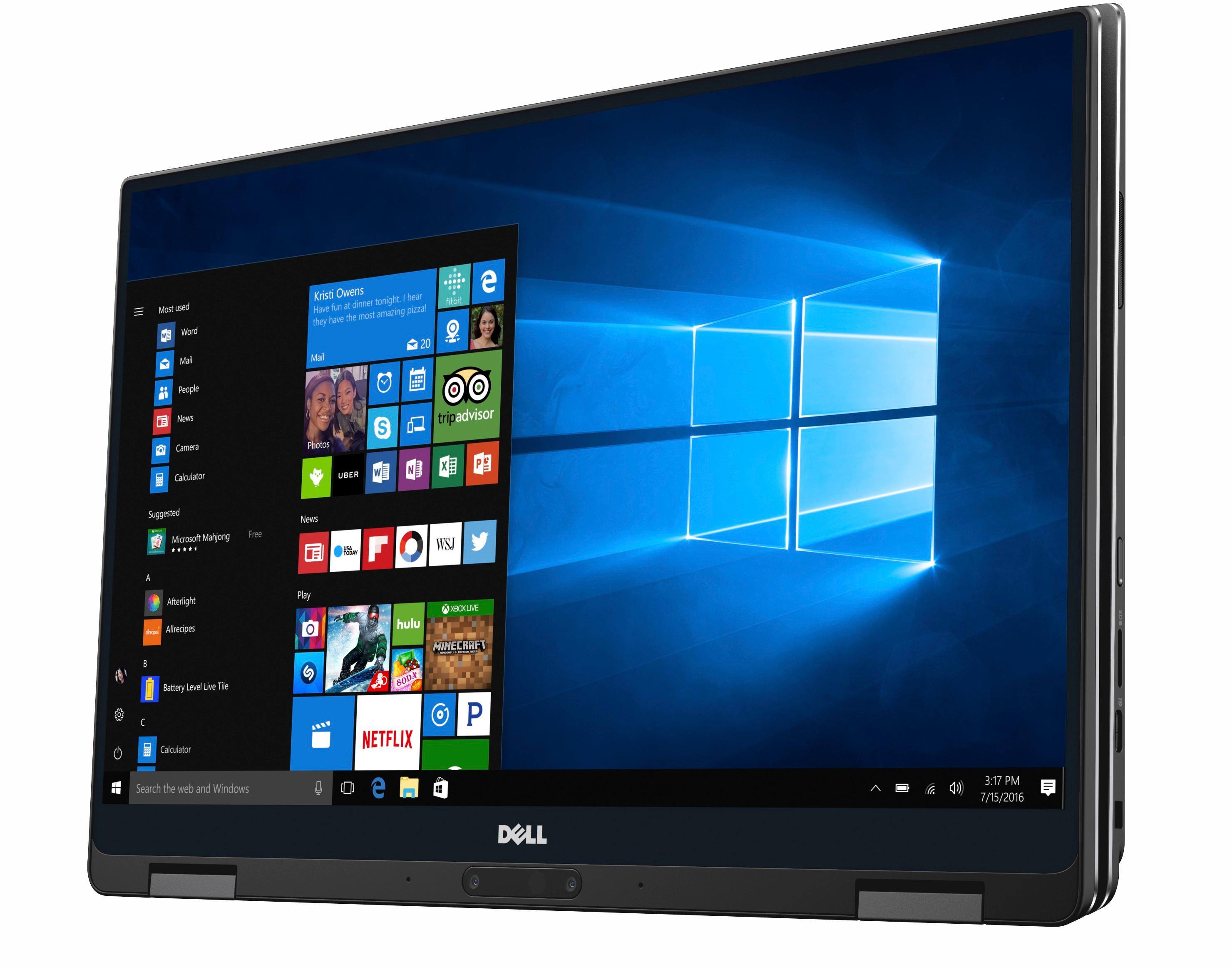
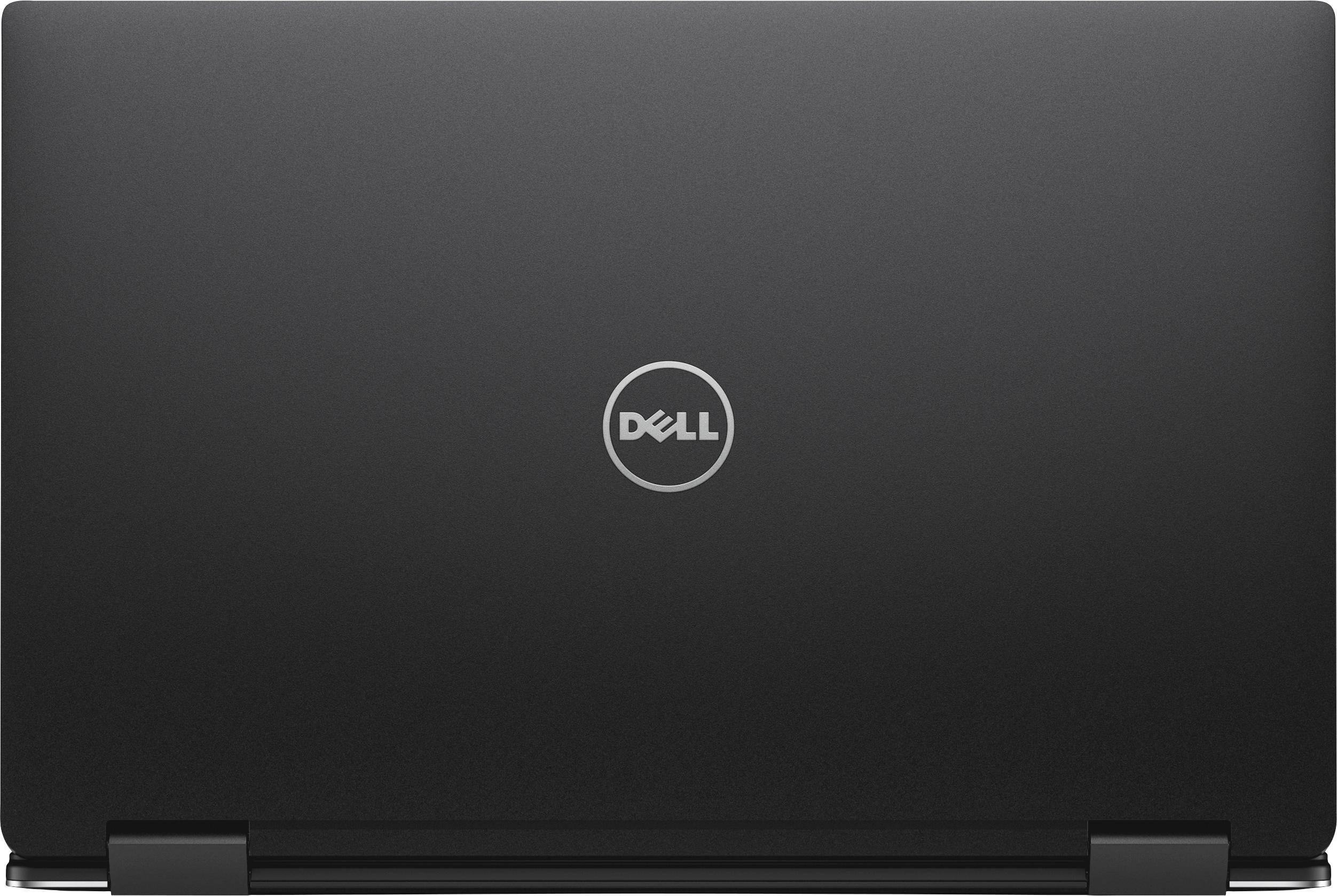
|Posted .This reviewer received promo considerations or sweepstakes entry for writing a review.SUMMARY: The thin bezel display and design make for an attractive and eye catching laptop. Paired with great specs, the convertible form factor fits many use cases making it a solid all around computer that is very easy to recommend if you don’t mind some extra dongles in your life. DISPLAY: This laptop is a 2-in-1 based off Dell’s stellar XPS 13. I’ve had it for just over a week and can say that I am impressed with its thin bezel infinity display – wow! It’s only a 1080p panel in this model but I think that is perfect for a 13” display, a 4K display in the 11” laptop form factor of this computer would impact battery life substantially I feel. The display does support pen input with the Dell Active Pen PN556W, but I was not able to test it as it is not included in the box. BUILD QUALITY & KEYBOARD: The build of this computer is in a mix of aluminum and carbon fiber and it feels great! The outside body feels study and the inside carbon fiber feels soft and great to rest my palms on while I type this review. Speaking of typing, the keyboard is a tad small but for the formfactor are well spaced with keys that have a good amount of travel and responsiveness. The keys are backlit, but a little too dim. I looked for a setting to adjust this but couldn’t a way to change this. The hinge is a little large and distracts from the overall great design, but that is a small knock. CONNECTIVITY: The potential kicker comes with the lack of USB type A ports. The XPS has a pair of USB type-C ports, one which can be used for charging. You will most likely have to carry around the dongle that comes in the box with this computer. However, it does come with some benefits – Dells sells a thunderbolt dock (TB16) that allows you to plug in up to 3 displays which is very convenient. They also sell dongles with more connectivity choices like Type A USB, HDMI, VGA, and Ethernet. It does have a standard headphone jack and spot for a micro-SD card which rocks. There is also a Noble style security lock hole. SECURITY: The laptop features a fingerprint scanner for using Windows Hello. It is pad based, so you simply place your finger on it verses swiping it down. It has worked great so far and is conveniently placed right underneath the arrow keys. The company features a camera which supposedly supports Windows Hello login via your face, but it hasn’t received the update necessary to enable it as of the date of this review. PERFORMANCE: This well spec’ed notebook will be perfect for your everyday needs and light gaming. I had no issues with multiple tabs in edge, document editing, and video streaming. It’s a very smooth and speedy experience on this laptop. I’ve played some Minecraft which it handled without problem but I wouldn’t expect much more past casual titles.
I would recommend this to a friend - Pros mentioned:Display
Fast, stylish, lightweight, A really nice 2-in-1
|Posted .This reviewer received promo considerations or sweepstakes entry for writing a review.I absolutely love this laptop. It has fantastic build quality, weighs little over 2lbs and is extremely easy to handle. After downloading the initial updates which took around an hour it was simple to setup and the fingerprint sensor is really quick. Windows Hello is a great feature and works wonderfully with the XPS. The charger is USB C which is nice and the unit seems to hold battery really well. It charges pretty quick too. The keyboard is back lit and the typing experience is one that i found quite pleasant. The ravel on the keys is just enough while still allowing for that low form factor. It has a great track pad too, really smooth and precise. The display is wonderful. with almost edge to edge screen you really wont get anything else much like it. Dell has nailed this screen. its excellent. Its good for some light gaming and can play games like OverWatch, dont expect it to be some super high end gaming device but you can run some things on this with the integrated graphics. One negative for me is the placement of the webcam, i wont use it often so its not really an issue for me but may be for some as its located below the display meaning your 1-2 chins may look like 5-6 chins lol. Overall its a great device thats extremely stylish, its light and compact making it easy to travel with and its powerful to get things done, be it AutoCad, PhotoShop, light gaming or just daily tasks. Highly recommend!
I would recommend this to a friend - Pros mentioned:Display
Small laptop that doesn't feel all that small
|Posted .This reviewer received promo considerations or sweepstakes entry for writing a review.I've had this laptop for about two weeks and although it's small, it's quite powerful. I've never had a laptop this small, so I was interested to see how it would my handle my daily work load (primarily coding). Out of the box, the laptop has a great feel; the quality of the materials used is evident. However, after about 20-30 seconds of trying to open it, I was a bit tired of the feel... not really, but it's a chore opening this laptop. I was expecting a small 'bump' that I could grab with a finger tip, but there was none. I finally had to pick it up off the table before I could get it open. It has gotten easier since that initial opening, and it's not something that would make me not buy the laptop, but I was completely caught off guard by the difficulty. The initial setup (windows updates, etc) took about an hour. After that, I decided to install some of my own software and see what happened. The screen is very nice; 1080p and crystal clear. I did find that the default scaling (I believe 125% or 150%) caused some problems with some of my installs (sometimes buttons didn't appear where they were supposed to). I wound up reducing the scaling to 100% although I did increase this within Visual Studio and IE. However, even at only 100% the labels on desktop icons are clear and easily readable. The keyboard doesn't feel cramped at all (and I don't have small hands) and overall has a great feel to it; the buttons have a slight rubbery feel and typing is very smooth and effortless. The touch-pad is nice as well and is very responsive to light touch. That said, I love using a mouse when I can, so I paired my Bluetooth mouse which worked great and left me with an open USB port when the power adapter was plugged in. I have never had a laptop with only two USB ports, but with a laptop this small, there isn't much room, and using BT devices means you really don't need them for things like mice. I was able to do about 5 hours of work and web-browsing and still had about 15% battery life. The only problem I had was that I initially started out with the laptop on my lap, and after about 30 minutes, it became evident that wasn't going to work without something underneath it. This laptop is small, but it puts out some heat. I was surprised at how hot it got. I did like how I was able to flip the screen all the way over and basically turn the laptop into a tablet when I was taking a break from work. I did try the tent mode, but didn't really see the purpose. I also don't know why Dell put the camera way down at the bottom of the screen. I personally don't use the cameras that much, but this one is so low it's silly. I was just testing it but the angle looked like something out of an old western; from the ground level, looking up at a 30 degree angle. I wanted to install a game just to see how the integrated graphics would handle it, so I installed World of Tanks (the full blown version not the mobile version). It installed without issue so I also installed XVM. The game defaulted to 'medium' graphics settings, ran fine and actually looked quite good. I had some trouble using the mouse; there was quite a bit of lag. I thought this might be because of the BT mouse, so I used a USB mouse instead and the lag disappeared. I also paired a set of BT headphones with the laptop and the sound was great except for occasional static when things in the game got a bit crazy; I would definitely stay away from BT devices if you're going to play any graphics intensive games. Overall, I really like this laptop. It's been great just using it around my house, but I'm sure it'll be even more impressive when I travel. It's small, but doesn't really feel that small, and has the power to do almost anything you would want it to do, including some light gaming. If you're in the market for a small laptop that can double as a tablet, I don't believe you could go wrong with this one.
I would recommend this to a friend Good, Bad and it's a really nice looking laptop
|Posted .This reviewer received promo considerations or sweepstakes entry for writing a review.Simple Answer: Yes I like this laptop and is it worth it's price....it depends. When I first got this laptop the unboxing experience was pretty much the same you see in all laptops. First thing that surprised me was the fact that it uses USB-C for charging. One thing you should know is that it is a special laptop USB-C charger so don't think that getting any USB-C charger will give you the same charge as the one presented in the box. Once you get the unit out of the box it is gorgeous. Simplistic design for sure but that isn't always a bad thing a premium aluminum build. The next thing you'll notice is that screen which even though it's only 1080p it is almost bezel less. Which in this case is a good and a bad thing because since it is bezel that means the camera has to be next to the keyboard which is not a place I would have preferred. The last thing when it comes to design is it has no real ports. The price you play for something that is small and lightweight sadly. Now it's time for performance and this does perform well playing a few online games that are very demanding I felt this breezed through it which I was surprised since it doesn't have any real high end graphics card. The keyboard is buttery smooth and I've purchased laptops for winning ergonomic keyboard awards in the past and I definitely love typing on this keyboard more. Yup using it now to write this review. If you are like me and you weren't sure about having the 2-1 computer scenario I will say this it's a nice addition which has now become my daily driver when it comes to Netflix or basic internet surfing. Final thoughts on this laptop are if you are looking for a small compact laptop as your daily driver for work and for play. Yes I would recommend this unit. The unit is blazing fast and build with premium materials. If your looking for gaming laptop, I will say I'm surprised but yeah it performed really well in my testing with a okay graphics card. The only thing I wish is the price was a little more reasonable but with fun features like the fingerprint scanner it's not too unreasonable when you compare to other on the market. I enjoy this laptop and I think you will too. Thanks for reading my review and I hope it helped.
I would recommend this to a friendA lot of laptop in a small package.
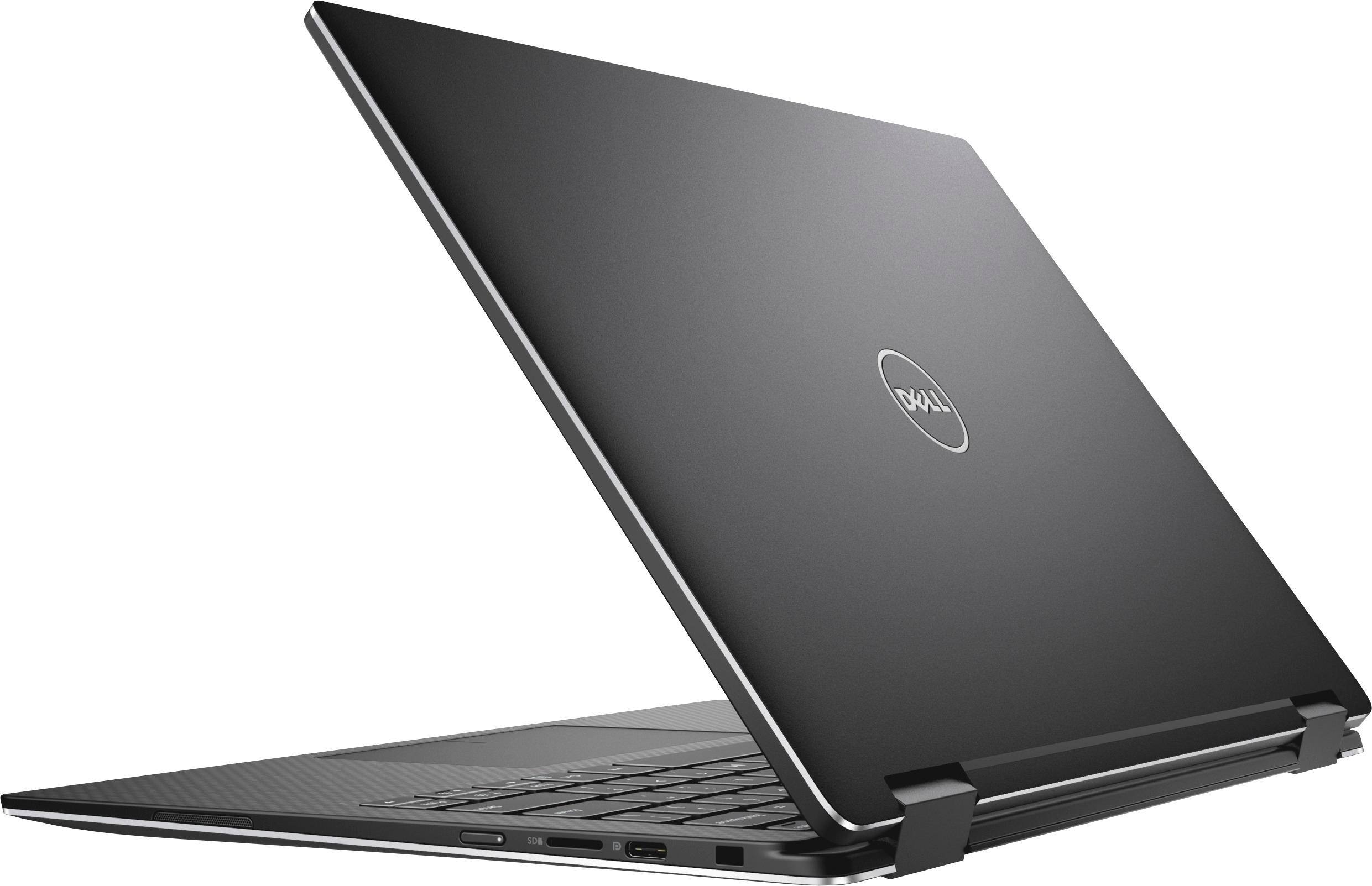
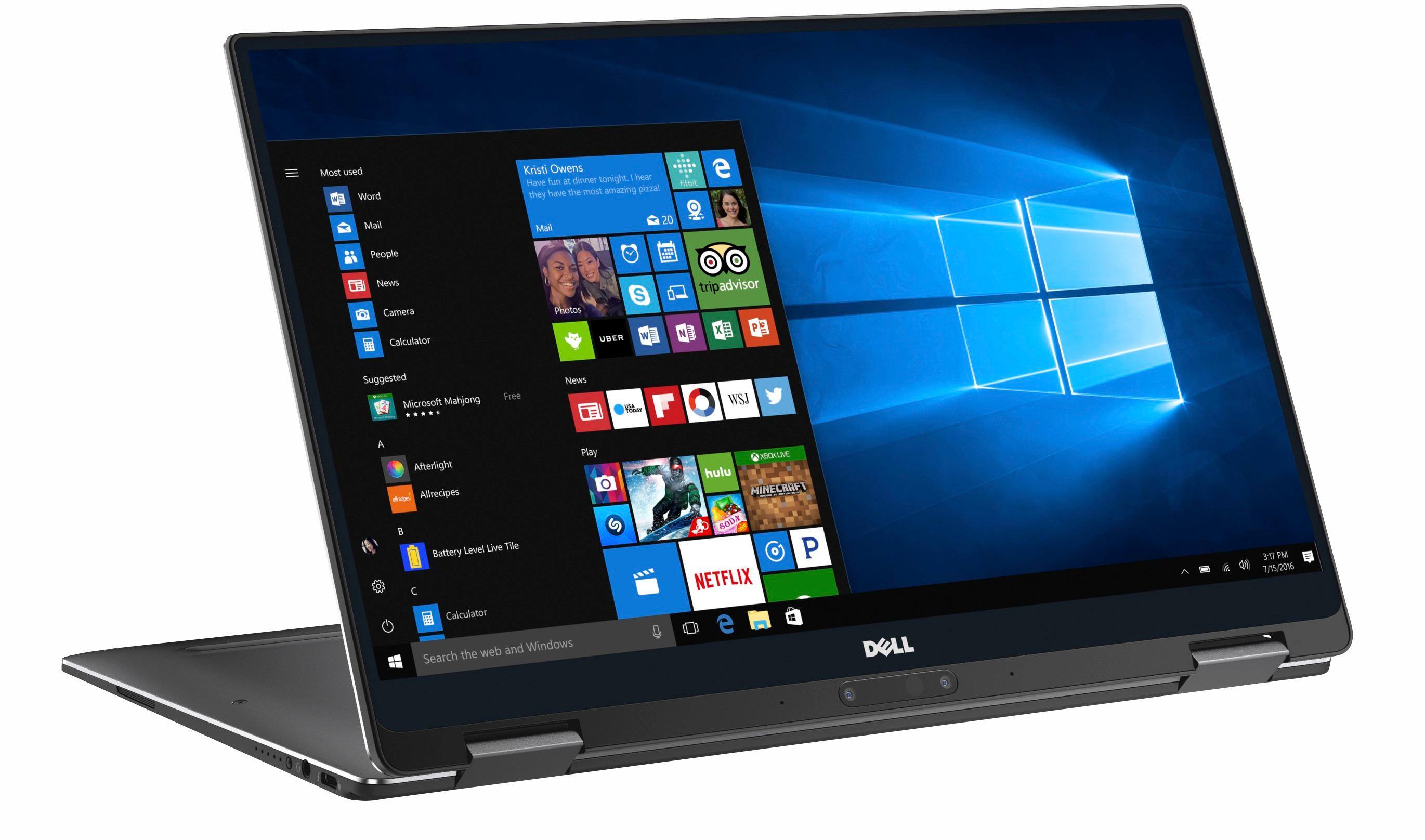
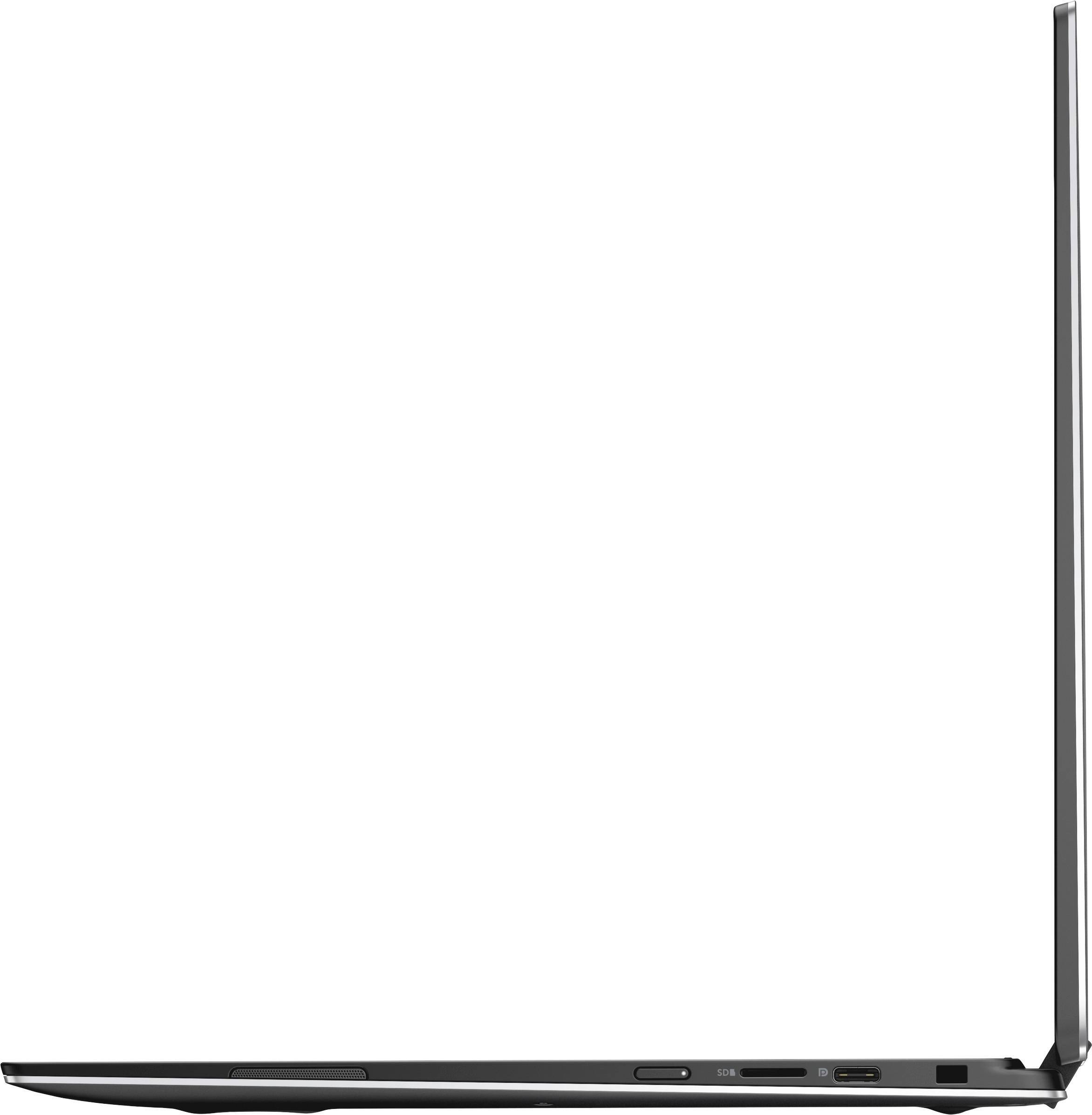
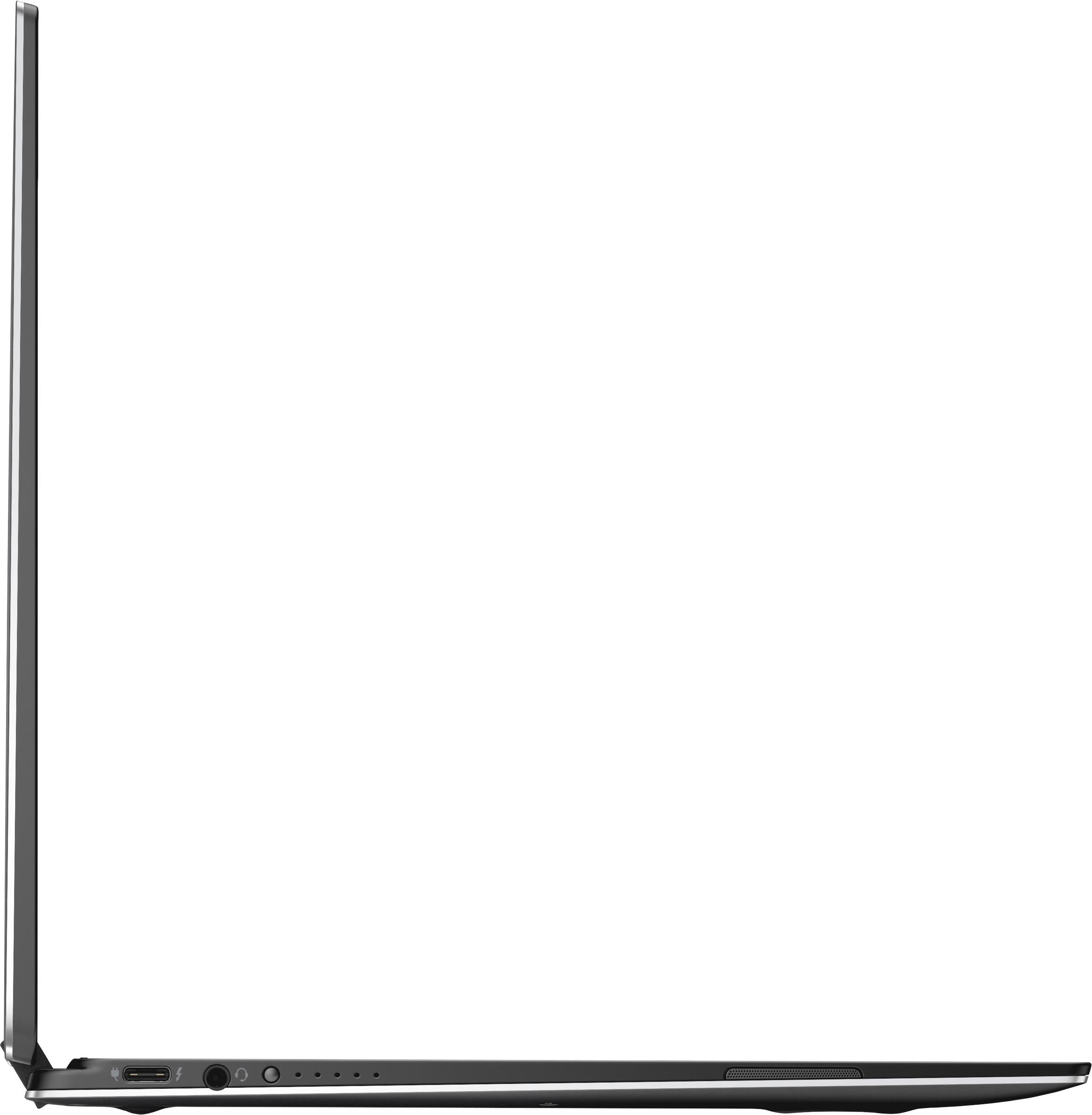
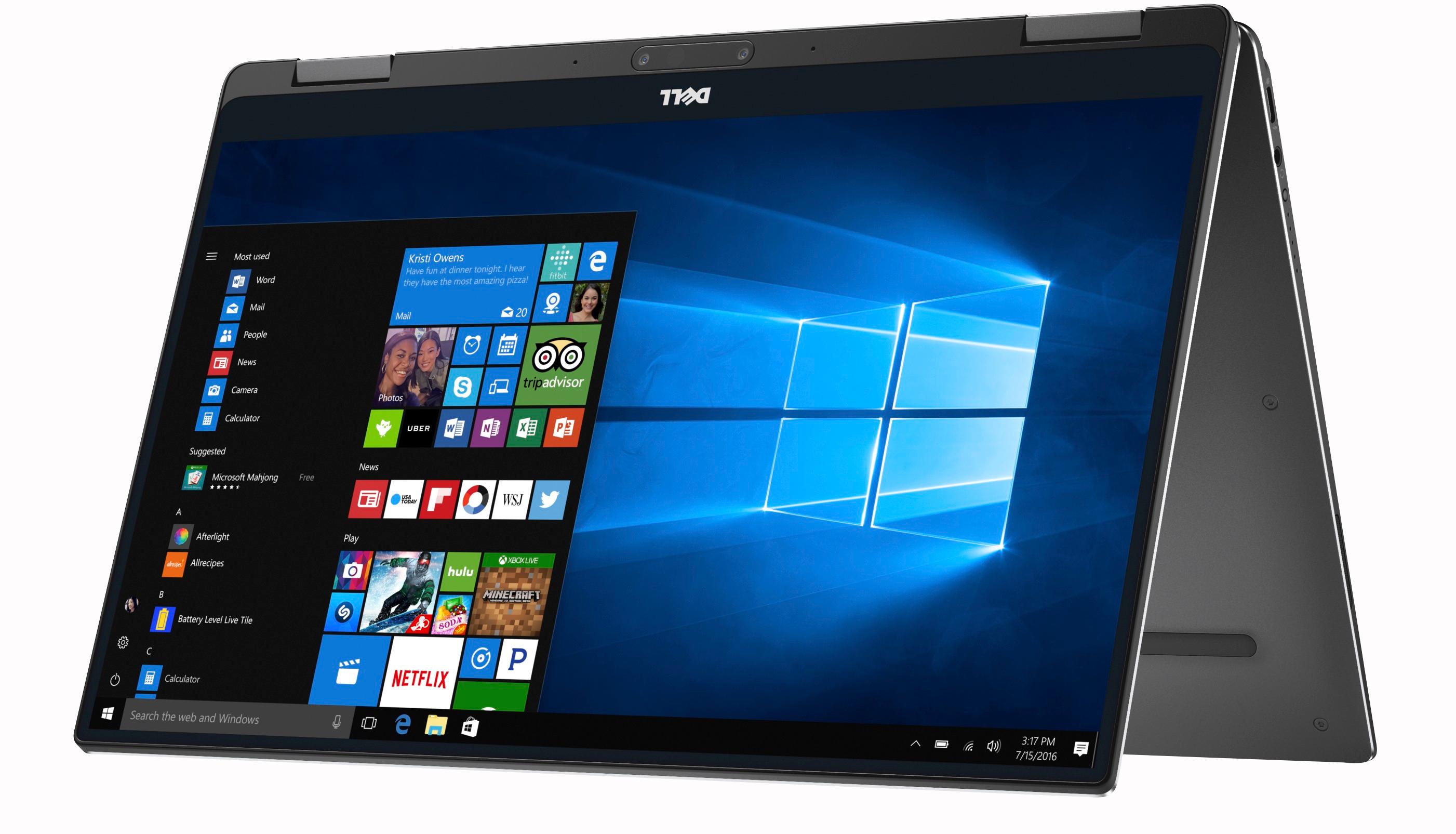
|Posted .This reviewer received promo considerations or sweepstakes entry for writing a review.This laptop brings a lot to the table in a surprisingly tiny package. The laptop has a 13.3 inch screen, but the body is only a little bigger than a typical 11.6 inch laptop. This is accomplished by having teeny tiny bezels framing the screen. The end result is a laptop with lots of display and very little footprint. The laptop has two USB type-C ports and comes with a type-C to type-A adapter. One of the two type-C ports does support Thunderbolt. The only other ports on this device are a micro-SD card slot and a headphone jack. The laptop supports pen input, but it doesn't come with a stylus (unfortunately). It's really hard to open the lid. You kind of have to pick it up and hold it like a book to pry it open. Trying it just lift the lid as it’s sitting flat on a table is an exercise in futility. The power button is a little hard to find by touch. It’s tiny and situated just up from the middle of the right side of the keyboard. As with anything this thin, it feels a little fragile. Premium build materials give it a fair degree of rigidity, but I’d still be careful when handling this screen as it doesn’t look like it could take too much abuse. The keyboard is buttery smooth with a rubberized, soft touch feel to the keys. This feel continues on across the palm rest as well. The rubberized texture on keys feels nice, but I keep worrying that my fingernail is going to scratch it (and I have short fingernails). The keyboard is well spaced, and it has a nice satisfying key press. It does sit a little flat for my taste though. I absolutely hate the positioning of the arrow keys. I keep on hitting page down when I want to move my cursor within a document. Keyboard backlight is subtle. Settings are backlight completely off, faint backlight, and . . . really faint backlight. The touchpad glides very smoothly, but it does pick up a ton of fingerprints. Speaking of fingerprints, the fingerprint unlock is a beautiful thing. The battery indicator button doesn’t seem to do anything while the laptop is on and open. Battery life is a little hard to gauge. Battery life typically goes down as screen brightness goes up. The battery estimates from Windows for this laptop make no sense whatsoever. According to Windows, the estimated battery life at 40% brightness was 3.5 hours, Battery life at 60% brightness was 5.5 hours, and the battery life at 100% brightness varied between 7.5 and 10 hours and at one point dropped to 6 hours. At 60% brightness, you should be able to squeeze out around six to seven hours with moderate usage (word processing and music streaming in my experience). Putting the screen flat back will NOT put it flush to the table top. There will be a good centimeter or so of space between it and the table. Pushing it back farther results in the screen sloping backward or the keyboard lifting up slightly. This is somewhat unfortunate for those of us who often work while standing and wouldn’t have minded using pen input on the touchscreen with the screen sitting flat and with the physical keyboard still accessible. Screen quality is great at 1080p. Out of the box, the screen has a faint yellow / green cast to my eye. Calibration would probably go a long way to resolving this though. The laptop has a nice wide screen. Wide screens are great for media consumption, gaming, and graphic design work if you like to move your tools off of your work area. They are not ideal for working in tablet mode, eBook reading or web surfing (still perfectly adequate for these purposes though). At the default 150% scaling, some of the fonts looked jagged and pixelated within application menus. My desktop and Microsoft Edge defaulted to 150% out of the box. I changed my desktop to 125% and Edge to 100% after playing with this for a while. Dropping down to 100% for the desktop made icons uncomfortably small. This also appears to have resolved some of the font scaling issues within applications. Icons and buttons in applications are small but usable at this scale. The camera is unapologetically bad. I can honestly say that I will never ever use it. The angle is awkward and unflattering (up my nose or examining the bottom of my chin), and the quality is awful. If you don’t mind putting the laptop into tent mode (honestly, this mode puts my teeth on edge so I will never use it), the camera is then oriented in a position that isn’t too bad. That being said, you will lose access to the physical keyboard in this mode. Still, with wireless keyboard and mice and/or the touchscreen, this isn’t impossible to work around. Overall operation of this laptop is smooth and enjoyable. The laptop ran hot enough to cook an egg when I first turned it on. I downloaded some updates and some additional drivers and that issue seems to have resolved itself nicely. The laptop now operates at a comfortably warm ambient temperature. There are apparently known software issues with the integrated graphics. The issues caused an odd white dot to appear in the upper left-hand corner at times (smack dab in the middle of the recycle bin with the default desktop positioning). Updating the Intel graphics driver seems to fix this completely. Dell’s support site was great. I ran an auto-diagnostic to update all drivers and scan for various issues. It needed very little input from me to run. The laptop came with the usual assortment of Microsoft bloatware. It has icons for the usual Word, Excel, Note, and PowerPoint. It also has icons for Access, Outlook, and Publisher. None of this software appears to be pre-activated for any kind of promo period though. Oddly there are two different instances of Note with different icons in the start menu. The system has one icon for “Note” and another for “Note 2016.” Otherwise system is fairly light on bloatware. As far as performance goes, it should be noted that this comes with an i7-Y processor and not an i7-U processor. Intel recently changed their naming conventions and rebranded their Core M chips as Y processors. The processor doesn't have quite as much raw power as its U counterpart, but it's more than adequate for daily tasks. The only time I noticed any dips in performance were when I tried doing some gaming and light video editing. It managed both tasks well enough, but performance was not up to what I would consider to be i7 standards. It should be noted though that this laptop isn't intended for either of these purposes. Hooking up to an external graphics card enclosure using the included Thunderbolt port may dramatically improve performance for these two tasks in the future. Overall, I'm very pleased with this laptop and would recommend purchasing it if you need a premium general duty laptop for word processing, light design work, and social media.
I would recommend this to a friendImpressive Performance, small form factor
|Posted .This reviewer received promo considerations or sweepstakes entry for writing a review.I had no idea how well this little laptop would work, and I was surprised at just how thin, light, and powerful this XPS is. It comes with a lot of specs to rival the newest Macbooks with the m3 processor, but packs more punch. When you first power it on, you'll marvel at the clear screen, and are promptly on your way to setup and updating. I recommend doing all the updates to fully enjoy it's performance. I installed World of Warcraft, a popular MMO, to see how well the Intel 615 graphics could handle it. It's not going to be the most visually appealing experience, in terms of graphics settings. However, on the lowest graphic setting, it's quite easy to play and forget you're on a basic graphic setting. Framerate ranged from 30 fps in a highly populated area, up to around 80 fps when in a cave with little in the background. You're probably wondering how I played the game, given that the laptop doesn't have a standard USB port. Thankfully, Dell thought of that too, and included a USB C to USB 3 dongle. You can connect it to the port labeled as a Display Port (also a USB C port) on the opposite side of the USB port used for charging. Using the dongle, I was able to plug in any number of USB devices (mouse included). Like any laptop running under pressure, it does get a little warm, but not as warm as the larger laptops. So you won't need to worry about burning with this on your lap. It boots up quickly, and in tablet mode, you'll be impressed with how great the response is to drawing, writing, or doing markups on a document. I haven't used a "convertible" laptop before, but this one has won me over. The only issue I ran into, was using the finger print sensor. Most of the time, I found myself having to type my PIN to login. Once I ran the fingerprint setup again, it was much more responsive. Just be prepared to re do the setup if your finger print isn't detected properly. Overall, I'm really impressed with this laptop, and I love how easily it tackles every work tasks (used the office suite), web browsing, moving playing, and casual gaming with ease. If you're wondering, "should I buy this or the Macbook?" Just go ahead and buy this. You get a lot more for the money.
I would recommend this to a friend- Cons mentioned:Expensive, Overheating
HOT Little Number!
||Posted .This reviewer received promo considerations or sweepstakes entry for writing a review.Very nice build, solid feel and beautiful look. The fun stops there though. It took a little while longer than my wife's Inspiron 13in 7000 with an i7/12GB/256GB build and both were new out of the box when tested. Not too noticeably longer, but longer none the less. Why is this important? The price is twice what my wife's laptop cost. Next issue is how HOT it became during regular internet browsing and updating! The bottom of the case must be used as a heat-sink since it was nearly glowing hot. I'm worried it will cook like my last laptop, so longevity is questionable... and for $1400, it better last me a VERY long time! It weighed a ton for a tiny laptop. The size was nice but difficult to hold or use as a LAPtop due to its weight. No USB 2 ports but you could dongle your way around that (one was included). Overall, it had a much more solid build and beautiful than the Inspiron, but the price negates that. I am also very worried about the heat issue and its pending longevity, maybe it was just mine, but it was ridiculously hot.
No, I would not recommend this to a friendBrand response from YourDellTeam
Posted .- GeekingTweak, Thanks for your recent Dell XPS laptop purchase. We're sorry to hear that you're experiencing some overheating concerns with your new device. Here are a few tips that hopefully will help reduce the heat on your laptop:
1. Using a portable system (Laptop) on a hard, flat, non-cloth surface will increase airflow and reduce heat from underneath and inside the system.
Using the portable system on blanket, pillow, or another type of cloth will cover up the fan cause the computer to overheat and can cause permanent damage.
2. Use compressed air to clean the vents on a regular basis.
3. Using a cooling pad can decrease heat and increase performance.
4. An out of date BIOS can cause heat issues by having an outdated temperature table for the system. You can view the current drivers and downloads for your device here - http://dell.to/2iaEr1Z.
We hope these tips help decrease the overall heat on your device to a comfortable level.
- Pros mentioned:Display, Fast
Great small laptop
||Posted .This reviewer received promo considerations or sweepstakes entry for writing a review.Love this little dell laptop. It was fast, light and has vivid colors in the display. Perfect for a student or someone who needs a small laptop on the go.
I would recommend this to a friend - Pros mentioned:Display, Lightweight
Compact, Powerful, Great Screen
||Posted .This reviewer received promo considerations or sweepstakes entry for writing a review.The XPS is made for travel and bottom line it delivers. The 2 in 1 meets all my needs, is compact, lightweight and has power to burn. I love the security features of fingerprint and facial recognition as I work with data that has to be protected. the screen is excellent and seems bigger than 13 inch by using the entire computer face from side to side. Yes the XPS is not inexpensive. However, I moved from an Insperion to the XPS and the extra money is well worth it as I travel over 50% of the time and I need a rugged, powerful and lightweight computer!
I would recommend this to a friend Very fast, very convenient
||Posted .This reviewer received promo considerations or sweepstakes entry for writing a review.The 16 gig RAM, i7 processor, and, the sizeable hard drive make this unit perfect for my use: surfing, MS Office, Photoshop, and, Minitab statistical software. I have often had them all open simultaneously with no performance issues. It is very compact making it easy to take it with me anywhere I go. However, I do not use it as a tablet. It is still somewhat awkward (heavy) for that.
I would recommend this to a friend- Pros mentioned:Lightweight
Excellent lightweight computer
||Posted .This reviewer received promo considerations or sweepstakes entry for writing a review.The XPS13 has been all I expected - speedy, high performance computing in a very lightweight device. The single usb adapter is somewhat limiting, but I have managed ok so far.
I would recommend this to a friend - Cons mentioned:Power on issues
Nice 2 in 1
||Posted .This reviewer received promo considerations or sweepstakes entry for writing a review.I am fascinated because it is quite light and I can travel with it easily, the only problem is that it does not have USB or HDMI ports and also sometimes I have failures to turn it on ..........
I would recommend this to a friend Excellent laptop
||Posted .This reviewer received promo considerations or sweepstakes entry for writing a review.It’s an high end laptop for programming and offering at a great price after applying dell discount coupon.The laptop screen resolution and processor speed is excellent. I am pretty much happy for my mid level programming with heavy softwares which was very slow with 8 gb ram earlier.
I would recommend this to a friend- Pros mentioned:Fast, Lightweight
Everything it is reported to be
||Posted .This reviewer received promo considerations or sweepstakes entry for writing a review.Researched laptops/2 in 1's for weeks before buying, this unit had so many high ratings and reviews. I love it, it's fast, very lightweight, easy to use, easy to use as a tablet. Not cheap, but for a road warrior tired of schlepping 6+ pounds of laptop, it's fabulous.
I would recommend this to a friend Best 2-in-1
||Posted .This reviewer received promo considerations or sweepstakes entry for writing a review.I have always been a fan of the XPS line, and when I heard they were merging a convertible with the ultraportable that I loved, I was thrilled. Only flaw I feel is the Y-series Intel process. It does bottleneck a bit easier that the U-series, but if you're not taking on a heavy workload, it should not be an issue.
I would recommend this to a friendGreat computer
||Posted .This reviewer received promo considerations or sweepstakes entry for writing a review.I have always liked the dell xps. I liked the price that best buy had.
I would recommend this to a friend- Pros mentioned:Battery life
Nice, compact notebook
||Posted .This reviewer received promo considerations or sweepstakes entry for writing a review.I give 4 stars due to the "coil whine"/graphics noises that are noticeable this notebook (same problem as HP Spectre notebooks). It must be a chipset/reference design issue. Other than that, this is a nice notebook. Very small, works well, the battery lasts about the whole day for my daughter, so that is impressive. The only things that I'm not crazy about are the bottom-of-the-display location of the camera, the microSD card slot (our DSLRs all use SD cards), and no USB Type A ports. It does come with one USB Type C to Type A adapter, but we had problems using an external DVD drive with it (not sure if it was a Windows problem or an adapter-induced problem).
I would recommend this to a friend - Pros mentioned:Fast
Great lightweight laptop!
||Posted .This reviewer received promo considerations or sweepstakes entry for writing a review.Very user friendly and versatile. Like the speed and size.
I would recommend this to a friend - Pros mentioned:Fast, Lightweight
Awesome laptop
||Posted .This reviewer received promo considerations or sweepstakes entry for writing a review.I've had this laptop for a few months now and absolutely love it. It's fast, lightweight, and the tablet feature comes in really handy. I love being able to use the Bamboo pen with it to write in word, etc.
I would recommend this to a friend - Pros mentioned:Display, Performance
Excellent Build, Comapct Size, Super Fast Perf
|Posted .This reviewer received promo considerations or sweepstakes entry for writing a review.I can start by saying the laptop is beautiful. The design and aesthetic are awesome! The Infinity Edge display is gorgeous, although has enough of a bezel around the edge that calling it “Infinity Display” is a little misleading. Build quality feels solid and the aluminum and carbon fiber design makes the laptop feel premium, to go along with the price tag. The overall size of the computer is very compact and is a perfect companion for travel, while maintaining that full 13” Full HD display. In fact, this one only takes up about 2/3 of the overall size of my other “fruit” branded laptop of the same size, and is much thinner. Spoiler Alert however, I have the black model and it’s a fingerprint magnet. I mean, prepare a soft cloth and keep it nearby if fingerprints annoy you because this thing is covered in very noticeable fingerprints VERY easily. Out of the box it booted very quickly and I had the computer up and running in about 10 mins. I will say, one thing I wasn’t expecting to have to deal with, is how to efficiently open the lid. Yep, opening this thing is a bit tricky. The display lid sits a tad forward of the bottom lip when closed, so the traditional way you would think of opening the display lid don’t really work here. I have found that I need to hold the laptop on both sides and use my thumbs to pop the display open. Not a deal breaker, but very odd that opening the lid is so frustrating, and I’ve seen other reviews that state this same fact, so something for Dell to think about going forward. After a quick download and install of all the necessary Windows 10 and software updates, I was up and running. The 7th Gen Core i7 and 16GB of RAM means one thing – this thing flies. It barely needs to lift a finger to do anything that’s not resource intensive (gaming or heavy video editing, etc.) or when you’re not super multitasking. But with those specs, you can do all of those things. Now the graphics card is not for full blown PC gaming enthusiasts, but this laptop is not aimed at them. But you can do PC gaming and the laptop handles it admirably. I was also able to open multiple programs at once, both on board and internet connected, and the laptop never skipped a beat. Never once, have I had to wait for anything to happen. And doing everything on this Full HD display is a treat. The colors are true and the resolution is superb. With couple all of this with a SSD HDD, it makes virtually no noise, and everything is super-fast and snappy, as there are no moving parts here. Boot time from OFF is about 8-10 secs to the DELL load screen and about 15-20 seconds overall to get to the Windows 10 Home screen. Boot time from sleep is about 1-3 seconds. The stereo speakers are nice, and are a nice upgrade to standard laptop audio thanks to the Waves MaxxAudio tuning, but nothing that makes you forget this is still a laptop and the sound is from a laptop. Connections are something to consider with this one for sure. You get (2) USB-C ports and one of them is a branded Thunderbolt port, and it does come with a USB-C to USB-3 dongle, to attach other legacy USB devices. USB-C is becoming the standard, so nothing I wasn’t expecting here. The USB-C ports also power external devices, so a nice touch there. The only other ports you get are a headphone jack and a MicroSD card slot. Now the MicroSD card slot I find sort of funny. I and most people I know don’t use MicroSD for portability or transferring files from device to device. Those are primarily for onboard storage expansion. So having a MicroSD card slot is sort of a waste to me. Having a full size SD card slot would have been nice, allowing me to transfer files from other devices and cameras to the laptop, but if you wanted onboard expansion with this unit, you have it would the MicroSD slot. Network connections are fast and true. This unit supports AC wireless as you’d expect, and the connection is fast and strong. I get full connection link rate of 866Mbs to my router at all times and the wireless card provides super-fast internet connectivity as well. The Bluetooth connectivity is also very good here as well, great for attaching Bluetooth peripherals like keyboards and mice, etc. leaving you the ability to use the USB-C ports for other devices like monitors and external HDDs. The webcam is placed sort of oddly below the display, and the 720p resolution does a serviceable job at video streaming on apps like Skype, and if you convert the laptop to “tent” mode, you can have the camera placed at the top of the screen so you’re not staring oddly down at the bottom of the display during video calls. Keyboard is fast and responsive and the backlight is nice. Nice response and click travel to the keys. The fingerprint sensor is also very fast and has not failed once for me. The convertible aspect of this unit is what I was really interested in trying. And it didn’t disappoint. Converting to tablet mode is effortless. Simply flip the display back, accept the message to convert to tablet mode and that’s it. You can orient the display in either landscape or portrait depending on the app you’re using, and the touch screen felt super snappy and responsive. I was very impressed with the screen touch responsiveness. No lag no dead spots, it was as close to using a smartphone or tablet that I can imagine. Very impressed. Overall I love this laptop and it’s going to replace my other “fruit” branded model for most of my laptop needs, including travel. Great unit!
I would recommend this to a friend