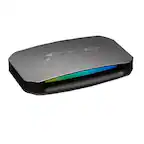
Customer Ratings & Reviews




- Model:
- 10GBV9901
- SKU:
- 6620444
Rating by feature
- Value
Rating 4.7 out of 5 stars
- Quality
Rating 4.7 out of 5 stars
- Ease of Use
Rating 4.8 out of 5 stars
Customers are saying
Customers have good things to say about the Game Capture Neo, particularly its overall performance and ease of use. Users appreciate the video quality and find the design appealing. However, some customers have noted concerns regarding connectivity options.
This summary was generated by AI based on customer reviews.
Great quality for the price point.
||Posted . Owned for 2 weeks when reviewed.This reviewer received promo considerations or sweepstakes entry for writing a review.It took some work to get this capturing video from a PS5, but after a quick Google we were able to get it working.
I would recommend this to a friendGood for the cost
||Posted . Owned for 3 weeks when reviewed.This reviewer received promo considerations or sweepstakes entry for writing a review.This capture card is very budget friendly and it works great with obs
I would recommend this to a friendIt’s Okay
||Posted .This reviewer received promo considerations or sweepstakes entry for writing a review.Is okay. really nice and small but kinda buggy. doesn’t always start up right away
I would recommend this to a friend
Elgato capture neo
|Posted .This reviewer received promo considerations or sweepstakes entry for writing a review.Great little capture card how ever it says it does 4k but it does not.
I would recommend this to a friendGreat investment for recording & video passthrough
|Posted .This reviewer received promo considerations or sweepstakes entry for writing a review.Easy to use, clear picture and great sound. Easily configurable in OBS.
I would recommend this to a friendPerfect
|Posted . Owned for 2 weeks when reviewed.This reviewer received promo considerations or sweepstakes entry for writing a review.Great of streaming PS5 online to Pc. I play 2k and warzone
I would recommend this to a friendElgato
||Posted . Owned for 1 week when reviewed.This reviewer received promo considerations or sweepstakes entry for writing a review.It is very useful and served the purpose intended. I am using it for live game streaming.
I would recommend this to a friendOkay for what it is at 1080p60 capture
||Posted . Owned for 2 weeks when reviewed.This reviewer received promo considerations or sweepstakes entry for writing a review.Pretty solid product for the price. Although if you are looking to capture in 4K60 you will need to move up to the next best thing. I also caught it on sale, So for $50 more you could get the 4K S and cap at 4K60
I would recommend this to a friend- Pros mentioned:Ease of use, Overall performance, Video quality

Excellent video capture device
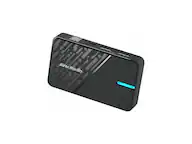
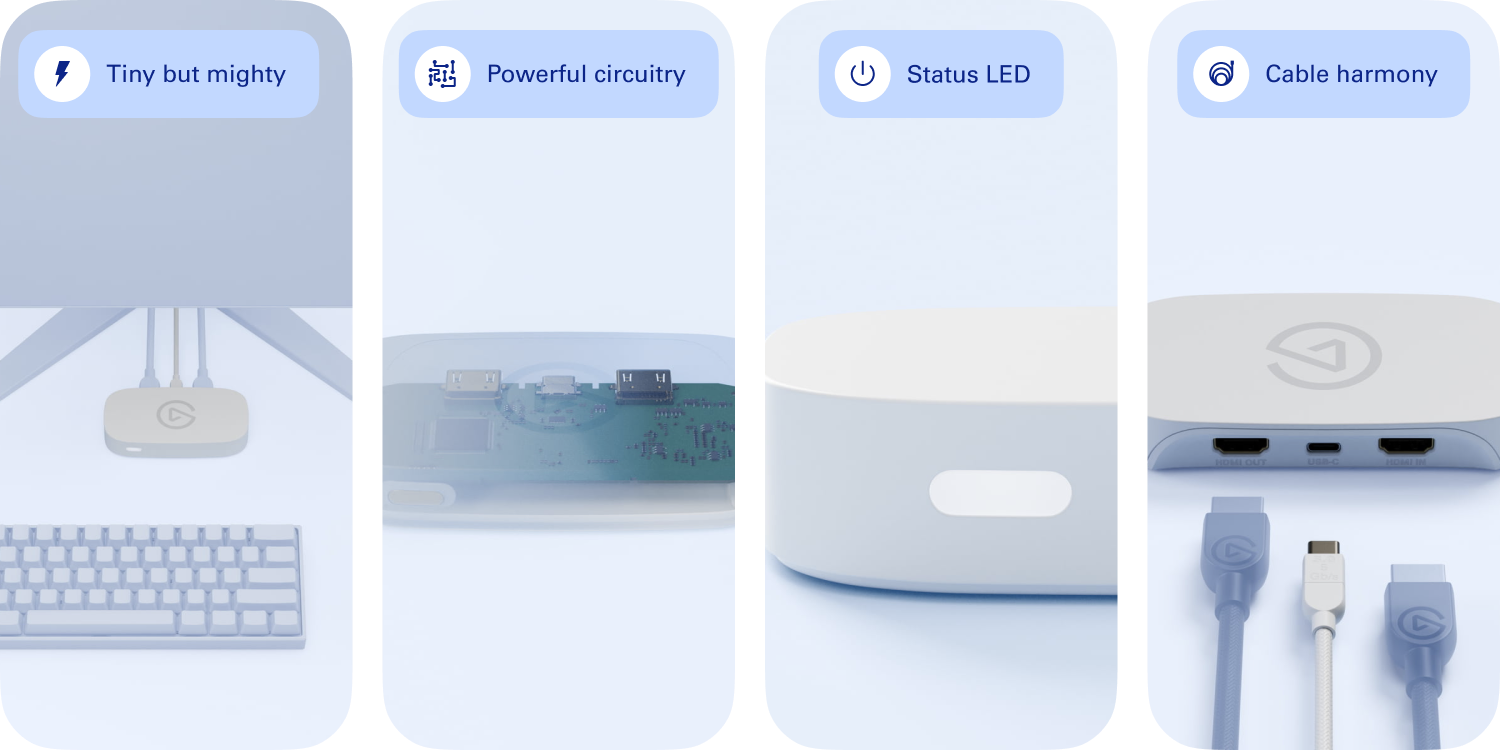
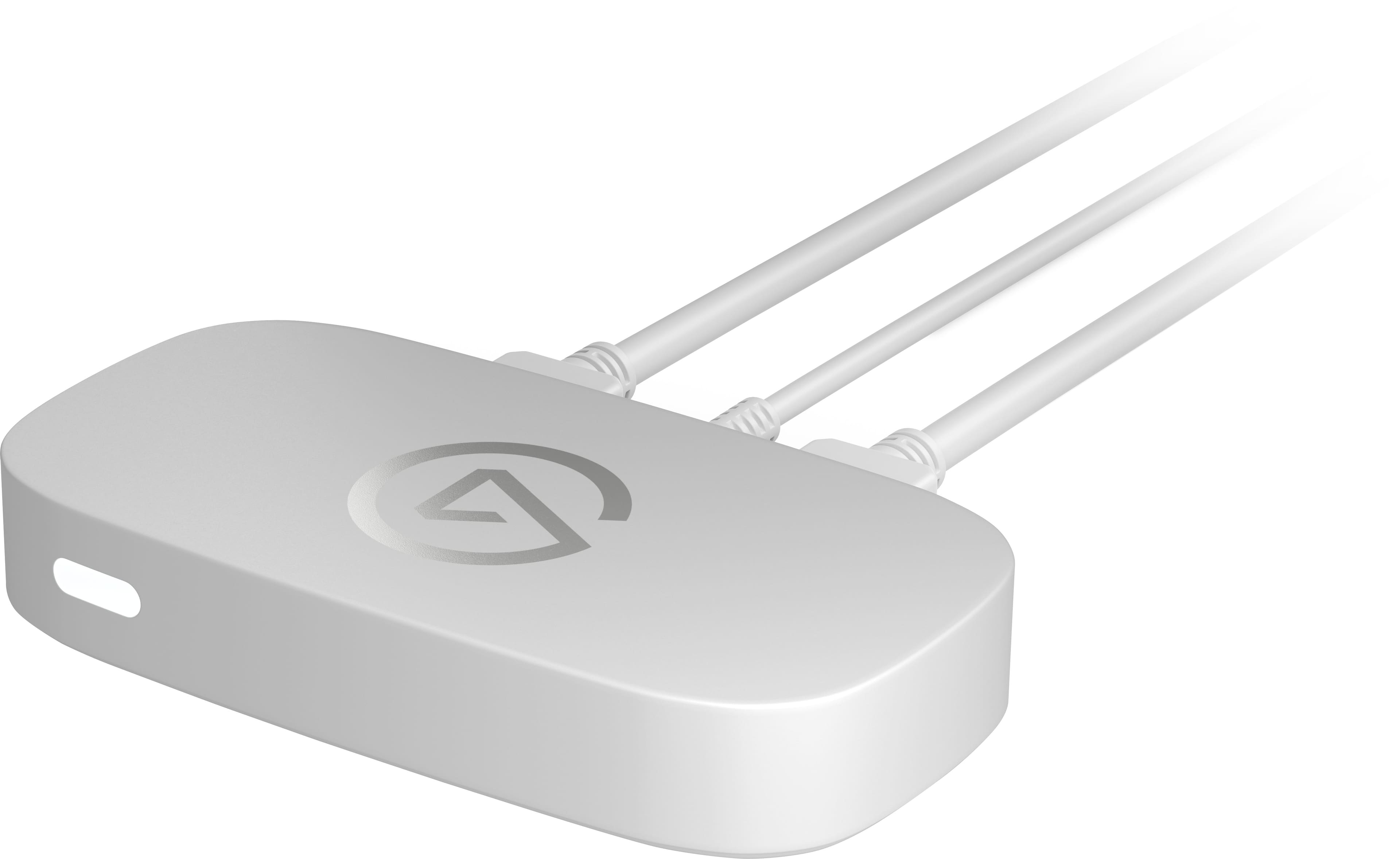
|Posted .This reviewer received promo considerations or sweepstakes entry for writing a review.The Elgato Game Capture Neo is the latest offering from the premier video capture company in the market. Out of the box, the Elgato Game Capture Neo looks very professional, as it is compact, sleek, and has the Elgato classic design. It doesn't take up much space at all which is nice for cramped desk space and for portability purposes. It feels like it is made of high quality plastic and feels sturdier than other capture cards I have tried. Setting the Elgato Game Capture Neo up ended up being very simple and took about ten minutes. I just plugged it into my PC or laptop via USB 3.0 or USB-C, hooked up the HDMI cables to my console or PC, and then downloaded the Elgato Game Capture HD software. One thing to note is that this doesn't come with any extra HDMI cables, so I ended up having to order a couple to complete the setup. The software walked me through the setup which was very straightforward. Once the setup was complete, I was ready to record (or stream). I was impressed with how well the Elgato Game Capture Neo performs. It touts being able to capture 4K HDR at 60 FPS, and I can confirm this is true. I used it to record multiple game sessions with Cyberpunk 2077 and with Fortnite, and the sessions look excellent. The 4K makes everything look great, the HDR makes the color pop, and the 60 FPS makes the images look so smooth. As I was recording, I also noticed that there was no noticeable lag between what was happening in the game and what was happening on my screen. This is critical for being able to perform well in these games. I also thought that the audio sync was perfect with the Elgato Game Capture Neo. Among other things, it is compatible with OBS, Elgato's Game Capture HD, stream decks, PS5, Switch, and Xbox X/S. This is great for streamers who like to use multiple platforms. I used it with OBS on PC, and the performance was flawless. Not every streamer is going to need or want to stream in 4K, but I think the Elgato Game Capture Neo would set any streamer up for the future in which 4K streams will probably be more common. Overall, I highly recommend the Elgato Game Capture Neo for any streaming or recording use case.
I would recommend this to a friend - Cons mentioned:Connectivity
Not ideal
||Posted . Owned for 2 weeks when reviewed.This reviewer received promo considerations or sweepstakes entry for writing a review.It doesn’t have an audio jack feature therefore i had to return it. Wasn’t necessarily a bad product just not what i need exactly
No, I would not recommend this to a friend - Pros mentioned:Overall performance, Setup, Video quality
Simple, but great capture card
|Posted .This reviewer received promo considerations or sweepstakes entry for writing a review.Capture cards are big business and there are a lot of options on the market. Many make big promises, and boast crazy features. While the Elgato Game Capture Neo may not check certain boxes other capture cards do, for most, this is gonna get the job done. The design of this capture card is simple. Nothing too fancy, it’s not here to look pretty, it’s here to make sure your video capture does. Setup is just as simple as the look. HDMI cord from the console to the capture card, the capture card to a monitor, and USB to a computer. I used Elgato’s software, but it’s not software limited. Set it up, choose your software, you’re ready to go. Now I know some may take issue with the card only capturing at 1080p 60…but the reality is 1080p 60 is good quality, and, most spaces will only stream at that level, most people only have the ability to watch 1080p 60. A bigger issue for me is that the pass through is only 4k 60. My TV is now past 4k 60 and my monitor is far past it. So that’s kind of limiting for me…but Steam hardware surveys will say there aren’t a lot of people gaming at over 4k 60, so there’s that. The video quality do the recordings is great. Lag free quality recordings, and ultimately, THAT’S what you’re here for. Easy setup, lag free recording…what more do you want from a capture card? No, it’s not recording 4k 144 frames…but most places won’t play that anyway, and getting a card that does that might cost you a pretty penny. For most, the Elgato Game Capture Neo is more than enough.
I would recommend this to a friend - Pros mentioned:Ease of use, Video qualityCons mentioned:Connectivity
Solid entry level device, basic app and features
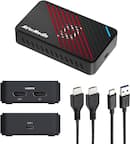
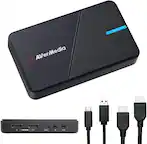
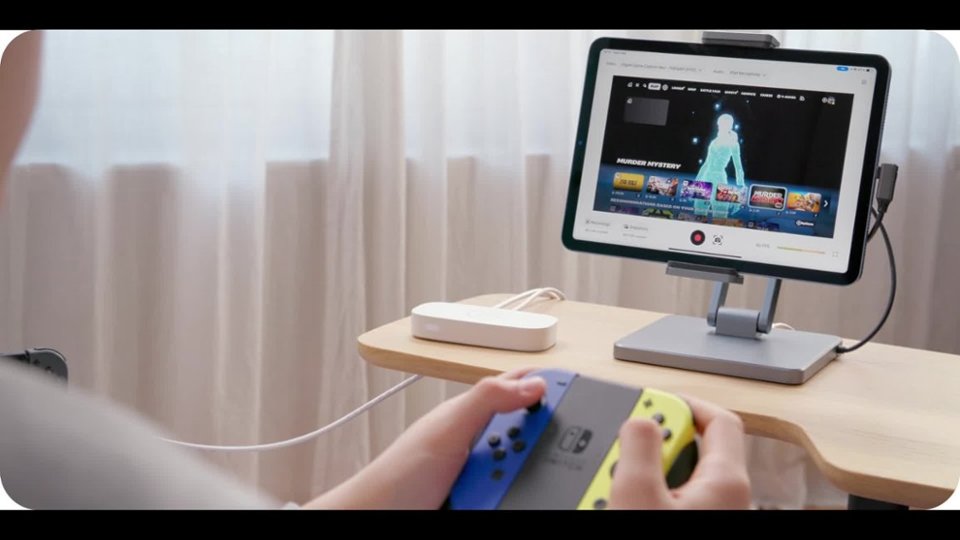
|Posted .This reviewer received promo considerations or sweepstakes entry for writing a review.Elgato’s Game Capture Neo brings an affordable take to game capture cards. This 1080p60 capture device is dead simple, with little in the way of features, but also supports 4k60 HDR passthrough. Does this budget device make sense for the streamer starting out? To start off a trend of dead simple, inside the box, there really isn’t much besides the device and the USB-C to USB-A cord. This cord is USB 3, but my Mac reported that it’s only USB 2.0 at 480Mbps. Of course that’s more than enough for the video capture stream, but I think Elgato essentially wants to make sure the device has enough power, as USB 2.0 only is 500ma. Unfortunately there’s no extra HDMI in the box, which is a shame as that is the only other cable you’d need to get started. However, once you acquire an HDMI, it really is as simple as hooking up the device in question to the HDMI In port (found in lettering on the rear) and hooking up a display device to the HDMI out port. Once that’s done, and you then plug the USB into pretty much any modern computing device, you should be able to start using the device. I decided I wanted to try to capture raw game footage from my PS5 without a capture PC. Specifically I had seen that Elgato was advertising that this device works with iOS. I have an iPad Pro M4, and I thought it would be a great idea to try recording my stream with the Elgato Capture app. After launching it and plugging my own USB-C to USB-C cable into the iPad, the Capture app caught the stream from the Elgato right away. Unfortunately it didn’t have any PS5 picture. After a few minutes of fiddling I found that you had to disable HDCP found under System->HDMI. After this, the PS5 fired right up and I was able to capture. The Elgato app is pretty basic, only offering to record video and some basic tweaks. You can choose from 720p and 1080p recordings at 30 and 60 fps. It shows the space used for the video real time, which is handy. Audio source can be the capture device or iPad microphone. Unfortunately that’s about all you’ll get. I recorded a few clips with it, and 1080p60 would crash about 10-15 minutes in or so. Overall I wasn’t too impressed with the Elgato app. On the other hand, the Camo app seemed to do much better, even allowing me to use the ipad to overlay my front facing camera and tweak which device is used for audio. My primary purpose was capturing video from my PS5, so I disabled that, but it’s a nice feature. Here the Elgato device worked top notch and provided the consistent stream of 1080p60 downscaled from the native 4k60 HDR. The device gets warm, but not hot to the touch when capturing. It’s got a nice appearance with the white plastic casing. Is this device good for the beginner? Yeah I think so. Is it right for the iPad? That depends. If you’re looking to make your iPad into a full media capture/streaming station; probably not. I’d probably look to Elgato’s HD60 X, as it offers a lot more features, such as a mixable analog audio input, 4k capture, and even some HDR capture, for just a bit more money. If you have a streaming PC, and you just need to capture 1080p video from a PS5 or Switch, then this device can do that with ease. That said, I feel like it should be cheaper given the HD60X can be had for not that much more money. If all you need is solid 1080p input to pull into video capture software, then this is your ticket.
I would recommend this to a friend - Pros mentioned:Compatibility, Ease of use
Good compatibility, could use more documentation
|Posted .This reviewer received promo considerations or sweepstakes entry for writing a review.The first thing of note about this capture card is that it's got pretty good compatibility. It doesn't need special drivers, and just kind of shows up as a USB camera. I do like having something be truly plug-and-play like this. You *can* download the Elegato capture software, but you can also just completely ignore it and go for something else such as OBS Studio. It's pretty light and small, so it's rather portable which is neat for travel. It does warn you that using it with a USB hub doesn't give good results, but I was able to use it fine with a powered USB 3.0 hub. While I don't have an iPad, it does say it's compatible. It also works fine with Android. Note that on mobile devices you may need to download an app to allow viewing or recording USB camera feeds. While I would give five stars just for the sheer compatibility and ease of use with... pretty much any modern platform I can think of, I found myself pretty annoyed with the included documentation. This can probably just be attributed to bad memory on my part, but when I originally tried to use this thing I genuinely spent over half an hour troubleshooting and started to think it was broken. After much digging around and swapping out cables and trying different configurations, I finally discovered that if you want this thing to work on PS5, you have to first turn off HDCP with the system plugged directly into the monitor. Otherwise, there just appears to be no signal. If it were technically possible, an error message about HDCP in the feed would have saved a lot of frustration. If that's not a thing that can be done, it should be mentioned in the documentation. By the way, the only papers included in the box are a regulatory statement and safety warnings - the actual user manual is a QR code that leads to about four sentences of instructions that boil down to, "plug your console into the Input port, your monitor into the output port, and use USB 3.0 or better to connect it to your computer with either the provided cable or a better one, and don't use USB hubs." It says nothing about HDCP, which is rather irritating because they use a sketch of a PS5 as the source device in the instructions. It just feels... low-effort. It couldn't have hurt to put a troubleshooting section in the instructions. I know that's the type of thing that someone who does game capture should be expected to be aware of, but for me it's been a long time and I forgot. So, instead of checking a troubleshooting section when I first had a problem, I only figured out it was HDCP by finding Elegato's FAQ section through a Google search. This shouldn't have been necessary, and it really damaged my first impression. Other than my highly unpleasant first encounter with this capture card, it's otherwise pretty much perfect as far as external capture cards go. I would absolutely recommend this thing. Just be prepared to do research if something goes wrong, because the manual sure won't tell you what to do.
I would recommend this to a friend Its alright
||Posted . Owned for 1 week when reviewed.This reviewer received promo considerations or sweepstakes entry for writing a review.My MacBook m1 lags so bad when I connect the neo. Tried streaming but it's not strong enough.
No, I would not recommend this to a friend- Pros mentioned:Overall performance, Video quality
Cool and quick device
|Posted .This reviewer received promo considerations or sweepstakes entry for writing a review.I've had some experience with Elgato devices in the past and it really feels like they improve them with every iteration, you'd expect that from any company but Elgato really delivers on it with usable software and functional upgrades and the Game Capture Neo is no exception. To start: Packaging is straightforward, device, power supply, USB-C cable, no frills here but there doesnt need to be really. Use: It's honestly mostly plug and play, once you install it, OBS or whatever capture software you use sees it as a capture source. The device itself is capable of 4K60 passthrough, though can only record at 1080p60 which is just fine for the vast majority of streamers. Having the all in one device without the need of an extra PC is definitely useful. I do wish it was HDCP capable, but I understand that with streaming that opens a whole can of legal worms and I dont blame Elgato for not getting into that. While the supported passthrough is up to 4K60 the maximum refresh is actually 1080p120 (again still limited to the capture of 1080p60), the maximum at 1440p is also 60hz which seems strangely limiting. So with any passthrough your focus will really have to be on the content as competitive higher refresh rates just arent available through this device. Overall: Nice little all in one device, missing HDCP and capability to pass through higher refresh rates, but still a very capable streaming box. Highly recommended.
I would recommend this to a friend - Pros mentioned:Ease of use, Video qualityCons mentioned:Connectivity
Great!
|Posted .This reviewer received promo considerations or sweepstakes entry for writing a review.This device is great and easy to set up. I am using it only for 1080p capture, so can't speak about 4K capture, which I understand ends up as 1080p anyways. I used another popular capture device which did the job, but had occasional issues which I could see while using OBS studio and notice monitor flicker at times. So I sought to find a better devices and came across the 'Elgato Game Capture Neo' device. Setup was very simple, slipped it in between my 2nd monitor and appropriate USB 3.0 port which powers and feeds the captured video/audio. It is important that your USB port be at least USB 3.0 or it won't work properly. If using Windows 10 or newer, it must be 64-bit or Apple macOS 12, iPadOS 17 or newer. Alternately, with an adapter, you can connect to a USB-C port, but they don't recommend using a USB Hub between the source and monitor, as it may cause performance issue. The HDMI ports are clearly marked input and output when you slip it in between the PC video card and monitor. It will support the passthrough of HDR10, but converts to SDR capture using onboard tone mapping. This first thing I noticed that the 1080p output was crisp and clean, no flicker or any latency. All and all a winner
- Pros mentioned:Compatibility, Ease of use, Overall performance
Awesome and Super Easy!
|Posted .This reviewer received promo considerations or sweepstakes entry for writing a review.The Elgato Game Capture Neo is a fantastic capture card, and I’d definitely recommend it. It gets the job done and is so easy to use. For the price, it’s a great deal and won’t empty your wallet. Out of the box, it’s plug-and-play is awesome. It works perfectly with macOS and iPadOS, and Elgato nailed it with this one. You can use it with OBS, Streamlabs Desktop, QuickTime, StreamYard, and tons of other apps without any hassle. I was really impressed with how well it works on iPadOS using the Elgato Capture app—it’s super solid and delivers a crisp 1080p 60fps picture for gameplay. Whether you’re streaming or recording, it just works. The setup is a breeze, and it’s great for anyone who wants quality captures without messing around with complicated settings. The Elgato Game Capture Neo is a super reliable capture card that’s easy to use and works great across platforms. The 1080p 60fps quality is spot-on, and the plug-and-play setup makes it a winner. I’d definitely recommend buying this—it’s a steal for the price!
I would recommend this to a friend - Pros mentioned:SetupCons mentioned:Connectivity
1080p60 Budget Beast
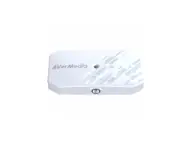
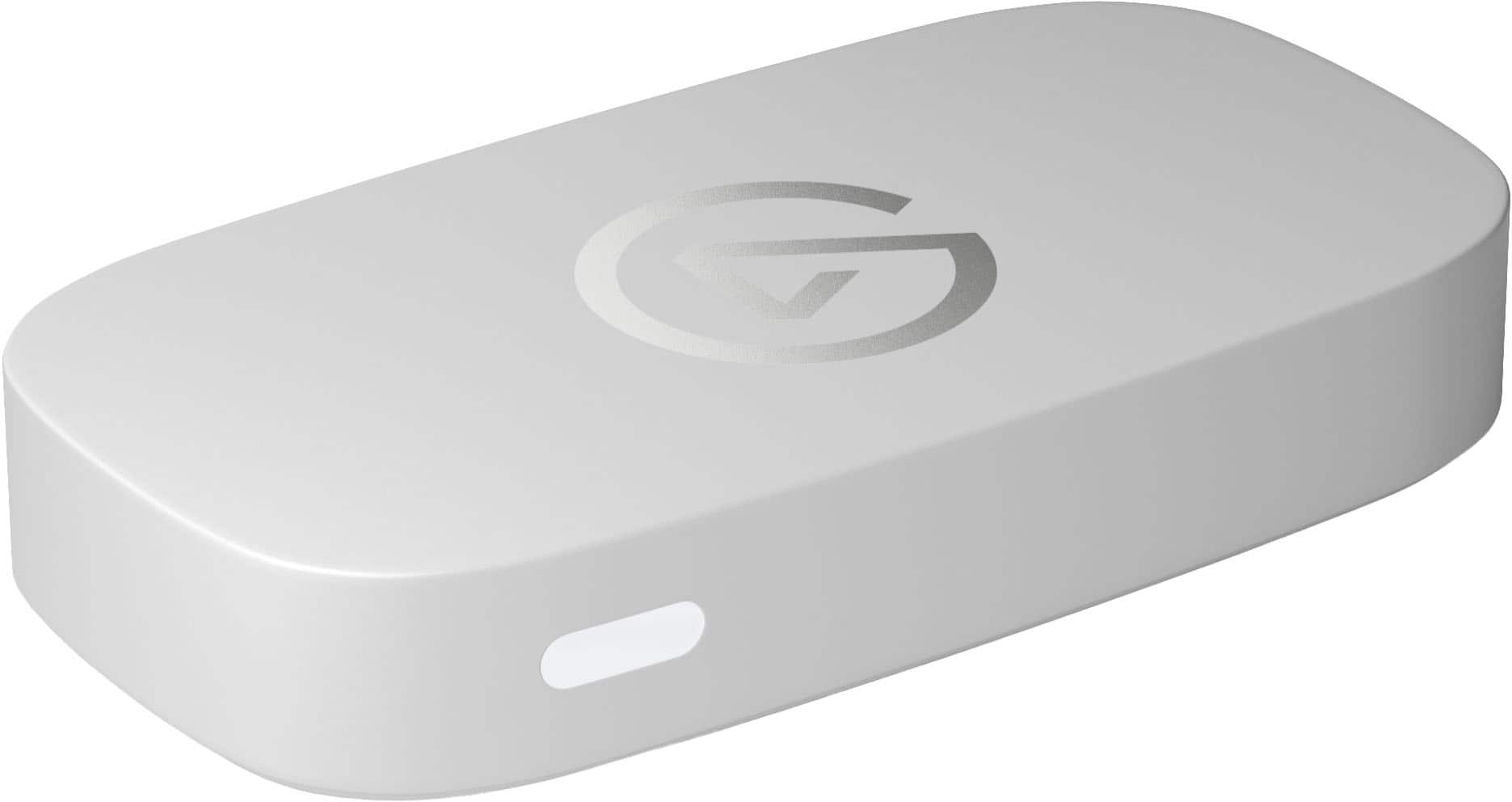
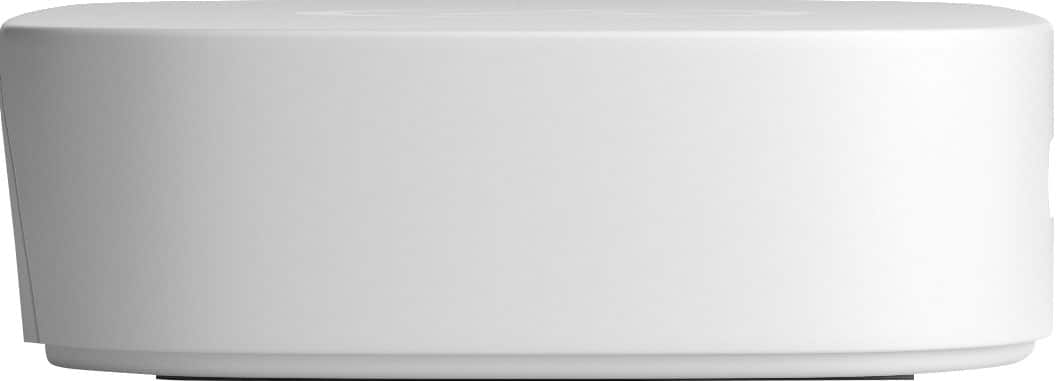
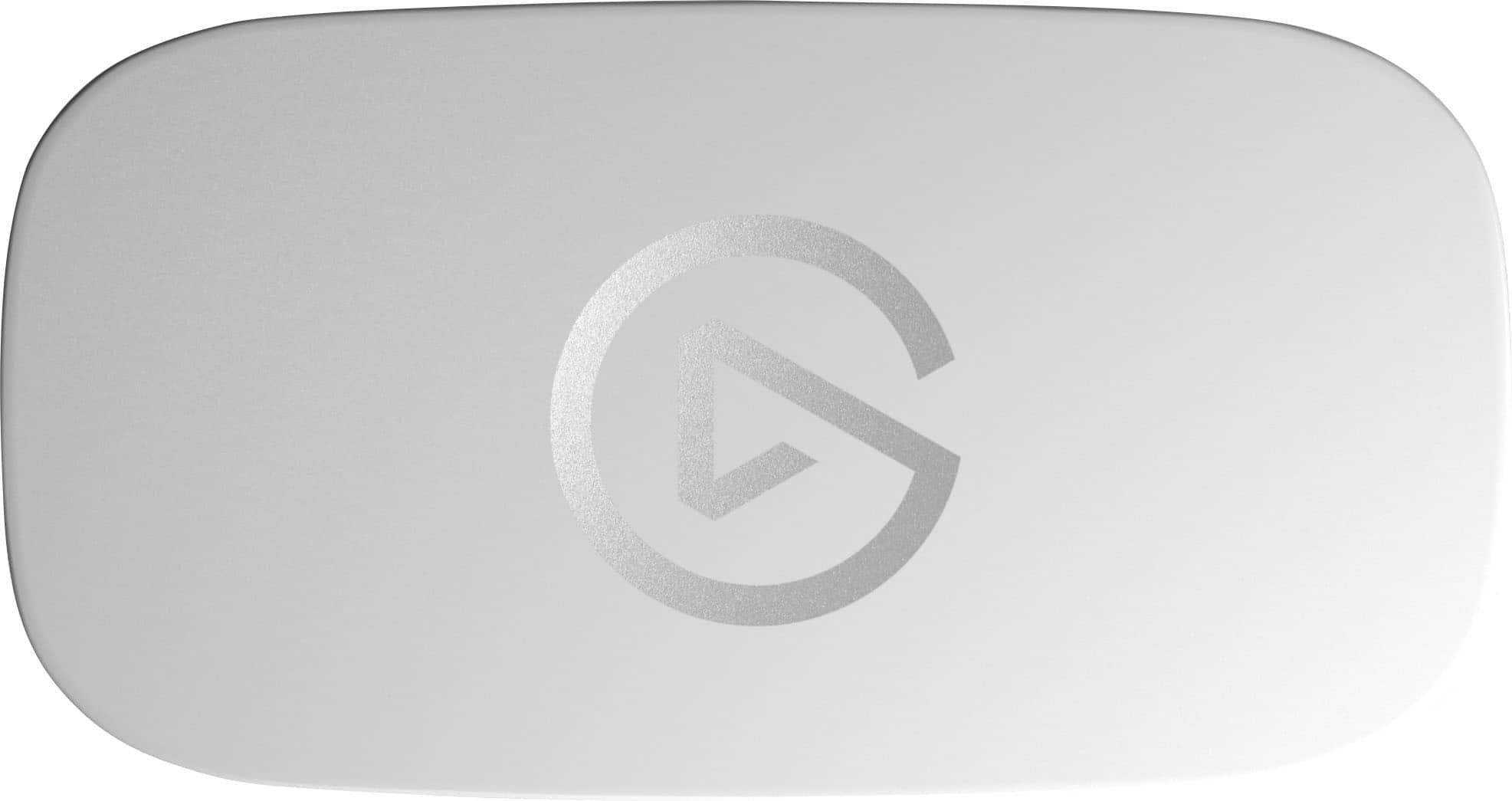
|Posted .This reviewer received promo considerations or sweepstakes entry for writing a review.First Thoughts and Impressions 5/5 The Game Capture Neo is pretty impressive as an entry-level recorder and is a standout as the first all-white streamer on the market for those who have white gaming setups. It matches the PS5 aesthetic and my white PC perfectly. I feel it's optimized for the budget 1080p PC streamer; however, it does provide a true zero-lag 4K passthrough for console players with a few caveats. The setup is quick and in under 5 minutes you can install the software and connect the cables. Make three connections: 2 HDMI and 1 USB-C, and you are ready to capture. Elgato once again has delivered a streaming product affordable for the masses. Their commitment to eco-friendly products and packaging is continued with this release with the body made of 60% recycled plastic, and the packaging is all cardboard and plastic-free. The Hardware 4/5 The Game Capture Neo is a high performer and aesthetically pleasing offering 4K passthrough up to 4K60 in HDR or SDR, 1440p60 in HDR or SDR, and up to 1080p120 in HDR and SDR. However, it is important to know that it strips any ARC support from your display or soundbar and restricts your 4K HDMI 2.1 capabilities essentially rendering your high-end display or nice display or TV with VRR & 4K120 into a basic HDMI 2.0 port. You also don't get 1440p120, so this downgrades your gameplay on consoles. If you're aim is to stream at 1080p60 on console with a basic 4K display or TV, this is perfect. However, if you want to take advantage of all your display's HDMI 2.1 features, then you need to look elsewhere for a more robust 4K passthrough option. With that said, 4K passthrough to the display is lag-free, however, there is quite a bit of latency to the streaming PC you are capturing on, with about .5 second delay between TV and stream monitor. Setup and Troubleshooting 5/5 Elgato provides a plethora of support for those new to streaming or needing troubleshooting common issues. If you are stuck setting up OBS or coming across issues with connecting consoles or audio missing from stream, there are exceptional guides to help. Their video library of troubleshooting guides is excellent and worth a shoutout - great work Elgato! Be sure to review and adhere to the bitrates required by your streaming platform - a quick search will get that information you need for optimal uploads and performance on stream. Capturing and File Creation 4/5 Elgato's 4K Capture is incredibly intuitive and user-friendly with file management is excellent. Files are organized perfectly with m4a audio files for commentary, the game, and .aaf & .json files alongside your .mp4 stream file - all neatly arranged in a single folder for each recording. With tags and labels, organization is simple and allowing you to easily find things when searching through your library. Recordings are done in 8-bit 1080p60 YUV (4:2:0) color space wrapped in H.264/AVC containers using BT.709. I wish 4:4:4 RGB was an option to make scaling up better, but you can scale your 1080p footage in OBS using YUY2 (4:2:0) up to 1440p. The uncompressed footage is vibrant and beautifully captured; however I saw a lot of screen tearing due to the lack of VRR support. Additionally, Elgato has created an iPad app for additional functionality, so check the list to see if yours is supported! This makes streaming easier, and you don't need to have another screen. The app is only available in the Apple App Store, so Android users are left out requiring a PC to stream. If you use USB headphones, you must remove them from the loop if you want to capture audio. Unfortunately, there isn't a workaround for this at the moment. PS3 owners, this does not work at all due to perpetual HDCP restrictions enacted by Sony with no way to turn it off, while PS4, PS4 Pro, PS5, and PS5 Pro must disable HDCP in settings to display a feed or record. [+] Pros [+] +Stupidly simple to set up and use. +No fees or subscriptions required. +Captures vibrant and accurate uncompressed 1080p video. +Nice aesthetics and only white offering I've seen. +Perfect for PC users who make tutorials, simply put this device in-line with your monitor from your HDMI out port and you get stunning capture for use at a later time. [-] Cons [-] -Limited to 1080p60 w/o VRR potentially leading to lots of screen tearing. -Currently only iPad Capture App is available. No Android App yet which I hope will change in the future. -No ports for audio and it adds a layer of work in post to add commentary. -USB headphones are not supported and removes audio from your recordings. -No RGB 4:4:4 for higher quality, I would really like to see that added. -ARC fails when the Game Capture Neo is plugged in. Keep your TV/Display remote nearby for input swaps. -Even though the software allows you to select 4K60, unsupported options should be removed from the drop box for streamlining things and clean the interface up. [=] Final Thoughts and the Verdict [=] 4/5 In summary, if you are a PC 1080p60 streamer, the Game Capture Neo will effortlessly meet your needs. However, I highly recommend the HD60x if you play consoles. While it requires a computer, it is more than capable of handling your basic 1080p streaming needs. The software itself is extremely basic and would greatly benefit from AI features to create clips for highlights like wins and kills. I like the all-white aesthetics with minimal branding and a high-quality white USB-A to USB-C cable to handle data recording to your PC.
I would recommend this to a friend - Pros mentioned:Ease of use, Overall performance
My Experience with the Elgato Game Capture Neo
|Posted .This reviewer received promo considerations or sweepstakes entry for writing a review.What You're Getting I've been testing the Elgato Game Capture Neo for a few weeks, and it's honestly been great. This is Elgato's streamlined capture card that does 4K60 HDR passthrough while recording at 1080p60. Works with PS4/PS5, Xbox, Switch, and even iPhone. Clean white design that won't mess up your setup aesthetic. Setup Process Here's where this thing really shines - setup is ridiculously easy. You need three cables: two HDMI and one USB-C. Console to Neo, Neo to monitor, USB-C to computer. Done in about 5 minutes. The real game-changer is OBS integration. I've fought with Elgato software before, but this just appeared as a video source immediately. No drivers, no weird settings, just plug and play. It actually worked like they promised. Daily Use The Neo has been rock solid. No random disconnects or frame drops that used to drive me crazy with other capture setups. The 1080p60 capture looks crisp with accurate colors, and the 4K passthrough doesn't affect gaming performance at all. It works great with different streaming software too, not just OBS. Low latency keeps streams smooth. Pros and Cons What I Like: - Setup is genuinely foolproof - Solid picture quality for the price - 4K passthrough works perfectly - Universal console compatibility - Hasn't crashed once since I've started using it - Compact design - Good value for the price - Easy set up with OBS and other gaming/streaming capture services (significantly easier than it was in the past- this is literally plug and play) What Could Be Better: - Only 1080p capture (no 4K recording) - Basic features compared to high-end cards - Needs computer connection to work - Cable management gets messy - Requires streaming software Should You Buy It? If you want to stream or record gameplay without technical headaches, this is perfect. It's not fancy, but it does exactly what it promises reliably. Great for beginners who don't want to spend their first stream troubleshooting. Also solid as a backup device for experienced streamers. The 1080p limitation isn't a big deal since most people stream at 1080p anyway. What I love about this device is that it just works. Simple, reliable, good quality - sometimes that's exactly what you need.
I would recommend this to a friend - Pros mentioned:Ease of use, Overall performance
Great little capture device!
|Posted .This reviewer received promo considerations or sweepstakes entry for writing a review.If you are someone who loves simplicity, and products that just work, this is the product for you! Out of the box you will notice this nice looking little white box which simply has 2 HDMI ports (1 in and 1 out) and a USB-C power connector, and that’s it! For my testing I used it with Adobe Premiere Pro 2025, and I also tested it with DaVinci resolve. Their documentation says you can use any app, and it just works! I plugged it into my computer and when I opened premiere it was right there as a capture device and I was easily able to set it up to capture video. You can input just about anything with an HDMI out into this little white box and it will capture it. They say you can capture anything all the way up to 4K 60fps HDR video, and I can confirm that you can. One small thing to note is that while you can input those high resolutions, this will only capture at 1080p 60fps resolution. I think that is a slight oversight and it would have been nice to be able to capture at a 4K resolution as well. But I know for a lot of streaming content 1080p is just fine. I started the capture in Premiere and started to play a game on my PS5. I did an hour-long capture just to put this thing to the test and se if it was up to the task of doing long captures. I am happy to report that I didn’t have a single glitch or hiccup the entire time I was capturing. I thin tried the same thing in DaVinci resolve and once again, I am happy to report that I had the same experience. A flawless capture and the video looked great! Overall, I think this is a great entry-level device for capturing video games (or anything else) It is simplistic, unobtrusive, and just works! While I can’t say it works for everything, it very easily worked with the 2 products I used it with and I have no reason to believe you won’t get the same experience with other apps or programs. If you are looking for a budget friendly capture device, you have found it!
I would recommend this to a friend