Customer Ratings & Reviews
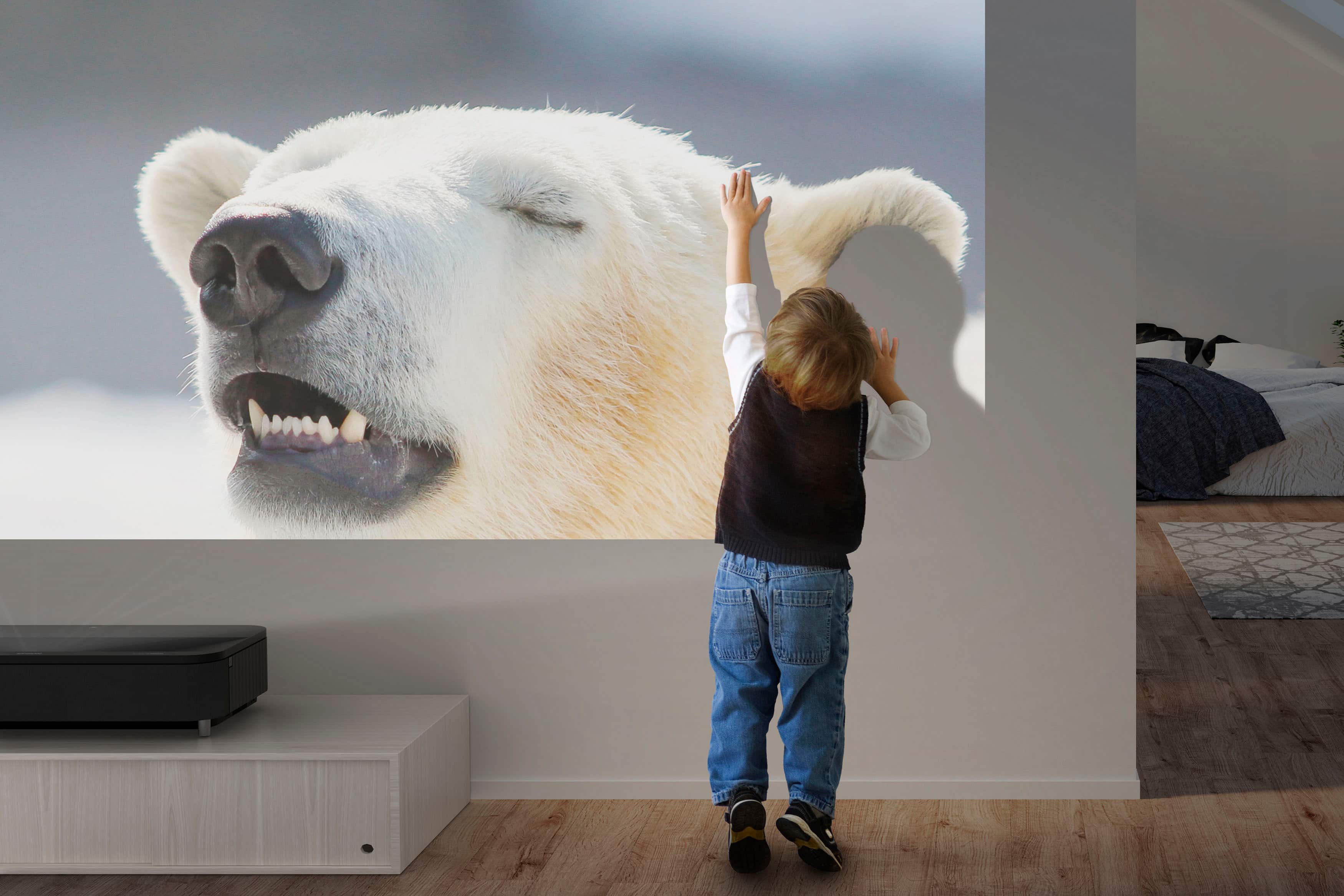
. Projected image simulated. Screen sold separately.](https://pisces.bbystatic.com/image2/BestBuy_US/images/products/0c1badcd-541b-4b43-8589-879c29778510.jpg)



- Model:
- V11HA90120
- SKU:
- 11089996
Rating by feature
- Value
Rating 4.2 out of 5 stars
- Quality
Rating 4.4 out of 5 stars
- Ease of Use
Rating 4.5 out of 5 stars
Awesome! Short throw projector
||Posted . Owned for 2 weeks when reviewed.This reviewer received promo considerations or sweepstakes entry for writing a review.This piece of machine is just awesome. Picture quality is Bright and Colorful. Yamaha sound system is decent. Initially I projected on white wall picture looks good, still waiting for my silver ticket screen for complete experience.
I would recommend this to a friend
Phenomenal projector screen
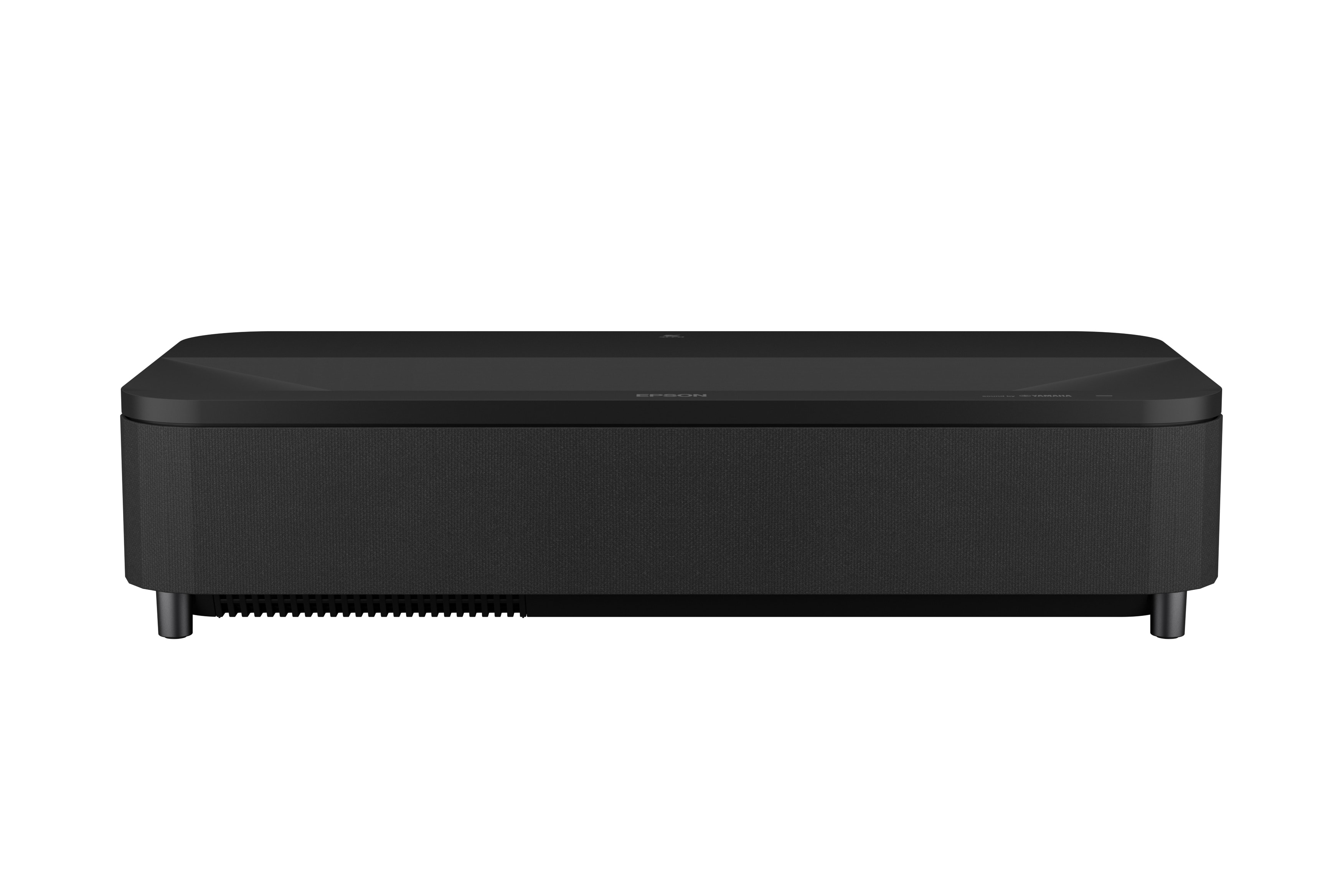
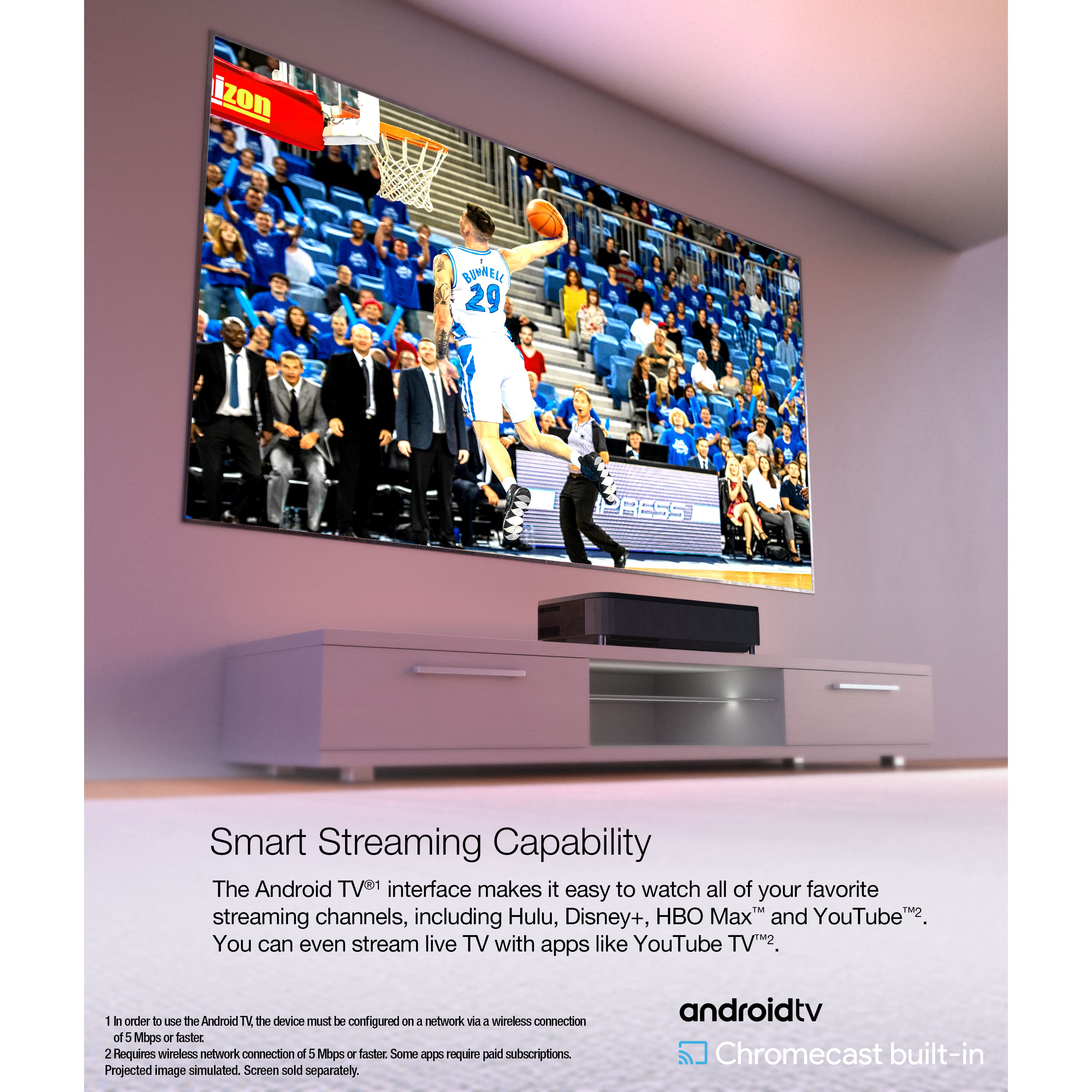
|Posted .This reviewer received promo considerations or sweepstakes entry for writing a review.First of all let’s get something out of the way. This is a massive projector and takes up more space than any other projector I’ve used from a width standpoint. I’ll include a picture in the review that uses an Apple TV remote as a frame of reference for the size. That said it’s this big because it packs in a lot of quality and the ability to project with 4000 lumens in 4K at 10-bit HDR is mind blowing especially with how close you can place it to the screen. My last ultra short throw still required a good 2 feet from the screen so I felt like I had a floating piece of furniture in the room. In this case you’re much more likely to be able to use a standard media hutch and place it a couple inches away as long as the shelf or hutch has enough depth. Couple of items of note: you definitely want a tensioned screen. Using this with a floating screen or other options is problematic as the light is projected a such a high angle that it’ll basically emphasize any wrinkles or waves in the screen. Setup is fairly simple as you connect to wireless right away and then have your alignment screen projected. The Yamaha sound built in is surprisingly good for a projector and no doubt adds to that width requirement. Overall it’s super quiet compared to my other projectors and the warmth generated is on the much lower side in comparison. Due to the extreme Lumen availability it works well in rooms without any light rejection so allows you the flexibility to place this in locations where you might have preferred a TV before. The smart TV interface is Android and felt snappy enough that I feel you could get by with the onboard system but as always I prefer an external unit just because it takes away from the load on the projector and allows you to use the best item for the best purpose.
I would recommend this to a friendNot satisfied
||Posted . Owned for 7 months when reviewed.This reviewer received promo considerations or sweepstakes entry for writing a review.When project movie on the screen. Its refelcting around the screen and completly disturbing the home theather experice. Best guy tech guys came and they could not able to fix it. Asked me to reached to product compamy. I had call to them and was in call more than 2 hours and followed their instructions, but did not help. The respose from product compamy is “this is best view we can provide”. See attached vidoes
No, I would not recommend this to a friendBrand response from Epson
Posted .Hi Pavan, Thank you for taking the time to post a review. We apologize for the issues you are experiencing with your projector. The symptom you describe could be caused by a number of factors. Your Epson LS800 features lifetime support and we’d be happy to try to diagnose the issue. Feel free to call Epson Support at (562) 276-4382; Monday – Friday, 7 a.m. – 4 p.m. PT. Sincerely, Jacob– The Epson Team.

Almost perfect mind-blowing projection
|Posted .This reviewer received promo considerations or sweepstakes entry for writing a review.Verdict: This projector has strong qualities: 4K resolution, very good integrated speaker, built-in streaming capability, and short-throw 120” projection. Minus a few software glitches, we love this projector, and it has actually displaced our 82” TV. Instead of having a large TV as the focus of our family room, we now only have an “on-demand” screen for when we want to watch something, and we rearranged furniture to get more space in the family room. First impressions. Wow, it’s large. I could see that it was big from pictures on the web, but it was even bigger than I expected. It’s also a bit heavy, relative to all projectors I previously handled. The whole front face of the unit is a speaker. The box includes the projector, a remote control, a power cord, and manuals. The projector has 3 HDMI ports (including 1 Arc, and 1 Game). It also has two USB A port, an optical port, and earphone jack. Setup. We chose to set up this projector in the family room, in the place of an 82” TV. The TV stand was actually too tall for the projector, causing the image to be too high. So, we replaced the TV stand with a low coffee table and the height is now very good. Once switched on, the projector offers an easy setup through a google account. Once logged in, we downloaded our favorite streaming apps (minus Netflix, more on that later), and attempted to adjust the screen shape, size, and position. I initially tried to do this manually, but then the projector recommended the Epson Setting App, so I tried it. That made things much easier. The app easily connected to the projector, then I followed the instructions, including taking a picture of the screen with my smartphone, and then the projector self-corrected the shape and resolution to perfection!! At the moment, we are projecting directly onto a wall, without a white screen of any sort, and we are perfectly satisfied. Image. This projector has 4000 lumens! That’s massive, and it is noticeable. We setup this projector in a room that has a large window and French doors, with blinds installed on both. While the room still gets a good bit of light, we have used the projector to watch shows and movies during the day without a problem. Dark scenes are harder to see of course, but it is still completely useable. The 4k resolution is very impressive, especially on a screen size of 120”. We have actually tried to go bigger… we currently have the projector setup for about 145”. At this size, the resolution is still very impressive… I mean, that’s quite remarkable. The imagine is clear and the colors are vibrant. This projector has surpassed all my expectations for image quality. Sound. The integrated speaker is actually very good! It is sufficient to enjoy most content. The integrated speaker produces a balanced and full sound. Somehow, we don’t even find the bass lacking. We do have an external sound bar with subwoofer connected to the projector via the optical port, but we only use it to watch serious movies. When comparing the projector speaker to the soundbar/subwoofer, it is clear that the soundbar delivers much more richness, but it takes direct comparison to notice. The integrated speakers have well exceeded my expectations. Features. The built-in Android TV enables access to the Google Play Store and streaming directly from the projector. The remote control is well designed, with lots of shortcut buttons for Android TV settings, projector settings, and more. The projector also enables the voice assistant from Google. There is a handy manual focus lever on the right side of the unit. The cover for the connector area is a nice touch. Issues. (1) major apps are available except for Netflix, which is particularly frustrating because rather that making this projector an all in-one-solution, access to all desired apps requires the use of a Fire Stick (in our case), and so it’s yet another remote control we need to have around. I tried to sideload the app, but I can’t enable sufficient permissions on Android TV to run Netflix, even after successfully installing it on the projector. (2) The first day we were using the projector, it kept turning on, every fifteen minutes or so, and we couldn’t figure out why. After some perusing of the setting, we noticed that the projector has a motion sensor that I think turns on the projector anytime there is motion in the room. Once I turned off the motion sensor option and selected the power button to “shut down” rather than “stand-by” the device, the projector no longer turned on randomly. (3) I have some issues streaming Hulu, Disney Plus, and HBO Max. Meanwhile, YouTube always works fine (so it’s not a wifi issue), even playing 4K content without any buffering. To make these apps work, I have to restart the projector, otherwise when I try to open the app, or stream content, I just get a spinning circle that never ends. Things I love. - 4000 lumens of brightness - 4K resolution - Huge image size: 120” at perfect resolution, and 145” plus size with still excellent resolution - Ultra short-throw capability - Very capable integrated speaker - Android TV and Google play store access - Excellent app to help setup the image - It’s generally quiet; we haven’t noticed any fan sound or anything like that - 2-year warranty, and two-business-day replacement with free shipping (!!) Things I don’t love. - Netflix should be accessible. This is not an isolated issue; Netflix is also not accessible on a different Epson streaming projector we got a few years ago. Customers want Netflix! Let’s make this work please. - The motion sensor caused a lot of confusion for us initially. I recommend turning this feature off, or your projector will turn on randomly, and potentially stay on for hours. - I hope the loading issues I am encountering with some apps improve, perhaps with an upcoming firmware update. Right now, we have resorted to plugging in a Fire TV, and basically using that exclusively, instead of flipping back and forth with the built-in Android TV. Overall, this is a very impressive projector. However, it could still be better with small improvements, which could turn it into a true all-in-one TV-replacement solution. I would rate the projection capabilities and image performance at 5 stars, and Android TV and other software/streaming at 4 stars. This averages to 4.5 stars, so rounding up to 5 stars because we are very happy with this projector and we use it every day.
I would recommend this to a friendAmazing Projector! Go Buy it NOW!
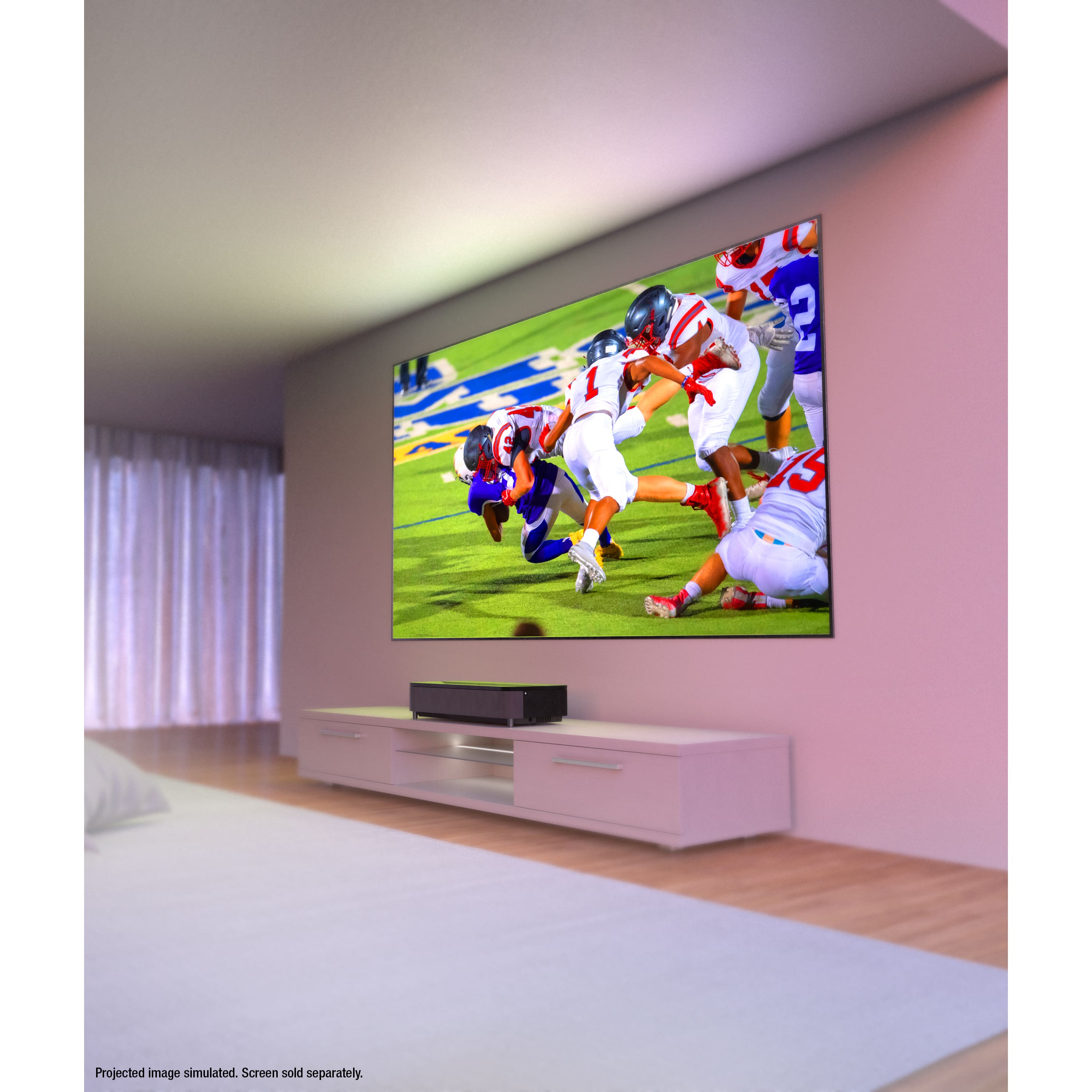
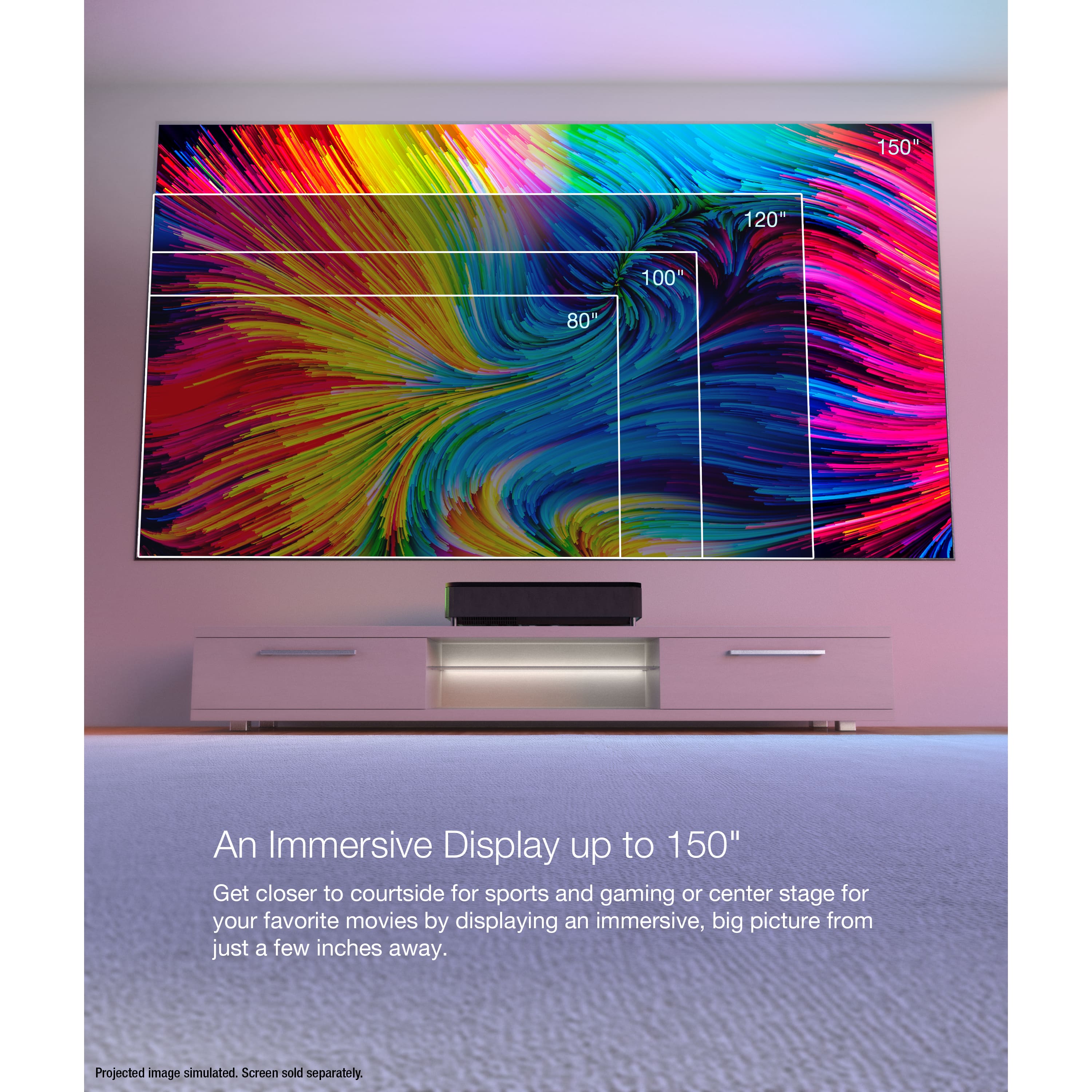
|Posted .This reviewer received promo considerations or sweepstakes entry for writing a review.The Epson Ultra LS800 Ultra Short Throw Projector is the coolest device I’ve ever owned, period. I’ve always wanted a projector but never felt it was practical to hang one from the ceiling and do the whole movie theater setup in our home. The LS800 solves that and turns any wall in your home into a 150” movie theater while only having to sit less than a foot away from the wall and doesn’t require a screen to work properly. I’m absolutely blown away by this product. Initial setup took about an hour. The projector is a bit beefy, weighing about 27 pounds and taking up a decent footprint on my family room hutch. While this is an amazing projector there are some nuances to it that should be discussed. Our family room hutch sits about 3-4 feet off the ground and we have 10 foot ceilings in our home and because of that I can’t display the projector at full size without the screen leaking into the ceiling. Luckily the screen is moveable and adjustable and in the future I might consider getting a lower sitting hutch so the projector can display at full size. The initial picture looked slightly warped and uneven but that’s adjustable with the front legs and a dial on the back that changes the perspective of the screen. There are settings in the projector itself that you can manually adjust portions of the screen to make it fit your wall. There also is an Epson Settings Assistant app that automatically adjusts the screen by taking a picture, but the only problem with this feature is that when I go to take the picture it resets the adjustments I previously made and since the hutch sits too high and the screen is now displaying on the ceiling the app adjustment doesn’t work, forcing me to it manually. Nonetheless I am very happy with the size of the screen as it’s current size is way bigger than our previous 75 inch tv. After initial setup I downloaded all my streaming apps and connected my Xbox One X to test out the colors and picture quality. Unfortunately Netflix is not able to be downloaded through the Android store. You will have to purchase a fire stick or Roku in order to watch Netflix on the projector. I’d be curious to know why Netflix isn’t available as I have an android Hisense tv in our bedroom and it includes Netflix. It’s a minor issue but means that one of the 3 HDMI ports will now be taken up by a Roku or fire stick. Disney + looks amazing and 4K content streaming from YouTube is absolutely stunning. The only imperfections actually come from the fact that the projector is displaying on my wall so if you have any imperfections in the wall they will become visible but not enough to bother me. Honestly for displaying right on the wall with no screen the picture is still gorgeous. We will probably look at getting a screen in the future because this tv is not going anywhere anytime soon and I’d be curious to see the difference with a proper white projection screen. One setting that is useful for displaying on the bare wall is you can alter the colors based on your paint color. Once I switched to gray it made the colors pop that much more! There is also a manual adjustment lever on the side of the projector to increase clarity and a handy size panel to hide all your inputs cleanly. There are 3 HDMI 2.0 ports with 2 supporting 4K and there is a dedicated 3rd gaming HDMI that supports 120hz/1080p signals. It took me a few minutes to realize that the 3rd HDMI gaming port was a separate button on the remote rather than under the normal inputs section. Once I found that input and turned on my Xbox I went into the settings on my Xbox and realized that it will display 4k but only at 60hz. The projector will display 120hz but only in 1080p. Not a huge deal but something to be noted. Games look beautiful and I’m in heaven playing them on such a big screen. I’ve always wanted a huge projector to play games on and I couldn’t be happier with the results. With any projector it’s better if you have a slightly darker room but I am pleasantly surprised by how well the projector holds up during the day time especially not having a white screen to project on. The sound on the projector is great as well. The front 2.1 Yamaha speakers are actually quite impressive and will do the job if you don’t have surround sound but luckily the projector has an optical output so I immediately hooked it up to my surround sound! Despite a few small quirks with the screen size I couldn’t be happier with the Epson LS800. It turns any wall in your home into a movie theater!! I’ve always wanted a projector and now we have one in the home and I’m a kid in a candy store. This projector will stay in our family room for years to come and I can’t wait to have countless football parties and movie nights in our home with this beauty. If you’re considering getting one I can’t recommend it enough because every time I turn it on the biggest smile comes on my face. What more could you ask for? Go buy it now!
I would recommend this to a friendExcellent Picture Quality!
|Posted .This reviewer received promo considerations or sweepstakes entry for writing a review.I upgraded from the Optoma CinemaX P2 and i have not second guessed my decision, the LS800 is an upgrade in many ways. The short throw capability is amazing, I was able to push the projector closer to the wall by 8 inches and still retain the 105" screen. I am able to make the media center look cleaner by pushing the media cabinet closer to the wall which i love. The quality of the build looks good, the matte black finish and the black cloth look good and doesn't draw attention while watching a movie. The light off the screen does not bounce off the matte black finish. The adjustable tripod placement of the legs make it easy to level and adjust. The setup is very simple, much simpler than my old projector. The Epson App adjusts the size to your projection screen by taking a few pictures and connecting to your projector thru wifi. Overall the setup took 15 minutes. The manual focus is pretty precise, easier than the automatic focus because sometimes i notice the auto focus does not get the images crisp. The image is bright at 4000 lumens and is very watchable in a moderately lit room with sunlight but it looks amazing in a darker room. I watch it in a dark setting as i only use the projector when i want a movie theater experience. The remote is very easy to operate and has easy to access bright setting buttons which come in handy and its pretty intuitive. The [projector comes loaded with apps and you can download more after signing onto your google account but i didn't really explore that option because i sue the amazon firestick as my hub. The setting menu is not as adjustable as my previous projector but it isn't necessary because i adjsuted the color setting and picture setting once and didn't mess with them after since the initial setup. It's simple , basic and pretty all you need. No need to over complicate the menu settings. Overall a very modern, sleek looking projector that provides a bright vivid picture. It is very simple to setup and enjoy quickly.
I would recommend this to a friendA Visual Marvel: Epson - EpiqVision Ultra LS800 4K
||Posted . Owned for 3 weeks when reviewed.This reviewer received promo considerations or sweepstakes entry for writing a review.A Visual Marvel: Epson - EpiqVision Ultra LS800 4K PRO-UHD Ultra Short-Throw 3-Chip 3LCD Smart Streaming Laser Projector - White Review I recently had the pleasure of experiencing theEpson - EpiqVision Ultra LS800 4K PRO-UHD Ultra Short-Throw 3-Chip 3LCD Smart Streaming Laser Projector - White, and I must say it has set a new standard for home entertainment. Boasting an impressive array of features and delivering an exceptional visual experience, this projector has truly exceeded my expectations. One of the standout features of the Epson - EpiqVision Ultra LS800 4K PRO-UHD Ultra Short-Throw 3-Chip 3LCD Smart Streaming Laser Projector - White is its picture quality, which can only be described as exceptional. The clarity and sharpness of the images are unparalleled, creating an immersive viewing experience that rivals that of high-end cinemas. The colors are vibrant and true to life, thanks to the advanced color reproduction technology employed by this projector. Whether you're watching movies, gaming, or even giving presentations, the picture quality is consistently top-notch. The brightness of the Epson - EpiqVision Ultra LS800 4K PRO-UHD Ultra Short-Throw 3-Chip 3LCD Smart Streaming Laser Projector - White is another area where it shines. With 4000 lumens, this projector effortlessly handles various lighting conditions, maintaining a brilliant and clear image even in well-lit rooms. This makes it versatile for use in different environments, providing a stunning visual display no matter the setting. Setting up the Epson - EpiqVision Ultra LS800 4K PRO-UHD Ultra Short-Throw 3-Chip 3LCD Smart Streaming Laser Projector - White was a breeze, thanks to its user-friendly interface and intuitive controls. The menu system is straightforward, allowing for easy adjustments to fine-tune the picture settings according to personal preferences. Additionally, the keystone correction and lens shift features make it convenient to achieve a perfectly aligned image, even if the projector is not placed directly in front of the screen. One notable aspect that enhances the overall experience is the Epson - EpiqVision Ultra LS800 4K PRO-UHD Ultra Short-Throw 3-Chip 3LCD Smart Streaming Laser Projector - White is excellent connectivity options. With multiple HDMI ports, USB inputs, and wireless capabilities, it seamlessly integrates with a variety of devices, from streaming platforms and gaming consoles to laptops and smartphones. This versatility ensures that you can enjoy a wide range of content without any hassle. The Epson - EpiqVision Ultra LS800 4K PRO-UHD Ultra Short-Throw 3-Chip 3LCD Smart Streaming Laser Projector - White also stands out in terms of durability and build quality. The sleek and modern design, coupled with robust construction, gives it a premium feel. The fan noise is impressively low, ensuring that the audio quality of your content is not compromised. In conclusion, the Epson - EpiqVision Ultra LS800 4K PRO-UHD Ultra Short-Throw 3-Chip 3LCD Smart Streaming Laser Projector - White is a visual marvel that delivers an outstanding picture quality, versatility, and user-friendly features. Whether you're a movie enthusiast, gamer, or professional in need of a reliable projector, this model deserves serious consideration. While it might be on the higher end of the price spectrum, the unparalleled visual experience it provides makes it well worth the investment
I would recommend this to a friendGREAT picture after some tweaking
Posted .This reviewer received promo considerations or sweepstakes entry for writing a review.I need to update my first review (please ignore the one star review). After all day of playing with this projector I found the issue. Out of the box the HDR setting was tuned to 16 which I later found to be the reason for the blur. After changing it to 1 the screen lit up! The colors were similar to that of a Samsung 8000 or even q60 tv. I tweaked the color adjustments even further while using Thor: Love and Thunder as my demo to get an AMAZING picture, one that rivals the higher end Samsung tv's. Now the black levels do not get to oled black but they do get dark and the color is AWESOME. I am using Samsung's q990b sound bar with this system and it sounds and looks GREAT. I will say there is a lot of tweaking such as for any ARC connection PLEASE switch the sound output to ARC/PCM (AUTO) to not have any lag and have the most bandwidth traveling to the sound system. There was a lot of unnecessary tweaking needed to get the picture looking its best right out of the box but I will share my settings with you so setting this up is a breeze!
I would recommend this to a friendImages that are Big, Bright & Beautiful
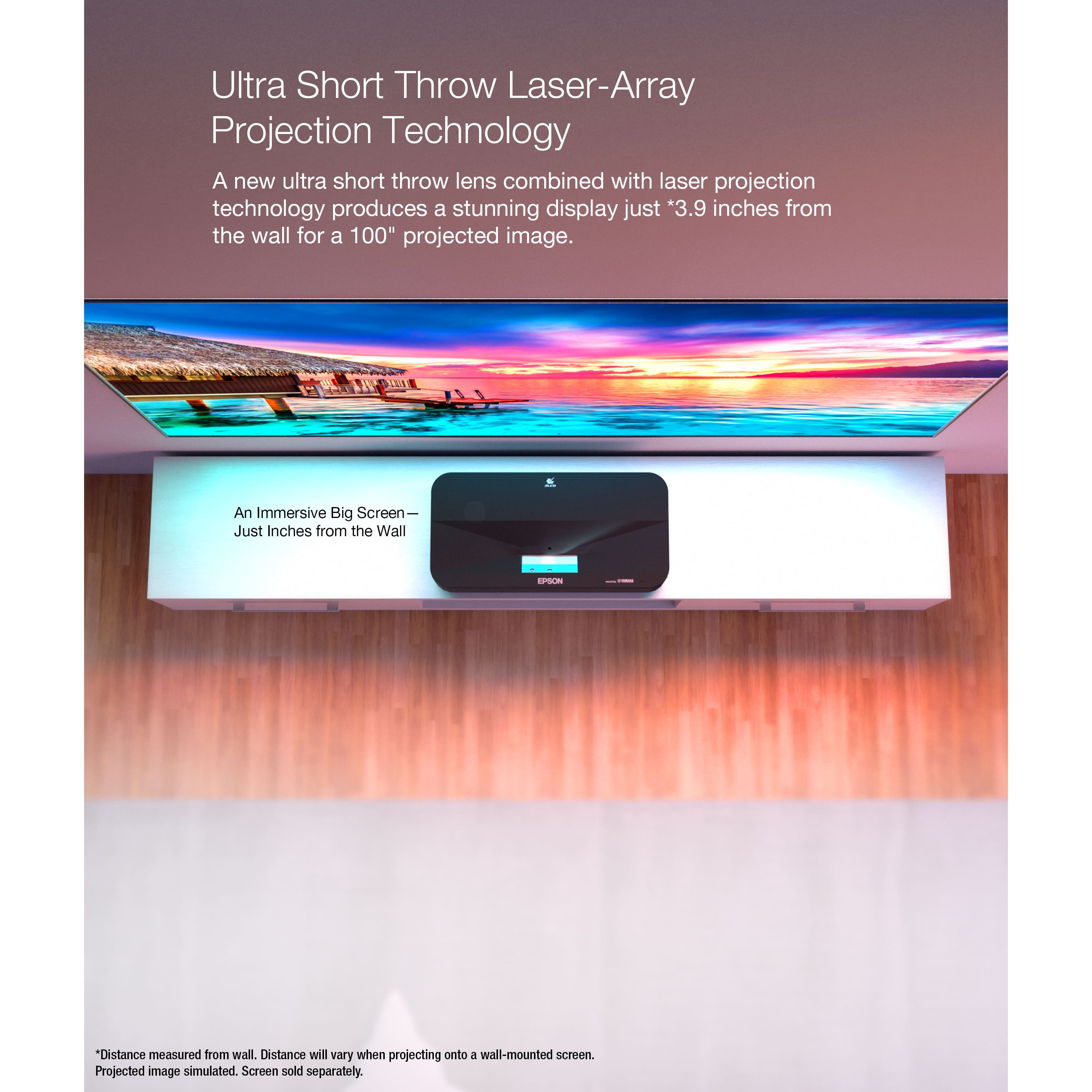
|Posted .This reviewer received promo considerations or sweepstakes entry for writing a review.Unboxing – Package contents are the bare minimum: Projector, power cord, remote control with batteries, and a Quick Setup guide. It ships with ample Styrofoam padding at the corners, and the box is heavy-gauge cardboard, oversized to project the delicate machine contained within. Setup – This projector is replacing our 65” TV which we had on a 30” tall stand. Unless you have 12-foot-plus ceilings (we don’t), the short-throw projector needs a shorter table. We settled on an 18” tall coffee table until we can get something more permanent. Our home still relies on cable TV, so connection was as simple as plugging the HDMI cable from the cable box to one of the three available HDMI 2.0 ports. The projector has an HDMI (ARC) port which simplifies juggling remote controls. There is also an optical out for connection to an amplifier. Documentation says it’s Bluetooth 5.0 compatible. There is even a headphone jack. One way or another, you should be able to find audio output that will suit your setup. To my surprise, the onboard speakers sound good. The top of the projector says, “sound by Yamaha,” and Yamaha really delivered. Don’t get me wrong, it won’t replace a full surround system or even a good soundbar, but the sound is much better than merely acceptable. Connection to the home network is straightforward. I was shocked to discover there is no Ethernet port; this appliance is wireless-only. Logging onto our wireless network was a painless affair, and installation of our preferred apps went smoothly via the Google Play store. It’s always a slog to enter usernames, e-mails, and passwords with on-screen keyboards and remote controls. It occurred to me afterward that perhaps I could have plugged in a keyboard to the available USB port? Maybe I’ll try that next time. On an 18” table, placed approximately 7” (inches!) from the wall, the projector comfortably throws a 120” image on our off-white wall (still shopping projector screens). There are color correction settings that compensate for the color of the surface being projected upon. It was simple to set the color profile correctly, and everything looks accurate and lifelike. Color correction works great! Speaking of walls: Think your walls are flat? You might be surprised. Having the Ultra LS800 shining directly on the wall in all its 4,000-lumen glory illuminated every imperfection and undulation in dazzling detail. Undeterred, I dug into the settings and discovered direction to download an app (Epson Setting Assistant) that did a remarkable job correcting the picture geometry. Honestly, this app was the highlight of setup. Download it to your smart phone or tablet and start the app. It automatically finds your projector on your network and projects a dot matrix on your projection surface. Then you take a photograph with your smart phone and the app does the rest. It went from feeling like I’m looking through beer goggles to wonderful straight lines and right angles in just a couple seconds. Amazing! The image produced is extraordinary. It even looks great with the sun coming in the double patio door. Presently, our 4K options are limited to 4K Blu-ray and 4K YouTube streams. Watching a 4K stream of some birds feeding was so lifelike it was kind of unsettling. The discernible details and vibrant colors were impressive, but the thing that really caught me off guard was the sense of image depth. It almost felt 3-D. The wife and son agreed. It’s uncanny. Image quality from our HD cable feed (1080p) was also very impressive. I have absolutely no complaints regarding brightness or color. Fast-moving sporting events are presented in crystal clarity with no motion blur or artifacts, and the evening news looked great with larger-than-life anchors delivering the day’s events. Connecting the Xbox Series X To the HDMI 3 (Game) port yielded stunning 4K, 60fps results. I thought the Lands Between were big and beautiful before, but ... just wow. You’ve gotta see it to believe it. And on the game port, lag is a non-issue. Disappointments: No Ethernet port. Google TV lacks Netflix integration. It’s not even an option. Research online reveals Netflix is possible on the projector if you want to dedicate an HDMI port and a standalone streaming device (ROKU?). Here’s hoping Google and Netflix can make up and play nice. This is a big negative for us but not a deal breaker.
I would recommend this to a friendauto turns off after a beautiful strips
||Posted .This reviewer received promo considerations or sweepstakes entry for writing a review.This is the worst projector that I have ever seen till now.
No, I would not recommend this to a friendBrand response from Epson
Posted .Hello Manikantan, we apologize for your disappointing experience with the Epson EpiqVision Ultra LS800 projector. Epson considers all feedback to improve the performance and quality of our products. Epson also provides helpful information on FAQs and self-help tools on the product support web page at https://epson.com/Support/Projectors/LS-Series/Epson-LS800W/s/SPT_V11HA90020#questions. Additionally, your projector includes a 2-year Limited Warranty plus free lifetime technical support. Please get in touch with our support team directly at (562) 276-4382 between 7 am - 4 pm (PT), Monday - Friday, if you need further assistance.
Sincerely, Sam - The Epson Team
Fantastically Bright!
|Posted .This reviewer received promo considerations or sweepstakes entry for writing a review.This is both my first short throw and laser projector. I've owned a few traditional projectors in the past, and while great for a large picture, they are often inconvenient to wire up and really only bright enough for evening/night viewing or in very light controlled rooms. This EpiqVision projector solves those two problems by mounting just below the screen close to the rest of the home theater equipment and being amazingly bright. Even with a suboptimal screen, open windows, and room lights on you can still see what's happening on screen. Is this as bright as my 85" QLED? No, but it can produce a considerably larger picture and if you are in a darker setting it's way more than bright enough. Even with lights on I can comfortably watch a game or have a lightshow to music in the background when guests are over. The only caveat with this projector, or any ultra short throw for that matter, is that it is very dependent on the type of screen used. Anything short of a tensioned retractable or fixed frame screen will result in very curved lines and shadows in the image. This is caused by the extreme angle the light is projected from and any waves, creases, or wrinkles will be amplified. Epson does their best to combat this and even has an app that will automatically adjust the screen dimensions using the camera on your smartphone, but it's still a major consideration. My portable screen isn't fantastic for use with this projector but it gets the job done for now. There are special screens made specifically for this type of projector that promise to increase contrast and image brightness by rejecting ambient light from above the screen. I have not been able to test one out yet, though it is on my list to try. This projector will mainly be used for movie nights in the backyard or in the pool. That means that I'll be using the built-in speakers more often than not for simplicity and they actually work surprisingly well. Not quite as well as a dedicated soundbar or a speaker system but it easily has enough volume for everyone in the backyard to hear the movie. I'm very happy with this projector as it's easily the best that I've owned and can rival many of the large format TVs that I've seen.
I would recommend this to a friendIm pleased with everything but the price :)
||Posted . Owned for 3 weeks when reviewed.This reviewer received promo considerations or sweepstakes entry for writing a review.Ill be honest, im reviewing to try to get the 400$ gift card to offset the cost and make up for missing the sale price. That being said i really enjoy the projector. The resolution is awesome, its easy to set up and get watching. The selection of built in streaming apps is extensive including the standard selection but also some other options as well. The built in speaker is nice and loud and doesnt clip or break up when the volume gets high like most projector built in speakers. Its nice to have a bice big screen without having to worry about people walking in front of the projected image too. It has a nice yet semi anoying safety feature too where if you get to close to the projector while its on (anout 6" from the projected image) itll go dark and warn you about eye damage dangers if you get to close. A good feature if you have small children. The only crummy part is the price. I ended up getting a best buy card and financing it for 24 months which is something i dont think id have to do if i just got a regular 75" tv with similar features.
I would recommend this to a friendEpson EpiqVision LS800 – Absolute Bliss
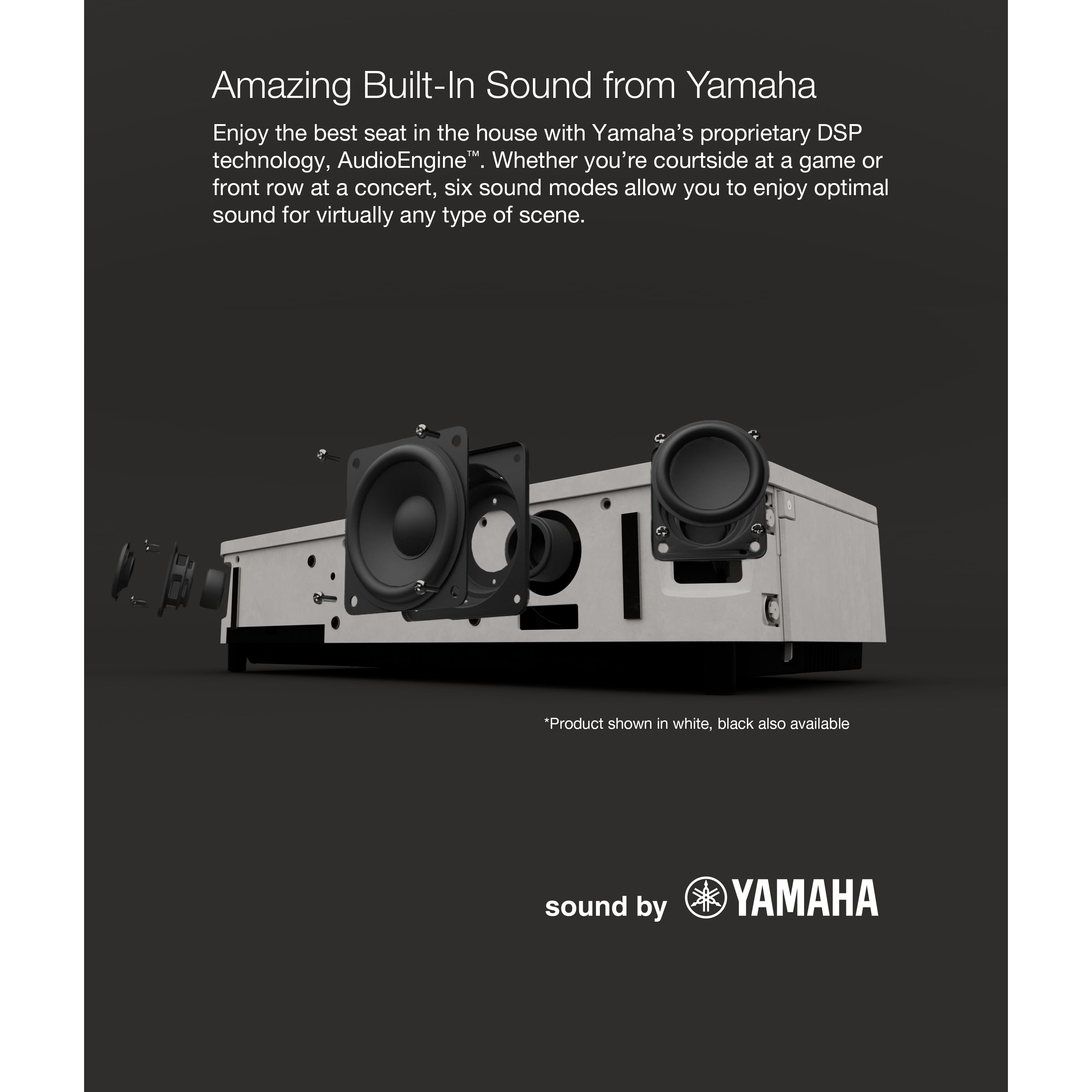
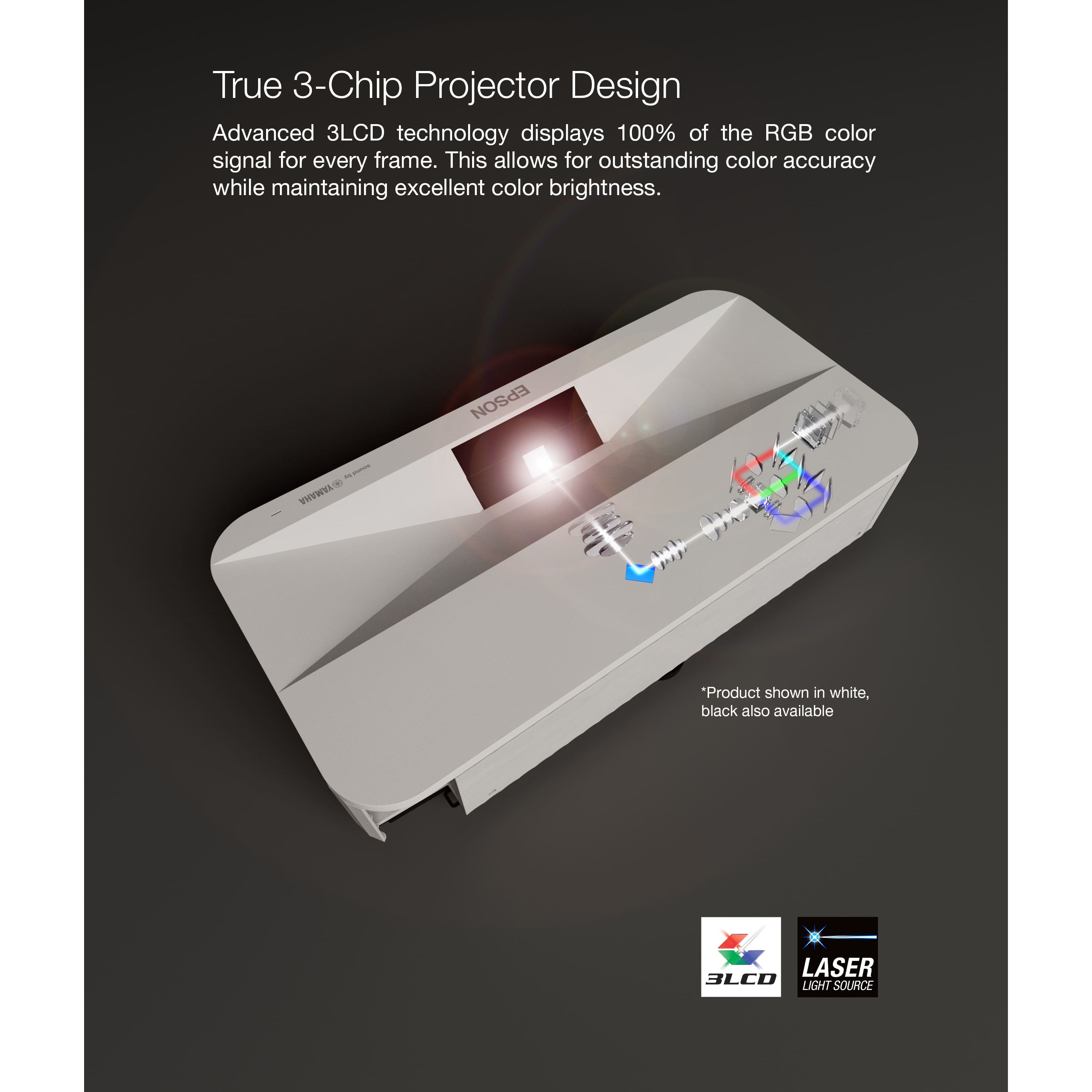
|Posted .This reviewer received promo considerations or sweepstakes entry for writing a review.I’ve been in the market for an ultra short-throw projector and finally decided to pull the trigger. The Epson EpiqVision LS800 hit all the major checkboxes. Pros: 1) Nice packaging and easy Installation – Everything came nicely packed and protected in the box. It fit nicely on my table a few inches from the wall with a footprint measuring 27.36” wide by 6.14” tall by 13.42” deep. It took me about 30 minutes to get it completely set-up from start to finish. It uses the latest Android TV 5 interface. I was able to easily connect my Google account from my Android phone and download all my favorite streaming apps from the Play Store. It had a single pending update that took around 5 minutes to complete. After updating, I went through the screen setup using the Epson Setting Assistant to get it to project correctly on my 120-inch screen. There is a small focusing lever on the right-hand side that adjusts the clarity of the image. 2) Ultra Short-Throw Design – It can be placed approximately 7 inches from the wall while being able to throw a 120” image which is very impressive. 3) Brightness – This projector displays a full 4,000 lumens using True 3-chip 3LCD technology. This means that even the brightest rooms, you will see a beautiful picture. This technology also allows for great color accuracy with any rainbowing artifact. There is also a section in the installation setup that allows for you to manually adjust color. 4) 4k PRO-UHD – If you are going for a premium picture, this projector will not let you down. It has a 16:9 aspect ratio, 2,500,000:1 contrast ratio, and supports 10-bit HDR color processing. Epson also has built in auto contrast enhancement that will optimize the picture brightness providing the best sense of depth. I have spent a lot of time looking at different projectors and this one by far has the best quality and adaptable picture. 5) Ports – It has 3 HDMI ports (one of which can be used for ARC surround sound and one which is specific for gaming with a 1080p/120 Hz signal), USB-A, Optical, DC out (2.0A). 6) Sound – I am really impressed by the 2.1ch virtual surround sound system by Yamaha that is built into the unit. For being so small and compact it has surprisingly great sound, especially compared to its competition. I do plan to add a full custom surround sound system to it for a fully immersive experience. Overall, I am extremely impressed with the EpiqVision LS800 Projector. It is truly an industry leading projector and will be a great purchase for any media room. Hats off to Epson!
I would recommend this to a friendExtremely happy customer!
||Posted . Owned for 1 week when reviewed.This reviewer received promo considerations or sweepstakes entry for writing a review.Worth every penny! I upgraded from a VAVA 4K UST and the difference is striking. The Epson LS800 4K Ultra Short Throw Laser Projector is just amazing. The 4000 lumens is a huge difference from the VAVA's 1800. Pros: 1) Price: I waited until it went on sale as a combo with the 120" screen (highly recommended as well!) Saved me $2K. 2) Quite: I don't notice the sound of the fans running, especially when compared to my old VAVA. 3) Clarity/Picture: I feel like I did not sacrifice anything when moving to a 120" projector versus buying an 85" TV. Cons: 1) Set up: when updating the software, click on details to authorize download of the update, otherwise you will wait forever as it just says "updating system." Seems like a simple fix, but could be frustrating if you don't pay attention. 2) Firmware: When you update the firmware, the device's fans run very loudly for a couple minutes, do not be alarmed. They should probably warn you about this so you don't freak out. 3) Alignment: Can be very frustrating so please have patience, but follow the directions! I researched this a ton before purchasing it. Look at the dimensions of the screen to make sure you have enough clearance on your wall. The top of the Epson projector needs to be 7.5 inches from the bottom of the screen. For those of you not good at math, you may want a home consultation to help you decide. The height of the table/entertainment system that the projector sits on is very important. If your projector sits too high then you won't be able to move it any amount forward or backward from the wall to make the alignment fit to where the projected image fits perfectly. Otherwise you may have a space at the bottom where there is no image. Don't test this, I'm correct and it's impossible to adjust without lowering the table. 4) Streaming: Why these bozos don't have the capability of downloading apps like Netflix/Disney+/AmazonPrime etc is mindblowing. I guess it's so that you have to make another purchase. I researched all the options and settled on an Apple TV for streaming. I recently had Roku but I don't think the quality was very good. Plus I'm an apple user so I like the idea of everything being connected and being able to use my phone as a remote control for streaming. 5) Ease of use: It's not "easy" but honestly, I don't know how it could really be made easier. Every set up in every application will be different so everyone HAS to make adjustments. If you are not very capable then I suggest you pay to have it installed or call capable people to help. I realize there's more info on the CONS, but that's just to inform you of potential problems. I did a ton of research so I was prepared. I suggest you do the same, or read reviews like this to help you know what to expect. Realistically, I am in love with this projector and am so happy with the end results. I'll add pictures later if that's possible. I'll go an review the projection screen next. In my opinion, you will not get the same experience with a cheaper screen. When it comes to things like this, you get what you pay for. I started with a cheap 100" Insignia for a few hundred bucks. It was cool, but I had no idea what I was missing. Good luck all and make sure you have help installing everything because it goes way faster
I would recommend this to a friendAmazing 4k definition projected only 7" from wall
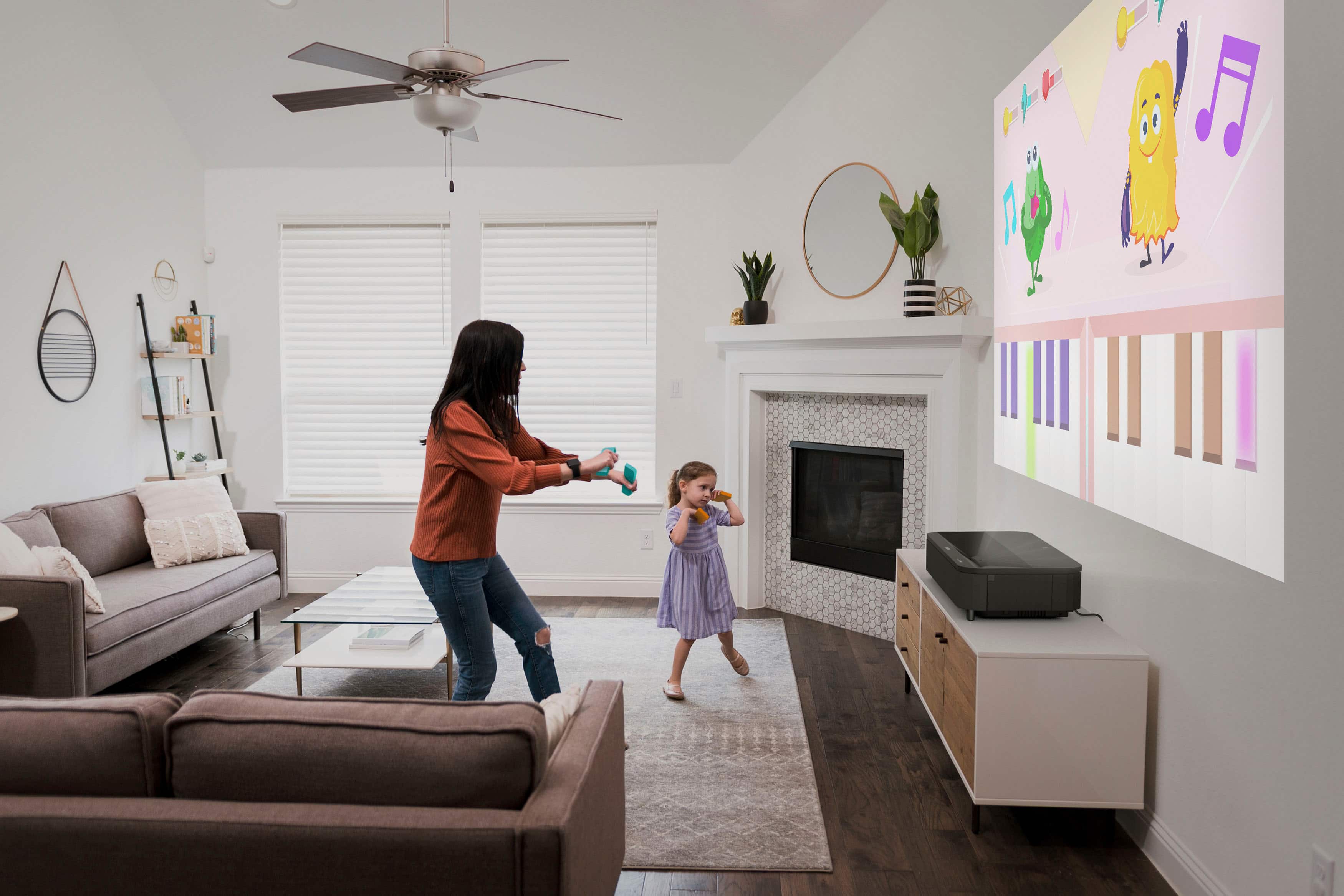
|Posted .This reviewer received promo considerations or sweepstakes entry for writing a review.I am impressed with the Espon LS800 Ultra Short-Throw projector. I've had standard projectors in the past, and due to mounting they typically stayed with the house when it was time to move. The short throw LS800 solves one of my biggest pain points, which is the space required and the semi fixed installation of a projector. For this review, I want to highlight what this projector can do, straight out of the box, projecting from the floor onto the wall. No fancy screen, no ambient light control, and no perfectly positioned furniture, much to my disappointment in not having these things ahead of the projector arriving. In the box is the projector, power cable, remote, and quick start guide. Setup was painless, the quickstart guide gives two reference distances, one for a 100" image and another for 120" image. I am all about going big, so for a 120" image, I placed the projector 6.8" from the wall. The next step is going through Google assisted setup, I was able to use my Android phone to quickly pair with wifi, and in less than 10 minutes from unboxing, the projector is up and running. The final step to setup was screen calibration, this can be done manually using the Espon remote, or though a very easy to use Epson app. The app allows you to take a photo of the screen in current state and will automatically correct, see photos for before and after corrections. The projector comes with the standard Android TV interface, and the ability to connect all the expected streaming apps through Google Playstore. In addition there are 3 HDMI ports, 2 USB-A ports, optical out, headphones, and DC Out. While I primarily use this for streaming tv and movies, I have also tested out with a desktop gaming PC and PS4. I am able to stream high quality graphics with both devices connecting through a 2.1 HDMI cable. As for performance, the built-in audio speaker spans the front of the projector and the quality is ok. One benefit is that the projector itself is relatively quiet, so no need to overcome the fan noise associated with prior generations of projectors. That being said, it's hard to expect built in audio to match the performance of the expansive 4k visuals, or fill up a room that supports this size screen. So, to be fair, the 2.1ch Yamaha with virtual surround can hold its own and sounds great for streaming, but to get the full on immersive home theater experience, you'll want to add in a surround sound system. An upside is that you can pair the speaker via bluetooth to your phone to stream music. On the visual performance, this 4000 lumens, 4k projector with 16:9 aspect ratio and digital zoom can throw a 120" size visual from less than 7" from the wall / screen. That in itself is game changing for me. No more calculating distances and figuring how to configure furniture around the projector, or wiring for a ceiling mount. The projector weighs in at 28 lbs and approximately 27" long, 13" deep, and 6" tall. I have placed it on a 12" riser to optimize the projection placement on the wall space I have available as well as to reduce the safety shut off being triggered(more on this below). With that setup, I can stream to my light colored wall during the daylight, with easy viewing (see photos). Of course, the immersive colors, solid blacks, and 4k definition don't truly pop until I eliminate 75% of all ambient light in the room. As mentioned above, the projector also has a safety feature that when it recognizes something in the immediate output area it switches off visuals and pops up a small warning box. The sensitivity is high, as my 8 lb cat will set off this warning, but once I moved it off the floor, this eliminated the issue with the cat walking by and triggering the warning. The warning will still trigger when a person walks by, but these events are much more controllable. In summary, this projector is great out of the box, on the floor, pointed at a wall with a ton of ambient light. However, the 4k visuals are vibrant and immersive when viewed in a low ambient light environment. Gaming is fantastic, with no noticeable lag, and the virtual surround providers distinctive directional gaming sound. Due to the versatility and small distance to screen requirement I highly recommend this for any home theater or gaming connoisseur, with controlled ambient light or not, either way this projector provides for an enjoyable viewing experience.
I would recommend this to a friendAwesome Projector
||Posted .This reviewer received promo considerations or sweepstakes entry for writing a review.The Epson LS800 4K PRO-UHD Ultra Short Throw Laser Projector stands out for its exceptional brightness, versatile placement, and robust built-in audio, making it a compelling choice for home entertainment enthusiasts. Pros: Exceptional Brightness: With a measured output exceeding 4,000 ANSI lumens, the LS800 delivers vivid images even in well-lit rooms, outperforming many competitors in ambient light conditions . Ultra Short Throw Design: Capable of projecting a 100-inch image from just 4.1 inches away, it offers flexibility in placement, ideal for spaces where traditional projectors might not fit . Integrated Yamaha Audio: The built-in 2.1-channel Yamaha sound system provides clear and robust audio, reducing the immediate need for external speakers . Gaming Performance: Low input lag (approximately 16.7ms) and support for 1080p at 120Hz make it suitable for gaming, offering responsive gameplay experiences . Cons: Limited Color Adjustment: Some users have noted that the projector's color calibration options are less extensive compared to other Epson models, potentially requiring more effort to achieve desired picture settings . Smart Platform Limitations: The Android TV interface lacks native support for certain streaming apps like Netflix, necessitating the use of external streaming devices for a complete viewing experience . Potential Image Sharpness Issues: A few users have reported challenges with achieving optimal sharpness and noted chromatic aberration in specific areas of the screen. In summary, the Epson LS800 excels in brightness and audio quality, making it a strong contender for those seeking a large-screen experience in various lighting conditions. However, potential buyers should be aware of its smart platform limitations and may need to invest time in calibration to achieve optimal picture quality.
I would recommend this to a friendLs800 Epson review
||Posted .This reviewer received promo considerations or sweepstakes entry for writing a review.It has a high maximum brightness, visible practically everywhere in the house, and great power enough to support consoles running 120 fps. However, leaving your projector on for +8 hours on high brightness could cause issues such as hdmi not working, and impossible for you to off projector except unplugging it to power. This is an issue we had for our projector, but bestbuy helped us and gave us the complete sum we bought it for.
I would recommend this to a friendI absolutely love my Epson LS800 projector
||Posted . Owned for 1.5 years when reviewed.This reviewer received promo considerations or sweepstakes entry for writing a review.This projector has completely elevated my home entertainment. Whether I’m watching movies, sports, or gaming, it delivers a cinema‑like feel that’s hard to beat — everything feels larger than life and way more engaging than a regular TV. If you’re into big, bright images and a true projector experience at home, this is a fantastic choice.
I would recommend this to a friendEPSON LS800 White
||Posted . Owned for 2 weeks when reviewed.This reviewer received promo considerations or sweepstakes entry for writing a review.I saw this on display at the Palm Beach Magnolia (amazing store by the way) over the summer. The wife and I had discussed projectors but we have 12ft ceilings and our “theater” is also the living room. Once we saw this UST, we realized we had other options! On to the projector, it’s paired with the EPSON Silverflex 120in. The brightness and contrast are nice even during sunrise with 8ft side windows down the whole wall. I landed on HDMI 3 from the receiver as it’s got low lag and our game consoles are connected to the AVR. I added an HDfury VRR to get Dolby Vision and it’s a beautiful picture. The pixel shifting 4K is fine and I’m super happy to have this projector and screen. My gripe is I have to switch out of the game mode to do pic adjustments and there’s no true CMS. 4.5 stars
I would recommend this to a friendHigh quality Laser TV
||Posted . Owned for 1 month when reviewed.This reviewer received promo considerations or sweepstakes entry for writing a review.I own a Benq HT2050A projector as my living room TV for the last years now. For the thanksgiving, I decided to upgrade my projector to a 4K projector and shortlisted Epson ls800 and 5030UB. Bestbuy helped me to make this decision. Bestbuy rep showed me the demo of of LS800 UST on an ALR screen and it looked fantastic but I was still skeptical because I have a white Matt screen at home. Bestbuy gave an option for me to try Epson ls800 and offered to replace it with 5030UB with no restocking fee. With that peace of mind, I tried Epson ls800 at home. I was blown away by the brightness, sharpness , contrast level and the picture quality offered by ls800 on my white screen. I highly recommend this projector to anyone who wants to use this projector as their main living room TV. I will upgrade my screen to an ALR screen next year.
I would recommend this to a friend