Customer Ratings & Reviews

- Model:
- V11HA72220
- SKU:
- 6546733
Rating by feature
- Value
Rating 4.7 out of 5 stars
- Quality
Rating 4.9 out of 5 stars
- Ease of Use
Rating 4.8 out of 5 stars
Customers are saying
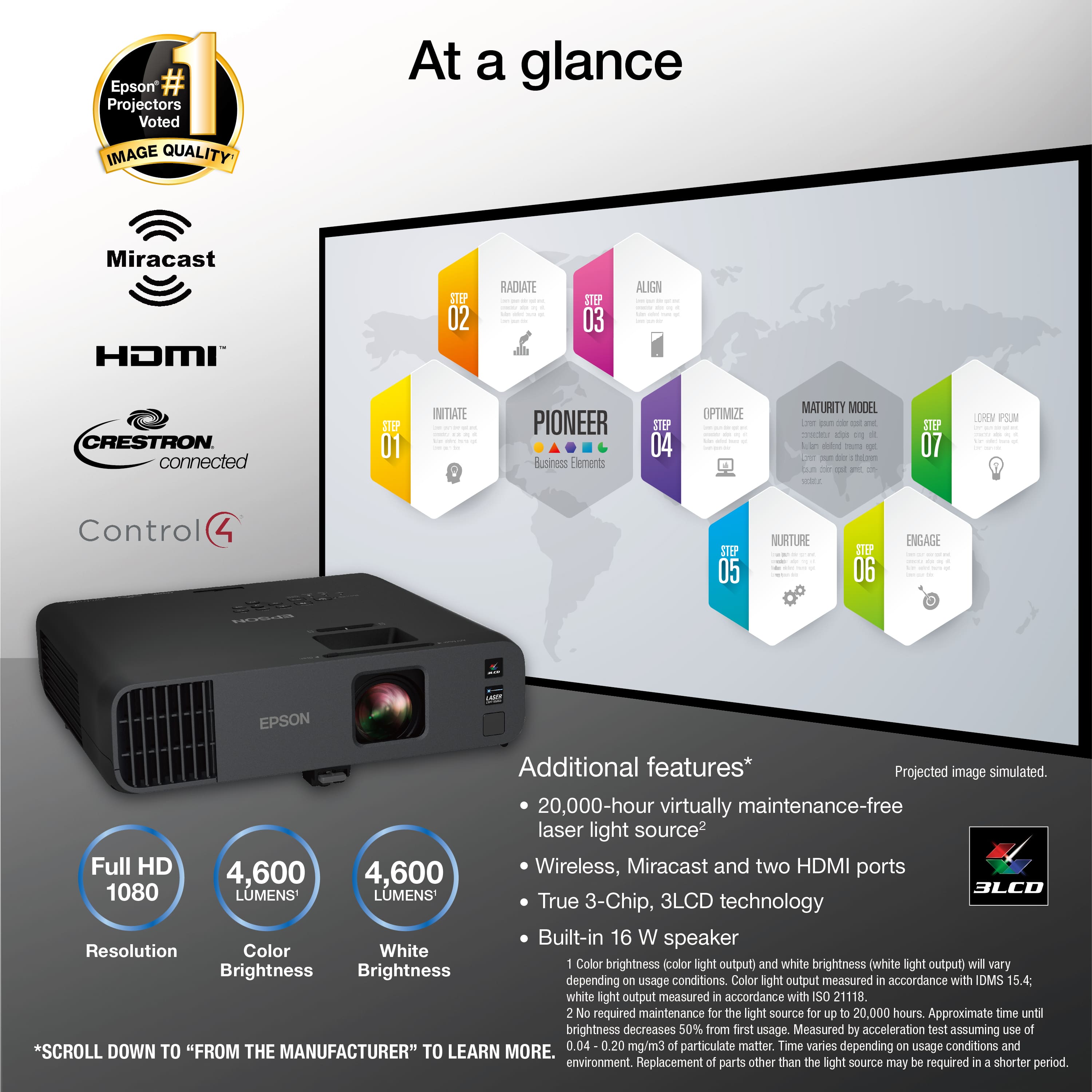
Customers are positive about the Pro EX11000 projector's picture quality and brightness, with users noting vivid colors and excellent image clarity. The projector is also praised for its ease of use and connectivity. Some users have noted fan noise as a potential drawback.
This summary was generated by AI based on customer reviews.
I will recommend for everyone having issue
||Posted . Owned for 1 week when reviewed.This reviewer received promo considerations or sweepstakes entry for writing a review.Great projector for our need and easy to use I bought 3 of the same brand we are happy so far
I would recommend this to a friendexcellent purchase
||Posted . Owned for less than 1 week when reviewed.This reviewer received promo considerations or sweepstakes entry for writing a review.Perfect performance on this projector and everything looks great. Our family love it a lot!
I would recommend this to a friendGreat quality, terrible set up
||Posted . Owned for 1 month when reviewed.This reviewer received promo considerations or sweepstakes entry for writing a review.Not as easy to set up as explained in the booklet.
I would recommend this to a friendGood projector
||Posted . Owned for 3 weeks when reviewed.This reviewer received promo considerations or sweepstakes entry for writing a review.Good projector. Served our needs and for the right price point ! Very happy with the purchase.
I would recommend this to a friend- Pros mentioned:Brightness, Connectivity, Picture qualityCons mentioned:Fan noise

Great for use in bright rooms.
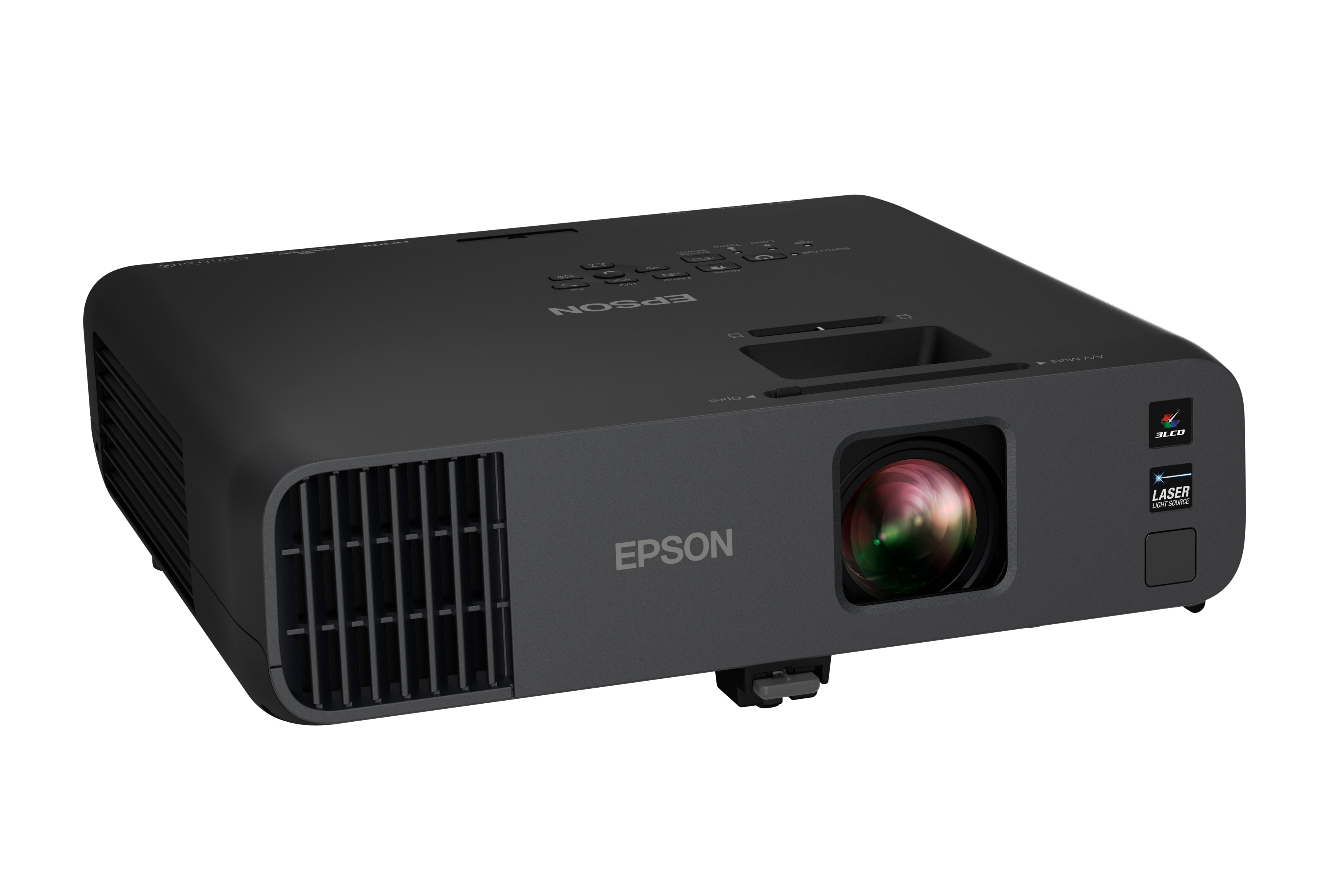
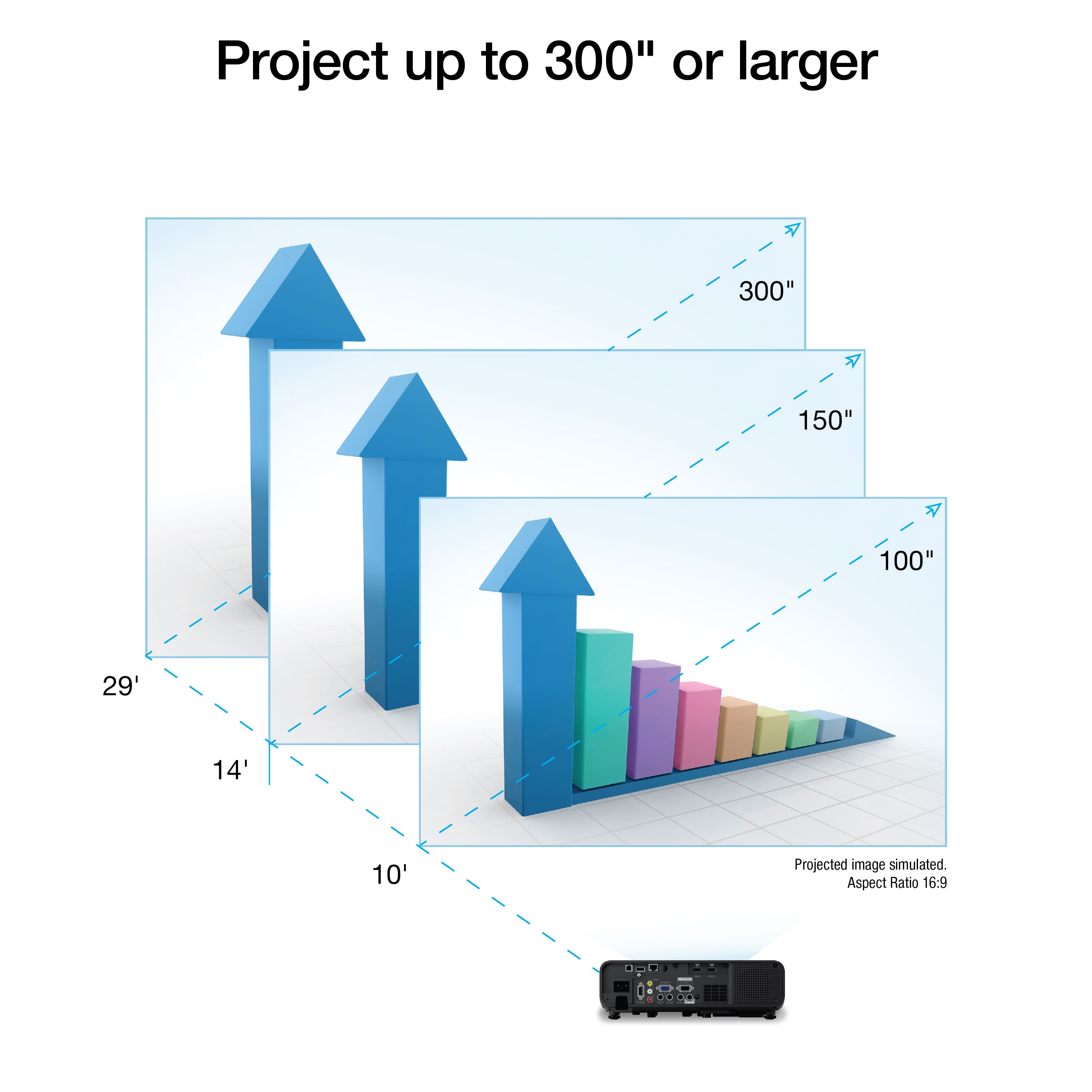
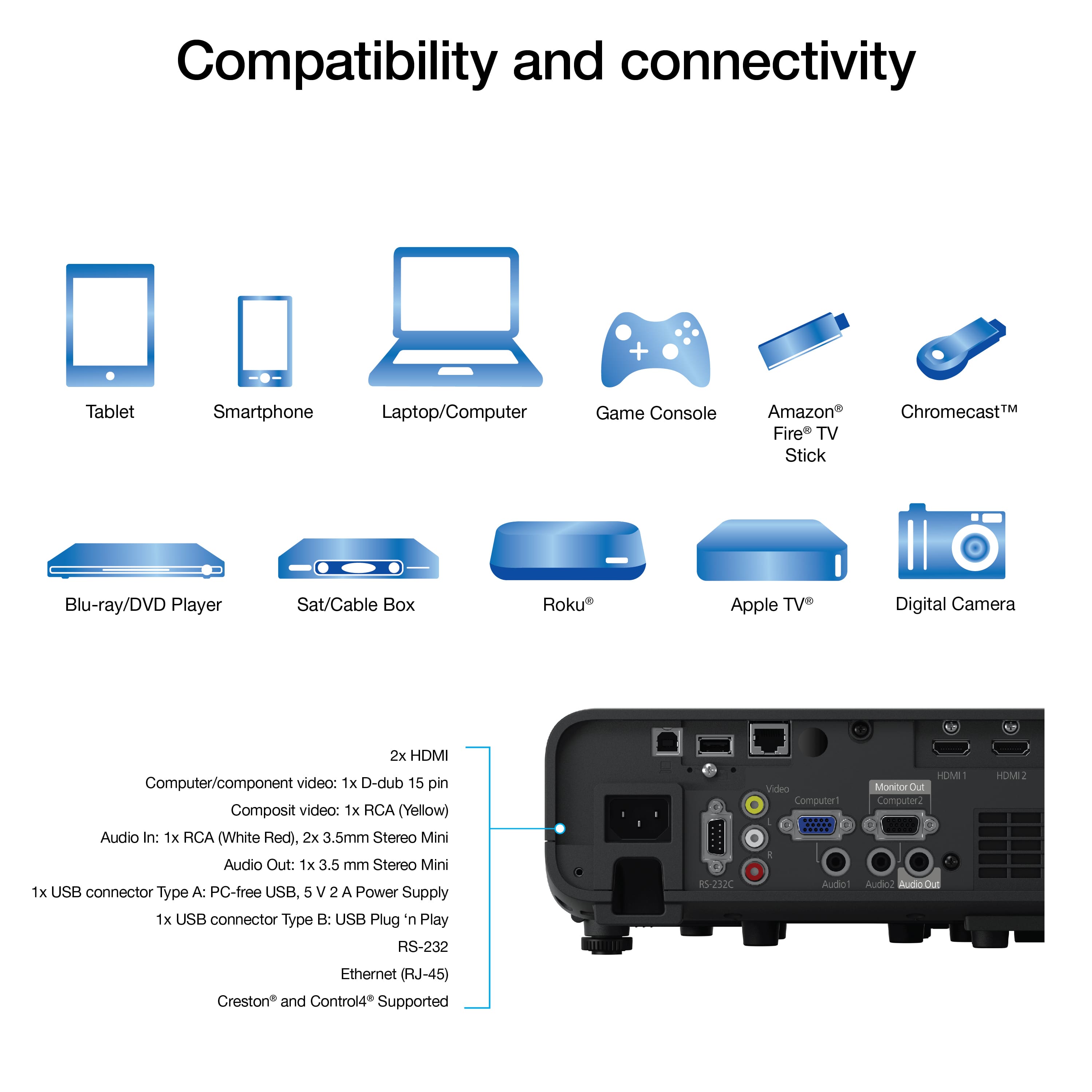
|Posted .This reviewer received promo considerations or sweepstakes entry for writing a review.Pros: -Great image quality -High brightness -Connection options -Built-in speaker system -Wireless connection Cons: -Expensive -Fan noise -Heat The Epson Pro EX11000 is very bright, even in a well lit office, and has great image quality, although still having some soft edges. It has plenty of connection options, and even has legacy ports. Its built-in speakers are better than expected, providing acceptable audio. It also has wireless connection options for Miracasting or network projection. The fan noise can be loud and the projector can vent out enough heat to make the area hotter. It’s mainly a business projector meant for presentations, but it does a pretty good job for entertainment as well. Lightweight with plenty of connections The project is light and comes with a padded carrying case and remote. It has variable mounting options on the bottom. There’s plenty of connection options available including 2 HDMI, a VGA in/out along with audio out, and analog AV. It also has a LAN and USB port. It can do a split screen with the HDMI sources. The wireless connection allows for Miracasting or network projecting using the iProject app, but I never used it. Performance The brightness level is very high, making using it in a well lit room a non issue. With all the lights on, and daylight coming in from the windows, the image is still clear and vibrant. This is perfect for presentations. The image quality overall is excellent, but the edges can be a bit fuzzy, especially for texts. It’s only really noticeable up close. Trying it with a movie and games, and the results were still acceptable, but the contrast level is not the best. There’s a Cinema mode to make the colors better. For gaming, it’s ok. It’s not as smooth and there’s also some latency, but still playable. Heat and noise can be an issue. On the normal profile, the fan kicks in immediately, and after a while, the exhausted heat can make the room hotter. It actually can put out more heat than a gaming PC. However, it can be put in Quiet mode to minimize that, at the cost of brightness. It’s still bright enough to use in a lit room, so this was my preferred setting. Final Thought Overall, the Epson Pro EX11000 is a great projector that offers excellent image quality. It's designed to be very bright and perfect for presentations in a lighted room. It has plenty of connections and should be compatible with new and old devices. While it can be used for movies and games, it’s not the best suited for that. Fan noise and heat can be a problem at times, but can be mitigated with the right settings. It is expensive so consider the features for your needs.
I would recommend this to a friend New conference room projector
||Posted . Owned for 1 month when reviewed.This reviewer received promo considerations or sweepstakes entry for writing a review.Projector provides clear presentations and so far has worked well.
I would recommend this to a friendgreat projector
||Posted . Owned for 1 week when reviewed.This reviewer received promo considerations or sweepstakes entry for writing a review.Great projector; was on sale, so it was definitely worth it
I would recommend this to a friendBuy this!
||Posted . Owned for 1 week when reviewed.This reviewer received promo considerations or sweepstakes entry for writing a review.This projector for the money is absolutely amazing!
I would recommend this to a friendEpson is the best
||Posted . Owned for 2 months when reviewed.This reviewer received promo considerations or sweepstakes entry for writing a review.Epson make a reat quality product, would highly recommend.
I would recommend this to a friendVery bright
||Posted . Owned for 2 months when reviewed.This reviewer received promo considerations or sweepstakes entry for writing a review.Very bright screen, so far very happy with the product.
I would recommend this to a friend- Pros mentioned:Picture quality, ZoomCons mentioned:Fan noise
Use case designed for bright room environments
|Posted .This reviewer received promo considerations or sweepstakes entry for writing a review.Upfront, this projector is designed for business use, primarily conference, classrooms, and environments where light may not be easily controlled. Initial setup is quick from unboxing and placement. There will be some major adjustments to make during the initial install to ensure you have the best picture quality, then minor adjustments as you settle the viewing of the projector to the room. Right away, you notice how clean the image is and the way the colors standout in slide-decs. Documents containing text is nice and clear, crisp, easy to read from almost any distance limited to your viewing capabilities. This is very nice when it comes to use in video conferencing as the folks you’re seeing on the other-side are easily seen and noticeable; limited to the room they’re calling from. The details seen in so clean you could see the key notes in our son’s piano teacher’s book. While not designed to be placed in a theatre type room, tested this scenario and noticed image levels had to be adjusted quite a bit and were still not the way you would want them for a theatre room. I have noticed that it does put out quite a bit of heat and and can be a little noisy at times during normal use trying to dissipate the heat. There is a power saving option as a part of the Eco-friendly build, setting to quiet mode. This does reduce the brightness level of the overall projector to help keep it cooler. Power on is fairly quick and you almost immediately get your screen displayed there’s two HDMI ports in a USB port power various streaming devices such as streaming sticks or boxes even inner connect with computer systems and laptops. Epson seems to continue to include legacy connection options to support long run setup for permanent install/mount. Zoom levels were really easy to use in the auto vertical correction for skew options worked really well. Miracast was easy to connect to, from multiple mobile devices, in addition to the ability to project from a laptop in the same manner. Besides the initial standard components for use of the projector, there is an included carrying case for the projector, should you need to transport the projector.
I would recommend this to a friend Thanks Epson.
||Posted . Owned for 3 months when reviewed.This reviewer received promo considerations or sweepstakes entry for writing a review.Great projector at a good price. Simple menu and ready to go out of box after a few steps. A better lens would make it a 5 star.
I would recommend this to a friend- Pros mentioned:Brightness, Picture quality
Awesome projector. Pure Awesome!
|Posted .This reviewer received promo considerations or sweepstakes entry for writing a review.Overall, this is a very good projector meant for projection in spaces larger than living rooms. It is very bright; it would work well in a large classrooms or a small lecture hall, or in projecting movies outdoors. Setup was a breeze. I unpacked it, turned it on, and navigated a couple menus about languages and date and time, and it was ready to go. Immediately upon plugging in my computer (M2 MacBook Air running macOS 13.2.1) via the HDMI port, the projector and my computer shook hands, and within two seconds my screen was being projected. I have fought with countless projectors, and this was a welcomed surprise! It works and works well! The picture was plenty bright for my living room and for projecting on my garage door. Don't look into the projector, though! It'll scorch the ol' retinas. It has screw holes for a ceiling mount, and that would probably be the best way to use this projector. Having a bright projector like this on a table can blind a presenter if it is being used for presentations. For movie viewing at home, though, it is probably fine. The resolution is good and the picture very sharp. I looked at graphics (plots of data and the like) and a movie, and both were very clean and clear. The only drawbacks I see are in the carrying case. It is a bit flimsy and cheap, and the pockets for cables are on the inside, meaning that they could put pressure or possibly even scratch the side of the projector. No cables aside from the power cable are included, so any user will need to have an HDMI (or RCA plugs or VGA, but why would you use a quality projector like this with VGA?) cable. Overall, a solid projector, and I look forward to using it more!
I would recommend this to a friend - Pros mentioned:Brightness, Picture quality, Zoom
Welcome back in-person collaboration!
|Posted .This reviewer received promo considerations or sweepstakes entry for writing a review.I used to hook up to meetings in a 70 inch TV but when we have to do a zoom huddle with a team in a boardroom, we hardly see each one in the room we’re meeting with (or at least pinpoint who is speaking). The TV is bright enough to see slides, but when details like where spreadsheets are involved or a long table of people in a room are attending, everyone needs to zoom in or sit closer. I’ve tried hooking up a usual data projector, but even if we can pull the window curtains shut, the glass walls of the meeting rooms have lights that wash out the projection. This was not a problem when everyone was working from home because we have our own screens to look at. Now that people are more open to meeting in person, this projector is THE solution. This is where this projector literally shines: the screen is so bright and the details are so crisp, none of the big meeting woes exist. The screen is so bright, we don’t even have to turn off the lights in a room. And we can go as big as maybe 10 feet tall on a wall, and the details are still sharp (looks like we can go bigger, we just don’t have enough ceiling height). I reduce to 50% zoom on an excel sheet and still see details—so we can see as more rows and columns vs. the big TV or the “old” projector. I didn’t have to send spreadsheets in advance just for people to view them on their devices during the meeting. The colors are very vivid as well—it is very easy to make viewers be more engaged in the slides. Yes, expect more questions but you can have the opportunity to present much better too! The sound is decent coming from the projector itself, but I usually hook up to an external speaker through Bluetooth coming from the laptop. This projector though has a 3.5mm jack, so that comes in handy as well, if you want to blast sound through bigger speakers. Weight is pretty light too compared to its actual size so it is easy to transport, but I don’t think this was meant to be carried around any way. But it helps to not worry about windows. We practically can meet anywhere. We just did an offsite at this wonderful downtown LA peerspace loft with 360 windows. This projector received praises. Gone are the days where we have to reserve big boring dark rooms to present to bigger teams. This projector makes collaboration easier, my peers are seeing the value why we do not have to work from home all the time.
I would recommend this to a friend - Pros mentioned:Brightness, Connectivity, Picture quality
Great choice!
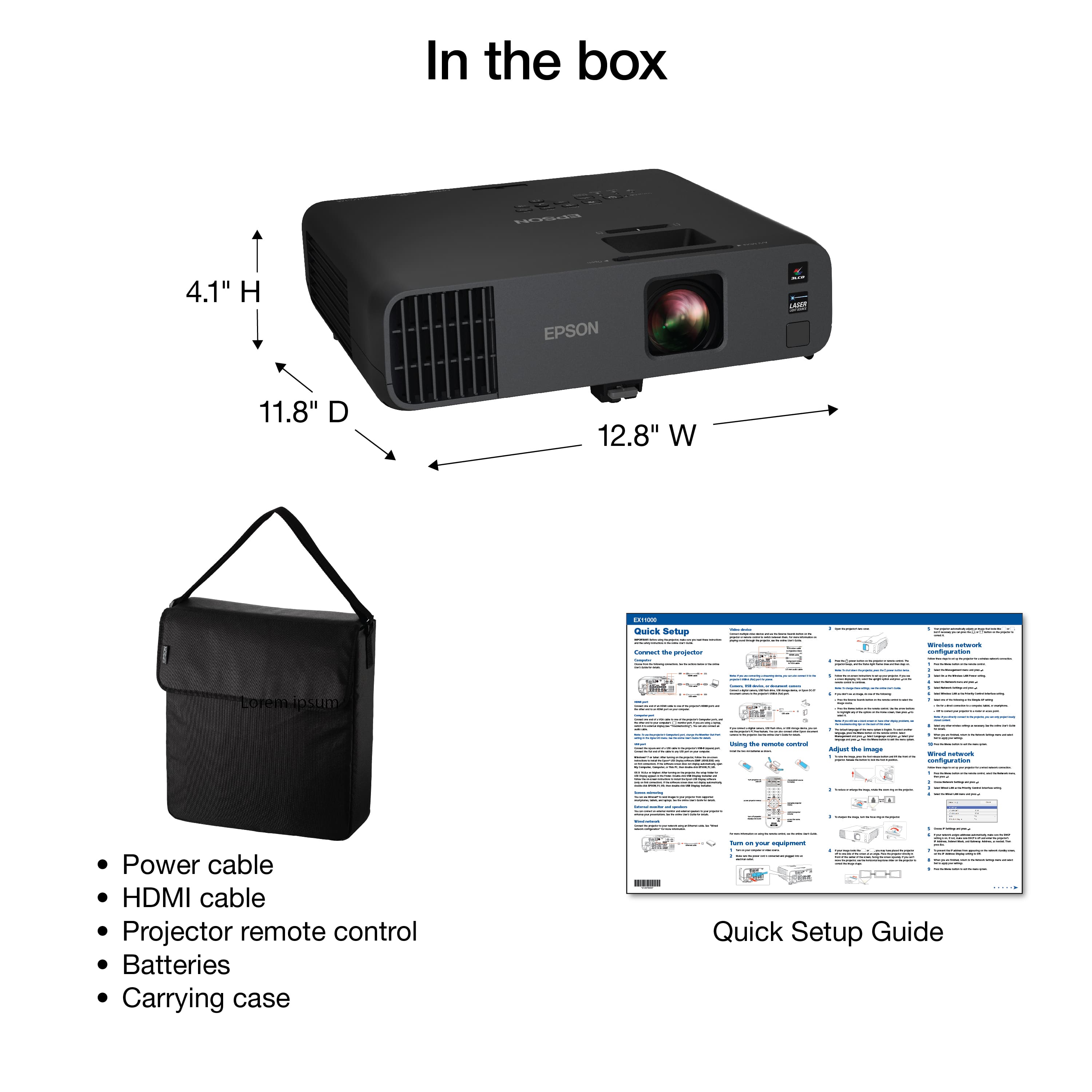
|Posted .This reviewer received promo considerations or sweepstakes entry for writing a review.The Epson Pro EX11000 Wireless Laser Projector is a great choice for those in need. This truly a professional level projector. It comes well packaged. On opening the box you will find the typical ubiquitous manual, a power chord, a remote control, two batteries, a carying case and the unit itself. The projector comes housed in the susbstantial case that offers a confident feeling protector for the projecter. a The rear input/putputs includes USB-B, USBC-A, wired LAN RJ 45 connector, RS-232C, composite RCA connectors, VGA computer input, VGA computer output, audio 1, audio 2, audio out, HDMI 1 and HDMI 2. It can also be connected wirelessly. While this is a portable unit, it is on the larger side for modern projection units. That said, the case does offer protection and portability options I will be using this for my monthly LEO meetings with my LEO team. Our office has large windows on three sides that offers a well lit room. While that is good for reading and review of hard documents, it is not ideal, even with blinds closed, for projecting onto the screen. On my initial test, this thing was a power-house and projected crisp, bright, colorful images even mid day when the sun was at it's brightest. End of the day, I would reccomend this to a friend if they have the need.
I would recommend this to a friend - Pros mentioned:Brightness, Picture qualityCons mentioned:Fan noise
Superb clarity and brightness
|Posted .This reviewer received promo considerations or sweepstakes entry for writing a review.The Epson Pro EX11000 projector is intended for business use or large spaces where lighting concerns are fluid or not easily changed. There's a lot to like about this projector and overall I am very pleased with it. I was primarily interested in this projector for two reasons: the image brightness and quality and the wireless capabilities. The image quality is absolutely fantastic. If you've never seen a laser projector in use before you will see an immediate, obvious improvement in the crispness and clarity of the projection over traditional projectors. I tested the EX11000 in a large, well lit, rectangular room that seats 200 people. With an older projector I had to dim the lights on the stage in order to help see the projected image, but the EX11000 had no problems lighting up the screen so that it was easy to see from the back of the room, even with the room lights fully on. And again, text and images were much sharper, even on a low quality reflective screen. The projector has many ways to connect to a computer, and wireless capability to connect with a computer or other devices such as a mobile phone or tablet. Unfortunately I had significant difficulty getting the wifi connection to consistently work with a Windows 11 computer, especially when trying to play a video. It worked, and I suspect that the quality of the network was the main issue and not an issue with the projector itself, but I ended up being a little frustrated with the wireless network capabilities. The documentation could also be better in this area. The projector does get hot and the fan can be a bit loud. There is an ECO mode which lowers the fan speed and noise, but that also dims the projection a bit. In a large room the fan noise probably isn't an issue, and in a small room the ECO mode is bright enough so pick your poison. If it wasn't for the wireless network frustrations I would have given this projector 5 stars, and I certainly do recommend it.
I would recommend this to a friend - Pros mentioned:Brightness
Excellent Projector Great in Well-lit Rooms
|Posted .This reviewer received promo considerations or sweepstakes entry for writing a review.The Epson Pro EX11000 Wireless Laser Projector is an excellent projector. Although I’ve had and used a number of projectors over the years, this is the first ‘laser’ projector I’ve had. Wow. I am very impressed by the EX11000. The image is bright, clear, high-definition, and balanced. It offers a great zoom range and has excellent and handy controls for adjusting the skew. The stand-out feature on this projector for me is how bright and clear it is even in well-lit environments. I’m used to seeing significant degradation of image when using a projector in a room with the lights on. That is not the case with the Epson Pro EX11000 Wireless Laser Projector. I used it in settings with both normal lights turned on and also with daylight coming in through the windows. In each case it was bright, clear and easy to see. I used it for presentations (Keynote) that utilized a lot of text, images and videos. All were easy and clear for those watching to see. I also used it for watching videos (entertainment) and it worked great for that as well. It offers a large number of connection options - both wired and wireless. I plugged in a small Roku stick powered by an additional USB connection. I also projected from my laptop both wired (HDMI) and wirelessly (Epson’s iProjector software). This was my main use. All worked great. This unit is larger than most mobile units I’ve used. However, it’s not heavy and actually feels quite lite. It’s also nice that it comes in a handy carrying case. One thing to be aware of is this: If you’re a Mac user like me, it will take some time and effort to find and install the right software for wirelessly projecting your computer screen. Although the written material says you can find it in the App Store, it’s not there. You need to go to the Epson site, go to the product page for the Epson Pro EX11000 Wireless Laser Projector, then click on the ‘Support’ link from that page, once it takes you to the EX11000 support page, click on the + sign next to ‘Utilities’ and download the ‘iProjection’ software. For some reason, I was not able to find the right software by going through the main support pages first. Ended up downloading a useless piece of admin software. However, once I found the right program and installed it (which involved some additional set up challenges with the projector settings), it worked great. As is often the case, the working software is clearly a basic port of Windows software and looks decades old. But it works. In spite of the Mac-centric challenges, I love this projector, am impressed by it’s quality and usefulness in high light settings, and highly recommend it.
I would recommend this to a friend