Customer Ratings & Reviews

- Model:
- V11H978020
- SKU:
- 6444702
Rating by feature
- Value
Rating 4.5 out of 5 stars
- Quality
Rating 4.7 out of 5 stars
- Ease of Use
Rating 4.6 out of 5 stars
Customers are saying
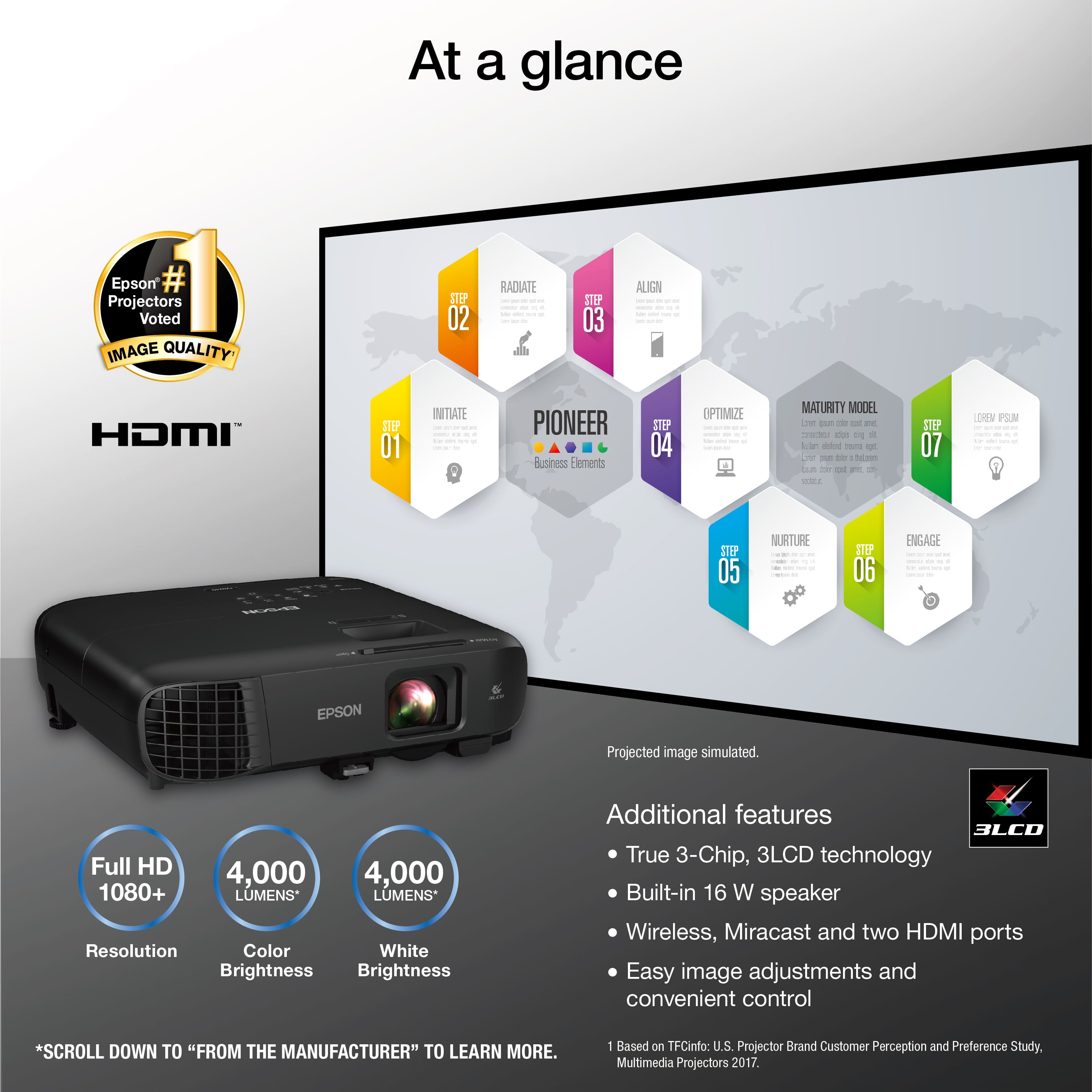
Customers are impressed with the Pro EX9240 projector's picture quality, brightness, and ease of setup. Many also appreciate its wireless connectivity and the multiple input options, including HDMI. While some users noted the fan can be audible, the overall positive feedback highlights its value for home theater use. The projector's lightweight design and reasonable price point are also frequently praised.
This summary was generated by AI based on customer reviews.
- Pros mentioned:Brightness, Picture quality, Portability
Love this projector, so bright!
||Posted . Owned for 3 weeks when reviewed.This reviewer received promo considerations or sweepstakes entry for writing a review.A great projector! Ultra bright, easy to set up. We’ve been bringing it outdoors for evening backyard movie nights (don’t leave outdoors), and it does not disappoint! Projects a beautiful picture onto the 120” diagonal [budget] screen from about 20ft away (could zoom bigger at that distance, but that’s the size screen I got). Our screen is in shade in the evening, and about 1 hour before sunset the picture is visible, but washed out from ambient light … still exceeded my expectations at that hour and kids don’t complain. After sunset it’s just awesome. Pros: - Great brightness, rich colors, easy setup. - Decent size & weight for portability, plus a carrying bag. - Eco/quiet mode is a nice feature! Even in non-quiet mode we haven’t been bothered by the fan noise though. Cons: -There’s no Audio Out and the speaker is just ok (especially outside, it just didn’t put the sound where I wanted it). I wanted to use an external speaker, so I was able to link a Bluetooth one directly to the Chromecast (with remote) I got to use with this projector. You could alternatively get an hdmi audio splitter, etc. -Not sure how to use Miracast with my iPhone without paying for an app subscription … I stopped trying to figure that out and just plugged in - Connecting via the Epson app was a little clunky to set up, definitely not a modern UI or the streamlined “get on WiFi” process that most smart devices use these days. But I figured it out. - Wish the app functioned more on its own to explore & control settings & menus directly. Instead it feels like the app is more of a remote
I would recommend this to a friend - Pros mentioned:Brightness, Picture quality, Portability
Overall I give it a thumbs up!
||Posted . Owned for 2 weeks when reviewed.This reviewer received promo considerations or sweepstakes entry for writing a review.I have to say this was one of the best things I have purchased! The quilty on this is more than great! My type of views are UFC/Boxing/Soccer and this projector did its thing. I just hooked up my sound bar and I was ready for a great fight night. Watching movies on this gave me great picture quilty, the brightness the specs. The pictire i would i would say a 9/10 l. I highly recommend this. Ohh also easy to use.No complicated settings. my lictires in display are projecting 150 inches
I would recommend this to a friend - Pros mentioned:Brightness, Picture quality
Great projector for the price.
||Posted . Owned for 1 month when reviewed.This reviewer received promo considerations or sweepstakes entry for writing a review.This projector works great on my new 25 ft inflatable screen. It also did great on my 10 ft screen on rear projection in an outdoor setting under a white tent where a lot of daylight was coming through. Just had side walls around the back and first side sections of the tent. Of course, in direct sunlight the picture won't show up, but I was very impressed by the brightness and quality of the picture under the tent with as much light as there was. I'm still not sure about the wifi feature. I kept getting disconnected, but at this point, I can't say it was the projector, my device, conditions causing weak signals or something else. I will be working with that this weekend to see if I can figure out the cause. Setup was very easy.
I would recommend this to a friend - Pros mentioned:Brightness, Picture quality, Portability
epson pro ex9240 review
||Posted . Owned for 2 weeks when reviewed.This reviewer received promo considerations or sweepstakes entry for writing a review.Got this for my bedroom so i didn't need to get a media console, or mount the tv on the wall. Has a good picture and can still see it with light on and window open. Also like that i can take it outside in the summertime for an outside movie night.
I would recommend this to a friend - Pros mentioned:Picture quality
Pure Entertainment
||Posted .This reviewer received promo considerations or sweepstakes entry for writing a review.The Epson home theater delivers stunning picture quality, vibrant colors, and a truly immersive viewing experience. Setup is simple, performance is reliable, and it transforms any room into a cinema. Highly recommended for movie lovers!
I would recommend this to a friend - Pros mentioned:Connectivity, Picture quality
Just what I was looking for.
||Posted . Owned for 7 months when reviewed.This reviewer received promo considerations or sweepstakes entry for writing a review.Great quality, Just what I was looking for and price wise was good. Great connectivity with phones. Picture was clear even at its max size. I didn't take it beyond 120" and that was still really nice. Bestbuy always helps me make my decisions based on what im looking for.
I would recommend this to a friend - Cons mentioned:Noise level
Stunning clarity / decent sound
||Posted . Owned for 1 week when reviewed.This reviewer received promo considerations or sweepstakes entry for writing a review.Living in Florida, we have the best outdoor weather right now in January— comfy days, cool nights. Wanted a sub 500.0 projector bit the step up in quality, ability to use Cast (best of you have Android, but can use walk around ways of using iPhone based products. Sound is passable but you definitely want to budget for speakers. Here is how we set it up- We used a Roku to HDMI- logged in to Disney+, used the iPhone I had to pair to a bluetooth speaker, then used the Roku app on my phone to control the device and then on the Roku app selected headphones, which grabs the Bluetooth and streams where playing on the Roku through the Bluetooth device, even if. It headphones. Have an occasional crackling but works until we can either get a Chromecast to stream or get some speakers that connect directly. Wish it had better connections.
I would recommend this to a friend - Pros mentioned:Connectivity, Picture quality
Best Projector Yet
||Posted . Owned for 1 month when reviewed.This reviewer received promo considerations or sweepstakes entry for writing a review.Works great! Easy to connect and get going. Picture and color quality are stunning.
I would recommend this to a friend - Pros mentioned:Picture quality
Amazing picture / Lacks audio output
||Posted . Owned for 2 weeks when reviewed.This reviewer received promo considerations or sweepstakes entry for writing a review.I use it outside with a blowup projector screen to play games or watch movies while in the pool. I have a Google Chromecast plugged into the HDMI port & I connected a Bluetooth speaker through the Chromecast. Picture quality exceeded my expectations. You will have to decrease the screen size to make the image more clear until it gets darker. I typically can get a decent image about 30 minutes before sunset as long as it is in the shade. The only reason I didn't give 5 stars is because it doesn't have a built in audio output or Bluetooth. The picture attached isnt the best, as there were lights on in the background. ***You will need a external speaker as the built-in audio is terrible***
I would recommend this to a friend - Pros mentioned:Picture qualityCons mentioned:Noise level
Very nice projector
||Posted . Owned for 3 weeks when reviewed.This reviewer received promo considerations or sweepstakes entry for writing a review.Very nice clear picture even with the light on only don’t like it is not have sound output or Bluetooth so you have to buy sound extractor side of that work very good
I would recommend this to a friend - Pros mentioned:Brightness
Great replacement for my old 2010-era BenQ project
||Posted . Owned for 2 weeks when reviewed.This reviewer received promo considerations or sweepstakes entry for writing a review.Did side-by-side comparison shots in ambient light between this Epson and my old BenQ MX812ST projector, which is rated at 3,500 lumens, short throw, 1024 by 768 XGA in 4:3 which cost me $800 used 11 years ago. The Epson is much brighter and colorful even though it has to sit farther from the screen than the BenQ. Also important is the BenQ’s resolution is too low to properly display readable material from an iPad. With the Epson, text is much clearer.
I would recommend this to a friend - Pros mentioned:Connectivity
Best Projector I Ever Bought
||Posted . Owned for 3 weeks when reviewed.This reviewer received promo considerations or sweepstakes entry for writing a review.This epson is absolutely the best investment I have made in a purchase we super love that we can pretty much connect anything to it and the speakers are actually pretty loud for watching movies and even listening to music! A Great BUY!
I would recommend this to a friend - Pros mentioned:Brightness, Connectivity, Picture qualityCons mentioned:Noise level

Excellent HD portable business projector
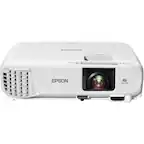
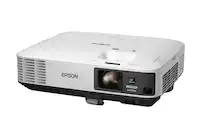
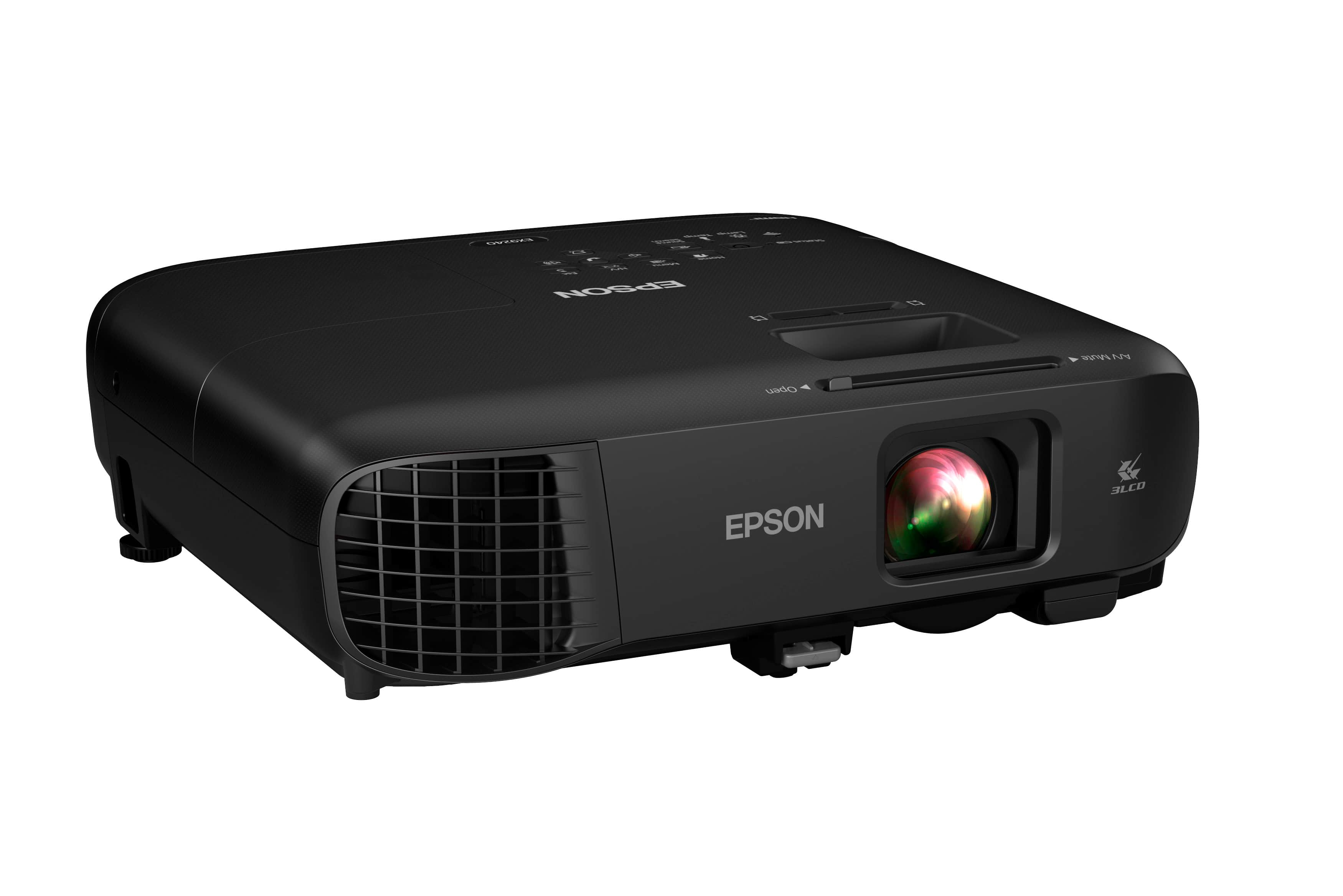
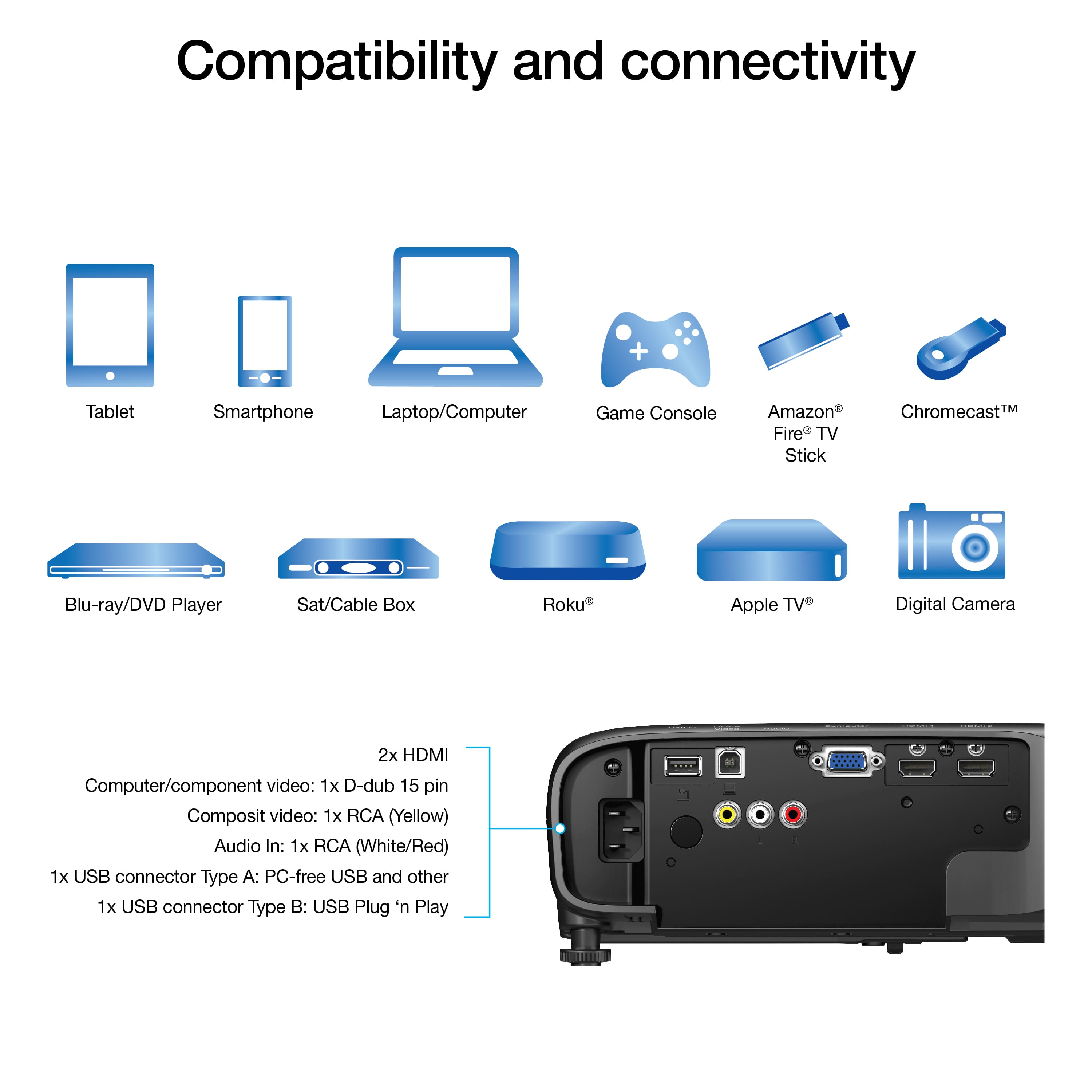
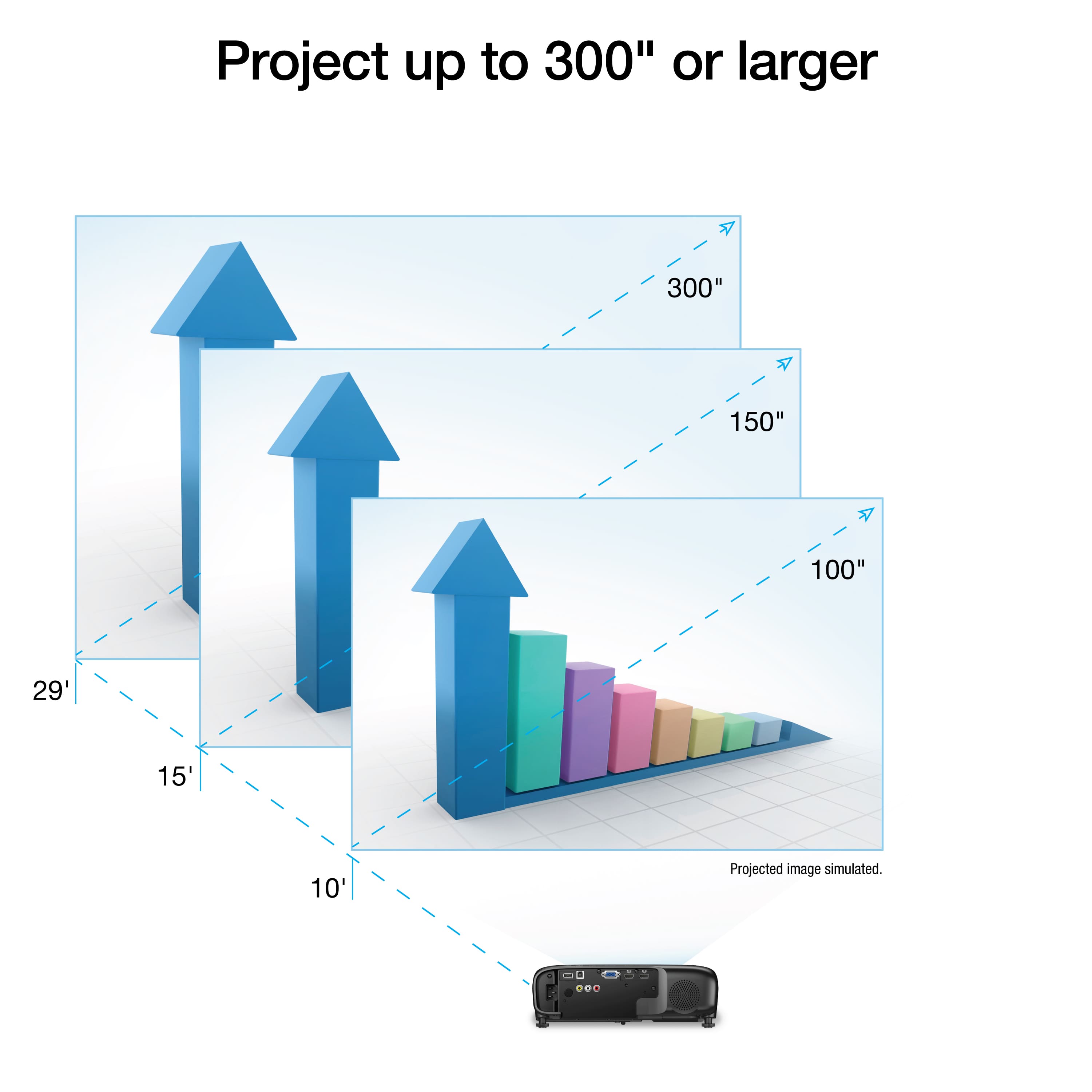
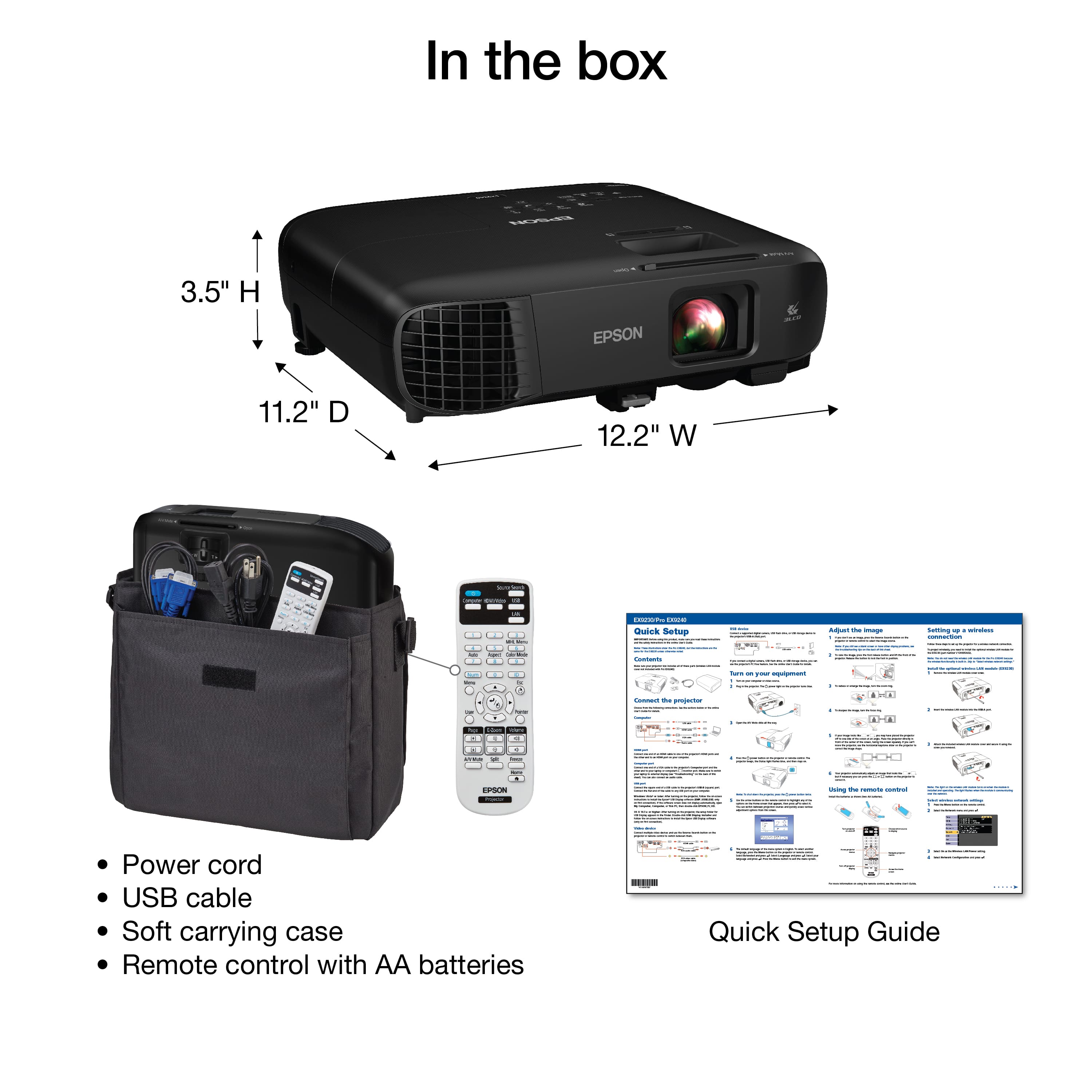
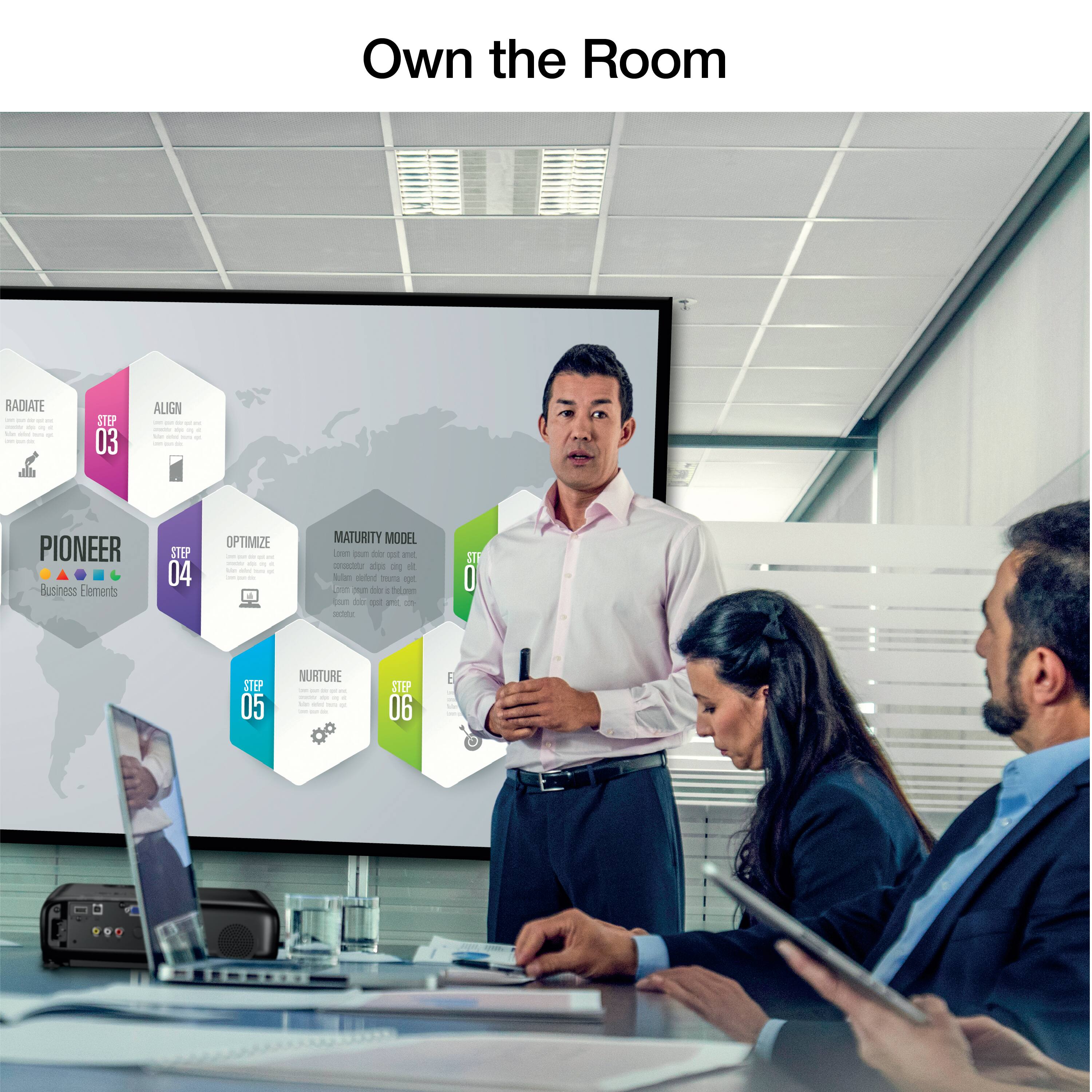
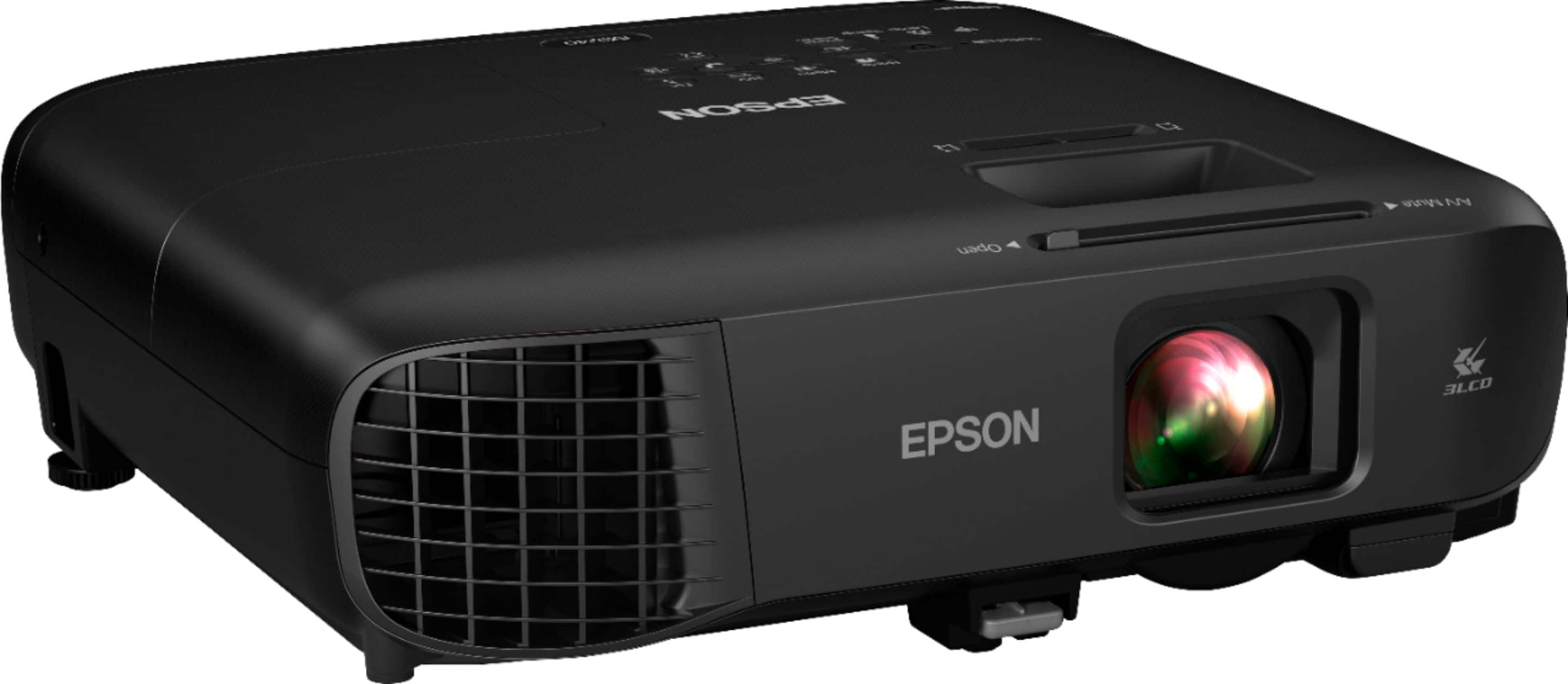
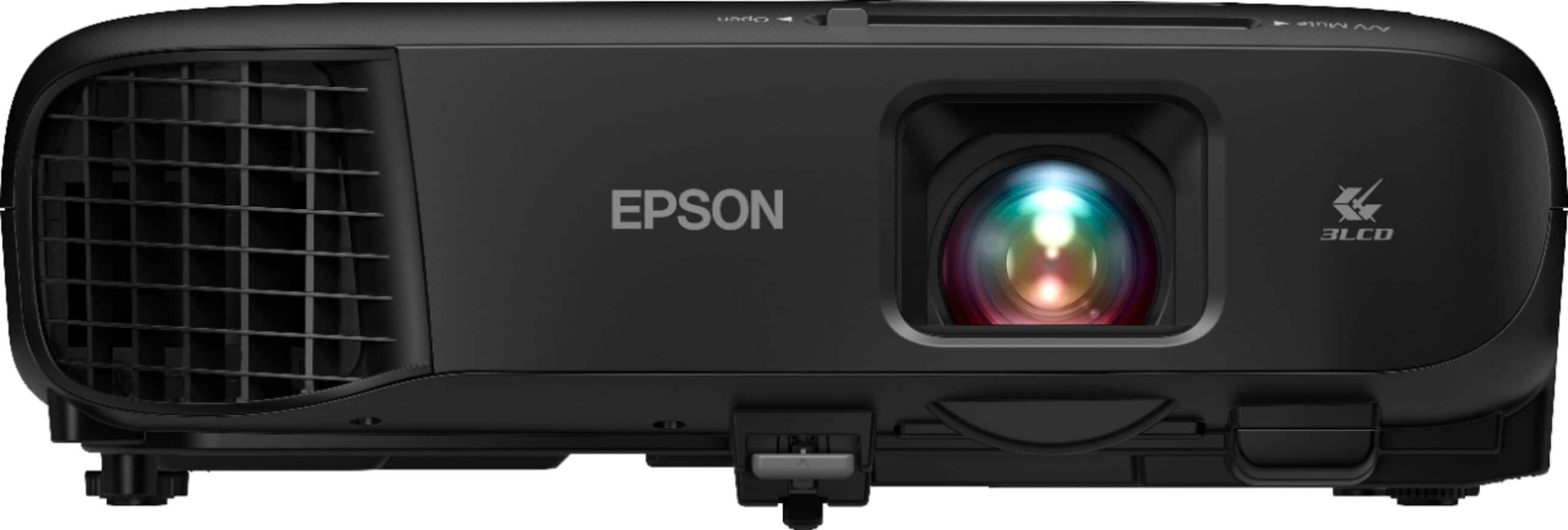
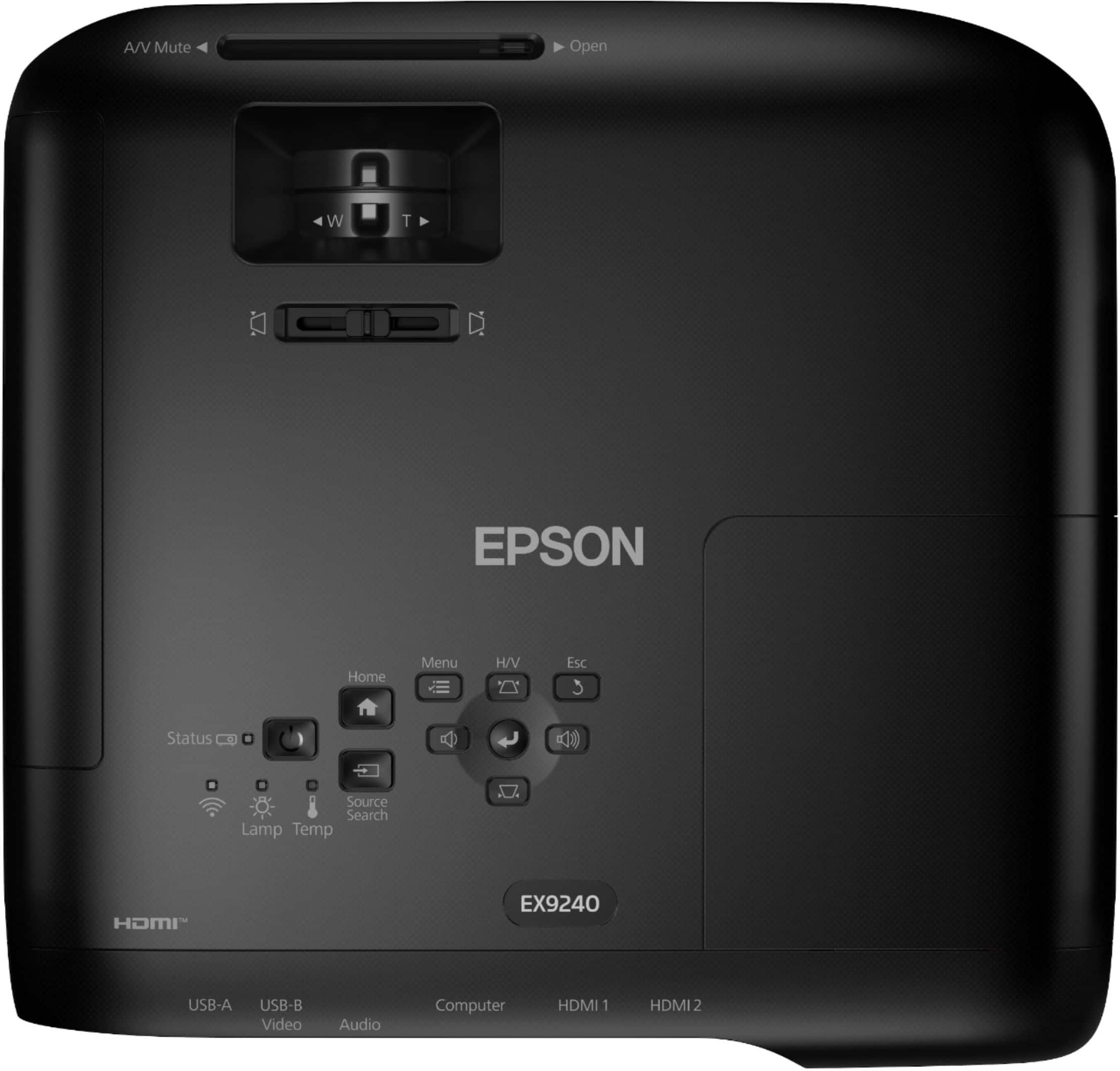
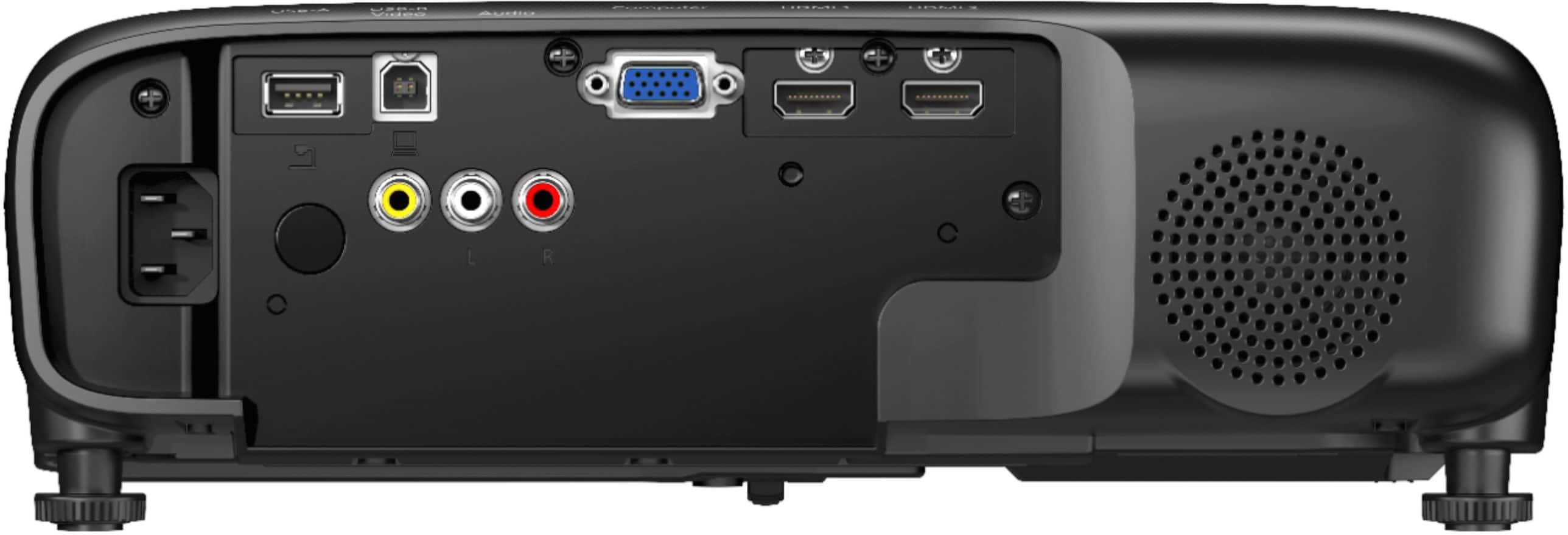
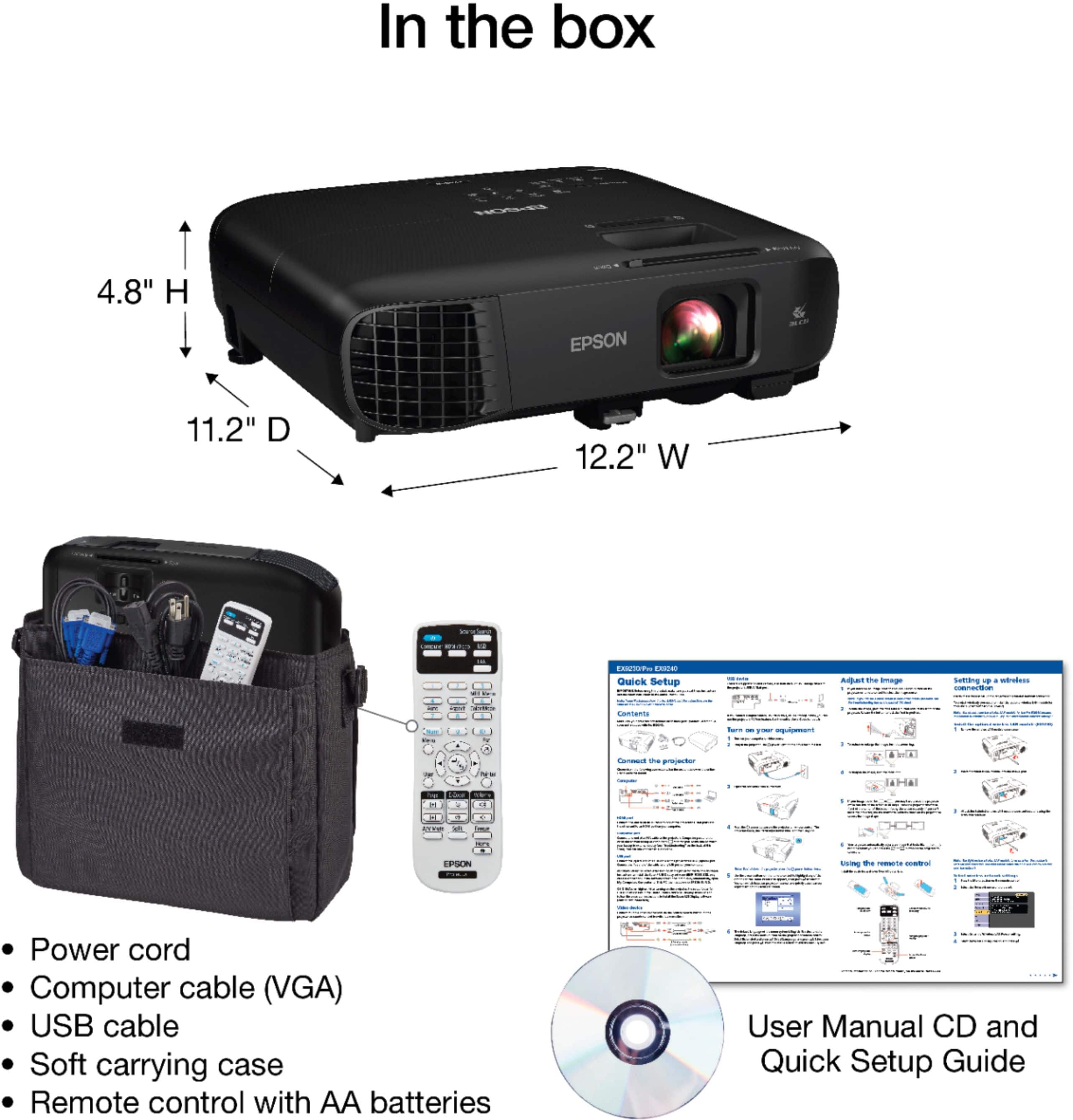
|Posted .This reviewer received promo considerations or sweepstakes entry for writing a review.I wanted to get a portable projector for two purposes; we do 3d printing and have a few clients that want to see the layouts beforehand. And the second is our HOA would like to be able to have a projector for the HOA meetings as we have a pretty large neighborhood “over 500 homes” and a projector would make it easier to show budget information instead of an old overhead projector we are currently using. I saw that Epson released the EX9240 Pro line and it looked like it would fit the bill. Unboxing and first impressions: The projector came in a sturdy box, well protected inside by some foam framework. The projector itself was inside the included carrying case for added protection, there’s also a quick start guide, remote control, power cord and batteries for the remote. We’ve been using Epson projectors for a long time now and this one looks almost the same as the Home Cinema models except this one is in a textured herringbone gloss black “nice business like color” and doesn’t have the big round circular lens ring on the front of it making it just a little more compact and easier to put into a soft sided carrying case. The projector itself is pretty good sized around 12”x11”x3” and weighs about 7lbs. It feels plenty sturdy when placed on a table but light enough to make it easily portable. The included soft sided carrying case is a nice and welcome touch, it also has shoulder strap to help carrying the device. The case also has a large outside pocket that can easily hold the remote, power cord and manual, plus a mouse and anything else you may need. The back of the projector has plenty of ports available. There are two HDMI ports, analog video/audio RCA jacks, USB A and B ports “one each” and a standard VGA video input port, along with the speaker. The top side has control buttons for power, menu, home, vertical keystone, volume, along with sliders for focus and size. There are also indicator lights that show wireless connectivity, lamp life and temperature warnings. Setting up: I have a portable stand made for projectors that fits this perfectly and makes it easy to have a nice level place to put the projector just in case we don’t have a place to put it where we take it. The rest is all plug and play. There are slide levers by the lens that control focus size and keystone, there isn’t a lens shift adjustment wheel like the Home Cinema line has, you have to do your horizontal up/down adjustments by using the adjustable feet or my simply moving the projector around to get the proper alignment to your screen. After powering on it was simple to adjust the size / focus to have a perfectly clear image. I’m mainly using the wireless display option only with this since it’s built in and one less thing I have to worry about connecting to bringing a cable. Use: I turned on the projector and used the LAN button on the remote to get it ready for wireless transmission. Then using my desktop computer “also tried our laptop” under the “Display” menu using the “Connect to a Wireless Display” option the computer immediately connected to the projector and set it up as a secondary monitor. You also have the option to use the projector as a mirrored display. We tried both modes and each worked flawlessly. If you monitor is a higher resolution than 1080 then when you mirror the screen it will fall back down to match the 1080 resolution of the projector. The image was impressively sharp, extremely bright and very vibrant. I’m used to the projectors of the past where colors always looked a little washed out and resolution wasn’t that great. This one is pretty amazing with just how clear and bright the colors are. The 1080P 60fps is a sweet spot for image quality and affordability. All the 720 models I’ve seen/used don’t have nearly the resolution and clarity this does, and the 4k projectors are way bigger and a lot more money. 3d models looked great and you could really make out the fine details. It will be nice to show clients their work enlarged like this, and it makes it easy to spot anything out of the ordinary. Projecting power point presentations with my laptop was a breeze; the Miracast wireless worked flawlessly and will be so much better at displaying upcoming budgets at our HOA meetings, no more looking at a dim old overhead projector. This projector is rated at 4k lumens “yep it’s bright” and a contrast ratio of 16000:1, that’s plenty good for presentations and even video demonstrations. The image quality is not the same as some of the Home Cinema projectors like the one we have. It has 2700 lumens “not as bright” but with a 70000:1 contrast ratio, which is better for watching movies but really lacks in brightness if the room is illuminated. The EX9240 is definitely geared toward business use with a much brighter image that can be used in a well-lit area. Maintenance is pretty simple, there’s an air filter you’ll want to check and blow out, replace when necessary, but it’s easily accessible through a removable cover on the side of the projector. And lamps are a lot cheaper now too from the one’s I’ve used in the past, around $60 and they have a life span of around 5500 hrs on regular mode, and 12k hrs on eco, should last years with normal use. Conclusion: If you are looking for a business class projector that will work great for projecting just about anything you would ever need to display on a larger screen this new EX9240 Pro is going to be the projector for you. It is extremely bright; color and contrast are simply amazing. This projector can project up to 300” which would be perfect for a larger room and audience. There are plenty of controls to teak image quality and to get it right where you want it, especially if you are mounting this in a permanent location “and there are mounting points on the bottom for a ceiling mount built in”. The built in speaker would be loud enough for a smaller conference room but you can either attach an external speaker to the audio ports on the back of the projector, or “my preference” is to use a Bluetooth portable speaker and have it connected to the device you are transmitting with “Laptop/Desktop/Phone”, you really aren’t limited to the built in speaker by any means. The phone app is pretty handy if you don’t have a computer available. I connected to the projector with the android iProjection app available in the Google Play store, and had it scan the onscreen barcode the projector displayed. It connected to my Pixel 5 and my wife’s Note 10 without a problem. We were able to display pictures, PDF files and documents we already had downloaded to our phones. Fan noise should be a problem, while the projector does put out a good bit of heat the fan isn’t that loud “unless you are sitting right by it”, the heat coming out will keep you from sitting too close to the vent anyway.
I would recommend this to a friend Man cave
||Posted .This reviewer received promo considerations or sweepstakes entry for writing a review.Got almost 2 years out of it 2600 hours before bulb blew and now have a lcd going out but has been great till now
I would recommend this to a friend- Pros mentioned:Picture quality
Great presentation projector
||Posted . Owned for 1 month when reviewed.This reviewer received promo considerations or sweepstakes entry for writing a review.Works great. Wireless functionality was seamless and the picture cam through well in a lit room
I would recommend this to a friend - Pros mentioned:Picture quality
Love it
||Posted . Owned for 2 months when reviewed.This reviewer received promo considerations or sweepstakes entry for writing a review.This projector is worth your money. It exceeded all my expectations. My family absolutely loves movie night now.
I would recommend this to a friend - Pros mentioned:Picture quality
Awesome
||Posted . Owned for 3 weeks when reviewed.This reviewer received promo considerations or sweepstakes entry for writing a review.Love this projector. Great image quality, even at 300 in using RF HDMI!
I would recommend this to a friend - Pros mentioned:Brightness, Connectivity, Picture quality
Business and Pleasure
|Posted .This reviewer received promo considerations or sweepstakes entry for writing a review.My first impression of this projector is that this is an amazing projector for the office and your home. This project has great colors, brightness and puts on an amazing display for whatever you maybe presenting or watching. I have been using this projector in and out of the office for about a week now and I absolutely love it. Let’s go over the features of the Epson - Pro EX9240 3LCD Full HD 1080p Wireless Projector. Unboxing- The projector came nicely packaged in sturdy box and inside the box the project was nestled in its black cushioned carrying case. So, overall the project comes packaged very well. In the box you also find the manual and the power cord for the projector. The projector has a very nice black finish, almost professional looking in a sense. The projector measures in at about 12 in W x 11 in D x 5 in H and weighs roughly about 8lbs, which makes it portable if you need to move it from room to another and also has a loop for a security cable if you need to leave in an accessible area. The projector has three mounting screw locations on the bottom of the projector and an option in the menu to allow you to adjust the display depending on how you have the projector mounted. Features- So, this is a 3LCD projector. 3LCD is the name and a brand owned by Epson and gets its name from the three LCD panel chips used in its imaging generation engine. 3LCD projectors can have higher color light output than single chip DLP projectors and this is because the projector mixes and projects light beams through all three colors to form each individual pixel, while the DLP on the other hand create colors by projecting them one at a time. 3LCD also use less power compared to DLP and are also able to display a finer image as well. The projector does have an adjustable foot on the bottom, to lift it up if it is placed on a table, and has a manual image adjustment capability to enlarge and reduce an image, focus and also to adjust the keystone depending on the location of the projector. The projector lens has a cover to protect the lens but also to mute the audio and video capability of the projector. The projector has 2 HDMI ports, Female VGA port, USB input, RCA input and lastly wireless display. So, this projector offers multiple input options which, in my opinion, makes this projector extremely portable. The projector offers full HD 1080p (1098x1080) display with 4000 lumens and 16:9 aspect ratio. The lamps have a 5500-hour life span on full brightness and setting and offer almost 12000-hours on eco mode. The projector also has a built-in speaker which is not the greatest, but works well in a quiet conference room. Split Screen Display- Ability to utilize two display inputs at once on a split screen. E-Zoom - Able to zoom 2x into the display Freeze – Freeze frame Use- So, like I had mentioned earlier that I have been using this projector in and out of the office. The wireless display connection makes this projector portable and extremely easy to use. I was able to connect my laptop to the project in less than a minute and my presentation was ready to go. The colors on my presentation were bright vivid and the best part was the text was easy to read and there was no distortion at all, and when you are done just pack it up and in its provided carrying case and you are ready to take the projector wherever you need. What sets this projector apart from the rest is its ability to project onto a screen even in a brightly lit room. Unfortunately, I was unable to take pictures of my presentation at work due to the confidential nature but I was able to take some pictures at home to show you how well the display works even in a brightly lit room. The projector does offer display modes catered directly to presentations, a blackboard mode for use on chalkboards, essentially eliminating the need for screen. The projector also offers a dynamic and cinema mode for use at home. I honestly can’t say enough about the wireless capability of this project because it makes it so versatile. At home even though I can connect this via the HDMI cable, I am also able to connect my phone directly to the projector wirelessly and stream anything off my phone. This projector offers the best of both worlds, for business and pleasure. In my opinion this is an amazingly versatile projector that is easy to use and easy to setup in the office and in your home as well. This projector has performed admirably for myself in my office and in my home. I would highly recommend anyone looking for an office and home use projector to give this baby a shot. You will not be disappointed.
I would recommend this to a friend - Pros mentioned:Picture quality
Epson
||Posted . Owned for 4 months when reviewed.This reviewer received promo considerations or sweepstakes entry for writing a review.The clear picture is great and quality, looks good on top of my sealing!
I would recommend this to a friend Epson Pro EX9240
||Posted . Owned for 3 weeks when reviewed.This reviewer received promo considerations or sweepstakes entry for writing a review.Was stuck between purchasing an 85in Tv or a Projector. so glad I went with this Projector. I Was able to project it on a 120' screen in my living room.
No, I would not recommend this to a friend