Customer Ratings & Reviews





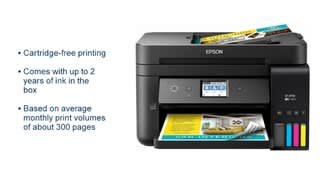
- Model:
- ET 4750
- SKU:
- 6042207
Rating by feature
- Value
Rating 4.3 out of 5 stars
- Quality
Rating 4.4 out of 5 stars
- Ease of Use
Rating 4.5 out of 5 stars
Customers are saying
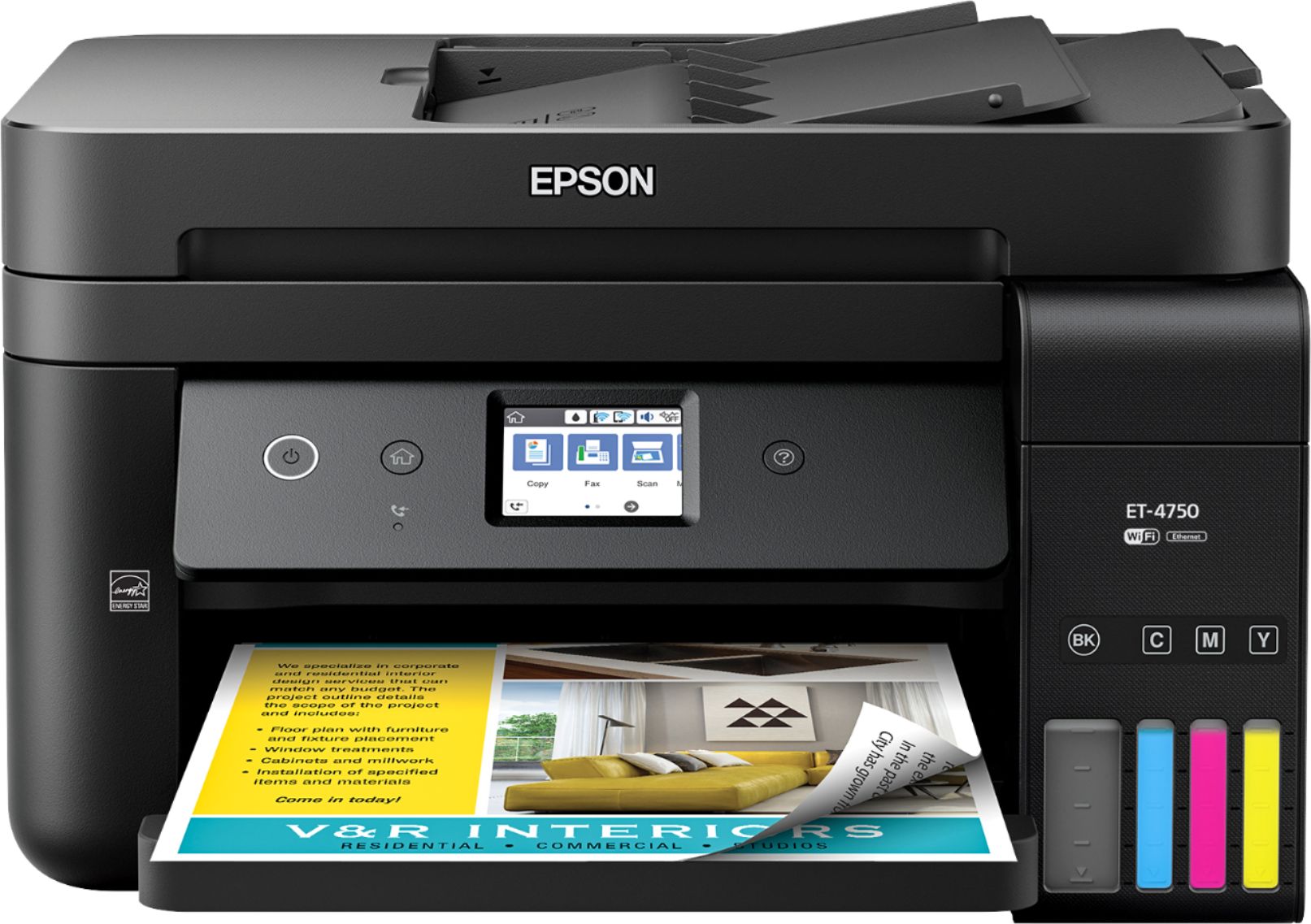
Customers value the excellent print quality and ease of use of the WorkForce EcoTank ET-4750 Wireless All-in-One Printer. Many appreciate its compact size and straightforward setup process. However, some users find the printer noisy and the price point to be a drawback. A few also reported issues with the document feeder and touch screen responsiveness.
This summary was generated by AI based on customer reviews.
- Pros mentioned:Print quality
Extremely powerful printer
||Posted . Owned for 3 weeks when reviewed.This reviewer received promo considerations or sweepstakes entry for writing a review.Really successful purchase! Extremely powerful printer that contains everything you need to work in the office or at home. High-quality photo printing! Contains extra ink to replace. Economical. I recommend it to everyone!
I would recommend this to a friend - Pros mentioned:Print quality
epson was a good printer, in heavy work.
||Posted .This reviewer received promo considerations or sweepstakes entry for writing a review.Printer to work full, prints super fast, color and black and white, photos at an impressive quality, additional scan id and all kinds of documents.
I would recommend this to a friend - Pros mentioned:Print quality
Beta testers review of the Epson WorkForce ET-4750
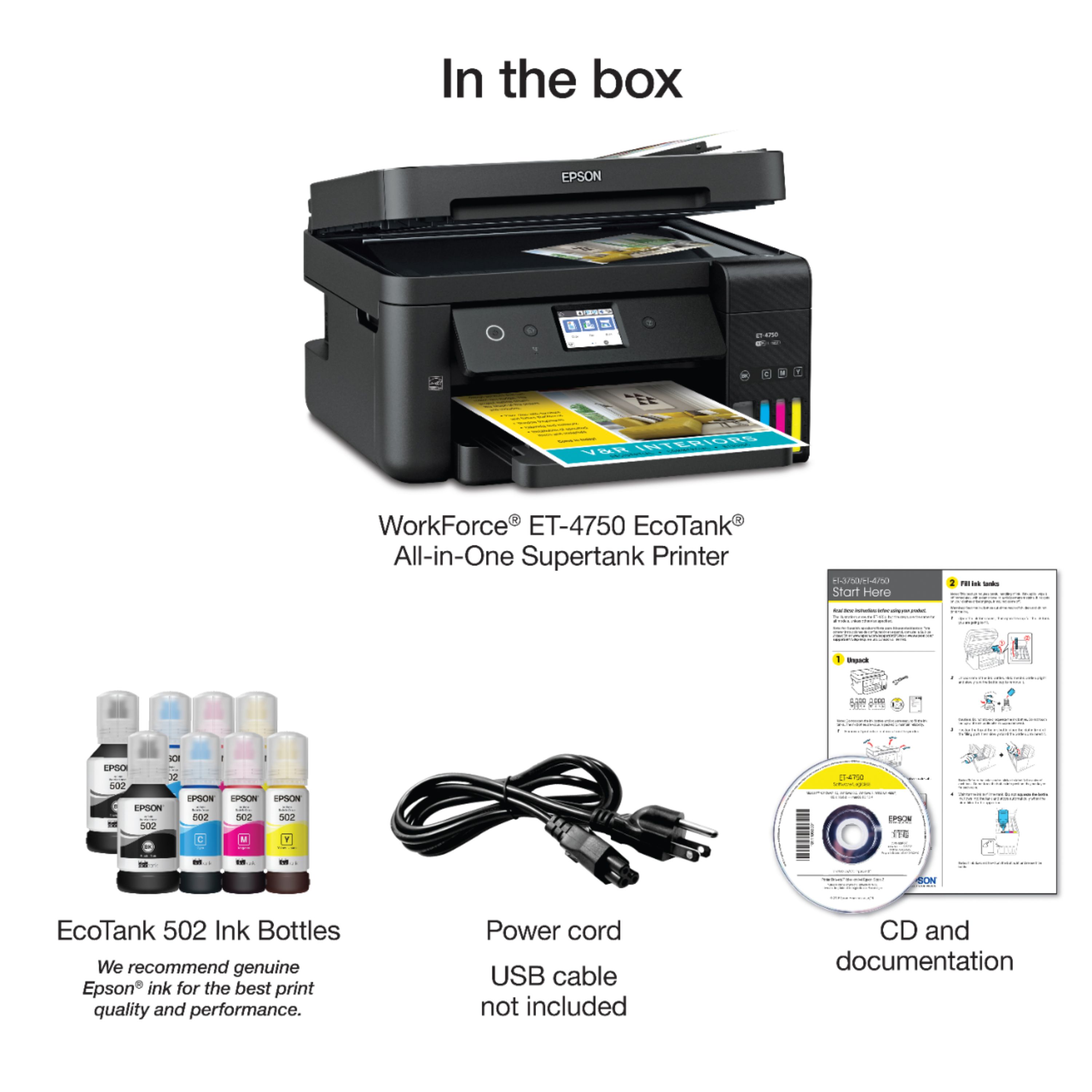
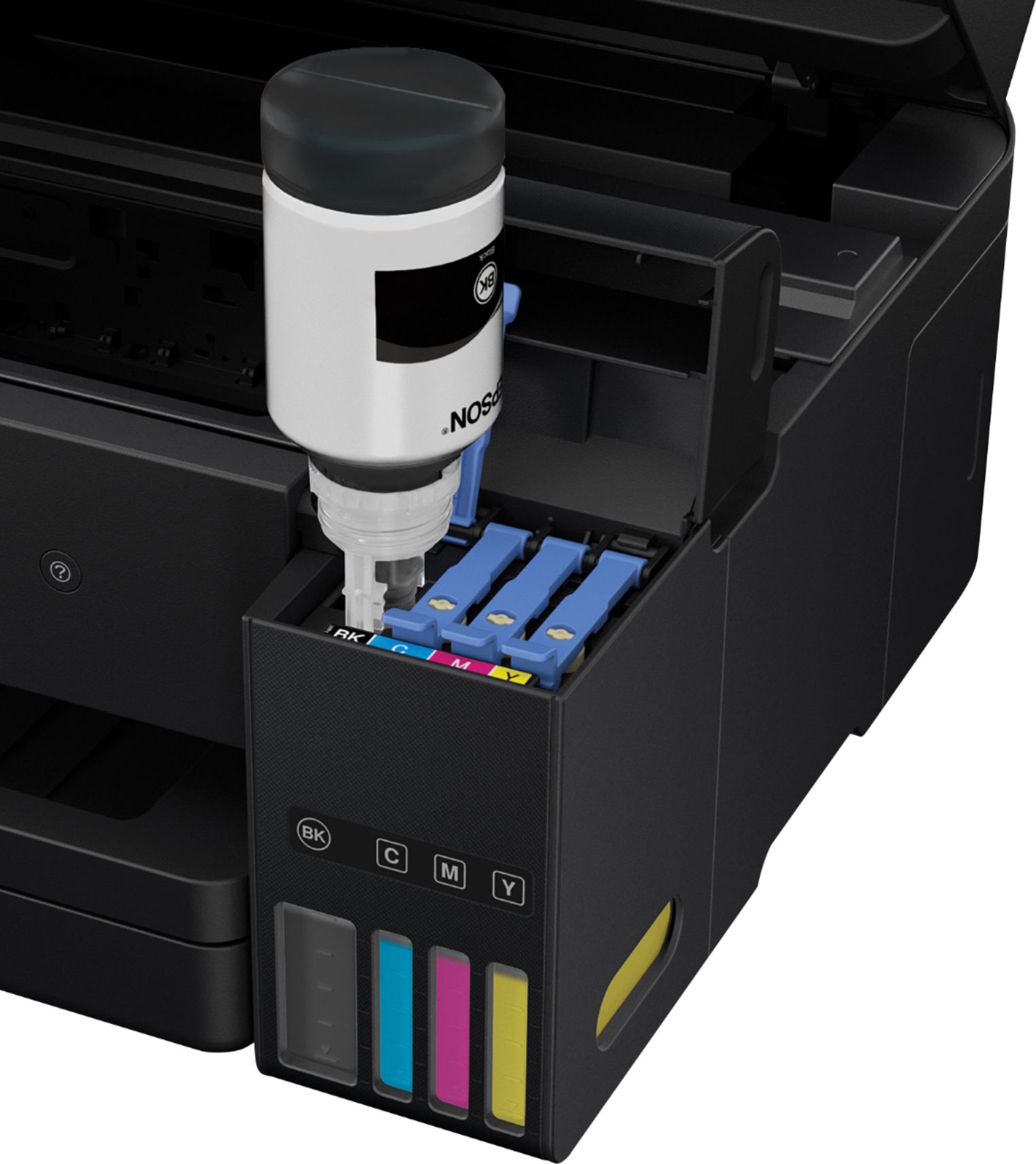
Posted .This reviewer received promo considerations or sweepstakes entry for writing a review.Beta testers review of the Epson WorkForce ET-4750 EcoTank All-in-One Printer Unboxing the printer In the box you get the printer, documentation (Setup and User Guide), Two year’s worth of ink (2 black, 2 yellow, 2 blue and 2 red) and the software installation CD. Once the printer is removed from the box it just takes minutes to remove the tape and other packing materials from the printer. After removing all of the packing material, I reviewed the setup instructions and found that they were very helpful and precise. The step by step instruction provided in the box was very easy to follow for the initial setup before turning on the printer. Filling the ink reservoirs was very easy and no mess was seen while adding the ink to the reservoir. There will be left in the bottles after filling the reservoir. Just store these in a cool place until you can add it to the printer. Printer Setup The printer setup took about 30 minutes to complete. The first step was the install paper in the paper try and turn on the printer. The printer will begin asking the user what type of paper was installed. After the paper type is confirmed the printer then moves into the printer alignment process. Once the alignment is complete the printer will ask the user how the printer will be setup on their network. There are two ways to setup the printer on your network either through a network cable or wireless. I picked wireless which was easy to setup. Once the printer was connected to the network, the printer reached out to Epson server and found a new firmware to install. I allowed the printer to update the firmware which took about 10 minutes to complete. Over all the setup was easy and the step by step screen instructions helped move the process along. PC setup Installing the software on my Windows 10 PC was quick and easy to do. The CD provides step by step instructions. During the setup the software was able to locate the printer on my network and install all available drivers and applications without any issues. Installing the software on my MAC was also easy and the step by step instructions were very helpful. The installation only took 10 minutes to complete on both systems from start to finish. Printing and Scanning from the PC Printing from my PC is easy to preform and the print was fast. It was done printing before I realized it. I do feel that printing duplex and in color takes a little longer. Printing two sided was easy to select and you can also make it a default in the printer setting. Scanning from the PC was simple to preform via the scanning software provided by Epson. I was able to send the scan to anywhere I indicated in the software. Printing and Scanning from the MAC Printing from the MAC just as easy from any application. My wife’s job requires her to print a lot of pages daily. The printer kept up with it without any issues. Printing two sided was easy to select and you can also make it a default in the printer setting. Scanning was also done just like the PC. Printing from Mobile Phone or Tablet Printing from my mobile devices and tablets were simple the software was installed and printer was added to the profile. I was able to print PDF and any website. Having this option is great and it helps if you want to send something to your printer at home and remotely. Overall reaction Overall this printer was very user friendly, quick to setup and use. This device could be used as a home based business printer or a printer for a small office. The two-sided printing which helps with paper costs and being environment friendly. Storing the ink is easy and does not take up a lot room unlike traditional ink cartridges. At this time I’m not able to find any problems with the printer. I have no complaints and it and works just as I expected it to. Look forward to seeing what I can print or scan next with my Epson Workforce EcoTank All-in-one Printer. This is a review for the Epson WorkForce ET-4750 EcoTank All-in-One Printer that I received free of charge to do a beta test and review.
I would recommend this to a friend - Pros mentioned:Print quality, Size
Dependable All In One Printer ET-4750
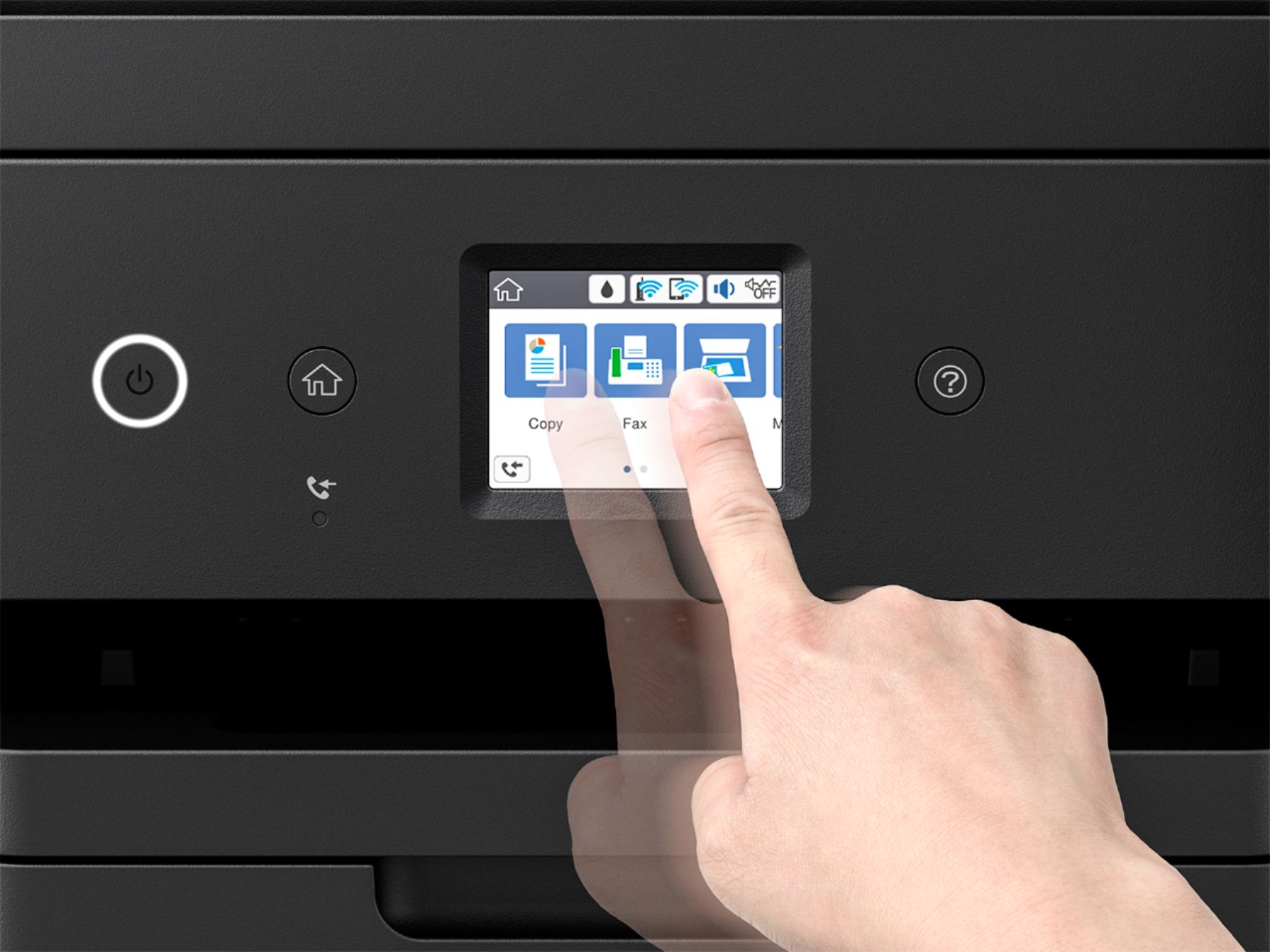
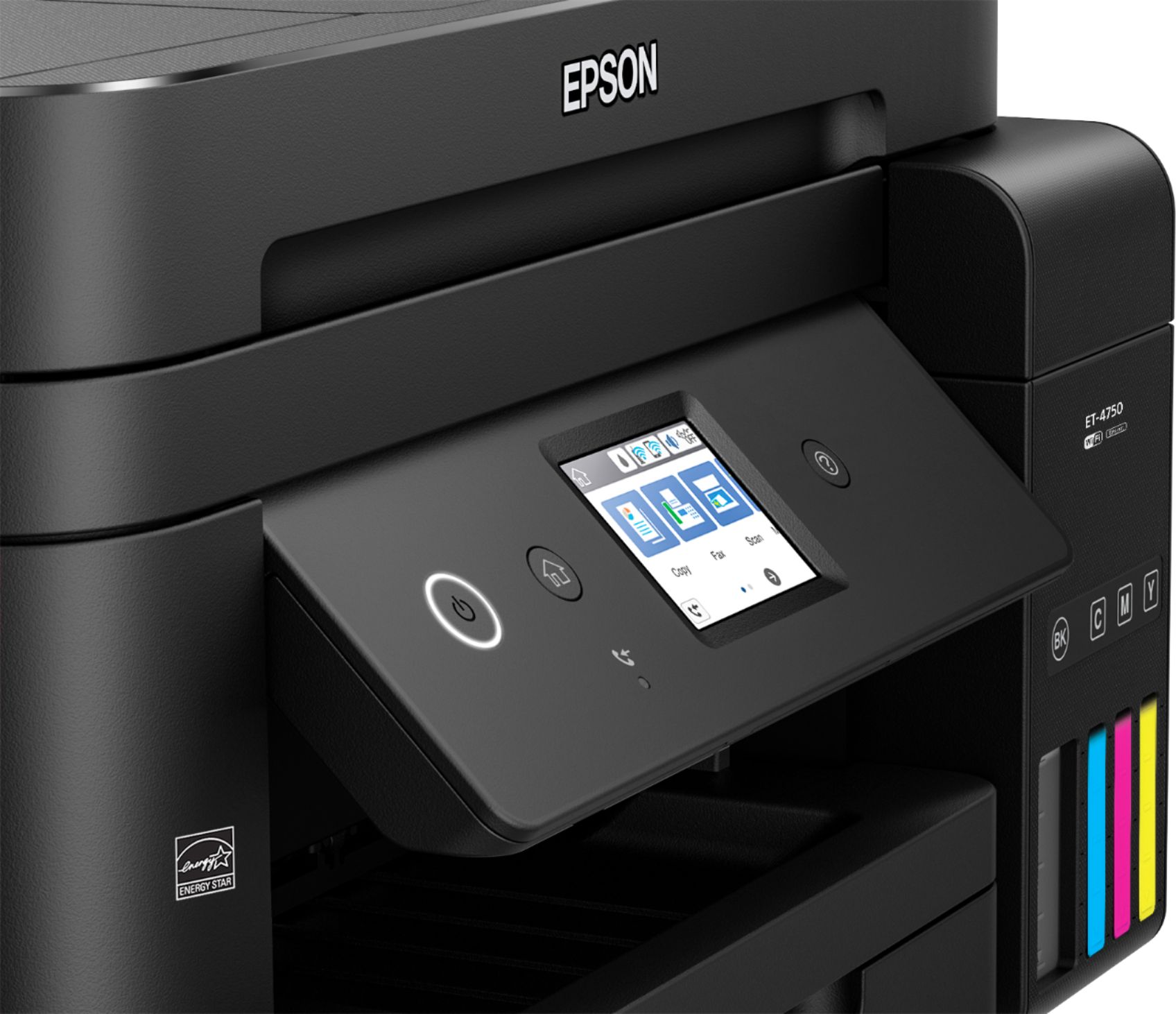
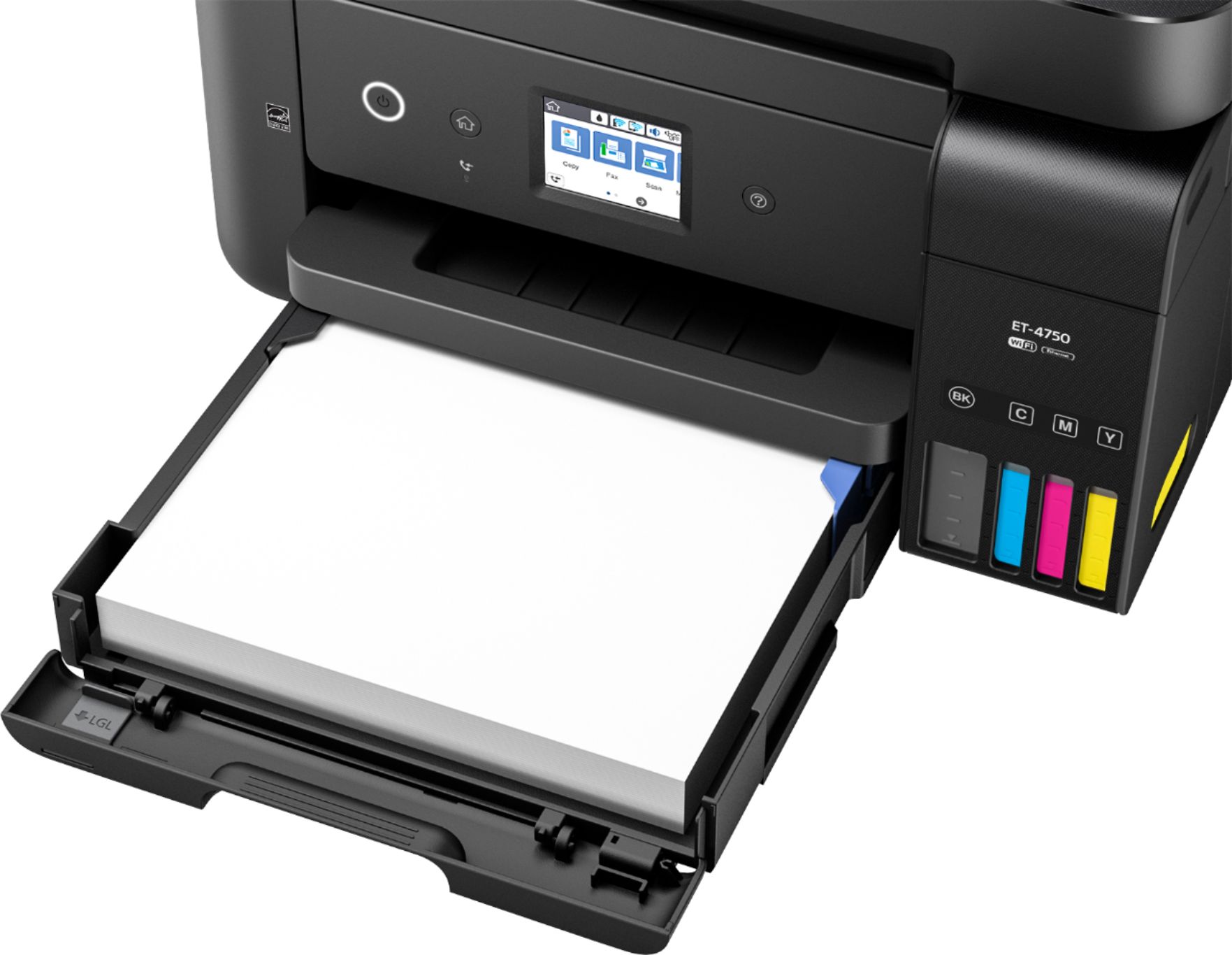
Posted .This reviewer received promo considerations or sweepstakes entry for writing a review.The Epson Work force ET4750 is a very well designed, quality printer with copying, faxing and printing capabilities. Set up is fairly easy, the touch screen could be a little larger for people with vision problems. I love the eco tank ink idea which is very easy to fill, just follow the directions, put the correct colors in the corresponding ink places, it automatically stops when it is full and the gurgling noise stops. I love the idea that there is enough ink included for 2 years use and that the paper holder holds up to 250 sheets compared to other printers. The hardest thing for me was WIFI setup, it didn't set up from the enclosed software, I had to manually input the password from my router/modem, connect the printer then use the software to get it to set up correctly. Once setup the WIFI works flawlessly. Every test I did, everything worked well with no problems and good quality results. The quick setup instructions are a little backwards to me, paper should have been installed before the ink went in so you could print the test for proper ink installation.. Fax set up was easy and worked well when tested. Paper installation is very easy and the paper catch “drawer” pulls out easily and doesn't stick like others I have used. The size of this model is just right and not overbearing on a side table where I put it. I expect to get many years of use from this model and to save money on ink as well. This model is perfect for home use or possibly even office use. It doesn't take up a lot of space, is easy to use and does a great job. And with the eco tank ink you aren't having to replace ink all the time and with the large paper load capacity no reloading paper all the time either. This is a review for the Epson Workforce ET-4750 All-in-One printer that I received free of charge to do a beta test and review.”
I would recommend this to a friend - Pros mentioned:Print qualityCons mentioned:Price
A Quality Unit With a Great Feature Set
Posted .This reviewer received promo considerations or sweepstakes entry for writing a review.I've had printers as long as computers, though the last few have been "All-in-ones". Why clutter your office/house with a scanner, a fax machine, and a printer, right? Let's start with this unit, the Epson ET-4750. The 4750 is a fantastic printer...for what it is/trying to achieve: the home/small office market. I had no issues out of the box, as the setup was easy and forthright. Print quality and speed were better than adequate, and I was a bit surprised considering this is not a “Photo” printer. So what do I like/dislike about the unit? Pros: - Each function (printing/scanning/faxing) of the unit is quick. - Duplex printing - ECOTank is a TERRIFIC replacement for standard ink cartridges. - Refill tanks for ink are machined so you can’t refill the wrong color - Ink tanks are displayed on the front of the unit to easily see where the levels are Cons: - Cost of unit is higher for the build/feature set compared to other brands. - LCD screen is a bit smaller than I would like and that makes accidental button presses more common. - No USB ports on the front of the unit. - WiFi is only on 2.4 GHz wireless band, with no support for 5 GHz. So, the real question: Would I recommend this product. The short answer is yes. A longer answer is still yes, though I would probably wait until the price point is lowered to match similarly spec’d units. The ECOTank is a nice touch and is a major selling point for this device. This is a review for the Epson WorkForce ET-4750 EcoTank All-in-One Printer that I received free of charge to do a beta test and review.
I would recommend this to a friend - Pros mentioned:Print quality
Amazing refill feature!
Posted .This reviewer received promo considerations or sweepstakes entry for writing a review.The Epson - WorkForce EcoTank ET-4750 Wireless All-in-One Printer is something the consumer has been begging for for decades, finally a printer that is refillable easily by the user, we are finally untethered from using costly cartridges that most of the time either included a expensive print head or was sealed to prevent refilling. I have tried all the tricks to save money, the drill and fill kits, and the external reservoir which fed directly into the cartridges. None of the worked well or only worked well for a time before clogging or spilling. So I tried the EcoTank ET-4750, it is a step in the right direction but epson is still being greedy with the refill bottles, luckily there are generic fillers online for a fraction of cost. But I will continue to use official until the warranty is expired. The touch screen is useful but extremely small, I had to find a stylus to enter my wifi password, I didn't not have a chance to use the scanning feature since I have a dedicated epson document scanner that just scans better anyways. Pros: Ethernet and or Wireless Connection No costly ink cartridges Very high DPI Has a touch screen Duplex printing Relatively quiet when printing Cons: Refill bottles are still kinda expensive Touchscreen is very small Very Large and heavy In conclusion I would recommend this to anyone who is tired of costly ink carts and wasted money on bottom of the barrel inkjets, that also prints pictures so black and white laser is out of the question. This is a review for the Epson WorkForce ET-4750 EcoTank All-in-One Printer that I received free of charge to do a beta test and review
I would recommend this to a friend - Pros mentioned:Print quality
Amazing refill feature!
Posted .This reviewer received promo considerations or sweepstakes entry for writing a review.The Epson - WorkForce EcoTank ET-4750 Wireless All-in-One Printer is something the consumer has been begging for for decades, finally a printer that is refillable easily by the user, we are finally untethered from using costly cartridges that most of the time either included a expensive print head or was sealed to prevent refilling. I have tried all the tricks to save money, the drill and fill kits, and the external reservoir which fed directly into the cartridges. None of the worked well or only worked well for a time before clogging or spilling. So I tried the EcoTank ET-4750, it is a step in the right direction but epson is still being greedy with the refill bottles, luckily there are generic fillers online for a fraction of cost. But I will continue to use official until the warranty is expired. The touch screen is useful but extremely small, I had to find a stylus to enter my wifi password, I didn't not have a chance to use the scanning feature since I have a dedicated epson document scanner that just scans better anyways. Pros: Ethernet and or Wireless Connection No costly ink cartridges Very high DPI Has a touch screen Duplex printing Relatively quiet when printing Cons: Refill bottles are still kinda expensive Touchscreen is very small Very Large and heavy In conclusion I would recommend this to anyone who is tired of costly ink carts and wasted money on bottom of the barrel inkjets, that also prints pictures so black and white laser is out of the question.
I would recommend this to a friend - Pros mentioned:Print quality, Size
Great Printer. Huge Savings On Ink.
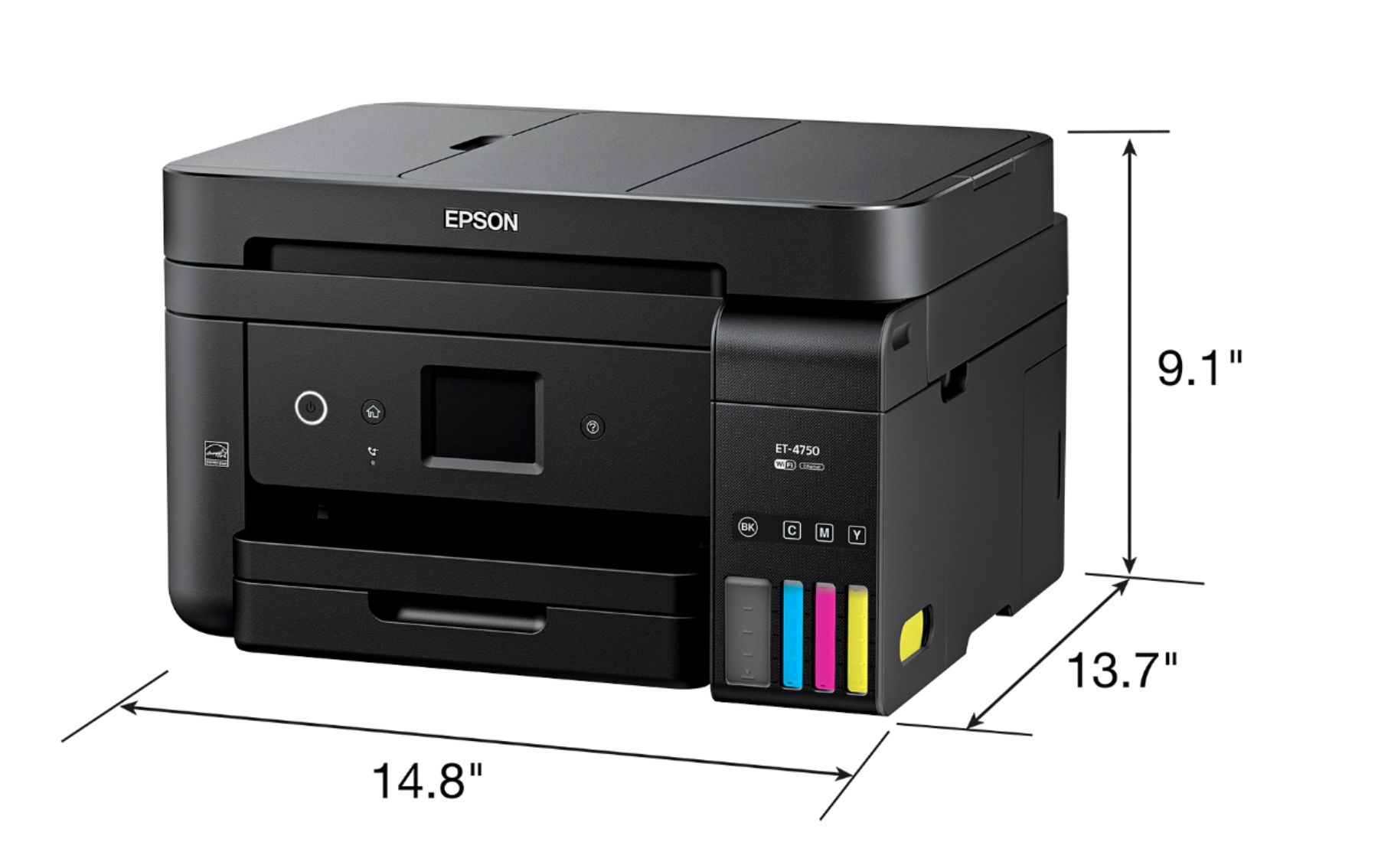
||Posted .This reviewer received promo considerations or sweepstakes entry for writing a review.I've owned three printers over the past 14 years. A 2004 Epson that worked perfectly for 8 years before it needed replacement, a 2012 HP that lasted 4 1/2 years and a Canon that only made it for 1 1/2 years. All were mid - high grade / mid - high dollar (for home use) models. While I considered going with a "Brother" printer this time around I just couldn't get around how great my original Epson was and went to their web site to check out their current offerings. The WorkForce Eco Tank series immediately struck me because, as we've all come to know, printer ink cartridges are ridiculously over priced and, over the long haul, will run you two to three times the price you paid for the printer you're installing them in. The idea of getting around two years of ink included in the purchase price of the printer was just too much of a savings to pass up. I'd originally decided, from my research at Epson's web site, to purchase the ET-3750. It pretty much met all of my needs and the MSRP was outstanding when you include the ink. When I went to Best Buy, (one of my very few "go to" sites), I found that they were offering the ET-4750 at $100 dollars off which made it the same price as the ET-3750. Going back to Epson's web site I learned the ET-4750 would up the tray capacity from 150 sheets to 250 sheets and add the ability to fax. I'm not a fax person but, the extra hundred sheets X increased product value made the upgrade to the ET-4750 a done deal. As usual, Best Buy provided a fast delivery to my front door and I was able to complete the setup in less than an hour. The first print from a website confirmed my opinion of Epson. The definition of each printed letter was outstanding. Far better than any I'd gotten from my HP and light years better than the Canon ever delivered. My wife and I are both 63 years old and any blurred lettering is terrible for us. The ET-4750 provided the definition of crisp clarity. We both continue to be highly pleased. My earlier printers were rated "photo" printers so I worried that the ET-4750 might lack in color reproduction. Up front ..... I'm not using this printer for creating photographs on photo paper. I'm using it for printing web pages and copying documents. Web pages come out looking like mirror images and copies are hard to tell from originals. I've only owned this printer for a few months but I already consider it much better than my old HP and far better than the Canon. It's not a photo printer. If you're a photographer I suggest sticking with Epson but checking out their specialty photo printers. For everyone else ....... considering the high definition print and color accuracy and especially the amount of ink included as well as future ink expenditures, just buy it. No other printer I could find offered any competition. Nothing came close. Note* I've not used the fax machine portion of this printer. I'd guess it's totally "up to snuff". I just don't fax from my home at this point and don't know if I ever will. I'm old fashioned. No social networking, no texting, etc. Quality of print X Color reproduction X Price for what you get are the baselines for my review. One more note* The footprint of the ET-4750, (including the huge ink tanks), is smaller than any of my previous printers. It's truly the smallest of the lot. Width, Depth and Height are all less than I would have expected from a printer that provides all that the ET-4750 delivers.
I would recommend this to a friend - Pros mentioned:Ease of use, Print quality
great printer
||Posted .This reviewer received promo considerations or sweepstakes entry for writing a review.Set up was easy. I like the extra ink that came with the printer. Prints VG. The only issue so far is that the paper will slide back in the holder and will not be grabbed for printing. I have had to slide paper forward in holder and printer works fine. Seems like there should be something to keep paper in place. Other than that very pleased with printer.
I would recommend this to a friend - Pros mentioned:Print quality, SetupCons mentioned:Document feeder
Efficient Printer -- Excellent Value
||Posted .This reviewer received promo considerations or sweepstakes entry for writing a review.Bought the printer for my wife, but the document feeder and paper tray did not meet her needs -- however it serves the purpose for my office. Excellent printer for basic needs and will be more economical than the previous printer. Printer has a smaller footprint and is easier to set up than my HP's have been. Follow the directions and everything will work as advertised. If you have only used HP's compare carefully the footprint and accessory items. The savings in INK COST is a Great reason to consider this Printer! Print, Scan and Copy functions work Great -- I don't need or use the fax function.
I would recommend this to a friend - Pros mentioned:Ease of use, Print qualityCons mentioned:Noise level
Excellent Printer
||Posted .This reviewer received promo considerations or sweepstakes entry for writing a review.This printer was easy to install and set up. No problems. The speed and print quality are excellent. It handles two-sided printing with no problems or jams. I really like the ink tanks and the included ink supply. I found, however, that for some printing I had to select the best quality to get acceptable results with color images on plain paper. This isn't a quiet printer, but it's also not loud. I had another Epson inkjet that was quite a bit quieter, but it used ink like crazy, so this really is an improvement.
I would recommend this to a friendBrand response from Epson
Posted .Hi Wizard, thank you for sharing your experience with your new Epson EcoTank printer. We hope you enjoy cartridge-free printing. Kind Regards, Eddie – The Epson Team.

- Pros mentioned:Ease of use, Print quality
Does what it says it does.
||Posted .This reviewer received promo considerations or sweepstakes entry for writing a review.Easy to use, does as advertised. I certainly wouldn't call it an office printer. It is an outstanding one person in their office printer. If you buy the warrantee from Best Buy my guess is you will get to use it at least once.
I would recommend this to a friend - Pros mentioned:Print quality
Great Printer
||Posted .This reviewer received promo considerations or sweepstakes entry for writing a review.I was initially apprehensive about buying this printer given the upfront cost. After researching and comparing cartridge prices versus the liquid refills used for this printer and seeing the long term savings, I got past the upfront cost and purchased it. Also, there was a printer trade in credit that made it feasible. I can say that I have definitely printed well over 1000 pages since I got it, both in color and black and white. The quality is amazing and the ink wells have hardly even gone down. It has a compact design and the scanner quality is good. If you can get past the sticker shock, this is an excellent printer and honestly worth the money.
I would recommend this to a friend - Pros mentioned:Print quality
Great printer, except for photos
||Posted .This reviewer received promo considerations or sweepstakes entry for writing a review.This printer is amazing on ink. I printed at least 100 pages and the ink barely moved. If you don’t print photos and your looking for a color printer that will save you dollars on ink, consider this printer.
I would recommend this to a friend Limited possibilities-Returning product
||Posted .This reviewer received promo considerations or sweepstakes entry for writing a review.I purchased this product because I wanted color, wireless, auto 2 sided printing, a document feeder, and a decent size paper tray "cassette". Though these are all features of the product, set up limits useable features. Set up took 1 hr and 20 min, fairly simple however there are steps that do not follow sequence on guide, overall not bad. Product feels like quality until you get to the paper tray "cassette" and out put tray which are thin and flimsy even the paper guide threatens to break with the slightest touch. Ink... I love the ink I understand that improvements were made and I have to say it is great. Not a drop spilled and even with the initial 10 minute ink charge it was painfree. Set up was completed for network wireless, meaning no wires from router to printer or printer to laptop. It was not difficult at all. However auto 2 sided printing is not an option, this has been confirmed by the 292 page user guide. I had no success with Wi-Fi direct either, meaning still no wires but instead of connecting laptop to internet you choose the printer to connect to. Wi-Fi direct set up also wonderful. However in order to change to a wires set up product must be uninstalled and reinstalled on laptop, and Wi-Fi has to be disabled on printer. Making the transition difficult to access auto 2 sided printing. Troubleshooting has great features. Though the touch screen is small it provides many options and "How To" walk throughs. One recommendation would be to list, "extend output tray" when having continuous no paper in cassette issue. Recommending to a friend... if I have to choose yes or no then the answer would be no. I believe a product is recommendable only if the features are useable. In short I would advise anyone to download and read through the pertent parts of the 292 page User Document from Epson to ensure it will meet their needs. I am returning the product, but will be researching to see if any other Epson EcoTanks will meet my needs. I am not hopeful as the price point was a bit high considering my needs and the prices only go up with functionality.
No, I would not recommend this to a friend- Pros mentioned:Print quality, Setup, Size
Excellent Printer
||Posted .This reviewer received promo considerations or sweepstakes entry for writing a review.This printer has been awesome. The long lasting ink was the main selling point due to my wife and I doing a lot of printing for work. We’ve printed tons of pages and the ink levels are still high. Printers as a small enough footprint, easy to setup/use, and has connectivity for wireless and air printing.
I would recommend this to a friend - Pros mentioned:Setup
Fine equipment
||Posted .This reviewer received promo considerations or sweepstakes entry for writing a review.This is my second purchase of an Epson Eco-tank Printer. I am sold on the concept. This newest machine is highly refined over the first incarnation. It is much more compact, has excellent software, and is very easy to setup and use. In short, Epson addressed the short falls of the original Eco tank, and came up with an absolute winner. I would recommend it to anyone.
I would recommend this to a friend - Pros mentioned:Ease of use, Print qualityCons mentioned:Noise level
Love not buying ink cartridges
||Posted .This reviewer received promo considerations or sweepstakes entry for writing a review.Everything was as described, was easy to set up and worked as expected. Really like the tank system and the double sided printing. My only criticism is that it sounds noisy/clunky/cheap. As I don't use it a lot this is not really a problem, but a concern for durability.
I would recommend this to a friend - Pros mentioned:Print quality, Setup
Great all around printer
||Posted .This reviewer received promo considerations or sweepstakes entry for writing a review.So I've had many printers over time and was tired of paying and arm and a leg for printer cartridges. I finally broke down and started looking for something better than the $100 printer that took the $125 dollar refills just to last 3 to 6 months. I'm very impressed with this printer and the ink level hasn't dropped much and I've done a lot of printing. By no means is this a super great photo printer but it's doing its job well and fast. Was easy to set up and I haven't had any problems like other printers in past. I like the fact I can be in class and print stuff to the computer so it'll be sitting there when I get home. Wish I would have bought it sooner.
I would recommend this to a friend - Pros mentioned:Ease of use, Print quality
Great Printer
||Posted .This reviewer received promo considerations or sweepstakes entry for writing a review.Reliable and great quality. Easy setup and remote printing works great.
I would recommend this to a friend