Customer Ratings & Reviews
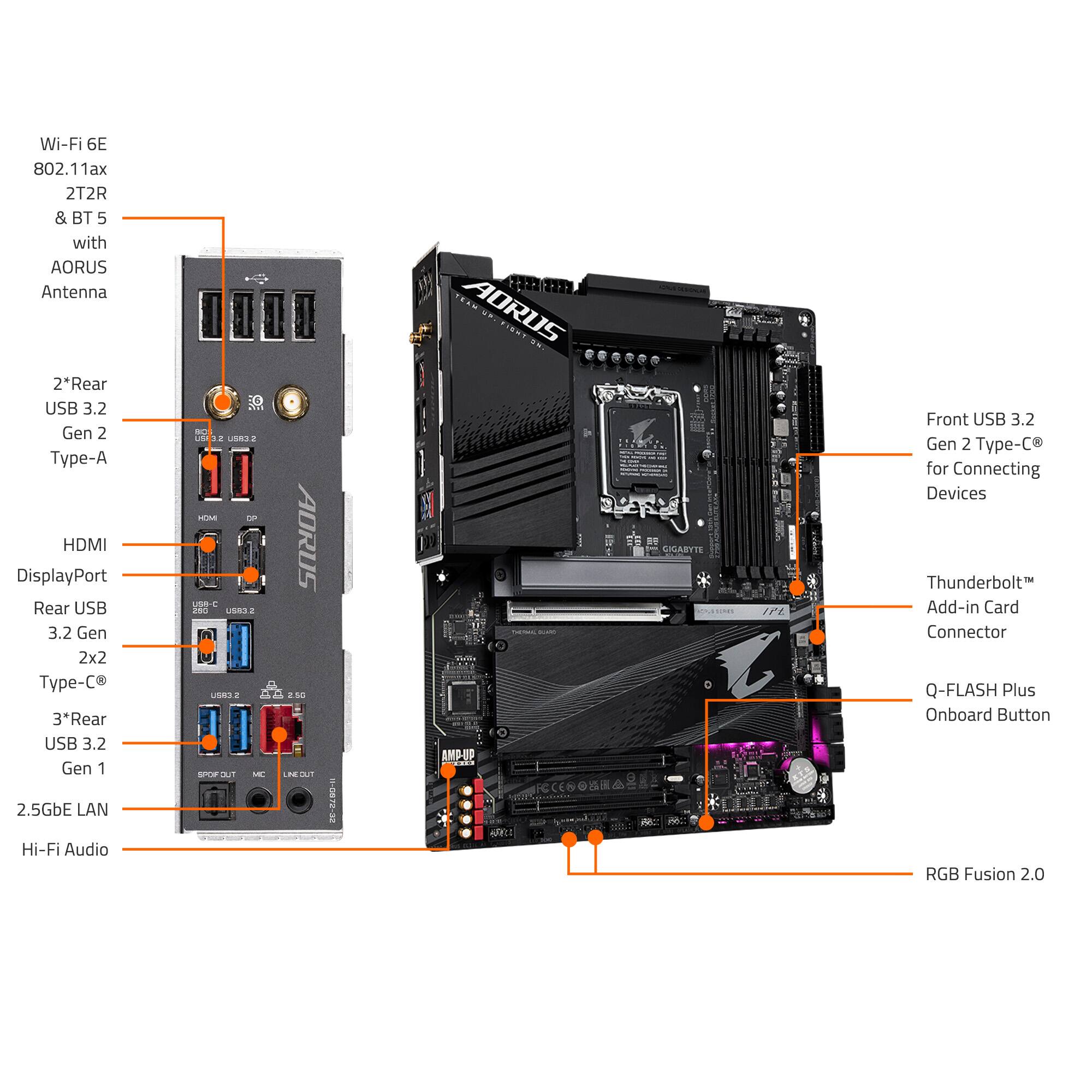
- Model:
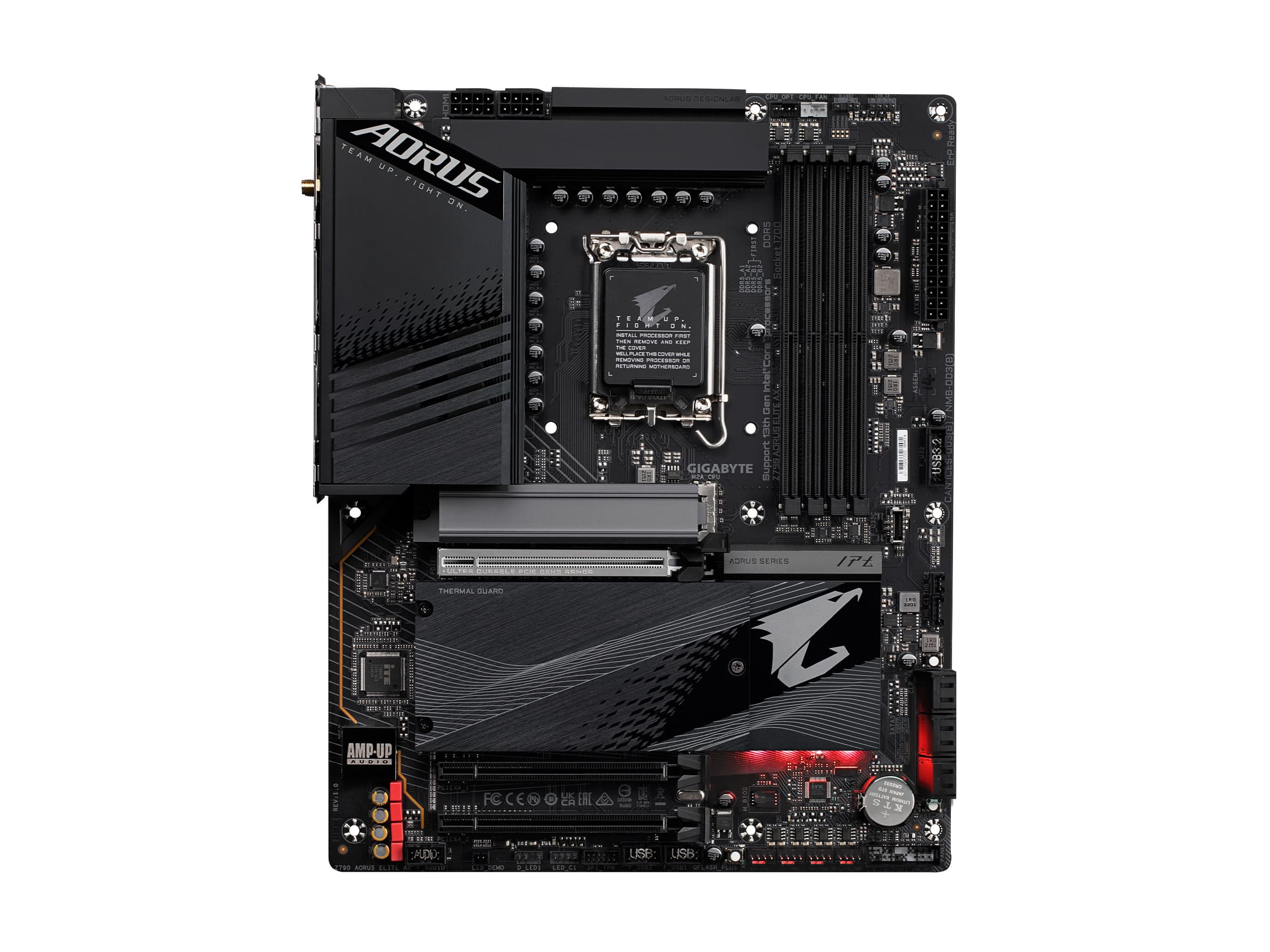
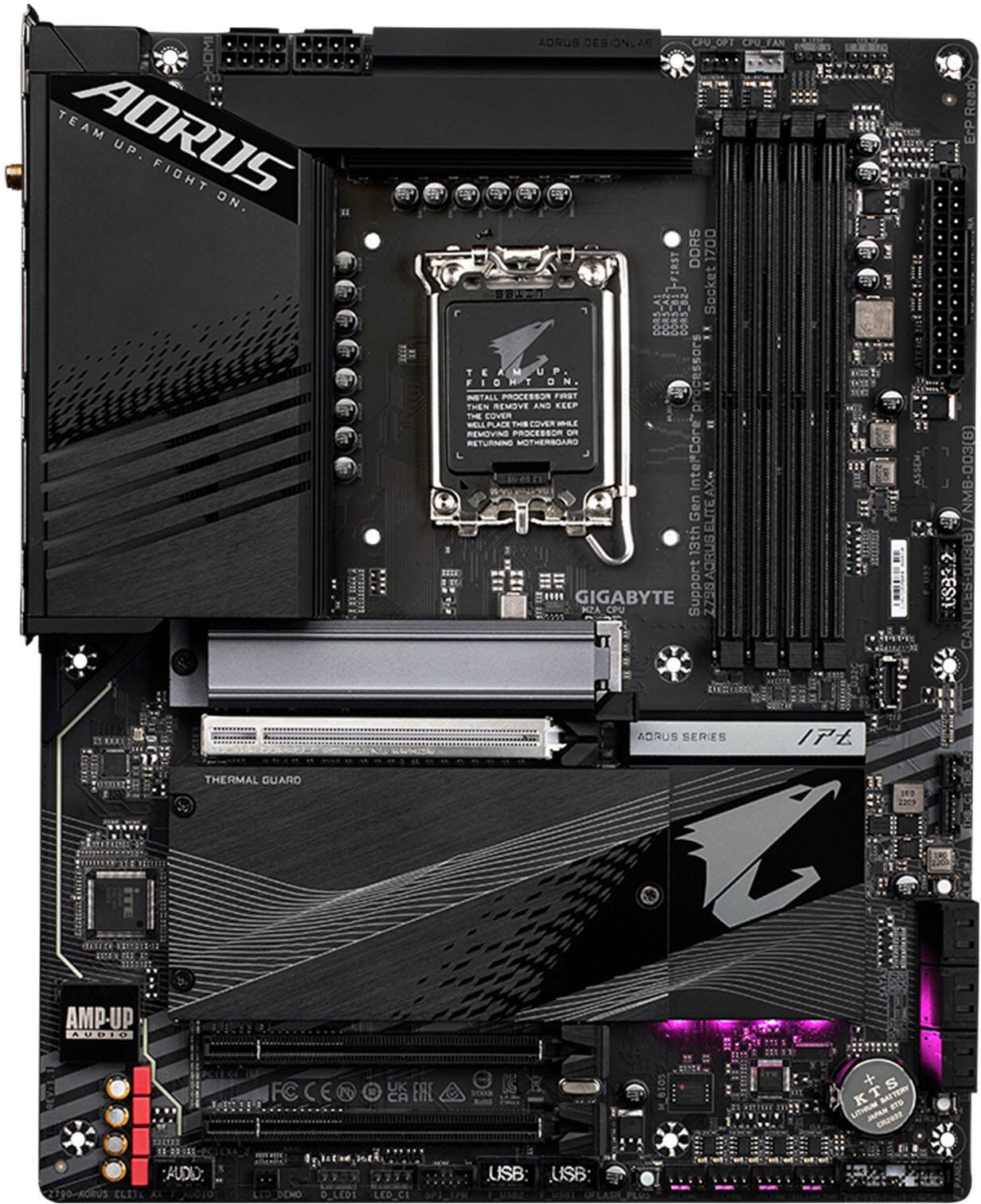
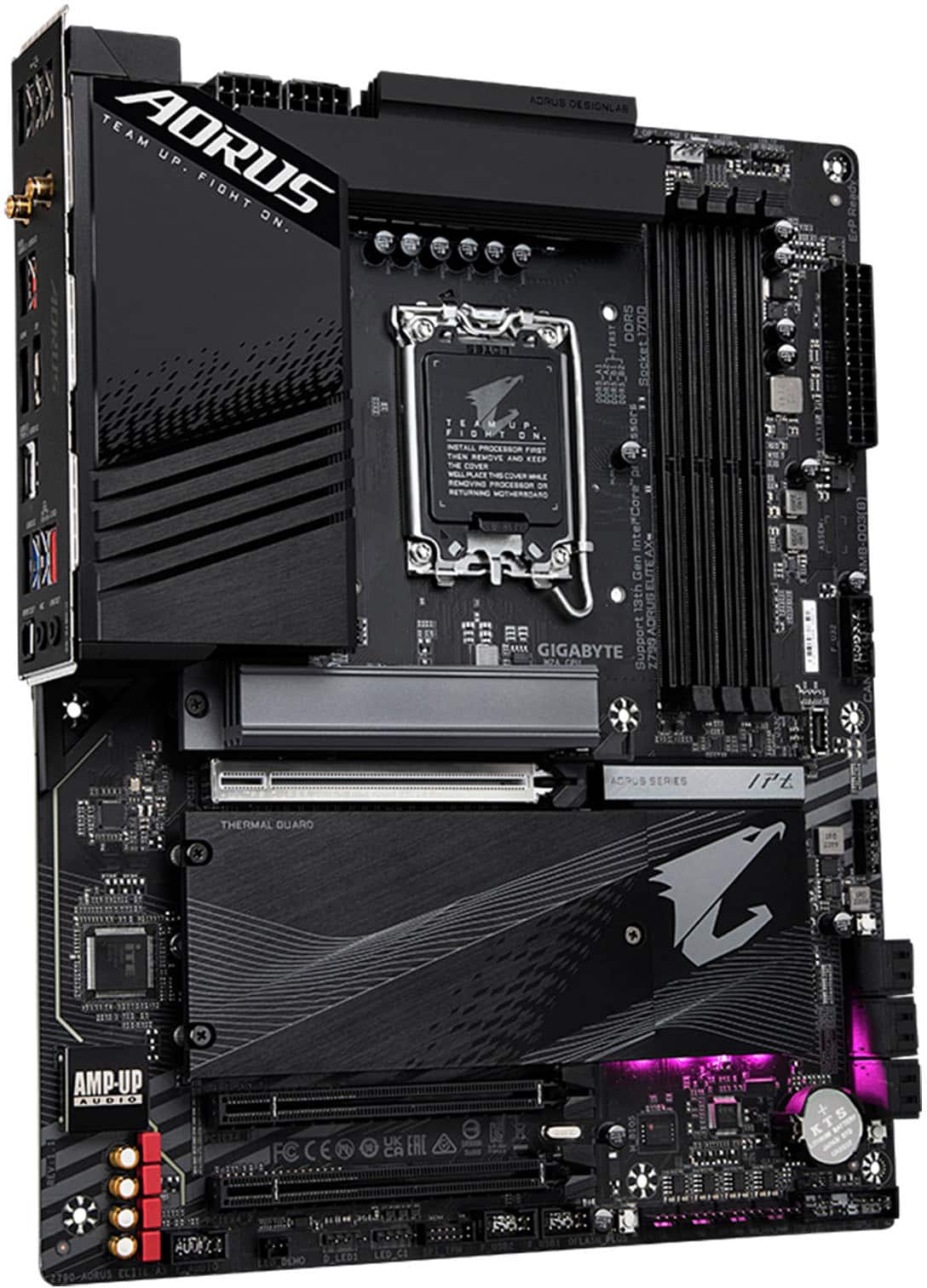
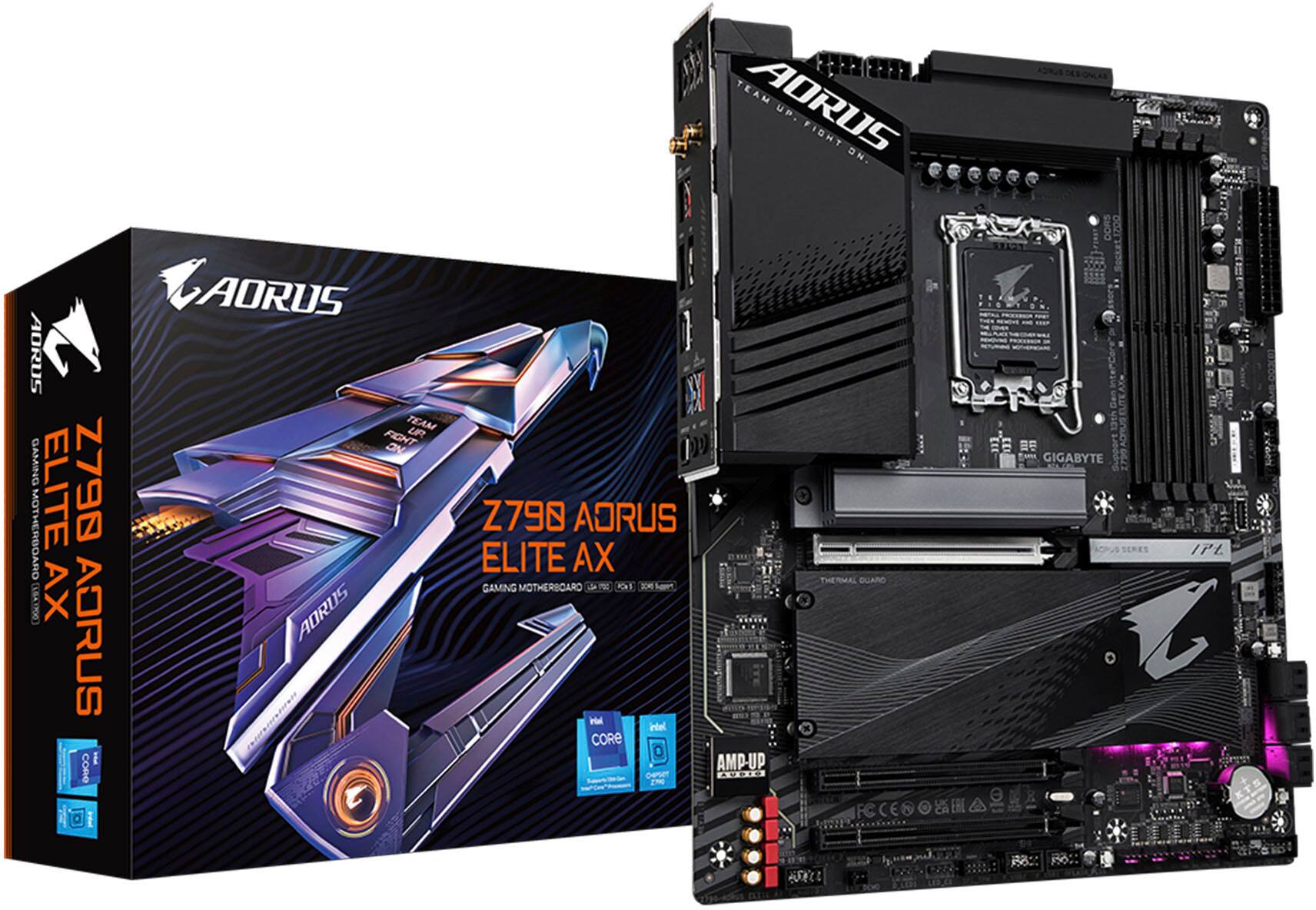
- Z790 AORUS ELITE AX
- SKU:
- 11013359
Rating by feature
- Value
Rating 4.5 out of 5 stars
- Quality
Rating 4.5 out of 5 stars
- Ease of Use
Rating 4.4 out of 5 stars

Great Upgrade!
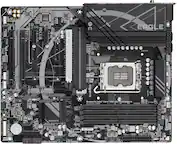
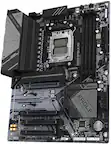
|Posted .This reviewer received promo considerations or sweepstakes entry for writing a review.Getting my hands on the GIGABYTE - Z790 AORUS ELITE AX and unboxing it was an exciting experience! The packaging was sleek and well-designed, with the motherboard securely nestled inside. Along with the board, I found the usual suspects: SATA cables, M.2 screws, a user manual, and a Wi-Fi antenna. The overall presentation was neat, making the unboxing process smooth and satisfying. Look and Feel The Z790 AORUS ELITE AX has a premium aesthetic. The matte black PCB, combined with stylish heatsinks and subtle RGB accents, makes it a great centerpiece for any build. The build quality feels solid, and the layout is well-thought-out, with clear labeling and accessible ports and slots. The integrated I/O shield is a nice touch, adding to the overall clean look. Installation Into PC Case I chose to buy a case from Gigabyte as well. The installation of the Z790 AORUS ELITE AX into the Gigabyte AORUS C500 GLASS case that I chose was pretty straightforward. The C500 GLASS case is spacious and well-designed for easy cable management. The motherboard fit perfectly, and the pre-installed standoffs made the mounting process a breeze. Connecting the front panel connectors, power supply, and other components was hassle-free, thanks to the clear labeling on the motherboard. Next, I installed an Intel Core i5 12th Gen i5-12500 Hexa-core processor. The LGA 1700 socket on the Z790 AORUS ELITE AX was easy to work with, and the CPU dropped into place without any issues. Securing the processor with the retention arm was straightforward, and attaching the cooler was equally simple. The motherboard's robust VRM design ensures stable power delivery to the CPU, which is crucial for maintaining performance. Gaming Tests I put the Z790 AORUS ELITE AX through its paces with some first-person shooters, including Call of Duty and Destiny 2. Using the built-in Wi-Fi 6E, I experienced smooth and lag-free online gaming sessions. The motherboard's networking capabilities are impressive, providing a reliable and fast connection. Both games ran at high settings without any hiccups, and the overall performance was stellar. BIOS Features and Overclocking Capabilities The BIOS on the Z790 AORUS ELITE AX is user-friendly and packed with features. Navigating through the settings was a breeze, thanks to the intuitive interface. Overclocking the Intel Core i5 12th Gen was straightforward, with plenty of options to tweak voltage, frequency, and other parameters. The motherboard's robust power delivery and cooling solutions helped achieve stable overclocks, enhancing overall performance. SSD and NVMe Hard Drive Issues One area where the Z790 AORUS ELITE AX fell short was when using all SSD and NVMe ports simultaneously. I encountered some issues with the system recognizing all drives, particularly when populating all M.2 slots. After some troubleshooting, it became clear that BIOS updates and proper configuration were necessary to resolve these issues. While it wasn't a deal-breaker, it's something to be aware of for users planning to max out storage options. Security Features The Z790 AORUS ELITE AX comes with a range of security features, including TPM support and secure boot. These features provide peace of mind, ensuring that the system is protected against unauthorized access and potential threats. The inclusion of these security measures is a testament to GIGABYTE's commitment to delivering a reliable and secure motherboard. Conclusion Overall, the GIGABYTE - Z790 AORUS ELITE AX is an excellent motherboard for gamers and enthusiasts. It offers a sleek design, robust performance, and a wealth of features that cater to various needs. Despite some minor issues with SSD and NVMe drive compatibility, the motherboard's strengths far outweigh its weaknesses. Paired with the Gigabyte AORUS C500 GLASS case and the Intel Core i5 12th Gen i5-12500, this setup delivers a fantastic gaming experience with plenty of room for customization and expansion.
I would recommend this to a friendHighly recommended
|Posted .This reviewer received promo considerations or sweepstakes entry for writing a review.positive side first, every other component works flawlessly with Windows 10. My board is straightforward. The M.2 slots are user-friendly and screwless. The power, reset, and HD LED cables connect into a larger plug, simplifying installation. I encountered some issues with the build. There was an issue with a bug in the onboard flash program. Using the GUI buttons during the flash process resulted in an error message. I found the fix was to double-click the BIOS file name instead of using the GUI buttons. However, the system wouldn't boot after flashing, requiring a cold boot by unplugging the power cord. Another minor inconvenience is the lack of a physical manual; you need to download a PDF. Womp womp The M.2 SSD installation is incredibly smooth: flip a tiny rotary lever to remove the included heatsink, insert the SSD, push it down, flip another lever, and the SSD clicks into place. The heatsink reattaches just as easily. It's a very slick design. My only gripe is that adding M.2 SSDs after the initial installation requires removing the video card, but that's a minor inconvenience. Overall, it's a great product. During the burn-in test, I maxed out the heat and experienced zero crashes. I’m really pleased with this build and highly recommend it.
I would recommend this to a friendGood MB at a reasonable price.
|Posted .This reviewer received promo considerations or sweepstakes entry for writing a review.The first thing that caught my eye was this is a clean, good-looking motherboard (MB) with a lot of features for the price. Construction of the board looks to be high quality. The PCB (the board that the components are put on) is on the thicker side and doesn't bend noticeably (like some other motherboards I’ve used recently in this price range). Some of the standout features include some heavy duty heat sinks for the MOSFET that help keep the VRM cool. The highest temp I saw while running benchmarks was 36 deg F using an Intel Core i7-12700KF processor. There is also a large heat sink over the primary M.2 SSD. The highest temp I saw on that was in the upper 30’s. There are 3 additional M.2 slots cleanly organized under a nice central cover. The SSD slots have a very convenient thumb latch for retaining the M.2 cards. This is much better than dealing with a tiny screw. The screws that hold SSD covers in place are captive so there is no chance of losing them. There are only 3 expansion slots. These days that’s enough for most people but if you think you might need more, look for something else. When I was assembling my PC, I noticed a few things. First, the back fan on my 2-fan tower cooler hit the rear heat sink. I had to install the fan so that it sits above the top face of the cooler fins. It looks a little odd at first. I prefer these fans to sit flush or even slightly below this face because it looks cleaner to me. This cooler isn’t huge, it’s mid-sized at best. If you are planning on using a tower cooler, make sure it isn’t too large or it might not fit. Second, the main power cable slot and CPU slots are well made. These cables went in easier and are easier to remove when compared any other motherboard I’ve used in the past few years. Other features I really like: (1) It has an integrated IO shield. This makes installing the motherboard so much easier (2) It has a BIOS update USB port so the BIOS/UEFI can be updated without a functional CPU or memory. I’ve used this feature several times in the past. (3) The top PCIe slot has a small extension on the release clip that makes it much easier to remove a graphics card. As a hobbyist who is constantly swapping parts, I wish all motherboards had this feature. After I assembled the PC, it booted right up. Well… after it rebooted 3 times for memory training. The PC went directly to the UEFI BIOS. Here I noticed the memory was not running at the proper speed and timings. This is where I started having problems. This MB, like most, has XMP disabled by default. My memory was detected as 5600mhz. I purchased 6000mhz. I tried changing XMP to one of the profiles in the BIOS. Unfortunately, these settings don’t tell you the settings you are changing to. You are running blind. After the next reboot, the PC locked up. I cleared the CMOS and it booted again. I was able to load the default settings. I tried a different profile and the same thing happened. This time however, I continuously had boot issues even after clearing the CMOS. Eventually, I updated the BIOS to the latest version and that seems to have fixed the boot issue. The BIOS update utility was easy enough to find and use. The update went well despite the PC locking up during the initial restart. Windows 11 installed very quickly. However, a big issue I had with this package is there is no driver disk or memory stick included in the box. You need to go to the Gigabyte Website and download the proper WiFi driver if you don’t have a wired network connection. There were two different drivers and I could not figure out which one was on my MB. I downloaded both. Turns out it’s the Intel WiFi/BT chipset on this MB. I’m lucky that I have other computers to do this but others might not be so lucky. I think all MB’s should have basic drivers included in the box on a thumb drive to help get users going quickly. The WiFi connection was solid and quick once set up. Once I got WiFi working, I did my updates and downloaded the Gigabyte Utilities. Gigabyte Control Center has a clean interface. There isn’t a lot you can do compared to what some other manufacturers provide. However, what it does provide, update information and RGB control, is very easy to use. Of course, they push Norton A/V in the update section but at least you can chose not to install it. I tried some mild overclocking using the included Intel XTU (extreme tuning utility). It seemed to work fine after it was applied. I did a little stress testing. The VRM temps didn’t get above 40 degrees C. CPU temps hit 90 degrees C max with my cheap tower cooler. That’s well below throttling temps. My biggest beef is how XMP is implemented. It’s not as intuitive as it is in other MBs I’ve used recently. In those MB’s, you basically select XMP and then select the proper profile from a list that shows you the speed of the ram and the timings. The exact timings are always displayed. This MB didn’t show the timings in the profiles. It just shows you several profile names and asks you to select one. There is another setting that lets you select timings from a list but none of them matched my memory. I’ve never had this issue before. I need to dig deeper into the manuals to see if I am missing something or to find the proper way to change these settings. There are a bunch more features that I haven’t discussed. There are way too many for a review like this. All-in-all, this is a good motherboard that gave me a few minor issues. Because of these issues, I’m deducting a star but I would recommend it to a friend.
I would recommend this to a friendWorks perfect
||Posted . Owned for 3 weeks when reviewed.This reviewer received promo considerations or sweepstakes entry for writing a review.Good bios, a lot of space for graphic cards. I use it for my workstation and it's pretty good.
I would recommend this to a friendGreat for the Price!
|Posted .This reviewer received promo considerations or sweepstakes entry for writing a review.I was excited to upgrade my motherboard. It was more than fine but the added storage, VRMs, and faster RAM was hard to pass on. I was familiar with the Gigabyte Aorus Z790 Elite family. It was the first time I had ever replaced a desktop motherboard. I was very pleased with the results. Unboxing the Aorus Elite AX, this thing feels like a tank. It felt solid and sturdy. Nothing cheap or flimsy. The first thing I noticed was the heat shields over all 4 SSD slots. This is an upgrade because there are thermal pads to help with heat management also. The motherboard was beautiful. It definitely felt premium to the touch. I was able to get everything hooked back up with no problems. I took my time which took almost 6 hours. I wanted to make sure I did it Right. I only have two SSDs at the moment. If you want to expand to more, I will have to remove the GPU. The Bios was interesting because you get more selection then on my previous prebuilt motherboard bios. All I did was turn on XMP for my RAM. Eventually, I had to adjust my Fan speeds because they were blasting loud. I mean loud which was almost unbearable. Now, I get the full advantage of my I7-14700KF! I mainly will use this for content creation. With the fast RAM speeds and the 4 SSD slots. It is a dream for anyone who wants to video edit. The reason for this I edit large files in 4k. The extra SSD storage slots allow for storage when I pre render files in Resolve Studio. I can now have one 4 TB SSD for cache only. The price isn't that bad either. You also get thunderbolt expansion if you want that. I did encounter one problem which is why I gave the review 4 stars. The main PCI slot latch broke when I removed my GPU for the first time. It still removes but this is supposed to be an extended latch. Yet, I question if it's durable. I didn't put that much pressure on it. Also, I wish there was another fan header by the RAM or CPU. They are all on the bottom. So, I had to run my fan cords in a weird funky way. Overall, this isn't a bad package. It's not budget but also so expensive you can't justify it. You also get RGB light and fan adjustment in the Gigabyte Control Center app. Plenty of USB ports, SSD capacity, and upgradability for RAM
I would recommend this to a friendThis was no
||Posted .This reviewer received promo considerations or sweepstakes entry for writing a review.Works. Alot of usb ports. No issues with the bios. Win
I would recommend this to a friendGood features but failed me after a few weeks
||Posted . Owned for 1 month when reviewed.This reviewer received promo considerations or sweepstakes entry for writing a review.I have no problem with this board in general, it was easy enough to install as all motherboards are, however, after a few weeks of use I started getting crash errors. Ultimately after determining what it was and speaking with PC repair shop and other product experts, it was determined that the board itself had flaws. Perhaps a faulty solder point on the PCI-E bus because once i would start a graphically intense game, any game, I would crash out and be returned to desktop or freeze up and have to restart. After changing out the mother board, problem was gone. SO faulty board for sure but I do have other Gigabyte products in my rig that are working just fine after years of use. Also, do not use the Gigabyte control center(GCC) for anything other than your MOBO updates, after those are complete just delete the program...... it is one of the glitchiest programs I have had the displeasure to work with.
No, I would not recommend this to a friendExcellent Motherboard
||Posted . Owned for 1 week when reviewed.This reviewer received promo considerations or sweepstakes entry for writing a review.Great motherboard with lots of quality features. Very impressed with how easy everything was to install.
I would recommend this to a friendA lot of features at a great price.
||Posted . Owned for 2 weeks when reviewed.This reviewer received promo considerations or sweepstakes entry for writing a review.Its a nice MB that included every feature i reqiuire unlike a lot of the others. A lot of companies make you choose between one feature or another. It was in perfect condition and included everything as an open box buy. Works great.
I would recommend this to a friendMotherboard
||Posted . Owned for 3 weeks when reviewed.This reviewer received promo considerations or sweepstakes entry for writing a review.Just the best in every aspect that you use it the way they made easy installation
I would recommend this to a friendAdd this to your build
||Posted .This reviewer received promo considerations or sweepstakes entry for writing a review.The motherboard works well with i9-14900k (13 & 14th gen) support. Turned on out the box, bios makes sense. Good buy!
I would recommend this to a friendJust wish it had a book
||Posted . Owned for 1 week when reviewed.This reviewer received promo considerations or sweepstakes entry for writing a review.It’s a solid board and looks good as well, the bios is pretty nice to pretty easy to navigate and work in and it’s got a good set of features as well , my biggest qualm is the lack of a physical manual I just prefer to flip to a page and have it in my hands rather than scanning a QR code but that’s just me overall good boad
I would recommend this to a friendGreat Board
||Posted .This reviewer received promo considerations or sweepstakes entry for writing a review.This board is excellent in performance but seems to have a problem with using three screens. It works on two screens but has excellent performance. The Q flash was something new I never experienced until now. I like using Q flash and never had any issues in building my PC
I would recommend this to a friendThis mobo is great
||Posted . Owned for less than 1 week when reviewed.This reviewer received promo considerations or sweepstakes entry for writing a review.I knew my build needed a serious upgrade, and the AORUS motherboard was ready to be the fearless commander of my rig. Setting it up felt like assembling a piece of military-grade tech. Everything from the sleek armor plating to the neatly organized ports screamed “performance powerhouse!” As soon as I fired it up, my PC came to life like a beast waking from hibernation. This board handles my Ryzen like a pro, giving it the room it needs to stretch its legs without so much as a hiccup in performance. Gaming? Butter smooth. Streaming? Effortless. And, yeah, I might’ve geeked out over the customizable RGB—because let’s be real, a little light show never hurt anybody. Only downside? The BIOS could use a revamp.
I would recommend this to a friendLooks great
||Posted . Owned for 6 months when reviewed.This reviewer received promo considerations or sweepstakes entry for writing a review.It worked out of the box the price it okay and it looks good enough for me and has all the necessary features
I would recommend this to a friendAwesome board
||Posted . Owned for 4 months when reviewed.This reviewer received promo considerations or sweepstakes entry for writing a review.I bought an asus rog board before this and had nothing but blue screens constantly. Ruled it out as a faulty mobo. I went to best buy and they only had this one in stock for my i7 and it has been phenomenal. Zero issues a ton of nvme slots. And great argb
I would recommend this to a friendGreat upgrade over oem board
||Posted . Owned for 2 weeks when reviewed.This reviewer received promo considerations or sweepstakes entry for writing a review.I replaced my acer oem board with this one and i gotta say its been amazing to see the jump in performance my rig has shown. Ive gotten lower remps overal and im now able to utilize intel xmp and set timings on the ram and use the speeds on the SSD'S also. Worth the price
I would recommend this to a friendJG PC
||Posted . Owned for 2 months when reviewed.This reviewer received promo considerations or sweepstakes entry for writing a review.Great card for a budget build. Has everything you need. Worked flawlessly.
I would recommend this to a friendWorth the extra price
||Posted .This reviewer received promo considerations or sweepstakes entry for writing a review.In my previous build, I went for the cheapest MOBO I could find which got the job done. I decided to spend a bit more this time around and I must say it was 100% worth it. It feels and looks a lot better. The IO shield is built in which looks amazing and saves you the headache of aligning. It has plenty of m.2 slots and plenty of USBs and ports, including USB C. Also it has subtle RGB which looks so good.
I would recommend this to a friendA good motherboard for an affordable price.
||Posted .This reviewer received promo considerations or sweepstakes entry for writing a review.I got this motherboard to build a second production PC for my friend. It's a great option if you want a motherboard with native graphics (i.e. one that doesnt require an extra graphics card to run) but still has some slots available for upgrades. The motherboard is affordable and easy to work with, with everything clearly labeled. It's a great option if you wanna build something powerful but NOT break the bank in the process.
I would recommend this to a friend