Customer Ratings & Reviews















- Model:
- GA01894-US
- SKU:
- 12312664
Rating by feature
- Value
Rating 4.0 out of 5 stars
- Quality
Rating 4.3 out of 5 stars
- Ease of Use
Rating 4.3 out of 5 stars
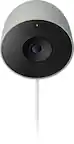
Google nest indoor out door security camera
||Posted . Owned for 1 month when reviewed.This reviewer received promo considerations or sweepstakes entry for writing a review.Very nice compact security camera.easy to install .covers a wide range view .
I would recommend this to a friendGoogle camera
||Posted . Owned for 2 weeks when reviewed.This reviewer received promo considerations or sweepstakes entry for writing a review.Great camera big fan of Google products only one thing i didn't like is that my old cameras are on nest app and these can't be on nest they have to be on Google home app
I would recommend this to a friendGreat addition to Google Home
||Posted . Owned for 2 months when reviewed.This reviewer received promo considerations or sweepstakes entry for writing a review.Some people may not like the Google Home integration but I personally love being able to have all my devices accessible in one. Works as intended, especially with Nest Aware subscription. Haven't had to charge too many times yet and alerts work great.
I would recommend this to a friendUnable to connect it to the wifi.
||Posted . Owned for less than 1 week when reviewed.This reviewer received promo considerations or sweepstakes entry for writing a review.I own all google products and never had a problem with any of them till i bought these. All three refuse to connect to the wifi. Reset and tried multiple times. Called google and that was useless. Called starlink and that was useless. I have done everything that was suggested while trying to research and find a solution with no luck. Supoosed to be an easy setup and its been anything but such.
No, I would not recommend this to a friendBrand response from Google Nest Support
Posted .Hey there, Danatpap. Sorry to hear you’re running into connection issues while setting up your Nest Cam (Battery). Here’s some troubleshooting tips to get your device connected:
1. Make sure you have the latest version of the Google Home app or Nest app to get the latest features and bug fixes.
2. Your main router sometimes has a better connection than your network extenders. Also, if your camera tries to connect to an incompatible extender, it can experience connection issues.
3. Restart your router, modem, and any Wi-Fi range extenders or repeaters that you have.
For more tips, here’s a link: https://support.google.com/googlenest/answer/9240048
Don’t hesitate to contact us any time: https://support.google.com/googlenest/gethelp
Efficent installation
||Posted . Owned for 2 months when reviewed.This reviewer received promo considerations or sweepstakes entry for writing a review.Was quick and easy to setup with a lil drilling and setting, the magnetic stand made it easy to mount. Software changes made it a bit difficult to pair with exisitng home cameras
I would recommend this to a friendBrand response from Nest Support
Posted .Hi there, AppleD. Thanks for sharing a review on Nest Cam (Battery). It's great that you had an easy time installing it. However, we're sorry to hear that you're having a difficult experience pairing it with other Nest cameras.
Here are some steps you can try out that may be helpful with the issue:
- Ensure that all your devices are connected to the same Wi-Fi network.
- Check for possible congestion in your network. You can verify this by disconnecting some of the devices that are connected to your network. You may then check if you will be able to see all your Nest cameras on the Home app.
- Check for possible sources of interference. The thick walls and the different appliances in your home may affect the Wi-Fi signal between your devices and router. Ensuring that there are no sources of signal interference will help improve the signal strength for your Nest cameras.
- If you're using the Nest app to manage your older Nest cameras, you may have the option to set them up on the Google Home app. Check out this help article to learn more: https://support.google.com/googlenest/answer/9893532
We'd be happy to assist you with any other concerns you have on your Google Nest cameras. You may reach out to our support team using this link: https://support.google.com/googlenest/gethelp
security cameras
||Posted . Owned for 3 months when reviewed.This reviewer received promo considerations or sweepstakes entry for writing a review.they're great, good battery life. fast recharge. clear video
I would recommend this to a friendBest set up
||Posted . Owned for 3 months when reviewed.This reviewer received promo considerations or sweepstakes entry for writing a review.Great quality. Easy to set up. Very easy to use with quick notifications. We have multiple of these cameras and love them.
I would recommend this to a friendGreat
||Posted . Owned for 2 months when reviewed.This reviewer received promo considerations or sweepstakes entry for writing a review.Great camera awesome video quality and easy to use with app
I would recommend this to a friendOutdoor security system
||Posted . Owned for 2 months when reviewed.This reviewer received promo considerations or sweepstakes entry for writing a review.Clear picture and 2 way sound. We get a lot of rain and wind. They have held up well
I would recommend this to a friendSimple set up, great quality
||Posted . Owned for 1 week when reviewed.This reviewer received promo considerations or sweepstakes entry for writing a review.Easy to install and set up. Super strong magnets, only one charger in 2 pack kinda sucks but another cable is less than $20 and the batteries last for months on a charge.
I would recommend this to a friendQuick and easy
||Posted .This reviewer received promo considerations or sweepstakes entry for writing a review.Great purchase for our house we easy install and ready to set up
I would recommend this to a friendAwesome Cameras
||Posted . Owned for 3 weeks when reviewed.This reviewer received promo considerations or sweepstakes entry for writing a review.These are great cameras. They were a breeze to setup, the battery charge lasts for months, they see great in the dark. I couldn't be happier
I would recommend this to a friendNest is great
||Posted . Owned for 5 months when reviewed.This reviewer received promo considerations or sweepstakes entry for writing a review.These are great. I bought these before I probably should have, as I didn't research, but it was not an issue. Great quality. Need another couple sets.
I would recommend this to a friendBrand response from Nest Support
Posted .Hi Polarbear, thanks for posting your feedback. We’re glad that you find Nest Cam (battery) great. Your feedback is important to us and your satisfaction is what drives us in improving our products and services. If you need any assistance, you can always reach out to our support team. We’d be more than happy to help you here: https://support.google.com/googlenest/gethelp
Love the base
||Posted . Owned for 1 month when reviewed.This reviewer received promo considerations or sweepstakes entry for writing a review.Very easy install. Love the magnet base, makes adjusting the camera very easy. I plan to get a couple more.
I would recommend this to a friendNot bad
||Posted . Owned for 3 weeks when reviewed.This reviewer received promo considerations or sweepstakes entry for writing a review.So far so good. We have had some serious wind the last few weeks and the magnetic mount held the camera in place just fine. Video quality is not terrible, you can't expect imax quality with a 1080p camera. I like it enough that I do plan on getting another for the other side of the house when they go on sale again.
I would recommend this to a friendGreat camera!
||Posted . Owned for 1 month when reviewed.This reviewer received promo considerations or sweepstakes entry for writing a review.Great product! Easy to install and download Google home. This works perfectly in our business to look at the live feed to keep us updated on everything that’s going on.
I would recommend this to a friendNest Camera Battery
||Posted . Owned for 1 week when reviewed.This reviewer received promo considerations or sweepstakes entry for writing a review.Awesome and easy to install with the app, taught my aunt how to use with ease!
I would recommend this to a friendNest Cam Battery
||Posted . Owned for 3 weeks when reviewed.This reviewer received promo considerations or sweepstakes entry for writing a review.Works well & very easy to set up. The Google home app is also very easy to use & manage all devices
I would recommend this to a friendDoes its job
||Posted . Owned for 1 month when reviewed.This reviewer received promo considerations or sweepstakes entry for writing a review.Cameras are ok. The video quality could be better especially the night vision. Wish the angle was wider like the competitors. Overall it does its job.
No, I would not recommend this to a friendBrand response from Nest Support
Posted .Hey there, JacJac! We appreciate your feedback and we’re glad that you like the Nest Cam (battery). We hear your concerns about having a wider field of view along with its night vision feature, and we’d be happy to share this with the right team for future improvements. Meanwhile, there are different factors that can affect the Night Vision. Try to angle your camera away from bright lights, or to install the camera in a shady spot. You should also make sure that any nearby surfaces or objects (like a wall) are out of view, since the camera’s infrared light can reflect off a surface. You can also try the simple steps outlined at the following link: https://support.google.com/googlenest/answer/9259738
For more help, our support team can guide you with further troubleshooting steps here: https://support.google.com/googlenest/gethelp
Nest wireless camera
||Posted . Owned for 1 month when reviewed.This reviewer received promo considerations or sweepstakes entry for writing a review.Great camera and great features. I like the the easy access on the mobile app
I would recommend this to a friend