Customer Ratings & Reviews

- Model:
- GA02077-US
- SKU:
- 11252885
Rating by feature
- Value
Rating 4.0 out of 5 stars
- Quality
Rating 4.3 out of 5 stars
- Ease of Use
Rating 4.3 out of 5 stars
Save Your Money
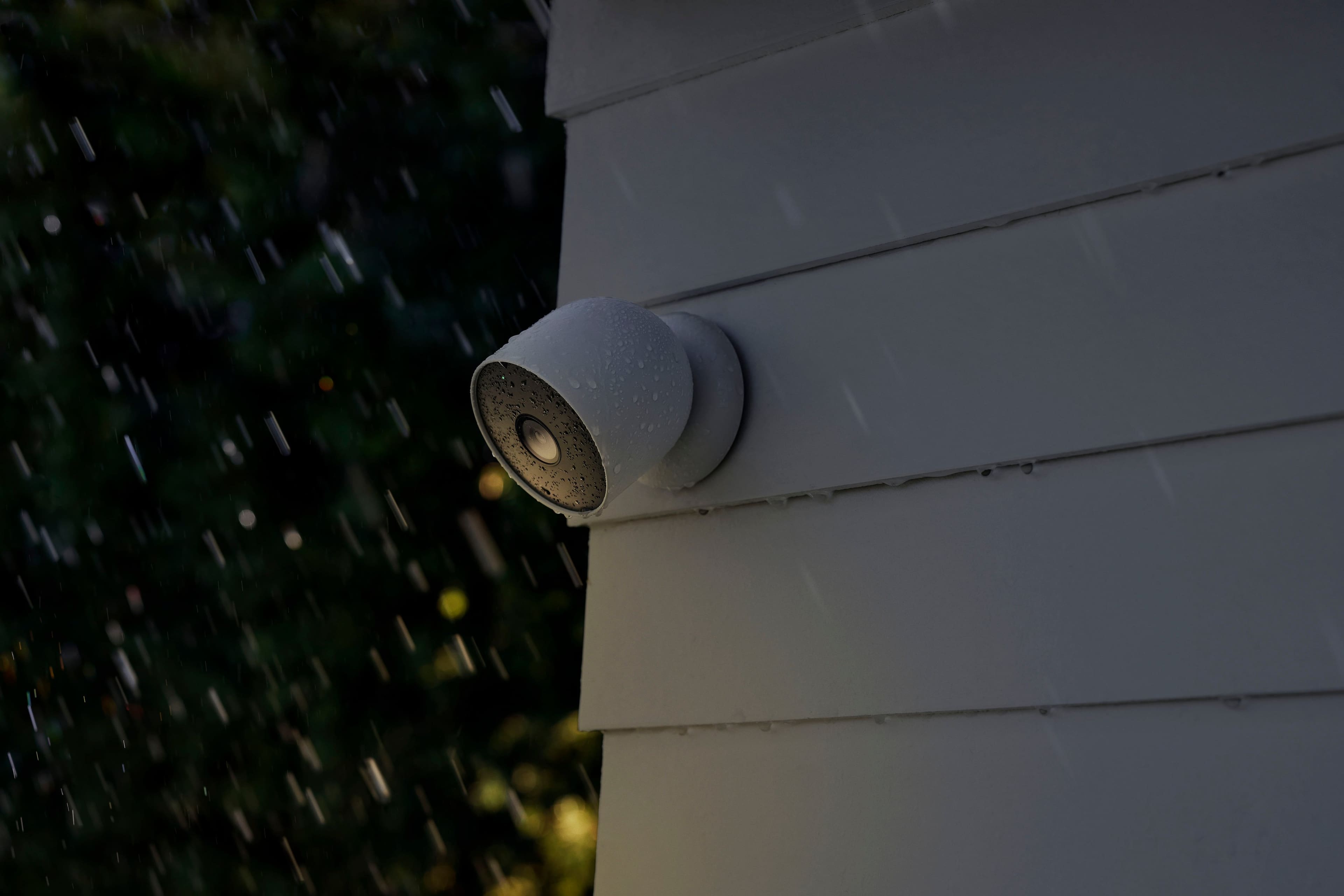
Posted .This reviewer received promo considerations or sweepstakes entry for writing a review.It works until it rains. They saved money on cheap rubber seals.
No, I would not recommend this to a friendBrand response from Nest Support
Posted .Hi there, DevinM. Thanks for sharing your feedback on Nest Cam (battery), and we’re sorry to hear about your experience. This camera works best in environments between -4°F and 104°F (-20°C and 40°C). Avoid extreme temperatures as they can damage the device. While the camera is built to handle rain, dust, and other outdoor elements (IP54 rating), it's not waterproof. Don't immerse it in water or expose it to heavy rain for extended periods. Weather resistance can decline over time due to wear and tear, repairs, or damage, so make sure not to submerge the camera or expose it to direct liquids. This can cause short circuits and overheating. The charging cable isn't weatherproof either, so keep it protected from moisture.
We’d be happy to help you in any way we can. You can contact us anytime so we can investigate your concern and provide you with assistance here: https://support.google.com/googlenest/gethelp
Nice Cameras
||Posted . Owned for 1 month when reviewed.This reviewer received promo considerations or sweepstakes entry for writing a review.Nice Cameras. They work well with the Nest hub. Recommend getting the longer record savings.
I would recommend this to a friendGood buy
||Posted . Owned for 9 months when reviewed.This reviewer received promo considerations or sweepstakes entry for writing a review.Love this camera works well with my Google home system
I would recommend this to a friendNest wireless cameras
||Posted . Owned for 2 weeks when reviewed.This reviewer received promo considerations or sweepstakes entry for writing a review.Good clarity. Responds quickly to activity and notifies on the phone and Max.
I would recommend this to a friendSuperior Product
||Posted . Owned for 3 months when reviewed.This reviewer received promo considerations or sweepstakes entry for writing a review.Nest is superior. It’s a little more high end than Ring, but integrates well with Google Home.
I would recommend this to a friendNice accessory
||Posted . Owned for 8 months when reviewed.This reviewer received promo considerations or sweepstakes entry for writing a review.Awsome product, outstanding service, flawless online purchase
I would recommend this to a friendGreat product!
||Posted . Owned for 1.5 years when reviewed.This reviewer received promo considerations or sweepstakes entry for writing a review.It’s been more than a year and I loved the product. All worked fine and smoothly.
I would recommend this to a friendGood camera
||Posted . Owned for 1 month when reviewed.This reviewer received promo considerations or sweepstakes entry for writing a review.Good security camera to have at your business or home
I would recommend this to a friendGreat addition to my home security system!
||Posted . Owned for 3 weeks when reviewed.This reviewer received promo considerations or sweepstakes entry for writing a review.It's been 27 days since my purchase. The camera is in my garage and at the time of this review, it's at 83% charge! I think That's Great!
I would recommend this to a friendAmazing camera
||Posted . Owned for 1 month when reviewed.This reviewer received promo considerations or sweepstakes entry for writing a review.This is my best choice. Alert Notification is almost real-time and sensitivity is perfect.
I would recommend this to a friendNest camera
||Posted . Owned for 1 week when reviewed.This reviewer received promo considerations or sweepstakes entry for writing a review.These are awesome and wirk even better with solar panel to keep battery charged
I would recommend this to a friendGR8 security camera
||Posted . Owned for 3 weeks when reviewed.This reviewer received promo considerations or sweepstakes entry for writing a review.A must have in every homes and businesses, they look really nice too…
I would recommend this to a friendWorks seamlessly with google home.
||Posted . Owned for 2 weeks when reviewed.This reviewer received promo considerations or sweepstakes entry for writing a review.Very easy to set up. Great phone app that works seamlessly with Google Home.
I would recommend this to a friendCameras
||Posted . Owned for 3 months when reviewed.This reviewer received promo considerations or sweepstakes entry for writing a review.This 2 pack of battery google cameras work great and last a decent amount of time
I would recommend this to a friendGoogle battery cam
||Posted . Owned for 1 month when reviewed.This reviewer received promo considerations or sweepstakes entry for writing a review.Really like it its a great cam. I use it in the inside. Battery its good last about 2 months.
I would recommend this to a friendGood Camera Overall
||Posted . Owned for 2 weeks when reviewed.This reviewer received promo considerations or sweepstakes entry for writing a review.Decent battery life. Works well with the google home app.
I would recommend this to a friendGoogle cam
||Posted . Owned for 3 weeks when reviewed.This reviewer received promo considerations or sweepstakes entry for writing a review.Works perfect I love the Google echo system app is super sleek and they are consitently updating it.
I would recommend this to a friendUsing as baby monitors
||Posted . Owned for 5 months when reviewed.This reviewer received promo considerations or sweepstakes entry for writing a review.Using this indoors to monitor our baby. Love the fact that they are battery ones and the battery lasts a long time!
I would recommend this to a friendHot Garbage
||Posted . Owned for 1 year when reviewed.This reviewer received promo considerations or sweepstakes entry for writing a review.Don’t waste your money. Have owned these for barely over a year. Recently had to change wifi router and password. These will not reconnect. Multiple factory resets, days wasted trying to figure it out. Just good for dummy cameras now. Sad and pathetic. Go with any other brand but these,
No, I would not recommend this to a friendBrand response from Nest Support
Posted .Hi there, DJmigra. Thanks for sharing your feedback. We're sorry to hear that you're having some difficulty connecting Nest Cam (Battery) after changing your router.
Nest Cam (Battery) supports 802.11a/b/g/n Wi-Fi standard and works on typical dual band 2.4 GHz and 5 GHz routers. It also supports WEP, WPA, WPA2, WPA3 security encryption. You may want to check on your router's specification and security encryption that you're using. If the issue isn't related to either the Wi-Fi specification or security encryption, then we may need to have a close look at your device. We value your experience with our products and we'd like to offer the best help possible. Please feel free to reach out to our support team for further help with your concern via our help page here: https://support.google.com/googlenest/gethelp
cameras are difficult
||Posted . Owned for 6 months when reviewed.This reviewer received promo considerations or sweepstakes entry for writing a review.I have five cameras including my door bell. If i lose the signal in my home, its a nightmare getting them back on line. I have to remove them from my phone app, take pics of the QR codes and try to hook them up again. This is a royal pain.
No, I would not recommend this to a friendBrand response from Nest Support
Posted .Hello there, thanks for letting us know about your Google Nest Cam Indoor/Outdoor going offline. We want to let you know, there are a couple of things to keep in mind: your cameras should be no more than 25 feet away from the WiFi router and be aware that some devices can interfere with your camera's Wi-Fi signal, such as microwaves, baby monitors, and mirrors. If you have any other concerns please contact us here: https://support.google.com/googlenest/gethelp?sjid=6233883891793073660-NA