Customer Ratings & Reviews











- Model:
- GA03690-US
- SKU:
- 10145587
Rating by feature
- Setup
Rating 4.6 out of 5 stars
- Range
Rating 4.5 out of 5 stars
- Signal Strength
Rating 4.4 out of 5 stars
- Pros mentioned:Coverage, Setup
Simple as it should be
||Posted . Owned for 1 week when reviewed.This reviewer received promo considerations or sweepstakes entry for writing a review.Easy setup, good coverage and it doesn't have to look like a stealth aircraft.
I would recommend this to a friend Google stick to Software
||Posted . Owned for 3 months when reviewed.This reviewer received promo considerations or sweepstakes entry for writing a review.For anyone thinking about whether you should buy this Google Wi-fi Pro 6e or the Eero Pro 6e, I will tell you which one is the best. I had the experience and opportunity to use both and let's begin. I used these Google Wi-fi Pro 6e (3 pack) for about 2 months and even though you get wifi the range is not too good. I was thinking it was on my end until I decided to buy the Eero Pro 6e and instantly my internet range, and performance skyrocketed. Using Google strictly on Wi-fi my downloads were about 18mbps, Using Google as a wired mesh connection my downloads were 20mbps. Not very good at all either way. Now, switching to Eero Pro 6e my wi-fi speeds were around 184mbps, When I tried the wired mesh connection with Eero Pro 6e my speeds went to 526mbps almost triple my speeds. The range I was getting using Google was I could walk out my door outside and that's it. Using Eero I can go down the street around the block and then some before I lose connection. I get full wifi bars on all my devices using Eero and no one complained since getting the Eero. I have over 5,000 square feet of home and I used 4 Eero Pro 6e. I am really enjoying and glad I got the eeros now. Google Wifi pro 6e is okay and it's not bad and cheaper than the Eero but Eero pro 6e is by far a better product than Google. I used them both and can confidently say which one is better.
No, I would not recommend this to a friend- Pros mentioned:Ease of use
Best router I have found
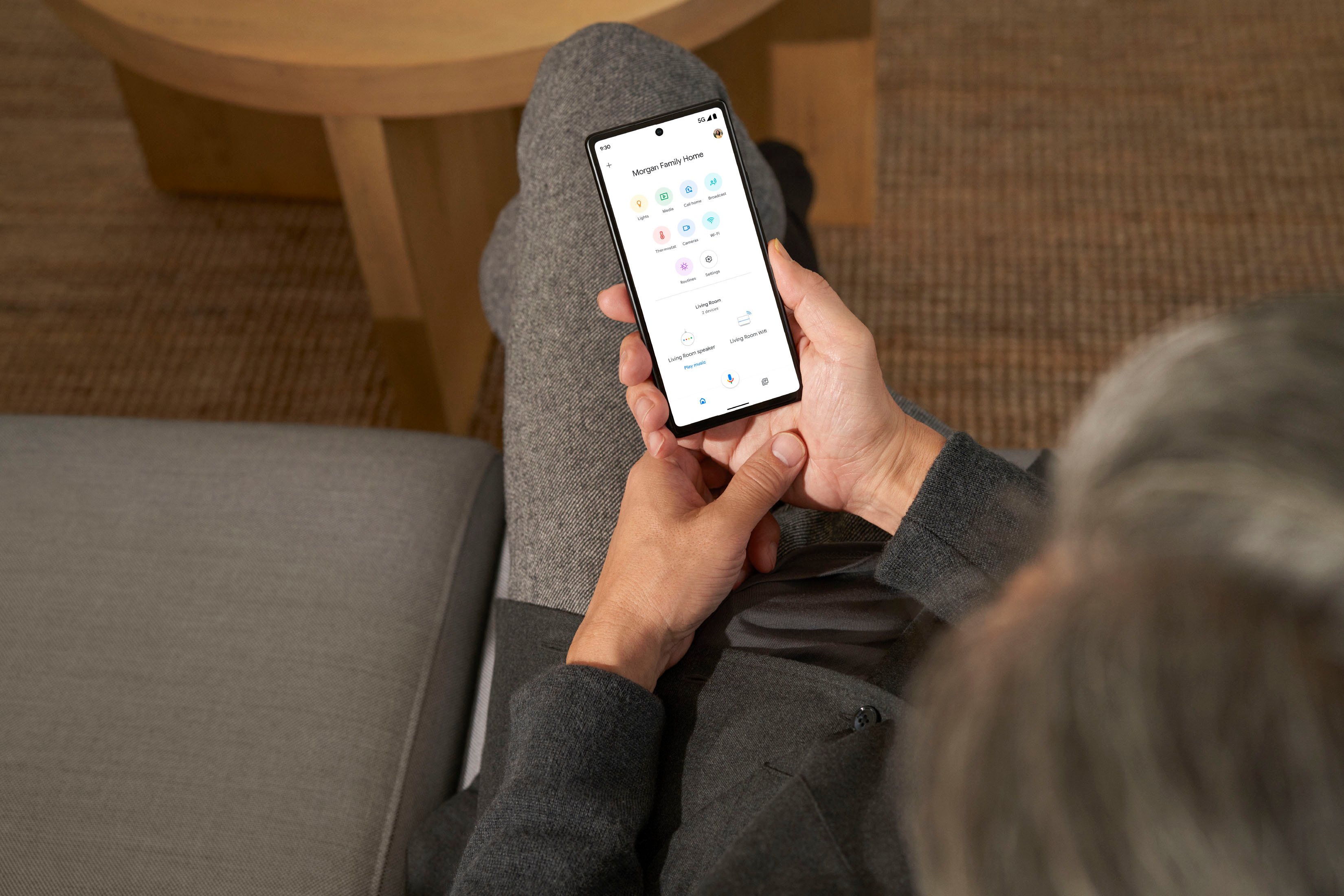
||Posted . Owned for 2 months when reviewed.This reviewer received promo considerations or sweepstakes entry for writing a review.Easy to set up via Google Home App. Replaced router with extenders- good job in reaching far corners of the house.
I would recommend this to a friend - Pros mentioned:Ease of use
Wi fi extender and mesh
||Posted . Owned for 3 weeks when reviewed.This reviewer received promo considerations or sweepstakes entry for writing a review.Easy to install and great range. Covers the whole house
I would recommend this to a friend - Pros mentioned:Coverage, Ease of use
Mesh network
||Posted . Owned for 2 months when reviewed.This reviewer received promo considerations or sweepstakes entry for writing a review.Easy to set up this mesh network. The wifi network area seems larger than advertised.
I would recommend this to a friend - Pros mentioned:Setup
Great addition to our Wi-Fi.
||Posted . Owned for 1 week when reviewed.This reviewer received promo considerations or sweepstakes entry for writing a review.Great improvement over the last version. The setup was super easy and reliability is great. Have not had any hiccups since setup. Plays well with all of our devices, new and old. Great backwards compatibility.
I would recommend this to a friend - Cons mentioned:Connectivity
Bless this Mesh
||Posted . Owned for 1 month when reviewed.This reviewer received promo considerations or sweepstakes entry for writing a review.Great product. I was getting a weak connection upstairs with my old WiFi. So, I did some research online, then went in to Best Buy and a blue shirt guy helped me decide on this one. Total Tech came and set it up for me (not sure I would have been able to hook it up on my own). I have one plugged in downstairs at the cable modem, and one plugged in upstairs in my home office. Now I'm getting the strong, secure WiFi connection I need. These look really nice, too.
I would recommend this to a friend - Pros mentioned:Speed
Nest wifi pro
||Posted . Owned for 1 month when reviewed.This reviewer received promo considerations or sweepstakes entry for writing a review.Nest wifi pro is a good router but nothing drastically different from Nest wifi. Speeds will be similar if you are connecting 1 to the modem router and others as wifi points. On the downside no Google home speakers in any of the points. wifi 6e speeds are better but depends on if one can really take advantage of same.
I would recommend this to a friendBrand response from Nest Support
Posted .Hi there, Anurag. Thanks for the feedback. We’re glad that you find the Nest Wifi Pro good, but we’re sorry to learn that your experience has not exceeded your expectations. We also hear your concern about the speaker functionality, however, after thorough research and feedback from customers and retail partners, we’ve learned users appreciate a dedicated networking system. Removing the Google Assistant speaker allows us to expand our reach and offer Nest Wifi Pro at a more affordable price point.
The placement of your Wi-Fi router and points is vital to have reliable Wi-Fi throughout your home. As a general rule, points work best when they’re no more than two rooms away from each other. For example, if the far end of your house has weak Wi-Fi, don’t put a Wifi point in that exact spot. Instead, put it part way in that direction. Try to place it in an elevated position like on a shelf.
You can also try these steps below that may help:
- Move the connected device closer to your Wifi router or point.
- Repositioning the points to avoid obstructions like walls, doors, and aquariums can improve performance.
- Make sure all unused devices are off and not draining bandwidth with large downloads.
- Check for possible sources of interference such as microwave ovens, refrigerators or other equipment.
- Run a mesh test to confirm placement of your Wifi points.
If additional help is needed, don’t hesitate to contact us here: https://support.google.com/googlenest/gethelp
Not in original box
||Posted .This reviewer received promo considerations or sweepstakes entry for writing a review.So far so good, but I was surprised they didn’t come in the original box and just came in a plastic bag, but I have the parts were there
I would recommend this to a friend- Pros mentioned:Coverage
Great router
||Posted .This reviewer received promo considerations or sweepstakes entry for writing a review.Great router with great coverage seamless setup and use
I would recommend this to a friend No control over network selection for paired devic
||Posted .This reviewer received promo considerations or sweepstakes entry for writing a review.I got a new router because I wanted my smart home devices to be connected to a 2.5 gig network and my gaming console and laptop and other media devices to be on the 5 gig channel. But the router does not allow any real Admin modification. There is no way you can choose to apply a specific network speed for a specific device.
No, I would not recommend this to a friendBrand response from Google Team
Posted .Hi there, wriddhi. Sorry to see the Nest Wifi Pro wasn’t quite what you were looking for. We’d be happy to help answer any questions or concerns you may have about the device and make sure you’re getting the best experience you can — don’t hesitate to reach out to us here: https://support.google.com/googlenest/gethelp

Range extender
||Posted . Owned for 2 weeks when reviewed.This reviewer received promo considerations or sweepstakes entry for writing a review.Was well worth the purchase. Eliminates my dead WiFi zones.
I would recommend this to a friend- Pros mentioned:Coverage, Ease of use
Google mesh network upgrade for HOME WIFI
||Posted . Owned for 1 month when reviewed.This reviewer received promo considerations or sweepstakes entry for writing a review.Excellent coverage in my house. Easy to in install even for a tech novice. Affordable and a great buy!
I would recommend this to a friend - Pros mentioned:Coverage, Setup
Wifi extender that works well.
||Posted . Owned for 3 months when reviewed.This reviewer received promo considerations or sweepstakes entry for writing a review.These are very good and setup easily. They also look very nice. The coverage is excellent.
I would recommend this to a friend - Pros mentioned:Ease of use
Very easy and fast to get all setup
||Posted . Owned for 1 month when reviewed.This reviewer received promo considerations or sweepstakes entry for writing a review.Very easy to setup and maintain. I set these up for my Mom as she was having to stand in 1 place in her house to talk on the phone. Now with the Nest and wifi calling, her phone works everywhere.
I would recommend this to a friend - Pros mentioned:Speed
Superfast Wifi
||Posted . Owned for 1 month when reviewed.This reviewer received promo considerations or sweepstakes entry for writing a review.Great speed, I mean, I have the need for speed and these puppies deliver.
I would recommend this to a friend - Pros mentioned:Overall performance
Google Nest
||Posted . Owned for 9 months when reviewed.This reviewer received promo considerations or sweepstakes entry for writing a review.Excellent modem router and provides me seamless experience.
I would recommend this to a friend - Pros mentioned:Speed
Hands down best mesh on the market
||Posted . Owned for 1 month when reviewed.This reviewer received promo considerations or sweepstakes entry for writing a review.Wish I got this a long time ago. I have seen a huge difference with my WiFi speed. I can finally connect multiple things to my WiFi and my stream speed is not effective. I will recommend this to anyone over the other mesh products out there.
I would recommend this to a friend - Pros mentioned:Overall performance
Google Mesh works very efficiently
||Posted . Owned for 3 weeks when reviewed.This reviewer received promo considerations or sweepstakes entry for writing a review.This is my second set as I replaced the old one I’ve had for 8 years. I recently installed a security system with multiple cameras in my home and needed to increase my wi-if muscle/strength to accommodate the additional devices that were crowding my network. The Google Mesh did the job perfectly and for my needs the two pods were enough. Great purchase and better product.
I would recommend this to a friend Full Coverage WiFi
||Posted .This reviewer received promo considerations or sweepstakes entry for writing a review.This system makes sure I have strong network anywhere in my house and outside my house. The range is extremely large and set up is as easy as plugging it in.
I would recommend this to a friend