Customer Ratings & Reviews
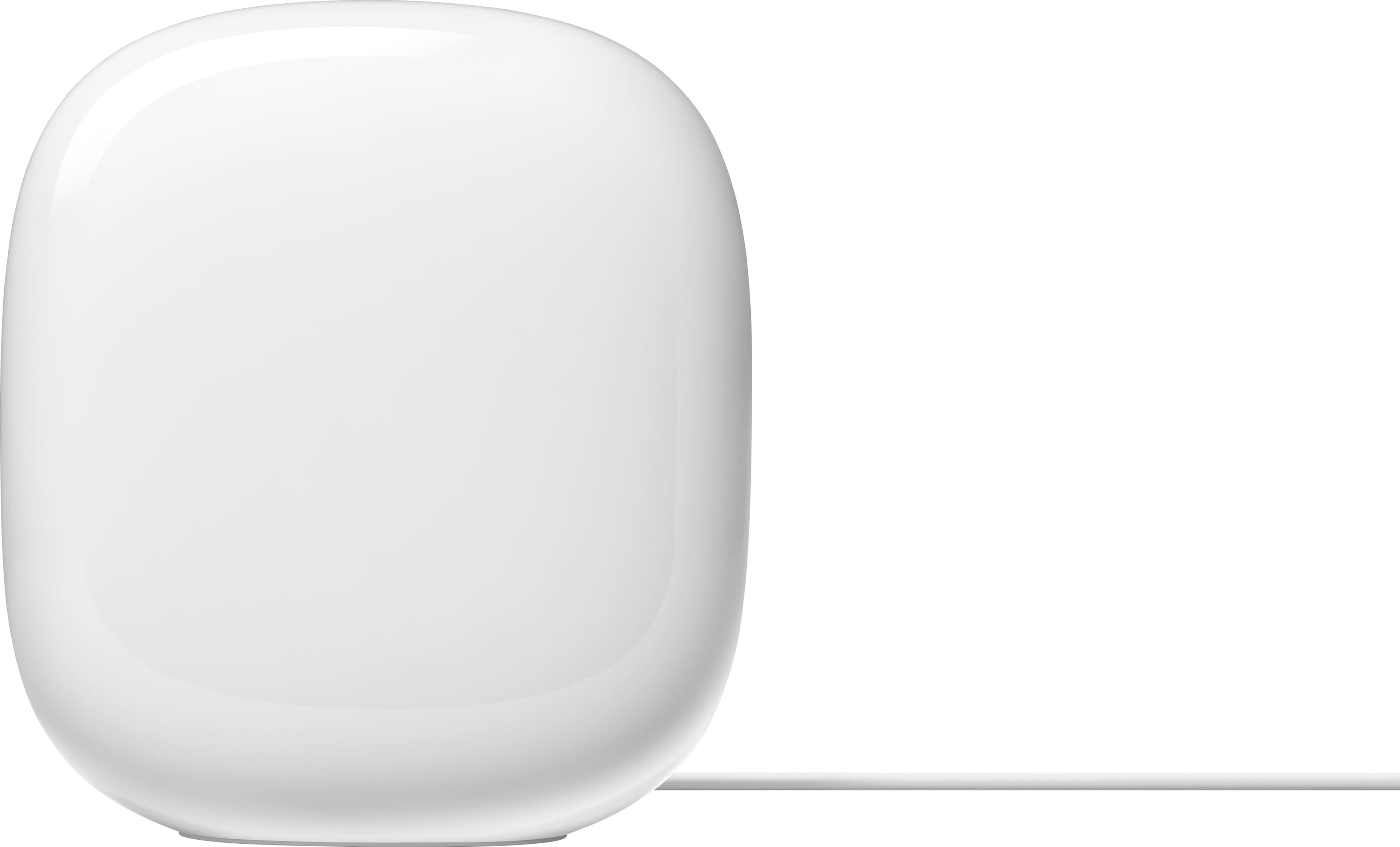
- Model:
- GA03030-US
- |
- SKU:
- 10961714
Customer reviews
Rating 4.5 out of 5 stars with 226 reviews
(226 customer reviews)Rating by feature
- Setup4.7
Rating 4.7 out of 5 stars
- Range4.6
Rating 4.6 out of 5 stars
- Signal Strength4.6
Rating 4.6 out of 5 stars
to a friend
Rated 5 out of 5 stars
Fast
||Posted . Owned for 2 weeks when reviewed.This reviewer received promo considerations or sweepstakes entry for writing a review.Great connection and works well throughout the hosie with no issues at all
This review is from Google - Nest Wifi Pro 6e AXE5400 Mesh Router - Snow
I would recommend this to a friendRated 1 out of 5 stars
Stinks
||Posted . Owned for 2 weeks when reviewed.This reviewer received promo considerations or sweepstakes entry for writing a review.Better performance BY FAR from the previous generation Nest Wifi. I have 1Gbps up and down fiber internet and can barely get 300Mbps while standing next to the router. Router runs twice as hot as the prior version. Surface temperature over 130 degrees F. The firmware update touted by Google which would “fix” the issues, did absolutely nothing in my case. Since that update….crickets. I cant believe they are still selling these. I went back to the previous Nest WiFi mesh hardware.
This review is from Google - Nest Wifi Pro 6e AXE5400 Mesh Router - Snow
No, I would not recommend this to a friendBrand response from Nest Support
Posted .Hello Moonpie, thanks for sharing your feedback to let us know you had an issue with the Nest Wifi Pro running hot. We hear you, and we understand you switched back to using your previous Nest Wifi system. If you come across any concerns about the features and performance of the Nest Wifi, or any questions about the Nest Wifi Pro, contact us anytime and we’d be happy to help: https://support.google.com/googlenest/gethelp
Rated 5 out of 5 stars
Easy Setup with consistent speeds
|Posted .This reviewer received promo considerations or sweepstakes entry for writing a review.This product is very easy to setup. You do have to use google home to setup this up, but that wasnt an issue for me since I have other google products that use this app. It took all of 5 minutes to plug it in, connect to my cable modem, and create a wifi name and password. It also looks to be pretty easy to add additional devices to expand coverage. I live in a ranch home that is about 2,000 square feet. My cable modem is on one end in a bedroom. This device is able to cover my whole home, garage and basement without an issue. I'm currently using the mesh network for TVs, computers, and cell phones and had no issues with streaming videos, games, or calls. I do like the design of the wi-fi router as its basic and will blend in with the room. If you have a large home, I recommend looking for additional mesh routers to connect to this one. This will then give a good coverage area throughout your home. If you plan to hard wire your computers and other devices to the router, this may not be for you. There is only one hardwire connection the rest need to be wireless. My computers and TVs are not close enough to hardwire so I just use wifi. The download and upload speeds are consistent with no dropouts. Overall, this is a nice looking easy to setup device.
This review is from Google - Nest Wifi Pro 6e AXE5400 Mesh Router - Snow
I would recommend this to a friendRated 4 out of 5 stars
Stylish, general purpose Wi-Fi 6E Mesh router
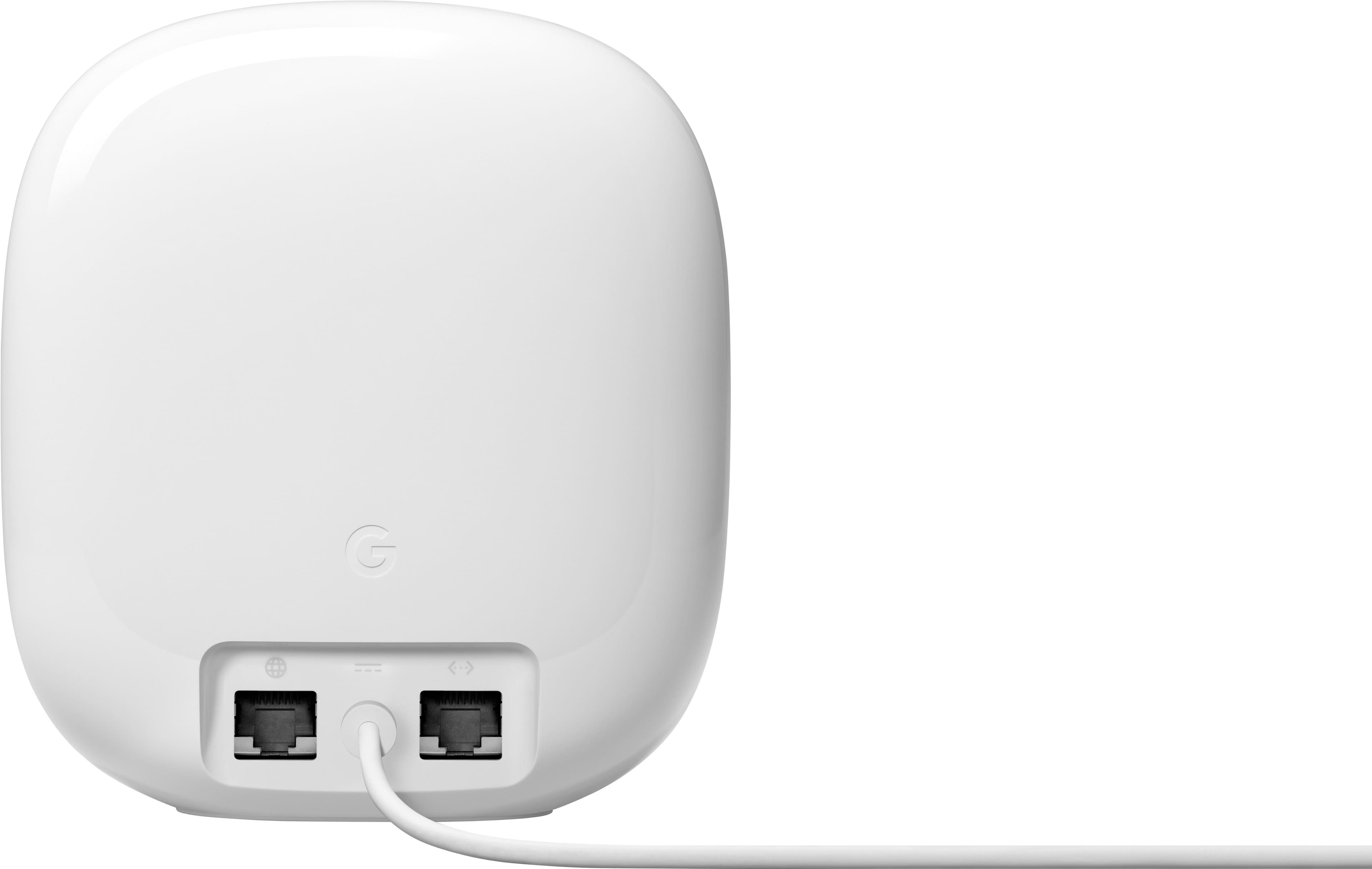
|Posted .This reviewer received promo considerations or sweepstakes entry for writing a review.The Google Nest WiFi Pro is the second Wifi 6E router I got to try looking to maximize WiFi speed and coverage in my 3-level home. I connected it to the Gigabit fiber Internet and was able to do the basic setup using the Google Home App 2.60.x on my Android phone. I set it up with the same SSID and passphrase I had on my old router so my 30+ Wi-Fi devices don’t have to be reconfigured. The setup went smoothly through the Home App but if you're like me and prefer manually tweaking the more advanced networking features, it would be nice to still access them via a web browser instead of just a smartphone App, but this is not your typical router plus most vendors are now going the way of the App setup. The ISP provided router was only WiFi 5, so upgrading to WiFi 6E makes a huge difference. For my main tests I used a Samsung Galaxy S21 Ultra running the latest patch level of Android 12. Normally for testing purposes, I like to test each band separately with its own SSID for 2.4 GHz, 5 GHz and 6 Ghz respectively, but I could not find a way to do that as it seems the App does not offer that option, instead it bundles them all together and it will decide for you. Moreover if you need to add another unit to the Mesh, it only uses the 6 Ghz band which has the shortest range, so it may have to be installed relatively close within 50ft or less to the main node depending on walls/furniture/other obstructions. I only have the one node version, so Mesh results may vary. Best results were obtained in the same room as the router because WiFi 6E works best the closest you are. I got an impressive 815 Mbps download speed. One floor above and about 20 feet over, the download speed was slashed in less than half coming in at 375 Mbps. I also ran multiple speed tests from Ethernet wired win10 and win11 PCs and got ~ 910 Mbps down. Those were very good results but not the fastest I’ve seen compared to all other routers I’ve tested in recent months. From a security perspective, it supports WPA 3, and comes with a number of security and parental control features that allow you to group devices and pause or schedule Wi-Fi service or block explicit content. You can also very easily set up a guest WiFi network, so you don’t have to share your WiFi passphrase with visitors. There are a few missing features that may not matter to everyone, but other routers in this price range certainly offer. For example, there is no USB 3.0 port that you could use to share files from an external USB hard drive or thumb drive to other devices on your home network and even over the Internet with the correct network security settings (use/pay for Google Drive instead?) Also, there is only one LAN Ethernet port, so if you have more than one wired device, you’ll have to add a network switch. Moreover the WAN port is only 1 Gbps, so not future proof for those multi-gigabit ISP connections. In conclusion, this Google Nest WiFi Pro router is a well performing and aesthetically smooth device about the height of a soda can and it comes in 4 different colors. It is very easy to set up using the smartphone Home App and suitable for streaming, video conferencing and all other general Internet use. Coverage can also be expanded with the built-in Mesh technology.
This review is from Google - Nest Wifi Pro 6e AXE5400 Mesh Router - Snow
Brand response from Nest Support
Posted .Hi there SUHD, thanks for sharing a detailed review on the Nest Wifi Pro. We appreciate you taking the time to inform us on the features that we can improve on.
Nest Wifi Pro has a combined speed capability of up to 5.4 Gbps. Keep in mind that the combined speeds are total speeds across all bands, and are derived from IEEE Standard 802.11 specifications based on use of Wi-Fi 6 or later generation connected devices that support 160 MHz channels. Actual speeds will depend on your internet service provider, network conditions, connected devices, local regulations and environmental factors.
Also, your insight on how the Nest Wifi Pro manages the frequency band is correct. Google Nest Wifi and Google Wifi devices keep it simple by automatically directing your devices to use the band that gives them the best Wi-Fi. All radio bands are active simultaneously. Based on the device capabilities and network conditions, Nest Wifi and Google Wifi attempt to select the band that will deliver the best performance for your device. We realized that a lot of our customers have a hard time managing the features of their Wi-Fi mesh system, and Nest Wifi Pro and all our Wifi mesh devices perform the hard work for you. However, we value your feedback and we'll take them into consideration with future features and iterations of our Nest Wifi devices.
For any other support needs you may be having with Nest Wifi Pro, we recommend contacting our support team so we can assist you. Please feel free to contact us here: https://support.google.com/googlenest/gethelp
Rated 1 out of 5 stars
Useless
||Posted . Owned for 3 weeks when reviewed.This reviewer received promo considerations or sweepstakes entry for writing a review.Still can't get wifi past the room it's in.what more do u want me to say? Its mediocre
This review is from Google - Nest Wifi Pro 6e AXE5400 Mesh Router - Snow
No, I would not recommend this to a friendBrand response from Nest Support
Posted .Hi Michael, thank you for your review. We're sorry to hear you're having trouble connecting to your Wi-Fi when you're far from the router. To extend your network's range and strengthen the signal, we recommend using an access point.
For more information on how to improve your network's range, please visit: https://support.google.com/googlenest/answer/7183150?hl=en&sjid=11355600692127929833-NC#zippy=%2Cplace-a-new-wifi-router-or-add-on-point
Rated 1 out of 5 stars
Nop
||Posted . Owned for 1 week when reviewed.This reviewer received promo considerations or sweepstakes entry for writing a review.Definitely something is wrong with this router, worse performance than the previous version
This review is from Google - Nest Wifi Pro 6e AXE5400 Mesh Router - Snow
No, I would not recommend this to a friendBrand response from Nest Support
Posted .Hi there Valo, thanks for your feedback. We're sorry to hear that you've been experiencing a performance issue on Nest Wifi Pro.
Nest Wifi Pro has a combined speed capability of up to 5.4 Gbps. Keep in mind that the combined speeds are total speeds across all bands, and are derived from IEEE Standard 802.11 specifications based on use of Wi-Fi 6 or later generation connected devices that support 160 MHz channels. Actual speeds will depend on your internet service provider, network conditions, connected devices, local regulations and environmental factors. If the issue seems to be related to factors, other than the ones we highlighted, we recommend contacting our support team here: https://support.google.com/googlenest/gethelp
Rated 4 out of 5 stars
Pro-level WiFi indeed but some wired oversights.
|Posted .This reviewer received promo considerations or sweepstakes entry for writing a review.The first thing you'll notice about the Nest Pro is the striking design - it's not often that you can say about a router that it's beautiful (in fact, I've been fiddling with networking gear for nearly 30 years and I don't think I've EVER said that) but this one really is. The design really lends itself to being placed in a very visible location (or at least not hidden) which is a big plus for coverage as usually the best places for coverage are the most visible. Setup is easy, particularly if you're already in the Google and/or Nest ecosystem as then you likely already have the Home app installed which can get you up and running easily. Once you are up and running, it's basically set and forget - and you'll get good coverage and good speed (based on your internet speed) without fiddling with it. And that's with one, two or three units! From a WiFi perspective, this is definitely future-proof with a tri-band design that adds in WiFi 6E / 6ghz and all the speed you can handle. It can also handle up to 100 devices per unit which makes it easily ready for IOT and home automation (as does the Matter and Thread support built-in). So why only 4 stars then instead of 5? Well, it's actually for 2 things on the WIRED side - not the wireless. First, and most basic - with all that WiFi bandwidth, you'd think this is perfect for some of the new multi-gig fiber internet plans (I have a 2gbps fiber connection to my house with the option to go to 5gbps on the same connection by just paying more). BUT it's not - the problem is that to get multi-gig internet over WiFi, you need to be able to connect the ISP modem to the router. And so there's a multi-gig internet port on my fiber modem and I can connect an ethernet cable to it and get 2 gbps. But the ethernet INPUT port on the Nest Pro only supports 1 gig internet. So no matter how fast the WiFi is on the end device and on the Nest Pro, I'll only get a 1 gig max because that wired port is gigabit not multi-gig. That's a big oversight from my side. The other oversight is that many "pros" would want at least a few wired devices. The Nest Pro can't really support that with only one wired/ethernet port. So you'd need to connect it to a switch of some sort to add more ports. And that single ethernet LAN port? Yeah, it's gigabit, so even if you have multi-gig internet or multi-gig WiFi connections, any wired LAN clients will only be gigabit. So there you have it - a great, beautiful piece of WiFi kit with super fast and super strong WiFi (*subject to your internet service provider / plan / subscription) but let down by the puzzling wired connection limitations.
This review is from Google - Nest Wifi Pro 6e AXE5400 Mesh Router - Snow
I would recommend this to a friendBrand response from Nest Support
Posted .Hi Brett, thanks for your time writing a review. Your feedback matters to us as it helps us improve our products and services. We thank you for your input in helping us understand our customers' needs and preferences better, and we'll make sure to pass it along to our teams as we're always working to improve our products and services. If you have any questions or need assistance with your Nest Wifi Pro, feel free to reach out to our support team anytime and we'll be more than happy to help. Contact us here: https://support.google.com/googlenest/gethelp
Rated 5 out of 5 stars
Good WiFi router from Google
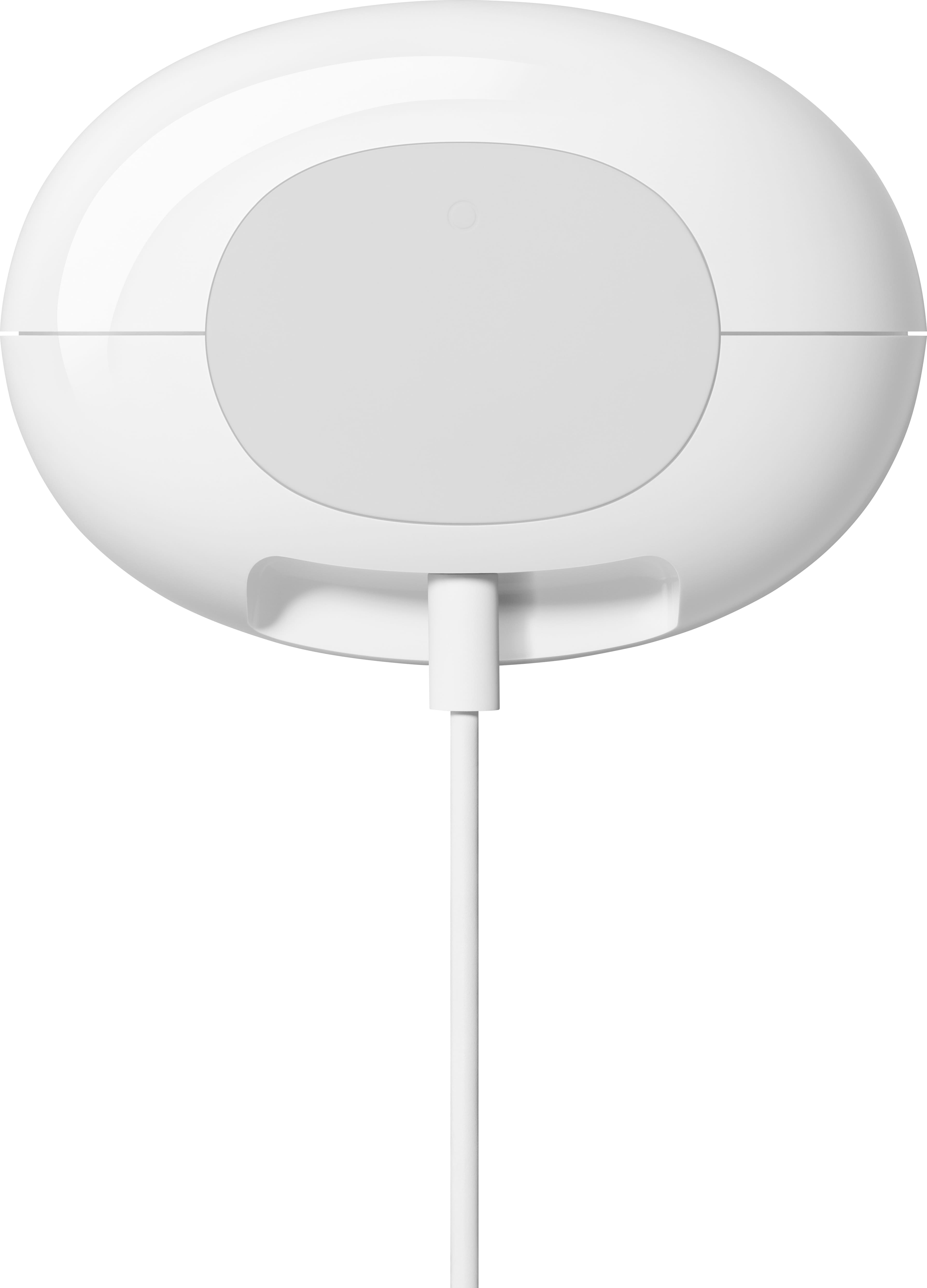
|Posted .This reviewer received promo considerations or sweepstakes entry for writing a review.The Google - Nest Wifi Pro Mesh Router is good router for connecting your devices to your network. The product comes in an easy opening box and packaging. The setup appears to be streamlined and would typically be super easy to setup. However, I ran into a slight challenge when setting mine up. The Google Home app allows you to scan the QR code that’s located at the bottom of the router. The bottom of the router is light gray and the QR code is a darker shade of gray. The camera viewer in the Google Home app was not able to focus and read the QR code. It would not focus and was blurry in the viewfinder. I have an iPhone Pro Max. I’m not sure if the cameras on my device was the issue, or if it would work better on another mobile device. Either way, I was not able to use that feature on my phone. There’s an option that will allow you to manually pair the router. It requires you to type in the paring code for the router. I was not able to read the code because it was engraved into the rubber pad at the bottom of the device. I had to take a photo of it with my phone and zoom in. Perhaps someone with really good eyesight would be able to read it. Once I got it paired, it was working fine. The speed is pretty good. It’s not as fast as some other router and mesh systems I’ve used, but it’s also better than some systems I’ve used that were not so great. I’d say it’s middle of the pack. You can also pair it with other Nest WiFi Pro Mesh Routers to create a mesh network. However, it does not work with previous generations of Google WiFi and Nest WiFi systems. The egg design is rather unique and looks different than many other routers out on the market. Overall, it’s a good router for your networking needs.
This review is from Google - Nest Wifi Pro 6e AXE5400 Mesh Router - Snow
Brand response from Nest Support
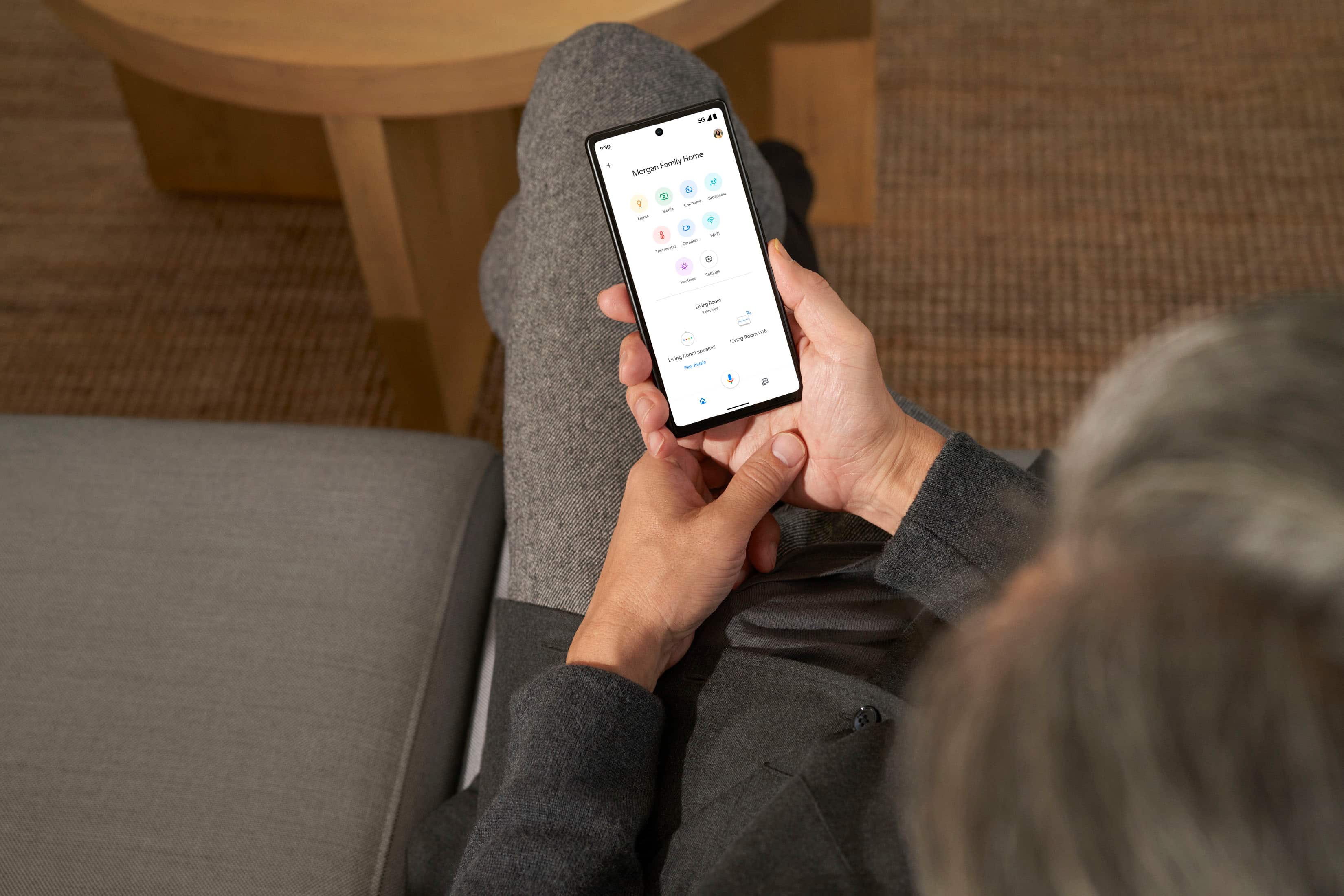
Posted .Hi CDF3, we appreciate your feedback on Nest Wifi Pro. We're sorry to hear that you ran into some issue, scanning the QR code of your Nest Wifi Pro. The Nest Wifi Pro is exclusive to the Google Home app because we wanted to create an integrated experience with our other Google Nest devices. We wanted to make the Google Home app as the one place you can control all your favorite Nest and other smart home devices with the Google Assistant, including some of the benefits you can get below:
- Automatic security protections such as Suspicious activity detection, 2-Step Verification and Security Checkup.
- Your Google Nest devices and services will work together.
- One account to sign into both the Nest and Google Home apps.
- Your homes and home members will be aligned across the Nest and Google Home apps.
Nest Wifi Pro (Wi-Fi 6E) can't be combined with Nest Wifi or Google Wifi (Wi-Fi 5) in a mesh network since it uses a third frequency band which previous generations of our Wifi device do not support. We'd like to help you with any other concerns or support needs you may be having with your Nest Wifi Pro. Please do not hesitate to contact our support team here: https://support.google.com/googlenest/gethelp
Rated 5 out of 5 stars
Great coverage
|Posted .This reviewer received promo considerations or sweepstakes entry for writing a review.This is regarding the Google Nest Wifi Pro Mesh Router. It comes with the router, power plug and ethernet cable. It’s a nice small size and fits in nicely with our modem. I already had a Google App that I use for a few Google Home minis. I think this made a little tricky for me to set up the this mesh router. Connecting the modem that I already have with this router by using the ethernet cable was pretty simple and quick. Setting the router up with the app took me some time to figure it out. I think because I already have been using the app, I didn’t find the router right away. But after some time, I was able to see how to set up a new device on my Google Home app and it worked well from here on. The wifi 6 coverage is very good. It’s very fast and works well with our phones and laptops. It connects all devices quickly and we have noticed the difference already. It’s amazing how fast it all works now! I love that you can set up parental controls, including blocking some websites that are inappropriate plus you can set up a schedule where wifi turns off at dinner time, bedtime or if the children go past their allotted screen time. Another nice feature is that guest can have their own password instead of sharing your own. Connecting with the app could be improved for sure but once connected and working well, it is a great pro mesh router that does just right.
This review is from Google - Nest Wifi Pro 6e AXE5400 Mesh Router - Snow
I would recommend this to a friendRated 5 out of 5 stars
Worthy Upgrade to the Google Nest WIFI Line
|Posted .This reviewer received promo considerations or sweepstakes entry for writing a review.The Google Nest Wifi Pro is the next in the line of the Google Nest WiFi mesh devices. It's good to see a relatively affordable AXE capable mesh system especially one with the support of Google behind it. To start, it's in the same low impact white box that most Google products come in, which is good to see honestly. The exorbitant packaging of some of the competitors in this area is just unneeded and a waste of materials. Upon opening you're met with a small and unassuming device, smaller than most AXE routers of similar capability (honestly I was shocked at the physical size of many of them). It comes in a few different colors and doesn't look like the spider-esque monstrosities that are commonly available in the performance home router segment. This is important because a lot of people hide routers away in cabinets and other places simply because they are so ugly unless you're a tech person with a flare for the robotic dramatics that much of them look like. The way it looks allows you to really put it anywhere and give your home the best access to WiFi (especially the 6GHz band as the higher you go in the bands the more difficult it is for them to pass through doors, floors and walls (and furniture if you're trying to hide it away). Upon setup it's very straightfoward, the setup is performed through the Google Home app and is detected automatically. It has two ethernet ports (one for WAN, one for LAN) as is common in these mesh devices of a certain size. If you need more, a simple switch can help. In terms of capabilities, it's capable of the AXE protocol suite, which, if you're keeping track at home means WIFI 6E. This is important as it contains all of the 2.4GHz and 5GHz capabilities of AX and earlier devices, with the newer 6GHz spectrum if your device supports it. Many new devices (including a lot of motherboards currently being released for the newest processors) come capable of WIFI 6E out of the box. The router is capable of both Matter and Thread smart home mesh technologies should you have devices capable of it. Matter is an important feature as, shockingly, many of the biggest names in smart home devices have collaborated in creating a standard together so we can get away from so many competing and incompatible technologies. The parental controls are blessedly included and free of charge unlike certain competitors, although they are just a bit on the basic side. For performance, I had no issues, speaking of those new motherboards, I just built a new PC with AXE capability and it connected easily and at great speed. Keeping in mind again that the 6GHz band while faster, does not pass through walls and floors as easily as I previously mentioned. What's missing? For it to be AXE capable, it's a bit of a disappointment that the WAN is not multi-gig capable. While most home users dont even have 1 gig fiber, much less multi-gig, they've built in a bit of obsolescence in this device by neglecting that. If they allowed for link bonding that would help, but then you'd lose a port usable for a LAN connection. Final thought, if you're in the market for an AXE/WIFI 6E capable mesh network with a ton of features and doesn't look like a monster from a scifi movie, this is the one for you. I easily recommend it.
This review is from Google - Nest Wifi Pro 6e AXE5400 Mesh Router - Snow
I would recommend this to a friendBrand response from Nest Support
Posted .Hi Beradon, thanks for your time writing a review. We're sorry to hear about your disappointment with the Nest Wifi Pro's WAN port. We appreciate your input in helping us understand our customers' needs and preferences better, and we'll make sure to pass it along to our teams as we're always working to improve our products and services. For other questions or concerns, feel free to contact our support team here anytime: https://support.google.com/googlenest/gethelp
Rated 5 out of 5 stars
Good Looking Router and Easy Setup
|Posted .This reviewer received promo considerations or sweepstakes entry for writing a review.Immediately out of the box I was impressed with the Google Nest Wi-Fi Pro router. The packaging was well done but more importantly, right when you open it and see the router, it looks cool! The outer shell is smooth with minimal things to bring attention to it. You could put in a family room and have it sit on an end table and it would barely be noticed. There are no antennas or flashing lights and it is not overbearing at all. Setup was extremely simple. I plugged the necessary cables into the router and as it powered up, I downloaded the google home app. It walked me through setting up the router and within about 6 or so minutes, I was up and running having replaced my other one and using the same network name. It immediately began seeing my devices in the home from printers to streaming devices to phones and each of them connected and work just like they had previously without any issues. For it being a relatively small router with only one little light on the front, it works extremely well from a connectivity perspective. My home is just at about 2200 square feet and I had a good signal at the furthest points away from it. Additionally, I have future proofed my home so to speak as this router has Wi-Fi 6E built in. Although many new products are just now coming out with the ability to take advantage of it, you will start to see more 6E (also known as 802.11 AX) compatible devices coming to market in the near term. Additionally, should I need to broaden the signal due to distance or walls, etc. I can add additional ones to make sure I have no dead spots. It has many of the features you would expect a router to have, you can create a guest network, pause devices if you need to control your kid’s surfing activity, as well as prioritize certain signals such as video calls and gaming. I am very happy with this router and would absolutely recommend giving it a try.
This review is from Google - Nest Wifi Pro 6e AXE5400 Mesh Router - Snow
I would recommend this to a friendRated 5 out of 5 stars
Configuration through apps, I guess is the future
|Posted .This reviewer received promo considerations or sweepstakes entry for writing a review.This is an incredibly easy router to setup. Just download the app from google play and it sets up and configured itself automatically and fairly quickly. All settings are then done directly through the app which is excellent by way. The UI is very intuitive and polished as you would expect from Google. I like how easy it is to setup another node if you need more coverage. The build quality is great as well. I feel like I will get a ton of use out of this. The network speeds so far are fairly impressive. You would expect a Wifi6 router to fly past your older 5 protocols and this one does for sure. I’m more of a web interface person so I like the app configuration but don’t love it. Sure it’s quick and easy but I like to manually open and close ports, setup and manage my VPNs and remote admin and that is harder to do in the app. I prefer a more hands-on approach instead of just a push button and done. I just feel like if I have eyes on it and can diagnose network issues easier. I can however see the appeal of set it and forget though
This review is from Google - Nest Wifi Pro 6e AXE5400 Mesh Router - Snow
I would recommend this to a friendRated 5 out of 5 stars
Perfect!
Posted .This reviewer received promo considerations or sweepstakes entry for writing a review.Easy set up and works PERFECTLY!! Thought I might need two, but signal so strong, one was just right!!
This review is from Google - Nest Wifi Pro 6e AXE5400 Mesh Router - Snow
I would recommend this to a friendRated 5 out of 5 stars
Nest It
Posted .This reviewer received promo considerations or sweepstakes entry for writing a review.Lightning Speed no buffing!!! Easy set up and testing!
This review is from Google - Nest Wifi Pro 6e AXE5400 Mesh Router - Snow
I would recommend this to a friendRated 5 out of 5 stars
Best investment w/ T Mobile Home Internet.
Posted .This reviewer received promo considerations or sweepstakes entry for writing a review.Better, stability in speeds/connections with my home devices as an upgrade together with my T Mobile 5g Home Internet router. Note: you must disable your home router and use Google Nest wi fi 6 as a replacement/upgrade while being connected.
This review is from Google - Nest Wifi Pro 6e AXE5400 Mesh Router - Snow
I would recommend this to a friendRated 4 out of 5 stars
Works ok, not sure if 6E is being fully used
Posted .This reviewer received promo considerations or sweepstakes entry for writing a review.Setup was quick, but it seems to have weak WiFi 6E connection unless you are in the same room. WiFi 5 GHz connection is great, though. Speed is 400MB+, which matches ISP speeds.
This review is from Google - Nest Wifi Pro 6e AXE5400 Mesh Router - Snow
I would recommend this to a friendRated 5 out of 5 stars
Google pro router
Posted .This reviewer received promo considerations or sweepstakes entry for writing a review.I set it up to my T mobile 5G gateway. It works great with the Google router and point to expand wifi in the whole house.
This review is from Google - Nest Wifi Pro 6e AXE5400 Mesh Router - Snow
I would recommend this to a friendRated 5 out of 5 stars
Great router
Posted .This reviewer received promo considerations or sweepstakes entry for writing a review.Great mesh network my wifi in my apartment is so much stronger I only need one but I'm def going to upgrade to the 2pk when I move into my house!!!! Great job google
This review is from Google - Nest Wifi Pro 6e AXE5400 Mesh Router - Snow
I would recommend this to a friendRated 5 out of 5 stars
Love it
Posted .This reviewer received promo considerations or sweepstakes entry for writing a review.Works great in my home glad I switched will never go back
This review is from Google - Nest Wifi Pro 6e AXE5400 Mesh Router - Snow
I would recommend this to a friendRated 1 out of 5 stars
Well, was worth a shot.
Posted .This reviewer received promo considerations or sweepstakes entry for writing a review.Purchased this in store and mostly love everything Google (so much so, I own significant amounts of alphabet class a stock). This product was such a disappointment. I read the one star reviews, and thought surely this wasn't that bad. Well, it is. I'll break it down. As many others stated, it's very attractively designed. The packaging even feels "pro." That's about where it ends though. The setup is fairly easy but also mildly frustrating somehow, because it didn't connect out the box. Once connected it only stayed connected for about 20 mins before dropping and having to reconnect. The speeds are slow. SLOW. Especially compared to my still connected other non wifi 6e router. I figured it may be my device, and used my laptop along with top tier gaming computer (6e card) and the best I got was 120ish Mbps. Switching to my non 6e router got back into the 350 Mbps range on all devices. Also didn't realize the port was throttled to 1 gig, as I have 2 gig fiber it severely hampered the connection. Lastly, my largest complaint is the lack of software customization. If you enjoy tinkering to get the best internet connection and want to use certain features (especially changing MHz & selecting bands), look elsewhere because they are not here. If this were 2012, this would be an amazing product. Otherwise save your money or spend it on a different item.
This review is from Google - Nest Wifi Pro 6e AXE5400 Mesh Router - Snow
No, I would not recommend this to a friendBrand response from Nest Support
Posted .Hi AdamTeee, thanks for trying out the new Nest Wifi Pro. We're sorry to hear about your disappointing experience with the difficult setup, connectivity drops, slow speeds and lack of options for customization. Nest Wifi Pro has a combined speed capability of up to 5.4 Gbps. Keep in mind that the combined speeds are total speeds across all bands, and are derived from IEEE Standard 802.11 specifications based on use of Wi-Fi 6 or later generation connected devices that support 160 MHz channels. Actual speeds will depend on your internet service provider, network conditions, connected devices, local regulations and environmental factors. Also, we considered providing a more simplified interface, including automating some of the features that can prove to be helpful for novice users who still want to experience the latest product features that we are offering.
We still take your feedback into consideration with the future iteration of our Google Wifi products. In the meantime, we recommend contacting our support team so we can have a closer look at your Nest Wifi Pro and see how we can further improve your experience. Please consider contacting us here: https://support.google.com/googlenest/gethelp