Customer Ratings & Reviews










- Model:
- GA03030-US
- SKU:
- 10961714
Rating by feature
- Setup
Rating 4.6 out of 5 stars
- Range
Rating 4.5 out of 5 stars
- Signal Strength
Rating 4.4 out of 5 stars

Simple, Yet Powerful Google WiFi Solution!
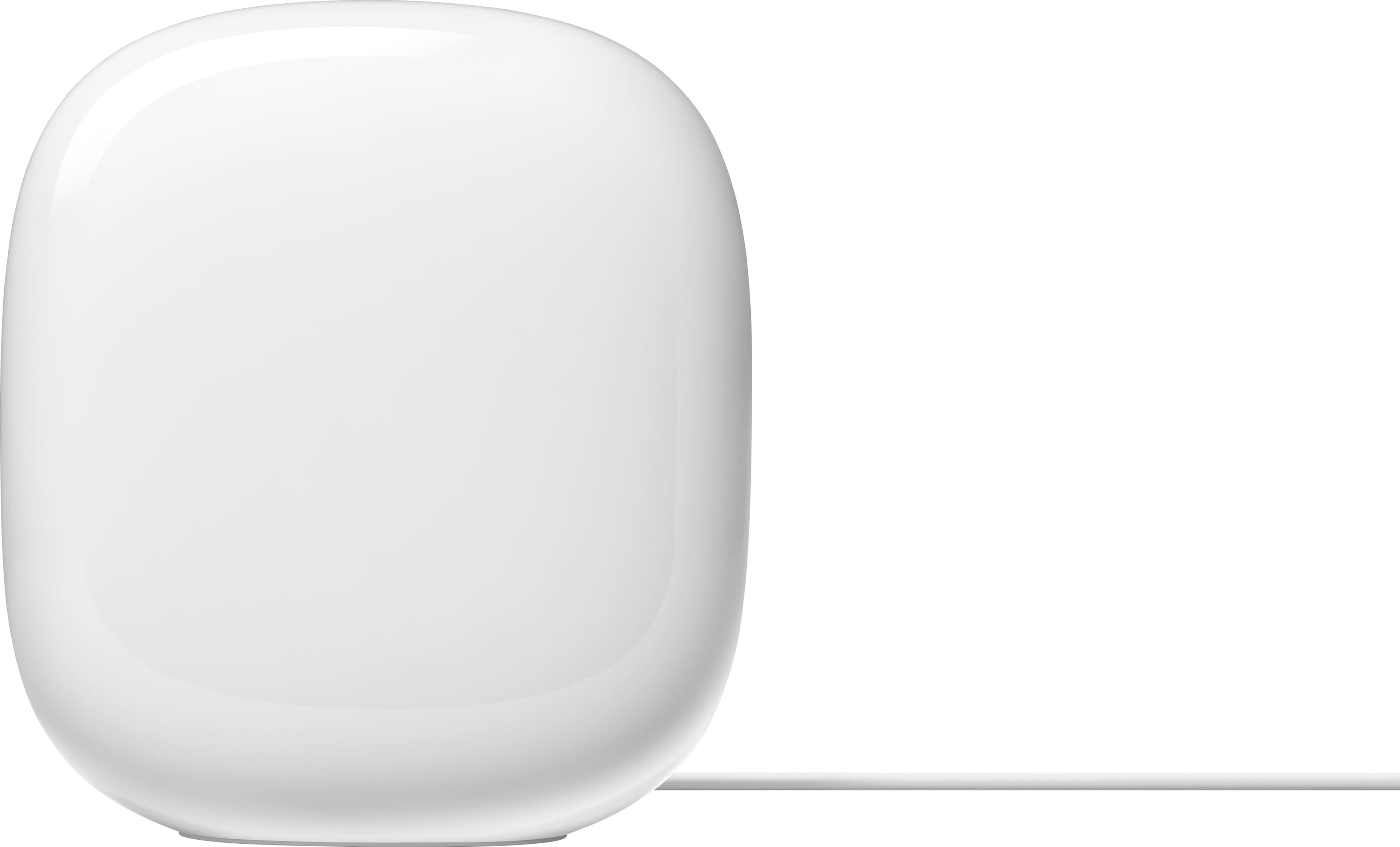
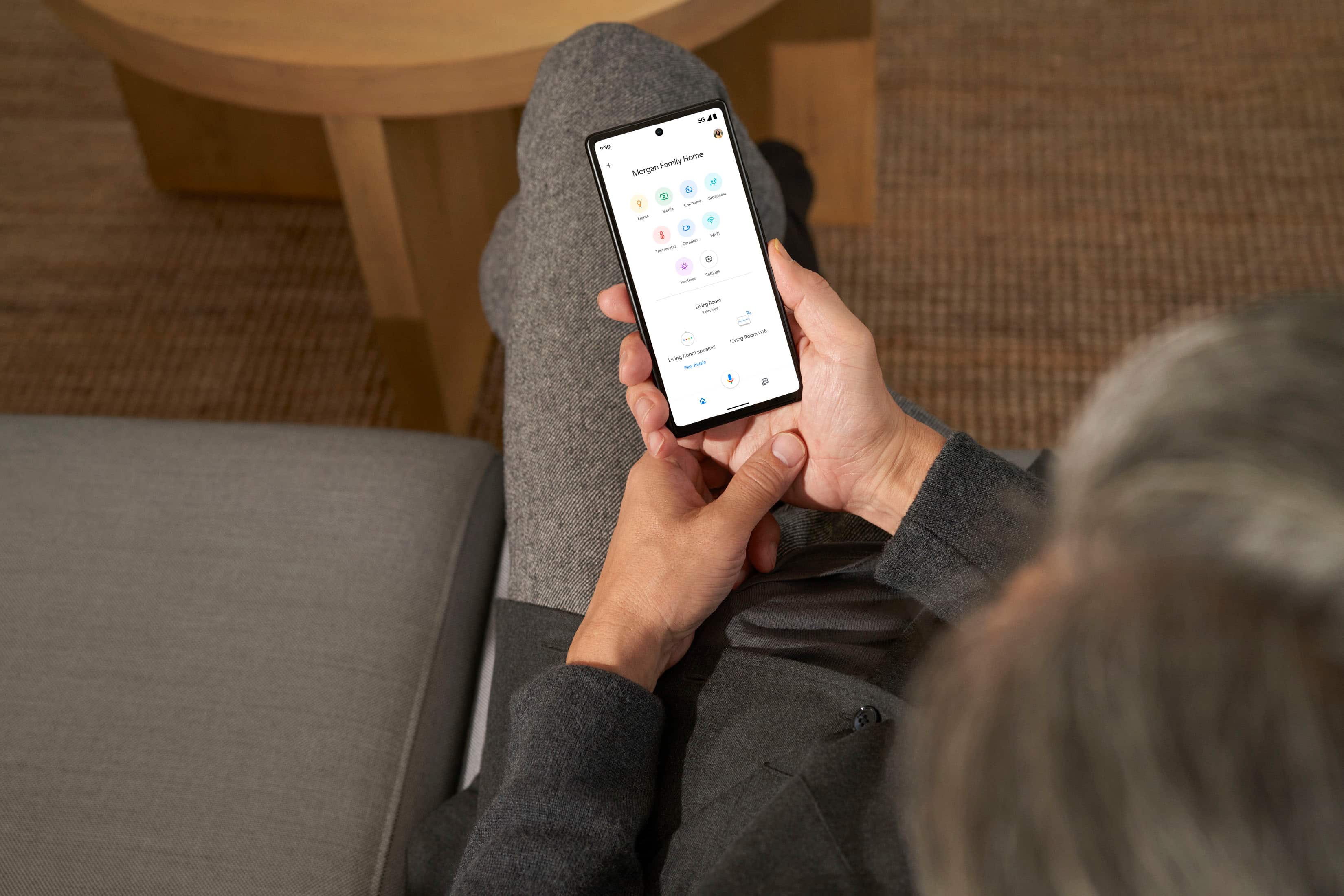
|Posted .This reviewer received promo considerations or sweepstakes entry for writing a review.Reliable WiFi is a huge part of our home life and it’s important to have something you can easily work with and configure. The new Google Nest WiFi Pro delivers on so many areas and helps future proof your home! PROS: - I am a big fan of the design of these routers! They are smooth and seamless, looking like it’s just a decoration sitting out. I also like the size of it as it is not too large and bulky either. - Setup was very easy! You need the “Google Home” app to set it up, but the process is mostly easy and painless. I will add that at the time of this review, Google has not rolled out its newly designed “Google Home” app but I have hope that it will make everything even simpler. - Within the app you can easily change the name/password, see how many devices are connected, and check the speeds as well. Lots of nice options for customization but also provides a simplistic view. - Of course this only comes with 1 unit but you can add more to create a mesh network. The 1 is fine for my needs right now, but I like how I can easily upgrade if needed! - I noticed right away that I was receiving more speeds via WiFi right away! I was impressed with the WiFi 6E functionality as well, even though a majority of my devices are not up to that level yet, the ones that are 6E compatible worked well! The Router is Tri-Band as well meaning it can still support your older 2.4 GHz devices and up to your 6 GHz ones! - The Google Nest Pro also supports the new Matter smart home standard. I think that is going to be huge and once again provides a really good way to be future proofed as well. It also has a Thread Radio built in for even more support on that end as well. CONS: - The Google Nest Pro only has 1 Ethernet out port. I get you want these to be small and simple, but I would have liked more ports. I was able to buy an Ethernet network switch that fixed this, but still something I wish new routers were not moving away from. - On that note, the input Ethernet port is limited to 1 gigabit speed. Yes most people do not have over that, but more providers are offer larger speeds beyond 1 gigabit so I wish the input speed was larger for future proofing. BOTTOM LINE: - WiFi is becoming more and more critical as we work from home, stream at home, and connect more smart home devices to it. The Google Nest WiFi Pro is a great value for all that it offers! Provides WiFi 6E speeds, easy management via the Google Home App, and future proof support for smart home tech. This is a very easy buy to make and I think people will love the ease of use with great power behind it.
I would recommend this to a friendBrand response from Nest Support
Posted .Hi Njuice, thanks for taking the time to share a detailed review of the new Google Nest Wifi Pro. We're glad to hear it has been reliable and has played a huge part of your home life. The features you highlighted have been something we've worked on intently, and we hope you will keep enjoying these features. However, we are sorry to hear about your disappointment with the number of LAN ports and the supported speed available. We'll certainly look into your suggested feature and take this into consideration with future iterations for our Wifi line of products. We recommend keeping a close eye on the latest announcements for our new products here: https://blog.google/
We'd like to make sure that you always have a pleasant experience with our products and services, and if you will have any questions or support concerns you would like us to help you with, please do not hesitate to reach out to our support team here: https://support.google.com/googlenest/gethelp
Not that great
||Posted . Owned for 2 months when reviewed.This reviewer received promo considerations or sweepstakes entry for writing a review.Not good the signal couldn’t get through the thick plaster walls!
No, I would not recommend this to a friendBrand response from Nest Support
Posted .Hello there, Kelley. We appreciate your feedback on Nest Wifi Pro. We’re sorry to hear that your experience didn’t meet your expectations.
Checking the placement of your Wi-Fi router or points (if you have any) can help, which is vital to have reliable Wi-Fi throughout your home. Points work best when they’re no more than two rooms away from each other. If the far end of your house has weak Wi-Fi, don’t put a Wifi point in that exact spot. Instead, put it part way in that direction. Try to place it in an elevated position like on a shelf.
You can also try these steps below that can improve your overall experience:
- Move the connected device closer to your Wifi router or point.
- Repositioning the points to avoid obstructions like walls, doors, and aquariums can improve performance.
- Make sure all unused devices are off and not draining bandwidth with large downloads.
- Check for possible sources of interference such as microwave ovens, refrigerators or other equipment.
- Run a mesh test to confirm placement of your Wifi points.
For further assistance, we have our dedicated team for your support needs here: https://support.google.com/googlenest/gethelp
A Lot Done Right, But Some Serious Cons
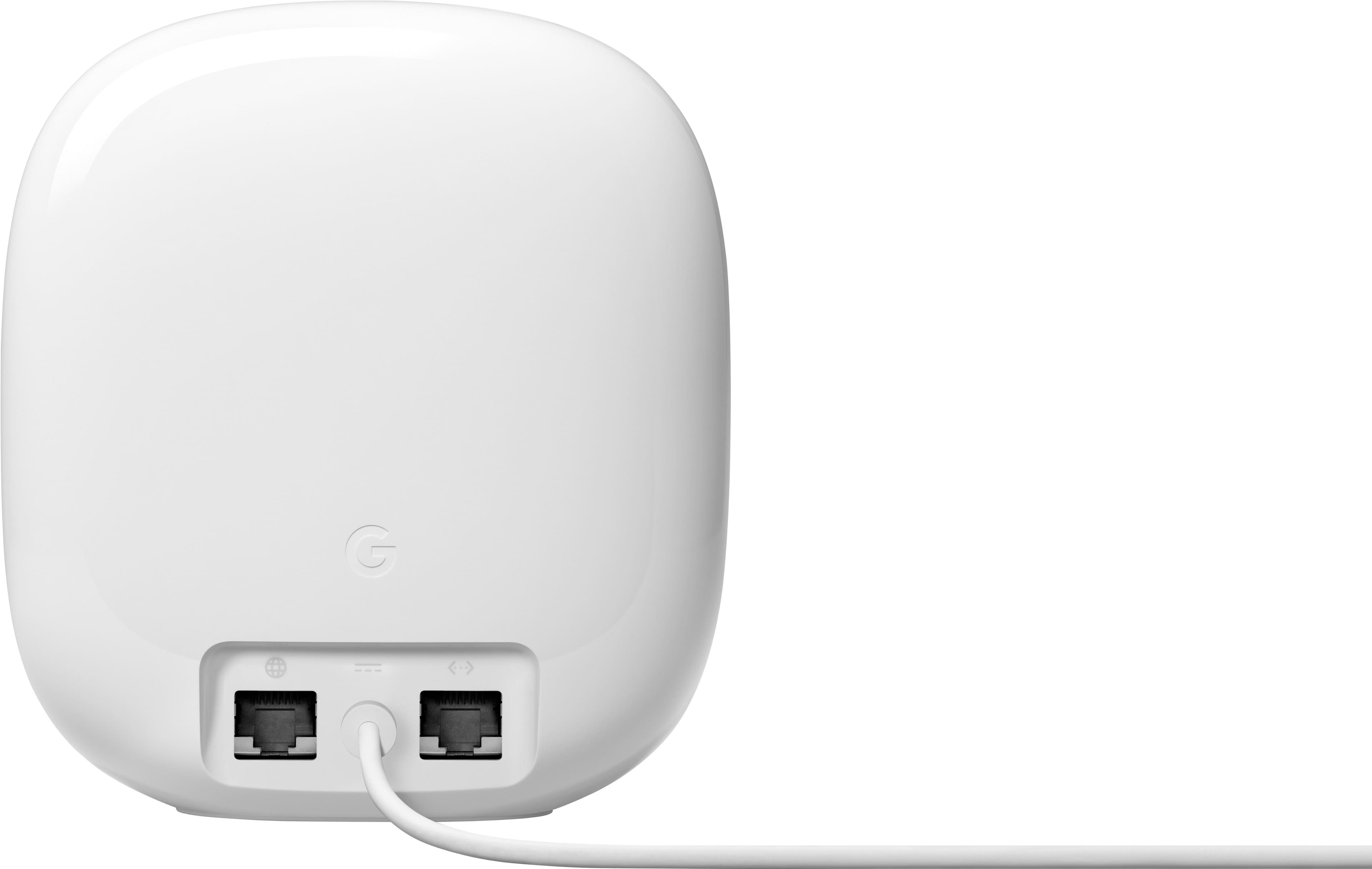
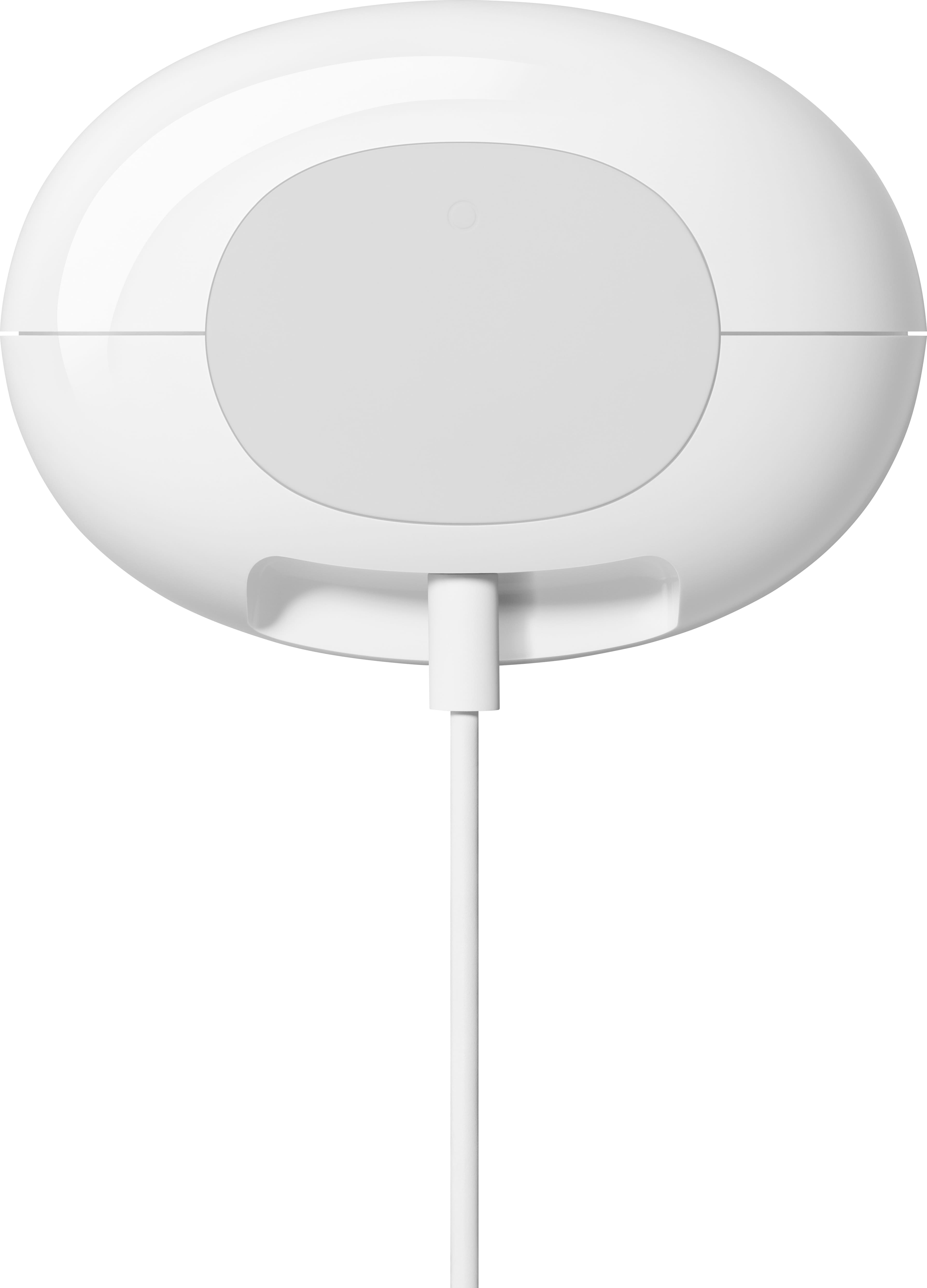
|Posted .This reviewer received promo considerations or sweepstakes entry for writing a review.UNBOXING: The unboxing experience and presentation is premium. Which is always a good start. It does come with a flat white ethernet cord. But I’m unsure what kind it is as they don’t specifically mention on the cable itself which is frustrating. The product itself is very sleek pretty much just being oval/egg shaped. On the front there is a small light (that you can turn to bright, low, or off in the settings). Which personally I LOVE. As it provides zero light pollution (as the ethernet ports don’t even light up on the back) which is appreciated seeing as this is in the room I sleep in and something most other companies completely overlook. On the back you have two ethernet ports (one IN and one OUT) and in-between them is the power port. There is no physical on/off switch. On the bottom of the device, you have a QR code you can scan to connect automatically (once the network is setup) along with the physical name of the network and password in case you need to do it manually. There also may be an actual button but I’m unsure as in general nothing on this product has an official label. Which some may like as it is very minimalistic, but others will not like as unless if you know what you are doing then it won’t make sense. Thankfully, none of that is really needed for setup. SETUP: Speaking of setup. This is the easiest Wireless Router I’ve ever setup. I turned off my Modem, disconnected my old Router, connected the new router, turned on my modem, plugged in the Nest Router (as there is no physical on/off button), opened the Google Home App, went to add device, it came up with the Nest Router, asked me to scan the QR code on the bottom (to connect to the Wi-Fi network) but since my iPhone 14 Pro Max camera struggles with QR codes currently I had to put it in manually by putting the SSID and Password listed on the bottom of the device, it then connected and I was up and running. This device is PERFECT for those who just want to plug and play and then forget about it. Power cord is rather short though. DEEPER SETTINGS: However, if you are someone who wants to dive deeper into the settings you can. Again, this is exceedingly easy to navigate. As it is in list format which then brings you into another list and gives a brief explanation of stuff. I love it and give this part high praise. As again, no matter level of expertise you can navigate this with ease. Going a bit deeper into those specific settings. First up is “Family Wi-Fi”. Under this tab you can Schedule a Wi-Fi pause (on one or more groups at a certain time of day) and block adult sites on particular devices. Below that you can setup said Groups. Where you go in and create a label then it will list all the devices connected to the network where you can then just tick to add to that group. Easy peasy. Next you can setup a Guest Network. Or they can just go to your router and scan the QR code and connect that way which is really neat. Third you have “Preferred Activities” where you can prioritize Video Conferencing and or Gaming so that if that is occurring it will have more consistent and better speeds if the network is being used for other things at the same time. Forth is “Privacy Settings”. There are two settings here. The first they report uses the cloud for ‘peak performance, gives network insights, help when you need it, analyzes data about your entire network and devices’. The second option is to “Send Wi-Fi Device Usage Data and Crash Reports To Google”. They report in their privacy policy that they do not track websites you visit or collect the content of any traffic on your network. But I’ll leave you to decide if you believe them or not. Fifth is “Wi-Fi Notifications”. Where you can set it to notify you if a new device joins your network, your guest network, or if there is a password mismatch and it has lost connection. Which I certainly appreciate it. It will simple send you a notification via Google Home App of the name of the device and then you can go in, see how much data it has used, is using, and if you want to limit anything to it. Next you get more into the deeper weeds of networking that most people won’t go into. But this does support the latest wi-fi security standard, “Wi-Fi Protected Access 3 (WPA3)”. But as a warning they report the non-WPA3 compatible devices may have connection issues. So it comes disabled automatically so will need to manually engage. Then you have the “160 MHz” to get top 5 GHz speeds. Again, disabled by default. Next UPnP Support which is ON by default. You can enable IPv6 which comes off. Then you get into the deeper weeds of actual Network Configuration. Such as DNS settings, WAN connection (DHCP, Static IP, PPPoE, LAN settings router LAN IP, DHCP Address Pool, DHCP IP Reservations (manage IP address for local devices), Port management (Port forwarding is extremely simple and straightforward. The best I’ve seen. Lists all the devices connected to your network, and then can go in and input numbers), and Device Mode (NAT or Bridged). SPEEDS: This was the most inconsistent part for me. When I first set it up the speeds were terrible. Varying around 40 – 80 points while testing with huge variability in latency. I also never got my normal max speed. Then on the peripherals of the network I was getting about half of what I should be getting. So, to put actual numbers to that I pay for 300 down, 30 up. I usually get 351/32 while hardwired and with my other Wi-Fi Router. With this I’m getting 260 – 320 average (when close) and 150 – 220 when moderate to far away. Which is a complete fail to me. The next day I tested it (once it had a while to setup my network and get everything kosher) and speeds were much better. I was getting a lot less variability but was still getting some where I could test back to back and get two different results by about 20 ish points. But was able to get my max speeds and latency was back where I wanted it to be. Also, at the peripherals of my network I was getting near the same speeds (dropping like 20ish points instead of 150). Last, with it being a Mesh Network I can’t manually choose which Wi-Fi band I’m connected to (2.4, 5, or new 6). As it automatically chooses that for you. As someone who likes to control my devices over them control me I don’t like this. But it would be perfect for my Grandma, Parents, or someone who just wants to setup their network and forget about it… except for the inconsistent speeds. So, not my cup of tea and I won’t be using it. I’ll be going back to my previous Router. CONCLUSION: Setup is simple. Mostly plug and play. Especially, with it being a Mesh network it is perfect for those who just want to setup their internet and forget about it. It’s also small and sleek with zero light pollution which I like a lot. Making it easy to fit in mostly anywhere. I like how easy it is to adjust settings as well, but you are limited with it being a Mesh network. However, the most disappointing thing which makes me go back and forth between 3 – 4 stars is that the speeds are highly inconsistent. Seeing as gigabyte speeds are more common these days it makes me even more concerned and is a pass from me. It may stabilize with more time but after a few days I was getting the same results. So, depending on what you’re looking for and adding a second Nest may improve results. Or maybe I got unlucky and got a dud, have too many devices connected at once overwhelming it, or have something setup incorrectly. But it’s going back in the box and my other router is coming back out and I simply can’t recommend it in good conscious unless if you are okay with diminished speeds. WAN port is also limited to 1GB which is silly.
No, I would not recommend this to a friendBrand response from Nest Support
Posted .Hi Nelliell, we appreciate your time in sharing your feedback with us. We're sorry to hear you're experiencing inconsistent speeds with your Nest Wifi Pro. This is not the type of experience we want you to have, and we're here to help.
You can try to perform a power cycle on your Nest Wifi Pro and see if it'll resolve the issue. Here's how:
- Disconnect the power and Ethernet cable from the primary router (parent point) and disconnect the power from the modem, leaving it unplugged for five minutes.
- Ensure that the modem and primary router lights turn off completely when unplugged.
- Some modems have backup battery packs, you will need to disconnect battery packs too. If you have other Wifi points (child points) disconnect from the power outlet as well.
- After five minutes, plug the modem back into power.
- Once all the modem lights are back on, connect the Ethernet cable to the parent point's WAN port and connect the power back to the parent point.
- Plug your modem and Nest Wifi Pro (parent point) back to the power outlet, and allow them to turn on fully, then connect the router to the modem via the WAN port. Then, plug other Wifi points back to the power outlet.
We hope you'll consider to continue using the Nest Wifi Pro. We always update our products and services to improve your experience with them, and your feedback goes a long way. If the issue persists after doing the power cycle, we suggest reaching out to our support team so we can check on your Nest Wifi Pro to better understand what's causing the issue for us to help you as best as we can. Contact us here anytime: https://support.google.com/googlenest/gethelp
The wireless router with beauty and brains!
|Posted .This reviewer received promo considerations or sweepstakes entry for writing a review.What I love about Google hardware and their Nest products is that they think about how these devices will look in your house. My previous router was great, but it also was a big ugly monstrosity of antennas and LEDs. We literally hid it in a basket on a shelf because of how it looked. The new Nest Wifi Pro not only gives you the latest in wireless internet technology with Wifi 6e, but it also looks really nice. You don’t have to hide it! Wifi 6e is the latest and greatest wireless internet tech. What it gives you over Wifi 6 is improved performance and being able to use 160 mhz which is a less busy bandwidth. This is great for people that live in a place where there are a dense number of wireless networks around you (ie. apartment complex). One thing I love about Nest Wifi Pro and its previous versions is that they are so easy to set up. It’s plug and play once you download the Google Home app. I had it up and running within about 10 minutes, most of that time being the Nest Wifi Pro updating itself to the latest firmware. Something that does bug me is that the 160 mhz and IPv6 are both turned off by default and you have to go into the router settings to turn them on. I would suggest you go in and do so. The Nest Wifi Pro was a noticeable improvement over my previous router, which was already a higher-end Wifi 6 router. I have gigabit internet from Xfinity (but as expected, I do not get the full gigabit). I was able to get 680 Mbps on my Samsung Z Fold 4 which does support 6e. My wife’s laptop, which is a mid range Lenovo, doesn’t support 6e and it was still reaching speeds of 440 Mbps. Needless to say, we’re very happy with the performance. In terms of range, we live in a 1000 sq ft house, the router is in the laundry room on one side and our home office is on the other. We see a very negligible dip in speed in the office. Each wireless point (I just got 1 point) is quoted for 2200 sq ft and I think that that’s a pretty close estimate. Overall I am so happy with my Nest Wifi Pro. Google has finally created a wireless router that not only looks great, but has the latest and greatest. I would highly recommend this router to anyone. Pros: Beautiful design Latest version of Wifi (Wifi 6e) Incredibly easy setup Easy settings adjustment through Google Home app Cons: Only 1 extra ethernet port Best features are off by default
I would recommend this to a friendBrand response from Nest Support
Posted .Hi Matt, thanks for sharing your experience with us. We're glad to know that the Nest Wifi Pro is working out for you and you're enjoying using it. In terms of coverage, ideally, one Nest Wifi Pro can cover up to 2,200 sqft. But where they are placed, the layout of your house, and physical obstructions like furniture can impact the total coverage. The placement of your Nest Wifi Pro is vital for the reliability of your Wi-Fi network throughout your home. Check this link for more info on where to place your Wifi devices for maximum signal strength, please check this link: https://support.google.com/googlenest/answer/7183150
You can add LAN ports to your Nest Wifi Pro by connecting them to a switch. Take a look at this link for more info: https://support.google.com/googlenest/answer/6274262
We appreciate your input in helping us understand our customers' needs and preferences better, and we'll make sure to pass it along to our teams as we're always working to improve our products and services. For other questions or concerns, feel free to contact our support team here anytime: https://support.google.com/googlenest/gethelp
Great wifi once you get past the setup
|Posted .This reviewer received promo considerations or sweepstakes entry for writing a review.I had the first generation google wifi system for a couple years back before they acquired Nest and rebranded everything, and that was a very reliable system until it got overwhelmed by the number of devices I picked up and added to my network over time. So I moved on to something else and while that allowed my heavy network traffic it wasn’t as stable overall. I had skipped the second generation of the google wifi products but by the time I heard this new version was coming I was about ready to get back to the reliability I had before and my hopes were high for something that could have it both ways. Thankfully I can say that is the case here, now that my new Google Wifi Pro is online and working it seems to be running without any problems and handling the 60+ devices I have on my network without getting bogged down. When it comes to my internet and network functionality that is what I need is for it to just work without having to mess around with it too much. Now the problem is getting to that point as initial setup for this router was a disaster. I spent hours trying to use the required Google Home app to get it setup, and using my iPhone 14 pro max on iOS 16.1 and making sure the Google Home app was the latest version nothing I did could get it past the point where it tries to connect to the router and get started. I restarted my phone, updated everything, rebooted the router multiple times, restarted my modem, nothing worked. Eventually when I was about to give up I tried downloading the Google Home app on my iPad 9th gen which is still on iOS 15 and only then did I experience success on getting the setup process to continue past the connecting to the router stage. Of course since I had no internet at the time because my old router had been disconnected I had to do all this by connecting my iPad to my phone on mobile hotspot which felt ridiculous but it’s what needed to be done. Finally I was able to get it setup, my network specifications applied, and connected to my modem and by extension my internet service. I happen to have Google Fiber as well so it seems particularly well suited to my ISP as you might expect being from the same company. Once past the initial setup process everything else was smooth. You do have to use the Google Home app for everything related to it now but once you click the right buttons you can get into settings such as guest network, connected devices, priorities, and more but if you want to get into the deeper settings and tinker with it you may find disappointment in that regard. This router is designed and intended for users who don’t know much about network management and just want it to work with minimal interference. Another note is that it advertises 2200sq ft of coverage for a single unit, and expands by that same amount for each additional satellite you add on. That number is slightly deceiving as wifi does not travel well vertically so if you have a multi level home as I do you will have reduced coverage on any floors where you don’t have a satellite installed making a single unit less than ideal. You can add more later which I have done and requires the same setup process and comes with the same problems I experienced over again, but after adding more units my split level home now has full coverage throughout and with no noticeable lag or reduced speeds anywhere. I have one satellite connected via Ethernet but I honestly can’t tell if it’s using that wired connection for its back haul or not and it does not indicate one way or the other in the app, but it works great. My other added satellite is connected to an Ethernet switch that the devices in that room are plugged into effectively giving them wifi 6e when they would otherwise been limited to whatever they have built in and it’s a noticeable improvement for those devices. I’m a heavy internet user with tons of smart home and entertainment devices connected and I prefer to have everything just do their respective jobs without needing my attention, and doing so as fast as possible. After getting past the significant setup hurdle the google wifi pro just works and that’s what I want. It is very fast and I can run whatever devices I want simultaneously without lag. I do recommend it but be aware that getting it up and running is potentially way more work than it should be and one unit will not be enough for a multi-story home, but otherwise it is a great device that was worth the work to get reliable high bandwidth internet in my home.
I would recommend this to a friendBrand response from Nest Support
Posted .Hi Josh, thanks for sharing your experience with us. We apologize for the inconvenience you went through with the set up process, but we're glad that you are able to make everything work. We appreciate your time and your effort and we hope you enjoy using the Nest Wifi Pro. Should you have any questions or need assistance with anything about your Nest Wifi Pro, feel free to contact our support team and we'll be more than happy to assist you anytime. You can reach out to us here: https://support.google.com/googlenest/gethelp
Simple setup, Great performance
Posted .This reviewer received promo considerations or sweepstakes entry for writing a review.I replaced my current aimesh setup (2 RT-AX86U) with 3 pack Nest wifi pro. The setup was dead simple using google home app. I used wired backhaul to connect 2 points. It covers my 3000 sq feet home corner to corner. I may have been fine with 2 pack but I already had ethernet wires pulled in for 2 points so just used them all. It looks beautiful too unlike a typical router with antennas. I did speed test using iphone which showed 300mbps near main router but showed below 100 mbps near points. On further troubleshooting (by directly connecting a laptop via ethernet and doing speed test) I found that the ethernet cable connecting main router to a network switch was causing the speed to go down. I replaced the cable with CAT5e (my cable might have been older than CAT5e) and started seeing speed near the points same as router. My setup is working without any issues for past one week with all devices (~50) getting Great connection speed. Google Home app can be improved to show devices filtered/sorted based on Wired/wireless and also sorted by which wifi point they are connected to. I can get same info now but it required clicking on each device and tab to Info page. Overall it was smooth transition from wifi6 to wifi6e router for me.
I would recommend this to a friendClose to a prosumer product
|Posted .This reviewer received promo considerations or sweepstakes entry for writing a review.The nest Wi-Fi-pro toes the line between a normal Wi-Fi router and pro-sumer product and takes some of the best aspects of both to create a really great product. First and foremost the router blends in very well with its surroundings because of its small footprint and semi glossy color, this coupled with the range of color options makes sure that the router will just blend in and not be an eye sore. The installation is super simple with the google home app which basically just walks you through everything to make sure you’re up and running. Speed wise it has a theoretical output of 5.4 Gbps but I don’t have the speed to test that; however I did notice that the router pulled down about 250 mbps than my pervious router ( I have 1 gig internet and was previously topping out at 500 mbps via Wi-Fi on another Wi-Fi 6 router). Along with having better download and upload speeds the “prosumer” tools in this device are a nice little touch, for instance you can see how much speed a device connected to the router can get by doing a speed test to the device from the router it self, so even though your router is getting 750 Mbps and making that available to your devices if the device is only getting 5 Mbps you can adjust accordingly. The nest Wi-Fi pro not only tells you what devices are connected to the router but how much data (upload and download) they are using/have used, this is a great tool as it can help you see idle devices and see if they are still uploading data. This can help you identify if a device has been infected by a virus or let you know that a device is acting up and you need to look into it. The router will also show you the connection status (great connection, good connection, ok connection, weak connection) of a device therefore you will know if the location of the device is good enough to use or if you need to rearrange it. These tools along with the family Wi-Fi tool which helps you set time limits/block content are something all routers need especially with the amount of time we spend online. The router also makes it very simple to set up a guest Wi-Fi and there is a great little feature on here which allows you to let certain devices on your main Wi-Fi be available even to guest. This is a great little tool so you can share your printer to someone without allowing them to sign onto the main wifi or allowing them to cast something from their phone to your streaming stick or smart TV. Many of the features I have mentioned above are usually not on your normal routers and seeing google include them is such a positive. Not only is the Nest Wi-Fi pro a great device for today but it is future proof with a secondary Ethernet port to use for another node as backhaul for the nest Wi-Fi pro but also because it adds Wi-Fi 6E and it can become a Matter hub for your smart home. The Wi-Fi 6E is a huge plus for future devices as it opens up another lane for data to flow and I was able to get a solid connection on Wi-Fi 6E everywhere in my 2000 square foot house. The fact that the router can be used as a Matter hub is great since all the major players in the smart home area will be making all their products work with Matter so you wont need to have 50 apps to control 50 smart home devices. Overall the router has worked great and I have not seen one disconnect while working from home during conference calls nor has anyone complained that they can’t hear/see me in any meetings. All these things and the routers ability to auto update and proactively monitor and fix common issues makes this router a pleasure to own.
I would recommend this to a friendBest Router
||Posted . Owned for 2 months when reviewed.This reviewer received promo considerations or sweepstakes entry for writing a review.Amazing! Super fast! Honestly was choosing between a ton of options but this always went back to this one due to easy set up and reliability. Also it look super nice and sleek.
I would recommend this to a friendPowerful Coverage and Stable Performance Throughou
||Posted .This reviewer received promo considerations or sweepstakes entry for writing a review.The Google Nest WiFi Pro exceeded my expectations from day one. The installation was straightforward, with no complications, and within minutes I had a stable network with excellent range. I live in a multifamily property with multiple rooms and thick walls, and even then the signal remains strong, fast, and consistent on every level. Performance is solid: low latency, no dropouts, and intelligent traffic management that keeps everything running smoothly even with many devices connected. Another big advantage is its compatibility with Matter. My smart home is fully connected—smart locks, TVs, and other devices—and this system handles everything flawlessly. Integration is seamless and reliable. It’s a future-ready Wi-Fi solution: stable, well-built, and ideal for a modern smart home or business. If you’re looking for professional-grade performance, this model delivers exactly what it promises.
I would recommend this to a friendGreat Wifi
||Posted . Owned for 3 weeks when reviewed.This reviewer received promo considerations or sweepstakes entry for writing a review.Upgrading to this from the original hockey puck Google Wifi. Range is excellent and speeds are great. None of my wireless devices are capable of gigabit speeds so no worries there. Setup was fast and simple. Heavily into the google ecosystem and replacing the old system was a breeze. For those looking for more advanced control of their Wi-Fi should probably look elsewhere. The beauty of the Google systems is they are Plug and Play and in my experience have been very reliable. I have not tested Wireless backhaul as my new home is not set up that way so this is all based off wireless. Have many wireless devices and hubs as I have a smart home, Smartthings, Hue bulbs, cameras, Etc. The system handles all of those fine. Overall it was a major Improvement over the original Google Wi-Fi.
I would recommend this to a friendNest Wifi Pro
||Posted . Owned for 2 weeks when reviewed.This reviewer received promo considerations or sweepstakes entry for writing a review.Works Great! Easy to setup. Provided great coverage for 3100sqft
I would recommend this to a friendEasy setup and fast speed
||Posted . Owned for 2 weeks when reviewed.This reviewer received promo considerations or sweepstakes entry for writing a review.I had the previous version of the Google Mesh router and this new one was very easy to set up and get working. Range did not seem as far as advertised but still very good. The speed doubled compared to my previous model.
I would recommend this to a friendWiFi everywhere now
||Posted .This reviewer received promo considerations or sweepstakes entry for writing a review.I really love this thing. I think it’s overpriced for a product that most households need, but buying it open box helped a lot. I have the same speeds all over my house now and can control everything from the app. I do wish there were buttons on the routers but the sleek design makes up for it.
I would recommend this to a friendImproves over last gen but lingering issue remain
|Posted .This reviewer received promo considerations or sweepstakes entry for writing a review.Overall the simple setup, good management app, and speeds make this a recommended buy but some lingering issues from last gen regarding connection issues need to be addressed. Starting with the packaging I'm very happy here with the 2 pack. It's a very clean setup in a single package allowing you to just flip open the lid, grab the nodes, grab the power cables/Ethernet cables and get going all within a few seconds. Visually it's much more attractive for your home environment. The glossy look definitely benefits the color options compared to the last gen matte, egg shell white color. I see no difficulties with incorporating this into your living space. Moving to the actual setup and management through the Google home app, the experience is very good. The app is quick and responsive to process changes, you can easily look and info regarding the router itself as well as the devices connected to it as well as rename each individual device to better identify it. As a wifi 6e device, you do need WPA3 enabled to actually use the 6e capabilities but unlike other wifi 6e routers you actually do get the full toggles for whether to use WPA3 as well as the 160hz channel or not which is really good to see. This can really make or break your ability to connect certain devices and allowing this functionality makes troubleshooting and getting everything set up much easier. Speeds are as good as ever, nothing negative to say here. There are some lingering issues that afflict the nest wifi pro as they did the original nest wifi tho not to the same severity Number 1: the preferred activities options for video conferencing and gaming (presumably the SQM setting, not sure if it applies any SQM by default) still unfortunately causes speeds to massively degrade. My 400/40 like went down to about 50/10. This is however much better than the original nest wifi which would go down to 1/1, eventually lose connection entirely and lock up and require a full reset of both modem and router to get working again. If we could get this function actually working as most of us expect it to it would be great but for now my advice is to just avoid it entirely. Number 2 (and less severe): adjusting certain settings back and forth such as the aforementioned preferred activities as well as the WPA3/160hz toggles can make the router a bit unstable until you restart them. Not a big deal but something to keep in mind if you like to tinker a lot with your router settings. Overall I'm disappointed that Google didn't take the opportunity to address some of the issues that also plagued the last gen model but the overall simplicity as well as the inclusion of controls that many others have been leaving out still makes this a very compelling package that should be near the top of your shopping list.
I would recommend this to a friendBrand response from Nest Support
Posted .Hi Ardy, we really appreciate your feedback on Nest Wifi Pro. We hear your concerns, and we’d be more than happy to share this with the right team for future improvements. Meanwhile, you might wanna check the following link to learn more about how to set preferred activities: https://support.google.com/googlenest/gethelp
Or you can communicate with us whenever you have time and you’ll find us always available here: https://support.google.com/googlenest/gethelp
Easy to setup and use
||Posted . Owned for 1 month when reviewed.This reviewer received promo considerations or sweepstakes entry for writing a review.Easy set up and use the mesh using the google home application. Please check the router compatibility with the mesh wifi version . It didn'y work with older routers.
I would recommend this to a friendFrequent Disconnects
||Posted . Owned for 1 week when reviewed.This reviewer received promo considerations or sweepstakes entry for writing a review.I'm experiencing frequent disconnects with this product. I have set the my modem into bridge mode to prevent double nat issues, and unfortunately Google Nest Pro still has random disconnects. I have reverted back to my google wifi 1st gen hockey pucks. Yeah the the Nest pro has fast wifi speeds, however the reliability of the connection is the primary issue. The home app set up is simple but you have no control of selecting specific bands 2.4, 5, and 6ghz, unless you setup a guest network. I have Verizon gigabit Internet either the product is not cooperating well with google nest pro, or the product is not providing any consistency in wifi connection.
No, I would not recommend this to a friendBrand response from Google Nest Support
Posted .Thanks for reaching out about the Nest Wifi Pro, Aaron. We’re sorry to hear about those disconnects. Here’s some solutions to get the most reliable connection.
1. Your device is far from your Wifi router: often moving your device closer to your router or point will result in improved connection.
2. Building materials and other objects may slow your connection: if possible, try to use your device within a clear line of sight to your router or point.
3. Some devices do not support the faster Wi-Fi standards: speed is dependent on both the router or point and the device that is connected to it. If you have an older device, it may not support the latest standards for the fastest speeds.
For more information, here’s a link: https://support.google.com/googlenest/answer/7578264?hl=en&ref_topic=7620336&sjid=14351523150742169093-NC
Don’t hesitate to reach out to us here: https://support.google.com/googlenest/gethelp?
10/10 Would recommend!
|Posted .This reviewer received promo considerations or sweepstakes entry for writing a review.I absolutely love this router! This bad boy is enabled with Wi-Fi 6E technology which is apparently 2x faster than Wi-Fi 6. This is such new tech that only my phone is capable of benefiting from it, but I'm sure as I upgrade other things I'll be able to utilize the Wi-Fi 6E feature. As for my other devices, the speed and consistency has been top notch! No dropped signals or lag in loading times. It also covers 2,200 sq ft which is perfect for my situation. I don't need to buy an extra router or place it at the center of my house. Also, if you're like me and have your modem installed in your bedroom, this router is perfect. It does not blink, or have multiple insanely bright lights on it. There is one simple light on it that is very subtle and thankfully does not blink what-so-ever. Additionally, it is tri-band enabled so you don't have to worry about your older 2.4GHz devices not be being able to connect. It supports 2.4GHZ, 5GHz, and 6GHz simultaneously. You can also use the Google app and set the router to prioritize a certain device and even prioritize video conferencing or video gaming. There's even a fun feature where you can create groups in the app and restrict certain content from the devices in that group. Overall, this is a great router and would be an awesome upgrade if you're on the market for one!
I would recommend this to a friendEasy connect and longer range.
||Posted . Owned for 3 weeks when reviewed.This reviewer received promo considerations or sweepstakes entry for writing a review.I purchased an extra one because I wanted a total of three. This wasn't easy upgrade as I had the previous version. It was plug and go. It seems the newer version has a longer range than the previous one. Very happy at this point. Very easy to check the mesh and signal strength on the home app.
I would recommend this to a friendsimplification and smart home integration
||Posted . Owned for 3 months when reviewed.This reviewer received promo considerations or sweepstakes entry for writing a review.The setup is very user-friendly, and its future-ready mesh network system that focuses on delivering stable, fast-enough Wi-Fi for the entire house.
I would recommend this to a friendOutstanding spped and bandwidth
||Posted .This reviewer received promo considerations or sweepstakes entry for writing a review.Very easy to set up and delivers outstanding performance in terms of speed and bandwidth. Our house has two college aged children now home fornholidays, in addition to me working from home, so the new Google Nest Wifi Pro 6e has handled this workload wonderfully.
I would recommend this to a friend