Customer Ratings & Reviews











- Model:
- GA03030-US
- SKU:
- 10961714
Rating by feature
- Setup
Rating 4.6 out of 5 stars
- Range
Rating 4.5 out of 5 stars
- Signal Strength
Rating 4.4 out of 5 stars
Google nest WiFi
||Posted . Owned for 3 weeks when reviewed.This reviewer received promo considerations or sweepstakes entry for writing a review.A big upgrade over the Gen1 Google nest WiFi. (Minimum 50 characters reviewed required, less is sometimes more )
I would recommend this to a friendNot so great yet!
||Posted . Owned for less than 1 week when reviewed.This reviewer received promo considerations or sweepstakes entry for writing a review.I have a 1gb fiber connection. I'm only getting 250-300mbps on all points. (I disconnected the 2 points and ran a speed test just from the main point that is plugged directly into modem with cat6 cable. Still only 250-300mbps. My old nest wifi was getting 500-600mbps. Google needs to fix this. I can return mine by Jan 14th to Best Buy. If there is no improvement within that time, I will be returning this and going to something else. I only upgraded to wifi pro because, my nest wifi points kept disconnecting or losing signal which was disappointing as well. Hopefully they have a fix soon! Thank goodness for Best Buys return policy!
No, I would not recommend this to a friendBrand response from Nest Support
Posted .Hi AnthonyH, thanks for sharing your feedback with us. We're sorry to hear you're having issues with your Nest Wifi Pro. This is not the type of experience we want you to have, and we're here to help.
You can try to perform a power cycle on your Nest Wifi Pro and see if it'll resolve the issue. Here's how:
- Disconnect the power and Ethernet cable from the primary router (parent point) and disconnect the power from the modem, leaving it unplugged for five minutes.
- Ensure that the modem and primary router lights turn off completely when unplugged.
- Some modems have backup battery packs, you will need to disconnect battery packs too. If you have other Wifi points (child points) disconnect from the power outlet as well.
- After five minutes, plug the modem back into power.
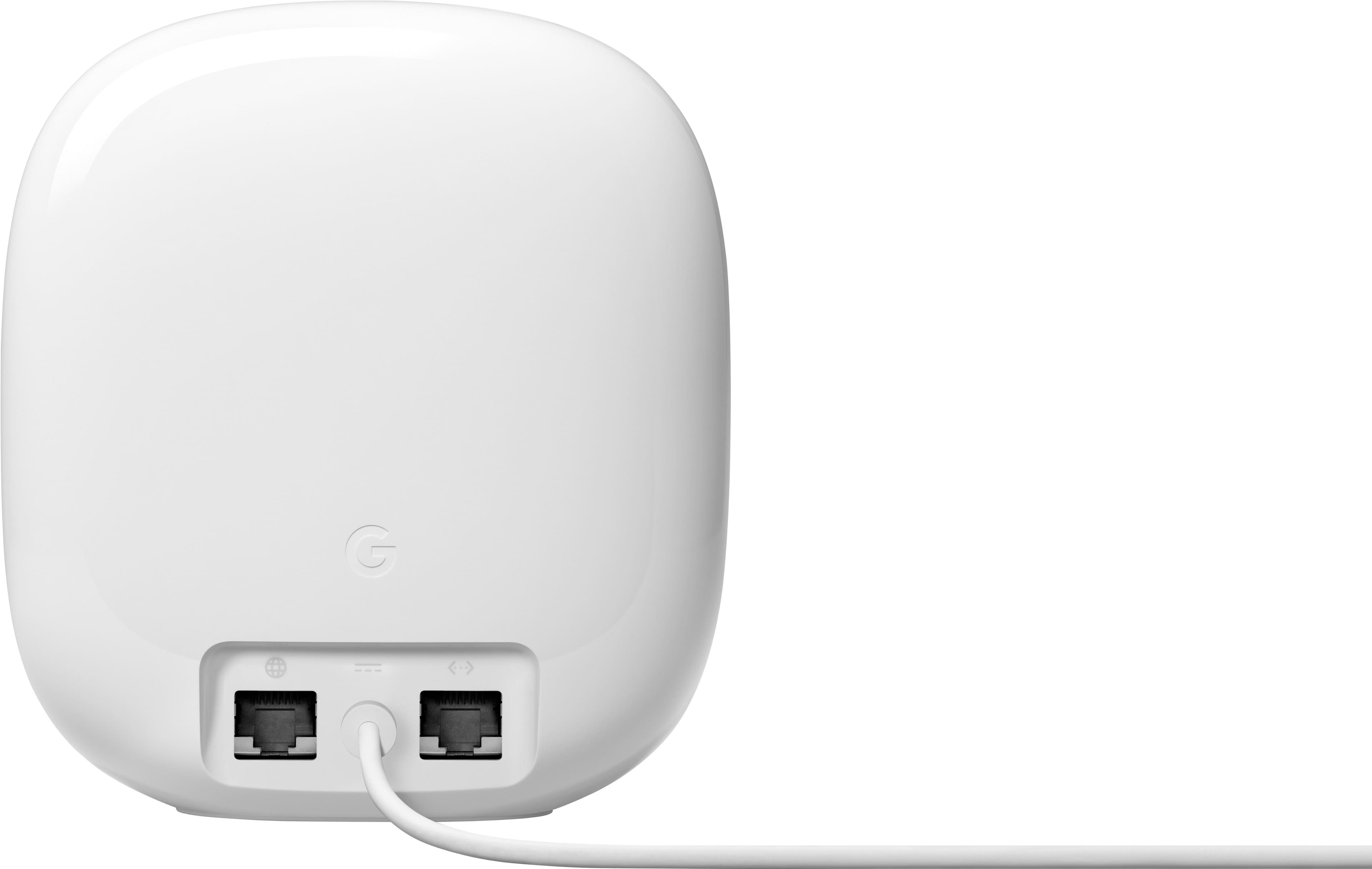
- Once all the modem lights are back on, connect the Ethernet cable to the parent point's WAN port and connect the power back to the parent point.
- Plug your modem and Nest Wifi Pro (parent point) back to the power outlet, and allow them to turn on fully, then connect the router to the modem via the WAN port. Then, plug other Wifi points back to the power outlet.
If power cycling doesn't work, try resetting to its factory default and re-setup. To factory reset, you can check out this support article: https://support.google.com/googlenest/answer/6246619
If the issue still persists, we'll be more than happy to check and assist you. Feel free to contact our support team here anytime: https://support.google.com/googlenest/gethelp
Nest WiFI
||Posted . Owned for 1 month when reviewed.This reviewer received promo considerations or sweepstakes entry for writing a review.Works great, easy to set up, good price! xxxxxxxxx
I would recommend this to a friendMattie
||Posted . Owned for 3 weeks when reviewed.This reviewer received promo considerations or sweepstakes entry for writing a review.Excellent equipment. I’m very impressed with the quality of it
I would recommend this to a friendMesh
||Posted . Owned for 1 month when reviewed.This reviewer received promo considerations or sweepstakes entry for writing a review.Exactlyyy what I needed, Best Buy has been by go to for year!!
I would recommend this to a friendGood connectivity. easy to set up, large coverage.
||Posted . Owned for 2 weeks when reviewed.This reviewer received promo considerations or sweepstakes entry for writing a review.Good connectivity. easy to set up, large coverage.
I would recommend this to a friendFast
||Posted . Owned for 1 week when reviewed.This reviewer received promo considerations or sweepstakes entry for writing a review.Wifi6e fast speed no congestion. Lots of device support
I would recommend this to a friendWorks well for me
||Posted . Owned for 2 weeks when reviewed.This reviewer received promo considerations or sweepstakes entry for writing a review.I recently bought these three mesh routers and I have to say that I’m pretty happy with them. Good connections all around the house. The 1GBit ethernet band limit is not an issue for me since I didn’t get to that speed yet. Love parent control functionality. Use about two weeks with no issues
I would recommend this to a friendWorks great
||Posted . Owned for 1 week when reviewed.This reviewer received promo considerations or sweepstakes entry for writing a review.Big improvement from the nest wifi. Speeds alot faster
I would recommend this to a friendTchicobaby77
||Posted . Owned for 1 week when reviewed.This reviewer received promo considerations or sweepstakes entry for writing a review.This is one of the best wifi i ever owned very fast and working really good I wish I bought the three packs but the two pack works well the entire house coverage. I have 3 stores house it covered all the floor including the basement.
I would recommend this to a friendSo so
||Posted . Owned for 1 month when reviewed.This reviewer received promo considerations or sweepstakes entry for writing a review.I am not sure of it is google fiver or this mesh. It is the 6 version of the router that matters. I am still not sure if I would recommend this product. Be careful, do your research well.
No, I would not recommend this to a friendBrand response from Nest Support
Posted .Hey there, DoctorO. Thanks for the feedback you shared about the Nest Wifi Pro. We understand how important the Wi-fi 6E is for your needs, and we’d like to know more about your challenges with using the device. We encourage you to visit us anytime so we can provide you with assistance for any concerns you may have, here: https://support.google.com/googlenest/gethelp
Google Pro mesh Wi-Fi
||Posted . Owned for 3 weeks when reviewed.This reviewer received promo considerations or sweepstakes entry for writing a review.I tried several different mesh Wi-Fi options and this one by far has exceeded my expectations more than ever everything is connected in the house at 51 devices I appreciate how I can adjust to weak and customize to my likings this is an awesome product and highly recommended!
I would recommend this to a friendBEST WIFI EXTENDER
||Posted . Owned for 3 weeks when reviewed.This reviewer received promo considerations or sweepstakes entry for writing a review.Our cable provider brought the cable in the garage at the front of our home, we had good wifi on ground floor and 1st floor, we had no/poor WiFi on the 3rd floor. After installing this system we now have full bars on all 3 floors, Great product would recommend
I would recommend this to a friendBetter House Coverage
||Posted . Owned for 3 months when reviewed.This reviewer received promo considerations or sweepstakes entry for writing a review.If your house is in a location where you your signal is weak, correct placement around the house will give you better connectivity that hoping the signal will improve.
I would recommend this to a friendGreat Upgrade
||Posted . Owned for less than 1 week when reviewed.This reviewer received promo considerations or sweepstakes entry for writing a review.I had the original google wifi routers. So this upgrade was very needed. I can at least say they donlast a long time.
I would recommend this to a friendProblem solved
||Posted . Owned for 7 months when reviewed.This reviewer received promo considerations or sweepstakes entry for writing a review.So far so good. After we upgraded our device, our spotty connection issues has been resolved.
I would recommend this to a friendWi-Fi nest
||Posted . Owned for 2 months when reviewed.This reviewer received promo considerations or sweepstakes entry for writing a review.I did connect, but I didn’t see any difference between my Internet and with it so I returned it
No, I would not recommend this to a friendBrand response from Google Team
Posted .Thanks for giving the Nest Wifi Pro a try, RamazanR. Even though you returned it, your feedback is valuable and we’d like to hear more — here’s a link to share more: https://google.qualtrics.com/jfe/form/SV_2aStd8wsbcLGvwG

It works flawlessly
||Posted . Owned for 1 week when reviewed.This reviewer received promo considerations or sweepstakes entry for writing a review.I used the old Google home router, but it never was up to the standard. I believe the old Google Wifi router would work with most smaller homes with less device at home. Now when i purchased this Nest Wifi pro it completely blew my mind on fast it increased my download speed. I definitely recommend it.
I would recommend this to a friendWorth every penny!
||Posted . Owned for 3 months when reviewed.This reviewer received promo considerations or sweepstakes entry for writing a review.Very easy set up and fastest Wi-Fi connection I’ve had in a long time. This was an upgrade from Google Nest Wi-Fi and it was just as easy to set up as the first edition. Managing Wi-Fi through the Google Home app is easy and I love being able to prioritize devices.
I would recommend this to a friendExcellent purchase
||Posted . Owned for 1 month when reviewed.This reviewer received promo considerations or sweepstakes entry for writing a review.Great product! It solved all my problems of connectivity at 2 rooms that always had issues.
I would recommend this to a friend