Customer Ratings & Reviews



- Model:
- GA00347-US
- SKU:
- 6306462
Rating by feature
- Value
Rating 3.2 out of 5 stars
- Quality
Rating 4.2 out of 5 stars
- Ease of Use
Rating 3.9 out of 5 stars
Customers are saying
Customers are delighted by the Pixel Slate's large, high-quality screen, long battery life, and impressive sound quality from its loud and crisp speakers. Many appreciate the ample storage and RAM, finding the device powerful and versatile. However, some customers find the device heavy and expensive. The USB-C ports are a frequently praised feature.
This summary was generated by AI based on customer reviews.
- Pros mentioned:Battery life, Screen size, Sound quality

Beautiful Screen, Great for Watching Videos
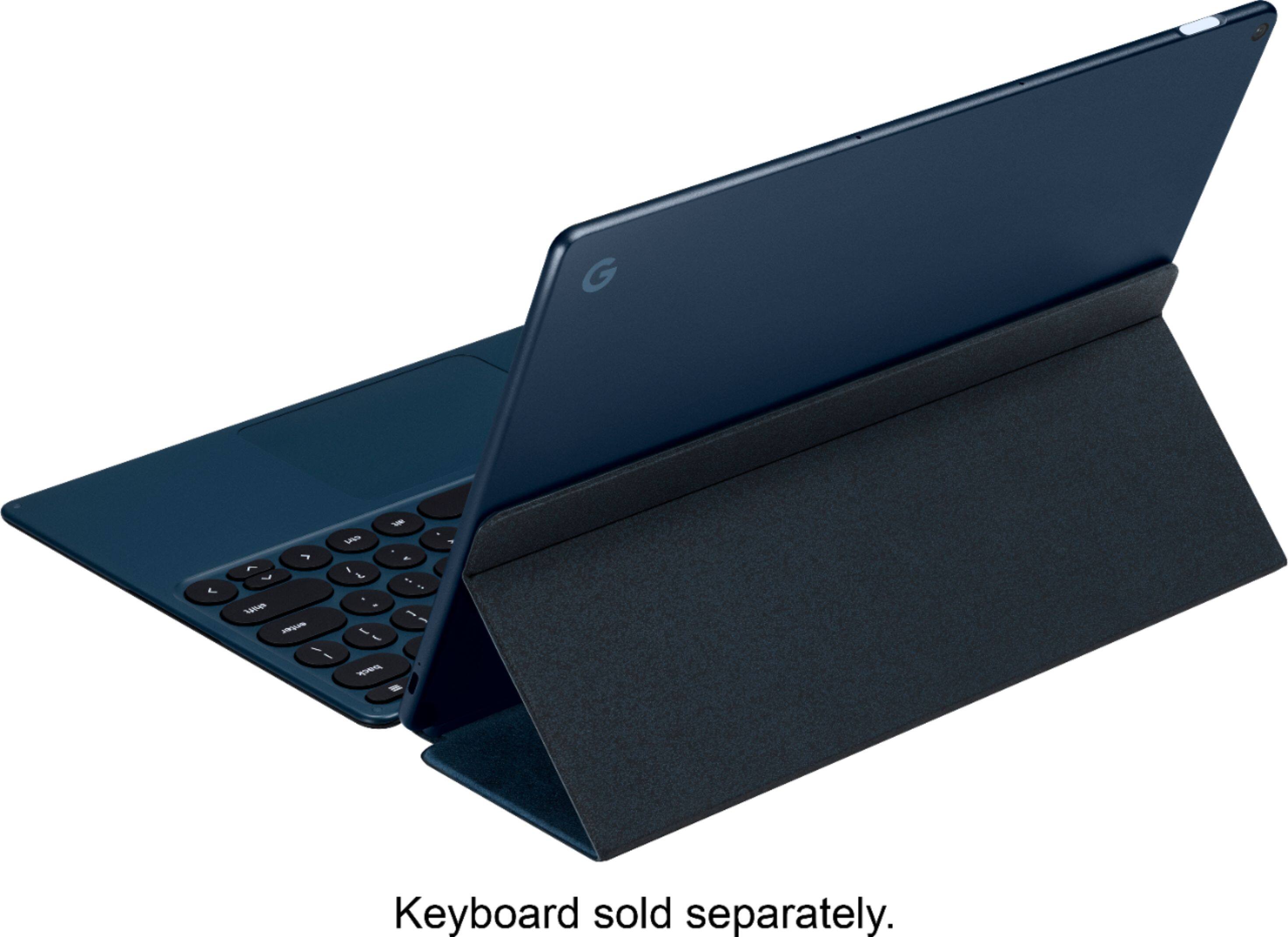
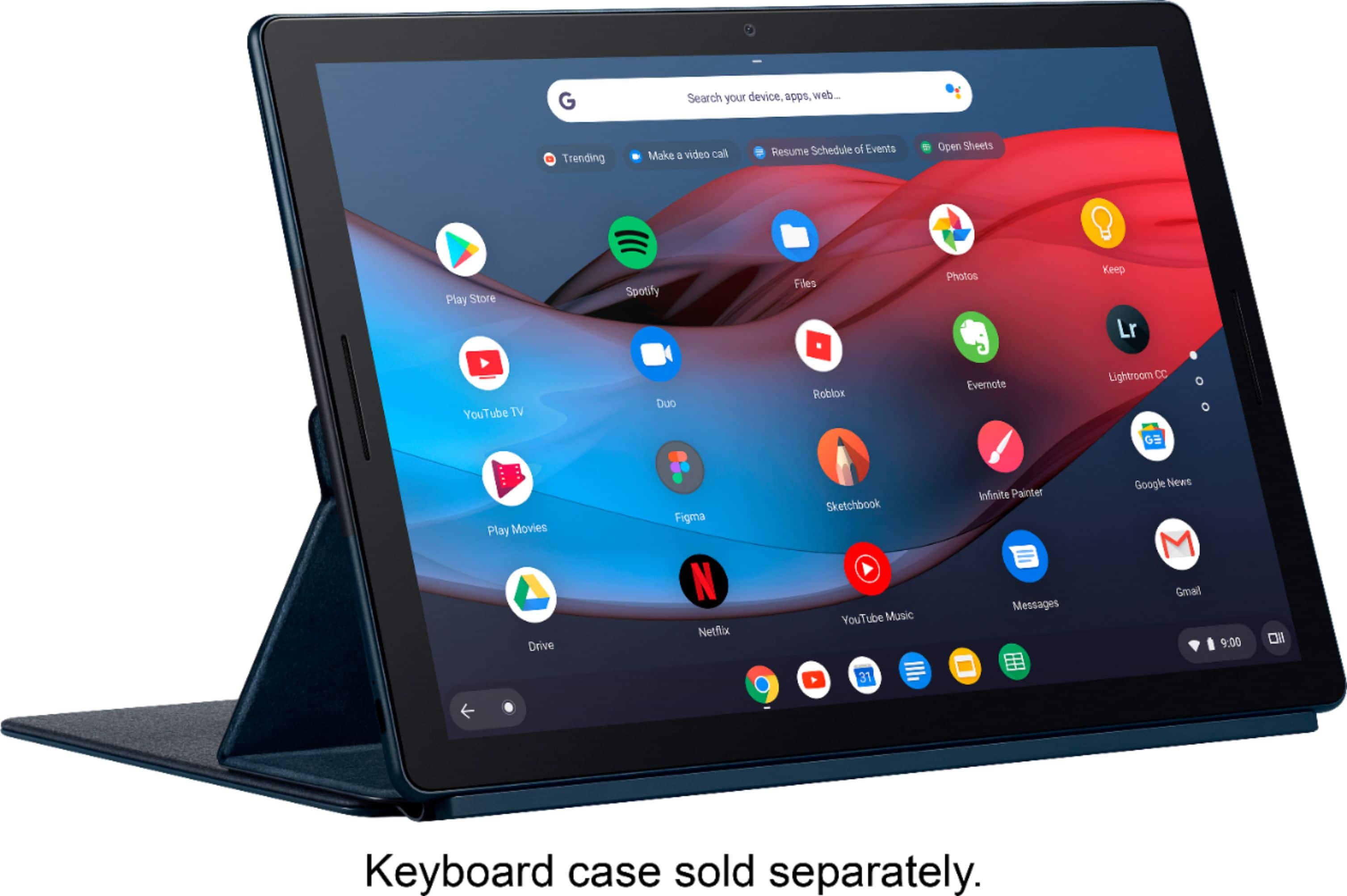
|Posted .This reviewer received promo considerations or sweepstakes entry for writing a review.--HIGHLIGHTS— Beautiful 12.3 High Quality Display, Portable and Lightweight, Great for Watching Videos, 128 GB Flash Drive, Fingerprint Reader, Google Keyboard and Google Pen Compatible, USB-C port --SETUP-- Setup is as simple as charging it for a short time, turning it on, and then connecting to a Wi-Fi network. The next step is to create or sign on to a Google Account. Since I already have a Google account, my settings and data synced up immediately. There were some mandatory updates to the Chrome OS, the keyboard, and some of the Apps that needed to be immediately done but I was soon up and running. Included is a 45W power adapter with a USB C connector and a USB C charging cord. USB C is now the charging standard, so I appreciate the versatility that it affords by allowing one cord to charge multiple devices. The power adapter also has prongs that neatly fold into the body of the adapter which makes it great to take on the go. Using a phone power adapter will charge this device, but much slower than the included adapter but it is a nice option when travelling light is a priority. --DESIGN AND FEATURES— This tablet can be connected to the Google Keyboard which turns it into a Chrome notebook. The Keyboard uses magnets to hold it to the tablet. Another nice feature to using the Keyboard is that is doubles as a protective case for the Slate and the magnets help keep it in place. The keyboard needs a surface that is stable to stay upright. So, if you like to sit it on your lap, you will need to place it on something stable when typing or use it as a tablet. My legs do not provide enough stability to use the keyboard. When I use it in bed, and I have found that the mattress provides enough stability to use the keyboard. The battery charges fully in about 2 hours and lasts for about 10 hours. The 12.3 inch, high resolution screen looks amazing! One of the best features of this tablet is the big beautiful screen. It is exactly what I would expect at this price point and is great for watching videos. I used the following Apps and found the performance to be excellent: YouTube, Vudu, Netflix, HBO, and Hulu. The touch screen is very responsive and works well. It is also compatible with Google Pen if you want to use a powered stylus. They keyboard is functional and easy to use. The keys are nicely backlit and feature an ambient light sensor to trigger the illumination. The power button is also the fingerprint scanner. It scans prints accurately but can only be used to unlock the screen. The print scanner cannot be used to when it is off. When the device is powered on you must use your password or pin. I hope Google upgrades this feature in the future. The wireless adapter worked flawlessly and creates a strong, reliable connection. This tablet has nice sounding speakers with sound quality that is typical for a tablet. For critical listening I use headphones. --BUILD QUALITY AND APPEARANCE— The build quality of this tablet is excellent. It not only looks great, but is also light, and easy to handle despite its size. The color (called Midnight Blue) is has a shade of black/blue. --VERDICT— The Google Pixel Slate is for users heavily invested in the Google ecosystem that are willing to pay the premium price for a full-size tablet that can also be used as a compact Chrome notebook, when attached to the Google Keyboard. This hybrid notebook/tablet is expensive, but has a bright, beautiful screen that is great for watching videos and viewing pictures. M significant other takes it with her all over the house with her to watch videos.
I would recommend this to a friend - Pros mentioned:Battery life, Screen size, Storage
Beautiful, Modern, Powerful but why?
|Posted .This reviewer received promo considerations or sweepstakes entry for writing a review.I was initially very excited to get my hands on the Google Pixel Slate. I'm a bit of a google fanboy and love the hardware design of google products. I got a chance to use the Slate that comes with the Intel I5 processor, 8 GB of ram and 128 GB of storage. These are powerful laptop specs.. in a tablet / chromebook hybrid. This setup should have almost no problem running most android apps on the google play store. But half the apps I downloaded from the Google play store had lag or just look awful on the gorgeous Pixel Slate screen. Most apps on the play store are designed for Android phones and they don't play well with the Pixel Slate screen. I love that google has given us the option to download android apps onto chromebooks but the play store is a mess and let's be honest. Tablet support for Android by software developers is almost non existent. Many of the apps are windowed and do not support the keyboard, which for me makes for an awkward experience when using this tablet in keyboard / laptop mode. You can argue that you can use it as a tablet and remove the keyboard but the pixel slate is HUGE, and trying to play games or type on the screen in tablet mode is cumbersome. The pixel slate is frankly just too big to hold in one hand and free up your other hand for swiping. That being said.. I don't quite understand why Google decided to make this years Pixel"book" into a "Slate". I find myself only using it with the Google Slate Keyboard attached. Google should have included the keyboard with the slate from the get go. Now as far as chromebooks.. this powerful setup can't really do anything that a lower end Chromebook can. I tried connecting an sd card to transfer my photos and videos i took with a mirrorless camera and the whole process was really laggy and buggy. There is absolutely no reason an app from the google play store or a video I recorded onto an sd card should lag during playback on this device. It has an Intel i5!! and 8 GB of ram! Perhaps google can fix many of the issues over time with software updates, and maybe just maybe software developers will polish apps and software for chromebooks and the google play store for tablet use. But do you really need to spend this much on hardware when the software does not take advantage of all the power under the hood of the pixel slate? The screen is gorgeous, and movies, photos, art all look great on the screen. Audio is crisp, and full. Not as loud as I was expecting but it sounds great. I find myself only using the Pixel Slate to browse the web or watch a movie on netflix. This is a product for Google Fanyboys such as myself. It's hard to recommend this product to a student or working professional who wants to edit photos and videos or paint a gallery worthy piece of art on this even though it is beautiful to look at. Pros: Large Beautiful Display Dual Front Firing Speakers that sound good Dual USB C ports for charging or accesories Powerful, fast and long battery life Cons: Software needs alot of work still. App devolopers neglect this platform.
No, I would not recommend this to a friend - Pros mentioned:Screen size, Speakers, Storage
Sets the bar for Chromebook tablets
|Posted .This reviewer received promo considerations or sweepstakes entry for writing a review.I'll start off by saying I've owned Google products for many years from their phones, tablets, wifi routers, etc. and, being a tech geek, appreciate most things they design and develop. That being said, I was excited to see what they had in store for the update to the Pixelbook which I thought was a great design. The immediate difference I noticed out of the box was the Pixel Slate's sleekness; it's not as square as the Pixelbook and definitely much lighter without the keyboard attached, almost a full pound less. It still feels durable and comfortable to hold. The bezel is also not as prominent in the Slate and the edges are rounded instead of square. Another change from the Pixelbook to the Slate I really like is the front firing speakers built into the bezel. I'm pleased they added the fingerprint unlock/power option on the top of the Slate as I would get frustrated having to have my phone around to unlock the Pixelbook or entering my PIN/password. The fingerprint reader is not only convenient but it is also very responsive. Speaking of responsiveness, after charging and booting up, the Slate handled tasks with ease and the browsing and finger scrolling felt very smooth. You will also notice in the pictures how much more compact the Slate is compared to the Pixelbook. You'll notice the bezel and keyboard aren't as bulky but the Slate provides the same screen size with slightly better quality. The Slate does NOT have a headphone jack so you'll need to rely on either wireless headphones or use the included USB-C adapter which will take up one of the two USB-C ports. On the bottom of the tablet is the connector for the wireless keyboard which is not provided. After I synced my Google account, it automatically started downloading my apps and setting up my device with how I had my other Google devices set up. Perhaps the best upgrade to the Slate is simply the option to remove the keyboard; that, to me, is the game changer, especially for the weight difference if you don't have much need to type. My opinion is the mid-range Slate specs with the i5 processor, 8 GB RAM and 128 GB of storage is a happy medium for everyday users. I also recommend considering the optional keyboard not only to type much easier but also for the protection it provides. The pen is also a great option for drafting, drawing and writing. The Pixel Slate is just another reminder why I continue to remain a fan of all things Google.
I would recommend this to a friend - Pros mentioned:Storage
Premium device, but storage is an issue
|Posted .This reviewer received promo considerations or sweepstakes entry for writing a review.The Pixel Slate is an extremely premium device, but a couple big flaws really hold it back. First, the tablet is very thin. I was very impressed with just how sleek it looks and feels. I’m not certain what it’s made out of (some kind of coated metal?), but it feels very sturdy. The screen is beautiful and resist fingerprints surprisingly well. After a couple days of use, I’d normally be reaching for my screen cleaner at this point, but I see barely any fingerprints at all on this screen. The screen is vibrant and sharp, and consuming media on this device is a joy. The tablet comes with 8GB of RAM and 128GB of storage. My personal opinion is that 8GB of RAM is total overkill for a Chromebook. Unless you simultaneously have 100+ browser tabs open or are running some seriously intense Linux application, there really isn’t any call for this much RAM. This may change in the future though. It has two USB type-C ports, and either one can be used for charging. There are NO traditional USB type-A ports or mini/micro USB ports. There are also no headphone ports, but the computer does come with a USB type-C to AUX cable. My BIGGEST complaint about this tablet is the lack of an SD or micro-SD port to expand the onboard storage. Chrome OS has progressed beautifully over the past three years and is now ready to serve as a full-time operating system for many users (not Gamers though). That being said, so many Chromebooks are hamstrung by paltry internal storage. 128GB is extremely generous compared to most Chromebooks, but without a micro-SD card to store offline media (i.e. documents, pictures, music, and videos) this will still fill up quickly. Sure, Chrome OS and Google encourage you to use Google’s cloud storage, but what happens when you find yourself without a decent internet connection? It’s not convenient, but you’ll probably want to have a USB type-C flash drive on hand to store most of your offline content. Yes, it will jut out uncomfortably, but it will at least allow you to function when you find yourself without an internet connection. I had only one real concern about the built quality, and it wasn't about the tablet itself. The charging cable that came with my tablet had a little "kink" in it, and the charger itself gets uncomfortably hot when charging. I'll probably swap this out for a 3rd party charger down the road. Setting up the device took longer than anticipated. Maybe it’s because Google just released a major update, or maybe it’s because I was setting it up on a coffee shop’s WiFi, but the “5 Minutes” it cited to get updated and running was actually closer to 15. I was pleasantly surprised when my apps from my old Chromebook started auto-installing on this new device. Not having to hunt around the Play Store to find things is appreciated. I would absolutely recommend this device for general media consumption, entertainment, and light productivity on the go; but I would not recommend this device as your primary computer. Chrome OS has come a long way, but the storage issue holds this tablet back too much.
I would recommend this to a friend - Pros mentioned:Battery life, Screen size
Great Tablet for the Google User/Enthusiast
|Posted .This reviewer received promo considerations or sweepstakes entry for writing a review.Appearance and Build Quality: The Pixel Slate is a sleek and beautiful device. The front is a nice 23.3” 3,000 x 2,000 resolution eye popping display. The bezels around the edge are fairly thin and really only there as a place to hold. The top of the screen you can see the 8mp “DUO Cam” as Google calls it. The rear is a midnight blue aluminum back with the Google “G” in the top left corner is an 8MP camera. It weight in at 1.6 lbs and is 0.3” thick. There is a power bottom on the top left speakers on the left and right side for stereo audio, volume controls and USB-C port are on the left, magnetic keyboard connector is on the bottom, another USB-C port on the right. Performance: I am not going to give a review of ChromeOS which is the operating system this tablet runs, as there are tons of other devices that run this OS as well. This is specifically about the Pixel Slate’s performance running ChromeOS. My unit is an i5/8GB/128SSD model. This is the middle spec for the tablet. At this spec, ChromeOS operated absolutely smooth and fluid. Webpages scroll without jitter, the UI navigates exceptionally well. I can have multiple apps and tabs open without the machine slowing down one bit. If you can live and operating in a “Google world” then you could absolutely use this tablet as your only computer. On average I can get about 8 hours of use on this thing. Charging it via the supplied USB-C which can plug into either the left or the right side of the tablet gets you back to 100% charge rather quickly though I didn’t not measure the actual time it took. The screen response from fingers pressing and scrolling is very accurate and responsive. I noticed extremely minimal lag. The current build of ChromeOS has offered drastic performance reviews from when previously released. I have not tested or used the Slate prior to the most recent builds, so my experience has been all around very good. The front facing web cam is optimized for using Google DUO. Video calls are very clear, fluid, and crisp. Audio was always good and the mic picked up my vocals and the dual left and right stereo speakers produced great sound for hearing the person on the other side of the call. Using the tablet without a keyboard puts it into “tablet mode” which changes the home page to a more touch friendly environment. Buttons get moved to the left or right and app icons present on the screen in a scrolling fashion. When using accessories like the keyboard, apps go away and it becomes more “desktop” like. I had different mileage when plugging the USB-C into a monitor that supports USB-C vs one that doesn’t using a dongle. For the ones I used a dongle, I could not get it to display, while on a USB-C specific monitor I could get a full desktop effect. The screen itself is gorgeous. ChromeOS however does not offer a ton of scalability, so task bars remain rather large while keeping text readable, Making task bard small enough also makes text too small to read. Colors are vibrant and movies or videos looks incredible. 12.3” is small enough to easily carry around but large enough to use for a full days work without feeling like you NEED more space. If you’re all in the Goole ecosystem, this is an excellent choice as it encompasses all things Google, offers a great user experience, and integrates with other Google tech as well. If your a Apple or Windows user, this tablet may not offer much for you and you should likely look elsewhere. This feels like a device made for Google user’s specifically who understand the world of Google and are deep in all of their product line.
I would recommend this to a friend - Pros mentioned:Screen size, Speakers, Storage
beautifully inviting
|Posted .This reviewer received promo considerations or sweepstakes entry for writing a review.The google pixel slate is hot. I like the sleek round corners, speaker placement and clear picture. If you are a fan of google, this is the ultimate tablet. For simple and complex assignments. You can turn this into a desktop and be stationed for anything. The pixel imprint lets you use your finger to sign in. Tons of apps and great storage. cameras decent but don't use it specifically for that or you might be disappointed.
I would recommend this to a friend - Pros mentioned:Screen size, Sound quality, Speakers
Fantastic all around package
|Posted .This reviewer received promo considerations or sweepstakes entry for writing a review.The Pixel Slate has received a lot of slack since it's release and after some time using it I feel like it is not justified. Updates have made this device so much more stable and reliable compared to when it first launched. ( and yes, Google intends on supporting this product for software purposes ) The screen on this device.. wow.. I can't express how absolutely stunning this screen is. The colors and visuals just pop. This tablet is ideal for video streaming, games, photo editing and video editing. The colors are just amazing and I feel like this, along with the sharp, clear images it portrays, makes it ideal for all the above. The speakers are probably the best speakers I've ever heard on a tablet or even a laptop for that matter. You will have no issues watching movies, YouTube, streaming any content or music. These are high quality speakers. I'm amazed at how they are able to pack so much boom and power in them. I really enjoy the Google Ecosystem and how simplistic and streamlined this software is, especially if you are someone that utilizes all that Google offers like Play Music, Drive, Sheets, Keep, Photos and Messages. I think the best thing about the Google Ecosystem is how it can be a pick up and go with any phone. I own an Android, but I know if I had an iPhone Id be able to utilize all those apps and have them sync fine as well ( except messages for obvious reasons . ) The essential add-ons. The keyboard and pen.. First off.. This keyboard... the buttons, the tactical, the response, the comfort... It's going to be an absolute struggle trying to use any other keyboard due to the fact at how amazingly comfortable these circle keys are on the keyboard. The flexibility of the keyboard is great too. Whether you want to use it in tablet form, laptop form or even as a canvas to best utilize the Google pen, it offers an option for everything. The google pen is fluid and accurate to the touch on the screen. The overall hardware and performance of this product is premium and feels solid. The fingerprint sensor works great, the two USB C ports are convenient. I really cant pin point and specific flaws about this entire package. If you want the best of Android and Chrome OS together, than this is the product for you. If you work daily in the Google Ecosystem, frequent video calls using Duo for business or personal use, then this is really the total package for you.
I would recommend this to a friend - Pros mentioned:Battery life, Screen size, Sound quality
Excellent Tablet / Laptop Replacement
|Posted .This reviewer received promo considerations or sweepstakes entry for writing a review.I am really enjoying using this Pixel Slate. From the start I have been impressed. When unboxing the tablet, it was reminiscent of a competitor; very sleek but simple. The packaging was definitely something that was well thought out for this device. Out of the box, my only small complaint was that the Pixel Slate had 0 charge on the battery and it took about 30 minutes to come to life. Once it started charging, I completed the setup and it was fully charged after about two hours. I have used it now for about an hour or so a night for close to a week and I’m still at 20% which is very good. I did watch one movie on it as well and it didn’t do much to drain the battery. Unlocking the tablet with a fingerprint is great and works just about every attempt. I will remove and re-add my print to see if it improves but this has not caused any angst at all. It is very responsive to touch with your finger or the Pen accessory. I have the keyboard as well and it completes the experience. The google store has plenty of apps for the device, most of which are generally available on a multitude of platforms. The 12 inch screen is very crisp and is great for movie watching or goofing around with some games. I am also very impressed by the sound from the tablet. Before putting headphones on, just sitting there playing music was very enjoyable. The sound was crisp and clear, I believe this could be a laptop replacement if you don’t need to crunch video software or feel you must use other office products. Getting used to storing your data on the cloud is not difficult once you have it setup properly and have enough storage so that you are not concerned with having everything on a local hard drive. All in all, the Pixel Slate from Google is an excellent device with a screen large enough to watch movies, build spreadsheets but also light enough to take anywhere.
I would recommend this to a friend - Pros mentioned:Screen size, Sound quality
Great for entertainment, ehhh for working
|Posted .This reviewer received promo considerations or sweepstakes entry for writing a review.I was excited get this and set it up the way I need to see the experience. I've been using iPad Air 32gb for the past 4 years and there are plenty of things I love/hate about that... I've found myself working remote, traveling via airplane and on the road more and more lately, so a new tablet with the ability to take notes with on the go using a stylus/pen, with attached keyboard, large screen, and plenty of memory was just what I needed. When traveling, I'm always checking email, watching Netflix or Prime videos, listening to podcasts, etc... I wanted SOMETHING to replace my iPad and give me the ability to do all this when on the go. Setup and powering on was simple, I signed on with my existing google credentials and all of my settings synced up perfect. I opened chrome and it was refreshing to see all my bookmarks and pages setup the way I like and expect. I installed google drive and sheets, Netflix, Prime, etc... and started using this as my daily tablet. The first day out with it I found the power button/fingerprint reader only worked sometimes... not every time... I didn't like that. I really really liked the touch pad feature on the keyboard, super convenient! I wish my iPad had this! It is cumbersome to use the tablet as a "slate" to write notes on with the stylus....There is no easy way to fold up the keyboard to use it to write notes on by hand using the stylus and note taking apps... On top of that, it kept recognizing my hand resting on the tablet face as me trying to write, and when I was trying to write my notes while on sales calls... I ended up searching for a notebook and pen in my bag to quickly take the notes instead of trying to figure it out on the go. Screen responsiveness was fantastic, the screen itself is bright and clear. Hardware is high quality and it feels solid. When keyboard is attached, it functions great as a Chromebook/laptop. However, with keyboard removed, I'm not sure how to hold it correctly where it feels good in the hand, its almost too big to hold as a tablet, and about impossible to scribble notes on it using a stylus with keyboard attached. On a recent work trip, it functioned perfectly for Netflix, web browsing, and listening to music and podcasts while flying... No issues whatsoever! Sound quality is great, resolution is perfect and the screen size is a big upgrade from my iPad.
I would recommend this to a friend - Pros mentioned:Screen size, Sound quality
Truly Mobile Computing... promises kept!
|Posted .This reviewer received promo considerations or sweepstakes entry for writing a review.I was upset when I read of Google’s decision to get out of the tablet business as I use tablets very extensively and find them quite convenient. I like the portability of a tablet over a full size laptop and I am a big fan of the Android operating system as well as Google’s ecosystem. I appreciate how I can interact with my other Android devices, like my Nexus 6P phone and my Shield TV. But when Google announced the Chromebooks were taking over this slot, I wasn’t really enthusiastic about it. I’d had some experience with Chromebooks in an educational environment (I worked as an IT consultant for education) and while they were a good solution for that market, they were still a ‘laptop’ in my mind and too bulky for what they offered. Great central management though. I started getting excited again when they introduced the Pixelbook though; this was the tablet I wanted with all of the features of a laptop and none of the bulk. I figured it was too good to be true. It's the "Goldilocks Promise - Not too much, not too little... Just enough! Until I got my hands on one. This is an elegant and powerful device. And for anyone invested in the Google platform, nothing comes close. I know we’re not supposed to talk about competitors in reviews, but it’s almost impossible not to conjure up comparisons to a certain convertible tablet that runs Windows. Let me save you some time; there is no comparison. The Pixelbook is superior. From the guided setup, to the first time you see the home screen everything is easy, straightforward and feels polished. It’s amazing how well information from your Google account is pulled in and populates your device. Between that and Chrome, most of the blanks are filled out for you already and you simply have to make a few choices and you're up and running. Some of my most important links and apps were already waiting for me on my homescreen. Others were available in a simple trip to the Play store. In the Chrome browser, not only were my necessary plugins instantly installed, but even my theme was ported over. That made hitting the ground running all that much quicker. And it even detected my Android phone; setting it up to be used as a smart unlock device as well as a network point of access. The Pixelbook is great for working anywhere - in fact I am writing this review in Google Docs now while I am in a waiting room for later upload - but you can’t overlook it as an entertainment device either. The screen is sharp and well lit and the sound is pretty impressive as well. Last night I watched an entire movie from my Google Play collection and it never felt like a compromise. And even better, I was watching it while laying in my chaise in my backyard. Sound was excellent for the size of the speaker in it but even if it wasn’t, Google thoughtfully provides a USB to ⅛” jack to plug in some headphones. This is not to say that there aren't some issues. For instance, when I did the initial set up, my Android phone was automatically detected and added for tethering, but I couldn’t get tethering to work consistently. It would connect, but it wouldn’t stay connected for long and I still need to research this a little deeper. ChromeOS takes a little getting used to with some of the settings buried in the menuing system, but you pick it up fast and there’s plenty of online resources to learn from as well as guidance within the OS itself. Also; accessory-wise, I think that while the Pixelbook Pen can be a very useful tool, it may not be for everyone and you should make sure you have applications and use cases for it before spending $99 on it. Would be nice if the case had some kind of loop or storage for it as well! But these are small issues in the larger context and some of them are simply subjective. Overall, I’m extremely pleased with the Pixelbook and compared to other platforms I have tried (including ones from a certain fruit logo’d company…) I think the performance and value are unbeatable for the price. The truth is, most of us don’t need a full fledged laptop even working mobile and Pixelbook more than fits the bill. In a business environment, ChromeOS can be centrally managed and maintained and is infinitely more secure than comparable options. You can do remote meetings with Duo and the GSuite for presentations, you can work on documents anywhere and with a mobile phone or cellular hotspot, your office can be anywhere. There’s been a lot of promises made in mobile computing, but based on my experience the Pixelbook has come closest to fulfilling those promises and does so at a reasonable price. I’d recommend it to anyone who needs more than a tablet and less than a laptop… which is a larger market than you might imagine.
I would recommend this to a friend - Pros mentioned:Battery life, Speakers, Storage
Solid Chrome OS tablet with a learning curve...
|Posted .This reviewer received promo considerations or sweepstakes entry for writing a review.The Pixel Slate is a great step in the right direction when it comes to Chrome OS hybrid tablet/laptop alternatives. I found the Chrome OS interface a bit confusing and does require some time to learn the functionality of the OS... I didn't find it to be as fluid as other interface like Android and PadOS then again this is truly a hybrid OS. Be prepared for a learning curve that is very achievable. The built quality is top notch with a high quality look and feel. Display is a high res (comparable to the iPad Retina display), speakers are much better than the iPad Pro (I believe there's a dual setup on the Pixel), battery life is up to par with comparable devices (10-11 hours with my prefer settings). 128GB is enough to download plenty of movies ahead of time for long trips/getaways. WiFi speeds are very fast (would be better if it had an LTE option as well). I truly believe the Pixel Slate is a great entertainment tablet, productivity can be done but it will also require a bit of an adjustment. Sadly, the keyboard ($199) and pen ($99) are separate and third party accessories are hard to come by. Overall, if you're invested in the Google ecosystem, this is the perfect iPad Pro substitute. Thanks.
I would recommend this to a friend - Pros mentioned:Screen size, Speakers
Love this tablet!
|Posted .This reviewer received promo considerations or sweepstakes entry for writing a review.I’m a huge Google user; from the Smart Home to Gmail and even the monthly-costing GSuite for some consulting work. I also own a number of Nexus devices (N5, N6, N9), of which sadly they are now too old and no longer receive updates, so that makes me pretty familiar with “vanilla Android” and how to use the OS. When I was offered this Pixel Slate, keyboard and pen to review, I was more than excited to put all of the Google services that I use today, together on a single, modern Google hardware platform, // Experience // After about two hours to charge (it was just about totally dead when it arrived), I started to play. Right off the bat, I imported my favorite Apps from Android/ChromeOS and gave them a whirl. Having all of my favorite phone apps on a 12 in display is awesome, even if they all don’t support being on a tablet. I went right to Gmail & YouTube and snapped them to each side of the screen. I find that 12.3 isn’t quite enough to have them cleanly run on half of the Pixel Slate’s display, unless you mucked with the resolution a bit -- 80% got me there perfectly (1667x1111). From YouTube to Google Play Music, I’ve used the Slate to play music for my desk area out of the really decent speakers, as well as streaming over to Chromecast hooked up to a full home theater; great sound. When using YouTube for video, I didn't suffer any pixelation, lag, stuttering or anything that would make me want to switch to a different device. I’ve also casted Google Maps to my TV to go through a trip we were planning and did notice some blinking happening on the casted television; enough blinking to the point that it was annoying and I stopped casting to the TV. I also like the fingerprint reader, as it's solid on the first try and it fails with the wrong finger (it's fast, so I was skeptical). I have it mated to Google Messages so texts show up on screen and I can unlock the tablet by SmartLock, if needed. All very cool ways to mix the different security and messaging options. // Slate // The display is great; crisp and very easy to work with. The touch is responsive and swiping gestures provide the perfect amount of feedback. The tablet is Slim, light and very easy to hold. As with any tablet I try not to use it while walking around or anywhere that if it dropped, I'd suffer a total loss of the device; The same goes with this Slate. The dual front-facing speakers are great and I have other tablets that I’ve compared them to; I prefer these over the HP X2 and by far over any other tablet in my household (old pre-ChromeOS, Nexus devices and iPads). I also paired the Sony WF-1000XM3 earbuds to this to listen to music during the day at work, when I need to focus; no issues, hiccups or stutters. I also picked up a 3rd-party USB-C Power Distributing (PD) wall adapter and USB-C - USB-C cord and that charged without issue just as the OEM one does. I do have some difficulties with the dictation capability on the Slate. Unlike my HP, or Samsung phones I find myself having to really read what it translated to text, as it's not often what I was asking of it. When I wanted 'pen' I got 'pain' or 'pin'; it really was a ‘pin’ to write this review when that kept happening. Inconsistent capitalization was also something I ran into quite frequently and it required some manual changes. Overall, I really like this device and have been bringing it everywhere with me over the past two weeks!
I would recommend this to a friend - Pros mentioned:Screen size, Speakers
A worthy windows laptop Replacement!
|Posted .This reviewer received promo considerations or sweepstakes entry for writing a review.This has to be my new go to laptop/tablet. I have one other chrome book laptop and I still say chrome OS is just more user friendly and overall smoother plus it’s super safe. I had to start with the OS because there are many tablets and small-ish laptops out there. And I, like many people are moving towards more portable options. So this google slate takes my time vs my old traditional laptops. The slate is simply beautiful if not simple. Very light weight and sleek. Well built and pretty. But I would have preferred a red option. As far as performance mine has the i5 processor paired with a 128gb super fast ssd. Which is plenty and the lowest option I would recommend. Fingerprint scanner works great. No issues. This feature is standard but not on all new tablets.The screen is probably the best part. It’s resolution is beautiful and I’m not over exaggerating either. So nice to look at. Plus great viewing angles. I find myself using this in place of my tv even. Sometimes* It even plays 4K video through YouTube. I spend a lot of time on YouTube so that’s great for me. 2 usb C connections. Although I don’t think as of right now I will use the ports for external components just yet. But the support is there. Another Huge strong point to this tablet is the speakers. WOWWW. Literally the best I’ve heard so far. Plenty loud and very clear. Front facing should be a standard on all tablets and laptops. It’s night and day. Great job on google for that. I highly recommend getting the OEM google slate keyboard. They work perfectly together. I always have the pen. That’s something to consider as well. I have no complaints on this unit. And I’m very picky. Great product. The price is warranted but at the same time. If you can get a deal on this I would jump on it for sure.
I would recommend this to a friend - Pros mentioned:Screen size
Like an Android tablet, but better!
|Posted .This reviewer received promo considerations or sweepstakes entry for writing a review.I have absolutely fallen in love with my Pixel Slate! I use it to play all my favorite Android games on a much larger screen, but it also has a desktop web browser so I no longer need a laptop. Two USB C Ports, a huge beautiful display, and more than enough power to run Office apps. I could not be happier with this Tablet, and honestly will use this as my daily driver for a long time to come.
I would recommend this to a friend - Pros mentioned:Sound quality, Storage
This new revamped edition of the Slate is a wonder
||Posted . Owned for 3 weeks when reviewed.This reviewer received promo considerations or sweepstakes entry for writing a review.Ignore the reviews from a year ago. This latest and least expensive edition of this device sports a full-on Intel i5. Gone is the Celeron, 16GB RAM & either 64GB or 128GB of onboard memory. The screen is amazing and the apps universally show no lag. The stylus is good and the keyboard, though a little wiggly in the lap, is still great for typing on a more-or-less even surface (even a bed). It is lightweight and runs Linux and Android flawlessly. What more could one ask from such a reasonably priced unit? (I did get this on Cyber Monday).
I would recommend this to a friend - Pros mentioned:Screen size
Many flaws
||Posted .This reviewer received promo considerations or sweepstakes entry for writing a review.I expected a lot considering the price but it does not measure up to its high price. Its good points are the exceptional screen and lightening fast processing. The bad begin with screen sensitivity - it doesn't like fingers and misses a lot of finger taps. It does very well with google's $100 stylus - if you want to carry a pole. When at the far end of the house, it has trouble with wifi connectivity. I still use my old Galaxy Tab Pro at that end. Just an asides, all of our cell phones maintain wifi also. If you plan on using the slate as a reader in a reclined position, I suggest you get a pair of rubber gloves. The unit is quite slim but the back panel could pass as an ice rink. Home and back buttons are located at the very bottom left of the screen making it difficult to use while attempting to hold the tablet. I ordered the optional keyboard which makes it very easy to use the tablet except that now you have a laptop. I should have returned it but procrastinated and missed that window. A final thought about the design, it is sleek and very attractive. The design team did a great job save that I struggle to hold it. Can't say the same about the stylus. Seems twice as thick as the tablet and is annoying to hold. I think that design team were former lumberjacks. There is of course no way to store it with the tablet and I would fear confiscation by TSA should I try to board a plane with it. I wish they had taken a que from Samsung and built it to store in the tablet frame.
No, I would not recommend this to a friend - Pros mentioned:Screen size, Speakers
Incredibly buggy for a 1 year old product
||Posted .This reviewer received promo considerations or sweepstakes entry for writing a review.I purchased this on sale during the holiday season, and I will say it was worth the price of roughly half off. However I am dumbfounded by the amount of bugs the Slate has. Many Android apps crash, or cause a system crash. I have had bluetooth pairing issues. The touch screen can get laggy and unresponsive. The onscreen keyboard is atrocious. You'd think the company that created the fantastic Gboard keyboard, would migrate over the features to ChromeOS. That is NOT the case. When I turn the tablet on, and it asks for my PIN, sometimes there is a popup that blocks some numbers. You can't get around it! Periodic flickering issues. More unexplained reboots/crashes. Font sizes in Android or Linux are not carried over from ChromeOS, so they default to super tiny. The list goes on and on. And yet I'm keeping it. Here's why. I can work through these issues and I feel more will get resolved with time. I also didn't spend that much, so it's a "toy" for me. Not a necessity. Using Chrome browser is phenomenal! You get the full desktop experience in a tablet. Unmatched and far superior to an Android browser. Access to Android apps, when they work, is truly a bonus. Access to Linux (beta) has great potential, and another techy tool to play around with. The screen is stunning! Watching any media is fantastic. And speakers sound full and all around really good. Bottom line, I'm using this for viewing content. I won't be using it for productive tasks at this time. I am disappointed Google has so many bugs on this device, but if it wasn't for them supporting ChromeOS on this device for another 6 years, I wouldn't have bought it. Second Bottom Line. Only buy this if you get a great deal. Not a good deal. A great deal. And know what you're getting into.
No, I would not recommend this to a friend - Pros mentioned:Screen size, Speakers
awesome first chromebook
||Posted . Owned for 2 weeks when reviewed.This reviewer received promo considerations or sweepstakes entry for writing a review.the pixel slate is the first Chromebook i ever owned and second tablet. As a 2 in 1 it works great for me as i can use it for schooling checking emails,typing and reading documents in any orientation. i tend to use it during my off times for entertainment watching videos, searching the web or sometimes drawing. The slate as a bright big screen and great speakers. I want to say i was like a lot of you who took the reviews serious and seen this a total flop, but after using it can say that this is a pretty neat device that should have been great from the start. i only held off cause of the price and i rather stay within the google ecosystem than get an ipad (im not an apple fan) or even a surface book since they are both good choices depending on your preference. Maybe it was the software or the price range the held it back but now i think we should give it a shot.
I would recommend this to a friend - Pros mentioned:Battery life, Screen sizeCons mentioned:Price
Premium at a Price
|Posted .This reviewer received promo considerations or sweepstakes entry for writing a review.THE BREAKDOWN: Let’s begin by saying that I have looking forward to the combination of a high end Android tablet and combining that with the keyboard to get the premium Chromebook multitasking features. I have been saying for the last few years image if you had high end laptop but could also detach the screen and use it like a tablet, best of both worlds right!! The packaging was very well done and like opening high end merchandise. In the box was everything needed to get this product up and running. After turning it on and plugging it up to power I was up and running quickly. With signing in and all the updates it still only took a few minutes. Let's start off with price, at $999 and add a keyboard at $199 puts you at the $1200 premium range. One thing that is lacking is the availability of LTE to be able to use it on the road. I really like the look and feel of the Pixel Slate. It has the flat bak and slim line bezels and had a really nice 12.3 inch screen. The screen have a beautiful resolution with a 6 million pixel display. The colors are very bright and vibrant. The performance was excellent, I felt that pages loaded fast and all my apps performed well. I enjoyed watching hours of streaming videos on all the popular platforms with vibrant rich colors. The battery life for me was around 13 hours which is higher than their rating of 12 hours. I also found that it does not get hot or overheat after using for hours at time. The tablet has 2 USB-C ports one at the end of each long side. It also has a volume rocker button on the left side and above that is the power button that can also unlock the device by using your fingerprint. One thing to note is that this is the only fingerprint option that I found it uses. It doesn’t use it in apps or purchases that I have found. Lastly, the operating system. I have found this iteration of the OS Google has made many improvements but for me they still needs some work. Most of the apps seem to work on the Pixel Slate but there are those that were designed for just phones that really look bad when they are displayed on this 12.3 inch screen. One last note is that when trying to do split screen with apps and chrome tabs it seems difficult and buggy. PRO’s: -Very well built and stylish -Setup was quick and easy -12.3 inch display -6 million pixel display -8th gen Intel i5 processor -128GB SSD -Pixel Imprint -Excellent battery life CON’s: -Price -Multitasking split screen -OS still needs work -No LTE SUMMARY: Overall, I feel that this product is really good and has a great fit and finish. I like all the features, and I feel that there is definitely some room for improvement from Google. For other devices in this price range I feel that this one just isn’t up to the standard for this price point. I would definitely recommend this to a friend if they are in the market for something like this.
I would recommend this to a friend - Pros mentioned:Battery life, Screen size, Speakers
Perfect hardware without the perfect software
|Posted .This reviewer received promo considerations or sweepstakes entry for writing a review.For the most part tablet’s have not been too successful on being productivity machines. Most of the usage has either been media consumption, gaming or ebook reading. The hardware has been there to support the productivity side but the software has always been the Achilles heel. So does the Pixel Slate finally accomplished this in a way yes but no. Hardware & Performance: When it comes to the Pixel line Google does not disappoint. Just as nice looking and premium feeling the Pixel Book was the Pixel Slate is just as well. It’s a huge device that as a tablet can sometimes be a burden to be held due to being on the heavier side. The screen comes in at 12.3 with some slightly bigger bezels compared to the competition. It’s a gorgeous 3:2 aspect ratio LCD display that it’s a joy to use when getting some work done to just sitting back and enjoying some Netflix. It’s a very sharp crisp display with colors that pop. To me, the display reminds me of the Samsung Chromebook Pro which at that time was the best display on a Chromebook device. The screen is also pressure sensitive to support the new Pixel Slate Pen. When it comes to drawing even with the latest update I still experience some lag. I will say it’s much better now compared to the previous update. Besides drawing the pen can also be used to capture the screen, laser pointer, create a note and bring up the Google Assistant or magnifying glass. Those bezels are slightly bigger due to the front-firing stereo speakers and so far I must say the best so far on a tablet device. They’re loud with some bass that the missing 3.5mm jack will sting less. It is a disappointment for a tablet not to include a 3.5mm jack but Google does include a USB C dongle to use with your favorite pair of headphones. For I/O the Pixel Slate does have x2 USB C ports one on each side that both are capable of charging your device. Since it’s running Chrome OS 99.9% of the stuff you plugged in from portable drives, keyboards or game controllers the Pixel Slate will recognize them. Unfortunately, there’s no expandable storage via micro SD slot. I was more disappointed about the missing SD slot than I was about the 3.5mm jack. Even though you can plug in a portable drive I prefer to save a port for something else and not having a dongle sticking out especially if you’re traveling. It’s one less item to pack or lose. The hardware is top-notch that is driven by an 8th gen dual-core Intel i5-8200Y processor with Intel UHD Graphics 615, 8gb of Ram (16gb for the i7 model) and 128gb of storage (256gb for i7 model). It’s fanless CPU so you will not hear any fans at all. If you’re doing some heavy tasks like gaming, moving huge files or have a lot of open tabs in Chrome the bottom back of the Slate will get warm. On paper, this specs should translate to fast smooth hardware which is it does for 75% of the time. 25% of the time that it doesn’t shows that Google still has a lot of work to do to iron out the kinks. The battery is strong but still not at the iPad level. With the latest update, I have noticed my battery life has improved so there is room for improvement through optimization. Software: If I would have started my review before the Chrome 76 update it wouldn’t have been pretty. A lot of the problems lies in the tablet interface. Some of the issues, for example, the login page there was a long delay for the on-screen keyboard to show up. The animations from switching apps to the overview of the open apps were choppy. File transfer is another area that performance would take a hit. When I would transfer files from my phone to the Pixel Slate what I normally do while the files are being transferred I would browse the web or watch some YouTube. Things would start to stutter especially the audio. This has been an ongoing issue with the file manager since the Pixel Slate was released. It’s much better now compared to it just crashing before. Now, most of this stuff has been resolved on the Chrome 76 update. Before the update, I would hardly use the Pixel Slate has a tablet because of the performance issues. The only time I did use it as a tablet is when I was consuming media. With the new update, I do find myself using it more as a tablet now. But I still mainly prefer to use it with the Pixel Slate keyboard from Google due to the size. Productivity: When it comes to office work like working on documents it’s a very capable machine especially when you pair it with the Pixel Slate keyboard case. One of the things that I like about Chrome OS is how centers around your Google account. The file manager not only shows your local files but it shows your Google Drive files as well. It’s so easy to drag and drop files between your Google Drive and your internal storage or external storage devices. For the past year, I have been using the Google Docs suite. It’s so seamless to be able to work on a document have it saved on the cloud and pick it up from another device like your PC or mobile device and continue working on it. It’s not just limited to word documents you also have access to Google Sheets and Google Slides. If the Google suite is not your thing you have a full desktop-class browser available to you. Office 365 will run fine just as it would on a Windows device. You also have access to the app through the Google Play Store. Having a full desktop web browser is what differentiates the Pixel Slate from the competition. Websites that normally don’t work on mobile browsers you no longer have to switch over to your PC. When it comes to video editing is a different story. If you’re looking for a tablet to be able to edit videos this will not be it. There’s no good video editing software available on Chrome OS or the Play Store to take advantage of the hardware. This is one of the cons of the Chrome OS and Android is the lack of killer productivity apps for media creation. For office work and crunching numbers on workbooks, the Pixel Slate can handle it like a champ. Having support for a mouse at a system level is what helps the Pixel Slate be a productivity machine. Since it’s running Chrome OS it’s an excellent option for students going off to college. Media Consumption: Using it as a tablet it’s ok but given its size, you might want to invest in a case so you can prop it. Coming in at 12.3 it’s a huge tablet with some heft to it. Trust me, you don’t want to be holding this tablet when watching a movie or some YouTube for too long. When it comes to cases you have a couple of options available like I previously mentioned the Pixel Slate Keyboard Case or the G Type Bridge Keyboard. Now for just strictly case without the keyboard, the only option you have is the Incipio Carnaby Folio Case. I actually have this case and the only one available that provides much better protection than the Keyboard case and it gives you the ability to prop the device horizontal or vertical. Now the Pixel Keyboard case also allows you to prop the device. Having the Pixel Slate prop to watch some Netflix or YouTube to relax at the end of a long day is the way to go. This is when you start to appreciate the big display with the loud dual firing stereo speakers. Having a resolution of 3000x2000 pictures, movies come in crisp, lot’s of detail with vibrant colors. It has become my favorite media device for excellent sound and picture. Conclusion: The best way to describe the Pixel Slate is a 2in1 device with a detachable screen. With the Chrome 76 update, Google is getting closer to bridging that gap of a laptop and tablet hybrid system. The hardware is there it’s the software that needs to catch up. Chrome OS still not polish enough to be used strictly on tablet mode 100% of the time. Buying the Pixel to be used strictly as an Android tablet I wouldn’t recommend it. Even though you have access to the Play Store the majority of the Android Apps are not optimized for the tablet size screen. Games do play well but they still run better on a dedicated Android Tablet. The Pixel Slate is for the type of person that wants a productivity machine that can also provide some media consumption. If you used the Pixel Slate this way you won’t be disappointed. At the end of the day it boils down to what are your needs and if the Pixel Slate can meet most of those needs. For me, I knew it wasn't going to be perfect but it meets my needs as in office work and media consumption. Google has done an excellent job with the hardware but it still needs to provide the polish software that can advantage of it. If you take a look back at the early reviews to now the software has come a long way. At this current state, I can comfortably recommend it if you’re primary usage will be productivity. If what you want is an Android Tablet with the biggest screen you’re better off with a dedicated Android Tablet. Just as Google has proven on its Pixel phones that Android can provide a polish experience. I'm confident they can do the same with Chrome OS on a tablet device.
I would recommend this to a friend