Customer Ratings & Reviews

- Model:
- GO360
- SKU:
- 6204590
to a friend
Customers are saying
Customers consistently note the excellent camera quality and wide field of view, praising the ease of setup and installation. However, negative feedback focuses on the app's performance and inconsistent battery life. Some users also reported challenges with motion detection and connectivity.
This summary was generated by AI based on customer reviews.
- Pros mentioned:Field of viewCons mentioned:Motion detection

Solid hardware, app needs maturing
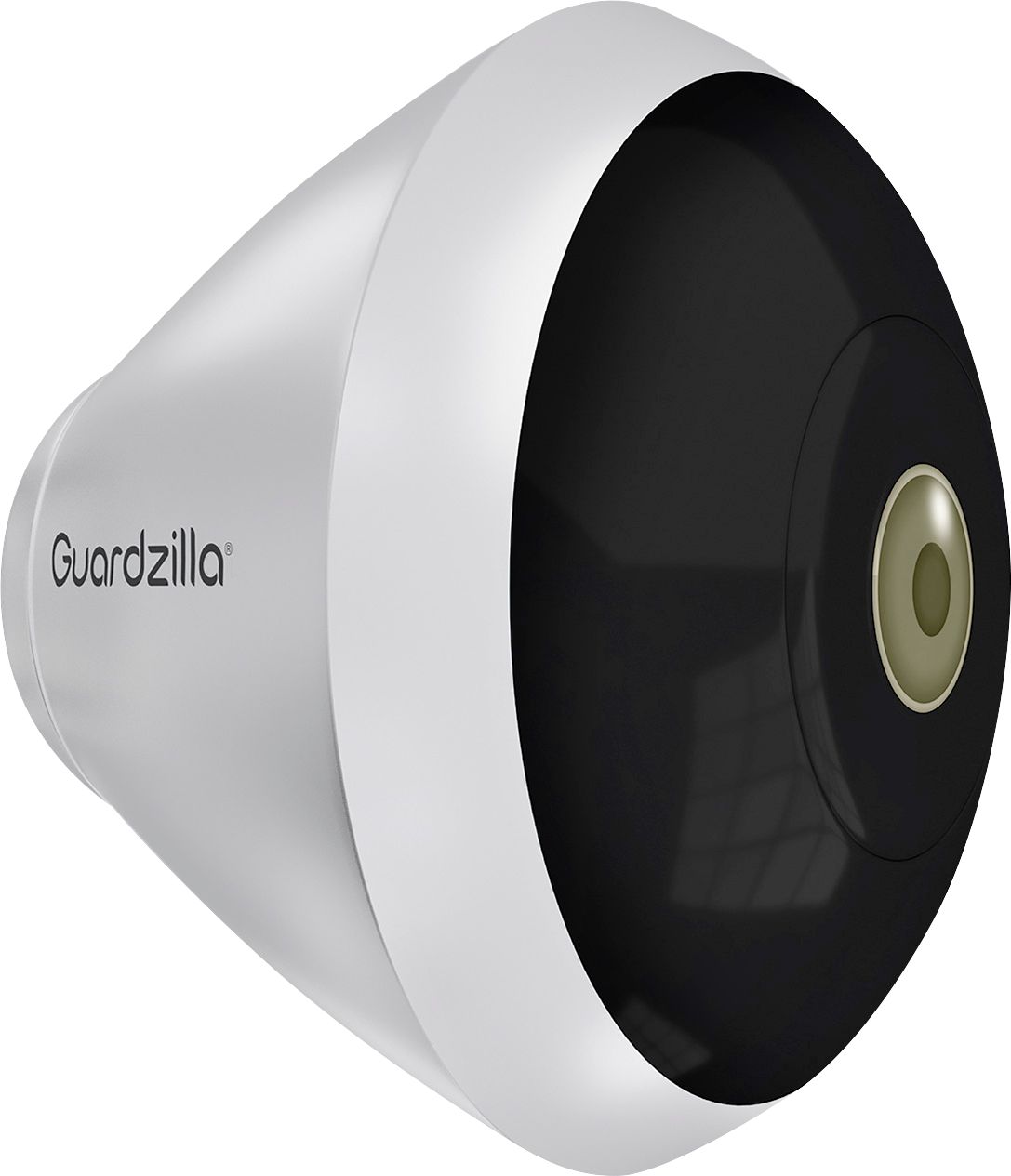
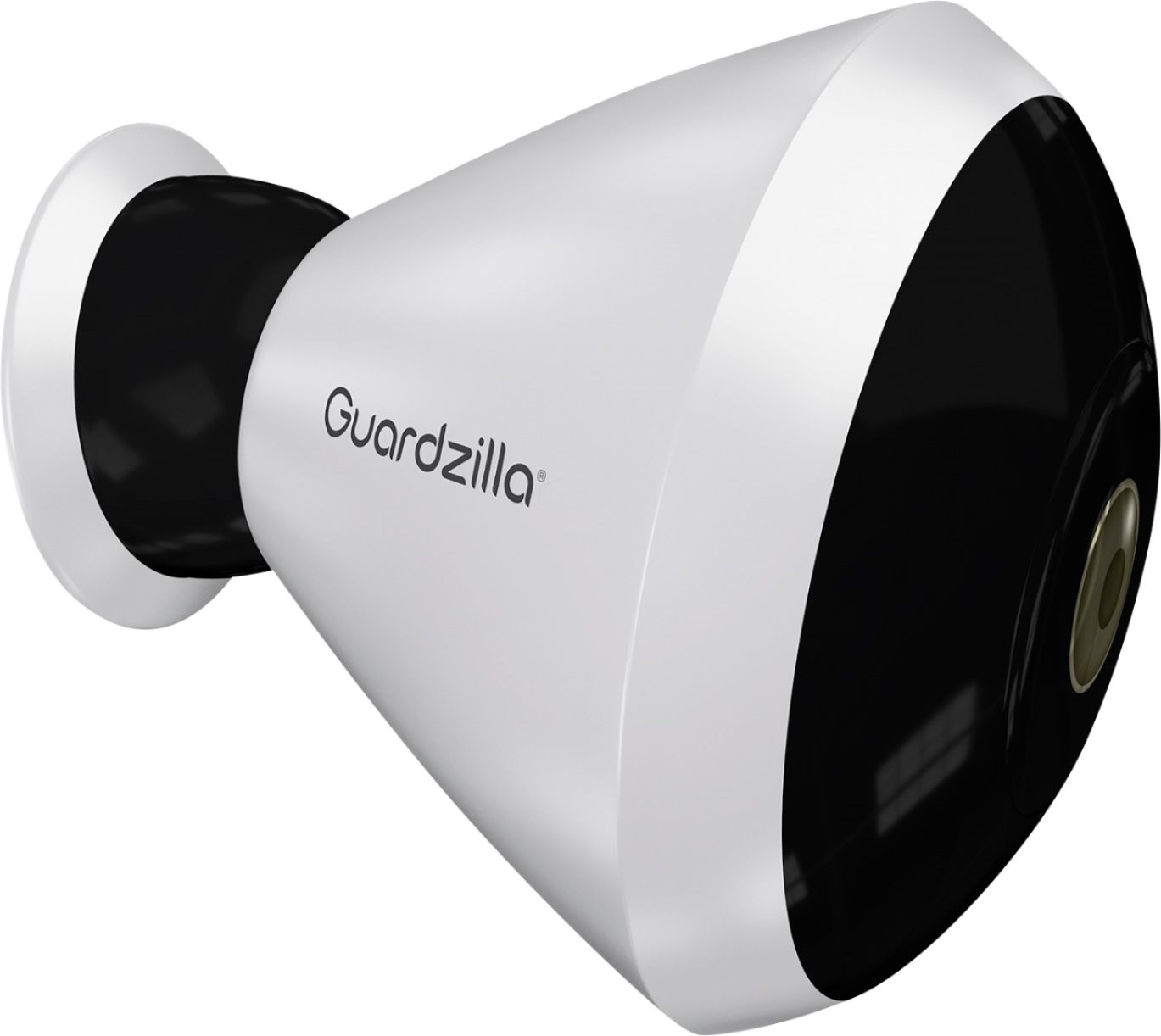
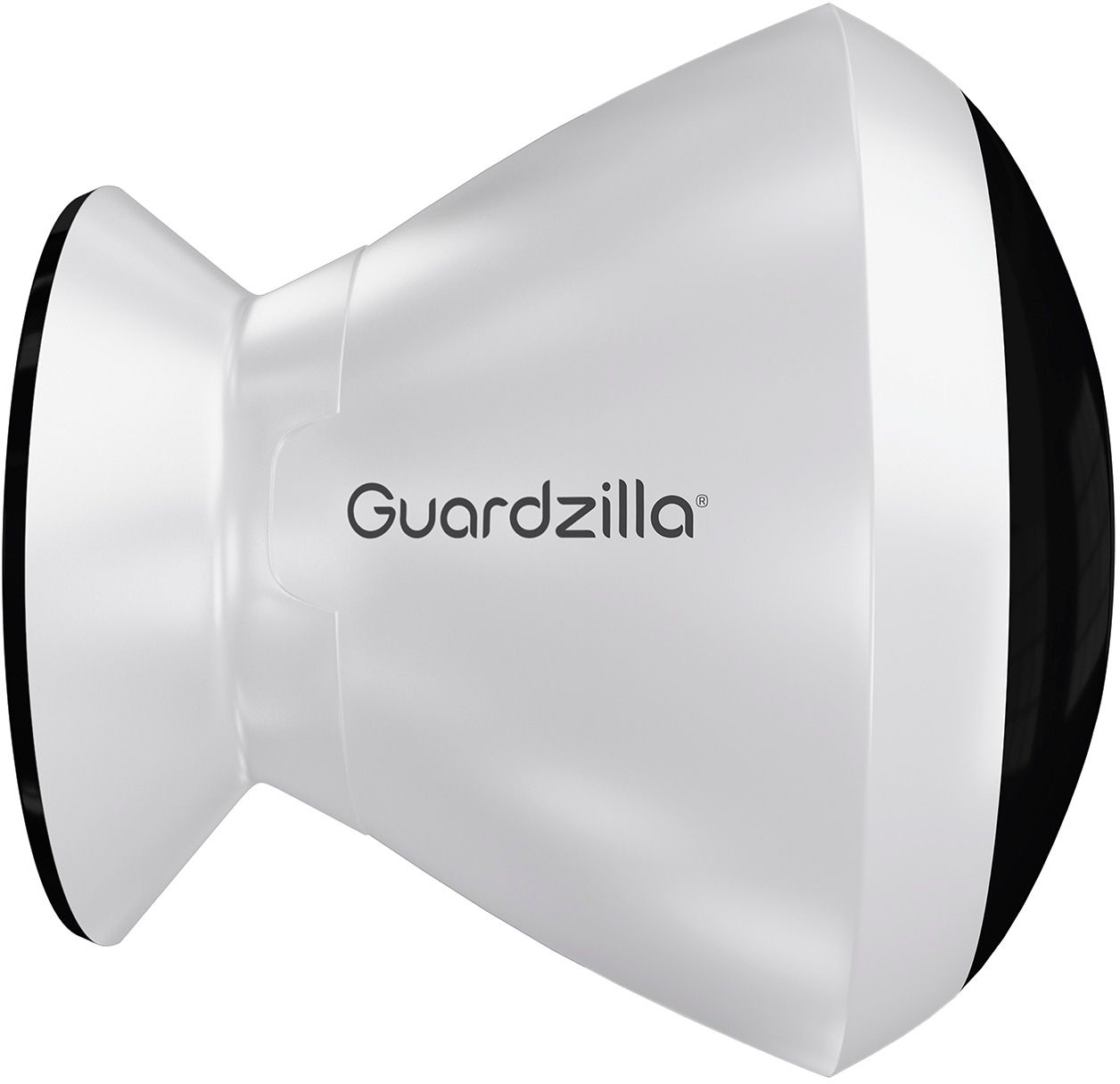
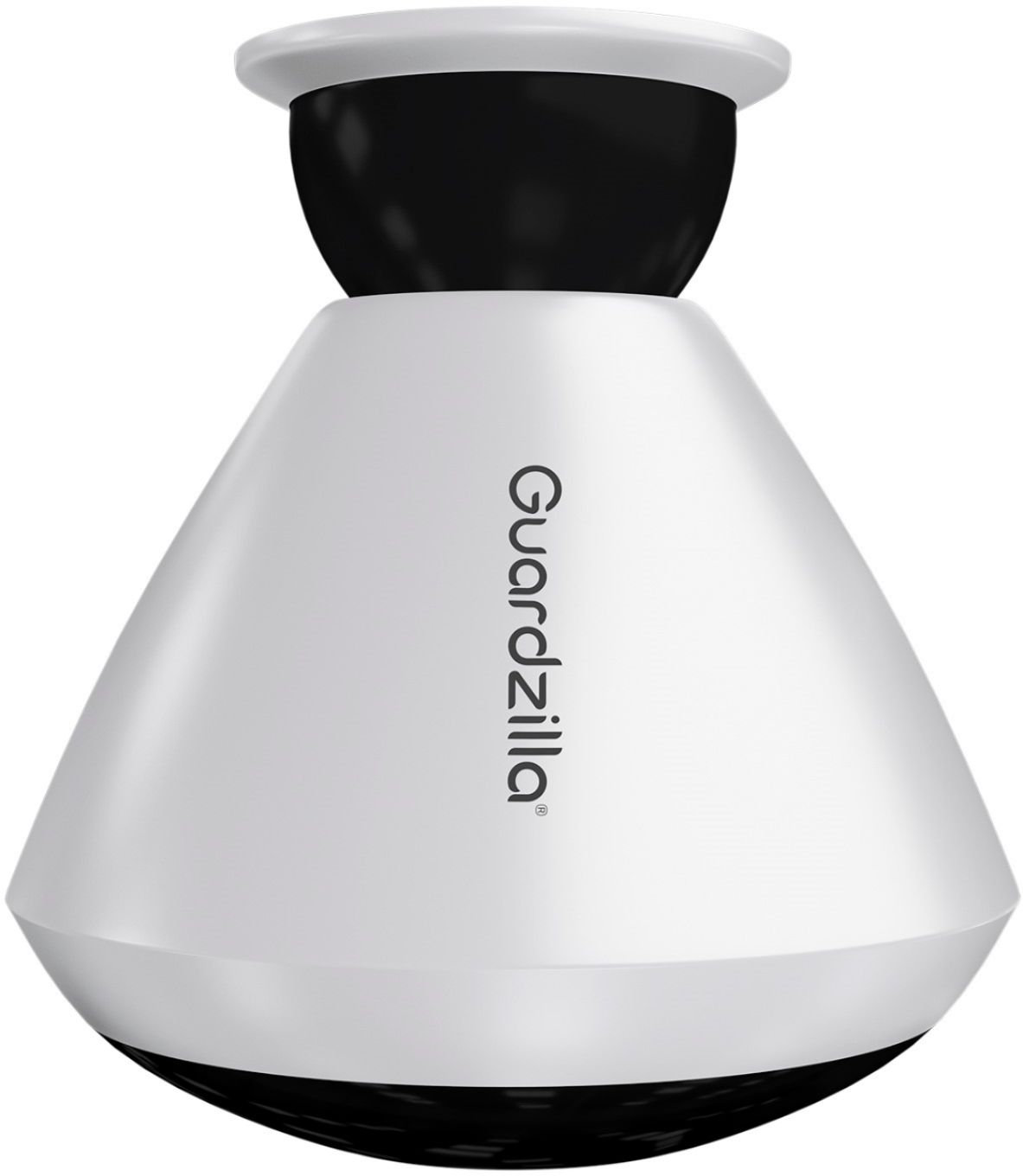
|Posted .This reviewer received promo considerations or sweepstakes entry for writing a review.The Guardzilla 360 camera is truly an amazing camera. Check out their demo, it’s truly amazing to have a full 360 degrees of footage or live view. Unlike many cameras, you don’t have any moving parts, and can scroll instantly to any position. The hardware is really solid - execution seems top notch. The software (admittedly early) is not quite on the same level. First let’s start with what you get in the package. The camera itself is on display in the package. It’s conical shaped, w/ black plastic surrounding the camera area. In the base of the box you’ll find a charger, stand (for sitting on a table/shelf), and magnetic mount. The magnetic mount in particular is strong, giving you some confidence. The stand technically works well. I assume if you had a large open plan home, using this inside either on battery or hooked to power you could watch your entire home. I took the getting started instructions advice, and charged it fully before running on battery. The magnetic mount was my choice of mounting hardware. I chose eve mounting on my front porch. This is a key area for me, since so many packages get dropped off here. Sometimes the delivery guy chooses my garage area, and the 360 degree nature allows me to at least get a peak at that area as well. Once mounted, I started the app. The first pairing didn’t work, but a few button holding/pressing/rejoining WiFi fixed it. The camera is standalone, which means it needs your smartphone to connect, configure and get it running on your WiFi. It does use 2.4Ghz WiFi, and despite some other people’s complains, I prefer IoT devices on my 2.4Ghz WiFi to keep my 5Ghz humming away for my actual devices. 2.4Ghz range is better anyways and even if this device supported both, would be my choice. Once paired, you can view the camera by choosing ‘Monitor’ in the app. Now the app… This is probably the biggest weakness of the camera setup at the moment. It’s not horrible, but it also isn’t what I would consider world class either. When I first installed it, it sent me several notifications that were pure marketing, telling me to buy the product I already owned. This is a key example of non-contextual marketing, and it is obnoxious. It’s fine to announce new products, but if the customer already owns it, don’t tell them to rush out and buy it now. The app is also a huge up-seller. The option for cloud storage is pretty basic on the free tier (and somewhat hidden - giving the impression you have to pay to play after buying your relatively expensive camera), and moving up to the $5 a month plan allows 30 seconds with audio (free tier doesn’t record audio - a somewhat silly limitation) and allows access for 7 days. This ‘enhanced tier’ is comparable with Netgears’s free service for Arlo. Another advantage with Arlo is you can use local storage to save your own recordings (albeit with a separate base unit - making the cameras non-standalone). It might have been nice to provide a micro sd or NAS storage option for those who might not want to use the cloud storage. There is also several different ways to end up in the ‘Professional Monitoring’ upsell, which for $10 a month. They make sure to point out that insurance companies do offer discounts for professional monitoring - but I haven’t looked into this option. Still, the app is workable, and most problems fixable. It would be awesome to implement motion zones, but I’m unsure of how that would work on a battery operated device (might be a limitation of the technology -not sure). Speaking of battery, I’m down to about 50% after 2 weeks or so. I’d expect a solid month from this device (some higher usage these first two weeks might have run it down faster than normal too). The included charger is 5.3V at 2.0a microusb. Notifications seem to work, and then other times seem to miss. I have the detection set to high and for the most part it picks up deliveries, etc. However far away motion isn’t picked up (thankfully), but it’s hard to understand where that threshold is. I’ve also had it totally miss close motion when armed. I initially only had push notifications on, but oddly, when I enabled ‘email’ notifications along with push things seemed to work better, so I’m unsure what’s up with that. In conclusion, the guardzilla 360 is truly a great camera technology, with some limitations (limited flexibility with motion detection, guardzilla only cloud storage, mediocre app). If you can live with those limitations, have a good place to mount, and have an equally good use case for the 360 view, you won’t be disappointed. However if all you need is to monitor a porch or hallway, your money is better spent on a smaller angle camera. That said, the software is still early, and the company is producing great hardware - so the limitations might shrink quite quickly.
I would recommend this to a friend Terrible app and poor set up
||Posted .This reviewer received promo considerations or sweepstakes entry for writing a review.Just to start I am very hand with technology. I have a bachelor's in computer science and have been working in IT for years. The application that it uses, in my opinion, is useless. It doesn't give any reason why it wouldn't connect during set up. The troubleshooting guides online did nothing. I contacted the company and it has been almost a week with no response. Very disappointing.
No, I would not recommend this to a friend- Pros mentioned:Camera quality, SetupCons mentioned:Battery life
Excellent Quality, Good Camera
|Posted .This reviewer received promo considerations or sweepstakes entry for writing a review.This camera has surprisingly good and clear pictures. The set up is easy through the Guardzilla app. The camera displays crystal clear images. The 2 way sound function is a great plus but there is a two or three second delay for some reason. The only complaint that I have is that the battery does not last very long. I put it up about 2 weeks ago and have already had to recharge it once. If you put it outside high it is a pain to have to get down again to recharge. Would not be that big of a deal though if you were using it inside the house. Very versatile camera that can be set up at a few different angels and you can scan 360 degrees which is VERY cool and useful. A great tool in the security of your home.
I would recommend this to a friend Don’t buy
||Posted .This reviewer received promo considerations or sweepstakes entry for writing a review.The ceiling mount is made for the wall , makes you buy monthly plan (free one is useless) no support documents online. Looses network connection when my nest system does not. Says online (guardzilla site ) will take a SD card, it does not. Great idea bad excecution on Guardzilla. Not worth 230 bucks.
No, I would not recommend this to a friendbad
||Posted . Owned for 1.5 years when reviewed.This reviewer received promo considerations or sweepstakes entry for writing a review.the other camaras worked good but this 360 one never worked it was bad sorry about this but when it turned on worked like for a couple of days then it froze and never worked again.
No, I would not recommend this to a friend- Pros mentioned:Field of view, Setup
Good, bad, ugly...
|Posted .This reviewer received promo considerations or sweepstakes entry for writing a review.I have had this for a couple of weeks and for transparency sake I did not pay for the monthly su description. Having said that here are the things I loved/hated or otherwise. The setup was easy as you expect these WiFi cameras to be. Simple plug for charging and simple app for pairing. One thing that I felt shined here is its 360 offering as well as the connection to the device. I have had competitor devices and my complaint is by the time it goes off it takes 60 seconds to get the app loaded with the Feed vs. Guardzilla doing this in less than 25 seconds. I didnt feel like I missed any part of the interaction. What I didnt like is that without the monthly service you get absolutely no recording options. Which means you can view the camera but if you see something you can only screenshot the image since it won't record in any fashion. To me that is disappointing as competitors offer more than that type of functionality. The one thing that pushed down the rating to a three is because it fails at the number one feature of a camera. Picture Quality. The image quality was bad and I mean bad. It says it's a form of HD but it must stretch the image enough to turn it into 480p or lower. It's not something I would recommend because your buying a camera to see something and if you can't than that defeats the purpose. Hope my review helped you and good luck on your purchase decesion.
No, I would not recommend this to a friend She loved it
||Posted .This reviewer received promo considerations or sweepstakes entry for writing a review.I purchased it as a gift for my mom and she loved it
I would recommend this to a friendNope
||Posted .This reviewer received promo considerations or sweepstakes entry for writing a review.Stopped working after a week. Didn’t even bother opening the second one we purchased, returned both.
No, I would not recommend this to a friend- Cons mentioned:App, Motion detection
Stay away if you want to have ease of use
|Posted .This reviewer received promo considerations or sweepstakes entry for writing a review.This item is full of bugs and compatibility issues. The app doesn't look very appealing. To add to that, it doesn't work with my phone Xperia XA1 Ultra. It does work with the other phones that I tried it with. Once I got it "armed," I tried testing it by walking around it and whatnot. This camera does not send me ANY notifications at all regarding motion. The siren works, but the video is what I need and it just does not deliver. Out of nowhere all of a sudden though, it starts working and sending me video. I decided to "restart" it again to see if it'll work immediately and voila! IT DOES NOT. Trying to contact support is a nightmare. If you want a reliable surveillance system, stay away from this and purchase an Arlo. Way better cameras and better free service along with support.
No, I would not recommend this to a friend Ms
||Posted . Owned for more than 2 years when reviewed.This reviewer received promo considerations or sweepstakes entry for writing a review.I was using very good but few months ago the app longer is working
No, I would not recommend this to a friendNot so well
||Posted .This reviewer received promo considerations or sweepstakes entry for writing a review.Bought one, went bad. Bought second one and just died out of no where. Would not recommend
I would recommend this to a friend- Pros mentioned:Camera qualityCons mentioned:App
When it worked it worked well
|Posted .This reviewer received promo considerations or sweepstakes entry for writing a review.So let me just get this out of the way, since I deleted the old WiFi and tried to put it on my Google WiFi this has not worked. Says connection failed. I have pressed the rest pin various times and nothing, always the same result. Now when it works it's fantastic, the 360 camera displayed a great picture and to swipe around was lag free. I was very impressed. The voice was also clear when speaking. The alarm isn't the loudest but should deter someone from up to no good. The app crashes a lot, I cannot access "other settings" without the app crashing. Shame as this worked fantastic at first
No, I would not recommend this to a friend Poor quality camera for the price
||Posted .This reviewer received promo considerations or sweepstakes entry for writing a review.Video quality was stretch out making it not even up to 1080. Night recording is bad.
No, I would not recommend this to a friend- Cons mentioned:App, Battery life, Motion detection
Open letter to Gaurdzilla
Posted .This reviewer received promo considerations or sweepstakes entry for writing a review.Gaurdzilla ignored my email for tech support so I will post it here as they seem to only respond to bad reviews: Before I leave a scathing review for this [redacted] you call a security camera, I'll see if this email offers any support whatsoever because your web support just tells me "we're sorry but your [redacted]" on every page I access. Seriously, you are selling this camera with no support pages written? Total incompetence! I wasted $200 on your gaurdzilla 360 outdoor camera. I charged it completely then tried to set it up. I installed your [redacted] app and it crashed 20 times while trying to setup the camera with the Wi-Fi. After getting it setup finally, the app tells me it needs to update. I allowed it to update and it crashed at 93%. I restarted the app again and it did no further update and had no option to continue or retry the update. It no longer sent anymore notification to update. The camera settings tell me it's firmware is 3.0.0.21 and the app is 1.4.7. The camera then had numerous issues trying to connect to my phone, only working sporadically. After hours of setting up this [redacted] and hanging it outside, the camera detects motion non-stop regardless of motion settings. It sends alerts that it detected motion on push notification, and when you click the notification it takes you to the app but not the event. When going to the event it's not there. It takes several minutes of refreshing before it shows up, if it shows up at all. When viewing the event there is no movement anywhere on camera, so what is setting it off? When testing the motion alert it doesn't detect motion until you are right under it, then if you are lucky you get an alert 5 minutes later, or not at all. I would like to add that your "free" cloud package is also a [redacted]. On the website it says you get 8 second videos free, then on another page it tells you get 7 seconds, then the app tells you that you only get 5 seconds? I'm expecting you to email me back and tell me I only get a 1 second GIF on the free package next. While at home, the camera is located about 70% of the time by the app, and the rest of time your [redacted], just like your support pages. God forbid you leave your home because it won't connect at all while away. Great security! As of this writing the app has been trying to locate the camera for over 2 hours now, even as I stand directly below it. And the power button on the camera only turns it off sometimes, depending on its mood I guess? I press it and press it, and even hold it down for 30+ seconds and nothing happens, the LED stays fully lit and the app can't locate a camera a foot away. I tried to look up on your web support a way to factory reset, but of course, your web site tells me "oops, sorry, you are [redacted]!" Awesome support you guys have. Judging by your support pages that you left with a bogus apology for being too incompetent to write, I'm sure none of these issues will be addressed, or even can be. I won't even bother to mention the alarm being as loud as a mouse [redacted], and no ability to set it off yourself to scare away an intruder. I won't bother to hope for any kind of actually programming to be able to access your camera from an actual computer, either. And the 3 month battery life claim? Your app says I have full battery power but yet after only 12 hours the camera wouldn't stay on. I had to recharge it, even though the app still reports a full charge on the camera. I can't believe you are actually selling this camera as it stands today. The app is so bad that I must assume it's still in alpha testing, even beta apps are less buggy. I had to travel a long distance and spent a lot of money on this camera only to be [redacted] over by your company. Thank you for the experience! I await your reply as your app tries to locate a camera 6 inches away, without success. Daniel P.S. Please don't tell me to reboot the app, phone, camera, router, car, or any of the other lame tech support [redacted] as it had all be done and then some. And the camera has been assigned a static IP also. I have worked in tech support myself and can assure you I am not an idiot. Thank you.
No, I would not recommend this to a friend - Pros mentioned:Camera quality
Super Versatile 360º HD Security Camera
|Posted .This reviewer received promo considerations or sweepstakes entry for writing a review.Wow, it's not often I get a new gadget that really exceeds my expectations, the Guardzilla 360º Outside All-In-One HD Camera did exactly that! When it arrived, it seemed a little larger than some of the other cameras I've owned or tried, it's definitely a substantial device. It ships with the camera unit, 2 mounting options and power/charging cord...very straight forward. Once unpacked I took a quick read through the setup instructions and quickly had the unit up and running and the Guardzilla app installed on my iPhone X. The app walks you through the setup, so it's pretty difficult to not get it right. Overall it took about 5-10 from unboxing to setting all the camera features. And speaking of features, with this camera you can monitor the live feed, adjust the "monitor" or camera setup such as Volume, Brightness, Contrast, etc. There are also options for turning on the listen feature, 2-way communication and taking snapshots. There are numerous options to setup the siren and for arming the unit, such as an auto-arm feature when you leave your local WiFi area...pretty cool! Notifications can be configured to email, text or push alerts if there is motion detected. This is literally the most feature-rich security device I have ever owned. Guardzilla also offers a few service options, such as an online service to store recordings and professional security monitoring. The app is solid with no issues so far, and the follow up from Guardzilla was unexpected. When I registered the camera, they sent a follow up email welcoming me to the company and provided contact info for any support issues. A nice touch! Pros: - Easy setup and usage for camera and app - Crisp and clear video feed with almost no lag..including audio - A multitude of setup options for the camera and alarm - Easy mounting, with the ability to be mounted on a ceiling, wall or counter - Integration with Nest, ITTT, Alexa and Google Assistant - Great company support and follow up Cons: - Alarm isn't super loud, but should be enough to startle an intruder or warn your neighbors - Magnetic mounting system for outside is easy to use, but could allow for unit to be stolen Overall this is one of the best high-tech devices I've purchased in many years. It really lives up to all expectations and would recommend it to anyone looking for a super-versitle HD camera for indoors or outdoors.
I would recommend this to a friend - Pros mentioned:Night visionCons mentioned:App
Unimpressed
|Posted .This reviewer received promo considerations or sweepstakes entry for writing a review.Guardzilla is a good idea that misses on the execution. The camera is relatively easy to setup and get rolling. It offers both battery and plugged in operation. I opted for battery and placed in on the mount that I typically have my Arlo Pro mounted to. The first problem I encountered was the camera continuously dropping off of my Wi-Fi network. What I don't know is if this is really what is going on or the app on my phone telling me it has. The app is beyond terrible. The number one complaint I have with it is that it continuously crashes on my iPhone 8 Plus. When I can get it running I can't seem to get the camera to hold the POV I set for it despite 'saving' it. This is a very big problem for a 360 degree field of view camera. The video quality is passable, but certainly nothing to write home about. The camera does have night vision and also offers two way communication. For the price I suppose this camera is OK, but I am pretty hesitant to recommend it until some of the bugs are worked out.
No, I would not recommend this to a friend Pretty Nice Security Camera
|Posted .This reviewer received promo considerations or sweepstakes entry for writing a review.While I haven’t had the Guardzilla 360 Camera long, so far it has done a nice job for us. I have it set up in our living room to monitor that side of the house, and while away on a trip I placed it in a transom over our sliding glass door so I could monitor the inside of the front door as well as our back yard. It worked fine. I wanted to see how long the battery would last while disconnected from house power, and at this writing it’s showing almost a full battery more than a week after being unplugged from the wall socket. I did find some quirks with the unit. For example, if I changed notifications from text to email, or vice versa, notifications seemed to stop entirely until I restarted the unit. Also, the unit would keep resetting itself to the highest resolution after I manually changed to app to go to a lower resolution. Neither are show stoppers, and it’s my understanding that an update is coming shortly to address bug fixes and improvements. All in all, the resolution seems quite good, connecting it to our home network was easy-peasy, and remotely connecting to the unit to view video or to make apps changes while away from home has been transparent. And if the battery life remains this good, I wouldn’t hesitate placing the Guardzilla Camera in a more remote location knowing that I will have to give it a good power refresh every now and then. What’s nice is that you can place it freestanding on a table, or mount it to a wall or ceiling. It’ll just have to be within hearing distance of our house’s wireless connection.
I would recommend this to a friend- Pros mentioned:Camera quality
Gets the job done
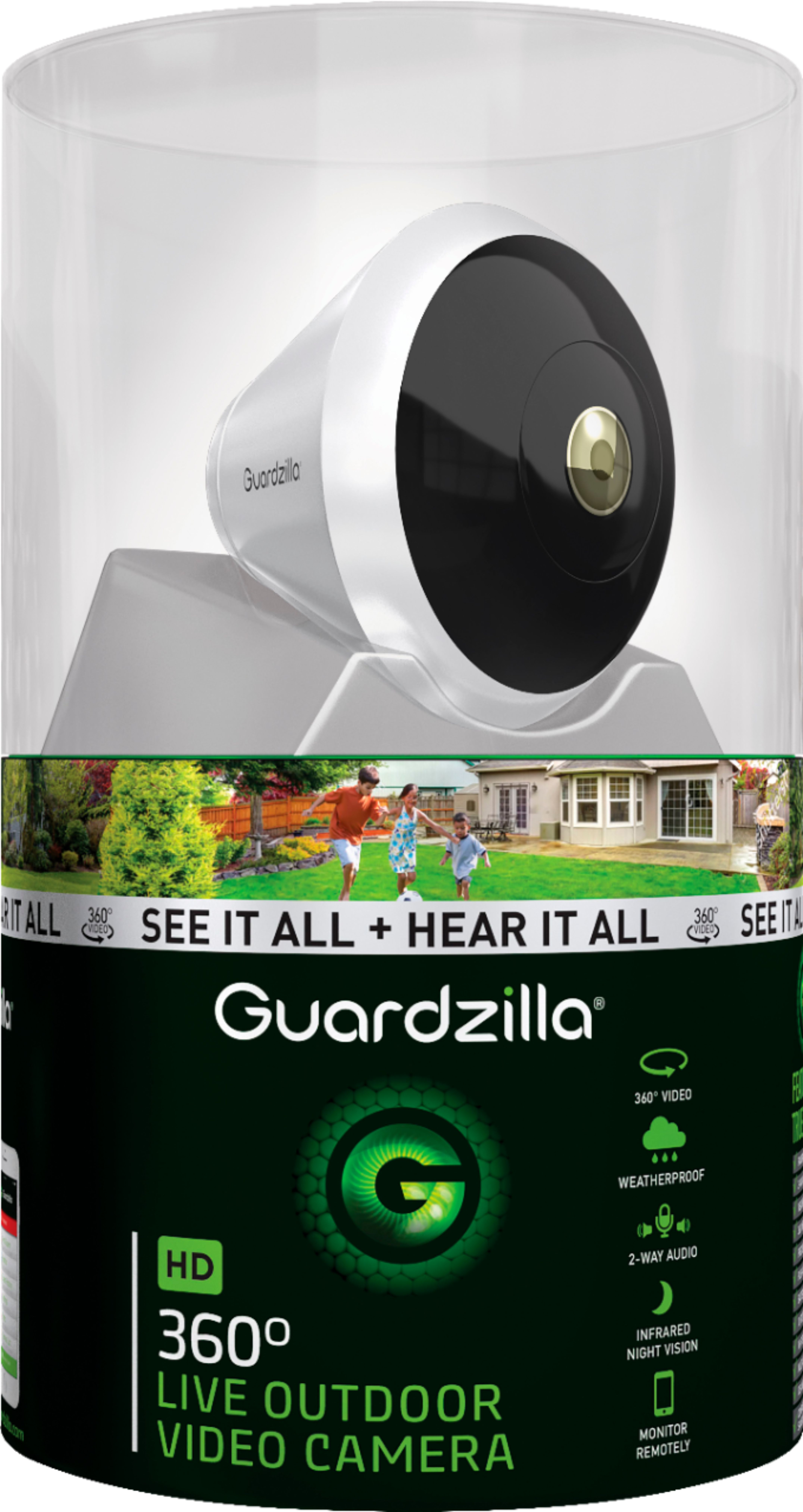
|Posted .This reviewer received promo considerations or sweepstakes entry for writing a review.I have been looking for a smart security camera that doesn't have a very complicated interface to use. I feel that the Guardzilla does that. The camera comes in this rather large cylinder container that shows off the camera front and center. I was surprised to how large the camera device itself is. I used my iPhone 7+ to set it up and that was pretty fast, no issues or concerns. The app itself is also pretty easy to setup and navigate. The previous smart camera I have was a nightmare to set up and sync. Total time from unboxing to set up took around 10 minutes. I've had this device for over a week now and here are my thoughts: pros: - Easy Set up - The video quality is excellent. - Great video feed without any interruptions - Can be synced with Google - Wireless. - The mounting options are wall, ceiling or on the table. Cons: - Marketing. I received emails from the company marketing other products. Very annoying - I could hardly hear the alarm. I don't know if mine was defective or if the sound is just really low, you can hardly hear it from inside our home. - Magnetic mounting. Someone could steal it! Overall, I am very happy with this product. I would definitely recommend this to anyone who is interested in smart security.
I would recommend this to a friend Built well, nice idea - lacking execution.
|Posted .This reviewer received promo considerations or sweepstakes entry for writing a review.First, let me start off that I am a video cam enthusiast. Well , some could is a video cam nut. Regardless, I own Arlo Pro’s 1 and 2, Samsung Smart Cams, D-Link and TP-Link Casa cam. All have their strengths and weaknesses and I felt most are very similar. That is until I received the Guardzilla 360 Outdoor ( at first.) Like I said earlier, all of these are similar - night vision, two way communication, battery powered ( on some ) but the Guardzilla has something none of the others have. A nearly 360 degree, a panoramic view . Frankly, that part is amazing. Once installed, you can view nearly all angles from your phone by simply moving your phone lie you are turning your heard around. Alternatively , you scan scroll to almost any angle with your finger. Simply an amazing lens design. The camera does not even rotate - it looks like it is all just from techical lens design . From a design standpoint, it has it all : battery powered ( or wired if you want, ) very strong magnetic base for mounting, a table top mount, 2 way speaker, a siren , motion sensor , water and dust resistant ( IPX65,) night vision and a sturdy design. The Guardzilla 360 is just a well thought out design. So what about the installation? Very simple - down load the app and put the cam in pairing mode and you are up and running ( after you create an account.) There were no issues with installation and I was viewing a picture in a few minutes. I do see some criticisms about the app and while it is simplistic in it’s features, it does do the job. I do get the feeling like it is a work in progress. One of the most important aspects of a video cam is the performance. I found the picture to be in the middle of pack in terms of quality but not as good as the Arlo, Nest and Samsung’s of the world. You can see that it is just is not as sharp as the better video cams on the market. However, I think this is inherent to the design of a panoramic video cam and is something that I can live with. The night vision is just barely average. I found it grainy indoors and not great outdoors. Even though this is sold as an outdoor video cam, I find the it more suited to indoor usage. Everything sounds good so far but there is a major issue preventing me from recommending the Guardzilla 360 Outdoor - the lack of support. When I received the video cam, there was a letter from Guardzilla thanking me and if I had any questions to email the person who wrote the letter ( Terry B.) So I wrote an email with some questions and minor issues I was having. The next day I see an email form Guardzilla that I was expecting to be Terry’s response but it was from another rep named Emma W. Again , it was a thank you and to email her directly with any questions. Since I did not hear back from Terry, I emailed Emma my questions but let her know that it had only been yesterday that I emailed Terry. Then I waited for a response from either of Guardzilla team. It has now been 6 days and no response. Nothing in my SPAM folder, no follow up - nothing. My questions were simple and there should have been some type of response one way or another . Here are some of the questions that remain unanswered : The app and the Guardzilla website shows you can integrate Google Home. However, Guardzilla does not show on the Google list for adding a device. When I go to the Google Assistant site , it does list it as an option and I sent the link to my phone. When I try to link Guardzilla , it does appear to work. I say appear to not work because it does not show Guardzilla as a linked service but when I test some commands , it does work. It may be helpful to include a list of Google Home commands in future documentation ( unless I missed it.) I am running the latest version of Android on Google Pixel XL2. On the website it shows it is compatible with Samsung Smartthings, I am not seeing any integration or options fo interaction with Smartthings. What does Smarthings do with Guardzilla? Is there a way to manually trigger the siren, such as the panic option on other Guardzilla products? There is none in the app. There is a QR code with a mac address on a sticker on the side of the cam. Is this going to be vital for anything ? I plan on mounting the cam outside and feel the sticker will come off eventually. How does the notification ( if any ) work for firmware and app updates? I am showing the firmware is 3.0.0.21 but the letter states there is a firmware update coming. My version of the App is 1.4.7 . The app showed that I get 6 months of enhanced video storage, how do I verify this? As you can see, these are not earth shattering questions and no something that would stop me from recommending this product . What will stop me from recommending something is not supporting it. Normally I would think one lack of response can happen but two after nearly a week of waiting? There is a breakdown somewhere in their support structure to allow that to happen. Even with the appearance that some features need polishing, I would still have recommended the Guardzilla 360 Outdoor. Guardzilla even states they will have updates coming out shortly. The actual build of the product and the unique feature set is great. However, there is no excuse for lack of customer service. I see this as a wait and see product and pass for now until they get their updates and customer service straight.
No, I would not recommend this to a friendGreat hardware, app needs improvement
|Posted .This reviewer received promo considerations or sweepstakes entry for writing a review.I have quite a few cameras, both wired and wireless, but I'm really impressed with the 360 degree view this camera provides. The app has a lot of shortcomings that I hope will be addressed over time. However, even with those shortcomings I like this camera enough that I bought a second one. I have multiple doors on both the front and back of the house and they aren't in a straight line of view. But by placing this camera in the right spot I can pretty much cover everything on the front and everything on the back with two cameras. Now to the shortcomings. These aren't show stoppers for me, but they might be to others so here's the list: 1) You can't download the saved videos from the cloud...yet. Guardzilla support says this will be available in the future. 2) You can't easily switch between camera views if you have multiple cameras. It defaults to the last one you connected to and if you want to switch, you hit "camera list," tap on the camera, then pick "connect." 3) The auto arm feature doesn't work for me. I can choose the camera for the feature, but it doesn't stick. When I go back into the settings, it's always unchecked. 4) There is no other arming option like, say, on a daily schedule. The only option is to manually arm/disarm. 5) There is no desktop/web browser access--only using a phone app 6) It's not clear from the battery indicator when you're on ac or battery--the icon just shows a full battery. 7) There is no screw thread option for mounting the camera--only the magnetic one. Being able to thread it onto a camera mount would at least slow down someone from trying to steal the camera. All except the last item could be addressed with software updates, so I'm hopeful there'll be improvements there. I do like that the cameras just connect via your WiFi and don't need their own hub like some other camera systems. Overall, I recommend this camera based on it's fantastic 360 degree capability and think it'll only get better with app improvements. Like I said, I liked it enough I bought a second one.
I would recommend this to a friend