Customer Ratings & Reviews











- Model:
- Home
- SKU:
- 5578849
Rating by feature
- Value
Rating 4.6 out of 5 stars
- Quality
Rating 4.7 out of 5 stars
- Ease of Use
Rating 4.6 out of 5 stars
Customers are saying
Customers appreciate the sound quality, ease of use, and Google Assistant integration of the Home Smart Speaker. Many also highlight the convenient size and positive smart home integration capabilities. However, some users report issues with Bluetooth connectivity and occasional slow response times. The speaker is frequently praised for its value and ease of setup.
This summary was generated by AI based on customer reviews.
- Pros mentioned:Ease of use, Sound quality

Needs more compatible devices
|Posted .This reviewer received promo considerations or sweepstakes entry for writing a review.Google Home is a great device that will help your home stay connected. The device is just the perfect size for any home, and the looks aren't that bad. The device is extremely easy to set up. You power it on, download the software to your smartphone or tablet, connect to wifi, and you're up and running in no time. It really doesn't get much easier than that. I'm certain that anyone can connect this device. When you're ready to link a compatible device to your Home system, you go into the app to do this. It's also a simple process that anyone can do. This leads me to why I am only giving it three stars. There aren't many devices that are compatible with Google Home...yet. I hope that they work on this soon because I would definitely like to have more options. Another thing that I wish I could do is make calls through this device. It would definitely be a big plus for me. Something else that I noticed this morning when I tried to ask Google Assistant a questions was that my device lost WiFi connection. I know it's not my router because all of my other devices were connected. It took about five minutes to be back up and running. I'm not sure if this is a software glitch, or something else, but I hope this problem doesn't continue. The "Google Assistant" is very responsive to my voice commands. I enjoy the ability of being able to ask for traffic information and ET to get to work in the morning through a voice command. I'm also able to get the news and various other apps. What I loved about this device is the fact that you're actually able to have full control of Pandora. You can control volume, switch stations, and turn it off. This is ALL achievable through voice command. I absolutely love that about this device. Something I was absolutely amazed by was the sound quality of this device. When I first turned on Pandora on my Google Home device, I was blown away by the sound quality coming from such a small device. I truly enjoy listening to music on this device. My goal is to make my home as "smart" and as efficient as possible. This device cuts it a bit short because there is still work that needs to be done to make it great. I would suggest starting off with making it more compatible with other smart devices. I'd like to have more options when deciding what to buy for my home. If you are in the market for a device to make your home more connected, I would suggest exploring other option. Google needs to make their Google Home device more compatible with other smart devices in order to claim a victory. Amazon's Echo devices might be a better choice if you are looking to connect your home. There is still work to be done here. I just hope that Google continues to work on improvements for this device, and does it soon.
I would recommend this to a friend - Pros mentioned:Setup, Sound quality
Beyond a bluetooth speaker!
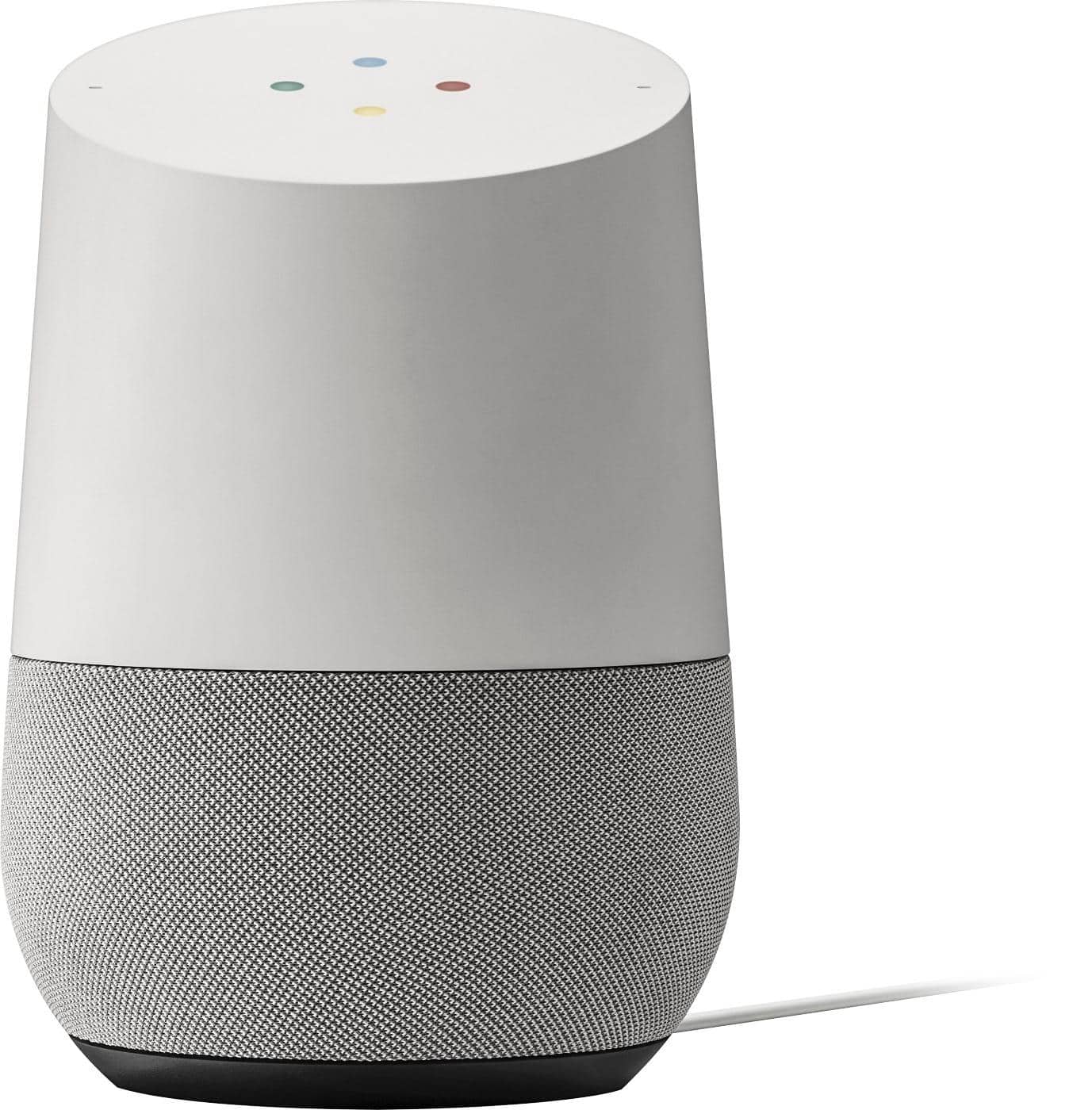
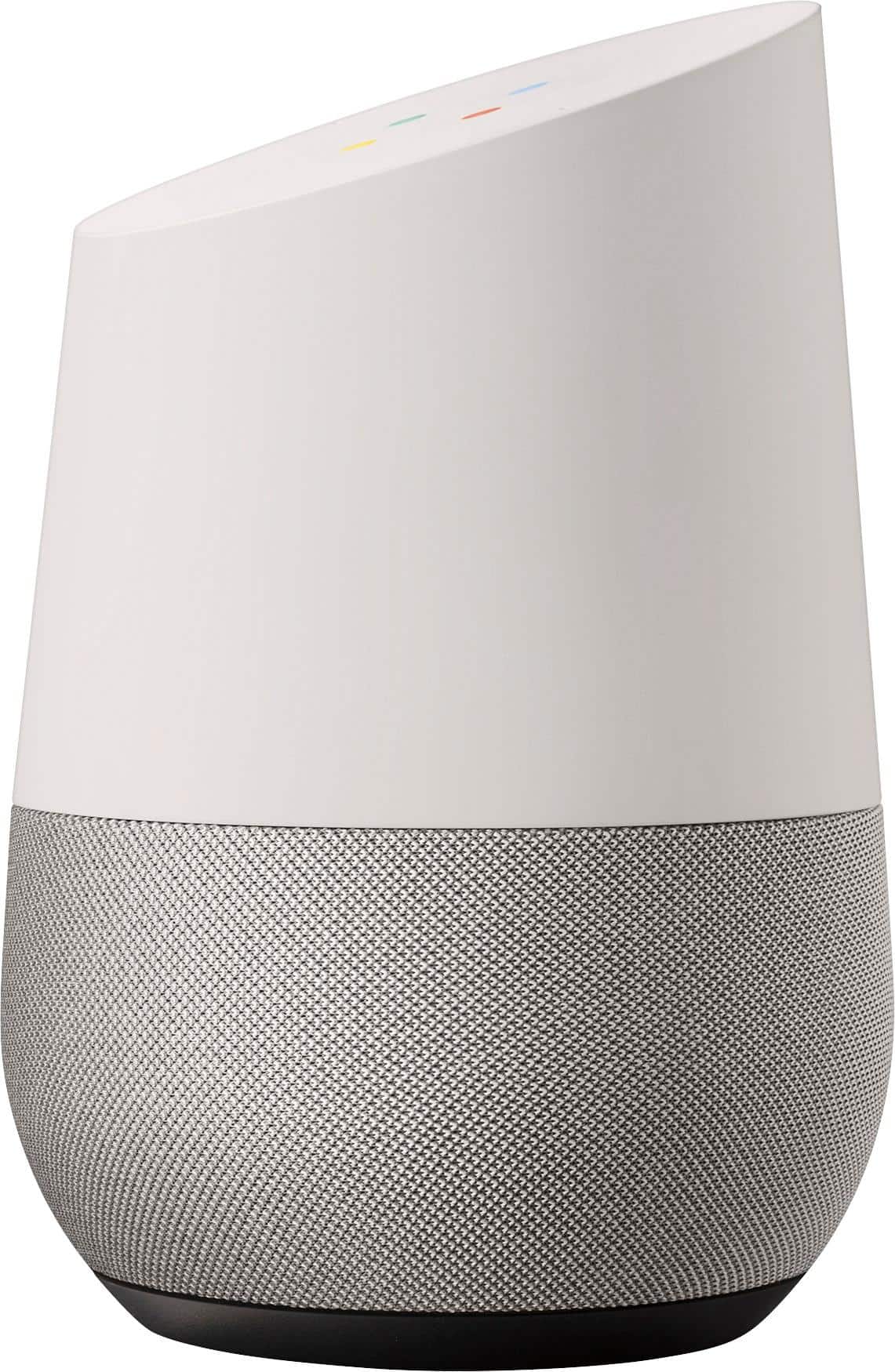
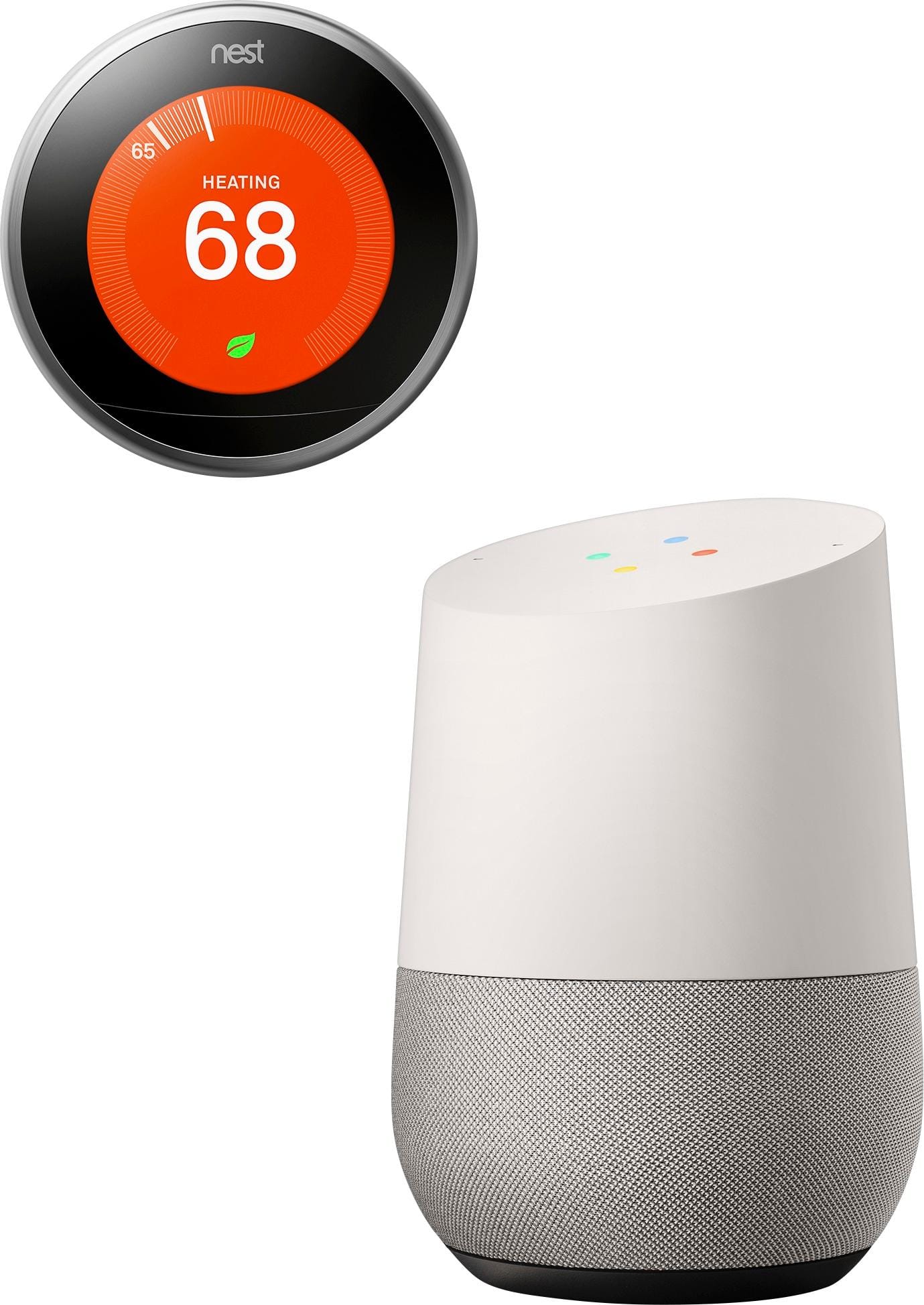
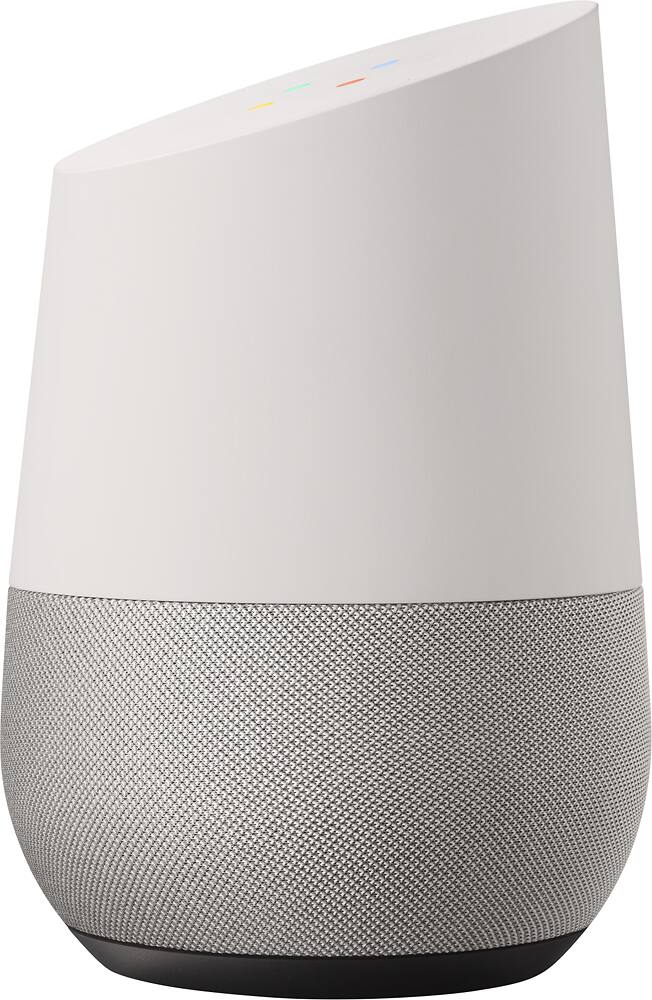
|Posted .This reviewer received promo considerations or sweepstakes entry for writing a review.Having seen commercials for Amazon's Alexa products, I was somewhat aware of what this could do, and I had some ideas about what I wanted to be able to do with it. Setup: Setup is very easy, using the Google Home app, which is available for almost any device. Similar to the Google Chromecast setup you have to connect to it directly, and then I had zero issues getting it to connect to my home network. Once it shows up on your network you can also control it and add connections to other services via the Home app. Connectivity: The Google home connected to my wifi with minimal fuss and seems to keep that connection well. In the Home App is also where you set the Google Home to connect to various services and devices you have around your home. In my case I connected it to other Chromecasts, Spotify, a number of other accounts, and a Nest. These were all done using authentication through those sites themselves, via the Google Home app. This was also fairly easy to accomplish. Use: Once I got it all set up... I wasn't quite sure what to do. I thought right away we'd use it to play music. It didn't take but 2 tries, without opening any manuals or instructions to get it to play music from spotify. It responds to both "Hey Google' or "OK Google" similar to the Pixel/Glass/Etc. My kids, figured it out immediately, and have been having a blast playing music from it. It will tell you when you ask it to do something it recognizes, but can't yet control "I can't quite do that yet, but we're working on it". When you say OK Google it reduces the volume of anything that's already playing. It's surprisingly sensitive, responding to me from two rooms away at a conversational volume. It obviously applies some kind of noise cancelling to it's own tunes because it's able to respond to me in the same room with it playing music at almost full volume. It does struggle a little more with accuracy in that situation however. Sound Quality: This thing is on par for similar devices on the market. It turns up way louder than anything it's size has any business putting out, similar to a jambox. It didn't' distort or drop out at any level. Stereo is a little tricky since the speakers are mounted inside in an opposing fashion and it's designed to fill the whole room, so sometimes doppler was in effect. Design: The google home looks like a vase with the top chopped off. There I said it. The top is angled, and for a reason: there are LEDs under the top. You can actually use touches to accomplish different things, tapping to stop music, tapping again to play. There is a circle of LEDs that show when Google Home is listening for a command (in the same primary color array as Google Chrome) and there is also a circle of LEDs showing current volume and you can touch to turn up or down. The ability to swap out the bottom/speaker grills to match your decor is a nice touch too. Mine was a pretty good fit right out of the box. Overall: This thing is probably only going to become MORE useful as a smart home hub as the technology evolves and google adds more services to it. Right now you could connect MANY things to it using the IFTTT integration, but that can be a little tedious. The number of services it connects to out of the box are useful, but not plentiful. So far it's served as a glorified speaker in my home that can turn the thermostat up and down. Exploring in the Google Home app also gives you more examples of what can be done with it. Gmail and Gcalendar integration have a little ways to go as well - I'd love to see the ability to link it to more than one Google calendar and then have ti give alerts. As it is, I really dig using it, and I think for the price point it blows the Alexa out of the water, even though Alexa connects to just a few more services at this time. Four our of Five stars, would recommend to a friend!
I would recommend this to a friend - Pros mentioned:Setup, Sound quality
Worth Getting Used To
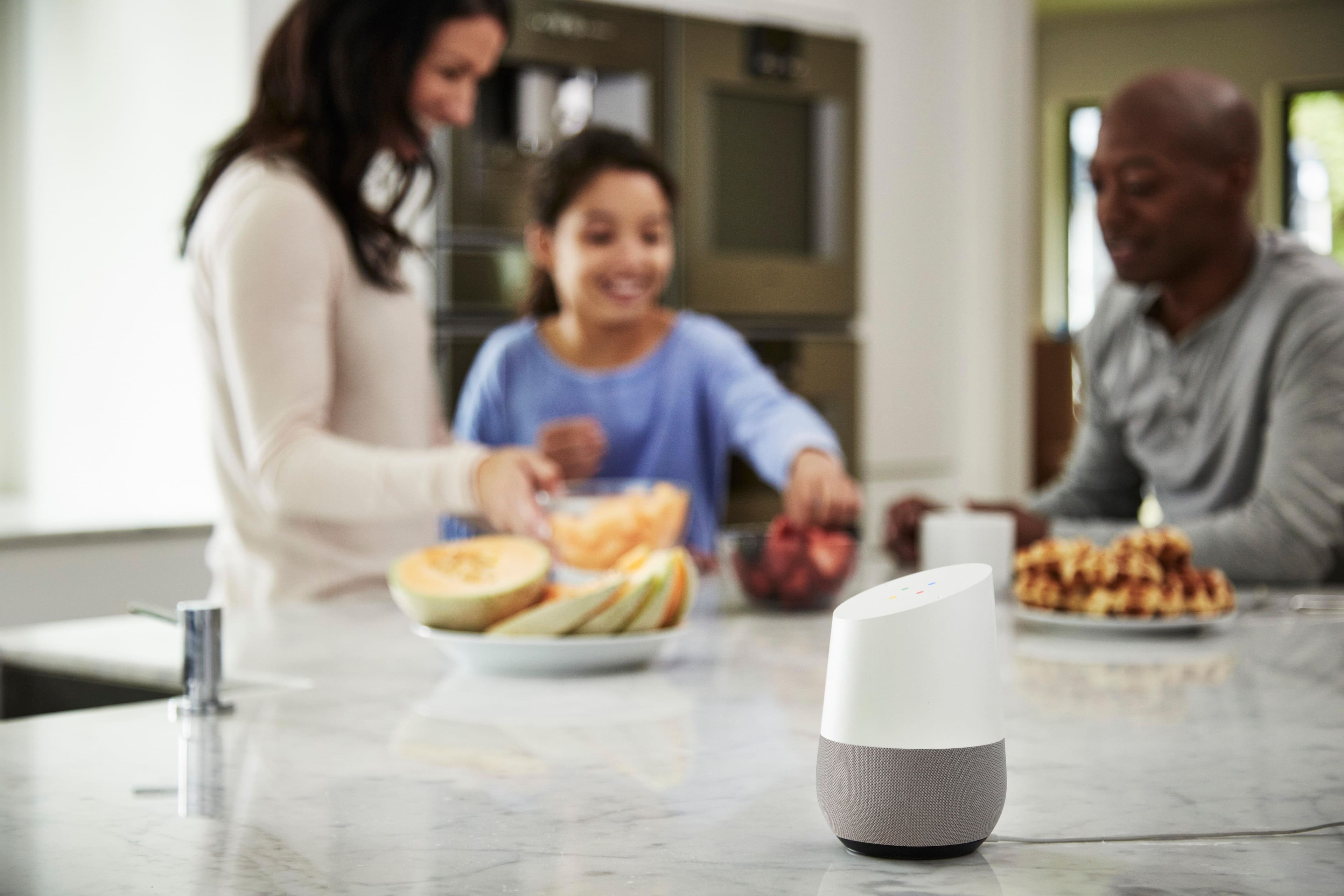
|Posted .This reviewer received promo considerations or sweepstakes entry for writing a review.The only commercial I have seen for the Google Home made me think that it might be somewhat larger - perhaps about the size of the base of a lamp in my living room? But it’s actually small. It fits in the palm of my hand (see the picture below). It is shorter than my (rather large) cellphone. But, in hindsight, it’s worth remembering that this isn’t a fully functional computer but just a Google interface that processes verbal requests wirelessly and remotely through Google (as part of the expanding Google empire). I’m sure that if I had a house full of Google assisted devices like thermostats and lights and a Chromecast TV interface, that this device might be way geekier but I like having it around just to act as my personal search engine (and Google has always been my computer search engine). Setup is a breeze - you install a setup app to any Apple or Android device which gives the Google Home access to your wifi information by way of your device. My Google Home took about 15 minutes to setup and update. Once you have everything setup, it becomes your little verbal concierge. You preface a sensible question by “OK, Google” and it interprets your query and responds very clearly or redirects you to music or other digital content (like news from NPR or to a local radio station). But it’s going to take getting used to. I am very tied to my keyboard; I’m not accustomed to trusting that a little device can sensibly parse my language and return meaningful information. And as much as I like being able to use it as a timer in my kitchen (where I have it installed) - it’s going to take me a while to remember to go to it when I have simple questions. Or for reminders of what I have in my calendar - or to add to my calendar. Or to find out the temperature or the weather report or the hours of operation for a business or traffic information or to clarify the definition of a word that I have problems with. Or to do a ton of other things I haven’t tried yet. The voice recognition and AI for the Google Home are impressive. It has interpreted all of my questions without error - even when the TV is playing in the background. And the audio is no slouch in such a little device. Sure the computerized voice responses sound fine but so does the FM radio I have been listening to - clear highs and surprisingly good bass from the tiny footprint. But be forewarned: don’t expect the AI to interact with anything Google doesn’t play well with (like iTunes!). This is a Google product - BY Google, FOR Google. I think what the AI does is impressive but the AI definitely has commercial ties. So yeah….I think this is pretty cool. And I’m sure it’s going to become more than a novelty to me. It’s just going to take getting used to. I’ll have to remember I can vocalize my questions instead of fishing-out my phone or running back to my computer. My habits are going to be hard enough to break. I’m sure this device will move up to “priceless” status the first time I need clarification of something while I’m fully committed in the kitchen (like having raw chicken on my hands) and I need to check on something. But even after just a few days, the worst experiences I have had with my Google Home have still been interesting novelties - the best experiences have been magically cool. Google really has things worked out beautifully on their end - the AI and voice recognition are astounding - but it will take me a while to remember that I can speak my questions and get meaningful responses.
I would recommend this to a friend Hardware failure
||Posted .This reviewer received promo considerations or sweepstakes entry for writing a review.Kicked the bucket after 2 years and 10 months. I know I shouldn't expect better ... but somehow I still do.
No, I would not recommend this to a friend- Pros mentioned:Setup, Sound quality
Google Home is useless with its current form
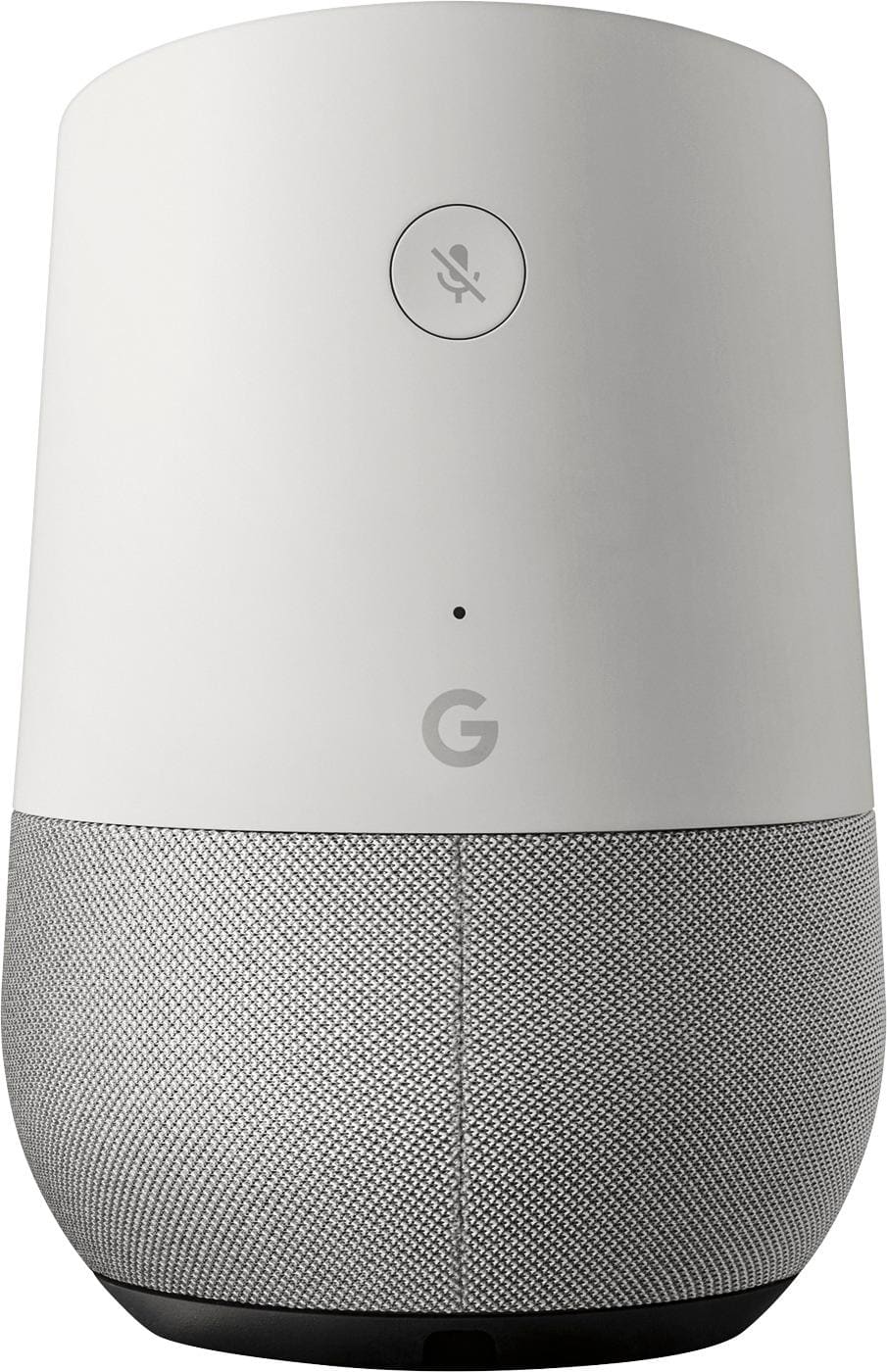
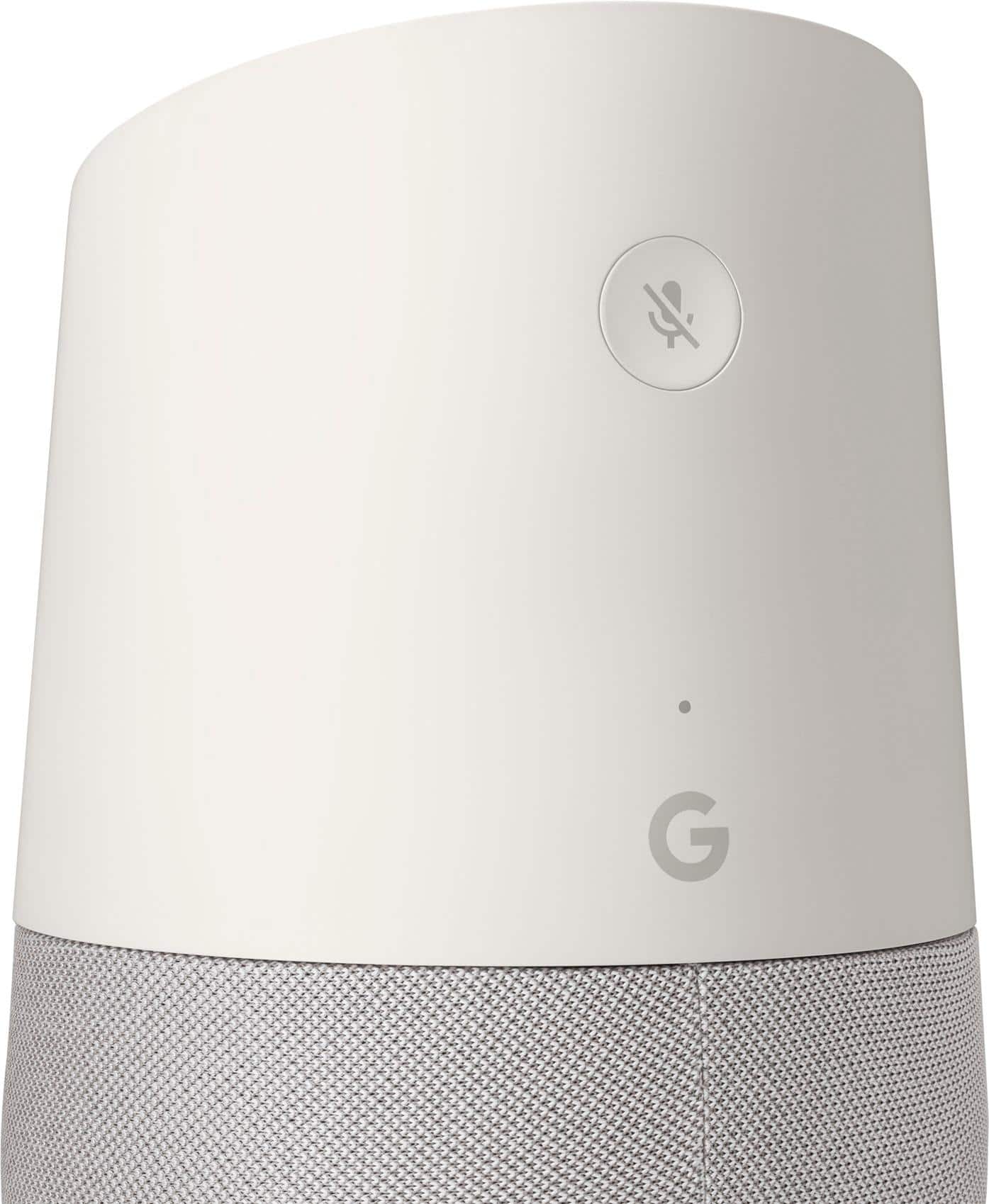
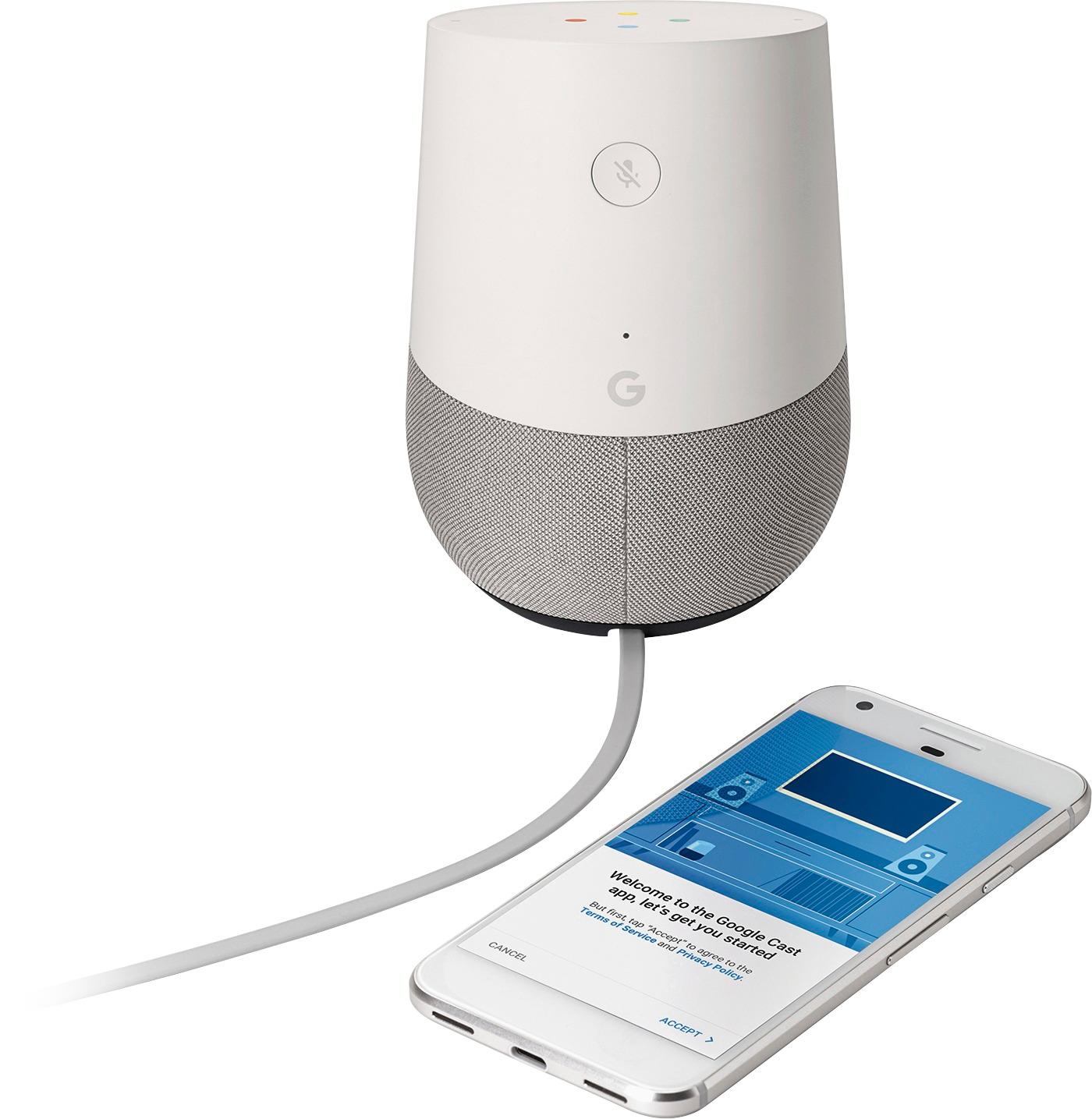
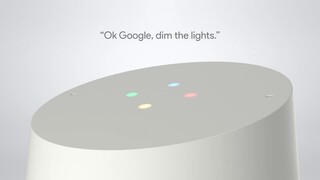
|Posted .This reviewer received promo considerations or sweepstakes entry for writing a review.Google Home setup is very easy which is similar to chromecast setup. Install Google Home app in iOS or Android device and whole setup can be done in less than 5 mins. I was able to configure Nest Thermostats easily to control the room temperatures from Google Home. Googledesigned the Home to integrate with the rest of the connected products (currently very few devices likes Net, Philips Hue and Samsung Hub) in your home. It is looks like a small device and easy to put this anywhere in your home kitchen, bedroom, living room, etc. On top of the Home is a touch-sensitive panel, which can be used to control the device volume, play and pause music, and activate its listening mode. There are colorful lights embedded in the panel that come to life whenever the Home hears its wake word or is responding to a command. Top panel has two far-field microphones, which let the Home hear voice commands from across a room. The Home become active with a wake word, which is either the familiar to Android users 'OK Google' or the easier to say 'Hey Google.' This always-listening feature is what makes the Home so useful. There is also a mute button on the back of the device that turns off the listening feature entirely. The bottom half of the Home has one speaker with two passive radiators. It designed the speaker to get loud enough to fill a room without distorting at full volume. It has loud output and sound quality is better to an average Bluetooth speaker. Home is integrated to work with Google Play Music, YouTube Music, Spotify and Pandora. Google is offering 6 Months Free YouTube Red music subscription. Also, you can wirelessly cast audio from your phone or laptop to the Home. It is disappointing that it does not have Bluetooth connectivity like Amazon Echo. A simple "Hey Google, what is the weather tomorrow?" will fire up the weather information right away. Also, you can adjust the volume, temperature, Philips hue lights with voice commands. If you want more volume or better sound, the Home can send its audio to a Chromecast Audio connected speaker, by just saying "Hey Google, play this on Chromecast Audio." You can also group multiple Home units together and play music though all of them simultaneously. The data from Home does send back to Google and stored with all of the other data in your Google account which can be reviewed at myactivity.google.com. The single account limitation also makes it very difficult to use the Home in a family setting. With the current state, Google home is not great and effective and it might be useful when we have more integrated devices to work with Home in future.
No, I would not recommend this to a friend - Pros mentioned:Sound quality
I still love it after a month of use!
|Posted .This reviewer received promo considerations or sweepstakes entry for writing a review.I was in the market for a home assistant like Echo from Amazon and I’m glad I waited for google home to come out with theirs. I primarily used Siri on my apple iphone but that only works if I continuously have my phone with me. What I like about Google Home is how something so small can still fill my main floor of my house with sound. Its surprisingly clear and with a great amount of bass too. The unit blended in nicely on my counter with no obtrusive lights. Even though its Wifi, the placement of the unit will be limited to your power outlet locations. Google home easily integrated into my daily routine. When I get up to make some coffee in the morning, I ask “ok google, how’s my day”. The unit will proceed to tell me the local weather, anything on my google calendar, and the local news all while im brewing a pot of coffee. I find myself using it 90% of the time as a Pandora speaker. This is especially true when im making dinner and my hands are full. I simply say “ok google, play me some music” or “play me [insert artist]” and it will play that particular music station on Pandora. This is better than any phone streaming to a Bluetooth speaker because it doesn’t tie up your phone or require your phone at all. Google home runs its own Pandora app so you can simply ask google to skip tracks, change playlists, and change volume levels all while washing dishes. I’m in the process of making my home more digitally connected (nest, hue, etc) so I can’t comment on how well it works on controlling other connected devices. Summary: Overall, I’m pretty happy on how it sounds so this replaces my need for a Sonos. I was worried at first that I needed a google phone but that is not the case. It runs things off your Wifi and with the huge database that google has, it will only be a matter of time before it surpasses Amazon Echo in usable features. Pros: *Microphones easily picks up my voice across the room *Small profile and can be customized in terms of looks *Streams Pandora flawlessly and sounds great *Doesn’t need a google phone to function *Easy to setup if you already have a gmail account Cons: *Not a full 360 surround sound. Only front and side firing speakers.
I would recommend this to a friend - Pros mentioned:Sound quality
Intriguing New Gadget, Easy SetUp, Needs refining.
|Posted .This reviewer received promo considerations or sweepstakes entry for writing a review.I recently received the Google Home to test and review. I was waiting with anticipation, but was a little disappointed with it's performance. Setting this unit up, was just as simple as unboxing it. There was literally no hesitation to get down to the nitty gritty and use it. So let's start with what I appreciate about it. It's design is sleek but unassuming. It easily sits in the background until you need it to wake up with "Okay Google" or "Hey Google", its trigger phrases. It's sound is incredible for having such a small footprint. I know it won't compare to a high end bookshelf speaker, but that's exactly it, it is not one. For what it is designed to do it handles all sorts of music with great response. It's bass and treble had a perfect balance when playing music, which is a breeze while I had it synced to my Google Play Music Account. The voice recognition is outstanding, with its far-field microphones. There is no need to increase the volume of your voice, even in the middle of it streaming music. It recognizes the trigger phrase and then turns the music down while it responds. I wondered what would happen while trying to trigger this unit, while my Google Pixel will wake with the same trigger phrase. Will they both respond and it be a bit confused? No, both units get triggered, but then my phone notifies me that another device is responding, and this creates a little bit of frustration that I will cover in my Cons paragraph. I do love that in the morning I can ask it about my day and it will let me know what the weather is currently, and the day's outlook, any events from my calendar for the day, and it will play my selected news podcasts, which first in line is Tech News Today From the TWIT network. I also enjoy being able to add an item to my shopping list nested on Google Keep, I just wish I could add items to different lists. I hope to invest is some home automation gadgets in the future to test out some of it's integration in that department. I did find this unit pleasurable to set up and use, I just feel the software needs a little tweaking. As with any new technology there are certain things that make you scratch your head. What this unit seems to be, is a blend of a Chromecast Audio melded with Google Assistant. But with that being said, Google Assistant needs some work. The two areas that I would use it regularly, is adding reminders, or adding an event to my Google Calendar, and she responds that she can't do that yet, but she is still learning. So then I thought well for now, that's fine. I will just set my reminder or my event with my phone. Nope, the fact that my phone knows that the Google Home is listening to me, it notifies me that "another device is responding". I'm not sure how this was missed, or not addressed while it was in development, for me if I was purchasing this unit, it would be a deal breaker. It also can't find individual songs that I know for a fact are in my music library, and it appears it only will play a playlist that I have on my phone. That brings up a question, being I am a conscious data consumer (my daughters call me the Data Police), We have a 2Gig data limit on our wireless plan, and a 300Gig data limit on our wired broadband plan. We always pay attention to how much we stream. We all download our playlists to our devices and play them within, instead of streaming, when we can. To the question: When listening to my playlist from Google Play Music on my Google Home, is it streaming or is it playing/casting from my personal device, that I have it downloaded on. I will be looking for an answer to this question and will follow up with an update. I do believe that most of the shortcomings will probably be fixed via an update to the device and maybe even some work on Google's server end. I would only recommend this unit for a certain type of person, one that likes home automation, one that listens to podcasts regularly, a gadget enthusiast and finally a patient person. Who knows when Google will get around to tweaking the software, to be even a better assistant. It's easy to give negative review, with these types of devices, especially when it seems they are quick to go to market. Take a moment and think about what Google is actually accomplishing here. Incredible, but I'm waiting for it to be AMAZING!!!
I would recommend this to a friend - Pros mentioned:Ease of use
A Want, Not a Need...but Very Useful!
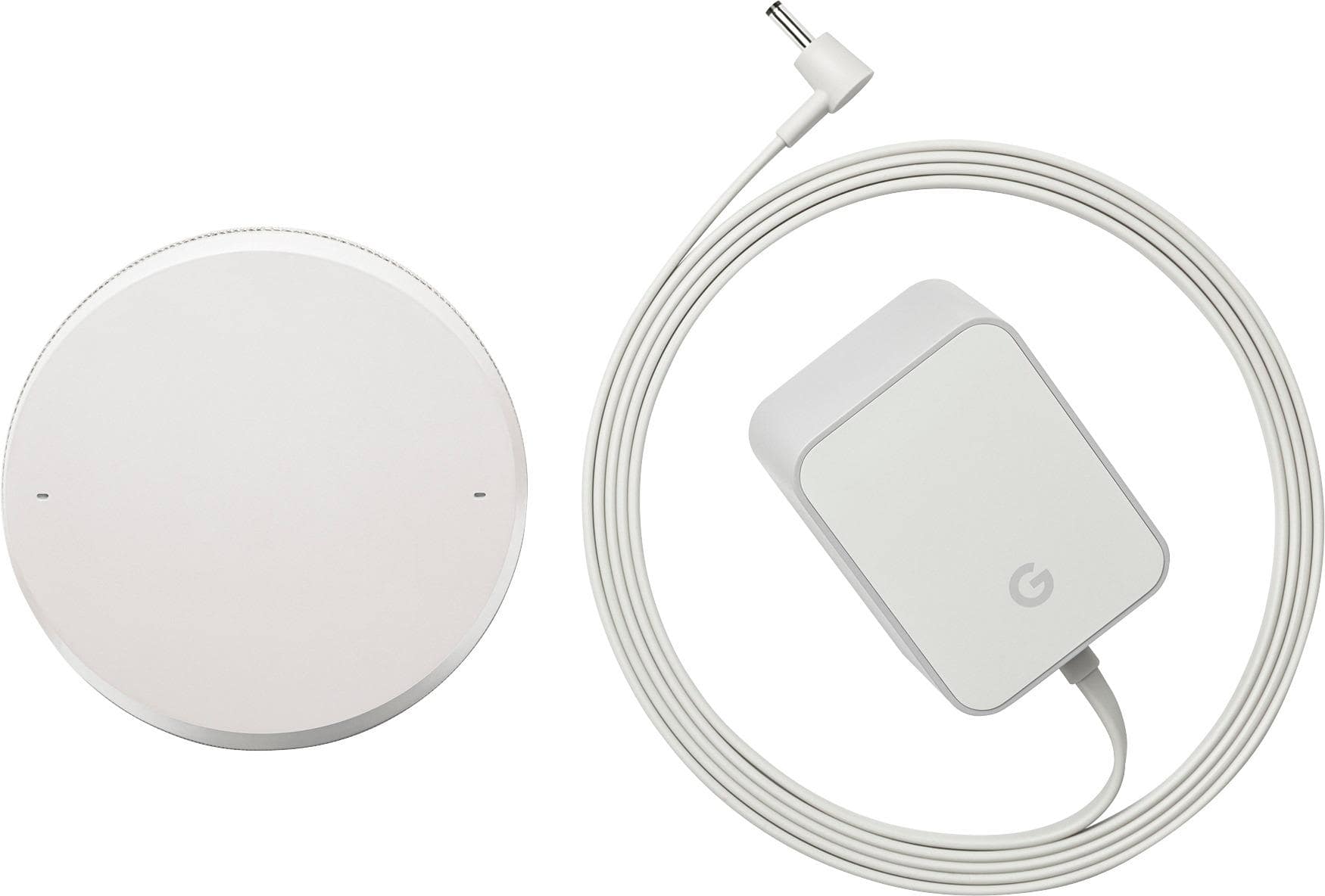
|Posted .This reviewer received promo considerations or sweepstakes entry for writing a review.Set up is extremely easy. You hook up the power cord, download the Google Home app (you may already have it installed, as it is the former Google Cast app), then follow a couple prompts on your phone or tablet to connect the device to your home's Wi-Fi network. I was surprised at how small the device is. You can fit it almost anywhere, as it is about the same height as a soda can, but thicker. After you are connected, the app gives you a brief tour of what the Google Home device can do. You activate it by saying "OK Google" or "Hey Google". Colorful lights illuminate at the top of the touch sensitive surface to let you know it's listening. You then pose questions or task your Assistant with whatever you need. Some things that I had it do: - "Give me a weather report" - "Start a 5 minute timer" (while I brewed tea) - "Play some dinner music" Things that my 5 year old daughter had it do: - "Spell [insert word here]". She had a blast getting it to spell various words - "Count to 10" - "What school do I go to?". The Google Assistant didn't "know how to help with that", obviously. However, she was able to tell it what school she goes to and it responded, "OK, I'll remember that". She then could ask it what school she went to and it would tell her. Very impressive. The touch interface at the top of the unit was a nice feature. You slide your finger clockwise or counter-clockwise to raise or lower volume. You can touch the center to pause or resume anything you are listening to. Verbal commands can also raise or lower volume. I was also very impressed with the quality of the microphones. At one point I whispered to my daughter the phrase to use to activate the device ("OK Google"), and it heard me and was waiting for my next instruction. I would caution prospective buyers from using this device as a primary music player. While the audio clarity is good, it doesn't compare with higher end bluetooth speakers that can really put out some good sound these days. I have just begun to scratch the surface of what the Google Home can do. So far I am very impressed. I think that my kids may end up using it as often as I do, as my daughter was fascinated with how it could respond to her. While this device is a luxury and not something every home needs, I think most folks will fine it very useful.
I would recommend this to a friend - Pros mentioned:Ease of use, Sound quality
Needs more compatible devices
|Posted .This reviewer received promo considerations or sweepstakes entry for writing a review.Google Home is a great device that will help your home stay connected. The device is just the perfect size for any home, and the looks aren't that bad. The device is very easy to set up. You power it on, download the software to your smartphone or tablet, connect to wifi, and you're up and running in no time. It really doesn't get much easier than that. I'm certain that anyone can connect this device. When you're ready to link a compatible device to your Home system, you go into the app to do this. It's also a simple process that anyone can do. This leads me to why I am only giving it three stars. There aren't many devices that are compatible with Google Home...yet. I hope that they work on this soon because I would definitely like to have more options. Another thing that I wish I could do is make calls through this device. This would definitely be a big plus for me. Something else that I noticed this morning when I tried to ask Google Assistant a questions this morning was that my device lost WiFi connection. I know it's not my router because all of my other devices were connected. It took about five minutes to be back up and running. I'm not sure if this is a software glitch, or something else, but I hope this problem doesn't continue. The "Google Assistant" is very responsive to my voice commands. I enjoy the ability of being able to ask for traffic information and ET to get to work in the morning through a voice command. I'm also able to get the news and various other apps. What I loved about this device is the fact that you're actually able to have full control of Pandora. You can control volume, switch stations, and turn it off. This is ALL achievable through voice command. I absolutely love that about this device. Something I was absolutely amazed by was the sound quality of this device. When I first turned on Pandora on my Google Home device, I was blown away by the sound quality coming from such a small device. I truly enjoy listening to music on this device. My goal is to make my home as "smart" and as efficient as possible. This device cuts it a bit short because there is still work that needs to be done to make it great. I would suggest starting off with making it more compatible with other smart devices. I'd like to have more options when deciding what to buy for my home. If you are in the market for a device to make your home more connected, I would suggest exploring other option. Google needs to make their Google Home device more compatible with other smart devices in order to claim a victory. Amazon's Echo devices might be a better choice if you are looking to connect your home. There is still work to be done here. I just hope that Google continues to work on improvements for this device, and does it soon.
I would recommend this to a friend - Pros mentioned:Sound quality
A good assistant that will get better over time.
|Posted .This reviewer received promo considerations or sweepstakes entry for writing a review.Let me start off by saying that this product has a lot of potential and it will be up to google to implement that potential. Hopefully they support this device for a long long time and make it better. Out of the box though (November 2016) it has a lot of thing left to be desired, as in functionality wise. Google maps integration and email integration is not there yet. You can ask how far something is and how long it will take to get there, but you can't have it sent to your phone in the form of navigation directions. I would find that very useful. Also as far as controlling your smart devices in your home, it only supports a few players at this time. I do enjoy asking random questions, playing trivia games, playing music (speaker is very good btw), and hearing my daily news. The gray fabric goes perfect with the walls in my house and the Google Home fits in well and looks sleek and modern. If you want a product that is ever-changing and has the promise of doing so much more, this is the product for you. If you are looking for something to do it all right out of the box, you may want to wait till google provides more functionality to the Home in the near future.
I would recommend this to a friend - Cons mentioned:Bluetooth
An OK Experience
|Posted .This reviewer received promo considerations or sweepstakes entry for writing a review.Being a fan and avid user of the Amazon Echo, Dot and Tap, I was very curious to see how Google would execute on a similar experience. I've used the Google Home for a few days now and my experience has been... meh, just OK. For starters, I know it's not entirely fair to compare the current version / capabilities of the Home to the current version / capabilities of the Echo... but, Amazon has had almost a year ahead of Google and the skills and abilities of the Home are about where the Echo was a year ago. As it stands, Home doesn't have the 'Skills' that Amazon offers. I'm having to rely on IFTTT to take care of our smart home devices using the Google Home. I've gotten spoiled talking to the Echo like it's the computer from Star Trek - and Google Home feels like it showed up to the party a year late. The voice response from the Home also reminds me of Siri's earlier days where as the Echo sounds more conversational. Since Google has their own music service, App Store and YouTube Red - I can't see Google opening the door to other developer's APIs to use other services. Actually, one of my biggest gripes is that I can't use the home as a Bluetooth speaker - that seems like a huge oversite on Google's part. One cool aspect of the Home is the responsive touch of the top of the device. Amazon's Echo still relies on physical button pressing and radial dial turns. So the Home looks and operates a little more snazzy than the Echo in this regard. If you're married to the Google ecosystem, then going with the Home and riding out the growing pains might be worth it - but until they offer a service comparable to Amazon Prime where I get cloud storage, shipping, videos and music - I don't think Alexa has any reason to get jealous.
I would recommend this to a friend - Pros mentioned:Ease of use, Sound quality
Pound for pound, dollar for dollar, the very best
||Posted .This reviewer received promo considerations or sweepstakes entry for writing a review.I've tried a lot of the "smart" speakers, starting with the over-sized and overpriced Amazon Echo. And I've had lots of non-smart speakers over the years - hundreds. The Google Home, at its current price of well under $100, is the best value I've found. The sound is excellent - way better than any speaker I've found within $100 or more of the Google Home's price. Somehow, Google has found a way to fill a room with sparkling clear sound at completely adequate volumes without creating a monster - in size, in complexity of set-up and tuning to the room, in price. It just works. And, to my mind and in my experience, Google Assistant, which is built into the Home, beats Alexa hands down. When you want information, it gives it to you more clearly and in more detail; when you want music, it knows where to find it on the services you're subscribed to. And it's beautiful; that means less to me than to my wife, but it means a lot to her, and that means a lot to me. I own two of these now, one in the den and one in the bedroom. I'm planning to buy a third, to make a stereo pair in the den. I recommend it whole-heartedly.
I would recommend this to a friend Not happy.
||Posted .This reviewer received promo considerations or sweepstakes entry for writing a review.I bought this item for my mom for her 80th Birthday. She does not have an iPhone or a mac so she could not use it. If she had either of these items she wouldn't need the google home. I did hook it up to my phone and I did like it, but I don't live with my mother.
I would recommend this to a friend- Pros mentioned:Ease of use, Sound quality
easy to get it working, awesome for disabled dad
||Posted .This reviewer received promo considerations or sweepstakes entry for writing a review.I got the Google home assistant for my father who is disabled and can't get out. I thought it would be a good toy and might keep him entertained. I got the google rather than echo because the reviews suggested the speech recognition was best on google, and he can't always speak loudly and clearly. This was the best purchase I've made all year! He has great fun with it, asking all sorts of questions, both serious and silly, asking it to play music, sing, read the news - it's been great for him. So great that after a couple of weeks I went out and got a mini for every room. Then I also got a smart plug, to see if he could use google to turn on and off appliances, because his coordination and dexterity are very bad so that's really hard for him - that was an instant winner too, so I'm going to get more plugs, set up the phone so he can make calls without having to manipulate a phone, and hopefully a smart TV, so that he can have a much easier time turning it on/off and finding channels - this is a wonderful thing for people who are disabled. It gives them back control over their home. And it does great understanding him, which I had been worried about. No real problems there though. Occasionally it doesn't catch what someone says but it's not that often. It was pretty easy to get it working. It took a few tries before it connected to the wifi, but that was about all the problem I had. Once the first one is hooked up, adding more things to the network was pretty easy, and I am not great with technology. The Google Home Assistant is alot of fun and has a high gee whiz factor for the rest of us, but for people with physical limitations it's really awesome.
I would recommend this to a friend - Pros mentioned:Ease of use, Sound quality
Looking forward to things to come.
||Posted .This reviewer received promo considerations or sweepstakes entry for writing a review.In my opinion this is still the "early adopter" time frame for this type of tech. I'm taking that into account in this review because I feel like the number of times my requests are answered with "I'm sorry but I cannot help with that right now. But I'm always learning." will steadily dwindle as the tech matures. I have had Google Home in my home for about 3 weeks now. It has quickly become a natural part of my daily life. It has become my go to daily alarm clock, my speaker for listening to my favorite morning show as I am starting my day, my only kitchen timer, and it settles battles between my gf and I. Sometimes we just sit around and take turns asking Google Home random stuff trying to get each other to laugh. You know those moments when somebody asks you a question and the answer is on the tip of your tongue or you see something on TV and you just have to Google something about it so you pick up your phone or tablet? Now we just say, "Hey Google." One of my favorite things to do with Google Home is to ask it to play a old forgotten song that pops into my head or that was just in a commercial...or ask it to play some Barry White and start jokingly slow grinding on my gf to make her laugh when she had a busy day at work. (This is a source of laughs in my home) I found myself using my first Google Home Mini so much that within a week I went back and bough another mini and the full Google Home. I'm probably going back today to get another 2 minis just to have one in every room. Can't afford, nor do I need that Max...yet. I have the Logitech Harmony Elite and use my Google Home with it to voice control my entertainment center, switching between cable/Netflix/etc. This is a great feature but it can be tricky to get the voice commands correct in order to get them to work. Not only the phrasing but the inflection. At the onset, I had to repeat myself several times before the task was performed. Not so bad now but it doesn't feel as natural as other commands with Google Home that do not seem to care so much about the inflection. Again, something I expect to continue to improve over the coming months. In short, I have found some very useful and natural ways to incorporate Google Home into my daily life and look forward to more functionality with improvements on an already impressive interaction with the Google assistant. So soon into my experience, I would already feel like something is missing if I were to remove it from my daily life.
I would recommend this to a friend - Pros mentioned:Sound quality
Maybe great in the future
|Posted .This reviewer received promo considerations or sweepstakes entry for writing a review.After turning on Google Home, I was impressed how easy it was to set up. I was able to install the Home and Keep apps easily and found the list very handy. The trivia questions are entertaining, but I wish I could choose specific trivia topics. I do not own any WiFi connection devices by Nest, Philips Hue, or SmartThings, and was disappointed that my Harmony device could not be controlled by Google Home. I am not impressed by Google Home’s ability to understand commands. For example, when I said, “OK Google, Jordan is my son,” the response was, “Sorry, I am not sure how to help with that, but I am always learning.” In order to get the device to remember a name you must say, “OK Google, I have a son named Jordan.” With how advanced the Google search engine is, you would think that word order wouldn’t have to matter so much. Pros Sensitive microphone (picks up voice from a far distance) Can control temperature and lights with voice Can answer any question without using a computer, tablet, or phone Cons “OK Google” command sometimes picked up by Pixel instead of Google Home Commands must be worded very specifically Limited connection devices (Nest, Philips Hue, and SmartThings) What can Google Home do? Play Music – only on device Play podcasts – only on device Get the news Manage your shopping list – I found useful Have some fun/Play games – entertaining Set alarms – can be useful in the kitchen Get the weather Manage a calendar Change the volume Find answers Get translations Meet your Assistant Control the home Book a taxi Overall Google did a fine job at an initial attempt for a personalized assistant, but I feel the technology falls short of meeting every day demands. I believe Google will partner with more companies such as Harmony and ADT in the future. Until I see these improvements, I will not be recommending this product.
No, I would not recommend this to a friend - Pros mentioned:Ease of use, Setup, Sound quality
Excellent Product By Google.
||Posted .This reviewer received promo considerations or sweepstakes entry for writing a review.I’ve had my Google Home for about 3 weeks and have been very happy with it. Setup was a breeze and pretty simple. You do have to say “OK Google” to prompt the device, Google Home device has a light indicator to show when it’s listening. The far-field mics work well and can pick up voices from across the room without having to shout, The speaker quality is very good. Works well with Google Play Music, Spotify, YouTube, etc. The Google Home app is very easy to use. it can be downloaded from the playstore, Set reminders, timers, get recipes, get directions, call an Uber. The “Good morning” / “My day” feature is really neat on Google Home. It tells me in one pass about the weather, traffic to work, my appointments, and rounds up with news from my favorite sources Works flawlessly with Chromecast devices. Example: OK Google. Play a funny cat video from YouTube on the Living Room Chromecast,Then Google plays it on Chromecast, which triggers my living room TV to show the video some questions like Me: OK Google. What is that song from the Lion King? Google Home: The songs are Circle of Life and … Me: OK Google. Play it please, Google Home: Sure. Playing Circle of Life. Wow. Note that I didn’t even mention the song.
I would recommend this to a friend - Pros mentioned:Ease of use, Sound qualityCons mentioned:Response time
Great Home Assistant
||Posted .This reviewer received promo considerations or sweepstakes entry for writing a review.I really enjoy Google Home. I use it to play music, check sport scores and control my Philips Hue (which is pretty convenient since I often have a kid in my arms and can't easily access the app on my phone). It's fun and fairly intuitive. It still has some things to improve upon as I sometimes get I don't understand or I'm still learning responses. Sometimes you need to be very specific in your requests, but all-in-all Home is a great addition to any space. I would recommend.
I would recommend this to a friend Good start, but needs some work.
|Posted .This reviewer received promo considerations or sweepstakes entry for writing a review.I will start by saying that I own the other similar product from another company and have been using that since its infancy. I see a lot of similarities with this google home device. It has a lot of potential, but still feels very much like a beta device. First, I will start with what it is...a speaker. Sound quality is honestly not that great. Slightly better than your average TV speaker...but not much. The sweet spot is between 1/2 and 3/4 of the full volume. Any louder than 3/4 and you lose what little bass you have and it becomes distorted. I hope that in the future they will add the capability to stream to another bluetooth speaker without a chromecast being attached to it. As far as the usefulness of being able to answer questions and do other tasks. I cant say I have spent a lot of time with it, but it seems to do a MUCH better job than the competition. I think that in time and as more features are added...this thing will kill the competition. I was able to get basic things like time, weather, news. I got it to tell me jokes, played a game with it and things like that. If you use gmail for your mail and calendar it integrates with that very well. You can ask about upcoming appointments or schedules. Unfortunately at this time you cant set reminders and things...but hopefully that will be added in the near future. You can set alarms with it and also say snooze and it will snooze for 10 minutes. It will also integrate with your smart devices at home. Currently I don't have any devices that it supports, so I cant test that functionality at that time. But hopefully in the future they will offer more support for more devices like the Lifx bulbs and things of that nature. Overall, this is very similar to that other device in many ways, but I think with the vast knowledge catalog that Google already has...this one is much better and has a lot more information. Not to mention being able to tie into your google account and calendars and things like that make it FAR more useful than the competition. I cant wait to see what updates come in the future to this thing! ...also...if you use another Google product like a Pixel phone. When you say OK Google, it will wake up your phone and the Home device, but the Home device will have the priority and it will act on whatever command you give.
I would recommend this to a friend- Pros mentioned:Ease of use, Sound quality
Good Home Assistant
||Posted .This reviewer received promo considerations or sweepstakes entry for writing a review.Google Home is a nice home assistant. Easy set up, links to your existing Google account seamlessly, and works with many home kits and products on the market. The speaker itself gives off decent sound, not as good as Amazon’s Echo but not bad either. Does well at answering random inquiries as it utilizes Google’s massive databank of knowledge and information. Nicely priced at the moment so overall a good buy.
I would recommend this to a friend