Customer Ratings & Reviews
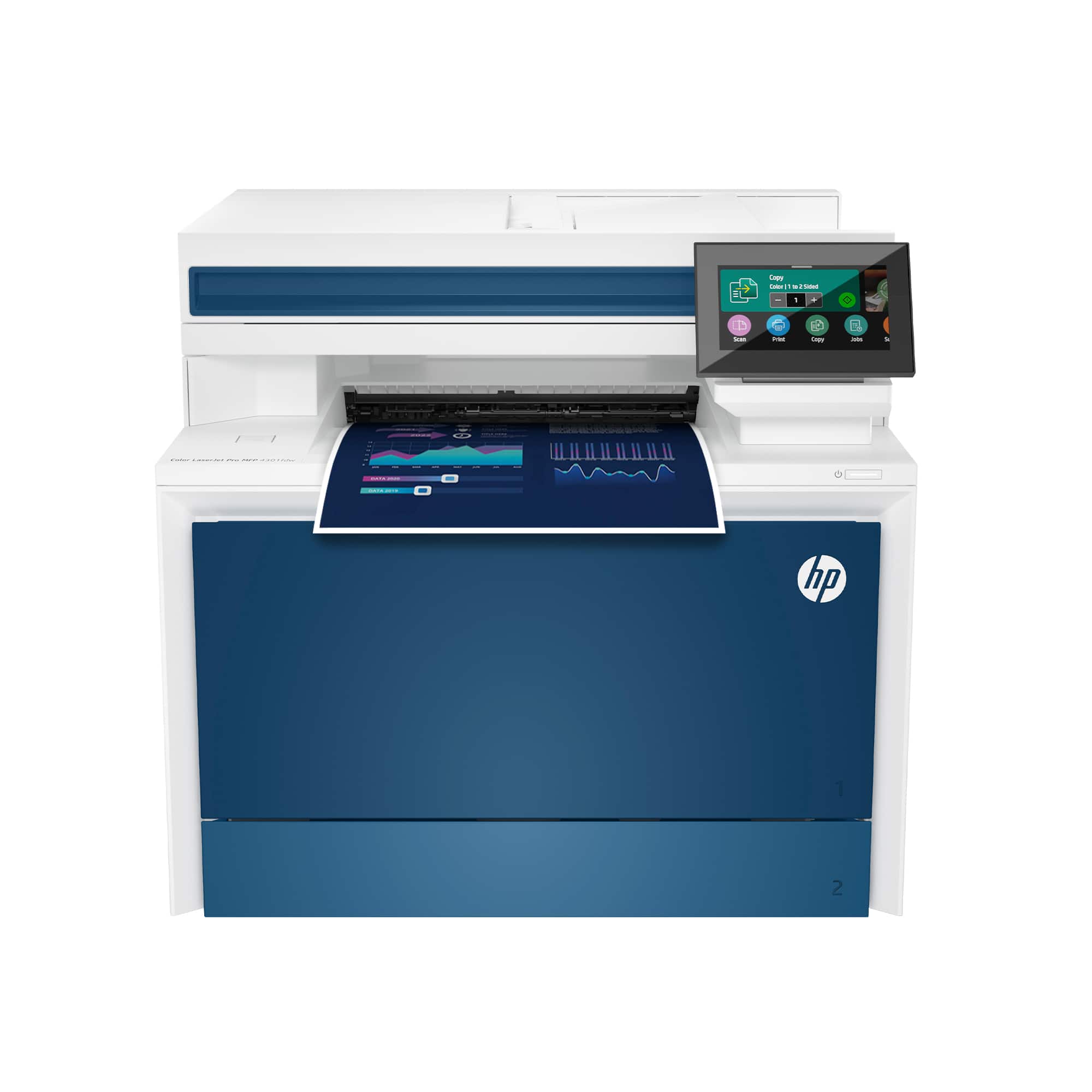








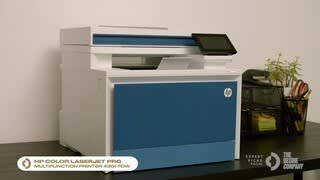


- Model:
- LJP 4301FDW/4RA82F#BGJ
- |
- SKU:
- 11277479
Customer reviews
Rating 4.4 out of 5 stars with 614 reviews
(614 customer reviews)Rating by feature
- Value4.4
Rating 4.4 out of 5 stars
- Quality4.5
Rating 4.5 out of 5 stars
- Ease of Use4.4
Rating 4.4 out of 5 stars
Rated 4 out of 5 stars
good product at an affordable price
||Posted . Owned for 1 week when reviewed.This reviewer received promo considerations or sweepstakes entry for writing a review.very easy to setup and start using, very quite and clean. Highly recommend. Very good print quality as well.
This review is from HP - LaserJet Pro 4301fdw Wireless AI-Enabled Color All-in-One Laser Printer - White/Blue
I would recommend this to a friendRated 5 out of 5 stars
So Far So Good
||Posted . Owned for less than 1 week when reviewed.This reviewer received promo considerations or sweepstakes entry for writing a review.I like the size, weight and the quality of print with this printer. The software for the scanner could have a few more features, it is very, very basic.
This review is from HP - LaserJet Pro 4301fdw Wireless AI-Enabled Color All-in-One Laser Printer - White/Blue
I would recommend this to a friendRated 4 out of 5 stars
Good buy
||Posted .This reviewer received promo considerations or sweepstakes entry for writing a review.It was a little more than I wanted to spend, but I purchased this all-in-one printer for my office. It is serving the needs of the office well. I have also connected faxing services to send and receive lab documents. So far, so good.
This review is from HP - LaserJet Pro 4301fdw Wireless AI-Enabled Color All-in-One Laser Printer - White/Blue
I would recommend this to a friendRated 5 out of 5 stars
Enterprise Printing at home
||Posted . Owned for 1 month when reviewed.This reviewer received promo considerations or sweepstakes entry for writing a review.I recently purchased this printer and it has been an absolute game-changer for my home office. The setup was a breeze, and I was able to connect it to my wireless network without any hassle. The printing speed is impressive, and the output quality is top-notch with vibrant colors and sharp details. Scans and copies are equally remarkable, producing clear and crisp images every time. It's a reliable and efficient device that I highly recommend.
This review is from HP - LaserJet Pro 4301fdw Wireless AI-Enabled Color All-in-One Laser Printer - White/Blue
I would recommend this to a friendRated 5 out of 5 stars
Love my new printer!
||Posted . Owned for 1 month when reviewed.This reviewer received promo considerations or sweepstakes entry for writing a review.So far, I love this printer. It was very easy to set up and it has what I need.
This review is from HP - LaserJet Pro 4301fdw Wireless AI-Enabled Color All-in-One Laser Printer - White/Blue
I would recommend this to a friendRated 5 out of 5 stars
Excellent timing
||Posted . Owned for 1 month when reviewed.This reviewer received promo considerations or sweepstakes entry for writing a review.(#1 very beautiful appearance #2 I love the colors., #3 easy set up., I love how you can adjust & Print different size of sheets plus even print one sheet to a notebook or aeven make a whole book.! Iam amaze.
This review is from HP - LaserJet Pro 4301fdw Wireless AI-Enabled Color All-in-One Laser Printer - White/Blue
I would recommend this to a friendRated 5 out of 5 stars
Perfect Printer
||Posted . Owned for 1 month when reviewed.This reviewer received promo considerations or sweepstakes entry for writing a review.I Love this printer. Very quick and great quality!
This review is from HP - LaserJet Pro 4301fdw Wireless AI-Enabled Color All-in-One Laser Printer - White/Blue
I would recommend this to a friendRated 5 out of 5 stars
Great printer
||Posted . Owned for 2 weeks when reviewed.This reviewer received promo considerations or sweepstakes entry for writing a review.No other printers for me except this model. I love this printer and does it great job!
This review is from HP - LaserJet Pro 4301fdw Wireless AI-Enabled Color All-in-One Laser Printer - White/Blue
I would recommend this to a friendRated 4 out of 5 stars
High Capacity, High Speed.
||Posted . Owned for 1 month when reviewed.This reviewer received promo considerations or sweepstakes entry for writing a review.Everything was fine for the first thirty days. Meets my needs many times over. Fast printing. Crisp and sharp. I do not recommend it for photos. I think you need to buy special photo paper if that is your thing. However, I have an issue that my Tray 2 paper tray will not close completely with just letter size in it. It stays open to legal size. However, the letter size prints fine. It's going back to the store tomorrow.
This review is from HP - LaserJet Pro 4301fdw Wireless AI-Enabled Color All-in-One Laser Printer - White/Blue
I would recommend this to a friendRated 5 out of 5 stars
Professional printing at its best!
||Posted . Owned for 1 month when reviewed.This reviewer received promo considerations or sweepstakes entry for writing a review.Easy to set up. Print quality excellent. Best of all its nice and quiet.
This review is from HP - LaserJet Pro 4301fdw Wireless AI-Enabled Color All-in-One Laser Printer - White/Blue
I would recommend this to a friendRated 5 out of 5 stars
Definitely recommended
||Posted . Owned for 3 weeks when reviewed.This reviewer received promo considerations or sweepstakes entry for writing a review.Fairly easy to setup and no problems printing the flyers and study guides needed for some students that I work with. Very pleased with this purchase!
This review is from HP - LaserJet Pro 4301fdw Wireless AI-Enabled Color All-in-One Laser Printer - White/Blue
I would recommend this to a friendRated 5 out of 5 stars
Good stuff
||Posted . Owned for 1.5 years when reviewed.This reviewer received promo considerations or sweepstakes entry for writing a review.Great value, high speed great print detail, only issue is ink cartridges are very high. Aftermarket cartridges seem to not provide a good print.
This review is from HP - LaserJet Pro 4301fdw Wireless AI-Enabled Color All-in-One Laser Printer - White/Blue
I would recommend this to a friendRated 4 out of 5 stars
Over all, quiet is quality
||Posted . Owned for 3 weeks when reviewed.This reviewer received promo considerations or sweepstakes entry for writing a review.There are better and cheaper printers for photos, still... It gets the job done and it's quiet and quick. Plus when you open it for paper, cartridge loading or scanning its not noisy, Thank God!
This review is from HP - LaserJet Pro 4301fdw Wireless AI-Enabled Color All-in-One Laser Printer - White/Blue
I would recommend this to a friendRated 5 out of 5 stars
Live the new printer
||Posted . Owned for 1 month when reviewed.This reviewer received promo considerations or sweepstakes entry for writing a review.This printer was exactly what our office needed, it's much faster than the other model we purchased, its quiet and an easy set-up
This review is from HP - LaserJet Pro 4301fdw Wireless AI-Enabled Color All-in-One Laser Printer - White/Blue
I would recommend this to a friendRated 5 out of 5 stars
You can trust HP!
||Posted . Owned for 2 weeks when reviewed.This reviewer received promo considerations or sweepstakes entry for writing a review.I am a Network Administrator, and I trust HP products for their reliability and performance. The setup process is straightforward, and the quality of the copier, scanner, and printer functions is exceptional.
This review is from HP - LaserJet Pro 4301fdw Wireless AI-Enabled Color All-in-One Laser Printer - White/Blue
I would recommend this to a friendRated 4 out of 5 stars
HP Laserjet Pro
||Posted . Owned for 3 weeks when reviewed.This reviewer received promo considerations or sweepstakes entry for writing a review.The software is finicky, but the printer is really great. Its fast and has many useful functions.
This review is from HP - LaserJet Pro 4301fdw Wireless AI-Enabled Color All-in-One Laser Printer - White/Blue
I would recommend this to a friendRated 5 out of 5 stars
WORTH THE MONEY
||Posted . Owned for 3 weeks when reviewed.This reviewer received promo considerations or sweepstakes entry for writing a review.perfect printer and so easy to setup ! Pricey but def worth it!
This review is from HP - LaserJet Pro 4301fdw Wireless AI-Enabled Color All-in-One Laser Printer - White/Blue
I would recommend this to a friendRated 5 out of 5 stars
Works very well for me
||Posted . Owned for 11 months when reviewed.This reviewer received promo considerations or sweepstakes entry for writing a review.I've had this unit a year now so I've had plenty of time to evaluate its performance. It does everything I ask of it well except faxing. I just stick to using the software faxing and this works every time. Text is crisp and clear and the print speed is fast. One thing I don't like is the small toner cartridges which are quite pricy but since I don't print that much anymore its a tradeoff I was willing to make. Also the touch screen could be larger. The biggest complaint I have though is when I access the printer using HP Smart it forces me to input the code multiple times when I should only have to do it once. If you don't know it the code is on a label attached to a printer cartridge and if you don't write it down and keep it put up then later replace that toner cartridge the code will be gone and you won't be able to access the printer menu functions. It should've been attached to the door or another part that can't be thrown away so it won't go missing.
This review is from HP - LaserJet Pro 4301fdw Wireless AI-Enabled Color All-in-One Laser Printer - White/Blue
I would recommend this to a friendRated 5 out of 5 stars
Great printer
||Posted .This reviewer received promo considerations or sweepstakes entry for writing a review.I love this printer. It prints fast, with great quality, and is able to feed cardstock from the paper tray.
This review is from HP - LaserJet Pro 4301fdw Wireless AI-Enabled Color All-in-One Laser Printer - White/Blue
I would recommend this to a friendRated 5 out of 5 stars
Quality Copy Station
||Posted . Owned for 8 months when reviewed.This reviewer received promo considerations or sweepstakes entry for writing a review.Wonderful home copy station. Easy to use and install.
This review is from HP - LaserJet Pro 4301fdw Wireless AI-Enabled Color All-in-One Laser Printer - White/Blue
I would recommend this to a friend