Customer Ratings & Reviews
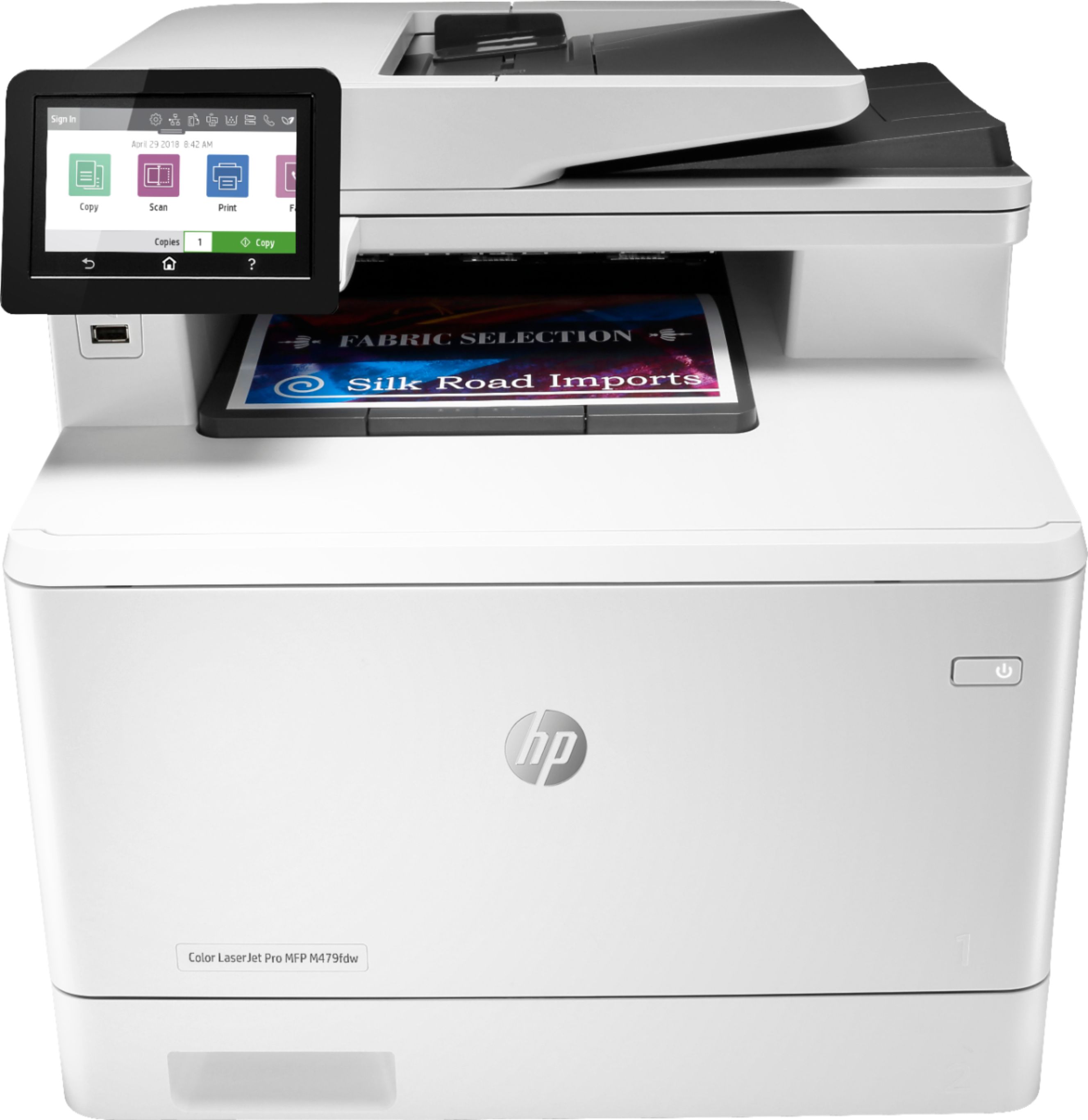
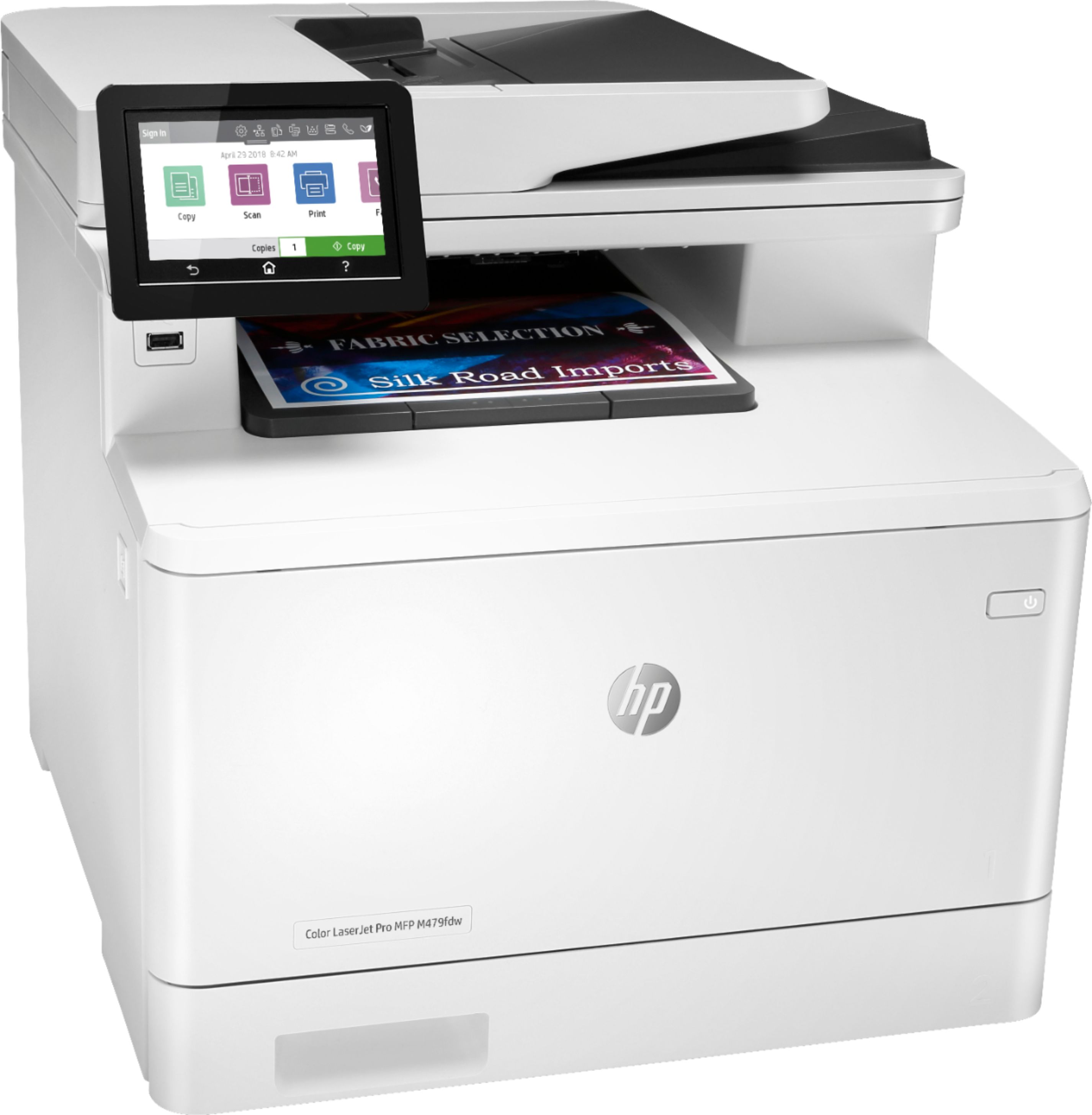
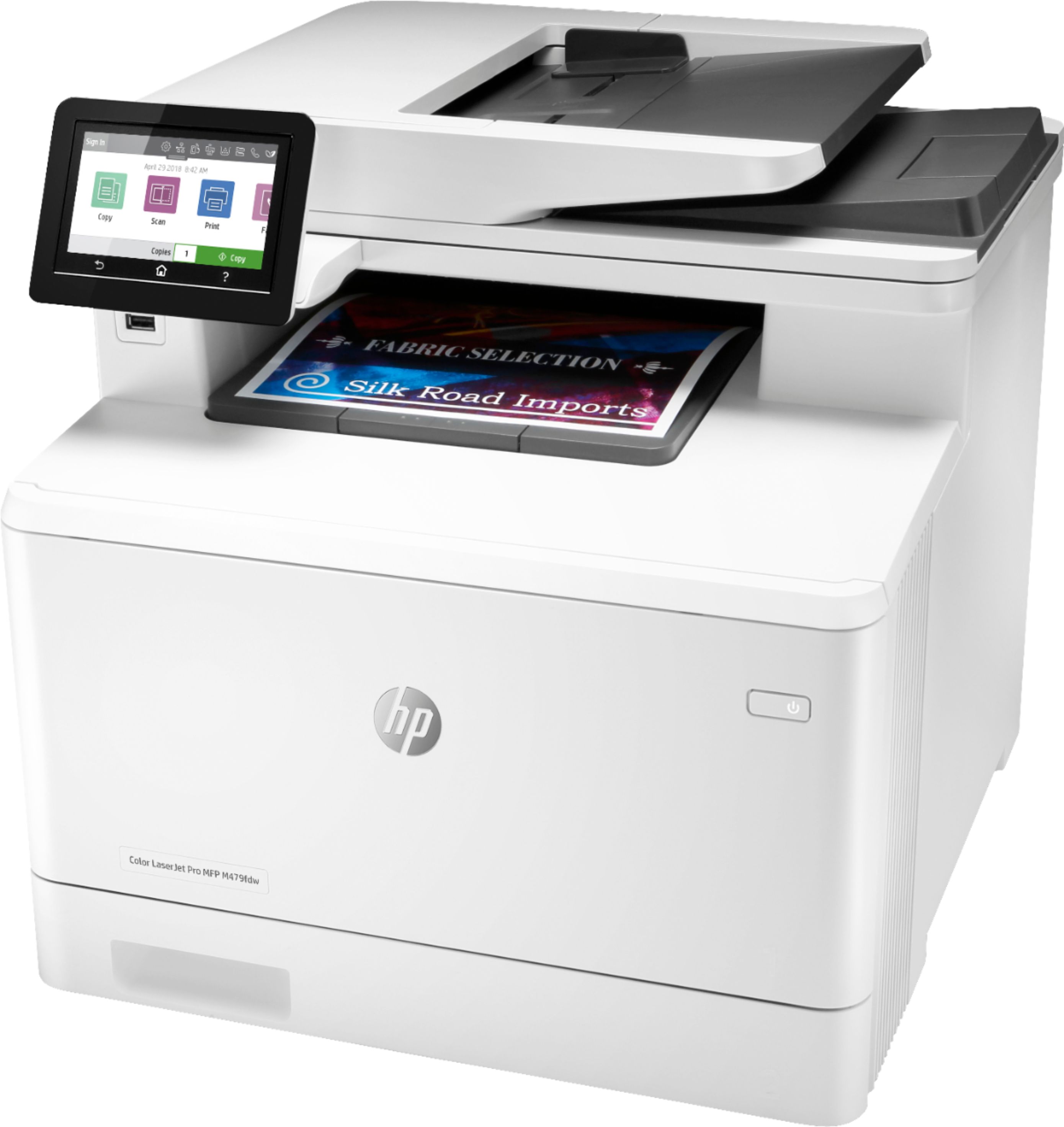


- Model:
- LaserJet MFP 479fdw
- SKU:
- 6348956
Rating by feature
- Value
Rating 4.3 out of 5 stars
- Quality
Rating 4.6 out of 5 stars
- Ease of Use
Rating 4.5 out of 5 stars
Customers are saying
Customers have good things to say about the LaserJet Pro M479fdw Wireless Color All-In-One Laser Printer, particularly its easy setup, print quality, and quiet operation. They appreciate the convenience of wireless printing and the excellent color output. However, some customers find the price and toner to be expensive, and there have been complaints about the weight and issues with the scanner.
This summary was generated by AI based on customer reviews.
- Pros mentioned:Print quality, Wireless
Pricey But Fast
||Posted . Owned for 7 months when reviewed.This reviewer received promo considerations or sweepstakes entry for writing a review.Whenever I print something it’s usually dozens of pages back to back and this printer works perfectly for large documents and the colors are very vibrant. The ink is just more expensive, that’s where the investment comes in. But it’ll be a long time before you run out. The wireless internet features are welcome and there’s a partner app as well. It’s bulky and heavy so you shouldn’t be moving it too frequently. I would like if it held more paper but that’s just me being lazy. It hasn’t jammed on me a single time despite the workload I’ve been giving it every day since I got it in December of 2019 (it’s now July 2020). If you have the space and it’s on sale, go for it. Shop for the ink on sale elsewhere maybe.
I would recommend this to a friend - Pros mentioned:Print quality
Decent unit. Can’t justify on the price
||Posted . Owned for less than 1 week when reviewed.This reviewer received promo considerations or sweepstakes entry for writing a review.The printer runs fine. I purchased this for the office and it’s been a workhorse for our needs. The only downside is the toner cost and the price of the printer itself. I’m a bit disappointed that the price for this printer went up significantly. I do recall paying less few years back for the same exact model so this isn’t the first time I’ve purchased the exact printer. Now if it was within the $500 range, then I would be fine with it but come on, $820? That’s basically the price of buying a computer. If you are willing to put down that much for a printer, I would suggest that you find an alternative brand for a lot less. But if your fine paying the price of this printer, then this is the way to go. Again, the print quality is decent for something at this range.
No, I would not recommend this to a friend - Pros mentioned:Print quality
Very happy with this Business Quality Machine
||Posted . Owned for 2 months when reviewed.This reviewer received promo considerations or sweepstakes entry for writing a review.I purchased this All-in-One so I could have a business quality machine at home. I am so glad I went with this machine! I wanted the ability to have a color laser printer at home, I don't print color that much and when I used to use ink-jet printers the ink would dry out long before I'd use 25% of it. I had an older HP B&W Laser printer, that literally had the same toner cartridge for 10 years, and it still works and still had toner; I only replaced it with this to have scanning capabilities and color. This one is made of the same quality as my old HP so I know it will last for years too. The color print quality (as well as the B&W) is great, and I don't have to wait for a damp page to print from a inkjet five minutes, this one spits out high quality page after page in seconds. It doesn't look like it from the pictures, but it still has a manual load tray on the front for loading individual pages, like when putting a glossy picture quality sheet of paper in, and it gives you a photo quality glossy photo in about one second after it processes the print job. The document feeder works perfectly, the only time it has jammed is when I have put things in it I was not supposed to, like mismatched sized papers, or things with rough edges, simply putting it on the scanner manually would have prevented that, and the included software lets you put the pages you scan manually as multipage pdfs anyway. The biggest reason I picked this one was because it was the only one in it's price range that the document feeder does double sided. The software with it will even hide blank pages when you are scanning double sided. The only thing I haven't' tried is the fax machine, and only because I don't have a landline. I am even considering getting one of the free VoIP services, just so I can use this machine's capability of faxing. This machine really is perfect for a small business or work-from-home office; it's got the capacity and capability of a large business machine but the price of a high end home inkjet. I was concerned about the price of toner cartridges for it, some can be as much as a new printer to purchase; but the ones for this one are extremely reasonable, and they even have the option of getting high yield cartridges or much cheaper lower capacity ones. I will probably end up getting the low yield ones, since I do not print a large amount of items, but the factory ones will still probably last me years. Over all extremely happy with the quality and performance of my M479fdw!
I would recommend this to a friend - Pros mentioned:Ease of use
I love my printer!
||Posted . Owned for 9 months when reviewed.This reviewer received promo considerations or sweepstakes entry for writing a review.I can believe how good is the HP-LaserJet Pro M479fdw, I was buying different brand trying to get the perfect one, and this one is the right one, thanks for do the life so simply and easy!
I would recommend this to a friend - Pros mentioned:Print quality
Great quality and does everything reliably
||Posted . Owned for 8 months when reviewed.This reviewer received promo considerations or sweepstakes entry for writing a review.This was my first laser jet printer purchase after using inkjet printers for 15 years. However, after experiencing the common inkjet problems repeatedly with constant printer head cleaning, slow warming up and slow printing, not to mention cheap build quality, I gave up on inkjet printers. I am really glad I purchased this laser jet printer. I bought it in Mar 2020, have had it for 8 months. It is a very reliable, very versatile, fast booting, fast printing, great quality printer. I could be sitting on my couch and print from my phone, iPad or laptop, works equally great after downloading the HP Smart app on your mobile devices. The only thing it doesn’t print well is pictures. But for everything else, this printer fits the bill perfectly.
I would recommend this to a friend - Pros mentioned:Print quality
Best printer i ever had!
||Posted . Owned for 2 weeks when reviewed.This reviewer received promo considerations or sweepstakes entry for writing a review.I love my new printer! Its fast. I never had a laser printer before. Ill never go back to ink. Everything is working perfect. Im a very satisfied customer. I couldnt be anymore happier! Buy it. You will love it!
I would recommend this to a friend - Pros mentioned:Print quality
Nice Home Office Printer...
||Posted . Owned for 8 months when reviewed.This reviewer received promo considerations or sweepstakes entry for writing a review.Bought this to replace my old small office printer that had developed problems after 13 years. The print quality is more than adequate for most needs, approaching, but not quite photo quality on images. The cartridges are easy to install. The copier and document feeder work well without any jams to date. One issue related directly to the printer is that on a few occasions, it has not woken on a network call to print (I have it on a wired network, with a static IP), which has required rebooting the printer for the computer to find it. I added a new computer which found the printer using Windows discovery, and that system doesn't have the problem waking the printer. A few cautions: 1) the structure of the product is not as hefty as models past, with parts like the front access cover, and the paper tray being lighter weight and more flexible than models past. I also added the optional full ream tray which was simple to install, but if you were to use legal sized paper (which I did once), the tray will project out the front of the printer.
I would recommend this to a friend - Pros mentioned:Print quality
HP-Laser Jet Pro M479fdw
||Posted . Owned for 1 month when reviewed.This reviewer received promo considerations or sweepstakes entry for writing a review.I love the HP Laser Jet-pro. It is more than I expected. It is of excellent quality. The only thing I didn't like was it did not come with a manual. I had to go on-line to figure out certain things. Overall a great buy at a reasonable price. The print quality is exceptional for photos/documents
I would recommend this to a friend - Pros mentioned:Print quality
Great piece
||Posted . Owned for 6 months when reviewed.This reviewer received promo considerations or sweepstakes entry for writing a review.Excellent printer, super fast, great economy and great quality of prints
I would recommend this to a friend Good Printer Overall
||Posted . Owned for 3 weeks when reviewed.This reviewer received promo considerations or sweepstakes entry for writing a review.I like the printer and the quality of the printing BUT I am unhappy that I cannot get the printer to scan to my computer which has a Windows 11 program. This was the very reason I purchased this printer to begin with. I even had an HP tech to remotely try to hook up the scanner. All they were able to do was download an HP Smart scanning program to my Windows 11 computer so I would be able to scan as this is what my job consists of mainly all day - scanning documents.
I would recommend this to a friend- Pros mentioned:Print quality
Hp laser printer m479fdw
||Posted . Owned for 3 weeks when reviewed.This reviewer received promo considerations or sweepstakes entry for writing a review.Awesome printer the perfect upgrade for the office
I would recommend this to a friend - Pros mentioned:Print quality, Setup, Wireless

Impressive Office Grade Quality Wireless Printer!
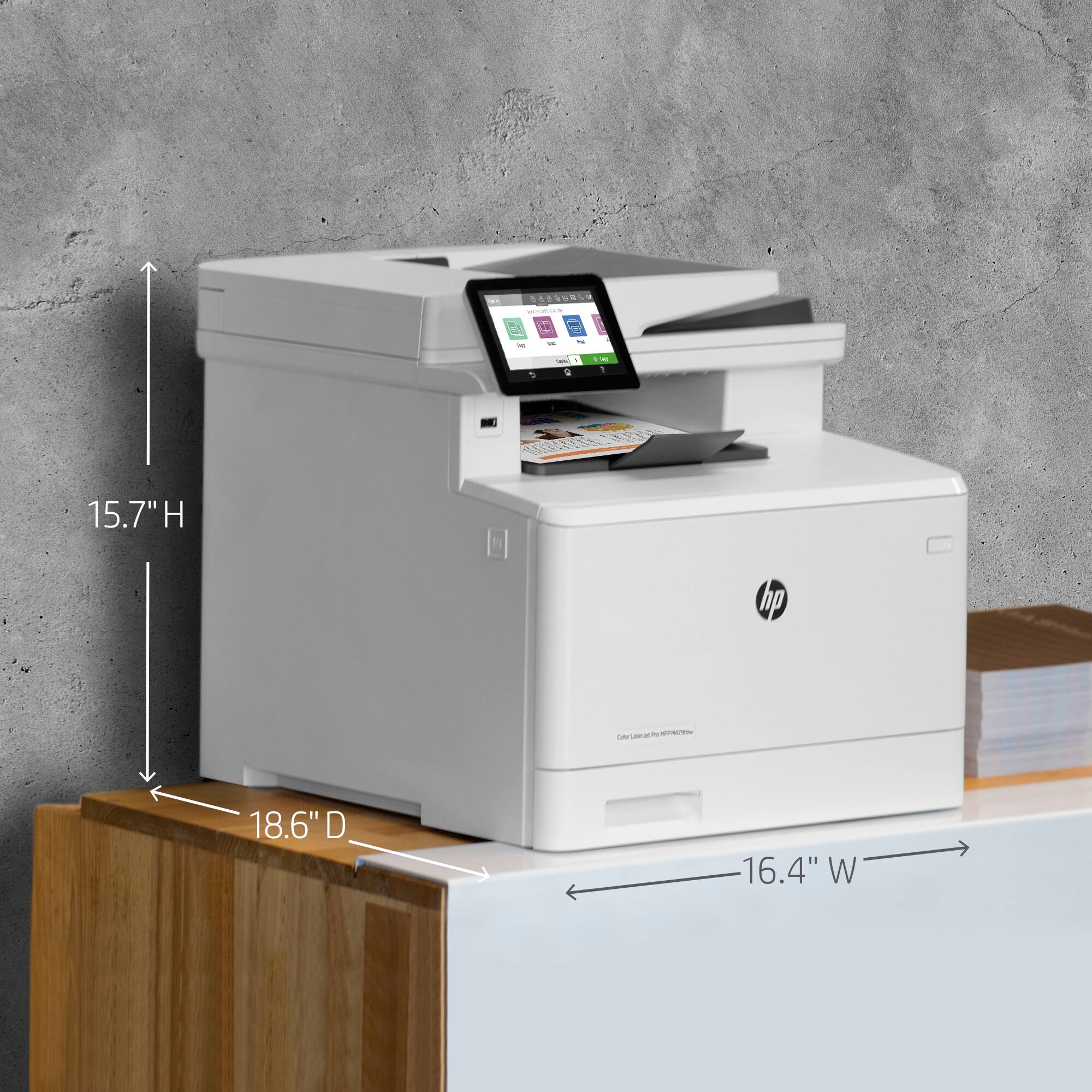
|Posted .This reviewer received promo considerations or sweepstakes entry for writing a review.Upon reviewing this new HP Color laser Jet Pro MFP M479FDW, I have some experience with wireless printers. At work we have a lot, somewhere around 18 of these laser units. They mainly consist of Brothers MFC and a Few Color Canons so I compared this HP to what we are using now, just to name a few. Brother MFC-L2700DW Brother MFC-9330CDW Canon MF624CW Now it’s tough to beat Brother and Canon but I had an open mind. I’m not no expert in Wi-Fi copiers but I’ve had more than my share of frustration setting copiers on the Wi-Fi before. I did purposely did NOT look at the setup instructions. I literally opened the box, placed the Copier next to our Canon MF624CW, removed the protective films and plugged it in. Weight and footprint (size) was pretty much identical to the Canon and Brother 933. Its footprint is 16 ½” Wide 18” Deep 15 ¾ “ High at 51lbs but keep in mind there is a rear paper feeder which would increase the depth , with the top door open its 26” high. Holds 250 sheets of paper capacity and can hold 50 sheets for scanning on its top feeder. Opening up the trays and toner storage, it felt well-built and sturdy, like a business copier should. It comes with a phone cable and a USB printer cable. Trust me in this, you won’t need the USB cable unless you don’t have Wi-Fi. The control screen is large for a printer and a breeze to navigate and tilt-able. Unlike the competitors, you don’t have to tap to go to a next page, just swipe left or right as you would do on your cell phone. It was bright, clear, easy to navigate and self-explanatory. Within MINUTES I had it connected to our Wi-Fi, a first. I then scanned for wireless networks, found the HP Printer and connected to the printer directly with a simple password. Next step I did a search for wireless network printers, found the HP printer and windows installed it. Once done I reconnected my PC to my Wi-Fi internet and all was done! It WAS that simple. Loaded with features such as double sided printing, 1 pass double sided scanning so you can scan a double sided page in just 1 pass, impressive. It’s equipped with a walk up USB slot as well as a rear USB for Storage. It can handle up to 7 PC’s connected wirelessly. Printing was fast and clear. I then installed The HP Smart App on my cell and within minutes I was printing from my cell directly to the HP MFP M479FDW, so easy a caveman can do it. Once sent, it woke the printer and was printing within seconds. The quality of the color prints were amazing for a color laser and I was using regular stock 20 lb. paper, I wished I had photo paper to really get a feel for color. This is the FIRST printer I ever had to deal with where I could not only connect 1 but up to 7 PC’s so easily and wirelessly. Not To leave out it has Apple Air and Google Cloud print, first page prints in 9.5 seconds and 28 PPM which these specs beats all of our in house laser printers. A check on price when comparing, this HP is a bit more expensive than the competitors BUT you get Blue Tooth print, Apple air and Google cloud which others don’t support. I just noticed it’s on sale, a bargain and a no brainer loaded with options and ease of use. It outperformed ALL our in house laser printers in EVERY aspect. Speed, resolution and especially in ease of set up. I can stress enough how easy it was to set up! After a little reading I see HP designed this copier with small business in mind and HP got it right. No fuss, no Cat lines, just plug and connect. Everyone in our office has taken notice and has spent a little time with it. Several have connected to it and are using it. Everyone has been impressed. Time will tell how rugged it is but as of now, HP has a winner. I took my company Black and White Brother MFC-L2700DW Laser printer off, gave it to my boss and said I’ll use my new HP printer thank you!
I would recommend this to a friend Awesome Upgrades to the Laster Jet Pro
||Posted . Owned for 1 month when reviewed.This reviewer received promo considerations or sweepstakes entry for writing a review.I had a Laser Jet Pro 350 for over 10 years and it made it through 3 different moves for me. It was amazing and worth every penny. I hope to have the long laster experience with the new model that has wonderful upgraded bells and whistles.
I would recommend this to a friend- Cons mentioned:Paper tray
Excellent all-in-one Color Laserjet: HAPPY!
||Posted . Owned for 1 month when reviewed.This reviewer received promo considerations or sweepstakes entry for writing a review.We got this when our older HP got fried in an electrical surge. The UI is a color screen now, appears to be running Android, but interfaces reliably with the HP Smart app on my iPhone. I can scan, print, fax, copy all from my phone! Takes 4 toner cartridges so you only replace what you use. Paper trays have improved to allow multiple paper sizes even 14" long, though the new design trays feel weaker than my old one! Two-side auto scanning document feeder at this price point!!! Wow!
I would recommend this to a friend - Pros mentioned:Ease of use, Noise level, Print quality
Crisp prints, great colors, lots of flexibility
|Posted .This reviewer received promo considerations or sweepstakes entry for writing a review.This is my first color laser printer that I’ve used outside of a corporate office environment, and I think it performs every bit as well as the behemoths in the workplace. This printer responds quickly to submitted print jobs and initializes/starts printing within a few seconds of hitting print on my laptop. The prints also come out fast, so you won’t be waiting a long time at the machine unless you’re printing hundreds of pages. Black and white prints and text are crisp, dark, and consistent and color prints are bright, vivid, and fairly true to color. I will say that with photographic prints, I noticed some slight banding in solid color areas, the colors were somewhat less saturated than what you see on a screen; if you look closely you can see grains of distortion in finely detailed portions of the photo, though that could be a combination of the resolution of the original image, print scaling, and the kind of paper used. In general, I thought color photos printed on plain white paper came out looking great. When scanning and photocopying, all colors, including black are somewhat lightened/faded. It’s slight, but if you scan or copy the copy, each pass will make the text and images lighter, and the edges of text and images are softened. This printer is fairly large, bulky, and heavy, so I suggest finding a permanent place for it to live in your home or home office that gives you access to all sides of it. It needs a lot of extra space because the paper tray slides out the front and the back panel may occasionally need to be opened to clear paper jams (at least an extra foot clearance front and back). The scanner bed lid raises the height requirement an extra 10 inches as well. The printer was pretty easy to set up if you follow the quick start manual directions closely. WiFi setup took only a few minutes, and I was able to connect to it wirelessly and start printing after downloading and installing the software to my computer. The only part that was not explained well was changing the IP address of the printer to static versus automatic so that it would be consistently found on my home network. After I did this I stopped having the issue where my computer wouldn’t find the printer on the network after the printer went to sleep or was rebooted. Controlling everything using the touch screen is straightforward with taps and swipes just like on a smart phone or tablet. I like that there are a lot of ways to send jobs to the printer. With Web Services turned on, you’re assigned a unique email address that if you send a document to, the printer will receive the document as a print job from anywhere with an internet connection. You can also use a USB stick and print files directly off of it, or scan documents and save to it as well. If you prefer not to print documents right away when sending jobs over the network, with a USB thumb drive installed in the back of the machine, it can store jobs that you can retrieve and print at the machine instead. You can also password or PIN protect those jobs so they won’t sit unattended in the document retrieval tray if the documents are sensitive and the printer is located in a public area. There’s also the option to connect directly to the printer via USB, WiFi-direct, or Bluetooth if you don’t want it to be network connected. The mobile app was straightforward and simple to use to print documents and photos from mobile devices. You can even select files from online storage like Dropbox, Google Drive, and social media like Facebook and Instagram. The one thing that I don’t like is that the genuine toner cartridges for this printer are pricey (there are 4 of them) and can be exorbitant if you want the high capacity cartridges, but as it is, with my printing needs, the starter cartridges will last me a couple years as they’re supposed to be able to print upward of 2000 pages each. If you print a lot, you may want to invest in the 3rd paper tray (stacks onto the bottom), which is sold separately and can hold up to 550 sheets of paper. The two included trays can only hold 50 and 250 sheets respectively; both can house a variety of sizes of paper and even envelopes. I just wasn’t a fan of how extending paper tray 2 for legal paper made the drawer stick out from the machine about 2 inches. Seems like a dust catcher, though practically, I don’t think I’d ever leave legal paper in that tray making that point moot. Not sure who uses fax anymore, but that’s an available option as well with both a dedicated phone line and pass through phone jack in the back. The printer does not put out a lot of heat, has relatively low toner odor after printing, and is fairly quiet during operation. I have it set to go to sleep after 1 minute of inactivity to save electricity. Overall, this printer has all the bells and whistles that you’d need for an office printer and can handle small to medium volume professional and home business printing. It’s easy to set up and use and gives you flexibility with internet connected apps and security with various types of job handling. The print quality for black and color are great, as are digital scans, though photocopies may end up slightly lighter than the original document.
I would recommend this to a friend - Pros mentioned:Ease of use, Print qualityCons mentioned:Weight
Easy to use and versatile for high volume use
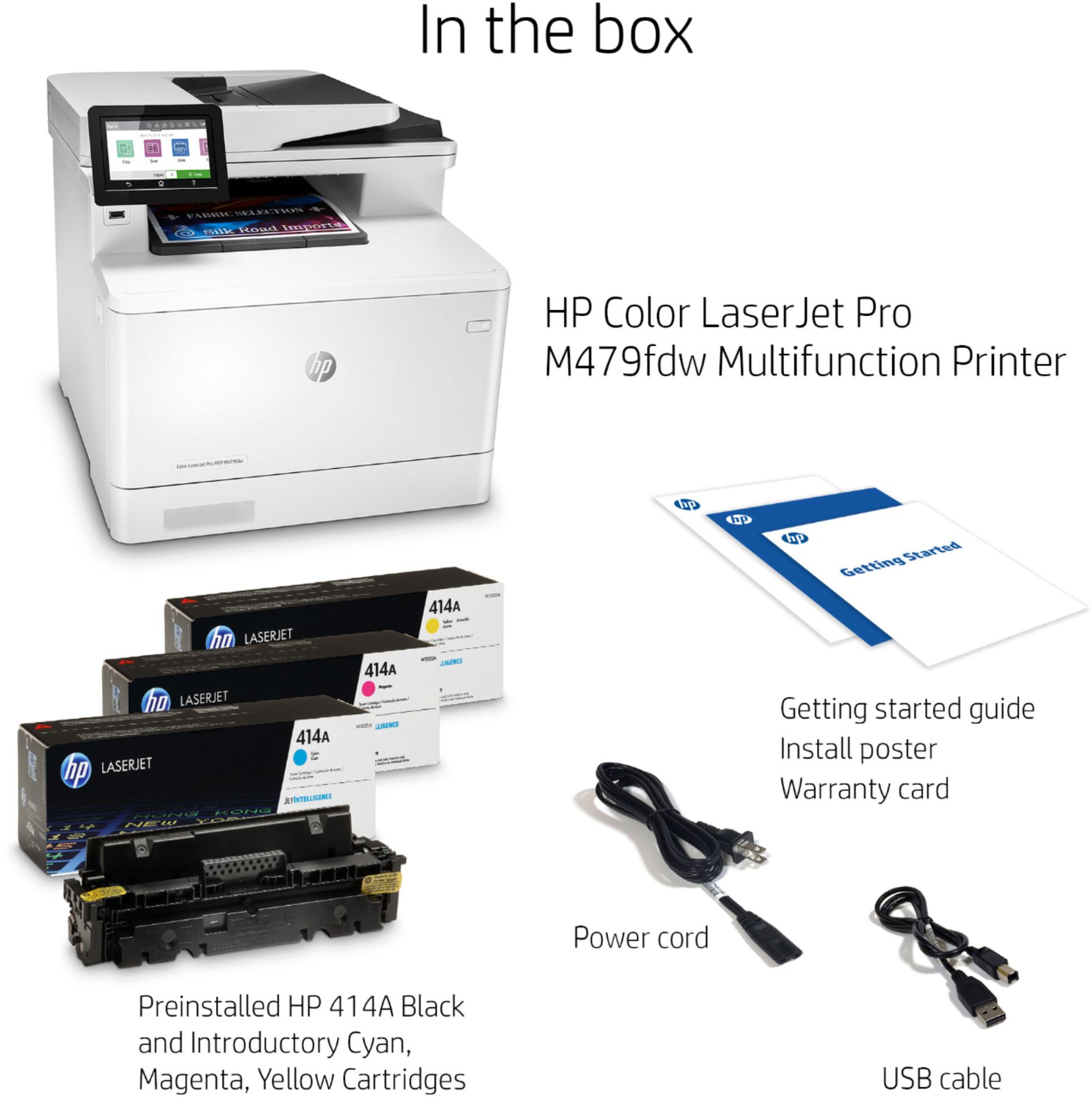
|Posted .This reviewer received promo considerations or sweepstakes entry for writing a review.In terms of general all around performance, you can’t do much better. This HP Laserjet Pro does everything really well, with the exception of scanning (could be better) and photo printing (which it’s not built to do). It’s ease of use, after initial setup, is another feather in its cap. The only real downside (and it’s a function of what it is) is it’s footprint and weight. That’s not a con, but something to keep in mind depending on your space. The other downside, again, common to all color laser printers, is the cost of the toner. IN THE BOX After getting the printer out of the box (which is a chore given how heavy it is) you will find a power cable, USB cable and ethernet cable. Nothing special. The color toner is already installed, so in terms of physically putting things together, there’s not much to do. You just need to find a space in your office/home that’s big enough to handle it. SETUP For whatever reason, I struggle with getting printers to work the first time. Especially wireless ones. A lot of my struggles relates to getting the right drivers. Windows will find the printer but it just won’t work. Luckily, the touchscreen on the printer itself is helpful. It directs you to the website where you can download the printer’s software on your computer. For me, I am using this printer connected to my desktop via USB cable. So I plugged the cable into my computer and printer, and after the HP software was downloaded, my printer was registered and the proper drivers downloaded. I can’t speak to the Wi-Fi set up, meaning, set up via Wi-Fi only (although I did easily connect the printer to my Wi-Fi, made easy via the touchscreen). More on printing via Wi-Fi in a moment. All in all, I thought the set up via USB cable was easy and straightforward so points to HP in helping this printer-setup challenged guy. EASE OF USE Now the first time I used it, I was printing a Word document. The printer was listed in the menu, but it wouldn’t connect and print. Luckily, after a few tries it just worked. From there, it’s been like magic. Whether I’m printing from my Android phone (NOTE: you have to download HP print services from Play Store) or from a Wi-Fi computer (again, after downloading the HP print services program) I can print anything from anywhere. I’ve printed double-sided without issues. Changing color to B/W is easy in the menus itself. The touchscreen is intuitive and easy to use. Truly, this is one of the few professional printers/scanners/fax machines that is really easy to operate. Having it do what you want is no problem. After downloading the HP software mentioned above, I was able to find the printer on my laptop while connected to my wireless network (again, after connecting the printer to Wi-Fi network). The printer appeared as if it was plugged directly in to my computer and I never had any issues printing while on the same Wi-Fi network. When scanning, you have the option to email the scan to someone or you can save it to your computer. I typically scan documents to myself, so saving them to the computer saves me the time of having to find the document in my inbox. When you’re done scanning the documents folder pops up and the PDF you just scanned is already there. QUALITY As a laserjet color printer, I expect great results. I was not disappointed. The quality of both B/W and color text is above-average in my humble opinion. The speed of printing is pretty good too. I don’t recall the actual PPM numbers, but that doesn’t matter. This will print B/W, color, and double-sided fast enough for any use. Even if it’s a large document. Printing color pictures on the other hand, wasn’t anything special. It was good, don’t get me wrong, but I wasn’t too impressed. But I didn’t get this to print pictures so that’s okay to me. Scanning, however, I was left wanting more. Before I get into quality, I do want to say that the auto feeder for scanning works well even on folded pages (as in, they scan straight and don’t get too skewed one way or the other) and my guess, can handle about 50 pages although I haven’t tested it. In other words, it can handle most things you need to scan in one fell swoop. Quality however, was a different story. I was underwhelmed with the scan quality both on the scanning bed and the feeder. The text and pictures were left jagged and the colors muted. It’s not so bad for me to say that you shouldn’t get it, but if scan quality is a top priority I might second guess it. For me, I mostly scan to save digital copies of hard files for filing purposes and for that, the scan quality is fine. CONS While I’ve mentioned a few already, the cons can be described as: 1) size and footprint and weight (again, it’s not surprising, it’s just something to keep in mind); 2) scan quality (below average, if you must have great scans, look elsewhere); 3) noise (this baby is loud when it’s working and warming up, louder than other multi function use printers I’ve used in the past). I would also add having to download HP software on your phone and laptops to print wirelessly. It’s not really that big of a deal, but the printer itself doesn’t tell you that it’s necessary (neither do the instruction manuals, which could really use some help in the readability department). I didn’t know to do this until I did some Google searching. Again, it’s not a deal breaker, but having clear instructions is important to me and HP fails in regards to showing the user how to take advantage of ALL of the functions and abilities of this very capable printer. But once you figure it out and how to use the features, it works great. Lastly, the cost of toner. Toner is ALWAYS expensive regardless of the printer, but when you add in color, the cost increases exponentially. It’s probably $200 to replace these. I haven’t gone through all of the toner yet, but it will sting my wallet when that time comes. But again, it comes with the territory. I only mention that for the people who might not have known about laser toner costs. CONCLUSION While it’s too much printer for the average home, if you do a lot of printing and/or have a small business, this printer is a terrific option. It prints in high quality at fast speeds (except photos) and the scanning and fax functions are adequate enough for most purposes. Best of all it’s simple to use after it’s all set up (which might require some Google searching). All in all, I’m very happy with the printer.
I would recommend this to a friend - Pros mentioned:Print quality
HP, The Best Printer
||Posted . Owned for 1 month when reviewed.This reviewer received promo considerations or sweepstakes entry for writing a review.One of the best printers I ever purchased. It’s extremely fast. And because I use the high-end paper meant for Laser Jet printers, the quality comes out superb. Again, the best printer ever.
I would recommend this to a friend - Pros mentioned:Ease of use
Best All-In-One
||Posted . Owned for 3 weeks when reviewed.This reviewer received promo considerations or sweepstakes entry for writing a review.This HP All-In-One is easy to set up and use. The scanning function is excellent for preserving photos and documents. This is a great workhorse. I have owned two prior HP All-In-Ones and have liked all. The are well made and easy to use.
I would recommend this to a friend - Pros mentioned:Ease of use
A dependable, high quality and versatile printer!
||Posted . Owned for more than 2 years when reviewed.This reviewer received promo considerations or sweepstakes entry for writing a review.I really like this printer. It is easy to use and easy to change cartridges. I have had it for almost two years and it is very dependable. It has all the features a small office needs.
I would recommend this to a friend - Pros mentioned:Print quality
HP Feeder
||Posted . Owned for 3 weeks when reviewed.This reviewer received promo considerations or sweepstakes entry for writing a review.The printer works well, I needed to return the printer due to the way the feeder prints. We print corp checks and There are two ways the printer feeds the checks and this unit was unable to feed the correct way. attached picture
I would recommend this to a friend