Customer Ratings & Reviews



- Model:
- 5LJ23A#B1H
- SKU:
- 6335313
Rating by feature
- Value
Rating 4.4 out of 5 stars
- Quality
Rating 4.4 out of 5 stars
- Ease of Use
Rating 4.4 out of 5 stars
Customers are saying
Customers praise the OfficeJet Pro 8035e for its excellent print quality, ease of use, and compact size, finding it to be a convenient and efficient printer for home use. Positive feedback also highlights the printer's wireless capabilities and straightforward setup process. However, some users experienced challenges with the paper tray.
This summary was generated by AI based on customer reviews.
really sad
||Posted .This reviewer received promo considerations or sweepstakes entry for writing a review.after 7 years the old hp wore out, website says this printer replaces the model we had. The first one we could never quite get it working on every computer in the office, that one broke completely because the paper jammed in the scanner tray that was so cheap. So here we are on the second one, it works about 25% of the time the rest of the time it’s offline, plan on spending hours on tech support downloading software patches that let it work for a week then its offline again. I own an insurance agency and time is money
No, I would not recommend this to a friendBrand response from HP Team
Posted .Hi there.
I’m sorry to hear that your printer has failed to establish a reliable wireless connection, and that you had a bad experience with the first unit you received. I can understand why that would be a frustrating combination indeed, so I’ll offer some resources and information I hope will help.
First, I recommend you visit a page on our support site that has diagnostic tools for various problems, including wireless connectivity issues. There you’ll also find a general-purpose tool called the HP Print and Scan Doctor. If you use Windows, the tool will help identify and guide you through solutions to a wide range of common printing and scanning issues. Visit that page here:
- support.hp.com/us-en/topic/diagnostics
If you still need support, I hope you’ll contact us directly at +1 800-474-6836 so we can help you assess the situation and guide you through any applicable troubleshooting. (Please note that because of restrictions on personal movement and workplace attendance associated with the COVID-19 pandemic, wait times for agents are longer than normal. Thanks in advance for your understanding.) To expedite the process, I recommend gathering the following information before the call:
- Model number
- Serial number
- Your location
- Case number (from any previous contact with HP support)
Keith
HP Care
hp.com/support
Don't buy this!
||Posted . Owned for 1 year when reviewed.This reviewer received promo considerations or sweepstakes entry for writing a review.Bought this a year ago and finally had it and will be shopping for a new one. Instant Ink doesn't work the way it's supposed to so they never ship you ink in time, especially since the cartridges don't last and yet it says you're still 3/4 full. I ended up having to buy my own ink to supplement Instant Ink but it's been very difficult to find black ink. The one time I bought color ink (HP brand), the printer wouldn't take it so I had to stay with Instant Ink's subscription. Customer service was no help and then the printer head error has been happening continuously despite it still printing. Never buying HP again
No, I would not recommend this to a friendGreat Scanner, but Printhead has problems...
||Posted . Owned for 3 weeks when reviewed.This reviewer received promo considerations or sweepstakes entry for writing a review.My scanner works great and can capture detailed images. Unfortunately, the black printhead stopped working after a few sheets. Changing the black cartridge doesn't work and neither does running the cleaning process. It needs to be replaced.
No, I would not recommend this to a friendBrand response from HP Team
Posted .Hi there.
I’m sorry to hear that your printer stopped working like it should. I can understand how buying new ink and running the cleaning process with no results would be quite frustrating, so I’ll offer some resources and information I hope will help.
I recommend that you contact us directly at +1 800-474-6836 so we can help you assess the situation and do any necessary troubleshooting. To expedite the process, I recommend gathering the following information before the call:
- Model number
- Serial number
- Your location
- Case number (from any previous contact with HP support)
I'll also mention that HP printers have a one-year warranty from their purchase date that covers hardware as well as ink supplies, so if it comes to that, you might consider making use of it. You can verify the warranty using the following link: support.hp.com/us-en/checkwarranty
Keith
HP Care
hp.com/support
Waste of money
||Posted . Owned for 1 month when reviewed.This reviewer received promo considerations or sweepstakes entry for writing a review.We’ve had this printer for a month and we’ve already bought a new one. The quality of printing is extremely poor. The colors aren’t even close to the original. Black comes out blue; blue comes out purple; purple is orange. Additionally, this stupid ink program is a pain. They monitor how many pages you print, and charge you $1 for every 15 pages you print. This printer is a waste of money. If they had zero stars that’s what I’d give it.
No, I would not recommend this to a friendNOT RECOMMENDED
||Posted . Owned for 1 week when reviewed.This reviewer received promo considerations or sweepstakes entry for writing a review.I am not impressed with the set up of this printer. Was on the phone for over 4 hours to get set up. Luckily I found an old printer cable, because that is what it took, and it still is not fully functioning correctly. HP does not provide printer cables with a printer anymore but expects you to have one or go buy one. SHAME ON HP. I should have bought the Canon or Epson. I can not get the printer to scan to my computer, keeps saying to install software and drivers, THEY ARE ALREADY INSTALLED. Worst experience with HP printers that I have ever had, each one gets a little worse.
No, I would not recommend this to a friendBrand response from HP Team
Posted .Hi there.
I’m sorry to hear that you’ve had such a dreadful time setting up your printer and getting it to work properly. I can certainly understand why the scanning issue you’ve experienced would be tremendously frustrating, coming as it has just after the difficult setup process you describe. I would love to help you remedy this situation, so I’ll provide a resource aimed at making that happen.
HP+ printers come with exclusive concierge support. To call and reach live HP+ experts who can help you with the scan-to-computer problem as well as the wireless connectivity difficulty, go to the following URL and enter your HP+ serial number:
- hp.com/plus-help
Keith
HP Care
hp.com/support
Sandy
||Posted . Owned for 9 months when reviewed.This reviewer received promo considerations or sweepstakes entry for writing a review.I like the printer. It does everything except the on off button only works 10% of the time. No consistent way to get the button to work.
No, I would not recommend this to a friendBrand response from HP Team
Posted .Hi there.
Thanks for the review and the description of your experience so far. While I’m glad you like the printer, I’m sorry that its power button so infrequently works. It’s easy to understand why you’d be trepidatious here. I want to help you remedy this problem, so I’ll direct you to a resource and provide some information designed to reach that end.
I recommend that you contact us directly so we can help you assess what’s happening with the power button and find the best course of action. HP+ printers such as yours come with exclusive concierge support. To call and reach live HP+ experts, visit the following URL and enter your HP+ serial number:
- hp.com/plus-help
I'll also mention that HP printers have a one-year warranty from their purchase date that covers hardware as well as ink supplies – and that warranty extends to two years with an HP+ account – so if it comes to that, you might consider making use of it. You can verify the warranty using the following link:
- support.hp.com/us-en/checkwarranty
Keith
HP Care
hp.com/support
Not Worth It
||Posted . Owned for 6 months when reviewed.This reviewer received promo considerations or sweepstakes entry for writing a review.Instant Ink isn't a great program unless you use the printer all the time. This printer never printed correctly, and would say it was out of ink only weeks after putting in new ink and barely using it. It's garbage. It errors out while scanning and faxing. After struggling with it and trying to troubleshoot it for the last 5 months, we're getting a different one. Thank God we got protection on this one. Garbage.
No, I would not recommend this to a friend- Pros mentioned:Print quality
Numbers Don’t Match
||Posted . Owned for 1 month when reviewed.This reviewer received promo considerations or sweepstakes entry for writing a review.I am pleased with the product but, when I went to set it up with my laptop it is not listed as 8035. It’s listed as 8030. I had such a hard time under the HP smart App
I would recommend this to a friend - Cons mentioned:Reliability
Terrible printer
||Posted .This reviewer received promo considerations or sweepstakes entry for writing a review.This was a very disappointing purchase. It didn’t work from the day we brought it home. Difficult to contact the manufacturer. No responses to request for help.
No, I would not recommend this to a friendBrand response from HP Team
Posted .Hello there,
I’m sorry to hear that your printer has not worked. Your review is brief, but your disappointment is clear – and totally understandable – so I’ll point you toward a resource and some information I hope will help.
I can’t tell from your review what issues your printer faces or why it has not worked, so I recommend that you contact us directly at +1 800-474-6836 so we can help you assess the situation and find a solution. (Please note that because of restrictions on personal movement and workplace attendance associated with the COVID-19 pandemic, wait times for agents are longer than normal. Thanks in advance for your understanding.) To expedite the process, I recommend gathering the following information before the call:
- Model number
- Serial number
- Your location
- Case number (from any previous contact with HP support)
I'll also mention that HP printers have a one-year warranty from their purchase date that covers hardware as well as ink supplies, so if it comes to that, you might consider making use of it. You can verify the warranty using the following link: support.hp.com/us-en/checkwarranty
Kacper
HP Care
hp.com/support
- Cons mentioned:Paper tray
Cheap printer
||Posted . Owned for 2 months when reviewed.This reviewer received promo considerations or sweepstakes entry for writing a review.This is an awful printer. The paper tray is cheap - feel like it's going to break every time I take it out. The document feeder won't work at all.
No, I would not recommend this to a friendBrand response from HP Team
Posted .Hi, Reed.
I’m sorry to learn that you’ve encountered such difficulty with your printer. It’s no surprise you’re frustrated and a little leery, considering the device’s document feeder does not work and you’re not satisfied with the workmanship of the paper tray. I want to help you get the printer working to your satisfaction and to get all you can from it, so I’ll direct you to some resources I hope will make that happen.
First, I recommend you follow the steps in this guide to document feeders that fail to pick up any paper or pull through too many pages at once:
- support.hp.com/us-en/document/c01728503
Next, to learn more about your printer and all its features, or for help solving problems, you can access user manuals, how-to documents, software updates and troubleshooting guides here:
- support.hp.com/us-en/product/model/37934580
If you need further assistance with anything, I suggest you contact us directly so we can help you assess the situation and determine the best course of action. I’ll point out that HP+ printers come with exclusive concierge support. To call and reach live HP+ experts, visit the following URL and enter your HP+ serial number:
- hp.com/plus-help
I'll also mention that HP printers have a one-year warranty from their purchase date that covers hardware as well as ink supplies – and that warranty extends to two years with an HP+ account – so if it comes to that, you might consider making use of it. You can verify the warranty using the following link:
- support.hp.com/us-en/checkwarranty
Keith
HP Care
hp.com/support
does the job
||Posted . Owned for 1 month when reviewed.This reviewer received promo considerations or sweepstakes entry for writing a review.It prints fine but was an enormous headache to setup. We have other printers and never had this much trouble, not worth the hassle. Next time will buy another brand.
No, I would not recommend this to a friendBrand response from HP Team
Posted .Hi there.
I’m sorry to hear that your printer was so difficult to set up. I can understand why that would be quite a frustrating experience, so I’ll offer you some resources that I hope will help you make the most of your printer going forward
To learn more about your printer and all its features, or for help solving problems, you can access video tutorials, user manuals, how-to documents, software updates and troubleshooting guides here:
- support.hp.com/us-en/product/hp-officejet-pro-8030-all-in-one-printer-series/24208734/model/24208735
If you have any questions or concerns, I hope you’ll contact us directly at +1 800-474-6836 so we can guide you through the proper troubleshooting. To expedite the process, I recommend gathering the following information before the call:
- Model number
- Serial number
- Your location
- Case number (from any previous contact with HP support)
Keith
HP Care
hp.com/support
Bad HP printer
||Posted . Owned for 8 months when reviewed.This reviewer received promo considerations or sweepstakes entry for writing a review.HP Workforce printer, Had problems in 3 months of barely using it. Cyan ink wouldn't work. I went through so much trouble for months. With covid ink was hard to get. I finally contacted HP corporate office. They sent me ink it still didn't work. Got connected with tech support. He took me through a but if rebooting. Still no cyan. They sent me a printer... it works but makes awful noise. Printers don't last long but more than 3 months. I'll use this one until it dies and buy a different brand next time. HP was my go to... not anymore. This is to no fault of Bust Buy
No, I would not recommend this to a friendMore trouble than it’s worth… and I got it free
||Posted . Owned for 11 months when reviewed.This reviewer received promo considerations or sweepstakes entry for writing a review.Does not stay connected to WiFi, I have to restart it every time I want to print wirelessly. Ink notification constantly telling me I need to replace when I rarely print something.
No, I would not recommend this to a friend- Pros mentioned:Print quality
Office Jet Pro 8035 review
||Posted . Owned for 11 months when reviewed.This reviewer received promo considerations or sweepstakes entry for writing a review.Good print and scan quality. Annoying that HP hijacked some of the availability of the product with their internet interface for ink replacement.
No, I would not recommend this to a friend Pick a different printer.
||Posted . Owned for 2 months when reviewed.This reviewer received promo considerations or sweepstakes entry for writing a review.The color quality is muted not vivid as it should be. It also was misaligned when printing and very hard to correct. Still prints misaligned. Our old HP prints a better quality page than this printer.
No, I would not recommend this to a friendBrand response from HP Team
Posted .Hello Teddy,
I'm so sorry to hear that you've had a disappointing experience with the printer's print quality. It's always our intention to provide the best possible quality, so I regret you feel that we didn't deliver here. I can fully understand your disappointment and I'd really like to see how I can help resolve this.
To resolve the poor print quality issue I would recommend making sure that you go through every step in the document listed below before the next time you try to print:
- Poor Print Quality Fix: support.hp.com/us-en/product/document/ish_2040896-1521878-16
Afterward, I would recommend trying our "Print and Scan Doctor". This is a free tool that is able to diagnose what kind of issue you are dealing with and provide a solution for it. To access this tool use the link below:
- HP Print and Scan Doctor: support.hp.com/us-en/topic/printscandoctor
If the issue persists, please contact us for support. We'd be more than happy to troubleshoot this further with you. You can get in touch anytime via your preferred method here: support.hp.com/us-en/contact-hp
Hope this helps!
Kacper
HP Care
hp.com/support
Reboot issues
||Posted . Owned for 6 months when reviewed.This reviewer received promo considerations or sweepstakes entry for writing a review.It takes too long to reboot any time you switch on. The ink is also too expensive to refill. Forget about the colored ink which can cost another fortune
No, I would not recommend this to a friend
Great Print Quality, Needs some OS Upgrades
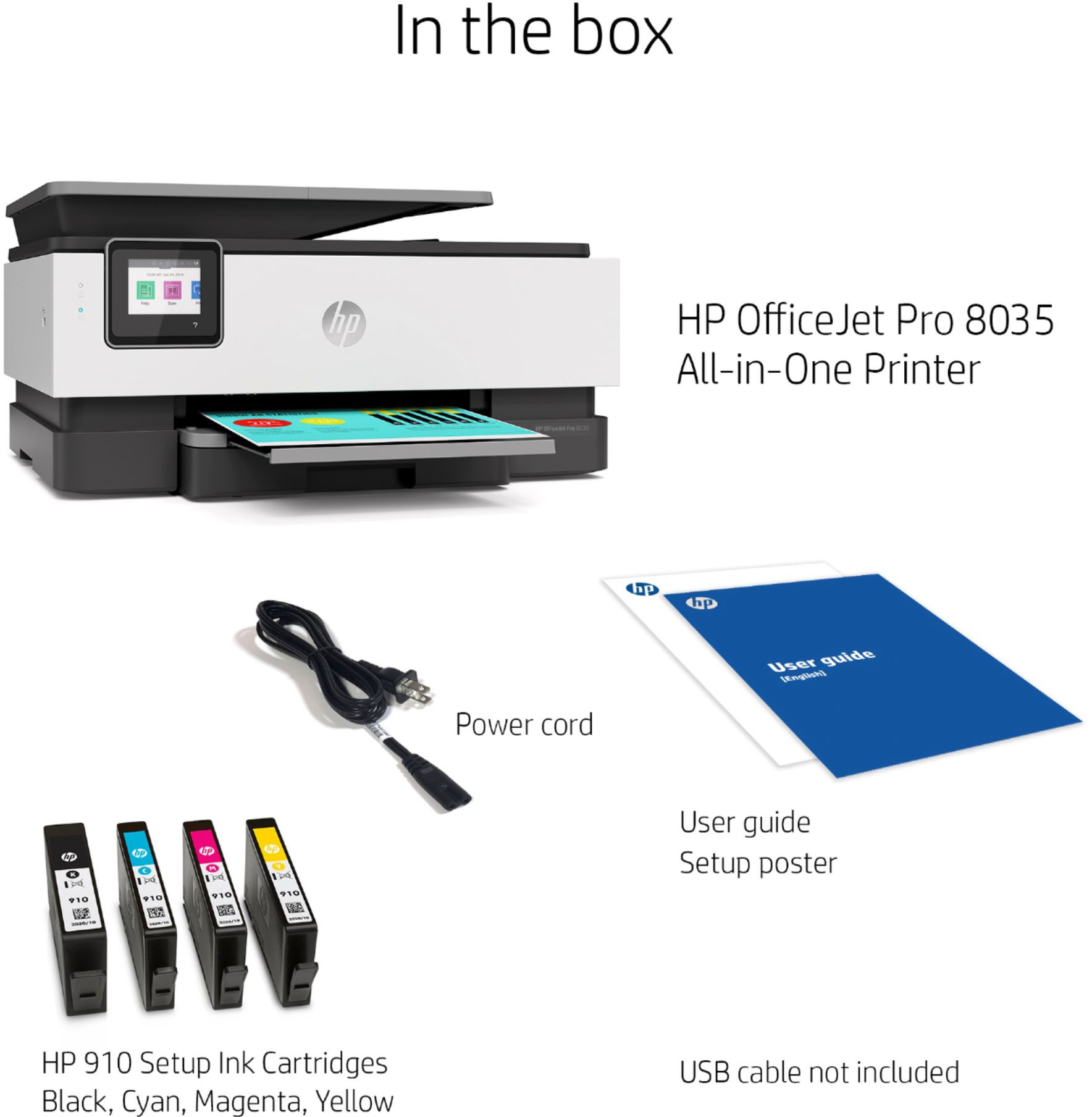
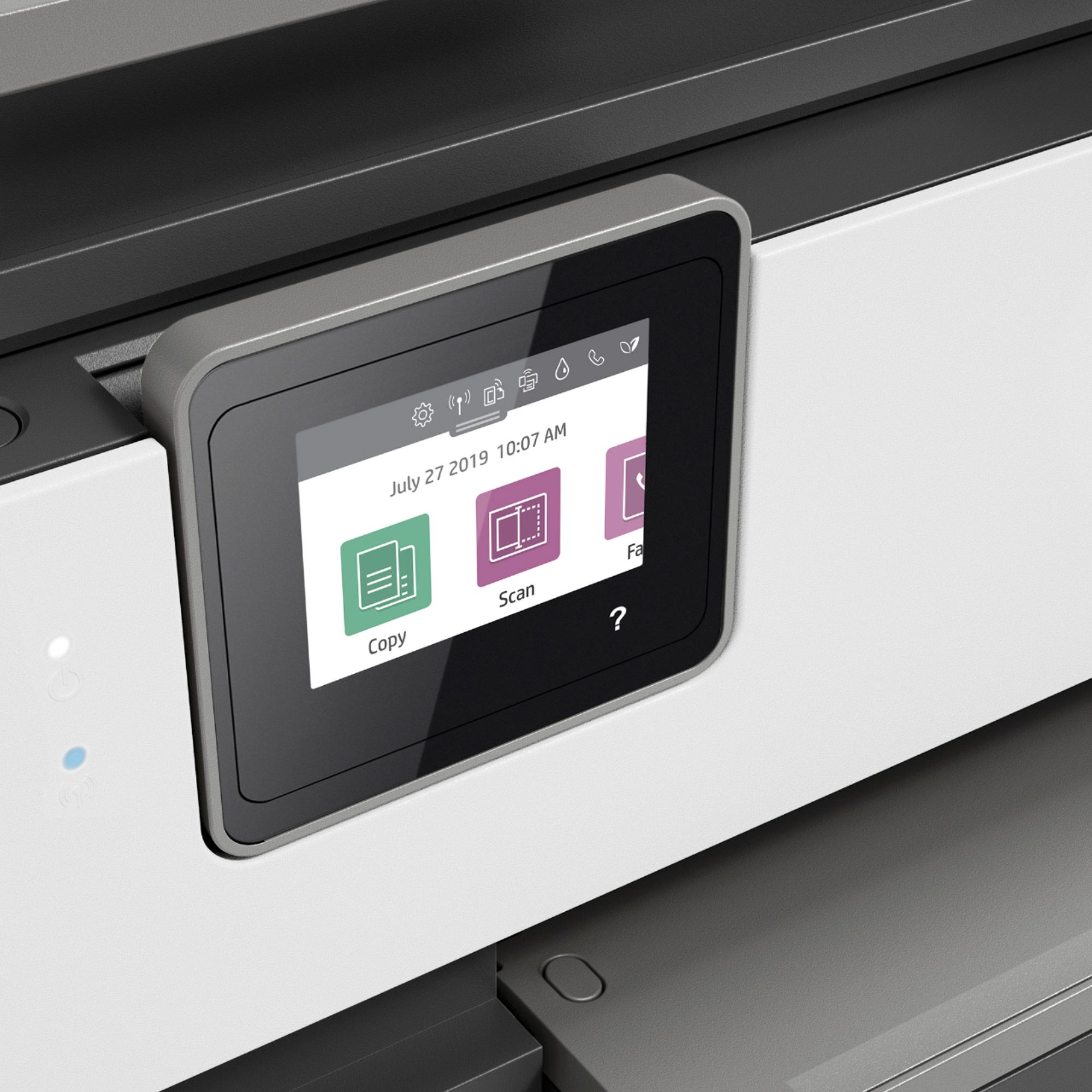
|Posted .This reviewer received promo considerations or sweepstakes entry for writing a review.The OfficeJet Pro 8035 is, well, close to the newest version of their incredibly successful line of office-quality printers, but the 9000-series was released almost simultaneously with the 8035, an odd move considering the price points are close to the same. But I digress. The device is what I would call a medium-form factor, not huge but also not compact. It boasts 29 PPM printing at black & white draft quality (20 PPM production) and 20+ PPM color (again, draft quality, with production quality hitting around 10 PPM) fed by a 225-page paper tray. It does all of the other usual OfficeJet functions like scan (1200 dpi), copy, and fax (do people still fax?), much controlled from the front screen or via phone app or PC app. Connection to your network is available with both ethernet (wired) and WiFi, as well as WiFi Direct for just shooting one-and-done jobs to the printer (guests, for example). Print quality for normal jobs was excellent and fast, even in color. Color is achieved with a 4-tank system, so while it will print photos (and does so quite well), if you’re looking for extremely high-resolution color photos you’ll likely lose some of that desired quality with the 4-tank system (versus a 6+ tank system). Black, which is usually the fastest-used, is available in either a standard or XL size, it will accommodate both. So if you’re using this for printing in your small business, you’ll be happy to know replacements won’t be as frequent using the XL tank. The printer also comes with HP’s new “HP Instant Ink” subscription, providing you (UP TO) 8 months of ink free. That comes via a $40 credit that you can apply toward a 4-tiered subscription model where they will send you ink at intervals based on your selection of a usage model (free, which is 15 pages a month, occasional (50/month), moderate (100/month), and frequent (300/month)). If you pick the “frequent” you’re only looking at 4 months before your credits are used up, so the 8-month offer is obviously based on your actual choice of plans. Ultimately, though, this model beats the pants off of finding out at 8 p.m. that you’re out of cyan ink and the printer won’t print anything for you. The HP Instant Ink is a great idea for keeping spare ink in the house or office to keep your projects going. The device is also equipped with direct scanning options to e-mail, Dropbox, Box, and Google Drive. I found, however, that I was completely unable to use the scan-to-Gmail or scan-to-Google Drive. It just simply wouldn’t send the documents to either of those Google products. No error messages, no improper configuration issues, just flat will not work. Messages in the help forums show that this isn’t an isolated issue. Keep in mind that am an IT manager, so I certainly know how to work with these things. It wasn’t a lack of knowledge, rather looks to be a problem with HP’s HPePrint system. Also at issue for me was the slow-to-respond OS in the printer. Often, I would click to scan to e-mail (testing it) and I would be greeted with the “Connecting” spinning circle of death that would last 1-2 minutes while it connected. Other times it would give an error saying the printer wasn’t connected to a network, despite the fact that it was (the HP settings clearly showed it connected). And finally, for the last negative is that configuring this printer via a phone app directs you to a webpage for configuration. The page, however, uses only HTTP and not HTTPS. While that isn’t huge (you’re configuring a printer, not doing online banking), with all modern browsers now shunning non-HTTPS pages, it adds multiple extra steps. For example, if you use Chrome, once directed to the config webpage, Chrome will warn you that you are not using HTTPS, then make you click “Advanced”, then have to add an exception or click that you acknowledge the risks before even being able to get into the web page to configure the device. While this should be an infrequent act, the fact that I had to do this multiple times during the initial set up frustrated me. Some of the issues I believe could be fixed with firmware updates. That said, if they work out the handful of issues with connectivity and slow OS, this would have gotten a 5-star rating from me. But in the end, printing, which is what this is supposed to do, is excellent. Just a couple more steps to make this near-perfect.
I would recommend this to a friendDon't buy a promo of a free ink
||Posted . Owned for 2 months when reviewed.This reviewer received promo considerations or sweepstakes entry for writing a review.There is nothing on the box that should be a code for a discount, and there is ink for 30 pages included. Super slow and ink is just a wrong idea... Used to laser for many years... Not a saving but a headache.
No, I would not recommend this to a friendHP910 color ink not available in stores or online.
||Posted .This reviewer received promo considerations or sweepstakes entry for writing a review.This printer uses HP910 color and black ink. The color combo pack cannot be bought anywhere (e.g. Staples, Amazon, BestBuy). Only magenta and black are available. HP will not provide any support answer about ink not available. Forums via Google say that HP recalled HP910 ink because of manufacturing problems and will not give a date when HP910 color ink will be available. This new printer comes with startup ink which will last only a short time at which time I would need to buy more ink. I am stuck now and would return the printer for a refund if I an allowed.
No, I would not recommend this to a friendNon-Functional Right Out of the Box
||Posted . Owned for 3 weeks when reviewed.This reviewer received promo considerations or sweepstakes entry for writing a review.Unpacked the printer and immediate got error message “Problem with printhead”. HP website says this means print head or printer needs to be replaced. Spent over an hour on the phone with the Geek Squad troubleshooting. Included downloading software. No resolution. Finally just returned printer. Very frustrating. Do not buy this printer
No, I would not recommend this to a friend