Customer Ratings & Reviews






- Model:
- 405T6A#B1H
- SKU:
- 11005991
Rating by feature
- Value
Rating 4.6 out of 5 stars
- Quality
Rating 4.5 out of 5 stars
- Ease of Use
Rating 4.4 out of 5 stars
Good printer for price
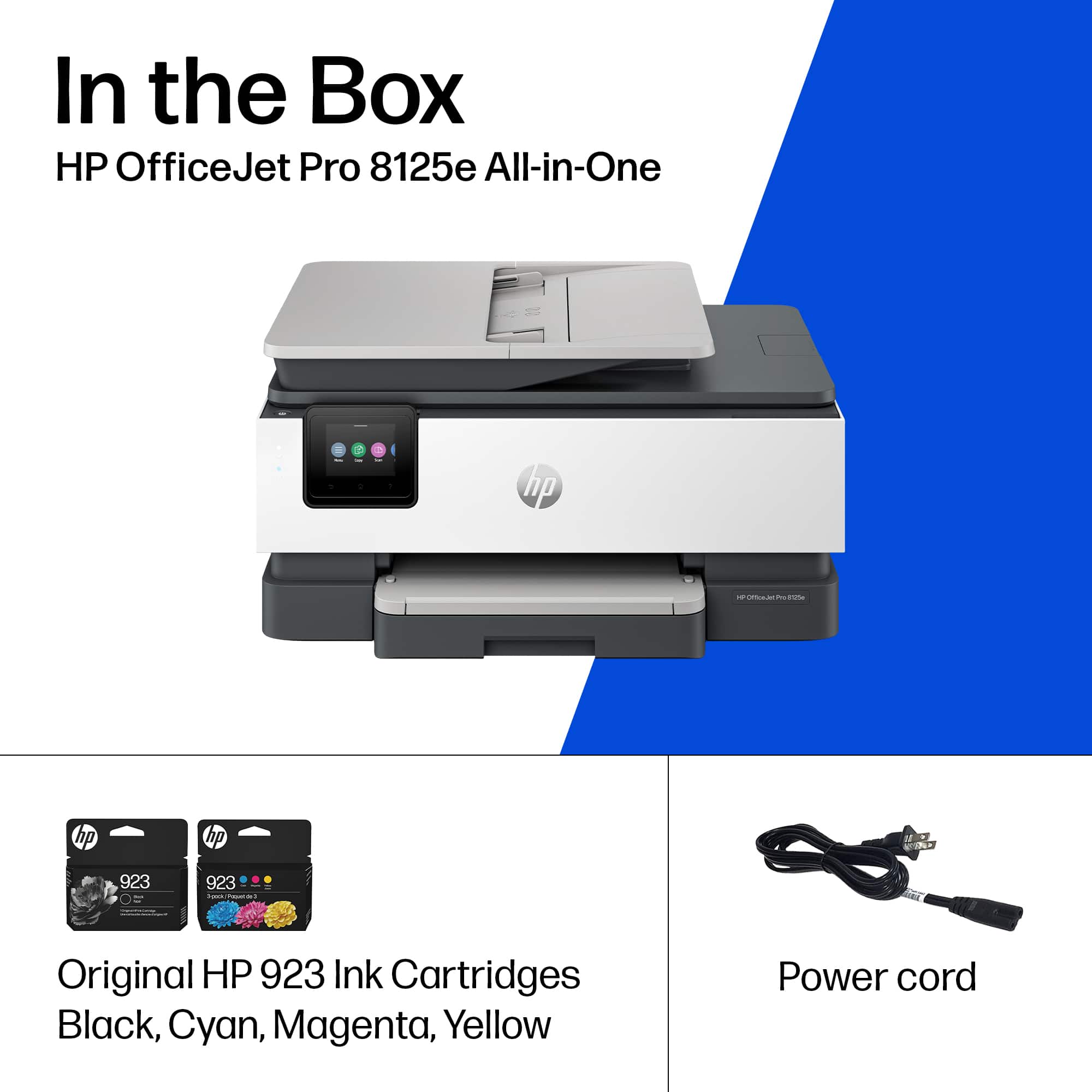
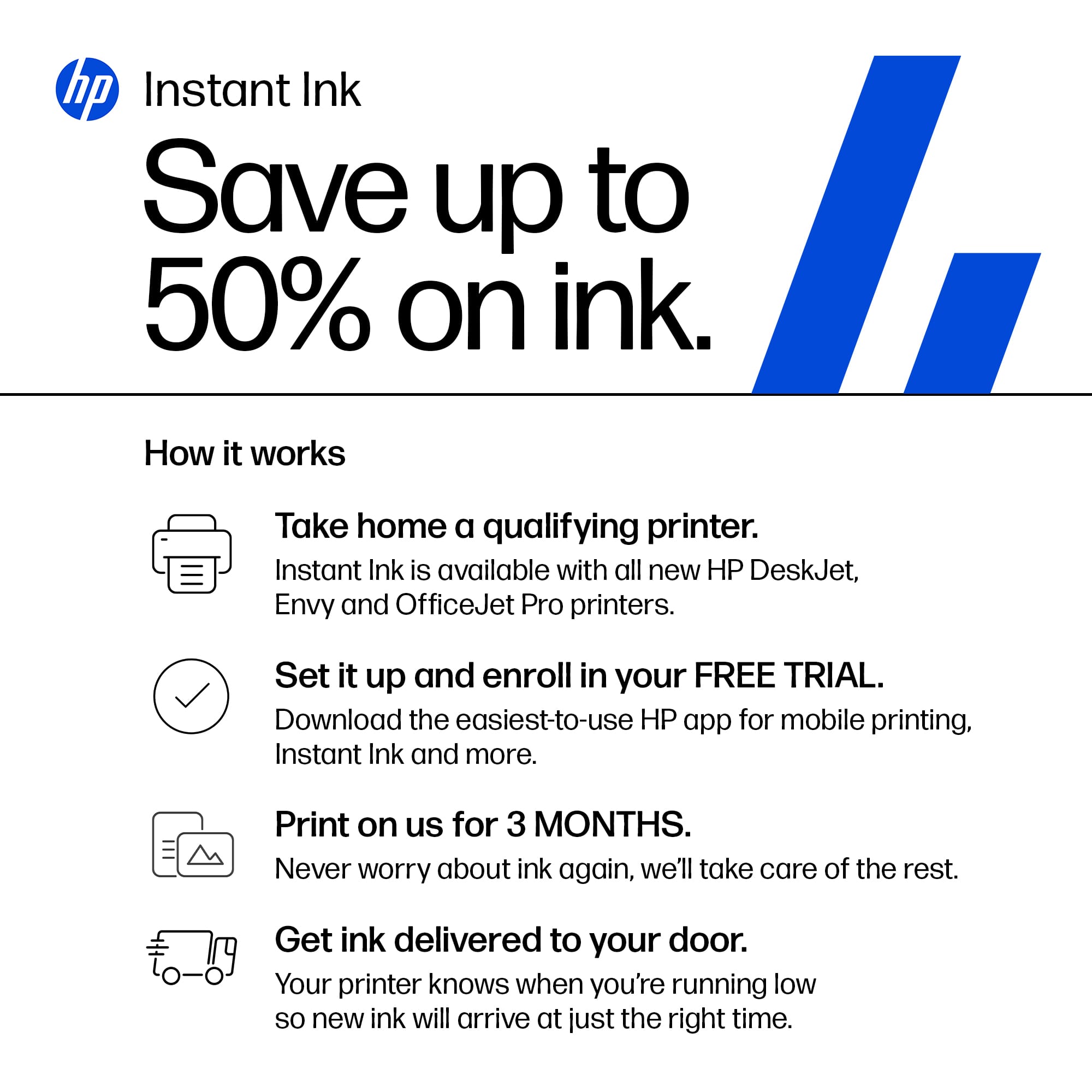
Posted .This reviewer received promo considerations or sweepstakes entry for writing a review.Setup was a breeze, printer works great. Wish Ink cartridges weren't so expensive, my usage is right between where it is a toss-up of buying ink myself and using the subscription. I'm currently on the subscription. NOTE: There IS NO +1 Month FREE EXTRA! I got no code, no nothing! Just the HP provided 3 months.
I would recommend this to a friendNice guy who installed the printer for me.
Posted .This reviewer received promo considerations or sweepstakes entry for writing a review.I think this printer is perfect for my needs. However, I am not able to print different size pictures or more than one pic on a page so I guess the program that I had when this printer was set up was removed. I will have to find an app later to work with this printer.
I would recommend this to a friend
Another good OfficeJet!
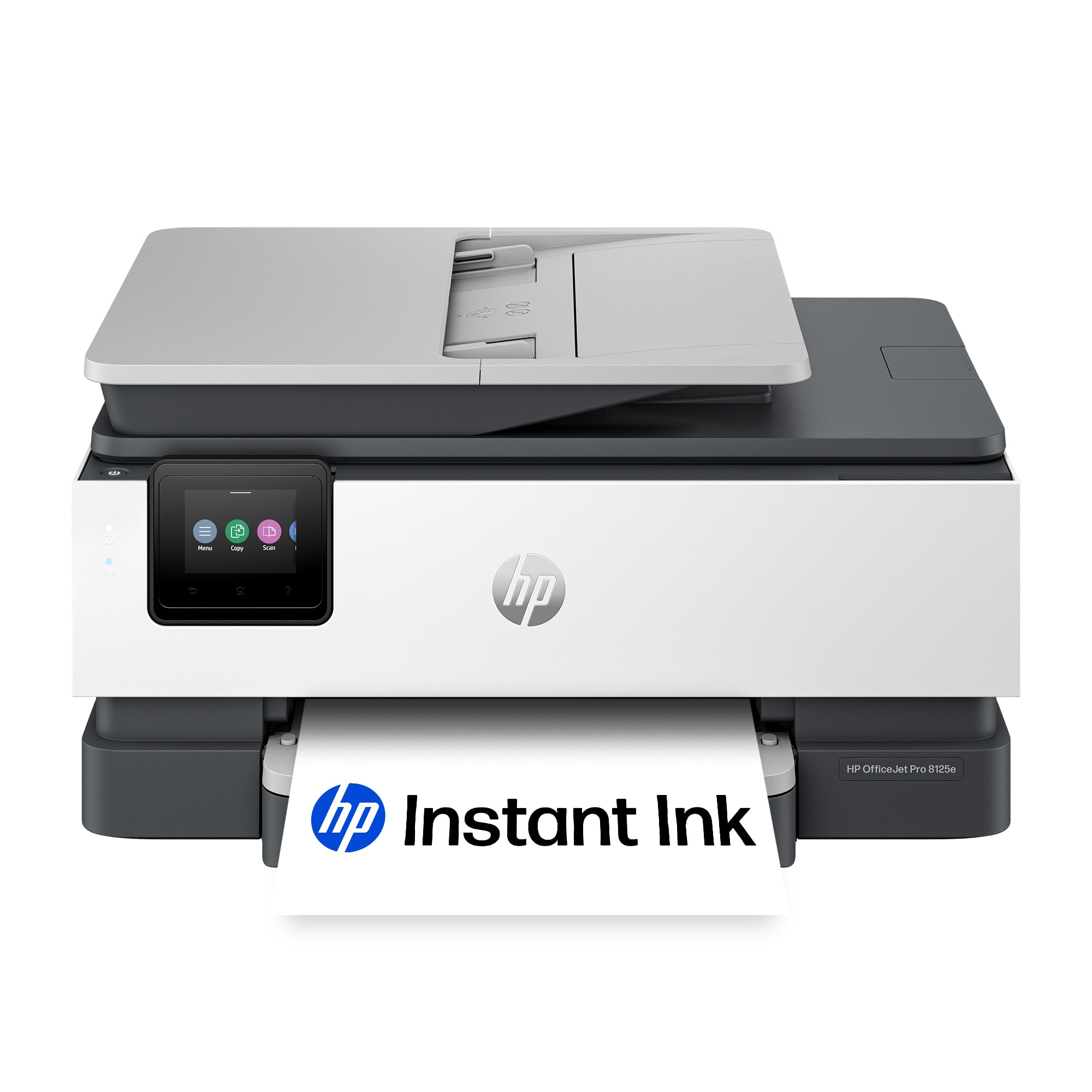
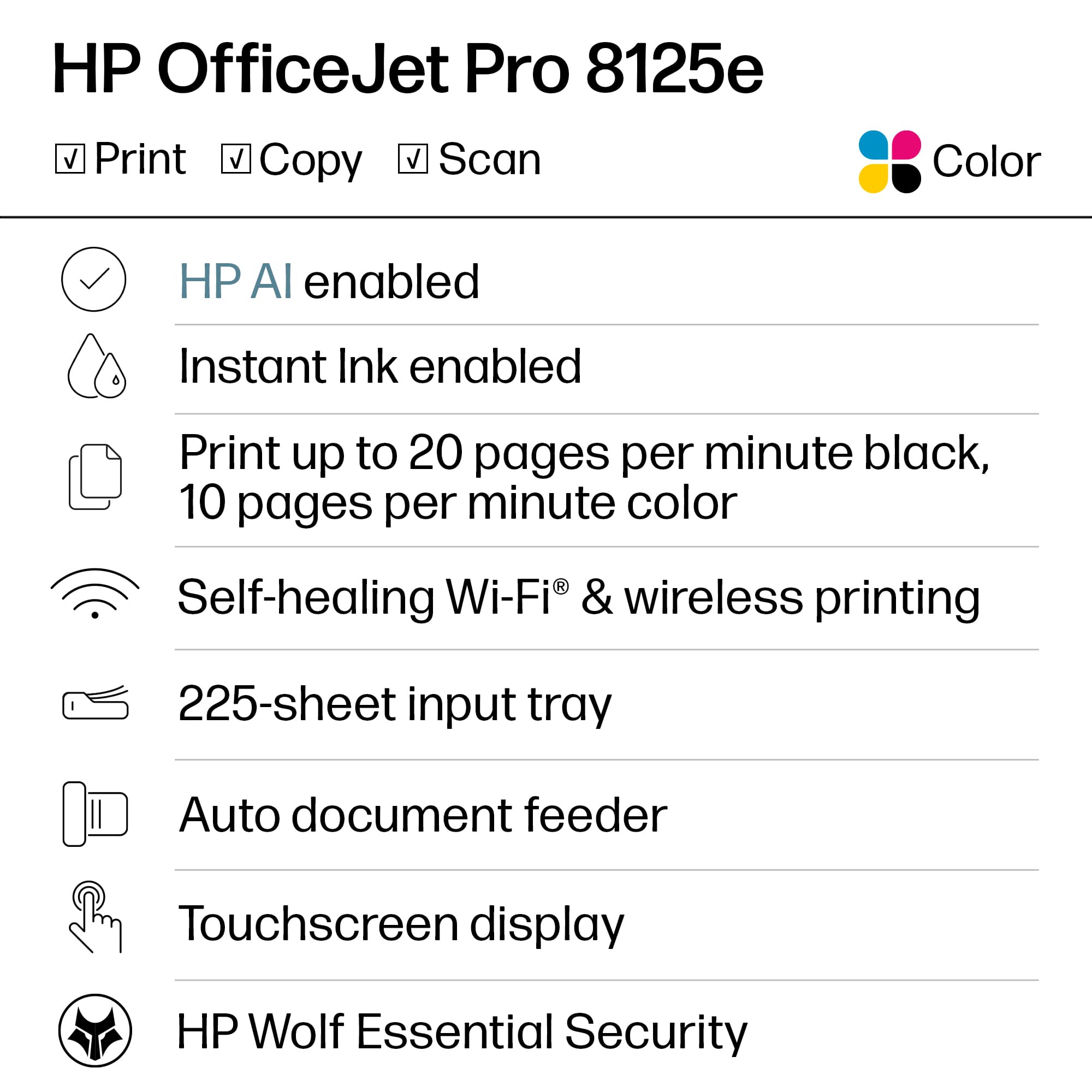
|Posted .This reviewer received promo considerations or sweepstakes entry for writing a review.TL;DR: SETUP: It’s pretty simple. Very similar to most other HP printers. USE: It works just like my older HP printer. I mostly use it to print wirelessly from my laptop, iPad, or iPhone. USABILITY: It works well and prints clearly. OVERALL: It’s exactly what you would expect from HP. That’s a good thing! REVIEW: The OfficeJet 8125e is similar to the other HP OfficeJets I’ve owned. It prints (can be double-sided), copies, scans, and faxes (not sure when the last time I actually faxed anything…;) ). It looks more modern and professional than my last OfficeJet, but that one is about 8-9 years old. That one still works fine, but I gifted it to a friend who needed a printer. I typically use my printer via WiFi printing from my computer (a MacBook Pro, Windows laptop, or Chromebook), iPad (various models), or a phone (iPhone or Android). I have not had any issues with printing. Most of the time, I use black and white, rarely anymore…but both print out very nicely. Lastly, I haven’t replaced the cartridges yet, but there is an option for HP+. If you are a heavy printer, that may be a good option to look at.
I would recommend this to a friendGreat things, bad things - it's an OfficeJet
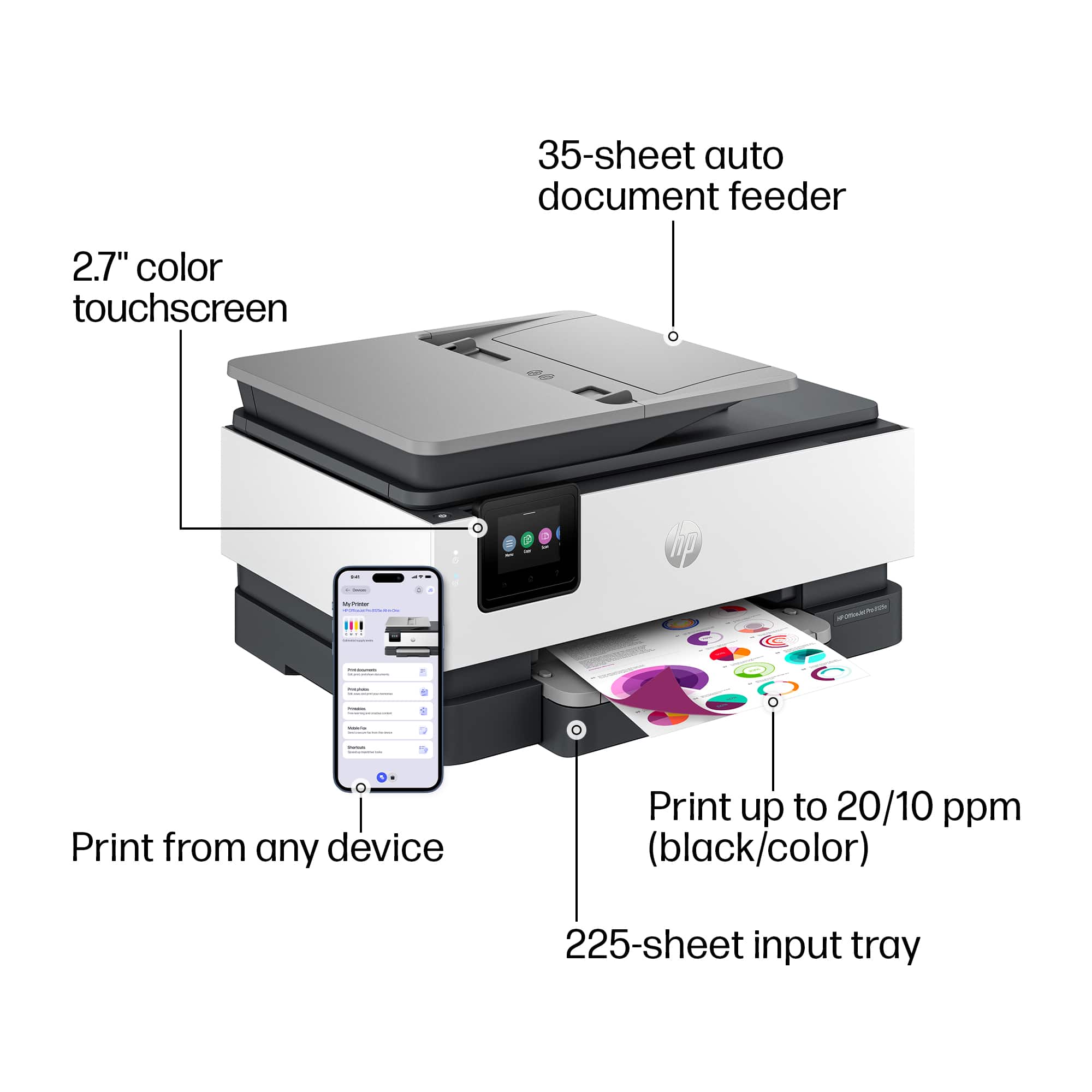
|Posted .This reviewer received promo considerations or sweepstakes entry for writing a review.People familiar with this series know what to expect. When the printer works, and when the ink doesn't need to be replaced, this device reliably and excellently produces copies of smaller documents and reports. Excellent for small business and students. However... It's very easy to lose connectivity on this device, and to spend as much time resurrecting the printer from sleep as it is waiting for it to finish printing a document. Be prepared to fiddle with the controls with this printer. Scanning and printing work really well, too. Great print quality for standard printing, and scanning is a breeze. The problem is you'll run out of ink really quickly. The device only has a paper tray that holds like 35 sheets, so you probably know to expect low amounts of prints before "refills" of paper and ink become necessary. Still, the need to refill both paper and ink on such a semi-frequent basis kind of spurs the whole experience. And don't let the ink sit idle - you'll need to replace it if it simply "dries out." The HP printing apps really just add unnecessary steps to wireless printing, but they are no more onerous than apps from other manufacturers. It seems like you always need to select your doc or file through your printer manufacturer's app before you can print, so if that's what you are used to you won't find any surprises here. All in all, very good at core functions (printing and scanning) when the device doesn't require attention, so great for students and families. Like many OfficeJets before it, the printer is very bad at keeping a consistent and awake wireless connection and on not needing paper and ink refills. Good for the money, but know the limitations of what you are getting.
I would recommend this to a friendGood printer for a great price
Posted .This reviewer received promo considerations or sweepstakes entry for writing a review.Purchased online and picked up at the store. Easy to set up, and prints well. Great price!
I would recommend this to a friendPrinter
Posted .This reviewer received promo considerations or sweepstakes entry for writing a review.Very good printer does peint jobs quickly and clear the read love this printer good price
I would recommend this to a friendGeneric design but still great!
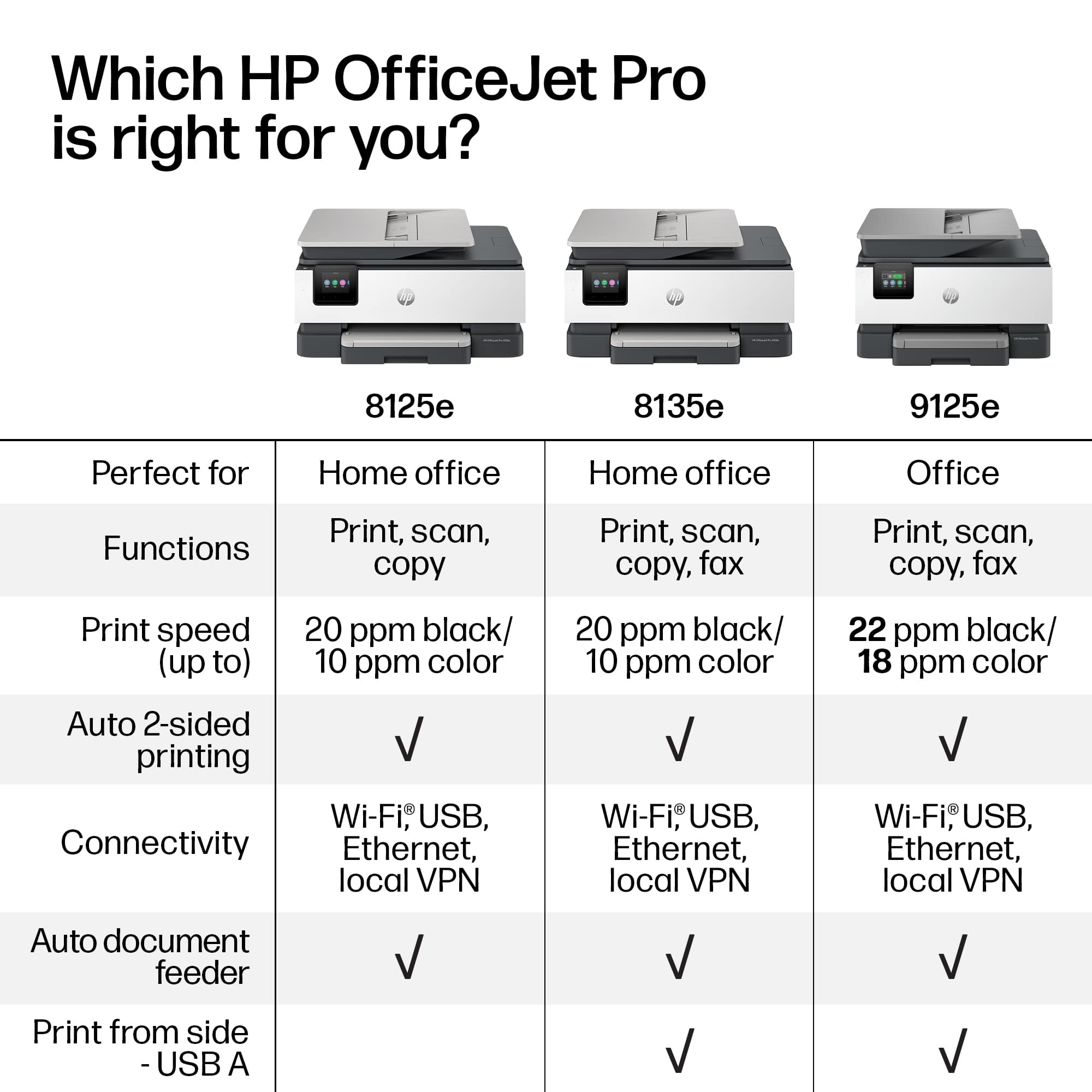
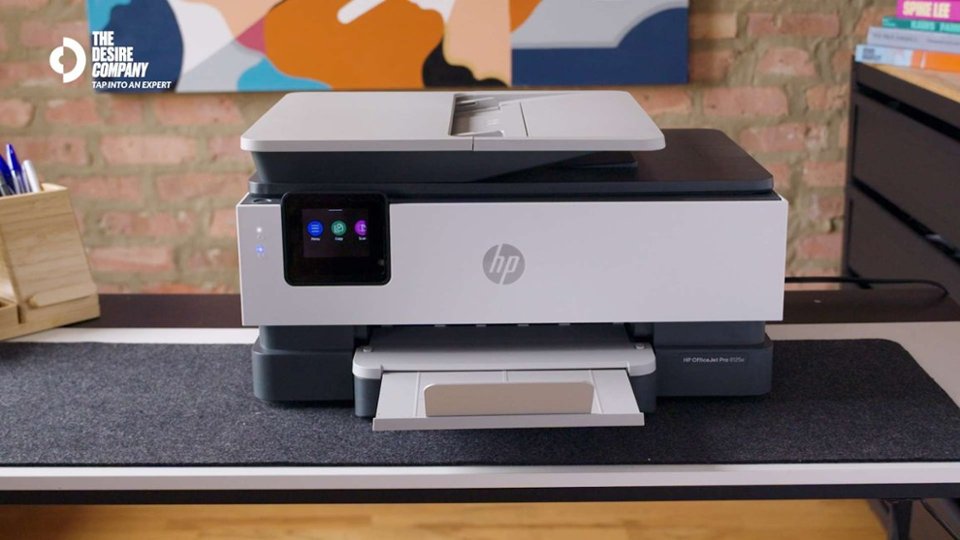
|Posted .This reviewer received promo considerations or sweepstakes entry for writing a review.The HP All-In-One Printer 8125e is another model in HP’s 8000 series of AIO printers. In fact, you wouldn’t be able to distinguish between the different models for the most part. And as such this has become a generic product. But then again, I believe people no longer buy printers for their aesthetics rather than their functionality. Coming from an HP AIO 8030 which unfortunately broke down, I really wouldn’t mind this at all. Unlike the HP 8030 AIO which is a four-in-one printer (print, scan, copy and fax), the HP 8125e lacks the fax feature. But then again, fax is dying if not already dead as well as the landline. So, there’s really no great loss over there. Fax aside, the form factor is pretty much the same as mentioned earlier. It still has the 20ppm capability to print in black and white and 10ppm in color. Edgeless and duplex printing are pretty much included too. Scanning and copying are pretty much the same as found with other models. Like most printers nowadays, it is a smart printer. One thing to note though is Wi-Fi connectivity is improved but the app for Windows remains the same. I am not sure if there is a full-blown app for MacOS. But we live mostly in a Microsoft world. Mobile apps for iOS and Android are also available. And being a smart printer, HP InstaInk is also available for this specific model. Often there is a free trial of HP InstaInk and it’s up to you to continue the service or not. In my case, I find the InstaInk to be a viable option as it is cheaper to subscribe rather than buy ink. One thing to keep in mind is that the number of free months vary from printer models. In my broken HP 8030, I had 8 months of free InstaInk. For this model, it comes only with three. There is really nothing new to rave about this printer. But one thing I would say is that this printer is a solid option for home office and school use. And even though the design is the same, I would still highly recommend this.
I would recommend this to a friendHP - OfficeJet Pro 8125e Wireless Inkjet Printer
Posted .This reviewer received promo considerations or sweepstakes entry for writing a review.HP - OfficeJet Pro 8125e Wireless Inkjet Printer purchased at a good price; set up was easy, and I was back printing in a very short amount of time.
I would recommend this to a friendHP printer
Posted .This reviewer received promo considerations or sweepstakes entry for writing a review.Good quality printer, does what it suppose to do. Would buy it again
I would recommend this to a friendFans of HP printers will appreciate the upgrades
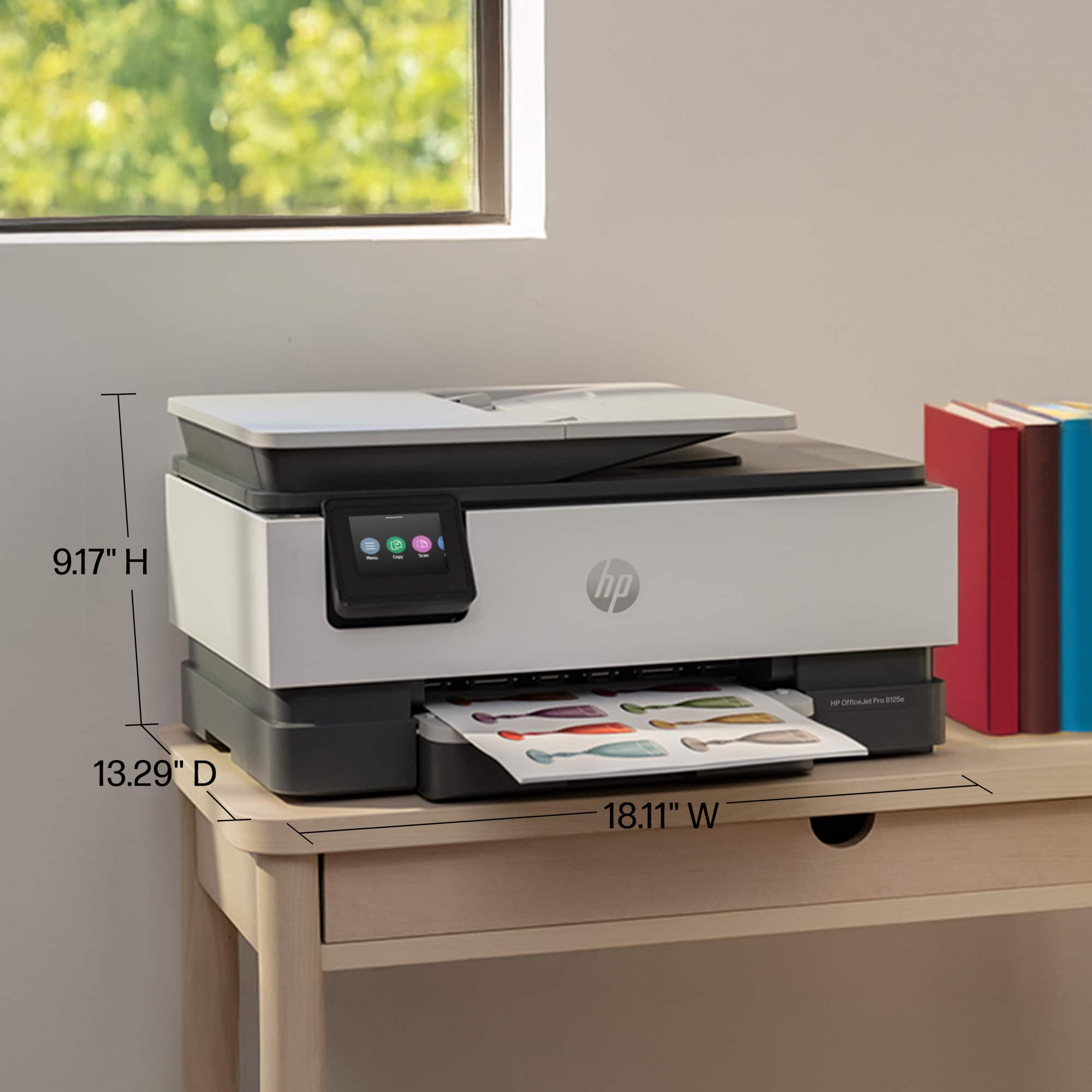
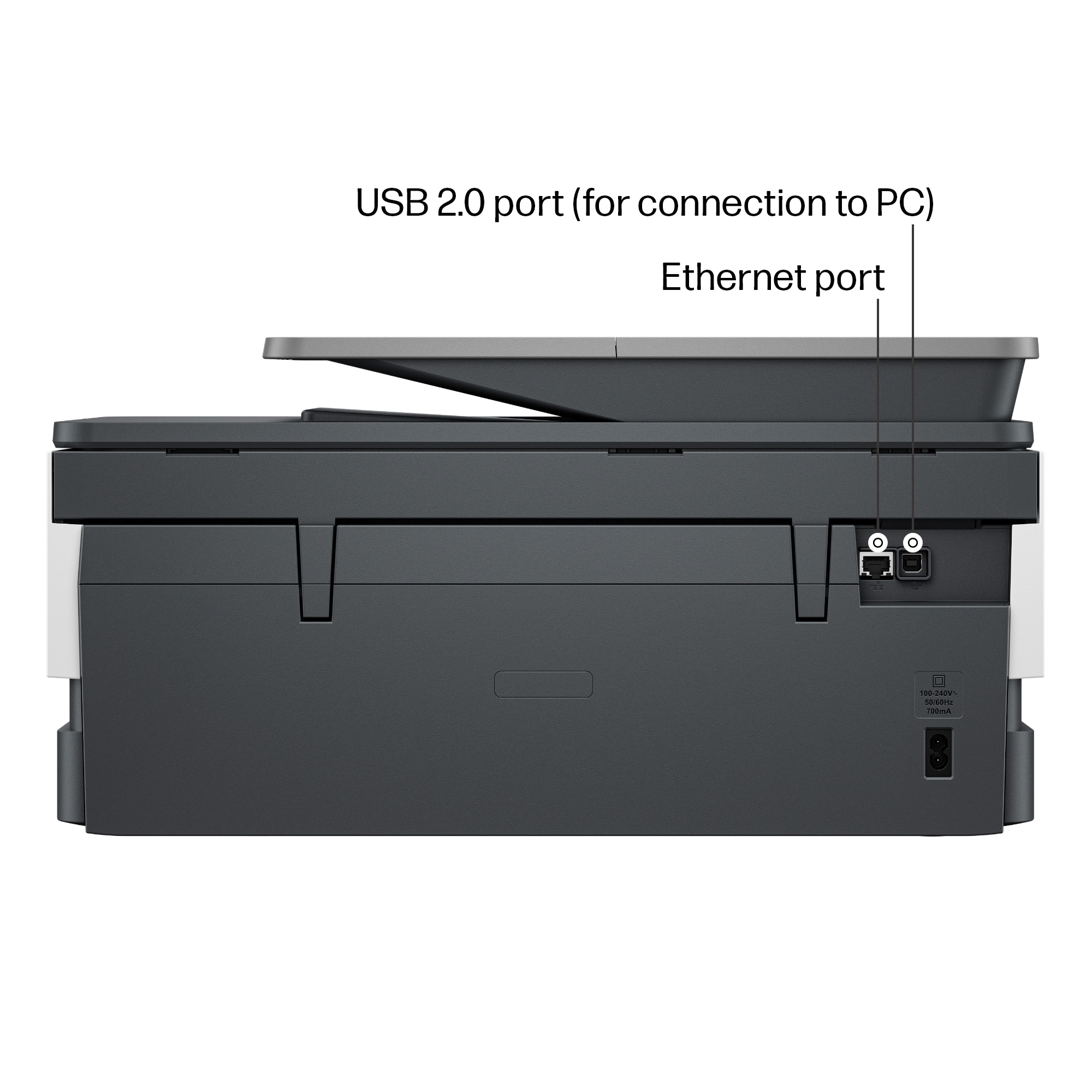
|Posted .This reviewer received promo considerations or sweepstakes entry for writing a review.The first detail I noticed about this printer is that the box it ships in is missing almost every technical detail I want to know an answer to before I buy this product. Does the printer supports 5Ghz Wifi? The box does not say but the answer is yes. Why does the box tell me no ethernet cables are included but it fails to mention that the printer includes an NIC? Will the printer fit on my shelf? The box makes no reference to the physical dimensions of the printer. Is that because being just over 18 inches in width, 9 inches in height, and taking up 20 inches of depth when you extend the paper catch tray is just not an important detail for the typical home office printer shopper? After unboxing the printer I quickly learned I need 12 inches of open space above the printer in order to engage the locking mechanism to install the printer ink cartridge. I guess no one at HP considered this printer would be placed on a rack/bookshelf where there is not 12 inches of open space between the shelves. I also learned that the human race is not in a good place intellectually when the first warning HP writes on the paper included with the ink cartridges is the warning to not drink the ink. Aside from being a large hunk of rectangle, the only thing I’d note about the physical printer is that the front access panel feels flimsy when opening and closing. The rest of the product seems solid but this front panel seems too flimsy to hold up over time. That said, a friend of mine joked that with the cost of ink these days its cheaper to buy a new printer than new cartridges so perhaps longevity is no longer a key metric, perhaps longevity has been replaced with how easy the printer can be recycled. As to print quality, HP specs promise Black 1200 X 1200 rendered dpi and color up to 4800 X 1200 optimized using HP Advanced Photo paper. For black printing I can’t complain about the output. For color printing, charts and graphs and stock clipart print well, but I would not rely on this printer for photos you wish to hang on your walls. With phone cameras producing such high quality results these days, a 4-cartridge printer simply can’t reproduce the details that the images deserve.
I would recommend this to a friendReview
Posted .This reviewer received promo considerations or sweepstakes entry for writing a review.Easy to use and very clear printing. Had a little issue with start up but HP helped.
I would recommend this to a friendcomplicated setup but works well
Posted .This reviewer received promo considerations or sweepstakes entry for writing a review.Took way too long to get it installed and working but it seems to work well now.
I would recommend this to a friendI'm not impressed.
|Posted .This reviewer received promo considerations or sweepstakes entry for writing a review.Suffice it to say that I'm not very impressed with this printer, for the cost. The printer is nice, but for the price, you're still getting the same experience you'd get with a cheaper HP printer 1/3rd the price. Now, don't get me wrong, there's a lot of cool things about this printer. The paper storage tray, where the paper is stored flat and can hold a lot? That's excellent. The touchscreen, for setup and such? Great. The fact that the ink cartridges are all separate colors, so you won't have to shell out for a whole new tri color cartridge because you're low on magenta? Fantastic. The copier is simple to use and doesn't require a computer, which is great. So, what's the issue? In order to use this thing, you need a bunch of HP software, whether on a computer or a phone. You can't set up the printer properly without it, you can't scan documents without initiating it from another device, you can't do almost anything if you don't install their software. But they want you to install not just one piece of software. You need the basic software for basic functionality, but additional software to have more in-depth control of the printer, not to mention an HP account. It's pretty frustrating. (Note that you don't need an HP account to set up the printer, but for additional functionality, you do.) You need to sign a bunch of agreements, saying you won't use third party ink, saying you're good with them taking info about how you use your printer, among other things. It's pretty intrusive for a printer, I feel. The three months of ink included with the printer are locked behind software and a subscription. You can, of course, cancel the subscription at any time, but the fact that it's necessary in the first place is enough to make me never want to use it. The print quality is unremarkable. Looks about the same as a printer that costs $80-$100 less. Standard HP print quality, for inkjets. I'd buy a Laserjet over this, so at least the print quality would be better.
No, I would not recommend this to a friendAamir
Posted .This reviewer received promo considerations or sweepstakes entry for writing a review.I like good working nice too use thanks for hp and best buy
I would recommend this to a friendFrustrated buyer!
Posted .This reviewer received promo considerations or sweepstakes entry for writing a review.Won't print. Very poor instructions to begin using, does copy
No, I would not recommend this to a friend















