Customer Ratings & Reviews

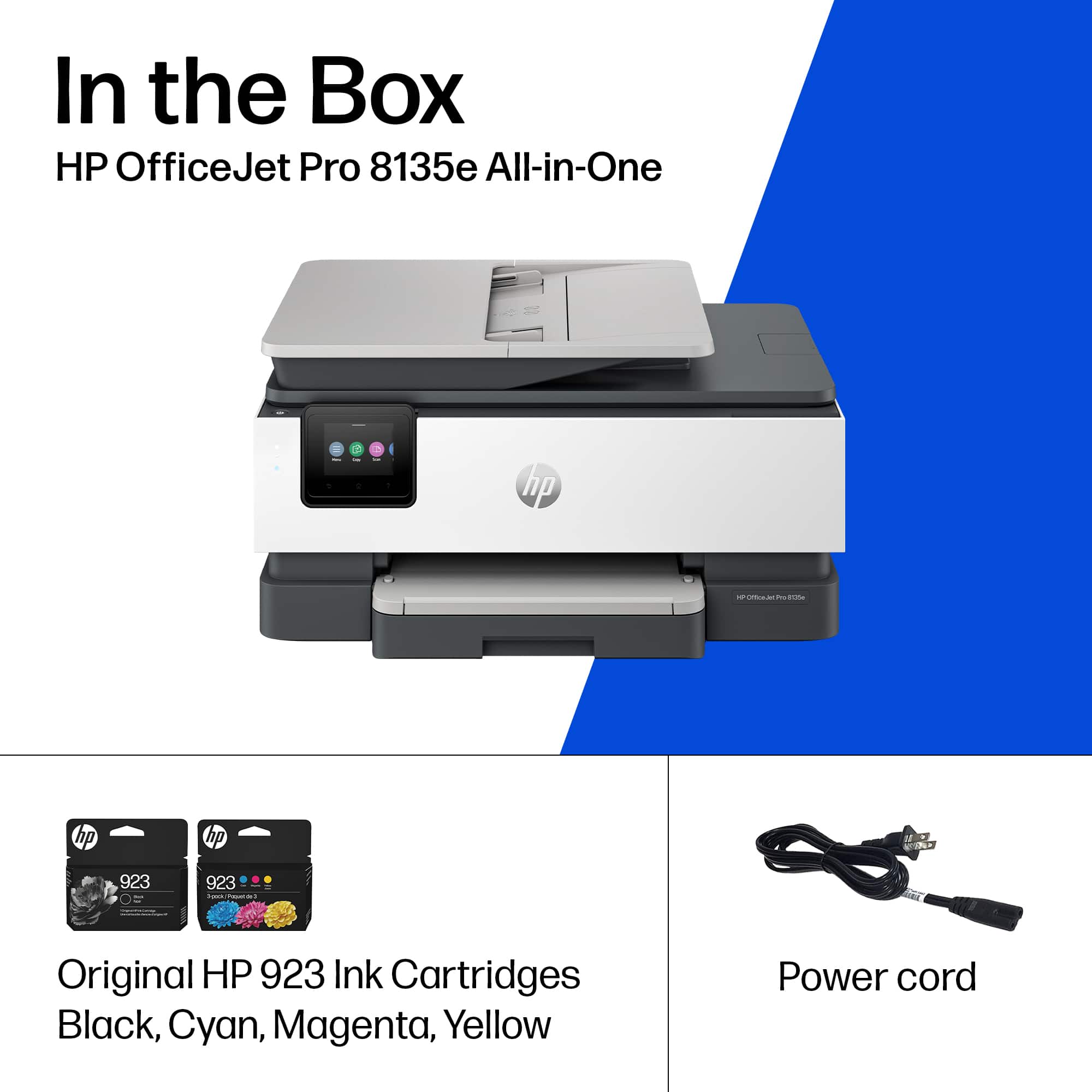






- Model:
- OJ Pro 8135e /40Q35A#B1H
- SKU:
- 10735625
Rating by feature
- Value
Rating 4.3 out of 5 stars
- Quality
Rating 4.3 out of 5 stars
- Ease of Use
Rating 4.2 out of 5 stars
Tech dummie
||Posted . Owned for 1 week when reviewed.This reviewer received promo considerations or sweepstakes entry for writing a review.I could not get the printer to pull in letter size paper.
No, I would not recommend this to a friendDoes not work as advertised
||Posted . Owned for 1 week when reviewed.This reviewer received promo considerations or sweepstakes entry for writing a review.The fax function was not installed correctly at the factory and could not be repaired onsite. I returned this one and attempted to replace it with the 9125e. I had a worse experience and returned that one, too.
No, I would not recommend this to a friendBrand response from HP Team
Posted .Hi Kegmeister,
Apologies for the bad experience.
We'll like to help. Here's a some tips for using Fax:
Receive a fax
You can receive faxes automatically or manually. If you turn off the Auto Answer option, you must receive faxes
manually. If you turn on the Auto Answer option (the default setting), the printer automatically answers incoming
calls and receives faxes after the number of rings that are specified by the Rings to Answer setting (The default
Rings to Answer setting is two rings).
If you receive a Legal-size or larger fax and the printer is not currently set to use Legal-size paper, the printer
reduces the fax so that it fits on the paper that is loaded. If you have disabled the Automatic Reduction feature,
the printer prints the fax on two pages.
More information can be found in the User Guide:
https://kaas.hpcloud.hp.com/pdf-public/pdf_7649962_en-US-1.pdf
Fax section is on page 43/137.
For more resources on this printer:
https://www.youtube.com/playlist?list=PLUV0sXfF6zPj2L8vKWfVMlHOO8lHinzd_
Hope that helps!
Sincerely,
Teo
Rep
||Posted . Owned for 1 week when reviewed.This reviewer received promo considerations or sweepstakes entry for writing a review.This was challenging to get "set up" myself without assistance but I do like many of the features that are offered. As for use, I am just beginning to incorporate it into my printing needs.
I would recommend this to a friendBrand response from HP Team
Posted .Hi RuthP,
Apologies for the bad experience.
We'll like to help. Here's a detailed unboxing & setup video:
https://www.youtube.com/watch?v=ml7gulfuDGg
For more help resources on the printer model, the following videos will be useful:
https://www.youtube.com/playlist?list=PLUV0sXfF6zPj2L8vKWfVMlHOO8lHinzd_
Hope that helps!
Sincerely,
Teo
Not good
||Posted . Owned for 1 month when reviewed.This reviewer received promo considerations or sweepstakes entry for writing a review.Return ed. HP is not built good anymore. Bought different brand
No, I would not recommend this to a friendOwner
||Posted . Owned for 3 weeks when reviewed.This reviewer received promo considerations or sweepstakes entry for writing a review.Employees are not that knowledgeable need more help at the Roanoke Virginia store. There is not enough help there at the store so I’m employers are nice some not very unorganized.
No, I would not recommend this to a friendProduct has known problem by HP
||Posted . Owned for 1 week when reviewed.This reviewer received promo considerations or sweepstakes entry for writing a review.Printer has a known problem by HP. Spent 7 hrs over 3 days with HP Tech and they could not get it to work properly. Returned to BB and purchased Epson.
No, I would not recommend this to a friendBad machine, avoid
||Posted . Owned for 3 weeks when reviewed.This reviewer received promo considerations or sweepstakes entry for writing a review.Awful machine. Top of the line HP Home All-in-One. Sounded like gears mashing when it printed. Contacted Tech Support, no help there. Took it back.
No, I would not recommend this to a friendHp junk
||Posted . Owned for 2 months when reviewed.This reviewer received promo considerations or sweepstakes entry for writing a review.Junk printer waste of money, buyer beware, total crap
No, I would not recommend this to a friendHP Office Jet Pro 8130e series
||Posted . Owned for 3 months when reviewed.This reviewer received promo considerations or sweepstakes entry for writing a review.This printer is terrible I bought this printer 4 months ago and it is going bad always having to call the geek squad to fix it would not recommend
No, I would not recommend this to a friendMrs
||Posted . Owned for 1 month when reviewed.This reviewer received promo considerations or sweepstakes entry for writing a review.Not laser sales person did not help me and was not knowledgeable
No, I would not recommend this to a friendHorrible printer!
||Posted . Owned for 4 months when reviewed.This reviewer received promo considerations or sweepstakes entry for writing a review.Printer will constantly tell you it is out of paper, no matter how much or little papaer you have in it.
No, I would not recommend this to a friendTerrible printer
||Posted . Owned for 1 month when reviewed.This reviewer received promo considerations or sweepstakes entry for writing a review.Very slow. Hard to use. Worst primter ever. Would never buy another one
No, I would not recommend this to a friendHP PRINTER
||Posted . Owned for 5 months when reviewed.This reviewer received promo considerations or sweepstakes entry for writing a review.Worst HP PRINTER. THOUGHT THE UPGRADE WOULD BE IMPROVEMENT.
No, I would not recommend this to a friendHp printer
||Posted . Owned for 1 month when reviewed.This reviewer received promo considerations or sweepstakes entry for writing a review.Had to return printer. Could not get the printer jam error to clear. Tried all HP suggestions and was told to return for exchange or credit.
No, I would not recommend this to a friendThree printers i purchased from best buy.
||Posted . Owned for 3 weeks when reviewed.This reviewer received promo considerations or sweepstakes entry for writing a review.I returned the printer. Never got it up and running.
No, I would not recommend this to a friendDon’t recommend at all.
||Posted . Owned for 4 months when reviewed.This reviewer received promo considerations or sweepstakes entry for writing a review.Very poor quality and soooo slow when starting printing.
No, I would not recommend this to a friendDon’t waste your money
||Posted . Owned for 2 months when reviewed.This reviewer received promo considerations or sweepstakes entry for writing a review.Worst HP I’ve ever owned. Broke within a month. Trying to find support options have been a headache.
No, I would not recommend this to a friendScanner
||Posted . Owned for 1 week when reviewed.This reviewer received promo considerations or sweepstakes entry for writing a review.The install was too complicated. You can’t simply scan to email.
No, I would not recommend this to a friendBrand response from HP Team
Posted .Hi Cam2020,
Apologies for the bad experience.
We'll like to help. Here's a video on setting up Scan to Email:
https://www.youtube.com/watch?v=zSixRVsmoY8
For more help resources on this printer:
https://www.youtube.com/playlist?list=PLUV0sXfF6zPj2L8vKWfVMlHOO8lHinzd_
Hope that helps!
Sincerely,
Teo

great printer!
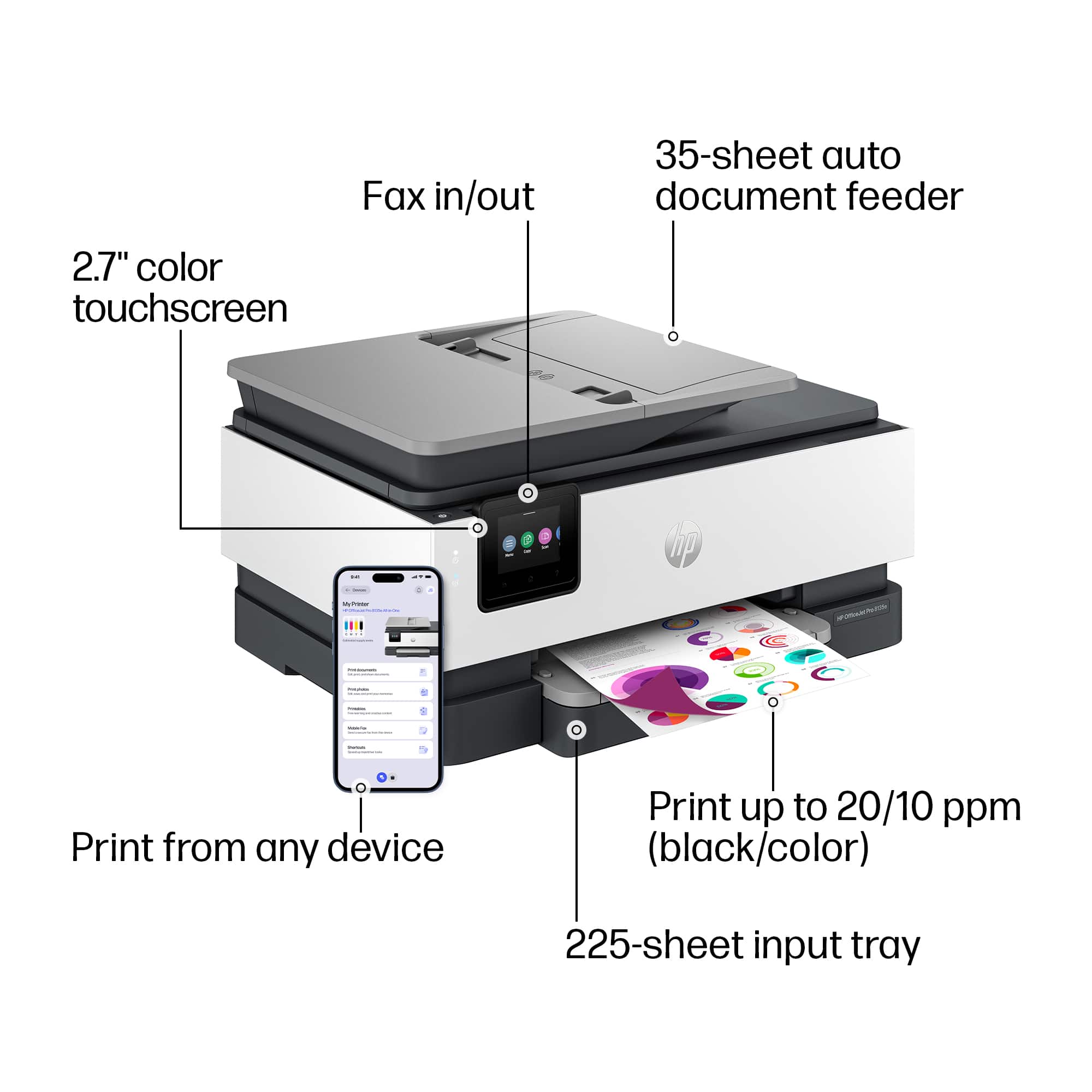
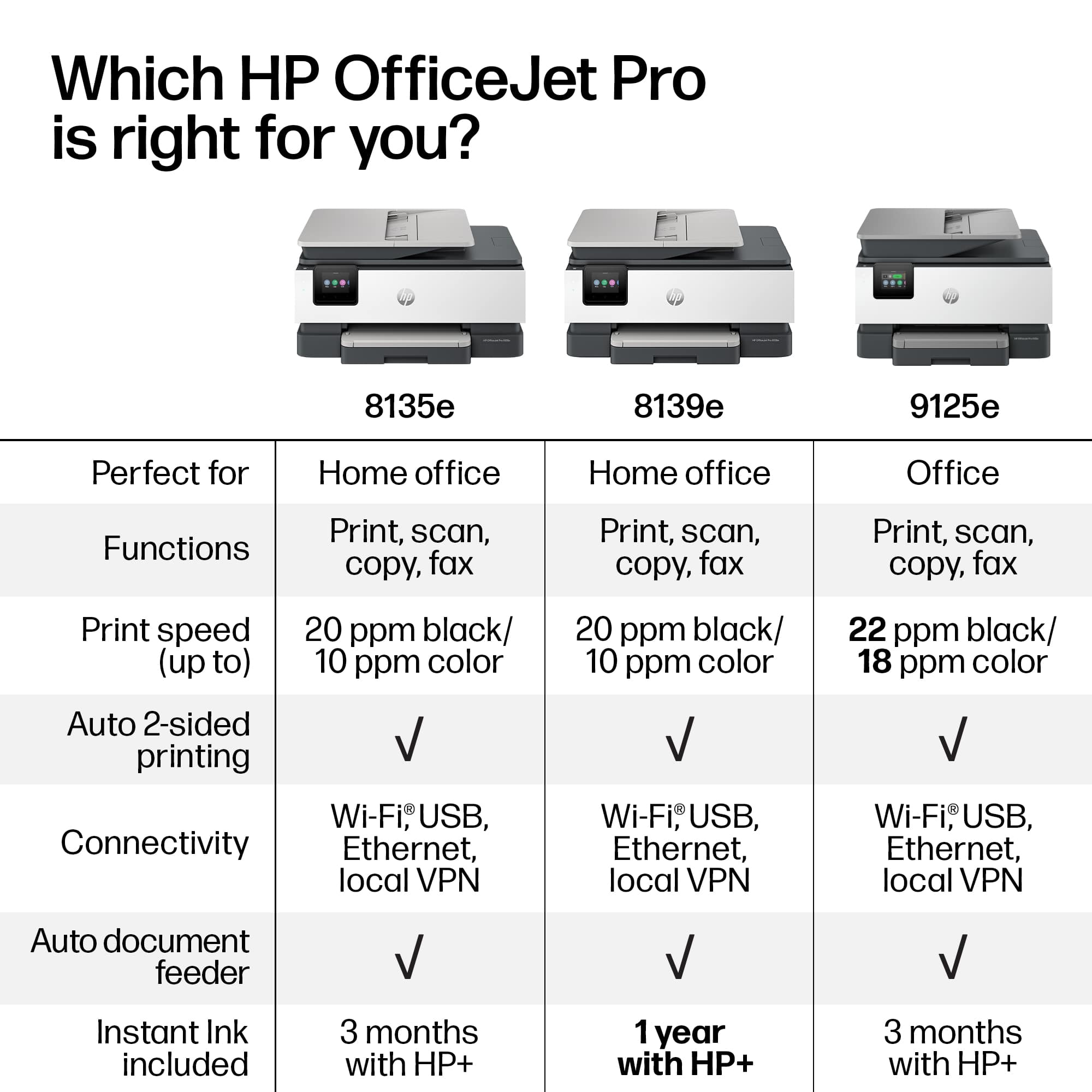
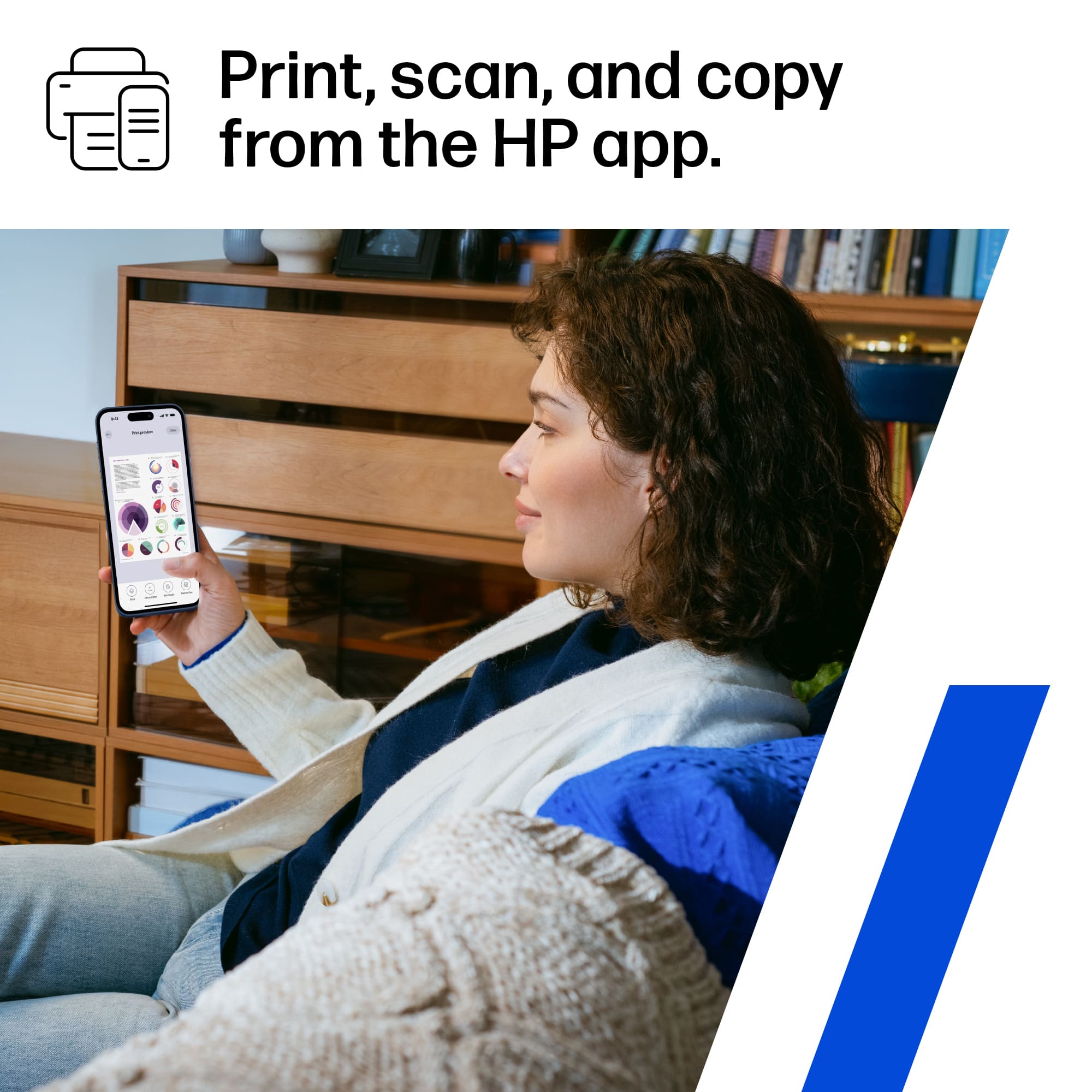
|Posted .This reviewer received promo considerations or sweepstakes entry for writing a review.The HP OfficeJet Pro 8135e is a solid all-in-one printer, ideal for small businesses or home offices that need a reliable, efficient machine. It combines printing, scanning, copying, and faxing in one device, offering convenience and saving space. One of its best features is the print speed, with up to 22 pages per minute for both black-and-white and color documents, which is great for offices with moderate print demands. The print quality is sharp, with clear text and vibrant colors, even for photos. With a 250-sheet paper tray, the 8135e reduces the need for constant paper reloading, and the automatic duplex printing feature helps save paper and time. It’s also easy to connect to, with Wi-Fi, Ethernet, and mobile printing options like Apple AirPrint and Google Cloud Print. The HP Smart app makes setup and management super simple, allowing you to print directly from your smartphone or tablet. While the cost of ink cartridges may add up over time, the 8135e remains a great choice for small to medium offices, offering solid performance, great print quality, and user-friendly features.
I would recommend this to a friendGood service, bad merchandise
||Posted . Owned for 2 weeks when reviewed.This reviewer received promo considerations or sweepstakes entry for writing a review.the customer service was great but the paper doesn't load.
No, I would not recommend this to a friend














