Customer Ratings & Reviews

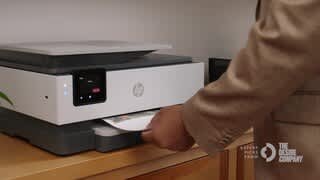




- Model:
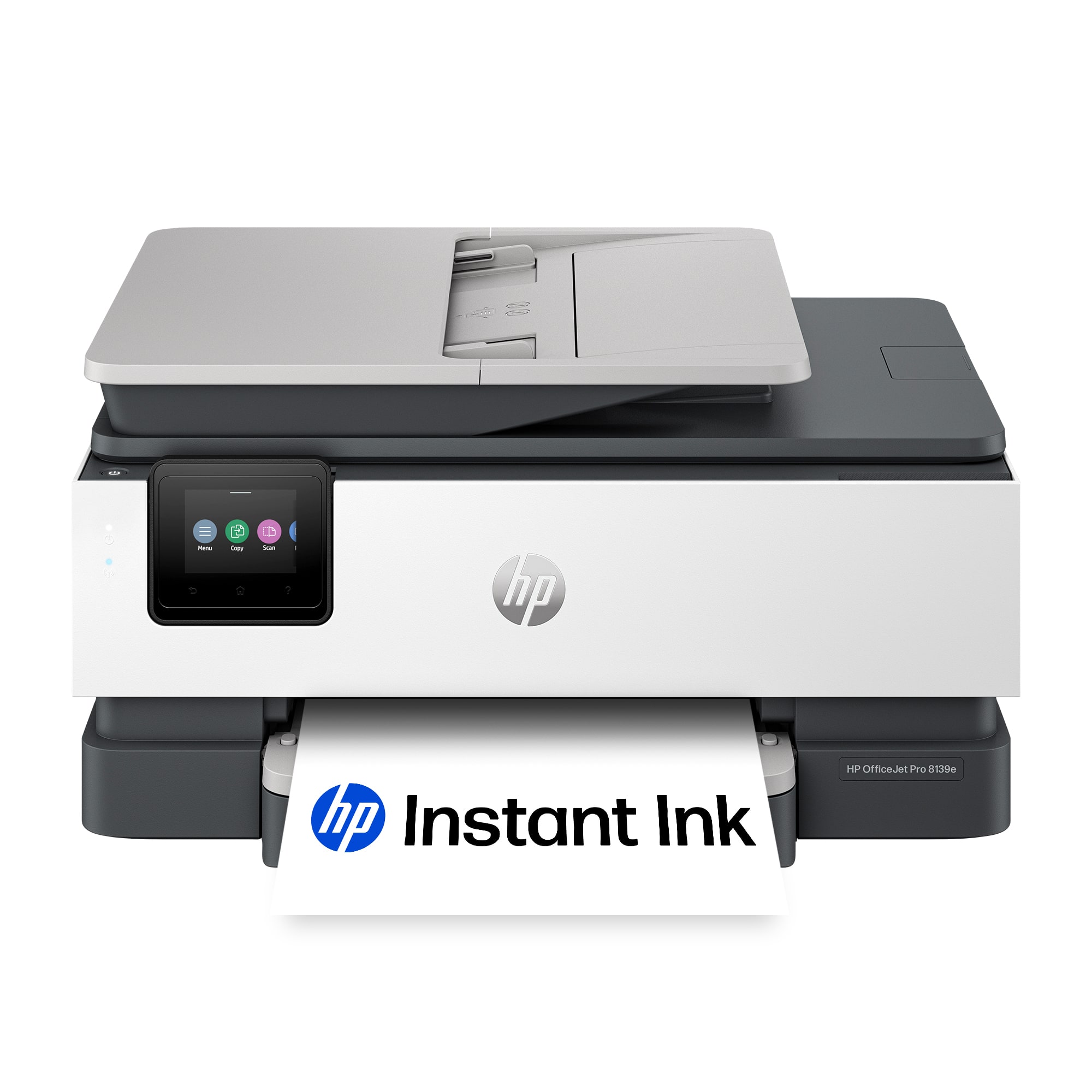
- OFFICEJET PRO 8139E/40Q51A#B1H
- SKU:
- 6565474
Rating by feature
- Value
Rating 4.4 out of 5 stars
- Quality
Rating 4.3 out of 5 stars
- Ease of Use
Rating 4.3 out of 5 stars
Customers are saying
Customers admire the OfficeJet Pro 8139e for its excellent print quality and ease of use. Many find the overall performance satisfactory and appreciate the straightforward setup process. However, some customers have experienced occasional connectivity issues and suggest improvements to the paper tray capacity, while others feel the printing speed could be faster.
This summary was generated by AI based on customer reviews.
- Pros mentioned:Print quality
HP8139e so far, so good.
||Posted . Owned for 1 month when reviewed.This reviewer received promo considerations or sweepstakes entry for writing a review.Prints good, photos excellent using correct paper. HP ink replacement cartridges are stupid expensive at $100, since the sale price of the printer was $189. The plastic tray access and export extension is a bit flimsy and the tray cover is not a great design as it is awkward in taking off and assembling back on. The app works great from my desktop wirelessly and printing from my iPhone is equally easy.
I would recommend this to a friend - Pros mentioned:Setup
New Printer
||Posted . Owned for 1 month when reviewed.This reviewer received promo considerations or sweepstakes entry for writing a review.So far, the HP OfficeJet Pro 8139e Wireless All-In-One Inkjet Printer has been great, and it was so easy to set up! The only issues I have so far are the software issues I have encountered. I needed the software to be available on several computers, but every time I downloaded it, it took me through the whole setup process, as if it were the first time installing it on each computer. I haven’t been able to successfully add the dashboard on the other computers, so I can only scan from one computer. However, other than that I really like my new printer.
I would recommend this to a friend - Pros mentioned:Ease of use, Print quality
Hp printer
||Posted .This reviewer received promo considerations or sweepstakes entry for writing a review.This printer is great! Quality printing easy to use and set up
I would recommend this to a friend - Pros mentioned:Ease of use
HP OfficeJet Pro 8139e Inkjet Printer is the best!
||Posted . Owned for 3 weeks when reviewed.This reviewer received promo considerations or sweepstakes entry for writing a review.The HP - Office Jet Pro 8139e Wireless All-In-One Inkjet Printer is user friendly. Despite the printer being wireless and All-In-One inkjet the price is very economical. It's light weight and attractively designed.
I would recommend this to a friend - Pros mentioned:Ease of use
Brother All In One InkJet Printer
||Posted . Owned for 1 month when reviewed.This reviewer received promo considerations or sweepstakes entry for writing a review.Brother InkJet printer is okay. Purchased to replace a Canon Printer. Gave me some trouble at the beginning but works well for what I need it, Easy to set-up.
I would recommend this to a friend - Pros mentioned:Connectivity
GREAT PRINTER!
||Posted . Owned for 3 weeks when reviewed.This reviewer received promo considerations or sweepstakes entry for writing a review.Aloha! Very useful functions such as WiFi, scan, copy, and print. Mahalo!
I would recommend this to a friend - Pros mentioned:Print quality
Great Printer
||Posted . Owned for 1 month when reviewed.This reviewer received promo considerations or sweepstakes entry for writing a review.This printer is cost effective fast easy to use and produces professional looking printouts.
I would recommend this to a friend DEFECT: missing a tab to lock paper tray at 11”.
||Posted . Owned for 3 weeks when reviewed.This reviewer received promo considerations or sweepstakes entry for writing a review.There is a manufacturing flaw with this printer, and I spent 2 hrs on a remote app w HP to show the CSR where the piece is missing. There is no tab to lock the paper tray at 11” so it slides when you pull it in/out, PLUS since it is not snug, it takes up multiple pieces of paper at times. I do like that it is lightweight. Scanning quality is decent. Too bad HP will not make the simple fix to hold the most common type of paper in place. Also… the drawer sometimes will not go in. The rep could not help. Many others have talked about these issues. See attached chat log and the screen that pops up when you try to add paper or work on getting the tray back in when it sticks out about 1”. The Instant Ink seems to be a good program. So if you have the patience to fight w your paper and have okay quality, this printer does the trick.
No, I would not recommend this to a friend- Pros mentioned:Ease of use
My new printer
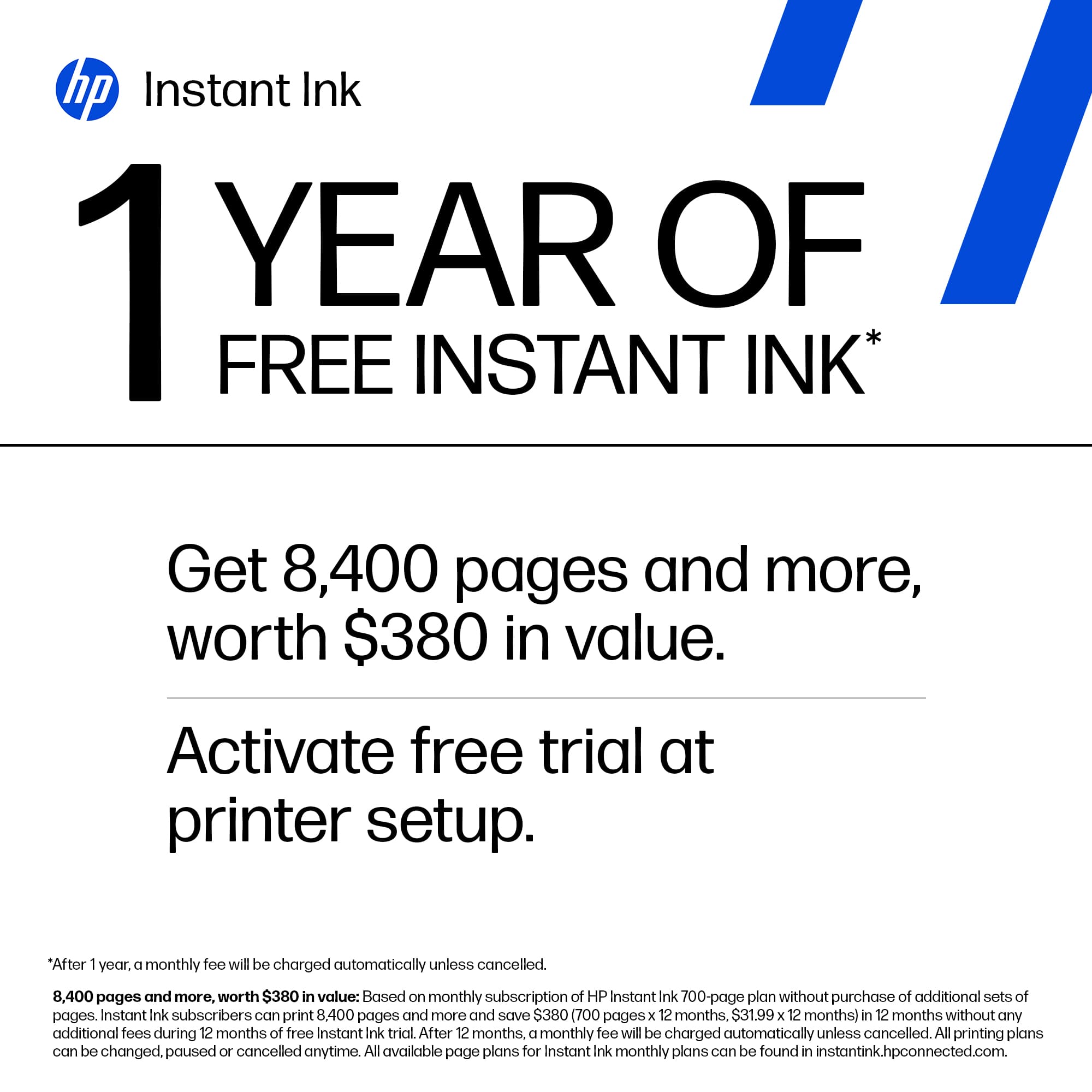
||Posted . Owned for 1 month when reviewed.This reviewer received promo considerations or sweepstakes entry for writing a review.Easy to setup and easy to use, the 1 yr instant ink was a definite plus
I would recommend this to a friend Great HP Printer
||Posted . Owned for 1 month when reviewed.This reviewer received promo considerations or sweepstakes entry for writing a review.I have been using HP printers for the last 17 years. I've had two printers plus the one I just purchased, and I have found that these printers are very dependable. I would recommend HP printers for home office use.
I would recommend this to a friend- Pros mentioned:Ease of use, Print quality

Small Business Owner's Dream
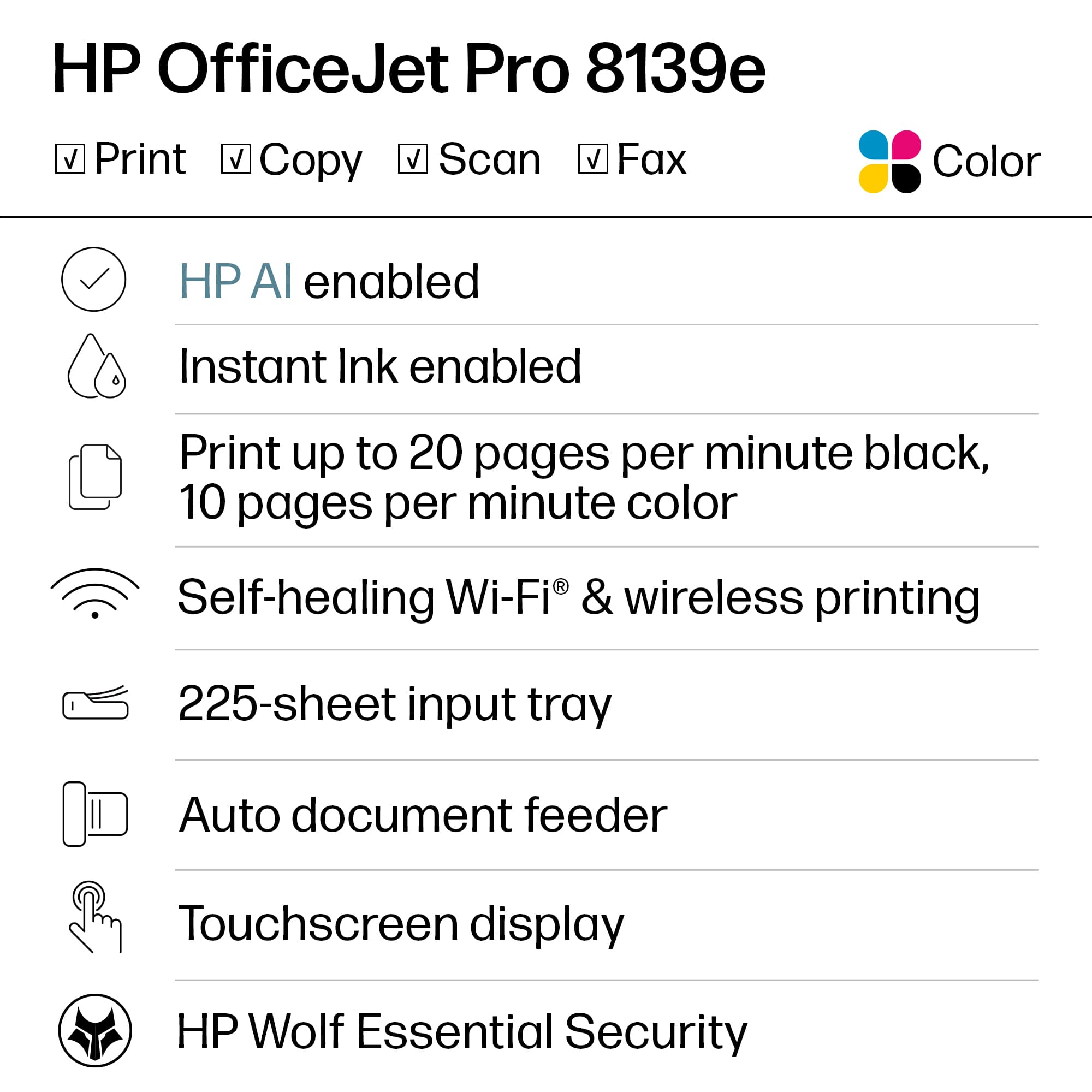
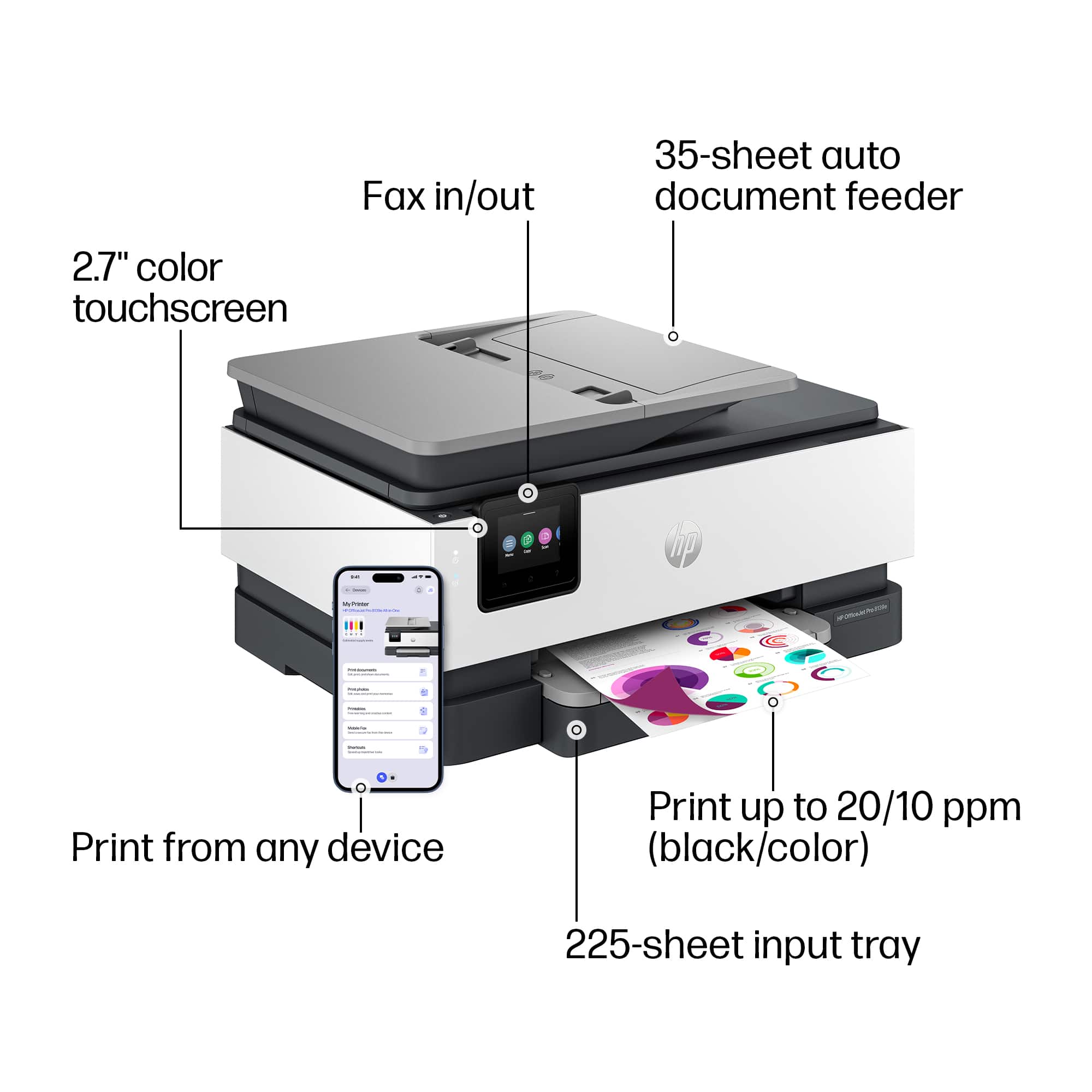
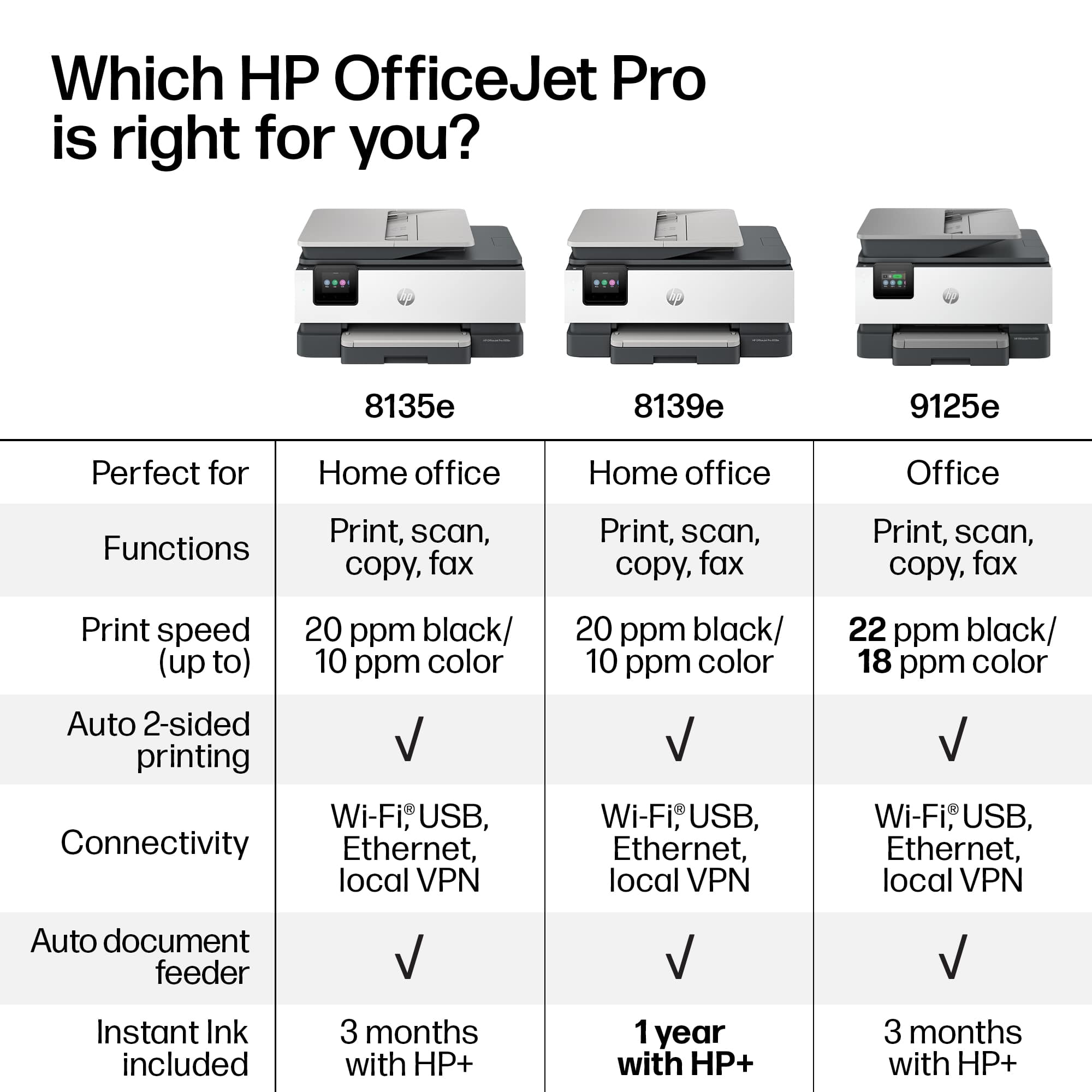
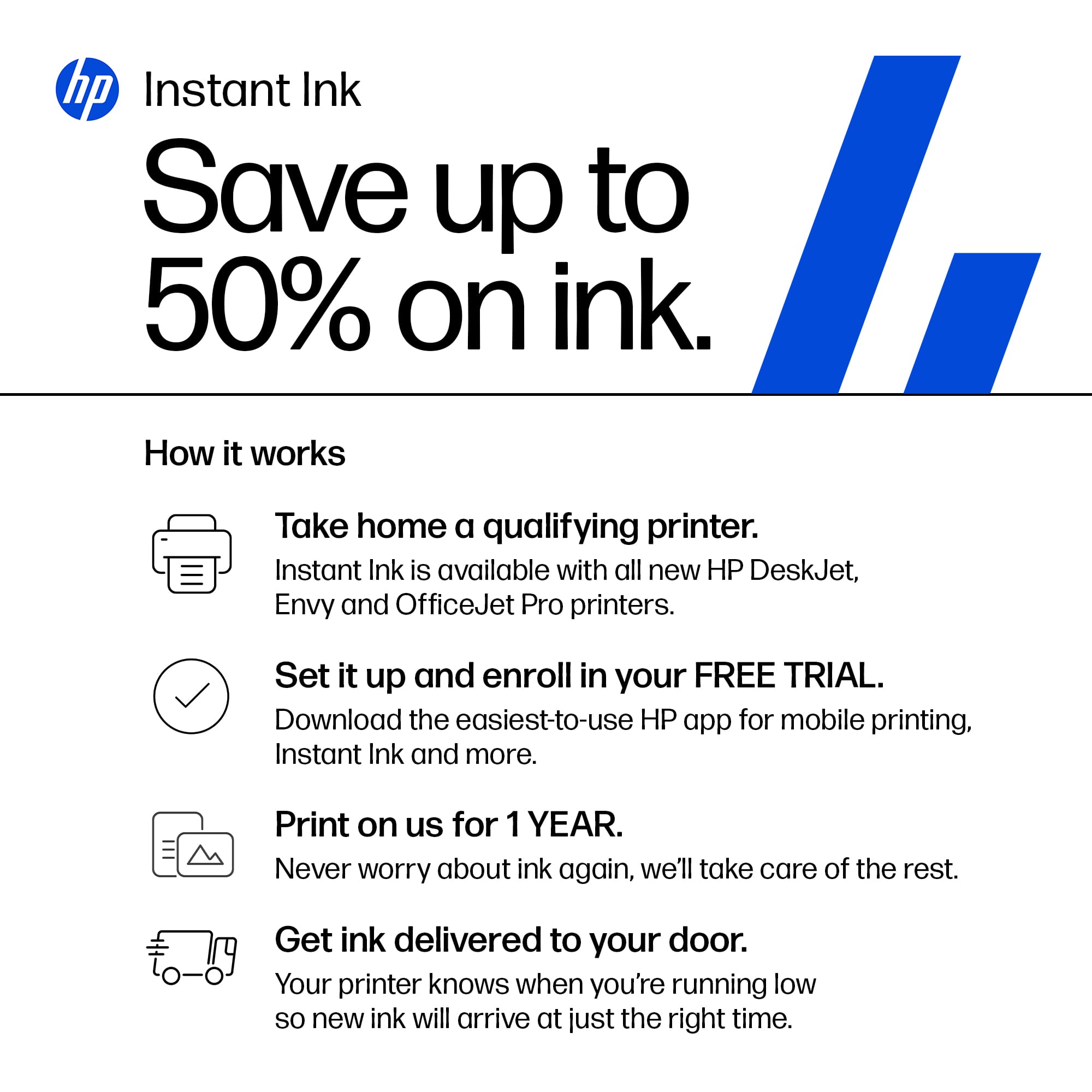
|Posted .This reviewer received promo considerations or sweepstakes entry for writing a review.--- SETUP --- The HP Jet Pro 8139e printer was easy to set up. The only cable I needed to connect was the power cable. From there, a QR code took me to a website that guided me step by step on how to connect it to WiFi and print my first page. Total set up time was approximately 8-10 minutes. --- FEATURES --- Print from your phone, wired and wireless printing, all in one (printer/scanner/fax), double-sided printing, 10 colored pages per minute, 20 black and white pages per minute, 2.7 inch touch screen display, 225 page tray holder, 4 cartridges (black, blue, yellow, red), 1 year of HP + ink subscription included. --- EXPECTATIONS and PERFORMANCE --- This printer is perfect for a small home business. To start off, the printer performs excellently. After the initial setup, the printer will ask you to print a page and align the ink. A pattern will print out and from there, you place the page on the printer’s scanner bed where the printer will read the pattern for best alignment. This ensures that all documents are printed the way you see them on your screen. Next, mobile printing worked as expected without any hindrances. I work a lot with an app called Canva, which is used to design flyers and other digital and for-print designs. As a dance instructor, I print a lot of flyers to promote my dance classes or dance socials. I was able to complete my design from my phone, download the design to my phone, and use my phone to print wirelessly to the printer. The print out came as expected. This printer arrived to me during tax season. As such, I spend some time saving my tax documents to my computer. This printer was easily found within my network on my computer and I printed to my heart's content. All words were clear and properly aligned. This printer comes with a 12 month subscription to HPs instant ink. I had been a member in the past of instant ink and I was a big fan then. I stopped because my printer needs came to a halt. Now that I have a new instant-ink printer, I am happy to say that I continue to be a fan. If you print a lot in color, which I do for my fliers to be more attractive, instant ink is a no-brainer choice for ink. The way it works is, you choose a monthly plan and can print as many pages as your plan allows, even if they are all in color. I ran the #s and based on my printing needs, I always ended saving a lot more money with the monthly plan than buying the ink myself. The printer also detects when you are running low on ink, so you have a new set of cartridges in the mail before you actually run out, hence, you have all the ink you need at your disposal. For the trial, you can print up to 700 pages per month for 12 months. --- APPROVAL --- This printer is easy to install, easy to use on mobile or desktop, and can be used with HP Instant Ink subscription. I highly recommend this to teachers who print from home a lot or for small business owners.
I would recommend this to a friend - Pros mentioned:Print quality, Setup
Great home office printer with 1 year of ink...
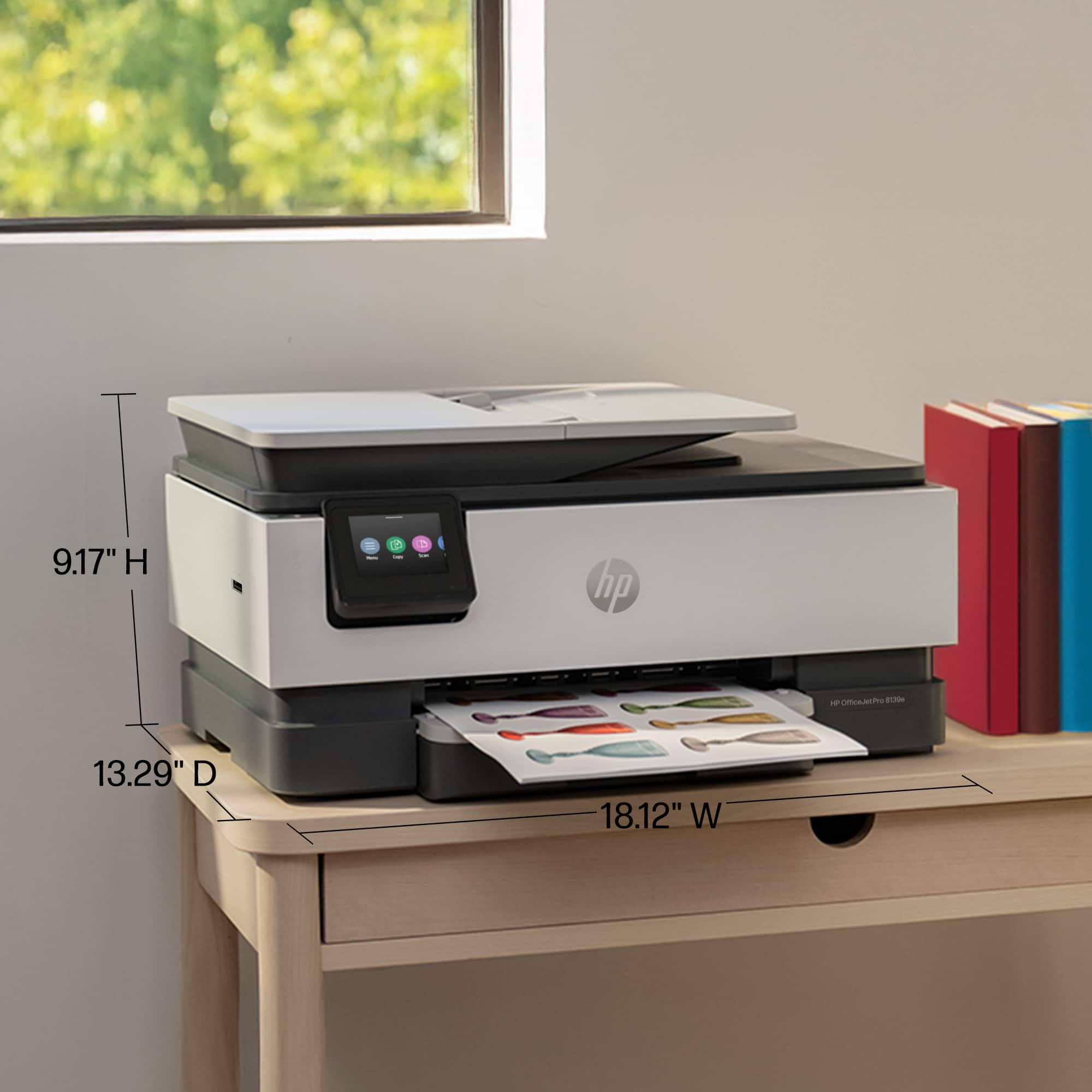
|Posted .This reviewer received promo considerations or sweepstakes entry for writing a review.The HP8139 is a great home office Multifunctional device .. Setup was a cinch. Downloaded the HP Android app from play store. Followed the prompts. And I was in. I went ahead and signed up for the 1 year free ink trial. Also setup via Windows 11 was easy. Plus 1 year free ink is worth it since the ink cartridges are pretty small. Initially I had a small hiccup with setup. But I reset the printer and it resumed fine. It might have been that I tried to set it up prior to the actual release of the product so it could not find it in the data base. Size and foot print is ok. It is slightly larger than their other models but usually the home office versions are a bit bigger than their home versions. Appearance is standard office type rectangular box. Printing via Windows is super easy. Printing via the android app is easy as well. A year ago HP's app was kind of harder to use. Also it might have been an android issue regardless it is better this time around. Multi page scanner is easy to use via windows. Scanning with the app was a little confusing to setup at first but I got it to work. First make sure you don't have phone on VPN protection. It will not sync with the printer. Also you have to go through shortcut settings in the app and add your Google drive or other cloud storage to use. After that you are all set to scan to cloud. App allowed.yountp edit your scan and add more pages and scribble etc. not bad... Overall pretty good printer. The 1 year free ink is gold. That within it self is worth a bunch of $. Anyway for the functions I used it for and for what my kid needs to use it for for high school this worked.out to be a great printer. I would recommend it for what it is advertised for.
I would recommend this to a friend - Pros mentioned:Print quality
Compact size and solid performer
|Posted .This reviewer received promo considerations or sweepstakes entry for writing a review.I’ve recently picked up the HP OfficeJet Pro 8139e Wireless All-in-One Printer with 1 Full Year Instant Ink with HP+ and actually activated the Instant Ink Program! I’m switching out my workhouse HP OfficeJet Pro 8610 – debuting in about 2014 – and is showing some signs of failure. The biggest features used in my household are Printing of course, then Scanning, then Copying. We don’t do any faxing from home anymore – so this is a dying feature in my opinion. If you don’t already have a multi-function device like this – it’s a MUST for school-age kids and a home office. My impression thus far is great. It installed without issue – and HP must have worked on their Scan to Computer function as this time it worked straight out of the box! This baby boasts fast (for home printers) color and b/w prints up to 20 pages a minute. It’s recommended monthly page volume is about 800 pages – so if you print about that or more you should be looking for a larger printer. I noted that the paper tray hold less that my previous printer (only 225 sheet) and the auto document feeder can accommodate about 35 sheets. The printer uses 4 cartridges of the HP 923 series – but as I stated since the [rinter comes with a full year of Instant Ink, I opted for that and will determine if I stick with it in February 2025. Scanning works well – and I’ve testing the document feeder, glass top scanner and initiating from both the printer and from the computer. Download and install the HP Smart software to get it setup – and you’re off and running in no time. The 8139e can handle borderless printing, up to 10 envelopes at a time and legal paper with no issues. Scanning resolution up to 1200x1200 dpi. Copy resolution up to 600 dpi. Overall, this is a solid printer and think this will be a suitable replacement for my aging 8610.
I would recommend this to a friend - Pros mentioned:Ease of use, Print quality, Setup
Good printer
||Posted . Owned for 1 month when reviewed.This reviewer received promo considerations or sweepstakes entry for writing a review.This printer was easy to setup. Once connected to wifi printed easily from computer. Still having issues with printing from phone. I also love the 2 sided printing option. Saves a lot of paper without having to manually flip the paper. Easy to load paper. Would definitely buy again.
I would recommend this to a friend - Pros mentioned:Print quality, Setup
HP 8139e is a winner!
|Posted .This reviewer received promo considerations or sweepstakes entry for writing a review.The Office Jet Pro 8130e is the latest in the Office Jet Pro series from HP and it is an outstanding printer. Having had many HP printers over the years it is nice to see how each generation has provided more features, speed of printing and remained affordable. The 8130e looks very similar to the other in the previous iterations. The improvements come with the touchscreen and included features. The 8130e includes a year of Instant Ink as an added bonus. Setting up the 8130e is quite easy. Once you unbox the unit you find a Quick Start Guide and Reference Guide. The Quick Start Guide has extremely basic setup instructions, plug in printer and either use the included smart label from your mobile device or go online to the HP website. I chose the latter to setup my 8130e. Once you go to the website it guides you through the process of configuring your printer and completing the firmware update. Select your language, load paper, install cartridges and align the print heads. These are all basic printer settings, however at this point I was given a choice to continue with the basic setup where you use your own cartridges, use the settings and features included with the printer and HP Smart app on your device. The other choice is the free HP+ plan. This is required for you to use the included one year of Instant Ink. I chose to use the HP+ plan, which is free and moved forward with the setup. Using the printer is extremely easy and the 8139e prints documents quickly. The documents were truly clear with sharp letters and no signs of smudging. Regardless if you are printing single or double sided prints the speed and quality are excellent. Picture prints are clear, but they don’t always capture the colors as accurately as possible. Using the HP+ ensures that the printer is working up to it’s best and requires the use of genuine HP Pinter cartridges. HP+ also provides security to ensure that outside intruders do not connect. Regardless of your small business or home office needs, the HP 8139e is up to the task! This is another winner from HP!
I would recommend this to a friend - Pros mentioned:Print quality
An Office Printer for the Home Office
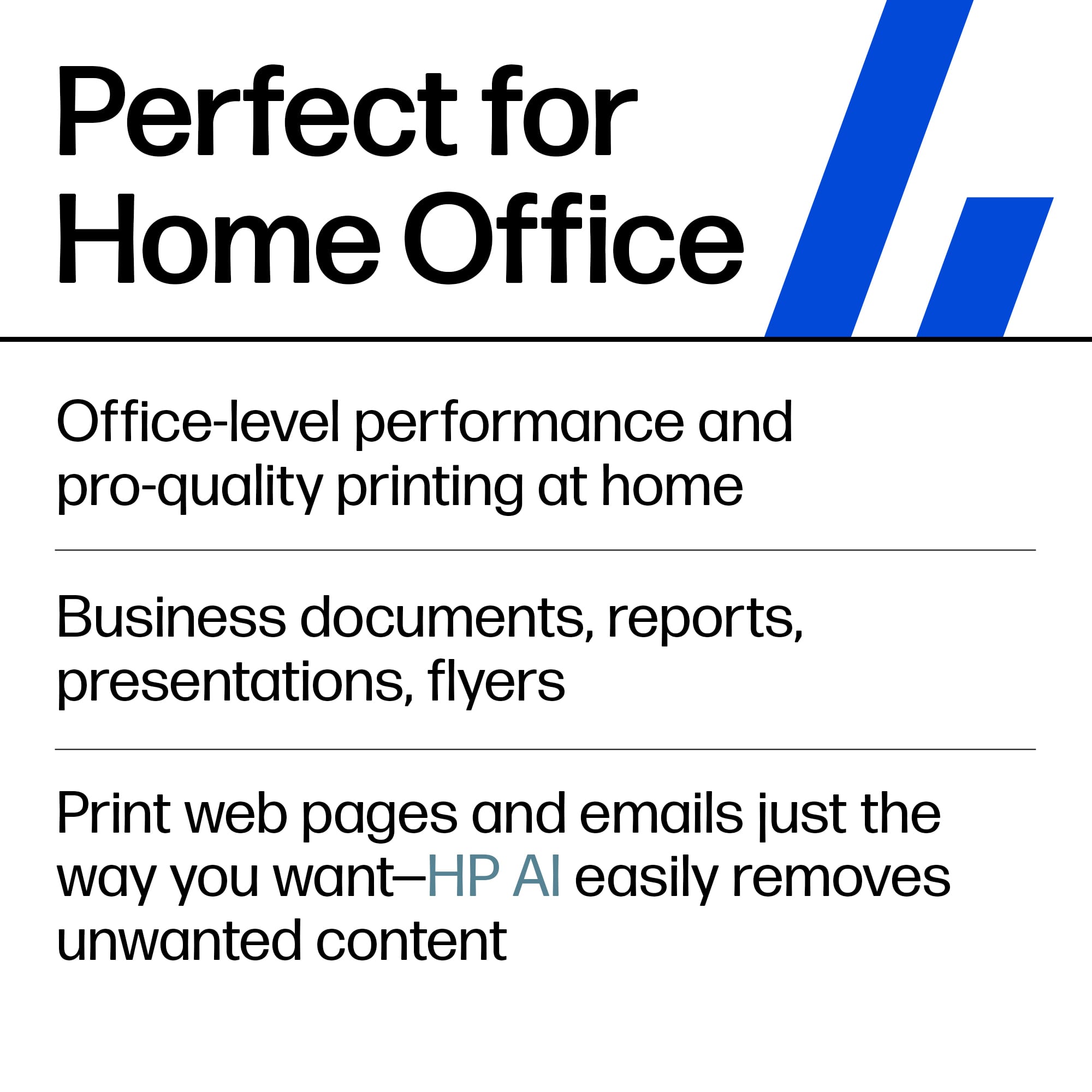
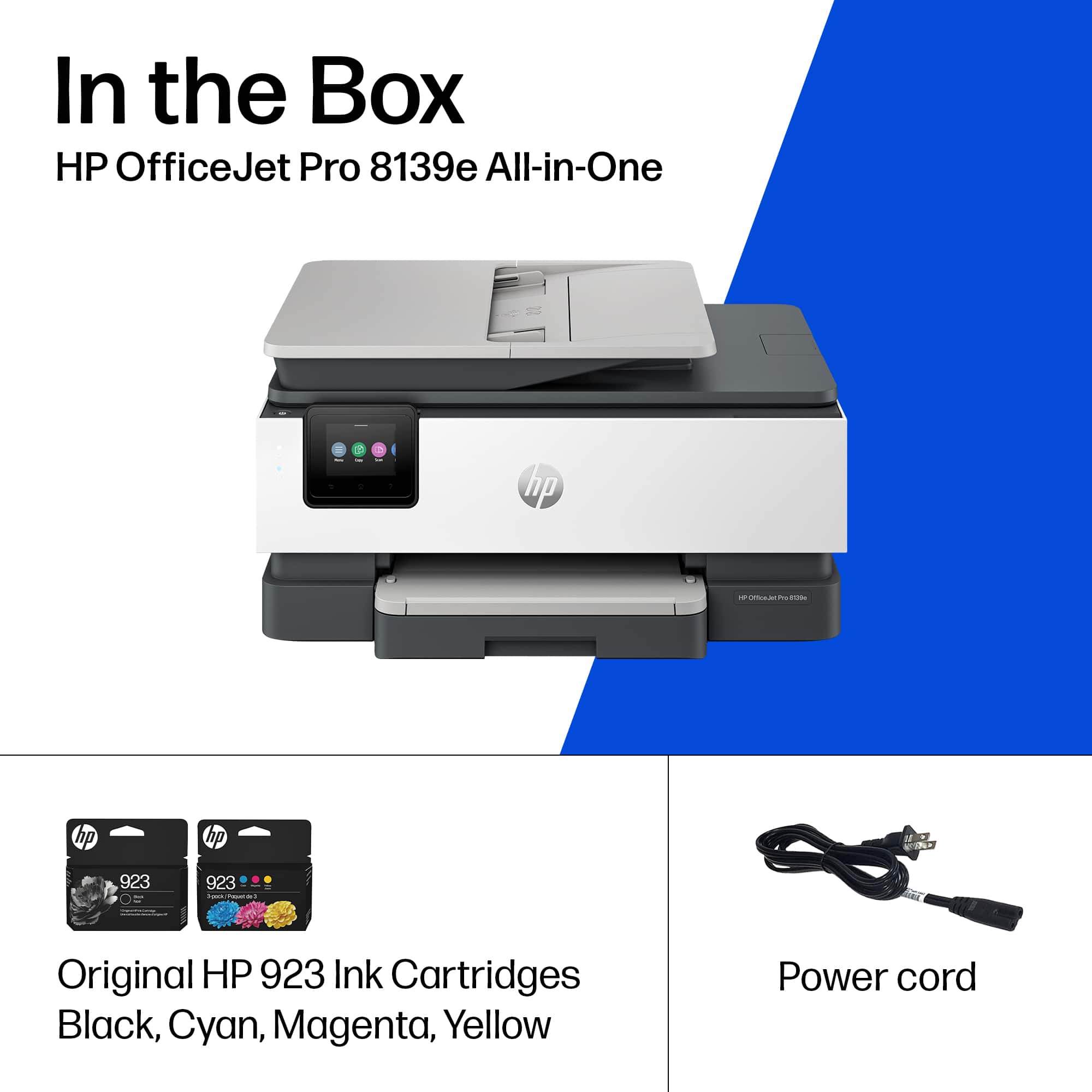
|Posted .This reviewer received promo considerations or sweepstakes entry for writing a review.I've had several All-In-One printers from different manufacturers over the years, but I think the HP OfficeJet Pro 8139e has just become my new favorite printer. I have a home office for a corporate job and work in the real estate industry so there’s plenty of printing, scanning and copying required on a daily basis. Although I was thinking about getting into the tank printer format, the allure of HP’s “instant ink” ink supply solution was too great to pass up. This particular printer comes with a 12 month free ink supply through that program and then becomes a pay service after the free period. Unboxing - The printer is well made, and HP’s build quality is evident in this printer. It does have more of a corporate boxy look compared to some of the other home offices options, but it’s solid and fits perfectly on my deskside table. Included in the box is the printer, power cord, 4 x ink cartridges, and instruction material. The printer was well packaged and easy to unbox and get ready for setup. Setup - HP has done a great job of providing an easy setup process and my printer was connected to WiFi and ready to connect in a matter of minutes. Interesting tidbit is HP prefers to have the printer set up and used via WiFi to take advantage of all the printer features and functions. There is a set of instructions in the box, but there is also a QR code that takes you to an online set up guide. Essentially HP directs you to download the HP Smart app on your computer and/or mobile device to complete set up and registration. As I had an HP printer previously, HP Smart was already installed and all that was needed to set up was follow the prompt for “adding a printer connected to WiFi”. Within minutes it was connected and printing via WiFi. I also downloaded the HP Smart app on my iPhone 13 Pro and setup AirPrint as well. This is an important aspect for me as much of my work is done on Apple mobile devices and the ability to print from or scan to these devices is essential. Print Quality - My usage is primarily home office for real estate and corporate use, so I need the ability to print on legal/letter paper and print color flyers and marketing materials. The HP OfficeJet Pro 8139e handles all my requirements and then some. It prints on business card stock all the way up to oversized marketing signage. B&W printing is above average, and the output far exceeds my needs/expectations. The printer is rated at 20 PPM in B&W print and this or more than fast enough for my usage. Features - The 8139e will print up to 1200 x 100 rendered dpi, has a 2.7" LCD touch control panel, supports WiFi, mobile printing/scanning and duplex printing. There’s a paper tray that holds 225 sheets in the printer. There’s also a document feeder for the scanner, which is an absolute must in my office. It holds up to 35 pages, so scanning a large document or agreement is a snap. The 8139e also supports FAXing, which seems a bit antiquated, but is still needed occasionally. If you need to fax documents, then this printer would be an excellent option. HP Smart App – This one is a bit of a love hate relationship for me personally. I get that HP is trying to keep users in their ink and supplies and therefore signing into the app is required for scanning and taking advantage of other options. With that said, it’s a great interface that supports multiple printers and there are some cool “tiles” like Printables that provides templates for cards, calendars and all sorts of interesting options. There are also tiles for HP Support and Instant Ink supplies. For my mobile device, the app is solid and provides AirPrint-like capabilities. Pros: - Easy to setup and operate - 12 months of free ink with instant ink offer - Fast printing and scanning for small/home office environments - Great build quality and a number of warranty options - Support for printing from mobile devices - Print speed and output quality is superb - 2.7" touch LCD for operation - Self healing WiFi and HP’s Wolf Essential Security to protect your network - Manufactured from 40% recycled materials – way to go HP! - Fax capability if needed Cons - Required to use HP Smart to scan and use other features of the printer - Does not appear to support “Print to Computer” for my MacBook Air All-in-all the HP OfficeJet Pro 8139e All-In-One printer is a great solution for a small or home office environment. It's easy to set up and operate and with the instant ink option you will never have to worry about running out of ink. If you're in the market for this type of printer I would certainly recommend the 8139e by HP.
I would recommend this to a friend - Pros mentioned:Ease of use, Print quality
Print Like a Pro
|Posted .This reviewer received promo considerations or sweepstakes entry for writing a review.This HP printer is a total win! I’ve been an HP user for over 7 years (rocking the same trusty HP printer). Recently, the old girl finally gave out, so I figured it was time for an upgrade. Found this gem – it comes with a free year of ink (plus a sweet $100 discount) for up to 700 pages per month. And guess what? It’s not just for newbies; even after 7+ years, I get that free ink love! I’m also subscribed to their paper service, so I synced that up for the year. No more ink scarcity struggles – back in the day, I’d either skip printing or settle for black ink only. Oh, and let’s not forget the printer massacre I caused with off-brand ink – those screechy noises haunt me. But then came HP and Instant Ink, and now I print with ease. They send me supplies when needed, and life is good. Now, about the printer itself. Setting it up took less than 3 minutes, thanks to the on-screen guide. Just punch in your WiFi deets (and maybe a couple of other tidbits), and voilà! The phone app (highly recommended) makes printing from your Drive a breeze. Plus, this printer has its own email address – send docs while you’re out, and they’ll be waiting when you get home (you can even make the address something easy to remember). Honestly, this printer is like a tech-savvy coffee buddy. It practically sets itself up – I half expect it to brew my morning cup someday. So, yeah, you won’t regret getting this one. And hey, give Instant Ink a whirl – you’ll wonder how you survived without it!
I would recommend this to a friend - Pros mentioned:Print quality
Overall great, finicky paper tray
|Posted .This reviewer received promo considerations or sweepstakes entry for writing a review.Overall, this printer is solid, with reasonably easy setup using the HP Printer app, decent print speed and quality, and a full year of HP+ included, which means you won't have to pay for ink for a full year. My one gripe is the main bottom printer tray is a bit finicky to pull out, insert paper, and replace again. Fortunately it holds quite a few sheets of paper so it's not something I'll need to be doing very often, and I'm sure after a few times it'll be a bit easier, but compared to my old HP laser printer, the printer tray feels cheap and poorly designed. In addition to just being difficult to pull out and reinsert, the paper doesn't fit snugly in the tray, so I wasn't confident that it was in correctly. Fortunately, it's printed without any issue so it's fine, but I'd prefer it be more obvious that it was loaded correctly. I was able to print from my computer and my phone easily, and pages printed fairly quickly. Coming from a laser jet, it was a bit slower than my last printer but overall printed quickly enough to not be bothered by the speed. I tested several color pages, in addition to some black and whites, and the quality was overall satisfactory. I didn't have any photo paper to test photo printing, but general document printing was clear and satisfactory. With the additional abilities to scan, copy, and fax, and quick print speed, this is a well-rounded home-office printer. Given how painful the loading tray was for me personally, I'd probably test a few other printers before settling on this one, were I to be in the printer market again, but aside from that relatively minor inconvenience, this does everything it advertises.
I would recommend this to a friend - Pros mentioned:Print quality
Professional and Supercharged versatile All-i-nOne
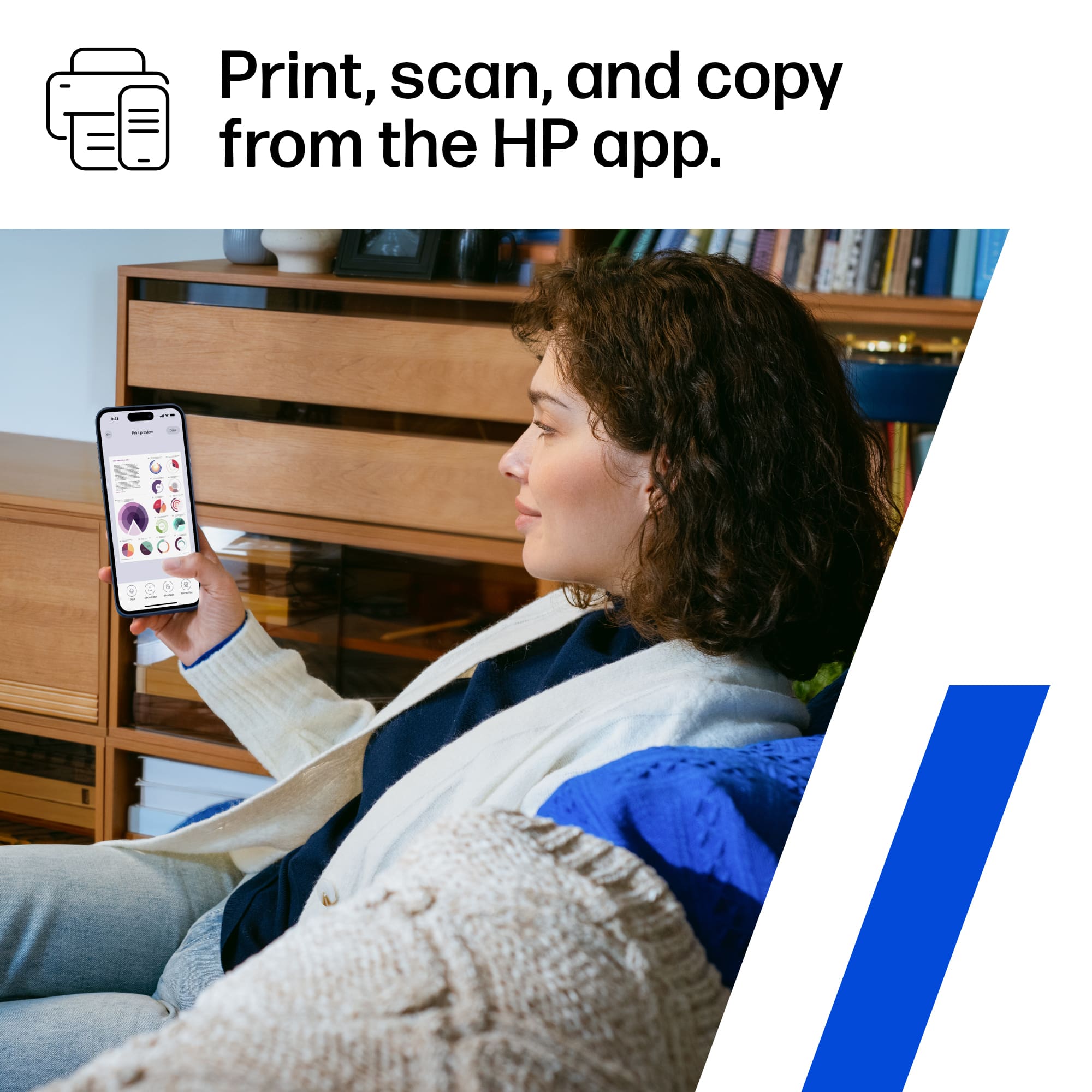
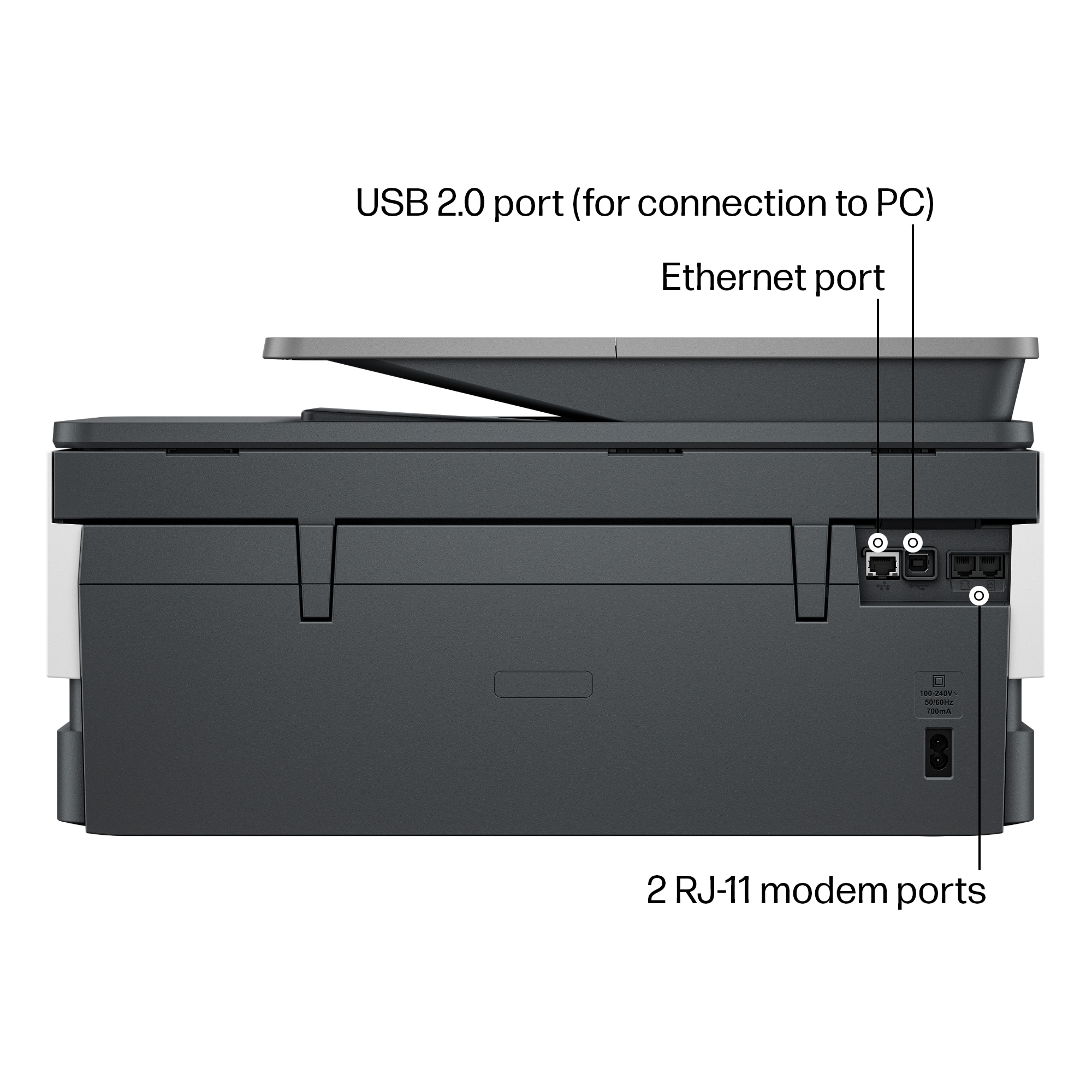
|Posted .This reviewer received promo considerations or sweepstakes entry for writing a review.The printer arrived nicely packaged and it is light and compact, once I opened the box it comes with instructions on how to get it out of the box as well as to set it up, power cable, ink and printer. The setup is very easy, I already have the HP Smart App on both my phone and my computers and it was easy to connect the new printer to my home network. I like that it can do everything from home, it prints up to 20 pages per minute and that is perfect for me at home since I do not print a lot of pages. I also like that I can use the printer using the Ethernet cable or connect to the home network via Wi-Fi. And it is a plus that it prints on both sides, saving paper for me is a plus. I do not use the fax often but it is nice to have it just in case, but I usually do scan either using the HP Smart application on my phone, using the feeder or the glass on the printer. The application is useful, from my phone I can print from anywhere I am. And when I am at home I can use the app on my computer to do it all. The printer comes with cartridges, one of each color and I really like that it comes with a one year free subscription with instant Ink with HP+, there is no charge for shipping or the ink and I can decide to keep it for longer after the 12 included months. The ink arrives once the printer knows it is running low on ink so I do not need to do anything myself or keep track of the ink or ordering anything, it is awesome. There are different plans to consider depending on my needs from up to ten pages to 700 pages per month. The touchscreen makes it easy to do everything from the printer; I can scan to folder, to email, make copies and more. To scan to computer I downloaded the HP Universal Scan software to the computers on my network, once at the printer I can choose scan to computer and I can choose which computer to send the scan to, and best of all I can scan the document as a pdf, picture, pdf to email, picture to email and even an edited text document. Overall, the printer is compact yet versatile; it is awesome that it comes with one year instant ink to never run out of ink. We really like the two sided prints, the Wi-Fi connection so we can move the printer around the house, faxing in color, scanning is simple, it is great for home.
I would recommend this to a friend - Pros mentioned:Print quality
A nice HP home printer!
|Posted .This reviewer received promo considerations or sweepstakes entry for writing a review.HP – OfficeJet Pro 8139e wireless all-in-one-printer with 12 months of Instant Ink. It arrived packaged very well and safely protected. This is my 2nd HP Officejet type of printer, and I am happy so far with this. As always, pros and cons with something new and not familiar with. Was looking for manual/booklet for setup – you have to download it (137 pages). But the set up was simple though as I already had the HP Smart app and HP Print Service Plugin app loaded from my older HP printer. It was super easy to add this new printer and be able to use the app for set up with Wi-Fi and printer functions. I also was using the Instant Ink with my older HP printer so was thrilled that this one came with 12 months of free ink included – great plus with the HP printers!! They monitor your ink usage and then send you cartridges when your printer ink is getting low. Speaking of ink… this printer uses 4 different ink cartridges – not a great fan of so many cartridges so we will see how this goes. Older printer only had 2 and I was fine with that. Not that I see a downside to the 3 colors – just more things to worry about loaded and lasting. Fingers crossed. Printing so far is great – I am able to send document with ease from my phone and computer and even the double-sided sheets print pretty quickly and look great. I’m not thrilled with the scan option as I can only get it to work thru my phone app… I am old school when I have to be, and have used the fax capability included with this printer and it works just fine. The copy feature, IMO, is slow – it works fine just slower than I’m used to. The print tray holds enough paper that I don’t have to worry about it for a while. Envelopes load and print nicely too. I would recommend this printer for home use – great quality!
I would recommend this to a friend
















