Customer Ratings & Reviews


- Model:
- Omen 32 Transcend
- SKU:
- 6589667
Rating by feature
- Display Quality
Rating 4.8 out of 5 stars
- Ease of Use
Rating 4.5 out of 5 stars
- Features
Rating 4.6 out of 5 stars
Customers are saying
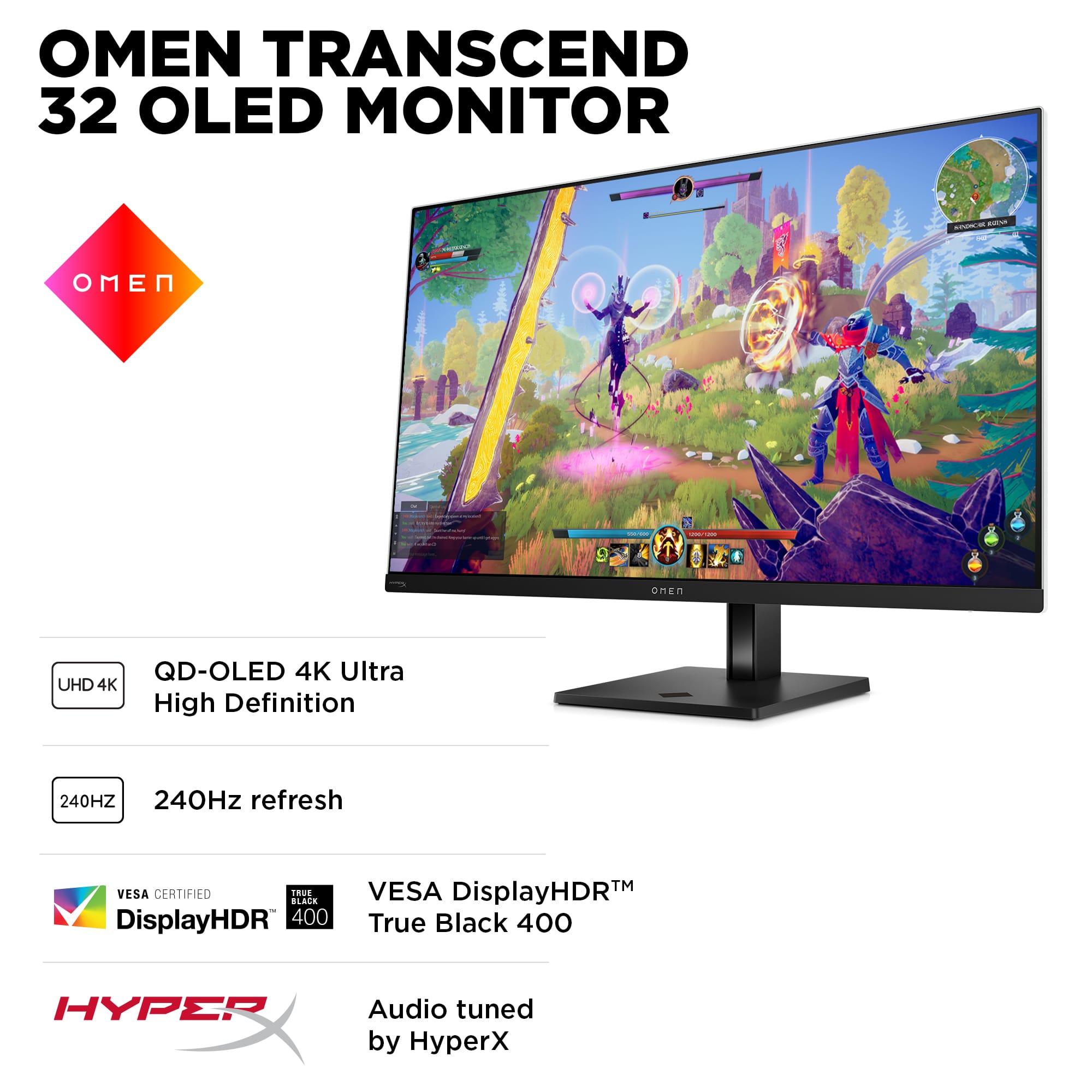
Customers praise the stunning picture quality and overall OLED performance, noting the excellent 240Hz refresh rate and great connectivity with plenty of ports. They also appreciate its brightness levels, especially for HDR content. However, some customers express concerns about the large power brick and a problematic firmware update process. Other issues include the high price point, pre-calibration HDR colors appearing muted, and a glitchy KVM feature.
This summary was generated by AI based on customer reviews.
Great Upgrade
||Posted . Owned for 2 weeks when reviewed.This reviewer received promo considerations or sweepstakes entry for writing a review.This monitor was the perfect upgrade for my setup. My favorite part is probably the interface that allows you to customize nearly every aspect of your viewing experience.
I would recommend this to a friend- Pros mentioned:Connectivity, Refresh rateCons mentioned:Hdr, Power brick size

HP Hits the Mark with OMEN OLED
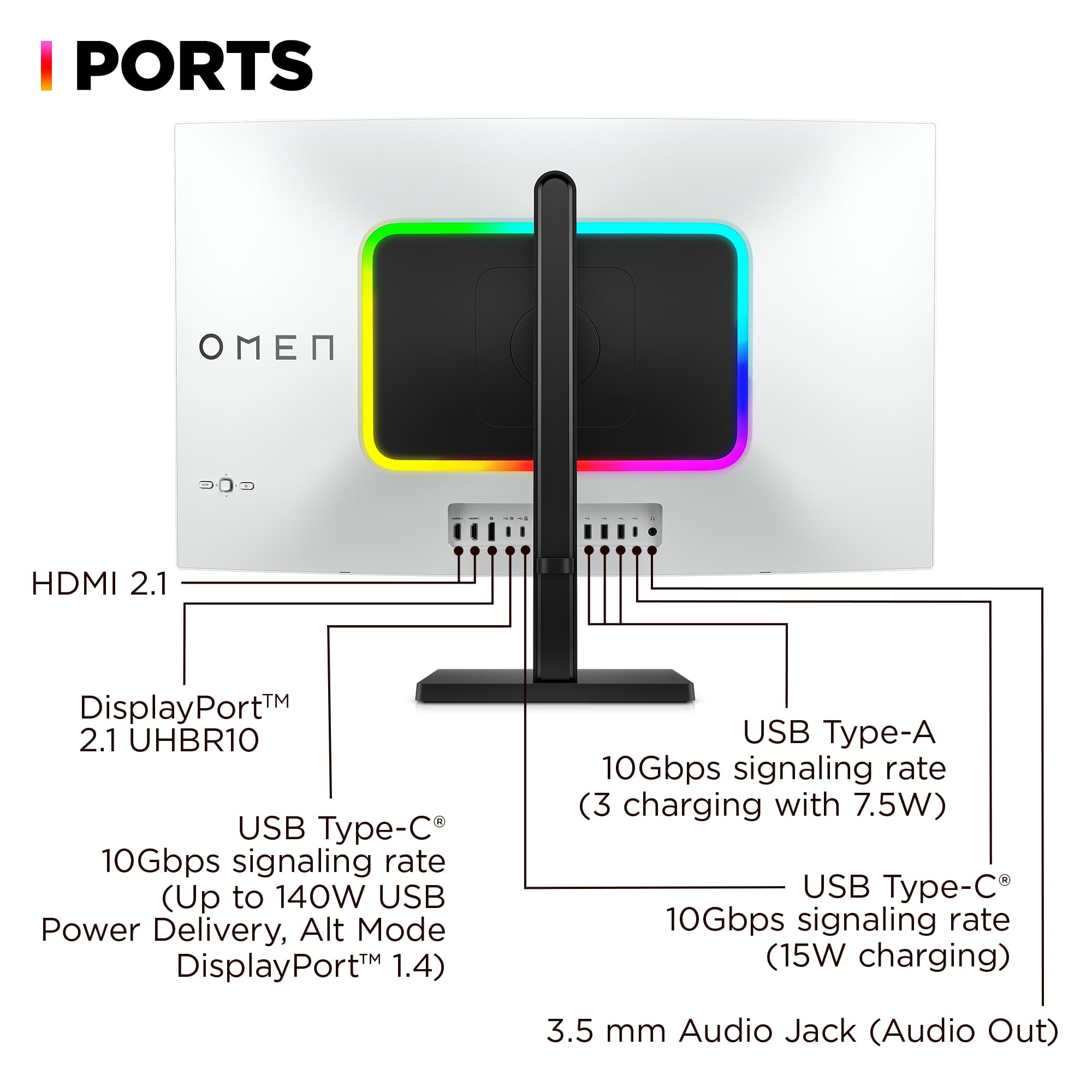
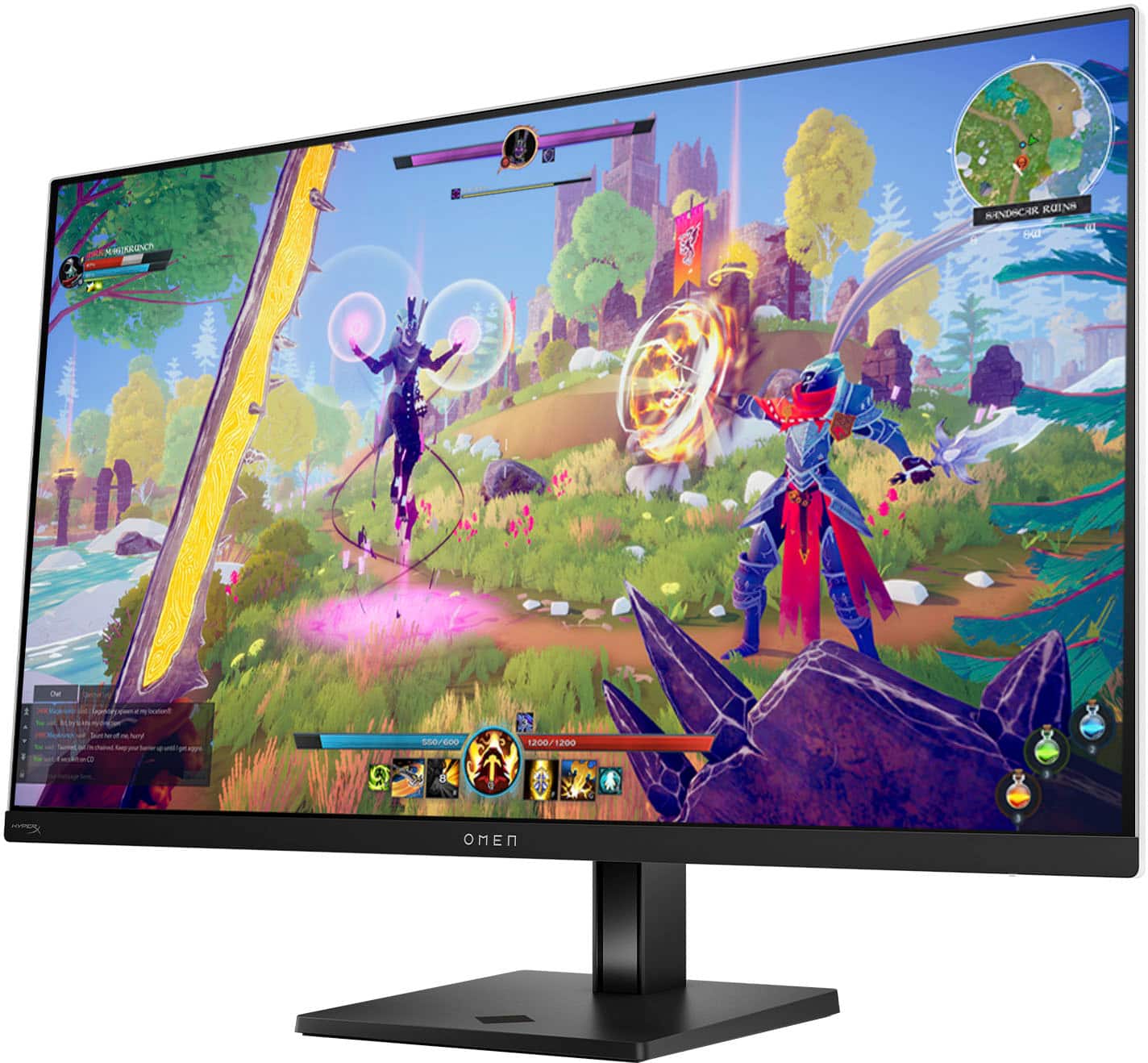
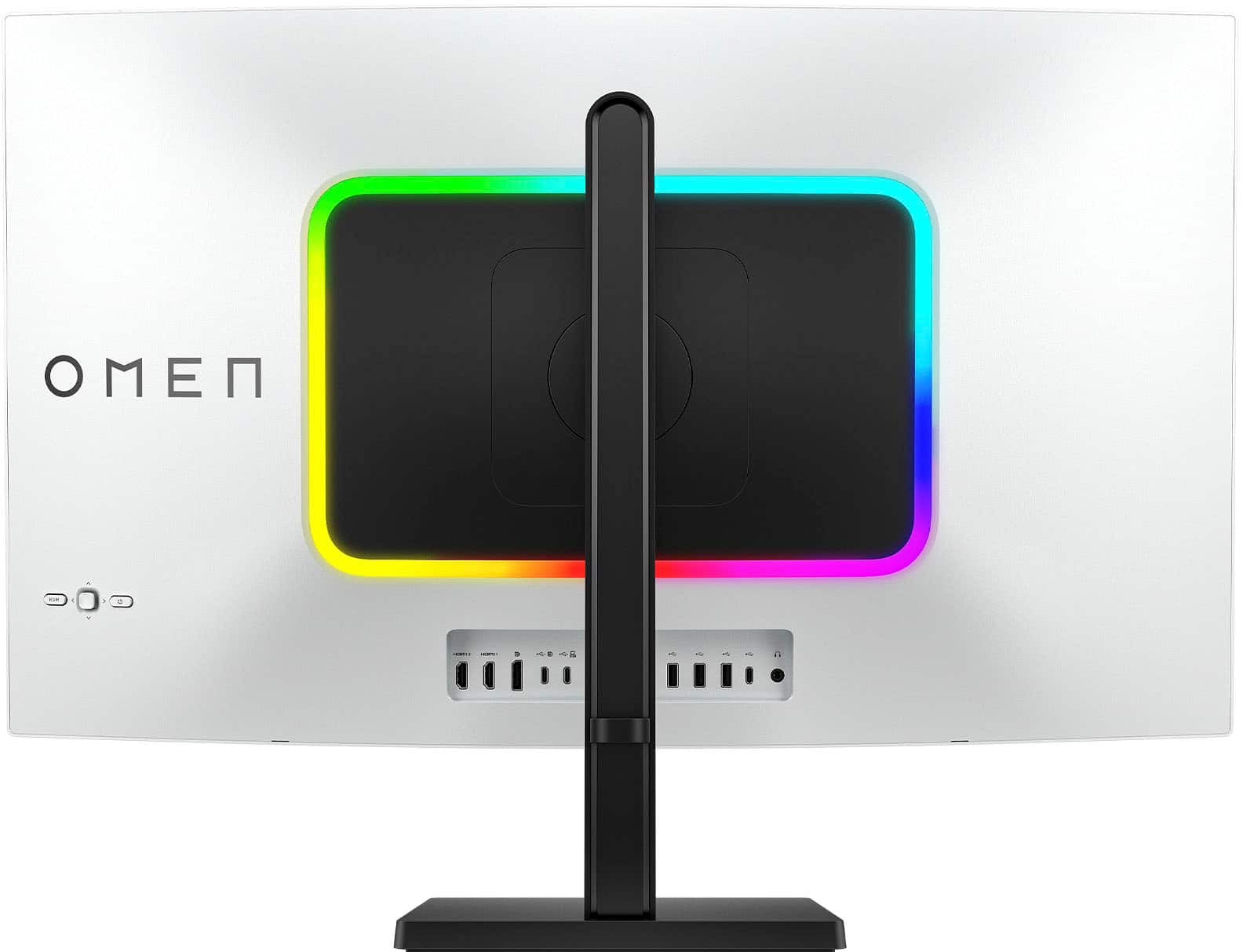
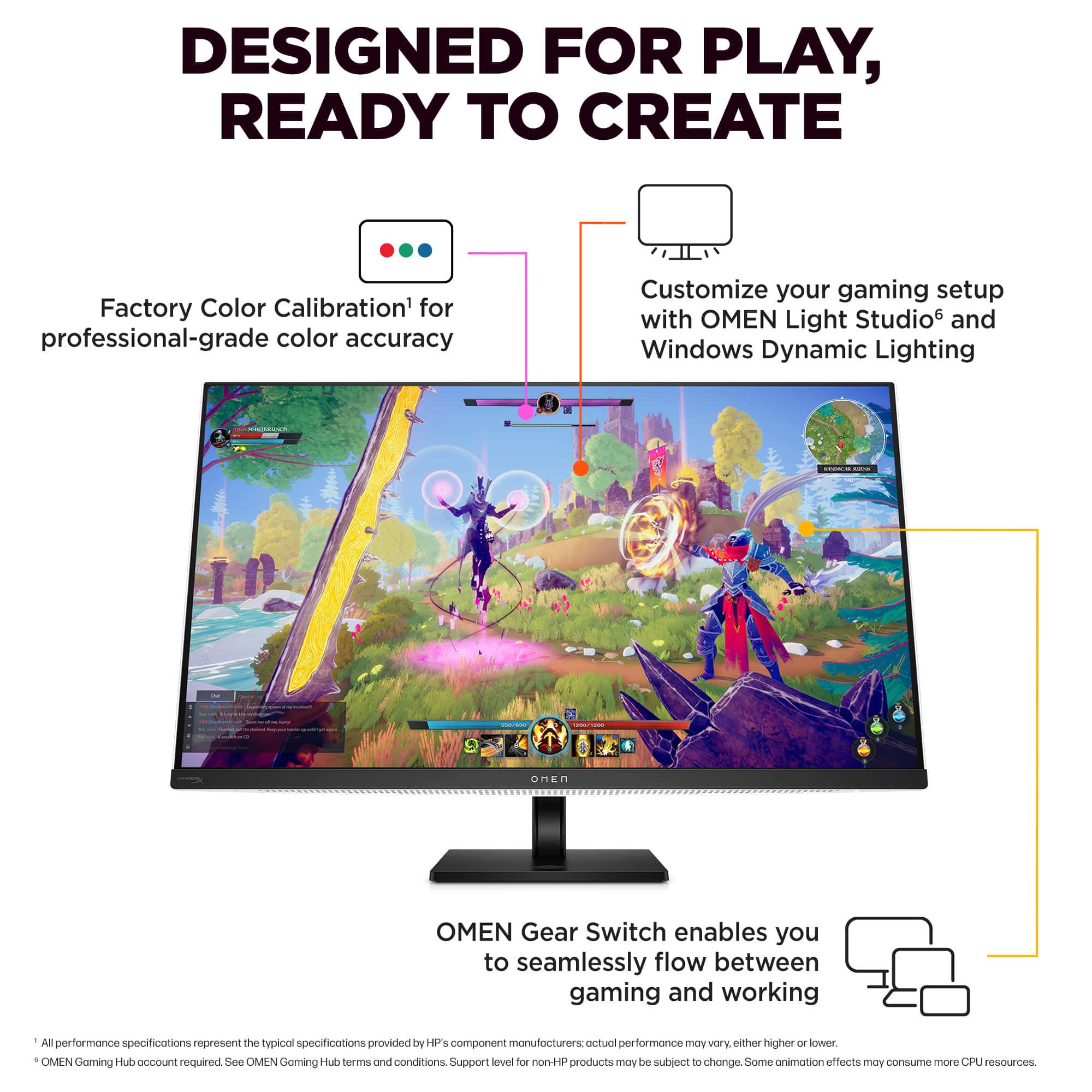
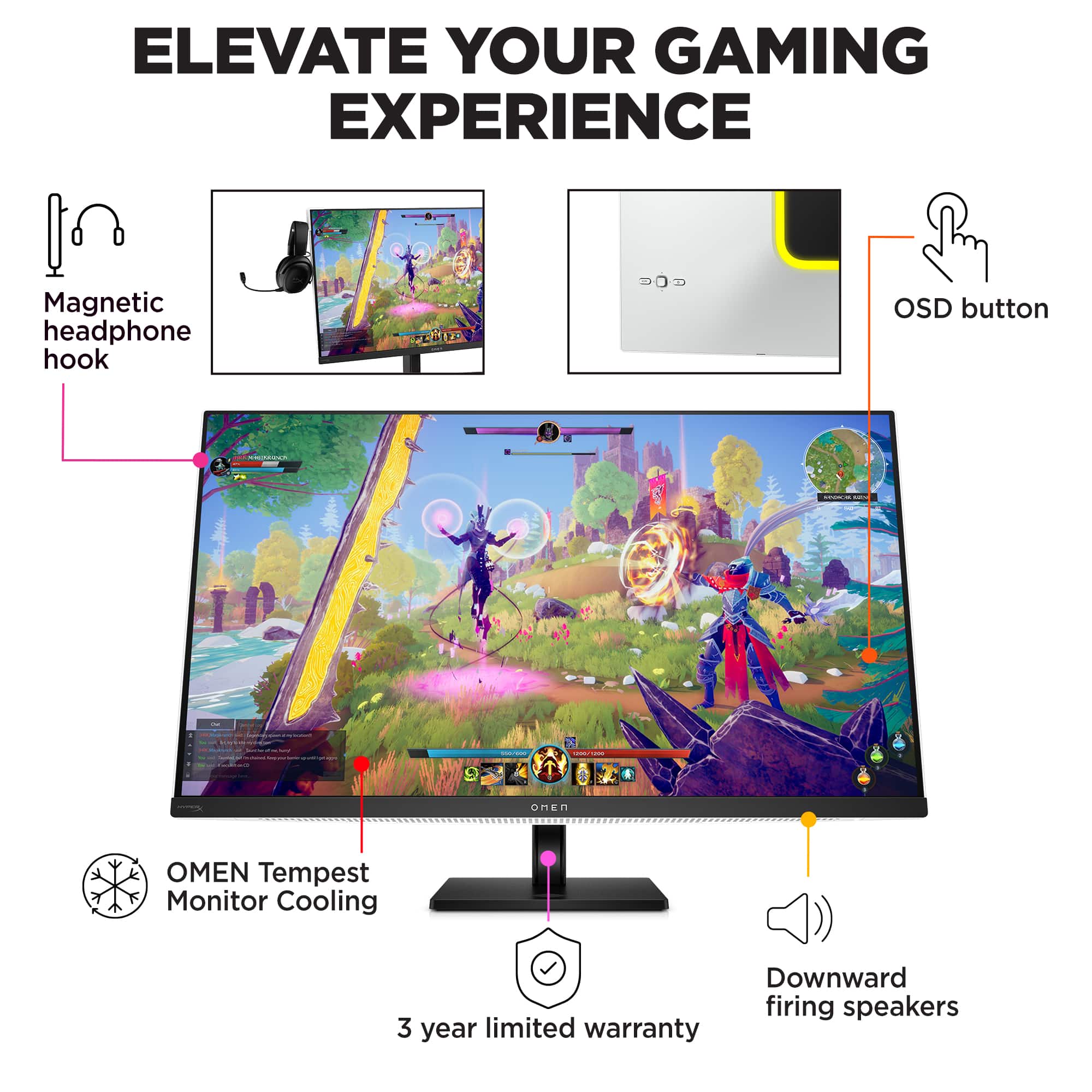
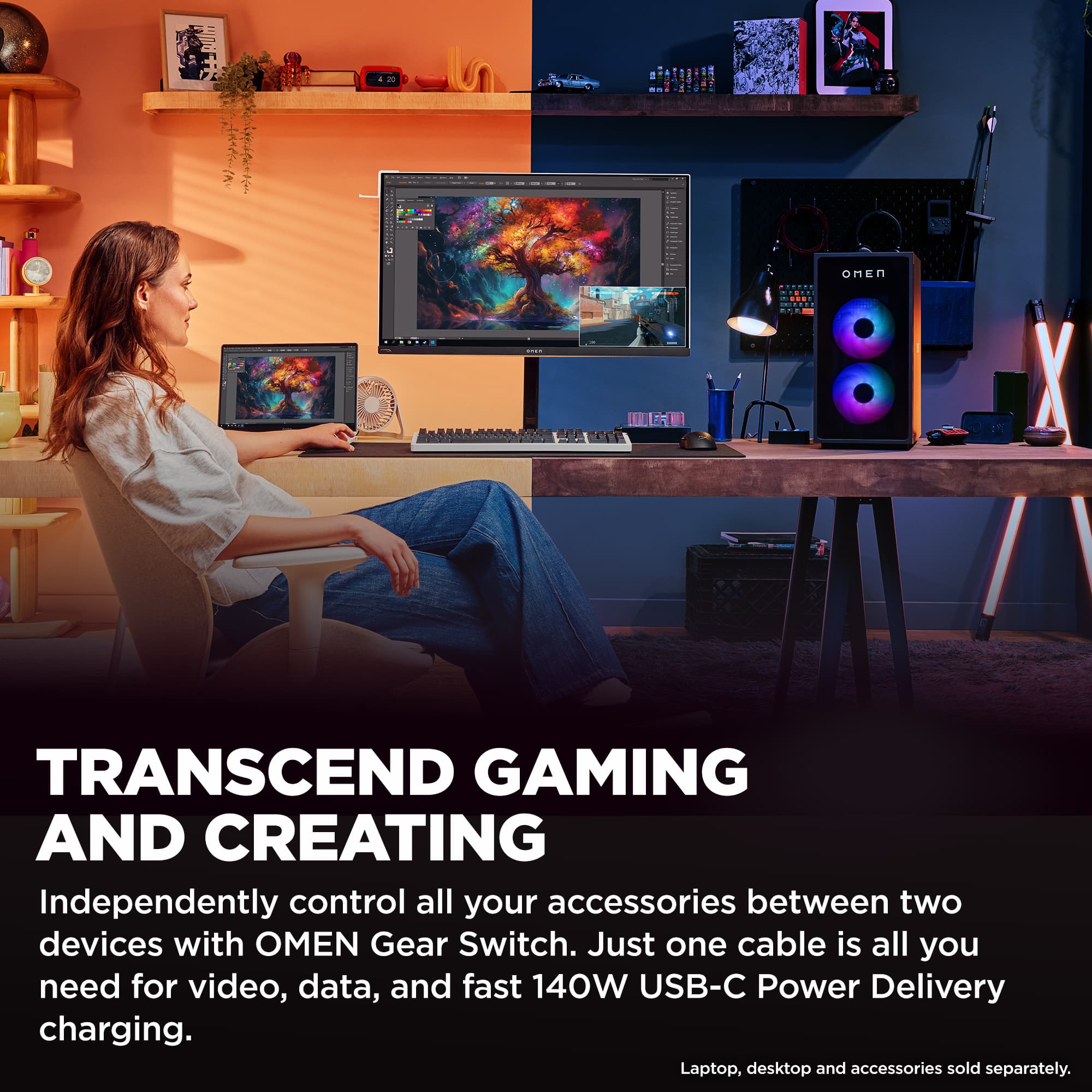
|Posted .This reviewer received promo considerations or sweepstakes entry for writing a review.I’ve been using OLED screens across multiple devices for the past few months, and they live up to the hype with some caveats. The worst of all being that most need calibration to be accurate, and the software to calibrate them is a mess at best. I wanted another 32in OLED monitor to pair with my other main display, which is also an OLED screen from another brand. I specifically wanted to try a different brand, to see if there was a better approach to the software included with the monitor. That is how I landed on picking up the HP OMEN Transcend 32” OLED. I’ve had a good experience with the HP OMEN laptops, so hoping that extends to the monitors. Pros: - Easy to navigate menus. - Pre-Calibration is decent. - Includes all the cables and plenty of plugs with KVM switch. Cons: - Pre-Calibration for HDR leaves colors slightly Grayish and muted. - Cables provided are on the short end, would like to see 5-6 ft. - Headphone holder only attaches to Left side. Setup: Before I even got to the monitor, HP impressed me with how thoughtfully designed the packaging was. The packaging is all made using recycled materials, mostly cardboard with plenty of space for all the included cables. Honestly, I appreciate both the extra thought and environmental consideration as it makes what is usually just a step to the product an enjoyable process. Setting up the OMEN Transcend 32” OLED was easy as monitors go. The monitor itself is light for such a huge device, it was easy enough to hold with one hand while attaching the monitor arm. A quick guide is included with 8 steps to set up, but the steps only outline the use of the included stand. If you want to mount on a monitor arm, you will have to pop off the back cover around the joint that attaches to the normal stand and unscrew it from the back of the monitor to get to the VESA mounts. Cables and Connectivity: One of the bigger shocks was the size of the power adapter, it is 8in by 4.75in by 1.9in and weights ~4lbs. It is better described as a brick for both size and weight, which is unruly for smaller desk space. Luckily, I’ve got plenty of space to hide this monstrosity out of sight. HP really steps up the connectivity game here with the number of ports on the back, there are 2xHDMI 2.1, DisplayPort 2.1, 2xUSB-C Upstream (1x DisplayPort Alt with 140W Power Delivery), 1xUSB-C 3.2, 3x USB-A 3.2, and a combo headphone jack. This is in part because of the included OMEN Gear Switch feature, which is just a fancy name for a KVM switch that allows the monitor to act as a plug for USB devices like Mouse and Keyboard between multiple devices such as a laptop and desktop. This makes it easy to switch input devices for all attached devices without having to swap plugs around. Additionally, all the ports are facing directly out the back of the monitor for clear and easy access. HP includes ALL The cables you need, but the included USB-C 20GBps cable is only 2 ft long! Ideally, this would be for a laptop or tabletop connection, but it would have been nice to see a longer cable, at least in similar length to the other video cable options. HP also amped up the built-in speakers which are from HyperX, like the audio solution included in their OMEN branded laptops. Even though the speakers sound alright for built-in monitor speakers, I will opt to use my headset or soundbar, as I’ve got the option. For those without a sound option, this will be a nice surprise. Oddly enough, HP opted to include a little headphone hook with the monitor, that connects to the top left side of the monitor. But for my current setup, that puts it right against my other monitor. It would have been nice to be able to put the hook on either side of the monitor, but it’s not a feature I was looking for. Software: I have to say, HP did it right with the software. Which is to say, you do not need to go through multiple menus or apps to adjust the setting of your monitor. You can even just use the joystick on the back of the monitor to navigate all the menus and adjust all the settings with minimum effort. Everything is straight forward, the biggest thing to take note of is the Professional Vs. Gaming modes, which changes how the presets and advanced display options available in the menus. This made adjusting the monitor settings so easy, I was able to find my ideal setting in less than a minute. This is how a monitor is supposed to work. Alternatively, you can use the OMEN Gaming Hub, which is downloaded from the Windows Store, to manage the display settings from a connected device. This is done by using either C1 or C2 USB-C plugs. But you do not have to use the software at all! That is the best part of this monitor, and exactly what I was hoping for. Color Calibration: HP went the extra mile with this monitor by including a report on the color grading, which honestly was cool. As I mentioned, I’ve got another panel by a different brand that I’m ashamed to admit how much time I’ve spent fiddling with the settings to get the colors right. With the OMEN Transcend 32, I set the HDR mode, and that has been all I’ve been using since with little only minor complaints. I found the pre-calibration to be a little muted, making bright colors seem grayish but it is miles better than other panels I’ve used. I could see in dark scenes easily while also getting plenty of color variation. I used a familiar location in a game I’ve spent too much time in, Destiny 2’s Tower Location under an overhang as it provides both light and dark extremes. The HP OMEN Transcend 32 blew me away with being able to clearly display all objects in the scene without any manual tweaking, for something I had previously spend hours adjusting on other displays. One thing you will have to adjust is whether to use the App controlled, Limited, or Unlimited range which controls the HDR peak brightness. This is helpful if you want HDR, but mostly want to control it via app settings rather than messing with the monitor settings every time. Performance: The OMEN Transcend 32 really sets the bar for OLED monitors. The monitor performs amazingly with the pre-configured settings, such that most users would probably find the presets more than enough for a perfect gaming experience. If a more custom setting is needed, the options are easy to get to and once set will save, which makes it easy to switch between modes. Otherwise, the specs are pretty much a copy of many other OLED monitors released this year: 4K Resolution with 240 Hz refresh rate and 0.03ms response time. It’s the little tweaks and software that makes HP’s take on the OLED monitor stand out. One such stand feature is the KVM switch really makes a difference if you are going to plug in multiple devices because you can quickly switch controls from one device to the other, without swapping cables. Plugs all worked as advertised. Conclusion: The HP OMEN Transcend 32 OLED is a solid take on the 32in OLED monitor, with a simple yet strong focus on gaming. Features like the Gear Switch, 140W USB-C Power Delivery, and the Optional Gaming Hub software control make this a contender for one of the best 32in OLED monitors available. Plus, the pre-calibration is decent enough that most users won’t need go through hours of tweaking to get a good picture. Overall, I’m happy with it and adding it to my list of recommendations for gamers looking for the best available monitor.
I would recommend this to a friend Best Monitor
||Posted . Owned for 1 month when reviewed.This reviewer received promo considerations or sweepstakes entry for writing a review.Amazing monitor. Graphics are amazing. Very useful.
I would recommend this to a friend- Pros mentioned:Connectivity, Oled quality, Picture quality
Big and beautiful OLED display
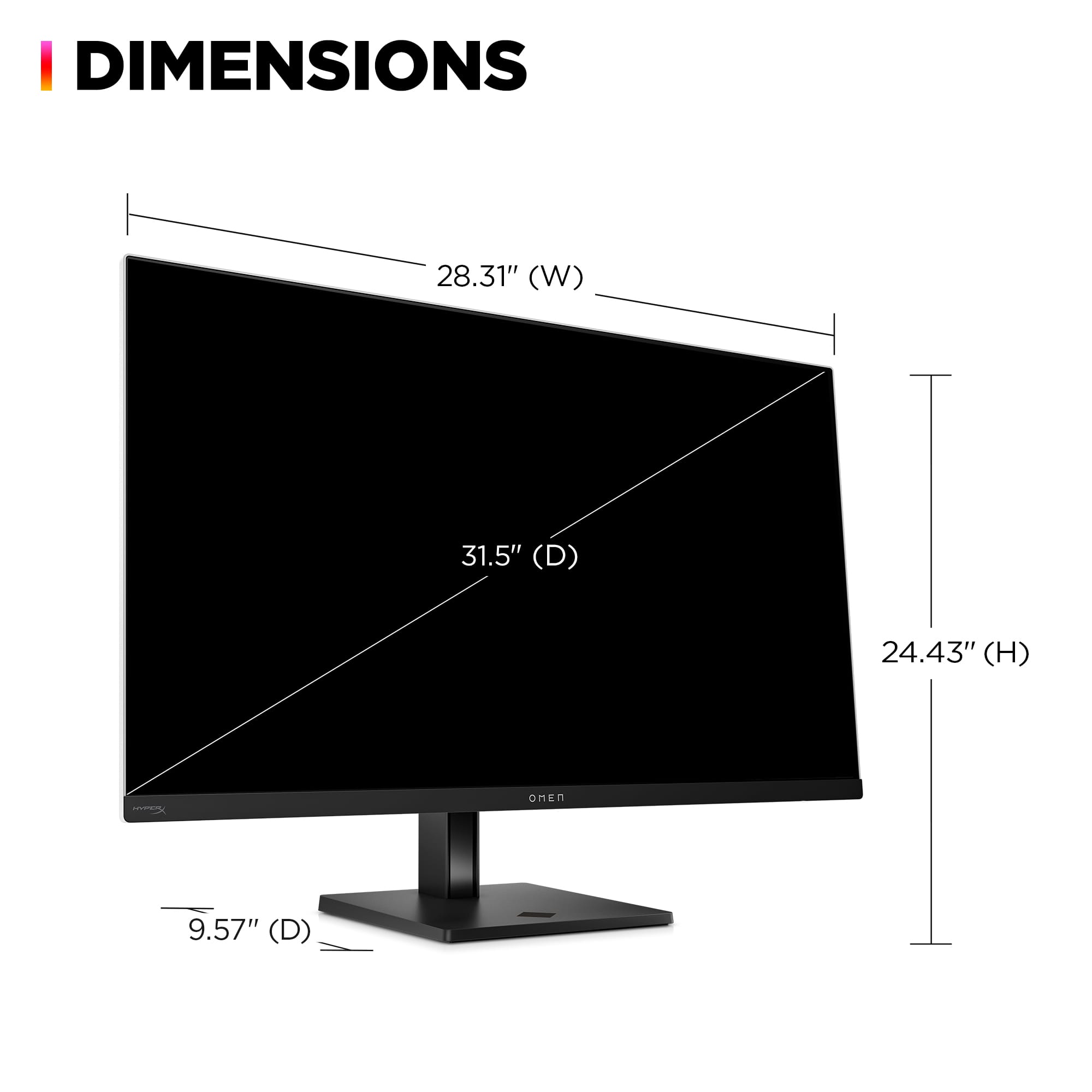
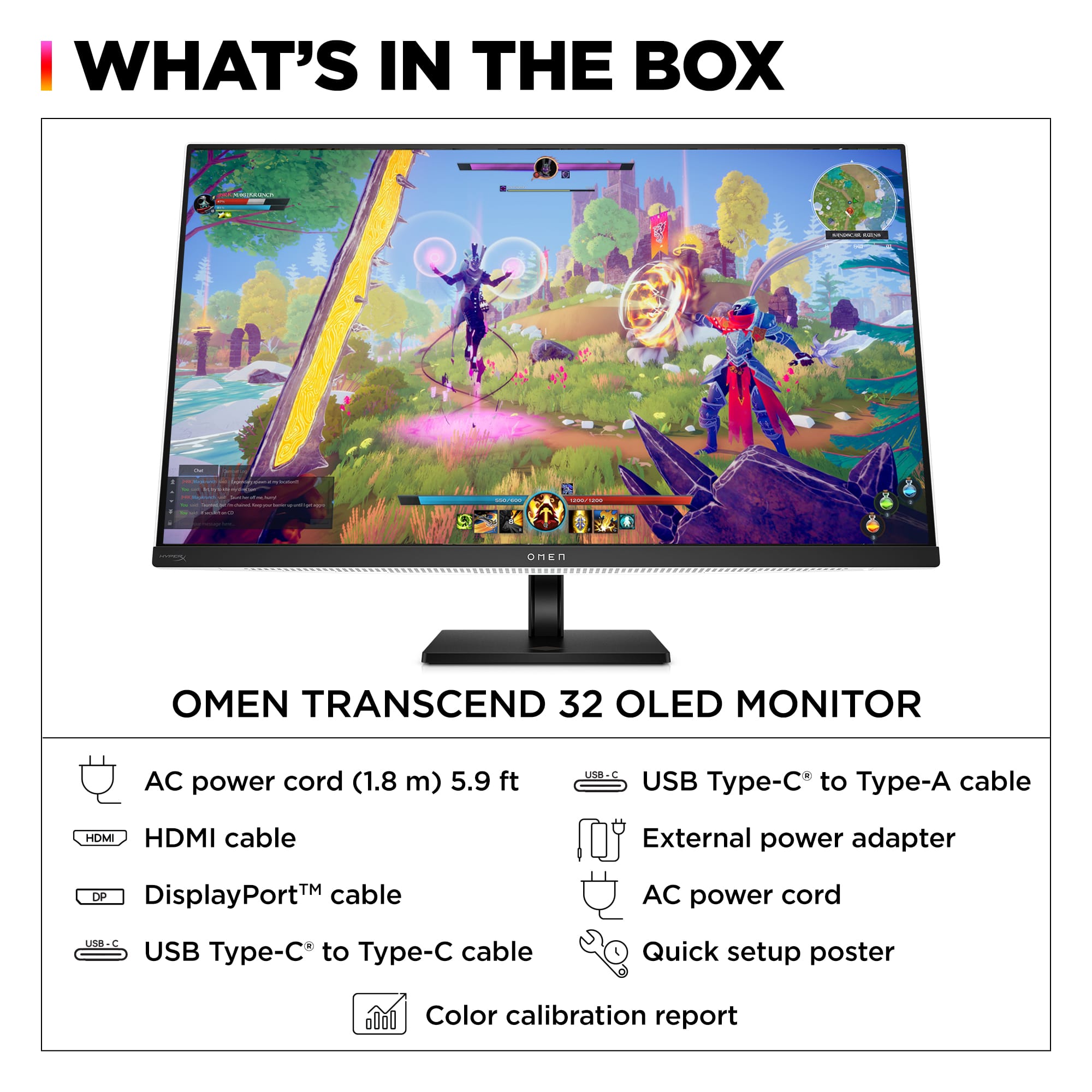
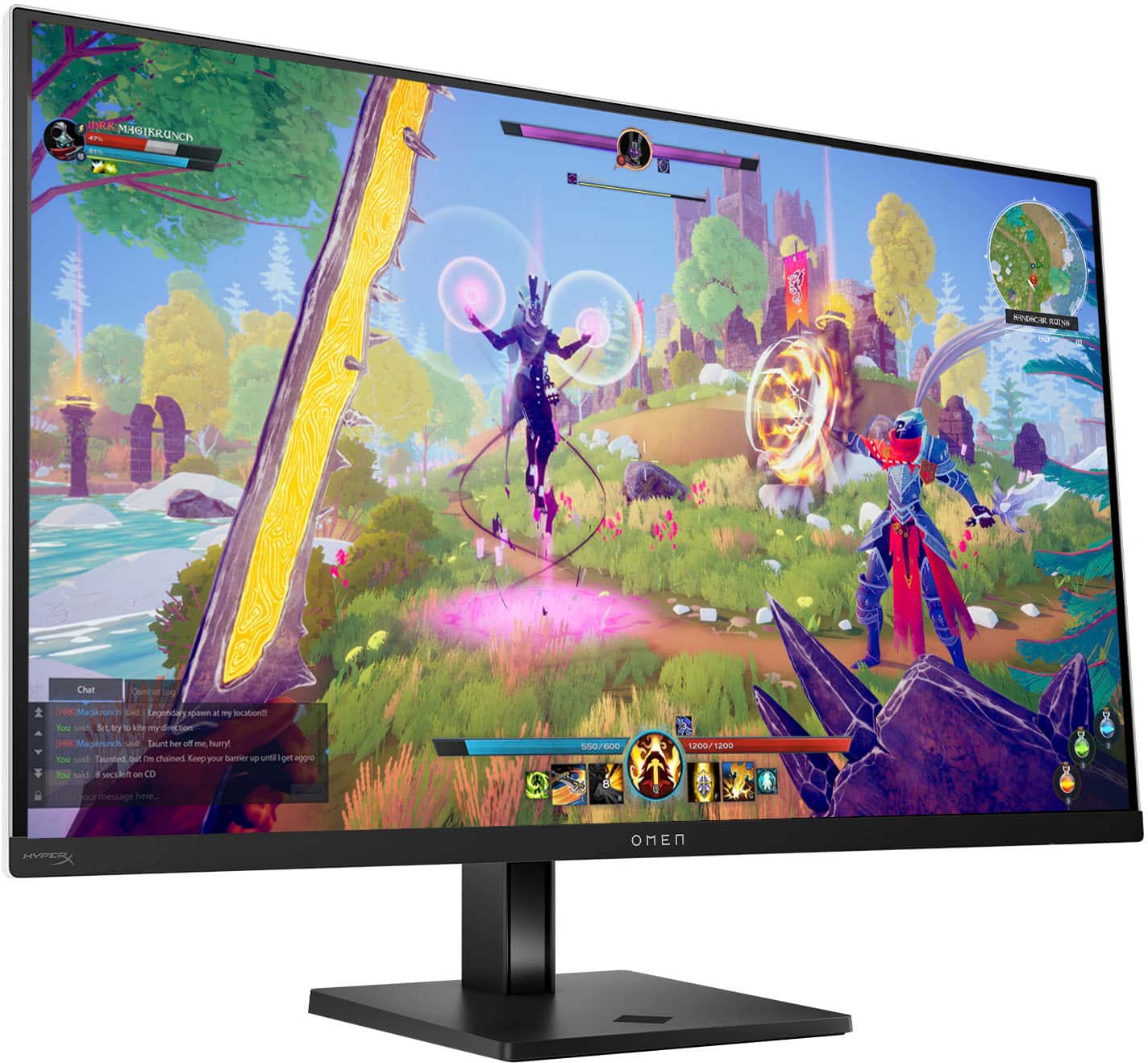
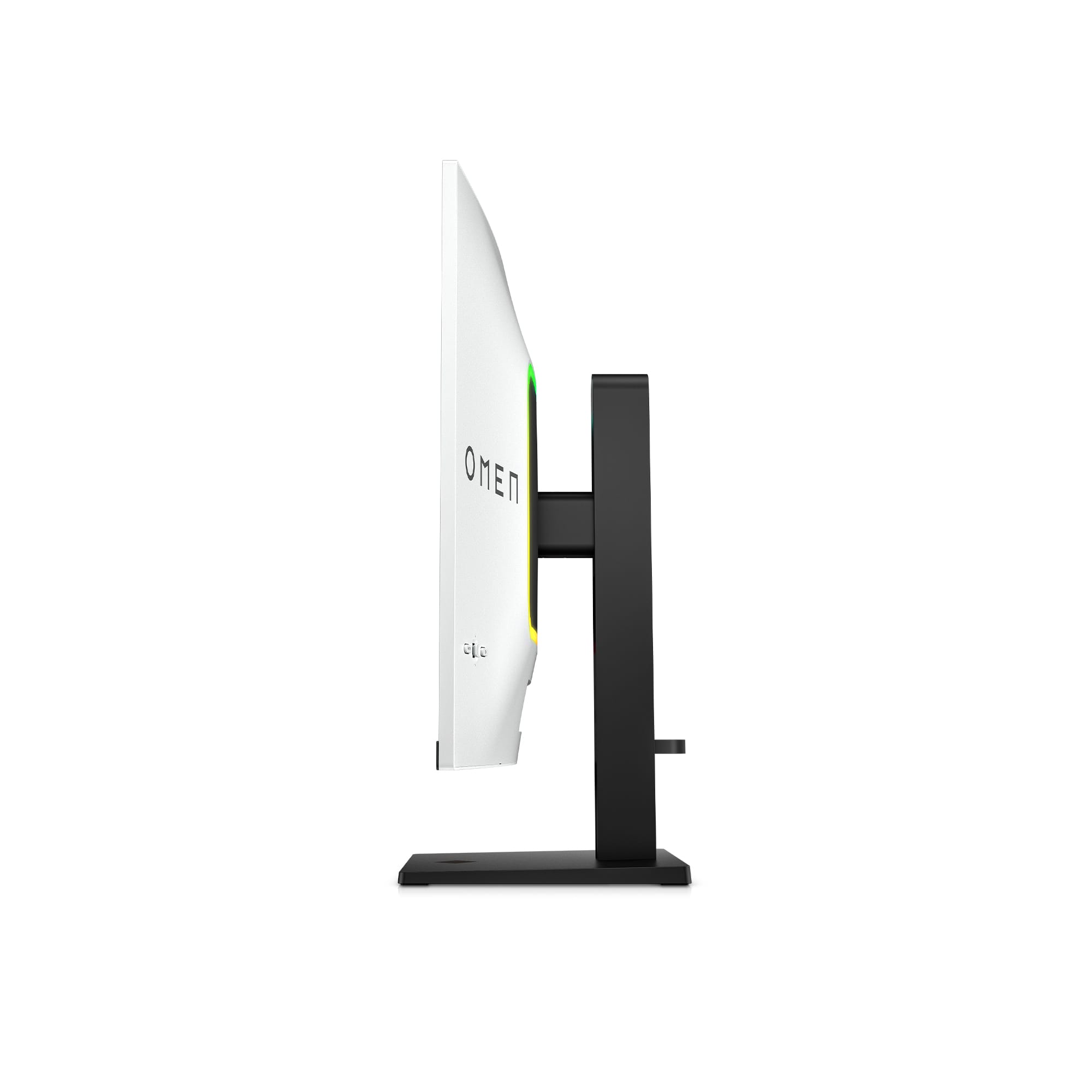
|Posted .This reviewer received promo considerations or sweepstakes entry for writing a review.This is an absolutely beautiful monitor. The colors are rich and vibrant. You just can't beat an oled display, they always deliver the best picture far and away. Playing games on this monitor is just an incredible experience. I play first person shooters mainly, and the 240Hz refresh rate is really beneficial with fast paced games like this. The 32” size is basically, in your face immersive. It takes a little getting used to in fact. I replaced a 27” LED monitor with this one and it's a huge difference. The actual physical bezels are very slim, like 1/16th of an inch. Since the color of the monitor back is white, the bezels actually stand out more than if they were black, but this isn't a big deal. The stand it come with is quite adequate, but I had to reuse my after market stand in order to get the monitor to go low enough where it would fit under the desktop cabinet. I did try the stand it came with first, and I really liked it, very easy to attach and moving the monitor up or down was easy. Unfortunately, it just wouldn't go down far enough for my application. As I said, the housing of the monitor is white. For me, the color is not much of a concern because the rear of the monitor faces the back of my desktop cabinet. I really like the illuminated strip on the rear of the monitor. Even though I have it in a cabinet, you can still see the lights. If you have the monitor facing out into the room, it would probably be a cooler feature, but I'm forced to have it facing the back of the cabinet. At any rate, you can use the setup menu of the monitor to change the color of the lights, so you can change up the look if you want. According to the setup pamphlet, you can use the Omen Gaming Hub to adjust all the settings of the monitor. I had no luck with app at all. I was able to download it from the Microsoft store and install it, but I couldn't change any parameters at all using the Gaming Hub. The only way I could change any of the settings were from the buttons on the back of the monitor (which worked fine). And as a side note, if you go into the Windows settings you can change the resolution and various other basic display settings and Windows does have a Dynamic Lighting setting but it doesn't work either. Apparently, HP is “planning” to have support for this but there's no word on when this might happen. So if you want to change any of the more advanced monitor settings, use the built in buttons on the back (for now at least). I do like the native settings user interface. It's straight forward and easy to understand. The buttons are intuitive for navigating the menu and you can change a lot of settings. This monitor also lets you connect two PCs to it and offers you several ways to use this feature. One of the nice things about this is that you can actually drag and drop files from one machine to the other. Connecting both PCs to the monitor will require you to connect your primary machine to the USB-C video port. The second PC needs two connections to the monitor. One to the HDMI or Display Port and the other to the USB-C data port. Then, you need to connect any peripherals to the monitor instead of your machine. This includes keyboards, mice, game controllers, cameras, headsets, etc.. Then, you need to select the viewing mode you want. You can have side by side or picture in picture (several different versions of each). Not sure if all these connections are worth the trouble but you have the option if this is something you can benefit from. You also have the option of using the on board speakers. These are descent and have a pretty sound, but I opted to use my existing Bose speaker system. It also comes with a handy magnetic hook attachment you can use for headsets or whatever else you may want to hang on it. I was a bit skeptical at first but the magnet that holds it in place is quite strong and stays in place well. This monitor also comes with a USB-C to USB-C cable, a USB-A to USB-C cable, a standard size Display Port cable and an HDMI ultra high speed cable so no need to worry about getting cables. Everything you need is included. I plan to use this monitor for both gaming and office work. In both uses, it's a fantastic picture. I would say if you want to use this monitor for either one, you won't be disappointed, that is, if you can swallow the price tag on this guy. With a price tag north of $1200, it's not cheap by any stretch of the imagination, but it is a solid performer.
I would recommend this to a friend Regret my purchase. No help at costumer service
||Posted .This reviewer received promo considerations or sweepstakes entry for writing a review.Got this at a really good price (open box excellent condition). I love the price I got it for but didn't get what best buy had advertised. The condition is horrible with the screen scratching off. I wanted to exchange it for another excellent condition monitor but was told that I would need to pay the difference and that's an extra $400. I need help this is a horrible experience for me.
No, I would not recommend this to a friend- Pros mentioned:Brightness, Picture quality, Refresh rate
Beautiful Screen but G-Sync Discrepancy
|Posted .This reviewer received promo considerations or sweepstakes entry for writing a review.I have to point out what I noticed first that made me think I had the wrong model shipped. I know, from reading around that this monitor is supposed to be FreeSync with G-Sync compatibility. However, on the box and on the decal on the monitor it mentions G-Sync without the "compatible" and no mention of FreeSync. Connecting it to my gaming PC confirms that it's not native G-Sync and they've made an error by not stating it's compatible and giving the false impression that it's a native G-Sync monitor, which it's not. That said, G-Sync compatibility works great. Upon powering up I had two impressions: first was, "Man, this monitor is bright!". Second was the screen is so beautiful it's like I'm looking at a contone photo (you might have to look that up if you're kinda young, lol). It is gorgeous! The screen is glossy, but I prefer matte. Still the beauty is breathtaking. I've only gone up to 1440 UW because of GPU stress, so this is my first dip into 4k. DLSS is gonna be working hard here! The monitor supports 4k@240Hz, but this is only with DSC. The monitor only supports UHBR10 so it can't natively run at that refresh rate. DSC has its negatives, but image quality and response isn't one. The main gripe is that you lose one extra output head on certain GPUs. So verify that your GPU will support all your monitors if you have a multimonitor set up. Back to the brightness. Now, while you can control the brighness in SDR you don't have that option to change any image quality settings in HDR (which is normal for the monitor's I've used) but some still allow brightness adjustment. My gaming room is pretty dim and lit only by a single 60 bulb. I keep my screens pretty dim and still see everything clear. I even lower the HDR brightness because 100% is just too overpowering in this room. So the Transcend gets uncomfortably bright in bright settings in games. Some games allow tweaking of the highlights, but others don't offer any assistance so the leave me blinded. My game for right now is Diablo 4. It's not a super demanding game, but at 4k I'm hitting around 100FPS without ray tracing, but nowhere near 240 so having the high refresh rate really isn't beneficial to me. This is with using a 4080 super. My processor is kinda old an costing me a few FPS, so once I switch my other desktop as my main with the 14700 I should see a little improvement. Overall the monitor is the best looking monitor I've ever owned. When I get time this weekend I'm gonna hook up the I1pro and get the SDR calibrated and see how well everything looks when the screen's set to where it's supposed to be. But even out the box it's amazing. If you're coming from LED to OLED, you'll be blown away.
I would recommend this to a friend - Pros mentioned:Oled qualityCons mentioned:Price
HP delivered on this overhyped monitor
|Posted .This reviewer received promo considerations or sweepstakes entry for writing a review.PROS: • Beautiful Quantum Dot UHD OLED Screen • True Blacks that rival higher-priced TVs • USB-C DisplayPort alt mode • Tempest tech for burn-in anxiety relief • Plenty of HDMI ports and a nice input hub • Very lightweight monitor for the size • Flat stand (These are my favorite because you lay speakers or whatnot on top of the stand base) CONS: • Price ($1300, which is nearing 77-inch OLED TV prices) • No remote (I feel like a remote should be required for this price!) • very small white bezel around the screen (this is a little gripe because it's not super noticeable, but I'd rather the front be black instead) When it comes to hyping anything up, there is a delicate balance of time that a company must take into consideration. If something is released too soon, many potential buyers may not find out about it in time, but if too much time goes by? The hype can fade, and other devices may come out and overshadow the device they were trying to excite. That's what's happened here with HP's Omen Transcend 032 UHD OLED monitor. When it was initially "announced" in January 2024, it immediately got hype because it was one of the first monitors offering DP 2.1, which allows for 80Gbps bandwidth and 4K 240Hz streams without DCS or issues. However, upon further inspection and research, these monitors can only use 40Gbps of the 80, which doesn't fully utilize the DP 2.1 capabilities. It's the first of its kind, so HP may have limited it while offering something "revolutionary." Or it may be a marketing ploy. We'll see what Nvidia and AMD will do to utilize it as more and more monitors offer it. What is on board with this excellent monitor is: 99 percent DCI-P3 coverage and VESA DisplayHDR True Black 400 certification with peak brightness up to 1,000 nits, as well as uses Omen's "Tempest" technology to cool the OLED panel during prolonged gaming sessions - which in turn helps with potential burn-in. OLED monitors still have the potential for burn-in, which can scare some consumers from taking the leap. However, as someone who has had LG OLED monitors for years, I haven't dealt with any burn-in personally. Other features are: Dolby Vision and AMD FreeSync Premium Pro for variable refresh rate support. This is also a Quantum Dot OLED panel, which should translate to even more vibrant colors. January 2024 is a long time to announce something, only for it to come out in November 2024! HP must have been confident in its offerings. And for the most part, after unboxing and setting up, I understand why. This monitor is premium through and through, from the stand to the white backing, the port hub, and the beautiful screen. Another significant feature is USB-C with DisplayPort alt mode and 140 watts of power delivery, enough for even powerful gaming laptops. That's what I'll be using this monitor primarily for. I have an excellent gaming laptop that I love using, but I'd love even more to hook it up to this monitor for the 32 inches of goodness. For $1300, it better be premium, right? I do wish it would have come with a remote! Many people use these monitors as TVs in addition to office work nowadays, especially with a monitor with extra HDMI ports like this one. I love using my LG remote to change inputs on my monitor in my downstairs office, so no remote is disappointing for this price range. This thing is releasing at an exciting time because word has it that other companies (LG, Samsung, for example) will be coming out with their next-generation monitors very soon (Holiday. That's another reason why it is interesting HP decided to wait so long to release this one. Was it because they wanted this to line up with the releases of another next gens? Because if they were to have released this back in Holiday 23, I'm sure it would be rated one of the best monitors you could buy. There is no perfect monitor, yet this is the best one you can buy now. Who knows what the other monitors will offer now? If you need a monitor right now, understand that this may be the best you can get. Even with its CONS, I'd say go for it if you need a premium monitor and don't want to wait for what comes next - because, let's face it, we can always "wait until the next gen comes."
I would recommend this to a friend - Pros mentioned:Oled quality, Picture quality
Fantastic OLED for advanced gaming & productivity
|Posted .This reviewer received promo considerations or sweepstakes entry for writing a review.This is an all-around great monitor. With a 4k resolution, you get plenty of fidelity in both games and work (or just web browsing), while also getting a ton of screen real estate at just shy of 32.” The OLED panel brings great punchy colors and true blacks, while factory color calibration ensures accuracy. It checks all of my boxes. __OLEDS ARE NOT ALWAYS GOOD, THIS ONE IS__ I have other modern OLED gaming monitors, including super ultra-wides, but higher resolutions seems to be how to make them shine. The reason seems to be that the sub-pixel layout of OLEDs can create a grainy effect at lower resolutions (due to the larger blue diodes), while the non-grid layout has traditionally bested Window’s ability to render text smoothly. I find my 1440p OLEDs looks great for games, but fail me for basic web-browsing for this very reason - text just looked terrible. It’s almost contrarian as this isn’t the case with an LCD panel at the same lower resolutions… Luckily, that’s not the case here - with such a dense resolution, everything looks great. Colors are bright and accurate and you gain the unbeatable black levels of an OLED. __DESIGN__ While a monitor in white isn’t what I normally would gravitate to, it looks great. It feels modern and would pair well with a PS5, aesthetically. The screen feels edgeless, with a bit of a presumed buffer offered to OLEDs to reduce the chance of burn-in. Speaking of preventing burn-in, OMEN claims to have a great cooling solution built-in to help dissipate heat and keep the panel healthy. The base, while visually on the small side, feels hefty enough to hold the monitor up with ease. The arm is solid and heavy as well. The bulk continues with a transformer brick that is comically large, ****way**** bigger than I’ve ever seen before - and heavy. It provides a similarly super-thick power cable to the monitor, connecting with a chunky (likely proprietary) 4 prong connection. In terms of unique features, a magnetic headphones hooks is included and allows you to hang a pair at the left corner of the display. I wasn’t sure what I’d think of it, but it works and looks nice. Plus, when you don’t need it, it’s trivial to take it back off. And since this is a gaming monitor, OMEN included rear backlighting. Accessible from the monitor menu, you can adjust the lights to various patterns and, as I prefer… a nice soft white that helps illuminate why space behind and around the screen. It feels tasteful. Built-in speakers are respectable, but not amazing. They lack a bit of bass, but are otherwise fine. Less fine is that it seems that primarily hardware control over the speakers is buried in the display’s menus. Software buttons seemed unable to adjust the baseline output of these, so navigating the display menu with the little joystick on the back was the only way I got the sound levels up…. Though this may not be necessary all of the time once you’ve found a relative output you like. And finally, a fantastic OLED panel is at the heart of it all. I’ll say it again - it’s hard to beat an OLED for bright, accurate colors and deep true-blacks. With higher refresh rates achievable, games can look buttery smooth. Plus at 4k, you don’t get any of the downsides for productivity or text rendering. Everything I throw at it looks amazing. It’s a trifecta of features that make this great. __REFRESH RATE__ Let’s get this out of the way too… 240hz at 4k is hard to achieve at the time of writing. Even with expensive cables and rigs, you’ll be lucky to push that much data. While this monitor advertises DP 2.1, it doesn’t seem to do so without compression (DSC) - but there are already so many things working against getting to this level of resolution and speed, that I feel that the discussion is moot. The picture on this monitor looks amazing, and these specs allow it to adapt to just about any situation I need. For some, they may feel they need the best, and a theory that avoiding this compression will subsequently avoid the computational decompression and provide a noticeable advantage in competitive FPS’s is a bit silly to me. Most will play at lower resolutions if speed is important, and for my setup, I struggled to get good quality gameplay at 240hz. That’s no doubt the limitations on my hardware and not this monitor. Like I said, this monitor has enough to adapt to your needs, while reliably providing a beautiful solution to each. Playing at slightly lower resolutions when I need a higher refresh rate is an easy trade-off for me, but your needs (and hardware power) may vary. - And if you’ve never heard of this discussion in the gaming community, best to skip over it as nothing important to your needs ;) __OVERALL__ OMEN has a great monitor on their hands - resolution, speed, size, and color fidelity all come together to provide just about everything I’d want from a monitor. Sound is decent, but I’ll stick with my external speakers… and while only the most high-end machines and cables are likely to be capable of getting the maximum out of it, it provides a fantastic image for just about any use, from gaming to productivity.
I would recommend this to a friend - Pros mentioned:Picture quality, Refresh rate
Stunning large OLED Monitor
|Posted .This reviewer received promo considerations or sweepstakes entry for writing a review.I didn't realize just how big this monitor was until I actually got it out of the box and setup on my desk at home. This sucker is huge, and even though the dimensional size is smaller than my curved OLED it just physically looks and feels so much larger. When I opened the box the first thing that I noticed was just how massive the power supply was for it. Out the box with the stand attached and setup on my desk was less than 5 mins. It came with all the necessary cables to hook up to my gaming desktop using the display port cable, my work laptop using the HDMI cable, and the USB C to USB C cable to hook connect it to my gaming desktop. It has multiple ports that allowed me to plug the receiver for my headset in as well as a cable to charge and use my SCUF Instinct Pro controller. The blacks on this monitor or some.of the darkest I have probably seen and the HDR really made the games I have played so far really pop! I haven't experienced a bit of ghosting or shuddering with any game I have thrown at it and if you have an Nvidia graphics card you can take advantage of all thier advance features. Pros - Picture quality and sharpness with super deep blacks - Multiple resolution options with industry leading refresh rates to climate any ghosting or studdering - LED lights on the back that can be customized and even synched up with your PC if you have the software to synchronize it - Lots of built in features such as an FPS mode and also aim assist to put a permanent cross hair on the screen for improved hipfire accuracy - Audio via the HDMI laptop I had connected sounded clear and crisp - Removable headset hook to hold your headphones when not playing Cons - It is gigantic and takes up a significant footprint on your desk - It is very heavy and the power supply is extremely large and heavy Overall this is an outstanding gaming monitor that can also double as a work monitor. I currently hookup my wome laptop via the HDMI and then game in the evening using it with my Omen gaming desktop. The sharpness and clarity on this monitor really impressed me when gaming and playing Halo Infinite really allowed me to see all the details and color ranges it can produce.
I would recommend this to a friend - Pros mentioned:Oled quality, Picture quality
HP Knocked It Out of The Park!
|Posted .This reviewer received promo considerations or sweepstakes entry for writing a review.The OLED experience is something you have to experience yourself! I was used to 27' monitors. The 32 monitor is much better. You get more depth of field while gaming or creating content. The HP Omen Transcend is a Premium monitor that offers some additional add-ons. Such as the Display Port 2.1 which can't be utilized yet but in the future we hope to. It also offers USB-C charging at 140W. So it will charge most devices. You get plenty of additional ports if you need them. The Monitor came with all the cords as well. So HP didn't cheap out here and not send USB-C cords or a Display Port cord. The monitor has a unique connection to the stand. It's your typical stand with adjustment. I always use a monitor arm. Which you can easily accomplish by popping of the plastic attachment. Next, undo 4 screws and you have your VESA mount. The monitor also came well protected. The white backing looks different than most monitors. You have what appears to be vents on the top. You get narrow bezels with a bottom chin with the logo. It's a great-looking monitor. The OLED Glossy Panel is by far the best. The colors just have a little bit more pop. While gaming this thing looks amazing. Playing Helldivers 2 was stunning. The colors and scenery just made the gaming experience exceptional. While 4K gaming is an option you can always bump the settings down and still experience a great gaming session. There is some reflection but it was very minor. It was mainly the RGB lights from my desktop. The deep blacks and darkness were great. You have to see it for yourself. The menu layout is also great. The buttons are not in some weird location. They can easily be used when you need to make adjustments. The toggle button felt good and didn't feel cheap. The ups, downs, lefts, and rights felt normal. The menu settings are also quite neat. You get two different modes. A Professional and Gaming Mode. There is a decent amount of adjustment also. There are also settings for OLED protection. You have Pixel Refresh, Static Screen Protection, and Lower Third Detection. For some reason, they don't save and have to be turned on each time you turn the monitor on. This has to be one of the best monitors out you can get right now. A 4K 240hz monitor is great. The biggest con with this is I wish it got brighter. Yet, the monitor is still exceptional and a 10/10! It is my new main monitor now. I'm very pleased with it.
I would recommend this to a friend - Pros mentioned:Connectivity, Picture qualityCons mentioned:Power brick size
Beautiful OLED with Many Extras!
||Posted . Owned for 2 weeks when reviewed.This reviewer received promo considerations or sweepstakes entry for writing a review.Gorgeous picture with a lot of presets at your disposal to suite your needs. Purchased for work and gaming. Text fringing is minimal to non-existent. Images are sharp. HP knocked this one out of the park! Love the built in KVM and the ability to supply 140w power delivery from the monitor! Just beware, like others have said, the power brick is quite large. I have been extremely happy with the performance of this monitor so far.
I would recommend this to a friend - Pros mentioned:Connectivity, Oled quality, Refresh rate
Overall a beast for windows.
||Posted .This reviewer received promo considerations or sweepstakes entry for writing a review.Bought an excellent refurb. This is actually my second one since the first one had a dead pixel Overall, first entry to OLED. 240hz is crazy but can you notice the difference between 144 vs 240? Probably not. Why I picked this: - 90W usb c with DP for my Mac - usb C hub with multiple ports - 32” OLED 4k Cons: - slight delay with the usb hub but that’s expected - UI is kind of confusing. - the auto detect for input source is kind of bad compared to an office dell monitor. I’ll have to manually change it - do not use a Mac with 4k. It’s terrible ha. Too poor for a Studio Display
I would recommend this to a friend - Pros mentioned:Picture qualityCons mentioned:Firmware update, Hdr
Outstanding Screen Quality and Minor Nitpicks
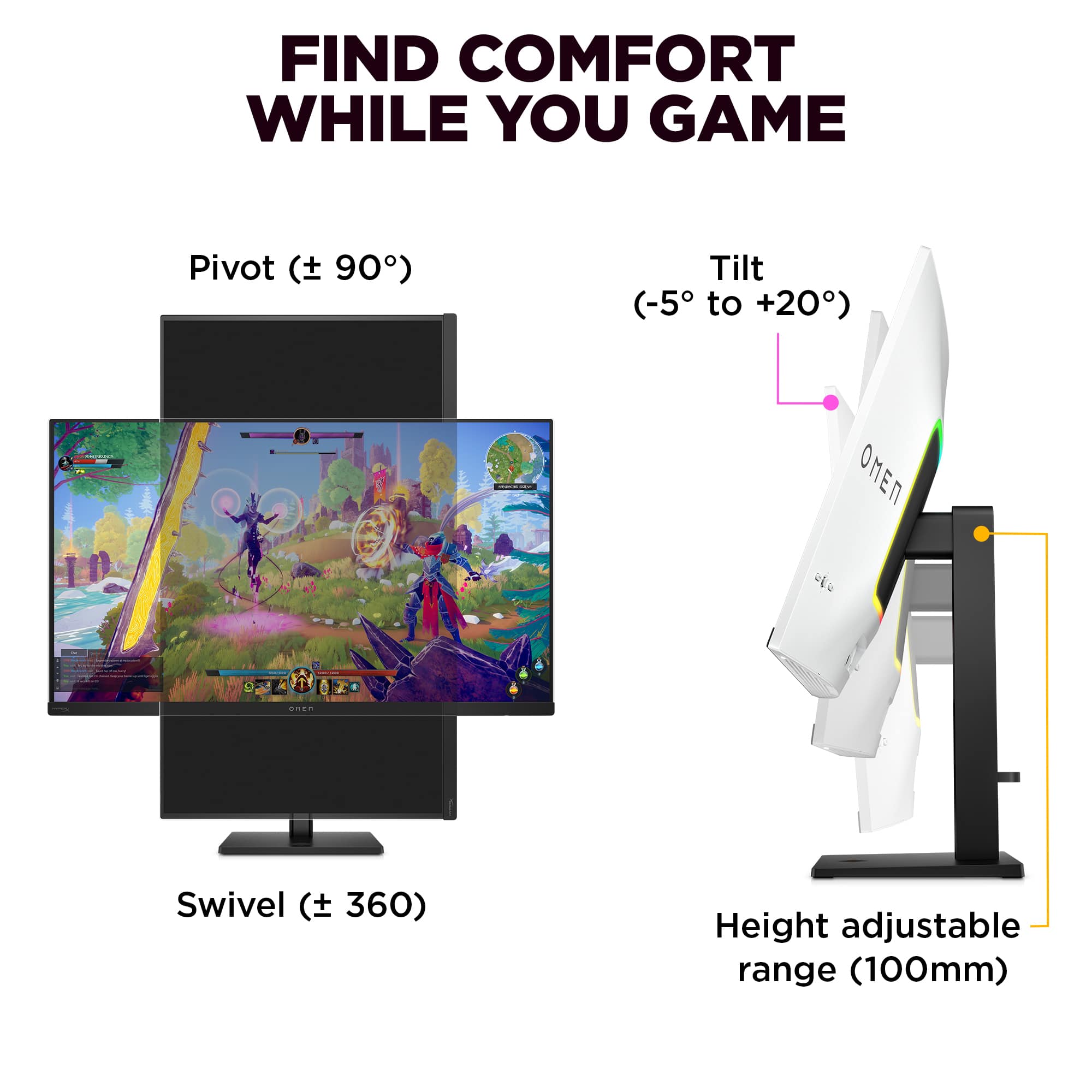
||Posted . Owned for 1 week when reviewed.This reviewer received promo considerations or sweepstakes entry for writing a review.Stunning picture quality on a semi-glossy 4k QD-OLED display with 240hz designed for both gamers and professionals. Gets plenty bright. However, it is held back by firmware update issues, limited tilt, and the built-in Hyper-X speakers are not as robust/deep as I desired. The sound tears in very detailed listening compared to LG's built in speakers. The built-in speakers are not immersive and required equalizer fine tuning by me for it to be pasasble. Very limited sound stage. The monitor stand feels cheap and takes up a lot of area if using a small desk. The inablity to dim the monitor during HDR was infuriating at first but I found work arounds such as HDR local dimming inside Windows and using the lowest clipping setting in the built-in UI. 140 watt charger to charge phones and laptops is nice. KVM works. White boarder is stylish but hurts immersion in brightly-lit rooms. Excels in dark environments. The screen quality and clarity blows me away. The UI features are a nice addition offering gaming and professional settings.
I would recommend this to a friend - Pros mentioned:Refresh rateCons mentioned:Power brick size
Interesting monito, good enough
||Posted .This reviewer received promo considerations or sweepstakes entry for writing a review.Pros: + Versatile, multiple modern full spec inputs + Shareable between desktop PC and MacBook + Sale pricing overcomes issues + 240Hz is fast enough, Mac Mini M4 base connects at 240Hz, MacBook Pro M4Max tops off at 165Hz is also fast enough + Mac Software HP Display Center has promise, I hope they keep updating it. It's a January 2025 first release. + On paper, this should be able to keep up with charging future high end laptops, but USB-C charging is a mess so most times you'll see 100Watt charging (which is still top of the line), technically supports 140Watt and possibly more theoretically. Cons: - Awkward, proprietary power brick is funny and I'm certain it'll be hard to live with over the years. MSI 90watt charging USB-C model users integrated power supply and standard cable. MSI gamer styling is not good but its subtle and easy to ignore, I think MSI has a winner. - Sale pricing absolutely a must, and it would be better if it was priced right to begin with. - Could be brighter in daylight but probably healthy for eyes that it isn't. My results: Base Model Mac Mini M4 ($500) powered this at 240Hz and it looks great. Consider this monitor and that tiny Mac Mini M4 over an iMac. M4Pro and M4Max MacBook Pro's cap out at 165Hz and I don't know why that is. Could be corrected later. 16" M4Pro MacBook charges at 140Watts over USB-C which is refreshing. 14" M4Max MacBook Pro charges at 100Watt over USB-C. Dell XPS 15 Charges at 100Watt or 90 Watt (unclear) but NOT at 130Watt. It's the 12th Gen i7 XPS 15 and it needs a special Dell charger to go 130Watt which it needs for full performance. 165Hz 4K. Desktop 4070 Ti 240Hz no issues
I would recommend this to a friend - Pros mentioned:Oled quality, Picture quality, Refresh rate
Fantastic Picture
||Posted . Owned for 2 weeks when reviewed.This reviewer received promo considerations or sweepstakes entry for writing a review.Great crisp 4k. Colors are super vibrant. Comes with HP Omen gaming hub software. Other reviews stating that updating the drivers are a pain are correct. Takes a bit of time to set up. Actual panel itself is great. I don't have the strongest gpu but playing older games at 4k 240hz feels like the way it was meant to be played and the oled adds another layer of contrast.
I would recommend this to a friend - Pros mentioned:Connectivity, Picture quality
Amazing in person!
||Posted . Owned for 1 week when reviewed.This reviewer received promo considerations or sweepstakes entry for writing a review.I was shopping for a new monitor primarily for gaming. At first I was set on a dual mode, because I wasn't sure if my 4080 Super could handle 4k on my fps games. Wow, I was wrong about that and listened to way too many online reviewers saying 2k was best for frames. I looked at the asus, msi, lg, and samsung 4k equivalents to this. Honestly this omen wasn't even on my radar until it caught my eye in store. I couldn't stop thinking about it since it was way more appealing in person despite having very little press or glowing reviews. This was by far the best looking screen and then the lg. My biggest suggestion on something this expensive is to go in store and forget the hype reviews. I would've had buyer's remorse getting anything else. The KVM switch concept is new to me too, but dang it's useful. Now, I'm using this with my M2 air in clamshell mode when I'm not gaming on my pc. It actually charges it with the included usb-c cable, so I leave the mac's charger in my bag. It's a stunning display, and I'm not even sure if I need my ultrawide for work anymore. There's a quality assurance insert that came with the transcend about it coming calibrated for creators / artists and I can opine that it's probably true. I'm not an artist though, so take that with a grain of salt. Although, just seeing 4k videos things look like they would in real life.
I would recommend this to a friend - Pros mentioned:Oled quality, Refresh rate
Swiss Army Knife of QD-OLED Monitors. None finer:)
||Posted . Owned for 3 weeks when reviewed.This reviewer received promo considerations or sweepstakes entry for writing a review.This OLED monitor does it all! There is no finer 3rd generation QD-OLED panel monitor available today. Spec wise it has EVERYTHING you could want. Even including built-in 4 speaker audio, 140W power delivery, HDR, plenty of ports- USB-C, USB-A, HDMI, Display Port, Headphones, etc. Features built in KVM switching, RGB lighting, quiet positive fan cooling (not just cheaper passive heat sinks), massive Power supply for powering all your connected devices and charging, 240 Hz Refresh rate, slick joystick controller of monitor settings. Note unlike some other QD-OLED Monitors the Omen Transcend 32 connects PERFECTLY to Apple Mac or MacBook PC'S (and of course Windows PC's) without any issues whatsoever (and better performing than any Apple Studio Monitor for way less $). NOTE: ALL OLED monitors have a little minor shadowing displaying lettering because of the way the RGB subpixels are laid out in a triangular pattern on the screen instead of in a straight line like on non OLED LED panels (Google it). So if you see SLIGHT shadowing on lettering THIS IS NORMAL and not a defect. Otherwise enjoy the gorgeous graphics and video, you are going to love it :) !
I would recommend this to a friend - Pros mentioned:Oled quality
Delivers exceptional value
||Posted . Owned for 1 week when reviewed.This reviewer received promo considerations or sweepstakes entry for writing a review.With the relative selection of monitors out there, picking this up for $900 feels like a steal, although that's still bookoo bucks as I still have a perfectly fine IPS monitor that's 5 years old that doesn't burn-in. I digress. ----- AUDIO ----- I don't know why $900 monitors come with speakers, but some do - for the sake of the review, I enabled the monitor's audio and it sounds...okay. Much prefer my bookshelf speakers however. If you're looking for a simplified setup for work, they would sound clear enough and are much louder than laptop speakers. ----- OSD ----- The OSD is pretty easy to navigate, but changing the colors is rather difficult as they're in scales of 1000 as opposed to 100. There's preset OSDs under "Professional" and "Gaming" categories. The professional presets lean blue and the gaming presets lean red, in color. Professional has Display P3, sRGB, Adobe RGB, and BT.709. Gaming has FPS, RGB, RTS, GRM (Game Remaster Mode), Native (OLED panel default settings), HP Enhance+ (?), Cinema (movies). Each category has an Eco mode. HP Enhance+ features a Low, Medium and High mode, which adjust its enhance algorithm. The Professional presets have a "Color Information" tab that shows info about the colors, like the gamma, white point, and rgb values, but they aren't adjustable. The Gaming presets has a gaming tab that lets you turn on AdaptiveSync (DP) or FreeSync Premium (HDMI), a crosshair, edge sharpening, an on-screen timer, and your refresh rate display. The other menus include Lighting, Audio, System (incl. oled care options), Input (KVM, current input, picture-in-picture), and Power. The OSD is both intuitive and lacking features as well as information. ----- KVM ----- The KVM is fine and mostly works as intended. I have a laptop and desktop that share a keyboard and a mouse. My main gripe is that the KVM button will not switch to the other system if they have fallen asleep; with the laptop I touch the touchpad to wake and desktop the power button wakes it. KVM switches fine then. ----- COLORS ----- This is my first OLED, and when the colors hit, they _hit_. Nearly everything looks washed out on my IPS now. Silent Hill 2 in HDR was fantastic. League, CS2, Valheim...everything looks really, really good. I usually just use the FPS preset for all games. ----- MISC ----- Firmware update was a problem with my desktop, but my laptop ran it no problem. Software in the monitor sometimes seems buggy - when I enabled the audio earlier, the OSD kinda stopped working and I had to turn the monitor on and off a couple times for it to work again. The joystick for the OSD feels cheaply made, but the power button + KVM button are both fine. I mount my monitor so I have extra desk space, and at 15lbs, it fits fine on my dual-monitor arm that supports ~25lbs per arm. I didn't feel like I noticed a huge difference going from 1080p to 1440p for games - but 4k (...and the OLED probably...) looks really, really nice. Things are visibly way sharper at 32" 4k than my 27" 1440p. I finally understand why some people are like "imagine 5k at 32"!" Jury is still out if it's worth $900, but among its peers? It's a no-brainer.
I would recommend this to a friend - Pros mentioned:Connectivity, Oled quality, Picture quality
Love it! (Photographer & Gamer)
||Posted . Owned for less than 1 week when reviewed.This reviewer received promo considerations or sweepstakes entry for writing a review.Excellent picture quality. Love the amount of USB ports and setting profiles it has. Downsized from a two 27" monitor set up and do not miss it. I do photography, video, and gaming so its nice a company made something all encompasing. Really beautiful monitor with the best Samsung OLED for a good price.
I would recommend this to a friend - Pros mentioned:Picture quality, Refresh rate
Fantastic Monitor... With Caveats
||Posted . Owned for 3 months when reviewed.This reviewer received promo considerations or sweepstakes entry for writing a review.First, the display is gorgeous. It technically has a glossy finish but it's not super reflective; if you're worried about that, don't be. I would take this over a slightly grainy matte finish in a heartbeat. Colors are rich, HDR works beautifully, 240Hz refresh rate is plenty. The menus for controlling it are well organized, nicely designed, easy to navigate, and intuitive; my only complaint with them is that it's too difficult to *exit* the menus. Other monitors will let you click left on the control stick to eventually exit; here, you'll need to scroll all the way down to the end of the settings window and select "Close." HP created an interesting prosumer/gaming hybrid display: it has gaming modes, and it has different professional color spaces and presets. Even the main OSD lets you switch between Professional and Gaming modes. The built in KVM has three HID ports and one data port (I have it connected to a mouse, keyboard, speakers, and a UPS). The KVM switches between one input connected by DisplayPort or HDMI and USB, and a second pure USB-C input that connects directly to your laptop and is able to power it up to 100W. Now here's what sucks, and it sucks a lot: - The KVM *will not allow you to switch to an inactive port.* If you press the KVM button, it *does nothing.* If you have your desktop hooked up to the USB-A and DisplayPort, and your laptop hooked up to the USB-C, and your desktop goes to sleep, the KVM button *won't work.* Enabling "OMEN Gear Switch" in the Input menu theoretically would fix this, but it doesn't. This is asinine; what good is a KVM switch if it won't actually switch when you tell it to. - Firmware update software is junk. The most recent drop was in February and it stalls out without being able to update the monitor's firmware. I've tried connecting with multiple computers. It loses connection to the monitor; if you look it up, you'll see a lot of other users having this problem. - VRR flicker is irritating but mild. This is endemic to OLED gaming displays. If your game is running at a low framerate (<50 fps) and kind of chugging, flicker on a dark scene will be noticeable. Higher framerates - especially if you use frame generation - will make this go away. Realistically this monitor is probably a 3.5 stars, and it's otherwise an excellent display. But it comes with big caveats: the VRR flicker endemic to OLED displays, broken firmware update functionality, and most aggravatingly, the KVM switch not working while an input is off/asleep. If you can live with those, it's a great choice for people who dabble in both professional work and gaming. It's entirely possible the firmware and KVM issues will be fixed in the future, but there are no guarantees. As an asterisk: if you're using a 50 series GeForce, *there is nothing wrong with your monitor.* Go into the Input menu and set it to DisplayPort 1.4; the 50 series GeForce cards support DisplayPort 2.1 on paper but at the time of this review, it's extremely flaky. DP 1.4 uses Display Stream Compression to hit HDR and 240Hz, and it's visually indistinguishable from an uncompressed DP 2.1 connection. If you want to complain, complain to Nvidia. ;)
I would recommend this to a friend