Customer Ratings & Reviews


- SKU:
- 6203581
to a friend
Customers are saying
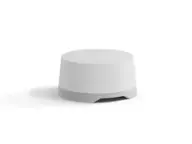
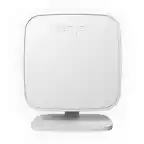
Customers enjoy the Wi-Fi Dual Leak Sensor for its water detection feature. One customer mentioned using it to monitor for leaks near their water heater.
This summary was generated by AI based on customer reviews.
Excellent water detection
||Posted . Owned for 11 months when reviewed.This reviewer received promo considerations or sweepstakes entry for writing a review.Their were only a few water detectors on the market at the time of purchase. I decided to try this one. I have used it for about a year now and have worked very well. The app is a bit clumsy but the important thing is setup was easy and detects water easily. It's actually two sensors and has saved my home from water damage twice. I have installed about 15 through out my home.
I would recommend this to a friendEasy set up
||Posted .This reviewer received promo considerations or sweepstakes entry for writing a review.This is one of those purchases that I hope doesn't get used. It was really easy to set up and it's sitting next to my water heater monitoring for leaks.
I would recommend this to a friendNeeded immediate replacement mailed
||Posted .This reviewer received promo considerations or sweepstakes entry for writing a review.It did not work out of the box. Supposedly the firmware was out of date and the only thing the support could do was mail me a replacement. The replacement was mailed quite quickly, however. The software feels a bit lower quality. I set it all up, but I don't even know what to expect should a leak be detected. I didn't see anything in the app for setting specifics. I'm not sure I trust this, but I suppose it's better than nothing. If that's your mindset, this could be a good enough product.
No, I would not recommend this to a friendBrand response from iHome
Posted .We are happy to hear that you received the replacement quickly. We ran into a firmware issue; however thankfully we have been able to correct it moving forward. You should not have any issues updating the firmware on your sensor in the future.
If you have any further questions, please feel free to contact us at 1-800-288-2792; M-F between 8AM-10PM EST. We are always here to help!
Best Regards,
iHome Support
Great leak sensor
||Posted .This reviewer received promo considerations or sweepstakes entry for writing a review.This sensor works great it alway keep a WiFi connection and I tested it out with some water and works great.
I would recommend this to a friendWorks great, but received refurbished units.
Posted .This reviewer received promo considerations or sweepstakes entry for writing a review.FYI...I bought 1 of these @Amazon.com but received a refurbished unit and so I returned it. I decided to buy 2 units here @Bestbuy but yet again received 2 refurbished units (what are the chances of that?). No doubt that these are refurbished (eg. outer tape was re-taped over tarnished old tape. Inner unit's top plastic seal were torn on the edges, etc.) But I decided to keep them since they work and I need these to protect my house. A bit upset though... hence 3 stars... Anyways...I have several of these before this purchase from Bestbuy. It does take a few tries to get it to connect to your wifi, but once you do, it works great. If you are having trouble you can try these steps that I used below: 1. Install app and set that up first. 2. Make sure your phone has mobile-data turned off and connected to the wifi that you will use for this unit. 3. Hold the units button for 5-sec as instructed until it flashes steady-green. 4. In the app choose the leak sensor, hit next. 5. On one of the screens it will display to you what wifi you are currently connected to. Hit next. 6. If your app finds the sensors, it should display it for you to choose it. 7. It will then ask you to scan the QR code on the top lid (inside). It's also located in the instruction booklets. 8. It will lastly ask for the wifi password. 9. If everything is done correctly and the unit is not broken it does a few checks like connecting to the cloud and then success. 10. If failed, try again. If you connected to the unit's own wifi (not your home internet wifi), try forget it in the wifi options. You don't need to connect to it. Another thing to try is to re-press the unit for 5-seconds to reset the setup-mode. One more thing is to try restart the app.
I would recommend this to a friendBrand response from iHome
Posted .Thank you for the detailed review. The leak sensors are not refurbished. There was a batch which needed firmware updates so we opened the boxes to update the firmware to prevent connection issues once they reached our Customers. We are happy to know you were able to connect your sensors and appreciate the time you took to leave your feedback.