Customer Ratings & Reviews
- Model:
- JCD395
- SKU:
- 6515259
Rating by feature
- Value
Rating 4.4 out of 5 stars
- Quality
Rating 4.5 out of 5 stars
- Ease of Use
Rating 4.6 out of 5 stars
Customers are saying
Customers are enthusiastic about the 4K60 Pro USB4 Hub with MagSafe Kit's HDMI and USB4 connectivity, praising its ease of use and compact size, which makes it ideal for both travel and everyday use. Many appreciate its straightforward setup and reliable performance. However, some users noted that the device can get warm during extended use.
This summary was generated by AI based on customer reviews.
- Pros mentioned:Portability

Fast and Reliable
|Posted .This reviewer received promo considerations or sweepstakes entry for writing a review.I’ve lost count of how many USB hubs I have tried. They all were lagging, sometimes caused screen flickering, and so on although they all claimed Thunderbolt. But this j5create hub is different in a very good way. No flickering, is fast, powers up my MacBook through a USB-C port, and my external SSD drive performs flawlessly when connected to this hub. Most similar hubs would support only 4K at 30Hz, but this supports 4K at 60Hz. That is appropriate for most video and photo editing. I tried it with multiple monitors and the results were stunning. Way better than I expected. I like that it comes with a MagSafe kit and that it adds more needed ports, including an Ethernet jack. I didn’t find any need for the included audio jack, but it is there if you need it. What is most impressive about this 4K60 Elite Pro USB4 Hub is that it is extremely portable, but it still delivers a lot more than many much bigger hubs that I've tried. I only hope that it lasts a long time. Highly recommended.
- Pros mentioned:Hdmi
More connections
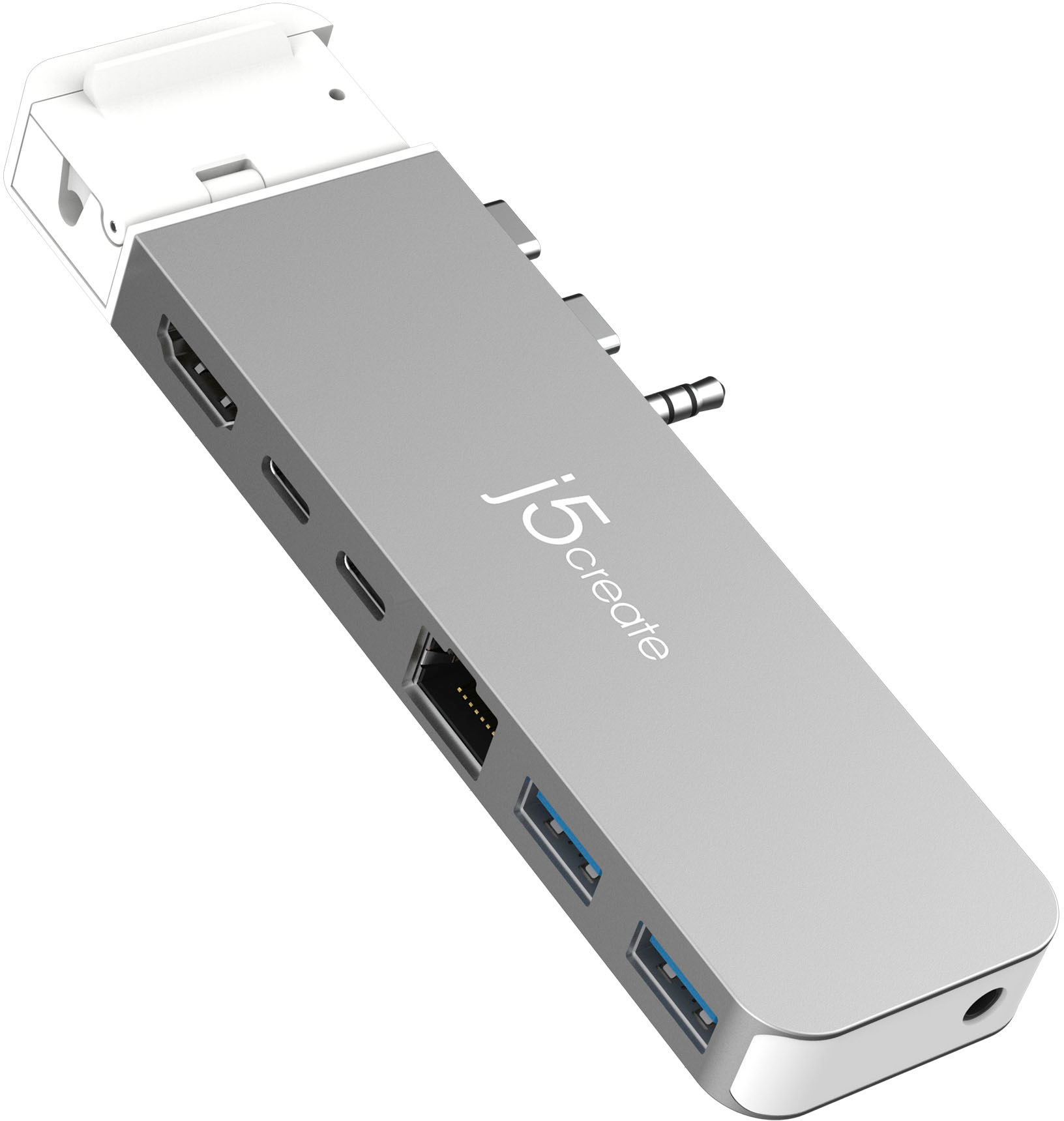
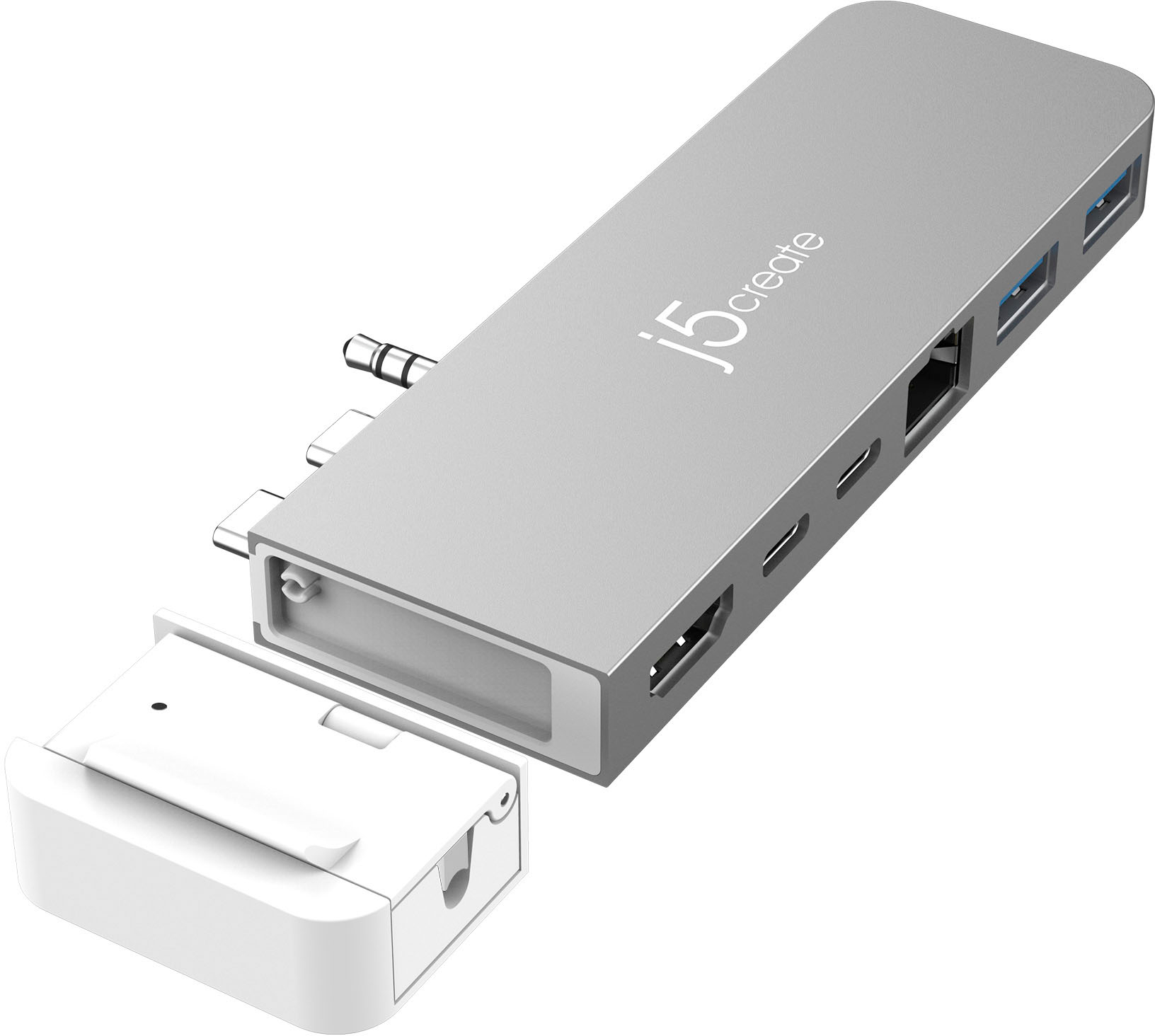
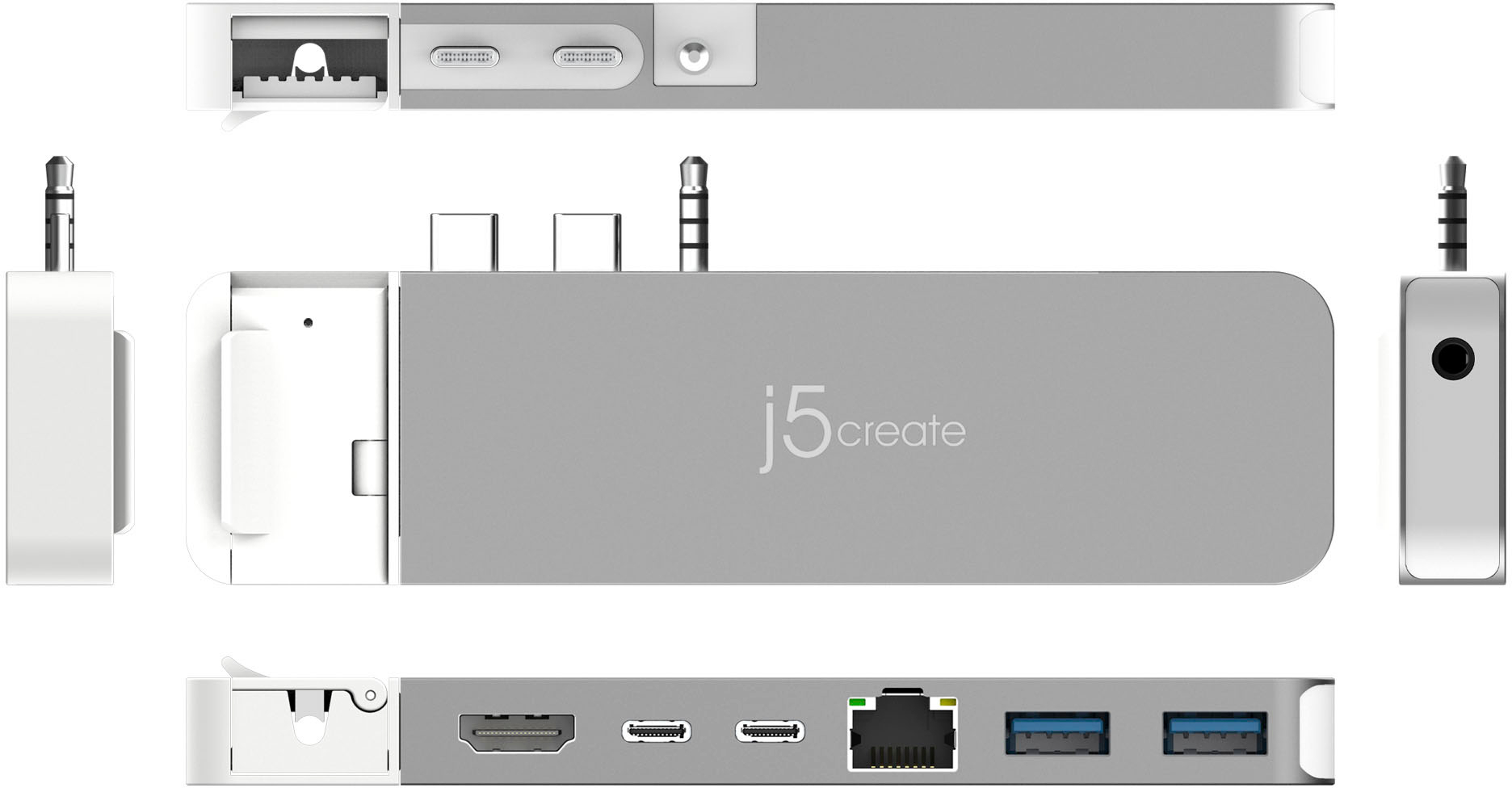
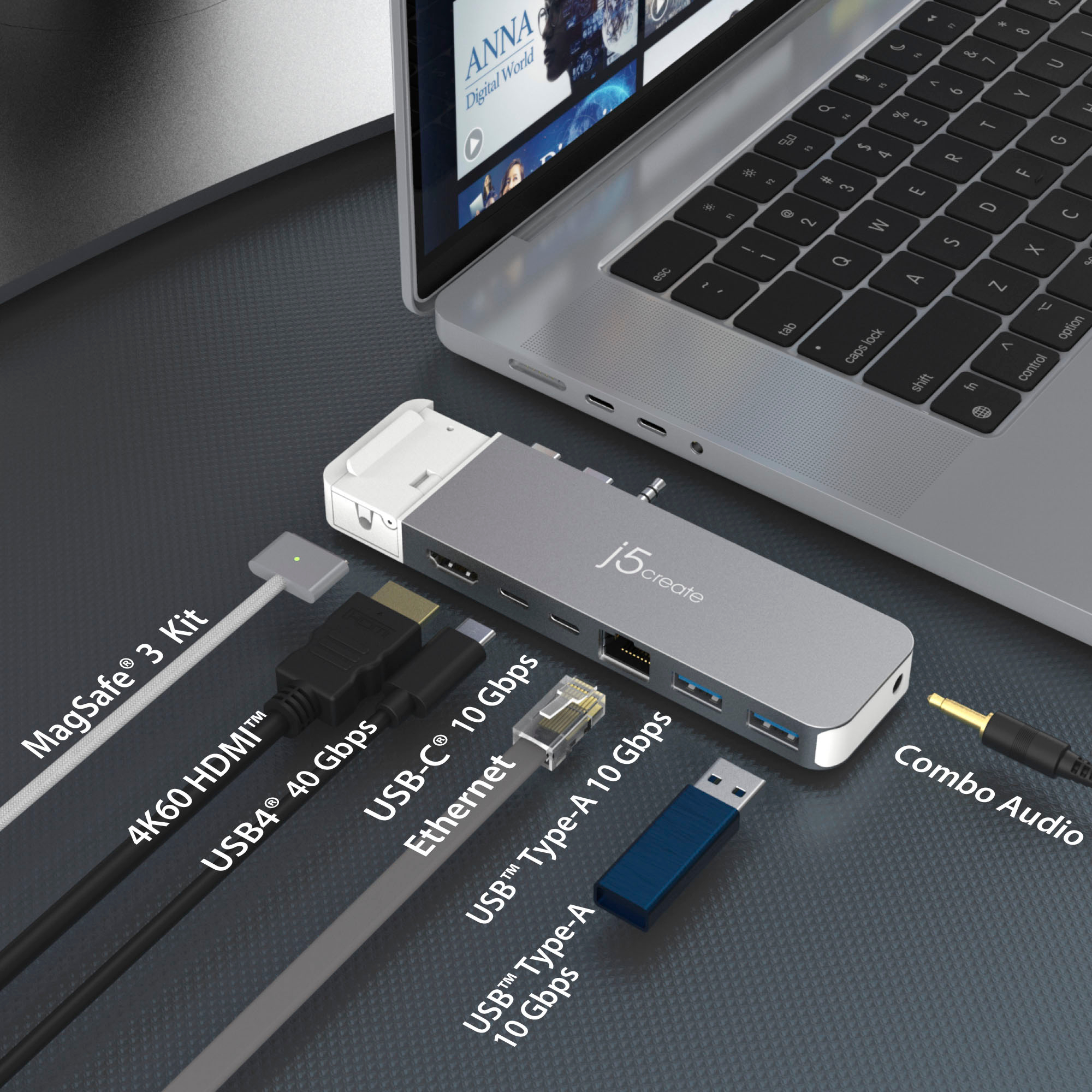
|Posted .This reviewer received promo considerations or sweepstakes entry for writing a review.The j5create 4K60 Elite Pro USB hub is perfect for those times when you have your laptop set up a certain way and the usb connections are hard to reach. The magsafe is perfect and removable if not wanted or needed, i personally love it. One thing I don't like much about the 4K60 Pro USB4 Hub is the fact that it takes up two of the USB C sockets but it does give them back with a USB-C and a USB4. It does have a removable audio jack if not wanted or needed. I does have the ethernet connection on the same place to make it easier for cable management and it states it is compatible up to 10 Gbps. and it gives you access to two usb Type A connections both with 10Gbps, and lastly the 4K60 HDMI connection. It does really simplify and gives you the needed access all on one side. Like I stated previously this just makes it so simple to do a cable management and if on the run just unplug on thing over unplugging every single cable, and when you are ready to head back home it is only one thing you plug back in. This has made my life easier when traveling back and forth from the home office to a meeting. I gave it 4 stars because it does seem a bit bulky but not to the point of making it a deal breaker.
I would recommend this to a friend Small, Easy Way to Add Expansion Ports
|Posted .This reviewer received promo considerations or sweepstakes entry for writing a review.I had never heard of J5Create until now. Prior to this, my opinion was you had to buy a USB hub from one of the big-name suppliers or you wouldn’t get much in return. After a short time of use and getting to know the product, I can say that J5 is a legitimate option for USB hubs, that is as good, or better than the big-name brands. I tried the J5 on its intended laptop first, a MacBook Pro. The drivers installed without issue and the hub performed flawlessly. Using the USB 4.0 port, I had no problems driving a 1440p monitor, gigabit ethernet and a USB 3.1 thumb drive. The J5 allows for up to 100W of power passthrough, more than enough to charge the Mac. While I like my Mac a lot, I hate needing to carry around various adapters. The minimalist approach of the Mac is awesome, until it isn’t. Needing adapters for USB-A, ethernet, HDMI, etc., makes me use my Windows laptop far more than the Mac. The wider selection of ports is just too convenient. For fun, I decided to see if the J5 would work on my Windows laptop. Unfortunately, the spacing of USB-C ports is specific to the Macs, even though my HP and my Asus laptops were very close to working, the laptops’ port spacing ended up being a little too wide. I love the tiny, compact form factor of the J5 and I didn’t want to give up. It would be great just to have 1 hub between laptops when traveling. So, I ordered up a couple of 6-inch USB4 extension cables. After a little trial and error, I was able to get the J5 working perfectly with my Windows machines. Granted you need 2 separate USB4 / USB-C cables to make it work fully (on a Windows computer, 1 port will transmit data and 1 port will allow charging). Sure enough, I was able to get the hub to work perfectly with my Windows laptops just as well as it worked it the Mac, just more ungainly with the extra cables needed. If you are a Mac person and have a compatible laptop, this would be a no-brainer. It installs effortlessly, works perfectly, and has speeds and throughput approaching the upper end of the USB4 interface. The added benefit of having a wider selection of available ports as well as allows for charging is well worth the price of admission for this hub. If you are a Windows person, this is not your device and to be fair to J5, they don’t intend it to be either. But, if you have a newer Windows laptop that supports USB4 and a compatible Mac, this could be your one stop ticket. While not a svelte of a solution as it is with a Mac, it works, and works very well on whatever OS you pair it with. RECOMMENDED
I would recommend this to a friend- Pros mentioned:Hdmi
Excellent USB4 Hub for MacBook Pro!
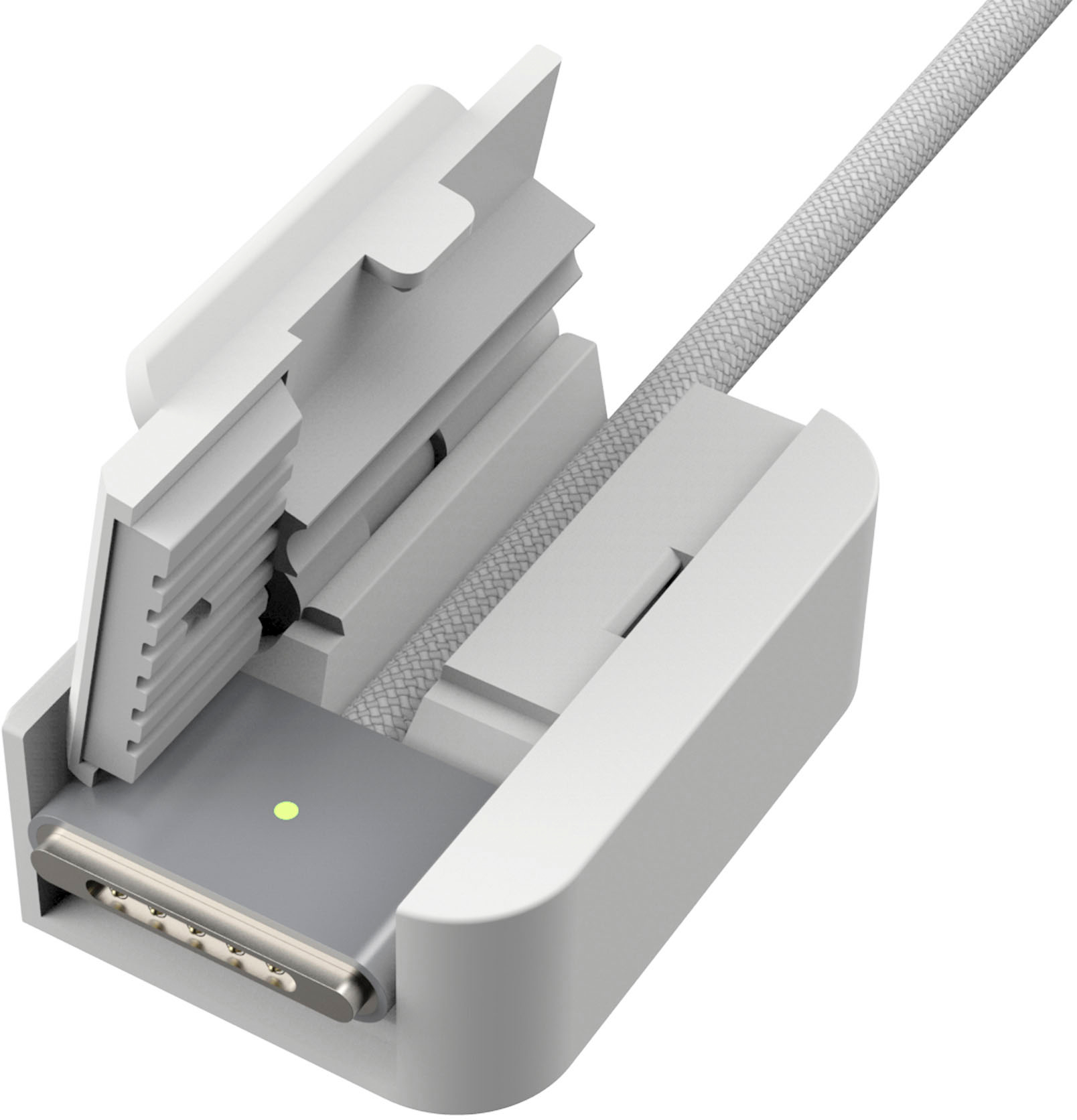
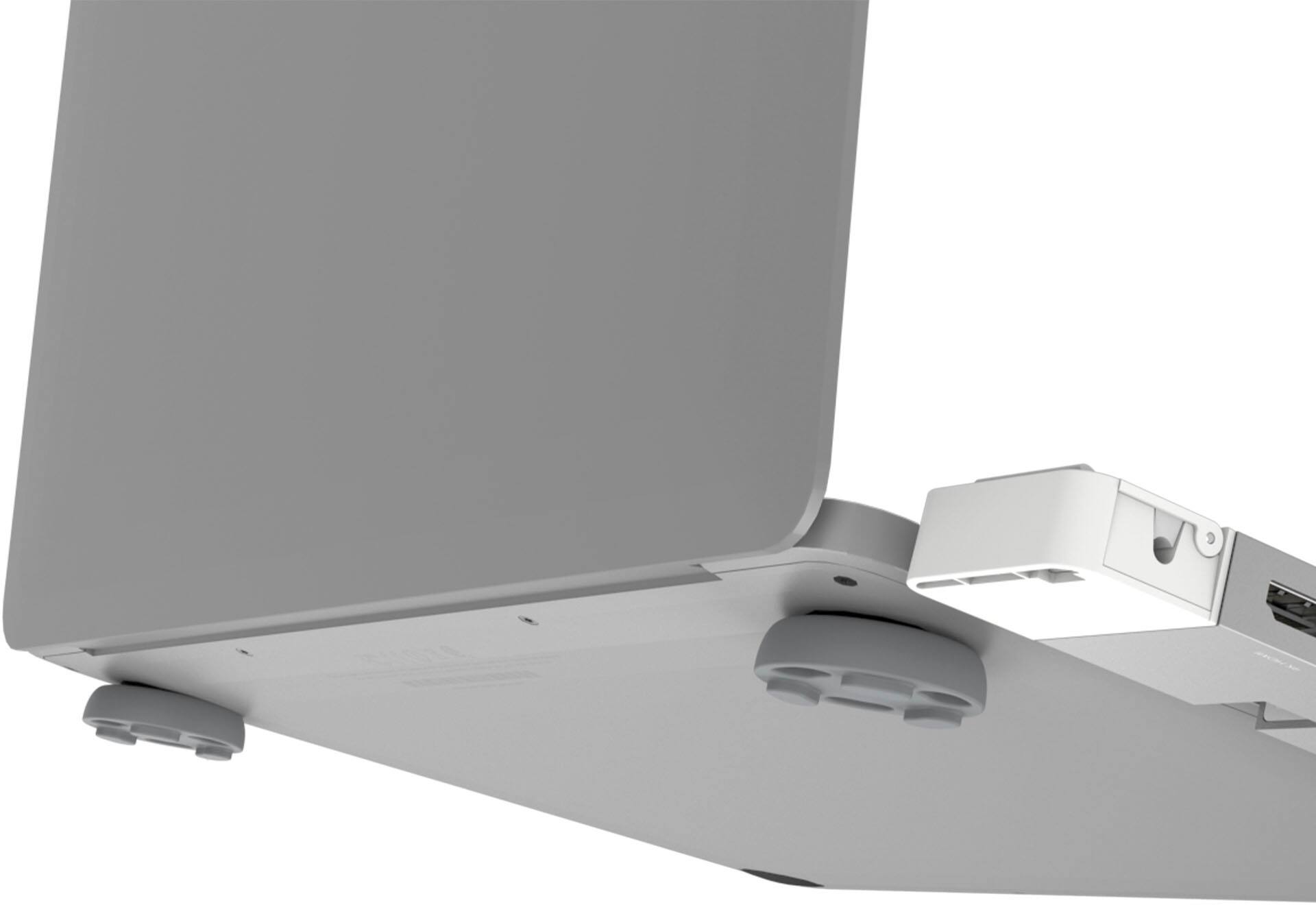
|Posted .This reviewer received promo considerations or sweepstakes entry for writing a review.I was looking for compact USB Hub for my MacBook pro for portability during travel. I got j5create - 4K60 Pro USB4 Hub with MagSafe Kit. It came with 4K60 Elite Pro USB4 Hub with MagSafe Kit, 2 silicone pads and quick installation guide. Setup is plug and play without any driver installation. It is ultra slim and light weight with stylish design. It is designed for MacBook Pro 21/22 models and compatible with MacBook Pro with Intel CPU. It has 1 USB4 port which is capable of 6K60 resolution, 40Gbps data transmission and PD charging up to 100W. The HDMI port supports resolution up to 4K @ 60 Hz. There are 2 USB Type-A 3.2 Gne 2 ports provide up to 10Gbps transfer spend and 1 USB C 3.2 Gen 2 port provide up to 10Gbps transfer speed. It is great to see that a Hub provides all types of USB ports along with high resolution display ports. There is one Gigabit Ethernet port for wired connectivity and 3.5 mm audio / mic combo jack allows to connect headphone set or speakers. The MagSafe dongle is very convenient way to store the original MacBook MagSafe charger. It is a must buy for MacBook pro users and comes with 2-year manufacturer warranty as well.
I would recommend this to a friend - Pros mentioned:Build quality
Good but flawed
|Posted .This reviewer received promo considerations or sweepstakes entry for writing a review.So this is a pretty good dock in my opinion but, at least for my use case scenario, it has one fatal flaw. I'll get into that in a bit. Build quality seems pretty solid, though it does come across a bit light in the hand. For a dock like this I would prefer it actually have a bit of heft. You can see in the specifications what all it can and can't do so I won't go into that. The MagSafe adapter thing is pretty ingenious though I question the decision to make it white rather than the same silverish aluminum color of the rest of the dock. Even if it couldn't be made out of metal for charging or magnet reasons, I would have preferred that it at least have been painted to match the color of the rest of the dock. As it is it sticks out like a sore thumb and also gives the whole dock a cheapish feel unfortunately. Okay, now what I really dislike about this dock and caused me to drop it down to 3 stars (I would have given it 4 stars) is the location of the audio port. Again, this may not be a concern for you if you don't connect external speakers etc. to your Mac but, for me, I have a nice pair of JBL desktop speakers that I connect to my 14" MacBook Pro and with the location of this audio port, the wire has to come out from the speakers and then awkwardly plug into the front of the dock. That just gives the whole thing an ugly look - speakers are generally to the side or behind the laptop on the desk and with this port location you have an ugly wire that has to loop to the front of the dock. I just don't like the way this looks day in and day out. There are better options out there.
No, I would not recommend this to a friend Perfect For Travel
|Posted .This reviewer received promo considerations or sweepstakes entry for writing a review.I love the j5create 4K60 Pro USB4® Hub with MagSafe® Kit so far. I use a 2018 MacBook Pro. So far, I have not had any issues with it. The 4K resolution works great. The USB 4 is very fast. I tested it by transferring some large video files onto another USB 3.0 device. The best thing about the j5create USB4 hub is its size. It can literally fit in your pocket! I typically have mine in my sleeve with my MacBook Pro. My only con so I thought was the 1 HMDI port. I would have liked to had 2, but with the two available USB C ports I was able to connect another monitor using an adapter. You can only have it at 60hz for both monitors though, or have 1 4k monitor. Charging speeds are fast. I use a 90watt charger, and the power from it transfers just fine to the j5create hub. I do not have the need for the MagSafe adapter. Also, the headphone jack is a nice touch. I do not like using my bluetooth headphones all of the time. Especially when I need monitors for video editing. All in all, a greatly made product that I can recommend to anyone!
I would recommend this to a friendLove it: Removable audio jack and magsafe is great
|Posted .This reviewer received promo considerations or sweepstakes entry for writing a review.This device reminds us all how bad Apple is at the port-inclusion game when designing a laptop. The portability and convenience aspect of using a laptop goes right out the window if you have to carry around a bunch of dongles and adapters to do basic things like connect a second monitor or plug in older but still very much working USB-A based peripherals. The J5Create solves all of this in a solid design that works as advertised with no fuss or hassle. I do have one bone to pick though with J5 - why is the ethernet jack not 10GB? These days the only real advantage to using ethernet is 10GB connectivity so I was surprised to see a 1GB ethernet port. What I do appreciate is the ability to remove both the MagSafe and the 3.5mm audio jack from the adapter because when I swap this to the M2 MacBook Pro 13 inch i can continue to us the same adapter without a lot of hassle. I find myself very rarely using the MagSafe adapter. My only disappointment is that the HDMI port does not support HDCP bypass, so plan accordingly if you are going to attempt to send video through this adapter to an external video capture device.
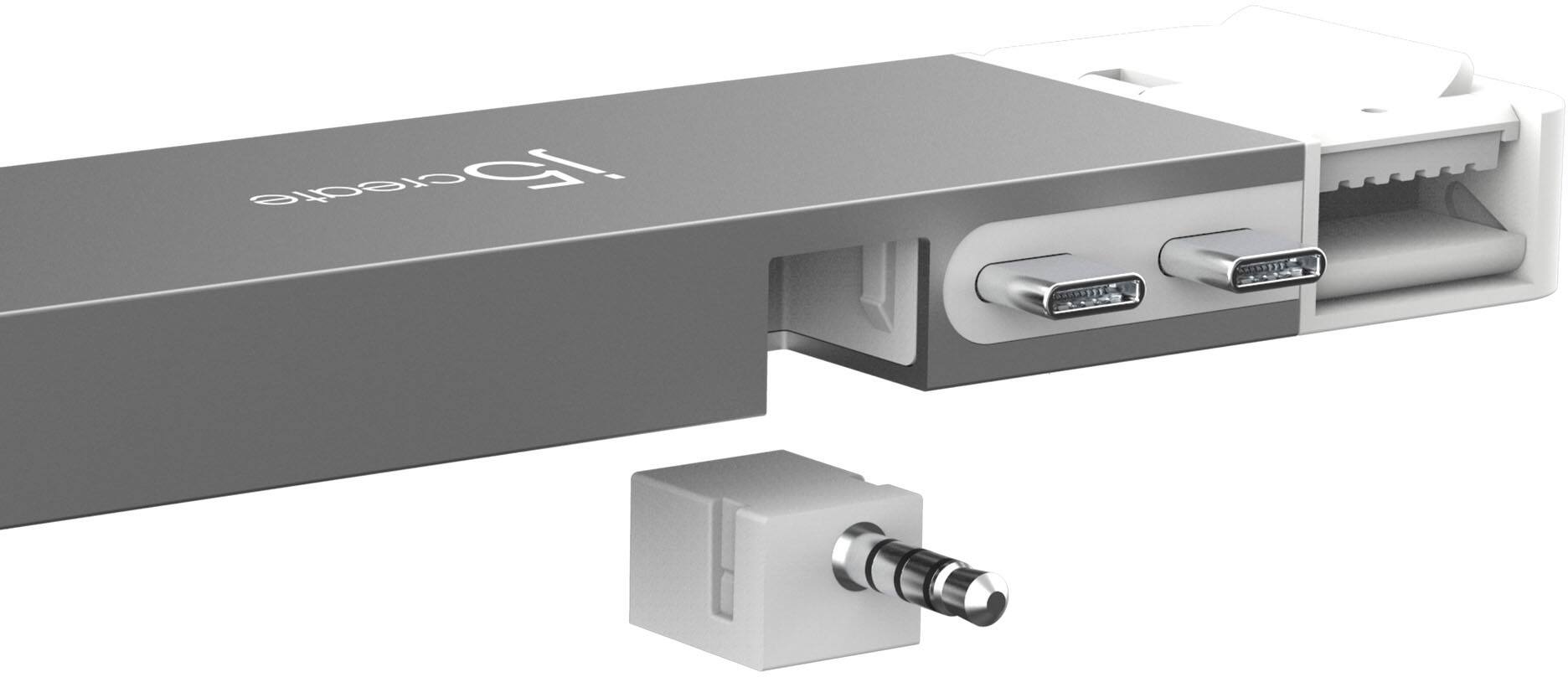
I would recommend this to a friendWorth the money; but terrible 3.5mm audio pin!
|Posted .This reviewer received promo considerations or sweepstakes entry for writing a review.Okay I was expecting yet another standard hub for my MacBook, but this hub surprisingly lived up to the hype for me. A few pros and cons: - 40gbps transfer speeds (this is really good if you’re not familiar) - MagSafe is magnetic, and white hookup is removable; much more functional than previous models - TWO external displays supported - Very crisp 4K resolution CONS - 3.5mm pin was very difficult to remove (and easy to lose) - Gap between the adapter and the laptop; I heavily prefer no gap as I’m concerned it will get damaged easier As stated, the 3.5mm audio jack is a PAIN to remove once installed, so I’d highly recommend not to use it and just utilize Bluetooth instead if possible. Also note, I am using it on a MacBook Air 2021, but it is also compatible going back to MacBook Pro 2016. I read that the charging is supposed to be better with the MagSafe than the USB-c connection on the laptop, but mine has been pretty much the same. All in all, this is a pretty good and productive purchase, it eliminates the mess of cords, dongles, and cables, it adds functionality to your limited MacBooks with limited input/outputs. Worth the money for sure.
I would recommend this to a friend