Customer Ratings & Reviews
- Model:
- JVAW76
- SKU:
- 6465110
Rating by feature
- Value
Rating 3.8 out of 5 stars
- Quality
Rating 4.0 out of 5 stars
- Ease of Use
Rating 4.1 out of 5 stars
Customers are saying
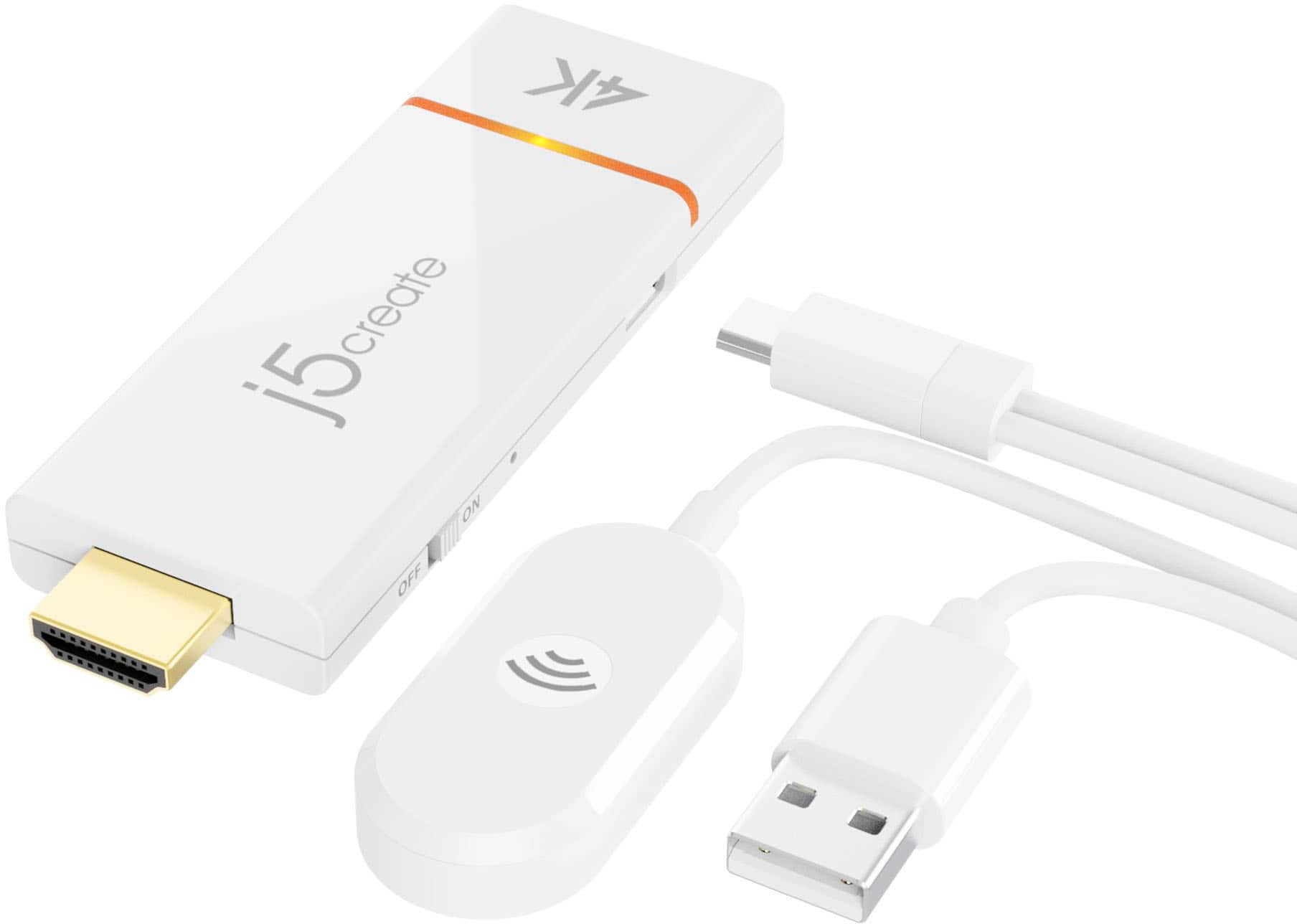
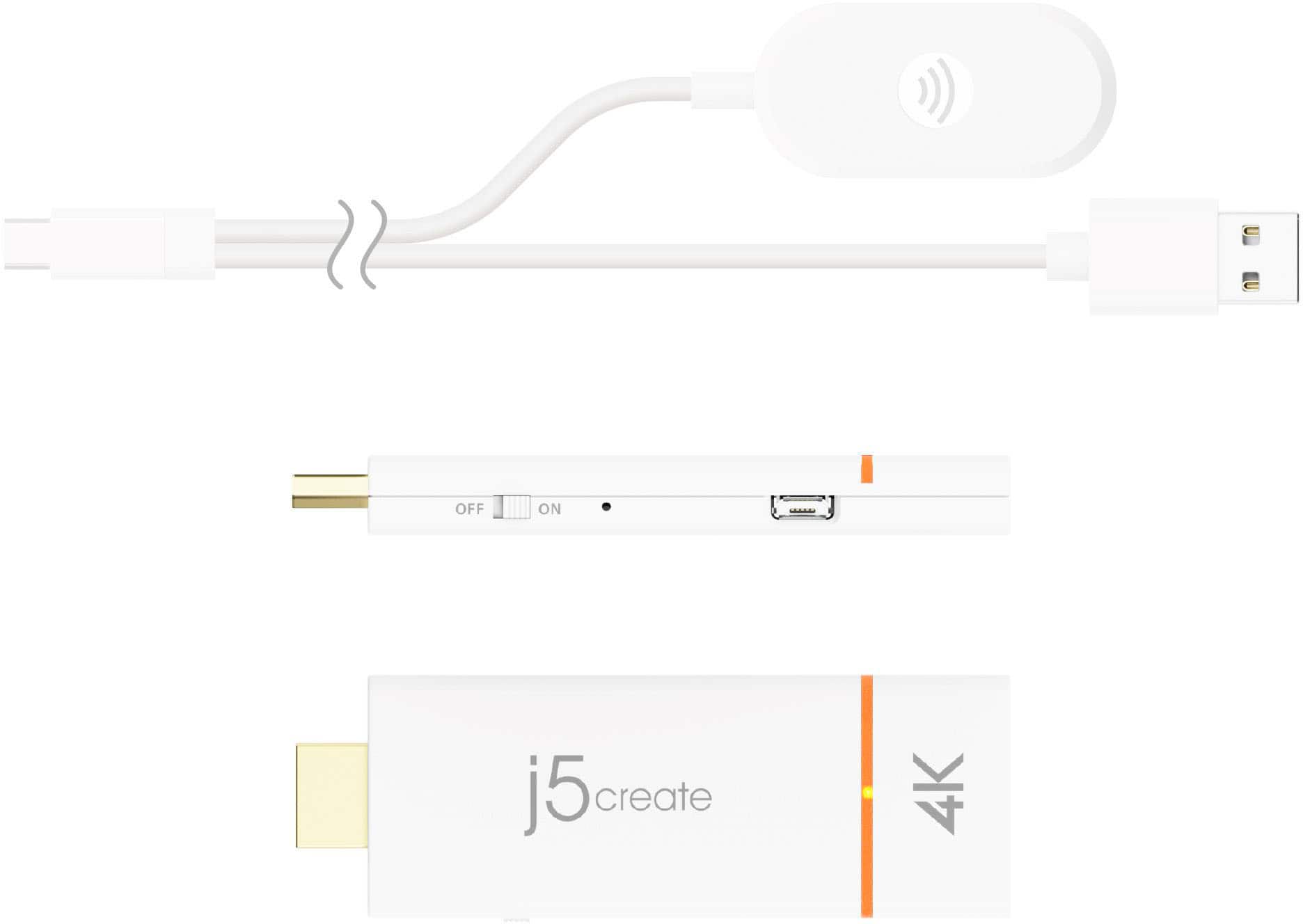
Customers are delighted by the ScreenCast 4K Wireless Display Adapter's ease of use, overall performance, and simple setup. Users appreciate the easy screen mirroring capabilities and the high-quality resolution offered by the device. However, some customers have reported issues with connectivity, compatibility with certain apps, lag, and occasional signal drops. Additionally, a few users have noted concerns regarding the audio quality.
This summary was generated by AI based on customer reviews.
Screencast
||Posted . Owned for 3 weeks when reviewed.This reviewer received promo considerations or sweepstakes entry for writing a review.I paired it with a projector I just bought. A bit of latency since it depends on the wireless signal.
No, I would not recommend this to a friend- Pros mentioned:Ease of use
Quite a gadget
||Posted . Owned for 1 month when reviewed.This reviewer received promo considerations or sweepstakes entry for writing a review.Very easy to use and have not had any issues. Can hook to monitor,tv an in my case a projector.
I would recommend this to a friendBrand response from J5create Team
Posted .Wirelessly display content from a phone, tablet, or laptop onto a bigger screen with the ScreenCast 4K Wireless Display Adapter.

- Pros mentioned:Overall performance
Good for phone without airplay
||Posted . Owned for 10 months when reviewed.This reviewer received promo considerations or sweepstakes entry for writing a review.Works good with iphone i used it for a little bit and will do so again
I would recommend this to a friend - Pros mentioned:Ease of use
my blue tooth screen cast
||Posted . Owned for 3 weeks when reviewed.This reviewer received promo considerations or sweepstakes entry for writing a review.Works great and easy setup! Picture looks great. Wish the price was cheaper other then that feels like is made well.
I would recommend this to a friend - Pros mentioned:Ease of use, Overall performance
Plug and play - Easy to use
||Posted . Owned for 1 month when reviewed.This reviewer received promo considerations or sweepstakes entry for writing a review.This item worked seamlessly with my laptop. Once plugged in and tuned to the right Input it provides directions on how to connect. phones can connect also using IOS or Android. Highly reccomend this item
I would recommend this to a friend - Pros mentioned:Setup
Easy to set up
||Posted . Owned for 3 weeks when reviewed.This reviewer received promo considerations or sweepstakes entry for writing a review.Great product to duplicate your laptop screen, onto the big screen. Easy set up, and clear picture.
I would recommend this to a friend - Pros mentioned:Overall performance
From phone to tv
||Posted . Owned for 1 month when reviewed.This reviewer received promo considerations or sweepstakes entry for writing a review.Bought and used while on vacation. Worked as expected. Excellent choice.
I would recommend this to a friend Paid a lot and cannot use without scam promo push
||Posted . Owned for 3 weeks when reviewed.This reviewer received promo considerations or sweepstakes entry for writing a review.Does not connect, the installation instructions are not for most humans
No, I would not recommend this to a friendBrand response from J5create Team
Posted .If you have more specific details about the issue, please reach out to j5create customer support team for troubleshooting. Thank you
- Pros mentioned:Ease of use
Success
||Posted . Owned for 3 weeks when reviewed.This reviewer received promo considerations or sweepstakes entry for writing a review.Works like a charm! Hooked it up follow directions and it just worked.
I would recommend this to a friend - Pros mentioned:Ease of use
Best Buy
||Posted . Owned for 1 month when reviewed.This reviewer received promo considerations or sweepstakes entry for writing a review.Works flawlessly with my Dell Monitor and my HP laptop running Win10Pro. Very easy set up. Requires WiFi.
I would recommend this to a friendBrand response from J5create Team
Posted .Native support for AirPlay, Miracast, & Chromecast (Google Cast). Thank you for your review.
Great picture
||Posted . Owned for 2 months when reviewed.This reviewer received promo considerations or sweepstakes entry for writing a review.Perfect for our church, able to usey phone or laptop
I would recommend this to a friend- Cons mentioned:Compatibility
Device Incompatible With LG TV
||Posted . Owned for 3 weeks when reviewed.This reviewer received promo considerations or sweepstakes entry for writing a review.Device was not compatible with my LG TV. Having to go to a web site to activate the device was complicated and didn't work between my LG TV and my HP laptop computer.
No, I would not recommend this to a friendBrand response from J5create Team
Posted .Make sure the LG TV is set to the HDMI port where the ScreenCast adapter is connected. Some TVs require you to enable HDMI-CEC or similar settings for external devices.
Ensure the adapter is plugged into a 5V/1A USB power source. If using a USB port on the TV, try an external power adapter if the signal is weak or unstable.
Ensure Wi-Fi and Miracast support are enabled on your HP laptop.
Open a browser on your laptop and enter the address shown on your TV screen (e.g., http://192.168.49.1) to access the device interface. From there, follow on-screen steps to connect the adapter to your Wi-Fi network (if needed).
- Cons mentioned:Signal
Terrible
||Posted . Owned for 8 months when reviewed.This reviewer received promo considerations or sweepstakes entry for writing a review.This thing sucks, the audio sometimes de-syncs, other times the whole thing freezes, and when my phone is on my lap, my leg or arm might be in the way which is apparently enough to completely block the signal. Sometimes the signal disconnects for no reason even though my phone is 4ft away from the antenna unobstructed. If you enjoy feeling slightly annoyed to outright frustrated then by all means buy this product.
I would recommend this to a friendBrand response from J5create Team
Posted .I apologize for the experience you have had with your ScreenCast 4K Wireless Display Adapter. Our customer support team can help with finding the problem and solution. To contact our customer support team please visit the j5create website then click on the "SUPPORT" tab at the top right of the webpage. Thank you.
Ok but not for me
||Posted . Owned for 1 month when reviewed.This reviewer received promo considerations or sweepstakes entry for writing a review.Works ok but not what I really needed. I already have a tv I can cast to so this doesn’t help. I wanted to connect a windows pc to the tv. This won’t do that. It has to be a Bluetooth device. I wish the description had been a little clearer
No, I would not recommend this to a friend- Pros mentioned:Ease of use
Does the job
||Posted . Owned for 3 weeks when reviewed.This reviewer received promo considerations or sweepstakes entry for writing a review.Works as intended plug in and follow the directions - simple
I would recommend this to a friend - Cons mentioned:Lag
lag
||Posted . Owned for 8 months when reviewed.This reviewer received promo considerations or sweepstakes entry for writing a review.it works, but it seems to have a lag when i cast from my ipad.
No, I would not recommend this to a friendBrand response from J5create Team
Posted .Ensure that your iPad is close to the ScreenCast adapter for the strongest signal.
Avoid physical obstructions (like walls or furniture) between the devices.
Disconnect other devices from the Wi-Fi or hotspot to reduce network congestion.
Casting in 4K resolution can sometimes introduce lag, especially for high-bandwidth content like streaming movies.
- Lower the resolution settings on your iPad to 1080p for smoother playback.
High processing demands on the iPad, such as background apps running during casting, can slow down performance.
- Close unnecessary apps on your iPad to free up resources.
- Restart your iPad to ensure optimal performance.
Certain apps or streaming services may not cast as smoothly as others.
- Test with different apps (e.g., YouTube, Netflix) to determine if the issue is app-specific.
Other wireless devices in the vicinity can interfere with the connection.
- Move other wireless devices (e.g., Bluetooth headphones, smart home devices) away from the adapter and iPad.
- Cons mentioned:Connectivity
Would not recommend
||Posted . Owned for 1 month when reviewed.This reviewer received promo considerations or sweepstakes entry for writing a review.Purchased this item for a wireless connection between PC and projector. The image quality was very poor and lost connection at multiple times.
No, I would not recommend this to a friendBrand response from J5create Team
Posted .If you have more specific details about the issue, please reach out to j5create customer support team for troubleshooting. Thank you.
Titke
||Posted .This reviewer received promo considerations or sweepstakes entry for writing a review.It works! Minimum 50 characters (17 remaining. 4 to go
I would recommend this to a friend- Pros mentioned:Ease of use
Oculus rocks
||Posted . Owned for 2 weeks when reviewed.This reviewer received promo considerations or sweepstakes entry for writing a review.Love it works great lots of fun with friends and fast shipping
I would recommend this to a friend - Pros mentioned:Ease of use
Top knotch
||Posted . Owned for 3 weeks when reviewed.This reviewer received promo considerations or sweepstakes entry for writing a review.Awesome product! Easy installation, and fun an quick to use
I would recommend this to a friend