Customer Ratings & Reviews
- Model:
- JVCU100
- SKU:
- 12210019
Rating by feature
- Value
Rating 4.4 out of 5 stars
- Quality
Rating 4.4 out of 5 stars
- Ease of Use
Rating 4.6 out of 5 stars
My web cam
||Posted . Owned for 1 month when reviewed.This reviewer received promo considerations or sweepstakes entry for writing a review.First of all I love my best buy now as for my web cam I love it I'm happy with the product
I would recommend this to a friendBrand response from J5create Team
Posted .Delivers Full HD 1080p resolution for clear and detailed images.

videocamera
||Posted .This reviewer received promo considerations or sweepstakes entry for writing a review.Camera was easy to use, good video on the computer.
I would recommend this to a friendBrand response from J5create Team
Posted .Thank you for your review. Enjoy!
Webcam
||Posted . Owned for 3 weeks when reviewed.This reviewer received promo considerations or sweepstakes entry for writing a review.Works very well, much better than I thought it would.
I would recommend this to a friendBrand response from J5create Team
Posted .Hi Eppie, we are so grateful for your kind words. Thanks for sharing your review with us on the JVCU100 webcam. j5create.
Decent Webcam
||Posted . Owned for less than 1 week when reviewed.This reviewer received promo considerations or sweepstakes entry for writing a review.I bought this camera since all of the other webcams were sold out. I was planning on using this for my zooms, but when I use it, my face glows. I look so pale. If you don't have a lot of light, but you don't have no light, it's a pretty good webcam. Its plug and play which is awesome.
No, I would not recommend this to a friendBrand response from J5create Team
Posted .Hello,
Thank you for taking the time to leave a review. It sounds like the webcam’s low light enhancement feature may be causing the glow effect. I would recommend checking to see if there are settings in Zoom that may help with this. I hope that you have a good day.
Thank you,
j5create
great choice
||Posted . Owned for less than 1 week when reviewed.This reviewer received promo considerations or sweepstakes entry for writing a review.great picture - using for home schooling. better than the other kids and their fancy ones
I would recommend this to a friendBrand response from J5create Team
Posted .Works with Zoom, Skype, Microsoft Teams and Google Meet.
Web cam
||Posted .This reviewer received promo considerations or sweepstakes entry for writing a review.Its pretty decent for the price. Satisfied with purchase.
I would recommend this to a friendBrand response from J5create Team
Posted .Plug n Play webcam, easy setup.
Very good for the price
||Posted . Owned for 3 weeks when reviewed.This reviewer received promo considerations or sweepstakes entry for writing a review.Solid webcam. Depending on the PC build, recommend using OBS to switch from 60-45fps on the camera, otherwise I noticed a slight delay using it on zoom, discord, etc. overall definitely recommend.
I would recommend this to a friendWorks great
||Posted . Owned for 2 weeks when reviewed.This reviewer received promo considerations or sweepstakes entry for writing a review.Daughter uses this for at home school She says it works great
I would recommend this to a friendBrand response from J5create Team
Posted .Hi,
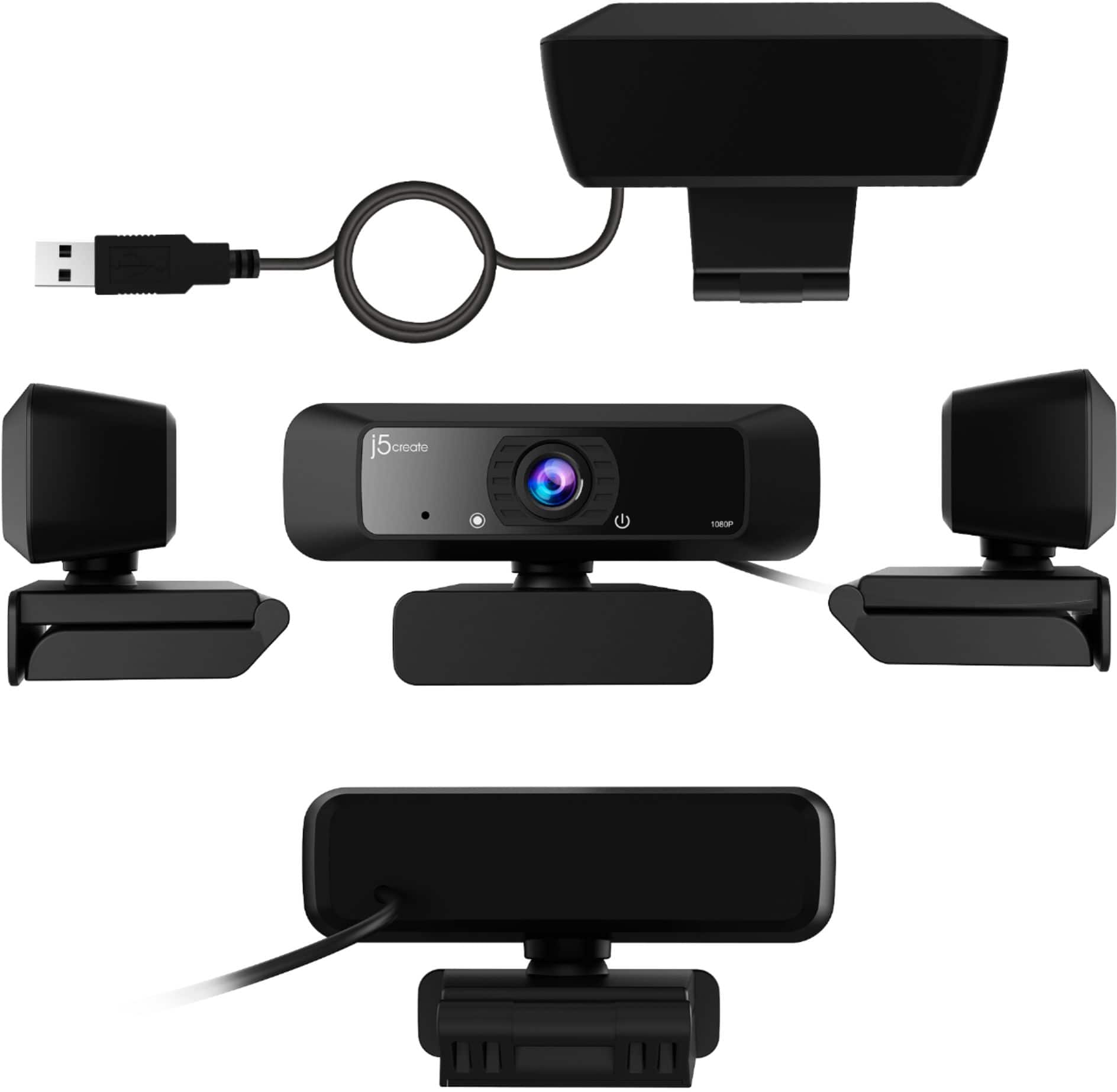
Good to hear that the webcam is working great for your daughter. It is easy to setup and use. It has great features like a wide angles lens, 1080P recording, and 360 degree rotation. Thank you for choosing a j5create product.
Have a good day,
The j5create Team
cam
||Posted . Owned for 1 month when reviewed.This reviewer received promo considerations or sweepstakes entry for writing a review.Clear cam, easy to install. Would be better if it had a cam cover when it’s not being used
I would recommend this to a friendBrand response from J5create Team
Posted .High definition 1080p image sensor with wide angle lens
Web Cam
||Posted . Owned for 3 weeks when reviewed.This reviewer received promo considerations or sweepstakes entry for writing a review.Works really well, Very clear and is priced is perfect for great quality,Son approved
I would recommend this to a friendBrand response from J5create Team
Posted .Hi lalaL, thank you for trying out the JVCU100 and sharing your thoughts. With gratitude, j5create.
Perfect
||Posted . Owned for 3 weeks when reviewed.This reviewer received promo considerations or sweepstakes entry for writing a review.Just wanted I needed to teach from home during this uncertain times. Great product great value.
I would recommend this to a friendBrand response from J5create Team
Posted .Hello Kathy,
This webcam is now one of our most popular products since so many people are working and schooling from home. I am glad that you appreciate the quality and value of the webcam. I hope that you have a great day.
Cheers,
j5create
Great picture quality
||Posted .This reviewer received promo considerations or sweepstakes entry for writing a review.Easy set up and great picture. Easy to use with all softwares.
I would recommend this to a friendBrand response from J5create Team
Posted .Hello,
Glad to hear that you are enjoying the webcam. It is plug and play and records in 1080p. Thank you for sharing your feedback.
Have a nice day,
j5create
I could not imagine a better one.
||Posted . Owned for 3 weeks when reviewed.This reviewer received promo considerations or sweepstakes entry for writing a review.Easy to connect, works very well, swivel feature is very helpful when framing your shot.
I would recommend this to a friendBrand response from J5create Team
Posted .High definition 1080p image sensor with wide angle lens
Great
||Posted . Owned for 1 month when reviewed.This reviewer received promo considerations or sweepstakes entry for writing a review.Great camera and very easy to use. We have them in out office and it’s very easy setup.
I would recommend this to a friendBrand response from J5create Team
Posted .Works with popular applications like Zoom, Skype, Microsoft Teams and Google Meet.
Good camera for the price
||Posted . Owned for 3 weeks when reviewed.This reviewer received promo considerations or sweepstakes entry for writing a review.Good picture quality no complaints will recomend to a friend
I would recommend this to a friendBrand response from J5create Team
Posted .Good day,
Glad to hear that you have no complaints with the JVCU100 webcam. The webcam has 1080p playback so you will be seen clearly by those viewing your video. We really appreciate that you will recommend this j5create webcam.
Thanks,
j5create
Sharp image, difficult lighting
||Posted . Owned for 3 weeks when reviewed.This reviewer received promo considerations or sweepstakes entry for writing a review.The camera gives a really good crisp image. However, it adds a color that is not at all flattering--my daughter complained about looking orange in school and my husband said his face looked like he was severely sunburned.
No, I would not recommend this to a friendBrand response from J5create Team
Posted .Hello,
There are a couple of things that may resolve the issue with the abnormal color being shown through the webcam. First there may be settings is the video software that you are using with the webcam to adjust the color settings. Second the webcam has an automatic low light enhancement feature. You may want to try using the webcam with different levels of ambient light. As always the j5create customer support team is available to help. Our contact information is printed on the device packaging and is also on our website under the ‘Support’ drop down. I hope that we can help resolve this issue with the webcam for you.
Thank you,
j5create
Webcam 1st
||Posted . Owned for 1 week when reviewed.This reviewer received promo considerations or sweepstakes entry for writing a review.First time using a Webcam, this product made it easy. Works great with Zoom calls.
I would recommend this to a friendBrand response from J5create Team
Posted .Hello ricknc, It's nice to know the JVCU100 webcam was an easy set up and works great. Thank you, j5create.
Can
||Posted . Owned for 2 months when reviewed.This reviewer received promo considerations or sweepstakes entry for writing a review.Awesome cam it’s good for what you need it for light could be better but works fine
I would recommend this to a friendBrand response from J5create Team
Posted .Greetings Bevinkevin, thank you for rating the JVCU100 and we appreciate your feedback on the device. Enjoy your webcam. j5create
Works!
||Posted . Owned for 3 weeks when reviewed.This reviewer received promo considerations or sweepstakes entry for writing a review.It was very easy to set up and worked the first time I used it without any problems!
I would recommend this to a friendBrand response from J5create Team
Posted .Thank you for your feedback. We happy to hear the webcam was an easy setup. Thanks.
Well worth the price.
||Posted . Owned for 1 month when reviewed.This reviewer received promo considerations or sweepstakes entry for writing a review.Excellent piece of equipment. Sets up very easily. Provides a good picture and sound.
I would recommend this to a friendBrand response from J5create Team
Posted .Easy Plug & Play webcam, no drivers required. Enjoy, Ragnar.