Customer Ratings & Reviews

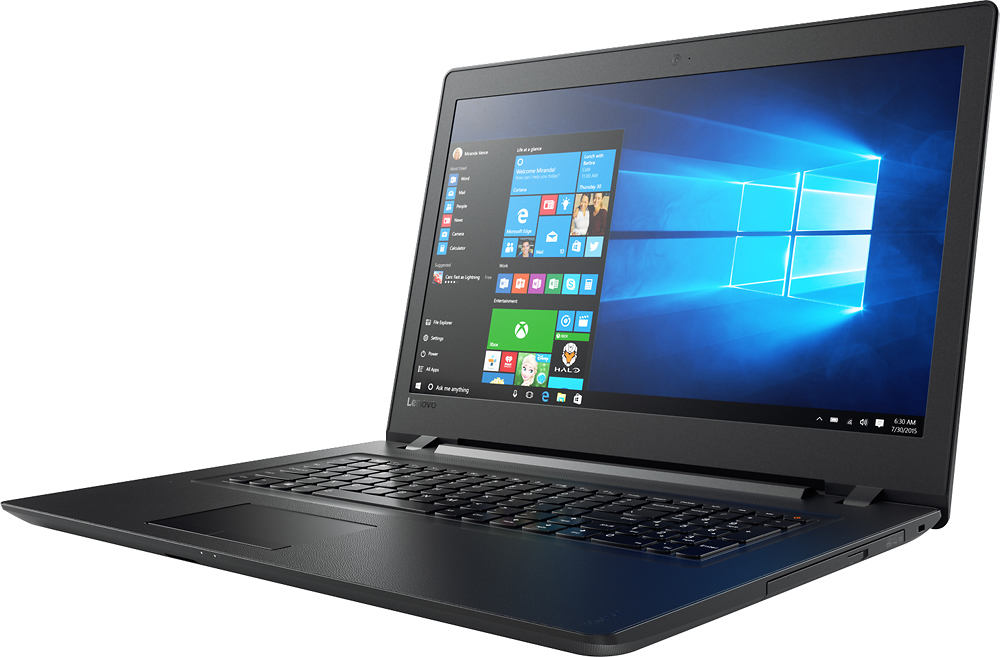



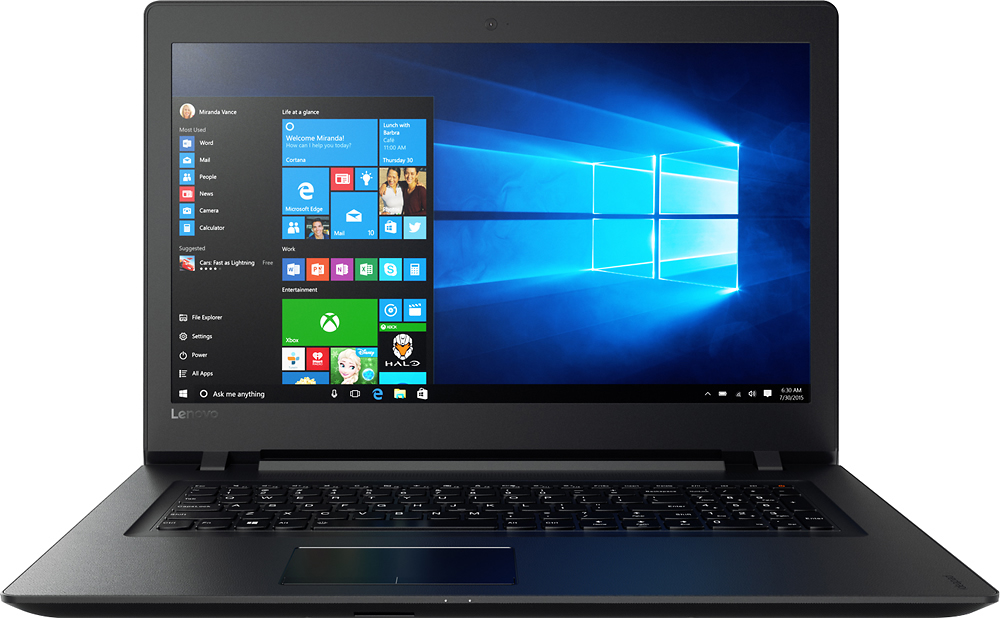


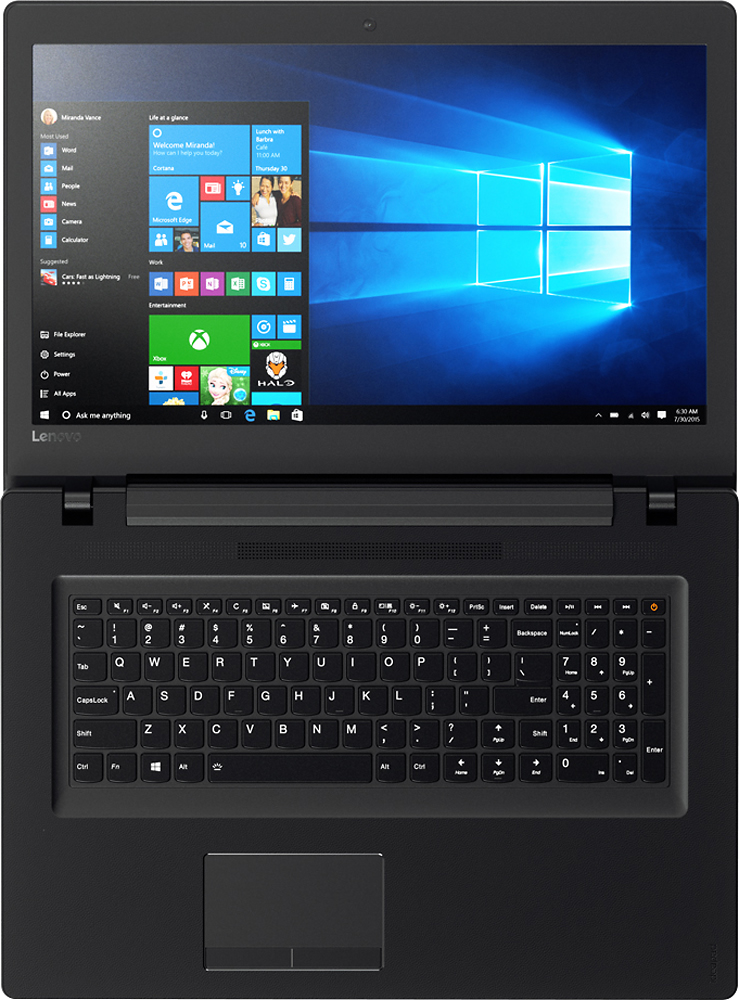
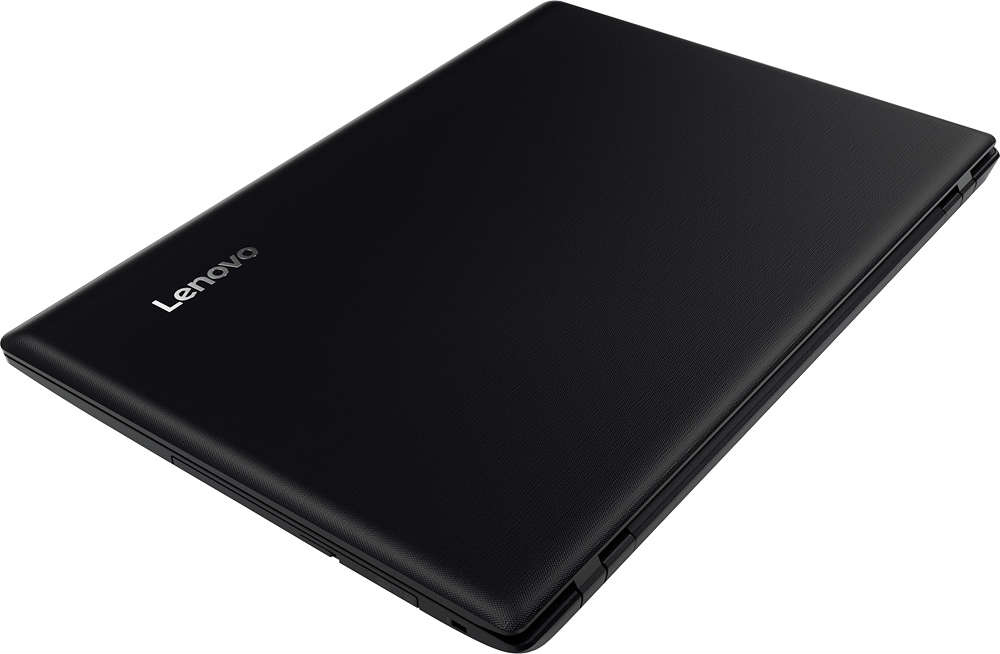
- Model:
- IDEAPAD 110 17 - 80VK003KUS
- SKU:
- 5708416
to a friend
Customers are saying
Customers are delighted by the large screen size, affordable price, and ease of use of the 110-17IKB 17.3" Laptop. Many appreciate its performance and lightweight design, along with the ample storage it offers. Positive feedback also highlights the sufficient RAM and acceptable battery life.
This summary was generated by AI based on customer reviews.
- Pros mentioned:Processor speed, Screen size
Lenovo - 110-17IKB 17.3 Laptop - Intel Core i5
||Posted .This reviewer received promo considerations or sweepstakes entry for writing a review.I purchased this laptop after returning the Dell that I had purchased a week before. The Lenovo is a great machine. It is fast and the graphics are great. It does not have a lighted keyboard which I wanted, but I made the decision to go with the 17' screen and the very, very inexpensive price...it was on sale. I would rate this laptop 5 stars except for one thing...the right shift key and the up and down arrow are in the wrong place and that made it almost impossible to use the right shift. After researching I came upon a program (KeyTweak) that allowed me reconfigure the keyboard and make the page up key the right shift. I lost the use of page up since I now have two right shift buttons, but that is not a big deal. I rarely need the page up button and when I do, I just point to where I want to go with the mouse pointer. The picture I attached shows the position of the two keys. Like I posted they both are shift keys after I reconfigured them.
I would recommend this to a friend Awesome laptop
||Posted .This reviewer received promo considerations or sweepstakes entry for writing a review.I bought my Lenovo ideapad 110 as the "Deal of the day" It was well worth the price coming with 8GB RAM and a 1TB hard drive
I would recommend this to a friendBrand response from Lenovo Product Expert
Posted .Thank you for choosing the Lenovo IdeaPad 110-17 laptop. We are pleased to hear that the value and performance of the IdeaPad 110-17 meets your computing needs so well.

Dead in 30 minutes
||Posted .This reviewer received promo considerations or sweepstakes entry for writing a review.Step 1: Unpack and start Step 2: Download updates Step 3: Restart Step 4: Read the screen: "Your PC/Device needs to be repaired" Step 5: Repack and Return Step 6: Embrace the fact that President's Day sale offers are gone by now.
No, I would not recommend this to a friendBrand response from Lenovo Product Expert
Posted .The "repair" statement might be referring to driver updates after the Windows 10 update. Not all drivers are included with the Windows 10 updates. Follow the link below to look for new driver updates for your specific system. You can also run diagnostics from the Lenovo site as well. As always, be sure to create a restore point on your system before you make any changes. You can do this by just typing "restore point" in the search window within Cortana and follow the link to create a restore point. Here is the link:
http://pcsupport.lenovo.com/us/en/products/Laptops-and-netbooks/100-series/110-17ikb/80VK/003KUS/downloads
- Pros mentioned:Price, Screen size
Very pleased for the price
||Posted .This reviewer received promo considerations or sweepstakes entry for writing a review.My research (at Best Buy, Office Depot/Office Max, Amazon) led me to believe this was the best value at the price point and I've been very pleased thus far. I love the large screen and ample HD space. Battery life is good though I seldom use it unplugged. My only complaint is speed but what do you expect at $400? i5, 8 GB RAM and 1 TB HD with a 17" display is a terrific buy!
I would recommend this to a friendBrand response from Lenovo Product Expert
Posted .Thank you for choosing the Lenovo IdeaPad 110-17 laptop. This system should be a fast system with its Core I-5 processor and 8GB of RAM. Be sure any software you installed is compatible with Windows 10. There is no need to install Microsoft Office software. The software is already part of the operating system, you just need to activate the software with a purchased product key. If you have installed a copy of Microsoft Office, this is conflicting with the existing copy on the system and this will slow your system down. If you have installed a 3rd party anti-virus program, be sure that Windows Defender is turned off and that the trial version of McAfee Anti-Virus software is uninstalled. There can only be one anti-virus program on the system. You may need to restore your system to original factory default settings if any of the programing errors have occurred. You can do that by typing "restore" in the Cortana search window. Just click on the magnifying glass icon at the bottom left of your Windows 10 Desktop. Click on "Reset This PC" Then click on "Get Started" and follow the on screen directions to restore to factory defaults.
- Pros mentioned:Processor speed, Screen size
Great laptop
||Posted .This reviewer received promo considerations or sweepstakes entry for writing a review.This has been a great laptop. I bought it to replace my dell and I have no regrets. Battery life kinda sucks but it’s better then what I had. Runs fast and I love the bigger screen. Love the full keyboard. I use the 10 key all the time so it comes in handy.
I would recommend this to a friend - Pros mentioned:Price, Processor speed, Screen size
Great computer for the price
||Posted .This reviewer received promo considerations or sweepstakes entry for writing a review.Love my new Lenovo laptop! I like bigger laptops and this one has a large screen and a full sized keyboard. The speed is great, and even the slowest of websites load with ease. I love that it comes with a CD/DVD drive, as so many units do not anymore and I need it for all the music I handle with my computer. Setup is easy and allows customization of programs and apps. It's not a flashy laptop, so this buy is one for functionality, not for looking fancy. The keyboard has one down side: there is a Page Up key directly next to the right shift key. It takes some getting used to. But, the mousepad has great response and so far, I don't struggle with mis-clicks like I did with my last computer. For the price I paid, you can't ask for any more!
I would recommend this to a friendBrand response from Lenovo Product Expert
Posted .Thank you for choosing the Lenovo IdeaPad 110-17 laptop. We are pleased to hear that the value, features and performance of the IdeaPad 110-17 meets your computing needs so well. With regard to the right shift key issue you mention, there is a free software APP called KeyTweak that may help you. You can switch the key functions of specific keys on your keyboard with this software, so you could change the right shift key with the key you hit in its place. Just Google search "KeyTweak" and you will find articles about what the software does and you will find the download location for this free APP.
- Pros mentioned:Performance, Screen size
Very nice laptop for the price
||Posted .This reviewer received promo considerations or sweepstakes entry for writing a review.After several read reviews of this laptop, I went to Best Buy to test run it. Needless to say, I was pleasantly surprised. It ran smoothly, processed quickly, and never hesitated. The screen was large and easy to see, with simple controls for personal adjustments. The battery life was adequate, with quick recharge times. I'm very pleased with this purchase.
I would recommend this to a friendBrand response from Lenovo Product Expert
Posted .Thank you for choosing the Lenovo IdeaPad 110-17 laptop. We are pleased to hear that the features and performance of the IdeaPad 110-17 meets your computing needs so well.
Good mid-range specs, entry level build quality
||Posted .This reviewer received promo considerations or sweepstakes entry for writing a review.On the surface this presents a pretty compelling value: Intel Core i5, 8GB of Ram, a big 17 inch screen and 1TB drive for under 500 dollars. I already have a 2 year old HP Pavilion with similar size and specs (i3, slower wireless--I've already converted it to Linux). I don't exactly regret the decision, but this does have an economy feel, more so than the entry level feel of earlier Lenovo products or even the HP this is replacing. The power chord plugs in to the left side--halfway between the front and back. A confoundingly dumb decision IMO, as it is consistently awkward and in the way. It should be on the back corner, either side, or off the very back side. I'm deducting a full star for this because it is absurd. Other people have commented on the awkward, abbreviated right shift button on other Lenovos--and this one is no different. Doesn't matter to me (I only use the left shift button) but if you do use the right one I could see this being a problem. Otherwise the keyboard is well laid out and typical in this price rage--note, it's not back-lit. That's a feature typical on higher priced laptops. The trackpad is functional--but obviously built for economy. Performance seems fine--but I'm still in setup mode waiting on my OneDrive to finish syncing. First thing I did was download a fresh copy of windows so that I could wipe out the typical bloatware and start fresh with a Windows-only install. This is a new feature with Windows 10 and I love it. No useless third party utilities, app stores, anti-virus, etc. Well worth the time up front to have a faster/smoother experience going forward. This represents a fair value for the price, given the specs. Laptops in this price range don't often have an i5--typically they have an i3 at best. The 8gb of ram is also high for this price range, as most computers in this range come with 4 or 6gb of ram. Just don't expect miracles in terms of build quality and overall "feel." If you want the build quality of a ThinkPad--Lenovo will sell you one of those, too, but it'll cost you. So one star off for the power plug location. I was tempted to take another off for build quality--but in this price range I'd say it's "as expected." So, four stars. Just know what you are buying.
I would recommend this to a friendBrand response from Lenovo Product Expert
Posted .Thank you for choosing the Lenovo IdeaPad 110-17 laptop. We are pleased to hear that the value and performance of the IdeaPad 110-17 meets your computing needs.
Great Budget laptop
||Posted .This reviewer received promo considerations or sweepstakes entry for writing a review.This laptop has the hardware. i-5 8GB RAM, 1TB Hdd. Certainly worth the price, It has a cheap feel to it unfortunately. The plastic casing just doesn't feel sturdy. Upgrading is out of the question, besides an ssd. But for under 500 bucks, really cant complain.
I would recommend this to a friend- Pros mentioned:Processor speed, Screen size
Great prodcut at a very reasonable price
||Posted .This reviewer received promo considerations or sweepstakes entry for writing a review.I love this laptop for all of my basic and on the go computing needs. Great screen, storage and speed. Nice compliment of included software that does not include a lot of "junk" software that I don't need or want. Of course the smaller keyboard takes some time to adjust. The only thing I would change is the "small" cap key on the right side. Other than that it's a great bargain and works as promised.
I would recommend this to a friendBrand response from Lenovo Product Expert
Posted .Thank you for choosing the Lenovo IdeaPad 110-17 laptop. With regard to the right shift key issue you mention, there is a free software APP called KeyTweak that may help you. You can switch the key functions of specific keys on your keyboard with this software, so you could change the right shift key with the key you hit in its place. Just Google search "KeyTweak" and you will find articles about what the software does and you will find the download location for this free APP.
- Pros mentioned:Processor speed, Screen size
Solid budget laptop
||Posted .This reviewer received promo considerations or sweepstakes entry for writing a review.Good screen, sufficient processor and memory for basics including email, internet, spreadsheets and basic photo editing.
I would recommend this to a friend - Pros mentioned:Screen size
Good Buy
||Posted .This reviewer received promo considerations or sweepstakes entry for writing a review.I like this computer. I really like the bluetooth option it has. I can see the screen on it better than the other computers I tired. The sound doesnt go that loud, so a bluetooth speaker would go nice with it. When the battery starts to go low the screen dims and then it beeps right before it shuts off, which the battery life is pretty good so far. I am not fond of how hard you have to push the clickers but i'm getting used to it. Overall a good buy.
I would recommend this to a friend - Pros mentioned:Screen size
Just right.
||Posted .This reviewer received promo considerations or sweepstakes entry for writing a review.A perfect laptop for the kid's. Not meant for gaming, but the large screen makes it perfect for the kid's who are learning to surf the web and do homework.
I would recommend this to a friend - Pros mentioned:Processor speed
Good laptop for the money
||Posted .This reviewer received promo considerations or sweepstakes entry for writing a review.This laptop was a decent buy, considering processor speed, ram and the size of the hard drive. My only complaint is that the finger mouse tends to freeze up periodically. This is a secondary laptop for me and is tolerable, but it I wouldn't recommend as a primary computer for business purposes.
No, I would not recommend this to a friend - Pros mentioned:Ease of use, Processor speed
Great computer
||Posted .This reviewer received promo considerations or sweepstakes entry for writing a review.Computer is very fast and easy to use. And has lots of storage
I would recommend this to a friendBrand response from Lenovo Product Expert
Posted .Thank you for choosing the Lenovo IdeaPad 110-17 laptop. We are pleased to hear that the features and performance of the IdeaPad 110-17 meets your computing needs so well.
- Pros mentioned:Processor speed, Screen size
Great laptop
||Posted .This reviewer received promo considerations or sweepstakes entry for writing a review.Super fast no issues with overheating it's got an awesome screen for watching movies on. Battery life is great, gets a little big for carrying around but it is awesome overall.
I would recommend this to a friend - Pros mentioned:Screen size
Good Laptop
||Posted .This reviewer received promo considerations or sweepstakes entry for writing a review.Perfect for normal web browsing and office applications, etc., Great wide screen and plenty of storage for my purposes. Very sturdy and durable, using it with multiple applications open and no problems. Love the larger keyboard as well.This is a solid and reliable choice for a regular laptop user!
I would recommend this to a friendBrand response from Lenovo Product Expert
Posted .Thank you for choosing the Lenovo IdeaPad 110-17 laptop. We are pleased to hear that the features and performance of the IdeaPad 110-17 meets your computing needs so well.
- Pros mentioned:Ease of use, Processor speed
great laptop!
||Posted .This reviewer received promo considerations or sweepstakes entry for writing a review.Fast, lightweight. easy to use.Apple has really nailed this powerhouse with ease of use and clean lines. Not heavy and clunky like others,
I would recommend this to a friend - Pros mentioned:Screen size
Good Budget Laptop
||Posted .This reviewer received promo considerations or sweepstakes entry for writing a review.As we all know Lenovo makes some superior devices and are incredibly trustworthy. I bought this device as a budget laptop when my original Acer which I hated and enjoyed when it finally died. The Lenovo product is a good product as it has the nice large screen and a decent processing unit that can run some newer games such as Sniper Elite 4 on the low setting with no problems. If you are using this for emails and word processing then this is all you would need as it can do that with ease. The only downside to this product for me is the wall plugin which has the power brick built into the plugin and the mousepad. The large brick is troublesome to fit with other devices needing to be plugged in and the tracks feels like you are rubbing your fingers on sandpaper because of the texture. However, if these are my only two complaints on a budget laptop then that just goes to show how excellent of a product that Lenovo makes.
I would recommend this to a friendBrand response from Lenovo Product Expert
Posted .Thank you for choosing the Lenovo IdeaPad 110-17 laptop. We are pleased to hear that the Ideapad 110-17 is working out for you.
- Pros mentioned:Processor speed, Screen size
Super Features, Great Price
||Posted .This reviewer received promo considerations or sweepstakes entry for writing a review.Purchased to replace a 5-year-old Toshiba laptop (also from Best Buy) with "bare-bones" AMD processor. New laptop will be used primarily for wife's growing, home-based business. Particularly wanted speed of an I5 chip, significantly improved processing capacity and speed, memory, and largest possible screen within a tight budget. Lenovo fit all criteria and more. At sale price it was just what we needed.
I would recommend this to a friendBrand response from Lenovo Product Expert
Posted .Thank you for choosing the Lenovo IdeaPad 110-17 laptop for your wife. We are pleased to hear that the value and performance of the IdeaPad 110-17 meets your wife's business computing needs so well.

















