Customer Ratings & Reviews

- Model:
- 90MV0001US
- SKU:
- 6398133
Rating by feature
- Value
Rating 3.9 out of 5 stars
- Quality
Rating 3.8 out of 5 stars
- Ease of Use
Rating 4.0 out of 5 stars
Customers are saying
Customers are impressed with the Lenovo IdeaCentre 3's ease of use, performance, and compact size, frequently citing its value for the price. Many appreciate the straightforward setup and sufficient storage, although some users found the RAM to be limiting and suggested an upgrade. A few customers experienced issues with the hard drive's speed and software compatibility. Overall, the positive feedback on ease of use and performance outweighs the negative comments regarding limited RAM and hard drive performance.
This summary was generated by AI based on customer reviews.
- Pros mentioned:Ease of use
bought for my grandpa
||Posted . Owned for 1 month when reviewed.This reviewer received promo considerations or sweepstakes entry for writing a review.great working computer especially for simple use. my grandpa mostly plays facebook games and chat rooms with his friends (COVID-friendly)! so this PC is great for him. it was also easy for him to set up alone.
I would recommend this to a friendBrand response from Lenovo Product Expert
Posted .Thank you for choosing the Lenovo IdeaCentre 3 Desktop, model number 90MV0001US for your grand father. We are pleased to hear that the features and performance of the IdeaCentre 3 Desktop meets the computing needs of your grand father so well. The Lenovo IdeaCentre 3 Desktop, model number 90MV0001US, is a mid-level, moderate use configuration, with its AMD Athlon 3050U processor. This Dual-Core processor has a base speed of 2.3GHz and a boost speed of up to 3.2GHz. This configuration has 4GB of DDR4-2666MHz RAM. It is good with Microsoft Office type programs, internet browsing and other moderate work. If this describes your computing needs, the Lenovo IdeaCentre 3 Desktop would be a good choice for you.

- Pros mentioned:Usb ports
Great for online classes
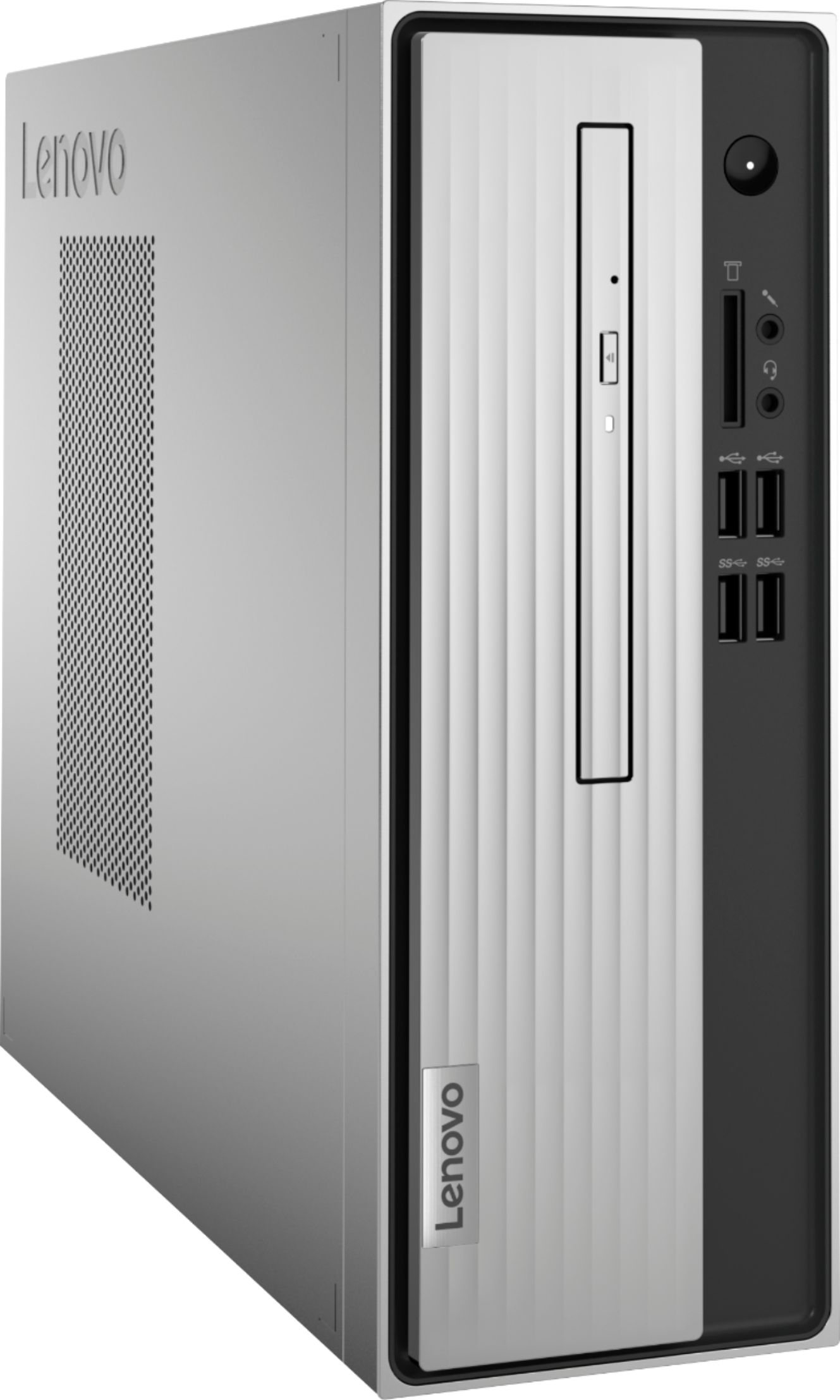
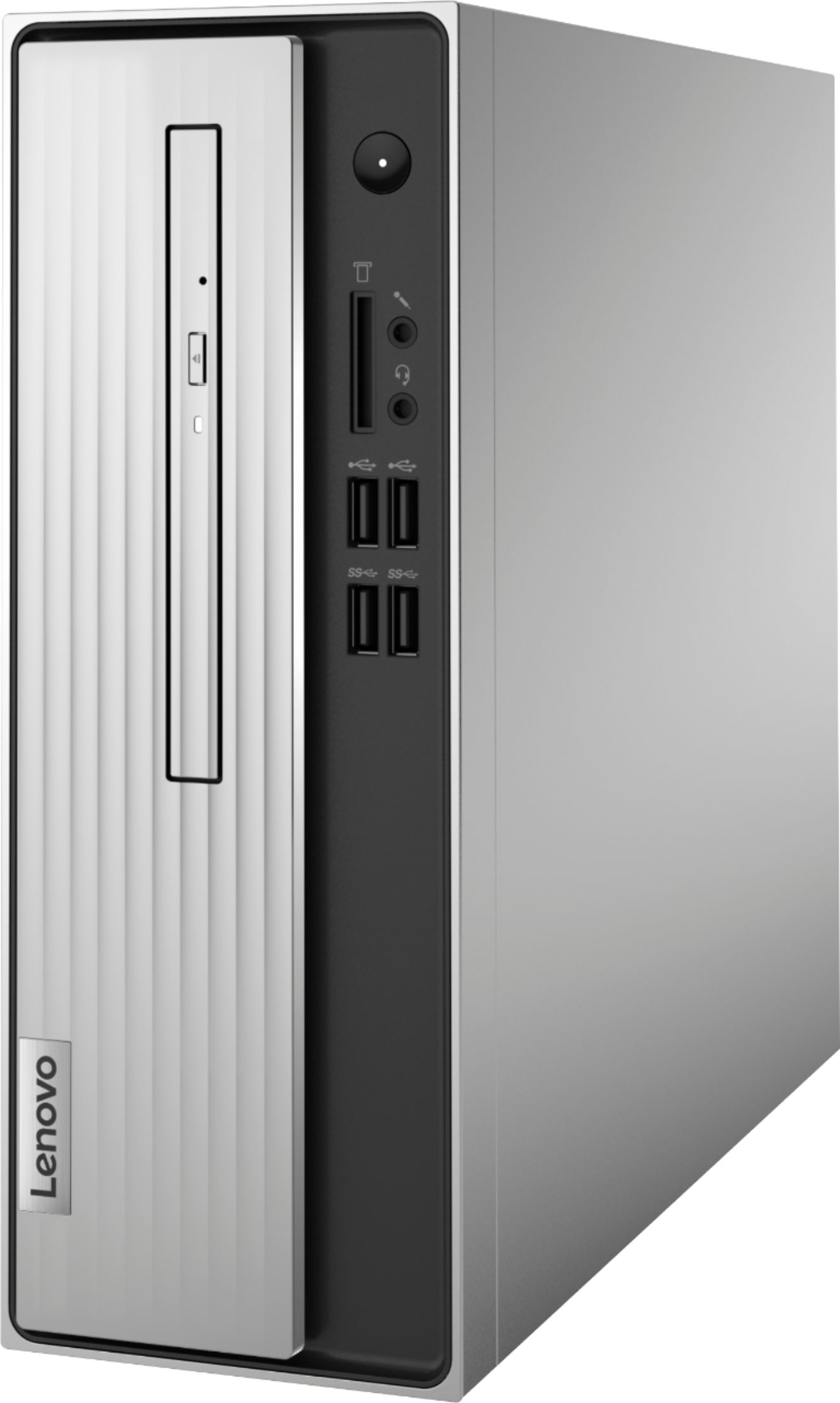
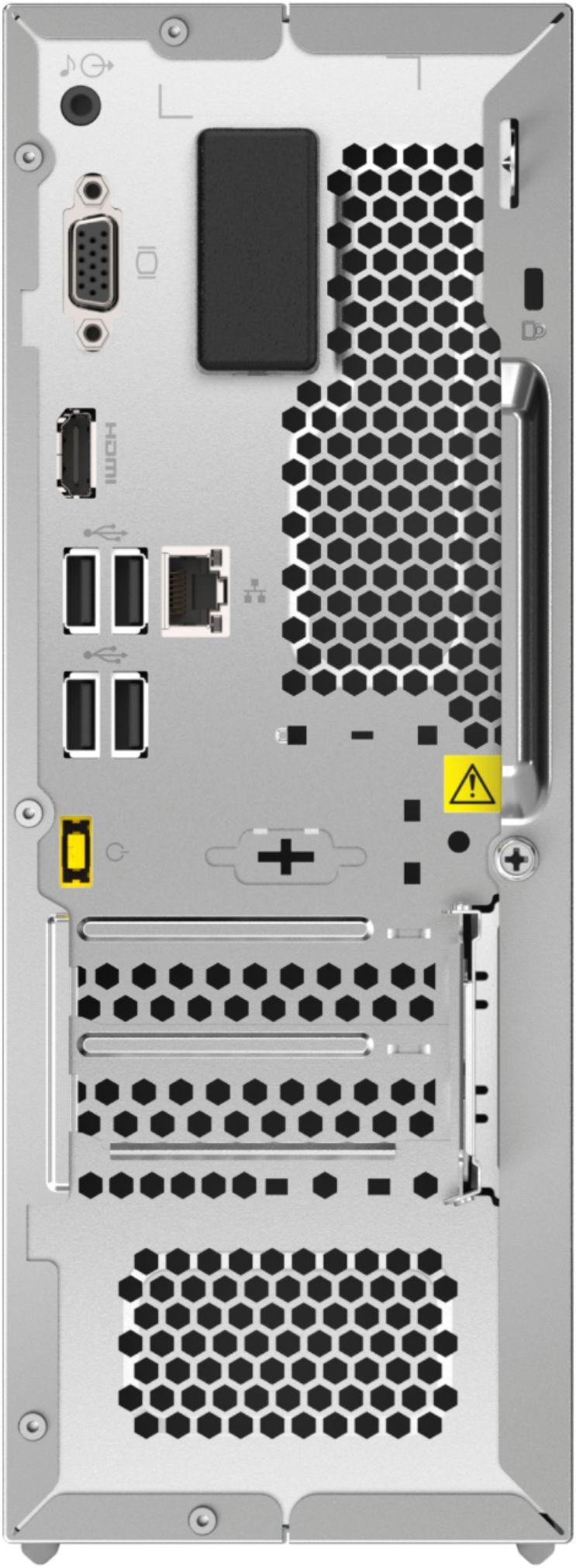
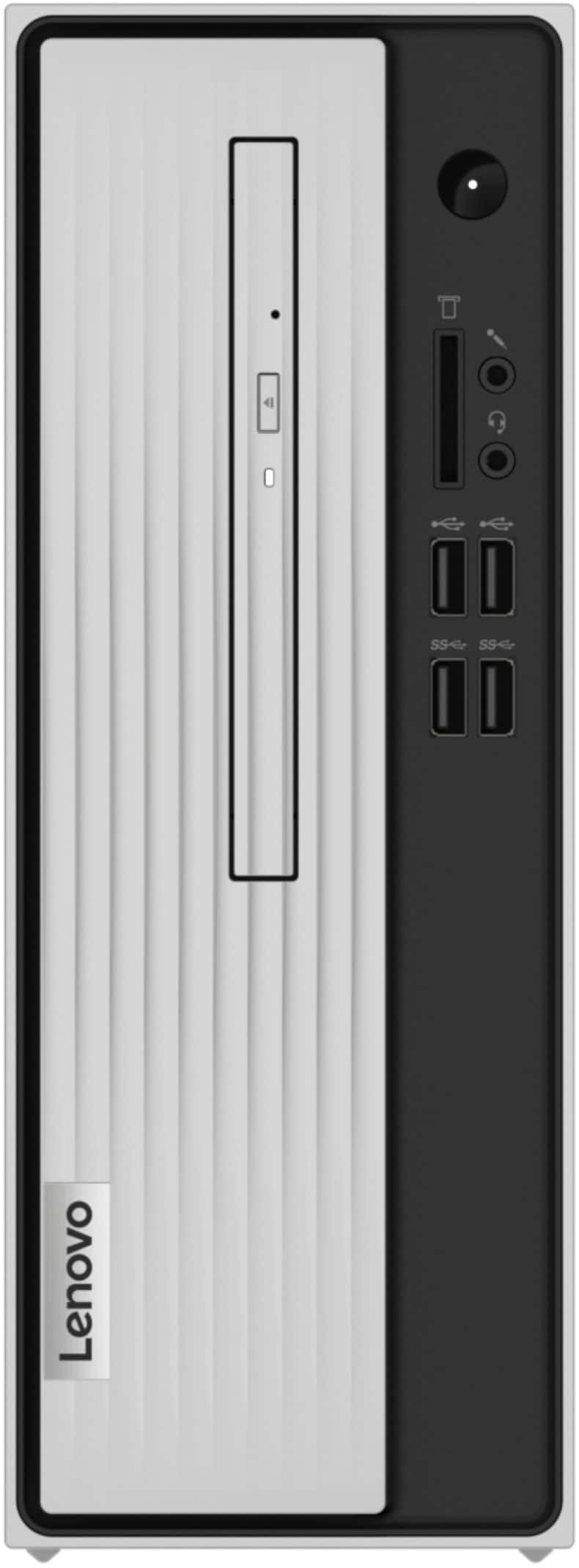
||Posted . Owned for less than 1 week when reviewed.This reviewer received promo considerations or sweepstakes entry for writing a review.This compact computer is great for online classes, easy access to USB ports and DVD player on the front. comes with a HDMI and VGA ports on the back.
I would recommend this to a friendBrand response from Lenovo Product Expert
Posted .Thank you for choosing the Lenovo IdeaCentre 3 Desktop, model number 90MV0001US. We are pleased to hear that the features and performance of the IdeaCentre 3 meets your computing needs so well. The Lenovo IdeaCentre 3 desktop, model number 90MV0001US, is a mid-level, moderate use configuration, with its AMD Athlon 3050U processor. This Dual-Core processor has a base speed of 2.3GHz and a boost speed of up to 3.2GHz. This configuration has 4GB of DDR4-2666MHz RAM. It is good with Microsoft Office type programs, internet browsing and other moderate work. If this describes your computing needs, the IdeaCentre 3 desktop would be a good choice for you.
Nice little desktop
||Posted . Owned for 3 weeks when reviewed.This reviewer received promo considerations or sweepstakes entry for writing a review.This is a great desktop for everyday usage. Very fast and plenty of memory for what I use it for and a great price also.
I would recommend this to a friend- Cons mentioned:Hard drive
Returned
||Posted . Owned for 2 weeks when reviewed.This reviewer received promo considerations or sweepstakes entry for writing a review.Tried using it for a little over2 weeks (off and on) before giving up and returning it. Windows setup was really quick, and its a more compact tower than my previous HP, but those are the only good things. Took 2 minutes to boot up and display the login screen. Took about 5 minutes to fully load after logging into Windows. At first I thought my internet connection was slowing down Chrome, then I changed the setting to not have it automatically launch when Windows starts and whenever I clicked on the icon it took more than a minute for the window to fully appear, and another minute for my homepage to load. It was slower than the 5 year old HP tower I was replacing, which I could occasionally play World of Warcraft on. I didn't even try to download WOW on the Lenovo. Got my tax return and decided to splurge on the CyberPowerPC (not being able to possibly ever play an online game again really scared me, ngl) and everything is so much faster (huge price difference, but also kinda only $500 since I had already budgeted for the Levono and was returning it).
No, I would not recommend this to a friendBrand response from Lenovo Product Expert
Posted .The Lenovo IdeaCentre 3 Desktop Computer, model number 90MV0001US, will boot from off to the Windows 10 Desktop in less than 40-seconds. If you are experiencing slower boot times and generally slower than expected performance, be sure any software you installed is compatible with Windows 10. There is no need to install Microsoft Office software. The software is already part of the operating system, you just need to activate the software with a purchased product key. If you have installed a copy of Microsoft Office, this is conflicting with the existing copy on the system and this will slow your system down. If you have installed a 3rd party anti-virus program, be sure that Windows Defender is turned off and that the trial version of McAfee Anti-Virus software is uninstalled. There can only be one anti-virus program on the system. You may need to restore your system to original factory default settings if any of the programming errors have occurred. You can do that by typing "restore" in the Cortana search window. Just click on the magnifying glass icon at the bottom left of your Windows 10 Desktop. Click on "Reset This PC" Then click on "Get Started" and follow the on screen directions to restore to factory defaults. If the problem persists, we recommend you contact Lenovo Tech Support at: 877-453-6686.
- Cons mentioned:Speed
I've had better from Best Buy!
||Posted . Owned for 3 weeks when reviewed.This reviewer received promo considerations or sweepstakes entry for writing a review.I find it slow to complete a job, and set up. I like the monitor, and the box. Would I buy it again, I'm not sure?
No, I would not recommend this to a friend - Pros mentioned:Price
Lenovo IdeaCentre review
||Posted . Owned for 7 months when reviewed.This reviewer received promo considerations or sweepstakes entry for writing a review.Our last computer drive crashed, so we needed a replacement. Came across this item and price was within budget. Would definitely purchase again.
I would recommend this to a friendBrand response from Lenovo Product Expert
Posted .Thank you for choosing the Lenovo IdeaCentre 3 Desktop Computer. We are pleased to hear that the value and performance of the IdeaCentre 3 meets your computing needs so well.
- Pros mentioned:Performance
Great computer.
||Posted . Owned for 3 weeks when reviewed.This reviewer received promo considerations or sweepstakes entry for writing a review.Started a work from home job and needed to upgrade my computer. Met all the specifications and is exactly what I needed. An added plus was the sale price, very reasonable.
I would recommend this to a friendBrand response from Lenovo Product Expert
Posted .Thank you for choosing the Lenovo IdeaCentre 3 Desktop computer. We are pleased to hear that the value and performance of the IdeaCentre 3 meets your computing needs so well.
- Cons mentioned:Speed
So so
||Posted . Owned for 3 months when reviewed.This reviewer received promo considerations or sweepstakes entry for writing a review.I bought this to have as a 2nd computer for work. It is alot slower than advertised, kinda disappointing
No, I would not recommend this to a friendBrand response from Lenovo Product Expert
Posted .If you are getting slower than expected performance from your Lenovo IdeaCentre 3 Desktop computer, be sure any software you installed is compatible with Windows 10. There is no need to install Microsoft Office software. The software is already part of the operating system, you just need to activate the software with a purchased product key. If you have installed a copy of Microsoft Office, this is conflicting with the existing copy on the system and this will slow your system down. If you have installed a 3rd party anti-virus program, be sure that Windows Defender is turned off and that the trial version of McAfee Anti-Virus software is uninstalled. There can only be one anti-virus program on the system. You may need to restore your system to original factory default settings if any of the programming errors have occurred. You can do that by typing "restore" in the Cortana search window. Just click on the magnifying glass icon at the bottom left of your Windows 10 Desktop. Click on "Reset This PC" Then click on "Get Started" and follow the on screen directions to restore to factory defaults. If the problem persists, we recommend you contact Lenovo Tech Support at: 877-453-6686.
- Pros mentioned:Ease of use
Nice Surprise
||Posted . Owned for 2 weeks when reviewed.This reviewer received promo considerations or sweepstakes entry for writing a review.I haven’t had a desktop window based in years. I was surprised at how easy was to setup and use this window based Leveno.
I would recommend this to a friendBrand response from Lenovo Product Expert
Posted .Thank you for choosing the Lenovo IdeaCentre 3 Desktop Computer. We are pleased to hear that the easy setup, features and performance of the IdeaCentre 3 meets your computing needs so well.
- Cons mentioned:Speed
Simple and basic
||Posted . Owned for 3 months when reviewed.This reviewer received promo considerations or sweepstakes entry for writing a review.Pretty slow but I expected that at purchase. My son uses it for schoolwork at home.
I would recommend this to a friend Great Customer Service
||Posted . Owned for 1 month when reviewed.This reviewer received promo considerations or sweepstakes entry for writing a review.Great Customer Service. I told him what I wanted and he helped me find just what I needed. He did his job and tried to help me get all the accessories that I needed. Will look for this young man next time I am in
I would recommend this to a friend- Cons mentioned:Speed
Horrific
||Posted . Owned for 1 year when reviewed.This reviewer received promo considerations or sweepstakes entry for writing a review.This was a terrible device from the beginning. Get lots of not responding on the browsers, which btw take a long time to open, like up to 5 minutes. Also take a long time to close once clicking on the x. Opening up apps are also very slow, including their own Lenovo app. Sometimes audio will not work on first start-up, so have to restart. And even worse, It Is Very Slow. Even was told that when I was trying to get to pages when online with a banking representative. This device is very horrible and has me cursing a lot.
No, I would not recommend this to a friendBrand response from Lenovo Product Expert
Posted .We are sorry to hear that you are having issues with your Lenovo IdeaCentre 3 Desktop computer, model number 90MV0001US. This is an entry-level configuration with its 2-Core, AMD Athlon Silver 3050U processor and 4GB DDR4-2400MHz RAM. It is good with light work with productivity software like Microsoft Office, browsing the internet. It is not meant for multi-tasking or work with resource-demanding software. Also, be sure any software you installed is compatible with Windows 10. There is no need to install Microsoft Office software. The software is already part of the operating system, you just need to activate the software with a purchased product key. If you have installed a copy of Microsoft Office, this is conflicting with the existing copy on the system and this will slow your system down. If you have installed a 3rd party anti-virus program, be sure that Windows Defender is turned off and that the trial version of McAfee Anti-Virus software is uninstalled. There can only be one anti-virus program on the system. Here is a link to instructions for uninstalling McAfee from a Windows computer: https://service.mcafee.com/?articleId=TS101331&page=shell&shell=article-view You may need to restore your system to original factory default settings if any of the programming errors have occurred. You can do that by typing "restore" in the Cortana search window. Just click on the magnifying glass icon at the bottom left of your Windows 10 Desktop. Click on "Reset This PC" Then click on "Get Started" and follow the on screen directions to restore to factory defaults. If the problem persists, we recommend you contact Lenovo Tech Support at: 866-426-0911.
- Pros mentioned:Price
Nice Desktop for office work
||Posted . Owned for 1 month when reviewed.This reviewer received promo considerations or sweepstakes entry for writing a review.Good computer for the price. I just needed something to do work on, not gaming or anything special and this did everything I needed. My life is now complete.
I would recommend this to a friend - Pros mentioned:Performance
Good value for what I needed
||Posted . Owned for 1 month when reviewed.This reviewer received promo considerations or sweepstakes entry for writing a review.Good very basic system For my mom who just needed it as an upgrade and to be able to watch her Korean shows online Perfect for that
I would recommend this to a friendBrand response from Lenovo Product Expert
Posted .Thank you for choosing the Lenovo IdeaCentre 3 Desktop Computer for your mother. We are pleased to hear that the IdeaCentre 3 meets your mother's computing needs so well.
Best bang for your buck
||Posted . Owned for 1 month when reviewed.This reviewer received promo considerations or sweepstakes entry for writing a review.Very good computer for the price! Perfect for general use. I really like that it's got plenty of expandable room for the Ram too.
I would recommend this to a friend- Cons mentioned:Speed
King
||Posted . Owned for 1 month when reviewed.This reviewer received promo considerations or sweepstakes entry for writing a review.Has a small processor 2.300 Mhz , 2 core. Graphics give fuzzed picture on monitor.
No, I would not recommend this to a friendBrand response from Lenovo Product Expert
Posted .The Lenovo IdeaCentre 3 Desktop, model number 90MV0001US is a mid-range configuration with its 2-Core AMD Athlon 3050U processor, with a base speed of 2.3GHz and a boos speed of up to 3.2GHz. This processor is supported by 4GB DDR4-2666MHz RAM. This configuration is good for moderate workloads with productivity software like Microsoft Office. It is good for internet work and can connect wirelessly with 802.11ac frequency WiFi built in.
- Pros mentioned:Usb ports
Good for simple use
||Posted . Owned for 1 week when reviewed.This reviewer received promo considerations or sweepstakes entry for writing a review.Good value for what you get. A lot of USB ports just limited in some aspects.
I would recommend this to a friendBrand response from Lenovo Product Expert
Posted .The Lenovo IdeaCentre 3 Desktop Computer, model number 90MV0001US, is an entry-level model, good with light to moderate workloads. It works well with Productivity Software such as Microsoft Office, browsing the internet. It is not meant for multi-tasking or AAA Gaming.
- Pros mentioned:Size
easy set up, compact size
||Posted . Owned for 3 weeks when reviewed.This reviewer received promo considerations or sweepstakes entry for writing a review.So far so good. We love it. Small and compact size, great speed and storage. Lenovo is a name you can trust.
I would recommend this to a friendBrand response from Lenovo Product Expert
Posted .Thank you for choosing the Lenovo IdeaCentre 3 Desktop computer, model number 90MV0001US. We are pleased to hear that the features and performance of the IdeaCentre 3 Desktop, meets your computing needs s well. The Lenovo IdeaCentre 3 desktop, model number 90MV0001US, is a mid-level, moderate use configuration, with its AMD Athlon 3050U processor. This Dual-Core processor has a base speed of 2.3GHz and a boost speed of up to 3.2GHz. This configuration has 4GB of DDR4-2666MHz RAM. It is good with Microsoft Office type programs, internet browsing and other moderate work. If this describes your computing needs, the IdeaCentre 3 desktop would be a good choice for you.
- Cons mentioned:Speed
Great size, poor performance
||Posted . Owned for 3 weeks when reviewed.This reviewer received promo considerations or sweepstakes entry for writing a review.I like the form factor, it takes up very little space (and space is limited). However, the machine does not perform near as well as I had hoped for. In fact, it is performing as slow if not slightly slower than the machine that it replaced. Removing the McAfee security suite sped it up a bit but overall very disappointing.
No, I would not recommend this to a friend Returned first one
||Posted . Owned for 3 weeks when reviewed.This reviewer received promo considerations or sweepstakes entry for writing a review.I purchased the Lenovo IdeaCentre 3 07ADA Desktop AMD Athlon Silver-Series to use as a music storage device/DAC. It does this fine of course. However the optical drive disintegrated on first use trying to play a video. VERY cheaply made. I traded for the same unit and will not use the cdrom drive
No, I would not recommend this to a friend


















