Customer Ratings & Reviews


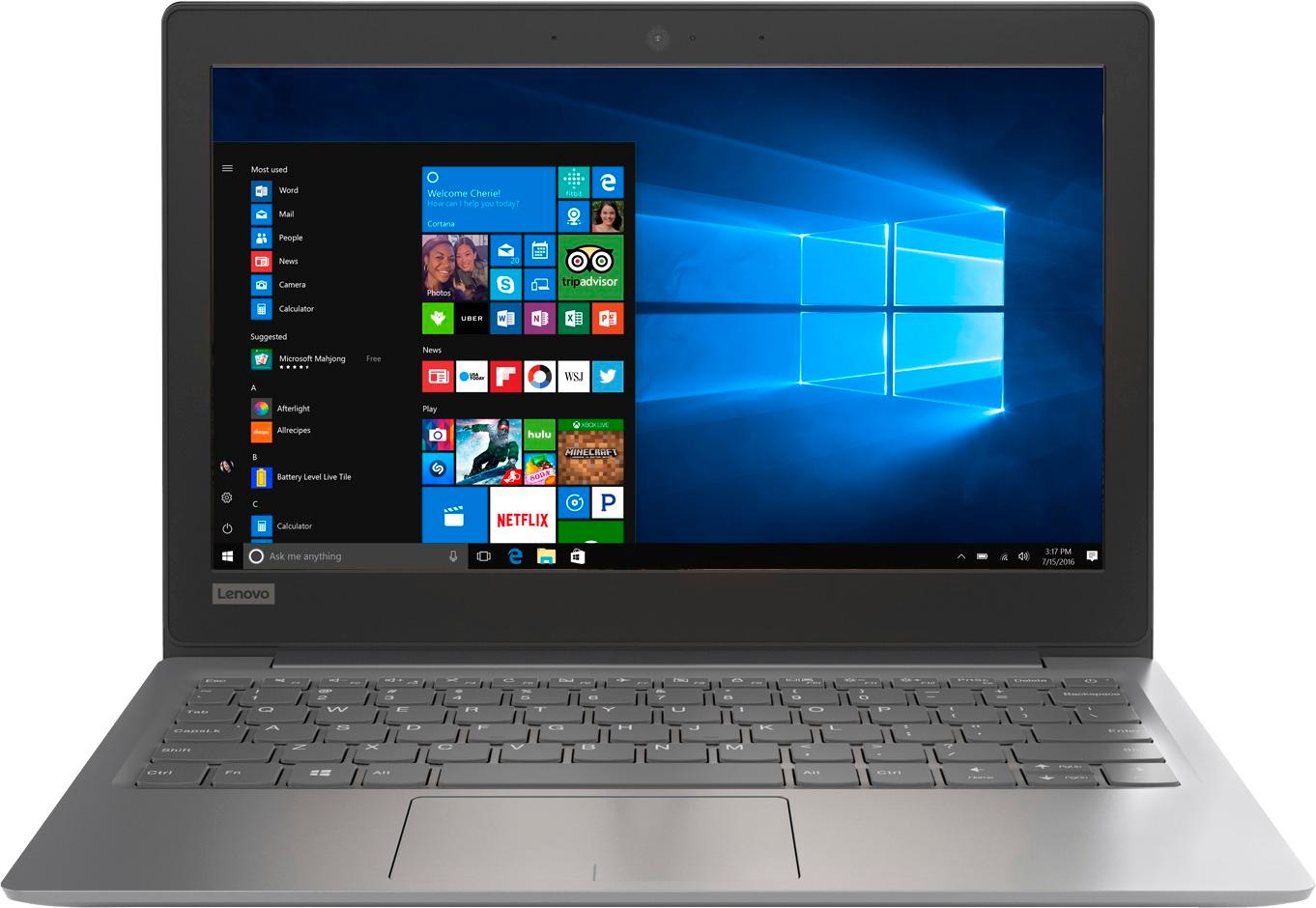
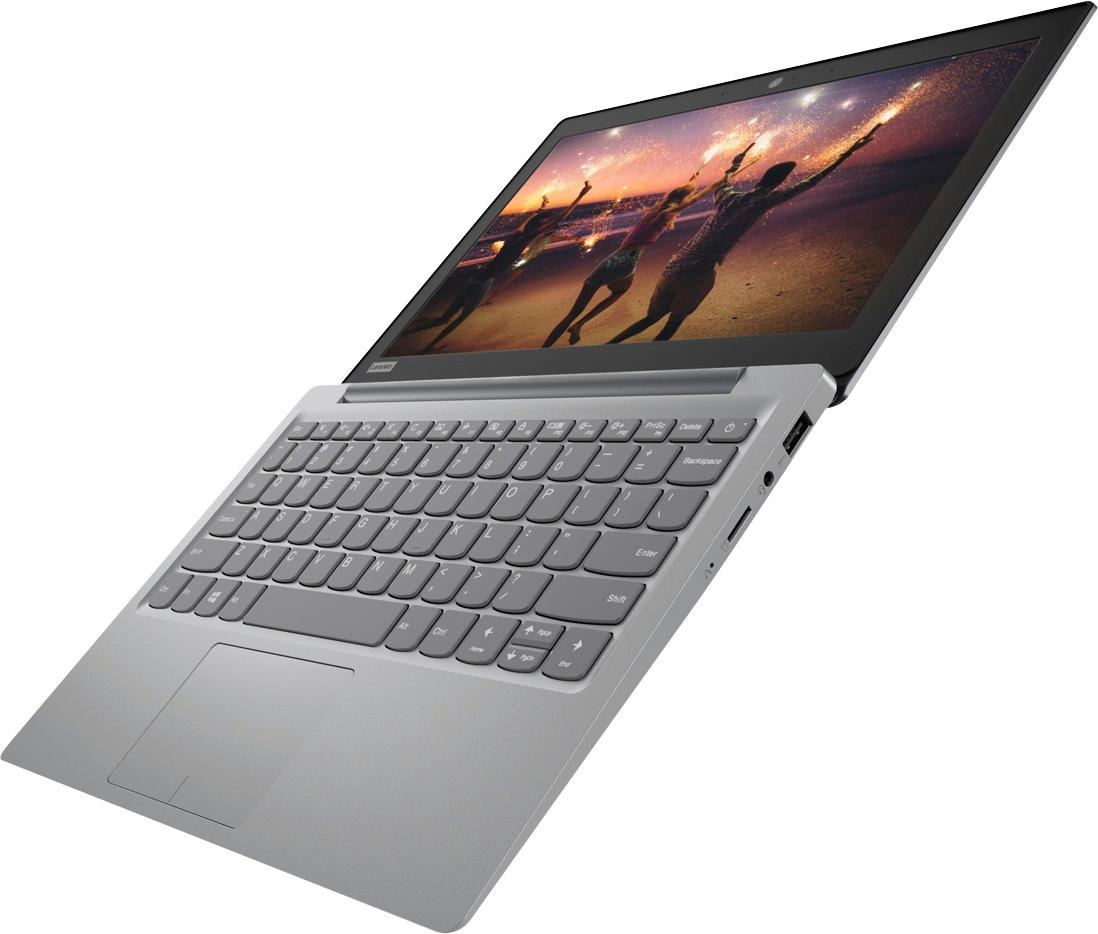

- Model:
- 81A40025US
- SKU:
- 6061800
Rating by feature
- Battery Life
Rating 4.7 out of 5 stars
- Speed
Rating 3.8 out of 5 stars
- Value
Rating 3.6 out of 5 stars
Customers are saying
Customers love the IdeaPad 11.6" Laptop for its budget-friendly price, portability, and lightweight design. Many reviewers mentioned that it is a great laptop for basic tasks and everyday use. However, some customers expressed concerns about its limited storage space, slow performance, and low memory, which may not be suitable for more demanding tasks or multitasking.
This summary was generated by AI based on customer reviews.
- Pros mentioned:Light weight
Great Computer
||Posted .This reviewer received promo considerations or sweepstakes entry for writing a review.Works exactly for what i need it for, so far very happy with this purchase. I would definitely recommend this computer, it’s light so very easy for traveling with.
I would recommend this to a friendBrand response from Lenovo Product Expert
Posted .Thank you for choosing the Lenovo IdeaPad 120s-11 laptop. We are pleased to hear that the IdeaPad 120s-11 is working out so well for you.

- Cons mentioned:Storage
Great for College Students on a Budget
||Posted . Owned for 1.5 years when reviewed.This reviewer received promo considerations or sweepstakes entry for writing a review.I started College in April 2018 and needed a laptop. So I purchased this in May 2018. I’m and Honors student, like it and I think it’s very easy to use. You can have iTunes which is a plus, luckily I own an iPhone. The only thing I dislike is that there is no storage space, even when you have nothing downloaded on it. Eventually I’ll get a Mac but it helps me write essays, browse the web, watch videos, and good for blogging. Not to sure how I feel about the camera. I’m about to purchase some more space because I am finishing up my first 2 years of college for Kinesiology and I am currently using this for my online classes. Good Ideapad and I would recommend it to anyone you just need space, so 5 stars for getting me through my first 2 years of college.
I would recommend this to a friend - Cons mentioned:Low memory, Storage
Needs a lot more memory 2g is just not enough
||Posted . Owned for 9 months when reviewed.This reviewer received promo considerations or sweepstakes entry for writing a review.It’s ok It can’t update 2g is not enough for a full time student in college It can’t update my windows 10 Says not enough space Yet I have 32g internal memory card And a 128g external that I’ve saved all my work on and still it can’t update Very frustrating
No, I would not recommend this to a friend AWESOME FOR SURFING WEB
||Posted .This reviewer received promo considerations or sweepstakes entry for writing a review.It's an awesome computer small and compact and the battery life is great
I would recommend this to a friendBrand response from Lenovo Product Expert
Posted .Thank you for choosing the Lenovo IdeaPad 120s-11 laptop. We are pleased to hear that the features and performance of the IdeaPad 120s-11 meets your computing needs so well.
- Pros mentioned:Light weightCons mentioned:Ram, Storage
Great for light stuff work and entertainment
||Posted .This reviewer received promo considerations or sweepstakes entry for writing a review.Using this device for quite sometime and it works great for daily light stuff work. With its size and weight its great for travel. But with its limited storage, Updates for win10 will take up some more space. First thing i did was to update the version of win10 then install the other updates. That leaves you with roughly 3 - 5Gb of space left. But when the updates done I deleted the win10 old file that will free up some space from 5Gb to approx. 10 - 12 Gb of free space. With that space left you can install some third party programs (light programs) and some apps from microsoft store. Remember this device have 2Gb of RAM not enough for highly demanding programs. Did all my work with this device while on the road, traveling because of its size and being light weight. I can put it on my back pack or messenger bag with no worries to weight.
I would recommend this to a friendBrand response from Lenovo Product Expert
Posted .Thank you for choosing the Lenovo IdeaPad 110s-11. This system uses Windows 10 Home 32-bit operating system, which uses less than 1GB of RAM to run. If you need more storage space, there is a Micro-SD slot on the device that can be used to add more space.
Great for small jobs and new beginners
||Posted .This reviewer received promo considerations or sweepstakes entry for writing a review.Really nice and cute, good for early students and kids.
I would recommend this to a friendBrand response from Lenovo Product Expert
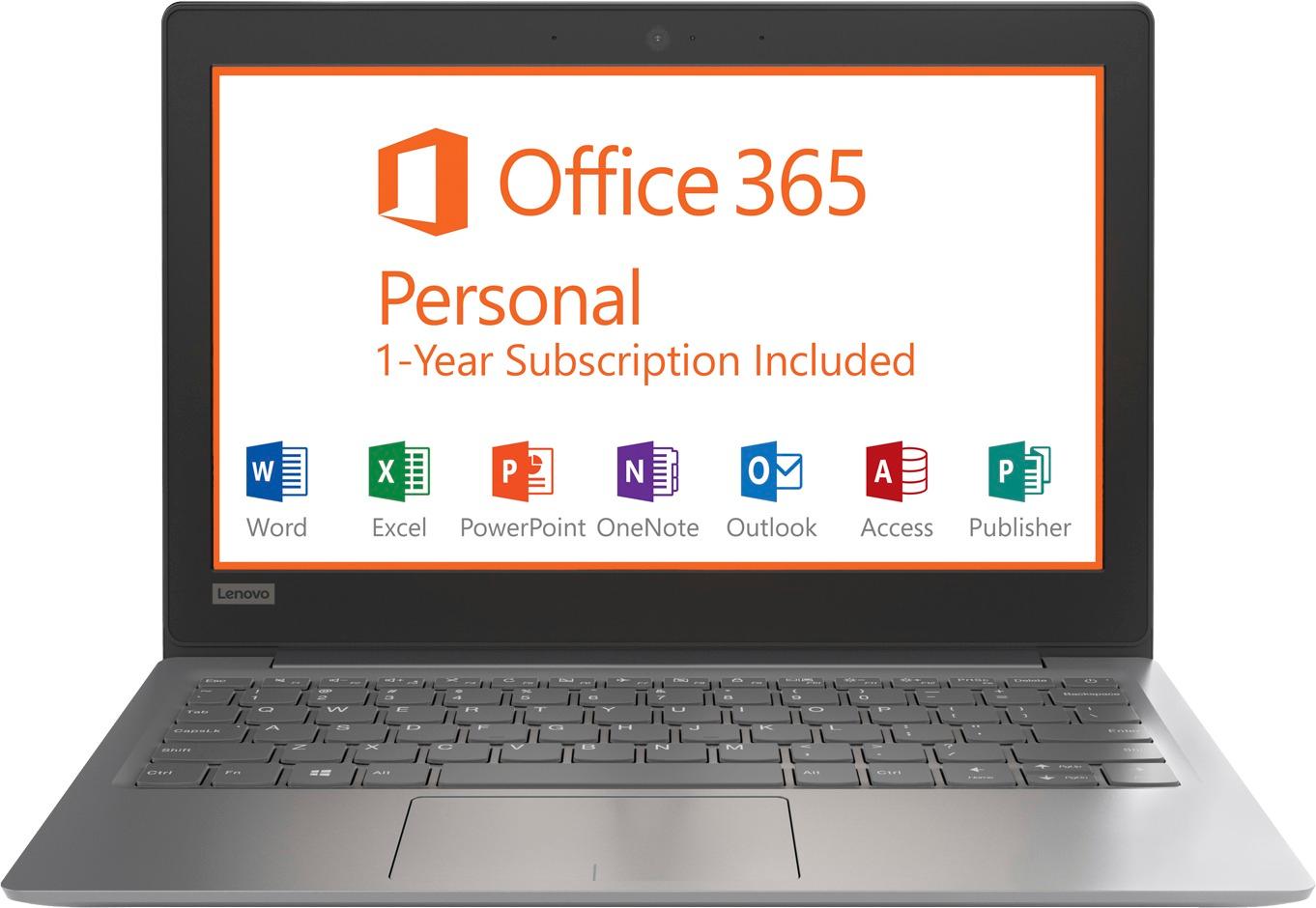
Posted .Thank you for choosing the Lenovo IdeaPad 120s-11 laptop. This is an entry level, light use computer system. It uses Windows 10 Home 64-Bit as its operating system, which requires less than 2GB of RAM to run. There is a 32GB solid state hard drive on this device for fast boot up and file recall. This device has the latest WiFi capability, with 802.11AC connectivity. There is a free 1-year subscription to Microsoft Office 365, a $69.00 value on this device. If your requirements fit this profile, this device is a good choice.
- Pros mentioned:PriceCons mentioned:Storage
Great secondary or traveling machine
||Posted .This reviewer received promo considerations or sweepstakes entry for writing a review.If you're buying the Ideapad 120S as your primary PC, you may be disappointed in its performance - but if you're buying it to be a secondary machine (use in bed, on the couch, while traveling, etc.), the value is hard to beat. For $200, I've got a laptop that browses the web just fine (only gets hung up on websites with a TON of flash content, and only for a second or two), runs both Microsoft Office 365 and Google Docs/Sheets with no hiccups, and I can even do some light gaming on it. I've played Stardew Valley and FTL without any slowdowns - it won't do current major AAA titles, but that's not what you should be buying this laptop for. Cons: Poor speakers (ended up buying a Bluetooth speaker to use) Mediocre display - looks great straight on, gets some discoloration at angles 32GB of onboard storage Pros: Micro SD slot to expand storage - put a 128GB card in and have had no issues saving to it Great keyboard and trackpad Regularly get a full day's use out of one battery charge Great build - feels sturdy, doesn't get hot or make noise In a nutshell - if all you need is a device to browse the web, do some document editing, and play some light games, you can't do much better for $200. Plan on spending a little more money down the line to get a Bluetooth speaker and a Micro SD card, and I think you'll be very pleased.
I would recommend this to a friendBrand response from Lenovo Product Expert
Posted .Thank you for choosing the Lenovo IdeaPad 120s-11 laptop. We are pleased to hear that the IdeaPad 120s-11 meets your computing needs so well.
- Pros mentioned:Portable, PriceCons mentioned:Storage
Great if you don't have high expectations for it.
||Posted .This reviewer received promo considerations or sweepstakes entry for writing a review.I live in the Bay Area and travel to see my Grandma in Sacramento on a regular basis and had traveled with a bulky laptop at one point. When I saw this on sale for $99 on Black Friday I thought it would be great to have a laptop just for travel so I don't have a heavy backpack on the go. This laptop meets my expectations for having MS Office for one year and also being a basic platform for web browsing, playing on the site Pogo and listening to iHeart Radio. Unfortunately, the space was very limited setting up the unit out of the box, I had to disable Windows Update in the Control Panel and run every cleaning app I could to reduce the clutter and footprint left by the pre-installed apps, but once I did that its smooth as butter. Firefox runs nice on here and installed the Adobe Flash player so I could watch my NetFlix or Youtube videos (iHeart requires it too) Wireless AC, USB Type C and HDMI port are a big bonus at this price range. Internet surfing is super fast! For those of you who are looking to game on it, you're looking at the wrong laptop. Not designed for that. May be intimidating for those novices that could be frustrated by technology due to the lengthy setup process on startup. Overall I'm satisfied with this product, and for $99 it was the right price to add another laptop so I could leave my personal one at home.
I would recommend this to a friendBrand response from Lenovo Product Expert
Posted .Thank you for choosing the Lenovo IdeaPad 120s-11 laptop. This is an entry level, light use system. It uses Windows 10 Home 32-Bit as its operating system, which requires less than 1GB of RAM to run. There is a 32GB solid state hard drive for quick boot up and quick loading of programs and files. If you need more storage space for this device, there is a Micro-SD card slot on the device that can be used to add more storage space. This device has the latest WiFi capability, with 802.11AC connectivity. It comes with a free 1-year subscription to Microsoft Office 365, a $69.00 value. If your requirements fit this profile, this device is a good choice.
- Pros mentioned:Portable, Price
Great Portability & For Practicing Coding
||Posted .This reviewer received promo considerations or sweepstakes entry for writing a review.I bought this laptop during Black Friday for only $99 + tax, for the sole purpose of practicing to Code and for MILD surfing of the internet. With that in mind, this is my ratings for it. - Portability= 5/5 stars - Light and easy to take around. - Surfing the Internet= 3/5 - Multiple tabs (5+) up on my web browser definitely bogs down this laptop. Now this may hinder others, but since I am just using this to practice Coding, its not a big deal for me. - Experience when Coding = 4/5 - It was neither bad nor very good. Sure long lines of Code does take a bit, but in the end it gets the job done so I can't complain. Light coding/practicing is definitely preferred on here. Bottom line- DO NOT get this if it is going to be used as your main computer. It lacks the power to do such heavy tasks. As a back up laptop this is great and for the $99 price tag, I wouldn't mind spending it. Students who want to use this for College or wherever, be weary, writing a paper with many tabs open will take a bit due to this laptop's limitations. But with the limitations in mind when I purchased this laptop, I am happy with it.
I would recommend this to a friend - Pros mentioned:Price, SizeCons mentioned:Storage
Good little laptop!
||Posted .This reviewer received promo considerations or sweepstakes entry for writing a review.This laptop is great for browsing the internet. I like that it is small, light, comes with windows 10 and it was a great deal on Black Friday $99 It also came with Office 365 free 1 yr subscription which made it even a better deal. The only bad thing about it is the storage. 32GB is really not that much storage and after all the Updates you really only have 7 to 10GB left for apps or games. It does have a micro SD slot so I guess thats better than noting.
I would recommend this to a friend - Pros mentioned:PriceCons mentioned:Ram, Storage
Great Black Friday Deal
||Posted .This reviewer received promo considerations or sweepstakes entry for writing a review.The 4 star review is based on the Black Friday price of $99. It's a great buy for web browsing and writing documents. With it's small amount of RAM and HDD space, it's basically a chromebook that happens to use Windows 10 instead of Chrome OS. Just don't expect it to run programs not already installed or store your pictures, videos, etc.
I would recommend this to a friendBrand response from Lenovo Product Expert
Posted .This is an entry level, light use system. It uses Windows 10 Home 32-Bit as its operating system, which requires less than 1GB of RAM to run. There is a 32GB solid state hard drive for quick boot up and quick loading of programs and files. If you need additional storage space, there is a Micro-SD card slot that can be used to add more space for storage. This device has the latest WiFi capability, with 802.11AC connectivity. It comes with a free 1-year subscription to Microsoft Office 365, a $69.00 value. If your requirements fit this profile, this device is a good choice.
Affordable; 64-bit Windows; Backup & Upgrade Tips
||Posted .This reviewer received promo considerations or sweepstakes entry for writing a review.This laptop was an incredible Black Friday 2017 deal. Small and light, it runs Windows, which makes it a "real" computer, able to run arbitrary programs, not just tablet-style apps. I've upgraded to Windows 10 Fall 2017 Creators Edition. I've also installed Microsoft's Linux Subsystem, so that I can use Ubuntu from inside Windows. The result is a very-low-cost platform for serious software development. Contrary to some of the questions-and-answers, the preinstalled Windows 10 Home version IS 64-bit. The build number is 1703, from mid-2017. As other reviewers have mentioned, in-place upgrades will fail unless you free up space on the 32 GB solid-state disk. This machine ships without recovery media. After running through the usual "getting started" steps for a new Windows PC, disconnect from your wireless network and open Control Panel > System and Security > Backup and Restore (Windows 7). [Yes, the feature is holdover from Windows 7!] Plug in a USB external DVD writer (not supplied) and use the two links on the left side of the control panel to create a system image (fills two 9 GB double-layer writable DVDs) and a repair disc (one 4.5 GB single-layer DVD will suffice). Sadly, you must have an optical drive; Windows will not let you use a microSD card, USB flash drive, or external hard drive for this type of backup. Disconnecting from network stops Windows from downloading updates; too much write activity on the internal SSD would kill the "shadow file", causing the backup to fail just before the end. After taking a full backup, I ran Disk Cleanup on C:/ and also got rid of the "bloatware" that comes preinstalled on any low-cost PC. You can safely remove all of the manufacturer's applications except Companion, which is handy for updating drivers and controlling certain hardware features. The anti-virus software, which is, after all, just a one-year trial, can also be removed. (Turn on Windows 10's built-in equivalent.) Once you've activated the free one-year Office 365 subscription, you can delete that big package, too. (Reinstall it later, over the Internet. The entitlement is stored in your Microsoft Account.) The folder on C:/ containing 200 MB of uncompressed PDF manuals, in every possible language, can be temporarily moved to a USB flash drive. These steps will free more than enough space for an upgrade to the latest Windows 10 build.
I would recommend this to a friend- Pros mentioned:PriceCons mentioned:Storage
Incredible Deal
||Posted .This reviewer received promo considerations or sweepstakes entry for writing a review.I was skeptical when i bought this but figured I couldn't go wrong for the price. It fast exceeds my expectations. I read that is was slow and didnt have strong colors...WRONG. It is everything that my other laptop is but that one cost & $500. It does have a small hard drive but I save everything on a portable drive or the cloud. My only regret is not buying two.
I would recommend this to a friendBrand response from Lenovo Product Expert
Posted .Thank you for choosing the Lenovo Ideapad 120s-11 laptop. We are pleased to hear that the value and performance of the IdeaPad 120s-11 meets your computing needs so well.
- Pros mentioned:Price, Size
Web Browser
||Posted .This reviewer received promo considerations or sweepstakes entry for writing a review.Currently doing this review on the laptop. For the price its a great product. Sluggish at times when web browsing, but again you get what you paid for. If you're looking for a laptop to do basic web browsing and Microsoft then its highly recommended. great size and super light weight.
I would recommend this to a friendBrand response from Lenovo Product Expert
Posted .This is an entry level, light use system. It uses Windows 10 Home 32-Bit as its operating system, which requires less than 1GB of RAM to run. There is a 32GB solid state hard drive for quick boot up and quick loading of programs and files. This device has the latest WiFi capability, with 802.11AC connectivity. It comes with a free 1-year subscription to Microsoft Office 365, a $69.00 value. If your requirements fit this profile, this device is a good choice.
- Pros mentioned:PortableCons mentioned:Storage
What we expected for the price
||Posted .This reviewer received promo considerations or sweepstakes entry for writing a review.Windows 10 takes up a lot of the hard drive space which makes it hard to have any additional software. We purchased it more for internet use and it works just fine for that. It’s small and portable. If I were to do it over I think I would consider a chrome book for our needs instead.
I would recommend this to a friendBrand response from Lenovo Product Expert
Posted .This is an entry level, light use system. It uses Windows 10 Home 64-Bit as its operating system, which requires less than 2GB of RAM to run. There is a 32GB solid state hard drive for quick boot up and quick loading of programs and files. If you need more storage space, this device has a micro-SD card slot that can be used for more storage. This device has the latest WiFi capability, with 802.11AC connectivity. It comes with a free 1-year subscription to Microsoft Office 365, a $69.00 value. If your requirements fit this profile, this device is a good choice.
- Pros mentioned:PortableCons mentioned:Low memory
Budget chromebook
||Posted .This reviewer received promo considerations or sweepstakes entry for writing a review.Grabbed this on Black Friday for $99 and its actually not bad. The speakers are pretty bad....headphones make it better. Its very, very lightweight....which makes it easy to carry around. Its very good looking too...seriously, it looks very nice. Limited memory at 32gb, but you can add a micro sd card for a few bucks and double the memory. I bought this for my 8yr old to see how she takes care of things before dropping $400 plus for a nicer laptop. She has watched a few videos and played some learning games and its fine. The screen resolution/quality is average at best (think a portable dvd player screen) but again for $99....I am not going to rip it apart in a review. Its a very basic beginner chromebook and dont expect it to perform like something its not. Overall, it serves its purpose and if we get a year or so out of it.....I will be happy.
I would recommend this to a friendBrand response from Lenovo Product Expert
Posted .Thank you for choosing the Lenovo IdeaPad 120s-11 laptop for your child. This system runs Windows 10 Home 64-bit as its operating system. It is not a Chromebook.
- Pros mentioned:PortableCons mentioned:Storage
Does What It Was Purchased For and More
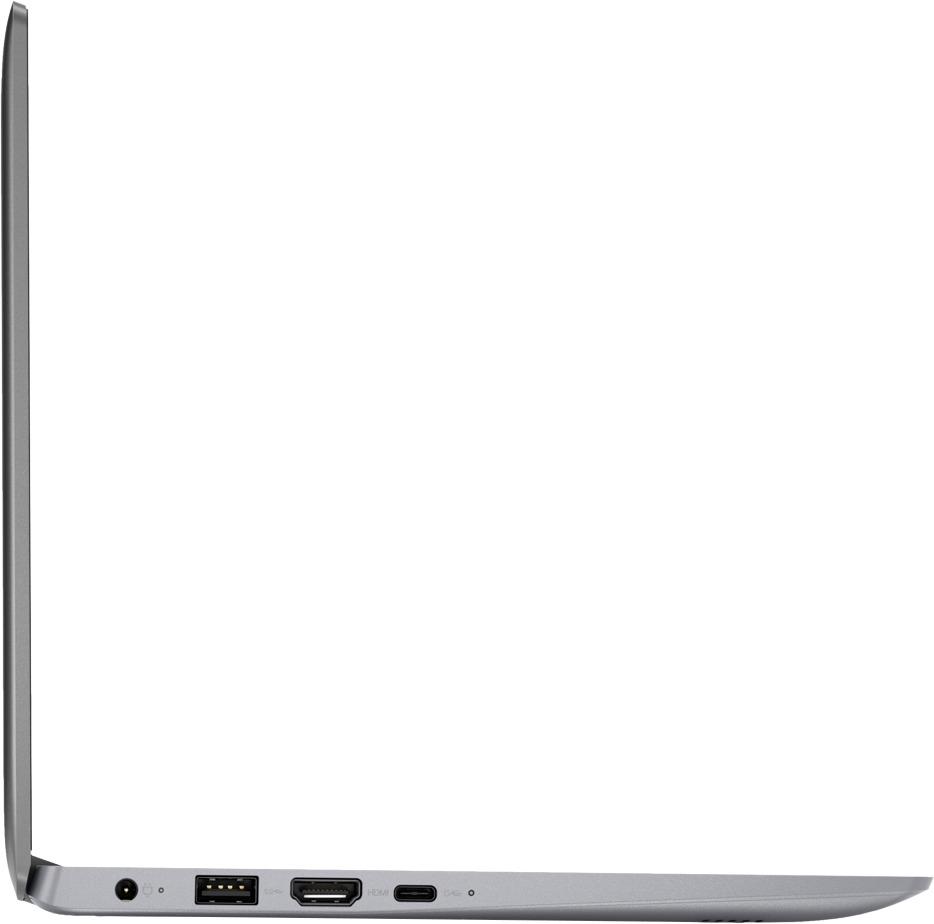
||Posted .This reviewer received promo considerations or sweepstakes entry for writing a review.I wanted a second laptop that'd be light, easy to throw in the backpack and carry anywhere. This fits the bill. And you needn't worry about dropping it etc much as there is no hard drive to damage inside. The only drawback with this product is that it comes with only about 7 GB free on the 32 GB eMMC storage with Windows 10 pre installed This might work great fir you if you uninstall Windows 10 and get a much smaller OS What I'm trying to do is keep a San Disk ultra fit 128GB pen drive permanently lodged to one of the USB ports and see how I can format it so it is recognized as an internal drive on the computer Oh here's another really cool feature - This device has a USB type C port - That is seriously cool for this price (I paid $99 on black friday -ordered it online)
I would recommend this to a friendBrand response from Lenovo Product Expert
Posted .Thank you for choosing the Lenovo IdeaPad 120s-11 laptop. If you need more storage space, there is a Micro-SD card slot on this device that can be used for extra storage space.
- Pros mentioned:Easy to use, Size
Nice little laptop
||Posted .This reviewer received promo considerations or sweepstakes entry for writing a review.Great small laptop, fast, easy to use. Great for traveling. Only drawback is the touchpad is VERY sensitive and changes the resolution of the screen very easily. Good for general web browsing, speakers not great, I would plug in external to listen to music. Nice, lightweight, easy to use laptop.
I would recommend this to a friendBrand response from Lenovo Product Expert
Posted .Thank you for choosing the Lenovo IdeaPad 120s-11 laptop. With regard to the touchpad, you can make adjustments to the touchpad in your system settings. You can get there by clicking on the magnifying glass at the bottom left of your Windows 10 screen. Type "touchpad" in the search window. Select "Mouse & touchpad settings" from the list of choices. You can make general adjustments to the touchpad there. You can also select "Additional mouse options" for more detailed adjustments to the touchpad sensitivity by increasing the delay of the touchpad.
- Pros mentioned:Light weightCons mentioned:Ram
Perfect for Kids
||Posted .This reviewer received promo considerations or sweepstakes entry for writing a review.This little PC is well built and light weight. It's perfect for kids to use for watching Netflix, web browsing, etc. It also comes with Office 365, which is more than the cost of the Computer. The ONLY drawback is the inability to add more RAM. 2GB is a little light even for low level needs.
I would recommend this to a friend - Pros mentioned:PortableCons mentioned:Storage
Satisfied.
||Posted .This reviewer received promo considerations or sweepstakes entry for writing a review.For travel, needed a lightweight, small laptop for email, typing, and reading. The Lenovo 120, replacing the Lenovo 110, is perfect for my needs. Small storage was easily overcome with a 128GB short stick.
I would recommend this to a friendBrand response from Lenovo Product Expert
Posted .Thank you for choosing the Lenovo IdeaPad 120s-11 laptop. We are pleased to hear that the features and performance of the IdeaPad 120s-11 meets your computing needs so well.


















