Customer Ratings & Reviews
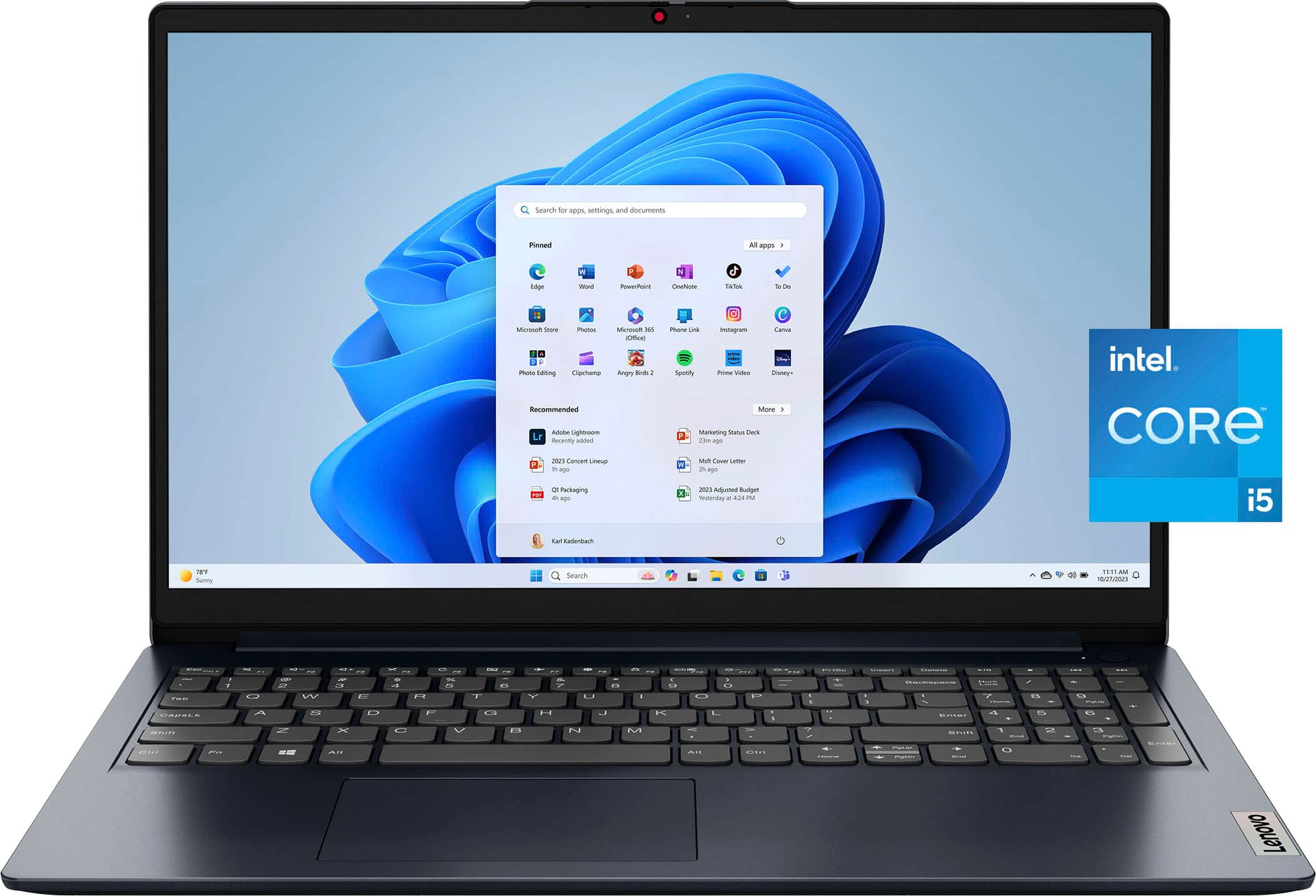
![Unmatched efficiency and mobility. Intel 16GB & 512GB 00 TM Intel* CoreM i5-1334U Processor 16GB DDR4-3200 Memory & 512GB SSD Storage Integrated Intel* Iris X Graphics I Subpure - [Proseware, Inc.] . - 10% - + Slim Zip Backpack $50 n - - tut - Lig - - NSN - - afat - MESIAN - - - - - e a - - . a - Blueke BAcS TESTNA - - -. - - - - - 18 - - - - - 5 I 3.](https://pisces.bbystatic.com/image2/BestBuy_US/images/products/c92879cf-1648-4df7-8b47-ff484ad5e044.jpg)


- Model:
- 83B40001US
- SKU:
- 12002180
Rating by feature
- Battery Life
Rating 4.6 out of 5 stars
- Speed
Rating 4.7 out of 5 stars
- Display
Rating 4.7 out of 5 stars
Great value!
||Posted . Owned for 1 week when reviewed.This reviewer received promo considerations or sweepstakes entry for writing a review.This laptop is a great product for the value. I'd recommend it for basic office use.
I would recommend this to a friendBrand response from Lenovo Product Expert
Posted .Hey CLAUDIAC,
Thanks for choosing Lenovo and for sharing your feedback with us!
We are glad to read that this IdeaPad 1i offers great value to you.
Please feel free to reach out to us via the Q& A section of this product page should you have any questions or need assistance.
Best,
Lenovo
Works wonderful
||Posted .This reviewer received promo considerations or sweepstakes entry for writing a review.Great Buy 10/10 for me. Would recommend to those who work from home!
I would recommend this to a friendBrand response from Lenovo Product Expert
Posted .Hey user845142,
Thanks for choosing Lenovo and for sharing your feedback with us!
We are glad to read that that IdeaPad 1i is working wonderfully for you.
Please feel free to reach out to us via the Q& A section of this product page should you have any questions or need assistance.
Best,
Lenovo
Computer for school
||Posted . Owned for 1 month when reviewed.This reviewer received promo considerations or sweepstakes entry for writing a review.Bought for class. It does a great job. Just what I needed
I would recommend this to a friendBrand response from Lenovo Product Expert
Posted .Hi JasonC,
Thanks for choosing Lenovo and for sharing your feedback with us!
We are pleased to read that this IdeaPad 1i meets your needs exactly.
Please feel free to reach out to us via the Q& A section of this product page should you have any questions or need assistance.
Best,
Lenovo
Laptop
||Posted . Owned for 1 month when reviewed.This reviewer received promo considerations or sweepstakes entry for writing a review.Good quality laptop for the price. Exactly what i wanted.
I would recommend this to a friendBrand response from Lenovo Product Expert
Posted .Hi GeneP,
Thanks for choosing Lenovo and for sharing your feedback with us!
We are pleased to read that this IdeaPad 1i offers exactly what you wanted in a laptop.
Please feel free to reach out to us via the Q& A section of this product page should you have any questions or need assistance.
Best,
Lenovo
Review
||Posted .This reviewer received promo considerations or sweepstakes entry for writing a review.Great computer for the price ! Just started using it and does everything I need it to do.
I would recommend this to a friendBrand response from Lenovo Product Expert
Posted .Hey Jules,
Thank you for choosing Lenovo and for sharing your feedback with us!
We are glad to hear that your IdeaPad 1i meets all of your needs.
Please feel free to reach out to us should you have any questions.
Best,
Lenovo
Great!
||Posted .This reviewer received promo considerations or sweepstakes entry for writing a review.My son got one for Christmas and we loved it so much that we got one for us, too!
I would recommend this to a friendBrand response from Lenovo Product Expert
Posted .Hey KarenA,
Thank you for choosing Lenovo again and for sharing your feedback with us!
We are glad to hear that you all are loving this IdeaPad 1i.
Please feel free to reach out to us should you have any questions.
Best,
Lenovo
Recommended
||Posted .This reviewer received promo considerations or sweepstakes entry for writing a review.This laptop is the best one for students I recommended
I would recommend this to a friendBrand response from Lenovo Product Expert
Posted .Hey KevinV,
Thanks for choosing Lenovo and for sharing your feedback with us!
We are glad to read that this IdeaPad 1i is a great fit for its intended use.
Please feel free to reach out to us via the Q& A section of this product page should you have any questions or need assistance.
Best,
Lenovo
11/10
||Posted . Owned for 3 weeks when reviewed.This reviewer received promo considerations or sweepstakes entry for writing a review.Terrific! Met all the needs for a work from home computer laptop
I would recommend this to a friendBrand response from Lenovo Product Expert
Posted .Hey ReimundoH,
Thanks for choosing Lenovo and for sharing your feedback with us!
We are glad to read that this IdeaPad 1i meets your various needs.
Please feel free to reach out to us via the Q& A section of this product page should you have any questions or need assistance.
Best,
Lenovo
Idea Pad 1i 15.6" Full HD Touchscreen
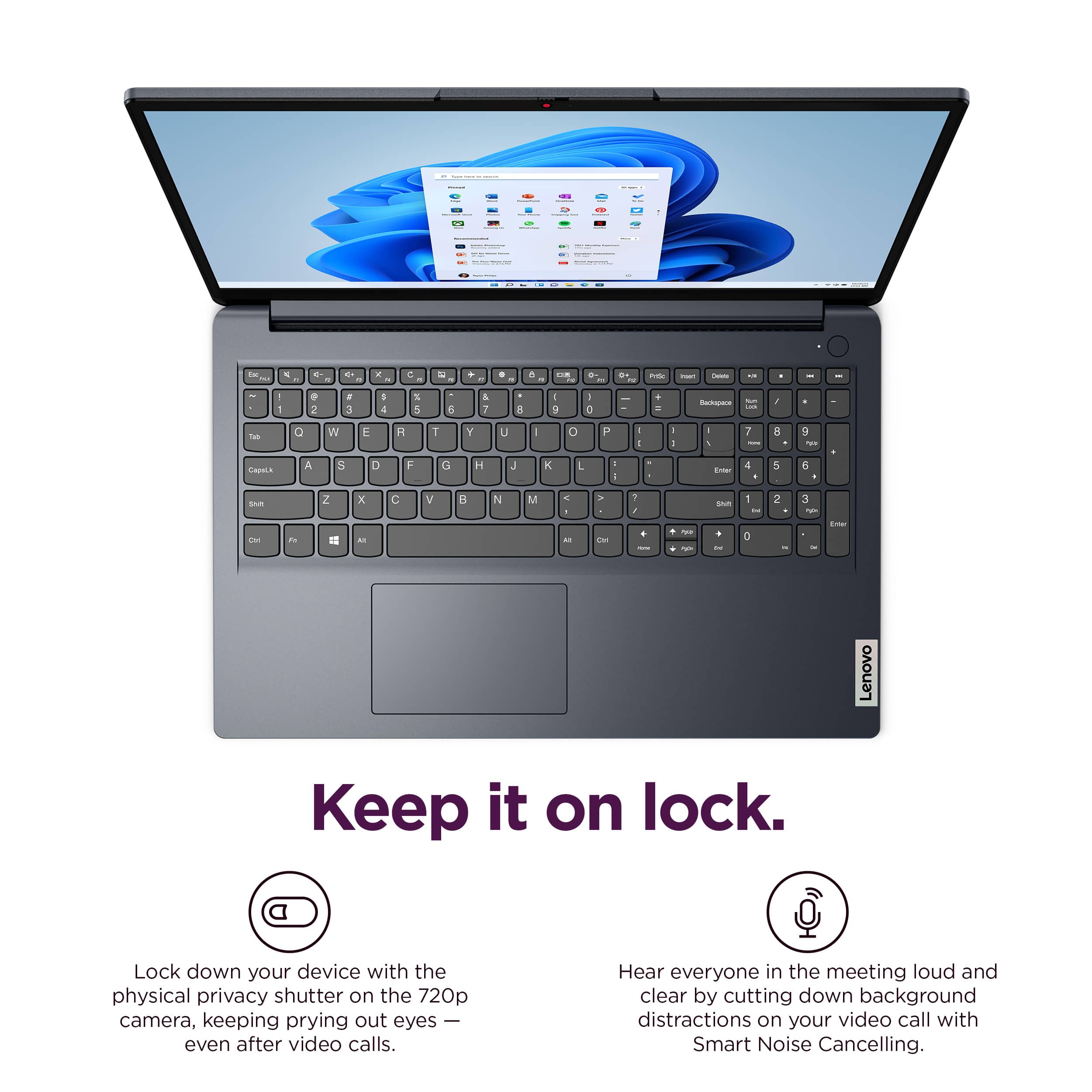
||Posted .This reviewer received promo considerations or sweepstakes entry for writing a review.Trying to get used to Windows 11 and touchscreen which I have never used before. Keyboard touch is a little different than I am used to plus trying to scroll up and down sometimes I can't find the bottom arrow
I would recommend this to a friendBrand response from Lenovo Product Expert
Posted .Hi,
Thanks for choosing Lenovo and for sharing your feedback with us!
We are glad to read that you are satisfied with your purchase overall.
Please don't hesitate to reach out to us via the Q& A section of this product page or contact Lenovo Support should you have any questions or need assistance.
Regards,
Lenovo
need improve
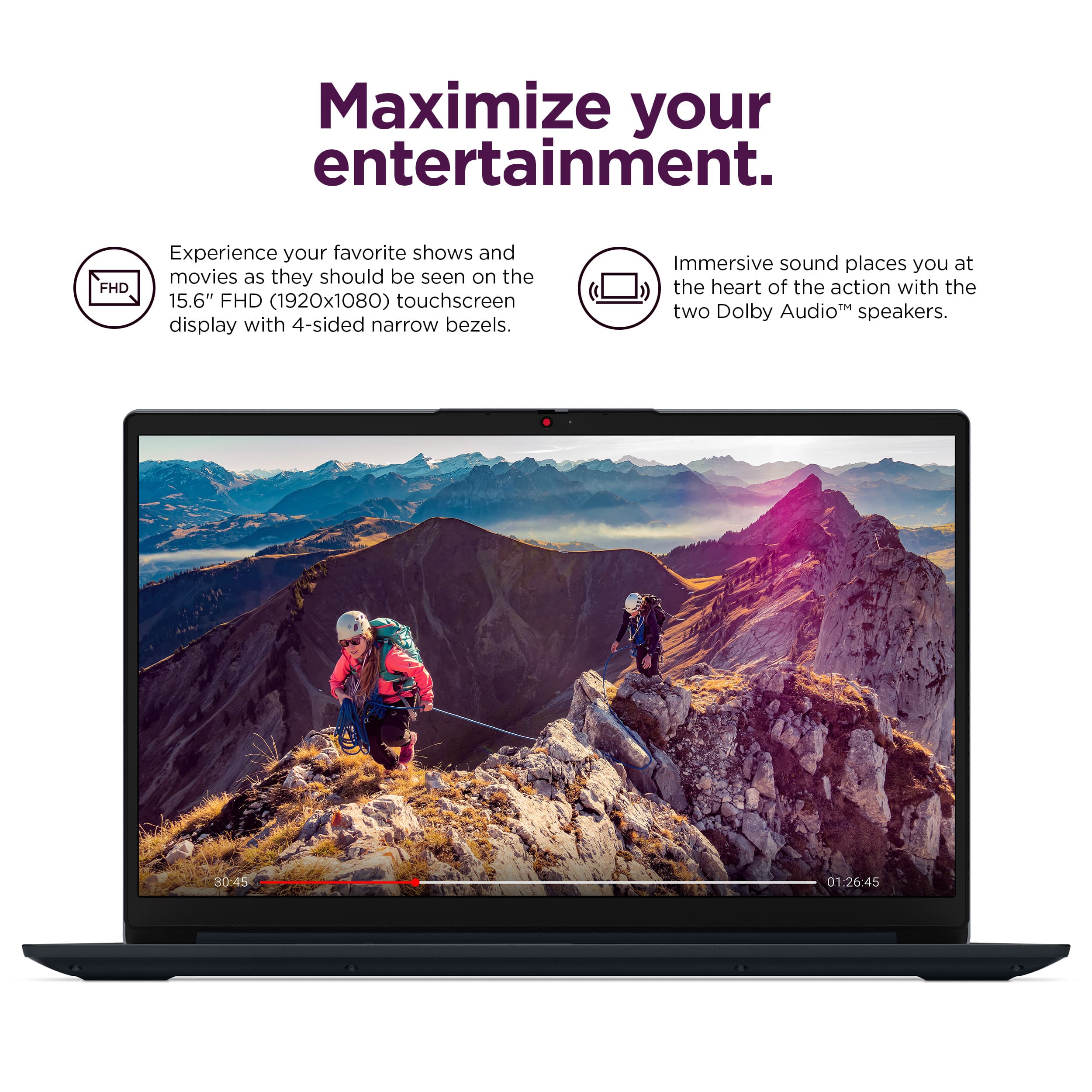
||Posted .This reviewer received promo considerations or sweepstakes entry for writing a review.The sound system is just so-so.speed slow!display soso.
No, I would not recommend this to a friendBrand response from Lenovo Product Expert
Posted .Hi jiangyiyi,
Thanks for choosing Lenovo and for sharing your feedback with us. We are sorry to hear that the audio and display of your IdeaPad has fallen short for you, along with system performance. We wish to provide the best experience possible, and if you'd like, we want to work with you to address these points and to try to improve your experience.
To start, with the audio, we recommend considering use of the Dolby Access app, as this can enable adjustments of system audio profiles, which after making adjustments to your liking, can make a positive difference for you.
With performance, to help ensure the system is running optimally, we recommend ensuring you have the latest software by checking for updates, as this could correct the issue. To do so, first, open the Settings app > Select the Windows update tab > Select the Check for updates button, apply all available updates. Next, open the Lenovo Vantage app > on the homepage, select the Check for updates button, following on-screen prompts to apply all available updates here as well.
With the system display, we have noted this point. This may be considered for future design improvements.
Please feel free to reach out to us via the Q& A section of this product page should you have any questions or need assistance, as your satisfaction is important to us.
Best regards,
Lenovo
Love item
||Posted . Owned for 1 week when reviewed.This reviewer received promo considerations or sweepstakes entry for writing a review.Purchased for grandson going to colloge. Perfect for what he needed.
I would recommend this to a friendBrand response from Lenovo Product Expert
Posted .Hey BarbaraM,
Thank you for choosing Lenovo and for sharing your feedback with us!
We are glad to hear that this IdeaPad 1i is perfect for your grandson's needs.
Please feel free to reach out to us should you have any questions.
Best,
Lenovo
Review
||Posted . Owned for 3 weeks when reviewed.This reviewer received promo considerations or sweepstakes entry for writing a review.Excellent and would recommend this brand every time.
I would recommend this to a friendBrand response from Lenovo Product Expert
Posted .Hey DelindaL,
Thanks for choosing Lenovo and for sharing your feedback with us!
We are glad to read that this IdeaPad 1i is working excellently for you.
Please feel free to reach out to us via the Q& A section of this product page should you have any questions or need assistance.
Best,
Lenovo
Fast processor
||Posted .This reviewer received promo considerations or sweepstakes entry for writing a review.Perfect gift for teenagers. Great value and price.
I would recommend this to a friendBrand response from Lenovo Product Expert
Posted .Hey Mike,
Thank you for choosing Lenovo and for sharing your feedback with us!
We are glad to hear that this IdeaPad 1i is perfect for its use and offers great value to you.
Please feel free to reach out to us should you have any questions.
Best,
Lenovo
Good product for Average daily usage
||Posted .This reviewer received promo considerations or sweepstakes entry for writing a review.Sometimes clicking on touchpad isnt working as intended. Battery life is around 3-4 hours, without watching videos or playing games
I would recommend this to a friendBrand response from Lenovo Product Expert
Posted .Hi truevw,
Thank you for sharing your feedback with us. We are sorry to hear that you are having trouble with your IdeaPad 1i. We apologize for any inconvenience that this may be causing you, and we'd like to work with you to resolve this issue.
To start and to clarify, are you referring to clicking on the touchpad itself or tapping to select an item? In either case, we recommend ensuring you have the latest software by checking for updates, as this could correct the issue. To do so, first, open the Settings app > Select the Windows update tab > Select the Check for updates button, apply all available updates. Next, open the Lenovo Vantage app > on the homepage, select the Check for updates button, following on-screen prompts to apply all available updates here as well.
Please feel free to reach out to us via the Q&A section of the product page should you have any questions, need further assistance, or what else we may do to help improve your experience, as your satisfaction is important to us.
Best regards,
Lenovo
NO Multiple Monitor capability
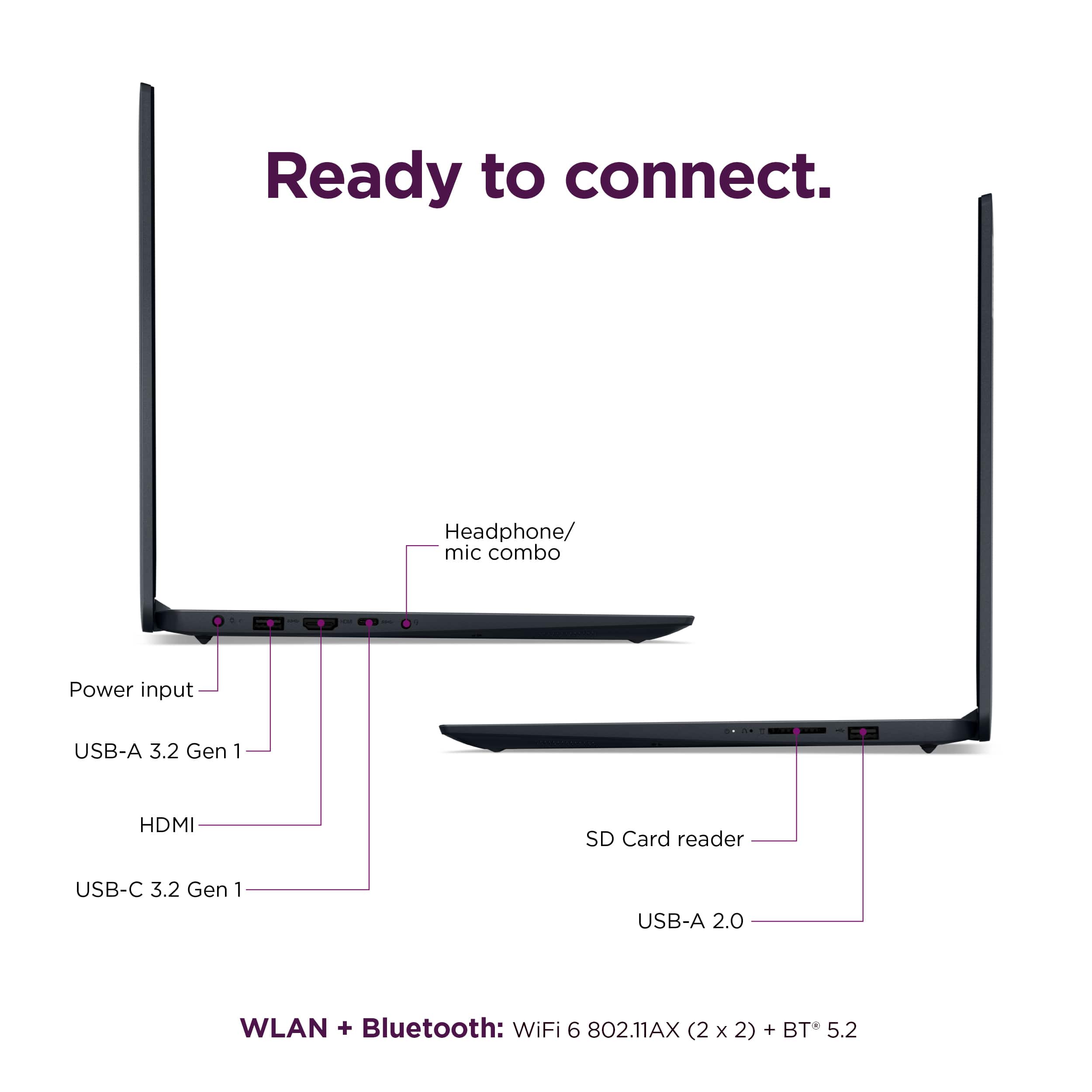
||Posted .This reviewer received promo considerations or sweepstakes entry for writing a review.Research said docking station supported. Had to get technical support to help update some drivers so USB-C could connect to docking station. After getting drivers installed, they advised it does not support video thru docking station, so no multi-monitor support. All is good, other than that, which is important for me.
No, I would not recommend this to a friendBrand response from Lenovo Product Expert
Posted .Hello,
Thank you for sharing your feedback with us. We're sorry to hear that you ran into an issue. We strive to provide the best experience possible, so we're disappointed and apologize that this wasn't the case for you.
Should you need further assistance with anything else, please don't hesitate to reach out to us for support so that we can make things right.
Best regards,
Lenovo
No Multiple Display Option
||Posted .This reviewer received promo considerations or sweepstakes entry for writing a review.doesn't do what I expected. I needed multiple displays and this doesn't allow me to do that so I have a pc that doesn't really help me
No, I would not recommend this to a friendBrand response from Lenovo Product Expert
Posted .Hi JFlow-
Thank you for taking the time to share your feedback with us. We are disappointed to hear that you are encountering issues using multiple displays with the IdeaPad 1i. We understand how frustrating it can be to not be able to use your device how you imagined. We aim to offer great user experience and would like to work with you to help address your concerns. We would like to know more about the issues with multiple displays.
Although we’re not aware of how many external displays or ports you’re using, we’d like to offer a potential solution. The IdeaPad 1i doesn’t include USB-C ports with native display output support, but you can use the built-in HDMI port along with a USB-C or USB-A dock/hub that supports video output without relying on DP Alt Mode. This setup could allow you to connect two displays through the dock, plus one via HDMI, for a total of three external monitors.
Please reach out to through the Q & A section of this product page so we can continue this conversation and help you troubleshoot your specific issue.
Best wishes,
Lenovo
Poor Battery Life
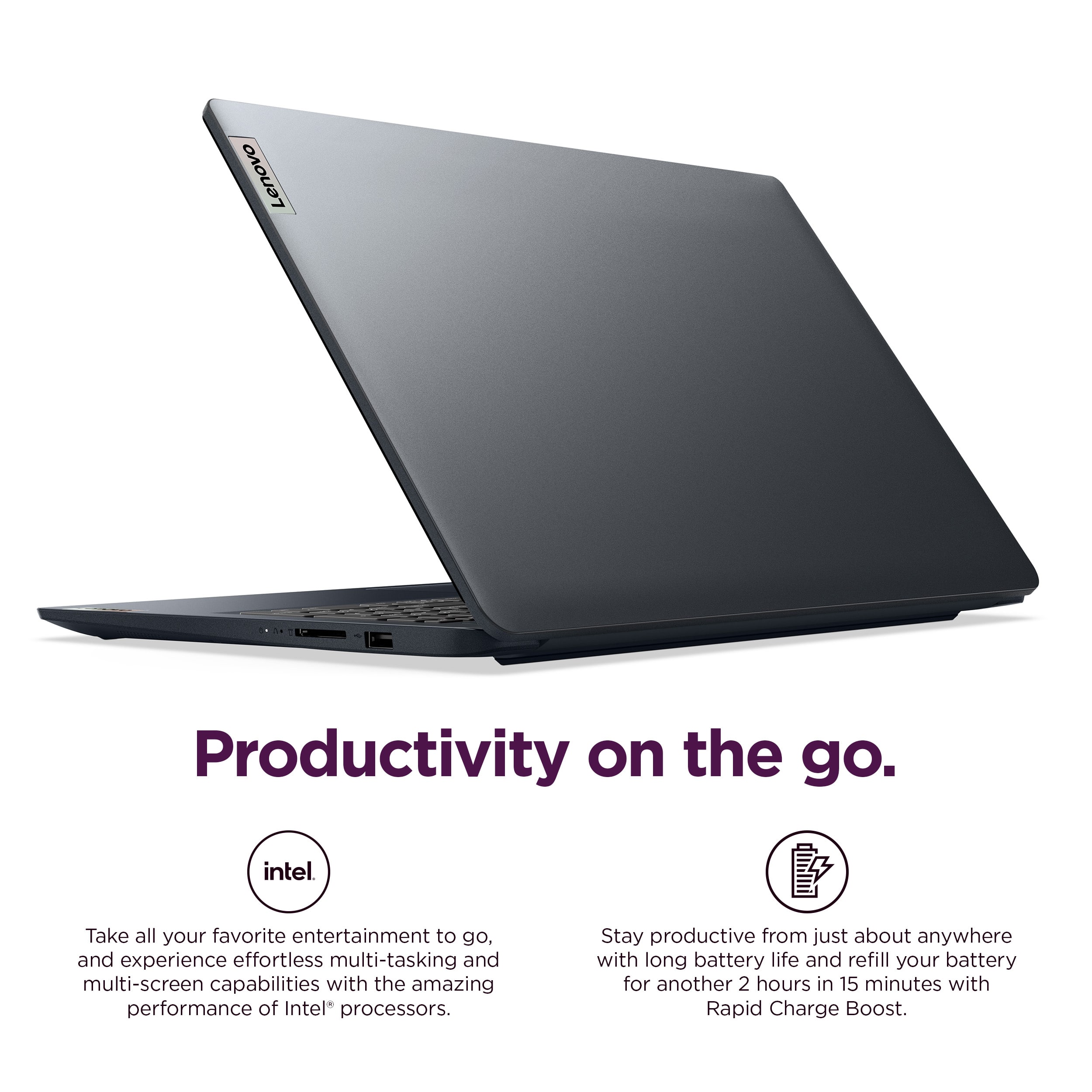
||Posted . Owned for 3 weeks when reviewed.This reviewer received promo considerations or sweepstakes entry for writing a review.Overall, it’s a good laptop in performance and such. However, battery life is terrible. Started a video at 100% charge and it lasted 2:45 min before low battery warning. Nothing else runs in the background. Outer cover does show hand prints and other marks. I do like all the available ports. Would prefer a USB C charge and not the old school circular plug. Audio quality from speakers is lackluster in that it sounds like a tunnel.
I would recommend this to a friendBrand response from Lenovo Product Expert
Posted .Hi PaulS,
Thank you for sharing your feedback with us. We are sorry to hear that you have discovered these pain points while using your IdeaPad 1i. We apologize for any negative impressions this has left on you. We strive to provide the best experience possible, and if you'd like, we wish to work with you to address these points to try to improve your experience.
To start, regarding your issue with battery life – there are many variables that contribute to shorter battery life. Thankfully, many of those variables can be adjusted. By default, the system will tend to give more speed when needed, which can sacrifice battery life. If you want to squeeze out more battery life, we recommend utilizing the Lenovo Vantage application that is preinstalled to adjust settings related to power and battery performance (to access relevant settings, open Vantage > Device Settings > Power). You can also take advantage of the keyboard shortcut, Fn + Q to toggle thermal modes and easily switch between prioritizing battery life or power, or even the best of both worlds.
Also, we appreciate your comments regarding the casing finish, USB-C charging support, and speakers. These points have been noted and may be considered for future design improvements.
Please update us when you can regarding this and reach out to us again should you have any questions or need further assistance, as your satisfaction is important to us.
Best regards,
Lenovo
Don't buy from Best Buy: go to the manufacturer.
||Posted .This reviewer received promo considerations or sweepstakes entry for writing a review.Buyer Beware! You may think you are doing business with Best Buy, but you might not be. If you buy something through the "Marketplace," Best Buy won't take any responsibility for products it sells you, and don't count on a normal return period no matter what Best Buy advertises. I bought a laptop from Best Buy that does not work like it should, and Best Buy doesn't care.
No, I would not recommend this to a friendComputer
||Posted . Owned for 1 month when reviewed.This reviewer received promo considerations or sweepstakes entry for writing a review.Battery isn’t good goes dead after 5 hours. Liked my HP much better
No, I would not recommend this to a friendBrand response from Lenovo Product Expert
Posted .Hi SusanK,
Thank you for sharing your feedback with us. We are sorry to hear that the battery life of your IdeaPad 1i has fallen short for you. We apologize for any upset that this has caused you. We strive to provide the best experience possible, so if you'd like to, we want to work to address this issue.
To start, regarding your issue with battery life – there are many variables that contribute to shorter battery life. Thankfully, many of those variables can be adjusted. By default, the system will tend to give more speed when needed, especially with newer, more performant systems that ever, which can sacrifice battery life. If you want to squeeze out more battery life, we recommend utilizing the Lenovo Vantage application that is preinstalled to adjust settings related to power and battery performance (to access relevant settings, open Vantage > Device Settings > Power). You can also take advantage of the keyboard shortcut, Fn + Q to toggle thermal modes and easily switch between prioritizing battery life or power, or even the best of both worlds.
Please update us when you can regarding this and reach out to us again via the Q&A section of this product page should you have any questions or need further assistance.
Best regards,
Lenovo
Title
||Posted .This reviewer received promo considerations or sweepstakes entry for writing a review.I thought it would be better It glitched up a few times but overall it works well OK for the price should have been better
I would recommend this to a friendBrand response from Lenovo Product Expert
Posted .Hi user778807,
Thank you for sharing your feedback with us. We are sorry to hear that your IdeaPad 1i has fallen short of your performance expectations. We wish to provide the best experience possible, so if you'd like, we want to work with you to address this.
To start, to help with performance and overall system functionality, we recommend ensuring you have the latest software by checking for updates, as this could correct the issue. To do so, first, open the Settings app > Select the Windows update tab > Select the Check for updates button, applying all available updates. Next, open the Lenovo Vantage app > on the homepage, select the Check for updates button, following on-screen prompts to apply all available updates here as well.
We hope that the information shared helps you.
Please let us know what else we can do to try to improve your experience, as your satisfaction is important to us.
Best regards,
Lenovo