Customer Ratings & Reviews


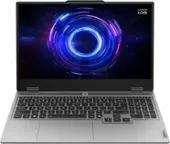
![Sure, here is the corrected and grouped text from the image:
- **Top Row:**
- `esc` `F1` `F2` `F3` `F4` `F5` `F6` `F7` `F8` `F9` `F10` `F11` `F12` `insert`
- **Second Row:**
- `~` `!` `@` `#` `$` `%` `^` `&` `*` `(` `)` `_` `+` `backspace` `num lock` `/` `*` `-` `tab`
- **Third Row:**
- `Q` `W` `E` `R` `T` `Y` `U` `I` `O` `P` `[` `]` `\` `delete` `home` `end` `pg up` `pg dn`
- **Fourth Row:**
- `caps lock` `A` `S` `D` `F` `G` `H` `J` `K` `L` `;` `'` `enter` `4` `5` `6`](https://pisces.bbystatic.com/image2/BestBuy_US/images/products/55335010-9a5f-4237-b437-bfbd6a9f6ff2.jpg)


- Model:
- 83JE002KUS
- SKU:
- 11249612
Rating by feature
- Battery Life
Rating 3.9 out of 5 stars
- Speed
Rating 4.7 out of 5 stars
- Display
Rating 4.6 out of 5 stars
- Pros mentioned:Overall performance
Excellent
||Posted .This reviewer received promo considerations or sweepstakes entry for writing a review.Excellent value for the price! Excellent mid-tier gaming laptop!
I would recommend this to a friendBrand response from Lenovo Product Expert
Posted .Hi,
Thanks for choosing Lenovo and for sharing your feedback with us!
We are glad to read that you are satisfied with your purchase.
Please don't hesitate to reach out to us via the Q& A section of this product page or contact Lenovo Support should you have any questions or need assistance.
Regards,
Lenovo
- Pros mentioned:Overall performance
Really Recommended
||Posted .This reviewer received promo considerations or sweepstakes entry for writing a review.Very happy with this purchase, good battery life. I use this laptop for school, also play video games and works good for me.
I would recommend this to a friendBrand response from Lenovo Product Expert
Posted .Hi Cynthia,
Thanks for choosing Lenovo and for sharing your feedback with us!
We are pleased to read that you are quite happy with your purchase.
Please feel free to reach out to us via the Q& A section of this product page should you have any questions or need assistance.
Best,
Lenovo
- Pros mentioned:Overall performance
Gaming laptop
||Posted . Owned for 3 weeks when reviewed.This reviewer received promo considerations or sweepstakes entry for writing a review.Good runs higher frames than a ps5 for game like rb6, gta 5, fifa 26, mortal kombat etc…
I would recommend this to a friendBrand response from Lenovo Product Expert
Posted .Hi,
Thanks for choosing Lenovo and for sharing your feedback with us!
We are glad to read that you are satisfied with your purchase.
Please don't hesitate to reach out to us via the Q& A section of this product page or contact Lenovo Support should you have any questions or need assistance.
Regards,
Lenovo
- Pros mentioned:Overall performance
Lenovo Laptop
||Posted .This reviewer received promo considerations or sweepstakes entry for writing a review.I love this laptop. Works good. It's a great choice.
I would recommend this to a friendBrand response from Lenovo Product Expert
Posted .Hi,
Thanks for choosing Lenovo and for sharing your feedback with us!
We are glad to read that you are satisfied with your purchase overall.
Please don't hesitate to reach out to us via the Q& A section of this product page or contact Lenovo Support should you have any questions or need assistance.
Regards,
Lenovo
- Pros mentioned:Overall performance
Great Laptop
||Posted .This reviewer received promo considerations or sweepstakes entry for writing a review.Great laptop for the price. System runs all my games very well, streaming videos and movies excellent too. Id buy again.
I would recommend this to a friendBrand response from Lenovo Product Expert
Posted .Hi NathanielD,
Thanks for choosing Lenovo and for sharing your feedback with us!
We are pleased to read that this LOQ 15 is working great for you.
Please feel free to reach out to us via the Q& A section of this product page should you have any questions or need assistance.
Best,
Lenovo
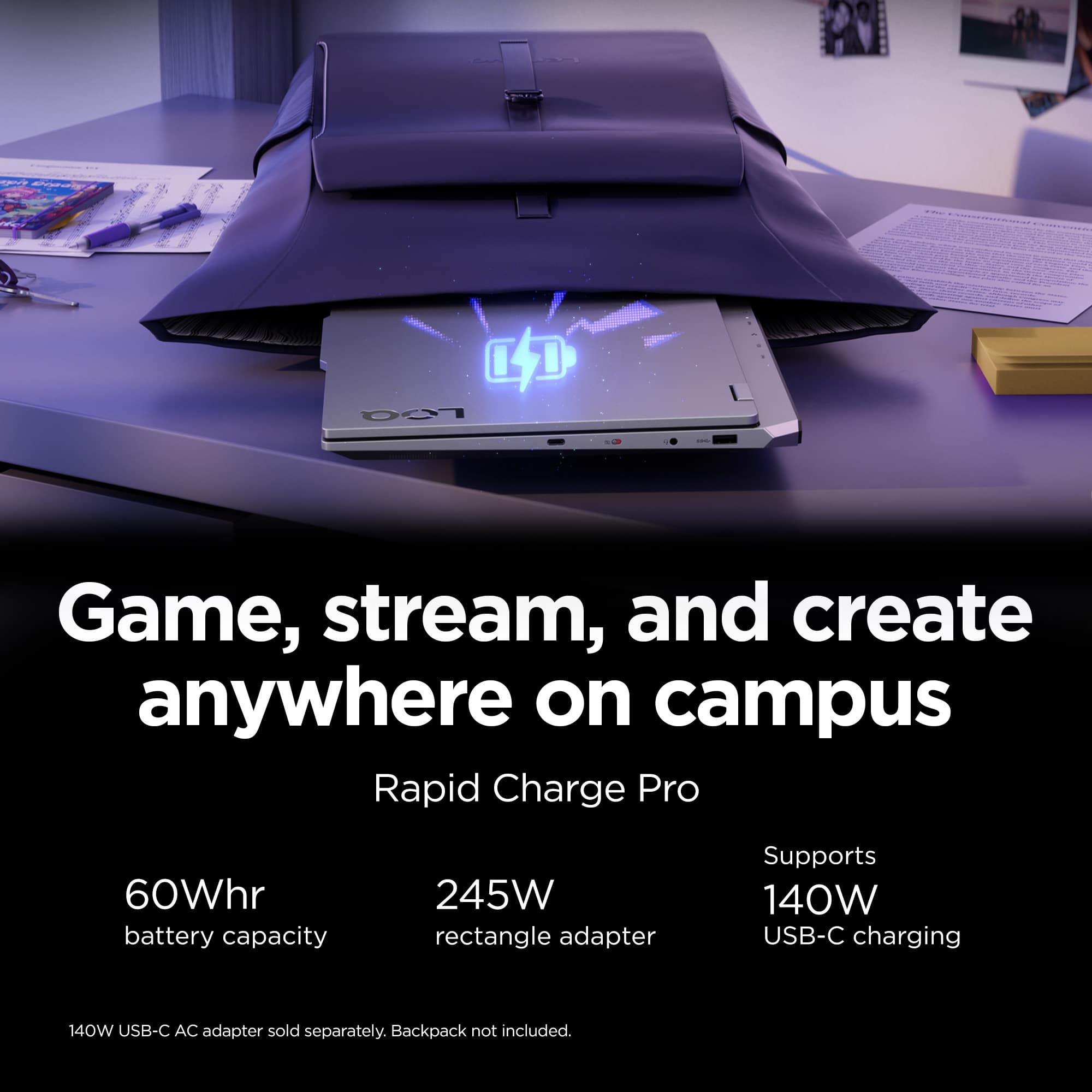
- Cons mentioned:Battery life
Great pc but
||Posted .This reviewer received promo considerations or sweepstakes entry for writing a review.Great pc but has limited battery power so u got to plug it in everytime you use it
I would recommend this to a friendBrand response from Lenovo Product Expert
Posted .Hi,
Thanks for choosing Lenovo and for sharing your feedback with us!
Regarding your note on battery life – as you may know there are lots of variables that contribute to battery and in gaming laptops that can increase even more due to their high-powered processors and graphics cards. If you want to squeeze out more battery life and are completing non-intensive graphics tasks, you can utilize the MUX switch built into this model to turn off the dedicated GPU to greatly decrease power draw. This can be done in the Lenovo Vantage app > top right box > GPU working mode, then choosing your preferred method. Users can also take advantage of the keyboard shortcut, Fn + Q to toggle thermal modes and easily switch between prioritizing battery life or power, or even the best of both words, along with custom settings configurable in Lenovo Vantage. You could also press the Fn + R key combo to toggle to a lower refresh rate for even greater power conservation.
We are glad to read that you are satisfied with your purchase overall.
Please don't hesitate to reach out to us via the Q& A section of this product page or contact Lenovo Support should you have any questions or need assistance.
Regards,
Lenovo
Nice pc
||Posted . Owned for 1 month when reviewed.This reviewer received promo considerations or sweepstakes entry for writing a review.Working way better than my old pc still learning the windows program and the best buy attendant that helped me was very informative
I would recommend this to a friend- Cons mentioned:Battery life
Recommended
||Posted .This reviewer received promo considerations or sweepstakes entry for writing a review.Battery life isn't the best but as long as you leave it plugged in while you play a game it's a great laptop
I would recommend this to a friendBrand response from Lenovo Product Expert
Posted .Hi,
Thanks for choosing Lenovo and for sharing your feedback with us!
Regarding your note on battery life – as you may know there are lots of variables that contribute to battery and in gaming laptops that can increase even more due to their high-powered processors and graphics cards. If you want to squeeze out more battery life and are completing non-intensive graphics tasks, you can utilize the MUX switch built into this model to turn off the dedicated GPU to greatly decrease power draw. This can be done in the Lenovo Vantage app > top right box > GPU working mode, then choosing your preferred method. Users can also take advantage of the keyboard shortcut, Fn + Q to toggle thermal modes and easily switch between prioritizing battery life or power, or even the best of both words, along with custom settings configurable in Lenovo Vantage. You could also press the Fn + R key combo to toggle to a lower refresh rate for even greater power conservation.
We are glad to read that you are otherwise satisfied with your purchase.
Please don't hesitate to reach out to us via the Q& A section of this product page or contact Lenovo Support should you have any questions or need assistance.
Regards,
Lenovo
- Pros mentioned:Overall performance
Great laptop value for the money
||Posted .This reviewer received promo considerations or sweepstakes entry for writing a review.Does everything I need it to do. Great graphics card.
I would recommend this to a friendBrand response from Lenovo Product Expert
Posted .Hi,
Thanks for choosing Lenovo and for sharing your feedback with us!
We are glad to read that you are satisfied with your purchase.
Please don't hesitate to reach out to us via the Q& A section of this product page or contact Lenovo Support should you have any questions or need assistance.
Regards,
Lenovo
- Pros mentioned:Overall performance
Good Performance
||Posted .This reviewer received promo considerations or sweepstakes entry for writing a review.Good Performance, Nice display and good battery life
I would recommend this to a friendBrand response from Lenovo Product Expert
Posted .Hi,
Thanks for choosing Lenovo and for sharing your feedback with us!
We are glad to read that you are satisfied with your purchase overall.
Please don't hesitate to reach out to us via the Q& A section of this product page or contact Lenovo Support should you have any questions or need assistance.
Regards,
Lenovo
- Pros mentioned:Overall performance
Great machine
||Posted .This reviewer received promo considerations or sweepstakes entry for writing a review.computer arrived in great shape and it works amazingly
I would recommend this to a friendBrand response from Lenovo Product Expert
Posted .Hi,
Thanks for choosing Lenovo and for sharing your feedback with us!
We are glad to read that you are satisfied with your purchase.
Please don't hesitate to reach out to us via the Q& A section of this product page or contact Lenovo Support should you have any questions or need assistance.
Regards,
Lenovo
- Cons mentioned:Battery life
Lenovo laptop
||Posted .This reviewer received promo considerations or sweepstakes entry for writing a review.This laptop is fantastic value for the price. I would’ve given it 5 stars if it wasn’t for the short battery life.
I would recommend this to a friendBrand response from Lenovo Product Expert
Posted .Hi,
Thanks for choosing Lenovo and for sharing your feedback with us! Regarding your issue with battery – as you may know there are lots of variables that contribute to battery and in gaming laptops that can increase even more due to their high-powered processors and graphics cards. If you want to squeeze out more battery life and are completing non-intensive graphics tasks, you can utilize the MUX switch built into this model to turn off the dedicated GPU to greatly decrease power draw. This can be done in the Lenovo Vantage app > top right box > GPU working mode, then choosing your preferred method. Users can also take advantage of the keyboard shortcut, Fn + Q to toggle thermal modes and easily switch between prioritizing battery life or power, or even the best of both words, along with custom settings configurable in Lenovo Vantage. You could also press the Fn + R key combo to toggle to a lower refresh rate for even greater power conservation.
We are glad to read that you are otherwise satisfied with your purchase.
Please don't hesitate to reach out to us via the Q& A section of this product page or contact Lenovo Support should you have any questions or need assistance.
Regards,
Lenovo
- Pros mentioned:Overall performance
Very Good
||Posted .This reviewer received promo considerations or sweepstakes entry for writing a review.Very good computer,i do trading and work very good and no problem on video conference
I would recommend this to a friendBrand response from Lenovo Product Expert
Posted .Hi,
Thanks for choosing Lenovo and for sharing your feedback with us!
We are glad to read that you are satisfied with your purchase.
Please don't hesitate to reach out to us via the Q& A section of this product page or contact Lenovo Support should you have any questions or need assistance.
Regards,
Lenovo
- Cons mentioned:Battery life
THIS LAPTOP IS AWESOME
||Posted .This reviewer received promo considerations or sweepstakes entry for writing a review.It runs amazing but the battery life is kind of short and cpu sometimes heats up alot so down volting may be required if using it for a heavy load
I would recommend this to a friendBrand response from Lenovo Product Expert
Posted .Hi Michael,
Thanks for choosing Lenovo and for sharing your feedback with us!
We are pleased to read that this LOQ 15 is performing very well for you.
Please feel free to reach out to us via the Q& A section of this product page should you have any questions or need assistance.
Best,
Lenovo
- Pros mentioned:Overall performance
Lenovo LOQ
||Posted . Owned for 1 month when reviewed.This reviewer received promo considerations or sweepstakes entry for writing a review.Great budget saving works great for price to perfomance.
I would recommend this to a friend - Pros mentioned:Overall performance
Lenova Laptop
||Posted .This reviewer received promo considerations or sweepstakes entry for writing a review.My husband loves, still adding things to it for his use.
I would recommend this to a friendBrand response from Lenovo Product Expert
Posted .Hi,
Thanks for choosing Lenovo and for sharing your feedback with us!
We are glad to read that you are satisfied with your purchase.
Please don't hesitate to reach out to us via the Q& A section of this product page or contact Lenovo Support should you have any questions or need assistance.
Regards,
Lenovo
- Pros mentioned:Overall performance
Great laptop
||Posted . Owned for 1 week when reviewed.This reviewer received promo considerations or sweepstakes entry for writing a review.Great gaming laptop. Long lasting battery.Highly recommend!
I would recommend this to a friendBrand response from Lenovo Product Expert
Posted .Hi,
Thanks for choosing Lenovo and for sharing your feedback with us!
We are glad to read that you are satisfied with your purchase.
Please don't hesitate to reach out to us via the Q& A section of this product page or contact Lenovo Support should you have any questions or need assistance.
Regards,
Lenovo
- Pros mentioned:Overall performance
Decent
||Posted .This reviewer received promo considerations or sweepstakes entry for writing a review.Its a decent laptop for the price. I did get it on a big sale though
I would recommend this to a friendBrand response from Lenovo Product Expert
Posted .Hi,
Thanks for choosing Lenovo and for sharing your feedback with us!
We are glad to read that you are satisfied with your purchase overall.
Please don't hesitate to reach out to us via the Q& A section of this product page or contact Lenovo Support should you have any questions or need assistance.
Regards,
Lenovo
- Cons mentioned:Battery life
Great performance but battery life isnt great
||Posted . Owned for 1 month when reviewed.This reviewer received promo considerations or sweepstakes entry for writing a review.The laptop dies in like two hours doing basic tasks when unplugged
I would recommend this to a friend - Pros mentioned:Overall performance
Great for gamers on a budget
||Posted . Owned for 1 week when reviewed.This reviewer received promo considerations or sweepstakes entry for writing a review.Absolutely amazing system for people who like to play games occasionally for fun. It keeps up with everything I ask it to do.
I would recommend this to a friendBrand response from Lenovo Product Expert
Posted .Hi RYANS,
Thanks for choosing Lenovo and for sharing your feedback with us!
We are pleased to read that your experience with this LOQ 15 has been absolutely amazing.
Please feel free to reach out to us via the Q& A section of this product page should you have any questions or need assistance.
Best,
Lenovo