Customer Ratings & Reviews
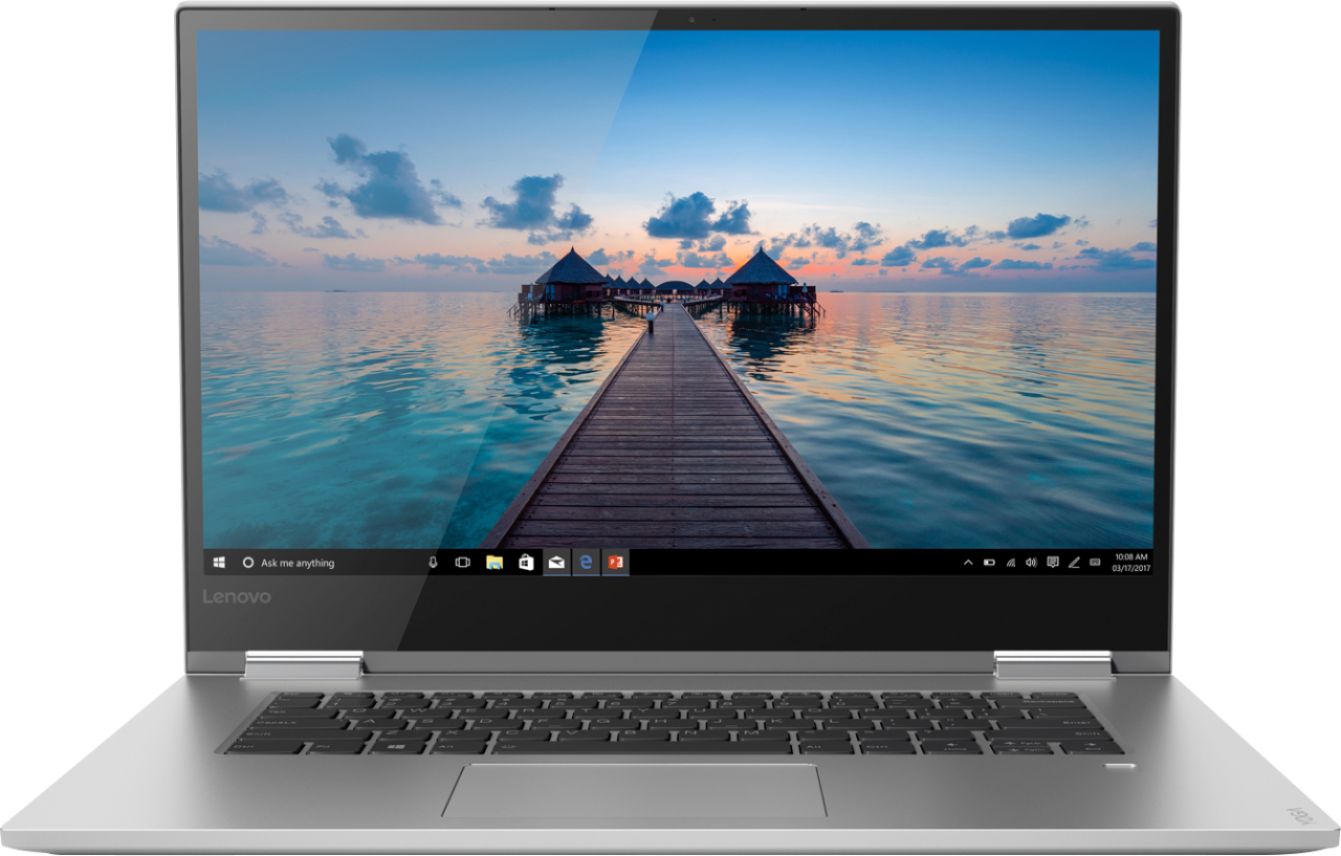
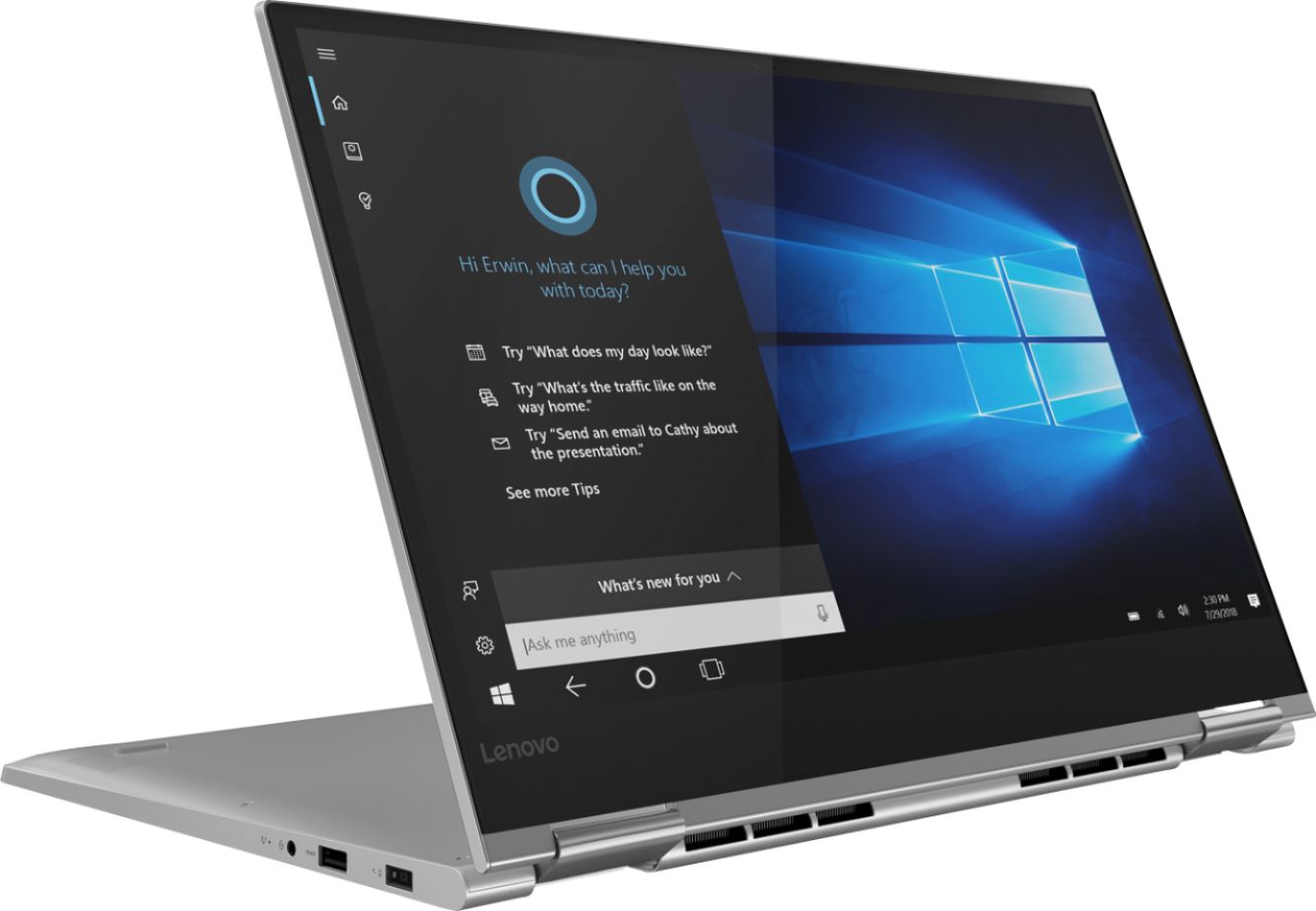
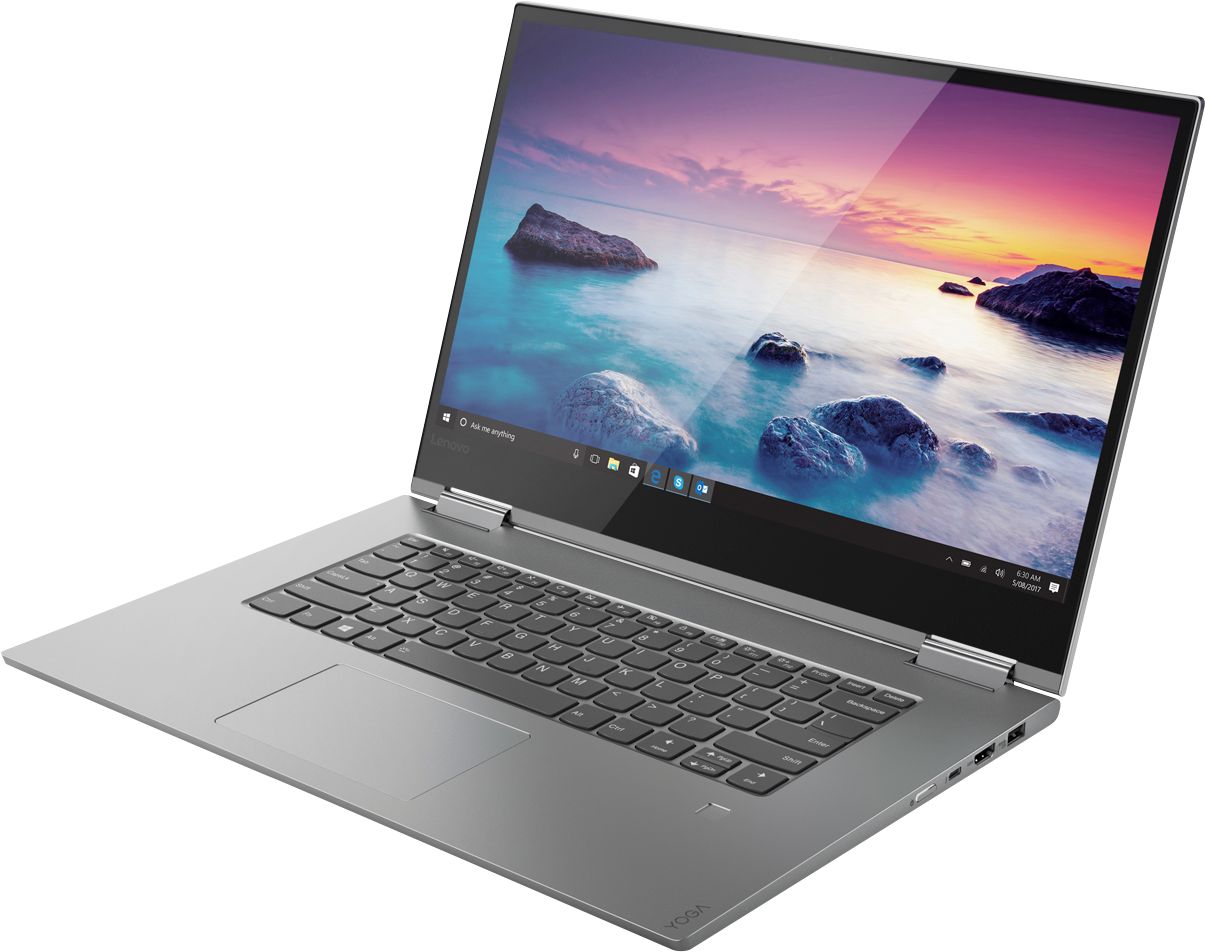
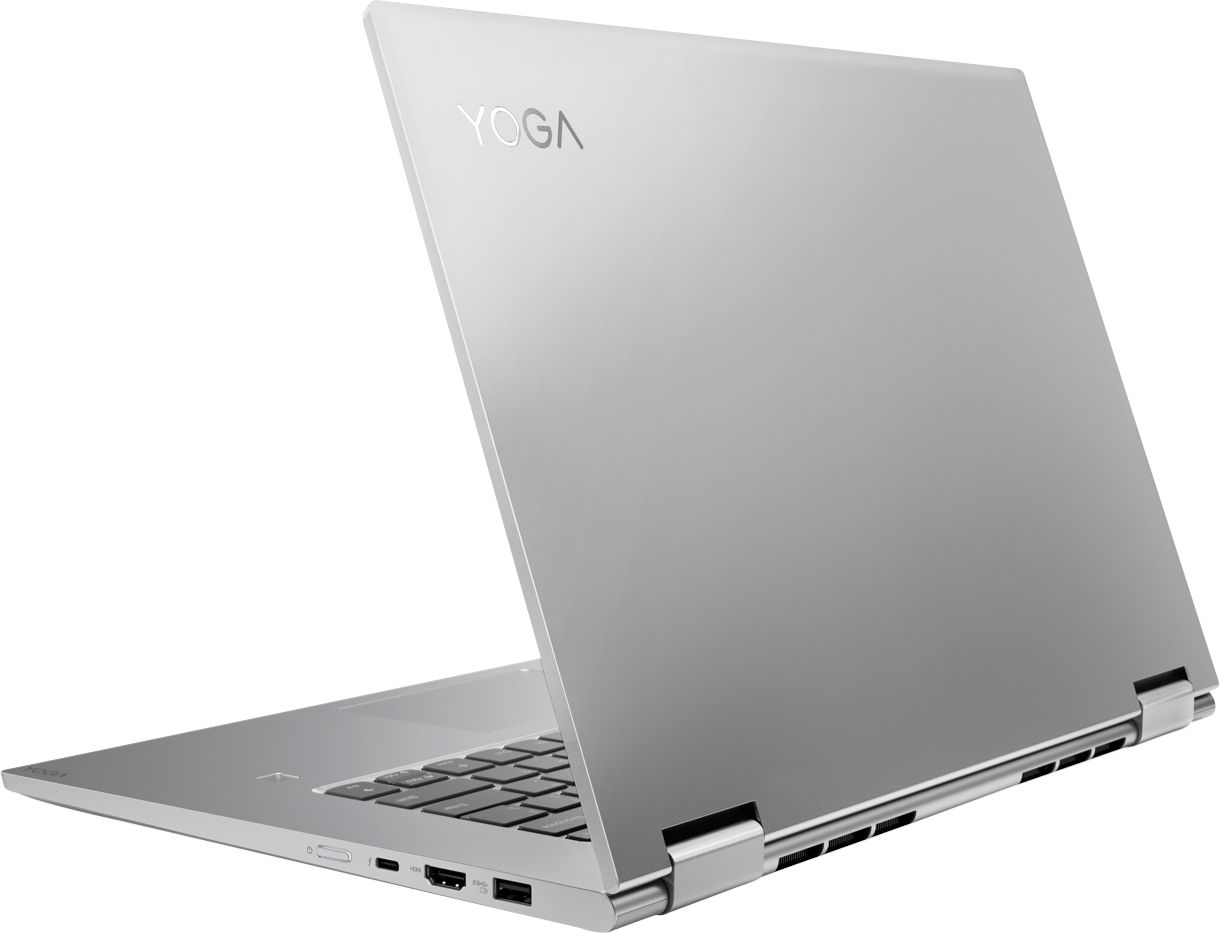


- Model:
- 81CU0040US
- SKU:
- 6295992
Rating by feature
- Value
Rating 4.1 out of 5 stars
- Quality
Rating 4.3 out of 5 stars
- Ease of Use
Rating 4.4 out of 5 stars
Customers are saying
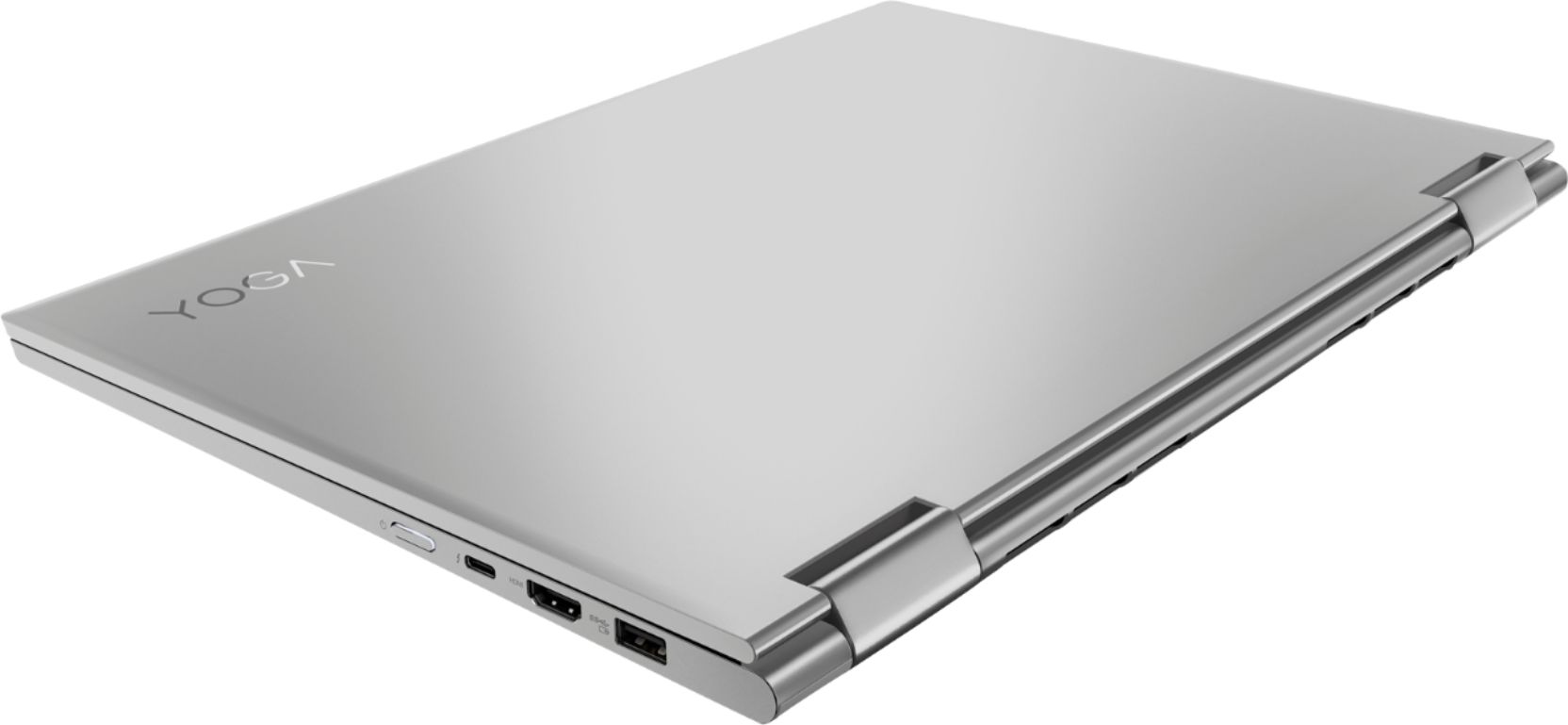
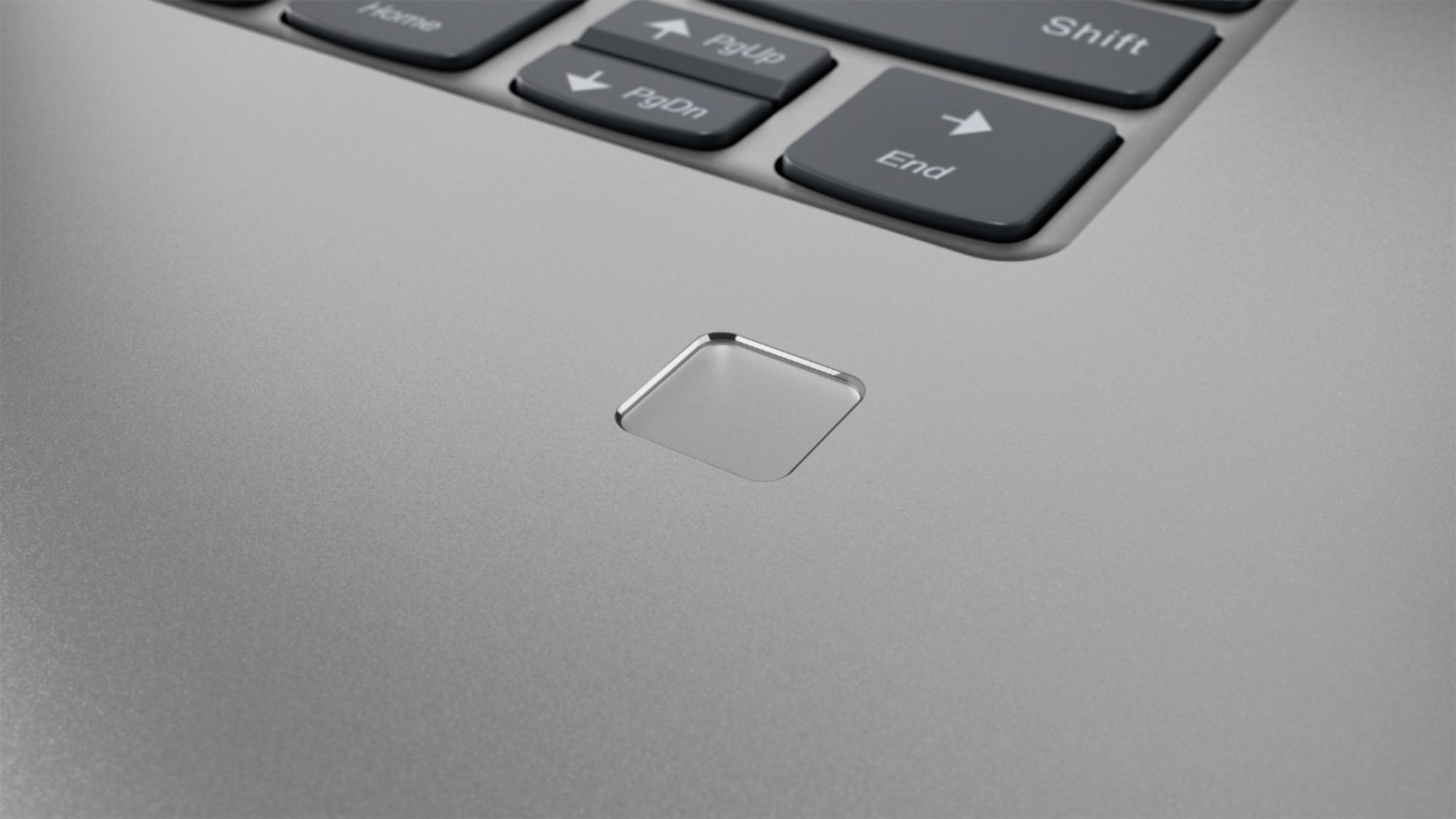
Customers are delighted by the Yoga 730's stunning 4K touch-screen display, powerful performance, and reasonable price. Many users also appreciate the laptop's build quality, ease of use, and fingerprint reader. However, some customers have expressed concerns about the laptop's battery life and Wi-Fi connectivity.
This summary was generated by AI based on customer reviews.
- Cons mentioned:Arrow key, Wifi connectivity
some things amiss
||Posted .This reviewer received promo considerations or sweepstakes entry for writing a review.For most part it's a nice computer, but it had a hard time staying connected to wifi. Brand new. This does not instill confidence. Also, I don't like the new HMI Last, I'm not in love with the arrow button configuration. Somehow that matters when toggling around the screen.
No, I would not recommend this to a friendBrand response from Lenovo Product Expert
Posted .We are sorry to hear you are having issues with your Lenovo Yoga 730-15 4K model. Regarding WiFi connectivity, be sure you have the latest version of Windows 10 on the computer. Then update all of the BIOS files and drivers up to that latest version of Windows 10. You can easily accomplish this by scanning the computer with the Lenovo Utility software installed on the computer. This system has Lenovo utilities installed to help maintain the health of the device and keep the operating system software up to date. Type "Lenovo Vantage" in the Cortana Search window (if Lenovo Vantage is not installed on your device, you can download the APP and install it now). Select Lenovo Vantage from the list. In the window that opens, click on "Health and Support". In the expanded menu, select "Hardware Scan" In the window that opens, select "Run Quick Tests". This will scan your entire system for errors. Follow any directions that may pop up. If the problem continues after this scan, now click on "System Update". First select Windows update from the menu. Scan your system to be sure you have the latest version of Windows 10. Once that scan is complete, select "Additional Updates". This will scan your device to be sure there are no new BIOS/Driver updates needed. Follow any instructions that may pop up. If the issue still continues after these updates, we recommend you call Lenovo Tech Support at: 877-453-6686 for additional help.

- Cons mentioned:Battery life
Nice computer but issues..
||Posted . Owned for 3 weeks when reviewed.This reviewer received promo considerations or sweepstakes entry for writing a review.Out of the box webcam is dead, trouble shooted with lenovo and conclusion was hardware failure. Shipped earlier than expected was nice but this was for working from home and child's school work/video calls. Contacted bestbuy and only solution they had was send it back and try to replace it over a month worth of wait time, I couldnt do that so I'm stuck with an external cam until I can try and figure out what to do with it. They offered an additional discount but lack of being able to understand me,(she had poor english) I would have taken that but I think she just mailed me a box to return it. Battery life is what's reported in other reviews (couple hours). I was really hoping I had found a good deal but I paid for it in the lack of quality. I have always heard good things about the yogo line but after this one, I dont think I would recommend it.
No, I would not recommend this to a friend - Pros mentioned:Touch screen
Fast and versitile laptop.
||Posted . Owned for 10 months when reviewed.This reviewer received promo considerations or sweepstakes entry for writing a review.Bought this laptop to use with graphics design software and Microsoft apps and Quickbooks. Works very fast with I7 processor and display is very clear and detailed for graphics work. No issues with it..quality is good.
I would recommend this to a friend - Pros mentioned:SpeedCons mentioned:Battery life
Super fast
||Posted .This reviewer received promo considerations or sweepstakes entry for writing a review.One of the best laptops that I ever had. Super fast, great graphic card, especially for people who like me that do rendering, it's not heavy and easy to carry on. Although the battery dies a bit fast, but still it's a great laptop.
I would recommend this to a friendBrand response from Lenovo Product Expert
Posted .Thank you for choosing the lenovo Yoga 730-15 4K model. This model ships with a 3CELL 51.5WH, Lithium Polymer battery, with a battery life of up to 8 hours, depending on the work that the device is performing. To maximize battery life, be sure there are no unwanted programs running in the background, draining the battery. Here is a link to some tips for finding out what is draining your battery:
https://www.laptopmag.com/articles/battery-saver-windows-10. Also, to maximize battery life, try changing your power management setting to a more conservative one. You can do this in the control panel, in the power management category on your system. Select a more conservative power management setting to extend battery life. Finally, if the battery life does not improve, a battery reset may help. Here is a link to instructions for resetting a non-removable battery. If you need further assistance, we recommend you call Lenovo Tech Support at: 877-453-6686. Here is the link: https://www.techwalla.com/articles/how-to-reset-a-laptop-battery
- Pros mentioned:Performance, Touch screen
Great laptop. Great performance.
||Posted . Owned for 1.5 years when reviewed.This reviewer received promo considerations or sweepstakes entry for writing a review.This has been an amazing laptop. Especially for the price point. I love the touch screen capability the most. However, it’s performance is pretty amazing as well. Highly recommended!
I would recommend this to a friend - Pros mentioned:Price, Speed
The Specs and Speed are Fast and Grear.
||Posted . Owned for 1 month when reviewed.This reviewer received promo considerations or sweepstakes entry for writing a review.As a new college student I was looking for a laptop that was both cheap yet fast. Be lenovo yoga was a perfect choice because it gave me the speed that I did and came with a lot of storage.
I would recommend this to a friendBrand response from Lenovo Product Expert
Posted .Thank you for choosing the Lenovo Yoga 730-15 4K model. We are pleased to hear that the features and performance of the Yoga 730-15 4K Model meets your computing needs so well. Weighing in at 4.2 lbs and polished in premium aluminum, the Yoga 730-15 will complement your style no matter where the day takes you. The latest 8th generation Intel Core i7 processor gives the Yoga 730-15 up to a 40 percent performance boost with unprecedented touchscreen and pen responsiveness (active pen sold separately), faster bootups, and seamless multitasking. All of this speed and power to amplify your productivity and help you be ready at a moments notice. The Yoga 730-15 offers a NVIDIA GTX 1050 discrete graphics 4GB GPU RAM powered by NVIDIA Pascal, the world’s most advanced gaming GPU architecture, built for the latest multi-dimensional gaming environments. Savor a smooth, power-efficient performance that will take your gaming and cinematic experiences to the next level. Paired with the Yoga 730’s 4K display, it’s a whole new way to compute. We packed more than 8 million pixels into a 15-inch wide-angle display edged with super-thin bezels (6.55mm sides / 9.65mm top). You’ll be watching the latest in theatrical quality video, movies, and TV exactly the way they were meant to be seen. With 300 nits brightness, you’ll see every detail. Experience truly immersive sound with Dolby Atmos, which creates a three-dimensional audio space. Sound comes alive with fullness and depth when you listen through headphones.
Lenovo swinging for the parking lot!
||Posted .This reviewer received promo considerations or sweepstakes entry for writing a review.So far great laptop. Great video card. Enough memory. Solid build. There’s a small amount of backlight bleed but it’s nit very noticeable unless you’re looking for it. I’ll edit this later after more use. Nice work Lenovo!
I would recommend this to a friendBrand response from Lenovo Product Expert
Posted .Thank you for choosing the Lenovo Yoga 730-15 4K model. We are pleased to hear that the performance of the Yoga 730-15 4K model meets your computing needs so well.
- Cons mentioned:Battery life
Overall a good computer, but could be better
||Posted . Owned for 2 weeks when reviewed.This reviewer received promo considerations or sweepstakes entry for writing a review.At first I didn't like the laptop that much since it seemed to be a bit of a downgrade and I was also annoyed of how dark the screen was and how horrible the battery is but after I played with the settings a bit I managed to make the battery a bit longer and I also got the screen to be pretty bright. overall I love the laptop including the 2-1 and how beautiful it looks on screen. it also doesn't heat up as fast as other laptops when I play games on it (Minecraft, wizard 101, terraria, etc. ) the sound it has is also pretty good. not as great but I don't mind. some things it could need is face ID if you ask me.
I would recommend this to a friendBrand response from Lenovo Product Expert
Posted .The Lenovo Yoga 730-15 4K model number 81CU0040US, ships with an IPS LCD w/LED Backlight screen, with a resolution of 3840 x 2160 (UHD) and a brightness level of 300 nits. For maximum screen brightness, be sure auto brightness is turned off. Here is a link to instructions for turning off auto-brightness within Windows 10: https://www.itsupportguides.com/knowledge-base/windows-10/windows-10-how-to-disable-automatic-brightness-adjustments/. The Yoga 730-15, model number 81CU0040US, ships with a 3CELL 51.5WH, Lithium Polymer Battery, with a battery life of up to 8 hours, depending on the work the device is performing. To maximize battery life, first adjust your battery saver settings. Here is a link to instruction for doing this in Windows 10: https://www.digitalcitizen.life/how-use-configure-battery-saver-windows-10. Next, to maximize battery life, be sure there are no unwanted programs running in the background, draining the battery. Here is a link to some tips for finding out what is draining your battery:
https://www.laptopmag.com/articles/battery-saver-windows-10. Also, to maximize battery life, try changing your power management setting to a more conservative one. You can do this in the control panel, in the power management category on your system. Select a more conservative power management setting to extend battery life. Finally, if the battery life does not improve, a battery reset may help. Here is a link to instructions for reconditioning a non-removable battery, using the Battery Management Software installed on the computer. If you need further assistance, we recommend you call Lenovo Tech Support at: 877-453-6686. Here is the link: https://windowsreport.com/laptop-battery-not-charging-windows-10/. The Yoga 730-15 ships with stereo JBL speakers and Dolby Atmos for enhanced sound when using earphones. If you have questions about your Lenovo Yoga 730-15, we recommend you call Lenovo Tech Support at: 877-453-6686.
Fabulous
||Posted . Owned for 7 months when reviewed.This reviewer received promo considerations or sweepstakes entry for writing a review.I absolutely LOVE this laptop! I recommend it to everyone, any chance I get! It does so much, I am still learning! I got the Bamboo Pen option with it and have found it super amazing and accurate! Student, stay at home mom, anything, it is perfect! I am a computer science major, so I am editing and running a lot of code and doing a lot of program downloads. Moves quickly and easily through all of it! ONE BAD THING! The original network access card that comes standard with this laptop is crap! Since I am in IT, it was easy for me to switch it out, but may not be for others. Please make sure you do that or else you will have nothing but problems of dropping internet connection. If you are having these issues already, I guarantee doing this you’ll never have a problem again.
I would recommend this to a friendBrand response from Lenovo Product Expert
Posted .We are sorry to hear that you had issues with WiFi connectivity with your Lenovo Yoga 730-15 4K model. Be sure you have the latest version of Windows 10 on the computer. Then update all of the BIOS files and drivers, including those drivers running WiFi, are updated to that latest version of Windows 10. You can easily accomplish this by scanning the computer with the Lenovo Utility software installed on the computer. This system has Lenovo utilities installed to help maintain the health of the device and keep the operating system software up to date. Type "Lenovo Vantage" in the Cortana Search window (if Lenovo Vantage is not installed on your device, you can download the APP and install it now). Select Lenovo Vantage from the list. In the window that opens, click on "Health and Support". In the expanded menu, select "Hardware Scan" In the window that opens, select "Run Quick Tests". This will scan your entire system for errors. Follow any directions that may pop up. If the problem continues after this scan, now click on "System Update". First select Windows update from the menu. Scan your system to be sure you have the latest version of Windows 10. Once that scan is complete, select "Additional Updates". This will scan your device to be sure there are no new BIOS/Driver updates needed. Follow any instructions that may pop up. If the issue still continues after these updates, we recommend you call Lenovo Tech Support at: 877-453-6686 for additional help. Please keep in mind, this model is not user upgradable. A certified technician must do all of the work, so as to not void the warranty.
- Pros mentioned:Touch screen
Great computer overall
||Posted . Owned for 2 weeks when reviewed.This reviewer received promo considerations or sweepstakes entry for writing a review.The screen is awesome, the computer boots up fast and works smoothly. The graphics on it are amazing. Overall, it’s a dang good purchase for the money.
I would recommend this to a friendBrand response from Lenovo Product Expert
Posted .Thank you for choosing the Lenovo Yoga 730-15 4K Model. We are pleased to hear that the features and performance of the Yoga 730-15 4K Model meets your computing needs so well. You can transition from tablet model to laptop mode and back with the new Yoga 730-15. Weighing in at 4.2 lbs and polished in premium aluminum, the Yoga 730 will complement your style no matter where the day takes you. The latest 8th generation Intel Core i7 processor gives the Yoga 730 up to a 40 percent performance boost with unprecedented touchscreen and pen responsiveness (active pen sold separately), faster bootups, and seamless multitasking. All of this speed and power to amplify your productivity and help you be ready at a moments notice. The Yoga 730 offers a NVIDIA GTX 1050 discrete graphics with up to 4GB GPU RAM powered by NVIDIA Pascal, the world’s most advanced gaming GPU architecture, built for the latest multi-dimensional gaming environments. Savor a smooth, power-efficient performance that will take your gaming and cinematic experiences to the next level. Paired with the Yoga 730’s 4K display, it’s a whole new way to game. We packed more than 8 million pixels into a 15-inch wide-angle display edged with super-thin bezels (6.55mm sides / 9.65mm top). You’ll be watching the latest in theatrical quality video, movies, and TV exactly the way they were meant to be seen. With 300 nits brightness, you’ll see every detail. Experience truly immersive sound with Dolby Atmos, which creates a three-dimensional audio space. Sound comes alive with fullness and depth when you listen through headphones.
A good computer for the price
||Posted . Owned for 1 month when reviewed.This reviewer received promo considerations or sweepstakes entry for writing a review.Purchased the Lenovo 730 15" as a replacement for a dying computer I had owned for several years. I was impressed with the 4K display and the GTX 1050 4GB dGPU but the biggest letdown was the overall packaging of the device and weird graphical problems I would have. At nearly 5 pounds and wanting a tablet-like device, I felt holding it for longer than 10 mins would cause some strain and that wasn't what I wanted. I needed something much lighter but just as powerful. The display wasn't as color accurate as I would have liked as I was wanting to do photo editing on the device. The screen is extremely sharp though, but that's to be expected of a 4K panel. There was also a weird flickering issue that would occur, and in the end, had to turn off the refresh settings in the Intel GPU to stop it (Note: this is a software issue, nothing to do with Lenovo, probably). The overall design is very understated, and for some people, you may like that. I felt it was just too bland for me, a guy who only enjoys vanilla. I think if you're looking for a large, well-built computer that is powerful enough for gaming and creative programs, you'll be plenty happy with this Lenovo at the price point it is being sold at. I do feel like you should wait as there's a refresh of this coming soon, the 740. Wait for that or get this when there's a price drop.
No, I would not recommend this to a friendBrand response from Lenovo Product Expert
Posted .The Lenovo Yoga 730-15 4K model provides a full size, 15.6-inch (screen size measured diagonally), IPS LCD w/LED Backlight screen, with a resolution of 3840 x 2160 (UHD) and a brightness level of 300 nits, but the total device measures only 14.17 x 9.80 x 0.68 inches and weighs just 4.17 lbs. We packed more than 8 million pixels into a 15.6-inch wide-angle display edged with super-thin bezels (6.55mm sides / 9.65mm top). You’ll be watching the latest in theatrical quality video, movies, and TV exactly the way they were meant to be seen. With 300 nits brightness, you’ll see every detail. The Yoga 730 offers a NVIDIA GTX 1050 discrete graphics card with 4GB GPU RAM powered by NVIDIA Pascal, the world’s most advanced gaming GPU architecture, built for the latest multi-dimensional gaming environments. Savor a smooth, power-efficient performance that will take your gaming and cinematic experiences to the next level. Paired with the Yoga 730’s 4K display, it’s a whole new way to game. The latest 8th generation Intel Core i7 processor gives the Yoga 730 up to a 40 percent performance boost with unprecedented touchscreen and pen responsiveness, faster bootups, and seamless multitasking. All of this speed and power to amplify your productivity and help you be ready at a moments notice. If you are looking for cutting edge computing power in a light weight, 2 in 1 computing device that goes where you need to go, the Lenovo Yoga 730-15 4K Model is the right choice for you.
- Cons mentioned:Battery life
Great for work and play
||Posted .This reviewer received promo considerations or sweepstakes entry for writing a review.This laptop works great for gaming, coding, and 3-D modeling. However, the battery life is very short when it’s in “performance” mode, and almost must be plugged in to use this way. The tab key is also a little messed up which is annoying.
I would recommend this to a friendBrand response from Lenovo Product Expert
Posted .Thank you for choosing the Lenovo Yoga 730-15 4K model. This configuration ships with a 3CELL 51.5WH, Lithium Polymer battery, with a battery life of up to 8 hours, depending on the work that the device is performing. If you are getting substantially less battery life, to maximize battery life, be sure there are no unwanted programs running in the background, draining the battery. Here is a link to some tips for finding out what is draining your battery:
https://www.laptopmag.com/articles/battery-saver-windows-10. Also, to maximize battery life, try changing your power management setting to a more conservative one. You can do this in the control panel, in the power management category on your system. Select a more conservative power management setting to extend battery life. Finally, if the battery life does not improve, a battery reset may help. Here is a link to instructions for resetting a non-removable battery. If you need further assistance, we recommend you call Lenovo Tech Support at: 877-453-6686. Here is the link: https://www.techwalla.com/articles/how-to-reset-a-laptop-battery
Incredible battery life
||Posted . Owned for 3 weeks when reviewed.This reviewer received promo considerations or sweepstakes entry for writing a review.I'm a student, so I'm often away from a plug for a decent amount of time. Thankfully, this laptop has no trouble keeping charge. I come home after six hours and the laptop still has 60% charge. If I set the power settings right, I find that I can leave it going for 9 hours straight. I also love that I'm able to flip the laptop into at tablet as it makes it much easier to read textbooks. One complaint I have is the original screen and wifi setting. I order to have higher battery claims, it seems that Lenovo puts a chokehold on the built in wifi receiver and max screen brightness. After 2 or so hours and a few forums read, I was able to get the screen and wifi running well. If you aren't comfortable digging through driver settings and doing research, I would keep this in mind.
I would recommend this to a friendSuper fast start up
||Posted . Owned for 9 months when reviewed.This reviewer received promo considerations or sweepstakes entry for writing a review.This laptop is very fast at start up from being off. Fingerprint reader is flawless, keyboard is excellent, and man... that screen is a beauty. I bought a display model and saved a lot of money, and this turns out to be one of the best buys (no pun intended) I've ever made at Best Buy or anywhere. I also own a X1 Carbon from Lenovo with ZERO issues. I really like Lenovo and trust their products and service if needed? I've never needed it yet luckily. Anyway, excellent buy in my opinion and I think you'll agree....
I would recommend this to a friendBrand response from Lenovo Product Expert
Posted .Thank you for choosing the lenovo Yoga 730-15 4K Model. We are pleased to hear that the Yoga 730-15 4K Model is working out so well for you. We appreciate your loyalty to the Lenovo Brand.
- Pros mentioned:Speed, Touch screen
Excellent Laptop
||Posted . Owned for 1 year when reviewed.This reviewer received promo considerations or sweepstakes entry for writing a review.Fast, easy to use, excellent screen, LOVE IT! 18 months of trouble free service and I use it for work EVERYDAY ALL DAY!
I would recommend this to a friend - Cons mentioned:Wifi connectivity
Good so far!
||Posted . Owned for 3 weeks when reviewed.This reviewer received promo considerations or sweepstakes entry for writing a review.I have had this laptop for about a month. It was easy to set-up. The biggest problem has been the WiFi. I read the reviews, have a personal ‘fix’ for this, but it should be addressed by Lenovo.
I would recommend this to a friendBrand response from Lenovo Product Expert
Posted .Thank you for choosing the Lenovo Yoga 730-15 4K model. If you are having WiFi connectivity issues, be sure you have the latest version of Windows 10 on the computer. Then update all of the BIOS files and drivers up to that latest version of Windows 10. You can easily accomplish this by scanning the computer with the Lenovo utility software installed on the computer. This system has Lenovo utilities installed to help maintain the health of the device and keep the operating system software up to date. Type "Lenovo Vantage" in the Cortana Search window (if Lenovo Vantage is not installed on your device, you can download the APP and install it now). Select Lenovo Vantage from the list. In the window that opens, click on "Health and Support". In the expanded menu, select "Hardware Scan" In the window that opens, select "Run Quick Tests". This will scan your entire system for errors. Follow any directions that may pop up. If the problem continues after this scan, now click on "System Update". First select Windows update from the menu. Scan your system to be sure you have the latest version of Windows 10. Once that scan is complete, select "Additional Updates". This will scan your device to be sure there are no new BIOS/Driver updates needed. Follow any instructions that may pop up. If the issue still continues after these updates, we recommend you call Lenovo Tech Support at: 877-453-6686 for additional help.
- Pros mentioned:Speed
Good not great
||Posted . Owned for 2 weeks when reviewed.This reviewer received promo considerations or sweepstakes entry for writing a review.It is the fastest computer I've ever owned, but considering the specs, I'm surprised there are even any delays in processing at all. I got a fantastic deal on it, though, so its staying with me!
I would recommend this to a friendBrand response from Lenovo Product Expert
Posted .Thank you for choosing the Lenovo Yoga 730-15 4K Model. This configuration should not lag at all. If you are experiencing lag, be sure you have the latest version of Windows 10 on the computer, then update all of the BIOS files and drivers up to that latest version of Windows 10. You can easily accomplish this by scanning the computer with the Lenovo Utility software installed on the computer. This system has Lenovo utilities installed to help maintain the health of the device and keep the operating system software up to date. Type "Lenovo Vantage" in the Cortana Search window (if Lenovo Vantage is not installed on your device, you can download the APP and install it now). Select Lenovo Vantage from the list. In the window that opens, click on "Health and Support". In the expanded menu, select "Hardware Scan" In the window that opens, select "Run Quick Tests". This will scan your entire system for errors. Follow any directions that may pop up. If the problem continues after this scan, now click on "System Update". First select Windows update from the menu. Scan your system to be sure you have the latest version of Windows 10. Once that scan is complete, select "Additional Updates". This will scan your device to be sure there are no new BIOS/Driver updates needed. Follow any instructions that may pop up. Once you have the latest operating software on the computer, check for any lag after the updates. If lag continues, be sure any software you installed is compatible with Windows 10. There is no need to install Microsoft Office software. The software is already part of the operating system, you just need to activate the software with a purchased product key. If you have installed a copy of Microsoft Office, this is conflicting with the existing copy on the system and this will slow your system down. If you have installed a 3rd party anti-virus program, be sure that Windows Defender is turned off and that the trial version of McAfee Anti-Virus software is uninstalled. There can only be one anti-virus program on the system. You may need to restore your system to original factory default settings if any of the programming errors have occurred. You can do that by typing "restore" in the Cortana search window. Just click on the magnifying glass icon at the bottom left of your Windows 10 Desktop. Click on "Reset This PC" Then click on "Get Started" and follow the on screen directions to restore to factory defaults. If the problem persists, we recommend you contact Lenovo Tech Support at: 877-453-6686.
- Pros mentioned:Speed, Touch screen
It is fast
||Posted . Owned for 3 weeks when reviewed.This reviewer received promo considerations or sweepstakes entry for writing a review.I love how fast this laptop is compared to my two yr old one .. it is touch screen and it the pen works great with it
I would recommend this to a friend - Pros mentioned:Price
Great for a little work and a little play!
||Posted . Owned for 1 month when reviewed.This reviewer received promo considerations or sweepstakes entry for writing a review.Good 4k quality produces a clear picture. Graphics card makes for a pleasant gaming experience for the casual gamer. Decent price point. Happy with this purchase.
I would recommend this to a friendBrand response from Lenovo Product Expert
Posted .Thank you for choosing the Lenovo Yoga 730-15 4K model. We are pleased to hear that the features and performance of the Yoga 730-15 4K model. The Yoga 730-15 4K model offers a NVIDIA GTX 1050 discrete graphics with 4GB GPU RAM powered by NVIDIA Pascal, the world’s most advanced gaming GPU architecture, built for the latest multi-dimensional gaming environments. Savor a smooth, power-efficient performance that will take your gaming and cinematic experiences to the next level. Paired with the Yoga 730’s 4K display, it’s a whole new way to game. For 2018, Lenovo retained its place for a second year as the best laptop vendor:
https://www.laptopmag.com/articles/laptop-brand-ratings
- Cons mentioned:Battery life
Except battery life, laptop is good
||Posted . Owned for less than 1 week when reviewed.This reviewer received promo considerations or sweepstakes entry for writing a review.Bought this laptop in a good deal, look and feel is really great compared to Lenovo flex 15” 2in1 but battery life is less approximately 7 hours
I would recommend this to a friendBrand response from Lenovo Product Expert
Posted .The Lenovo Yoga Yoga 730-15 4K Model, model number 81CU0040US, ships with a 3CELL 51.5WH, Lithium Polymer Battery, with a battery life of up to 8 hours, depending on the work the device is performing. You can transition from tablet model to laptop mode and back with the new Yoga 730-15. Designed to be as stylish as you are, it is available in sophisticated Platinum. Weighing in at 4.2 lbs and polished in premium aluminum, the Yoga 730 will complement your style no matter where the day takes you. The latest 8th generation Intel Core i7 processor gives the Yoga 730 up to a 40 percent performance boost with unprecedented touchscreen and pen responsiveness, faster bootups, and seamless multitasking. All of this speed and power to amplify your productivity and help you be ready at a moments notice. The Yoga 730 offers a NVIDIA GTX 1050 discrete graphics with 4GB GPU RAM powered by NVIDIA Pascal, the world’s most advanced gaming GPU architecture, built for the latest multi-dimensional gaming environments. Savor a smooth, power-efficient performance that will take your gaming and cinematic experiences to the next level. Paired with the Yoga 730’s 4K display, it’s a whole new way to game. We packed more than 8 million pixels into a 15-inch wide-angle display edged with super-thin bezels (6.55mm sides / 9.65mm top). You’ll be watching the latest in theatrical quality video, movies, and TV exactly the way they were meant to be seen. With 300 nits brightness, you’ll see every detail. Experience truly immersive sound with Dolby Atmos, which creates a three-dimensional audio space. Sound comes alive with fullness and depth when you listen through headphones.















