Customer Ratings & Reviews




- Model:
- 80VF00FQUS
- SKU:
- 5723422
to a friend
Customers are saying
Customers admire the Yoga 910 2-in-1 laptop for its lightweight design, touchscreen capabilities, and extended battery life. They appreciate the overall performance, sleek design, and reasonable price point. However, some users have expressed concerns about fan noise, the size of the right shift key, limited port selection, and occasional freezing issues.
This summary was generated by AI based on customer reviews.
Really pathetic
||Posted .This reviewer received promo considerations or sweepstakes entry for writing a review.1 Too noisy 2. 2nd day we bought it the edge browser got interrupted and when it took it back to the store they said that they will have to change the entire windows 3. Returned and replaced it twice
No, I would not recommend this to a friendOverpriced computer that did not last.
||Posted .This reviewer received promo considerations or sweepstakes entry for writing a review.I wanted to try Lenovo as they are supposed to have excellent computers. I purchased this one, and 2 months later had a blue screen. This happens all the time and apparently is common in Lenovo. I will never purchase this brand again.
No, I would not recommend this to a friendFunky keyboard and active pen doesn’t work
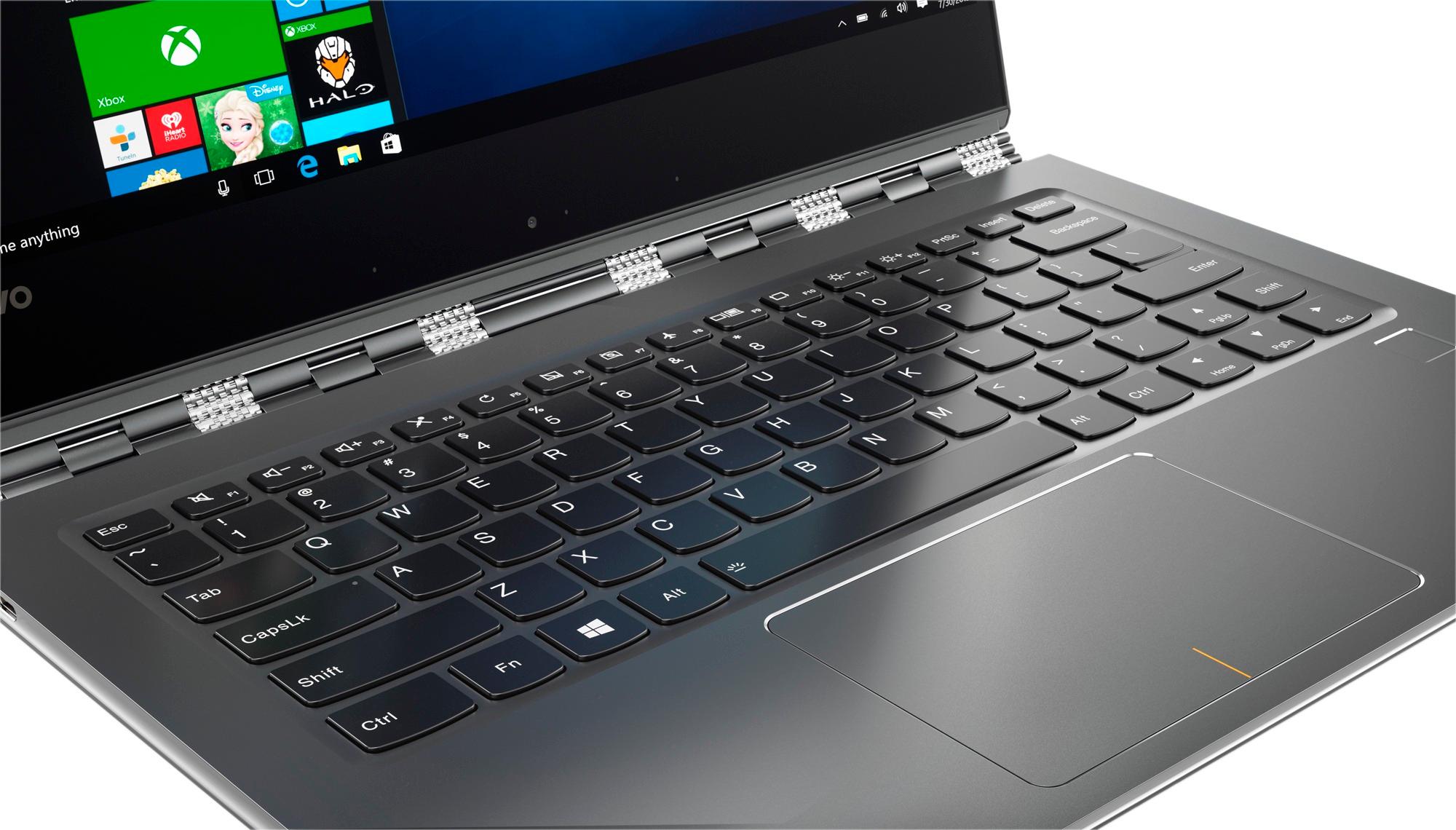
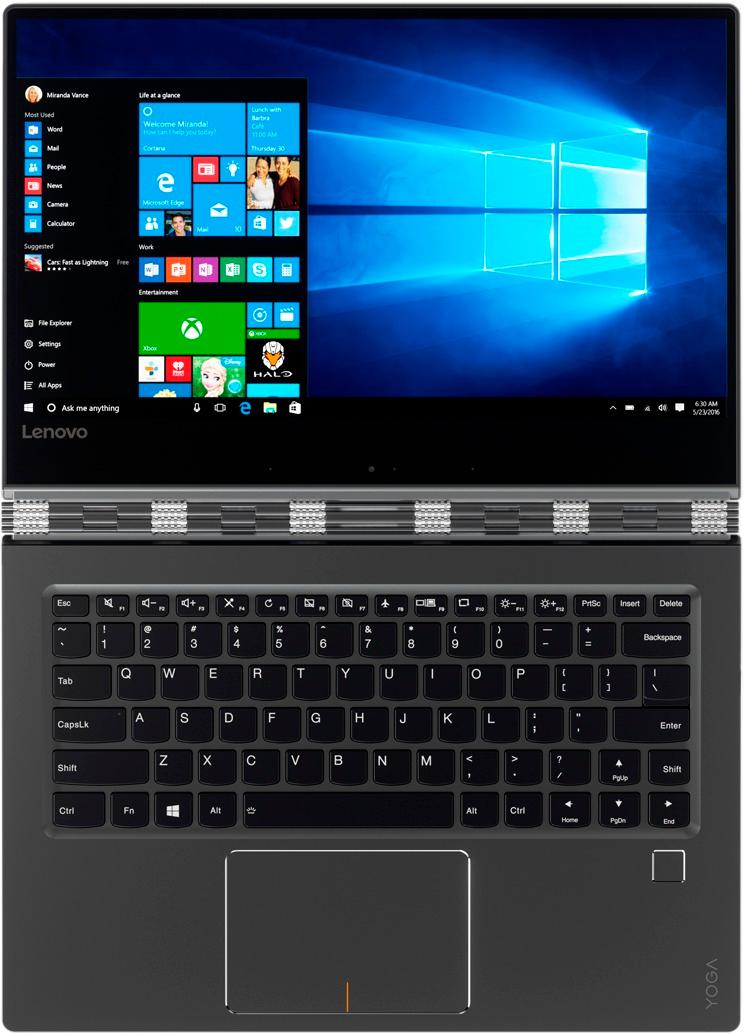
||Posted .This reviewer received promo considerations or sweepstakes entry for writing a review.The right shift on the keyboard is in a weird place making typing very awkward. After purchasing an active pen, we found out it didn’t work with that model.
No, I would not recommend this to a friendBrand response from Lenovo Product Expert
Posted .The Yoga 910-14 is not compatible with any active/digital pen. With regard to the right shift key issue you mention, there is a free software APP called KeyTweak that may help you. You can switch the key functions of specific keys on your keyboard with this software, so you could change the right shift key with the key you hit in its place. Just Google search "KeyTweak" and you will find articles about what the software does and you will find the download location for this free APP.

- Pros mentioned:Battery life
Great minimalist and high performance laptop
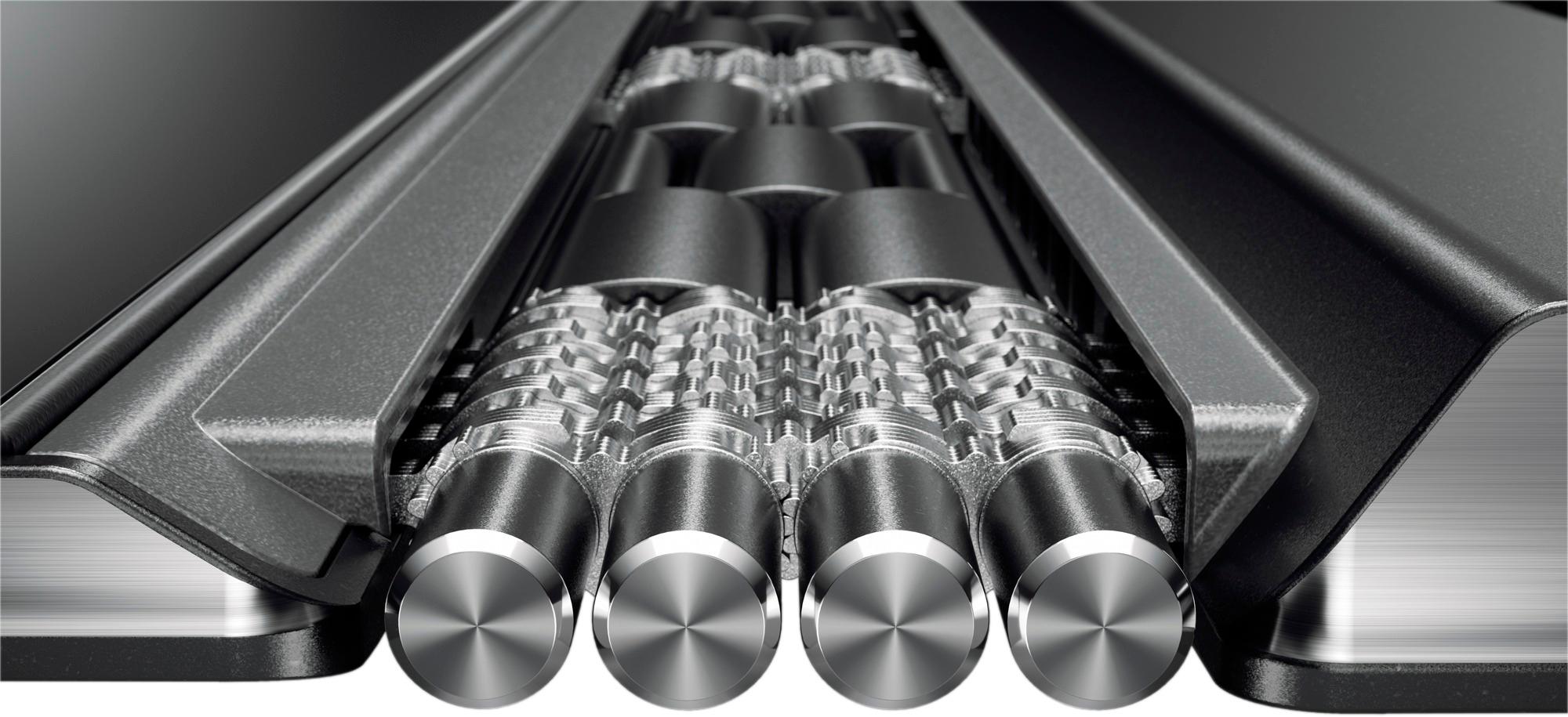
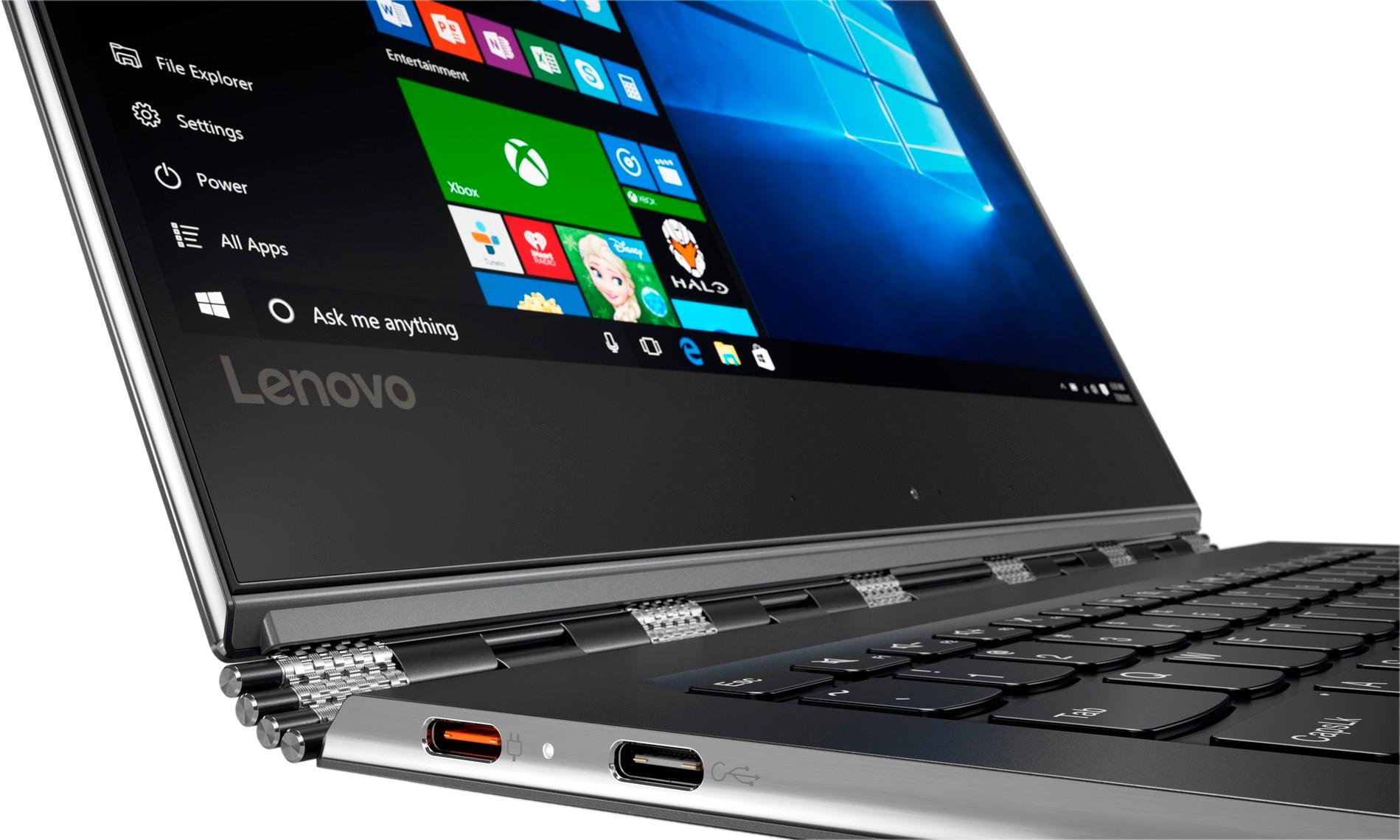
Posted .This reviewer received promo considerations or sweepstakes entry for writing a review.I bought this laptop as a replacement for the yoga 710 that had several problems (as listed in its reviews). This is the new 910 with a significantly better battery life, more reliable mouse, stable screen, and overall feels way better than the 710 which honestly felt cheap. Here are things to consider. 1 - MINIMAL BEZEL is amazing, but I did prefer the screen set up of the 710 - the screen comes incredibly close to the top part of the lid and I am very careful when opening the lid. 2 - only two usb-c and one usb 3.0 port. I have not run into any issues yet with the minimal number of ports. 3 - for all the complaints about the fingerprint reader, it works 90% of the time for me. 4 - the keyboard response, in my opinion, is better than the 710. very easy and smooth typing (and I write papers everyday). 5 - the mouse is 1000 times better than the 710 or previous models. previous yogas had major issues (from what I've read and tried in store) with the trackpad, such as, the left click not working and finger swipes not responding. No problems with the new 910 so far. However, beware, it is very slick and slippery, I would go almost as far as saying there is almost no grip on the trackpad. 6 - speaking of the screen, the hinges are by far the best in the market. Incredibly stable and the screen does not shake AT ALL when typing. This is definitely something you should consider when looking at other laptops. 7 - 14 inches in a 13 inch body, lots of screen space (really makes a difference). 8 - for all the complaints about fan noise, you can minimize it by going into the bios and changing the performance to "quite mode" (google for directions). so far I have not see any difference in performance or speed, and it does reduce the fan noise significantly. I do not game or do any advanced video editing, so I cannot speak for that, but for everyday work, online browsing, and watching videos in hd, no problems with the fan noise. 9 - the 910 is definitely an improvement in quality. the body feels much stronger but lighter than other models. 10 - as written in previous 910 model reviews, the camera is definitely in a weird position (but I rarely use it so I don't care). 11 - the box comes with a regular usb-c charger AND an extension cord. I can definitely see myself using this computer for the next 3-5 years.
I would recommend this to a friendBrand response from Lenovo Product Expert
Posted .Thank you for choosing the Lenovo Yoga 910-14. We are pleased to hear that the features and performance of the Yoga 910-14 meets your computing needs so well.
- Cons mentioned:Fan noise
UPDATE YOUR COMPUTER IF YOU PURCHASE THIS.
Posted .This reviewer received promo considerations or sweepstakes entry for writing a review.Recently brought this computer, and its fantastic. The first one I brought had issues booting up, and there was a whine in the fan thing like something is catching into the fan. So I went to bestbuy and exchange it no questions ask. The fan speed was a bit loud in my second one, but not that loud. Go to lenovo settings and immediately upgrade the system drivers. It would upgrade the bios too that would fix the fan speeds and the heating issue that everybody was talking about. After the upgrade, it runs perfect. Little to no fan noise, and now this is going to be my school computer.
I would recommend this to a friend - Pros mentioned:Battery lifeCons mentioned:Fan noise
Best Laptop That I Have Owned (for the money)
Posted .This reviewer received promo considerations or sweepstakes entry for writing a review.I was really excited about purchasing this laptop. I travel with my work and personal laptops extensively and I have had problems over the years with the hinges breaking - I am very heavy handed. I have owned the Lenovo 910 for about a year and it has really surprised me. For a lightweight computer it has taken much abuse and hasn't shown any signs of wear (YMMV). The battery life is excellent and hasn't degraded. The only negative is that from time to time the fan is a bit noisy...I may end up needing to replace it...but it hasn't bothered me enough to actually do anything about it.
I would recommend this to a friendBrand response from Lenovo Product Expert
Posted .Thank you for choosing the Lenovo Yoga 910-14. Here is the latest driver update from Lenovo addressing the fan noise issue:
http://support.lenovo.com/us/en/products/Laptops-and-netbooks/Yoga-Series/yoga-910-13ikb/80VF/007TUS/downloads/DS119202
- Pros mentioned:Light weight
It died
Posted .This reviewer received promo considerations or sweepstakes entry for writing a review.Lasted for years best laptop ever very light weight
I would recommend this to a friend - Cons mentioned:Freezing
Its a LEMON
Posted .This reviewer received promo considerations or sweepstakes entry for writing a review.Dont buy this. Having had bad luck with an HP, I bought my yoga 910 with all the bells and whistles 3 months ago. I paid $1600+. It was fine, with a few limitations, for for 1.5 months. Just long enough to get out of the best buy repair limit. At the outset, the fingerprint ID never worked. This was one of the reasons that I chose the yoga. After resetting it 5 times I gave up and only use the pin. Also, the right shift key is small and in a weird place. It’s really irritating. That’s just the beginning. About 1.5 months in, the mouse and the touch screen began to freeze…all all all the time. I mostly use MS Office and Chrome. You cant multitask on this – more than 3 applications in MS Office open at one time, and the yoga goes nuts and freezes. You have to wait 5 minutes before it resets itself, or do a forced restart. It cant take video and therefore freezes. Now, 3 months in, it takes forever to wake up. It also gets super hot after a few hours of use. Im not sending it back to Lenovo and waiting a month for them to not fix it. It’s going to that place where all awful computers go to die. THE YOGA 910 IS AWFUL.
No, I would not recommend this to a friend Incredibly smooth Windows 10 Experience
Posted .This reviewer received promo considerations or sweepstakes entry for writing a review.Within three hours of opening the box for this laptop, I had setup Windows 10, completed all of the latest updates, installed the security software of my choice, and installed Microsoft Office 365, along with Python, R, and RStudio. The bootup time is comparable to a median percentile Chromebook. I love the fact that it has a biometric sign on (fingerprint), as well as a Novo button, which serves as a system recovery in case the laptop does not boot up properly. The shift key on the right of the keyboard is smaller than a standard shift key, and there is not Kensington lock. The smaller shift key on the right of the keyboard forces one to relearn touch typing for those letters that are in the proximity of the shortened shift key. The fact that these are the only nits as to the overall quality is a testament to the brilliant and forward thinking design. I can finally breathe as I turn on this laptop and not wait until my hair turns gray to actually use the software and features and other aspects of the laptop. Using this machine enables one to optimize the use of software instead of waiting for all of the updates to load. I think that solid state storage (SSD) is indeed the wave of the future and traditional hard drives (especially 5,200 rpm ones) will be in the history books within five years.
I would recommend this to a friendBrand response from Lenovo Product Expert
Posted .Thank you for choosing the Lenovo Yoga 910-14. With regard to the right shift key issue you mention, there is a free software APP called KeyTweak that may help you. You can switch the key functions of specific keys on your keyboard with this software, so you could change the right shift key with the key you hit in its place. Just Google search "KeyTweak" and you will find articles about what the software does and you will find the download location for this free APP.
- Cons mentioned:Freezing
okay laptop
Posted .This reviewer received promo considerations or sweepstakes entry for writing a review.I bought this laptop after reading many reviews, I use it primarily for design work and running Microsoft programs. Everything I read said this laptop should be able to handle the work load of adobe programs. It can't. This laptop got super hot, froze, crashed, got a flickering screen in the first few days of owning it while running adobe programs. It even started doing it when I was just using google chrome. This might be an okay laptop for just cruising the net, but it's terrible for anything more than that. Really disappointing because this laptop was supposed to be super powerful.
No, I would not recommend this to a friendBrand response from Lenovo Product Expert
Posted .It sound like there is a compatibility issue with the software you are using. We recommend you check with the software publisher for their compatibility with Windows 10 Home 64-bit operating system and the minimum/recommended hardware requirements (Is a Graphics card required, the processor speed and the minimum required system RAM and the minimum available hard drive space) to run their program, then compare those requirements to this system's configuration.
Quality Control issues
Posted .This reviewer received promo considerations or sweepstakes entry for writing a review.This is my 3rd Lenovo machine. And this is my 3rd time I’ve had to return a Lenovo product. Always quality control issues. My first yoga (the FIRST yoga) had light bleeding front around the lid. My second yoga (also the FIRST yoga) had issues with the hinges. And now...the Yoga 910. It is a beautiful machine. So beautiful it convinced me to give Lenovo one last try. Heck, what are the chances I’d get 3 lemons? Apparently, pretty darn good. I’m in the military and stationed overseas. I dropped $1100 bucks on this thing while I was back in the states during a temporary duty assignment...and here I am, 4 days later, back at my home station overseas and the space bar quits working. After 4 days. Totally unacceptable. Lenovo machines are junk. Here’s to wishing Apple would slap a touch screen on their MacBook!
No, I would not recommend this to a friendYoga 910
Posted .This reviewer received promo considerations or sweepstakes entry for writing a review.I recently moved from a High end gaming PC to the Yoga 910 since I needed to be portable. The laptop has had no problem with any program I have thrown at it including Photoshop. It is very quick and responsive. I have only needed to charge the battery 2-3 times a week with 3-5 hours of use per day. Can you hear it run? Of course, but it is MUCH quieter than laptops with similar power (I had bought 3 similar laptops before the 910 and this one is hands down the quietest). I have not installed too many games on it but it can play WOT at medium settings with no issue and is able to play Overwatch on Med-low settings (very playable). Overall I have been extremely happy with this laptop.
I would recommend this to a friendBrand response from Lenovo Product Expert
Posted .Thank you for choosing the Lenovo Yoga 910-14. We are pleased to hear that the performance of the Yoga 910-14 meets your computing needs so well.
Yoga the Master
Posted .This reviewer received promo considerations or sweepstakes entry for writing a review.So far, I'm very pleased with this purchase. I bought this to replace a stolen Samsung ultra laptop. The silver lining in losing my laptop was to replace it with this Yoga 910. It fits the requirements that I have with my needs. The sleek look and feel is what makes it a pleasure to use without sacrificing performance. I had seriously considered other brands, Apple, HP, Dell, Samsung, etc., but the specifications and price point led me to purchase this unit as best value for $. Last, this Yoga 910 goes very well with the Lenovo Yoga Mouse.
I would recommend this to a friendBrand response from Lenovo Product Expert
Posted .Thank you for choosing the Lenovo Yoga 910-14. We are pleased to hear that the value, features and performance of the Yoga 910-14 meets your computing needs so well.
Stay away from Lenovo!
Posted .This reviewer received promo considerations or sweepstakes entry for writing a review.My Yoga 910 is not even a year old and I already had my charger changed (flimsy C-charger head) and now my computer will not charge unless it's off and it takes about 24 hour! I also have to mention a horrible customer service that gives you the impression that you are bothering them when you call to complain about a problem. Before you decide to buy this computer, read the following review and you'll avoid wasting your money on a worthless machine (https://forums.lenovo.com/t5/forums/v3_1/forumtopicpage/board-id/ll06_en/thread-id/46404/page/4). Customer service offered to repair my computer but it will take weeks before I get it back. Hello! This is my work computer! Don't you have better solutions? It looks like many other people are having the same issue but Lenovo will not recall this faulty machine. And now I am stuck with a $12000 brick! Not happy at all .
No, I would not recommend this to a friendBrand response from Lenovo Product Expert
Posted .This system is equipped with OneKey Recovery System. There is a very small button on the right side of the device, right near the headphone jack on the device. You will need a pen to push this reset button. Plug the device in. Let the battery charge for about 15 minutes. Push the reset button. The system should boot to a choice screen where you can choose "Restore To Factory Default". Select this. It will delete everything from the hard drive except the original factory install of the operating system. You will need to reinstall all programs and files after the reset. If you don't have copies of the files, try to make one before you restore by selecting "Boot to desktop" and trying to back up your files. A refresh to factory original settings may restore the original charging functionality.
- Cons mentioned:Shift key
Beware if you touch type - I had to return it
Posted .This reviewer received promo considerations or sweepstakes entry for writing a review.This laptop is gorgeous looking and screamingly fast. I got a phenomenal open-box deal on it. And it broke my heart to return it, but return it I did. Why? Because Lenovo decided to put the up arrow key where the right hand shift key should be. Now, if you are a hunt-and-peck kind of typist, this is probably not a big deal. But as someone who's been touch typing >60 wpm since learning on an actual typewriter in high school, I depend on the shift key to be where it is supposed to be.....and putting the up arrow there is extra obnoxious, because every time I tried to capitalize a left-hand letter, I'd end up hitting the up arrow and moving the cursor up a row and then when I kept typing, the words I was typing would be in the middle of the previous row. After doing that a couple times, my document was basically undecipherable. I am not kidding when I tell you that I typed on this for all of about 3 minutes before deciding it was going back to Best Buy -- and like I said, it was a screamingly good open-box deal so it broke my heart to return it, but there was simply no way I could relearn 30 years of typing habits.. I ended up paying more money for the Lenovo 720 - a step down in processor speed and not as pretty, but at least Lenovo managed to put the shift key in the right place.
No, I would not recommend this to a friendBrand response from Lenovo Product Expert
Posted .With regard to the right shift key issue you mention, there is a free software APP called KeyTweak that may help you. You can switch the key functions of specific keys on your keyboard with this software, so you could change the right shift key with the key you hit in its place. Just Google search "KeyTweak" and you will find articles about what the software does and you will find the download location for this free APP.
Lenovo
Posted .This reviewer received promo considerations or sweepstakes entry for writing a review.Perfect performance and great processing speed i used it for 4years
I would recommend this to a friendGreat Fuctional 2-in-1
Posted .This reviewer received promo considerations or sweepstakes entry for writing a review.I chose this model, because of the size, power, and compatibility. I am a traveler and need something to keep my business afloat. This has everything the average computer user needs. It is sleek. I had to rate as average due solely to the odd camera placement. As someone who uses the videochat along with the keyboard as my main job the camera is almost non-functional. The placement sets the camera to record each keystroke (hand typing), while recording a very unflattering view of my chin and ceiling fan. When beveled around to stand on its own the camera does not automatically reverse in certain programs for videochat. I will be exchanging this laptop for another this afternoon. I refuse to purchase a separate camera when the camera comes as part of the functionality of the device. I would recommend this to anyone who does not work online with a camera and headset.
No, I would not recommend this to a friendGreat for students or professionals
Posted .This reviewer received promo considerations or sweepstakes entry for writing a review.Lasted me all the way through 5 years of college. Survived a few drops and performed as expected for longer than I intended.
I would recommend this to a friend- Cons mentioned:Shift key
Don't Waste Your Money
Posted .This reviewer received promo considerations or sweepstakes entry for writing a review.I made the mistake of buying this thing because I thought it looked nice and Lenovo used to make good computers. Much to my chagrin, this thing isn't charging with the supplied charger anymore (its only 4 months old). Strangely, it will charge with my iPod charger with a USB C adapter. Lenovo sent a new wall charger but it doesn't charge the computer either. Also, the fans are loud even after the BIOS update and the thing gets pretty warm - much to be said about those cheap plastic laptops . . . Oh, and let's not forget about the right shift key placement - I still haven't been able to get used to that and it's very annoying to push the up arrow key when I'm expecting to have pushed the right shift key. Don't waste your money - even when it's on sale, you're still throwing away your money. Very Disapointed! ! !
No, I would not recommend this to a friendBrand response from Lenovo Product Expert
Posted .This device uses a USB-c AC adapter, that's why you iPod charger works with the Yoga 910-14. The latest BIOS update that helps with fan throttling can be found here, you can also run diagnostics from the Lenovo site as well. As always, be sure to create a restore point on your system before you make any changes. You can do this by just typing "restore point" in the search window within Cortana and follow the link to create a restore point. Here is the link: http://pcsupport.lenovo.com/us/en/products/laptops-and-netbooks/yoga-series/yoga-910-13ikb/80vf/80vf00fqus/downloads. With regard to the right shift key issue you mention, there is a free software APP called KeyTweak that may help you. You can switch the key functions of specific keys on your keyboard with this software, so you could change the right shift key with the key you hit in its place. Just Google search "KeyTweak" and you will find articles about what the software does and you will find the download location for this free APP.
- Cons mentioned:Fan noise
Poor reliability
Posted .This reviewer received promo considerations or sweepstakes entry for writing a review.After much research I replaced my MacBook Air with the Lenovo 910. I rely on this computer for my business. The fan is noisy as others have commented but tolerable for my use. Two weeks after purchase it required re imaging due to a Windows 10 update. Two weeks after that the R key lost tactile feedback. Then I noticed the screws that secure the back panel were loose. Now, it won't charge and is at factory service. All this in less than 9 months of use.
No, I would not recommend this to a friend