Customer Ratings & Reviews
- Model:
- E9450
- SKU:
- 6475408
Rating by feature
- Setup
Rating 4.4 out of 5 stars
- Range
Rating 4.4 out of 5 stars
- Signal Strength
Rating 4.4 out of 5 stars
Customers are saying
Customers praise the Dual-Band AX5400 WiFi 6 Router (E9450) for its impressive range and ease of setup, highlighting its user-friendly interface and broad coverage area. Many appreciate the router's strong performance and modern design, while some express disappointment with the lack of app support for configuration. The router's WiFi 6 capabilities and enhanced security features are also frequently cited as positive aspects.
This summary was generated by AI based on customer reviews.
- Pros mentioned:Range, Setup, Speed

Exceptional Performance and Range!
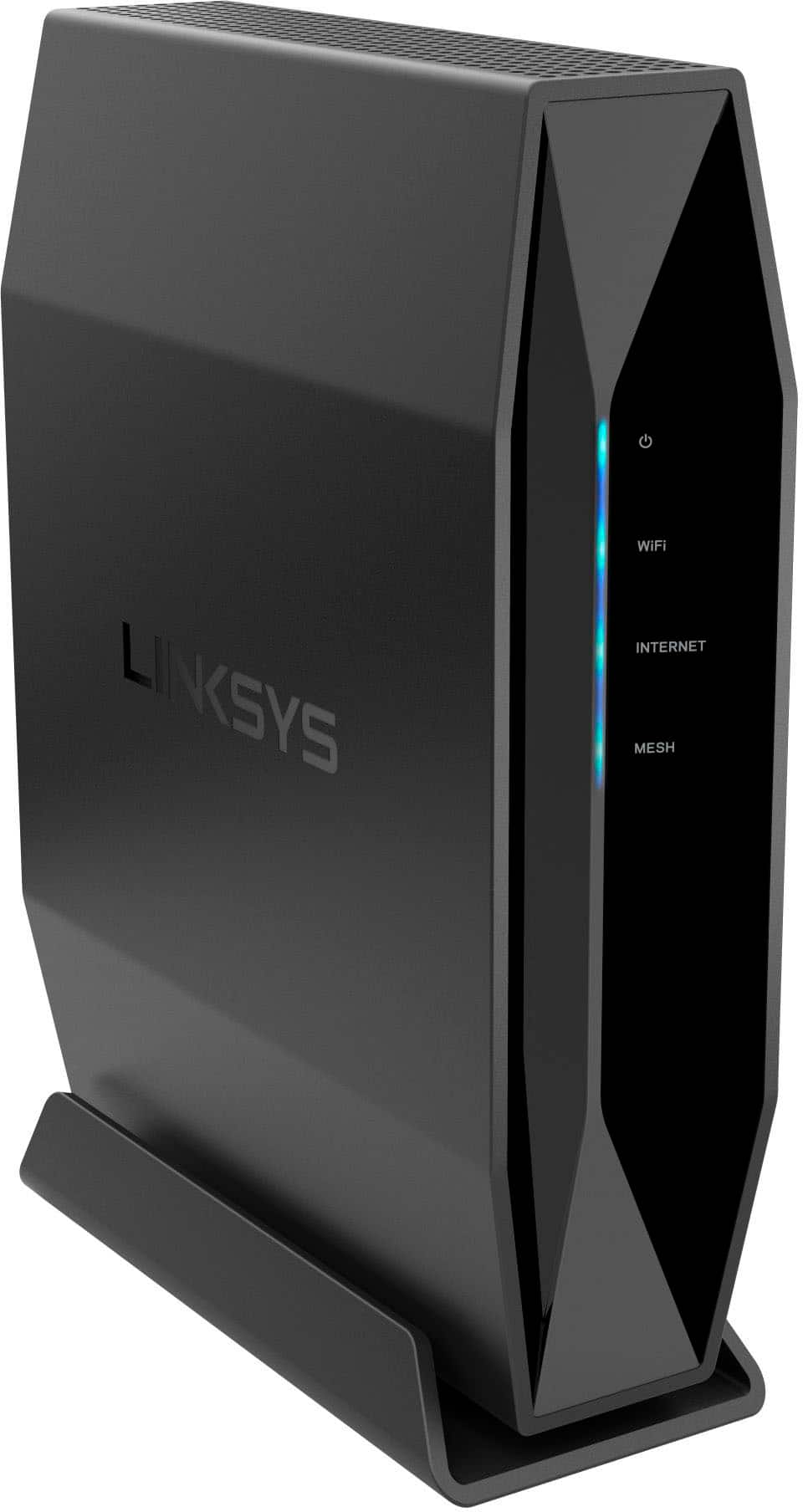
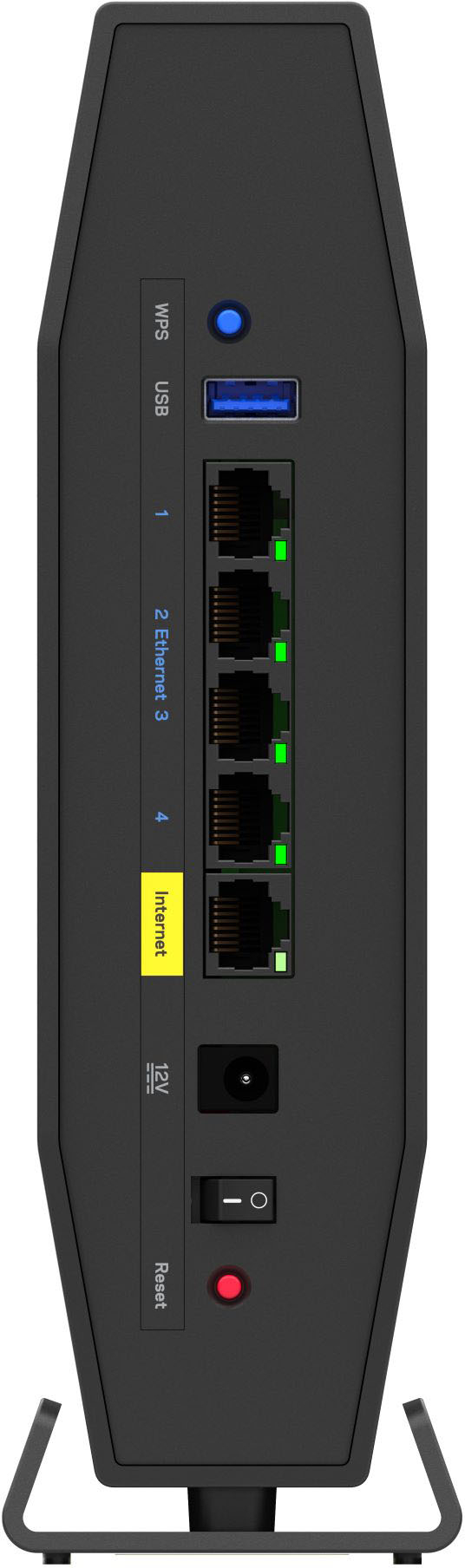
|Posted .This reviewer received promo considerations or sweepstakes entry for writing a review.Linksys is known for its quality networking devices and this router is no different. I am currently living in an apartment and was using the provided router/modem my ISP initially installed. The router/modem is a 2 in 1 and is older. After installing this Linksys router, I noticed the router outperforms my old router in every aspect. Speed, range, configurable settings, and more. If you need a better router, read on to see if this one may be for you! *TLDR at Bottom ===================================== IN THE BOX/SET-UP: The router is your typical-sized router and should fit in most areas. Along with the router, you’ll find the power adapter, ethernet cable, quick start guide, and warranty information. Note that this is just a router, you will need access to a modem or router/modem (what I had) for connectivity. Setup time may vary depending on your skills. I have set up routers before, and the Linksys router was up and running in about 10-15 minutes. But I wouldn’t worry too much, Linksys makes setup quick and easy with the provided quick start guide. If you want further documentation such as advanced configuration and troubleshooting for this router, it can be accessed using the link below. https://downloads.linksys.com/support/assets/userguide/E9450_USERGUIDE_EN%20LNKPG-00832%20Rev%20A00.pdf To access the router’s user interface, you will need a device with a web browser and typing 192.168.1.1 in the URL should get you into settings. During setup, you do get the option to re-name both the 2.4GHz and 5GHz bands as well as set up passwords for both. ===================================== FEATURES: This router has plenty of features that enhance performance and security in your network. First, this router does have the newest Wi-Fi 6 Technology(802.11ax). Wi-Fi 6 essentially improves efficiency in your network. The first thing I noticed while using this router was how much faster my upload and download speeds were. My old router I was getting about 130 down(wireless) on a typical day. With this router, I was getting about 180 down! The 50Mbps difference feels vastly different when you are browsing the web, watching videos, gaming, etc. Note that Wi-Fi 6 only works on certain devices. Along with the newest Wi-Fi technology, you will also get advanced security with WPA3. WPA3 is the newest encryption standard that can bring better security to your devices. WPA3 essentially does a better job at protecting against brute-force attacks and allows for a more secure password-based authentication. There is a USB port on the router that can be used to plug in an external storage device for file sharing within your network. There is also a WPS(Wi-Fi Protected Setup) button available that allows for a quicker/easier connection between your network and device. Under the USB port, there are 4 available Ethernet interfaces that can be used with your devices. In the router’s user interface, there are many ways to configure this router. You can mess with WAN setup, IPV6, Firewalls, and much more. There are also parental controls available if you ever need to set up any. Within parental controls, you can restrict access to sites, restrict internet access on certain devices, and specify times to block internet access to these devices. You can also update firmware and view router information using the router’s user interface. ===================================== PERFORMANCE: Performance is certainly remarkable. My upload and download speeds are quicker on both the 2.4GHz and 5GHz bands. I previously mentioned that download speeds were about 50Mbps faster on the Linksys router compared to my old router. Having multiple devices connected to the router doesn’t slow down speeds as much as my old router did. The range is wonderful as well. Linksys mentions up to 2800 square feet. My apartment isn’t that large, but I did notice that I was getting better signal in semi-dead areas like in my closet compared to before. Before, I was obtaining very little signal in this area due to the multiple walls that surround the closet. I was even able to stream 4K video in this area unlike before! Wi-Fi 6 certainly does allow for better performance and range! ===================================== CONCLUSION/TLDR: Overall, this is a solid upgrade to your old router if you are looking for an upgrade. The many features such as Wi-Fi 6 and WPA3 allow for better performance and security on your devices. I am completely satisfied with how this Linksys router has performed these past few days. If you are an advanced user, there are advanced configuration settings available as well. I don’t have anything else to say besides that if you require a new router, I wholeheartedly do recommend this one.
I would recommend this to a friend - Pros mentioned:Range
Fast and stable!
||Posted . Owned for 1 week when reviewed.This reviewer received promo considerations or sweepstakes entry for writing a review.Very fast and stable! I’ve run this router for about three weeks now and it’s been great, initially I had a few problems setting it up, I could not get into the control panel for it over the Wi-Fi, I had to use an Ethernet connection. My MacBook Air unfortunately no longer has one so I had to dig out my old MacBook to do it, it had to be disconnected from the AT&T Modem/Router during this step as well. Once this was all setup everything has been running smoothly, it’s not uncommon to have an Xbox playing Call of Duty, two computers streaming YouTube, a TV streaming Hulu, a MacBook or two surfing the net and a phone or two during as well, while this is going on we also have six cameras connected over WiFi. Our AT&T router required repeaters to work and it worked poorly, this one works great with no repeaters required. I would buy again,
I would recommend this to a friend - Pros mentioned:Range, Setup, SpeedCons mentioned:App
Compact Size With Big Potential
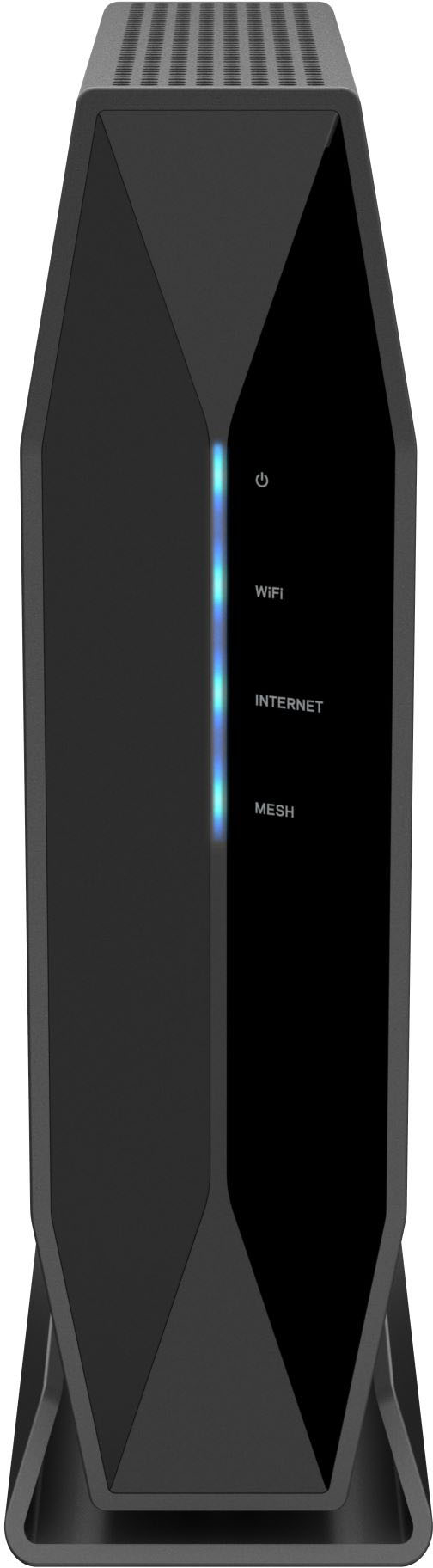
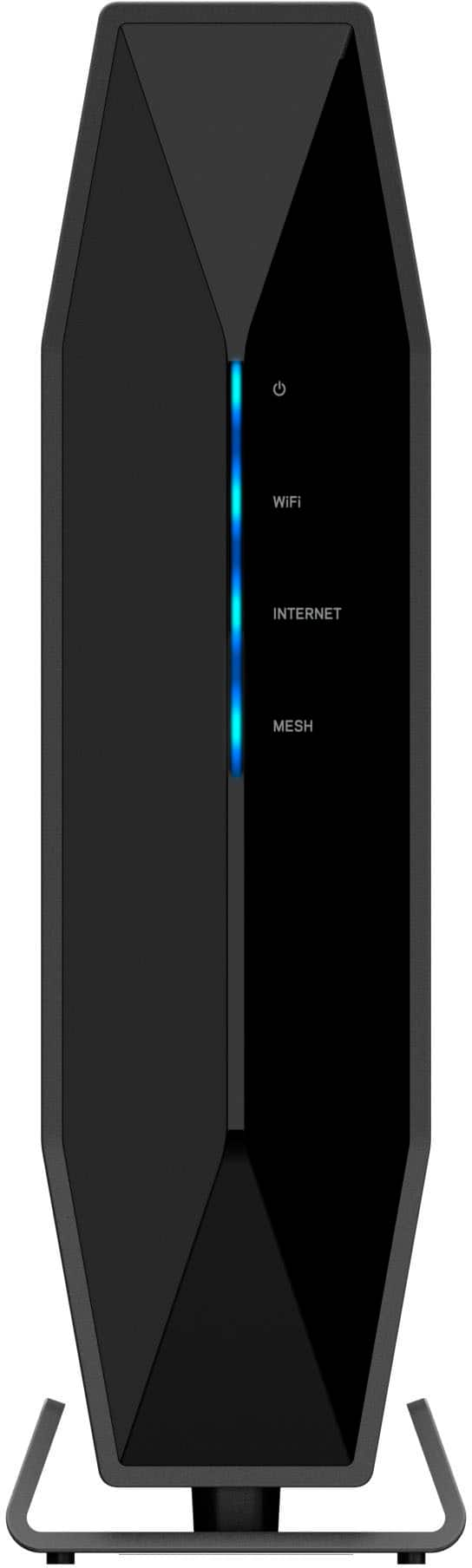
|Posted .This reviewer received promo considerations or sweepstakes entry for writing a review.Setup and Appearance: I was impressed on how easy it was to setup the new Linksys E9450 router. I took it out the box and followed the simple instructions. All I did was transferred my Ethernet cables to my new router and the few steps and I had my WiFi up and running. The only issue I’m having is that I can’t connect the E9450 router to the Linksys app. It’s not finding the router and I don’t know why. I did reset and started the setup installation twice and same issue with the app not finding the new router to connect and use the app. The internet does work so I will wait to see if an update will fix the problem. For now I cannot give any feedback on the app features for the E9450 router. FYI if you want to keep all of your devices connected to the same network keep your WiFi name and password the same. I chose to change it but things could of been quicker if I took that route. What I like about the new router: -It is sleek and does save space on my desk. -The 4 Ethernet ports are just enough for what I need. -The range is great because I can pick up my WiFi signal from my driveway (covers approximately 2800 square feet) and with my older router I could never get that. -After several speed tests I continue to get more speed than what I’m paying for. I will be so happy if this router continues to outperform. -The guest access is great because I don’t have to share my main password with anyone. -The simple but convenient light indicators are great to easily see if troubleshooting. -2.4 or 5GHz speed option let me easily choose when adding my WiFi devices -The parental feature is also good for parents. I think it would be a big deal for me if I have kids using my internet. What I don’t like: -The Linksys app is not allowing me to link my new router which is keeping me from enjoying all the benefits of the app. My final thoughts: I was using the EA7500 before this new E9450 and I was overall happy. I wanted something that would take full capability of my network speed while using the many devices I have. So far the E9450 is doing great and I can’t wait to hopefully getting it linked to the Linksys app.
I would recommend this to a friend Perfect
||Posted . Owned for 1.5 years when reviewed.This reviewer received promo considerations or sweepstakes entry for writing a review.We had router to go bad and this made a perfect replacement!
I would recommend this to a friendIssues with setup
||Posted . Owned for 1 month when reviewed.This reviewer received promo considerations or sweepstakes entry for writing a review.I’ve had issues settin’ up this gear. I’m havin’ to pass through my old device in order to get my support’s Ethernet connection to show up on my router. Gonna reset and start again…
I would recommend this to a friend- Pros mentioned:Ease of use
Future-Ready Wi-Fi!
|Posted .This reviewer received promo considerations or sweepstakes entry for writing a review.I have been pleased with this router so far. I am trying to build my home network for the future and to be able to handle more IoT smart home devices. I think this router is perfect for my application. The router is Wi-Fi 6 which is a step up from previous versions, with faster speeds and better range, it also has fantastic bandwidth that allows for 30+ devices. Setting up the device was very simple, I had to navigate to the IP address 192.168.1.1 for the router setup, and the setup wizard was super easy to follow. The router was all set up and ready to go in under 10 minutes. I like that the router comes with dual bands, the 2.4 GHz is best for devices connected that might be behind some walls or further away, while the 5 GHz is best used for devices that are close to the router and are freer of obstacles. When both my phone and computer are connected to the 5GHz band, it is noticeably faster, I feel like browsing the internet or when I open an email, the pictures pop up faster and there is a snappier feel to the experience. This router came with a lot of ports, plenty enough to run all the important hard-wired devices. The router comes with 4 ethernet ports, an internet port, a USB-3, and a 12v power port. This router makes connecting other devices to the Wi-Fi a breeze with the push of the WPS button. This makes setting up a mesh network very easy! I am digging the modern look of the networking device. The router looks as if was chiseled from an alien obsidian rock, which surprisingly fits in very well with any household décor. Overall, I am very happy with this router, from the speed, the ability for more connected devices, the reliability, and the looks, this router is a powerhouse and has it all.
I would recommend this to a friend Good starter WiFi 6 router but missing features
|Posted .This reviewer received promo considerations or sweepstakes entry for writing a review.TL;DR - This is a good starter router for WiFi 6, but it doesn't offer a great guest network feature, and it was challenging to install. Speed is not that much higher than good 5Ghz WiFi 5. But at $199, it's a fairly reasonable value and can be expanded with "mesh" functionality. I have been using this router for the last three days at home as a replacement for an Orbi WiFi 5 router, which is a very full-featured, prosumer mesh based router. Overall, this would be a good fit if you're looking for basic WiFi routing capabilities and want to take advantage of WiFi 6 features with a compatible WiFi 6 device. I experienced about a 3-5% increase in connection speeds compared to my previous WiFi 5 Orbi set (measured using Speedtest.net site results). The installation and setup was fairly easy; I had to hard (factory) reset the router once because I was unable to login to the configuration page. I later discovered that the quick start instructions are confusing because they say to use 192.168.1.1 to access the router setup, but that's only if you're connecting directly to the internet gateway modem. If you're connecting behind another router (which I was) you have to connect using 192.168.11.1. I was disappointed to find that although the router does offer a guest network/SSID feature, the router doesn't allow you to customize the SSID, and it requires the user to open a web browser to accept a T&C page (like how a hotel WiFi connection works). This means that you cannot use the guest network as a VLAN to isolate potentially insecure IoT devices, and your guests will be hassled by the experience. This router can be setup as a "mesh" system, but unfortunately you need to purchase identical additional units; there are no other "satelitte" units, which turns a decent value WiFi 6 router into an expensive WiFi 6 mesh system offering. Overall, if you're looking for a solid value WiFi 6 router with all the usual features, this is a good choice. However look elsewhere if you need to have a guest network that works well, or you have a large home/mesh needs.
I would recommend this to a friendBrand response from Linksys Staff
Posted .Hi, Raiders,
We appreciate your detailed review towards the product. Feel free to tap us anytime at [email protected] should the needs arise. We’d be happy to lend you a hand.
Regards,
Rosalyn
Linksys Support
- Pros mentioned:Setup, Speed
Outstanding Performance, Quirky Setup & Features
|Posted .This reviewer received promo considerations or sweepstakes entry for writing a review.The Linksys E9450 router does not look like the high-speed routers I’m used to. The fastest routers usually have 4-8 antennas sticking out and occupy nearly a square foot of space. The significant other would typically not be very happy at having this intrusion to the décor. This is very different! This router could fit on a bookshelf and blend in if not for the LED lights. It would be nice if there was a switch or option is setup to disable the LED’s which are only really needed when there is a problem. The router setup was quick and easy. The default values were used, and I then updated the firmware to version 1.1.00.064. There is an option to enable automatic firmware upgrades. Unfortunately, you cannot set a desired time window for these to take place, i.e., when typically sleeping. So there seems the potentials for the Internet to suddenly drop out while working. Not ideal with so many people working and attending school from home using Zoom, Teams and the like. After the firmware update, I ran a speed test against several local businesses and schools. Using Wi-Fi, I was able to get just about every bit my “1-Gps” Internet connection is rated for. My ISP advertises 940-Mbps as their max speed and I was seeing speeds of 920-936-Mbps! Wow. Normally at this point I’d look to see what I could tweak to improve my connection speed, but that is now pointless here. Before this I needed a cable to see speeds anywhere near this. Speeds with 5GHz tend to drop quickly when walls and floors come between your device and the router. The Linksys is no different here. At 30’ away and behind two walls the speed dropped to 320-345-Mbps. I enabled beamforming and the speed increased 50-70-Mbps. Still faster than my previous routers best when I was in the room with it. I would have liked to place my streaming devices, Portal, Alexa, coffee Maker, A/C, other appliances and devices on the guest network to increase the security of the computers and NAS holding my data and personal financial traffic on my non-guest network. Why? As devices age, manufacturers start to drop support, firmware updates cease and there is often no warning to let you know this. My older Netgear router supports this setup with its Guest network. But this is just not possible with the Linksys E9450 router. First, the there is a total of just 10 guests allowed. That’s not enough to support all my devices. Second, a device cannot simply login to the Guest network using the correct password or WPS. It must log in through a web page and accept a terms and conditions statement. That’s not possible for these devices. It also seems odd to require this of “guests” in my home. This setup is more appropriate of a commercial router in a hotel or Bed and Breakfast than my home. I like a Guest network, just not this implementation of it. I hope Linksys gives this feature a rethink to better support today’s homes littered with IoT devices that will likely remain in service after security update support ends. This would be more appropriate from a home router than a hotel type of agreement to access the Wi-Fi. If small businesses support is a goal here, this should be marketed as a business router rather than a home router. The router configuration pages are extensive and well laid out. Someone new may find them overwhelming. Fortunately, the default values are generally ideal for most circumstances. Adding some explanations or links to context sensitive help could be useful for new users trying to improve a situation. After saving the setting changes on each page, the router reboots to apply the changes. With so many pages of options, waiting on multiple restarts can quickly became annoying. It would be an improvement if one could save each page without a reboot, then when all done go on to click another button to apply the changes so just one reboot would be needed. I feel the setup tines out far too quickly. When looking up a setting, I would have to login when I went back to the setup. This seems like overkill when I’m on my local LAN. Increasing the time-out to 5-10 minutes would provide a better experience. Or provide an option for the user to choose their desired time-out. Most people will find the Linksys E9450 router a solid choice. The performance is outstanding, and it does not require any tweaking to achieve outstanding Wi-Fi performance. The appearance blends better than most with home décor. The setup screens are logical. Those that have unique environments that require tweaks or like to experiment with the numerous settings will likely find the quick setup timeout and restarts after each page annoying. Also, I wish the Guest Network was more a of a restricted network than a small business guest network. One that would support IoT devices, and many more of them. These prevent a larger threat to the home than a house guest not accepting a user agreement.
I would recommend this to a friend - Pros mentioned:Range, Speed
Great router.
||Posted .This reviewer received promo considerations or sweepstakes entry for writing a review.Greatly improved our home Wi-Fi network. Fast. Powerful. Great range. I highly recommend this.
I would recommend this to a friend - Pros mentioned:Range, Speed
Parents look elsewhere
||Posted . Owned for 1 week when reviewed.This reviewer received promo considerations or sweepstakes entry for writing a review.Good range and speed. Only complaint is the this router is not supported by the Linksys app and the parental control features from the website are fairly basic compaired to the mobile app. For example, on the mobile app you can limit internet usage by day and have very specific times you can set. The parental controls features on this router needs to be access by a desktop and you can only limit time by weekday and weekend. My kids get more time on Friday and less time on Sunday.
No, I would not recommend this to a friendBrand response from Linksys Staff
Posted .Hi, Bam1,
Thanks for posting a review! Our Escalation Engineers would love to help you out with your challenges, and aid in experiencing the best out of this device. Just drop us an email at [email protected] with the link to this review and your contact details.
Let's continue from there forward.
Regards,
Carl
Linksys Support
- Pros mentioned:Ease of use
Fast and adaptable
||Posted . Owned for 1 month when reviewed.This reviewer received promo considerations or sweepstakes entry for writing a review.Linksys Dual Band AX5400 delivers as promised. There were no spotty areas in my 3 floor townhome. The upload and download speed were good. My provider is not 5 g yet. But, this product is already gaining grounds even if we share the bandwidth for 14 gadgets at home. This product is easy to install and a space saver! It's adaptable and you grow into it.
I would recommend this to a friend - Pros mentioned:Range
Great router
||Posted . Owned for 1.5 years when reviewed.This reviewer received promo considerations or sweepstakes entry for writing a review.Needed a router to reach my Man shed and this one worked great .
I would recommend this to a friend - Pros mentioned:Range, Setup, Speed
Great reliable WiFi 6 router
|Posted .This reviewer received promo considerations or sweepstakes entry for writing a review.Don't let the lack of external antennas fool you, the E9450 delivers on its promised range and even performs better on range than another router I had that had 4 adjustable external antennas, which actually had dead zones in one of our bedrooms, the garage, and the front porch on the 5GHz band. The E9450 on the other hand still operated in those locations under 5GHz while still delivering our max internet speed of 230Mbps. The router is compact and yet has a good solid heft, giving it a premium feel, and won't move around while cables are plugged in when standing vertically, which is also supported by the rubber feet on its stand. You can actually lay the router horizontally, but out of the box it will slide around on a flat smooth surface. If you place it on a rubber mat or attach non-slip feet on them, it will work out fine. Setup is incredibly simple and done using any internet browser. You simply connect to the router's wifi connection using its SSID and sign in with the credentials noted on the included written materials, then enter 192.168.1.1 on any browser to get to the router's configuration page. The router will walk you through the initial setup. The configuration page itself is fast to navigate through, with a clean and easy to understand interface. UPnP (universal plug and play) works out of the box. The E9450 was able to set up the port forwarding for my Plex Media Server automatically without me having to do anything, and even labeled it correctly as "Plex Media Server". The E9450 has a USB 3.0 port which allows you to connect an external disk to it and turn it into a NAS (network attached storage) as a SMB, FTP, or UPnP media server. The configuration page has a relatively mature external storage section, allowing you to see the USB speed protocol the connected device is running at, shared folders, the ability to format the drive and safely eject the drive. The supported formats for external storage on the E9450 are FAT32, NTFS and HFS+. Missing from the router is the ability to host a VPN server. This is not to be confused with connecting to a VPN server, of which the E9450 has no problems doing. It supports IPSec, PPTP, and L2TP VPN passthrough. But if you want to create a VPN server of your own for your home network to allow it to be accessible outside of your home, you can't. Furthmore, to my knowledge, DD-WRT doesn't support this router. Fast AX wifi speeds with reliable range and an excellent, speedy and informative configuration page makes this a router I can easily recommend.
I would recommend this to a friend Wifi
||Posted . Owned for 1.5 years when reviewed.This reviewer received promo considerations or sweepstakes entry for writing a review.Been a solid unit with no issues to complain about.
I would recommend this to a friendRotor
||Posted . Owned for 1 year when reviewed.This reviewer received promo considerations or sweepstakes entry for writing a review.This rotor works amazing throughout my whole house
I would recommend this to a friend- Pros mentioned:Speed
Fast
||Posted . Owned for 1 year when reviewed.This reviewer received promo considerations or sweepstakes entry for writing a review.Very fast. Worth the price. Have had it for awhile now.
I would recommend this to a friend New Router
||Posted .This reviewer received promo considerations or sweepstakes entry for writing a review.Wanted to upgrade our router - this was recommended as a good fit for our space. It works fine but considering we had a very old router I was a little surprised that we didn't get as much of a benefit from a newer model.
I would recommend this to a friend- Pros mentioned:Ease of use, Speed
Replace Netgear Nighthawk - Well Worth It!
||Posted . Owned for 1 month when reviewed.This reviewer received promo considerations or sweepstakes entry for writing a review.Replaced a Netgear Nighthawk that cost $200 more and this router is better all around. It's easier to setup and delivers screaming speed. Goodbye Netgear! We barely knew ye.
I would recommend this to a friend - Pros mentioned:Ease of use, Speed
Easy Set-up Works Great
||Posted . Owned for 3 weeks when reviewed.This reviewer received promo considerations or sweepstakes entry for writing a review.Great product! Very quick and easy to set up, works great, very reliable and fast speeds!
I would recommend this to a friend - Pros mentioned:Range
Fast, capable old school WiFi router
|Posted .This reviewer received promo considerations or sweepstakes entry for writing a review.When it comes to updating your home WiFi system, it is easy to be overwhelmed by the sheer number of choices out there. Stand-alone WiFi routers or multi-node mesh. Wi-fi 5 or WiFi 6, dual band or not. Beamforming or not. I could go on and on. There are literally hundreds of choices related to features and performance. But if your needs are simple and your home is not too big, you could do a lot worse than opting for the Linksys E9450 Dual Band WiFi 6 router. The latest in a long line of routers from networking giant Linksys, the E9450 is a great choice for most people who just want to upgrade their router to take advantage of new technology associated with WiFi 6. ( Or AX, if you want to follow the familiar letter codes that were used before: A,G,N, AC. ) The biggest advantage of WiFi 6 is that it was designed from the ground up to better deal multiple wireless devices at the same time -- something some older routers sometimes struggle to do well. If your house is like mine, you probably have a LOT of different devices connected to WiFi, from lights, doorbell cameras and thermostats, to computers, phones tablets and TVs. The E9450 is rated to deal with "30+" devices, which is probably enough to satisfy most households. Better yet, this router is supposed to have enough broadcasting power to cover homes up to 2800 square feet, which is a pretty large home by most standards. When you get bigger than than that, it may be time to look at mesh systems, which have multiple nodes to ensure good WiFi coverage over even larger and multistory homes. Interestingly enough, the E9450 has a "Mesh" light on the front but it does not have that capability in its current form. The owners manual, only available via download from the Linksys web site, hints it may be added later. "For future update." New firmware and additional nodes would be needed for that. Unlike most new mesh setups, the E9450 has an old school design: A single black 6x8-inch rectangular box with a few lights on the front to show what is going on and four 1 gigabit ethernet ports on the back. It is a a very clean design with no external antennas (4 are hidden inside) and no blinking lights (except during setup) so should not offend the aesthic sensibilities of most folks. It must sit in a vertical position because it has a built in stand. But that's fine since it takes up less desk space that way. As with most modern routers, this is one is dual-band, operating on both the 2.4 and 5 gigahertz frequencies. The specs say it is capable of speeds up to 5.4 gigabits per second but expect a lot less in real world situations. Other welcome features include an on/off switch (most routers do not have one) and a USB 3 port for adding a hard drive to your network. Setup will be very familiar to anyone who installed wireless routers before. There are no apps or other fancy do-dads involved. Once again, it is old school, with a web-based interface you access via your computer's web browser. Don't throw away the quick setup guide, the only documentation that comes with the E9450. It contains the name and password you will need to get into the admin to set up and customize your WiFi network. No more admin/admin on initial setup. Except for changing the name and password of the WiFi network and inputing new admin access parameters, you probably won't need to mess with the default settings. You might be tempted to switch to the new WPA3 security protocol, which is stronger than the old WPA2 we have been using for years. But many older wireless devices are not compatible with WPA3 so stick with the "WPA2/WPA3 Personal" default. Older devices may also be problematic when it comes to beamforming , which is supposed focus WiFi signals at devices that use them rather broadcast a wide field. That option is turned off by default, which is probably a good thing. Some older devices (older than N rated) do not play well with beamforming. One good thing about old school routers like this one, compared to the new mesh models, is you have much more control over all of the arcane network settings, including parental controls. Many mesh systems are one size fits all, with no ability to fine tune any network settings. They also probably lack the standard compliment of ethernet ports that have been standard in most WiFi routers for years. I found the overall performance of the E9450 to be quite good. If you are upgrading from WiFi 5 (AC) or older system, you probably will notice less lag when using streaming services on a WiFi connected TV or other high-bandwidth devices. That's mostly because WiFi 6 is better at juggling multiple devices seeking internet access at the same time. Overall throughput did seem to drop off a little in the far reaches of my 1500 square foot home but not enough to cause any issues with any of my devices. The Linksys E9450 is nothing revolutionary but is a good basic choice for those who want to update aging WiFi routers and take advantage of the performance boosts that come with WiFi 6.
I would recommend this to a friend