Customer Ratings & Reviews
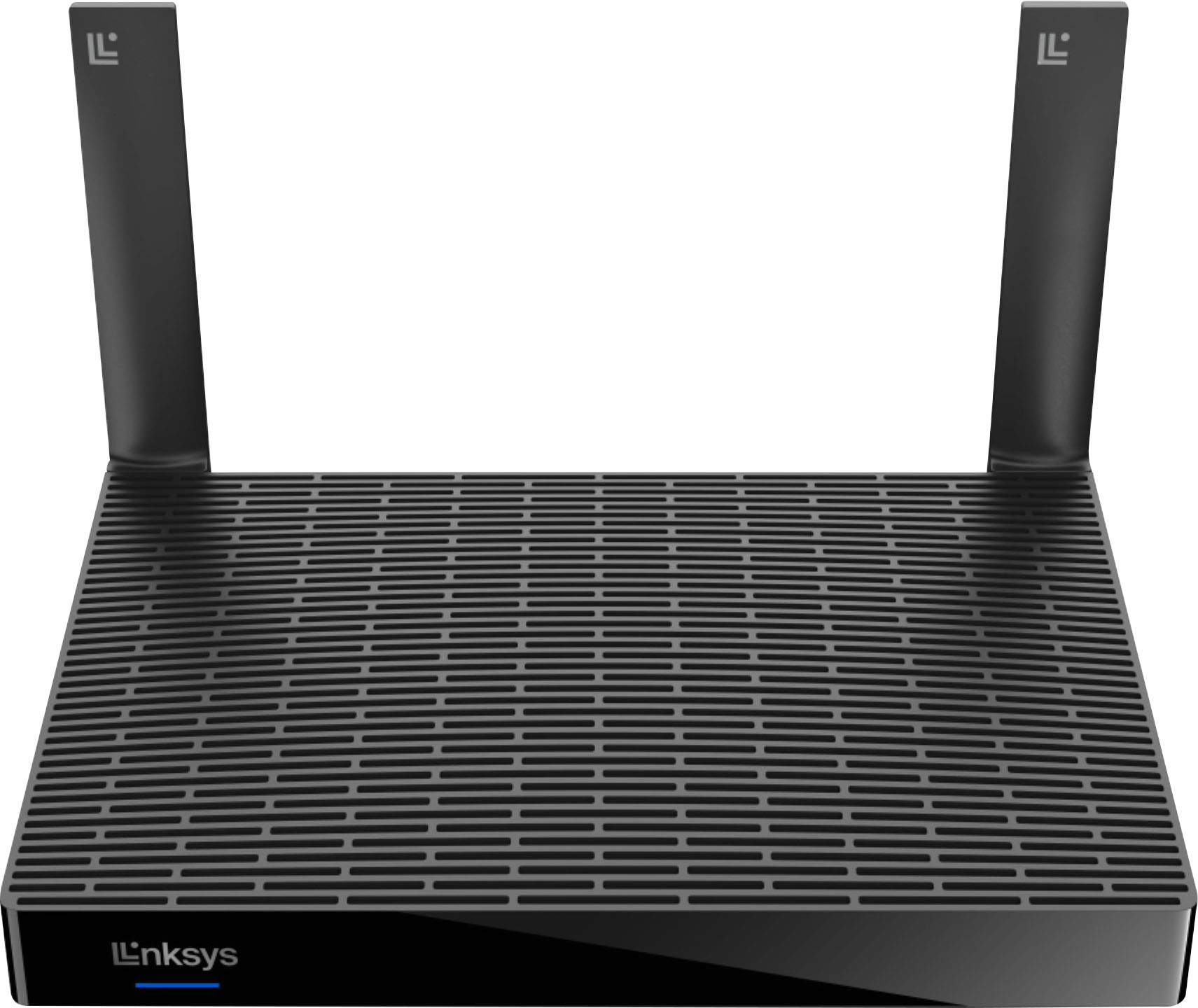
- Model:
- MR5500
- SKU:
- 6494020
Rating by feature
- Setup
Rating 4.5 out of 5 stars
- Range
Rating 4.6 out of 5 stars
- Signal Strength
Rating 4.7 out of 5 stars
Customers are saying
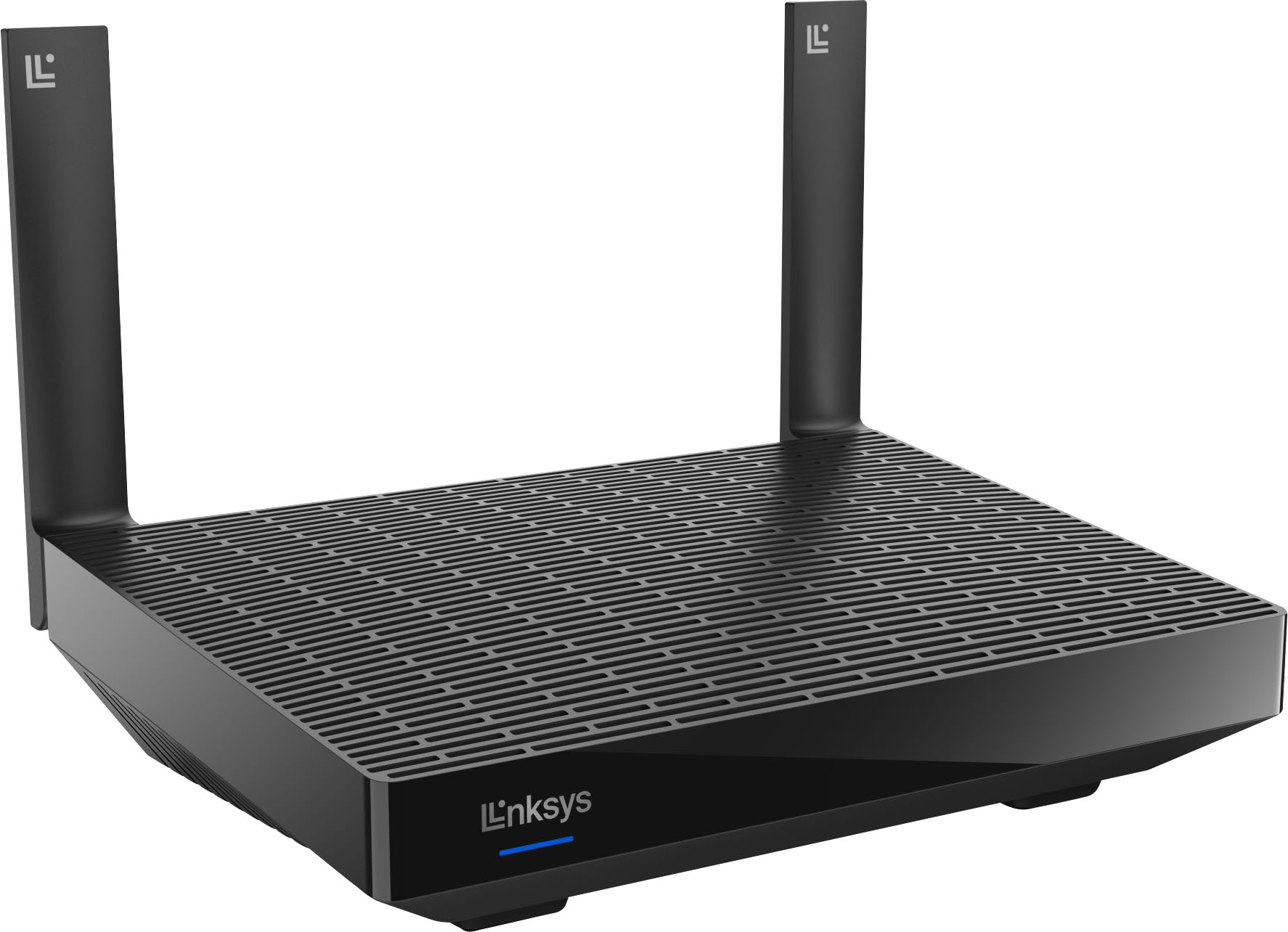
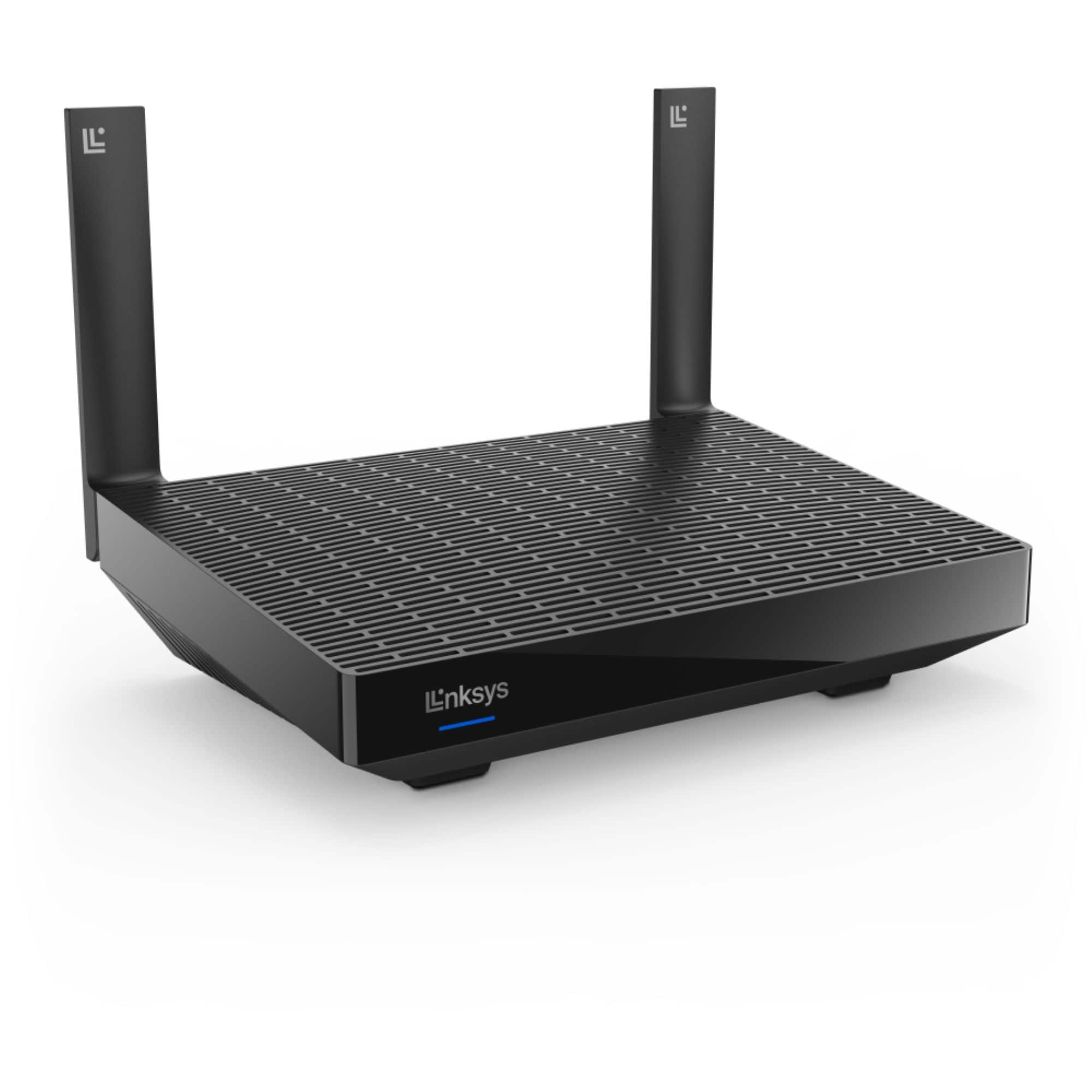
Customers recognize the Hydra Pro 6 WiFi 6 Router as being easy to use and having strong performance. Positive feedback frequently highlights the router's extended range and improved signal strength, leading to better home coverage. Many users found setup to be quick and straightforward. The price point also received favorable comments.
This summary was generated by AI based on customer reviews.
Poor support for this particular issue
||Posted . Owned for 1 week when reviewed.This reviewer received promo considerations or sweepstakes entry for writing a review.Tech support couldn't understand that the router wasn't working because it was indicating it wasn't receiving an internet connection from the modem. Plugging a computer directly into the modem worked but the router still indicated no internet from the modem despite numerous reboots of both modem and router as well as replacing the modem, same results. Best Buy's tech support was totally useless. Had to replace the 6 month old router since I needed to have my network up and working, couldn't wait for the old one to go back to Linksys for replacement.
I would recommend this to a friendBrand response from Linksys Staff
Posted .Hi, WilliamB,
If you haven't reached out to our support team yet, please don't hesitate to contact us at [email protected]. This will enable our team to conduct a final diagnosis. Ensure to provide pertinent details, your contact information, and include a link to this review for our reference.
Regards,
Rosalyn
Linksys Support
- Pros mentioned:Range, Signal strength

Reliable As Always
|Posted .This reviewer received promo considerations or sweepstakes entry for writing a review.I've been using Linksys routers for a while now and I always found them reliable. My former Linksys mesh router (Max-Stream MR7350) had a range of 1700 sq ft, and 25+ devices. Even in a nearly 2900 sq. ft. house, along with a single Velop mesh node it has done it's job well. Of course my device list has greatly grown since and an update was required that better suited my environment. The Hydra Pro 6 (MR5500) advertises a 2700 sq ft range and 30+ connected devices. I used the Velop mesh node for my 1st floor to account for my extra square footage. Switching it from my previous router and connecting it to this one gave me trouble but it eventually paired after several resets of the device. It was almost as if the setup on the app was stuck in a loop. On the plus side I was able to test the range of the router without it. My kitchen/dining room on the first floor is both the furthest part of the house and furthest away from the router which always created a dead spot from all the appliance interference. The Hydra Pro actually had a very good signal on it's own unlike the other which relied completely on the Velop node. Setup of the router itself was seamless as it usually is with this brand. Besides reliability, one of the other reasons I have stuck with Linksys is because their software is user-friendly, albeit simple compared to what I was used to back in the day, yet it allows me to create the most efficient setups for my needs. This is especially true when upgrading to a new device. The user interface remains the same from previous models so if you're a returning customer than you already know where everything is. The integrated Help documentation has personally been integral for helping me learn and guide me over the years in setting up proper networks. Using their routers, I was able to create a dual router setup. In an attempt to separate the device loads I hooked up my prior non-mesh Linksys router before the MR7350 for a second access point and network. I would put older devices on the older router as well as use it like a "guest" network and keep all the main devices on the newer router. For the most part this worked really well except for two of my older devices would lose signal and I would just have to occasionally refresh the connection with them. The two wired devices I had connected worked flawlessly, though. The Hydra Pro actually states it supports Wired Backhaul for doing things like this. While the last model didn't list it as a feature, it still worked well aside from that one issue. I once again did this setup and everything seems to be running even smoother. With this model, that one issue also no longer seems to be happening. I'm not positive whether if it's both routers now being mesh capable, the Wired Backhaul or a combination of both but in any case, Linksys makes it work. I have strong signals to all my devices throughout the house, including a few outside cameras. My only real complaint for these routers is they make these adapter cords way too short. It makes placing your router (and in turn, your furniture) limited. I don't have whole house ethernet wiring so it particularly makes it an issue for me since I'm limited to just one room. Another issue I seem to have with this router like I did with my last one, there is no option to back up configurations anymore. I could always do it up until at some point, as if an update removed the option entirely. I'm connected to my home network as I always have been so that that isn't the problem like the "help" menu suggests. There isn't too many options to mess with if you're familiar with things but it's still a bit of a bummer. Ultimately, the Hydra Pro 6 indeed works great and it should be ideal for a lot of homes. There's little else to speak on other than about it's value for the money. Unfortunately, I'm not entirely sure it warrants it's higher price tag. My former MR7350 performed well for me despite my house demands through it's great mesh system in combination with the Velop node. Assuming the model below this, the Hydra 6, is even better than that (it has better specs across the board) that may just be all that's necessary considering the specs aren't all that much lower than the Hydra Pro 6 yet at a much lower cost. But these expandable mesh routers are seamlessly everlasting these days and perhaps it's greatest compliment from a consumer standpoint may not be the best thing for the seller, thus the price tag. Regardless, the Hydra Pro 6 is a great choice and another great addition to the Linksys family.
I would recommend this to a friend good for low speed internet only
||Posted . Owned for 6 months when reviewed.This reviewer received promo considerations or sweepstakes entry for writing a review.Is easy to set up but lacks the speeds it says I lose over hafe my speed when using this in my network and get it back when directly connected to modem
No, I would not recommend this to a friendBrand response from Linksys Staff
Posted .Hi, Josh,
Several factors could be causing the challenges you are experiencing. You may try disabling Media Prioritization and ensuring that the firmware is up to date.
If you require further assistance, our Escalation Engineers are standing by. Simply send us an email at [email protected], including a link to this review for our reference, and we will have someone get in touch with you.
Regards,
Rosalyn
Linksys Support
- Pros mentioned:Signal strength, Speed
An Outstanding WiFi System
|Posted .This reviewer received promo considerations or sweepstakes entry for writing a review.Have been using this new router for about two weeks and so far it has been great. For me, this was a replacement of a double access point mesh network from the same manufacturer that was not Wifi 6 compatible, so I was expecting a bit of a boost in performance. I really wanted to figure out if and how much better this router was so I'll share my thoughts below. The setup was mostly easy. Plug it in and open the Linksys app. It took the app a few trys to find the new router and then it took about 60 minutes of reseting the modem and router before the app was able to move forward. It was a little frustrating but then again it is a one-time setup event. From there I configured the network to the same name as my old router and all the devices in my house (30 or so) automatically connected to the new network. I can say that the signal strength is good, with only one access point (it is capable of expansion) located in the basement this router could reach the entire house plus out to the street and the whole backyard. When it comes to the benefits of a faster connection, I did multiple speed tests before and after to see how much faster it would be but found out that my data rates fluctuate throughout the day with my cable internet service so I was unable to determine any significant change in speed. With that said, the speed is very fast and at times would max out to my internet speed limit. I did notice that my Windows PCs and laptops came up with a message saying welcome to Wifi 6 and that they could take advantage of it. My son also downloaded a dozen gig video game and said it went faster than ever before, but I don't have any hard stats to share. Overall I am pleased. With respect to streaming, the router is able to handle multiple streams at once. I can be on a video call at work with both kids streaming in HD and not see any slowness. However, I have also had some issues streaming work calls and losing connection at work when I am the only one home. I don't think it is from the router but I cannot determine for sure. Given all the variables during my test, I am pretty sure this router is performing as expected and I am overall very pleased to have upgraded to Wifi 6. I would recommend this.
I would recommend this to a friend - Pros mentioned:Ease of use, Speed
Numbers don't lie
|Posted .This reviewer received promo considerations or sweepstakes entry for writing a review.Linksys goes the plain and simple path with the Hydra Pro 6 AX5400. It has a very unassuming look but don't judge a book by it's cover. It was extremely easy to set up. The Linksys app (downloadable from Apple Store or Google Play) walks you through setup step by step. In just a few minutes I was connected to the internet. Even though coverage is around 3000 square feet since this is a Mesh router you could benefit greatly by adding a couple of more Mesh nodes to get better coverage if you have a 2 story, a larger home or if the router is located at a far end of the house or building. As with most routers you get 5 ethernet ports on the back, one is dedicated for connecting the router to a modem and the other 4 are available to hard wire devices. Flexibility!!! I have Xfinity/Comcast cable with connection to the internet through their XFi modem/wireless router. I then connect by ethernet cable to the Linksys router in my home office where most of my devices are connected via wifi to that router. This gets me great coverage in my home and strongest signal where I need it. As far as speed goes... Using my gaming laptop with WiFi 6 wireless adapter I went to speedtest.net using Microsoft Edge and ran it connected first to a Xfinity XiFi router/modem (not WiFi 6) and then again connected to the Linksys and then again connected to a Netgear (also not WiFi 6). Router Download Upload Linksys AX5400 714.26 Mbps 41.83. Mbps Xfinity XiFi 596.64 Mbps 41.78 Mbps Netgear XR1000 545.50 Mbps 41.86 Mbps The results are pretty significant, especially since I'm a gamer and the faster speed benefits my game play. The price tag just shy of $300 might be a bit much but but if you need an upgrade to take advantage of WiFi 6 (if your equipment supports it) then this is a great solution.
I would recommend this to a friend End of an Era of Linksys
||Posted . Owned for 3 weeks when reviewed.This reviewer received promo considerations or sweepstakes entry for writing a review.Supposed to cover 3700 Sq ft. My house is 1800. Doesn’t do the job!!!!! I had to buy the Mesh units. Linksys has gone south. All I’ve ever used is Linksys for maybe 25 years, no more after this one
No, I would not recommend this to a friendBrand response from Linksys Staff
Posted .Hi,
There are many factors that could affect the actual range of the router, depending on your network environment. Optimizing it might somehow improve its overall performance. For further discussion, please tap us at [email protected] along with your contact information and a link to this review as our reference. We’d love to hear more from you.
Regards,
Rosalyn
Linksys Support
- Pros mentioned:Performance
A Good (So-Called 'Mesh') Router with “Issues”
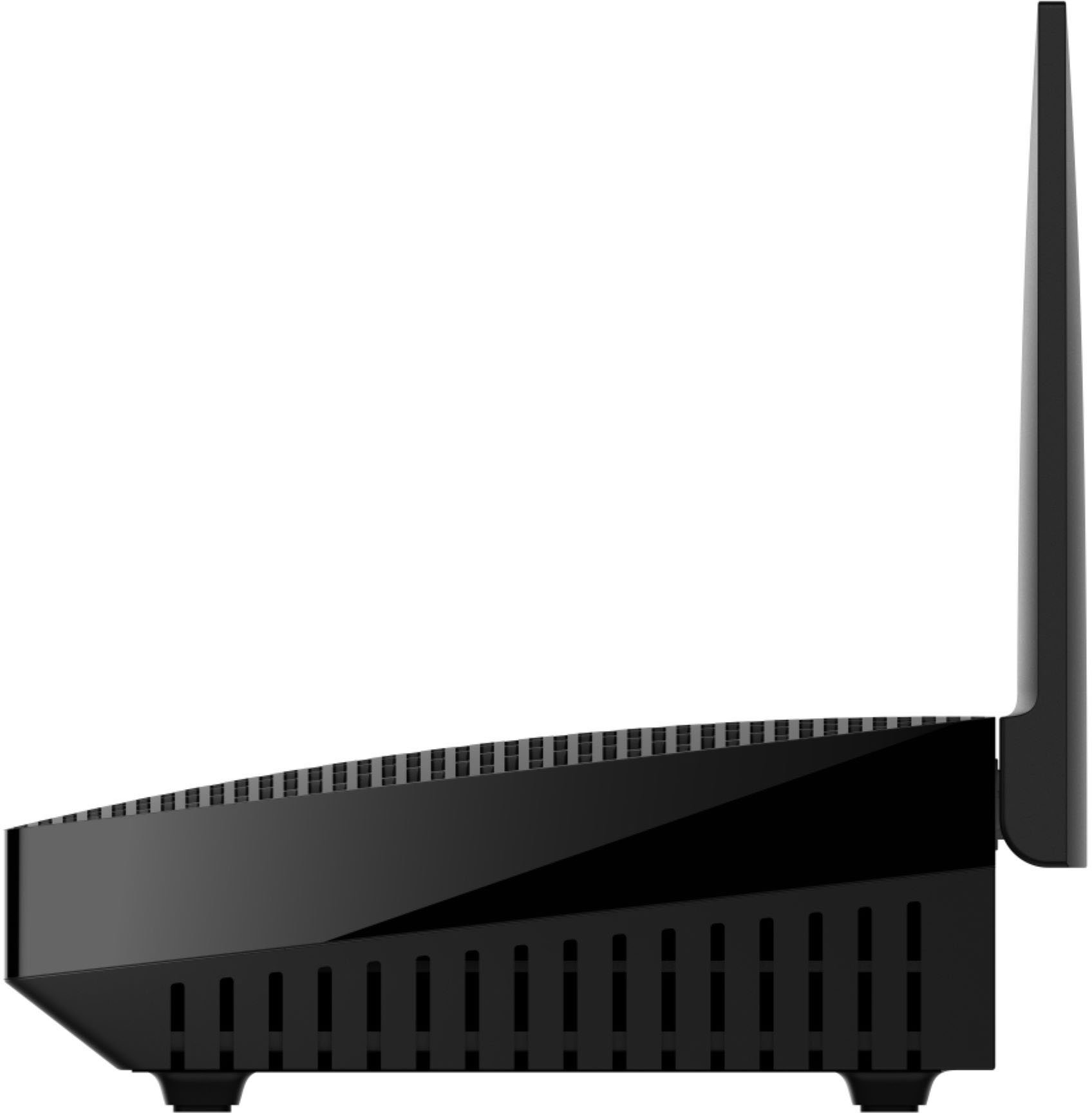
|Posted .This reviewer received promo considerations or sweepstakes entry for writing a review.When I first heard Linksys was coming out with a new router offering mesh capability, as well as WiFi 6, I was excited…and, then, once I understood the reality, disappointment set in. don’t get me wrong…the Hydra AX5400 is a very good router…but, as a “mesh” router, compromises were made. To help those considering this router, I’m going to do this review a little differently - I’m going to start with the ‘bad’, then work my way to the ‘good’. BAD: First, this “mesh” router is NOT your typical mesh router. Truth-be-told, it’s NOT a mesh router…it is “mesh capable”…or, to use the marketing jargon Linksys uses, it contains “Intelligent Mesh Technology”. What this means is, when used with other Linksys routers containing “Intelligent Mesh Technology”, they can be combined to create a (so-called) mesh network. Why do I say “so-called”. Because, unlike other routers with TRUE mesh-ability, this is only a dual-band router (others are tri-band). Granted, many of your inexpensive (and even some midrange) mesh systems use this design, where the 5GHz band can be used for data between devices and the internet, but those same bands are also used for ‘connecting’ the mesh ‘nodes. A TRUE mesh network utilizes a second 5GHz band (typically, the faster AX band)…ie. the “third” band…as a dedicated backhaul channel for connecting nodes. This frees up the first 5GHz band for data between devices and the internet. With a dual-band mesh network, the 5GHz band can…and, often does…become a “bottleneck” for data, as the same band is transferring data between devices & the internet, AND transferring data between the mesh nodes. The second problem is the lack of security features. Sure, it has your typical ‘basic’ security features…and, that’s it. Most importantly, parental controls are sorely lacking. Moving on, while performance is ‘good’, it’s not ‘great’, with (based on published specs) it’s performance being slower that more than a few less costly routers. It’s also QUITE bulky, being the tallest router I’ve seen in years (approximately twice as tall as other routers). Lastly, while almost all others routers these days have at least one Gigabit Ethernet port, the AX5400 has none…that’s right, you heard me correctly – NONE. Almost forgot another problem – merged bands (by default). This means, when first set up, the 2.4GHz & 5GHz bands function under a single SSID, and a single password. If you want separate SSIDs (with separate passwords), you will have to set that up from the browser interface, as it can NOT be set up within the app. GOOD: So, what’s good? While not the fastest router for it’s price, speeds are still quite respectable, and the router comes from a known & trusted brand. Setup is (fairly) quick & easy. Using the app, you can be up & running in less than 10 minutes. FINAL THOUGHTS: Is the Linksys Hydra AX5400 worth getting? For someone who wants a mostly-basic router that can be set up as a “mesh” system (through the purchase of additional routers), and a router that’s quick/easy to set up, yes, this router will more than serve your needs. The app setup is very intuitive, and will allow you to maintain the router quite easily. However, it you’re a gamer, want a TRUE mesh system, want/need more advanced parental control, or want a router with a dedicated backhaul channel, then, NO, this is NOT for you. For these people, Linksys (as almost all other companies producing routers) produced routers that will be better suited to your needs. It is for this reason that I was only able to give the Linksys Hydra AX5400 a 3-star rating.
No, I would not recommend this to a friend Unhappy
||Posted . Owned for 1 week when reviewed.This reviewer received promo considerations or sweepstakes entry for writing a review.It was defective and bestbuy wasn’t any help taking care of the issue
No, I would not recommend this to a friend- Pros mentioned:Performance
Shocking performance gains.
|Posted .This reviewer received promo considerations or sweepstakes entry for writing a review.I have always been a fan Linksys products since I bought their first router over 21 years ago ( old school people my remember the old blue and black BEFW11.) Their products have always been reliable and performed well. The new Hydra Pro 6 AX5400 does not disappoint, albeit with a few hiccups initially. Once it was up and running, it was shockingly fast. In review: Set up – This was a bit frustrating at first. I just could not get the internet connected. After a few days of trying, I was about to give up. However, I decided to change the Cat 5 cable. Sure enough, the router showed an internet connection. Rookie mistake. Next, I followed the app set up steps and there is a point where you must reset the modem. The app would not go past that screen, it was caught in endless loop of resetting the modem and would not go to the next step. I decided to connect directly to the router (there is a network set up and password listed on the bottom of router.) I still had the issue, but I rebooted the app. Finally, the Hydra Pro 6 connected to the app and everything was working. The app – I’ve had the Linksys app for several other routers that I have reviewed. Barring the oddity outlined in the above set up, the app is fantastic. Clean, informative and user friendly UI. It clearly shows connected devices and let’s you manage guest access and parental controls. Performance – Simply unbelievable, my network speed increased 4 to 6 times. I had to retest the network speed several times, but it was the same every time. Here is a comparison: Existing FIOS router Upload : 25.7 Mbps Download : 14.8 Mbps Latency : 6 ms Linksys - Hydra Pro 6 AX5400 Upload : 109.2 Mbps Download : 113.6 Mbps Latency : 4 ms Shocking. This shows how inadequate my existing network is but it also shows how much the Hydra Pro 6 AX5400 enhances performance. My Fios network is supposed to be capped at 100 Mbps. Of course, the 100 Mbps is not going to be an exact number but this router maximizes every last drop of speed. In terms of coverage, I live in an apartment that is only 800 sq feet. It is plaster walls and brick on the outside but the router had no issues. To get a better idea of coverage, I went outside and I still could get a signal 600 feet away across two 3 lane streets ( it was line of sight to my apartment.) Simply amazing. In conclusion, this is a simply fantastic router. I’m not going to go over the nitty, gritty DB ratings for signal strength and other specs. There are plenty of reviews that do that and I am not sure how helpful it is. What is helpful is this is a well-built, high performing router that will exceed your expectations. In terms of price, the regular price is a bit on the high side but not obscenely so. The standard warranty is 1 year and I think it should be longer based on the price point and way to differentiate Linksys from the competition. Regardless, I rarely give 5 start reviews but the Hydra Pro 6 earns it even with the minor hiccups with the set up. Great job Linksys.
I would recommend this to a friend Garbage
||Posted .This reviewer received promo considerations or sweepstakes entry for writing a review.Failed right out of the box. Would not work......................................................
No, I would not recommend this to a friendBrand response from Linksys Staff
Posted .Hi,
We hear you, and our Escalation Engineers would love to hear more about the setback. Please email us at [email protected] with your contact details and the link to this review. We'll wait to hear from you.
Regards,
JC
Linksys Support
Model:MR5500SKU:6494020 User rating, 4.1 out of 5
||Posted . Owned for 3 weeks when reviewed.This reviewer received promo considerations or sweepstakes entry for writing a review.too hard to put in, have to use their password- had to have Geek squad come
No, I would not recommend this to a friend- Pros mentioned:Speed
Great router with ability to expand with nodes
|Posted .This reviewer received promo considerations or sweepstakes entry for writing a review.I've used several Linksys routers over the years, they've all been reliable and fairly easy to set up and use. This router is relatively easy to set up, as long as you have the Linksys app for your iPhone or Android. I'd prefer they also allow you to set it up with a computer, but they don't. Once you've placed the router where you want it and plug it in, you can use the app to set it up. To connect to the router, the password is on the bottom of the router. When the app tells you, you have to attach the router to your modem, then you can customize your network name and password. If necessary, you can update the firmware at the same time. Once set up, you can connect to the internet. The router has fast speed and good connectivity range. You can set up your network to use extra nodes (available separately) to give you better connectivity in a large house or multi-level house. I use a couple of other Linksys routers as nodes, since I had a couple of older routers that still worked but aren't as fast as this one. Since I have a multi-level house, I like to have the extra nodes to make sure there aren't any dead spots.
I would recommend this to a friend - Pros mentioned:Speed
Excellent home router
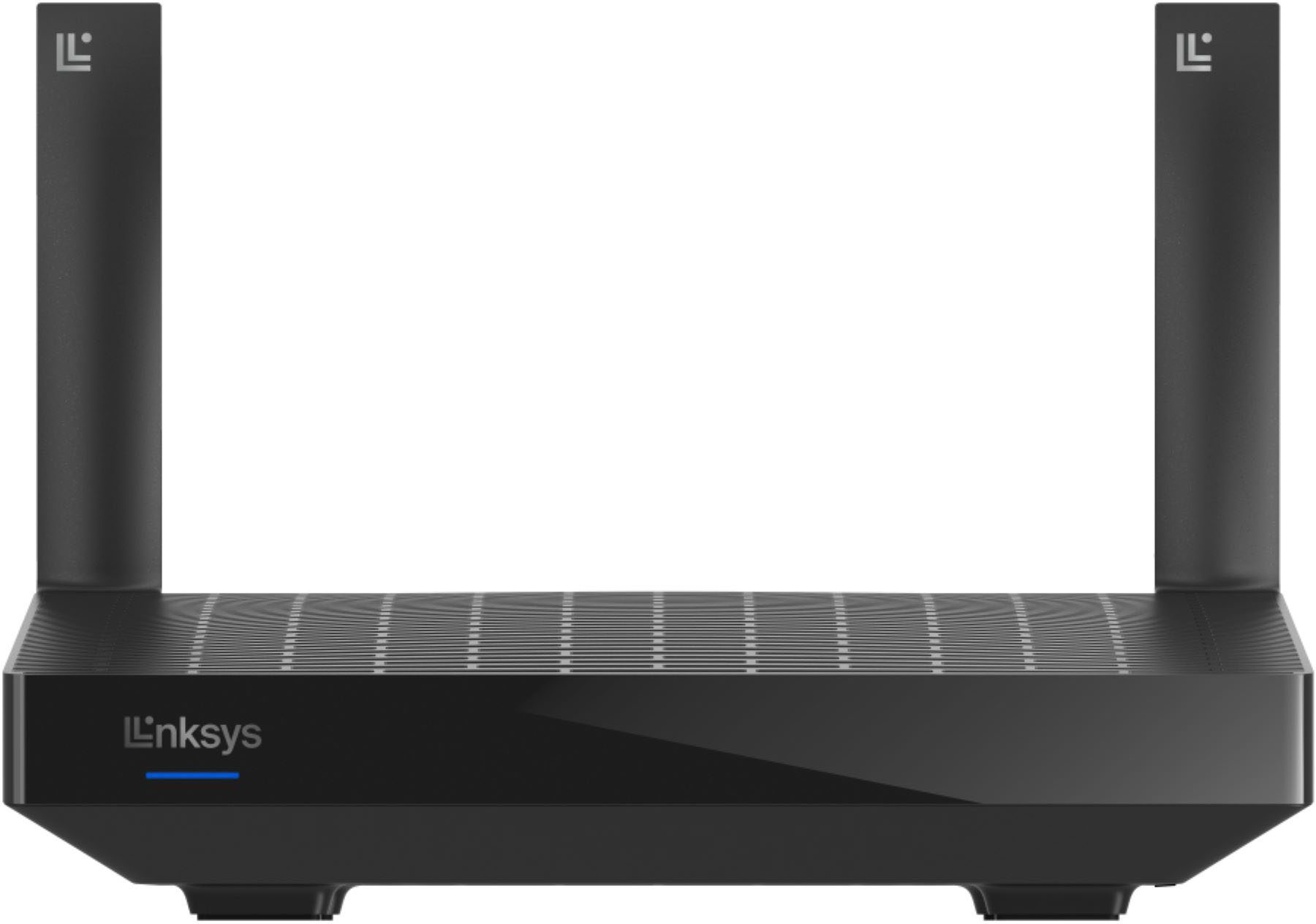
|Posted .This reviewer received promo considerations or sweepstakes entry for writing a review.The Linksys Hydra Pro 6 router is about as unassuming as any router out there. In a world where routers have started looking like spaceships, the Hydra Pro's design is decidedly NOT spaceship-like. It's basically a rectangular with ONLY 2 antennas. But never judge a book by its cover. This router is faster than it looks and with great coverage. With a fast 1GHz processor and full Wi-Fi 6 support, if you're waiting on web pages to load or files to download, it won't be the router's fault. As for features, the Hydra Pro 6 has mesh compatibility with Linksys nodes, Wi-Fi 6, and basic parental controls as highlights. But what it might lack in bells and whistles, it makes up for with stability and throughput. In my experience, the Hydra 6 Pro has provided a very stable connection and excellent throughput. If you want a no-nonsense router, the Hydra Pro 6 is a great choice. My only complaint is that for what you are getting the price is a little high. But get it on sale and you can't go wrong.
I would recommend this to a friend - Pros mentioned:Signal strength
Great Solution for Those Looking to Upgrade
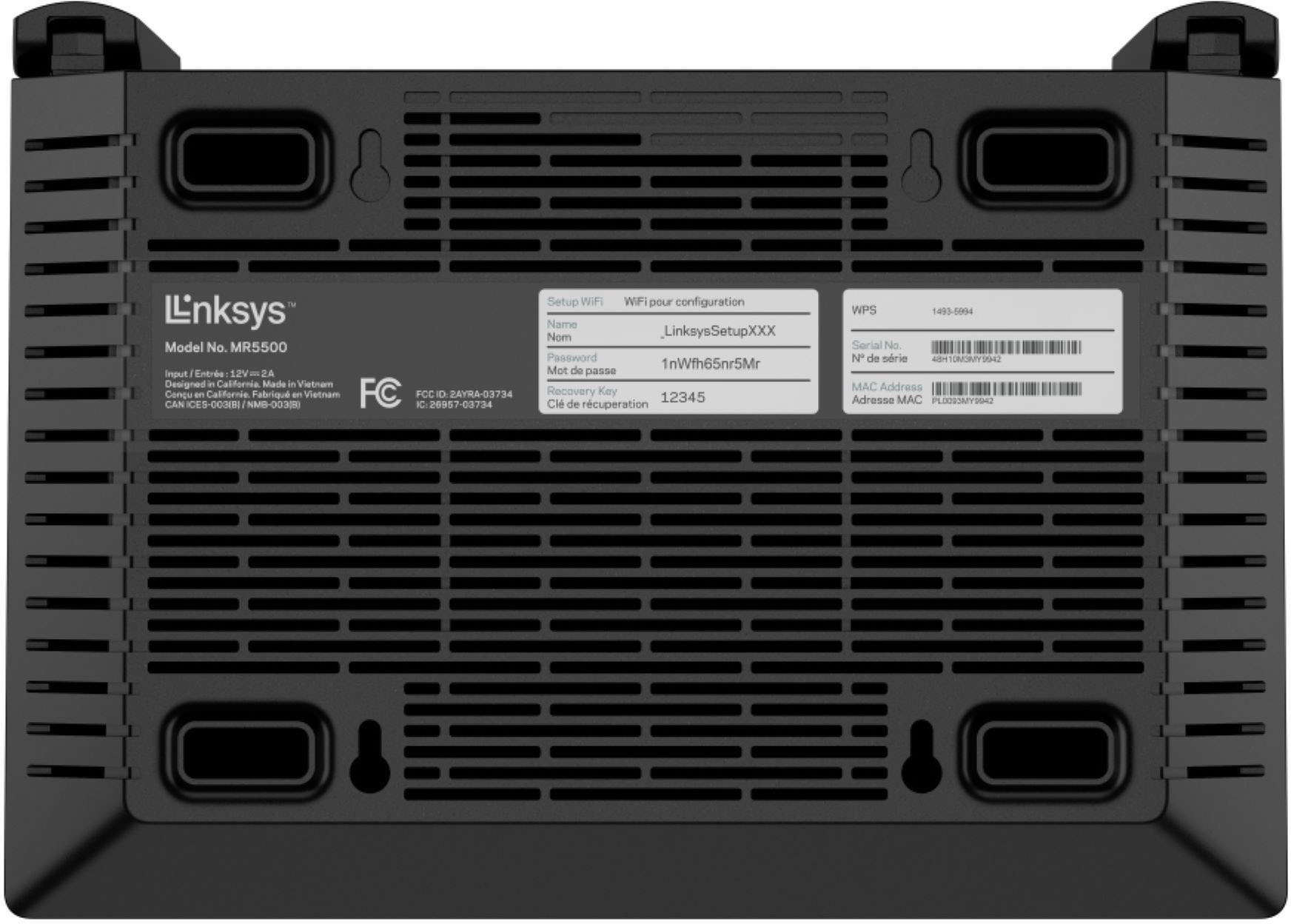
|Posted .This reviewer received promo considerations or sweepstakes entry for writing a review.I had a router that was several years old and was beginning to drop its signal very frequently. I would have to constantly power-cycle the router for it to work again. Finally, I was able to upgrade to the Linksys Hydra Pro 6 and what a world of difference my digital world has been ever since. The hardware itself is pretty simple in appearance, yet still looks sleek and modern. It doesn't take up much space, so it looks fine sitting out or hiding behind a book. It feels kind of cheap with the plastic cladding, but that shouldn't really matter. It does what it needs to. Setup was simple via an app. A web-based solution is also available where you can access many of the common router/wifi settings you would expect to find. One great thing about this router is that it is mesh-ready. Those of you with large homes or needing to create wifi coverage for large areas would be happy because you can add additional satellites to extend coverage. I know wifi 6 is the latest and greatest, and while none of my devices are wifi 6-ready (to my knowledge at least) I can say that I have not had any issues with performance. Range has been exceptional in my two-story condo. I can go down to the community garage and still get ample signal where my previous router lacked. When I visit my next door neighbors, signal strength is still strong and using my laptop to connect to my desktop in my own unit upstairs is speedy with fast data transfer speeds between the desktop and laptop - all wirelessly. Ever since transitioning my home network over to the Hydra Pro 6, I have not had an issue with dropped connections. Everything seems to connect wirelessly with ease without any issues. The few devices I have hard-wired via ethernet work fine as well. Overall, I'm liking the Linksys Hydra Pro 6. Its performance and configuration options, along with the ability to transition into a mesh network, is a far upgrade from my old Netgear setup I used to have. I would recommend this for anyone looking to upgrade who wants great performance without a lot of hassle.
I would recommend this to a friend - Pros mentioned:Ease of use
Super fast Wi-Fi with great range and easy setup
|Posted .This reviewer received promo considerations or sweepstakes entry for writing a review.This little router really packs a punch. I upgraded from a Wi-Fi 5/Wireless-AC setup with a router and multiple access points/nodes and had to split out the 2.4 ghz and 5 ghz bands as the 2.4 was just unusable. Right away I could tell I didn’t need to do that with this router. Blazing fast speeds with one SSID. WiFi 6 and Linksys are a match made in heaven. It was really easy to setup - all I had to do was plug it in and open the Linksys app and it walked me through all the necessary steps. I was setup within 5 minutes and connected to the internet - and less than 5 minutes after that all firmware updates were downloaded and installed. I also plugged in my switch and everything with a wired connection in my home was connected within seconds. The range on this router is great too but I have a fairly large area to cover, so I also purchased a Linksys Velop Intelligent mesh system (also WiFi 6) and they were just as easy to setup with the router. Wired backhaul also worked like a charm and all my network access points are connected via Ethernet to the router - for even faster speeds. Overall, I’m seeing speeds 10x faster from my previous 2.4 ghz SSID, and 3x faster than my previous 5 ghz SSID. Wireless speeds in general now are in excess of the speed tier I pay for. Some of that if the Wi-Fi 6 technology but the rest I attribute to the Linksys hardware. Overall, I highly recommend this router due to its ease of use, wireless range, and blazing fast speeds.
I would recommend this to a friend - Pros mentioned:Performance
Great Router for any Family!
|Posted .This reviewer received promo considerations or sweepstakes entry for writing a review.The Linksys Hydra Pro 6 is a beast of a router. I upgraded my internet to fiber, but I wasn’t seeing the speeds over Wi-Fi that I was seeing with hardwire. I upgraded my router to the Hydra Pro and was amazed by the speeds that we are receiving thru Wi-Fi. The Hydra has Wi-Fi 6 and a Qualcomm Home 216 platform that like I said earlier it gives you the speed of being hardwired but wireless. On the Hydra we are running 3 laptops, 4 cell phones, a couple of tablets, home security, appliances and everyone is still able to stream, surf and game with no lag, buffering or screen tearing. It has an app that easy to use and set up the router. You can limit screen time for kids, set priorities and update pretty much anything from the app. The Hydra Pro 6 is a no brainer for a busy family doing a lot of stuff with electronics. It is compatible for adding a mesh network but with the range it has, you probably will never need it. Here are some of the basic specs Wi-Fi Bands Dual-Band Wi-Fi Speed 5,000+ Mbps Wi-Fi Technology Wi-Fi 6 (802.11ax) Number of Ports 5 Coverage 1,500 – 3,000 sq. ft. Connected Devices 25 - 50 Number of Ethernet Ports • x1 Gigabit WAN • x4 Gigabit LAN Wi-Fi Range Up to 2700 Sq ft
I would recommend this to a friend Skip it
||Posted . Owned for 1 month when reviewed.This reviewer received promo considerations or sweepstakes entry for writing a review.WiFi range is terrible. Returned it, Linksys has let me down yet again.
No, I would not recommend this to a friendBrand response from Linksys Staff
Posted .Hi LoganH,
Your review about your Linksys MR5500 has greatly concerned us. If you still have the router with you or any other Linksys device, we’d like to do all that we can to make things right with you. Just email us directly at [email protected] and we’ll move forward from there. Don’t forget to include sending your contact details and the link to this post for our reference.
Regards,
Lance
Linksys Support
Wow amazing range and speed capability
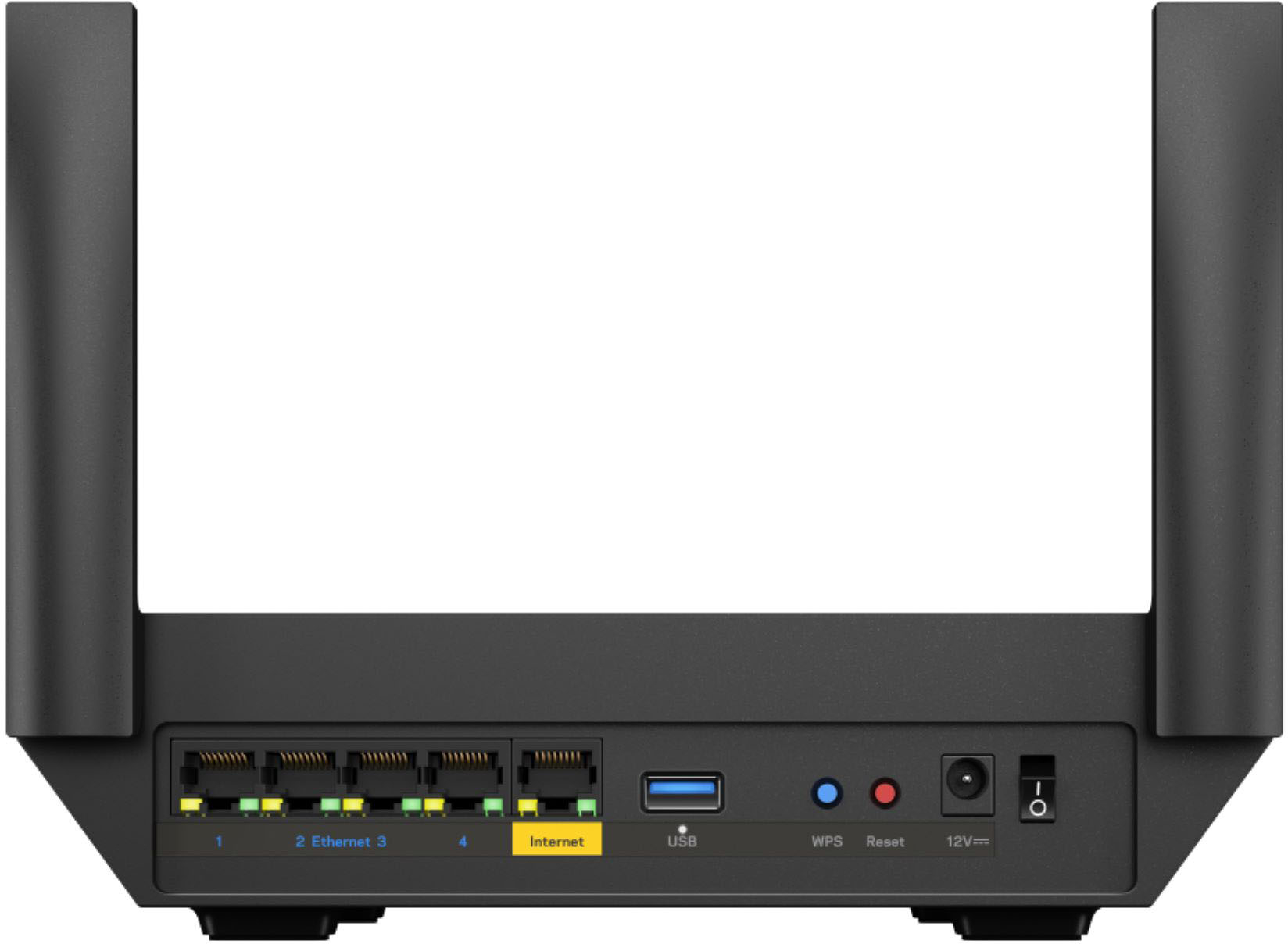
|Posted .This reviewer received promo considerations or sweepstakes entry for writing a review.This wifi router has so much to offer. It's dual band and does send my wifi signal pretty far. Its a big router but i can't complain about anything else. This does handle gigabit speed so if you have that you will definitely need this to get the most out of your modem from your provider. Now before i had to use 5 mesh routers from another brand to cover my house that has 3 floors . I did get separately 2 Linksys mesh towers to add to this one which were used and a few years old and with the app they connected with no problem to the hydra pro 6. So all together I'm using only 3 wifi routers . Now my modem is at the back of the house so the hydra is there i put 1 node in each of the other floors but placed them closer to the front of the house . The hydra pro 6 did reach all 3 floors but since the house is long the front was where signal was a little weak and in the front of my house i have a door bell camera and the signal to the camera was inconsistent at times. So now that I have the mesh towers closer to the front the door bell camera has better signal . I can connect to the camera and now the stream of that is smoother 99% of the time. Setting it up through the app was a breeze and adding the mesh towers was the same thing all have the same wifi name and running both 2.4ghz and 5ghz . The back of the hydra 6 pro has 4 more Ethernet ports so u can hardwire other devices which i do with my gaming consoles . The app is nice it shows you how many devices connected and to which router it's connected too. Very easy to adjust settings and i do love that I can run the channel finder for each router at the same time so i can have less interference with the surrounding wifi networks in my neighborhood. So Linksys did a great job with the hydra pro 6 and their app.
I would recommend this to a friendWas expecting great, I got Okay!
|Posted .This reviewer received promo considerations or sweepstakes entry for writing a review.I received this router in hopes that would be a significant upgrade from my now four year old router. Too say the least I was not impressed. Right of the box the router did work great! It was super easy to set up utilizing their App. However after the router was set up for three days, I began to have the same problem I was with my other router. The problem was it was not giving priority to the items it was supposed to have given priority service. Instead it was as if the prioritization of the router was a complete and total failure. Let's talk about the user interface when accessing from a desktop, and not the App. The user interface was that of something from years ago. The graphics are okay, but the features are so far lacking that I was not impressed. Other companies have much greater features. As far as covering 2700 Square feet it must be 2700 of completely open square feet no walls or obstructions because I have items that are less than 100 squarefeet away from it and they had already loss significant signal strength. Overall I would recommend this router for someone who was not tech savvy and just wanted a plug in and go router. However if you have a lot of devices and need a router that is reliable, then look somewhere else.
No, I would not recommend this to a friendWelcome Back Linksys
|Posted .This reviewer received promo considerations or sweepstakes entry for writing a review.Linksys has had a mixed history with wireless routers. Having changed hands over the years their routers took a hit in quality, features, and general performance. While I have only been using the new Hydra Pro 6 AX5400 for a couple weeks I am happy to report that Linksys seems to be on the path to recovery. The new Hyrda Pro 6 uses a mesh approach for rapid expansion if a single unit won't cut it. I have found that in a 1500sq ft environment a single unit works great. I have no dead spots and throughput using my iPhone 13 Pro Max as a tester was stable both up and down with the unit placed in the middle of the floor plan. The radio supports full 160MHz channels using DFS. The router features the standard features expected such as guest network control, QoS, and parental controls. This is very much a consumer grade router as more advanced features such as VPN and RADIUS do not exist. Also, the LAN ports are all gigabit so look elsewhere if you need something faster. That said, it does offer external storage support which is nice for small NAS application. I did not test the USB throughput so I cannot attest to how good it would actually work. For me, aside from wifi throughput the single most important aspect I want in a router is stability. So far, the Hydra Pro 6 has not let me down. I have not had to reboot the router once since I hooked it up and I also haven't noticed any oddities such as random reboots or dropped wireless. Overall, Linksys appears to have a winner on its hand with stable AX performance in a compact, stylish package. Easy recommend.
I would recommend this to a friend