Customer Ratings & Reviews




- Model:
- 920-010413
- SKU:
- 6511300
Rating by feature
- Value
Rating 4.6 out of 5 stars
- Quality
Rating 4.8 out of 5 stars
- Ease of Use
Rating 4.8 out of 5 stars
Customers are saying
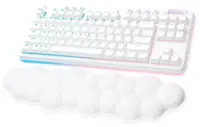
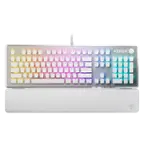
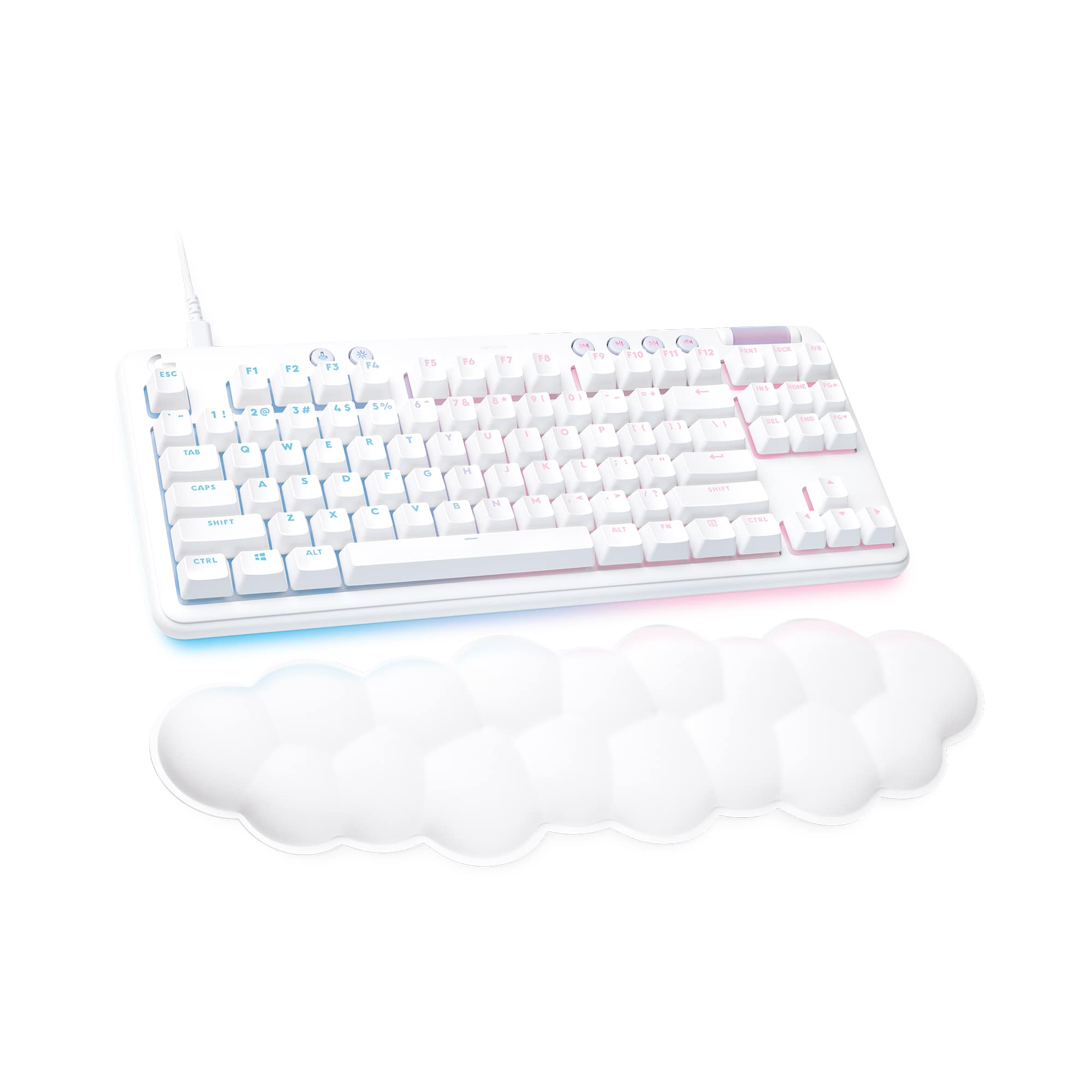
Customers are pleased with the G713 Aurora Collection keyboard's build quality, comfortable palm rest, and the feel of its keys. Many appreciate the customizable RGB lighting options and find the keyboard easy to use and clean. Positive feedback also highlights the included software for further customization. While some aspects of the switch type were discussed, there were no negative comments reported.
This summary was generated by AI based on customer reviews.
- Pros mentioned:Keyboard quality, Palm rest
4 months use, love it still.
||Posted . Owned for 3 months when reviewed.This reviewer received promo considerations or sweepstakes entry for writing a review.Love my keyboard. Had it for 4 months now. Super cute. Never used a wrist rest before either and it’s super comfortable and helps my wrist so much. Can customize the colors. I of course have different keycaps but it’s just super cute all round. And the feel is super nice. Got tactical cause I am a gamer. Just super cute and great. ☁️✨
I would recommend this to a friendBrand response from Logitech
Posted .Sounds like a fantastic purchase! The G713 Aurora Collection keyboard seems to be a great combination of style, comfort, and performance. It's great to hear that you're so happy with it.
- Pros mentioned:Ease of use, Keyboard quality
LOVE ITTT
||Posted . Owned for 6 months when reviewed.This reviewer received promo considerations or sweepstakes entry for writing a review.I LOVE this keyboard. It’s perfect. You can customize the RGB on the Logitech G HUB app on your desktop very easily and do a custom design or color. It’s comfortable, the typing noises is great. it’s the perfect size, it’s not overbearingly big and not overwhelmingly small. it’s made perfect for those that have smaller hands and that don’t want a huge keyboard. it’s easy to clean, and easy to maintain
I would recommend this to a friend - Pros mentioned:Ease of use, Palm rest
Perfect!
||Posted . Owned for 1 month when reviewed.This reviewer received promo considerations or sweepstakes entry for writing a review.Works perfectly and very easy to change the keyboard colors and setup. armrest is also very comfortable. It’s also completely gorgeous!!! 10/10 would absolutely reccommend
I would recommend this to a friend - Pros mentioned:Keyboard quality
Favorite keyboard so far
||Posted . Owned for 5 months when reviewed.This reviewer received promo considerations or sweepstakes entry for writing a review.I love this keyboard, especially the sounds it makes while typing. It’s a very satisfying sound. The little cloud is so comfy for my wrist too.
I would recommend this to a friendBrand response from Logitech
Posted .That's wonderful to hear! We're so glad you're loving the Logitech G713 Aurora Collection, especially the satisfying sounds it makes while typing. It's also great to know the little cloud wrist rest is providing comfort. Thanks for sharing your positive experience!

- Pros mentioned:Palm rest
Looks and feels great!
||Posted . Owned for 3 weeks when reviewed.This reviewer received promo considerations or sweepstakes entry for writing a review.Whats there to say that hasn’t already been stated, it looks great and the cloud palm rest for myself at least, feels fine.
I would recommend this to a friend - Pros mentioned:Keyboard quality
Fantastic!
||Posted . Owned for 1 month when reviewed.This reviewer received promo considerations or sweepstakes entry for writing a review.Probably the best keyboard I’ve ever owned! Highly recommend.
I would recommend this to a friend - Pros mentioned:Key feel, Keyboard quality, Lights

Customizable, solid, and unique.
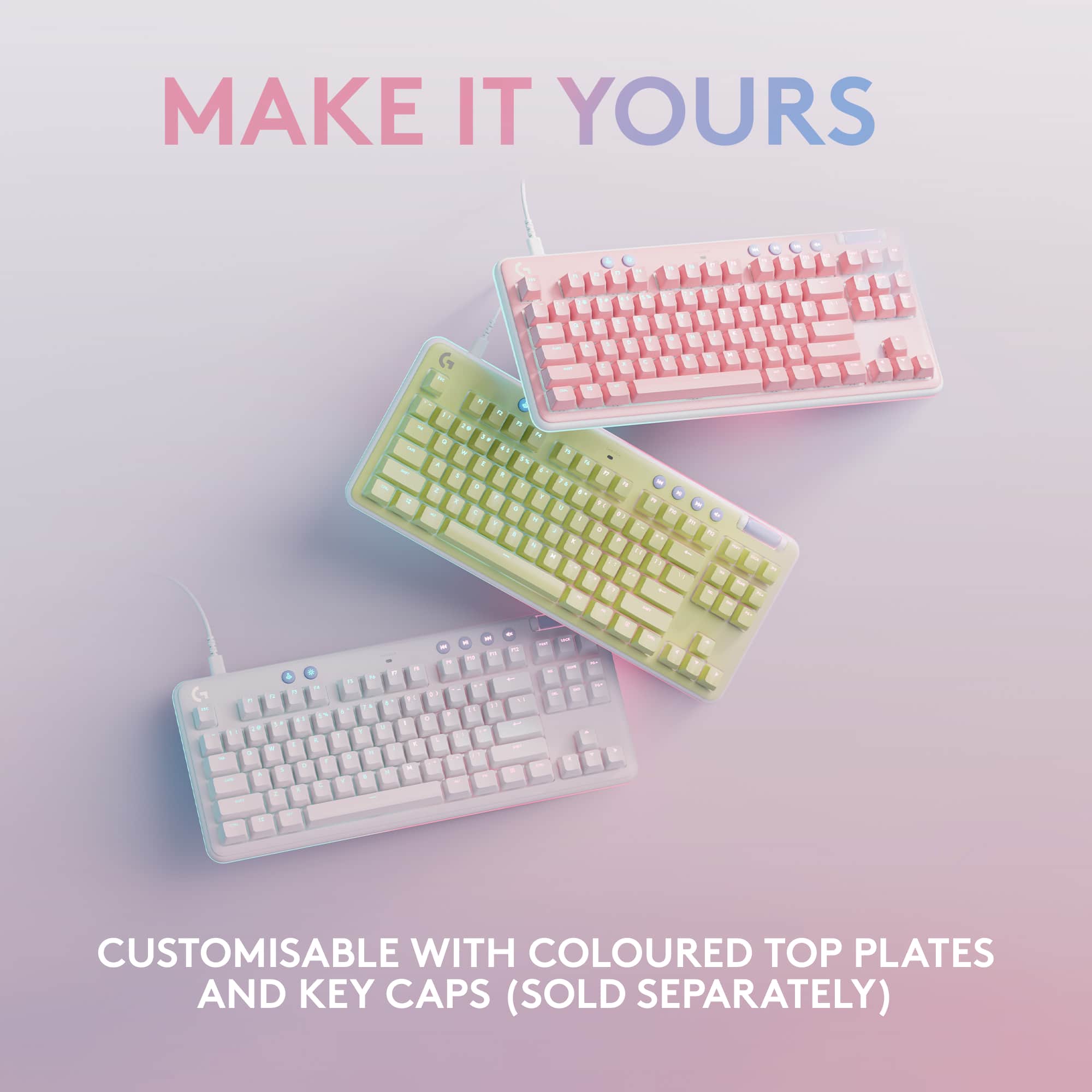
|Posted .This reviewer received promo considerations or sweepstakes entry for writing a review.The Logitech G713 Aurora Collection TKL is an excellent keyboard. Incorporating Logitech’s GX switches, they offer a great feel, solid construction, and great lighting. Double shot PBT keycaps, metal casing, customizable plates, and cherry keycap compatibility mean that you get a highly solid customizable keyboard. What makes the G713 unique? Well, the cloud wrist rest is a start - which is highly unique. This keyboard is white, and has a motif that is quite chiche. This isn’t your average black keyboard. In fact, while this keyboard comes stock white (with white keycaps) you can go a step further and get different color backplates from Logitech. There are pink and green options, and I would guess a can of Plastidip could be combined with any keycap set that’s cherry compatible to create a piece of art all your own. This keyboard speaks style, but it’s not its only appeal. Below the excellent PBT keycaps, you’ll find cherry compatible GX Brown switches. These have a small tactile bump on their travel with a medium downpress force and no audible click (like blues). These are many typists' preferred keys, and mine as a hybrid between linear gaming and typing. The metal case doesn’t ping like some other metal keyboard I’ve had, and offers a solid non-flex typing surface. The overall build quality is excellent here and it shows that Logitech has continued to hone their keyboard making. The USB-C port on the keyboard offers durability and flexibility that connector offers. Unfortunately you won’t find any additional USB ports or accessories here (a missed opportunity), but the ubiquity and quality of the connector are still huge benefits. The volume rocker is rubbery and flexible offering a nice feel and easy movement. Below the keyboard you’ll find 2 level tilt adjustments. On top of the keyboard, besides the standard key arrangements, you’ll find a game-mode button (that disables the windows key), a brightness button (for lighting that toggles between different levels) and a few dedicated media buttons. These are minimal but useful additions to this TKL arrangement. Of note: TKL keyboards are more ergonomic than their bigger brother counterparts, allowing you to mouse closer. So many people throw shade and say they want a number pad, and it can be quite useful. Do evaluate if you really need a keypad though as TKLs are more compact and better for most users. Logitech software does a great job of making it possible to change effects and customize lighting/features. Logitech G Hub is a lot better than it used to be. Macros and key customization are nice and offer some great flexibility. Of course you can choose and customize both macros and lighting based on the active application. I don’t have a ton of use for this, but if you’re a heavy macro user, it could be pretty awesome. Overall, if you’re looking for a unique keyboard with customization options by a big name manufacturer - then look no further than Logitech’s G713 Aurora. This keyboard brings colors, solid keys, great lighting, good software, and Logitech’s support. It’s expensive, but the combination of customization, top notch build quality, and lighting options makes this keyboard a great choice.
I would recommend this to a friend Great keyboard
||Posted . Owned for 1 week when reviewed.This reviewer received promo considerations or sweepstakes entry for writing a review.So cute! This is the most adorable keyboard ever. I love it!
I would recommend this to a friendLove!!!
||Posted . Owned for 1 week when reviewed.This reviewer received promo considerations or sweepstakes entry for writing a review.I love this keyboard! It’s really cute and works great.
I would recommend this to a friendThanks again
||Posted . Owned for 1 week when reviewed.This reviewer received promo considerations or sweepstakes entry for writing a review.It was great deal, and I am happy for bough my key bourd
I would recommend this to a friendFabulous keyboard
||Posted . Owned for 1 week when reviewed.This reviewer received promo considerations or sweepstakes entry for writing a review.Good response time and nice sound and comfortable!
I would recommend this to a friend- Pros mentioned:Keyboard quality, Palm rest
Looks Pretty But Can Game With The Best Of Them!
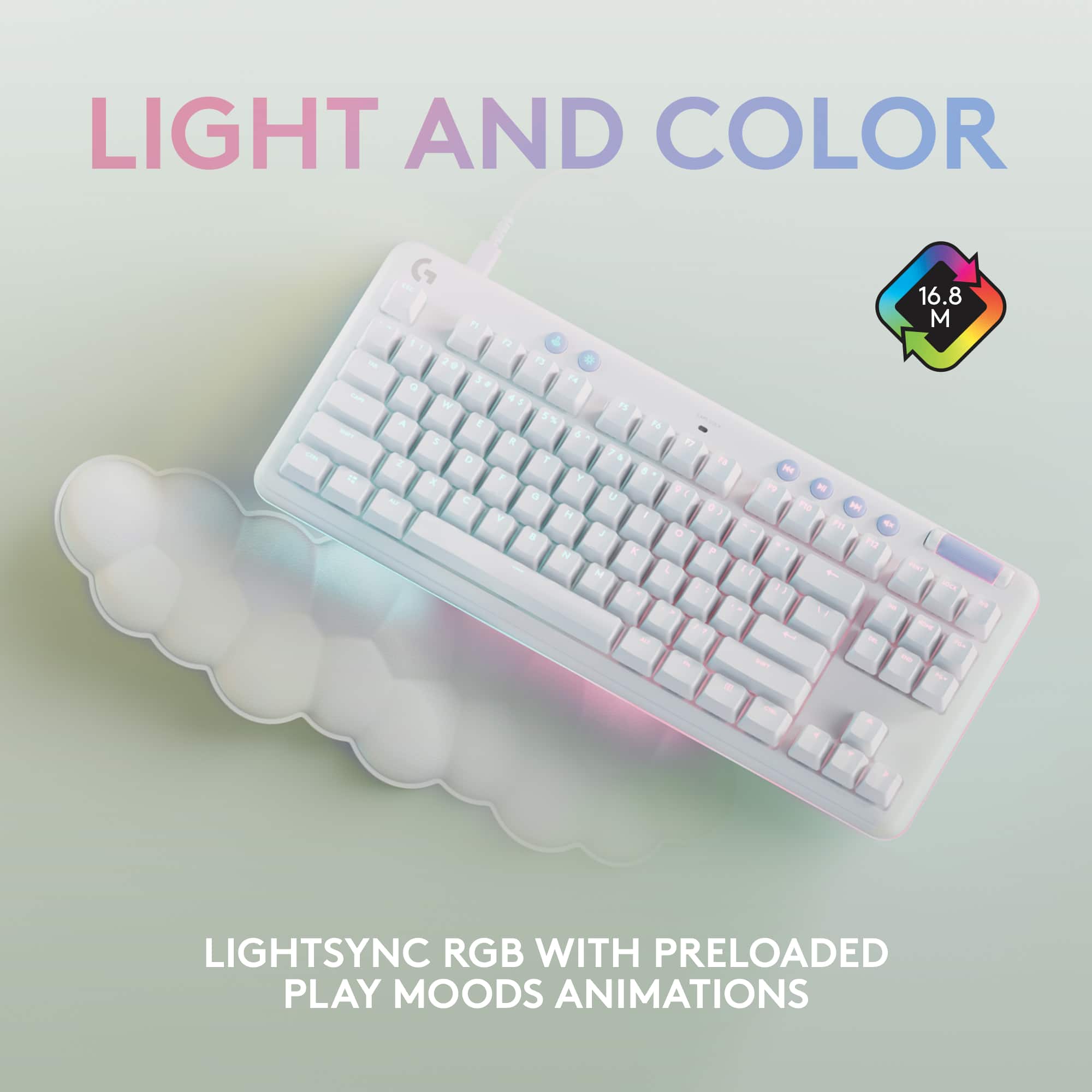
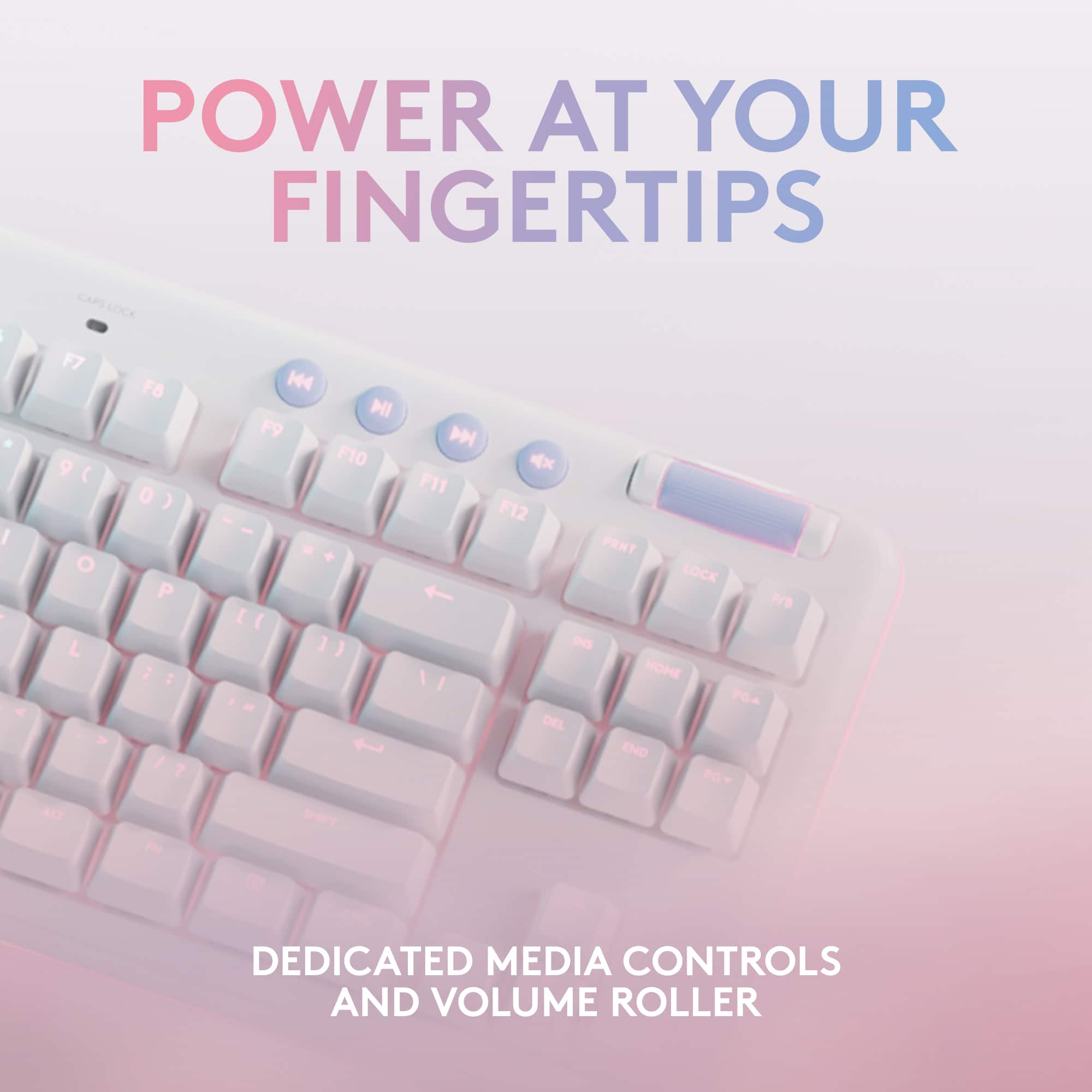
|Posted .This reviewer received promo considerations or sweepstakes entry for writing a review.Despite its purposefully dreamy aesthetic, the Logitech Aurora mechanical keyboard is at its core a gaming keyboard. What sets it apart is the distinctive white finish, which is uniform to the new Aurora line from Logitech. If a dreamy white, cloudy aesthetic is what appeals to you, then you will be impressed by the outstanding performance and bright RGB lighting this gaming keyboard offers. If this is your first mechanical keyboard, one of the first things that you will likely notice is how sturdy it feels compared to standard keyboard. The keys are precise and not as mushy as a basic membrane keyboard. But for dedicated gamers, don’t let the white look fool you. This keyboard has the gaming chops you would expect from Logitech and at this price point. I tested it out with some FPS games and found the response time to be instantaneous and completely lag free. One feature that I especially like is the volume roller which makes adjusting the volume quick and easy. Since it is located on the top right hand corner of the keyboard, it is easy for me to locate and adjust without looking down. Another nice feature are the dedicated media keys for Play/Pause, Rewind, Fast Forward, and Mute. This is a TLK keyboard so there is no numeric keypad. If you prefer a ten key pad, then this is not the keyboard for you. A benefit of the TKL size is that it offers a compact footprint that saves valuable desktop space. This keyboard is nicely illuminated and the backlights look especially bright under the white surface. Seven different illumination presets are installed and can be changed by pressing the brightness button and numbers 1-7. Two custom lighting effects can be set by pressing the brightness button and number 8 or 9. The G Hub App is used to configure the custom lighting effects. Using the app allows each individual key color to be changed. The G Hub App also allows most of the keys to be reprogrammed. The keyboard can be used without the App, but the App provides a much deeper level of customization and control of the lightning and keys.. The included cloud wrist rest is as soft and comfortable as you would expect from how it looks. It blends perfectly with the keyboard, and since it is not attached the position can be adjusted to suit preference. If you love the look, then have no reservations about getting this keyboard. It looks pretty but completely lives up to the gaming keyboard part of its name!
I would recommend this to a friend - Pros mentioned:Lights
In love
||Posted . Owned for less than 1 week when reviewed.This reviewer received promo considerations or sweepstakes entry for writing a review.Ugh I am in love, best gaming keyboard for beginners all the changeable lights it’s perfect.
I would recommend this to a friend - Pros mentioned:Keyboard quality, Lights
Phenomenal-Just the right level of clicky!
|Posted .This reviewer received promo considerations or sweepstakes entry for writing a review.Overall Wow! This keyboard looks and feels great. It’s one of the nicer TKL’s I have held thus far. But it’s also one of the heavier TKL’s at 2lbs 1.1oz. It’s clicking effect sits somewhere in between an OEM 90s keyboard and cherry MX switches. To unlock the keyboards entire features, you’ll need to download the GHUB software from Logitech. Note, the GHUB software isn’t something that’s spammed at you nor is it predominantly displayed across the packaging, There’s a small mention across the side layered under a bunch of fine print-not really a place a lot of us tend to read. The other, a little more in your line of sight, under the top lid of the package. It’s rather vague, displaying a diagram of the keyboard and the connection method to the PC as step 1. Step 2 displays a web page and a logitech website. Below that, a QR code for support. One might assume these are for documentation and support articles however. Another area of concern, unlike other keyboards, the gaming key doesn’t disable all shortcuts. As far as I can tell, only WINDOWS key and the menu key that looks like a list, equivalent to right clicking on screen. Functions linked to the ALT key such as ALT+F4, ALT+TAB and likely the ALT equivalent CMD on MAC, all function normally. More about this below. Software The GHUB software is loaded with added functionality. From color customization options to key assignment, macros, and profiles. Frankly, the GHUB software is very sophisticated that figuring certain aspects may require some time or a read through the documentation. One of the most interesting lighting effects this software brings, without needing extra software that isn’t developed by the hardware provider, is a mode called Screen Sampler which mimics what’s on your screen across your GHUB compatible devices. I’ve personally yet to see this functionality from the other major gaming hardware manufacturers and the only way to get a similar effect is through the use of open source software. Additionally, cycling back to my previous comments of the gaming mode key not disabling anything else but the WINDOWS key, you can specifically disable any combination of keys from the command window. In my previous example, ALT+F4, would disable accidental closure of your game, but you’ll also lose the ALT key which is typically mapped to a function such as “crouch”. The other area I feel needs mentioning is while going into the integration's section and configuring OBS (I don’t use Discord Desktop or Overwolf) I was never able to install the plug-in for it. I only got an error message to install manually but no matter how (auto or manual) it wouldn’t work. Conclusion I really like this keyboard! The placement of the Key Caps light is a bit weird but everything else is aesthetically pleasing. Lighting on this board is beautiful and comes with some nice software integration's for added functionality. The large media keys make for a simple find and go well with the large volume roller. Other than the gaming key not disabling certain keys, I don’t really have any complaints of this board.
I would recommend this to a friend - Pros mentioned:Keyboard quality
Solid choice for a keyboard
|Posted .This reviewer received promo considerations or sweepstakes entry for writing a review.THE BREAKDOWN: Logitech is known for making great products and this Logitech G713 is another great product for both gamers and power users that like that comfortable, solid and super responsive keyboard. While I did not purchase the other items the G713 is part of Logitechs Aurora Collection. This collection includes the keyboard, mouse, and headset. This keyboard is the tactile mechanical switch version which I prefer. The linear seems too quiet and the clicky is too loud. I prefer the tactile when gaming. It does not have the num pad but honestly when I’m gaming, I never use it. The keyboard itself feels very solidly built with a premium allure. It has two elevation feet that gives two different heights, and they have really nice rubber on the bottom of them. It comes with a wrist pad that like foam covered vinyl and looks like clouds. I think that it is a little gimmicky and chose not to use it but to each their own. The G713 keyboard has a magnetic key cover that is white. You can purchase additional keyboard covers and key caps. I think the current available colors are a pastel pink and green. This keyboard had RBG LED lighting which is customizable and be done in the 16 lighting zones. There are at least eight preprogrammed lighting patterns to choose from if you do not want to take time to create your own. This keyboard has perimeter lighting around the bottom of the keyboard which I found to be really cool. That feature has 5 different dimming levels with a button that is dedicated to that feature. To program your lighting needs you will need to download G hub. On the G713 there is a media control row of keys complete with a unique rubber audio roller. I personally liked this feature; it was intuitive and easy to use. To connect this keyboard you can use Bluetooth, 2.4Ghz connectivity or plug it in with the supplied USB-A to USB-C cable. If found that which ever way I connected it there was no lag or difficulties. The batteries are supposed to last 25 hours of gameplay even with the LED’s running. There is a battery LED on the keyboards top row and the G Hub software provides a percentage of charge. PRO’s: -Solid feel with great design -25-hour battery life -Lots of lighting features -Very responsive on Bluetooth and 2.4Ghz CON’s: -Gimmicky palm pad -No number pad SUMMARY: Overall, this product worked as intended, and I would recommend this to a friend if they were in the market for device like this.
I would recommend this to a friend - Pros mentioned:Key feel, Keyboard quality, Palm rest
A Gaming Beauty!
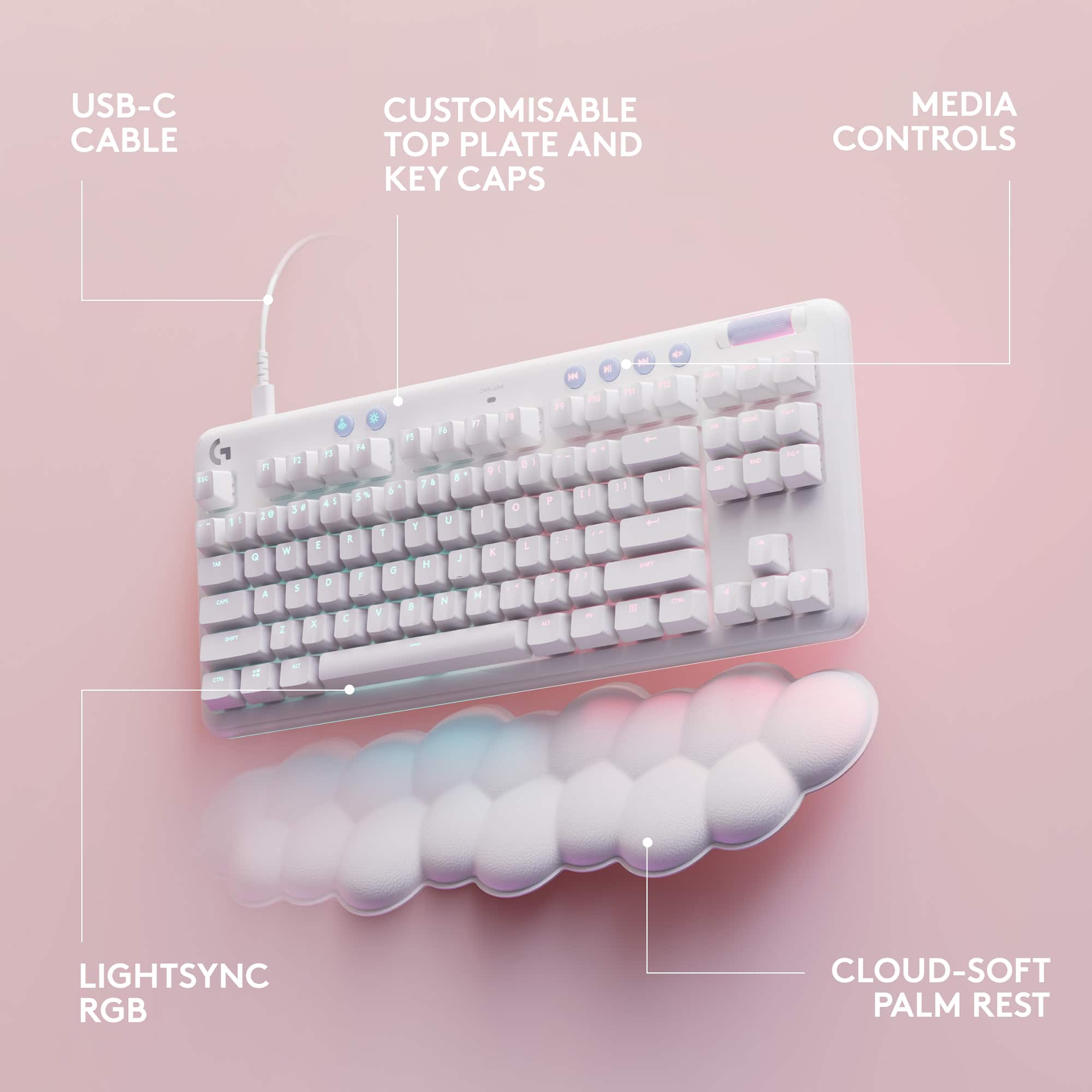
|Posted .This reviewer received promo considerations or sweepstakes entry for writing a review.The G713 is a wired connected keyboard. It uses a USB-C to USB-A connection. The bright white, light blue accents, round edges, built quality and the outstanding lighting effects makes this an absolute beauty. It has become one of my favorites although it does not have a number keypad. It does have the arrow keys to compensate. I would say it is a mid size keyboard and it would not take a lot of space on your desk. This very simple plug N play, but to take advantage of its capability you will need to download the Logitech G hub. Gaming is not the only good thing you can do with this keyboard, but also typing. The keys feel kind of bouncy but in a good way, somehow it just feels good. The keys noise is not even that loud compared to my other keyboards. The volume rocker also has a nice rubber touch which makes it easy to scroll. On the upper bar you have the media keys and also a dedicated gaming enabler button. Press that button and the keyboard becomes gaming ready in a flash. Of course like any other mechanical gaming keyboard you can remove the keys caps. However, you have to do it with your fingers because it does not include a keycap puller. I was surprised to know there is a magnetic cover that you can remove to clean the keyboard. Also with the cover removed it makes it even easier to remove the keycaps. With the software you can arrange the lighting colors, assign the F keys and disable specific keys for when you're gaming to prevent accidental presses. You can also create your own macros with the Ghub. The software itself is very basic and simple to use. There is an included cloud like restpad and this thing does magic. It is very comfortable and you can rest your hands there for hours. It’s made of plastic but when you’re resetting your hands it feels so smooth and cool. This keyboard also has an adjustable kickstand. You can adjust from two different heights. The kickstand has rubber feets so the keyboard doesn't slip. Overall this gaming keyboard delivers not only in performance but also in beauty it’s absolutely gorgeous. It’s a keyboard that can perform in two ways: gaming and typing. Logitech did take their time to pay attention to detail. It will definitely be a good addition to any white gaming rig or white setup. In the box you get the keyboard, USB cable, restpad, sticker and manuals.
I would recommend this to a friend - Pros mentioned:Keyboard quality, Palm rest
Comfortable Keyboard!
|Posted .This reviewer received promo considerations or sweepstakes entry for writing a review.The Logitech G713 is a neat keyboard with plenty of features that aid in your everyday gaming or general computing tasks. I’ve had the chance to test this keyboard out for a couple of days now and have fallen in love with the aesthetic design and its myriad of features. This is a review of Logitech’s G713. *TLDR at the bottom ================================= IN THE BOX: Logitech always goes above and beyond with its packaging. All items were nicely packed into a folded wrapping paper with Logitech branding on it. In the box, one will find the G713, a cloud-shaped palm rest for the keyboard, and USB-A to USB-C cable. I’m glad Logitech made the decision to switch over to USB-C. My previous Logitech keyboard uses micro-USB and it’s not too old. So, seeing that they finally made a change after feedback from fans is wonderful. Note that this is a wired keyboard. If you want the wireless version, you will need to obtain the G715 variant. ================================= BUILD QUALITY/KEYBOARD FEATURES/COMFORT: This is a TKL keyboard, as a result, there is no number pad but in exchange, you do get extra desk space which is wonderful as someone with limited desk space. In terms of build quality and comfort, this keyboard feels sturdy, and comfortable to type on. Keystrokes aren’t too loud, so I didn’t have to worry about bothering anybody. Without the palm rest, the keyboard does sit a bit high off the desk which may be the reason the palm rest was included. There are several buttons on the top that perform certain functions. The first button on the far left enables game mode which disables certain system buttons like the Windows logo. Game mode can be customized through Logitech’s G Hub software. If you want other keys disabled, they can be disabled through this menu. The button next to game mode controls the keyboard’s brightness. Right next to this button are the media keys. The G713 can also be customized with different keycaps and top plates. Gaming on this keyboard is comfortable, the cloud palm rest adds some height which adds support to your wrists. I did not experience any discomfort while gaming. I play a lot of RPGs, and everything worked like it was supposed to. Keyboard felt great, no latency, and simply no complaints. ================================= G HUB SOFTWARE: Logitech’s G Hub software has improved over the years and is certainly a lot better than it was when I first used it. The simple UI allows the software to be easily navigated. This software allows you to fully customize the keyboard from key assignments and RGB. There are many RGB lighting options and animations to choose from. You can also assign macros to the function keys through G Hub. Firmware updates can be installed through this software as well. ================================= CONCLUSION/TLDR: Overall, the G713 is a solid keyboard. The keyboard’s design and its myriad of features allow for a more comfortable experience while gaming or doing general computing tasks. The included palm rest was a nice addition to the G713 as without it, the keyboard does sit a couple of inches high. No charging is needed as this is a wired keyboard. The wireless version is the G715. If you need a neat and comfortable keyboard with numerous customizable features, you cannot go wrong with the G713.
I would recommend this to a friend - Pros mentioned:Key feel, Lights, Palm rest
Great keyboard
|Posted .This reviewer received promo considerations or sweepstakes entry for writing a review.The keyboard is very tactile and reminds me of the ancient keyboards of yesteryear. That’s a great thing. I love the retro feel, sound and look of it with a modern twist (lights). You don’t get the same experience on a laptop or the flat keys on other stand alone keyboards of today. The keys sit high and pronounced, which allows a beautiful ambiance of pink and blue lights to emit from underneath in an array of different patterns. Setup was easy. Just plug the usb to usb-c into the keyboard and into the monitor or laptop and it’s ready to go. I attached it to my MacBook Pro and had to follow two short prompts and it was ready. My current and only gripe with this device is that I do have to attach it to a computer with a cord to use it. Where is the Bluetooth capabilities? I wish it was Bluetooth capable and not a wired device. It comes with a cloud shaped comfort pad for your wrist. It looks and feel comfortable and as if it’ll be easy to clean if it gets spills on it. The roller on the upper right currently controls my volume on my laptop. The set doesn’t come with instructions, as none are needed. However, there’s a directive written on box to visit a specific page on Logitechs website (GHub). Once downloaded you’ll be able to control the light patterns and specifics for the keyboard. That allows you to customize it any way you want. And if you aren’t feeling the lights at the moment, you can turn them off right from the keyboard. I’m currently using it as an extension keyboard for my laptop whilst my daughter is at school because this is her keyboard after all. Hahaha. It’s cool even for my older self.
- Pros mentioned:Keyboard quality
Gaming from Cloud Nine
|Posted .This reviewer received promo considerations or sweepstakes entry for writing a review.The Logitech G713 Aurora TKL looks and feels like something that floated down from the clouds, so much so that it caught my wife’s eye and she immediately commented on how nice looking it was and how she’d like to use it for her PC. It’s got the aesthetic down with rounded edges, subtle randomized per key RGB backlighting, a bottom edge accent RGB strip, and a cloud motif memory foam wrist pad. But how does it type, feel and perform compared to other gaming keyboards? It’s a tenkeyless keyboard which is my favorite current design for gaming as it ditches the numpads to reduce desk footprint but keeps your F keys, arrow keys and home panel. The smaller design also lets you hold your mouse and arms closer to one another which reduces gaming fatigue in my opinion. The unit I received is the Tactile switch, which means there is a small “tooth” inside the key cap that provides slight resistance at the point of actuation and key press register. This is similar to Brown switches. This is compared to Linear which has no tooth and provides the least resistance but also tends to be louder as you bottom out the keys when typing. Linear are more like Red switches. The last switch type is Clicky which is similar to your Blues that have a very loud and audible spring click and feel. I personally prefer the Red/Linear switches since they provide the least resistance meaning faster typing and less finger fatigue for me, but the Tactile on the G713 actually feel really close to Tactile from Logitech and my other favorite OPX Linear switch from a competitor. One major update to this keyboard is that it seems Logitech has finally realized USB-C is a thing and it makes connecting wired peripherals or even wireless ones that need charging much easier since the connector can be inserted in either direction unlike micro-USB. So congrats to Logitech on that one! The not so good part of this keyboard is that the keys are still sitting in a depressed “well”, meaning the switch mounts are not flush to the face of the keyboard itself so gunk and dust can sit in there and it’s harder to blow out with compressed air. Even my older G915 TKL had this so this feels like a step back on the G713. Overall the key caps and switches are very sturdy and feel uniform in terms of pressing each button. This hasn’t always been the case with Logitech keyboards as even my premium G915 has a lot of play on some keys and not all keys feel the same when pressed, especially the larger keys like shift, space, tab etc. There is a wireless version of this keyboard the G715, of battery life is anywhere close to as good as my G915 then that’s going to be a great option for those who want wireless freedom. Overall the G713 is a great looking and feeling TKL keyboard that breaks the mold of aggressive futuristic looking gaming keyboards for something with a softer and more refined aesthetic, all while retaining its gaming chops.
I would recommend this to a friend - Pros mentioned:Palm rest
Excellent Tactile Keyboard with Great RGB Effects
|Posted .This reviewer received promo considerations or sweepstakes entry for writing a review.Let me just say first that Logitech has absolutely PERFECT timing with the release of the G713 Aurora TKL - my wife and I had just been talking about stepping up her desk setup and wanting something that wasn't squared off and black ("gamer grade") - and along comes the G713 with exactly the right aesthetic for our needs. The G713 has a few things going for it that I haven't personally had in other keyboards (including those marketed at feminine gamers): 1) There's an additional RGB lighting strip on edges of the chassis, angled down. The lighting effects are really cool especially with a white/light gray desk mat underneath. Even with a bargain bin mat without its own RGB lighting, the G713 adds a splash of color to your whole desk. 2) It feels like a purpose built product for this segment instead of one of the manufacturer's other 'gamer' keyboards in white or pink. That's not just the 'cloud' wrist rest but the rounded edges and the aesthetics of the RGB lighting effects. The keyboard is controlled through the standard Logitech G Hub app, which has come a long way in terms of stability in the last 3 years. If you have previously had an issue with the G Hub, it's definitely worth coming back at this point. I haven't had a problem with the software in at least 2 years. The tactile keys are nicely weighted to give a good bump for feedback without needing a lot of activation force or travel, and not terribly loud (even for a mechanical keyboard). My only complaint really is the cloud wrist pad is a little too big - like maybe a 1/2 or 3/4 inch too wide, so that it is hard to get it to fit between your keyboard and the edge of your desk. Material and looks wise it is great, but I just wish it was a little less wide so we didn't have to have the keyboard so far from the edge of the desk.
I would recommend this to a friend