Customer Ratings & Reviews
- Model:
- 915-000162
- |
- SKU:
- 9365402
Customer reviews
Rating 4.4 out of 5 stars with 1210 reviews
(1,210 customer reviews)Rating by feature
- Ease of Use4.4
Rating 4.4 out of 5 stars
Customers are saying
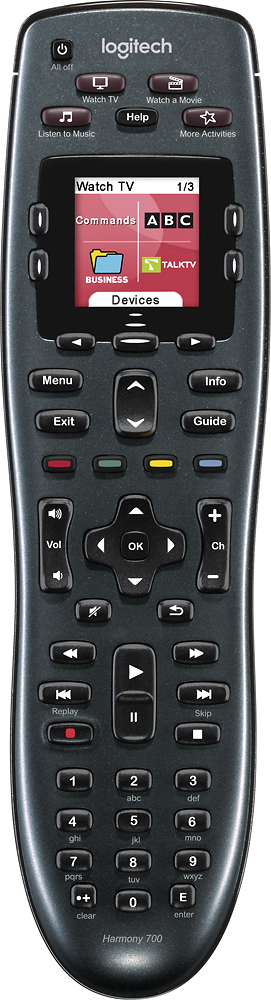
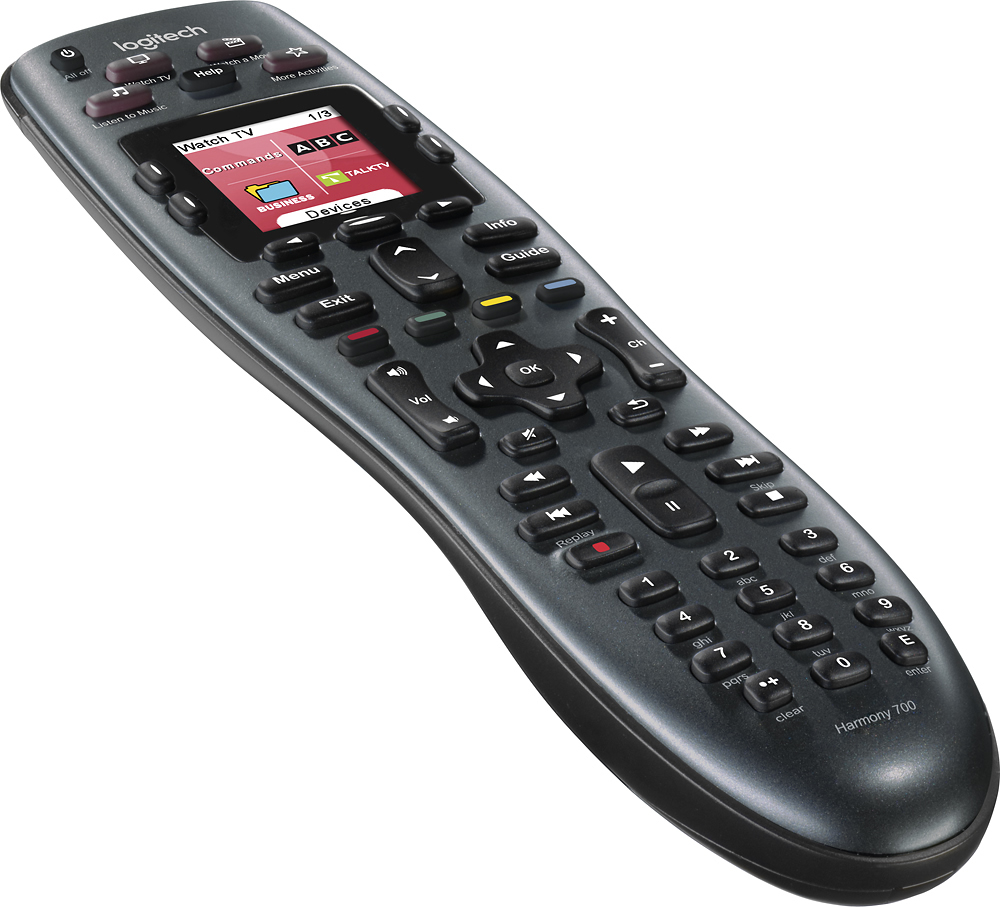
Customers are impressed with the Harmony 700's ease of use and excellent battery life. Many also appreciate the remote's setup simplicity and the ability to customize its functions. However, some users experienced issues with button quality and programming complexities, while others noted limitations in the remote's range.
This summary was generated by AI based on customer reviews.
- Pros mentioned:Battery life, Ease of use
Rated 5 out of 5 stars
Best Remote Buy of the Year
||Posted .This reviewer received promo considerations or sweepstakes entry for writing a review.You can't go wrong with this item. Charger aka usb cable also works with my old Harmony 650. I love my new 700 color screen it is nice, rechargeable batteries work great and go a long way. Very easy to set up and use with Mac or PC.
I would recommend this to a friend - Pros mentioned:Compatibility, Ease of use
Rated 5 out of 5 stars
Works Great!
||Posted .This reviewer received promo considerations or sweepstakes entry for writing a review.Works better than I thought it was. I used to have a total of 6 remotes that I used to control my whole entertainment center and now I just need this ONE. Very easy to use once it's set up and gives a a step by step tutorial on the remote if you have any issues.
I would recommend this to a friend - Pros mentioned:Battery life, Ease of use
Rated 5 out of 5 stars
Outstanding remote
||Posted .This reviewer received promo considerations or sweepstakes entry for writing a review.I've had several earlier Harmony remotes - this is by far the best. Its rechargeable from a USB port or wall adapter. Comfortable to use. Battery charge lasts for months. And it handles multiple devices with ease. Overall, an outstanding remote.
I would recommend this to a friend - Pros mentioned:Ease of use
Rated 5 out of 5 stars
Awesome Remote! My 30 year Quest has Ended!!!
Posted .This reviewer received promo considerations or sweepstakes entry for writing a review.A miracle has happened! I programmed a remote control that controls everything on our home theater system! it's a Logitech Harmony 700 from best buy on sale for $135 bucks and it even works the karaoke and PC inputs. Logitech's website will tell you which remotes will support your systems components, before you buy. ( see link below) The buttons are the remote are right were they should be, it's very economical and very intuitive. when you pick up the remote to look at it the back-lite automatically comes on, Wooo!, and once's it's programmed, the keys will be set to work the active device, such as your satellite, or DVD , blueray, etc. etc.. etc...!!!! One button press turns on and switches all the video and audio inputs to the desired function! If it doesn't, then you hit the "HELP" key on the remote, and follow the easy prompts, such as is the TV ON, Is the input set to DVD? etc.. You dont have to have knowledge of how the components have been connected. Your 65 year old mother will be able to handle it!!! Now it's smart and remembers what you just did to it , and next time it will work on the fly! You program the remote, via your PC's using the USB cable plugged into the remote, The process is very fluent, just follow the prompts to get the basic functions working, However you can spend a lot of time to customize the remote. It can learn any missing key functions from your old remotes. It's incredible, Way to go Logitech! Way awesome!!! My 30 year Quest to find a remote that works everything has Ended, I would be happy with just that, but the one button press to set all the devices to the desired activity and just automatically work, was way over the top, and I cannot express how excited I am about this remote!!! Way to go logiTech!!! :-) Logitech's remote site. http://www.logitech.com/index.cfm/remotes/&cl=us,en P.S. Once you've purchased the remote, you will install the software on you pc, which will take you to logitech's website to create a free account that will keep your remotes setup.
I would recommend this to a friend - Pros mentioned:Battery life, Ease of use
Rated 4 out of 5 stars
Face it... I love Logitech Harmony remotes!
||Posted .This reviewer received promo considerations or sweepstakes entry for writing a review.I have an older Logitech Harmony 620 that I still use in another room. The Harmony 700 is almost everything I expected. I only gave it four stars because it uses the newer harmony programming software which is not as user friendly as the older software. Overall, it's still fairly easy to program but may take a little while to fine tune the remotes LCD menus exactly the way you want them (much easier on my older Harmony 620). Sweet bonus features include automatic light up buttons based on tilt/movement of the remote so it lights up when you pick it up (great when watching a movie with the lights out). Also, no more having to replace the batteries all the time. This remote comes with rechargeable NiMH AAA batteries and can easily be recharged by plugging the USB programming cable into any USB charging device.
I would recommend this to a friend - Pros mentioned:Compatibility, Ease of use, Setup
Rated 4 out of 5 stars
Excellent remote once you get used to it
||Posted .This reviewer received promo considerations or sweepstakes entry for writing a review.I had multiple remotes and was always having to switch depending on what I was doing. Once I decided to get a universal I looked at a few and chose this based on cost. I didnt need any extras and just wanted to be able to use one remote for everything. Even my Vizio sound bar works great with this remote. Set up was simple and point and click. The only thing against it was that you have to remember to keep pointing it at your equipment while it cycles through all the individual component command when doing an activity. This was a bit of a challenge for my kids which meant it kept getting out of sync. After a couple of weeks of telling them the same thing they finally got it and now no more issues.
I would recommend this to a friend - Pros mentioned:Ease of use, Price
Rated 5 out of 5 stars
Configuration
||Posted .This reviewer received promo considerations or sweepstakes entry for writing a review.In addition to it working very well, I love the ability to add additional functions after the device is turned on. For example the Smart TV opens to a window and "Enter" needs to be pressed, this has the ability to pause a few seconds (configurable) and then hit enter. Add customized icons to the favorites screen. Configure multiple scripts, (upstairs TV, Roku) Still working through all the options but if you want configurations at a good price I would recommend this.
I would recommend this to a friend - Pros mentioned:Battery life
Rated 5 out of 5 stars
Awesome Remote - Compatible on Multiple devices
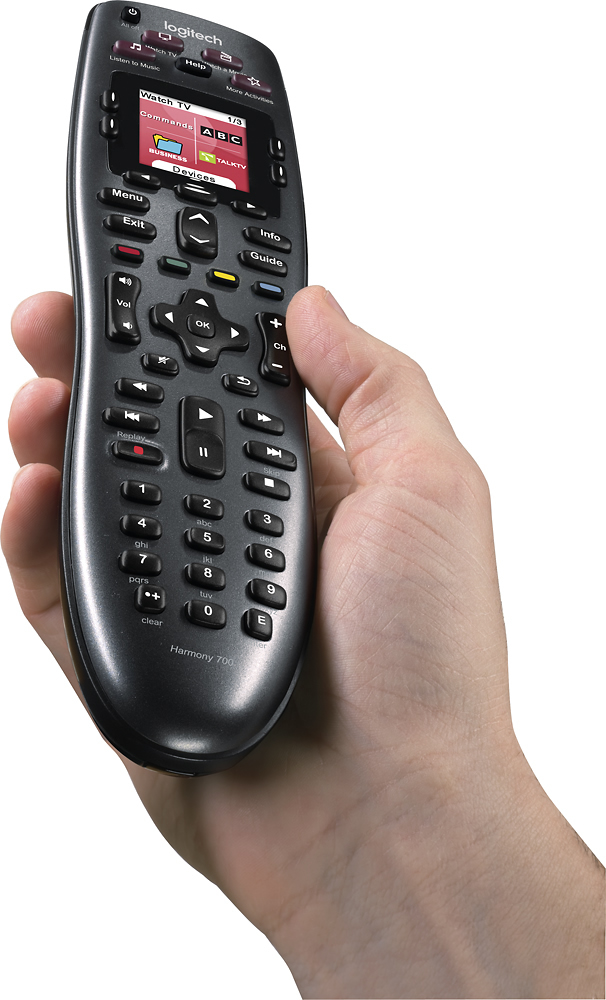
||Posted .This reviewer received promo considerations or sweepstakes entry for writing a review.Great purchase/investment. Purchased for boyfriend for Christmas. Still works great. 5 months later. He had the remote programmed to 2 TVs, 1 Sony Blue Ray Player, 1 Toshiba Receiver, 1 cable box, and 1 XBO One system. The options in the screen works great. Took me (a gir, lol) about a few weeks to figure out how to swap between devices. Helps to keep the the table clear of remote clutter so Im happy. Also we use rechargeable AA batteries. Nice design/feel in the hand when you hold it. The remote is 'bottom heavy, so it rests comfortable in your hand AND.... when you put the remote down, about 10 seconds the screen goes and when you pick it up, and angle the display towards your face, the backlight comes on again!.
I would recommend this to a friend - Pros mentioned:Battery life, Ease of use
Rated 5 out of 5 stars
Mountain of Remotes...GONE
||Posted .This reviewer received promo considerations or sweepstakes entry for writing a review.Ok, I couldn't wrap my head around how this remote was going to replace all six of my remotes, but it has. So I'm going to make it easy and tell you how it does it. Basically, you tell the remote software which model tv, cable box, dvd player/, blue ray player, sound bar, etc etc you have. The software knows what's on the remote for each device, and maps the remote to have the same functions. Now, there are only so many buttons, but most are common to all the dvices. What isn't goes into the little screen which you use the buttons on each side to choose what functions to do. You can even switch what devices functions to use on the screen. Say, if you want to change your tv picture mode while watching a dvd, you can do that and still keep watching the dvd no problem. You can also customize what functions show up on the screen for each device. It even tells my hdmi switch what input to set for each activity. Activities are things like Watching TV, Watch a DVD, Listen To Music, or customize your own and tell the remote what inputs and devices to use and you just push the activity buttons to set the whole system up with the right devices and inputs. Its fantastic. Got this on a Black Friday deal and couldn't be happier.
I would recommend this to a friend - Pros mentioned:Battery life, Ease of use
Rated 5 out of 5 stars
Excellent way to decrease clutter
||Posted .This reviewer received promo considerations or sweepstakes entry for writing a review.I love electronics, and my wife could care less... So we have a ton of different devices hooked up to our TV, and usually she just wants to use the one that she can watch netflix or hbogo on (which in this case is our AppleTV.) Since we have a tv, receiver, an xbox one, etc, there were a lot of remotes on our coffee table. This remote eliminated the need for those! I followed the directions on the set up to program a Samsung 50 inch 4K tv, an Apple TV (3rd Gen.), a Comcast X1 box, a Samsung Blu-ray Player, and Onkyo TX-NR636 7.2 receiver, an Xbox 360, and an Xbox One all using this one remote. All of the devices work great, the remote has a lot of common buttons, and it is very intuitive as far as what each button function does for each device. The battery also lasts a very long time, and after purchasing it in November, I have only charged it once. The only issue I have had with it, is that if my wife or I forget to make sure it is pointing at the devices once you begin the activity, it will not completely turn on what you need it to. So just make sure you keep it pointed at your devices when you power it on! It is truly a great remote!
I would recommend this to a friend - Pros mentioned:Compatibility, Ease of use
Rated 5 out of 5 stars
Saves a lot of time and space
||Posted .This reviewer received promo considerations or sweepstakes entry for writing a review.This is an excellent device. It saved a lot of space by replacing 3 of my remotes, I think it can handle even more devices. Completely programmable, so one button press gets multiple steps taken care. Its very easy to use and the tiny display on the remote is a nice feature too. I absolutely love it.
I would recommend this to a friend - Pros mentioned:Compatibility, Ease of use
Rated 5 out of 5 stars
Very Customizable
||Posted .This reviewer received promo considerations or sweepstakes entry for writing a review.This is a great remote that controls my 5 devices. Easy to program via the computer application. Can customize buttons, screens, and create action sequences to just one touch. Easy to go back and tweak your settings to fine tune your experience. Very comfortable in your hand. Would highly recommend.
I would recommend this to a friend - Pros mentioned:Battery lifeCons mentioned:Button quality
Rated 4 out of 5 stars
Very nice remote
||Posted .This reviewer received promo considerations or sweepstakes entry for writing a review.Not as good as a Harmony 880 in some ways, but better in others. I don't like that there's no charging station, and that some of the buttons at the top have "fixed" functions. You can change them, but you have to remember what each one means, then. But the actual buttons work better than the 880. I've gone through about 3 880s because the buttons wear out. Also, this remote can take regular re-chargeable AA batteries, the 880 was a proprietary block shaped battery, so that's much nicer with this one. If the screen were a little bigger and you could assign named tasks to each side (so maybe 6 choices on a single screen), this remote would definitely get 5 stars. Since you can only assign start-up tasks to each row, that limits it to two per screen. Setup is pretty easy if you've ever done a Harmony setup before, it can take a little time to get things right the first time, though.
I would recommend this to a friend - Pros mentioned:Battery life, Ease of use
Rated 4 out of 5 stars
Easy set up works great
||Posted .This reviewer received promo considerations or sweepstakes entry for writing a review.This is my second Harmony remote. The first was a gift that lasted more than 10 years and still works although the buttons are getting harder to push. The new remote is a breeze to set up, just tell it what components you have and what ports your connected to and its done. Very easy to use requires no learning. Two things I would like to see. Move the key pad to make it easier to directly change channels with one hand (important if you have satellite TV and the second is extend the timeout. The unit uses rechargeable batteries that last according to Logitech for a very long time on a single charge. While I have not recharged them in 2 months of use I noticed that the unit does not respond to the first touch of most function buttons (guide, last channel etc.) because it is powered off and must first power on then it will accept the command. Small issue but somewhat annoying.
I would recommend this to a friend - Pros mentioned:Battery life, Ease of use
Rated 5 out of 5 stars
As advertised!
||Posted .This reviewer received promo considerations or sweepstakes entry for writing a review.Once setup, remote runs great. Didn't seem to connect to well through my mac, but tried on a pc and connected right away. I can understand how you could get overwhelmed right away or just frustrated. Once I was able to program my devices into it, I love it. A person who isn't too computer or tech savy may have troubles getting used to it. Sometimes you may hit an activity button that is supposed to turn your amp, cable, and tv on my not turn them all on. Either touch that same button again while aiming at the devices(amp,tv..etc) or switch to devices on the remote and turn them on one by one if needed. This happens to me once in awhile, but it isn't a big deal from looking for and using six or more different remotes. Plus it will save you money when thinking of buying batteries for 5,6, or 7 remotes when you only need to make sure you have a fresh pair in only one. Be patient and you will be very happy you made the change. I just wondered why it took me this long.
I would recommend this to a friend - Pros mentioned:Battery life, Ease of use
Rated 4 out of 5 stars
Gets ride of the clutter
||Posted .This reviewer received promo considerations or sweepstakes entry for writing a review.I purchased this remote after my cable box remote started to not work. Eliminated 5 remotes for me. Setup was very easy, took about a half hour and I have a more complex setup. One button activity buttons are great, turns everything on and to correct input! Needed a little fine tuning to get the dvr functions into similar layout to my cable box remote. Only real complaint is some of the buttons are on the small side, find myself looking at the buttons because it's hard to feel your way through it, but has gotten better the more I use it. No battery life indicator so make sure you charge it, I have been doing it once a week and it has never died on me with heavy use.
I would recommend this to a friend - Pros mentioned:Ease of use
Rated 4 out of 5 stars
Solid Remote and Great Community
||Posted .This reviewer received promo considerations or sweepstakes entry for writing a review.Overall I've been pleased with this remote. It took some playing around with input settings to get my main TV to cooperate when switching between activities, so I spent a bit of time with the setup tool. It's really nice to be able to override buttons as you see fit. Additionally I had some unique devices which aren't as widespread, but I was able to search the Harmony Community to figure out how to setup these niche devices. In short, I have a 3rd party USB Infrared receiver for my PS3 and with the help of the Community, I was able to find device settings which allowed me to use the Harmony when wanting to watch movies.
I would recommend this to a friend - Pros mentioned:Compatibility, Ease of use
Rated 5 out of 5 stars
easy to setup and works great
||Posted .This reviewer received promo considerations or sweepstakes entry for writing a review.I have balked at spending $200-$300 or more on a programmable remote that would handle my home theater area. Some of those are missing some basic keys - like skip ahead on a Blu-ray - or were unable to control two different displays (projector & plasma). I was skeptical of the 700, but the reviews were very good and the price was great. I'm glad I gave it a try because the device list is very comprehensive and included all of my devices, and configuring the activities is very slick and easy. Connect it to a PC, download the program, identify your devices, setup your activities (ie. Watch Dish, Watch Blu-Ray, etc.), sync to the remote, and done! It couldn't be easier or work more effectively!!
I would recommend this to a friend - Pros mentioned:Ease of use
Rated 5 out of 5 stars
Great Universal Remote
||Posted .This reviewer received promo considerations or sweepstakes entry for writing a review.I really like this remote, I actually have 3 now. The basic setup is easy and the advanced setup/customization isn't to bad once you get the hang of it. They have developed a nice app that you can install on your computer and it basically walks you through step by step. All you need is the make and model of your devices, answer a few questions and it does the rest. You can customize all buttons and settings; you can spend as little as 10 minutes setting up a new remote or really customize it and spend an hour. Either way it will do whatever you need it to do.
I would recommend this to a friend - Pros mentioned:Battery life, Ease of use
Rated 5 out of 5 stars
Easy to use remote
||Posted .This reviewer received promo considerations or sweepstakes entry for writing a review.I've had the Harmony 700 remote for about one month now and am very pleased with it. Spent about 15 minutes gathering model number of my four devices and how they were cabled up. Then downloaded the Harmony software and very easily programed the remote following the straightforward software instructions. Probably took less than 20 minutes. Remote worked right away. I did charge the batteries before programming, but was surprised to find that I had to recharge the batteries two days later. After the second charge the batteries have lasted over 3 weeks without requiring another charge. If anything doesn't work quite right the remote assistant easily walks you through fixes. Good product.
I would recommend this to a friend