Customer Ratings & Reviews
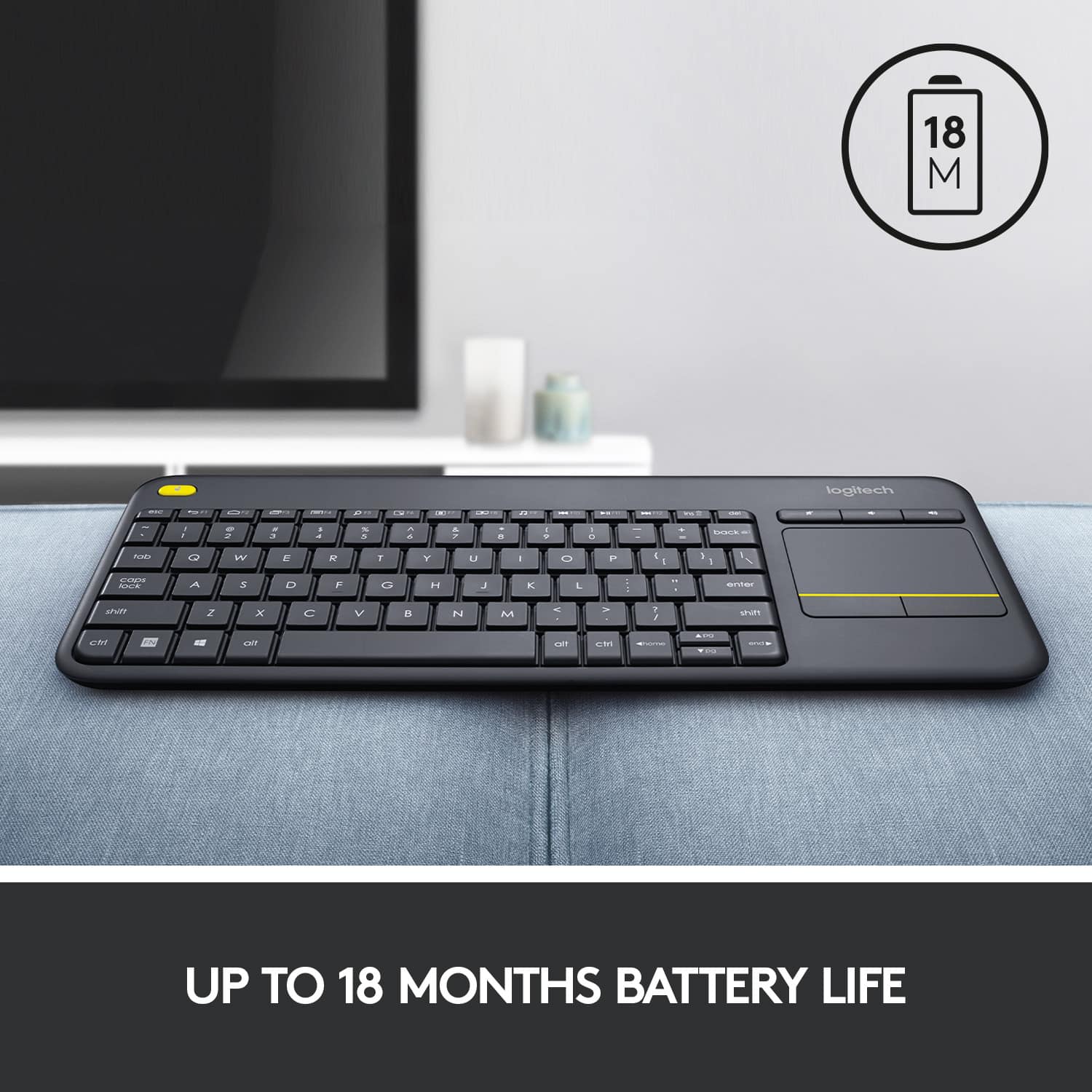
![Built-in touchpad logitech ins PC del + = back } ] I / POINT SCROLL enter shift](https://pisces.bbystatic.com/image2/BestBuy_US/images/products/9b5a0d6f-631a-4c6c-a7bf-e65b20135ee8.jpg)

- Model:
- 920-007119
- SKU:
- 7575039
Rating by feature
- Value
Rating 4.7 out of 5 stars
- Quality
Rating 4.5 out of 5 stars
- Ease of Use
Rating 4.6 out of 5 stars
to a friend
Customers are saying
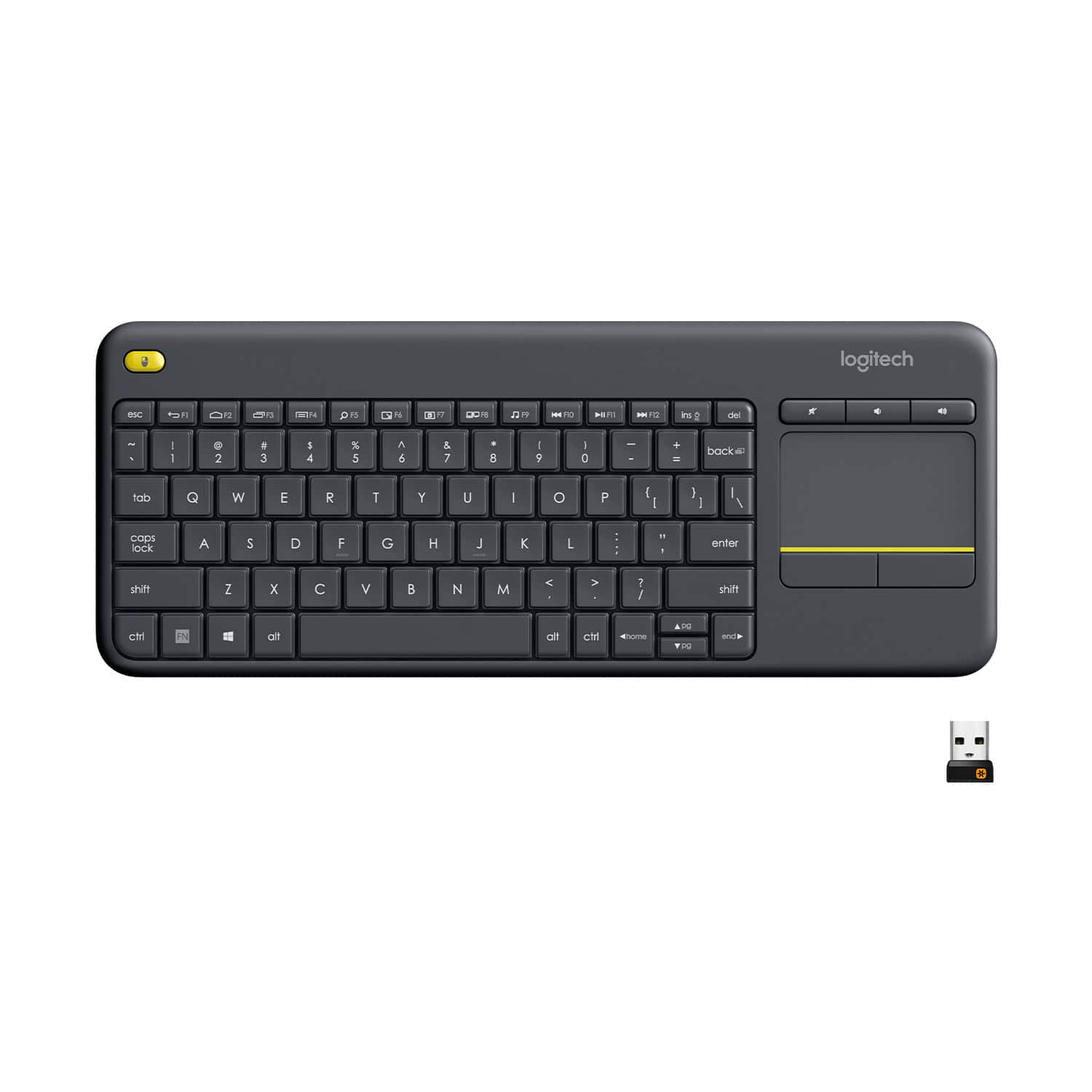
Customers appreciate the K400 Plus TKL Wireless Membrane Keyboard for its ease of use, convenient touchpad, and compact size. Many users also value its wireless connectivity, overall performance, and good battery life. While the keyboard is generally well-received, some users have reported experiencing lag.
This summary was generated by AI based on customer reviews.
Excellent companion to Android TV
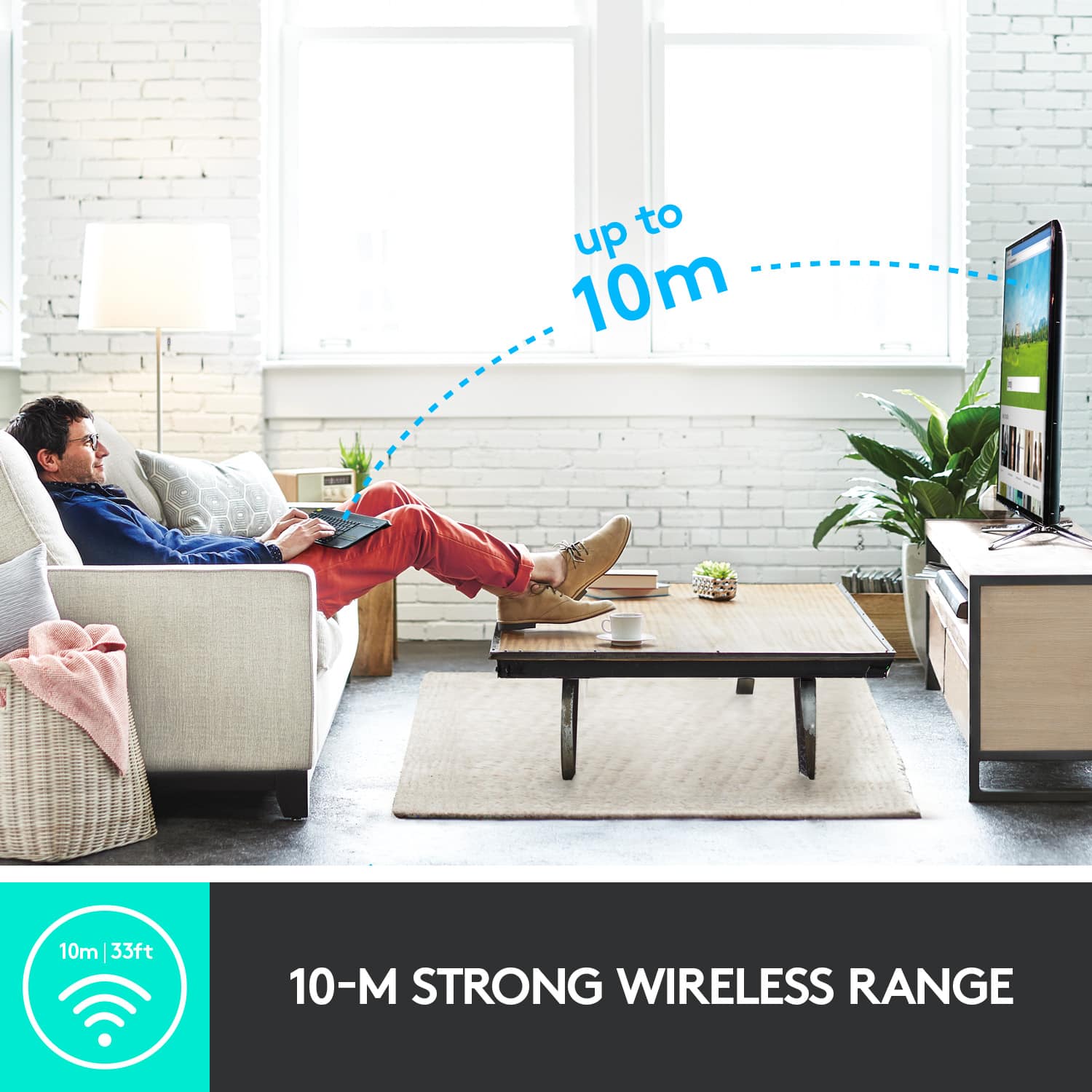
||Posted . Owned for 2 weeks when reviewed.This reviewer received promo considerations or sweepstakes entry for writing a review.Pros: This devices integrates pretty nicely with an Android TV (NVidia Shield). This will take up a USB slot on your device to connect keyboard's receiver, so plan accordingly. Once the receiver was connected there were no other steps to setup or active the keyboard. Using from about 6 feet away, the connection between keyboard and device is excellent. The touchpad is usable, maybe a bit less precise compared to recent laptops. There is a Function key giving additional functionality for some buttons. I really appreciated a hard power switch, preventing accidental activations. Cons: -1 star for cheap construction: the keyboard is made of cheap-feeling plastic, making suspicious sounds when shaken. The keyboard size is smaller then a regular keyboard. Up and Down keys are half size, following an unfortunate trend from other keyboards, but I catch myself using keyboard mainly for typing, there is still the original remote to move cursor, so this is not a big inconvenience. The keyboard has no backlight.
I would recommend this to a friendGreat little keyboard and touchpad
||Posted .This reviewer received promo considerations or sweepstakes entry for writing a review.The keyboard and touchpad combo are just the thing for any use. I use mine for tv, raspberry pi, arduino, and laptop gaming. It is a very portable keyboard and low power consumer for a Bluetooth keyboard. I was able to use the micro USB dongle and pair my Bluetooth enabled laptop with the system at the same time and switch between systems. The dongle easily gets stored in the battery cover and makes it simple to keep with the system at all times. This is a great versatile mini keyboard and touchpad. There is no need to pack a mouse when you have this with you. The touchpad is very responsive and can do pinch push zoom like a laptop trackpad. I bought one for a friend for a steal of $25 at Best Buy around Black Friday and mine for $39 on sale from $49 from Best Buy. Still a great value for this little keyboard. For the tactile feel of the keyboard, it isn't like a "chicklet" style where there isn't much depression in the key. It feels like you are typing on a full sized keyboard and has great tactile response. The condensed size does take a short bit to get used to, but I have very large hands and I still have great speed and accuracy when typing and for gaming it is also a little bit of a learning curve but still does the trick!
I would recommend this to a friendNice Keyboard for TV or media PCs
||Posted .This reviewer received promo considerations or sweepstakes entry for writing a review.I bought this keyboard to go on my multimedia PC that's connected to my TV in my workshop. It is compact. It has a decent range. And I don't have to fool with a keyboard and a separate mouse. I can also turn the keyboard off when not in use to save my battery. I like this feature a lot. I have a couple of these keyboards actually. I love them
I would recommend this to a friendJust what I needed
||Posted .This reviewer received promo considerations or sweepstakes entry for writing a review.This keyboard is just what I was looking for. It's got a compact size and it's light weight. It was very easy to connect to my TV and now I can navigate my tv's web browser with ease. I wish I could use it to navigate youtube better but that's not an issue with the keyboard. All in all I'm very pleased with this purchase.
I would recommend this to a frienddecent
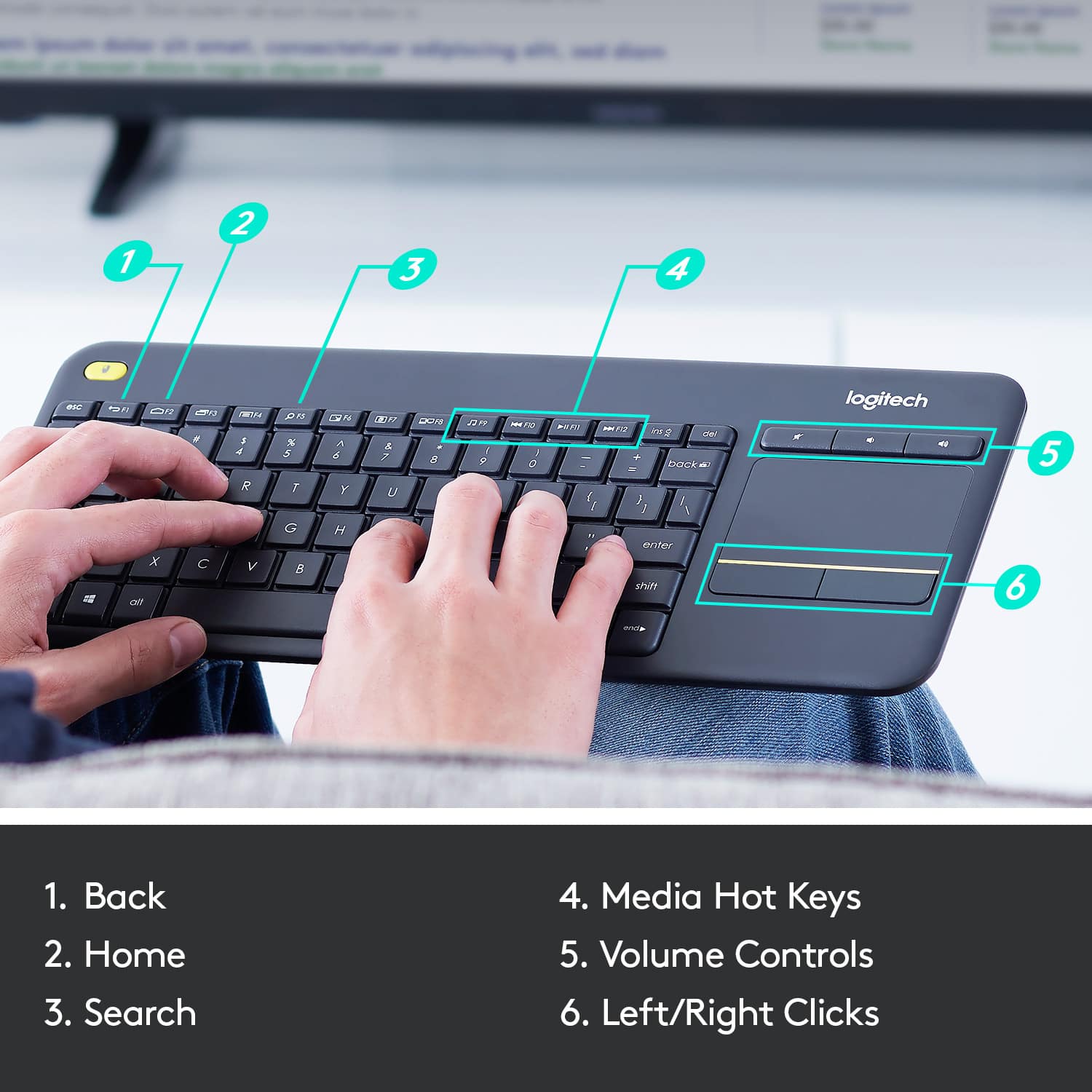
||Posted .This reviewer received promo considerations or sweepstakes entry for writing a review.I purchased this because my main gaming keyboard was going to be out for RMA and I needed something cheap to get me by. It's decent for the most part. It functions like a laptop keyboard i.e. you have to use the function key to make the secondary actions for certain keys to work like F1 - F12 out of the box or you can download the Logitech Options app from their website to use them as actual Function keys. The app still says 100% battery after a month of everyday use 3 to 4 hours a day. The trackpad is a nice addition for when I'm in bed or far from the desk. I don't need to take an additional wireless mouse with me to control Netflix or Amazon Video functions and it also works well in EUFI BIOS. I'm actually typing this review using this keyboard at the moment. My only real problem with this keyboard is the build quality. It's made out of plastic and feels cheap but for the price I paid I can't really complain much as it was on sale when I bought it. The body flexes pretty easily but it still gets the job done. I actually find myself using it more than I thought I would just so I won't wear out my more expensive gaming keyboard faster. It's Logitech so it works well. I've owned lots of Logitech gear and never had any real issues. If you need a keyboard in a pinch and this is on sale, buy it.
I would recommend this to a friendGood One
||Posted .This reviewer received promo considerations or sweepstakes entry for writing a review.So I've only been using my keyboard for a few months now, but it's changed the way I use my smart tv. Range is excellent and the trackpad is very responsive. I like the overall size of the unit as it fits perfectly on my lap. So far I haven't experienced any of the complaints some others have reported. All in all, I'm thrilled to have purchased this keyboard/trackpad.
I would recommend this to a friendIt's better than bad, it's good
||Posted .This reviewer received promo considerations or sweepstakes entry for writing a review.Now that I've got you humming the Log Song, let's review. This wireless keyboard is my first foray into these kinds of devices, so it is hard to provide an apples to apples comparison. What I have been satisfied with is the quality of the device, which while it is light, it doesn't strike me as chintzy. Of course, it connects easily and quickly, as all these devices do (I suppose). There is very little lag, keystrokes and mouse movements are usually instantaneous. When it does lag it is very slight, almost imperceptible, and it does not happen often. The keyboard is small, and some of the buttons do seem crowded, but I allow for that considering the purpose of the device. I was drawn to it because of the built in touchpad, as I already have enough devices, trinkets, and tchotchkes cluttering up my living room. While I don't have a large frame of reference for these kinds of products, I'd recommend this based on my experience with it.
I would recommend this to a friendGreat find for my PC/TV combo.
||Posted . Owned for 1 month when reviewed.This reviewer received promo considerations or sweepstakes entry for writing a review.Works perfectly and as described. Great addition to my gaming pc we have hooked up to our living room tv.
I would recommend this to a friendBrand response from Logitech
Posted .We appreciate your review and are thrilled to hear the product is performing as expected. Thanks for choosing Logitech.

Works well for what it is
||Posted .This reviewer received promo considerations or sweepstakes entry for writing a review.Perfect for controlling a media PC or a machine across the room. The built-in touchpad means one less thing on the couch or coffee table. Keys feel fine for casual use. Not something you’d want to type on all day but that’s not what it’s for.
I would recommend this to a friendBrand response from Logitech
Posted .We appreciate your honest feedback. It helps us identify where we can improve and provide a better experience with the Logitech - K400 Plus TKL Wireless Membrane Keyboard
The keyboard I always have with my laptop
||Posted . Owned for 6 months when reviewed.This reviewer received promo considerations or sweepstakes entry for writing a review.I've now bought 2 of these specific models and 1 of the previous K400 (non-plus) version and I can say without hesitation that these keyboards are a great buy if you travel and need a keyboard. First off, they are sturdy; I've had one in my backpack for years and it hasn't ever failed on me. I believe I've only replace the battery a handful of times ever. Just remember to turn off the keyboard when not in use! The touch pad just works without issues. The keyboard, although compact, feels decent type on. I would compare the key 'travel distance' similar to a standard laptop keyboard. The only issue I have had on it was getting used to the key placement. Since this is a compact keyboard, you have to adjust your fingers' muscle memory to consistently hit the 'ctrl', 'alt', and 'windows' keys as those keys are not standard shapes nor standard locations like a full size keyboard.
I would recommend this to a friendGood enough value for the money
||Posted . Owned for 1 month when reviewed.This reviewer received promo considerations or sweepstakes entry for writing a review.This keyboard works well enough. I like that it has a plug-in radio source to the computer instead of relying on Bluetooth. I've never found Bluetooth to be reliable. One USB port is taken by this keyboard, but it's still worth having. I have unusual hands in that I need large or extra-large gloves to fit my palms. Some sizing guides even list me as XXL, and when I took Krav Maga years ago, I needed an XXL in MMA gloves. On the other hand, my finger size is small in length and medium in diameter. With those limitations in mind, this keyboard is still reasonable comfortable for typing. I've run into some keyboards that were too narrow for my wide hands. A very large keyboard might be too wide for my short fingers. This one is good enough for me and will probably be good enough for most people's hands. The touchpad is not ideal. I prefer a touchpad that has an easy way to turn off the tap function of the touchpad. For this keyboard, the tap function feels inconsistent, and I sometimes end up with a "click" action when I was just trying to move the cursor. Maybe that function could be turned off with a PC computer, but my Macbook Pro does not offer that option. The left-click and right-click buttons work fine. If the keyboard itself offered a switch that would turn off the tap to click function, I would give it a five-star rating. Maybe a more expensive keyboard would be better for some people, but for many people looking for a relatively inexpensive, compact keyboard with some kind of pointer function for controlling the cursor, this one should do the job pretty well. I can't imagine anyone being extremely unhappy with this choice at the price that it is in late 2023.
I would recommend this to a friendBrand response from Logitech
Posted .We're super glad to hear about your positive experience with the K400 plus keyboard and we are grateful that you took the time out to leave us a review. We appreciate all the insights that you have shared. At Logitech, our goal is to make sure that our customers enjoy the products as much as we do. Thanks so much!
Excellent! Saves space .
||Posted . Owned for 1 month when reviewed.This reviewer received promo considerations or sweepstakes entry for writing a review.Used this for my mini pc server, which I don’t have access that much once it is configured and running. I wanted to have a keyboard with tracker in it so that I don’t have to get a mouse separately so that I can save space. This is small and I can reliably use it anytime I need access.
I would recommend this to a friendBrand response from Logitech
Posted .Thank you for your kind words! We’re delighted the product is performing well for you. Your feedback inspires us to keep pushing forward.
Keyboard & touchpad combo great for use on sofa
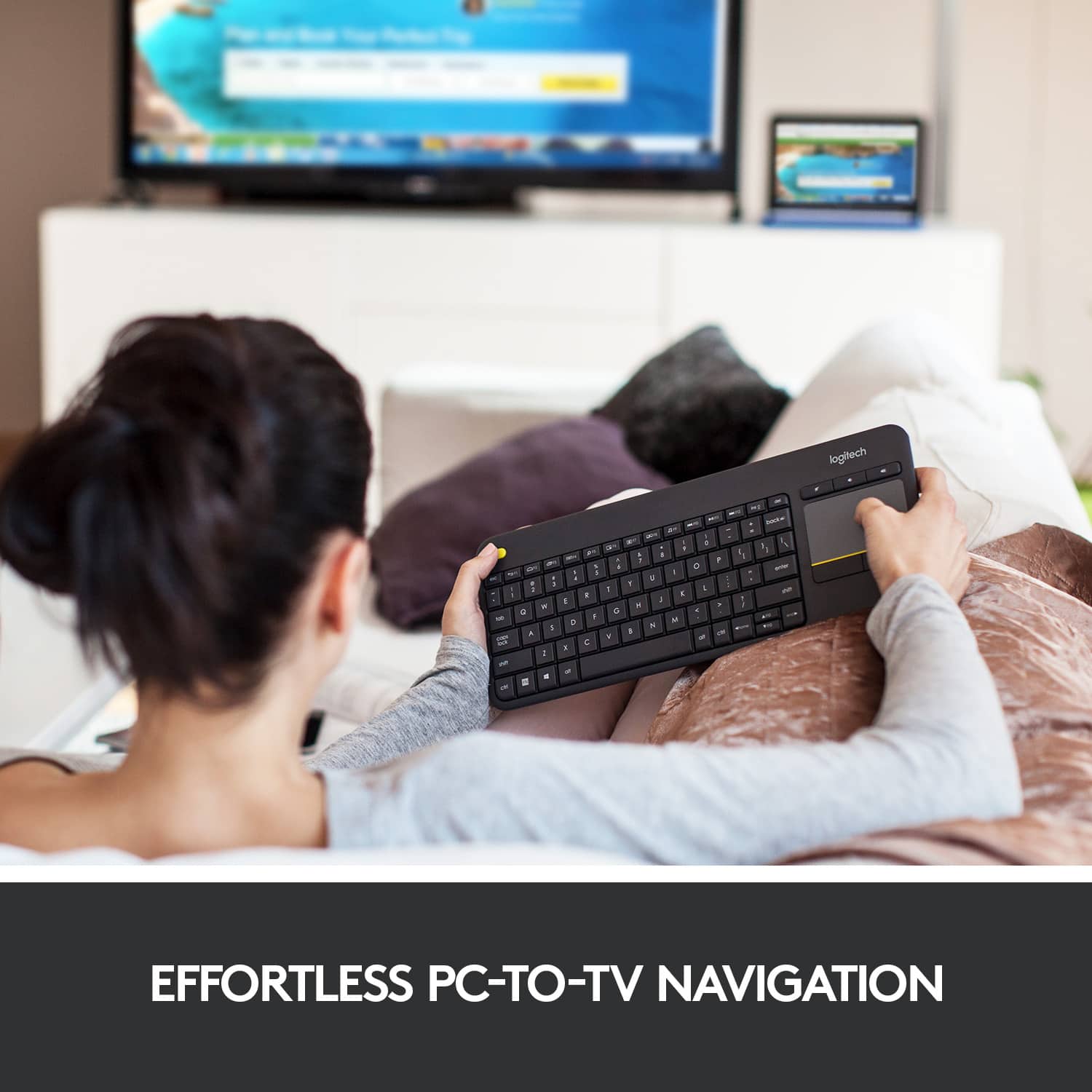
||Posted .This reviewer received promo considerations or sweepstakes entry for writing a review.I have my laptop connected to my TV and the keyboard and touchpad combo is great when I'm sitting on my sofa. There is no separate mouse to worry about. The keyboard connects immediately when I switch the power on and the mouse feedback is immediate. I liked the keyboard so much I bought one for my in-laws.
I would recommend this to a friendGreat Wireless Keyboard.
||Posted . Owned for 1 year when reviewed.This reviewer received promo considerations or sweepstakes entry for writing a review.Love This wireless keyboard. I connected it to my Hisence Smart Tv and it works great. I don't have to be using the remote to type the name of the movie I am looking for. I just grab the keyboard and type in the movie I want to watch and done.
I would recommend this to a friendGreat Wireless Keyboard
||Posted .This reviewer received promo considerations or sweepstakes entry for writing a review.The Logitech K400 Plus Wireless Keyboard is easy to install. Just plug in the included USB receiver and your ready to go. It works both on my Computer and Smart TV. It's a plug and play device. I was also able to pair it with my Logitech M500 mouse easily instead of using the built-in touch pad mouse. Overall it's a great wireless keyboard!!!
I would recommend this to a friendGreat budget wireless keyboard.
||Posted . Owned for 8 months when reviewed.This reviewer received promo considerations or sweepstakes entry for writing a review.Such an easy-to-use keyboard, and easy to set up. I thought the touchpad would be gimmicky but I have had no problems with it before, and it seems great! I've had wireless keyboards before but this one is my clear favorite.
I would recommend this to a friendGreat for the price
||Posted . Owned for 1 month when reviewed.This reviewer received promo considerations or sweepstakes entry for writing a review.Very easy to use. Battery power is convenient since I have too many cords. Also, less likely to get damaged at the connection port like my last wireless keyboard- because there is no connection port. Touch pad is very sensitive- no problems moving the cursor.
I would recommend this to a friendGreat for use with game systems
||Posted . Owned for 2 weeks when reviewed.This reviewer received promo considerations or sweepstakes entry for writing a review.I use this when playing Final Fantasy XIV on my PS5. It's super easy to connect and worked almost immediately: just plug in the USB and turn on the keyboard (batteries are included and pre-installed in the keyboard). It takes AA batteries and the slot is on the back. The battery cover also contains a holder for the USB so you can take everything with you. In a room where I have multiple systems and electronics emitting tons of signal, this keyboard has no noticeable lag and gets what I type on screen quickly and cleanly. No issues using the mouse, but I do with is was a bit more sensitive. For the price, it's an incredible addition to a home console setup, but I probably wouldn't try to use it for actual intense gaming.
I would recommend this to a friend5 stars excellent keyboard
||Posted . Owned for 1 week when reviewed.This reviewer received promo considerations or sweepstakes entry for writing a review.Absolutely love this keyboard with built in mouse pad. I use it at work instead of the supplied wireless version. It seems to work on everything I've tried it on including my smartphone when I hookup a usb-c adapter. Even works in bios mode on computers and every tv that has a usb that I've tried. Highly recommended if you need a portable keyboard or you want keyboard capabilitie on your smart tv.
I would recommend this to a friendBrand response from Logitech
Posted .Hey! We hear you really love the Logitech K400 Plus TKL! It sounds like a versatile keyboard that works well on a variety of devices, from computers and TVs to smartphones with a USB-C adapter. The built-in mousepad is a definite advantage, especially for controlling a computer from the couch.
Excellent entertainment center keyboard
||Posted .This reviewer received promo considerations or sweepstakes entry for writing a review.This is an excellent entertainment center keyboard. The keyboard is nice and small, it is wireless, and integrated trackpad instead of mouse makes it perfect for the family room entertainment system. Only downside is that the keys are not backlit so not great in a completely dark home theater. Other than that, a lot of bang for the buck!
I would recommend this to a friend