Customer Ratings & Reviews
- Model:
- 920-009859
- SKU:
- 11297826
Rating by feature
- Value
Rating 4.6 out of 5 stars
- Quality
Rating 4.7 out of 5 stars
- Ease of Use
Rating 4.7 out of 5 stars
Perfect budget or office keyboard
||Posted . Owned for 1 week when reviewed.This reviewer received promo considerations or sweepstakes entry for writing a review.Excellent keyboard for it's value, considering most mechanical keyboards are priced above the $99 mark. The brown switches of give a nice confirming tactile feel without the loud clickiness of blue switches. A perfect keyboard for typists or programmers that are working in an office and don't want to disturb their co-workers. The base of the keyboard has a slight flex to it if pressed hard enough, and the key-caps have a bit of a cheap feel to them. But, when considering it's price, it's a fantastic deal.
No, I would not recommend this to a friendKey board
||Posted . Owned for more than 2 years when reviewed.This reviewer received promo considerations or sweepstakes entry for writing a review.Really great key board. I ended up upgrading for the fancy ones with the lights.
I would recommend this to a friendGet the keyboard
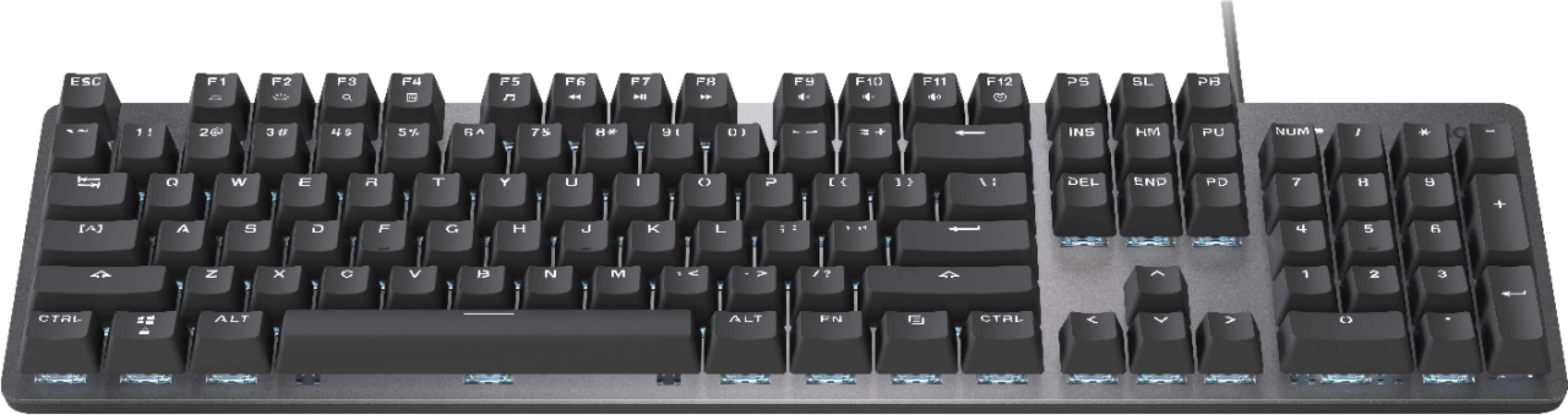
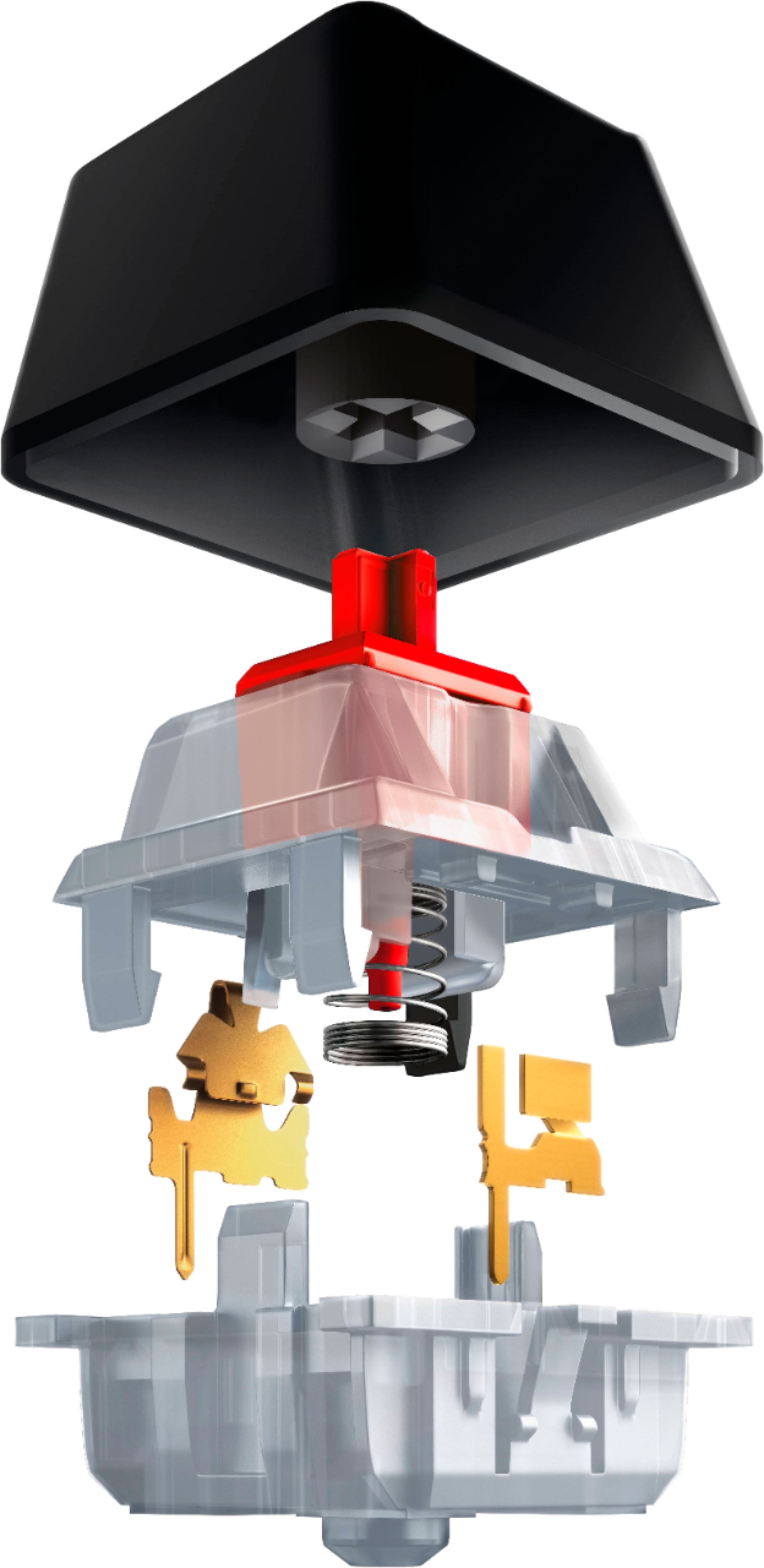
||Posted .This reviewer received promo considerations or sweepstakes entry for writing a review.All round good first mechanical keyboard!!! I got the red switches linear keyboard! The sound quality would make Great ASMR video! I would definitely recommend and buy again the only downfall is the symbols on the F roll does not light up! Another downfall is the design font of the keys!
I would recommend this to a friendRecommend this keyboard
||Posted . Owned for more than 2 years when reviewed.This reviewer received promo considerations or sweepstakes entry for writing a review.Have had this for a few years now and it’s still working great as ever. My other keyboard stopped working after 2 years but this one has lasted longer
I would recommend this to a friendGood looking, sharply made keyboard.
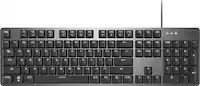
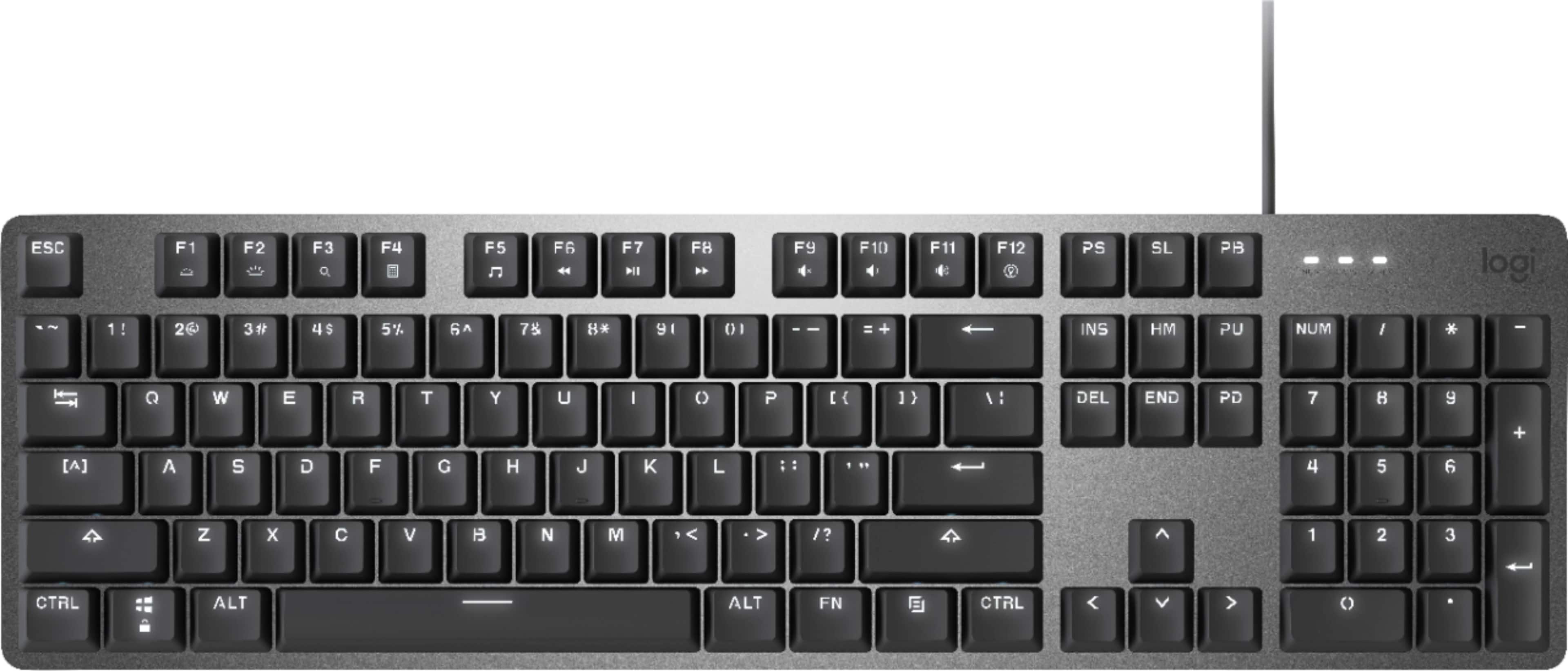
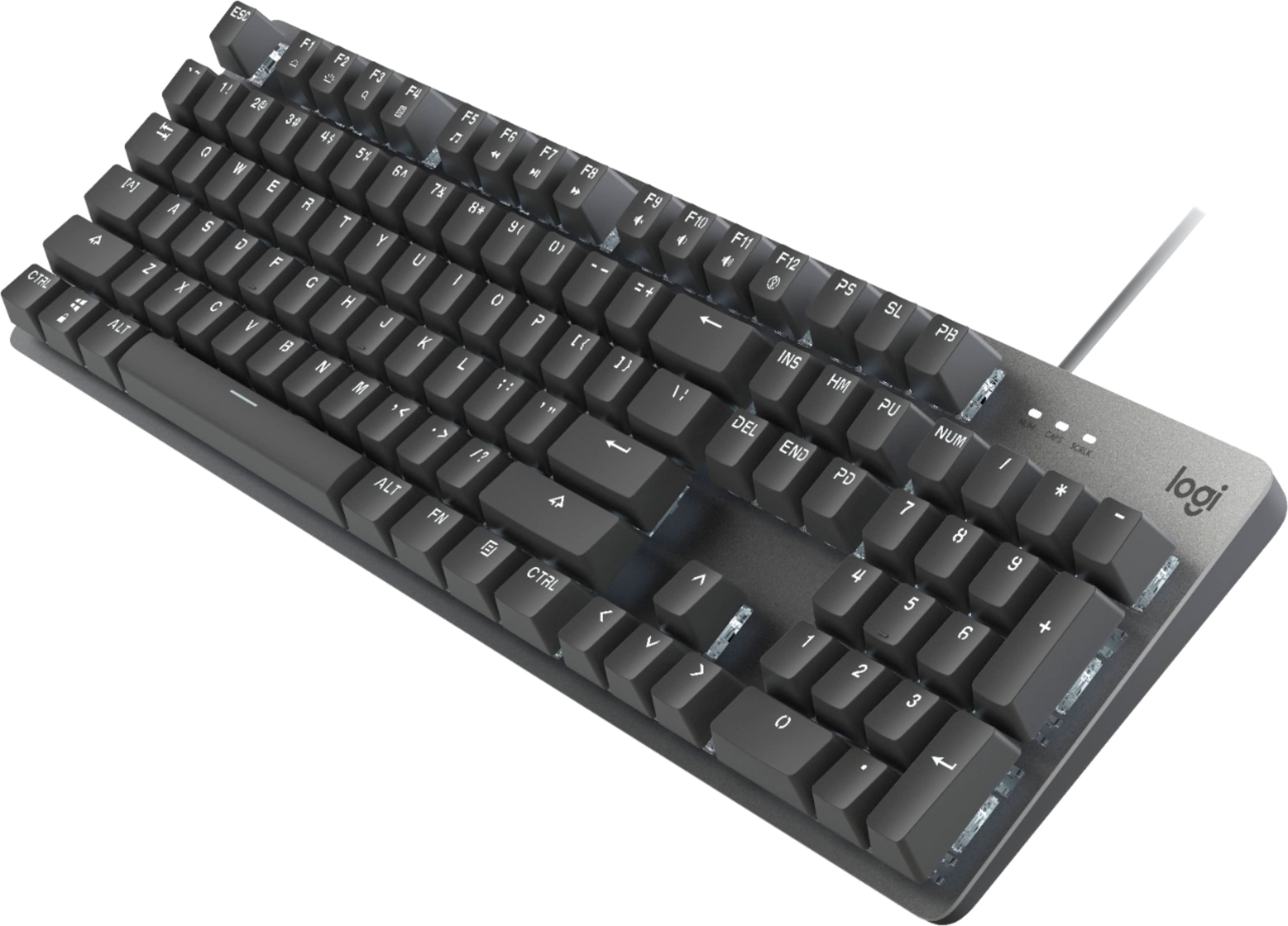
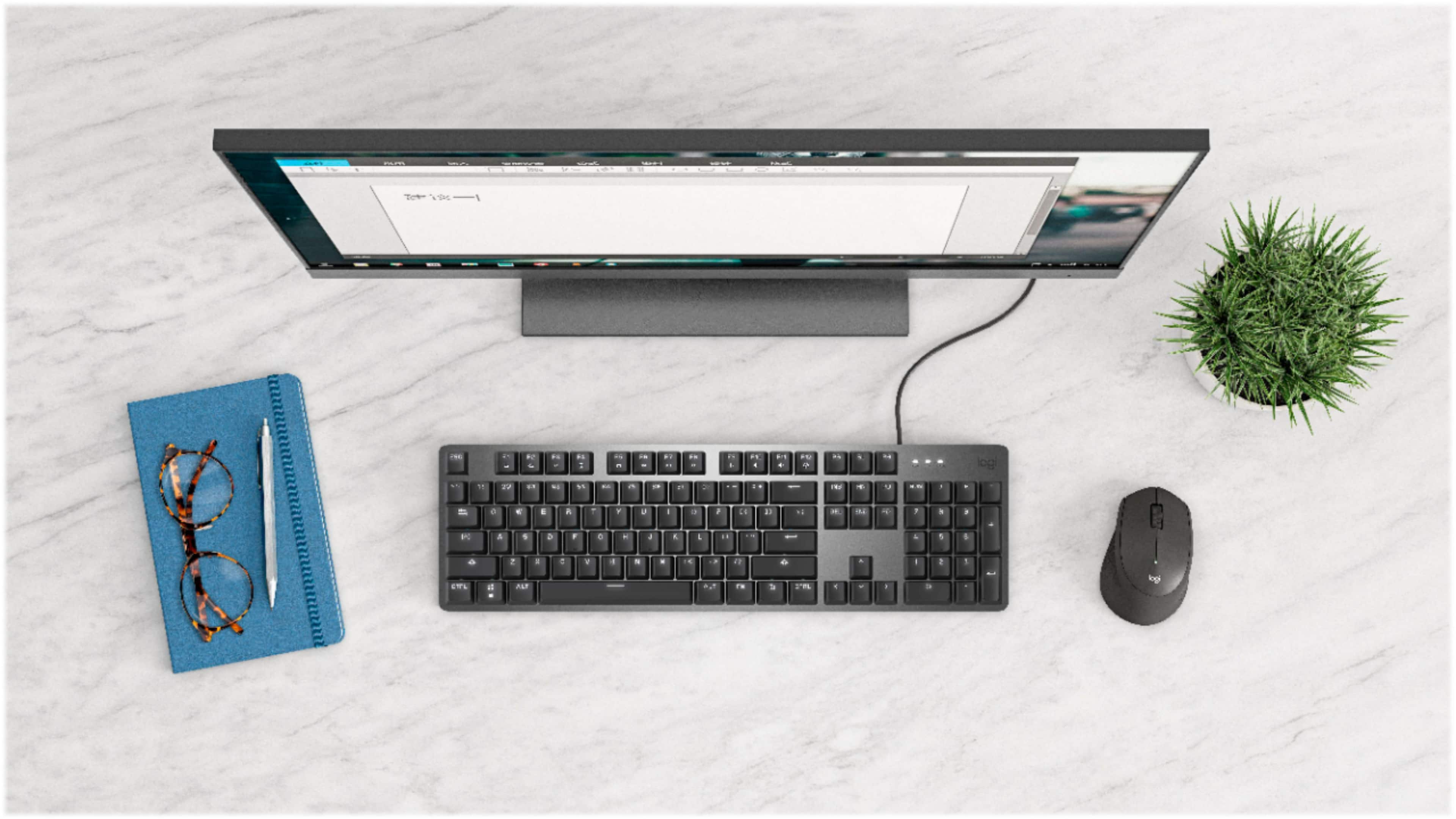
||Posted .This reviewer received promo considerations or sweepstakes entry for writing a review.Wow, never wrote a review on a keyboard before! This is a real beauty. I couldn't tell by the box what it looked like with the lights on, and the displays weren't plugged in. I wanted the letters & numbers to light, and that's what this did. A nice serious soft white light that complements the aluminum body. Super sharp looking on the desk. A lot more formal than the RGB one I had previously. Also feels solid. I like the mechanical keys, it feels fun to have to type with them. I also like the small footprint- the keys are good sized & well spaced, and still the keyboard doesn't waste extra inches around the sides.
I would recommend this to a friendNice Compact Keyboard
||Posted . Owned for 3 weeks when reviewed.This reviewer received promo considerations or sweepstakes entry for writing a review.If you like the feel and sound of a traditional keyboard, you'll love this one. The soft backlighting is a real plus in lower light situations. I've been using a Logitech wireless keyboard for years and didn't know if I'd like being chained to the computer again with a cable. But I've readily discovered I didn't need a fully mobile keyboard. The cable is long enough to occasionally place the keyboard on my lap as prior. Great keyboard.
I would recommend this to a friendLove the Mechanical keyboard!!!
||Posted . Owned for less than 1 week when reviewed.This reviewer received promo considerations or sweepstakes entry for writing a review.Omg this is an awesome keyboard for anyone who remembers how much faster and accurate they could type on typewriters or the first IBM correcting Selectrics. I had never heard of a mechanical keyboard till I saw one at Best Buy, tried it, and immediately bought it. What a JOY!!
I would recommend this to a friendAmazing keyboard for the money.
||Posted . Owned for 1 month when reviewed.This reviewer received promo considerations or sweepstakes entry for writing a review.This keyboard is pretty amazing for the cost and looks great. Mechanical keys on this keyboard works amazing too and is not super loud like some other keyboards.
I would recommend this to a friendBrand response from Logitech
Posted .Hello, ITAngel! I'm happy to hear that you're enjoying your K845 keyboard! Feel free to reach out to our support team here https://support.logi.com/hc/en-us/requests/new?ticket_form_id=360000621393 if you ever need any assistance or if something happens in the 1-year limited hardware warranty. Thank you for the review and for shopping Logitech! - Maggie from Logitech
Keyboard review
||Posted . Owned for 1 month when reviewed.This reviewer received promo considerations or sweepstakes entry for writing a review.Works well and illumination is great. All keys function well.
I would recommend this to a friend
Excellent Keyboard for Work
|Posted .This reviewer received promo considerations or sweepstakes entry for writing a review.I was excited to get another Logitech keyboard, specifically to use at work. I already have a Logitech illuminated gaming keyboard which is similar but the keys were too noisy to use in a shared office. This K845 comes with the Red Linear switches which are supposedly smooth but quiet. They are still a little on the loud side for me but my workmates have not complained about the "tap-dancing" sounds yet. Key strokes are smooth and precise and as a fast touch-typist, I have no complaints on using the keyboard. The layout of keys is good and I particularly like having obvious controls for music and videos (volume, play, pause etc.) A separate numeric keypad is a good addition too. The keyboard is comfortable to type on for long periods although it could have done with including a wrist pad. I was able to take the one I got with the gaming keyboard and use it with this one which is a slight improvement. Even with so many keys on a compact base, I don’t find the keyboard crowded and it is nice to free up some valuable real estate on my desk, without losing any features. The illumination feature is adequate but I was disappointed not to have the same level of lighting control as the gaming keyboard I own. You get to cycle through a few preset light configs but can’t create your own or find setups other have created. I shouldn’t complain as this keyboard is designed for office use and not gaming specifically but I had got spoiled from the other Logitech keyboard and mouse I own. If I forget that for second, the keys do light up well and you would have no problems using it in low-light conditions. I have a similar complaint with my gaming keyboard but I wish it was possible to have the functions on the keys lit as well. For example, to change the volume or play/pause, those features are on function keys at the top of the keyboard and only the F7, F9 etc. part of the key is actually lit. It would be great if when you held down the lit FN key, the function part lit up on the function keys. Included functions are brightness control, search, calculator, default music player, skip back, play/pause, skip forward, mute, volume down, volume up and light control for the keyboard. I like to have the brightness on the keys fade in and out slowly – the other features seemed a bit busy but this one strikes a nice balance for my work environment – eye catching but not distracting. I think Logitech call this one “Breathing” which seems apt for the pace of light change. The K845 is an attractive keyboard and looks much more durable than the plastic keyboard that came with my office computer. It is made of aluminum and the switches seem much more robust than standard plastic keys. In closing, I find this a huge step up from the original keyboard that came with my office computer and I find myself typing much more accurately now. I had already got rid of a wireless keyboard as it seemed to lose keystrokes and even the basic wired keyboard was doing that now and again. The K845 does not lose anything so far and I am looking forward to using it in my job for some years to come.
I would recommend this to a friendBrand response from Logitech
Posted .Hi Pilgrim007, Thank you for this very insightful and highly detailed 5-star review of the K845 Wired Mechanical Keyboard---so glad to hear how much you're enjoying it; your feedback is greatly appreciated. In regards to the customization, there is some limited ways to customize settings and that's with Logitech's Options software, but it's not as comprehensive as it is with the gaming keyboards. If you're able to, here's a link to download Options https://support.logi.com/hc/en-us/articles/360025297893. Hope that you found this helpful and that all is going well. Best Regards, Richard from Logitech
Feature Ready Mechanical Keyboard
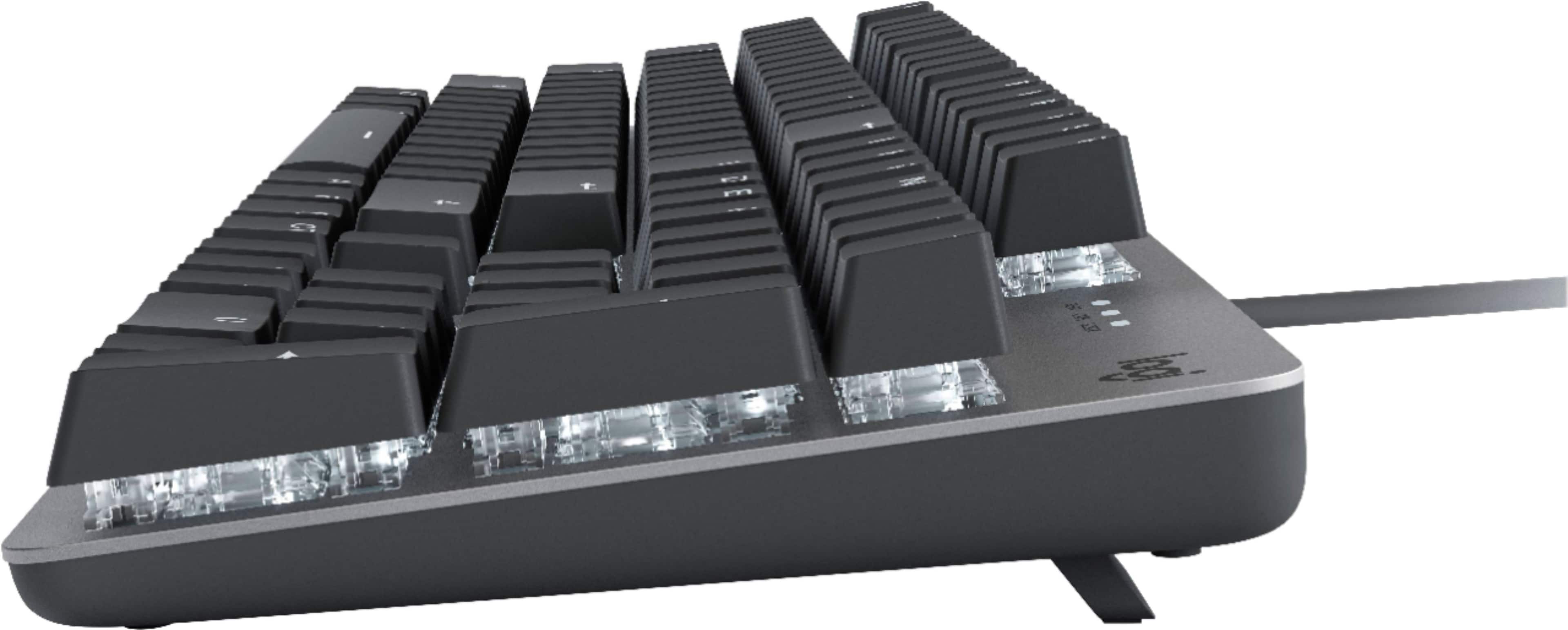
|Posted .This reviewer received promo considerations or sweepstakes entry for writing a review.Pros: -Adjustable backlight (different patterns, brightness levels) -Fn activities provide useful access to certain computer functions Cons: -Not wireless Logitech has been making keyboards for many years and I have found their keyboards to be getting better and better. This full sized, aluminum feel, Logitech mechanical keyboard is pretty easy to use; I connected it to my computer as I turned it on and saw the keyboard lit buttons come to life. My computer loads rather quickly, so by the time I had to put in my windows pin, the keyboard was ready to go. The drivers downloaded automatically. There was nothing else for me to do but to begin using it. The keys make a loud clicking sound due to it having the cherry mx red switches and I love it. I do a lot of typing with stories or reports I write, and the clicking sounds make me feel like I'm using an old typewriter. Furthermore, the keys are soft when pressed on and sensible to touch for the computer to register. Another feature I like is that the keyboard is also able to adjust in the angle you want. It's not like typical keyboards that just have 1 tilting adjustment, Logitech included two, 4 and 8 degree tilt. This one has a little more options to what degree tilt you want. Finally, it's very easy to manage computer settings through the keyboard by pressing "Fn" and then the F keys on the top row to adjust volume level, keyboard lighting (only in the color white; allows for 5 different light patterns to choose from and brightness level), and skip, play, or pause media. The only downside I noticed is that this keyboard is wired, not wireless. I understood this keyboard was corded but as more things are moving to be cordless, I think keyboards should as well. To me, it was not a problem because I have a small docking station which I use to connect all my devices to. On the other hand, the attached cable is long enough for most if not all desk applications to connect it to a deskside laptop or a desktop. Overall I enjoy the typewriter feel and clicking sound of the keys. It having an adjustable backlight is a great feature that adds to the overall appeal as well. It is a definitely a top option for those considering a corded keyboard loaded with features or any keyboard for that matter.
I would recommend this to a friendBrand response from Logitech
Posted .Hello, i am so glad to hear you love this keyboard as much as we do! Thank you for being a Logitech customer and taking the time to write this review. We really appreciate it.
HIGH QUALITY MECHANICAL LIGHTED KEYBOARD
|Posted .This reviewer received promo considerations or sweepstakes entry for writing a review.HIGH QUALITY FULL STROKE MECHANICAL LIGHTED KEYBOARD REVIEW: LOGITECH - K845 WIRED MECHANICAL LINEAR KEYBOARD Best Buy Tech Insider Network REVIEW I normally use an Ergonomic Keyboard for heavy typing and a large gaming keyboard for most games. The K845 fits in the middle between 100% work or 100% play. If you only had one computer or the budget for only one keyboard, I could see this working well. It is satisfying to type on, and uses mechanical keys often found in higher end gaming keyboard for a fraction of the price. The backlighting on the keys is pleasant and not overpowering. A good value for the performance. FEATURES LIGHTING • Keys are bright (White Only), even in a well-lit room. (but not overly bright) • The 5 Light patterns are interesting, but not very useful beyond the initial novelty TYPING / STROKE • The keys have a great feeling, are very fast, and pleasant feeling to type. • My device has the “RED Linear Keys”. • I could see the full click keys being potentially bothering to someone in an open office environment. Home office or closed office is great. • Keys are where you expect them to be, so no big surprises there (this is good as sometimes keyboards change the size, shape locations of keys) SIZE • Slim design is about 20% smaller than my full sized Ergo Keyboard or my “Gaming” keyboard. • This size is a good thing for not taking up too much desk space, while giving you the full feeling of a standard keyboard. APPEARANCE • It is a little steampunk cool with its metal base and minimalistic design. • Overall, I like the looks a lot. I certainly can recommend this keyboard as a good solid feeling and great performing keyboard. I don’t know if it would replace your dedicated gaming keyboard (with more function keys). But it is a huge step up from a cheapo keyboard. I can see this finding a home just about anywhere. The minimal design is nice that does not take up any more space than absolutely needed. As a touch typist I appreciate the tactile feelings of the keys. I like the dedicated number keypad. I wish it also had a dedicated calculator button (even if only a tiny one somewhere). It is a well built and an affordable way to get a gaming capable and business ready keyboard.
I would recommend this to a friendPoor quality
||Posted . Owned for 11 months when reviewed.This reviewer received promo considerations or sweepstakes entry for writing a review.Solidly built keyboard with good slip resistant pads. Unfortunately, LED lights started failing within a couple months of purchase. Just under a year later there are 20+ keys with failed or failing LEDs. The picture actually makes things look better than they are. The bottom left control key, which appears dim in the picture, has no visible backlight when there is any lighting in the room.
No, I would not recommend this to a friendBrand response from Logitech
Posted .Hi Dedward, thank you for sharing your experience with the K845. I'm sorry that you experienced the backlight failing. The K845 has a 1 year limited warranty through Logitech and you can file a warranty claim at support.logi.com if you are within that time frame. I'm glad that you were able to enjoy the quality build and slip pads. I hope you are able to find a keyboard that works for you. Thank you for being a Logitech customer. Kristi from Logitech
A professional keyboard from a great company!
|Posted .This reviewer received promo considerations or sweepstakes entry for writing a review.This K845 keyboard from Logitech is excellent, a fine entry into the professional keyboard market from a company known for making amazing gaming keyboards! Now mechanical keyboards do not just have to be opulent, RGB vomit keyboards if one is seeking the excellent typing action associated with them. The action on this keyboard is smooth as to be expected with red switches. Red switches have a “linear’ travel, meaning that when you press the key, you push through a smooth stroke without any tactile bump or click to overcome. This keyboard should be an amazing transition for anyone coming from a membrane keyboard that most cheaper keyboards are supplied with. The key caps have a tacky feel to them—made of a porous plastic material. I actually enjoy the porous feel as it keeps your fingers from slipping off too easily in conjunction with a good, sloped angle to the keycaps. It also supplies the keyboard with a more subdued, matte look as opposed to a shinier finish. This to me, along with the white backlighting is more indicative of a professional or mature office setting. However, with the combination of the FN key + F12, you can cycle through five different fun lighting patterns to spice it up a little bit. I particularly enjoy the starlight “random” effect that lights up random keys individually as this looks good on the matte-gray keys against the aluminum deck. The keyboard deck as I said is an aluminum material, giving this keyboard a high-quality look. However, this is not the brushed aluminum of the more expensive counterparts in the Logitech lineup. Logitech does well stratifying their keyboard options through the different price rangers with attractive features that meet the expectation of the cost you are paying. Size wise this keyboard manages to have a very compact footprint on my desk while still being a full-size keyboard including a number pad. The idea of compact with a lot of professional keyboards now is to exclude the number pad which is an absolute no-go for me. For data entry and logging and Excel spreadsheet work, I find my use of a number pad to be essential to my workflow. Overall, I am enjoying this keyboard. I wish I could replace all the keyboards in my company with these keyboards as this is so much nicer to type on than outdated, years old membrane keyboards.
I would recommend this to a friendThe more I use it, the better I like it
|Posted .This reviewer received promo considerations or sweepstakes entry for writing a review.It takes just a little time to get used to this keyboard. It’s a great keyboard, but most of us are used to the shorter throw cheap keyboards that come with the typical desktop computer. Laptops and portable devices don’t have room for more than membrane keys, and many high-end computers have keyboards designed more for appearance more than function. A mechanical board has a totally different feel and look. The feel is a bit reminiscent of the old, bulletproof IBM keyboards from back when more money was spent on the human interface. Gamers are about the only among us who understand the advantages of mechanical keys. They are nearly indestructible; they are fast, and they give feedback so you know the key has been pressed. And they have a sound to them. True to a gaming heritage, this keyboard is available with a choice of different switches or keys. You can choose quiet, clicky, in between, and also real Cherry brand switches … for a bit more. That said, this is not designed primarily for gamers. There is no programming, no software suite with special drivers, and no exotic RGB lights. Yes, it’s lighted and has several fixed and motion modes to choose from, but that’s it, and they are only white. You plug it in and use it. That’s all. This is aimed at the serious computer user who spends lots of time at the keyboard and wants accuracy and comfort. Plus, a capable gaming keyboard. The build quality is very good. It feels like it has been made to last, and the aluminum base is cool in an understated way, and with its raised keys, it makes a definite visual statement sitting on your desk. It’s a full-size keyboard with a Numpad yet fairly compact at 17” x 5”, but it’s heavy enough to stay put. I got the Cherry red keys, and although they are considered smooth switches, there’s a definite click. However, it’s not so loud that in an office environment your associates will think you’ve taken up tap dancing. As it should be for a production or gaming board, the F1-F12 function keys are the default, and the alternate controls are triggered by the Fn key. If you want a top-notch production keyboard that’s also great for gaming, and a little noise isn’t a problem, this is an excellent choice.
I would recommend this to a friendBrand response from Logitech
Posted .Hello Capshroud! We're so happy to hear you're enjoying the K845 keyboard! Feel free to reach out to our support team here https://support.logi.com/hc/en-us/requests/new?ticket_form_id=360000621393 if you ever need any assistance. Thank you for all of the feedback and for shopping Logitech! - Maggie from Logitech
Enjoyable lighted mechanical keyboard
|Posted .This reviewer received promo considerations or sweepstakes entry for writing a review.>> Summary Overall, I like the keyboard, it is making my programming life more enjoyable and livelier. I like the old style clicks inherent to mechanical keyboards (it feels like I am typing for real now), and with the keyboard light brightness adjustable, it makes typing a pleasure. I would have given it 5 stars, it is a superb keyboard, but I am giving it 4 due to the design of some of the key labels that I find a little annoying. - Favorable: Mechanical (of course), soft enough keys, adjustable light intensity, right weight. - Not favorable: Design of some key labels feel out of place. >> Word of Caution I chose the Red version of the keyboard thinking that, besides mechanical differences with the other colors Blue and Brown, the keyboard would emit a Red light. I was mistaken, the light color emitted by the keyboard is white (feels a little bluish under the black keys though). What is referred to as the “color” of the keyboard pertains to the mechanical characteristics of the keys, not to the light color it emits. There are three “colors” (“Key Switches”), Red, Blue and Brown, and according to the description, each one has a slightly different feeling and sound when keys are pressed (I have only tried the Red version). So be careful when choosing the right “color” keyboard. >> Design - Positive The first thing I noticed about the keyboard was its weight. It was heavy and initially I was not sure why they made it that heavy. After a few hours of using it, I really liked that it is heavier than other keyboards I had used, it felt solid and kept the keyboard in place. After several days of use, I can say that this keyboard has the right weight for its kind. Keys are just soft enough, but not too soft to take away the mechanical feeling. In addition, the design of the key labels is unique and bring some freshness to the market (well, there are multiple designs of key labels out there anyways). Light intensity can be adjusted, this is very convenient to have and a plus on this keyboard. >> Design - Not-Positive In general, I like the design of the letters and labels on the Logitech K845; however, there are two (three) keys/labels that have been a little annoying (I think I eventually will get used to it), letter “O”, number “0” and symbol “&”. Letter “O” and number “0”, especially number “0”, look like parentheses, this is very annoying. I wonder if there was an alternative design to fix this. With respect to symbol “&” it is not easy to see/distinguish. I know where the “&” key is at, so it is not really a blocker for me, but I think people with eyesight issues will not find it as easy to recognize. Other numbers and letters seem fine, although numbers “2” and “7” and other letters do not really feel like they follow the same design. For example, number “2” in the alphanumerical portion of the keyboard, looks out of place as it is more visible than the other numbers (it looks like a number in bold face). >> Typing Keys are soft, but not too soft that they lose their mechanical feeling. I really enjoy typing documents and mostly doing programming on the Logitech K845, it has become my main keyboard. One thing I noticed, though, is that sometimes when I pressed a key and I did not release it completely, it caused the key to be typed multiple times, so repeated letters would show up or the cursor would be located in unexpected locations (I have learnt to release the whole key after each stroke as a result). Just as an anecdote, when working in open-space, I never liked my teammates who would bring their mechanical keyboards. I promised to either, never buy one or buy the noisiest mechanical keyboard as payback. Now that I am working from home, I do not have the opportunity to annoy other team members with my “mechanical” typing, only my family gets annoyed when I am programming late at night (past midnight), they are forced to close their doors when going to sleep to avoid the “sound” nuisance. >> Light effects The keyboard has a few illumination patterns, and the intensity of the light can be adjusted. It is the latter that I like the most, depending on the ambient light, or depending how I feel, I can dim or brighten the light (the light can even be turned off). This is a very useful and convenient feature.
I would recommend this to a friendSolid no-frills MX Red keyboard w/oddball typeface
|Posted .This reviewer received promo considerations or sweepstakes entry for writing a review.I'm not 100% sure who the target audience is for this particular keyboard. The design and onboard features are understated enough to comfortably use at the workplace while the VERY SLIGHT LED flair hints at a more "gamery" aesthetic. Logitech's own marketing material pretty sums up what you can expect: "Built for work...ready to play." In the end, I'm not sure that Logitech hits a home-run on either count, but I'd have to give the nod more to the workers in the audience. As a daily driver, what you get here is a VERY solidly built mechanical keyboard that wouldn't call much attention to itself if you were using it in the workplace. Build quality is solid with a nice, heavy metallic faceplate, a full numpad, a standard set of navigation/editing/shortcut keys, a row of function keys with multimedia controls, a pair of stubby 1-position risers on the bottom to add a little extra tilt, adjustable LED illumination (white only) that is actually pretty easy on the eyes as the white light shines through the grey-tone (not black) keycaps, and a few incredibly modest LED backlight effects...more on those later. The key profiles are sculpted from the back row to front in a slight U-shaped pattern that slightly decreases reach required to hit keys either above or below the home row. There's no built-in wrist rest and the design is virtually frameless so it accommodates a complete set of full-size keys in an otherwise streamlined and small-ish feeling package. Power and connectivity is provided for by a single USB connector...it doesn't even need to be a USB 3.0 port! The star of the show is, of course, the high-quality Cherry MX Red switches below the keycaps themselves. These feel identical to the Cherry MX Reds I have on two other Corsair RGB keyboards...they will provide you with a smooth, satisfyingly clicky (but not overloud), linear action that doesn't require too much force or travel to actuate. In all, the K845 keyboard is an outstanding choice for typing performance and comfort that easily holds up to everyday use in a typing-heavy environment. But suppose you're now "ready to play" as the marketing materials would have it...well, then you'll get that same wonderful MX Red feeling and durability under your fingers for those few times you're able to launch into a browser-based game at work, or maybe if you want to throw a serious, gaming-quality keyboard onto a laptop to bypass its otherwise mushy chicklet keys on top. But that's pretty much it. Logitech's keyboard doesn't come with any special macro keys or a software hub to program keyboard shortcuts or even lighting profiles. Yes, you can adjust the lighting effects and brightness from the keyboard itself, but the effects are somewhat underwhelming given that the LED lighting is white only. There's solid/static white, breathing white, per-key reactive lighting, "raindrops" or random lighting, and a "chasing snake" effect. The lighting effects do not impact the three standard LED indicators for Num-lock, CAPS-lock, and Scroll-lock, which are the only other LED lights on the entire keyboard (not even the "Logi" logo is backlit). I will definitely give Logitech an 'E' for effort, and if this is the only mechanical keyboard you have, well then there's a least something there to make things look a little more exciting when you actually make the switch from MS Teams to Doom Eternal. If those were the only issues of note, Logitech pretty much nailed what they set out to provide--a work-oriented mechanical keyboard with just barely enough spicy sauce to keep a ravenous gamer at bay. But there are a few items to consider as you weigh the options for your workplace/gamer-space. First, the cable is slightly on the shorter side at just under 6 feet; those of you who have to snake cables through and around systems furniture or large cubicles may come up slightly short depending on the location of the nearest USB port. The cable is also rubber wrapped rather than braided. While not a deal-breaker, this may contribute to slightly more kinks in the cable over time. However, in fairness, the cable IS slightly thicker than some keyboard cables I've seen in the past so this may not be as big a problem as it would be for one of those pack-in keyboards that come with most modern workplace PCs. The font size used on the keycaps is actually a bit on the smallish side...not a problem if you're familiar with the QWERTY keyboard layout of course, but it is something that stood out immediately to me and my wife and kids. This is especially true of the very tiny shift-text that sits next to the numbers that are already noticeably smaller than the lettering used on the rest of the keys. I also find the font choice a bit too industrial/stylized for my tastes--none of the letters, numbers or symbols with fully enclosed areas are actually fully enclosed; i.e. the Q, B, D, R, #, @, &, 4, 6, 8, 9, etc. all have breaks in the lettering, though oddly, not all of them are split fully down the middle. None of this affects usability--it's not like I don't know where the '6' key went to--but the font just feels a bit off (obviously this is an incredibly personal preference). Sadly, there is no pass-through USB port, and Logitech TOTALLY missed the boat by not making the media control/shortcut symbols shine-through on the bottom of the function keys :-( So where does that leave us? The Logitech K845 definitely seems like it is built first and foremost for the workplace...but it does at least use some of the same ingredients that you might find in more hardcore gaming-oriented keyboards. If that is enough for you, then this is a pretty reasonably priced keyboard to feature full-fledged Cherry MX Red switches. The fact that nearly all of my observations have nothing to do with performance and function means you can be pretty sure you're getting what you'd expect if you were already in the market for a mechanical keyboard without a lot of extra bloat...certainly recommended if you weren't looking for something with a bit more splash on the surface or greater capability under the hood.
I would recommend this to a friendA trip down memory lane! Great keyboard w/light!
|Posted .This reviewer received promo considerations or sweepstakes entry for writing a review.The keyboard I'm writing about is the red switches model, this is the linear model. And I love the sound of the key clicks as I type. Maybe it's a throw back thing, maybe it's the feeling that I am accomplishing something as I type. Maybe it is just a comfort thing. But I love the sound that you get from this. Just like some of the original IBM PC/XT or PC/AT keyboards. Back when keyboards cost hundreds of dollars. And they didn't even have a backlight. Fast forward to this, and Logitech again comes up with a home run. This thing is cool in many different ways. The aluminum plate design, looks cool but is functional too to protect the keyboard from impacts. The lights on the keyboard help you to see what you are typing but also provide you with some different patterns. There are 5 of them - most notably on steady, a run through all of the keys one key at a time, and the breathing mode. All are cool and something will strike your fancy. My favorite is just on all the time. This is a comfortable keyboard to type on and I took time to write a long paper using this, before I came up with this comment. By the time I'm done with a paper of this length, my MacBook makes me want to use a real keyboard. This keyboard didn't make my hands and fingers hurt. Funny thing, I used this on my MacBook and it worked great! You have to know the Mac shortcuts as this is designed for Windows, it worked fine on my MacBook. What I like about this most of all is that it is a full sized keyboard, with a numeric keypad attached, yet it is somewhat compact. Certainly not the size of those old keyboards and that is a good thing! You'll love this I'm sure, it is a satisfying experience to type on it, it looks great, has excellent backlighting, and frankly it is a Logitech, so it will last. They say the keys were tested for 50 million keystrokes, and I believe it, but I just know Logitech stuff never lets me down.
I would recommend this to a friendOne solid keyboard
|Posted .This reviewer received promo considerations or sweepstakes entry for writing a review.The Logitech K845 Wired Linear Mechanical Keyboard is one of Logitech’s newer keyboards and is targeted both for regular users as well as gamers alike. It has a full 104-keyboard layout but has a smaller frame making it smaller than most regular keyboards (smaller than my Logitech K360). Being a linear mechanical keyboard, It offers the typing experience gamers love. Being touted having a Cherry Blue MX switch, a typing switch with tactile and audible feedback. It also works even when depressed halfway. This is great for serious typists but not serious gamers. Nonetheless, it will suffice for casual gamers. And like most gaming keyboards, it is also backlit. Given that it is only in white, this gives me the impression that it is targeting both regular users and casual gamers. It has five modes for lighting namely: breathing light, random, greedy snake, reaction and static. Clearly this appeals to the latter. It, however, is not Logitech G Hub further indicating that it is not exactly a gaming keyboard but a hybrid one. One thing I like about this keyboard is that it has an aluminum housing given that most gaming keyboards are entirely made of plastic. (I also have a Logitech gaming keyboard.) This definitely gives a premium feel to it. Overall, this is a great keyboard catering for most people. And while some may prefer a membrane type of keyboard as this like gaming keyboards are quite noisy. Nonetheless, I’d recommend this to people looking for a well-built keyboard.
I would recommend this to a friendA couple gripes short of a perfect keyboard
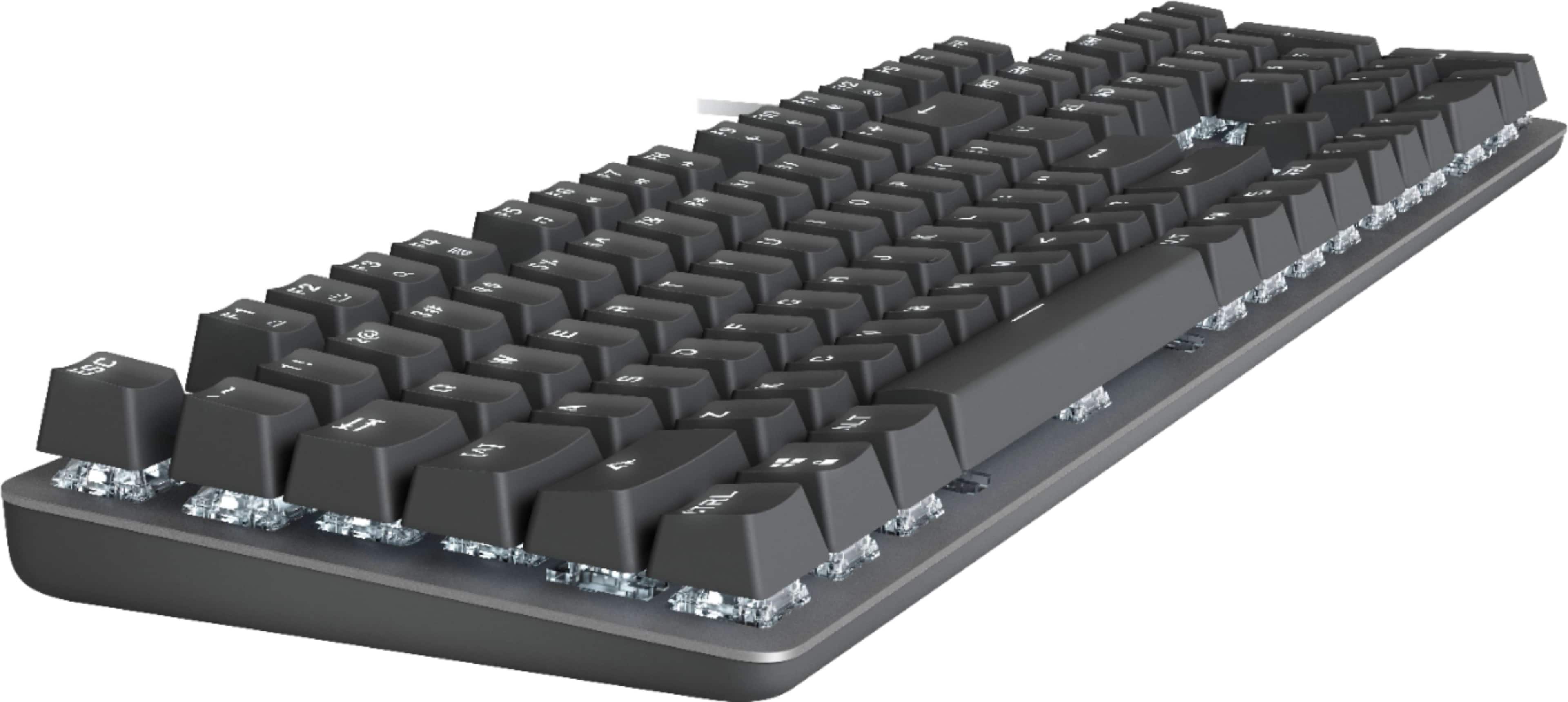
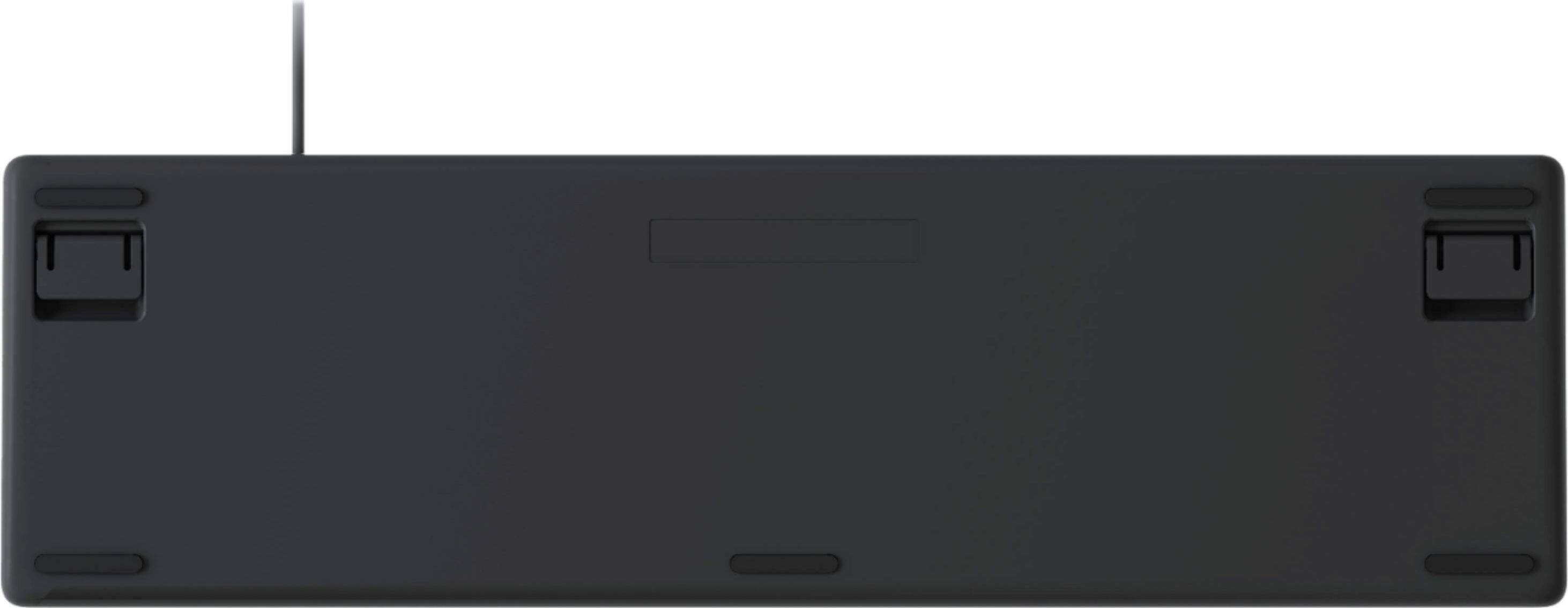
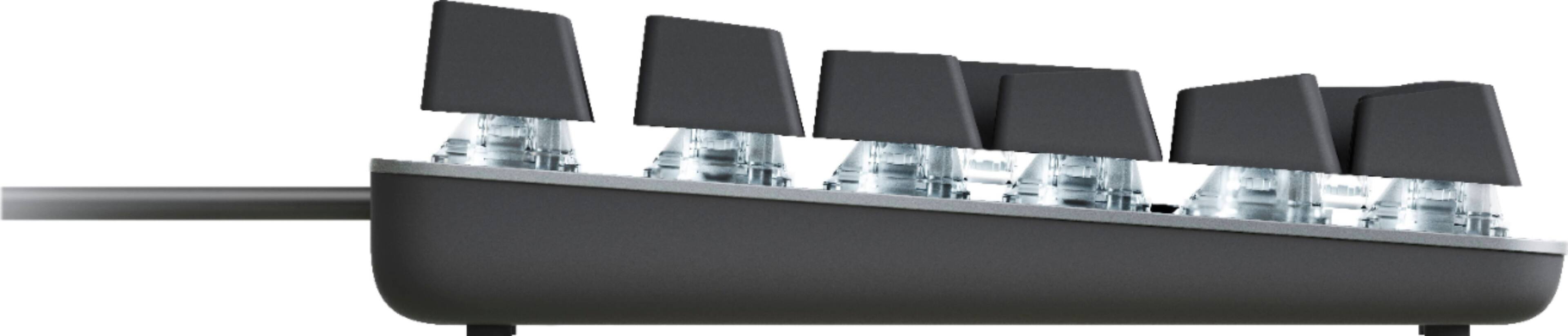
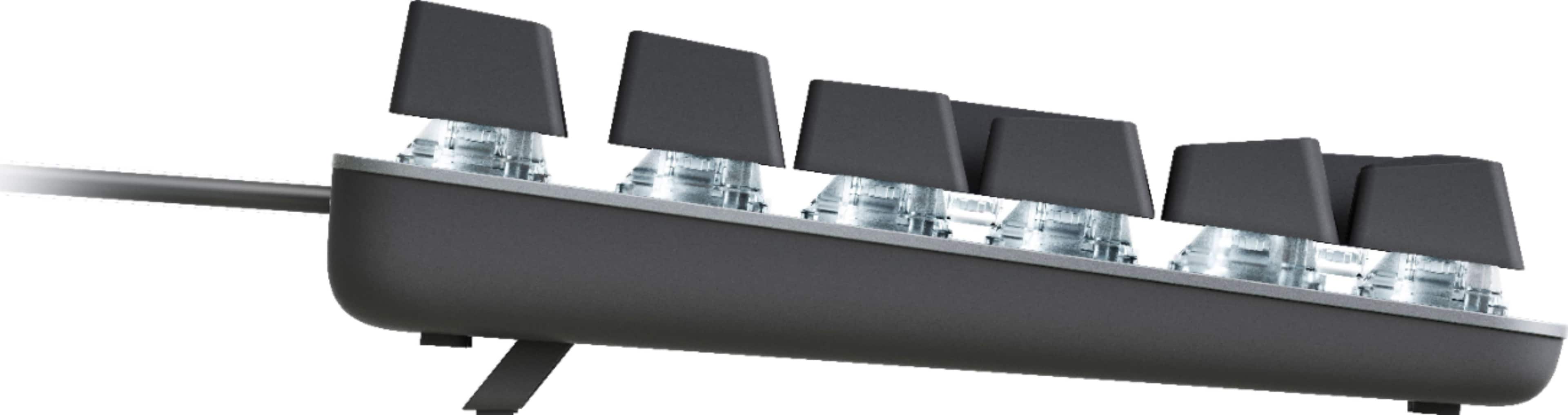
|Posted .This reviewer received promo considerations or sweepstakes entry for writing a review.During my short time with it, this Logitech K845 has been mostly a joy to use. Mine came with Red linear switches, which are smooth and very pleasant to type on, providing a perfect throw and the classic sound of a mechanical keyboard. I was a computer user throughout the late 80s and 90s, and this keyboard brings me right back to some of the best I used back then. I've typed several thousands of words on this board at work and played a few hours of games to test its function, and I've been impressed at the comfort and feel so far. UNLIKE keyboards from the 80s and 90s, the K845 features keys that float above the keyboard's surface, making it easier to clean and giving it a smart look. One advantage of this design is it makes the keyboard very compact, with "bezels" around the edges of the keys of only about a quarter of an inch. The floating design also has the additional benefit of creating a neat little "cradle" above the arrow keys where I like to rest my fingers while re-reading what I've written. The surface of the board is made of a really nice faintly textured aluminum that lends a really high-quality feel, while the bottom is made of black plastic with roughly the same texture. Small feet on the back rear can be flipped up to change the elevation of the keyboard's surface from 4° to 8°. I like 8°, as it perfectly rises where my upper-row fingers fall. The backlight has 4 levels (Off, 1, 2, and 3), and is pleasant to use during the daytime or at night. Pressing Fn+F12 cycles through 5 lighting "patterns" (Reaction, Breathing Light, Random, Greedy Snake, and Static). In my opinion, the settings other than static are little more than a novelty, and not really useful at all. Random is perhaps the most interesting, as it sets up a twinkling look reminiscent of the Matrix or something. I could see myself setting Random if I was going AFK but working in the same room, as kind of a "keyboard screensaver" light show. Now for the gripes: First, the function keys are labeled with printed icons that indicate what they do, meaning the backlight does not shine through them. This makes it difficult to see their function in a darkened room, meaning I'll have to memorize what they do and squint at them until I do. It's not going to be a long-term problem, but it is mildly annoying for now, and mars what is otherwise a nice backlight setup. Second, the Num/Caps/Scroll Lock indicator lights do not fade as you adjust the brightness on the rest of the keys, meaning you could have the keys set to their dimmest and still have a glaring bright with LED shining at you from just over your right hand. This to me is a pretty major annoyance, and it means I'll likely have to put a piece of Scotch tape over them to not be constantly bothered in a dimly-lit room. Finally, and perhaps the most minor gripe, is that the font is not my favorite, and the cutouts on some of the number key alternate characters do not look good. For example, the "@" symbol has a cutout on the top, and the ampersand has two cutouts on the top and right, making it look like two wrenches held together (see images). It's a minor annoyance and won't affect my long-term enjoyment, but something that I would change if I were the designer. The bottom line is the K845 fits great on my desk, feels great to use, and features a backlight that makes it easy to use in a dimly lit room with some mildly playful "light show" features. It'll be good for you if you're seeking the classic typing feel of a linear switch and compact, nice-looking keyboard that fits anywhere you want to put it.
I would recommend this to a friend