Customer Ratings & Reviews
![The text on the image reads:
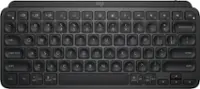
"OSC F1 F2 F5 F4 O F5 - F6 - F7 1. F8 4 F9 F10 F11 F12 1 2 3 logitech - - 1 2 # $ 4 % 5 . 6 & 7 . 8 1 9 I 0 - - block insert home page up num lock clear / . I tab Q W E R T Y U I O P { [ } ] I / delete end page down 7 home 8 A 9 P9 up + caps lock A S D F G H J K L : ; a enter 4 4 5 6 shift Z x C V N < ? shift 1 end 2 3 pg dn enter ctrl fn start alt opt alt crnd x alt cmd x fn ctrl alt opt 0 ins del 1 logitech."
The text seems to be a combination of keyboard shortcuts and instructions for using the Logitech keyboard, along with some additional information about the keyboard's features.](https://pisces.bbystatic.com/image2/BestBuy_US/images/products/5761/5761911_sd.jpg)













- Model:
- 920-008219
- SKU:
- 11237473
Rating by feature
- Value
Rating 4.5 out of 5 stars
- Quality
Rating 4.6 out of 5 stars
- Ease of Use
Rating 4.5 out of 5 stars
- Pros mentioned:Ease of use
Very decent keyboard and mouse
||Posted . Owned for 3 weeks when reviewed.This reviewer received promo considerations or sweepstakes entry for writing a review.Works well! Connects easily and the switch from computer to phone is smooth.
I would recommend this to a friend - Pros mentioned:Keyboard quality
Amazing Keyboard
||Posted . Owned for 1 month when reviewed.This reviewer received promo considerations or sweepstakes entry for writing a review.Picked this up for my wife, she loves it for work. Perfect keyboard for switching between two computers. I would recommend..
I would recommend this to a friend Logitech
||Posted . Owned for 1 month when reviewed.This reviewer received promo considerations or sweepstakes entry for writing a review.Works well with my HP Computer, mouse, and printer
I would recommend this to a friendBrand response from Logitech
Posted .We're so pleased the Logitech MK850 is working perfectly with your HP computer, mouse, and printer! Knowing it integrates seamlessly into your setup truly makes our day. Thanks for letting us know how well it's performing for you.

- Pros mentioned:Keyboard quality
Love Love Love
||Posted .This reviewer received promo considerations or sweepstakes entry for writing a review.I'm super picky about my mouse and keyboard look and feel and my hands and wrists get sore easy, but not with these. I really love em. Totally recommend.
I would recommend this to a friend - Pros mentioned:Keyboard quality
Excellent option
||Posted . Owned for 3 weeks when reviewed.This reviewer received promo considerations or sweepstakes entry for writing a review.this duo has excellent response time, no lagging. Very comfortable design of both mouse and keyboard. Perfect for budget.
I would recommend this to a friend - Pros mentioned:Keyboard quality
Lo
||Posted . Owned for 3 weeks when reviewed.This reviewer received promo considerations or sweepstakes entry for writing a review.I have not even been able to fully use the features of this keyboard and I already know I love it. Definitely worth the purchase!
No, I would not recommend this to a friend - Pros mentioned:Ease of use
Excellent Keyboard
||Posted .This reviewer received promo considerations or sweepstakes entry for writing a review.My last Logitech keyboard died and bought this latest model. I am very happy with this new keyboard as it types well and was easy to install.
I would recommend this to a friend Touch and Feel a Little Clumsy
||Posted .This reviewer received promo considerations or sweepstakes entry for writing a review.I work from home as a systems admin and was desperately in need of a replacement keyboard for my Microsoft. I type 105 wpm, so the touch and feel of a keyboard is critical. Coming from a Microsoft keyboard, I find the touch and feel of this Logitech to be quite clunky and noisy. The keys also appear to be slightly smaller or angular, resulting in quite a few typos. It's not a bad keyboard for a non-performance typer, and I do like the palm rest, so I'll keep it and use it for one of my Smart TVs, but will need to replace it as my primary keyboard because it's quite clumsy for me. Also, Logitech has very poor instructions on their site. To download the manual you need to first register the product, so don't destroy the box it came in. The S/N is on the box - not the keyboard. When you register, you have the option to download upgrades, the manual for mouse/keyboard options, but the manual to how this keyboard works (features) you just won't find. You also won't find instructions on how to connect to Bluetooth, so be sure to keep the box. It's unclear why it's so hard for manufacturers to include reasonable instructions for keyboards/mice. All the questions being asked on this page, you will not find in the manual.
No, I would not recommend this to a friendergonomic design
||Posted . Owned for 3 weeks when reviewed.This reviewer received promo considerations or sweepstakes entry for writing a review.Words well , I find it comfortable using it for 10 hours or more a day.
I would recommend this to a friendBrand response from Logitech
Posted .That's fantastic to hear the MK850 provides such comfort for your long workdays! It's great to know it's a good fit for your needs. This feedback is valuable.
- Pros mentioned:Keyboard quality
Good keyboard
||Posted . Owned for 5 months when reviewed.This reviewer received promo considerations or sweepstakes entry for writing a review.I like the feel of the keyboard. It makes it much easier to type so work is done easier and quicker.
I would recommend this to a friend - Pros mentioned:Keyboard quality
Good value
||Posted . Owned for 3 weeks when reviewed.This reviewer received promo considerations or sweepstakes entry for writing a review.Keyboard is very comfortable to use. Keys are a little noisier that I would generally like.
I would recommend this to a friend - Pros mentioned:Ease of use
MK850 and mouse
||Posted . Owned for 3 weeks when reviewed.This reviewer received promo considerations or sweepstakes entry for writing a review.Easy Set Up, works well with multiple devices, good value
I would recommend this to a friend - Pros mentioned:Ease of use
Highly recommend
||Posted . Owned for 1 month when reviewed.This reviewer received promo considerations or sweepstakes entry for writing a review.Easy setup. Great quality. Use at office with no problems
I would recommend this to a friend - Pros mentioned:Keyboard quality
Great!
||Posted . Owned for 3 weeks when reviewed.This reviewer received promo considerations or sweepstakes entry for writing a review.This is great! Got it for my boyfriend and he loved it! He said it’s great and that he loves it for work!
I would recommend this to a friend - Pros mentioned:Keyboard quality
Great product.
||Posted .This reviewer received promo considerations or sweepstakes entry for writing a review.Great keyboard and easy to set up. The keyboard is easy to use and has a great feel.
I would recommend this to a friend - Pros mentioned:Keyboard quality
Great wireless keyboard
||Posted . Owned for 1 week when reviewed.This reviewer received promo considerations or sweepstakes entry for writing a review.Full size wireless keyboard with nice tactile feed back from the button push. Mouse works great also.
I would recommend this to a friend Great Mouse, Mushy Keyboard
||Posted . Owned for 2 weeks when reviewed.This reviewer received promo considerations or sweepstakes entry for writing a review.Great mouse, not a huge fan of the wheel. Keyboard looks great but was mushy. You have to push down hard for keystrokes to register (especially the space bar). I started to have so many typos after using this keyboard which may have been a combination of the increased pressure to activate keys and the ergo bump (coming from a flat keyboard). I was using a flatter and cheaper logi wireless keyboard and even enjoy the wired stock Dell chiclet keyboard for office/CAD work. You could definitely tell this combo keyboard was "membrane" which I never gave much thought to until I used this keyboard. Spent more time correcting missed keys strokes I didnt hit hard enough which got annoying. I did enjoy the wrist rest. The space bar would not register when hitting on the side unless you hit it hard. If you hit the center it was easier to register but you could go about 80% of the way down and it would not register. I really wanted to like it after a week but ended up returning it unfortunately due to the keyboard. I would recommend someone buy the mouse separately...
No, I would not recommend this to a friend- Pros mentioned:Keyboard quality
Awesome
||Posted . Owned for 1.5 years when reviewed.This reviewer received promo considerations or sweepstakes entry for writing a review.Great keyboard and very comfortable. Would definitely purchase again
I would recommend this to a friend - Pros mentioned:Keyboard quality
Nice addition
||Posted . Owned for 2 weeks when reviewed.This reviewer received promo considerations or sweepstakes entry for writing a review.Bought this combo to go with a new desktop setup. Keyboard sticks a little but is very comfortable. The mouse is pretty fast.
I would recommend this to a friend Wireless / Bluetooth is the way to go
||Posted .This reviewer received promo considerations or sweepstakes entry for writing a review.I had a Microsoft keyboard / mouse, with a USB plug.... the connection was so bad, always timing out, slow response. It drove me up a wall - until I got fed up, literally stopped working, grabbed my purse and drove to Best Buy. When I purchased this combo, my biggest worry was that it was NOT a Microsoft brand. It's been my saving grace, I've had no issues with the Bluetooth connection or any of the previous problems. My company even reimbursed me for it.... but honestly, I would have paid out of pocket. I no longer want to smash my keyboard / mouse to bits. :)
I would recommend this to a friend