Customer Ratings & Reviews
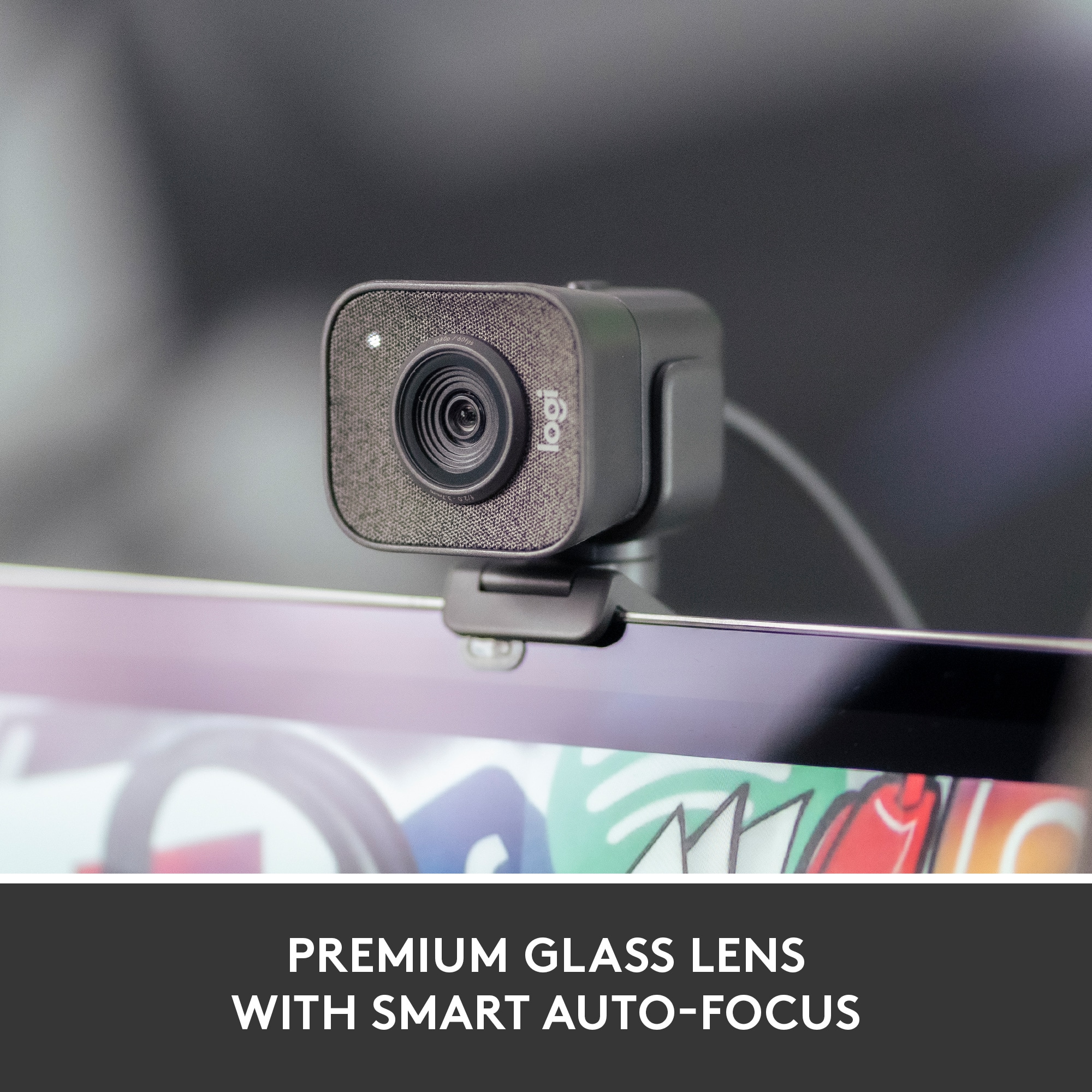
![COMPATIBILITY [TWITCH, YOUTUBE GAMING, DISCORD, STREAMLABS OBS]](https://pisces.bbystatic.com/image2/BestBuy_US/images/products/ee9315b5-1599-482f-ae74-63216a2773d3.jpg)
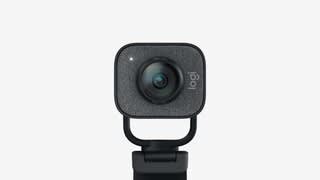
- Model:
- 960-001280
- SKU:
- 10939254
Rating by feature
- Value
Rating 4.2 out of 5 stars
- Quality
Rating 4.6 out of 5 stars
- Ease of Use
Rating 4.5 out of 5 stars

Impressive and Catered to Streamers
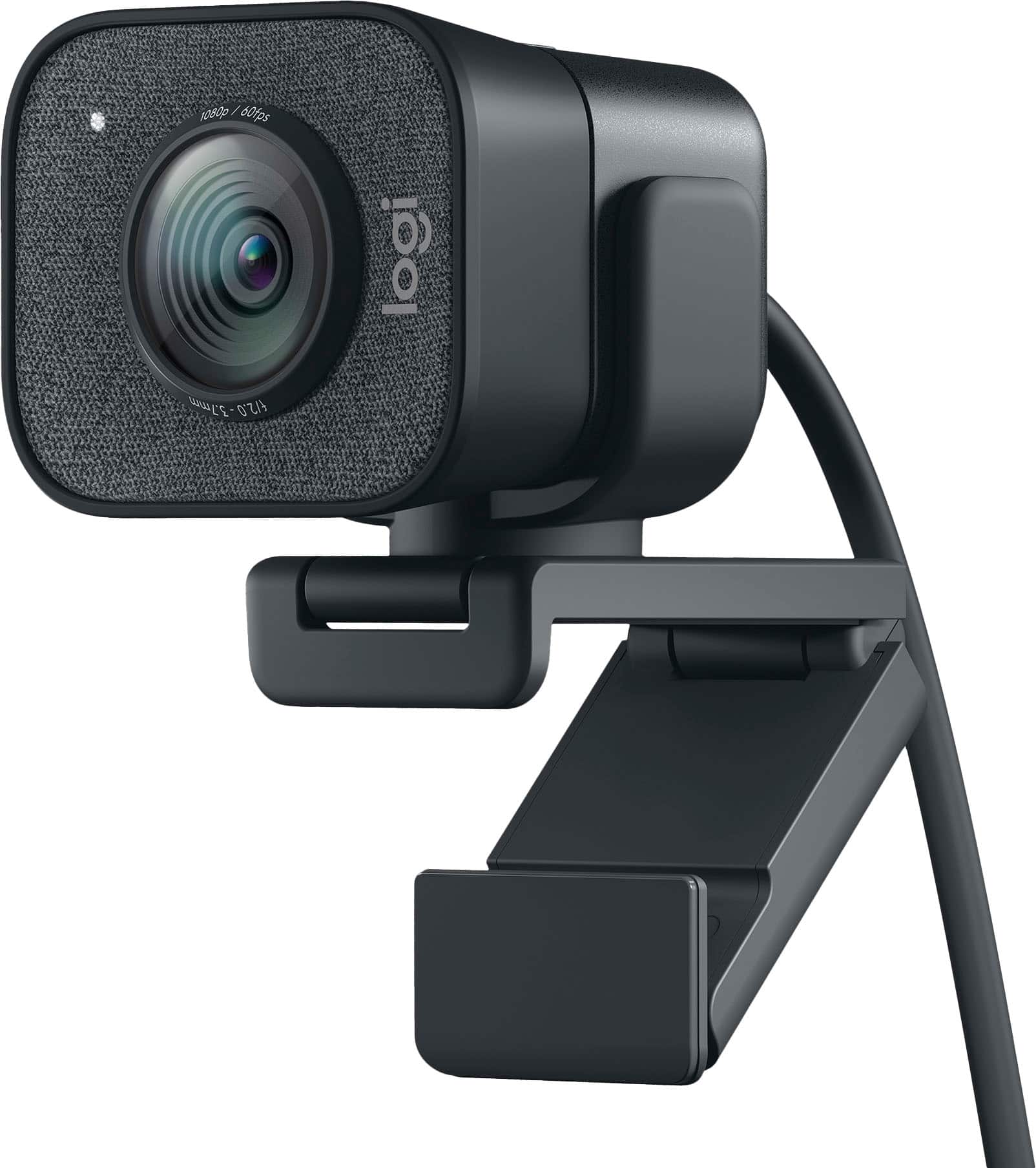
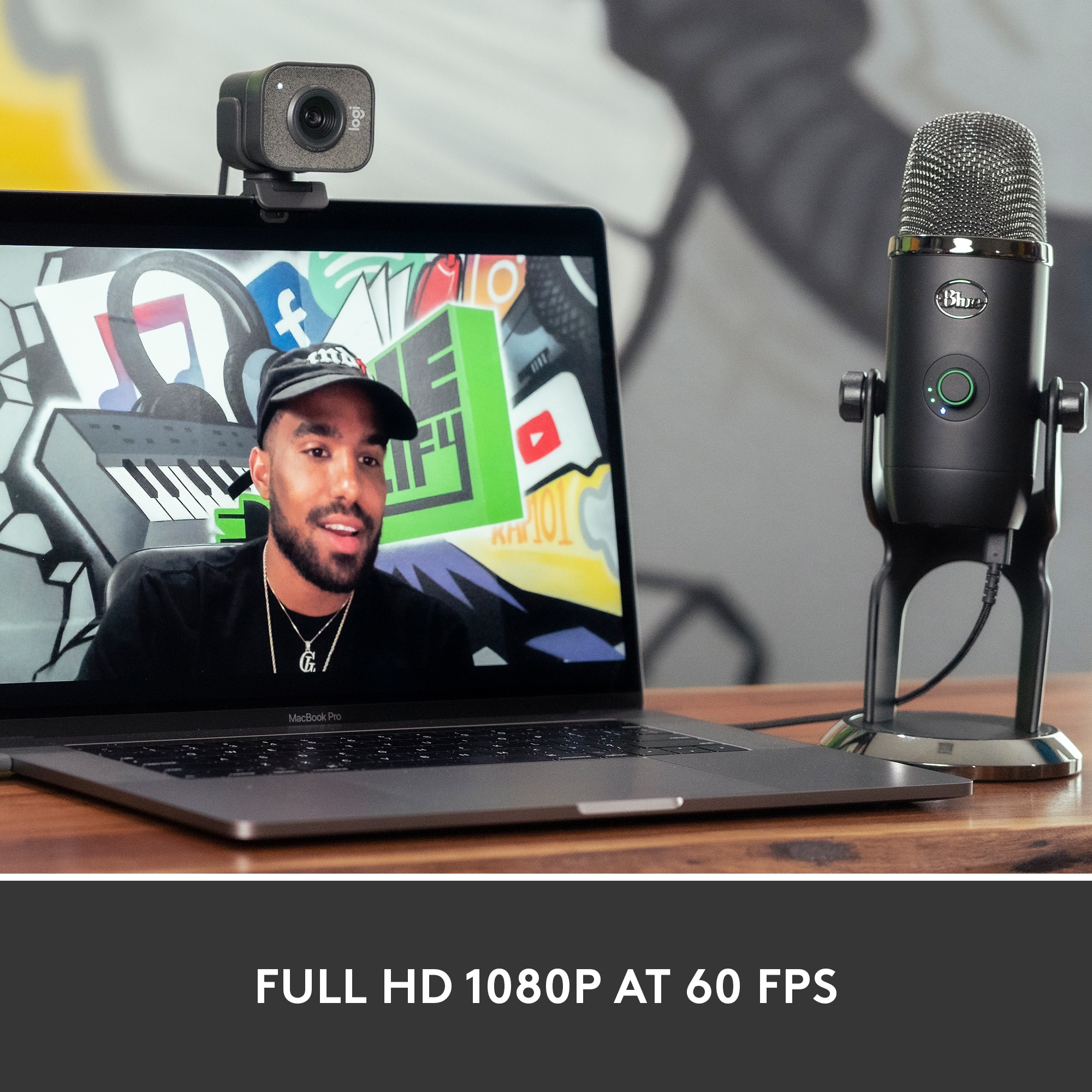
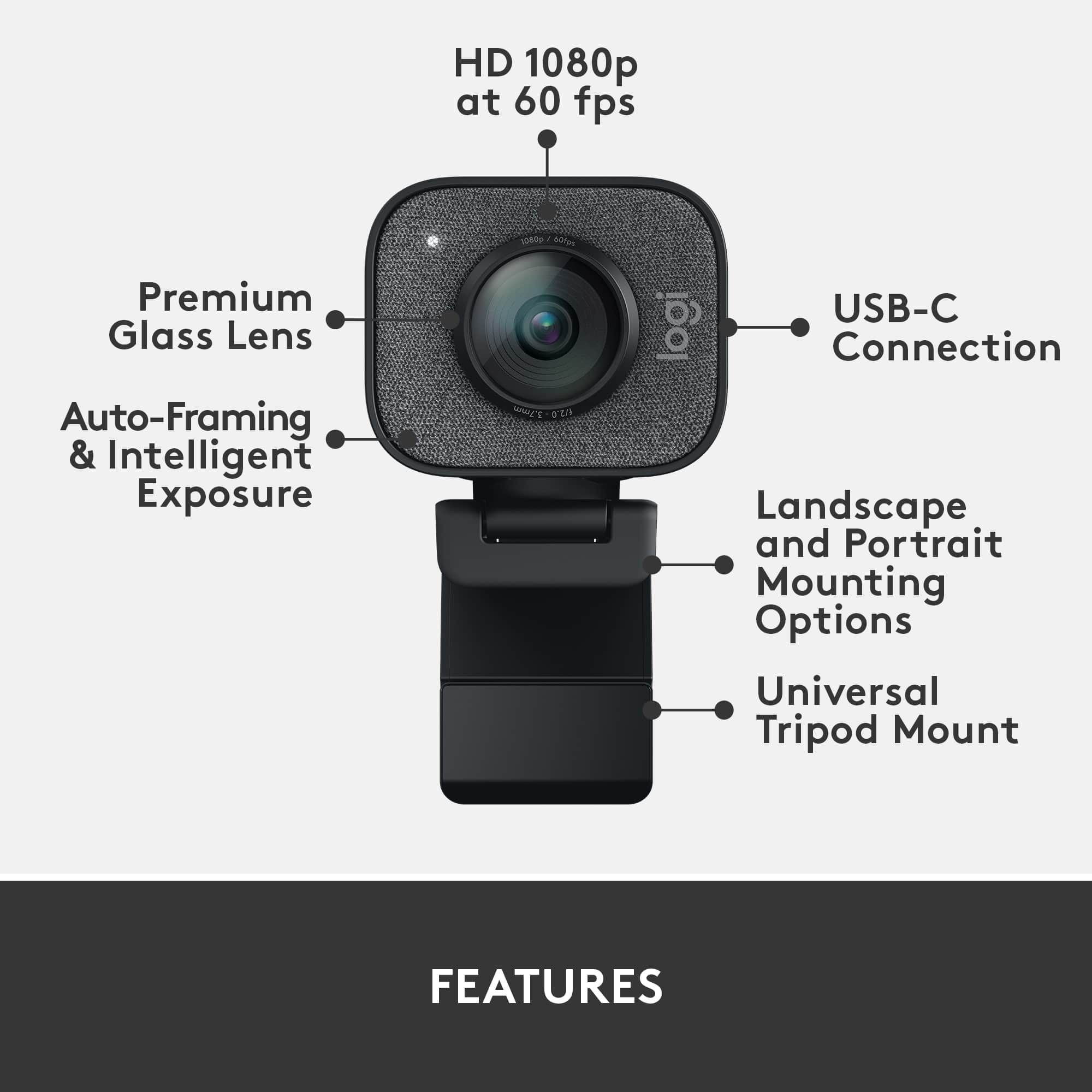
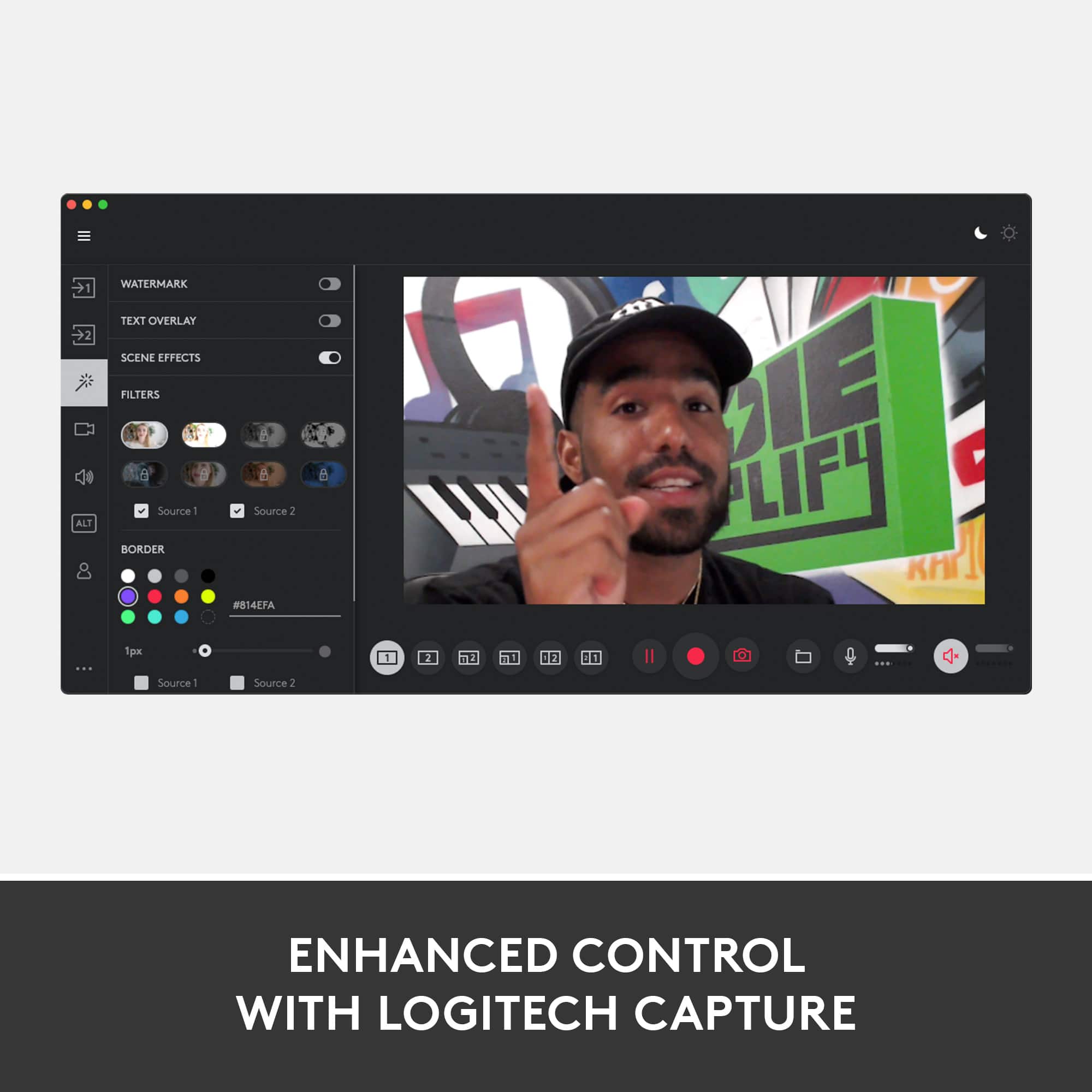
|Posted .This reviewer received promo considerations or sweepstakes entry for writing a review.--- SETUP --- The setup of the Logitech StreamCam Plus Webcam is quick and simple. It only uses a non-detachable USB-C plug, so make sure your PC has such a port. Upon plugging it in, you will get prompted to download the software that allows you to customize it to your liking, which is simple to use in and of itself. --- FEATURES --- The key feature of this cam is its obvious focus on a gamer, streamer, or blogger user. It can capture full 1080P at 60 fps and face track your position. There’s auto-adjusts focus and exposure so that you can focus on other things such as your stream. This cam can also record vertically, like cellphones, and the included attachments make that an easy task. --- PERFORMANCE --- The performance of using this cam on OBS is excellent. I had recently purchased the game Blasphemous and I wanted to stream it with a FaceCam. This was just the incentive I needed to get that going. My viewers expressed how clear they could see my face and how smooth everything looked. Of course, you have to have a stable upstream internet with enough bandwidth to stream at 1080P 60. OBS can help you find that out through tools>autoconfiguration wizard before you buy the cam. OBS had no problem recognizing the camera and I was able to adjust the settings within OBS with ease. I used this in conjunction with the Blue Yeti X mic and there were no conflicts from either product. --- EXPECTATIONS --- The product exceeds my expectations. I don’t say that often, but not only is this camera easy to use and very customizable both, with software and with hardware (included tripod, and vertical mount), but it simply looks slick and modern. Compared to my older cam, this looks like a webcam of 2020 and beyond. It has easily replaced my older Logitech cam and this is now my at-home and traveling webcam, as it’s smaller and more compact because of it’s cube shape. Additionally, I love when companies know their target audience and add small conveniences that go a long way to making your product the difference between, “Well, it works,” and, “This is my new favorite!” I appreciate the included strap to secure the cable when traveling, the sturdy tripod with adjustable swivels, and the laptop/monitor attachment with many joints to get the right angle. Additionally, if you want to try XSplit, a 3 month code is included to try it out. --- VALUE --- The price for the webcam in terms of value is an investment that you won’t regret as a gamer and/or streamer. Even if you aren’t any of the aforementioned, this makes your image quality impressive for remote meetings. --- APPROVAL --- I highly recommend this product for gamers, streamers, or those looking to stream with a higher production value!
I would recommend this to a friend7 years for this!
|Posted .This reviewer received promo considerations or sweepstakes entry for writing a review.The Logitech StreamCam Plus is a nice aesthetic update but that is as far as I will say. Using others in their lineup, I just cannot see why they released this camera. After all these years, this is what is released from Team Logitech? I would expect a superior upgrade in the camera department and better lowlight performance for all this time. Cell phone cameras are smaller and offer better quality which is a head-scratcher for me. Something of this sheer size should perform better in my opinion. Now… let's get to the real things. Design and Build. Logitech has been doing design well over the past few years and build quality is superb. It is made of gray highly durable plastic with a beautiful touch of fabric to blend with many other modern design languages in home devices today. Aesthetically, I like the modern design and build Logitech has put together here and the materials used follow suit with Apple, Google, and other company's use of fabric to spruce things up. It is designed to be used in portrait mode or landscape mode out of the box and provides a tripod for other options. Choosing to lock in 78° NOT 90° as field of view is a BIG FAIL for this. Streamers want a wide shot not a close-up. Ease of Use. Seamless and easy setup is the main takeaway for me here. I plug it in and it did everything else in less than 10 minutes. Software was loaded and I was ready to start recording. You can setup all the basics for streaming and very easy to use. It is a good starter kit software for a beginner streamer. Others will use OBS and other software which works fine with this camera. It focuses well and does a great job of tracking. The onboard audio mic is a hair above average, but a streamer will probably own a Blue mic to start anyways. Blue mics are great and make a good solid setup for any beginner out there. Functionality. This thing can get the job done in the streaming department with 60fps and also 50fps and 24fps as options to shoot 1080p. The flexibility of portrait and landscape modes is cool BUT, the USB-C is really not needed for webcams that only shoot 1080p with this quality. Many users will need an adapter but this is for newer machines I am guessing? There is the option to mount the webcam as a traditional monitor mount that also can become a flat platform if needed. You can also use the included tripod to have options when composing your shots. I am befuddled by the inclusion of optical image stabilization (OIS) since a streamer isn't walking around with their webcam, they are probably seated and talking or playing games. It makes the functionality talk nonetheless. Software. The Logitech Capture software automatically installed using my Windows 10 PC. A nice surprise for sure! I just plugged it in and in a few minutes it was up and running after a few clicks. There are some customizations you can make, but NOTHING like I would like. There isn't much finetuning afforded for this camera but it is manageable. Overall it is a good webcam but I am disappointed at the overall package delivered being that they've only as recently as three years ago came out with the webcam Brio and 7 years since the C930. It does not perform like a piece of tech that has a 7 year lead on research and development and really feels like a C930 with better cleaner glass in front of the sensor. I would recommend a C930 over this first if you are starting out. Using USB-C is a limiting choice, image quality isn't that much better, and FOV is NOT what we want. Color is off and showing more reddish and I am not a fan of the color science of this sensor. I really don't know who is streaming and asking for a camera like this. NO-GO for me!
No, I would not recommend this to a friendWishing for more connectivity.
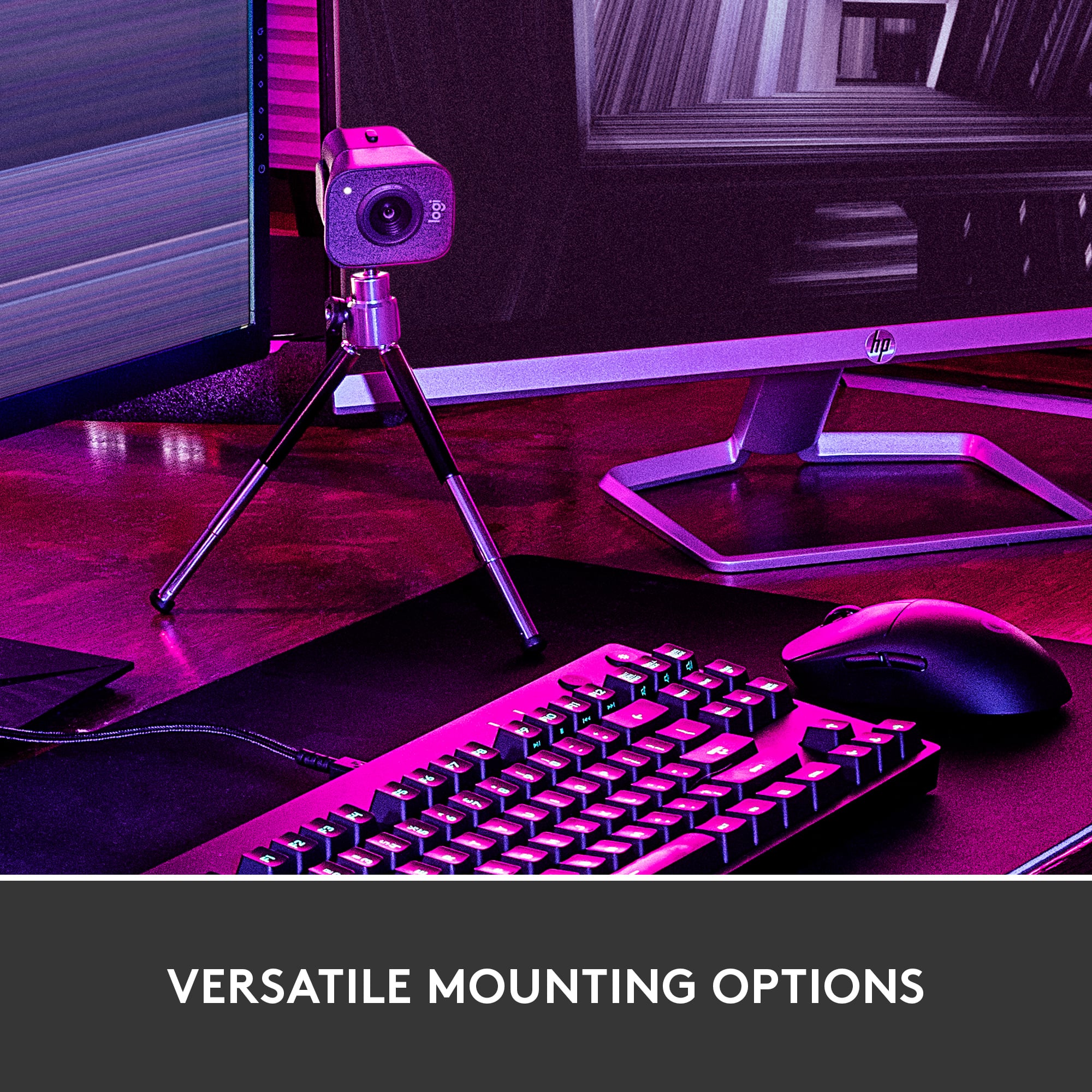
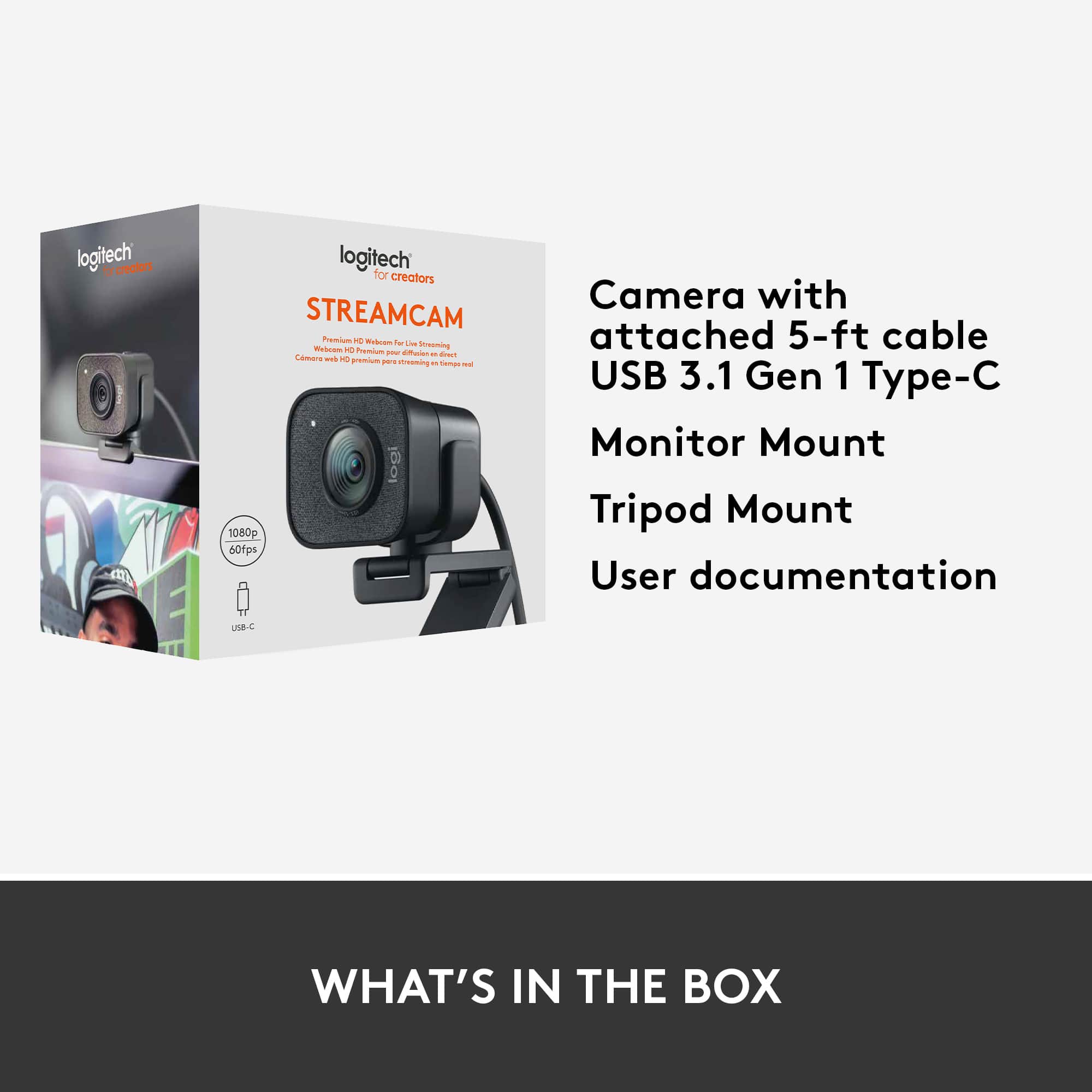
|Posted .This reviewer received promo considerations or sweepstakes entry for writing a review.I wanted to start off with the bad because I believe this will effect many and should almost be considered a flaw. This camera only supports USB type C and does not come equipped to support USB type A. This is unfortunate because PC makers only just started using USB Type C (yes apple has used it for a few years). A camera this size and quality should have multiple options to connect to your devices. Yes you can get an adapter but with my experience with using a USB adapters and high quality devices such as video and audio there is always delays or errors. Anyway, to me who uses webcams all the time with different setting and different equipment, I would have liked to see adaptability especially in our current market where we have lighting ports, different USBS, WIFI, and Bluetooth. In the box you will get a tripod, two mounts (one for the pc and one for the tripod) and the camera with a pre-attached cord (the rope feeling one). The tripod is basic but perfect for what it is intended for. The camera has a super high quality feel and look. You can tell this is not your average Joe. It is larger so those on space saving mode or travel mode might need to look elsewhere but you might not get the same quality of video or build. The camera is plug and play ready. Once connected Logitech will take care of the process and all you have to do is start the download process. I like not having to go hunt for the software downloads. Once you are all download you are set. I love the smart auto focus feature. I have used cameras that only have no focus adjustments and ones with auto focus but they are usually lagged and take their time to find your face and adjust. They just cant compare to this camera which tracks your face AI. You stay clear in the picture which is a big help when you want great video quality. Video is excellent and is a solid 1080p quality. Do I wish it was 4k? Yes, but yet again it might not be worth it as it might sacrifice other things like autofocus or make the webcam even bigger. Overall, It’s a great solid 1080p camera that I will be using for gaming, streaming with other friends and many other uses. Its simple and excellent other than it needs more connectivity options.
I would recommend this to a friendLogitech - StreamCam Plus 1080 Webcam
||Posted . Owned for 3 weeks when reviewed.This reviewer received promo considerations or sweepstakes entry for writing a review.Full HD 1080p at 60 fps — Stream and record in full HD 1080p resolution at 60 fps for clear, natural video with smooth motion. Focus: Autofocus (10cm to infinity) / Face-based AF with Logitech Capture
I would recommend this to a friendSuper High-Quality Professional Streaming Camera
|Posted .This reviewer received promo considerations or sweepstakes entry for writing a review.The STREAMCAM PLUS camera by Logitech is an excellent Full 1080P, 60 FPS streaming camera that is ideal for YouTube streaming, video logs, video conferencing, or any other application for a webcam. This review will be done in 3 parts – features, usage impressions, and pros/cons: Features: The features of this Camera are very thorough. The camera is capable of video streaming at many resolutions and FPS settings including Full HD of 1080P at 60 FPS. The camera is capable of either landscape or Portrait orientations at these resolutions. The camera also includes Smart video features that include AI-based Facial tracking and auto focusing features. The camera comes with two mounting options – one intended for use with the included mini-tripod and one for use in mounting the camera to a screen. Both mounts allow the camera to be mounted in either landscape or portrait modes. The camera is a USB 3.1 type C device and as such requires that connector type to be used; although it might be able to be run via an adapter that adapts a USB 3.1 type B to type C – I have not tested this. The final part of this equation is the recommended and free to download Logitech Capture software to enable the capture of video. Usage Impressions: The video and audio quality of this camera are top-notch. I recorded multiple videos using it in the two modes and each capture was of great quality. You can see this in the phots that are included in this review. The included Logitech capture software is full of features and captures video well. I also tested the camera with Camtasia and the Zoom video conferencing software with no issues and the autofocus and tracking capabilities worked well as did some automatic lighting adjustments that occurred as I moved in the video. One of the best features is the monitor mount that comes with the system. This mount is extremely versatile, it has adjustments that allow it to securely mount to the screen and keep the camera level this is especially useful on the thin screen of a laptop as you can see in the image that shows this mount. For streamers, combining this device with a Blue Yeti X microphone yields and an incredible combination of video and audio capabilities. I was a little surprised to see that the Logitech G hub app that supports the Blue Yeti X microphone does not currently support this camera. Regardless the combination is a wonderful one. Pros: Video and Audio quality, Mounts and included tripod. Cons: The USB C requirement is a minor challenge for older systems but can be overcome.
I would recommend this to a friendStream Like A Boss
|Posted .This reviewer received promo considerations or sweepstakes entry for writing a review.I've been making videos on online for some time and just recently got into streaming live videos on my computer( doing unboxings and movie reviews, but I've been using my phone or webcam on my PC and that has been hit or miss, for the most part. Since getting this Streamcam, things have just gotten super easy. It's pretty much a plug and play setup. Extremely easy to set up s long as you have the minimal PC requirements to do so. I really love the included tripod attachment. It makes it so I can put the cam just about anywhere and stream from different angles. You can stream in portrait or landscape modes. It has facial recognition and autofocus to keep you in the shot at any given time. It's got an embedded mic, just incase you don't already have an external mic. This thing is super cool. I'm really happy with it. I look forward to putting out more content online while using it. It's awesome and affordable. Put it in your cart. You wont regret it. As I tend to do on most of my reviews, here's a link to my full online review. Enjoy. https://www.youtube.com/channel/UCri8jOfc3DzEWi0SFBxwScw?view_as=subscriber
I would recommend this to a friendThe StreamCam Plus is sensational - well done Logi
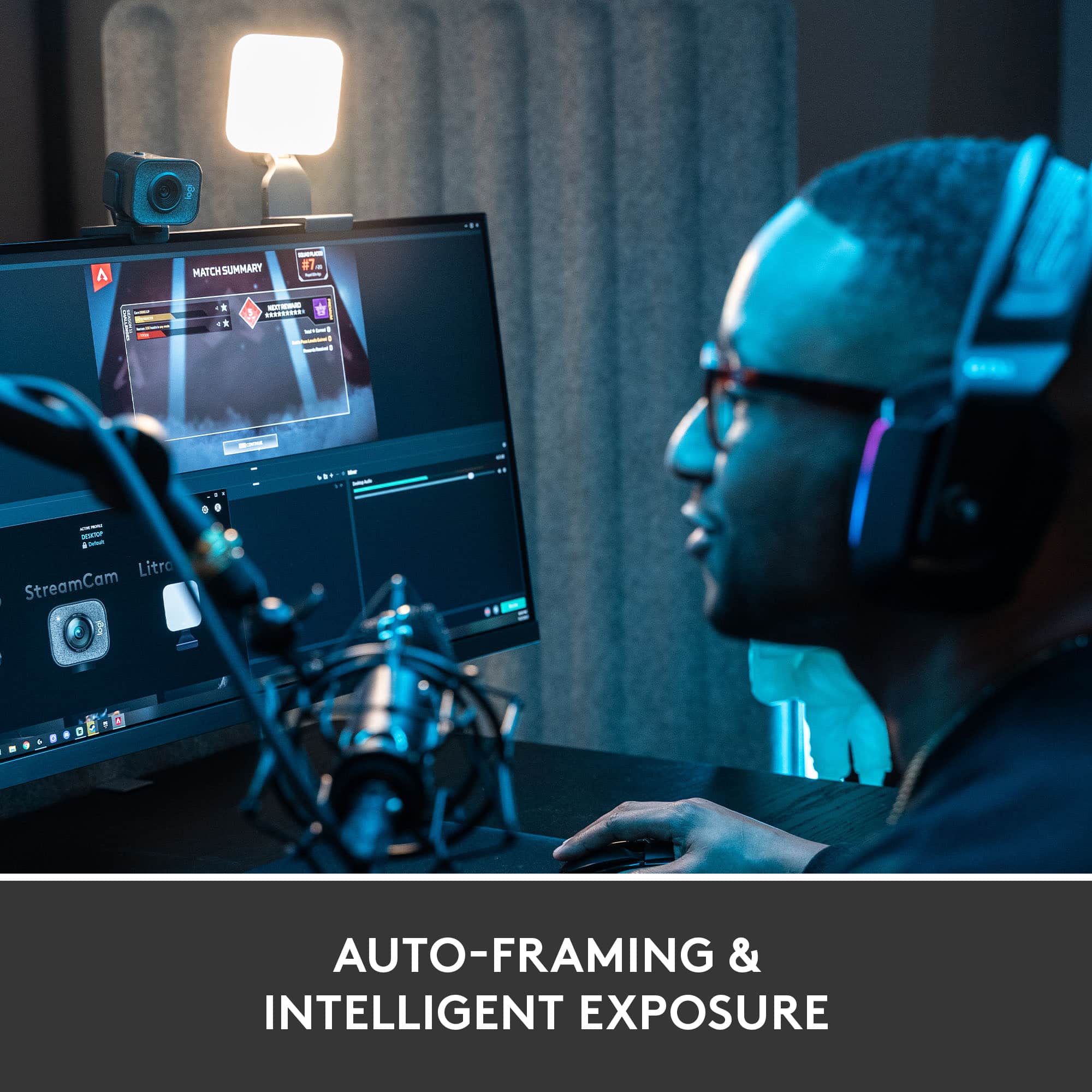
|Posted .This reviewer received promo considerations or sweepstakes entry for writing a review.This is a versatile, high quality camera that may very well be the new baseline standard for streaming video content in 2020. Quite impressed in the first week of use, here's why: The Auto focus & Auto framing functionality is absolutely spectacular. I've tried to trick the camera in to focusing on my hands or an object, and it does a remarkable job of keeping the subjects face in focus. You can create different presets to change to focus mode if you prefer it to be fixed as well or to switch from streaming to meeting, etc. 1080p @ 60 fps makes for smooth & balanced production and beyond professional video quality...recorded or streamed live (I have only used it to go live on YouTube, and for a few Microsoft Teams meetings). Vertical video is a neat feature too. It seems with mobile content being such a huge thing, this format is growing more popular by the day. The camera has a built-in auto sensing switch to orient the image upright no matter which way you flip it. Built in mic - wow! Normally I'm gaming with my headset on which has a Blue Vo!ce microphone, but during a Teams meeting I used this camera video and switched to the built in StreamCam Plus mic. If you need to pick up audio from multiple sources, voices, etc, this stereo or mono mic will most certainly surprise you. I don't want to call it that special conference room quality name - but it's REALLY close, just not as sensitive. Comes included with a mini-tripod that is great for positioning on your desktop or other areas, as well as a clip for monitor mounting that is sturdy and can be used in a variety of ways. Also nice to a product using USB-C. Immediately upon plugging in to my Windows 10 Pro gaming rig, I was presented with a convenient prompt to download the Logitech Capture software. The software itself is great and does everything you need to present exceptional video. If I had to suggest something, it would be to maybe incorporate the capture software into the Logitech G Hub. Most of us already have that installed, and it would be nice to have everything in one spot. I also used the XSplit VCam that came as a trial and am having endless fun using the StreamCam Plus to superimpose me in to random video backgrounds from youtube, websites, or just image stills. I already used google earth to pull up my bus stop from years ago, and made a Snapchat for my old buddies that was an absolute hit. We will definitely be using this for our Christmas cards to put our family somewhere creative and imaginative!
I would recommend this to a friendStream On
|Posted .This reviewer received promo considerations or sweepstakes entry for writing a review.After receiving the Logitech StreamCam Plus and going over the features and seeing the brilliant design and build I knew the StreamCam Plus was built for the Serious Streamer. When you open the box the first impression is quality, that comes with USB-C 3.1 cable along with monitor mount and tripod. Mounting hardware works exceptionally well, tripod and mounting brackets are well thought out and sturdy. Impressed. HD 1080P video sans 4K support is a slight let down for the price, however the main audience is streamers so this can be overlooked. The big pro is 60 fps recording, smooth video without stuttering. The AI-driven facial tracking, smart autofocus, and exposure works very well and ensures that you always look your best. Full HD Vertical video support is way cool, simply turn the camera for enhanced viewing on smartphones. The built-in microphone sounds good, but it picks up undesirable sounds. Using our Blue Yeti microphone when streaming works amazingly well with the StreamCam Plus. Good Stuff: - Picture quality - 1080p/60fps = videos that pop - Ease of use - Lowlight performance - Sharpness with abundance of detail - Facial tracking - Designed for the Media Creators o Video Conferencing o Live Stream Gaming o Video Chatting Bottomline, the Logitech StreamCam Plus is an amazing camera for streaming with advanced improvements over the previous generation.
I would recommend this to a friendSmooth Videos
|Posted .This reviewer received promo considerations or sweepstakes entry for writing a review.The output is silky smooth at 1080p 60Hz. Coming from a C922, I am pretty delighted to have these specs. The amount of ghosting at 30Hz caused me to keep my settings at 720p 60Hz. Not anymore! The camera is very good at keeping your face as the focal point of the feed because it actually tracks it throughout. Exposures seem pretty good; I didn’t see a reason to talk negatively about it otherwise. I rarely use the microphone for audio pickup, but I did give it a try. It is decent, but you’re better off grabbing a dedicated mic. I think most content creators/streamers will have their dedicated mics or mics built into their headphones. The camera can be mounted above the monitor, just like the other Logi webcams, and it also comes with a tripod. I just mount it above my monitor; if I did buy another one, I’d probably use the tripod to point it at my foot pedals or steering wheel when I’m running my G920 or something like that. There is a vertical mount option for vertical videos, but I probably won’t ever use it in that orientation. I think the most surprising part about this webcam is its choice to go USB-C. To my surprise, I did not have a single USB-C port on my PC. Wow, what a reality check there. What was more surprising was it didn’t come with a USB-A adapter. So if you’re like me, you’ll have to find one yourself. Which brings me to the topic of USB 3.1 Gen 1. The webcam supports this newer protocol as stated on the box, but it turns out that it is just a rebadging of USB 3.0. I’m pretty sure most of us are at least in 3.0 land. So when you’re looking for an adapter to USB-A, just find the USB 3.0 version and the webcam will work just fine. Once plugged in, the Logi Capture software will automatically install. You know, it's pretty darn good for video recording with knobs to tweak your video output, but you can’t actually stream right out of it. You have to use OBS or something similar and select 'Logi Capture' as your Video Capture device. I dunno, it’s kinda redundant to me considering you can select the StreamCam itself. If I’m being honest...I’ll probably stick to Streamlabs OBS for both content recording and streaming. But I didn’t grab this for the software. I wanted Full HD at 60Hz and it delivers.
I would recommend this to a friendGreat image quality, wish it had more features.
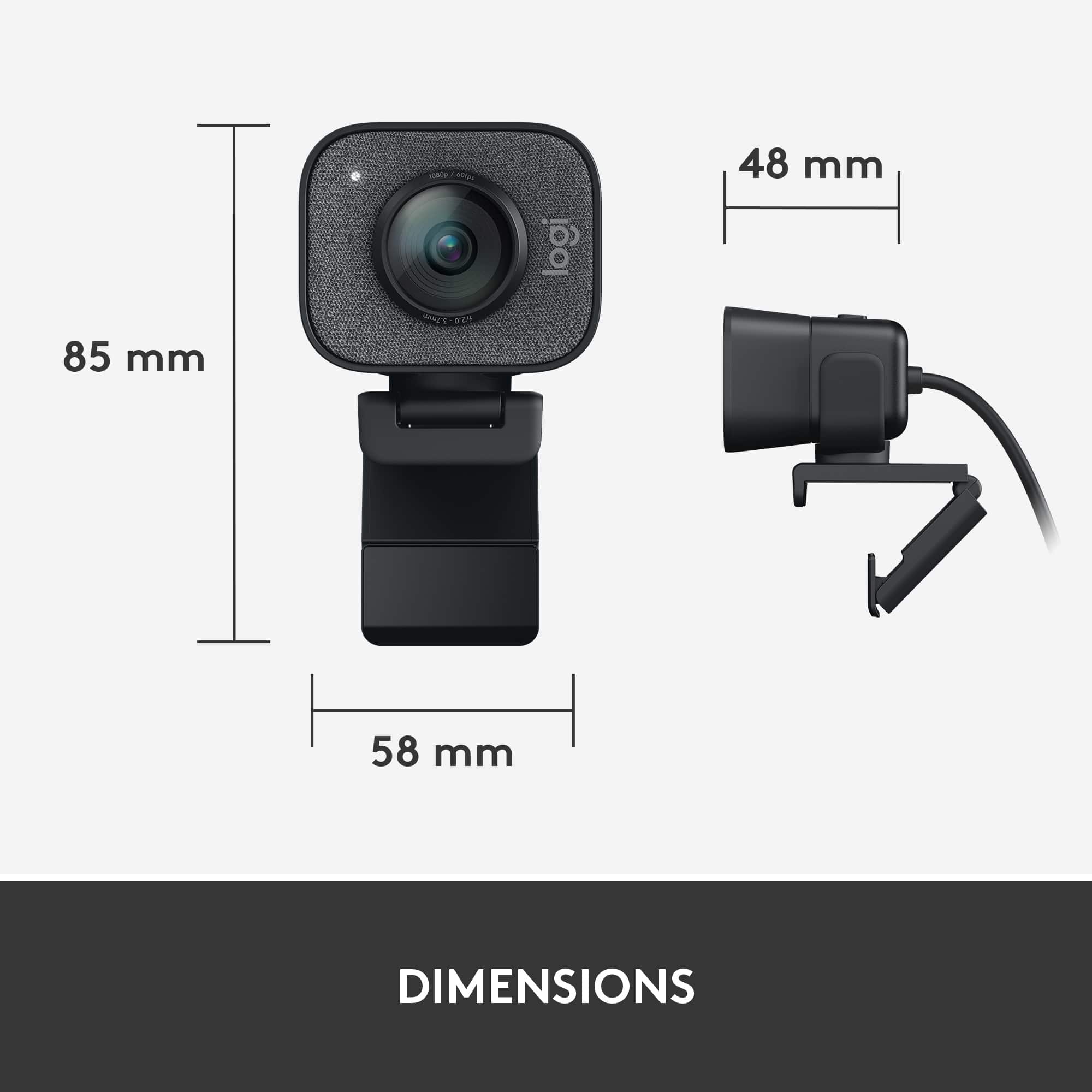
||Posted . Owned for 2 weeks when reviewed.This reviewer received promo considerations or sweepstakes entry for writing a review.Pros: - Picture quality is fantastic. It's a dang good camera. 1080p@60fps qualifies as high-end right now. - the mount has a solid feel, with rubber ends, so it stays pretty well-attached to the top of my monitor (unlike some cheaper logitech cameras) - doesn't require fancy drivers. Basically plug-n-play with usb-c cable. cons: - it's a little bigger than I expected. Kind of looks silly. - for a little more money, I could have gotten a logitech 4k@90fps, with a privacy flap, smaller (less of an eyesore), and with noise-cancelling dual mics. I would have been happier with that one, even for the additional cost. - No privacy flap - mic quality isn't great; my onboard laptop mic does better - my package came with a small tripod, but it's kind of cheap and isn't very sturdy - the cable kind of sticks out the back in a way that looks ridiculous
I would recommend this to a friendAmazing streaming Camera
|Posted .This reviewer received promo considerations or sweepstakes entry for writing a review.This Webcam is smart through the AI to track your face, HD crystal clear, and easy to setup. Logitech has generously equipped it with a tripod stand for standing up mode and mounting clip. In my case, I have used the tripod stand because my monitor is curved and kind of being jiggled when mounted, but tripod saved me! in terms of quality, the camera is crystal clear embedded into a plate is covered with cloth to give high-quality finish and look. Cam offers vertical video in which you can rotate the camera 90 to switch to portrait mode, an option to choose recording source, broadcast to media and all of that via Logitech Capture software. Software is simple to use and has a friendly interface, in addition, to control sound and mic and customize aspect ration and recording resolution.
I would recommend this to a friendGreat quality
||Posted . Owned for 2 months when reviewed.This reviewer received promo considerations or sweepstakes entry for writing a review.Great picture quality, very crisp and doesn’t lag. It is a bit bulky but I feel that is worth the price. Wouldn’t lug around on a laptop but is great for a desktop, especially anyone who regularly Skypes or is an influencer
I would recommend this to a friendBrand response from Logitech
Posted .We’re grateful for your kind words. It’s wonderful to know our product is helping you out. Thanks for choosing Logitech!

Heck ya
||Posted . Owned for 1 week when reviewed.This reviewer received promo considerations or sweepstakes entry for writing a review.I like this camera. I had the Logitech 920 before this one and just thought I could find better. This little thing has been great, especially for my streams pairs up nicely with their little ultra light. They sync up together so when you start your stream, the camera boots app the light turns on. Yes there are other cameras for half the price and nothing against the 920. I just wanted something that would pair up. I didn't expect it to turn the light on, but it does I like it would recommend.
I would recommend this to a friendBrand response from Logitech
Posted .Thanks for taking the time to share your experience. We’re delighted the product is working well for you. Your feedback means a lot.
Impressive Performance and Versatility
||Posted . Owned for 1 month when reviewed.This reviewer received promo considerations or sweepstakes entry for writing a review.I recently purchased the Elgato camera, and I must say, it has exceeded my expectations in every aspect. Image Quality: The image quality of the Elgato camera is outstanding. Whether I'm using it for video calls, live streaming, or content creation, the clarity and sharpness of the footage are remarkable. It truly elevates the overall production value of my content. Ease of Use: Setting up the Elgato camera was a breeze. The plug-and-play functionality made the initial setup process straightforward, and the intuitive interface allowed me to customize settings effortlessly. It's perfect for both beginners and experienced users. Versatility: One of the standout features of the Elgato camera is its versatility. I love that it can be easily mounted on a tripod or attached to a monitor, giving me flexibility in various recording setups. Additionally, the camera's adjustable angles make it perfect for capturing the perfect shot every time. Low Light Performance: Even in low-light conditions, the Elgato camera shines. The advanced sensor technology ensures that my videos remain clear and well-lit, even in dimly lit environments. This has been a game-changer for me, as I no longer have to worry about the lighting setup for my recordings. Real-Time Monitoring: The real-time monitoring feature is a game-changer for live streaming and content creation. Being able to see how I look on camera in real-time has improved the overall quality of my content significantly.
I would recommend this to a friendQuality Versatile Product
|Posted .This reviewer received promo considerations or sweepstakes entry for writing a review.I am really enjoying this new StreamCam Plus by Logitech. I've been using it in multiple applications to test its versatility. The main use is for streaming through Twitch since I enjoy gaming filtering/overlay through Streamlabs OBS. The 1080P along with the 60 FPS creates seamless video production for both gaming and business use. Doing videos for work projects has become much easier as well and also has a pretty decent mic pickup. I still use the Blue Yetti Mic for really finetuning the audio though, but not bad for an all in one stand-alone. It comes with a small tripod as well as mounts that you can set on any TV or monitor that you might own. I would definitely recommend this product if shopping for a new Stream Cam!
I would recommend this to a friendGreat but not perfect webcam
||Posted .This reviewer received promo considerations or sweepstakes entry for writing a review.I replaced a Logitech C920 with this StreamCam plus because the image quality (color tone and accuracy) really underperformed on the C920, especially in low light. The StreamCam is much better on that front, although color balance and accuracy is still my main concern. Everything else (focus, performance, image quality) is great.
I would recommend this to a friendBrand response from Logitech
Posted .It’s wonderful to hear that our product is meeting your needs. Your feedback is incredibly valuable and helps us continue to innovate. Thanks for being part of the Logitech community.
Great camera, but has its issues
||Posted . Owned for 6 months when reviewed.This reviewer received promo considerations or sweepstakes entry for writing a review.Awesome camera, but not without faults. The provided usb-c cable should be detachable (but it isn’t) and you have to ensure that you have a usb-c input on your pc. Don’t plan on adding an extension cable without running into additional issues with video and such. Honestly, the camera is great and with 1080p 60fps, but I do wish that there was a usb solution to increase the length of the cable.
I would recommend this to a friendDefinite Upgrade.
||Posted .This reviewer received promo considerations or sweepstakes entry for writing a review.It was a gift and have heard nothing but great notes. My mom has an older HP with a not-so-great webcam. This elevated her camera quality and was pretty easy to set up.
I would recommend this to a friendBrand response from Logitech
Posted .It’s great to hear your experience has been positive. Your feedback helps us refine and improve our products. Thanks for choosing Logitech!
Is working well, clean images.
||Posted . Owned for 1 month when reviewed.This reviewer received promo considerations or sweepstakes entry for writing a review.This camera is being used for on-line instruction. It's functions are for face-on camera, overhead over a piano keyboard, and to show notated music. The picture is clear and sharp, particularly up close when on printed music. For distance it has a somewhat wide angle. So far the camera is acting well and with good features. The attachment shown works well for a stable shot on a platform, and hand held when fully extended. It has, for far, been durable. One drawback is that it requires a good amount of power to run. It was plugged into a USB multi-port, but was not working, there was only a green screen. A Mac mini is used and the camera only works when it has direct connection into one of the Mac's two USB ports. This limits the use of other USB devices.
I would recommend this to a friendDON'T BE SWAYED BY YOUTUBE! THE REAL WINNER IS...
||Posted . Owned for less than 1 week when reviewed.This reviewer received promo considerations or sweepstakes entry for writing a review.After doing tons of research on the internet, mainly Youtube, I have finally settled to this. I have gone through every single Logitech webcam that you can name. Despite many videos of popular Youtubers picking at the quality of this webcam, I find that it is actually the best that is out there. There are claims that webcams haven't progressed too much, and this is true. However, there seems to be a lot of bias towards certain off-brands like AverMedia. Don't be fooled by "4k" because that will not guarantee better image quality. Moreover, I returned the AverMedia PW513 because it was just too off-color no matter how I tried to tune the software's settings. If you're a fan of Samsung smartphones and their camera technology, you won't be bothered. On the flip side, this camera is the BEST in low-light scenarios given you adjust the brightness settings in the software. The verdict: Compared to the top Logitech picks such as C920, C922, C930e, C615, 4k Brio, this one trumps over all. It has the most crisp image and color accuracy to real life. Overall, it has amazing clarity even in low-light setting with smooth image quality. This one also has auto-tracking for your face movements if you would like. The C920 is the best in its price bracket. This is the best in upper price bracket. After deeply comparing all webcams that are regarded as the best, the StreamCam Plus is the bread and butter winner.
I would recommend this to a friendBrand response from Logitech
Posted .Hello Devin,
Thank you for choosing Logitech and for taking the time to review the StreamCam Plus Webcam. We appreciate your feedback, and we are happy that you are pleased with your StreamCam Plus. Please feel welcome to visit the Logitech support website for product guides, software downloads, and if you ever need assistance with your Logitech products.
Best regards,
John at Logitech