Customer Ratings & Reviews
![COMPATIBILITY [TWITCH, YOUTUBE GAMING, DISCORD, STREAMLABS OBS]](https://pisces.bbystatic.com/image2/BestBuy_US/images/products/ee9315b5-1599-482f-ae74-63216a2773d3.jpg)
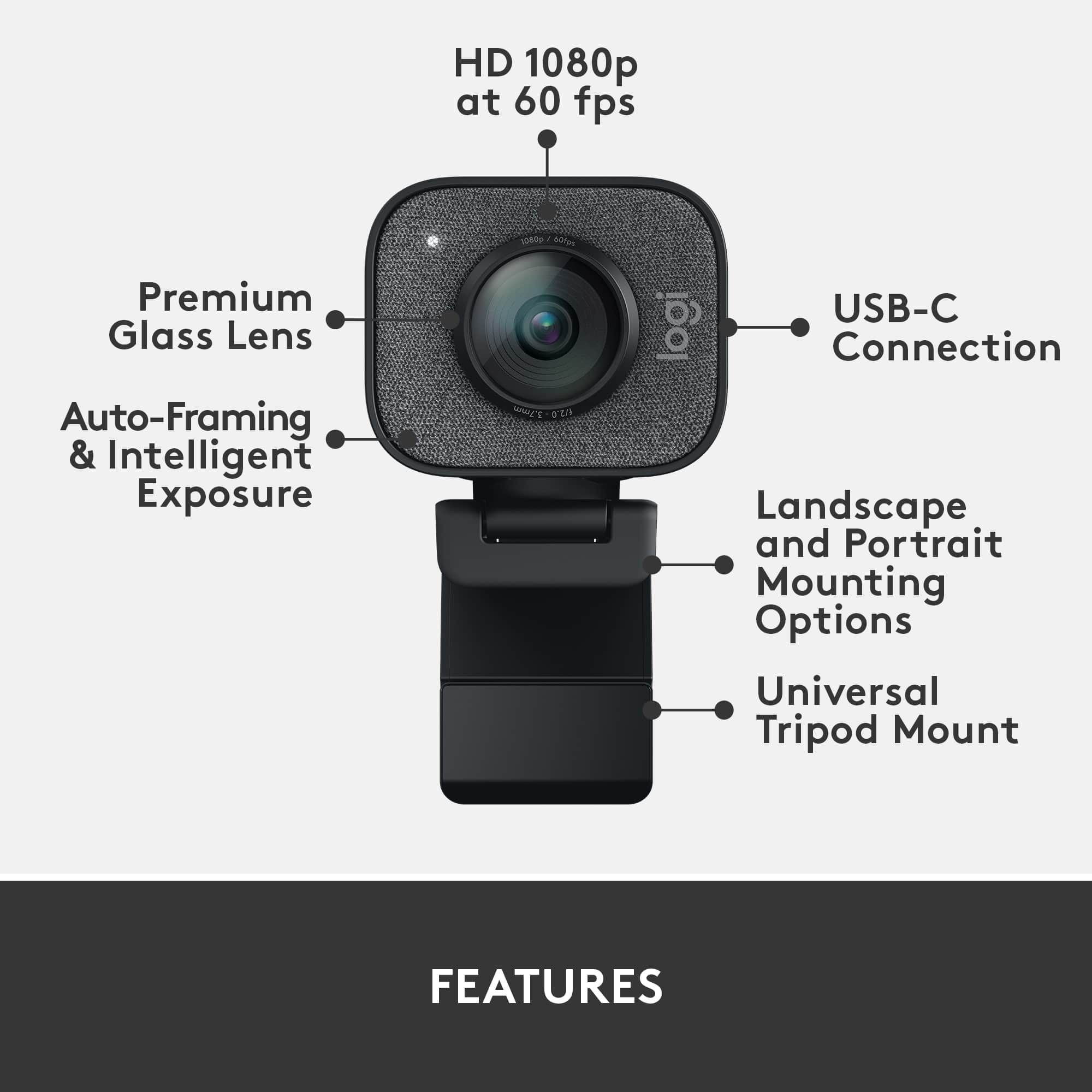
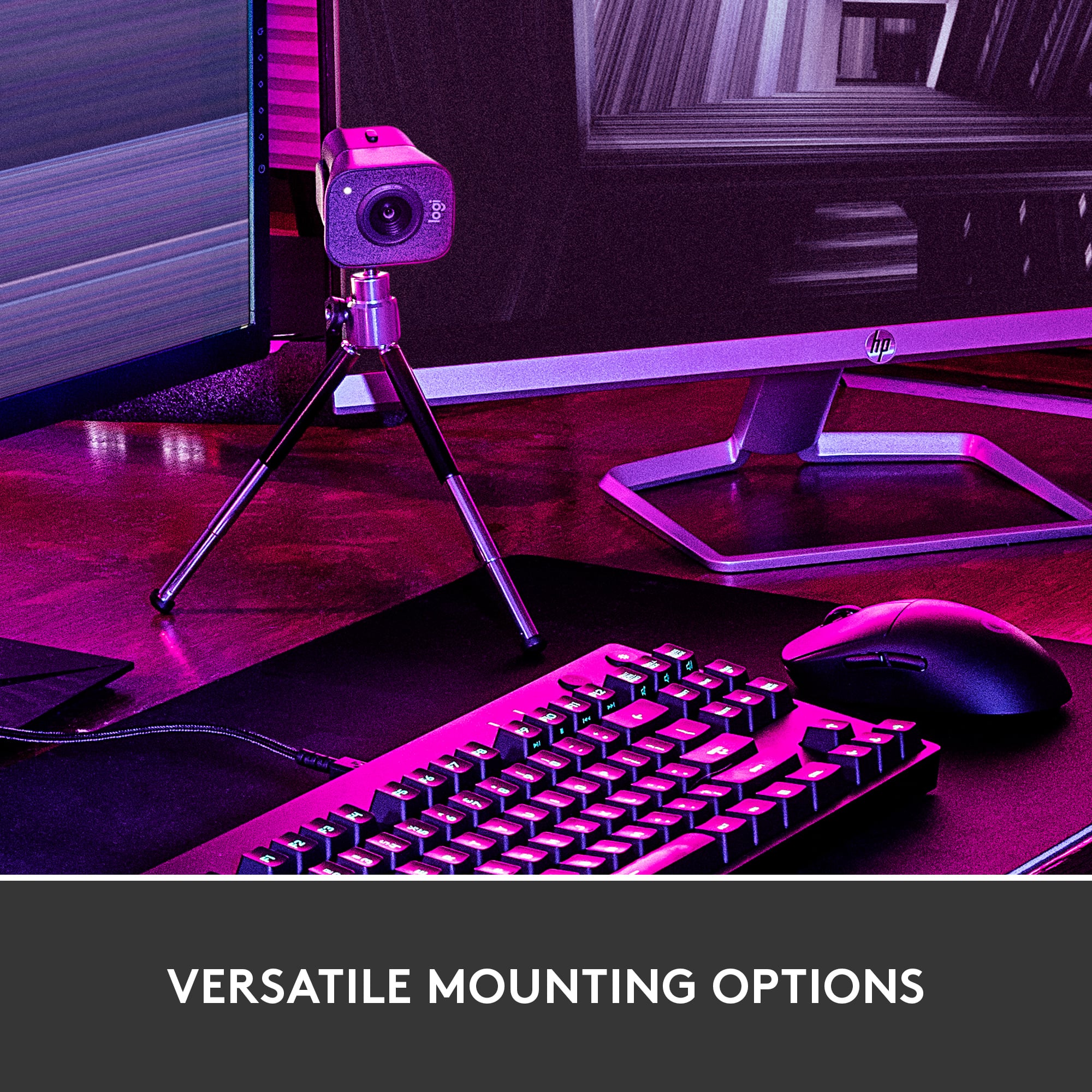
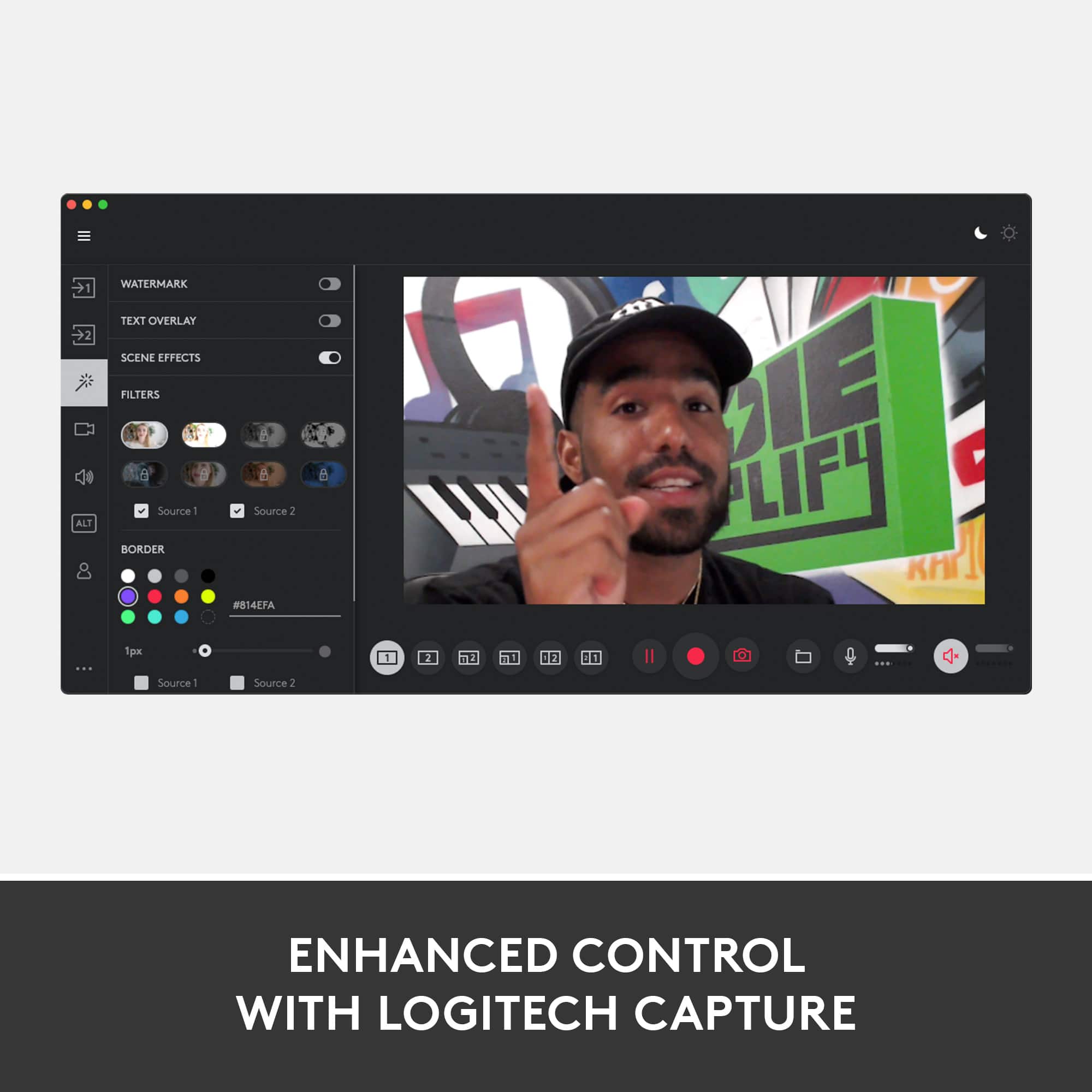
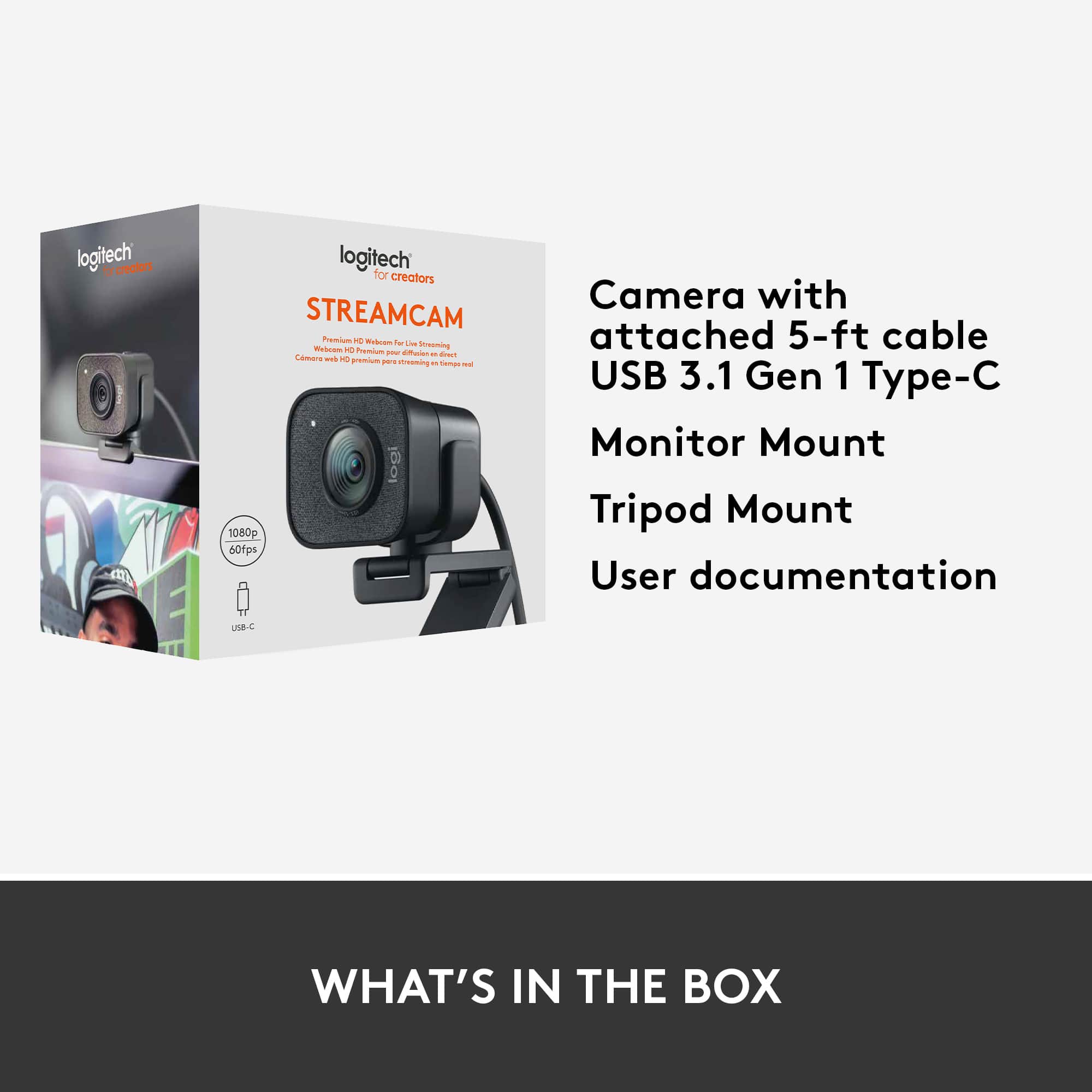
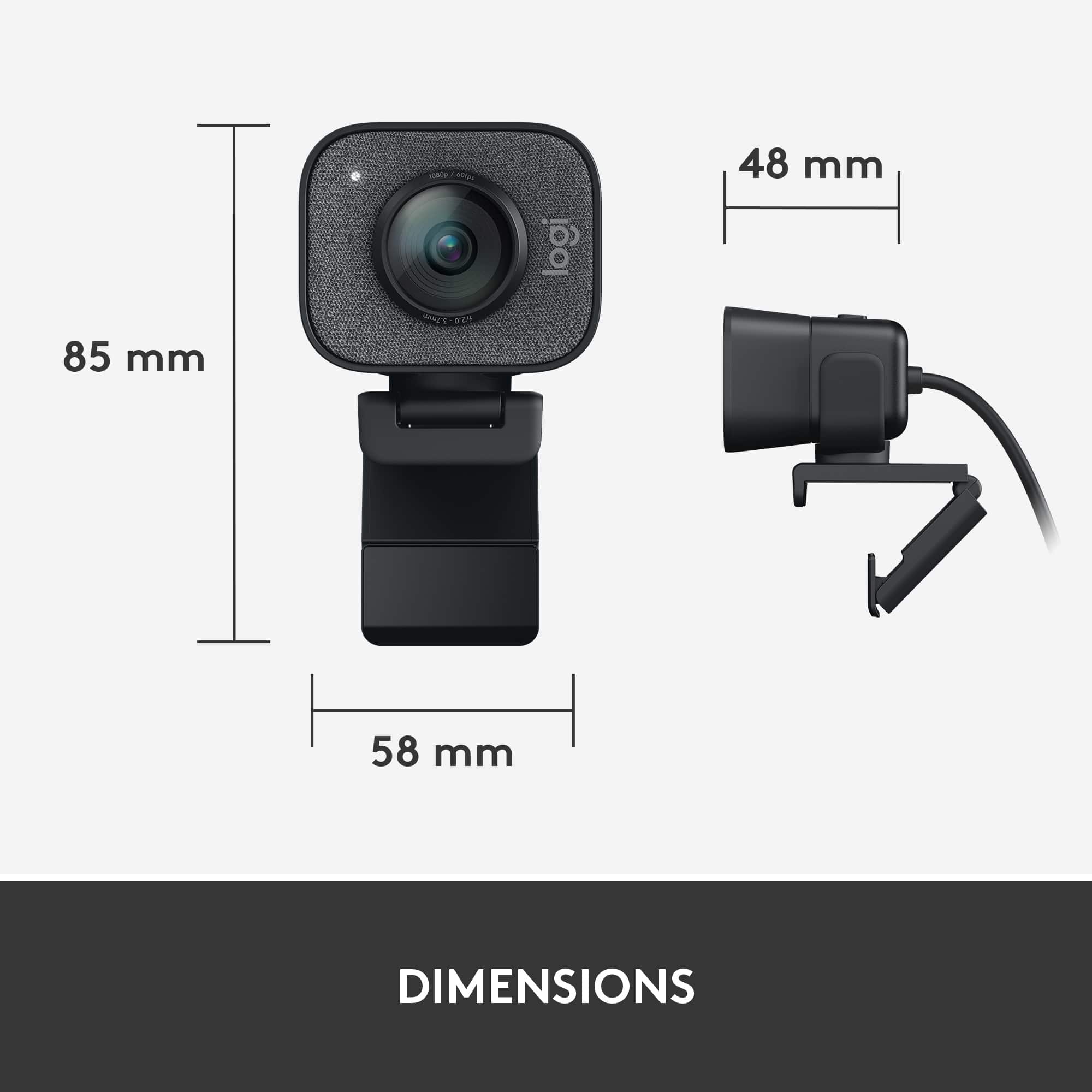
- Model:
- 960-001280
- SKU:
- 10939254
Rating by feature
- Value
Rating 4.2 out of 5 stars
- Quality
Rating 4.6 out of 5 stars
- Ease of Use
Rating 4.5 out of 5 stars
Great webcam
||Posted . Owned for 8 months when reviewed.This reviewer received promo considerations or sweepstakes entry for writing a review.Very easy to setup and use. High quality picture and works great with the Logitech pc app
I would recommend this to a friendGreat picture
||Posted . Owned for 4 months when reviewed.This reviewer received promo considerations or sweepstakes entry for writing a review.Absolutely love, use it everyday. Works great with streaming
I would recommend this to a friendBrand response from Logitech
Posted .We’re so pleased to hear that you’re enjoying your Logitech device. Your feedback is a big part of what helps us grow and continue to serve our users better. Thank you for choosing Logitech and for being part of our journey.

Storm Spotter
||Posted . Owned for 5 months when reviewed.This reviewer received promo considerations or sweepstakes entry for writing a review.Bought this camera to add to my storm Spotter setup. Setup was super easy. Plug is a USB C plugs right into computer. Used the included software to setup image and orientation. Once it was all setup I ran it through WebEx and bloadcast live to the other viewers what I am seeing. The picture is really clear. The only issue I have had so far is at night. I can't get the image to adjust to the headlights and streetlights. Other than that is works.
I would recommend this to a friendFlexible mounting options, nice picture
||Posted . Owned for less than 1 week when reviewed.This reviewer received promo considerations or sweepstakes entry for writing a review.Image quality is nice. Solid 1080p cam. Like the ability to mount to tripod as well on top of the monitor. Also like that it uses USB-C. My son needed a cam for remote learning now that schools in the area are all closed down for several weeks. He's also using it in his pursuit of becoming a YouTube star. What don't I care for? The price. It's pretty expensive for a 1080p cam that doesn't even have the 3D stuff for doing Windows Hello. Honest opinion? If it's available, spend a few more bucks on the Logitech Brio. It's 4K, and does Windows Hello. The included tripod with the StreamCam Plus is fine, but not what I'd consider "desirable". My son stole one of my little Manfrotto desktop tripods and is happy with the combo.
No, I would not recommend this to a friendGood quality
||Posted . Owned for 1 month when reviewed.This reviewer received promo considerations or sweepstakes entry for writing a review.I really like this camera. It's easy to set up and the quality is so much better than my laptop camera.
I would recommend this to a friendQuality
||Posted . Owned for 1 month when reviewed.This reviewer received promo considerations or sweepstakes entry for writing a review.Really nice video quality but its quite heavy and chonky for a webcam. Still bought it tho hahah.
I would recommend this to a friendDecent webcam choice.
||Posted . Owned for more than 2 years when reviewed.This reviewer received promo considerations or sweepstakes entry for writing a review.Truthfully, I don’t know if it’s my motherboard but when connected via usb-c it will hardly ever work. But use a usb-a style connection it works fine. Decent picture.
I would recommend this to a friendBrand response from Logitech
Posted .Thank you for sharing your experience with the Logitech - StreamCam Plus. We apologize for the USB-C connectivity issue. We'll investigate this matter to improve future products. We appreciate your understanding.
Plug and play
||Posted . Owned for 1 month when reviewed.This reviewer received promo considerations or sweepstakes entry for writing a review.Using this with a MacBook Pro. Like that it’s usb c, just plug and play. Use it for recording videos. Good picture quality. You may want to use a dedicated mic for audio but the onboard mic will do.
I would recommend this to a friendGreat picture
||Posted . Owned for 1 year when reviewed.This reviewer received promo considerations or sweepstakes entry for writing a review.This camera does the work and the picture is crisp. Definitely a must buy.
I would recommend this to a friendBrand response from Logitech
Posted .Thank you for your feedback on the Logitech StreamCam Plus 1080 Webcam! We're thrilled to hear it's delivering crisp picture quality and living up to your expectations. Your “must buy” endorsement means a lot!
Webcam Logitech
||Posted . Owned for 1 week when reviewed.This reviewer received promo considerations or sweepstakes entry for writing a review.Easy to use Very pratrice And good quality of images
I would recommend this to a friendBrand response from Logitech
Posted .Thank you for your positive feedback on the StreamCam Plus 1080 Webcam. We're glad to hear that you find it easy to use, practical, and that you're happy with the image quality.
Great Purchase
||Posted . Owned for 1 month when reviewed.This reviewer received promo considerations or sweepstakes entry for writing a review.Great purchase, really easy to use and as good clarity of picture
I would recommend this to a friendExcellent Picture Quality
||Posted . Owned for 2 weeks when reviewed.This reviewer received promo considerations or sweepstakes entry for writing a review.This camera has worked great for us and is extremely easy to use on our Macbook Pros. Just plug and play. It is a little pricey for what it is but during this period our options can be limited.
I would recommend this to a friendIt's a good webcam
||Posted . Owned for 2 weeks when reviewed.This reviewer received promo considerations or sweepstakes entry for writing a review.I really like this webcam. The microphone sounds a little tinny like most generic webcams. The app for the webcam is what really makes it shine. You can control a lot through the app and makes it incredibly easy when recording training videos or prerecording meeting videos. The clarity of the video in low light is mediocre at best, but with decent lighting, the video quality greatly improves.
I would recommend this to a friendGreat CAM
||Posted . Owned for 2 weeks when reviewed.This reviewer received promo considerations or sweepstakes entry for writing a review.This CAM has a great picture, it's easy to setup and the audio is good. It even comes with it's own tripod and tripod adapter. I can't get it to do 1080P in Zoom or Hangouts though.
I would recommend this to a friendGreat quality
||Posted . Owned for 1 week when reviewed.This reviewer received promo considerations or sweepstakes entry for writing a review.Was using my canon m50 for streaming on twitch. Quality was amazing, but didn’t want to put west and tear on the camera so I decided to go with this logitech cam. Quality is very great if paired with great lighting. The auto follow feature in the camera is pretty cool. 1080 60fps can’t complain. Also you will have to have a usb-c plug on your PC. If not I suggest buying a adapter to plug it in your standard usb, note that it will be in 1080 30fps unless plug into a usb 3.0. I really can’t complain, besides the price being a little too pricey but that’s about it. Love the camera would recommend over the c920 and this being your starter webcam. =D
I would recommend this to a friendStream
||Posted .This reviewer received promo considerations or sweepstakes entry for writing a review.The quality is absolutely amazing on this camera. I use it for a streaming set up and get a lot of compliments on the picture quality. Easy to use, and connects to obs.
I would recommend this to a friendLogitech SteamCam Plus Webcam
||Posted . Owned for 1 week when reviewed.This reviewer received promo considerations or sweepstakes entry for writing a review.Exceptionally clear and good video quality. The 1080p with 60fps is great for quality streaming. Has the ability to be rotated 90 degrees and placed on a tripod that comes with the camera to allow for making videos for sites like Tik Tok. Only issue is that it only comes with a built in USB-C connector and if your PC doesn't have that port buying an adaptor seems to mean ordering from Amazon. Couldn't find an adaptor in town anywhere. Great for laptop use and very easily portable. Also pretty expensive but one of the only webcams right now with the nice software suite and 1080p 60 fps capability.
I would recommend this to a friendIncompatible with Insignia 24" F20 Series Fire TV
||Posted . Owned for 1 week when reviewed.This reviewer received promo considerations or sweepstakes entry for writing a review.Purchased this product on March 19th after a store rep informed me that this would be compatible with the Insignia 24" F20 Series LED HD Smart Fire TV that I had purchased from this store back in December. Intended on using it to stream video chat for work and found out that it is not compatible. This webcam is plug and play and worked fine on other devices. Lightweight, comes in small packaging and had a few accessories, like a mini tripod stand, for example.
I would recommend this to a friendBrand response from Logitech
Posted .Thank you for sharing your experience with the Logitech StreamCam Plus. We appreciate you detailing its features and letting us know about the incompatibility issue with your Insignia Fire TV, despite the store representative's advice.
Excellent quality
||Posted . Owned for 1 month when reviewed.This reviewer received promo considerations or sweepstakes entry for writing a review.This webcam's quality blew away my expectations, looks really amazing on pretty much everything I use it on. The software (Logitech Capture) works very well too.
I would recommend this to a friendHappy User (except for a bug).
||Posted . Owned for 1 month when reviewed.This reviewer received promo considerations or sweepstakes entry for writing a review.I use it for web jamming session. Much better picture quality than pc internal camera. Good in low office light. Zoom and pointing flexibility useful. Stability and motion control just OK. Logitech Capture seems to be good software. I can't get internal microphone to work thru my iMAC desktop, though the "sounds" meter and the jamming app "meter" says the Stream Cam mic is working. Since I've been using another external mic, I've been lazy in calling Logitech or Best Buy to get help, replacement, or "no mic" discount (it is an expensive webcam, so everything should work - right?.
I would recommend this to a friend