Customer Ratings & Reviews






- Model:
- LUMA3
- SKU:
- 5300400
to a friend
Customers are saying
Customers highly value the Luma Wireless-AC Dual-Band Wi-Fi Router's ease of use, extensive Wi-Fi coverage, and straightforward setup process. Many appreciate the strong signal, extended range, and included parental controls and security features. However, some users experienced performance issues with the system. A few customers also commented on the router's relatively high price point.
This summary was generated by AI based on customer reviews.
Good for average user
||Posted .This reviewer received promo considerations or sweepstakes entry for writing a review.I have my gaming consoles hardlined on the modem, but have several laptops, tablets, and various devices connected via Wi-Fi. I have the 150 MBPS DL speed from Cox so it does me justice. Previous set up was a modem router that would slow down to a snail's pace during peak times. Replaced it with the Luma system and voila! everything works just swell now. Again, would not recommend for gaming, but good for everyday usage. P.S. my Internet is called Spam, just in case you were wondering why it states that "Spam is enabled".
I would recommend this to a friend- Pros mentioned:Setup, Speed
Surprising Increase in Speed (doubled wifi speeds!
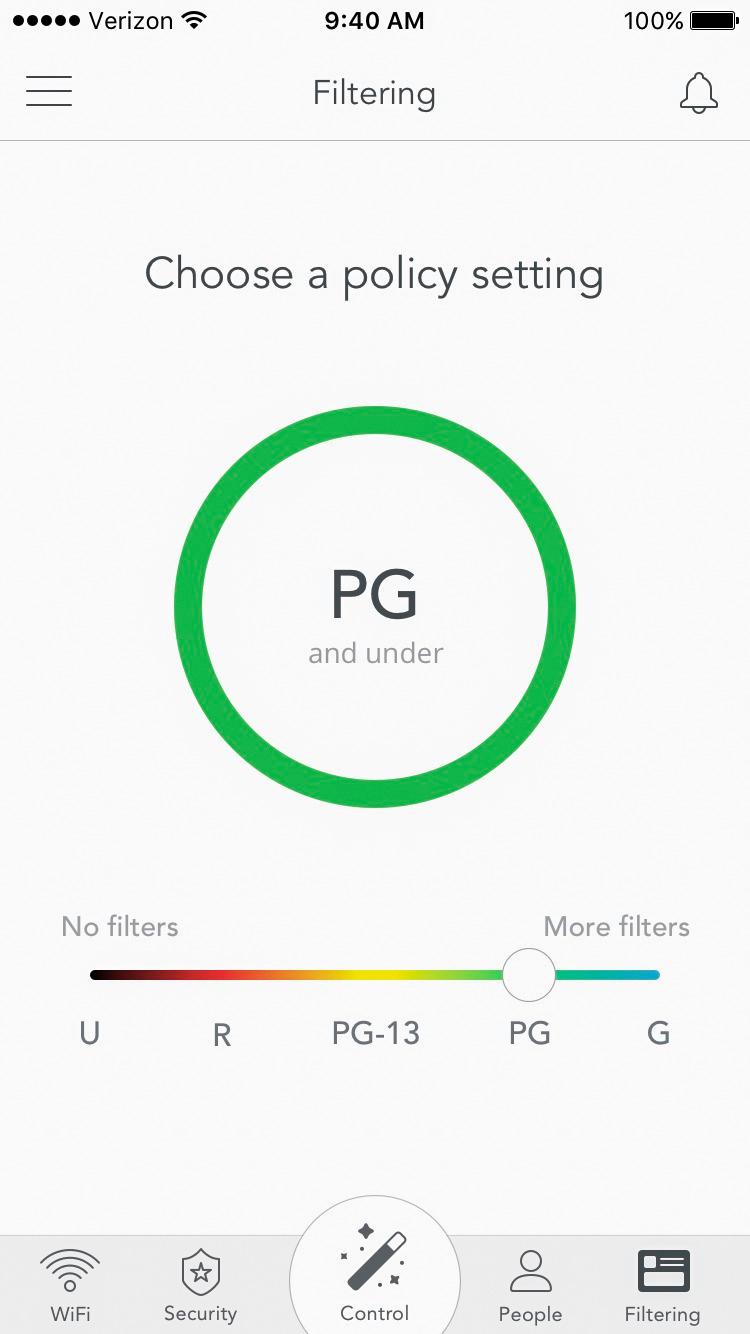
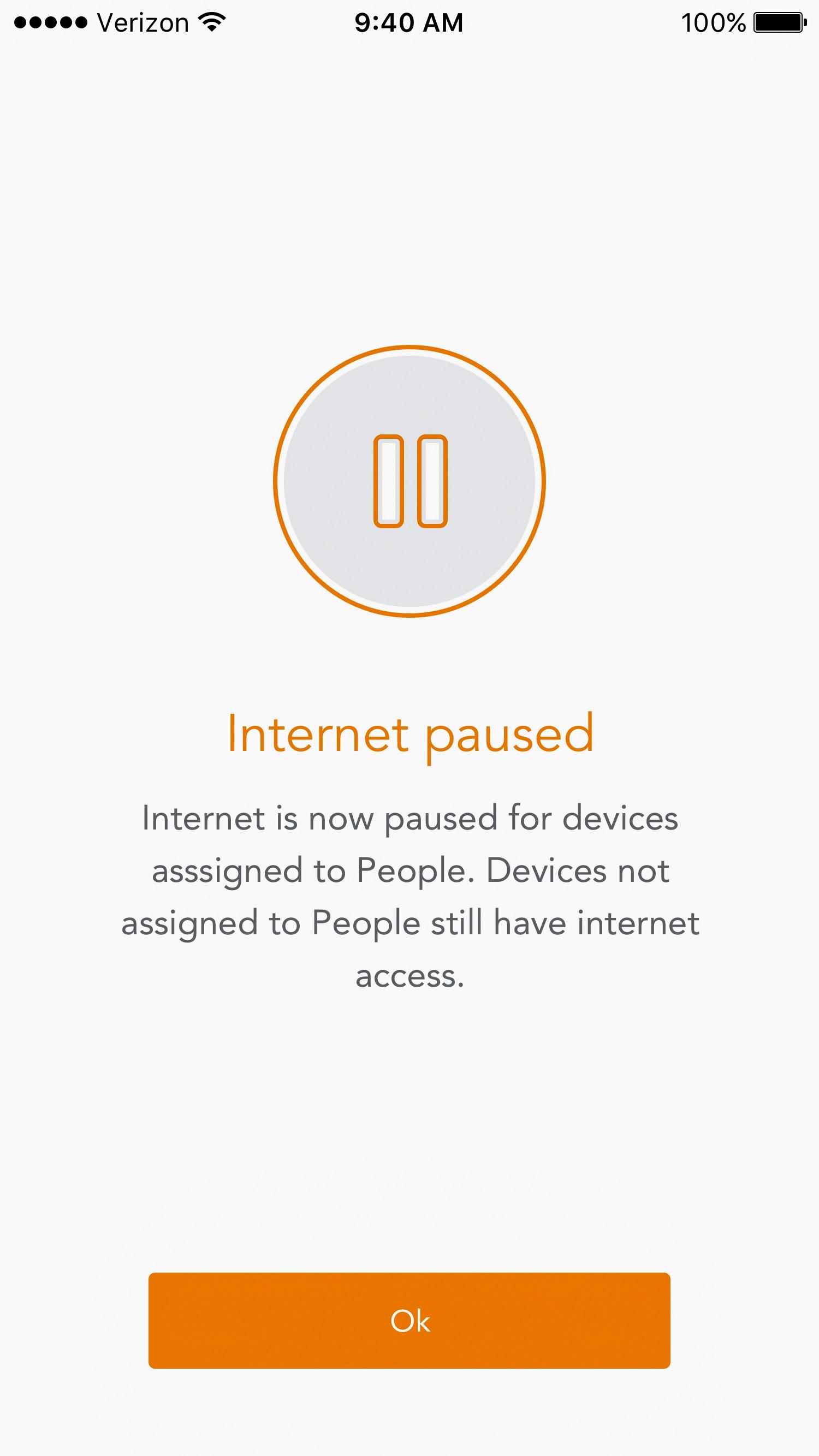
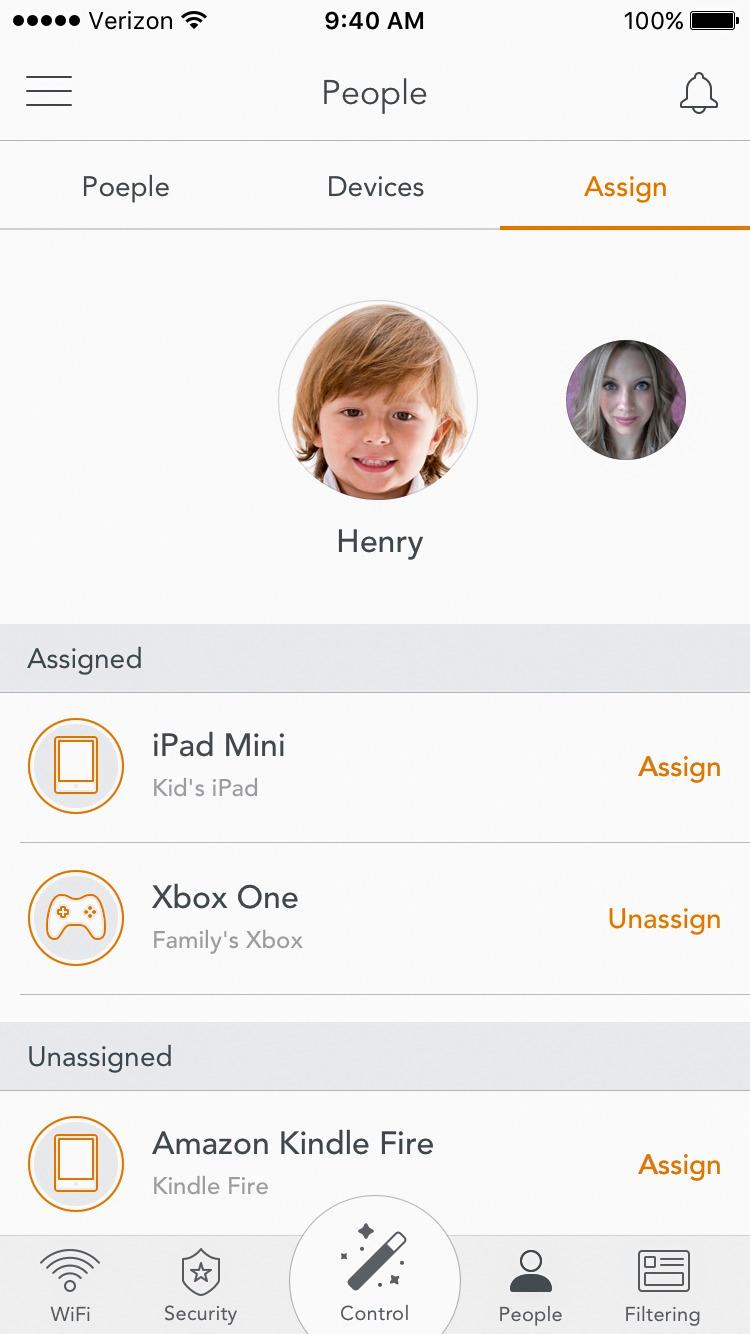
Posted .This reviewer received promo considerations or sweepstakes entry for writing a review.This is kind of a long review, so in summary: Wifi download went from 70mbps to 170mbps+ throughout the whole house, setup was painless (their customer support is fantastic), and controlling content for individual users/devices is really easy to setup and works as expected. Pro tip: If you have a router/modem combo (like mine from Xfinity), enable "bridge" mode. This will turn off your router's wifi so you only have Luma running out of your modem. I called Luma support and they walked me through this. On to the review - I was blown away by the increase in speed that I experienced with this product. I pay for 150MBPS internet from Xfinity. Through their modem, I would consistently get 70-75mbps over wifi on the main floor of our home - which was acceptable. However, I didn't buy Luma expecting a big increase in speed everywhere. I bought Luma for two reasons. First, I wanted to get the same 70mbps in the basement as I was getting throughout the rest of the home. Second, we just bought our kids a tablet and I wanted more control over the content they were consuming. Honestly, it's an android tablet and I wasn't sure how to setup parental controls. I'm sure there is a way to do it - but Luma seemed like a really simple way to kill two birds with one stone. I looked to Luma for improving my wifi speed in the basement because streaming netflix / hulu / on-demand didn't work well down there. Signal was poor in the basement and the speeds would sit around 20MBPS (via speedtest.net on my phone). Fast forward to setting up the Luma in each room. The app is very well done and guides you through the setup process seamlessly. I thought the packaging was nice and simple - although I did have a tough time sliding off the outer shell so I could open the box. Anyways, my router/modem is on the main level. I set that one up first, then upstairs in the master, then the basement. The first speedtest I did was on the main level near the router and I noticed that my phone was switching back and forth between my Xfinity Wifi and Luma. I uploaded a screenshots of the results. The bottom two tests were my xfinity wifi which sits around 70mbps like I said. The middle two were Luma, but it was switching between signals. And the top 3 were all Luma - HUGE JUMP IN SPEED. If you can't open the screenshot, I went from 70mbps to 159, then 167, then 175. This is by far the fastest speed I've ever seen over our wifi. During these tests I decided to give Luma support a call (see the 10 min gap between 159 and 175 on the screenshot) and explained the issue I was having with wifi switching back and forth. They suggested enabling "bridge" mode on my router, and this something I could call Xfinity to do for me, or they would walk me through the process themselves. Not interested in dealing with Xfinity customer support, I opted for the latter and they took me through each step (which is basically 1. Log into router 2. Click big "Enable" button under "Bridge Mode"). Support gets a 10/10 from me. The guy I spoke with was extremely friendly and knowledgable. Finally, on to the two reasons I originally purchased Luma - basement signal and parental controls. Since installing Luma my basement speeds are anywhere from 80mbps to 100mbps. - and the signal is steady. Not quite what I get on the main level next to the router - but still FAR better than what I was getting before. So check that box. Parental controls were very easy to setup. I creased a user for my daughter, assigned the new tablet to her, then set a G rating for content. That's basically it. She's been busy the past few days so I haven't had a chance to see how the monitoring works, or exactly what type of content is being filtered, but I'll update if there's anything notable that happens. In summary, I think this is a great product and I'm excited to see how it continues to evolve. There is more I can do with it (like setting times of day to disable devices) so I'll dive into that at some point - but I've gotten a ton of value from this product from the speed boost alone. It's a pricier product, but works leaps and bounds better than the wifi extender I tried and the parental controls are a big value-add for me.
I would recommend this to a friend WiFi problems? This will fix that!
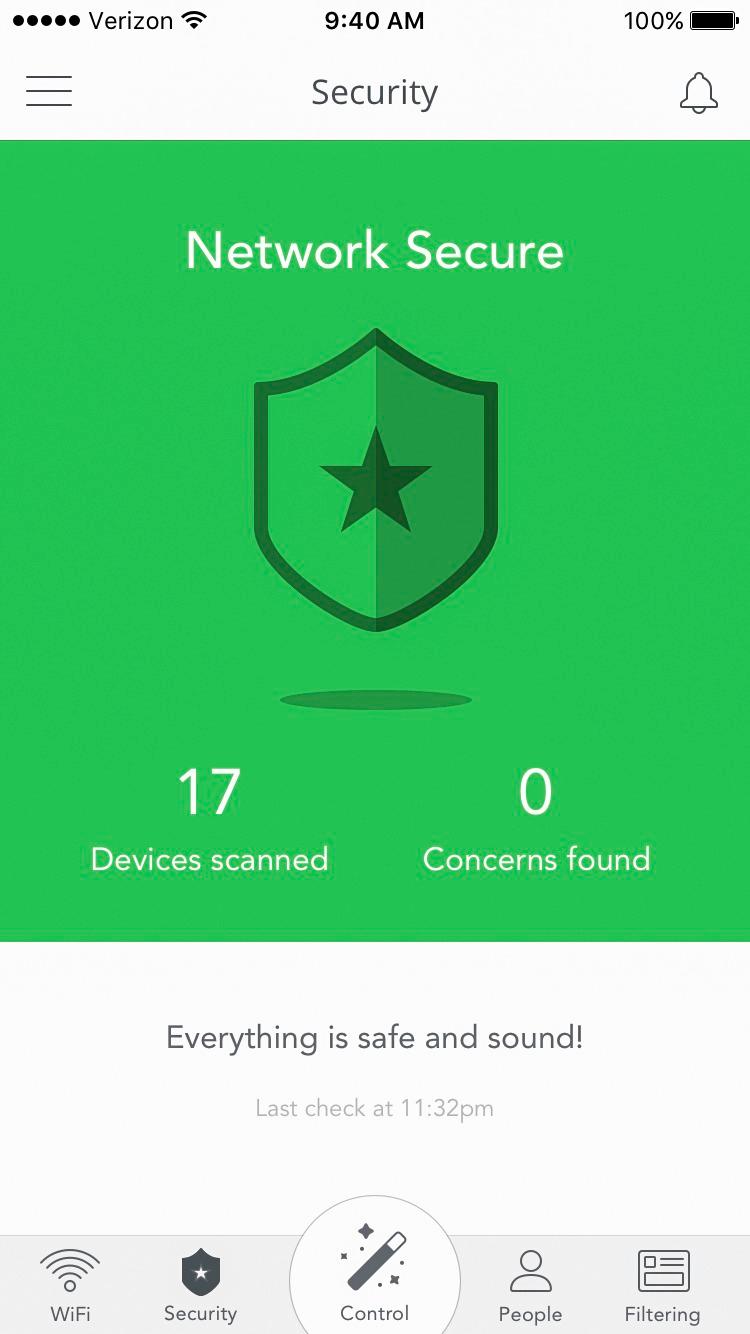
Posted .This reviewer received promo considerations or sweepstakes entry for writing a review.I have been using the "free" newest generation dual band ( 2.4 gHz and 5gHz ) wifi router provided by my cable company. The single wifi box did fine when I only had a few connections in my home but with everything using wifi from my smart tv's to tablets and all my neighbors adding more, more and more wifi (interfering) devices' my WIFI was becoming a BIG problem. I purchased this Luma 3pack and my WIFI is now PERFECT! I have ZERO dead or slow spots around my home, I now have FAST speed even on my porch! I was unclear exactly how a mesh system would compare to adding a popular extender but an extender looks to my device as 2nd WIFI that I must connect to. Even with my provider WIFI I had to choose to connect to 2.4 or 5 gHz. The Luma no matter how many you have around the house it just looks like one network. The Luma will auto connect to the best channel and the strongest box around the house with out you having to give it a single thought! Think of the Luma mesh similar to how a cell tower works. Cell towers just work! If you walk from room to room the smart system will auto switch you to the closest / fastest Luma like when in your car using cell towers. No delay or issues, just PERFECT fast internet! This system also has great content protection for the kids if you need that and monitors the network for malware and the like. This system is smart so you don't have to be. No more rebooting my WIFI router or the kids complaining the PC is slow and I now have ZERO buffering when watching Netflix! LUMA is simple, perfect, fast wifi that I no longer have to think about. IT JUST WORKS! The Luma does require an app on your cell or tablet to do the set up and makes for EZ monitoring of the health of my network! I love it! Mesh is wifi future. You need this in your home!
I would recommend this to a friend- Cons mentioned:Performance
This stuff really works.
||Posted .This reviewer received promo considerations or sweepstakes entry for writing a review.I went from using the WiFi that was embedded in my uVerse router to disabling that WiFi in favor of the three Luma units. This solved my coverage problems in a large two story house. I use two units connected together via house cabling. The third unit extends coverage and is connected to the other two via the Luma mesh network. "Five bars" exist on all my WiFi device everywhere in and around the house. The only negative was performance of the network out of the box. It just seemed a little slower than I was hoping. Turns out the out of the box units had an older firmware. The system sensed this automatically and pushed a release upgrade to all the units automatically. Once it was applied on all access points the performance issues disappeared. The management is via SmartPhone app. It does a nice job of controlling what it will and won't allow (parental controls and adware filtering) in a set it and forget it model. One challenge on uVerse is that you end up with two IP ranges. One for the stuff directly connected to the uVerse router and one for everything connected to the Luma environment. This means a double-NAT setup which is a little inefficient but for family use I don't really see a performance hit. I keep all the uVerse receivers in the uVerse provided address range and everything else int he house is WiFi running in the Luma address range. This is a limitation of the uVerse design, not of Luma. In an environment where you don't have an integrated router in place for recent of the Internet signal this is not an issue as you just replace your router with the Luma unit and then run wired connections from the output ethernet port on the Luma - keeping everything in the same address range.
I would recommend this to a friend - Pros mentioned:Setup
Amazing quality...worth the wait. 100% coverage!
||Posted .This reviewer received promo considerations or sweepstakes entry for writing a review.I first heard about Luma around CES and also looked at Eero. I thought Eero was too expensive and liked some of the security ideas around Luma, so bought a Luma. I have Samsung tvs and have read about security issues, so feel safer with Luma. My preorder was delayed and the communication wasn't great with Luma directly. I saw that BestBuy was offering Lumas, so went directly to BB and purchased three of them. Setup was super simple. Just download the app and follow the onscreen displays. So, far so good. My connectivity is way better and I finally have good wifi in my son's bedroom, which was always a pain. BTW, I also tried a friend's Eero (we wanted to do a speed test). Turns out that my existing Netgear from like five years ago was faster than the Eero. Luma was about 20% better than Netgear, but had much wider coverage. Totally happy that I powered through the preorder frustration and came to BestBuy.
I would recommend this to a friend - Pros mentioned:Ease of use, SpeedCons mentioned:Price
Easy Setup; Fast Speeds; No Dead Spots
||Posted .This reviewer received promo considerations or sweepstakes entry for writing a review.The setup for this set of routers is extremely easy to do. After downloading the app, it tells you exactly what to do, and it is simple. You basically plug in each router when it tells you to at various locations in your house. It syncs all of them behind the scenes. I've had the product for several months now, and have not had any issues with them. These are the third set of AC routers I have been through and is the only set that actually gives me 90-100% of my promised upload/download speeds my provider gives me. My house is about 2500 sq/ft and I have no dead spots. I even have coverage on my deck, patio and garage (which is a giant concrete box). Cons: - Price - Only 1 Ethernet out per router. So get a switch if you need more.
I would recommend this to a friend - Pros mentioned:Speed
Wifi at home
Posted .This reviewer received promo considerations or sweepstakes entry for writing a review.I have three routers in my home. one from AT&T, TP-Link and Luma. AT&T, TP Link works reasonably well in my bedroom where my router is located. but they have real coverage issue at my kitchen and living room. I tired my best to improve the coverage by moving the router slightly away from the wall. Still I can get only 7MBPS speed at kitchen. then i found Luma and there mesh networking solution for Home. this is incredible, I found 28MBPS at my kitchen now by using Luma. i can see the cookery show from my kitchen now :)
I would recommend this to a friend - Pros mentioned:Ease of use, Range
Mesh Network Works Really Well
||Posted .This reviewer received promo considerations or sweepstakes entry for writing a review.I replaced the WiFi extenders with this Luma Wifi Mesh Network. Unlike extenders that generally require you to conncet to a new devices - we are able to move around the house freely and the wireless hand off between devices appears to be pretty flawless. Devices were easy to set up and there are additional security and age restrictions that can be established by device connected to WiFi. We installed to get rid of deadspots in the house (about 3800 SF). This does the trick. A little pricey, but honestly worth it.
I would recommend this to a friend - Pros mentioned:RangeCons mentioned:Performance
Good coverage but slower than my current router
||Posted .This reviewer received promo considerations or sweepstakes entry for writing a review.I installed it in a 2 stories home with a basement. If you don't know anything about networks, proxy servers, or firewalls you are going to love it if you are ready to give up some performance. Setup was hassle free and in minutes my house was blanketed with WiFi except that turned out to be about 30% slower than my current Linksys AC3200 router! I get a stronger signal on the second floor of my house, granted, but at the expense of performance? No way. The built-in proxy server to filter content is also a great idea, but I think it was poorly implemented, I believe this is the reason why sometimes some pages take up to 20 seconds to be displayed, it's like the hardware struggles analyzing the different hyperlinks ad references in the web page you are browsing and it won't let you see it until is fully analyzed, they need to improve their software and their hardware to be a solid option. I used it for a couple of days and loved the signal strength but I didn't like the performance, switched back to my Linksys and everything was way faster, switched back to Luma for 2 more days and I had a revolt at home, my wife, my kids and a couple of Home Automation devices started complaining, I got the message Loud and Clear: switched again to my $180 Linksys and everything was good again. There is only 1 room where I don't get good signal with my current router, but I will explore other options to get that room covered, I just think that after a week of testing Luma, it's just not for my family.
No, I would not recommend this to a friendBrand response from Luma Support
Posted .Hi AntonioFG, thank you for your feedback. We would appreciate an opportunity talk with you as our support team can provide valuable troubleshooting advice to ensure great performance, speed and coverage. Please reach out to us at reviews@lumahome.com as we are confident Luma is the WiFi solution for you! We look forward to hearing from you.

- Pros mentioned:Setup, Speed
Easy setup and great usability
||Posted .This reviewer received promo considerations or sweepstakes entry for writing a review.Purchased these to replace an very nice NETGEAR Nighthawk X6 AC3000 Tri-Band Wi-Fi Router. The Nighthawk was great at providing connectivity and speed near the router but struggled to give good coverage - NOT the story with the Luma! The Luma was great right out of the box, beautiful unboxing experiece and easy to see what to do and how to do it. Setup took about 15 minutes and I could have done it quicker. The devices are easy to use and the app is very helpful and informative. It is great to be able to setup users and their devices on the network. I would highly recommend this product!
I would recommend this to a friend - Pros mentioned:Setup
Better Wifi!
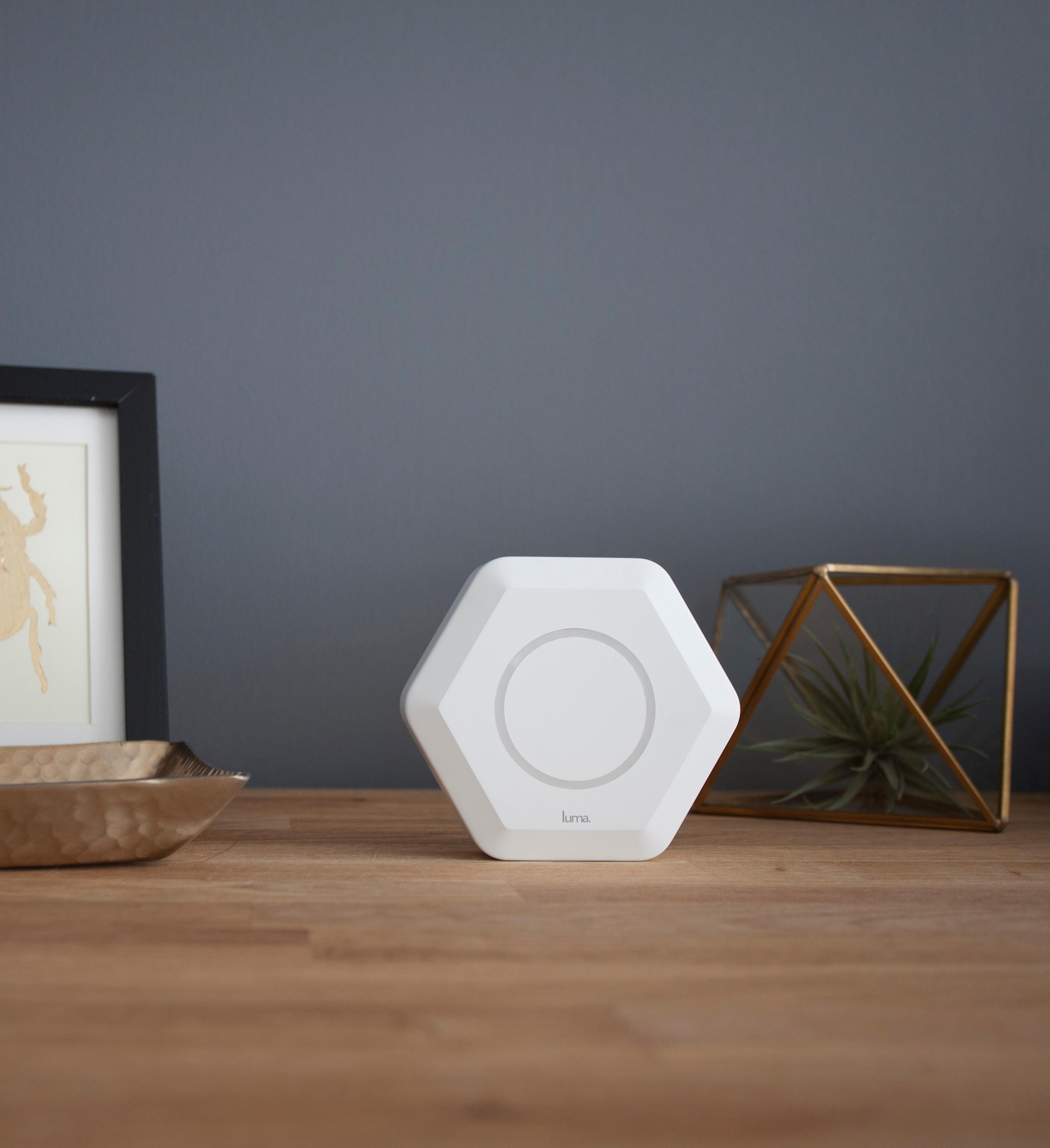
Posted .This reviewer received promo considerations or sweepstakes entry for writing a review.Our Verizon FIOS Internet router had to be installed in our basement so we had poor WiFi at the ends of our home and on the upper floor. Luma was fast and easy to set up and the small units do not distract from our decor. We now have strong signal in every room and out on our deck and enjoy the full speed of our Internet service!
I would recommend this to a friend - Pros mentioned:Ease of use, Speed
Greatly Improved WiFi & Features
||Posted .This reviewer received promo considerations or sweepstakes entry for writing a review.I purchased this after looking at the different options and deciding the Luma was a good deal even compared to the more expensive systems out there. This replaced an Airport Extreme & Express, which were struggling to give good wifi coverage through my house....so, to stop the constant complaints about it from my kids, I installed the Luma 3 pack. Set up was very easy - the app walks you through the process & placement of the individual routers. Took 15 mins or so. Immediate results were good - no problems connecting the devices we have (alarm, thermostats, game consoles, TVs, iPads, phones...). Over time, the Luma updates & learns and after a couple of days I was seeing impressive increases in wifi speed (up 20-30%), stability & the house has strong signal everywhere! The app features are great, allowing control of individual devices (great if you have kids) from your phone. Would highly recommend, this is wifi as it should be!
I would recommend this to a friend - Pros mentioned:Range
Luma WiFi
Posted .This reviewer received promo considerations or sweepstakes entry for writing a review.What can I say besides "FREEDOM"... Freedom to finally be able to roam from room to room while streaming without the worries or hassle of dead spots in the home. Bonus* I'm a father of three adolescent girls and I love that I can set parental guidelines and restrictions from free Luma app even away from home!!!!
I would recommend this to a friend - Pros mentioned:Ease of use, Speed
Best Wifi solution
||Posted .This reviewer received promo considerations or sweepstakes entry for writing a review.I have a two story 3500 sqft home and have had spotty Wifi coverage with a NetGear Nighthawk X6 router with a dedicated NetGear EX7000 access point. Finally frustrated with poor reception and signal strength I broke down and decided to find a new solution. After much research I found the Luma system and gave it a try. To my amazement it was as easy to setup as described and using the 3 units that build a wireless mesh network I get consistent and great coverage through my entire house and even throughout the property outside the house. The app offers some nice features that allow me to assign known devices to known users and even use restrictions for my kids. The bottom line is after years of troublesome Wifi coverage with single routers and added access points this system finally provides easy, affordable and reliable Wifi access to my internet connection in my home.
I would recommend this to a friend Easy setup, great customer service.
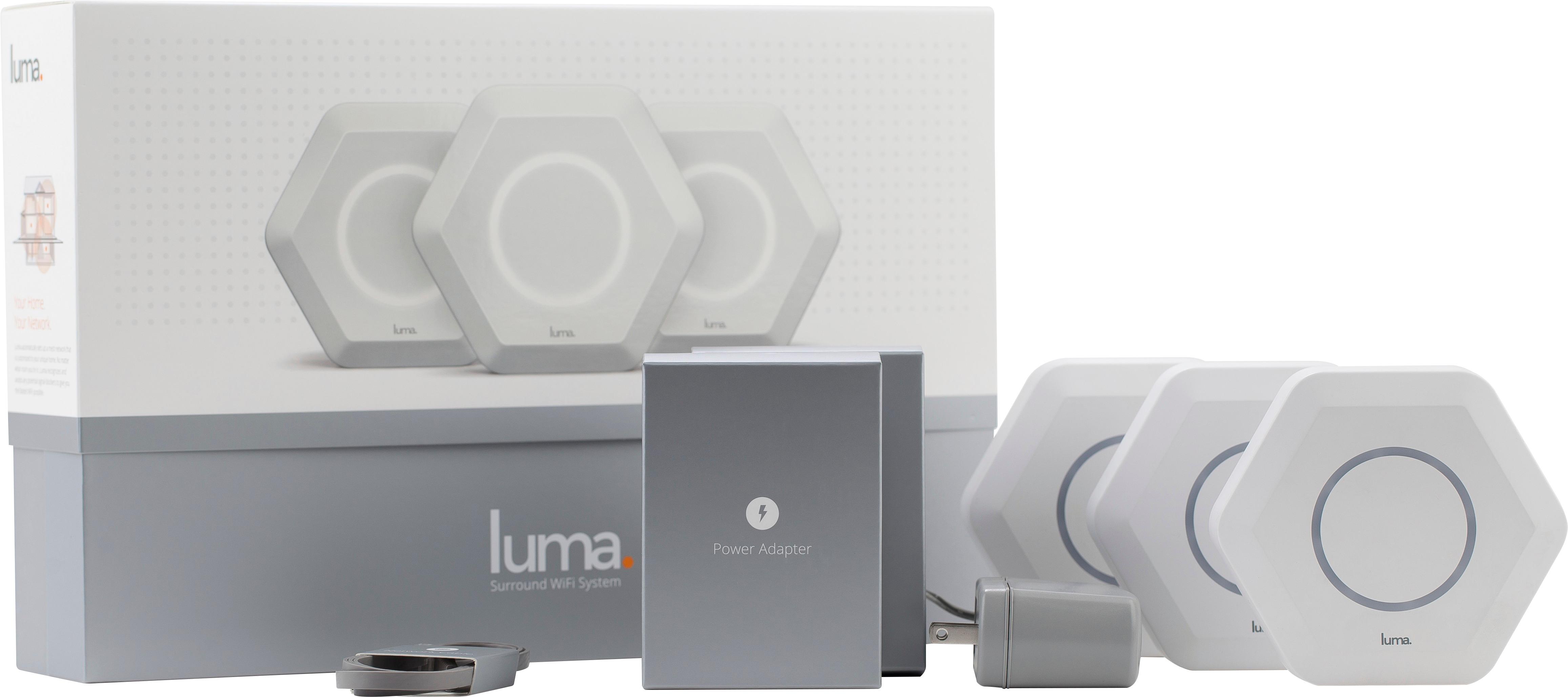
Posted .This reviewer received promo considerations or sweepstakes entry for writing a review.Not only was Luma delivered quickly, but it arrived within 2 days, beautifully packaged (photo attached), and setup was very straightforward following the simple prompts on the Android app. I had an issue with connecting to the modem provided by my Internet Service Provider, and Luma customer service was very responsive and helpful (which actually exposed how poor the customer service is from my ISP). Now, my wifi is blazing fast at 177mbps down and zero dead spots in my house. My previous router provided by my ISP was only pushing 30 mbps. I would recommend this device for anyone looking for something better than what their ISP is offering.
I would recommend this to a friend- Pros mentioned:Ease of use, Wi-fi coverage
Very easy setup and good performance
||Posted .This reviewer received promo considerations or sweepstakes entry for writing a review.It took me about 15min to set it up. It was very easy and the app was very helpful. The range is good and the performance is great. The only recommendation I have is to design a web interface for the system. It will come in very handy for a lot of people with different home security systems where you have to set a static IP address for the security cameras.
I would recommend this to a friend - Pros mentioned:Ease of use, Speed
full coverage and safety
||Posted .This reviewer received promo considerations or sweepstakes entry for writing a review.Easy to set up, full bars on a 3300 sq ft house and fast connection using the eithernet backhall. Kids content filtered and unknown malware is detected and blocked. No IT degree required, it just works.
I would recommend this to a friend Easy Router Setup Terrible Pereformance
Posted .This reviewer received promo considerations or sweepstakes entry for writing a review.The Luma Mesh Network is easy to set up, but if you want consistent service without dropped connections and basic support this is not the router for you. Since installation I have consistent resets on my devices especially if I am moving around the house. I have reduced speed, but if I use the Guardian Service and enable the VPN I drop from 60Mbps to 2Mbps. On many days I am simply blocked from the internet if I use the "stealth mode" VPN. I get splash screens that say the VPN trial expired or "oops you need to call luma support". Luma support is woefully inadequate. 30 minutes to an hour on hold, hang ups after 45 minutes. Promises that are not kept. Level one support with no ability to help. Chat agents that respond then disappear . No follow up to issues that have been reported for over 8 weeks. Constant turnover, new people the next week. This product is not ready for production and if I could return it and get my money back I would in a heart beat. There are better products with real support services.
No, I would not recommend this to a friend- Cons mentioned:Price
Good Overall Coverage
||Posted .This reviewer received promo considerations or sweepstakes entry for writing a review.The key is not putting them inside furniture...not trying to hide them. I did that at first and signal was a tad weaker. In the open, no problems to speak of. A little pricey but overall good, especially when compared to some other more expensive options.
I would recommend this to a friend Amazing router, highly recommended
Posted .This reviewer received promo considerations or sweepstakes entry for writing a review.I recently purchased this router looking for a solution to improve Internet speeds at home. My Internet at home was often spotty and slow. I have purchased other products in the past but without much success. After reading many reviews and getting recommendations from friends, I decided to try the Luma. I have experienced significantly more stable and faster speeds ever since I installed Lumas. The installation process was extremely simple and I was up and running in no time. I am really happy with the WiFi around my house and don't have any dead spots like I used to. I would highly recommend this router to anyone who is looking to get fast and reliable WiFi at home.
I would recommend this to a friend