Customer Ratings & Reviews
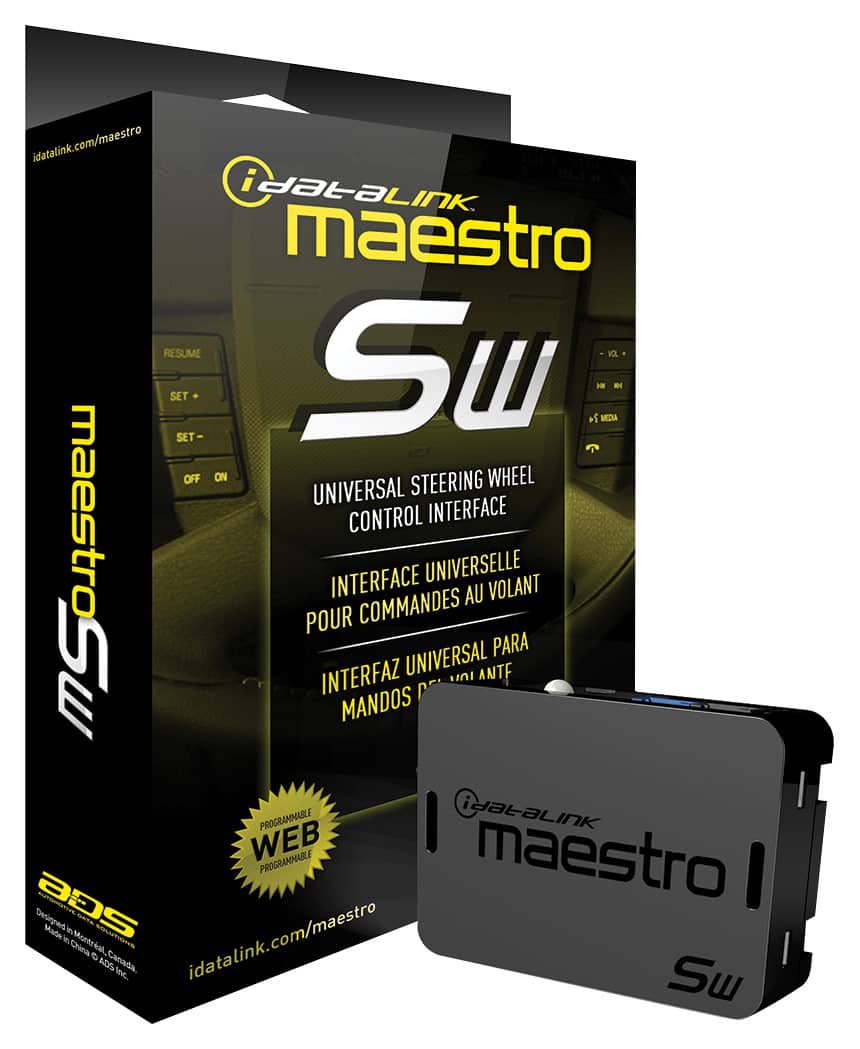
- Model:
- ADS-MSW
- |
- SKU:
- 11004070
Customer reviews
Rating 4.6 out of 5 stars with 1233 reviews
(1,233 customer reviews)Rating by feature
- Value4.4
Rating 4.4 out of 5 stars
- Quality4.6
Rating 4.6 out of 5 stars
- Ease of Use4.4
Rating 4.4 out of 5 stars
Rated 5 out of 5 stars
I would refer this again to other people.
||Posted . Owned for 1 month when reviewed.This reviewer received promo considerations or sweepstakes entry for writing a review.I have this in my vehicle. When i upgraded my wife radio i purchased one like this in Amazon. Didn't work out as well as the one i Bought for my car. So i went to bestbuy and bought this one again. The only thing is you need access to a laptop or computer to program to your make and model.
This review is from Maestro - Universal Analog Steering Wheel Interface - Black
I would recommend this to a friendRated 5 out of 5 stars
Steering wheel interface
||Posted . Owned for 1 month when reviewed.This reviewer received promo considerations or sweepstakes entry for writing a review.Product works great and was a good price and the installation was fast
This review is from Maestro - Universal Analog Steering Wheel Interface - Black
I would recommend this to a friendRated 4 out of 5 stars
Works well
||Posted .This reviewer received promo considerations or sweepstakes entry for writing a review.Best Buy installed a new Pioneer receiver in my wife's mini van. We debated whether or not to spend the money on this but are both glad we did, she uses the steering wheel controls a lot and would have missed having them. 99% of the time it works great, but every once in a great while the controls will stop working, or will not do what they are supposed to (volume up will lower the volume instead, for example). Problem would go away after the car was turned off and started again. This hasn't happened for a long time now, so only one star deduction.
This review is from Maestro - Universal Analog Steering Wheel Interface - Black
I would recommend this to a friendRated 5 out of 5 stars
Sprroach
||Posted .This reviewer received promo considerations or sweepstakes entry for writing a review.Love keeping your steering wheel controls active, and ease of use.
This review is from Maestro - Universal Analog Steering Wheel Interface - Black
I would recommend this to a friendRated 5 out of 5 stars
Keep OE steering wheel controls
||Posted .This reviewer received promo considerations or sweepstakes entry for writing a review.This devise allowed my after market stereo to be controlled with existing steering wheel controls and that is awesome.
This review is from Maestro - Universal Analog Steering Wheel Interface - Black
I would recommend this to a friendRated 5 out of 5 stars
Works great
||Posted . Owned for 2 weeks when reviewed.This reviewer received promo considerations or sweepstakes entry for writing a review.Since every car is different with steering wheel controls every user will have a different experience. That being said experience was great. I downloaded their desktop software, and it was a breeze to flash the device with the correct software. You plug it in, enter your type of car, stereo, and a few more details about features of the car. Then it shows you a screen with your steering wheel on your car and asks you what buttons you’d like to map to what function on your stereo. Once your done, it gives you a wiring diagram to print for what controls need to be hooked into which wires on your car and then it also gives you a wallet card to print so you remember what button does what. The only difficult part was just understanding my car and how it was wired.
This review is from Maestro - Universal Analog Steering Wheel Interface - Black
I would recommend this to a friendRated 5 out of 5 stars
SW
||Posted . Owned for 1 month when reviewed.This reviewer received promo considerations or sweepstakes entry for writing a review.Fits accurately, easy to use highly recommend great quality
This review is from Maestro - Universal Analog Steering Wheel Interface - Black
No, I would not recommend this to a friendRated 5 out of 5 stars
Steering controls
||Posted . Owned for 1 month when reviewed.This reviewer received promo considerations or sweepstakes entry for writing a review.Working great just like the stock system. Cannot tell anything is different.
This review is from Maestro - Universal Analog Steering Wheel Interface - Black
I would recommend this to a friendRated 4 out of 5 stars
Alpine Amp
||Posted .This reviewer received promo considerations or sweepstakes entry for writing a review.I have not had the Amp Installed as of yet but I have several Friends that have highly recommend this amp for price, easy install and performance. Can't wait.
This review is from Maestro - Universal Analog Steering Wheel Interface - Black
I would recommend this to a friendRated 5 out of 5 stars
Steering wheel controls
||Posted . Owned for 1 month when reviewed.This reviewer received promo considerations or sweepstakes entry for writing a review.Worked great. The installation was easy and fast and now my controls work.
This review is from Maestro - Universal Analog Steering Wheel Interface - Black
I would recommend this to a friendRated 5 out of 5 stars
It's wonderful
||Posted . Owned for 2 weeks when reviewed.This reviewer received promo considerations or sweepstakes entry for writing a review.I bought my Fiancee a new in dash unit for her 2013 Mazda 3. This product manages to allow the features on the steering wheel to work with the in dash unit. It works flawlessly. There is no lag, there is nothing that would make you think it wasn't apart of the car all along. There are also different features that you can unlock by plugging it into a computer via USB and activiating some settings and making it do other task.
This review is from Maestro - Universal Analog Steering Wheel Interface - Black
I would recommend this to a friendRated 4 out of 5 stars
Great steering control for the price
||Posted .This reviewer received promo considerations or sweepstakes entry for writing a review.Great universal steering control. Works great in my 2005 ford to keep the stereo and fan controls with a aftermarket stereo
This review is from Maestro - Universal Analog Steering Wheel Interface - Black
I would recommend this to a friendRated 5 out of 5 stars
Wish I was able to use it
||Posted . Owned for 5 months when reviewed.This reviewer received promo considerations or sweepstakes entry for writing a review.Bought this for a car radio so that we can use steering wheel controls, ended up not needing it but forgot to return it, but I'm glad they were eager to help me install it.
This review is from Maestro - Universal Analog Steering Wheel Interface - Black
I would recommend this to a friendRated 4 out of 5 stars
This was used by the mechanic to install a system
||Posted .This reviewer received promo considerations or sweepstakes entry for writing a review.The mechanic was able to install a system in my automobile using this item. Therefore this item does what it is designed to do
This review is from Maestro - Universal Analog Steering Wheel Interface - Black
I would recommend this to a friendRated 5 out of 5 stars
Perfect
||Posted .This reviewer received promo considerations or sweepstakes entry for writing a review.Fits and works perfectly. Installation was handled well.
This review is from Maestro - Universal Analog Steering Wheel Interface - Black
I would recommend this to a friendRated 5 out of 5 stars
Excellent product
||Posted . Owned for 1 month when reviewed.This reviewer received promo considerations or sweepstakes entry for writing a review.Excellent work with my car, the installation was very quick and easy
This review is from Maestro - Universal Analog Steering Wheel Interface - Black
I would recommend this to a friendRated 5 out of 5 stars
After market addon
||Posted .This reviewer received promo considerations or sweepstakes entry for writing a review.I purchased this unit to work with my steering wheel radio controls. I was glad that the Geek Squad installing the system was able to download the exact program for my vehicle. It works without a hitch. There was an updated one for the JVC KW-V830BT receiver, but was an overkill for my old car. The updated Maestro included the vehicle monitoring and temperature controller. This unit works for older model cars that don’t have does functions.
This review is from Maestro - Universal Analog Steering Wheel Interface - Black
I would recommend this to a friendRated 5 out of 5 stars
Good
||Posted .This reviewer received promo considerations or sweepstakes entry for writing a review.Works very well with car stereo. Easy to use and install.
This review is from Maestro - Universal Analog Steering Wheel Interface - Black
I would recommend this to a friendRated 5 out of 5 stars
Steering wheel controls are a must
||Posted . Owned for 3 weeks when reviewed.This reviewer received promo considerations or sweepstakes entry for writing a review.These controls are a great addition to operate receiver from steering wheel
This review is from Maestro - Universal Analog Steering Wheel Interface - Black
I would recommend this to a friendRated 5 out of 5 stars
great product
||Posted .This reviewer received promo considerations or sweepstakes entry for writing a review.This is a very good product at a reasonable price. Easy to install and operate. I would recommend it to anyone.
This review is from Maestro - Universal Analog Steering Wheel Interface - Black
I would recommend this to a friend