Customer Ratings & Reviews


- Model:
- SLK-00001
- SKU:
- 11578541
Rating by feature
- Battery Life
Rating 4.3 out of 5 stars
- Speed
Rating 4.3 out of 5 stars
- Display
Rating 4.4 out of 5 stars
to a friend

An awesome 2-in-1, for the right person
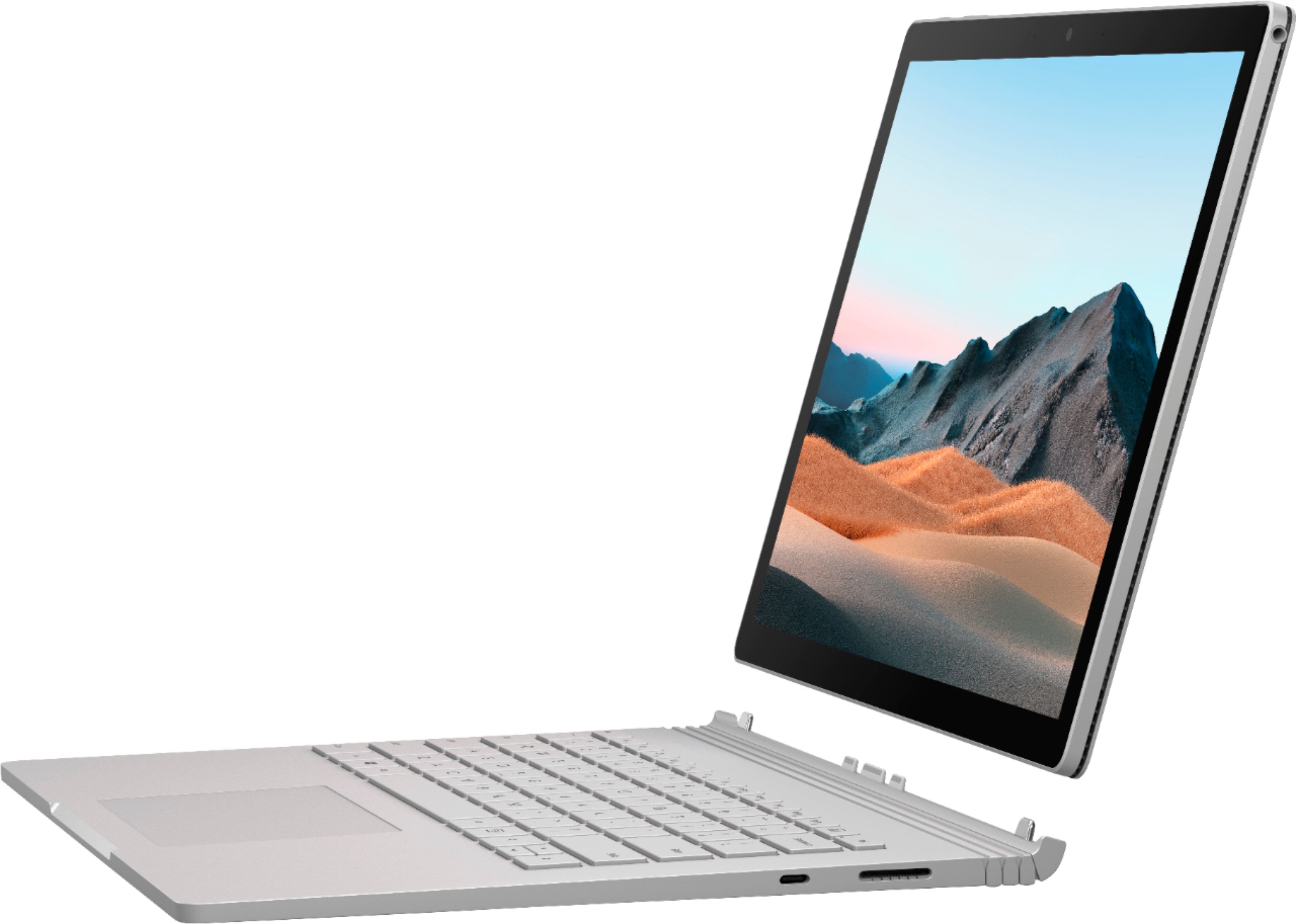
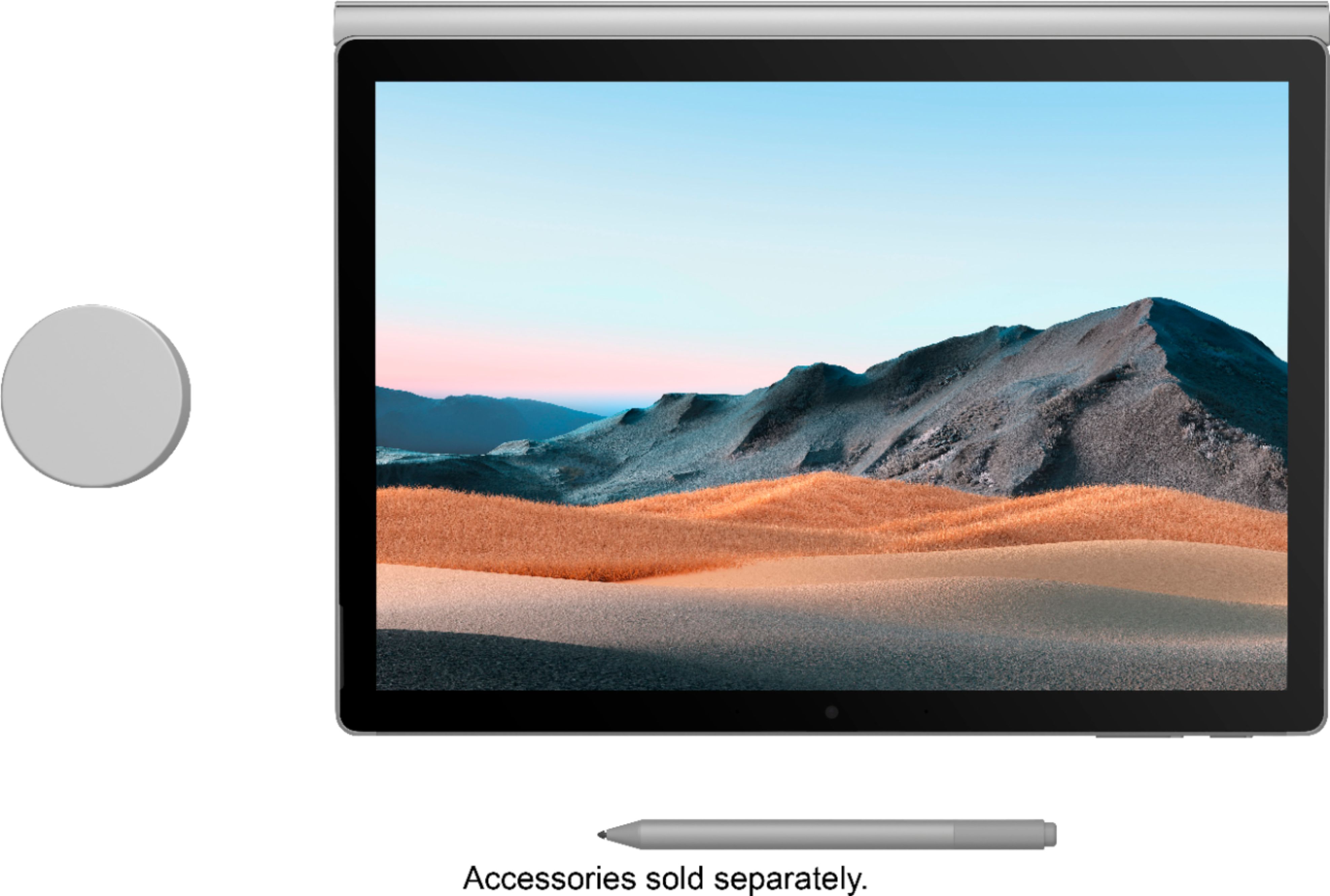
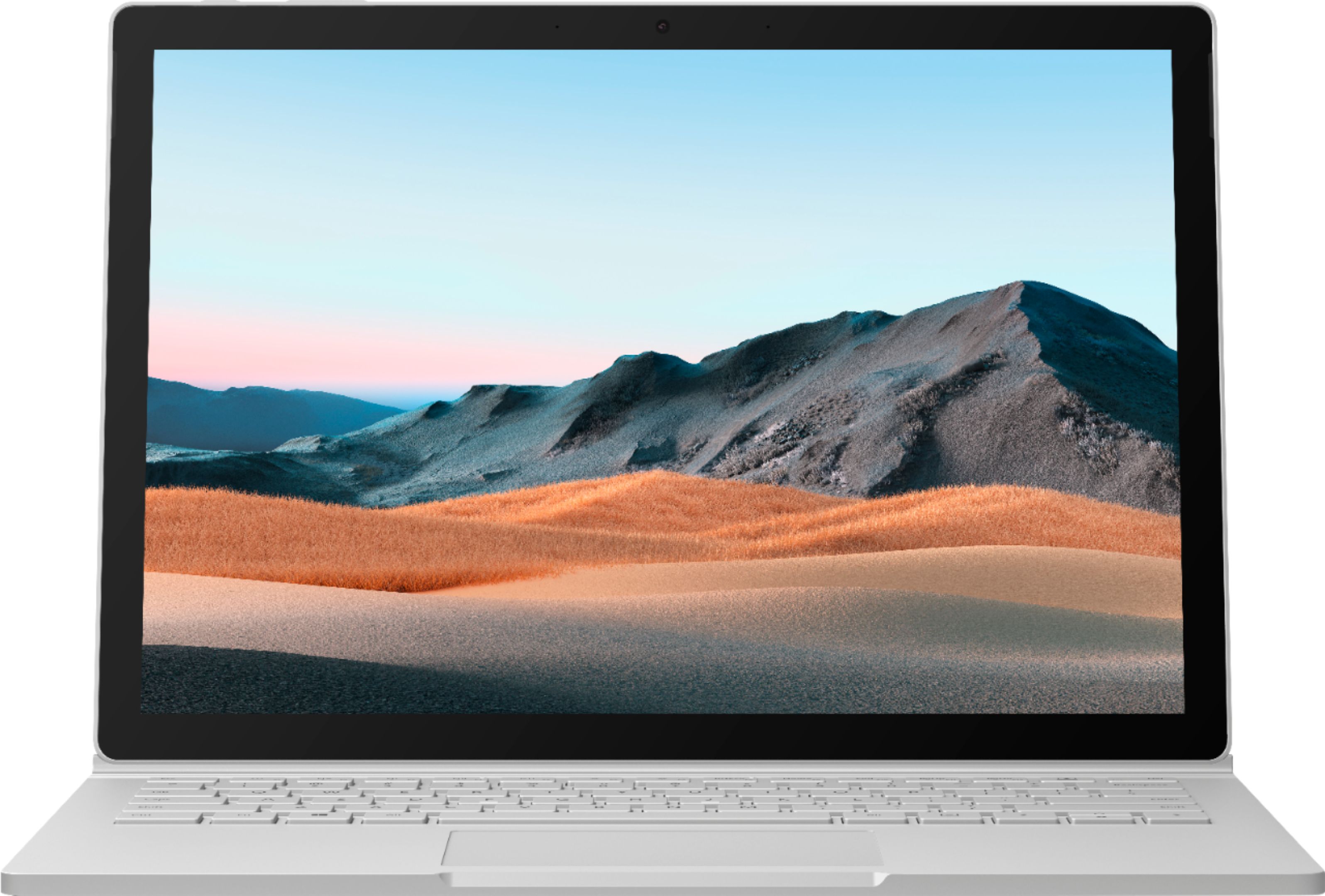
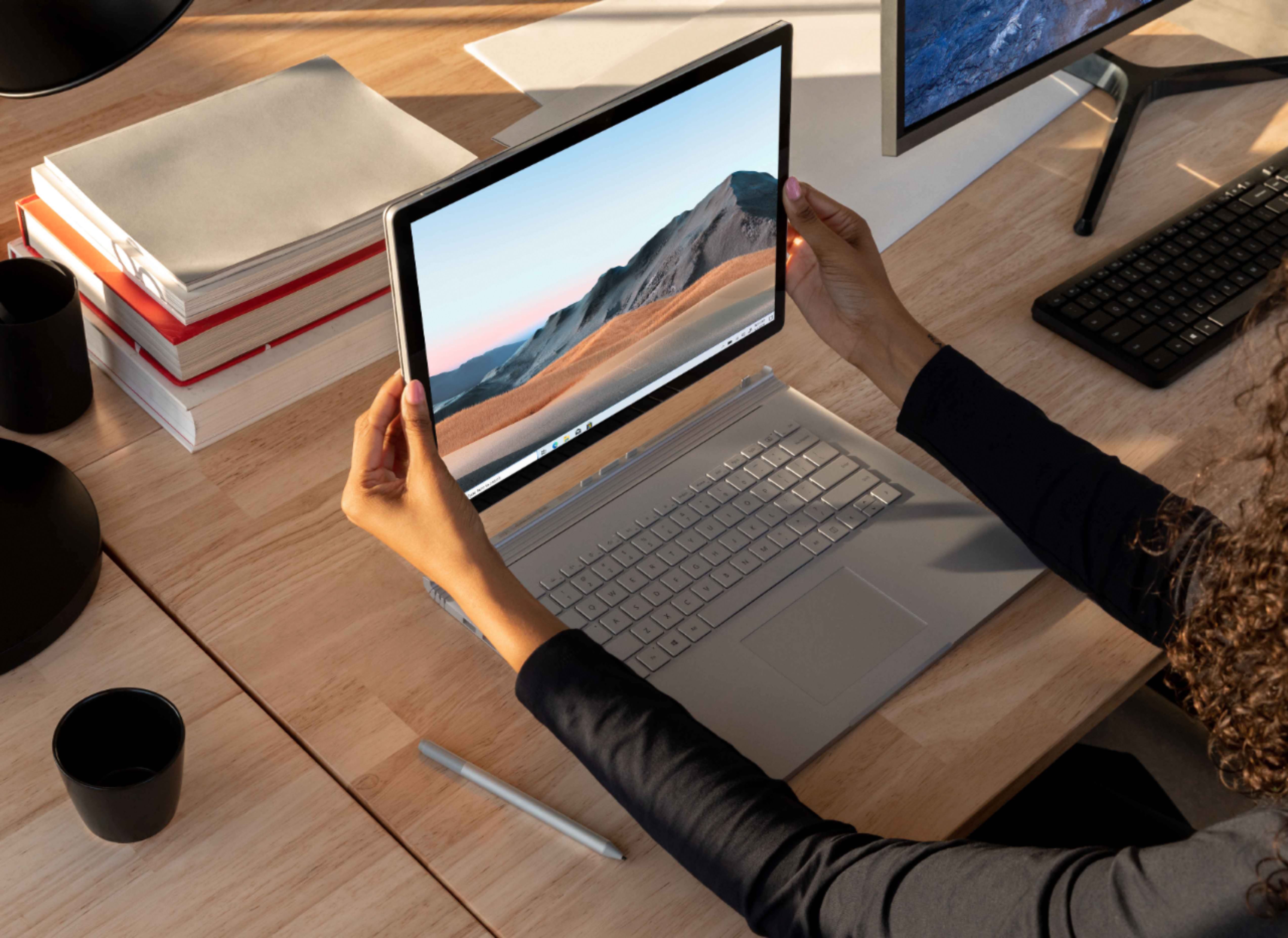
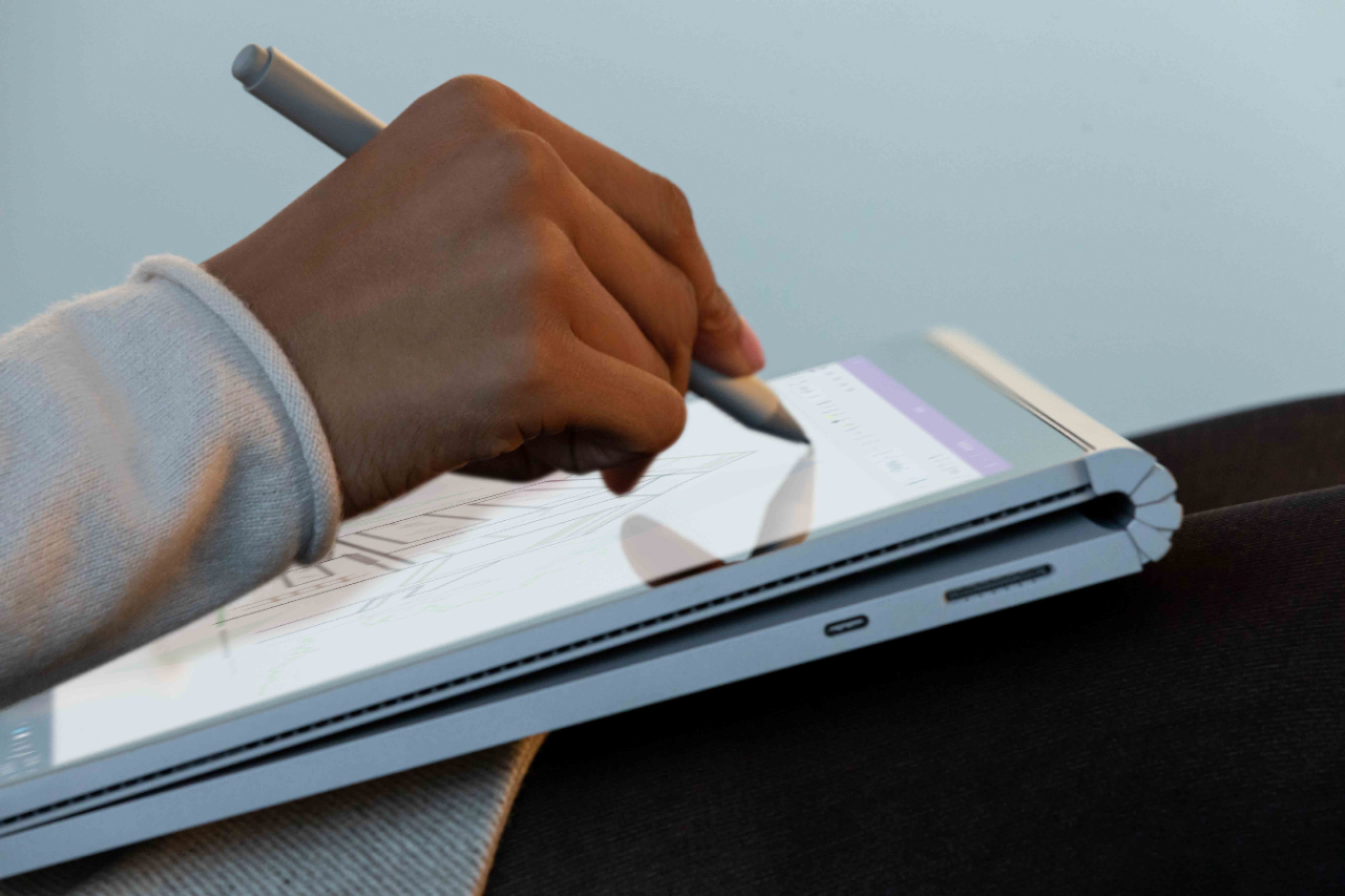
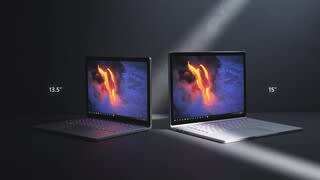
|Posted .This reviewer received promo considerations or sweepstakes entry for writing a review.Disclaimer: I received this product as part of my participation in the Best Buy Technical Insiders Program. Reviewers in this invitation-only program are provided products for the purpose of writing honest, unbiased reviews. Everything in this review reflects my honest beliefs, opinions or experiences, and participation in the program is not dependent on me providing a positive review. The latest version of the Surface Book 3 is a controversial one. If you read any of the various online reviews, you’ll run into a lot of complaints about how this version is no different on the outside, but only has upgraded internals. Another complaint is about how there are so many other cheaper laptops with better performance. But I think the key to understanding this machine is to understand who they built it for. My main laptop is 4 years old now. It has 8 GB of RAM, a 1 TB SSD, and uses the AMD FX chip, which has worked very well for me, but I’ve been itching for a laptop that really feels like a laptop, but with the capability of becoming a very capable tablet for drawing and taking notes with digital ink. For me, that made the SB3 the perfect machine. In this review, I’ll share the real-life usage tests I put it through to find out if it really can be what I’m looking for. Fit and finish: I’ll just touch briefly on the build, since you can find other opinions on that in lots of other reviews: -The build quality is absolutely solid! The full magnesium case has no flex, and is still reasonably lightweight. No matter how you hold it, it feels solid, and the much-maligned fulcrum hinge provides a very comfortable place to hold it, just like the spine of a book. What many people fail to understand is that this hinge is what’s required to make a tablet work as a laptop. Kickstands don’t work in your lap. -The screen is gorgeous, and the 3:2 aspect ratio makes the screen seem much bigger than it really is. I have the 13.5”, but I didn’t feel like the screen was cramped at all. I’ve never owned a laptop smaller than 15.6”, so that’s saying something. I did think the color temperature of the screen was a little cool, especially when compared to my other machines, but it still looks great, and I’m sure I can tweak it later. -The keyboard is excellent, with good key travel and just the right amount of clickiness. This is one of the best keyboards you’ll find on any laptop. Tactile feedback is very good and allows you to type much faster than on other laptop keyboards. The trackpad is excellent, if a little small. Other reviewers complain about the size of the trackpad, but I’ve had no problems with it at all, and it is very responsive, using the Microsoft precision trackpad drivers. Performance: -I used Handbrake to transcode a 1.5 hour video of my son’s high-school play at 720p at 30fps. The Surface Book 3 completed this in only 38 minutes. I don’t have a SB3 competitor to compare to, but on my old AMD FX it took 73 minutes to transcode the same video. So, from my perspective, this is a great improvement, but I can’t fully compare to other competitors in this class. From what I’ve seen in other tests, the SB3 is as good or better than other laptops this size. -Developing software is a discipline that requires you to become really familiar with your computer. While I do some work in Javascript and Java, my favorite toolset is Microsoft’s Visual Studio. Installation of VS 2019 went surprisingly quickly on the Surface Book. WiFi downloads are amazingly fast and the installation of VS2019 went more quickly on this machine than any other I’ve used. To see how this machine would fare, I chose a project that consisted of 156 separate sub-projects that needed to all be compiled and put together to produce the final result. My old AMD laptop took 9-10 minutes to build this project, while the SB3 took only 3.5 minutes. This is the kind of speed improvement that results in real productivity gains over time, so this is a good start. -Another thing that I commonly do is work with Excel spreadsheets. Sometimes, it’s just easier to develop a calculation tool in Excel than it is to write an entire application from scratch. To see how the SB3 performs here, I found an Excel test consisting of 100,000 VLOOKUP formulas and used a VBA macro to determine the exact calculation time. I ran the test 6 times and took the average calculation time on the new SB3 and the old AMD FX laptop. On my old machine, average calculation time was 6.75 seconds, while the SB3 handled them in an average of 2.5 seconds, 63% faster! -One of my favorite software packages is Logos Bible Software. Logos offers a huge digital library, but the real value of the software is its ability to find connections between resources in your library, helping you find just what you need, without wasting time digging through book after book. One of the tasks that is more demanding of the CPU is to create a passage guide. The passage guide searches through your entire library to find related materials and make connections between them. On my old PC, creating the passage guide took just over 36 seconds, while the SB3 breezed through in only 14 seconds. Again, a real time saver! -I use Photoshop Elements to do some photo editing and creation of photo projects, in addition to using the organizational capabilities of the software. For the work that I typically do, the SB3 provided a roughly 50% speed improvement in upsizing photos, and approximately a 70% improvement when applying complex filters. -Many reviews include benchmarks, so I decided to try that out for myself. I downloaded the well respected Geek Bench suite and ran it on both my old computer and the new SB3. The SB3 logged a 944 single-core score and a 3255 multi-core score, versus 425 and 1223. As you would expect, this is a drastic increase in performance, and while I don’t have another direct competitor to put the SB3 up against, professional reviewers say that the 13.5 inch SB3 bests competitors from Dell and HP. So, what’s the point of my little homemade performance tests? It was for me to find out whether I was really getting a significant bump by going with the new SB3. The SB3 isn’t just a pretty face with a parlor trick, it’s actually ready to be my workhorse. Gaming on the SB3: I loaded up Civilization VI, as this is one of my favorite PC games. The screen was gorgeous and easily handled loading up the world map with no parts of it missing. The high resolution made everything very small, but very detailed. CPU turn time was very fast, and it’s easily possible to get 60fps using the dedicated GPU. Late-game scenarios when there’s a lot going on will definitely benefit from the additional power. As good as it is, however, there are dedicated gaming machines with more power at lower prices. For me, that just doesn’t matter, however, as I consider the ability to play some top-tier games on the same machine where I do my work as a real bonus. Many reviews focus on raw power for things like editing and rendering videos and photographs, and high-end gaming, but I think they’re missing the point. Yes, if those things are the reasons you bought the SB3, you might be a little disappointed. But the ideal candidate for the SB3 isn’t the high-end photographer, videographer or gamer, it’s the person who does some of those things, but not all of them all the time. It’s the person who needs the tablet capabilities of the SB3, as well as enough power to handle those other tasks and the occasional gaming session. Having the ability to have a single machine on which I can prepare a document, sign it with digital ink, convert it to a PDF and email it is great, and something that few other devices can do, and none with a fully detachable tablet. Using the SB3 as a tablet: Let’s talk about the tablet for a moment. Those who criticize the design of the SB3 often suggest that Microsoft would be better served by just creating a thinner, lighter convertible with a 360-degree hinge. I have that machine, and it’s called the Google Pixelbook. That laptop is the thinnest and lightest I’ve ever owned, but at 2.4 pounds, it’s a heavy tablet, and it’s very annoying to have to deal with the keyboard on the backside of the screen, even though the keys are disabled when in tablet mode. The SB3 is 3.62 pounds when docked, but only 1.59 pounds as a tablet. The lighter weight and absence of a keyboard in your hand make for a surprisingly comfortable tablet. It’s just a bit heavier than the 12.9 inch iPad Pro, but the advantage here is that you’re getting the use of a full-blown Windows operating system, not an OS that is designed for mobile use first. With a stylus in hand, I had no problem using desktop-class Windows programs, and those designed for touch are even easier to use. To me, it was the best of both worlds, with no compromises and no need to purchase separate applications for use on the tablet. Windows ink is super responsive, with no perceptible lag time. Battery life when used as a tablet is only 3 hours or less, so could be better. The Surface Book 3 is a finely-crafted computer that gets a performance boost this time around, making it a powerful tool for work, play, and art. If you, like me, are looking for a computer that can serve as a powerful laptop as well as a powerful, thin and light tablet, then this is the one for you. Perhaps my biggest reservation is the price. This versatility doesn’t come cheap, so you need to be really sure that you’ll benefit from the unique form factor of the Surface Book 3. If you don’t really need the detachable screen, there are plenty of other laptops that will probably suit you better. If you do need it, there’s not a better option available!
I would recommend this to a friendThis is what a segment leader looks like
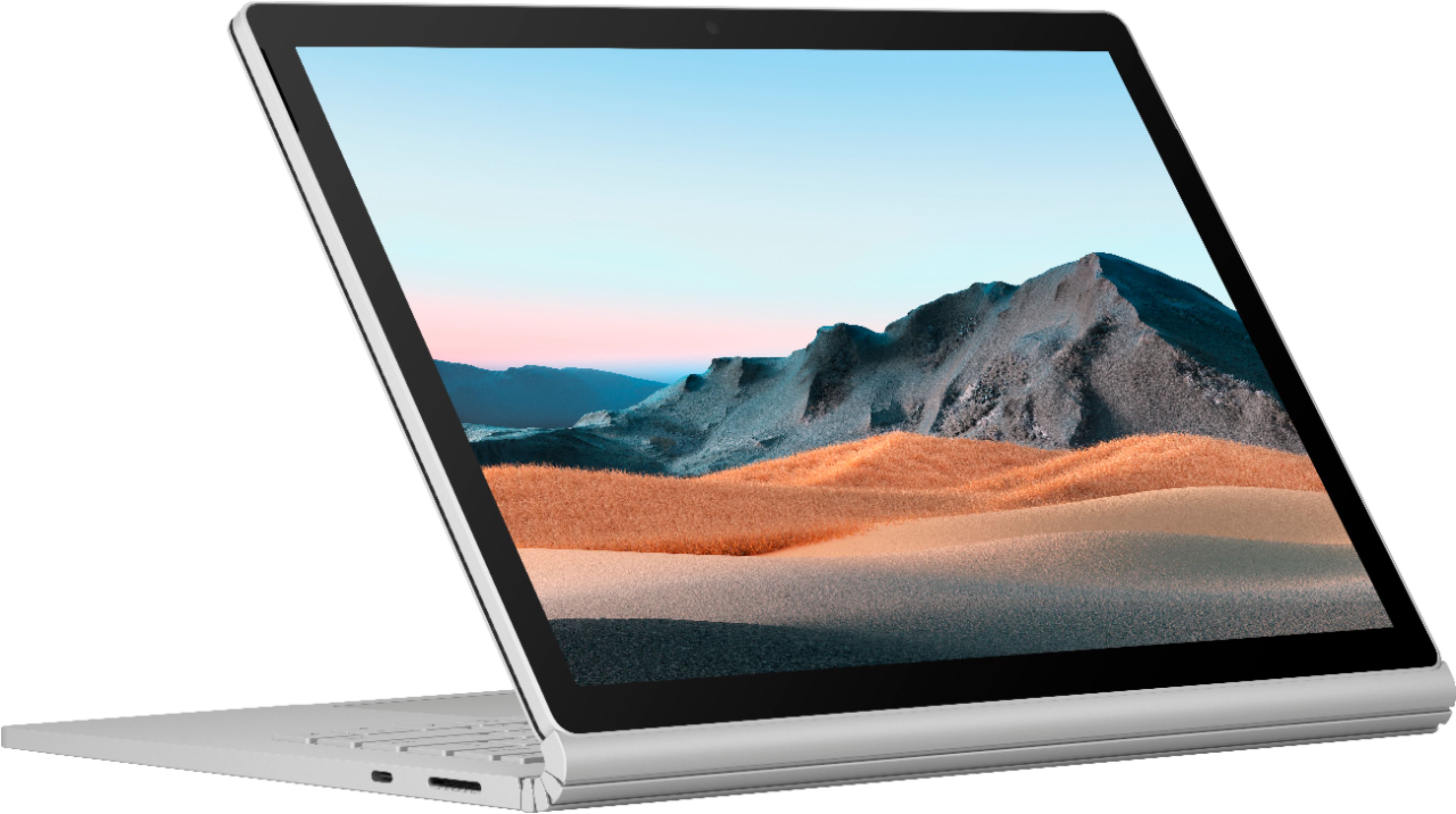
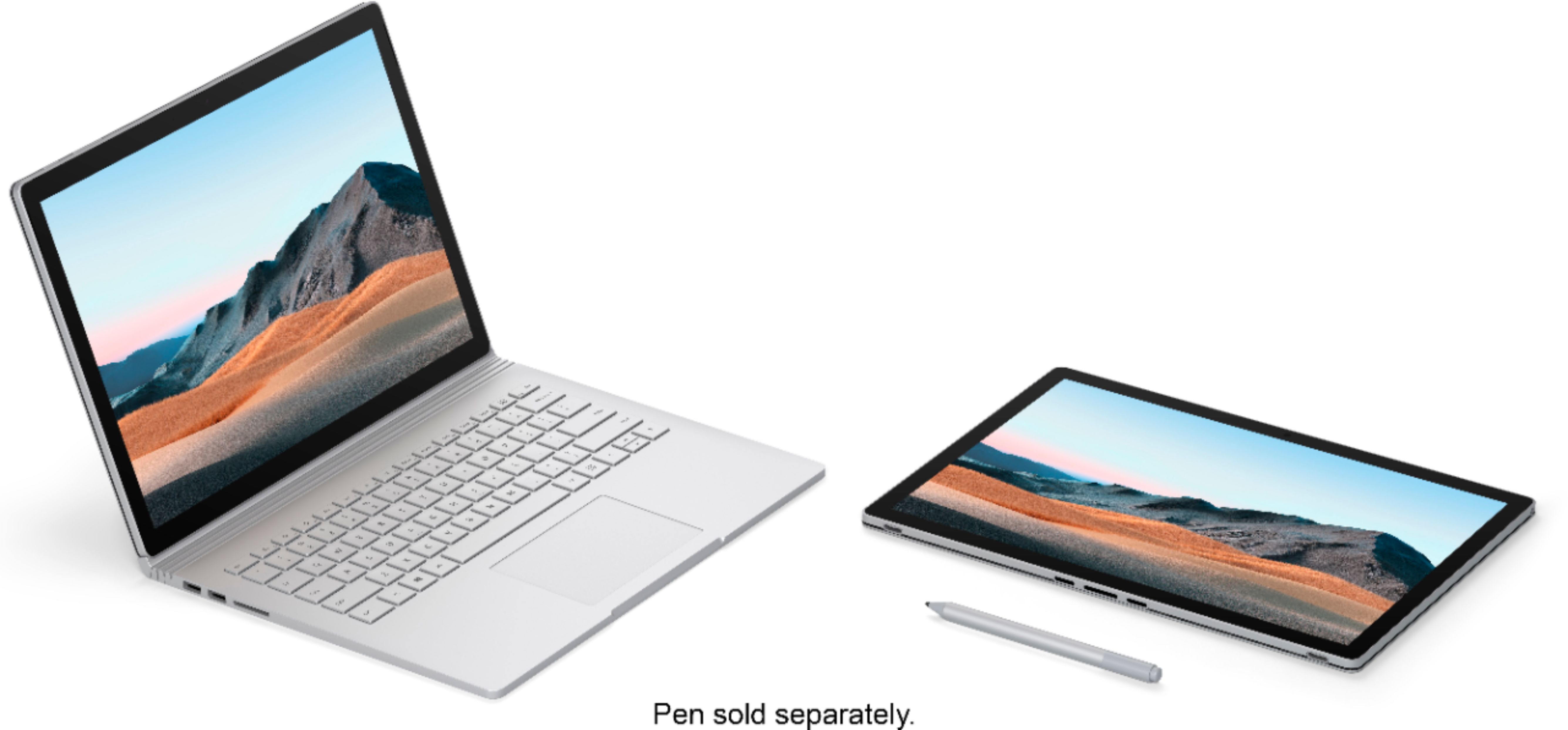
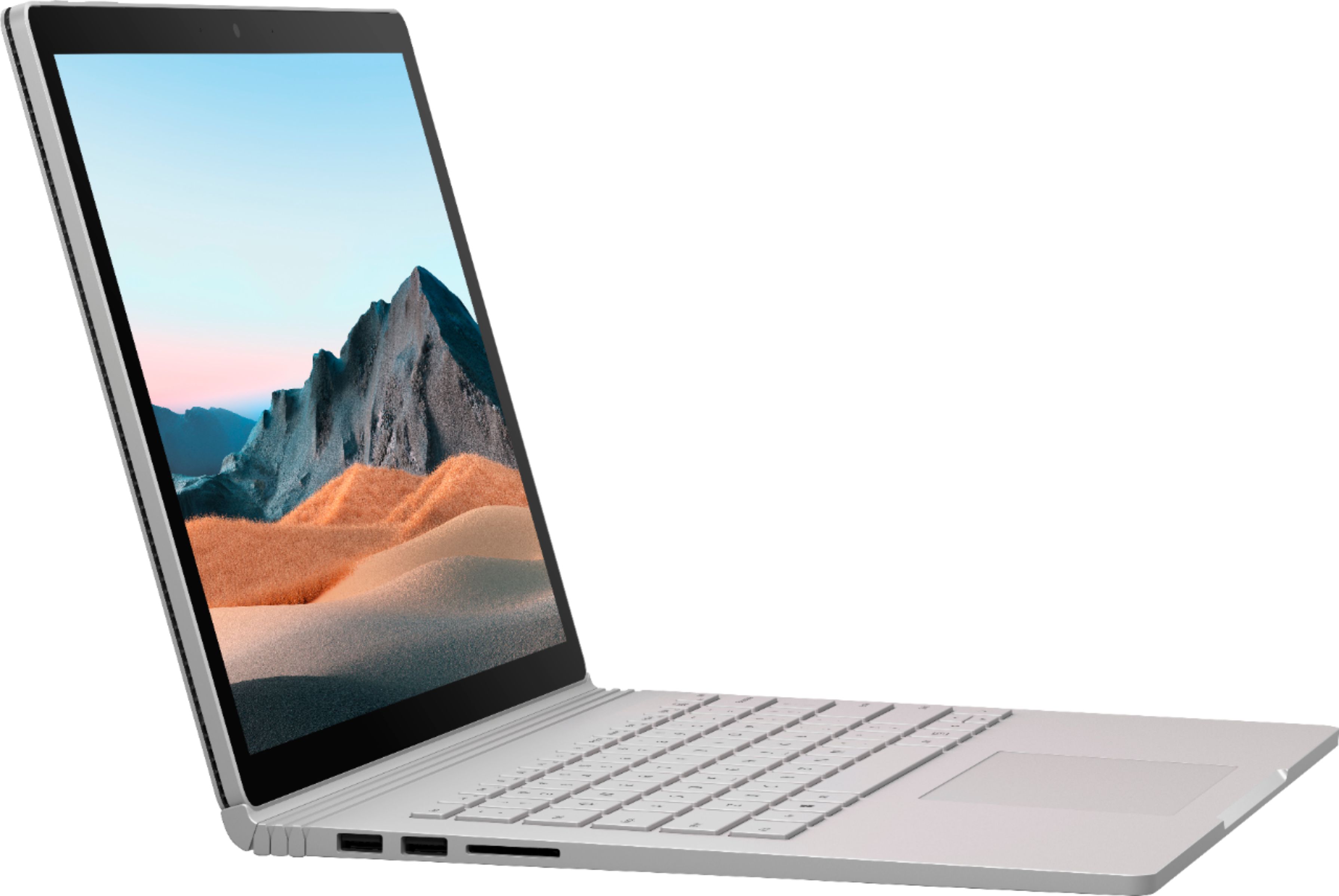
|Posted .This reviewer received promo considerations or sweepstakes entry for writing a review.Overall, the Surface Book 3 with its 10th Gen i7 quad core, 32 GB of RAM and 512 GB of NVMe storage is a solid combination. It performs as expected for burst power. My normal work flow in Photoshop is handled without waiting at all. Even in AutoCAD, there is no waiting for most of the things that I do. Where we run into a little bit of waiting is for large renders. This is understandable for this form factor. The CPU is rated for 15 watts which is great for mobile devices, whereas a desktop CPU is rated around 125 watts. However, once the CPU is pegged for several seconds, everything heats up and while the fan helps, the system cannot handle the sustained processing power, and so the processor gets throttled until the system can balance the heat and processing power. While the thermal management may disappoint some, realize that it was only triggered when I purposefully threw heavy jobs at it. Everything else performs as I would expect. Normal everyday operations are instantaneous. Normal workflows in Photoshop and AutoCAD are very fast. While the fans were running, the system isn't quite silent, it's just a little louder than a whisper. Now that we've discussed performance, let's get to the rest of the review. Out of the handful of configurations, I chose the 13.5" variant with the 10th Gen i7, 32 GB of RAM, 512 GB of NVMe storage paired with a GeForce GTX 1650 with Max-Q Design. This is my second detachable keyboard laptop. My first is a HP Spectre x2 that must be getting on to 3 years old now. While it's been a fine system, with the attached keyboard, you really need to be at a desk. Much like the Surface Pro, those systems are top heavy and don't sit on a lap without a careful balancing act. The Surface Book 3 on the other hand will sit in a lap quite comfortably. The body is squared off which contrasts with its modern competitors that choose to curve out edges to make their bodies look thinner. To detach the tablet portion, you can press and hold the detach key on the keyboard until the indicator light turns on. Then gently pull on the screen while holding down the keyboard. If you're in Windows, there is a system tray icon that replaces the keyboard key. The tablet portion houses the screen, CPU, Integrated GPU (Intel Iris), Memory, Storage and about 1/3 of the battery of the system. This is enough to get a 2-3 hours of use. It also has both front facing and rear facing cameras, headphone jack, power button, and volume controls. The Surface keyboard interface on the bottom doubles as the charging port. While it is magnetic, the magnet isn't as strong and I accidentally pulled the charging cord off the tablet a couple times. The keyboard portion holds the larger battery and the discrete GPU as well as the IO ports. 2 USB-A, 1 USB-C (without Thunderbolt), a full SD card reader (Thank you Microsoft!) and charging port with the stronger magnet. The keyboard is very comfortable to type on and the trackpad is very nice. At first, I believed the screen could only be attached like a normal laptop. But I realized that the screen can be attached backwards and folded down so that the screen faces up, away from the keyboard which gives you the ability to interact with the screen while having access to the IO ports, extra battery life and the discrete GPU. While the spine hinge is fairly strong, I wouldn't rely on it to draw with any angle other than fully closed. While I didn't have my Surface Pen yet, I was pleased to learn that my HP stylus worked wonderfully without any setup required. The input from the pen lags a little bit. But this is common. Microsoft's Pen Input driver differentiates palm pressure from the pen which leads to a little bit of a lag. Drawing on the glossy screen feels different. While it works in a pinch, you lose some of the tactile feedback that you find when a pencil rubs against paper. I also really want these OEMs to treat the glass with an oleophobic coating like phone screens that keeps away fingerprints. While I didn't play around with the cameras, I like that the Surface Book 3's front facing camera utilizes infrared to make it compatible with Windows Hello. The resolution for this system is 3000x2000. A 3:2 ratio is nice to squeeze a little more vertical information, but it gets a little awkward when connecting to external displays or when running a remote desktop to a 1080 native system. The contrast is nicely sharp, but it is not very bright. As far as I'm concerned, the Surface Book 3 leads the segment for 2-in-1 systems for digital creators. It possesses impressive performance with its 10th Gen i7 paired with the extravagance of 32 GB of memory that I feel keeps the processor from starving for work. Then you add in a decent discrete GPU that's able to help crank out video renderings. But if you just want to do quick sketches, with less than half of the bulk, you can detach the screen and take it with you. Many competing systems just offer a 360 hinge, which keeps all the bulk when you just want to sketch. Or with the HP Spectre x2, they don't have any room for a discrete GPU and can't offer the extra memory. And while Apple computers are Photoshop powerhouses, none of them offer the ability to perform direct sketches without an iPad + Apple Pencil on the side or something like a Wacom tablet. But even with the segment leadership, you do need to be aware of the struggle to balance thermal management and sustained processing power. Disclosure: I have accepted this product based on my participation in the Best Buy Tech Insider Network Program. Reviewers in this invitation-only program are provided products for the purpose of writing honest, unbiased reviews.
I would recommend this to a friendWell-built. Great power. Versatile capabilities.
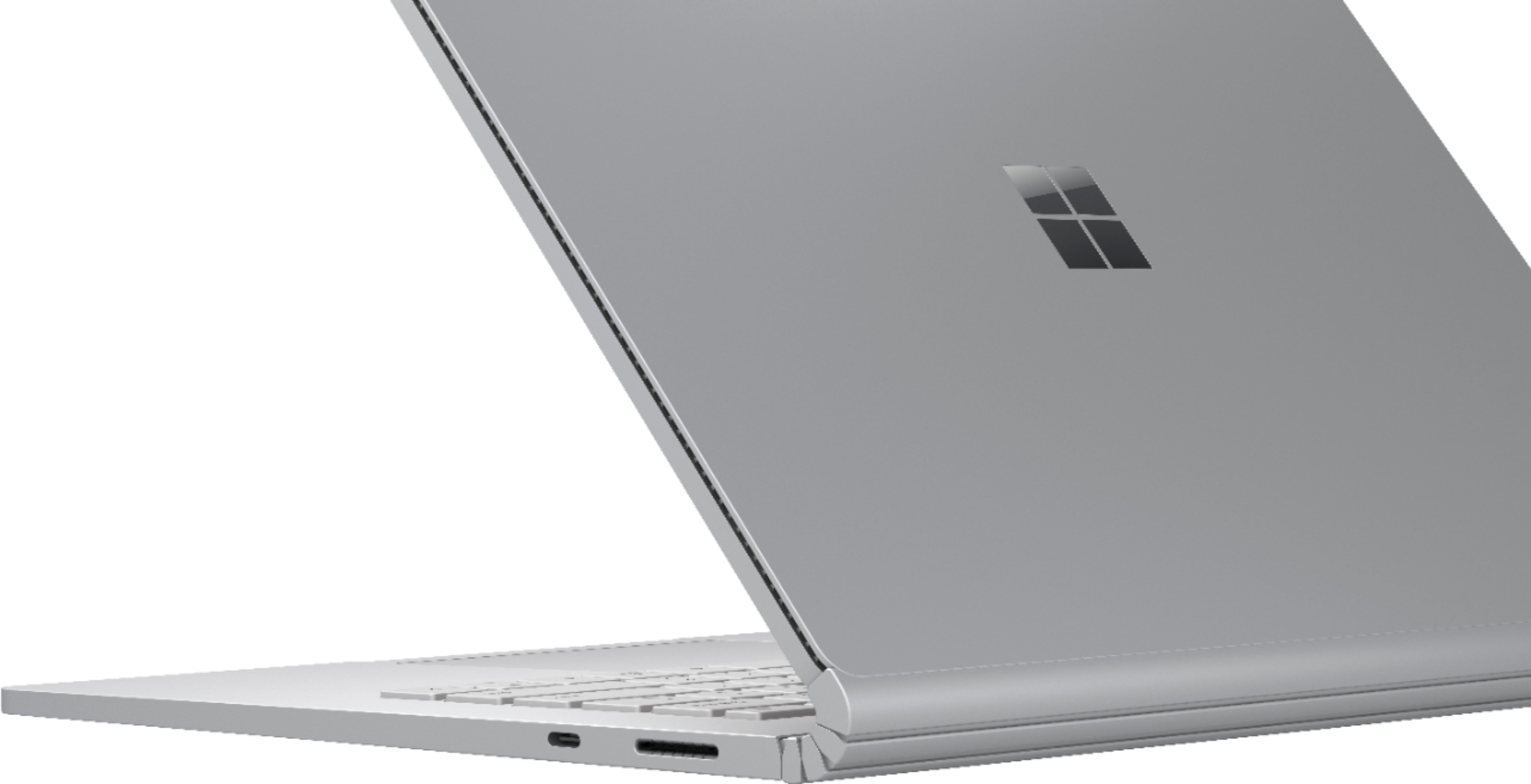
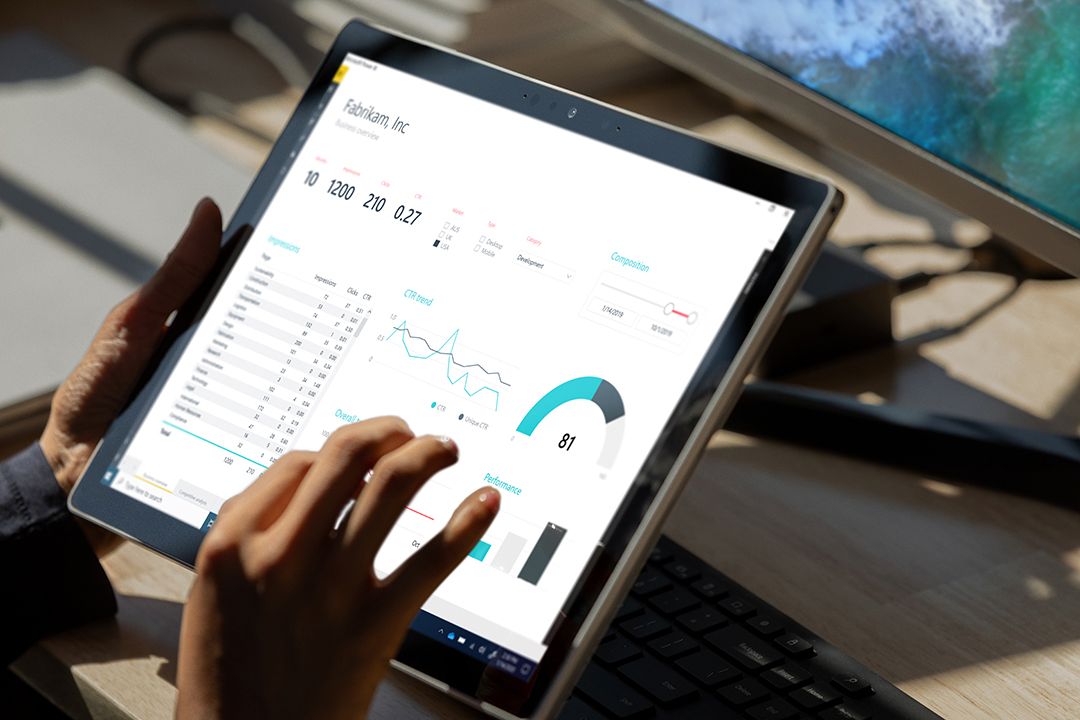
|Posted .This reviewer received promo considerations or sweepstakes entry for writing a review.The bottom line is the Microsoft Surface Book 3 13.5-inch laptop is a fantastic and well-built convertible device that is a blend between traditional laptop and tablet computer. The saving grace of this laptop, despite its downsides, is the excellent performance afforded by the NVIDIA GeForce GTX 1650 dedicated graphics processor. Whether you're working in Adobe Creative Cloud (like me) or relaxing with some light gaming, multi-tasking between Office apps and Chrome windows, or enjoying a binge session on Netflix - Surface Book 3 is a great all-in-one device. LIKES Performance Boost thanks to Dedicated GPU - My 13.5-inch model has an NVIDIA GeForce GTX 1650 with 4GB GDDR5 of dedicated graphics memory. This GPU alone makes up for the lower wattage i7 processor that is in the Surface Book 3 versus other laptops. I work with large graphics files in Adobe Photoshop and InDesign, and the GPU certainly gives a fantastic performance jump compared to my previous everyday driver (Dell XPS 13 2019 without a GPU). I don't usually work with video aside from converting commercials on-file from one format file to another. Exporting files in Adobe Premiere Pro are noticeably faster than my previous aforementioned laptop that does not have a GPU. I have not had a laptop in the better part of eight years that had a dedicated GPU, and certainly not a 13-inch laptop. I did not realize what I've been missing until using the Book 3 in my everyday projects. It is worth saying that the Surface Book 3 with the Intel i7-1065G7 processor includes integrated Intel Iris Plus Graphics. So when the screen is disconnected from the base, it does have okay-ish graphics performance (although not something you would want to game with). Keyboard - If you have ever used the Type Keyboard covers from the Surface Pro (which I absolutely love) or the Surface Laptop lines, then the keyboard on the Surface Book 3 will be familiar. The keyboard strikes a perfect balance of key size and travel. I can say the Microsoft Surface family of computers have the best keyboards out there, and I stand by it. Spending a lot of time writing emails or long documents in Word, Microsoft keyboards in the Surface line continue to be my favorite. One criticism I have is the keys are the same silver color as the chassis, and when the backlight is on, and you're in a well-lit room, you can barely read out the key labels because the backlight make the labels on the keys blend in with the silver keys. Just make sure to turn off the keyboard backlight in daylight (it will also help save battery life). Tablet Mode - One of the reasons one might consider picking up the Surface Book 3 is the ability to detach the screen for a standalone tablet mode. I'm not going to detail how Windows 10 lacks in Tablet Mode, but I can say it gets the job done. At the press of a button on the Surface Book 3 base (or by clicking the icon in the System Tray in Windows), the screen pops off in about two seconds. (I didn't own previous Surface Book laptops, but I hear that the new Book 3 detaches significantly faster than older models.) Once detached from the base, the Book 3 tablet is practically a Surface Pro tablet (sans the kickstand). The uses in tablet mode vary based on your needs, but the majority of your tableting needs can be accomplished thanks to a full-fledged computer in a tablet format. The screen works with the Surface Pen, so you can use it to sign documents, diddle in Whiteboard, or do fancy designer stuff like painting and drawing in more professional apps. I rarely use the Pen with my Surface Pro, and will likely rarely use it with the Book 3. It is nice to know that it is at least an option. I played around with retouching images from my DSLR in Adobe Photoshop, and it worked fine for me. Whether I was smoothing skin imperfections in portraits or refining backgrounds in images before creating print ads, Pen mode worked fine. (It is just too bad it did not come included with the laptop as the Surface Pen is a pricy accessory.) Port Selection - So the Book 3 gets a lot of flack for not having Thunderbolt 3 or multiple USB-C ports. I can understand the Thunderbolt complaint, but it does not affect my workflow. The USB-C port is useful and I'm happy it has at least one for connecting devices such as SSD drives and my USB-C microphone. The Surface Book 3 can also charge via the USB-C port, so that's a bonus! The two USB Type A ports are a welcome change. Although some might say it's backward thinking, the reality is I still use a lot of Type A USB thumb drives from co-workers and vendors for files. So unless I want a dongle life, the Type A ports still have a lot of use cases for me. The full-size SD card slot (a HUGE plus in my book) means I can plug in my camera card directly into the laptop without a card reader accessory. It is one less thing I have to worry about lugging around between home and the office. The headphone jack is always a welcome option, but I do wish it was in the Book 3 base instead of the screen. Webcam and Microphone - I'm combining camera and microphone quality in one because the two go hand-in-hand. The webcam quality of Surface Book 3 is impressive. It's miles better than my home desktop all-in-one and my previous everyday laptop. The 1080p HD-quality webcam is something super important in today's norm of video conferencing for work or leisure (hello virtual happy hours). The integrated microphone also sounds terrific. The webcam and mic are the complete package. By the way, unlike traditional laptops, the Surface Book 3 also has an 8MP rear-facing camera. It's certainly not something you want to use to take photos, but in a pinch, it works for photos and videos. While I'm at it, I might as well mention the front camera also includes sensors for Windows Hello. If configured, you can effortlessly log into Windows without having to type in a password. DISLIKES Size - With the large screen bezels and 13.5-inch 3:2-aspect ratio screen, this laptop naturally comes with quite a large footprint when compared to many laptops in the 13-inch size. Especially in the era of laptops trimming down to nearly bezel-less designs. Additionally, the Surface Book 3 is a thick boy. With both the thick slate (screen) and base (keyboard), along with the awkwardly marvelous Fulcrum Hinge, this laptop is unusually thick on the hinge-side of the device. (Let's not talk about the gap left as a result of the hinge.) With that said, it still fits (although snugly) in my messenger bag designed for 13-inch laptops. Weight - For the size, the Surface Book 3 is pretty heavy. Coming in at 3.62 pounds, it is nearly a pound heavier than popular 13-inch ultrabooks in the market. With that said, not many 13-inch laptops have dedicated GPUs, so that is a definite upside for the Surface Book. Because the essential guts of the computer are in the screen, this laptop is top-heavy. So watch it if you're using it on your laps at a decline as it can flip over. Also, the weight of the screen contributes to the screen wobble that you'll notice. Now, most laptops have some wobble, mainly if used on your lap. With the Book 3, that wobble is more pronounced. While it is not a deal-breaker by any means, know that it is there. Screen Brightness – The Pixel Sense display of the Surface Book 3 looks great. In fact, it achieves better-looking colors and contrast compared to my home desktop all-in-one. The problem is, this is a laptop and can be towed around and used in various environments. The screen just does not seem to be able to achieve a brightness needed to be used outside on a patio or next to big window on a bright, sunny day. OVERALL Sure, the Surface Book 3 is a big boy by today's laptop standards, but it's convertible form factor and dedicated GPU genuinely make this product shine. A good selection of ports make the laptop versatile for graphic designers (especially with the SD Card slot in the base). The USB-C port provides convenience for newer accessories while also allowing me to leave the Surface Book 3 power brick at home and only having to lug around my multi-function third-party USB-C power brick. The Surface Book 3's NVIDIA graphics processor and removable tablet screen are the two standout features and the reason you cannot directly compare this to another laptop. So if these are two must-have features in one device, then the Surface Book 3 13.5-inch laptop should be an excellent option for you. Full Disclosure: I did not purchase this laptop. I received it from Best Buy. Reviewers in this invitation-only program are provided products to write honest, unbiased reviews.
I would recommend this to a friendGreat for on the fly edits
|Posted .This reviewer received promo considerations or sweepstakes entry for writing a review.Reviewers in this invitation-only program are provided products for the purpose of writing honest, unbiased reviews. This review is based on working in Adobe’s Creative Cloud focused in Photoshop, Premiere and After Effects using high resolution still frames and videos. Photos processed in Photoshop were over 20 megapixels in resolution. The SSD loaded images quickly and I did not notice any lag making global and local adjustments. Basic filters in Photoshop were applied effortlessly. I did notice more intensive filters like “Spot Removal” using Adobe’s “Content-Aware” increased the load on the Surface’s hardware. These filters did take a split second longer to load and apply but it was nothing that slowed productivity. My experience with working with video and animation was different. Like working in Photoshop, the SSD loaded files with ease and applying basic filters and adjustments in Premiere were straightforward. Working with more intensive adjustments like stabilizing footage took more time than expected. These same adjustments seem to take more time compared to my personal machine. Working in After Effects was the most intensive of the three. Again, loading and cutting video footage was normal and I didn’t experience much of a lag at all. Applying animations to high definition video files placed in a 3k canvas was where I noticed slow and extend load times. Previewing video and animations was slow. Dropping preview quality to a third and a quarter helped, but overall was still very slow. I ran into a preview failure with the GPU running out of memory. I am not sure if this is a hardware or software compatibility issue as I have experienced better results with lesser powered machines in the past. My experience working with still files was far better than video using the Surface Book 3. My experience with video on the Surface tells me that I will run into similar load times as Photoshop files grow in layers with more intensive filters and adjustments. Outside of working in Adobe, the Surface is quick and responsive. Importing and loading files were very fast due to the SSD. The screen had plenty of resolution and the colors were vibrant and pleasing. I think the Surface has more than enough processing power and hardware for the average, everyday user. I found the battery life average. Battery life falls off quick when running more demanding programs. Working in more intensive design software, the Surface can get by processing basic edits. It struggles once more performance is required. The Surface 3 is an interesting design. This was my first experience with it. Removing and using the tablet as a standalone was a nice option, with a touch of a button. I focused on using the machine docked with keyboard. I see the Surface Book 3 as a solid device to back up and review footage while in the field with enough hardware to make edits and adjustments on the fly. However, I don’t believe it will replace a device better suited for design, 3D modeling and more intensive uses.
I would recommend this to a friendgo apple
||Posted . Owned for 2 weeks when reviewed.This reviewer received promo considerations or sweepstakes entry for writing a review.returned and went with MacBook Air 2020 M1 chip 8gb of ram. way better then this 32gb ram "powerhouse" that cost $2500
No, I would not recommend this to a friendA premium device with added touches
|Posted .This reviewer received promo considerations or sweepstakes entry for writing a review.When I'm looking for a laptop I'm typically looking for something that can handle a little bit of everything I throw at it. The Surface Book always looked like a interesting device and I've always wanted to give it a go. Design: This laptop feels and looks very premium. The first thing I noticed after unboxing is the hinge design and gap when its folded. The gap doesn't bother me at all just a little different from a typical laptop design as it doesn't close flat like most. The hinge design seems to be unchanged from the previous generation of surface books. Don't get me wrong, it does work very well but I do wish it folded all the way back to the point it could lay flat with the screen. When its closed it has some sort of magnet to keep it closed and takes a little bit of force to open back up. Overall extremely solid and visually pleasing. Since this is a 2 in 1 hybrid device the screen comes off so you can use it as a tablet. You have to hit the eject button on the keyboard and when you do you hear a click and can then pull it off. Detaching and re-attaching only takes about 2 - 3 seconds to take effect so its not instantaneous but still quick enough and most importantly it works every time. I didn't think I would use it in tablet mode much but I find myself doing it all the time. The display is high resolution and very clear. It looks to basically be a 4k display with the sides chopped off due to it being a bit taller. Note the Surface Pen to use with the screen is sold separately. Since the screen comes off and acts as a tablet a lot of the components that would typically be in the bottom base section are actually in the touch screen. Power button, headphone jack, cpu, memory, storage, etc so its all still there and available when you detach it. Pretty cool. There also looks to be two batteries, one in the tablet and one in the base section which is interesting. As for weight its average for its 13.5" size. If your looking for a thin ultralight laptop look elsewhere. When comparing size to other laptops of similar size I noticed the width is on par for a 13.5" laptop but the length is a bit longer as mentioned the screen is a bit taller. The keyboard keys are clicky with low travel and feels very nice to type on. One of the better laptop keyboards I've used. The touchpad size is ok but I personally do wish it was a tad bigger. The precision tracking on it is really good though. The charger is magnetic with some sort of proprietary connector so if you pull on it or someone trips over it will just pop out with no damage. Nice touch. Also surprisingly the power brick has a usb port in it. One thing I wanted to make a mention of is that this laptop has the best webcam I have ever seen. The clarity and color is so much better than any other I have ever used. Other laptop manufactures need to take note here. Specs: For a laptop in 2020 it has some top of the line tech specs. This thing has more than enough for what I will throw at it and no worries about it being outdated anytime soon. My specific model has: Windows 10 Home Edition 10th gen Intel i7 processor 32gb of ram 512 nvme ssd 3000 x 2000 screen resolution Nvidia GTX gpu wifi 6 1 USB-C, 2 USB-A, 1 SD card reader Usage: For day to day usage I have had no issues, lockups, or reboots. Loaded up all my personal apps and programs just fine. Everything works as it should on a laptop with these specs. The cpu model it came with is a Intel i7 quad core processor with 8 threads, 15 watt, turbo up to 3.9GHz so its powerful but also battery efficient which I appreciate in a laptop. My family does a LOT of photo taking and with that comes a lot of editing so I'm going to focus my usage around using Adobe Photoshop since that is the more cpu intensive application we use for editing. The latest version of Photoshop took roughly 5 min to install start to finish and about 12 seconds to start-up thereafter. I notice the fan kicked on while installing and doing some editing but its very quite especially compared to other laptop experiences. I could only hear fan if I held my ear up close to the base. There is no noticeable lag when cropping, applying filters, lighting or color adjustments to captured photos on local disk. The only time I noticed some lag was when I loaded a saved project that had a lot of layers as it took a few seconds longer to open the entire project but that's expected. Ram usage always seems to stay below 10gb used. This thing tore through most of my photo editing and my other family members have had no complains thus far. For anyone who is serious about photo editing or graphic design the i7 in this thing combined with the dedicated gpu can handle it just fine. Overall: Compared to other laptops I feel like you get a bit more with the Surface Book 3. The little added items make it feel a bit more premium than others I've owned. If I stacked up a pile of random laptops, this one would stick out from the bunch. If anyone is looking for a high ended premium device that can handle a lot of multitasking that they don't want to be outdated anytime soon I would highly suggest a Surface Book 3. The Surface Book 3 has become my new go to every day device. I received this product as part of Best Buys Tech Insider Network. Reviewers in this invitation-only program are provided products for the purpose of writing honest, unbiased reviews.
I would recommend this to a friendGreat Laptop For Home Use
Posted .This reviewer received promo considerations or sweepstakes entry for writing a review.This is one of the few times in life when "detach" is meant in the positive sense. You can detach this laptop from the keyboard, curl up on the sofa, and look at videos, write notes, and then reattach to the keyboard. I know there are a lot of reviewers that write about the heat-controlled CPU, which for me works fine. I find the GPU in the keyboard kicks in a bunch more than one realizes, and think this gives it zip it would not have with just the integrated graphics. A really nice result from all this is that they keyboard is icy-cool, even on a day like today (I am typing this review on the SB3). The industrial design is a homerun if you ask me. Like Apple, I think Microsoft created a groundbreaking design. With something like this, the foundation of it is probably going to get revised every 5 years or so. So this could be the last iteration of the hardware look-and-feel, but it is so good in the here-and-now. I have seen some YouTube videos complaining about the dimensions. For me at least, those bezels make it much easier to handle in tablet mode. Also, the aspect-ratio is fantastic for reading text. The speaker issues I read about perplex me. Maybe some people got a bad batch or an OS update fixed that? Loudness is not a complaint for me. In my opinion, this is a laptop with a very specific focus. I think it is best-suited as a desktop replacement for home use. This is a machine that is best with the Surface Pen, so springing for that is a no-brainer. The buyer needs to be comfortable paying a premium for the unique form-factor. If you want a truly unique laptop that becomes your window into whatever it is you do, this is a great laptop. If you want a super-light laptop with thin bezels that slips into a backpack, this might not be the choice for you. If those items are not your primary goals for a new laptop, and you have the cash, then get read to enjoy a PREMIUM product that is in its own class!
I would recommend this to a friendREAD BEFORE YOU BUY - STICK WITH APPLE
Posted .This reviewer received promo considerations or sweepstakes entry for writing a review.To preface this, I don't usually write reviews but I decided that people really should know about this before spending $2.5 k. I got this laptop May of 2019 as a graduation present. I was so excited due to the tablet mode so I could use it for school and my art. What I was not expecting was the cool new dual battery system to just not work. I was constantly having connection issues, that wasn't due to the wifi, and the screen randomly detaching and making noises. When battery number 2 just refused to charge no matter what, Microsoft was helpful and I was able switched it out as I was still in warranty at the time with a new laptop. At that point I was like yay all my problems are now going to be nonexistent with my new surface as that bad one was probably a one off. Nope, that is not what happened. 3 months later, new and worse problems started to arise. The battery and connection issues started again plus with my screen freezing up all the time. The breaking point to making this review was when the keyboard started flashing and kept unattaching. The battery refused to charge and the screen froze up. I also couldn't use my mouse. No amount of restarting and uninstalling drivers helped. I contacted Microsoft support as they were helpful last time but it was an entirely different story. The operator just made me repeat everything I already did with the same result: nothing. Basically said oh well can't help you now since I am now out of my original warranty. So I am stuck with this $2.5 k piece of brick. I am so disappointed with my experience and will never buy another Microsoft product again. I really wish I just stuck with Apple as it is at least reliable. Will never recommend this product to anyone.
No, I would not recommend this to a friendDon't trust Microsoft!
Posted .This reviewer received promo considerations or sweepstakes entry for writing a review.I have purchased many Surface products for my engineering department. Have always loved them and their performance. Recently purchased this laptop from Best Buy for a new engineer. During the initial loading of software, the laptop would routinely restart at random times. Called Best Buy who would not help, and sent me over to Microsoft. Microsoft said that I needed to send it in and they would replace it. However, Microsoft sent a refurb unit instead of a new unit, and refuses to replace it with a new one. I bought a new computer, it didn't work, and now I was given a used computer to replace it. For the premium I paid for a top of the line Surface Book, I at least expect it to be new!
No, I would not recommend this to a friendDo NOT Purchase this Laptop -- it is defective
Posted .This reviewer received promo considerations or sweepstakes entry for writing a review.Do NOT but this computer. Surface Pro cam came recommended by an IT professional, but I wanted a full lap top so I got the Surface Book. After a couple of months, the screen started randomly crashing -- flashing colors and impossible to use. A month or so after that the screen will randomly turn black and I have to reboot, I started researching all the fixes and ran several recommended by Microsoft but soon discovered that this was a widespread problem and that despite making customers go through all sorts of time consuming hoops, has not taken responsibility for the serious product defect. As bad as the product defect is MS's poor customer service (they said that only the store we purchased the product can resolve). There is a FB group that was started to explore collective action.
No, I would not recommend this to a friendDetachable screen
Posted .This reviewer received promo considerations or sweepstakes entry for writing a review.I like the larger keyboard of a Dell laptop but I love being able to detach the screen.
I would recommend this to a friend