Customer Ratings & Reviews


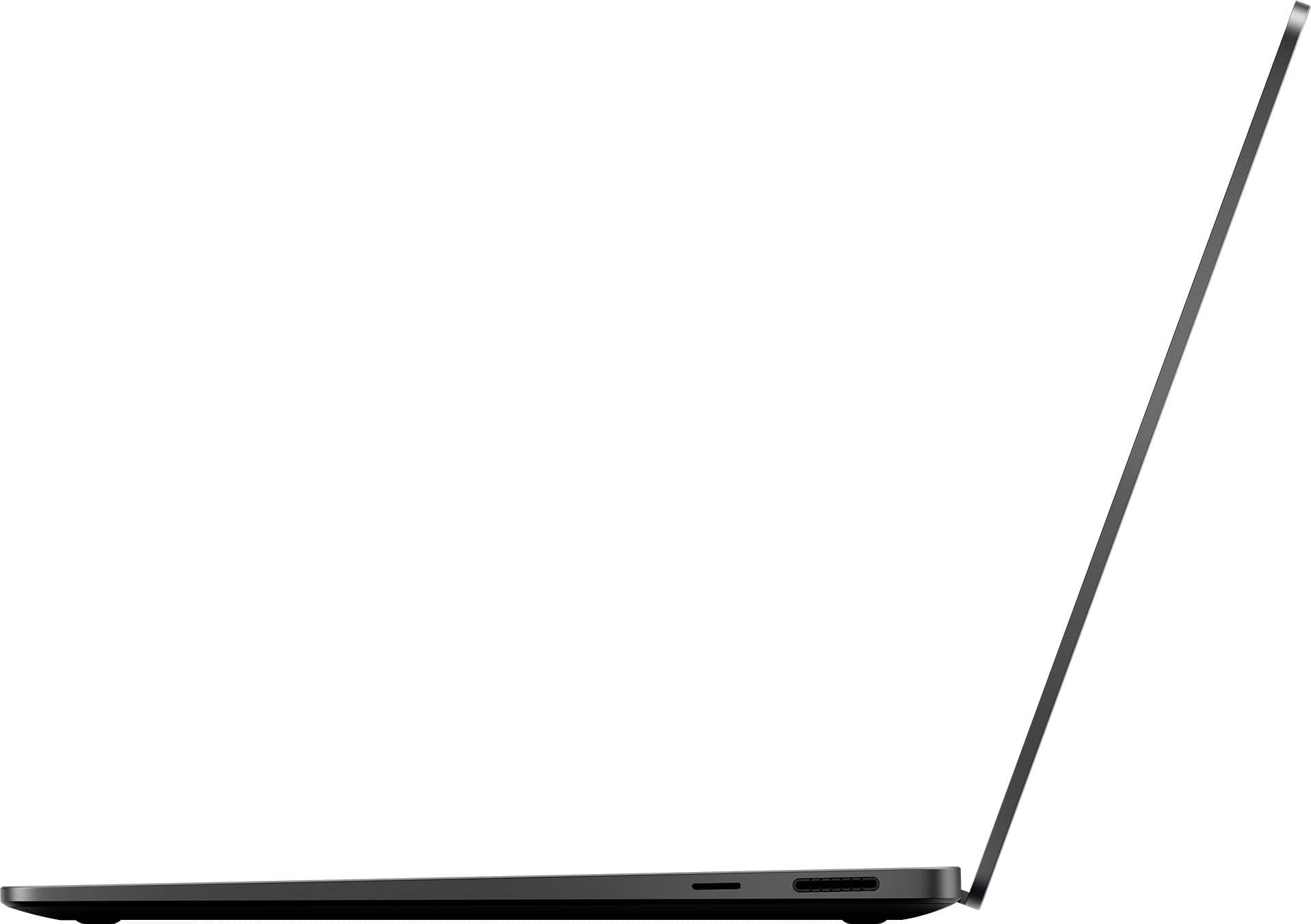













- Model:
- ZHH-00026
- SKU:
- 6582818
Rating by feature
- Battery Life
Rating 4.9 out of 5 stars
- Speed
Rating 4.9 out of 5 stars
- Display
Rating 4.9 out of 5 stars
Customers are saying
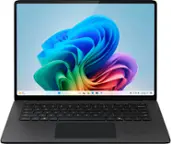
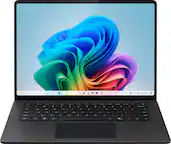
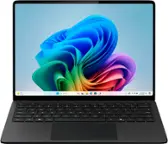
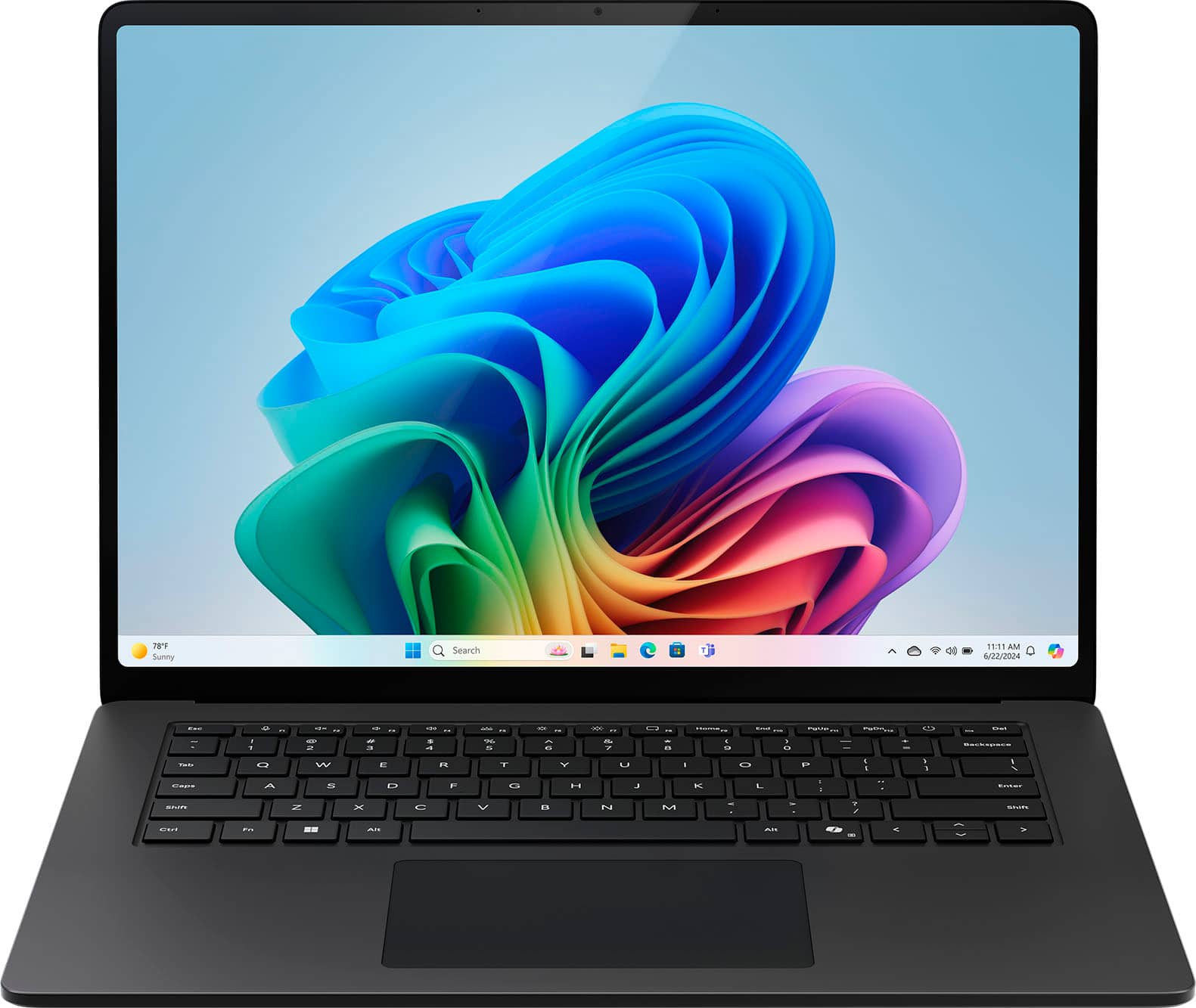
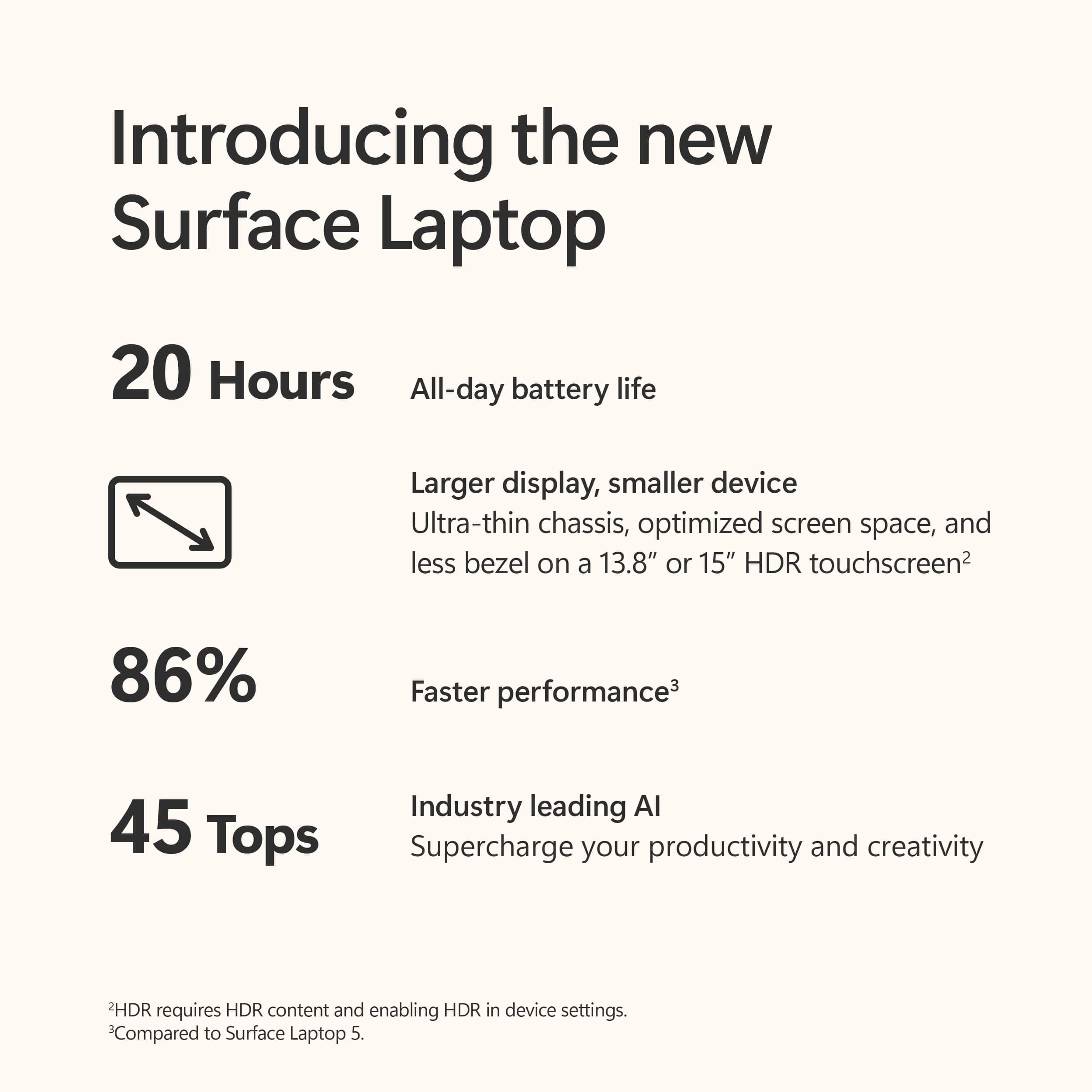
Customers highly value the Surface Laptop, particularly its exceptional screen quality and impressive performance. The long battery life and fast processor speed are also significant advantages. Furthermore, customers appreciate the sleek design and lightweight portability of the device.
This summary was generated by AI based on customer reviews.
- Pros mentioned:Battery life, Processor speed, Screen quality

Fast, Powerful and Helpful.
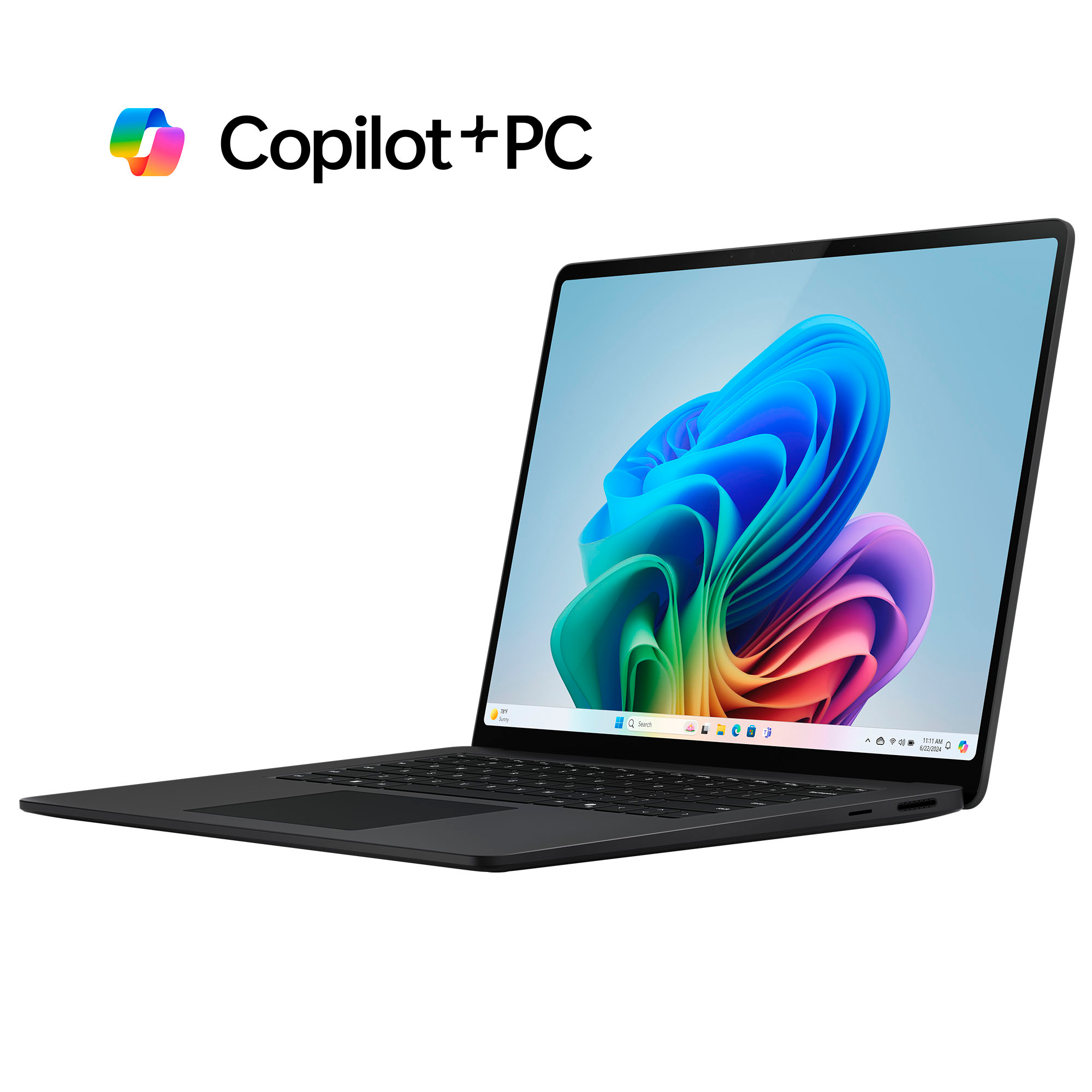
|Posted .This reviewer received promo considerations or sweepstakes entry for writing a review.Everything you need plus AI-based features that amp up how you work and play. This Copilot+PC Surface Laptop is fast, slim, lasts longer on a charge and helps you get stuff done more quickly and easily. Highlights: * Fast! * Relatively light. * Sleek all-metal chassis with great build quality. * Great battery life. * Includes magnetic (proprietary) 65W charger that has a USB-A port to power another device. * Charging via USB-C also works. * Integrated Copilot features are useful and have potential. * Live Caption is amazing! Room for Improvement: * Copilot’s integrations into Windows still feel a tad disjointed. * Windows still isn’t completely easy to use with Touch. Setup: Windows continues to get easier to set up. Plug in the provided 65W AC adapter to the wall and the magnetic slot on the side of the laptop to charge it up. Power it on and run through the initial Windows setup which is not short, but at least it’s easy to progress through and shows informative stuff while you wait. The AC adapter has a permanently attached cable that goes to the laptop and a removable cable that goes to the wall so you can substitute it for a different one if you’re traveling to a foreign country. There’s no cable management but it’s a relatively small AC adapter. Once completed and you’re at the Windows desktop, you can start to use it right away or begin customizations and installing your favorite apps. I use both Windows and Apple for work and all of my work is done either via a web browser or in apps that are available for both Windows and MacOS. I started off by installing all of my core apps like Figma, Slack, Office365, Snagit and 1Password. Everything I needed installed quickly and ran smoothly. I’m even using Edge instead of Chrome to check it out. Usage: There are three aspects of this Copilot+ Surface Laptop I’ll cover; the hardware, Windows 11 and the new Copilot+ features accelerated by this new hardware and Windows 11. This Surface Laptop is fast, relatively thin, has great battery life, so far runs everything I need and is built really well. It takes the standard Surface Laptop formula and refines it further. The display has rounded corners that add some flair and the touchscreen is responsive to both fingers and the optional Surface Slim Pen. The LCD screen is bright and crisp with a high resolution and great viewing angles. There is the proprietary Surface Connect port where the provided AC charger connects as well as a USB-A port, a headphone jack, an SD card slot and two USB-C ports that support USB4, Thunderbolt 4 and DisplayPort 1.4a. You can even leave the AC adapter at home and charge from one of the USB-C ports if you have a big enough USB power brick (65W min). This laptop is relatively thin and feels substantially built but isn’t too heavy. The 15” LCD screen has a good resolution of 2496x1664 (201 dpi) and the Full-HD (1080p) front-facing camera is great for video calls. The built-in Omnisonic Atmos speakers are surprisingly loud and clear and with support for BTLE Audio, you can connect just about any Bluetooth speakers or headsets when needed. If you’re working in a private environment, the dual microphones with voice focus work great for voice and video calls without the need to connect headphones or a headset. Windows 11 running on this new Snapdragon X Elite chipset feels fast and fluid. So far, I’ve noticed no heat or noise while running my suite of work apps. Windows has come a long way to being “finger-friendly”, and while I enjoy using touch to navigate occasionally rather than a trackpad or mouse, there’s still a lot within Windows that is hard to do with a finger. For that, the optional Surface Slim Pen works well. There is nowhere to leave the pen when you’re not actively using it, but it works great for writing on the screen or doing stuff where more precision is needed than your fingers can provide. Copilot+ is a suite of AI-based integrations to help you through your work day or home computing adventures. The most obvious and useful is a new Copilot “app” that is launched from the Windows Taskbar but also has a dedicated button on the keyboard. This opens a window with two main functions; Copilot and Notebook. Copilot is similar to the chatbots that you might have tried on other systems. You type or verbalize your question and it compiles an AI-summarized response. It’s nice that there are citations and references to the data sources used for the response so you can research further and read the original information that was used to compile the summary. You can also rate the summary, copy the text to put it elsewhere, have it read aloud or download it. Conversations are threaded in that you can build on the last question and answer without repeating yourself. If you’re done with that rabbit hole, just tap the “new topic” button to start a conversation on a different topic. You can even upload a photo or use the built-in cameras to take a photo as the source for the question. When generating the answer to your question, the response appears on screen almost as if you’re watching someone else type the answer live…. I’m not sure I like that versus just showing the answer, but it’s not a huge distraction as the responses seem to be accurate, fast and appropriate. The Notebook aspect of Copilot lets you use the AI to create new content based on the idea that you provide. For example, I wrote “A poem about squid” and the AI came back with iambic pentameter about the ocean creature. Fun. Again, you can type or use a photo as the idea and let the AI create something new from that. It can also translate into just about any language using spoken or typed content on either end. The standalone Copilot app is fun, helpful and handy. Some other AI-based features of this Copilot+ Surface Laptop are integrated into standard Windows apps such as the Edge web browser, Paint, the built-in Camera, and others. For example, in the Edge browser, there is a Copilot icon that opens the same Copilot features in a sidebar in the browser window. Here, the two tabs are called “Chat” and “Compose” versus “Copilot” and “Notebook” but they essentially do the same things. There’s a handy “Generate page summary” button that takes the contents of the web page being shown and summarizes it for you. Another fun thing it can do is generate questions to investigate based on content in the web page. You can still upload an image to use as the source of a query or take a new photo with the built-in cameras, but when accessed from within Edge, you can also easily take and include a screenshot as the source. In Paint, you can describe the image you want to create and have Copilot make an image to match your vision. This is powered by DALL-E and as of the time I write this review, this feature is in Preview and only allows 50 uses. Perhaps this will change later? Another AI-based feature in Paint is “Cocreator” which takes the image you start drawing and embellishes it to create something more professional or in a different artistic style. The Snipping Tool for screenshots has a few new tricks. It can quickly find text in a screenshot to be copied elsewhere as text (OCR). It can also detect phone numbers and email addresses in the image and redact them so that information is hidden in the resulting image that is shared. When on a video call, the live caption feature will add real-time automatic subtitles for every word spoken in any of 40+ languages. Have a video chat with people who speak different languages but never miss a beat! The camera has some cool effects, too. Automatically zoom and focus on where you are in the frame, adjust your eyes so they appear to be looking at the camera even though you’re really looking at the screen below it, change or blur the background or apply filters to your appearance - all live in the moment. Even with all of this new AI goodness sprinkled throughout, this Copilot+ Surface Laptop isn’t slowing down or heating up, and the battery is still chugging along. Overall: The Surface line of laptops and tablets has always been a great example of how great a Windows PC can be. These Copilot+ versions are faster, buttery smooth, last longer on a charge and get more done more easily. They take everything you need in a Windows PC and add in some AI smarts to tie things together better and be more creative. If a Windows PC is what you need, these Copilot+ PCs will exceed your expectations.
I would recommend this to a friend - Pros mentioned:Battery life, Processor speed, Screen quality
Impressive laptop.
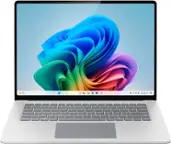
|Posted .This reviewer received promo considerations or sweepstakes entry for writing a review.The packaging of this laptop is minimalistic (very little plastic waste) and easy to open. There is one security strip on the front side of the box. It comes with its charger, power cord, and simple diagram guide. The laptop gives off a sense of solidity, and the platinum casing, with its premium build quality, is a testament to Microsoft's commitment to durability and value. This reassures you that you're investing in a product that will last. On the left side, you'll find a standard headphone jack, a USB-A port, and two USB-C ports (all charging-capable). A MicroSD card slot and the Surface power connect port are on the right side. The power supply cord quickly recharges the battery and conveniently attaches itself effortlessly with the magnetic snap-in. The cord is slender with a small power brick. The bezel (the border around the screen) is minimal, enhancing the sleek design of the laptop. The keyboard and touchpad (trackpad) design is terrific. The keys are evenly and comfortably spaced out and are well-lit. The touchpad (trackpad) is not small or big like other devices. It allows clicking anywhere inside, and it feels nice to click. The device looks slim and clean (no logo stickers), making it an impressive addition to your tech collection. This device is Wi-Fi7, so you will get better speed if your location has that. The screen is a visual treat, with a high refresh rate of 120 hertz, richer blacks, vibrant colors, and crisper whites that bring images to life. The responsive touchscreen makes swiping and tapping feel natural and intuitive. The Snapdragon processor performs very well and is quiet. It is plenty fast for daily usage. Battery life lasts long, which is acceptable for this premium device. While this laptop can do light gaming, I wouldn't recommend it for some heavy games. The speaker's sound at total volume is excellent and loud without distortion. The keyboard's Copilot button allows quick and direct access to a chatbot. You can use Copilot to make things (images), answer questions, or show you how to do something with full instructions and sometimes videos. Conclusion: It has an immaculate ergonomic design and is fast and enjoyable.
I would recommend this to a friend - Pros mentioned:Battery life, Performance, Processor speed
The Lucky (Surface) 7 is a Good Buy for Most Users
||Posted . Owned for 1 month when reviewed.This reviewer received promo considerations or sweepstakes entry for writing a review.This is a premium device for anyone needing a laptop for basic web surfing, email and Office software. Surface Laptop 7 is ideal for business or for students, a sleek laptop with a solid build, an excellent display (that could be better) and exceptional battery life. As a long-time Apple devotee, I think this rivals -- if not surpasses -- the MacBook Air. Pros: * The new Snapdragon X Elite chip is a game changer. The Surface now has the speed, power and battery life that's comparable to the MacBook Air. I've not had issues with Arm capability with software, except for a VPN. *This machine exudes premium. The new hactic trackpad is superb. It's as good as a Mac trackpad, even if it's a bit smaller. The keyboard is excellent, although I'd put it slightly behind Lenovo and Mac. The hinge and lid are solid. * The display is excellent. It has a 120 refresh rate, so text is crisp and there's no scrolling drag. The screen is brighter than most, albeit with a bit of glare. Microsoft has reduced the width of the bezels, giving the device a more modern look after years of chunky bezels. * The port selection is adequate, with two Type Cs, a Type A, a micro SD slot and the Microsoft Connect power port. The audio is quite good. The webcam and mic are very good, although the Mac's are sharper. * The Surface 7 is reasonably portable. It won't weigh down your backpack. But it feels heavier than the 15-inch Air. Cons: * No OLED display option is a bummer. I almost didn't buy it because of that. But the display is excellent for an ISP screen. And you don't risk OLED burn in. * It's not a laptop for gamers. * I wouldn't buy this for the Co-Pilot feature. It's not ready for prime time. * No privacy shutter for the webcam. * No fingerprint reader (but has face ID) Overall, this is an excellent laptop at a reasonable price for its premium quality. I'd recommend it for most users.
I would recommend this to a friend - Pros mentioned:Battery life, Processor speed, Screen quality
Truly a Copilot in my varied live/work balance
|Posted .This reviewer received promo considerations or sweepstakes entry for writing a review.Competition in the computing world is tough these days. Seems like just about everyone makes a beautiful laptop that performs everything the average person needs. There ARE distinctions though. Is that silver machine ACTUALLY metal? Does the super thin screen/lid easily and securely open and close? How do the keys feel? Will it sear my legs? Is the touchpad responsive, but not too? Is the screen bright and beautiful? Will the battery last all day while I surf with 20 tabs open, watch videos and process photos? Oh, is it easy to set-up? The answer to all of these pertinent questions, I'm not kidding you, is positive for the Microsoft Surface Copilot+ PC. Oh, and the touch screen is lovely in response. I was able to effectively transfer an installation from another Windows PC account. Super easy. So I was up and running (after a lot of updates) relatively quickly. Everyone is doing AI. I watched Microsoft's reveal for the Copilot line and they have some very helpful and cool plans ahead for us. Copilot features I'm enjoying include Studio Effects. In my work world I participate in a multitude of virtual meetings. Some days either I'm not looking my best, or my setting is less-than-ideal. Though not too vain, I do enjoy the ability to soften my look with features such as Portrait Light and Creative Filters. A very cool feature is Eye contact Teleprompter- we get distracted (or bored) and the feature makes you appear to be paying attention. Sneaky, but useful. Auto Framing is nice as well for fidgeters like myself. I'm very excited about Live Captions. It no only close captions English, but also several other languages. It can be used in meetings as well as with any audio playing on your PC...so watch that YouTube video in a foreign language or worry less if you have a hearing limitation, be it natural or your surroundings (you aren't meeting in a cafe are you? ;) I very much enjoy Cocreator in Paint. You can make a drawing with your mouse or finger and then use a sliding scale AND text prompt to direct Cocreator's AI involvement, ranging from no modification to your sketch, all the way to "What? I never imagined that was my drawing intent!" (mostly for better, sometimes worse or absurd) I'm an architect and I dabbled with perspective sketches and building cross sections. It's pretty impressive. Going to the far end of Cocreator involvement sometimes is amazing, but not at all what you imagined. I will continue to explore it though. I found the Snapdragon processor to be impressive both plugged-in and on battery. Fast, even with AI. It seems efficient at the same time. I'm power-using and have only had to plug-in once near the end of a day. Usually getting to around 20-25% after many hours of use. It's a beautiful machine, well-built, that also performs beautifully.
I would recommend this to a friend - Pros mentioned:Battery life, Processor speed
So fast and intuitive
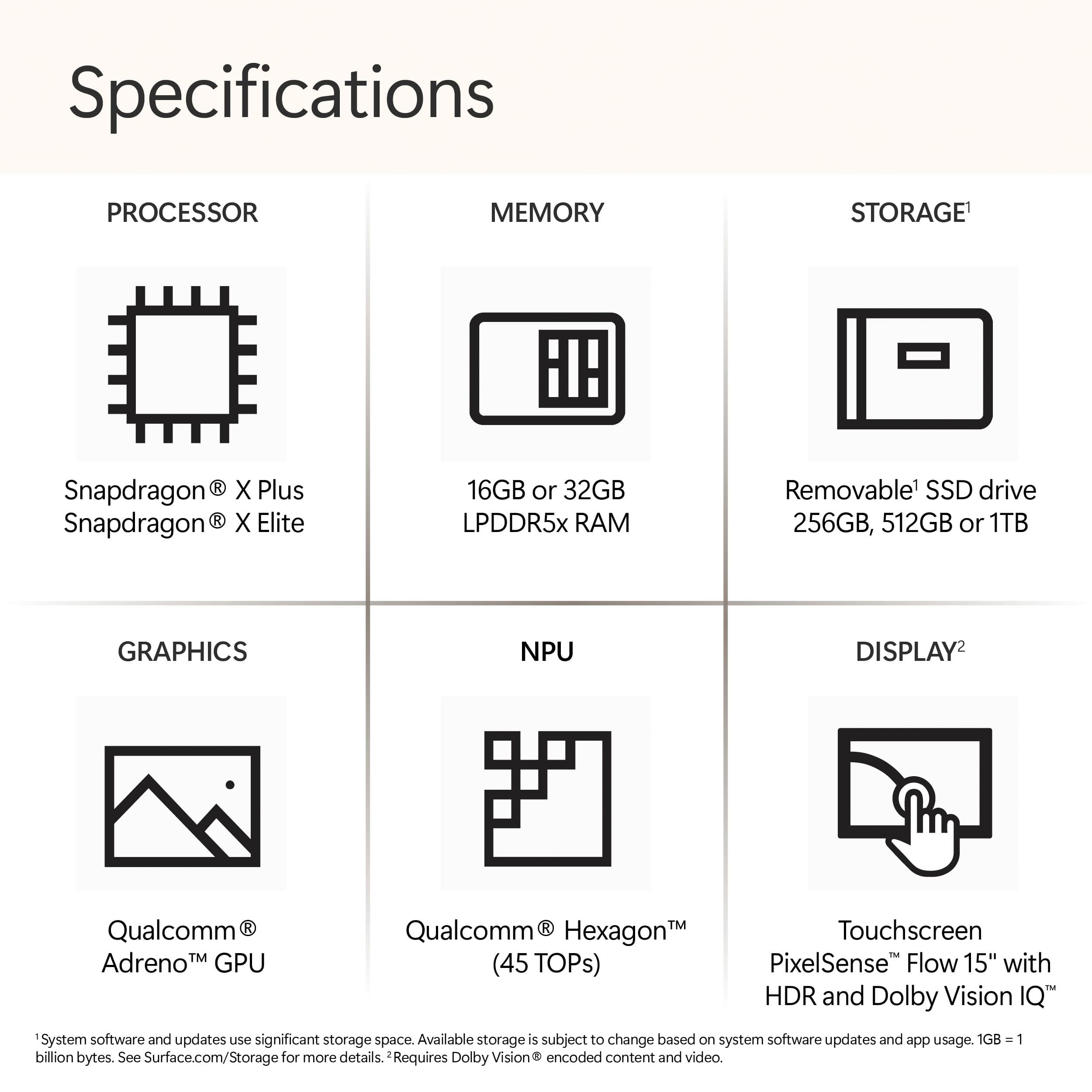
|Posted .This reviewer received promo considerations or sweepstakes entry for writing a review.First it has a backlight keyboard with 3 settings which is beautiful. The screen is super bright and just needed it set to 50 percent even when outside. It has a microsd slot near the proprietary charging port. It has two usb c charging ports and I was able to charge and work with just that and never dipped below 90%. I was able to fully charge the laptop from 30% to 100% in under an hour using just the usb c port. Has full size usb port. Battery life without any charging, I obtained while having meetings, games, some lite graphics, web surfacing, watching web videos, and playing music in background…at about 15 -16 hours was down to 18%. Also some of my apps/programs like Norton 360 had difficulty installing and had to call the manufacturer to finish install. I believe because the processor is very new that some hiccups are to be expected. I love opening up device manager and seeing NEURAL PROCESSOR…feel like Star Trek Data is in the laptop. I mention all this because the sd slot nor backlight not mentioned in the included literature. The processor is lightning fast, the always on capability is great without sacrificing battery life. Boot up from a full power down is under 35 seconds. The weight/balance ratio makes it easy to carry and handle. The aluminum metal construction gives it a great tactile feel and surety of grip. Speakers are really beautiful sounding and fairly loud and discernible even at 100% volume. My only wish was for the screen to be detachable or it be foldable but otherwise fantastic. Design and Build Quality: The Microsoft Surface Laptop 15" in Platinum combines a sleek design with robust build quality, creating an impressive first impression. The aluminum chassis feels premium and durable, with a smooth finish that resists fingerprints. The laptop is thin and lightweight, making it easy to carry around without compromising on sturdiness. Display: The 15" PixelSense touch-screen display is a standout feature, offering vivid colors and sharp details. Whether watching movies, editing photos, or working on creative projects, the display's clarity and color accuracy enhance the overall experience. The touchscreen functionality is responsive, supporting precise interactions and gestures, which is particularly useful for artists and designers. Performance: Equipped with the Snapdragon X Elite processor, 16GB of RAM, and a 512GB SSD, the Surface Laptop delivers reliable performance across various tasks. From multitasking with multiple applications to handling intensive software like Adobe Creative Suite, the laptop performs smoothly without noticeable lag. The SSD ensures quick boot times and fast data access, enhancing productivity and workflow efficiency. Microsoft Copilot Experience: The Microsoft Copilot feature enhances the Surface Laptop's usability by providing intelligent assistance and productivity tools. It integrates seamlessly with Windows 11, offering features such as enhanced voice commands, smart scheduling, and proactive notifications. During my experience, Copilot proved useful in organizing my tasks, managing appointments, and providing relevant suggestions based on my usage patterns. For instance, Copilot intelligently suggested optimal times for meetings based on my calendar availability and even provided reminders to follow up on important tasks. Its voice recognition capabilities were impressive, accurately interpreting commands and queries, which streamlined my workflow. The integration of Microsoft 365 services further bolstered productivity, allowing seamless access to documents, emails, and collaborative tools. Battery Life: The Surface Laptop's battery life is commendable, lasting up to 15-17 hours on a single charge under normal usage conditions. Throughout my workday, which involved web browsing, document editing, and occasional video streaming, the laptop consistently provided sufficient battery power without needing to recharge frequently. This longevity is beneficial for users who require a portable device capable of sustaining extended productivity sessions. Keyboard and Trackpad: The keyboard offers a comfortable typing experience with well-spaced keys and satisfying key travel. It's backlit, making it convenient to type in low-light environments. The precision trackpad is responsive and accurate, supporting Windows gestures effectively for smooth navigation and multitasking. Portability: Despite its larger 15" size, the Surface Laptop remains portable and easy to transport. The slim profile and lightweight design make it effortless to carry in a bag or backpack, ideal for professionals and students who need a versatile laptop for both work and leisure. Copilot alone: As a user of the Microsoft Copilot integration on the Surface Laptop, I have found it to be a transformative addition to my daily productivity and organizational routines. Copilot leverages AI-driven capabilities within Windows 11 to enhance the overall user experience, providing intelligent assistance and proactive support throughout my workday. Integration and Functionality: The integration of Copilot into Windows 11 on the Surface Laptop is seamless and intuitive. From the moment I started using it, Copilot began learning my habits and preferences, which allowed it to provide increasingly relevant suggestions and assistance over time. It integrates smoothly with Microsoft 365 services, such as Outlook, Teams, and OneDrive, ensuring that I stay connected and organized across all my tasks and communications. Productivity Enhancements: One of the standout features of Copilot is its ability to streamline productivity tasks. For instance, it intelligently manages my calendar, suggesting optimal meeting times based on participant availability and my schedule. It also reminds me of upcoming deadlines and tasks, helping me stay on top of my workload without feeling overwhelmed. The proactive notifications are particularly useful, alerting me to important emails, upcoming meetings, and task deadlines so that I can prioritize accordingly. Voice Commands and Interaction: The voice command functionality of Copilot is impressive and accurate. Whether I need to quickly jot down a note, schedule a meeting, or search for a file, I can simply use voice commands to accomplish tasks efficiently. The voice recognition technology understands natural language well, which makes interactions feel fluid and responsive. This feature has significantly sped up my workflow, allowing me to perform tasks hands-free while multitasking on other projects. Personalization and Adaptability: Copilot's ability to adapt to my preferences and work habits sets it apart. It learns from my interactions and adjusts its suggestions and recommendations accordingly. For example, it understands my preferred working hours and adjusts reminders and notifications accordingly. This level of personalization enhances its utility, making it feel like a truly personalized assistant tailored to my specific needs and workflow. Privacy and Security: Microsoft emphasizes privacy and security in Copilot's operation, ensuring that my data remains protected and confidential. The AI-driven assistance respects privacy settings and does not compromise sensitive information. I appreciate knowing that I can rely on Copilot for assistance without concerns about privacy breaches or unauthorized access to my personal data. Overall Impression: In conclusion, the integration of Microsoft Copilot on the Surface Laptop has significantly enhanced my productivity and organization. It seamlessly combines AI-driven intelligence with the robust capabilities of Windows 11, providing a cohesive and efficient user experience. From managing my schedule to assisting with document organization and communication, Copilot has become an invaluable tool in my daily workflow. I would highly recommend it to anyone looking to optimize their productivity and streamline their digital workspace with intelligent assistance that adapts to their needs.
I would recommend this to a friend Keys delaminating
||Posted . Owned for 8 months when reviewed.This reviewer received promo considerations or sweepstakes entry for writing a review.At 6 months, keys delaminating, after hours to try to get service, microsoft not honoring under warranty and require it to be shipped for repair at cost of $640
No, I would not recommend this to a friend- Pros mentioned:Battery life, Screen quality
Slick Sleek Fast
|Posted .This reviewer received promo considerations or sweepstakes entry for writing a review.Microsoft’s Newest Surface Laptop (7th Edition) is my now go to laptop from everyday use. It does everything right from being slim, sleek, and relatively lightweight (for its size) there is a lot to like here. From the moment I first saw it, taking it out of the box, it instantly became my favorite laptop that I own. After the standard initial set up. This thing boots up right away, as fast as any laptop ive seen. That’s one of the many benefits you get with Microsoft products. Here are some highlights: Screen: Beautiful 15inch 2496x 1664 resolution and 120HZ refresh rate, thin bezels all wrapped up in a thin sleek presentation, and its touchscreen! RAM: 16GB is more than enough RAM to help your computer run, smooth and fast, no complaints here. Battery: Microsoft lists their battery as having 22 hours of battery life. This will vary from person to person depending on what you use it for, but all I can say is it’s lasted me a long time between charges. As good as any laptop I’ve ever seen. GPU: Qualcomm Adreno. I’m not familiar with this particular graphics card, but from what I’ve seen it can handle pretty much anything you throw at it. Except for hard-core gaming. I’m sure it’ll handle some games here and there, but don’t get this laptop if your primary use for it is to play graphically intensive games. Storage: 512GB of SSD is not necessarily a lot these days, but you would be able to save a few 4k videos, some HD videos and a lot of files and even a lot of music on it. But eventually, you will run out. Processor: Qualcomm Snapdragon X Elite. Not the best processor money can buy, but overall a pretty powerful one. Good enough to get any job done (except hardcore gaming) you can pretty much do it all here. You can edit HD/4K videos, Run multiple applications at the same time, have multiple websites open, Etc. Copilot: The future is here, with copilot anyone can use AI driven software to help you with multiple tasks. You can ask questions and it gives you intelligent answers, you can use it to help you create pictures or images just by telling it what you want it to be about. There’s so much here you can do with AI that. And it’s all there with the touch of a button. We all have smart phones, now we have a mart laptop Other notable extras is a front facing HD camera, USB-C and USB-A connections as well as a headset connector. Last but not least, I believe the Best Buy website says that the keyboard is not back lit, But I can assure you that it actually is for anyone wondering. Pros: Battery Life Track Pad Screen Aluminum Body Backlit Keyboard Cons: Dull Grey Colored keyboard
I would recommend this to a friend - Pros mentioned:Battery life, Processor speed
Embrace the AI - Hello, Copilot+
|Posted .This reviewer received promo considerations or sweepstakes entry for writing a review.Copilot+ I was excited to see a new surface laptop offering with the Copilot+ feature. At work, we use a Copilot integration so I loved that this laptop offers that feature at the touch of a button. With AI constantly evolving and many companies still trying to figure out how they will leverage that technology, I'm very interested in using it as much as possible to build familiarity and try to keep up with AI. I love that Microsoft is making it so easy by putting it at your fingertips. For me, it's still new to embrace this technology so I appreciate the reminders and integration to help make this transition more seamless for me as I continue to adapt. The Copilot+ feature offers a lot of opportunities to leverage AI and integrate it into everything you do. I admit that I'm very excited, but also a little overwhelmed. It took me a bit to navigate to all the Copilot GPTs. I was expecting them to all be connected through the Copilot button, however, when I click it I only get what I consider to be the standard GPT-type chat for questions, research, etc. Once I did find my way to the page (URL), I bookmarked it so I didn't get lost in navigation again. It's not that hard, but it would be great if the icon pulled everything up more intuitively. There are a few GPTs available - Copilot, Designer, Vacation planner, Cooking assistant and Fitness trainer. I am enjoying the Designer GPT. I think it will be very interesting to continue creating images with this tool. Who knows what we will come up with! Vacation planner is just what I need, too. It already offered some great recommendations for an upcoming vacation this weekend. Can't wait to check out the suggestions. I like the notebook feature to start collaborating on some things I need to work on like my LinkedIn profile. It's been great so far with the prompts and responses, so I look forward to continuing to explore that functionality a bit more. Speed & Performance The laptop offers a Snapdragon X Elite (12-core) processor. You can absolutely feel the power and performance improvement compared to slightly older laptops. With all the CoPilot+ features, the performance is really important to bring those features to life. This processor delivers on keeping the laptop running quickly and efficiently. Battery Life I think we all could use a lot more battery life. I often use my laptops on the go for work, school, and when I'm traveling. This laptop offers a solid battery life. I haven't tested the full potential of 22 hours, but based on my experiences so far it wouldn't surprise me if this battery could hold out that long. Graphics Beautiful! The color is amazing. Just deep hues with super clear and crisp resolution. It just makes me want to create something with the Advanced AI image generation. It's amazing how easily you can create such beautiful images with a little help from CoPilot+. Setup The setup was quick and easy. I was able to complete it relatively quickly. I appreciated that the device arrived with some charge so I was able to get it setup without plugging it in. I did honor the request to keep it plugged in during the final download, etc. but based on the battery life that was available that probably wouldn't have actually been needed. Mousepad I appreciate the size of the mousepad on this laptop. It's a little bigger than the mousepad on my work laptop which makes it a little easier to quickly get things done. I also want to call out that it's a different color than the laptop. Many laptops I have used over the years have a mousepad that is the exact same color as the laptop. Sometimes if you are moving quickly you may not distinguish mousepad from laptop and have to actually look at it to ensure you are hitting the actual mousepad. Not an issue here. I like the darker gray of the mousepad. The keys are the same color. Power Cord Cats can chew through this cord. I had to replace similar power cord on my Surface Pro twice because my cats love it. I will be planning to get a cord protector, but those are typically super cumbersome for a laptop that is typically used on the go. Screen Size I'm a big fan of the 15" screen size. I use a Surface Pro with a 13" screen and I will tell you those extra 2 inches make a huge difference on the screen size. I would love to go bigger, but this size really makes the laptop work well for home and on the go so it works really well for me. Overall, I love this laptop. It positions me to embrace AI in a way that I can continue to learn and grow my understanding and evolve as the use of AI grows over the next few years. The laptop itself is fantastic and feature-packed so the Copilot addition is just the icing on the cake. I highly recommend this laptop.
I would recommend this to a friend - Pros mentioned:Battery life, Screen quality
A Glance in the Future
|Posted .This reviewer received promo considerations or sweepstakes entry for writing a review.I couldn’t wait to test the all-new Surface Laptop Copilot+ PC with the latest Snapdragon X Elite processor because my first experience with an ARM processor was less than desirable to say the least. Let me get this out the way first; Microsoft and Qualcomm nailed the marriage between the Surface device and the Snapdragon X Elite processor. The laptop comes pre-loaded with Windows 11 Home which is good, but I immediately upgraded to the pro version since I utilize remote desktop on my other laptops and desktop computers. Design - The Surface Laptop 7th Edition is a thing of beauty. The overall design with the aluminum chassis looks and feels premium. You can open with one hand and the overall weight and heft of the device is right around 4 pounds. The screen size of 15 inches and the resolution of 2496X1664 makes it future proof ready. It also has dynamic refresh rate from 24Hz to 120Hz. Keyboard – I really like the layout of the keyboard. The keys are spaced evenly with good responsiveness. The back-lit keys are also a major benefit. You don’t get a number pad included however, so just be aware you would need to use a number-pad or the use the number keys towards the top of the keyboard. Ports – Microsoft opted for their proprietary charger which is the Surface power supply. I worry how well this will hold up long-term as it seems a little flimsy. To my surprise however, the Surface Laptop has two USB-C and 1 USB A port. The USB-C ports are also capable of charging the device and displaying dual monitors since the ports are USB4 ports. Battery – I’ve been testing the battery for a little over a week and a half by listening to music, typing emails, uploading files and working in the Microsoft Office suite. I can attest that the battery life on this laptop is one of the best I’ve seen on a Windows laptop so far. I’ve gotten a day in a half worth of battery life while performing multiple tasks without needing a charge. Screen – This version comes with a beautiful 15 inch capable of HDR touchscreen with thin bezels. The screen is glossy which poses no issues for me. The dynamic refresh rate with up 120Hz feels silky smooth when scrolling through websites. This can be disabled in the Windows settings as well. Windows Hello login is instantaneous even in low light conditions. It rivals my expensive webcam with the Windows Hello login feature. AI features – Ive messed around with the Copilot features in Microsoft Paint and messed around with the webcam features with Windows studio Effects. The webcam and mic are really good. The clarity of the webcam is very good and the mic sounds really good. Having the dedicated Copilot button is a plus. I’ve thrown all sorts of questions at Copilot and it’s a neat feature. Not too sure if this would be the main reason to purchase this laptop however. Some areas I think is the reason to purchase this laptop are: Ram starting at 16gb. Wi-Fi 7 supported CoPilot Superior battery life. Premium look and feel. Snapdragon Elite X processor. Touchscreen with 120Hz capability. I think that Microsoft stepped their game with this device. This device will probably set the industry standard with the battery, performance level, and overall specs on the 7th generation Surface laptop. This laptop does come with a steep price tag to match for a Windows machine, but with all the functionality, it may be well worth it for most. I really like the steps Microsoft is taking with its latest batch of premium laptops, and can’t wait to see what’s ahead when all the Copilot features are available in the near future.
I would recommend this to a friend - Pros mentioned:Battery life, Processor speed
Amazing laptop
|Posted .This reviewer received promo considerations or sweepstakes entry for writing a review.OK, where was a laptop like this when I was in school writing reports? The CoPilot+ can take an article and summarize it in seconds. The Snapdragon processor is amazingly quick. Homework could have been done in minutes!! I asked it to create an itinerary for a trip to Washington DC later this summer with an 11 year old. It created a day by day list of things to see for the time we are in the city. We may not follow it exactly but it helps narrow down the many choices to those that a pre-teen should find interesting. Again, it created the list in seconds. I had spend hours scouring websites looking for things to do. I am sure there are other reviewers who are more tech savvy that can address the Snapdragon benefits. I just know it's fast. The battery life is incredibly long as well. I have only charged it once since I received it a little over a week ago. The only down sides for me- It has a unique charger. I am not a fan of those. I have several laptops (for work) and they use C chargers. I like those because I can also charge my phone with them. This one does not stay in well either. I use the laptop on my lap (weird, I know), and when I move around, it comes out. I am including a picture so you can see the charger type. I am a fan of laptops that fold back to become tablets. Maybe it's my age but I like being closer to the screen that folding it back affords me. I have absentmindedly tried to fold this one and it stops quickly and reminds me that it doesn't do that!! Overall, this is a quick, intuitive laptop. CoPilot+ is a great way to help with work, school and other activities.
I would recommend this to a friend - Pros mentioned:Battery life
A very interesting and unique ARM & AI machine…
|Posted .This reviewer received promo considerations or sweepstakes entry for writing a review.I have spent the last week setting up and evaluating this very interesting and unique machine, the ARM based Microsoft Surface CoPilot+. Combining a week’s intensive use with watching many YouTube videos and numerous podcasts and reviews, I can say that this machine seems to boil down to two main considerations. First, it's a new type of Windows machine that runs on an ARM processor, which is a departure from the usual Intel or AMD machines. Second, it has a dedicated Neural Processing Unit (NPU) chip for AI tasks. Let me address the AI aspect first. Short version: This AI stuff is pretty cool and having a CoPilot+ laptop with the built-in AI chip will let you do AI things that other computers cannot do. Long version: You can experience AI and play around with creative applications without this specific computer. Before getting this AI laptop, I got a subscription to Microsoft CoPilot PRO, which integrates well with my Office programs, and I've had a lot of fun using Microsoft 'Designer' to create cool graphics for social media and emails and using AI to look at spreadsheets and whip up PowerPoints. What’s new for AI here is this machine is the first to have a built-in Neural Processing Unit (NPU) chip, which is designed to take the load off the main processor when the laptop is running AI processes. At the moment, some of the graphic functions like Designer for graphics and the language translation use the NPU chip to boost processing speed, and there are some video conferencing filters that have been around a while - but more significant is the tremendous potential for apps and ‘small models’ that will use this onboard neural chip to great advantage. Having an on-board Neural Processing Unit (NPU) chip is a new thing and developers are cranking out AI apps and AI program updates on a daily basis. I am looking forward to more and more of these program updates and apps to become available to really help the AI functions of the CoPilot+ show its capabilities. This is about as “future proof” as you can get for the surge in AI capabilities at the moment. Having the built-in Neural Processing Unit (NPU) will help speed up some of the AI process, allow use of AI applications and plug-ins, and provide many AI functions even when the machine is offline. Now, to put the AI aside and evaluate the Surface CoPilot+ as a laptop – Microsoft Surface machines have a reputation for being well engineered and this machine looks good and feels very sturdy in the hand. The edges are nicely chamfered and easy on the hands. This machine is well-built, with a backlit keyboard, solid hinge, and a very nice 120MHz screen. The haptic touchpad is wonderful. My first haptic touchpad, and this is a whole new experience as I really never liked touchpads until this one... very smooth, responsive, adjustable, and clicks anywhere! I can also use an inexpensive capacitive stylus for basic drawing on the screen when using OneNote or playing with the AI graphics. This 15” machine has a micro-SD slot and first thing i did was pop in a 512GB card for game files, software repository, and cloud storage. Long battery life is one of the main benefits of the ARM-based machine—it lasts much longer than my other laptop. My experience is easily 2x to 3x the battery life of my i5 laptop (which just got a brand-new battery). Another very nice feature of this ARM based machine is 'instant on' when you open the lid to resume work – the laptop instantly jumps back to life every time and doesn't drain the battery when asleep. The more I use this laptop the more I appreciate how nice it is to not worry about shutting the lid when I step away for a moment or pack up to go to the next location and know that I can pop the lid and go right back to work without having to wait for the computer to wake up. With the facial recognition enabled (and it works very well) you don’t have to put in a PIN code or password – the laptop recognizes you and is instantly ready to pick up where you left off. Really nice! As for gaming, it has been well established that this isn't a hardcore gaming machine, but don’t sell the ARM laptop short - it can handle many fun and modern games. It runs all the normal programs for office work, school, photo and light video editing without any issues. It's fast, lasts an incredibly long time on battery, and doesn't keep me waiting. In conclusion, if you want a well-built, long-lasting laptop that's quiet, cool in your lap, and on the cutting edge of AI, the Surface CoPilot+ is a great choice. Greetings from Central Georgia and Happy 4th of July! banjo
I would recommend this to a friend - Pros mentioned:Design, Performance, Processor speed
ATB
||Posted . Owned for 3 weeks when reviewed.This reviewer received promo considerations or sweepstakes entry for writing a review.I recently got my hands on the Microsoft Surface Laptop with Copilot+ PC, and it has been an impressive experience so far. The 15" touch-screen is vibrant and responsive, making it a joy to use for both work and entertainment. The Snapdragon X Elite processor with 12 cores ensures that everything runs smoothly, whether I'm multitasking with multiple applications or streaming high-definition content. With 16GB of memory, the laptop handles demanding tasks with ease, and the 512GB SSD provides ample storage space while ensuring quick boot times and fast data access. One of the standout features is the integration of Copilot+, which enhances productivity by offering intelligent suggestions and assistance across various applications. This feature has been particularly useful in streamlining my workflow and boosting efficiency. The sleek black design of the laptop is both modern and professional, making it a great fit for any setting. Overall, the Microsoft Surface Laptop with Copilot+ PC is a powerful and versatile device that meets the needs of both casual users and professionals alike.
I would recommend this to a friend - Pros mentioned:Processor speed
Not just another pretty laptop!
|Posted .This reviewer received promo considerations or sweepstakes entry for writing a review.Unboxing: The laptop comes nicely packaged, like all devices do these days. Open the box and you will find the laptop, charger and cord neatly packaged. The charging block has a USB-A port on it, which seems kind of dated these days, I’d prefer a USB-C port. There aren’t any clips or wire management on it to secure the long wires either. While on the subject of the charger, the end that actually charges the laptop, why don’t they just use a USB-C charger instead of this proprietary connector? It looks like a SD slot, but it is the charging port. The only benefit I can see is that it is magnetic, if you were to trip over the wire, it’ll disconnect rather than drop your laptop, hopefully. Every other laptop I use is a USB-C charger. In fact, that’s how I charge this laptop, by plugging in a USB=C cable from my monitor that charges and sends the video to the monitor. Design: I would describe the look of this laptop to be sleek, minimal, and solid. It does look a lot like my Windows Surface Book 3 that is about 4 years old. As far as ports go, on the left side, there are 2 USB-C’s. 1 USB-A, earphone jack. On the right side, there is the charging port as discussed earlier and a microSD slot. The screen is a touch screen. Overall the design is very clean and nice, the shiny silver Windows logo gives it a premium look. Usage: Windows laptops are getting easier and easier to setup. It seems to be taking a page out of Apple’s book. All I did was log into my Microsoft account and all my setting and applications were brought over from my other laptop. I had to re-download some applications, but it wasn’t a big deal. This has the Windows “Hello” login (facial recognition) feature which is very convenient. I noticed this laptop does not have backlit keys on the keyboard. Not a huge loss to me as the keys on my other Surface laptop that has light up keys is kind of difficult to see in the dark anyway. I used this laptop for general applications such as Microsoft Office applications and stock trading application, which can be slow on some laptops I’ve used. The Snapdragon processor was able to open all the applications I needed quick and without lag. I had no issues running any applications I needed. I have a NAS drive connected to my network with many photos and videos saved on it. When I’ve accessed this drive in Windows Explorer (extra large icons) with my other laptops, the photos usually pop up, but not very quickly. With this laptop, it was noticeably faster, to add, many of these photos were taken with a full frame SLR camera and are large in file size. Videos were able to play as well, with no lagging. I was on doing all this connected to the WiFi. AI features: I opened a photo I had taken, clicked on “Edit” and I was introduced to a few AI tools. I was able to find a photo of a lighthouse that had some electrical cables that sort of ruined the photo. Using the AI edit feature, I simple marked the items I wanted to get rid of and the AI removed them without removing anything else. I also tried the “restyle image” AI feature. It allowed me to be creative and change my photo into an anime drawing without needing to know how to use Photoshop! While many of these functions can probably be done manually in Lightroom or Photoshop, it’s was very simple to have AI do it for you. Cocreator: In Microsoft paint, there is a tool called “Cocreator”. Simply describe what you want drawn and cocreator AI will draw it for you. It’s fun to play around with the see what the AI would come up with. See my example, I asked for a house with a white picket fence. Copilot AI: At your fingertips, to the right of the spacebar is a button to bring up the Copilot AI. This is similar to other AI you may have used on your smartphones. Press the button and a copilot window pops up. I tried it several times and it works pretty well. I can see this being very useful for the average consumer. For example, I asked it to show me a resume format for a college student. In 5 seconds, it typed out a well laid out resume format with links at the bottom for more information. I asked it for a recipe for beef chow fun, and again, it brought back a recipe that looked reasonable. Conclusion: I found this Surface laptop to be more interesting than it lets on. On the surface, it looks like yet another nice looking, albeit slightly boring laptop. But under the hood, it’s a laptop with a powerful and capable Snapdragon processor with built in AI! I’ve only test it for a few days, I don’t think I’ve discovered all it can do yet, but I can wholeheartedly say it’s a very good laptop with some compelling AI features that would be useful for many people.
I would recommend this to a friend - Pros mentioned:Performance, Processor speed, Screen quality
Microsoft Surface
||Posted . Owned for 1 week when reviewed.This reviewer received promo considerations or sweepstakes entry for writing a review.I have had a surface for the past 5 years, but my new surface is faster, lighter, and overall better performance. I love the touch screen feature.
I would recommend this to a friend - Pros mentioned:Design, Performance, Screen quality
Design and Display
||Posted . Owned for 1 week when reviewed.This reviewer received promo considerations or sweepstakes entry for writing a review.The 15" touchscreen display is vibrant, responsive, and ideal for both work and entertainment. The sleek black finish exudes elegance, and its slim profile makes it highly portable without sacrificing premium aesthetics. The edge-to-edge glass enhances usability, especially with Windows 11's touch-friendly interface.
I would recommend this to a friend - Pros mentioned:Performance, Processor speed
Great deal, awesome laptop!
||Posted .This reviewer received promo considerations or sweepstakes entry for writing a review.GREAT laptop for college bound student. Perfect size & not too heavy. Speed is better than we expected. VERY satisfied!!!
I would recommend this to a friend - Pros mentioned:Battery life, Processor speed, Screen quality
Excellent laptop
||Posted . Owned for 1 month when reviewed.This reviewer received promo considerations or sweepstakes entry for writing a review.Bought the Microsoft Surface 7 laptop about a month ago for my personal and business use. It is very reliable, starts up quickly,and has a very long battery life. I primarily use Microsoft 365 apps, which work fast and perfectly on this laptop. The touch screen has a high resolution, and the integrated camera makes Teams/Zoom meetings easy to manage. The laptop itself is thin and light, so is easly to carry and travel with. The keyboard and track pad are well designed so a mouse is not necessary. Have recommended to others who prefer Windows OS.
I would recommend this to a friend - Pros mentioned:Screen quality
Serious Contender!
|Posted .This reviewer received promo considerations or sweepstakes entry for writing a review.This laptop is a strong competitor in this space! The build quality is amazing. The laptop feels sturdy, it's not excessively thin nor feel like I might damage it if I use a firm grip. The screen reaches a peak brightness of 600 nits so it's more than bright enough for indoor use. The touch screen is responsive and the OS is snappy. It helps that the RAM speeds reach up to 8,448 MHz. With 16GB I don't think I'll ever need more RAM on this laptop, especially with how optimized everything is becoming. I love that it is a touch screen because it's like a two-in-one. This would be great if you like a tablet's convenience but like a laptop's form factor. Performance-wise, this thing is great! This thing breezes through anything I throw at it with zero issues. Classwork, editing, creating, and anything else you need a computer for. I was even able to play Genshin Impact on the lowest settings, granted it wasn't the best experience but it is cool to know that I can play it if I wanted to. I was able to reach 3500 MB/s read speed and 2500 Mb/s write speed on tests that I ran for the SSD. The front-facing camera is about average quality, and great for video conferencing. The new Copilot AI feature on this laptop is really cool and fun! It is able to summarize large bodies of text with important details, it can create images and edit them with fun filters, work like a next-level search engine, and it's able to do so much more so I'm excited to spend time with this laptop figuring it all out. I'm not too sure about how well AI will be incorporated into everyday life, but it is fun to play with and it seems really useful so far. The only thing I'm not fond of is the keyboard. It's kind of mushy and not satisfying to type on. I love a clacky keyboard. That said, I LOVE the angled magnetic charger. It doesn't take up any of the USB ports and is so nice when it just snaps into place. 10/10 to the design team. Attached are photos of the tests I ran. The higher number in Cinebench was with the laptop plugged in. I also included a couple of the read/write speed tests for the SSD.
I would recommend this to a friend - Pros mentioned:Battery life, Performance
Laptop
||Posted . Owned for 8 months when reviewed.This reviewer received promo considerations or sweepstakes entry for writing a review.Works great. Very slim and sleek not too heavy Battery life is amazing. Loveee it
I would recommend this to a friend - Pros mentioned:Battery life, Performance, Screen quality
Solid, Straightforward Machine
||Posted . Owned for 1 month when reviewed.This reviewer received promo considerations or sweepstakes entry for writing a review.This is my second Surface laptop so they must be doing something right. This is a solid, straightforward machine with excellent specs and performance. Battery life is exceptional, screen quality is better than my eyes can appreciate, and the webcam quality is perfect for frequent Teams/Zoom sessions with clients.
I would recommend this to a friend